
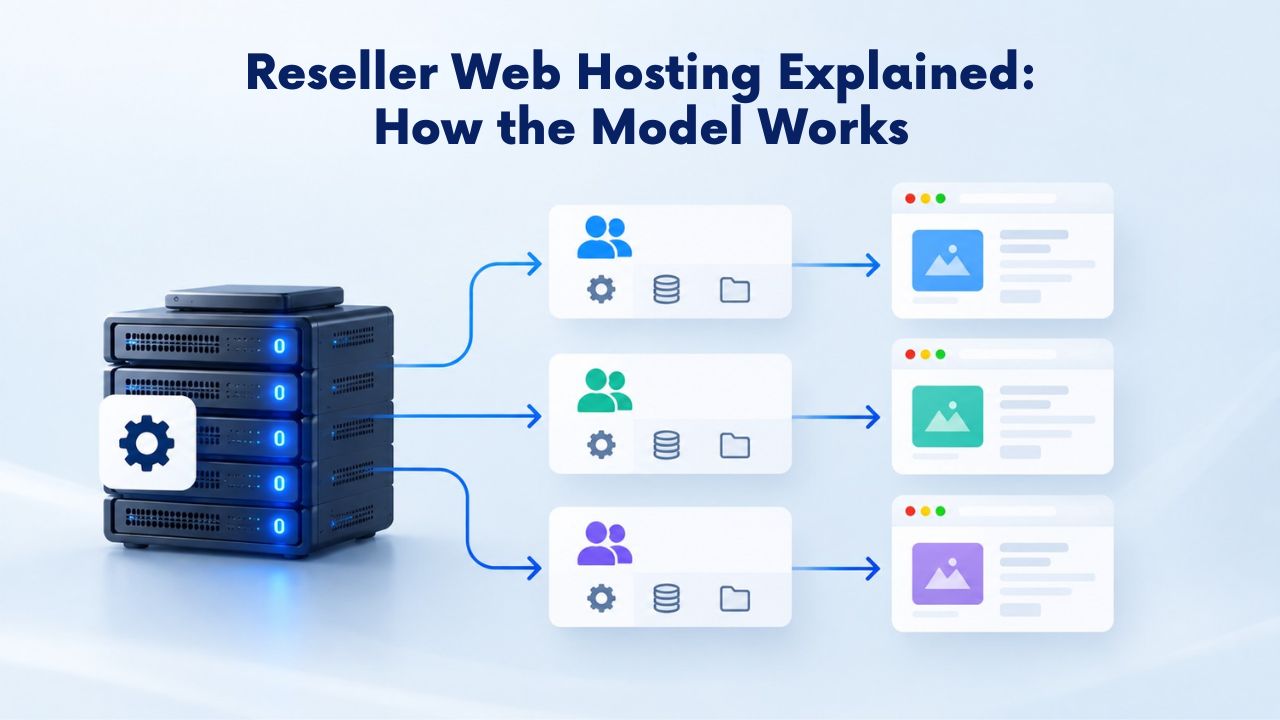
What Is Reseller Web Hosting
Reseller web hosting is a business arrangement in which an individual or company buys hosting services in bulk from a primary provider and resells them to its own customers. The reseller acts as an intermediary, buying large quantities of server resources, such as disk space and bandwidth, and dividing them into smaller packages for clients. This model allows entrepreneurs to run a Web Hosting Provider operation without owning or managing physical servers, data centers, or networking infrastructure. By eliminating the capital and technical barriers of building infrastructure from scratch, reseller hosting opens the door to anyone with business acumen and client relationships.
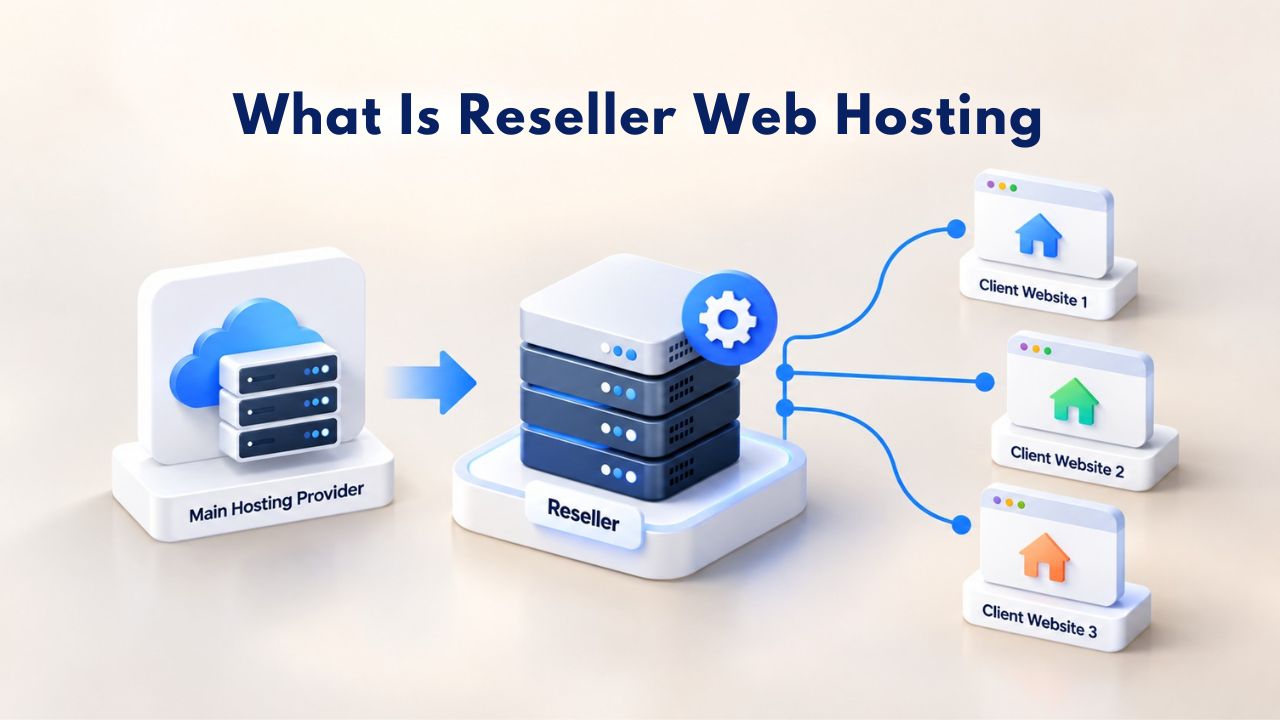
The Three Parties in Every Reseller Model
The reseller web hosting arrangement involves three distinct parties, each playing a critical role in the overall system. The primary hosting provider (in Niya Digital’s case, GoDaddy) owns and operates the physical servers, network infrastructure, and data centers that form the foundation of the service. The reseller purchases a plan from that provider and manages the client-facing business: pricing, packaging, branding, billing, and customer support. End-users or clients purchase hosting packages from the reseller, often without knowing the underlying infrastructure supplier exists.
From the client’s perspective, they are doing business with the reseller’s brand alone. They see the reseller’s logo, contact the reseller for support, and receive invoices from the reseller’s company. This separation is intentional and valuable. It lets the reseller build a unique brand identity and client relationships, while the provider handles the complex, capital-intensive work of maintaining data centers and server infrastructure. This three-party structure makes reseller hosting a viable, low-investment business model. Resellers get professional-grade server infrastructure without the millions of dollars needed to build it. The provider extends its reach through reseller partners who bring local expertise and personalized service. Clients get hosting from someone they trust, with packages tailored to their specific needs.
How Reseller Web Hosting Functions in Practice
When a reseller purchases a Web Hosting plan from a provider like GoDaddy (through Niya Digital’s reseller platform), they receive a pool of resources: a total amount of disk space, monthly bandwidth, and the ability to create a certain number of hosting accounts. The reseller uses control panel software, typically cPanel with Web Host Manager (WHM), to divide these resources among their clients. Each client receives their own cPanel account, branded with the reseller’s logo and company information, giving them the freedom to manage their own domains, email, and files without needing server administration knowledge.
The reseller can create tiered packages: a “Starter” plan with less storage and bandwidth for small sites, a “Professional” plan for growing businesses, and a “Business” plan for high-traffic sites. They set the features for each tier, decide which control panel functionality each tier accesses, and handle all customer communication. When a client needs help with email setup, domain configuration, or website issues, they contact the reseller first. The reseller either solves it using the control panel or escalates it to the provider’s support team if it’s an infrastructure-level problem. Still, that support interaction stays behind the scenes. The client never knows that escalation occurred; they only experience the reseller’s support response.
Business Web Hosting Plans & Pricing
Choose the hosting plan that fits your website, WordPress site, or growing business. Compare features, storage, performance, security, and website capacity to find the right hosting environment for your needs.
cPanel Starter
cPanel Hosting that's easy, reliable and lightning-fast.
- 1 website
- 30 GB storage
- Unmetered bandwidth*

cPanel Economy
cPanel Hosting that's easy, reliable and lightning-fast.
- 1 website
- 100 GB space
- Unlimited bandwidth*
- 100 email accounts**
- 10 MySQL databases (1 GB ea.)
cPanel Deluxe
cPanel Hosting that's easy, reliable and lightning-fast.
- Unlimited websites
- Unlimited space
- Unlimited bandwidth*
- 500 email accounts
- 25 MySQL databases (1 GB ea.)
cPanel Ultimate
cPanel Hosting that's easy, reliable and lightning-fast.
- Unlimited websites
- Unlimited space
- Unlimited bandwidth*
- 1000 email accounts
- Unlimited MySQL databases (1 GB ea.)
- 2X Processing power & memory (available for Linux/cPanel only)
- Premium DNS
- 1-year SSL certificate to secure customer data and increase search rankings
*We don't limit the amount of storage and bandwidth your site can use as long as it complies with our Hosting Agreement. Should your website bandwidth or storage usage present a risk to the stability, performance or uptime of our servers, we will notify you via email and may be required to upgrade, or we may restrict the resources your website is using.
**Email account storage is limited to 100 email accounts with 100 MB of total storage.
WordPress Basic
A great way to get started.
- 1 website
- 10 GB NVMe storage
- Unmetered bandwidth
- Free SSL Certificate *
- WordPress pre-installed
- Weekly backups
- Web Application Firewall
- Daily malware scans
- One-time malware removal

WordPress Deluxe
Improve your site performance with Cloudflare CDN.
- 1 website
- 20 GB NVMe storage
- Unmetered bandwidth
- Free SSL Certificate *
- WordPress pre-installed
- Daily backups
- Web Application Firewall
- Daily malware scans
- One-time malware removal
- Up to 2x faster performance with global Cloudflare CDN **
- Enhanced security with DDoS protection
- Staging site
WordPress Ultimate
Add online marketing with more sites, storage and security.
- 1 website
- 30 GB NVMe storage
- Unmetered bandwidth
- Free SSL Certificate *
- WordPress pre-installed
- Daily + on-demand backups
- Web Application Firewall
- Daily malware scans
- Unlimited malware removal
- Up to 2x faster performance with global Cloudflare CDN **
- Enhanced security with DDoS protection
- Staging site
- WordPress code optimizer
- Smart WordPress plugin manager
- Sell online with WooCommerce
*An SSL certificate is included with every site and free for the life of the hosting plan. Certificates are automatically installed, validated and renewed.
Web Hosting Plus Launch
For multiple basic sites.
- 100 GB storage*
- 4 GB RAM
- 2 CPUs
- Unmetered traffic
- 50 websites & databases
- Free, unlimited SSL for all your websites**

Web Hosting Plus Enhance
For high-traffic WordPress, Joomla, and other sites.
- 200 GB storage*
- 8 GB RAM
- 4 CPUs
- Unmetered traffic
- 100 websites & databases
- Free, unlimited SSL for all your websites**
Web Hosting Plus Grow
For advanced eCommerce sites like Magento.
- 300 GB storage*
- 16 GB RAM
- 8 CPUs
- Unmetered traffic
- 150 websites & databases
- Free, unlimited SSL for all your websites**
Web Hosting Plus Expand
For multiple basic sites.
- 400 GB storage*
- 32 GB RAM
- 16 CPUs
- Unmetered traffic
- 200 websites & databases
- Free, unlimited SSL for all your websites**
*The total amount of usable storage capacity for your particular Hosting Service(s) may differ from the represented capacity as there is required space for the operating system(s), system file(s) and other supporting file(s).
**If you cancel the Web Hosting Plus product, you will lose the associated SSL certificate as well.
Reseller Hosting, Shared Hosting, VPS & Dedicated: What’s the Difference
Reseller hosting is often confused with other hosting types, but it’s fundamentally a business model choice rather than a technical tier. Understanding the distinction clarifies when reseller hosting makes sense for different goals and business structures.
Understanding Hosting Tiers
Shared hosting is an entry-level product where many websites share a single server’s resources. A shared hosting provider (or reseller selling shared hosting packages) divides one server among dozens or hundreds of accounts. It’s affordable and requires no technical knowledge, but resource limits are strict, and performance suffers if neighboring sites use heavy resources or experience traffic spikes. Shared hosting is typically what end-users purchase when they need basic web hosting; resellers often buy shared hosting allocations and resell them to their own clients.
Virtual Private Server (VPS) hosting uses virtualization technology to give each account a dedicated portion of a server’s resources. A VPS provides more power and control than shared hosting, with guaranteed resource allocation and the ability to install custom software or run server-side applications. VPS users are usually developers, technical entrepreneurs, or small businesses requiring more control.
Some resellers buy VPS allocations and sell them as packages to clients who need more power than shared plans provide. Dedicated hosting means an entire physical server is rented to one client, who has complete control and access to all the server’s resources. Dedicated hosting is expensive and demands deep technical expertise, so resellers rarely offer pure dedicated hosting; instead, they might offer a reseller VPS plan that mimics dedicated-like control without the premium cost.
Reseller Hosting as a Business Model, Not a Technical Tier
The key insight is that reseller hosting is not a hosting tier; it’s a business arrangement that sits on top of other tiers. A reseller can offer shared hosting packages, VPS packages, or a combination of both. What makes it “reseller” is that the reseller buys in bulk, divides the resources, manages client relationships, sets pricing, and keeps the margin.
Reseller Web Hosting appeals to entrepreneurs and agencies because it combines affordability (buying wholesale from a provider) with control (setting own prices, branding, and support level). An agency running 50 client sites doesn’t need to be a server expert; they need a reliable provider and a way to manage billing and support efficiently.
Reseller Hosting Decision Framework: Use Case Breakdown
| Use Case / Customer Type | Provider Responsibilities | Reseller Responsibilities | Best Suited For |
|---|---|---|---|
| Freelance web developer | Infrastructure, security updates, server maintenance | Client support, pricing, sales, project delivery | Adding recurring revenue to design/dev services |
| Digital marketing agency | Infrastructure, security updates, server maintenance | Client support, billing, performance optimization | Managing multiple client sites, upselling services |
| IT consultant or MSP | Infrastructure, security updates, server maintenance | Tech support, pricing, client relationships | Bundling hosting with managed IT services |
| Small hosting startup | Infrastructure, security updates, server maintenance | All client-facing activities, marketing, sales | Building a hosting business from scratch |
| Web design studio | Infrastructure, security updates, server maintenance | Support, billing, technical configuration | Offering complete web solutions |
| Ecommerce agency | Infrastructure, security updates, server maintenance | Client support, commerce setup, optimization | Specializing in ecommerce site hosting |
| WordPress consulting firm | Infrastructure, security updates, server maintenance | Support, WordPress optimization, security | Specializing in WordPress site hosting |
Provider Responsibilities Versus Reseller Responsibilities
Clear responsibility lines are essential to understanding how reseller hosting works operationally. The hosting provider (GoDaddy, in Niya Digital’s case) and the reseller each own distinct functions. Understanding this split prevents confusion when problems arise and clarifies who handles different types of support requests.
What the Hosting Provider Manages
The provider manages all infrastructure and backend server operations that the reseller and clients rely on. This includes maintaining physical servers in geographically distributed data centers, applying security patches and updates to the operating system and hosting software on a regular schedule, monitoring server health and performance around the clock through automated systems and human oversight, ensuring network connectivity and redundancy so data always flows reliably, and providing 24/7 technical support for server-level infrastructure issues. The provider also handles data-center-level operations: power backup systems (so sites stay online if the grid fails), cooling infrastructure to prevent hardware overheating, physical security (locks, surveillance, access controls), and DDoS protection at the network edge to stop distributed attacks before they reach individual sites.
According to GoDaddy’s infrastructure documentation, reseller hosting platforms include features like 24/7 network monitoring, intrusion prevention systems for baseline security, and state-of-the-art data centers with redundant systems. These are provider-level commitments, not reseller decisions. The reseller benefits from them without managing them. The provider also typically does not offer direct support to the reseller’s end-clients. If a client emails the provider with a question, the provider redirects them to the reseller. This boundary is important: the provider supports the reseller (the customer who bought the plan), and the reseller supports their own clients. This keeps support relationships clear and prevents the provider from being overwhelmed with thousands of end-client inquiries.
What the Reseller Manages
The reseller manages everything the clients experience directly. This includes creating and pricing hosting packages (deciding that a Starter plan includes specific storage and bandwidth allocations, for example), provisioning new client accounts (logging into WHM, creating cPanel accounts, setting resource limits), configuring email, domains, and DNS settings for clients, providing technical support to clients for routine issues (how to upload files, install WordPress, set up email forwarding, troubleshoot plugin conflicts), processing payments and invoicing, handling billing inquiries and refunds, managing client relationships (onboarding new clients, renewing expiring plans, supporting long-term retention), and marketing and sales (finding clients, promoting the hosting service, building brand reputation).
When a client’s website is slow, they contact the reseller, not GoDaddy. The reseller investigates: Is it a configuration issue? Is a resource limit being approached? An inefficient plugin slowing down the site? If it’s an infrastructure problem (like a network issue affecting the entire server), the reseller escalates to GoDaddy’s support team. But the client never sees that escalation. From the client’s perspective, the reseller is the face of the service, and that single point of contact builds trust and long-term client relationships.
The Reseller Business Model and Profitability
Reseller hosting can be profitable, but profitability depends on managing costs, creating value, and understanding the real effort involved in customer support. Unlike some passive-income narratives, reseller hosting requires active management and strategic decision-making to succeed long-term.
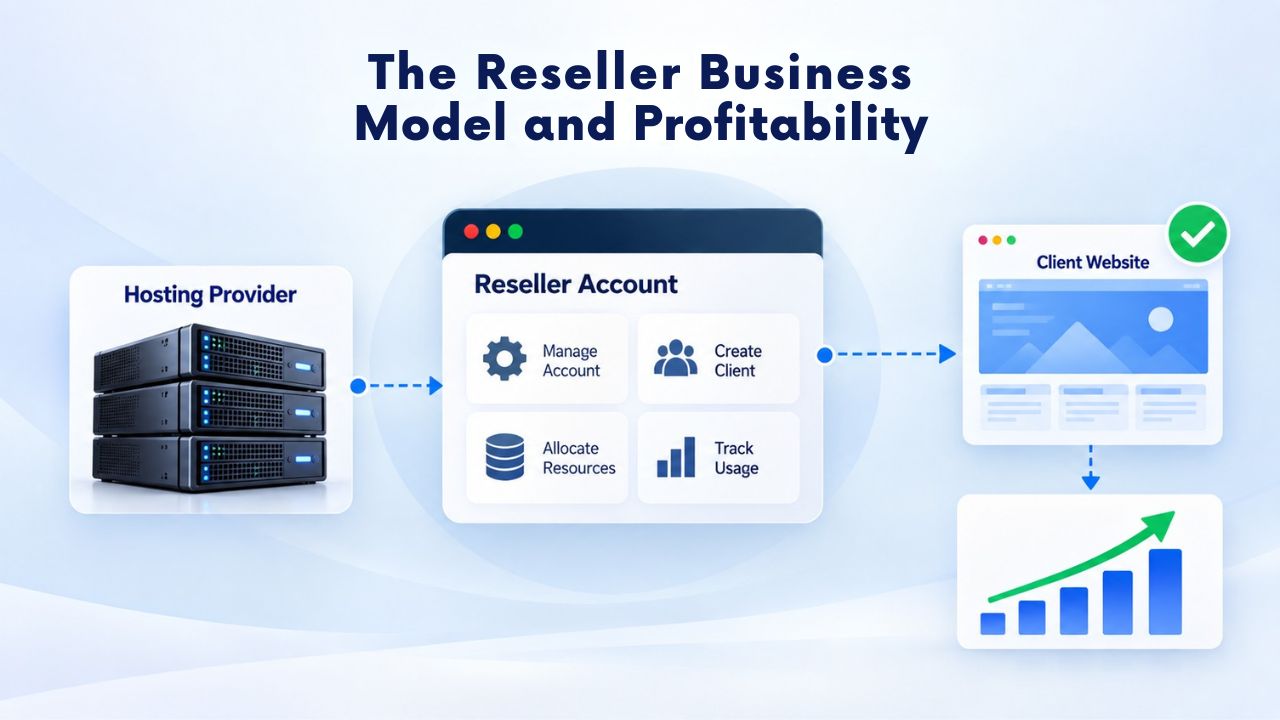
Understanding Your Cost Foundation
Before setting service offerings, a reseller must calculate the full cost base of offering hosting. This includes the provider’s hosting plan, billing and support software tools, domain registration and management features, payment processing fees, accounting and business overhead, and the time spent on customer support. For a reseller starting with basic tools, total monthly overhead is realistically substantial before selling a single account.
This cost foundation creates a natural break-even point. If a reseller spends heavily on tools and infrastructure and sells only a handful of hosting plans, that gross revenue won’t cover costs, let alone generate profit. To reach meaningful profit, resellers typically need a solid number of paying clients, depending on the price point and how efficiently they handle support. This is why most resellers focus on building a client base of at least 15–30 sites before expecting significant monthly profit.
What Drives Reseller Profitability
Revenue comes from two levers: the number of clients and the average value per client. An agency with 50 client sites, each generating consistent monthly revenue, creates a predictable monthly income. Subtract provider and tool costs to get monthly profit. But resellers must account for support time, which directly affects net profitability. If support time is managed efficiently, through ticketing systems, knowledge bases, and canned responses, profit scales better. A reseller with a large client base can often make more profit than a reseller with fewer, higher-maintenance clients.
The challenge is that support does not scale infinitely. A reseller handling hundreds of clients will struggle to support them all personally. It may need to hire help, implement advanced ticketing systems with AI-assisted responses, or offer tiered support (free basic support, paid premium support for advanced issues). This is where many resellers hit a growth ceiling without additional investment in team or automation.
Why Resellers Succeed or Struggle
Resellers succeed by focusing on value-add, not just reselling commodity hosting. A developer who bundles hosting with WordPress setup, security monitoring, ongoing software updates, and malware scanning can attract clients who value convenience. An agency offering hosting as part of a digital presence package (design, hosting, SEO, email) can upsell easily and retain clients long-term because hosting is just one integrated piece. A consultant offering hosting to their tech support clients makes it simpler for clients to manage their online presence.
Resellers struggle when they view hosting as a low-cost add-on and try to compete solely on price. In that case, competing on raw cost becomes unsustainable, and profit margins disappear. Success requires differentiation: better support responsiveness, specialized expertise (e.g., hosting optimized for e-commerce, nonprofits, or WordPress), or value-added services like security monitoring and automated backups that competitors don’t include as standard.
Building Your Reseller Offering and Client Support Strategy
A reseller’s ability to scale depends heavily on how they structure their service offerings and support processes. Early choices shape growth potential and profitability for years to come.
Structuring Service Packages
Most resellers use a tiered package model: a Starter plan for small sites and individuals, a Professional or Business plan for growing companies, and sometimes a Premium plan for resource-intensive operations. Each tier includes different allocations of storage, bandwidth, domains, email accounts, and support levels. This tiered approach lets resellers serve different market segments with a single hosting platform. A nonprofit might choose the Starter plan; a small ecommerce company might select Professional; a growing agency might need Business.
The reseller decides not just the resource allocations but also which features each tier accesses. Some resellers include automated daily backups in all plans; others offer them only in the Professional tier. Some include free SSL certificates across all tiers; others charge an add-on fee. These feature decisions directly impact support burden and client satisfaction, so they deserve careful thought.
Managing Client Expectations
Clear communication sets the foundation for long-term client relationships. The reseller should document setup timeframes, backup schedules, support response times, and what happens if resource limits are approached. Clients need to know whether they can upgrade mid-month, whether they get credit for downtime, and how technical escalations work.
Transparency prevents misunderstandings later. Niya Digital’s Web Hosting platform provides straightforward control panel access and documentation, helping resellers set clear expectations about what clients can and cannot do within their hosting accounts.
Resource Usage and Upgrade Timeline
| Business Stage | Typical Resource Allocation | Typical Client Count | Physical Usage Rate | Next Action |
|---|---|---|---|---|
| Starting out | Base hosting allocation | 5–15 clients | 25–40% of plan | Monitor closely, build client base |
| Early growth | Base hosting allocation | 15–30 clients | 40–65% of plan | Plan for first upgrade |
| Established | Base hosting allocation | 30–75 clients | 65–80% of plan | Execute first upgrade or expand allocation |
| Mid-scale | Upgraded hosting plan | 75–150 clients | 70–85% of plan | Plan for second upgrade or add second plan |
| Scaling | Multiple hosting plans or large allocation | 150+ clients | 75–85% of plan | Implement automation, hire support staff |
| Mature operation | Enterprise-tier allocation or multiple providers | 300+ clients | 80–90% of plan | Consider managed services or specialization |
Start Offering Web Hosting Under Your Brand
Niya Digital’s Web Hosting infrastructure provides the technical foundation resellers need. Manage multiple client accounts through cPanel, create branded packages, handle billing and support efficiently, and scale as your business grows. Focus on client relationships and differentiation while we manage the servers and infrastructure.
Typical Reseller Customers and Market Use Cases
Reseller hosting is not a one-size-fits-all model. Different businesses and professionals benefit from reseller hosting for different reasons, and understanding these use cases helps you decide whether reseller hosting fits your business goals and client base.
Freelance Developers and Design Agencies
Web developers and design agencies are among the most common resellers in the industry. A freelancer who builds websites for small businesses often hears the same question from every client: “Where should we host this?” Instead of referring clients to a third party (and losing a potential revenue stream and ongoing customer touchpoint), developers can offer hosting as part of their service. This bundles design, development, and hosting into one seamless offering that simplifies the client experience. Clients appreciate the simplicity: one invoice, one support contact, one company responsible for their entire online presence.
A design agency managing 50 client websites across dozens of domains can use a single reseller hosting plan to host them all, with each client getting their own cPanel account branded with the agency’s logo. The agency controls backups, security updates, and monitoring for all client sites from one dashboard. Hosting becomes a recurring revenue stream that lasts as long as the client’s website exists, even if the initial design work was a one-time project years ago.
Marketing and SEO Agencies
Digital marketing and SEO agencies work closely with clients on website performance, search rankings, and conversion optimization. These agencies benefit from reseller hosting because it ensures their clients’ sites have reliable, optimized infrastructure that doesn’t become a performance bottleneck. An agency offering SEO services can pair that with hosting that includes performance caching, WordPress optimization tools, and automatic security updates, reducing technical friction and strengthening its value proposition.
Reseller hosting also lets marketing agencies upsell additional services. A client buying an SEO package might also purchase email hosting, SSL certificates, or website backups from the same provider, increasing customer lifetime value and deepening the relationship. This cross-selling is easier when the reseller controls the entire service stack rather than recommending external providers.
IT Consultants and Managed Service Providers
IT consultants and managed service providers (MSPs) who serve small businesses often get asked about website and hosting needs. These professionals can offer reseller hosting as a natural extension of their service portfolio. An MSP managing a client’s servers and network can also manage their website hosting, backups, and security, a more comprehensive service that justifies higher consulting fees. Hosting becomes part of an integrated technology strategy rather than an afterthought that the client handles separately.
MSPs also benefit from the recurring revenue that hosting generates. A client paying for managed IT services might also pay monthly for managed hosting, creating multiple revenue streams from the same relationship. This diversification reduces dependency on project work and increases predictable, recurring income.
Growing From Startup to Established Reseller Business
The journey from first client to a portfolio of dozens or hundreds of sites follows predictable growth stages, each with its own challenges and opportunities. Understanding these stages helps resellers plan for growth and avoid common pitfalls.

Early Stage: Startup to 30 Clients
In the early stage (first 0–30 clients), the reseller can handle support personally, manage billing with basic tools, and operate from a single hosting plan. Support time is the biggest constraint. If each client needs 30 minutes per month on average for email setup, troubleshooting, and guidance, 30 clients means 15 hours per month, manageable alongside other work for a freelancer or young agency.
During this stage, the reseller focuses on building a solid reputation, perfecting the onboarding process, and creating systems that will scale later. Creating canned email responses for common questions, developing a simple knowledge base, and documenting the setup process saves time and reduces errors. Building word-of-mouth momentum is critical, as referrals often become the easiest and most profitable source of new clients at this stage.
Mid-Stage: 30 to 100 Clients
At mid-stage (30–100 clients), support becomes a significant time sink if not optimized. Many resellers hire a part-time support person, set up ticketing systems with canned responses and knowledge base articles to reduce handling time, or implement stricter support policies (e.g., business-hours support only, or paid support tiers for urgent help). The reseller also likely needs to upgrade to a larger hosting plan, or even multiple plans, to accommodate all clients.
At this stage, systems and processes become critical. A reseller without strong documentation and ticketing systems will quickly feel overwhelmed. A reseller who invests in these systems can grow efficiently. Many resellers also begin to specialize or differentiate at this stage, moving beyond generic hosting to specialized offerings (WordPress-optimized hosting, hosting for ecommerce, hosting for nonprofits).
Scale Stage: 100+ Clients
At scale (100+ clients), the reseller typically needs dedicated support staff, a formal ticketing system with SLA targets, documented procedures for every common support scenario, and potentially multiple hosting plans or a higher-tier reseller account. At this point, reseller hosting often transitions into a full-fledged hosting company with a team. The founder might hire dedicated support staff, a sales representative, or an operations manager.
At this stage, resellers also often explore automation: using monitoring tools to alert about issues before clients notice, setting up automated provisioning to speed account creation, or even using AI chatbots for initial tier-1 support. Automation is essential to profitable growth at scale.
Managing Resources and Planning Upgrades
One of the most operational aspects of reseller hosting is managing the finite pool of resources (disk space, bandwidth, account slots) and knowing when to upgrade to a larger plan. Getting this wrong leads to either wasted money (upgrading too early) or frustrated clients and lost sales (running out of resources).
Tracking Resource Usage
Resellers should continuously monitor two metrics: actual physical usage and assigned quotas. cPanel’s WHM provides dashboards showing both. Actual usage is what clients are using right now: combined disk space, total bandwidth consumed, and database usage. Assigned quotas are what the reseller has promised to clients in their hosting packages. A reseller might have a plan with 500 GB total storage but have assigned 600 GB in client quotas (a common practice called overselling, discussed below). The reseller needs to watch both numbers.
The reseller should check these metrics monthly and set upgrade triggers based on actual usage. Many hosting providers send notifications when usage crosses 50%, 75%, and 90% of plan limits. Resellers should heed these and plan accordingly. When actual usage reaches 70–80%, the reseller should plan an upgrade (don’t buy immediately, but budget for it and timeline the change). When usage reaches 85–90%, the reseller should buy the upgrade to prevent hitting the ceiling.
Overselling: Practice and Caution
Overselling in reseller hosting means allocating more disk space or bandwidth to client accounts than the plan physically includes. For example, if a reseller has a plan with 500 GB total storage but creates 10 client accounts with 75 GB quotas each (750 GB total), the reseller is overselling by 1.5×. This works because clients typically use far less storage than their quota: a client with a 75 GB quota might only use 15 GB. Moderate overselling (1.5–2×) is standard industry practice and is permitted by most providers.
The logic is sound: allocating 100 GB to a client doesn’t mean they immediately consume 100 GB. But overselling carries risk. If many clients suddenly start using their full quotas, perhaps due to increased traffic or video uploads, the reseller could run out of storage. When that happens, clients hit their quotas and can’t upload new files, causing functionality problems and complaints. Responsible resellers keep overselling moderate and monitor actual usage closely, upgrading before physical usage becomes a constraint.
When and How to Upgrade
Resellers should upgrade their hosting plan based on actual resource usage and the need to accommodate new clients. When usage reaches 70% of plan limits, the reseller should plan an upgrade. When it reaches 85%, the reseller should execute the upgrade. Most providers make this seamless: the reseller increases their plan, and the new limits take effect immediately. Existing clients experience no downtime or disruption; they gain access to a larger resource pool.
The reseller should avoid upgrading during peak business seasons if possible, though most upgrades are seamless enough that timing doesn’t matter. What matters is not waiting until 100% usage before upgrading, because that leaves zero room for growth and puts the reseller in a reactive position if something unexpected happens.
Web Hosting Pricing Strategies and Package Design
How a reseller structures and prices packages determines not just revenue, but also the type of clients they attract and the support burden they take on. Smart package design separates profitable resellers from those who struggle.
Calculating Your True Operating Cost
Before setting service offerings, calculate the true cost base of offering Web Hosting. This includes the provider’s hosting plan, billing and support software (ticketing systems, invoicing tools, client portals), domain management tools, payment processor fees (typically 2–3% of revenue), accounting software, business insurance, and overhead (electricity for your office, internet connection, phone). For a reseller starting with basic tools, realistic monthly overhead is substantial before selling a single account.
Understanding this cost foundation is critical because it sets your break-even point and your minimum profitable price point. If your overhead is high, you need higher per-client revenue or more clients to reach profitability. If you keep overhead low initially (using free ticketing systems, managing billing manually, working from home), you can break even faster.
Designing Tiered Packages
Most resellers use tiered pricing: a Starter package for individuals and small sites, a Professional or Business package for growing companies, and optionally a Premium package for high-demand clients. Each tier includes different allocations of storage, bandwidth, email accounts, and support levels. This structure serves multiple market segments efficiently. A blogger might choose Starter; a small ecommerce store might choose Professional; a growing services business might need Business-level resources.
The reseller decides not just the allocations but also which features each tier includes. Some resellers include automated daily backups in all packages; others offer them only in Professional tiers. Some include free SSL certificates across all tiers; others charge as an add-on. Some include priority email support in Business tiers but only community forum support in Starter tiers. These feature decisions shape client satisfaction, support burden, and perceived value.
Pricing Psychology and Market Positioning
Pricing is not just arithmetic; it’s also psychology. Clients associate price with quality. A reseller offering hosting at a rock-bottom price might attract bargain-hunters, but it can also attract clients who are difficult to support and quick to leave for a cheaper option. A reseller pricing Web Hosting at a moderate, sustainable level attracts clients who value reliability and support and who tend to stay longer. The highest-priced resellers typically offer significant value-add: white-glove setup, priority support, specialized expertise, or bundled services like WordPress optimization and security monitoring.
Successful resellers also think about bundling. Hosting alone is hard to differentiate. Hosting plus WordPress setup plus security monitoring plus monthly backups plus priority support is easier to justify a premium for. Clients perceive more value in that bundle than in raw hosting, and the reseller can charge more while delivering real additional value.
Supporting Clients and Scaling Support Operations
Client support is where most resellers spend their time and where many resellers fail at scale. Building systems to support clients efficiently is essential to growing profitably.
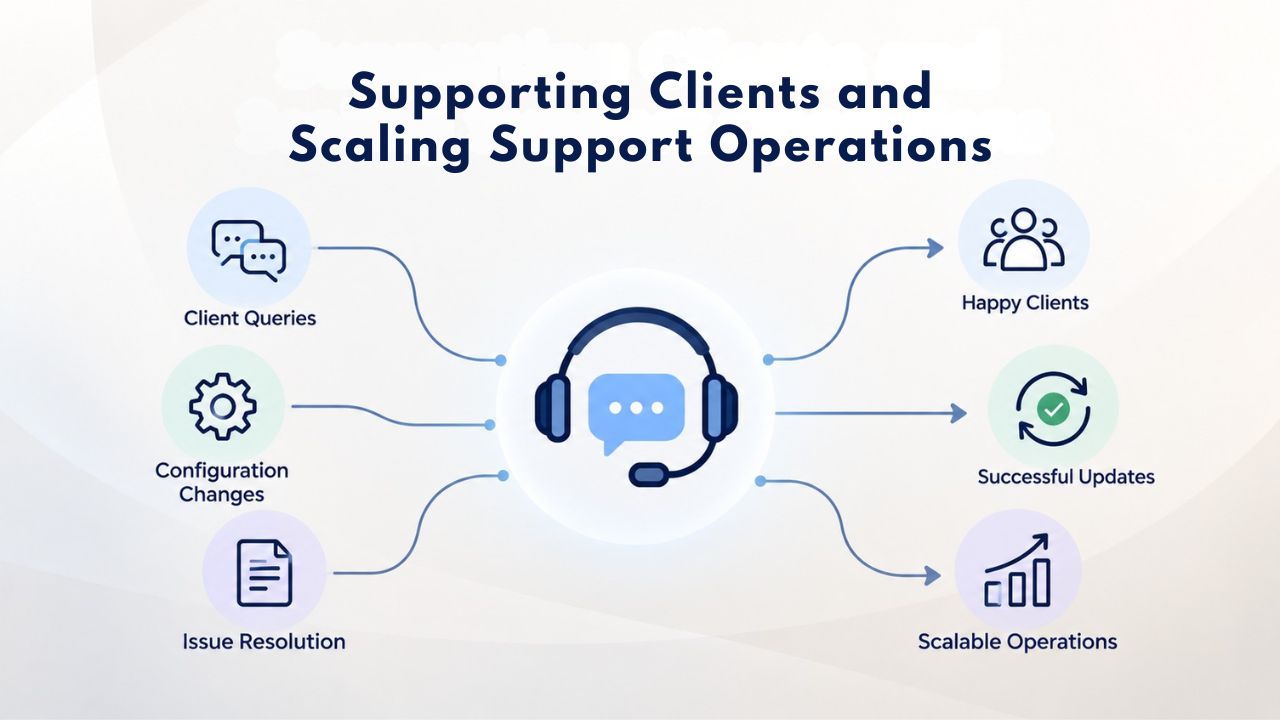
Building Support Infrastructure
Most resellers start by answering support requests directly via email. This works fine for 10–20 clients but quickly becomes chaotic with more. The solution is to implement support infrastructure: a ticketing system that tracks all requests, a knowledge base where clients (and support staff) can find answers to common questions, and documentation of your support process (response-time targets, escalation procedures, known issues, and solutions).
A ticketing system, many of which are free for small teams, ensures no customer email gets lost, provides a history of each client’s issues, and lets you track response times and resolution rates. A knowledge base reduces support volume by letting clients self-serve for common tasks: how to upload files, create email accounts, install WordPress, point a domain, update DNS. Many resellers use a wiki or help portal their hosting provider provides; others build a custom knowledge base or use platforms like Zendesk.
Support Tiers and Resource Allocation
As the reseller grows, support becomes complex. Some clients are high-maintenance; others rarely contact support. Some are willing to wait 48 hours for a response; others expect immediate help. Many established resellers implement tiered support: free standard support (email, 24-hour response time), paid priority support (phone and chat, 1-hour response time), or premium managed support (proactive monitoring, security updates handled by the reseller). This lets clients choose the support level they need and lets the reseller scale support costs with revenue.
Some resellers also use support automation: chatbots that answer initial questions, ticket routing that assigns complex issues to senior staff, and monitoring tools that flag issues before clients report them. Automation isn’t about replacing human support; it’s about handling routine requests efficiently so humans can focus on complex issues that require expertise.
Ready to Launch Your Web Hosting Business Today
Niya Digital’s Web Hosting platform gives you everything needed to build a successful reseller hosting business. With cPanel control panels, automatic backups, one-click app installers, and 24/7 support, you can manage dozens of client sites efficiently. Scale as you grow while we handle the infrastructure.
Frequently Asked Questions
What is the difference between reseller hosting and shared hosting?
Reseller hosting is a business model where you purchase hosting and resell it to clients under your brand. Shared hosting is a hosting tier where multiple websites share one server’s resources. You can resell shared hosting, VPS, or a combination. The key difference: with reseller hosting, you’re the intermediary managing client relationships and pricing. With shared hosting, you’re typically an end-user hosting your own sites on a provider’s shared servers.
Do I need technical expertise to become a reseller?
No. The provider manages all server-level infrastructure and maintenance. You use a control panel like cPanel to manage client accounts, but you don’t need to understand Linux, server administration, or networking. If a complex technical issue arises, you escalate to your provider’s support team. Most successful resellers are developers, designers, or business entrepreneurs, not systems administrators or server experts.
How many clients do I need to make reseller hosting worthwhile?
Most resellers aim for 15–30 paying clients to generate meaningful monthly profit. The exact number depends on your pricing, cost structure, and support efficiency. A reseller with high prices and low overhead might break even with 5 clients. A reseller with lower prices or higher overhead might need 30–50 clients. The key is understanding your break-even point and having a realistic growth plan to reach it.
What is overselling in Web Hosting?
Overselling means allocating more disk space or bandwidth to client accounts than your plan physically includes, assuming clients won’t use their full quotas simultaneously. Moderate overselling (1.5–2×) is standard industry practice. Aggressive overselling is risky because if many clients use their full allocations at once, you could run out of resources and disappoint clients.
What tools do I need to manage reseller clients?
You need a control panel for account management (typically cPanel with WHM), a billing system for invoicing and payments (WHMCS is the industry standard), and support ticketing for customer issues. Many billing systems include built-in ticketing. You may also use monitoring tools, backup software, and automation platforms as you scale.
Can I offer unlimited storage or unlimited bandwidth?
Technically yes, but carefully. Many resellers create “unlimited” plans using high quotas they don’t expect clients to hit. However, you must have actual resources to back this up. If you advertise unlimited storage and clients can’t actually use it because you ran out, you’ve broken your terms. Honest unlimited plans require regular upgrades and careful monitoring.
How do I decide what to charge for Web Hosting?
Calculate your total monthly costs (provider plan, tools, overhead), decide on your profit margin (typically 40–60%), and factor in your target customer type and local market rates. Small business owners often pay more for personal support. Developers want competitive prices. Agencies can charge premium prices by bundling hosting with other services.
What happens if a client’s website gets hacked?
You coordinate with your hosting provider to investigate and remediate. The provider handles server-level security; you handle client-level support. Your terms of service should clarify that security is a shared responsibility and clients must keep their software and passwords secure.
Can I offer both shared hosting and VPS as a reseller?
Yes. Many resellers buy shared hosting allocations and VPS allocations from their provider and offer both to different client segments. Shared hosting attracts budget-conscious clients; VPS attracts clients needing more control and power.
Should I include email hosting in my reseller packages?
Many resellers include limited email accounts in their hosting packages (e.g., 5–10 email accounts per plan). Others partner with third-party email providers or offer professional email as a premium add-on. Including email increases perceived value but also increases support complexity for email configuration issues.
How do I keep clients from leaving for competitors?
Reliable hosting, responsive support, and added value retention. Clients who experience downtime, slow performance, or poor support will leave. Clients who feel supported and see regular improvements stay longer. Bundling hosting with other services or specializing in a niche (WordPress experts, ecommerce hosting) also increases retention by deepening relationships.
What happens when my reseller hosting plan reaches capacity?
You upgrade to a larger plan from your provider. This increases your resource allocation (storage, bandwidth, account slots). Your existing clients experience no downtime; you have more resources and can add new clients again.
Is reseller hosting sustainable as a long-term business?
Yes, for resellers who focus on service quality and customer relationships rather than competing solely on price. Many successful resellers operate profitable hosting businesses for 10+ years. The key is differentiating through support, specialization, or bundled services, not trying to be the absolute lowest-cost option.
How do I handle support at night and on weekends?
Small resellers often support clients only during business hours initially. As you grow, you can hire support staff covering extended hours or implement automated monitoring that alerts you to critical issues outside business hours. Many resellers also set client expectations early: “We support clients Monday–Friday, 9 AM–5 PM” prevents frustration.
What’s the best way to market my reseller hosting business?
Word of mouth is often the most effective channel for service-based businesses. Existing clients refer friends and businesses. For active marketing, focus on your niche: if you target WordPress sites, create WordPress-specific content; if you target nonprofits, participate in nonprofit networks. Building a strong reputation in a niche works better than generic advertising.
Glossary
- Web Hosting: A service that stores website files on internet-connected servers, making websites and web applications accessible to users worldwide through a domain name.
- Reseller Web Hosting: A business model where an individual or company purchases hosting services in bulk from a provider and resells portions of those services to their own clients under their own brand.
- Control Panel (cPanel): A web-based interface that allows end-users to manage their hosting account, including domains, email accounts, file uploads, and database creation, without needing server administration knowledge.
- Web Host Manager (WHM): The administrative control panel that resellers use to create and manage individual cPanel accounts for their clients, set resource limits, configure server settings, and monitor server performance.
- Bandwidth: The amount of data (measured in gigabytes per month) that can be transferred between a website and its visitors. High-traffic sites consume more bandwidth.
- Disk Space (Storage): The amount of storage available on a server for website files, databases, email accounts, and backups.
- Overselling: The practice of allocating more total disk space, bandwidth, or account slots to clients than the hosting plan physically includes, based on the assumption that clients will not use their full allocations simultaneously.
- Uptime: The percentage of time a website remains online and accessible. For example, 99.9% uptime means the server is unavailable approximately 43 minutes per month on average.


