
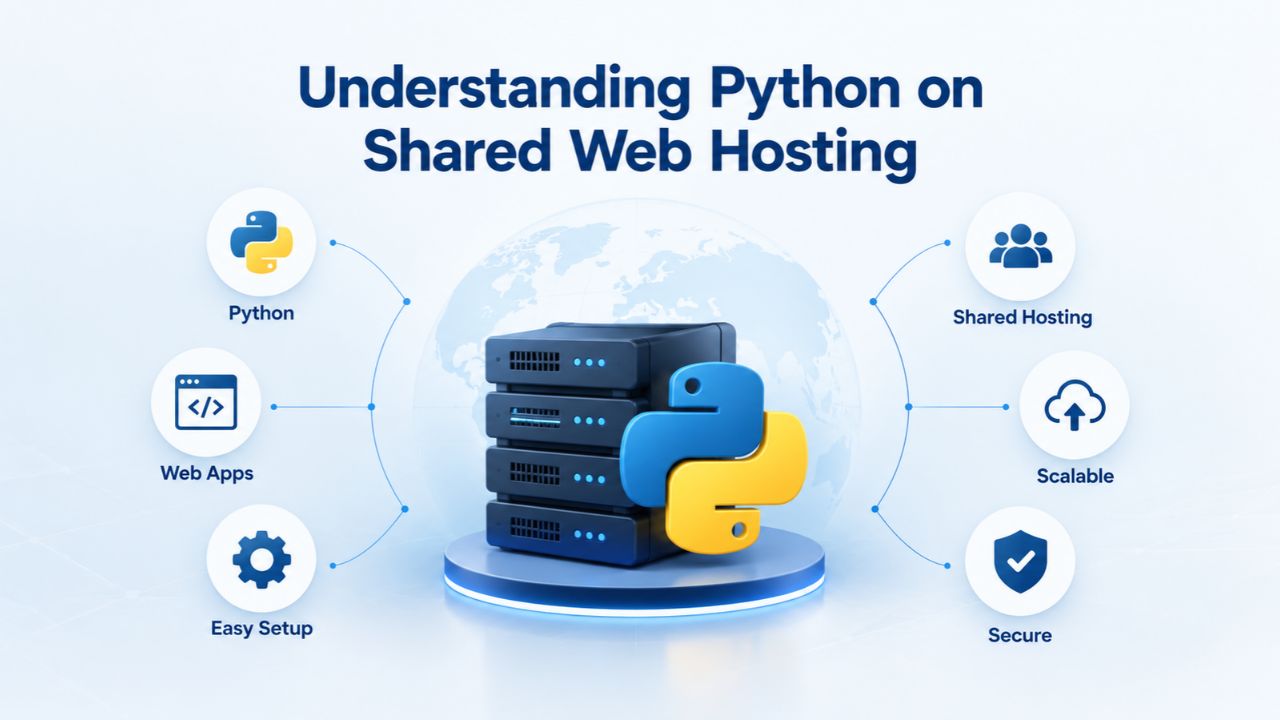
Understanding Python on Shared Web Hosting
Python web applications run well on shared hosting with modern control panels and language flexibility, not just PHP sites. When you choose shared hosting with cPanel, you’re renting space on a physical server that hosts hundreds of other websites. A hosting provider manages the underlying infrastructure, servers, network, and security. In contrast, you manage your application within a defined allocation of storage, bandwidth, and computational resources. GoDaddy’s CloudLinux LVE (Lightweight Virtual Environment) technology enforces these resource boundaries through process isolation: if your Python app consumes memory or CPU, LVE throttles it rather than letting it affect neighboring sites.
Shared hosting is an economical starting point for blogs, small business applications, data dashboards, and minimum viable products. Performance on shared hosting depends less on the hosting plan alone and more on how you design and optimize your application. Dedicated or VPS hosting offers more headroom and fewer resource constraints, but shared hosting delivers excellent value for applications that follow best practices: asynchronous operations for I/O-bound tasks, efficient code, and optional caching layers as traffic grows.
What Makes Shared Hosting Work for Python
Shared hosting means your Python application runs alongside hundreds of other websites on a single physical server. The hosting provider manages the infrastructure while you manage your application code within defined resource limits. GoDaddy’s CloudLinux LVE technology enforces these boundaries through process isolation: if your Python application consumes memory or CPU, LVE throttles it rather than letting it affect neighboring sites. This isolation is what makes shared hosting viable for Python applications: your process can’t crash the entire server, and other users’ sites can’t crash yours.
Niya Digital’s Web Hosting service includes one-click installers for popular frameworks, cPanel access for full control, free SSL certificates, daily backups, and responsive support. You don’t get root server access or the ability to install system-level Python extensions; your Python environment is sandboxed for security and stability. This model works well for web applications that follow best practices: efficient database queries, asynchronous operations for external API calls, and optional caching when traffic grows.
Uptime, Reliability, and Realistic Expectations
Shared hosting’s reliability depends on the underlying infrastructure provider. Niya Digital’s hosting runs on GoDaddy Web Hosting infrastructure, which is designed to minimize downtime through redundancy and failover systems. However, “guaranteed uptime” language is misleading; actual uptime depends on many factors outside a hosting provider’s full control: your site configuration, application code stability, database queries, and external API calls all influence whether a user sees your app as running.
A typical shared hosting environment targets 99%+ uptime, meaning a few hours of downtime per year are statistically expected across the entire infrastructure. For a Python web application, this is usually acceptable for learning, testing, and small production sites. If your business requires guaranteed 99.9%+ uptime (enterprise SLA standards), you’ll need to migrate to VPS or dedicated hosting, where you have more control and dedicated resources. Niya Digital’s team has found that most small Python app developers and businesses start on shared hosting and scale upward only when traffic or resource demands justify the cost.
Business Web Hosting Plans & Pricing
Choose the hosting plan that fits your website, WordPress site, or growing business. Compare features, storage, performance, security, and website capacity to find the right hosting environment for your needs.
cPanel Starter
cPanel Hosting that's easy, reliable and lightning-fast.
- 1 website
- 30 GB storage
- Unmetered bandwidth*

cPanel Economy
cPanel Hosting that's easy, reliable and lightning-fast.
- 1 website
- 100 GB space
- Unlimited bandwidth*
- 100 email accounts**
- 10 MySQL databases (1 GB ea.)
cPanel Deluxe
cPanel Hosting that's easy, reliable and lightning-fast.
- Unlimited websites
- Unlimited space
- Unlimited bandwidth*
- 500 email accounts
- 25 MySQL databases (1 GB ea.)
cPanel Ultimate
cPanel Hosting that's easy, reliable and lightning-fast.
- Unlimited websites
- Unlimited space
- Unlimited bandwidth*
- 1000 email accounts
- Unlimited MySQL databases (1 GB ea.)
- 2X Processing power & memory (available for Linux/cPanel only)
- Premium DNS
- 1-year SSL certificate to secure customer data and increase search rankings
*We don't limit the amount of storage and bandwidth your site can use as long as it complies with our Hosting Agreement. Should your website bandwidth or storage usage present a risk to the stability, performance or uptime of our servers, we will notify you via email and may be required to upgrade, or we may restrict the resources your website is using.
**Email account storage is limited to 100 email accounts with 100 MB of total storage.
WordPress Basic
A great way to get started.
- 1 website
- 10 GB NVMe storage
- Unmetered bandwidth
- Free SSL Certificate *
- WordPress pre-installed
- Weekly backups
- Web Application Firewall
- Daily malware scans
- One-time malware removal

WordPress Deluxe
Improve your site performance with Cloudflare CDN.
- 1 website
- 20 GB NVMe storage
- Unmetered bandwidth
- Free SSL Certificate *
- WordPress pre-installed
- Daily backups
- Web Application Firewall
- Daily malware scans
- One-time malware removal
- Up to 2x faster performance with global Cloudflare CDN **
- Enhanced security with DDoS protection
- Staging site
WordPress Ultimate
Add online marketing with more sites, storage and security.
- 1 website
- 30 GB NVMe storage
- Unmetered bandwidth
- Free SSL Certificate *
- WordPress pre-installed
- Daily + on-demand backups
- Web Application Firewall
- Daily malware scans
- Unlimited malware removal
- Up to 2x faster performance with global Cloudflare CDN **
- Enhanced security with DDoS protection
- Staging site
- WordPress code optimizer
- Smart WordPress plugin manager
- Sell online with WooCommerce
*An SSL certificate is included with every site and free for the life of the hosting plan. Certificates are automatically installed, validated and renewed.
Web Hosting Plus Launch
For multiple basic sites.
- 100 GB storage*
- 4 GB RAM
- 2 CPUs
- Unmetered traffic
- 50 websites & databases
- Free, unlimited SSL for all your websites**

Web Hosting Plus Enhance
For high-traffic WordPress, Joomla, and other sites.
- 200 GB storage*
- 8 GB RAM
- 4 CPUs
- Unmetered traffic
- 100 websites & databases
- Free, unlimited SSL for all your websites**
Web Hosting Plus Grow
For advanced eCommerce sites like Magento.
- 300 GB storage*
- 16 GB RAM
- 8 CPUs
- Unmetered traffic
- 150 websites & databases
- Free, unlimited SSL for all your websites**
Web Hosting Plus Expand
For multiple basic sites.
- 400 GB storage*
- 32 GB RAM
- 16 CPUs
- Unmetered traffic
- 200 websites & databases
- Free, unlimited SSL for all your websites**
*The total amount of usable storage capacity for your particular Hosting Service(s) may differ from the represented capacity as there is required space for the operating system(s), system file(s) and other supporting file(s).
**If you cancel the Web Hosting Plus product, you will lose the associated SSL certificate as well.
Getting Started: Python Version Selection and Setup on cPanel.
The first step to running Python on cPanel is choosing which version your application requires, then telling the server to use it. Most modern shared hosting uses CloudLinux OS, which includes a Python Selector tool built into cPanel. This tool lets you switch between multiple Python versions per application directory, so one project can run Python 3.9 while another uses 3.11, all on the same hosting account.
cPanel’s Python Selector simplifies what once required SSH access and manual compilation. You select a version from a dropdown menu, cPanel configures the environment, and your application automatically uses that version. For developers unfamiliar with Linux server administration, this feature is transformative: no manual PATH editing, no build tools required, no complex server configuration needed.
Niya Digital’s Web Hosting service includes this feature on all shared plans, backed by GoDaddy’s infrastructure documentation. Setting up Python becomes as simple as logging into cPanel and selecting your preferred version. This democratizes Python deployment; you don’t need terminal access or systems administration knowledge to get started.
Accessing and Configuring Python Selector in cPanel
To use Python on cPanel, log in to your hosting control panel and navigate to the Software section. Look for “Python Version Selector” or similar; the exact naming depends on your control panel version. Click it to see a list of available Python versions, typically ranging from 3.8 through 3.11 on modern servers. Select your desired version and confirm your selection. The configuration takes just a few seconds to complete.
Once you’ve selected a version, cPanel creates a symlink in your application’s directory pointing to that Python installation. Your application now runs using that version’s interpreter when requests arrive. If you need multiple Python versions on the same account, common when maintaining older projects alongside new ones, you can set different versions for different directories. cPanel’s official Python Selector documentation walks through this process in detail for any edge cases you encounter.
Installing Python Packages and Dependencies
After selecting a Python version, you’ll need to install third-party packages your application depends on. In local development, you’d use pip to install packages; in shared hosting, the process is similar but requires awareness of a few practical constraints. On shared hosting, you install packages into a virtual environment specific to your application; this isolates your project’s dependencies from other projects on the same account and from system-wide Python packages. Most frameworks (Django, Flask, FastAPI) encourage this practice for exactly this reason.
You connect to your hosting account via SSH, which is included with Niya Digital’s Web Hosting plans. Create a virtual environment, activate it, and install packages from a requirements file using pip. If your plan tier doesn’t include SSH access, contact Niya Digital’s support team for alternative setup methods or plan upgrades that add terminal access. Most developers consider SSH access essential for professional Python development.
Performance Fundamentals on Shared Hosting
“Fast” is relative in web hosting, and shared hosting has performance ceilings. A Python application on shared hosting typically sees response times (Time To First Byte) of 100–500 milliseconds for simple requests, depending on code optimization and resource utilization. This is slower than a dedicated server (50–100 ms typical) but acceptable for most small-to-medium sites and perfectly fine for learning and testing. Understanding why these limits exist helps you optimize within shared hosting’s real constraints rather than expecting performance that the plan tier can’t deliver.
Shared hosting’s resource limits, typically 256–512 MB of memory per Python process, CPU throttling to prevent monopolization, and capped I/O operations, mean your Python application must be efficient. A monolithic Django request that queries the database 20 times will be noticeably slower on shared hosting than on a VPS with more memory and dedicated resources. The hosting provider’s infrastructure is reliable, but it’s not infinitely fast because those resources are genuinely shared among many users. This is the fundamental trade-off: you pay significantly less, and you accept resource limits in exchange for that affordability.
Memory and CPU Limits in CloudLinux Environments
GoDaddy’s shared hosting uses CloudLinux LVE to enforce per-user resource limits. Your Python processes run within a container that caps memory usage, CPU utilization, and I/O operations. Typical limits on mid-tier shared plans are 256–512 MB of RAM per process and a CPU throttle around 20–50% of a physical core (shared among all your processes). When your Python application approaches these limits, performance degrades: LVE throttles CPU, causing requests to take longer to complete; if memory pressure grows high, the system may terminate the process, and subsequent requests must restart the app, adding latency.
This is why optimization, code-level efficiency, caching strategies, and asynchronous processing matter more on shared hosting than on higher tiers. If you monitor resource usage and consistently hit the ceiling, that’s a signal to scale to VPS or dedicated hosting. You can monitor your resource usage through cPanel’s Resource Usage section, which shows your current memory consumption, CPU usage, and I/O activity. Regular monitoring helps you understand whether your application is naturally outgrowing shared hosting or whether code optimization could extend your runway on the current plan.
Typical Performance Expectations and Baselines
Typical small Python web applications on shared hosting experience these response times: simple requests like loading static content or basic database lookups run in 100–200 ms; moderate complexity involving multiple queries and template rendering takes 200–500 ms; heavy work like file uploads, report generation, or complex calculations may take 500 ms to several seconds. These times assume your code is reasonably optimized and the server isn’t overloaded. If your application consistently takes 2–5 seconds to respond on shared hosting, it’s not the hosting plan; it’s code or database inefficiency that needs fixing.
Shared hosting’s slowness becomes most visible during traffic spikes: when many users access your site simultaneously, the shared resources get divided further, and everyone’s performance drops proportionally. This is when developers recognize they’ve outgrown the plan and need to scale. Understanding this behavior helps you plan for growth and decide when to upgrade to a higher tier. For development and testing, this shared hosting experience is excellent: it forces you to write efficient code early, which pays dividends when you eventually scale.
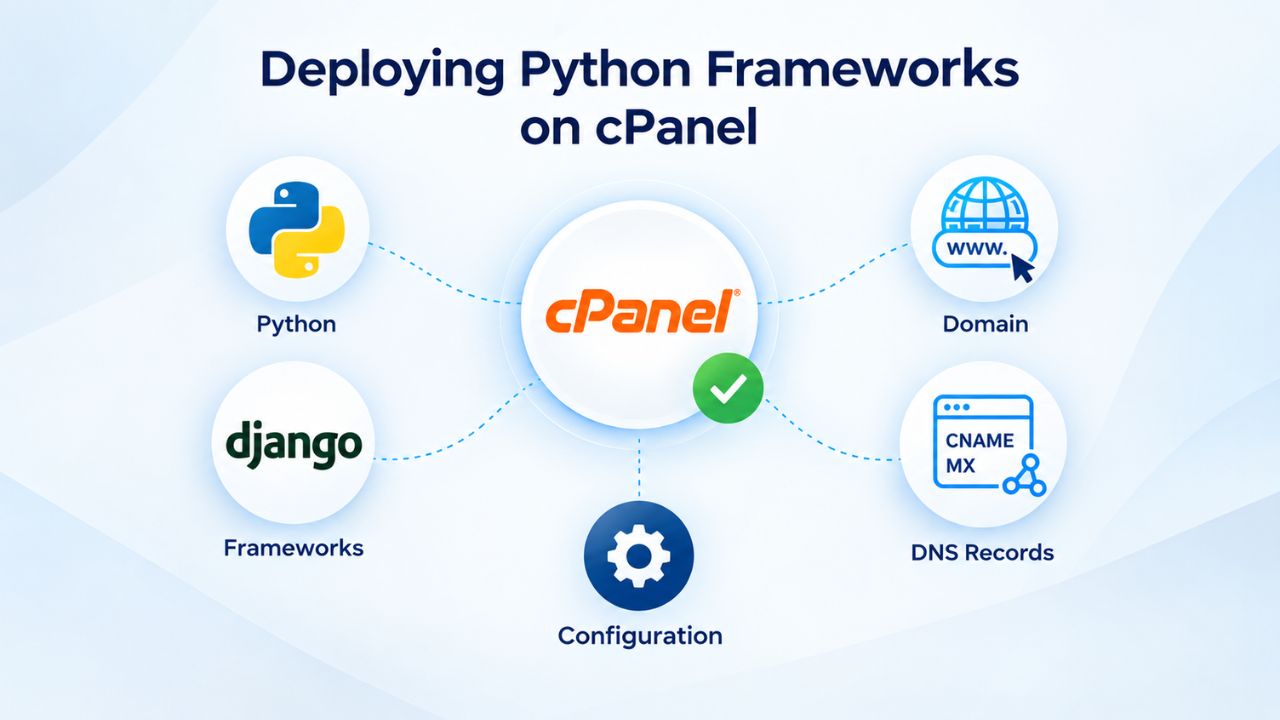
Deploying Python Frameworks on cPanel
Most Python web developers use a framework, Django for full-stack applications, Flask for lightweight APIs, or FastAPI for modern async services. cPanel doesn’t make deploying these frameworks as automatic as a Platform-as-a-Service (PaaS) might. Still, modern hosting includes all the tools you need: Python Selector, SSH access, one-click installers for popular frameworks (on higher-tier plans), and database support. Deployment typically involves three steps: upload your code to the server, configure the Python environment and install dependencies, and point your domain to the application entry point. The complexity depends on your framework’s design and whether your hosting plan includes helpers like one-click installers.
Niya Digital’s Web Hosting service supports manual framework deployment on all plans and includes one-click installers for select frameworks on premium tiers. Whether you’re deploying a Django blog, a Flask REST API, or a FastAPI data endpoint, the core process stays the same. The hosting infrastructure provides the environment; your framework runs on top of it; cPanel gives you the tools to manage both.
Manual Framework Deployment (Django, Flask) via cPanel
Manual deployment begins with uploading your application files to your hosting account. You’ll use a file manager (accessible through cPanel) or SFTP to transfer your project directory to the public_html folder or a subdirectory of your choosing. Next, you navigate to Python Selector and choose your preferred version. Then, you create a virtual environment within your project directory and install dependencies from your requirements.txt file using pip.
For Django applications, you’ll also configure a WSGI entry point, a Python file that tells the web server how to communicate with your Django instance. Common WSGI servers on shared hosting are Passenger (if installed on your server) or a FastCGI wrapper. Your cPanel configuration will point incoming requests to this WSGI entry point. cPanel’s official documentation and your framework’s setup guide (Django Docs, Flask Docs) walk through these steps. If you get stuck on the cPanel-specific parts, Niya Digital’s support team can guide you; application-level debugging and code optimization remain your responsibility.
One-Click Installers and Managed Framework Deployment
Some hosting providers, including Niya Digital’s higher-tier Web Hosting plans, include one-click installers for popular frameworks like WordPress and, on select plans, Python frameworks like Django or Flask. These installers automatically handle code setup, database creation, and initial configuration, making it easy to get a pre-built application running quickly without manual setup. One-click installers are perfect for learning the framework or running a known application template without customization.
The trade-off is flexibility: one-click installers make opinionated choices about your project structure, dependencies, and configuration. If you need a custom setup, a specific Django version, a non-standard project layout, a custom WSGI server, or special security configurations, manual deployment gives you full control over every detail. One-click installers save time for standard deployments; manual deployment offers unlimited flexibility for edge cases and production-ready customizations.
Security and Hardening for Python Apps on cPanel
Security on shared hosting is a shared responsibility. The hosting provider (GoDaddy, via Niya Digital) secures the server infrastructure: firewalls, OS patches, user isolation, and baseline intrusion detection. You must secure your application code: input validation, secure database queries, dependency vulnerability management, and HTTPS enforcement. Your application runs within a sandbox that prevents it from affecting other users, but your code is responsible for protecting user data and preventing attacks against your own application.
For Python applications, OWASP provides a Python security cheat sheet covering baseline hardening practices. Key practices include validating all user input before your application uses it, using parameterized queries to prevent SQL injection, keeping Python packages updated regularly (vulnerabilities in dependencies are common), enforcing HTTPS for all traffic, and running your application with the minimum necessary permissions. Following these practices turns a vulnerable application into a reasonably secure one, even on shared hosting.
Input Validation and Preventing Common Attacks
Your Python web application receives input from users via URLs, forms, API requests, and cookies. Validate every piece of input before your application uses it. A user might submit a form field with SQL-injection code, a URL parameter with malicious script tags, or a file upload designed to overwrite your application files. Frameworks like Django and Flask include built-in protections (CSRF tokens, input escaping, form validation), but you must use them correctly and consistently.
The principle is simple: never assume user input is safe. Validate type and format before using data: is this supposed to be an integer? Does it match the expected pattern? Reject anything that doesn’t match expectations, and sanitize output before rendering in HTML or storing in a database. OWASP’s cheat sheet provides concrete examples for Python. Most framework security vulnerabilities stem from developers bypassing these protections for convenience or speed; don’t do it, even in small personal projects or rapid prototypes. The habit of secure coding applies everywhere.
Dependency Management and SSL Configuration
Python projects depend on third-party packages installed via pip. Volunteer developers maintain each package, and they may contain security vulnerabilities. Best practice is to pin specific versions in your requirements.txt file and periodically update them as security patches are released. Tools like pip-audit scan your dependencies for known vulnerabilities and alert you to problems before they affect production.
HTTPS (TLS encryption) is now expected for all web applications. Niya Digital’s Web Hosting plans include free, managed SSL certificates via Let’s Encrypt. Configure your application to redirect HTTP requests to HTTPS automatically, and set security headers (Strict-Transport-Security, Content-Security-Policy) in your Python framework to prevent downgrade attacks and session hijacking. Most Django and Flask deployments handle this with a single setting change, no extra cost, just configuration that takes minutes.
Ready to Host Your Python Application?
Niya Digital’s Web Hosting service provides the infrastructure, cPanel access, and support to deploy Python applications on shared, managed, or reseller hosting plans. Whether you’re deploying a Flask API, a Django blog, or a FastAPI data endpoint, our plans include Python version selection, SSH access, SSL certificates, and backup systems, all the fundamentals you need to run Python applications reliably without managing servers yourself. Start small, scale as you grow, and get support from a team that understands both hosting and development.
Caching and Optimization Strategies
One of the most powerful ways to improve performance on shared hosting is caching: storing frequently accessed data in memory so your Python application doesn’t recalculate or re-query it on every request. Caching shifts the compute burden from your application to a simpler, faster layer, dramatically reducing response times without adding CPU or memory. Popular caching strategies include HTTP caching (browser and server-side), application-level caching (in-memory or via Redis), and database query result caching. Shared hosting may or may not include Redis or Memcached (higher-tier plans are more likely), but even without external caching, you can implement in-application caching using Python’s built-in functools.lru_cache decorator or your framework’s built-in caching module.
Django and Flask both offer simple caching decorators that cache view results for a set duration. A five-minute cache on a view that took 500ms to render means four out of five repeat visitors get an instant response instead of waiting. Redis and Memcached are even faster, in-memory stores that outperform databases by orders of magnitude. Start simple with application-level caching, measure the improvement, and invest in external caching systems once you have enough traffic to justify the added complexity.
| Deployment Method | Setup Time | Performance (Typical TTFB) | Complexity | Best For |
|---|---|---|---|---|
| Simple CGI Script | 5–10 min | \~1–5 sec | Low | Testing, minimal apps |
| FastCGI Wrapper | 15–20 min | \~200–500 ms | Medium | Small-to-medium apps |
| Python Selector + Manual (no framework) | 10–15 min | \~500 ms–2 sec | Low–Medium | Static sites, basic scripts |
| Python Selector + Framework (Django/Flask) | 20–30 min | \~100–300 ms | Medium–High | Feature-rich apps |
| Passenger/WSGI (if available) | 30–45 min | \~50–200 ms | High | Production Python apps |
| Managed Framework (one-click) | 5–15 min | \~100–300 ms | Low | Pre-configured framework apps |
| Docker-based (advanced) | 45–60 min | \~50–150 ms | Very High | Custom environments, scaling |
Implementing Application-Level Caching
Start by identifying which data is expensive to compute: database queries that touch many rows, API calls to external services, or complex calculations that run on every request. Once you’ve found these bottlenecks, add caching around them. Django’s @cache_page decorator caches an entire view’s output for a specified duration (e.g., 5 minutes). Flask’s @cache.cached() decorator from Flask-Caching does the same thing. For a blog, caching the homepage for 15 minutes might mean serving thousands of users the same HTML without recalculating anything- huge performance gains.
If your hosting plan includes Redis or Memcached, use it. These in-memory databases are much faster than querying your primary SQL database and can dramatically improve performance for repeat requests. If your plan doesn’t include them and you’re maxing out shared hosting resources, scaling to a VPS (where you can install Redis yourself) becomes justified. For now, start simple: identify the most-hit views or most expensive database queries, cache them, and measure the improvement. A cached homepage that took 500ms to render now takes 5ms on cache hits; that’s a 100x improvement with no hardware upgrades required.
HTTP Caching and Browser-Side Performance
Beyond application caching, configure your web server and application to send correct HTTP cache headers. Tell browsers to cache static assets (CSS, JavaScript, images) locally for days or weeks, so returning visitors don’t re-download unchanged files. Tell intermediate proxies and CDNs to cache HTML responses for hours when the content doesn’t change frequently. Set Expires and Cache-Control headers via your Python framework or web server configuration.
A well-configured cache strategy can cut response times in half for repeat visitors and reduce server load dramatically during traffic spikes. This costs nothing and requires only configuration; no code changes needed. If you serve media files (uploads, images, videos), moving them to a CDN (Content Delivery Network) further improves performance by serving files from locations geographically closer to your users. Shared hosting doesn’t include a built-in CDN, but third-party services are affordable and integrate easily with Django or Flask via a single configuration change.
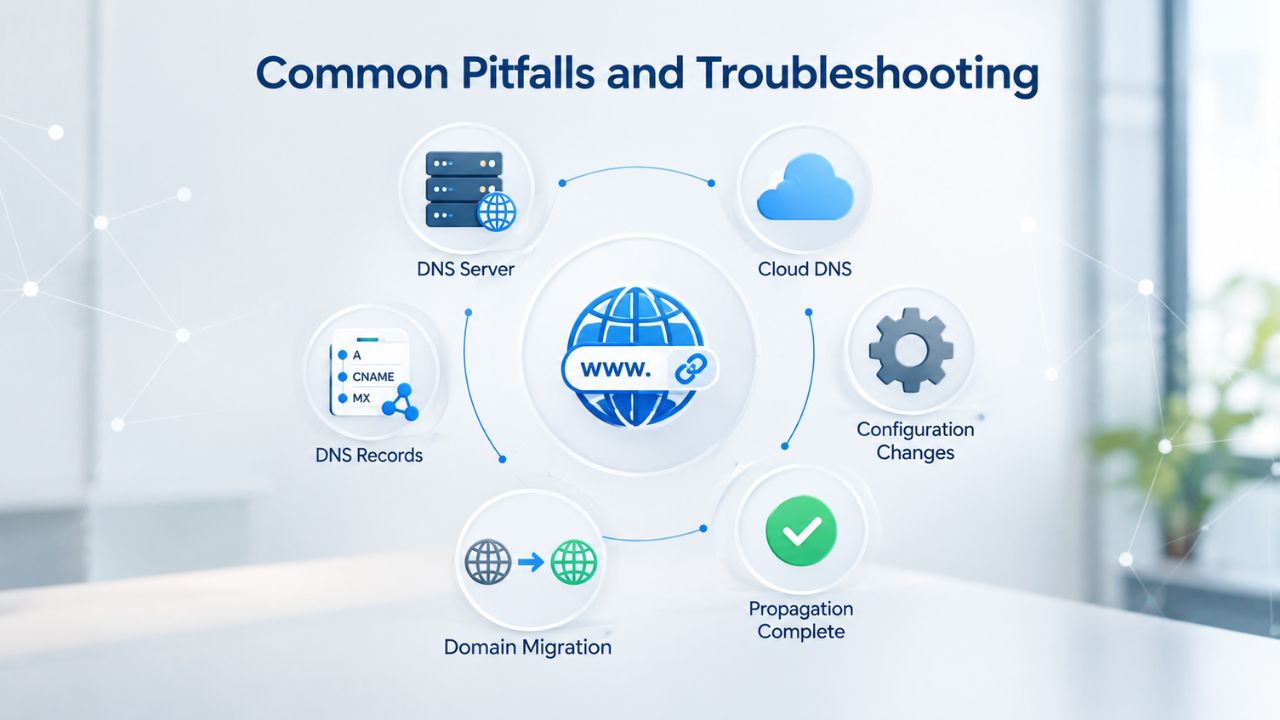
Common Pitfalls and Troubleshooting
Developers new to shared hosting Python deployment often encounter predictable problems: slow startup times when processes are recycled, “memory limit exceeded” errors when applications grow, database connection timeouts when resources are constrained, and permission errors when files aren’t configured correctly. Most of these problems are solvable once you understand shared hosting’s constraints and how to work within them. Slow startup time is common because shared hosting terminates inactive Python processes to free resources for other users.
Memory Exhaustion and Process Termination
If your Python application consistently exceeds the shared hosting memory limit (typically 256–512 MB), you’ll see error messages like “Killed” or “Memory limit exceeded.” This happens because a single request or background task consumes too much RAM, and the LVE container terminates it to protect other users on the server. Solutions depend on what’s consuming memory: database query results returned all at once consume a lot of memory; paginate them instead, fetching and processing in chunks. Large file uploads go straight to disk, not memory, so they’re less of a concern. Inefficient loops or data structures (storing millions of items in a list instead of querying them iteratively) waste memory quickly.
Profile your application using Python’s built-in memory_profiler or tracemalloc modules to identify the offender, fix the inefficiency, and verify the memory usage drops. Most memory issues are fixable with code changes: switch to batch queries instead of individual ones, use generators instead of lists, implement pagination for large result sets, or use streaming I/O for big files. A profiler quickly identifies where your application is spending memory; once you know the problem, the fix is usually straightforward.
Database Connection and Timeout Issues
Database connections on shared hosting can be temperamental because the hosting provider pools connections and may recycle them when inactive. If your Python application holds a database connection open for a long time without activity, the hosting provider’s network or database server may close it to free resources. When your app tries to use that connection, it fails with a timeout error. Best practice is to close database connections explicitly after each request and reconnect for the next one. Django and Flask both handle this automatically in request/response cycles, so most applications don’t experience this issue.
For long-running tasks (background jobs that run for minutes), use a task queue (Celery, if your hosting supports it) or explicit connection management: open a connection, do your work, close it. Never assume a connection is live if your application has been idle. If connection timeouts persist after you’ve verified your application’s connection-handling code, Niya Digital’s support team can help diagnose the issue; check whether your hosting plan’s connection pool is configured correctly, or recommend plan upgrades with better connection support.
Monitoring and Logging for Python Apps
To know whether your Python application is performing well and whether users are experiencing problems, you need visibility: logs showing errors, requests, and resource usage. Shared hosting limits direct access to server-level monitoring, but your application can and should log its own behavior. Python’s built-in logging module lets you capture application-level events: requests received, database queries executed, errors and warnings, performance metrics. Send these logs to a file on your hosting account, then review them periodically to spot patterns. Popular frameworks (Django, Flask) include built-in logging; configure it to capture the information you need without overwhelming your logs with noise.
Application Logging and Error Tracking
Set up your Python application to log every error, including full stack traces. Most frameworks log to a file in your application directory or to stdout (which cPanel captures). Review logs regularly, daily for a production site, weekly for testing and development sites. When users report problems, logs often reveal the root cause immediately: a failing database query, a third-party API timeout, or a code bug in a specific function. Logging good data early speeds up debugging; without it, you’re flying blind when problems arise.
For free error tracking, configure your Python app to send errors to a third-party error-tracking service or a self-hosted solution. These tools aggregate errors, deduplicate them, and alert you when a new error pattern emerges. This is invaluable for catching issues before users notice them. Logging good data and aggregating errors early gives you visibility into your application’s health that would otherwise require expensive monitoring tools.
Monitoring Resource Usage and Performance Metrics
Shared hosting doesn’t give you direct access to server-level CPU or memory graphs, but you can instrument your Python application to track its own resource consumption. Use the resource module to query memory usage at the start and end of expensive operations. Log request latency and database query times. Over time, this data reveals which parts of your application are slow and which are efficient.
For a small site, simple application logging is usually enough to stay on top of issues. As traffic grows, consider a performance-monitoring service that tracks response times, error rates, and resource usage. A monitoring service helps identify bottlenecks before users complain and justifies scaling decisions to higher-tier hosting. Niya Digital’s Web Hosting service includes the tools you need to implement these logging and monitoring practices on shared hosting at no extra cost.
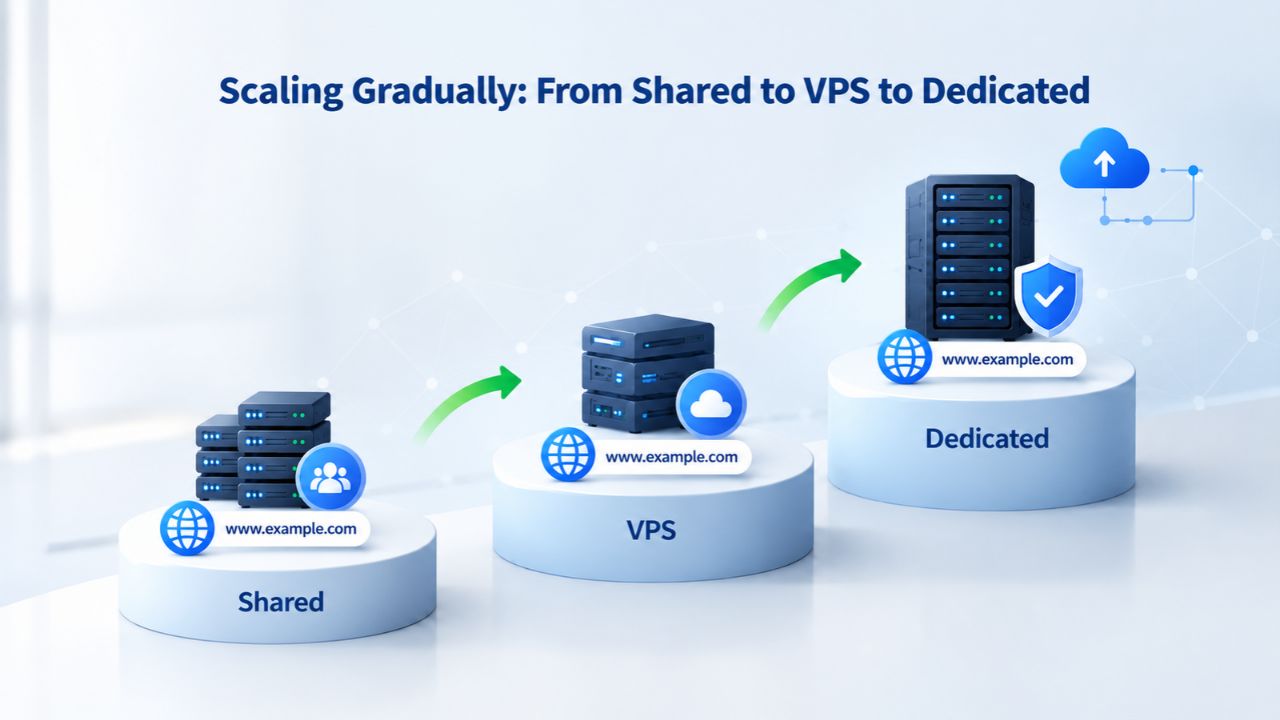
Scaling Gradually: From Shared to VPS to Dedicated
Shared hosting is an economical starting point, but it’s not forever. As your Python application grows- more users, more traffic, more data processing- you’ll hit shared hosting’s ceiling. Recognizing when to scale and choosing your next tier is a crucial business decision that saves money and prevents frustration. The progression typically goes: shared hosting (entry, cost-effective, limited resources) → managed VPS (more control, more resources, higher cost) → dedicated hosting (full server to yourself, expensive, unlimited power) → cloud infrastructure (AWS, Google Cloud, flexible scaling, pay-as-you-go). Each step increases cost and operational responsibility; don’t scale unnecessarily, but don’t ignore signals that you’ve outgrown your tier either.
Recognizing When Shared Hosting Becomes the Bottleneck
Signs that your Python application has outgrown shared hosting include: consistent response times above 1–2 seconds despite code optimization; “memory limit exceeded” errors occurring regularly; database queries timing out or being killed; inability to run background tasks or scheduled jobs. If you regularly hit resource limits, you need to scale. Before jumping to a VPS, confirm the issue is the hosting tier and not your code. Optimize your application: reduce database queries, implement caching, profile memory usage, and use async I/O for I/O-bound tasks. Often, developers assume slow performance means they need more resources when it actually means they need better code.
Niya Digital’s support team can help diagnose whether your bottleneck is code or infrastructure; fixing code is free, while scaling hosting costs money. A profiler quickly identifies whether your application is truly maxing out resources or whether optimization could extend your runway. Many developers are surprised to find that a day of code optimization provides more performance gain than a hosting tier upgrade.
Evaluating VPS and Dedicated Hosting Options
Once you’ve confirmed that optimization alone won’t solve your performance problem, consider a VPS (Virtual Private Server) from Niya Digital or another provider. A VPS gives you dedicated resources- your own allocated RAM, CPU, and storage- that aren’t shared with other users. You also get root access and can install software, configure services, and tune the server exactly how you want.
A managed VPS means the provider (Niya Digital) handles server maintenance, OS updates, and backups so that you can focus on your application. An unmanaged VPS puts full responsibility on you; you must manage security, updates, and operations yourself. For most developers scaling from shared hosting, a managed VPS is the sweet spot: more power than shared hosting, less operational burden than unmanaged systems. Beyond that, dedicated hosting (an entire physical server) or cloud infrastructure (AWS, Google Cloud) offers even more power but also more complexity and cost. Evaluate each tier based on your application’s actual resource needs and growth trajectory.
When to Scale: Recognizing Python App Bottlenecks
Before you scale to VPS or dedicated hosting, understand exactly why your Python application is slow or using too many resources. Different bottlenecks require different solutions, and premature scaling wastes money without fixing the real problem. Bottlenecks fall into a few categories: application code (inefficient algorithms, unoptimized database queries), the framework or runtime (framework overhead, slow serialization), the hosting infrastructure (resource limits, shared resources), or external services (slow API calls, database on another server). Knowing which category your bottleneck falls into determines your next move: code optimization, framework configuration, a hosting tier upgrade, or an architecture redesign.
Profiling Python Code to Identify Bottlenecks
Python includes profiling tools that measure where your application spends CPU time and memory. Use cProfile to measure function call timing, memory_profiler to track memory usage line-by-line, and py-spy for production profiling without modifying code. Run these tools against your application under realistic load (simulated users, real traffic), and they’ll show you exactly which functions are slow and why. Common bottlenecks include database queries (querying in a loop instead of batching), serialization (converting large objects to JSON), and blocking I/O (waiting for API responses sequentially instead of concurrently).
Once identified, these are often fixable with code changes: switch to batch queries, use streaming or chunking for large responses, or switch to async/concurrent calls for I/O. Profile before scaling; optimization often buys more performance than moving to a bigger hosting tier, and optimization is free while hosting tier upgrades cost money every month.
Database Optimization and Query Efficiency
The database is often the bottleneck for Python applications because queries are slower than in-memory operations. If your application queries the database once per user action, serving 1,000 concurrent users means 1,000 simultaneous database connections and 1,000 queries; shared hosting can’t support that volume efficiently. Optimize by reducing query count: use select_related or prefetch_related in Django to load related objects in fewer queries; in Flask, use eager loading for relationships. Cache query results when the data changes infrequently. Use database indexes on frequently queried columns. Add pagination so you don’t load millions of rows into memory at once.
These optimizations often reduce resource usage enough that you stay comfortably within shared hosting limits, even as traffic grows. If you’ve exhausted these optimizations and still hit limits, then scaling to VPS or dedicated hosting is justified; you’ve earned it through genuine optimization efforts. A well-optimized application on a higher tier will perform far better than an unoptimized application with the same infrastructure.
Scale Your Python Application Confidently
Niya Digital’s Web Hosting service starts you on shared hosting with cPanel, Python version selection, and expert support, perfect for learning and small production sites. When you’re ready to scale, Niya Digital also offers managed VPS and dedicated hosting tiers. Whether you stay on shared hosting, move to VPS, or graduate to dedicated infrastructure, you get the same support and reliability commitments, just with more resources and control. Start small, scale deliberately, and we’ll help you every step of the way.
Frequently Asked Questions
What Python versions does Niya Digital’s Web Hosting support?
Niya Digital’s Web Hosting service, powered by GoDaddy infrastructure, typically supports Python 3.8 through 3.11 via cPanel’s Python Selector. Availability varies by plan tier and data center location. Log in to your cPanel and check the Python Version Selector tool to confirm which versions your plan includes. If the version you need isn’t available, contact Niya Digital’s support team to request an upgrade or discuss alternatives.
Can I run Django and Flask on shared hosting, or do I need a VPS?
Both Django and Flask run on shared hosting; many production applications do. Shared hosting’s constraints are resources (memory, CPU), not framework capability. Smaller applications with moderate traffic run fine on shared hosting.
Your success depends on optimizing your code: efficient database queries, caching, and avoiding unnecessary computation. If your application exceeds shared hosting’s memory or CPU limits after optimization, then a VPS becomes necessary.
How do I connect to my Python application via SSH on Niya Digital hosting?
SSH (Secure Shell) access is included on Niya Digital’s Web Hosting plans. Look in your cPanel for the SSH/Shell Access section, or ask Niya Digital’s support team for your SSH connection details (host, port, username).
Connect using an SSH client (Mac/Linux terminal, Windows PuTTY, or VS Code SSH extension). From there, you can create virtual environments, install packages, and manage your Python application.
What’s the difference between FastCGI and WSGI deployment on cPanel?
FastCGI is a protocol that connects your web server (Apache) to your Python application; WSGI is a Python standard interface for the same purpose.
On GoDaddy-powered shared hosting via Niya Digital, cPanel abstracts these details away: you select a Python version, and the control panel automatically configures the necessary glue. For simple deployments, you don’t need to choose; cPanel handles it. For advanced configurations, WSGI with Passenger (if available) or manual FastCGI setup offers more control.
I want to host a Python application; where should I start?
Start with Niya Digital’s Web Hosting plans, which provide shared hosting with cPanel, Python version selection, and support. Shared hosting is perfect for learning and small production sites.
Set up your account, select your Python version, upload your code, and configure it via cPanel. Most developers find shared hosting sufficient for months or years; scale to VPS only when you hit resource limits consistently.
Can I run background tasks (Celery, scheduled jobs) on shared hosting?
Background tasks (asynchronous job processing, scheduled tasks) are possible on shared hosting, but it is resource-constrained. Celery, a popular Python task queue, requires a message broker (Redis, RabbitMQ), which may not be available on all shared hosting plans.
Simpler scheduled jobs (cron tasks running a Python script) work fine. For heavy or many background tasks, VPS hosting is more suitable. Ask Niya Digital’s support whether your plan includes background task capabilities or broker access.
How do I deploy code updates to my Python application without downtime?
On shared hosting, zero-downtime deployment is tricky because you don’t have multiple load-balanced servers. For small applications, the simple approach is to upload new code via SFTP or a file manager, and the web server uses the new code on the next request. To minimize visible downtime, time updates during low-traffic periods, or use a maintenance-mode flag in your code that serves an “updating” message while deployments complete.
What security measures should I implement for a production Python app?
Start with the basics: enable HTTPS (Niya Digital includes free SSL certificates), validate all user input (framework built-ins usually do this if you use them), keep dependencies updated (use pip list –outdated regularly), and run the application with minimal necessary permissions. Use environment variables for secrets (database passwords, API keys), never hardcode them in source. Follow OWASP’s Python security cheat sheet for comprehensive guidance.
Can I use a custom domain with Niya Digital’s Web Hosting?
Yes. Niya Digital’s Web Hosting service includes domain connection and DNS management. You can register a domain through Niya Digital or connect an existing domain registered elsewhere.
Point the domain’s nameservers or A/CNAME records to Niya Digital’s name servers via your domain registrar, then configure the domain in cPanel to point to your application. Typically, DNS propagation takes 24–48 hours.
How do I diagnose why my Python app is slow on shared hosting?
Use Python’s profiling tools: cProfile for function timing, memory_profiler for memory usage, py-spy for production profiling without code changes. Log request latency and database query times.
Check cPanel’s Resource Usage section to see if you’re hitting memory or CPU limits. Review application logs for errors or warnings. Often, slow performance is fixable with code optimization (fewer database queries, caching, async I/O) before you need more hosting resources.
Can I install custom Python packages on shared hosting?
Yes, within reason. Create a virtual environment (isolated Python installation for your project) and install packages from PyPI using pip. Most pure-Python packages install fine.
Packages requiring compiled C extensions (NumPy, Pandas, psycopg2) may fail if the build tools or libraries needed aren’t available on shared hosting. Contact Niya Digital support if a critical package won’t install; they can help troubleshoot or recommend a VPS tier with more control.
Does Niya Digital provide backups for Python applications?
Yes. Niya Digital’s Web Hosting plans include daily or weekly backups of your application files and databases, depending on plan tier. Backups are retained for a set period (typically 30 days).
You can restore from a backup via cPanel or by contacting support. For critical applications, test restores periodically to ensure backups are working. In addition to provider backups, maintain your own version control (Git) for source code so you can roll back code changes independently.
What database systems work on Niya Digital’s shared hosting?
GoDaddy’s shared hosting, via Niya Digital, supports MySQL 5.7, MySQL 8.0, and MariaDB. These are the standard SQL databases for shared hosting. PostgreSQL support is less common on shared hosting (typically available on VPS).
If you need PostgreSQL, check your plan details or contact Niya Digital to confirm availability. Most Python ORMs (Django ORM, SQLAlchemy) work seamlessly with MySQL; switching to PostgreSQL is straightforward if needed later.
How do I monitor uptime and get alerts if my Python app goes down?
GoDaddy monitors Niya Digital’s hosting infrastructure, but you should set up your own application-level monitoring. Use a free uptime-monitoring service to ping your application periodically and alert you if it becomes unreachable.
For more detailed monitoring, third-party error-tracking and performance-monitoring services exist with free tiers suitable for small applications. Application-level alerts catch issues faster than infrastructure monitoring alone.
At what point should I migrate my Python app from shared hosting to VPS?
Migrate when you consistently hit resource limits (memory, CPU) despite code optimization, can’t run background tasks or scheduled jobs due to resource constraints, or need custom software or configurations that shared hosting doesn’t allow.
Typical triggers include response times above 1–2 seconds, regular “memory limit exceeded” errors, or database query timeouts. Before migrating, benchmark your application’s resource usage and project growth. If your application can stay within shared hosting limits for 6–12 months, you’re fine. If you’re at 80% capacity, plan a VPS migration to avoid emergencies.
Glossary
- cPanel: A graphical control panel for managing web hosting accounts, including domains, email, databases, file management, and Python environments. Niya Digital’s Web Hosting includes cPanel access.
- Python Selector: A cPanel tool that allows you to choose and switch between different Python versions (e.g., 3.8, 3.10, 3.11) for different applications on shared hosting, powered by CloudLinux.
- Virtual Environment: An isolated Python installation within your hosting account that allows different projects to use different package versions without conflict. Created using python -m venv and managed via pip.
- WSGI (Web Server Gateway Interface): A Python standard specification for how web servers communicate with Python web applications, enabling frameworks like Django and Flask to run on Apache or Nginx.
- LVE (Lightweight Virtual Environment): CloudLinux’s per-user resource isolation technology on shared hosting, enforcing memory, CPU, and I/O limits to prevent one user’s application from affecting others.
- FastCGI: A protocol for communicating between a web server (Apache) and a backend application (Python), more efficient than traditional CGI.
- Shared Hosting: A web hosting plan where one physical server hosts many websites and applications, with resources (memory, CPU, bandwidth) shared among users. Cost-effective but with performance limits.


