
Nonprofits face unique hosting infrastructure challenges: constrained budgets, lean volunteer-driven tech teams, mission-critical donor communication, and complex regulatory obligations around supporter data. A website is far more than an online brochure; it’s the primary channel through which your organization reaches supporters, processes gifts, coordinates volunteers, and builds the trust that underpins your mission. Selecting the right web hosting partner requires balancing affordability with dependability, security with usability, and current needs with room for future growth.
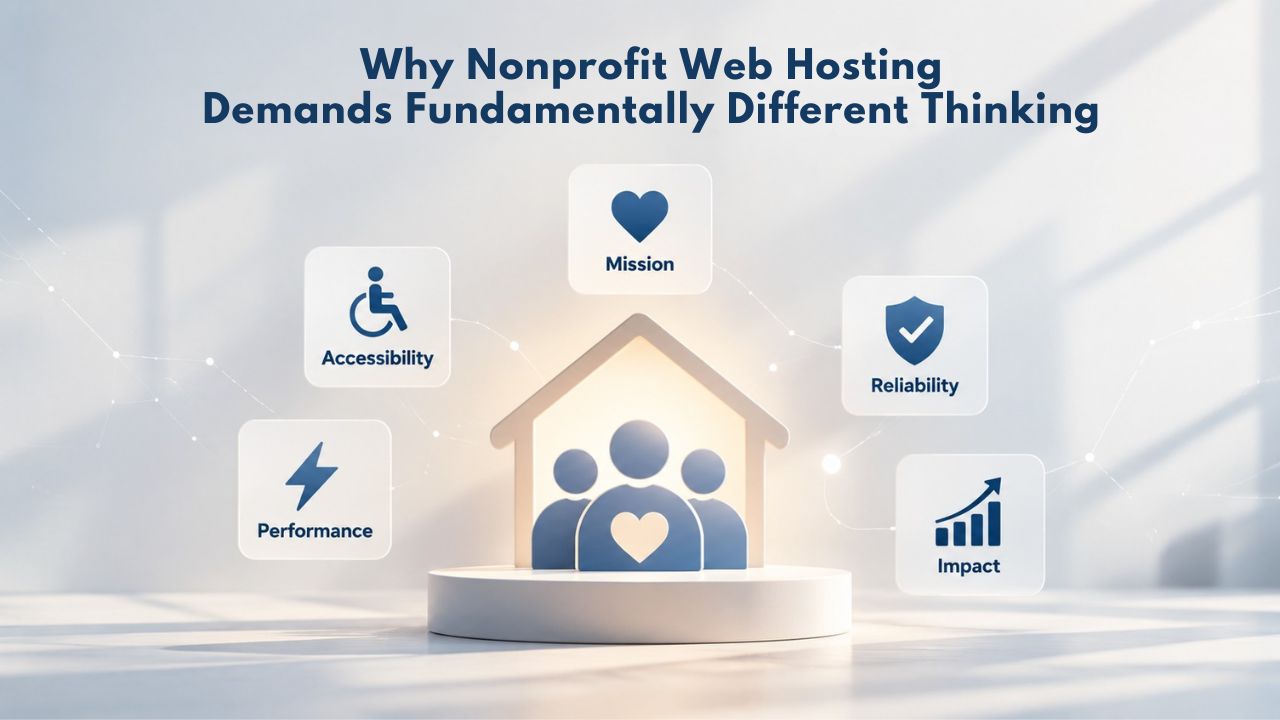
Why Nonprofit Web Hosting Demands Fundamentally Different Thinking
Nonprofits operate under organizational constraints that most for-profit businesses never face. Your workforce is deliberately lean and often volunteer-dependent; your budget comes from grants, board allocation, or annual fundraising rather than revenue targets; and your website carries outsized importance because it serves as your public face, fundraising engine, volunteer coordination hub, and donor communication backbone. When a nonprofit’s website experiences downtime or performance problems, the consequences extend far beyond lost traffic; they translate directly into missed donations, failed volunteer sign-ups, damaged organizational credibility, and erosion of the trust that donors place in your work.
Resource Limits and the Reality of Lean Nonprofit Teams
Most nonprofit organizations operate with genuinely minimal technical staffing. The person managing your website is often a volunteer or part-time employee juggling web management alongside primary program responsibilities, educational delivery, program coordination, fundraising, or direct service. This organizational reality makes hosting solutions with steep learning curves, complex server administration requirements, or hands-on technical management impractical and sometimes impossible to sustain.
Managed web hosting services address this constraint directly. With managed hosting, the provider handles server maintenance, security patches, infrastructure monitoring, performance optimization, and backup administration. Your team focuses on website content and organizational strategy while the hosting provider handles the technical infrastructure layer. This arrangement trades some technical flexibility for dramatically reduced operational burden, a worthwhile exchange for nonprofits where technical capacity is the limiting factor in digital presence.
Budget Constraints and the Hidden Trap of Renewal Pricing
Nonprofit budgeting operates under different constraints than commercial enterprises. Annual budgets are typically allocated months in advance, often through grant cycles or board-approved funding allocations rather than flexible operating budgets. Unexpected cost increases create genuine financial stress for organizations operating with fixed or constrained resources. This reality makes the web hosting industry’s widespread renewal-pricing practice particularly damaging for nonprofits.
The renewal pricing trap works like this: hosting providers market attractive introductory rates to acquire new customers; you see advertisements promising web hosting for a few dollars monthly. These rates are genuine for your first year or initial contract period. When your service renews at the end of that contract, however, the monthly fee typically increases substantially. Industry data shows renewal rates often reach 2–3 times the introductory rate, and some hosting plans see even larger increases. A nonprofit that signed up believing they would pay $3 monthly finds themselves facing $12–15 monthly bills at renewal, a cost increase that wasn’t part of the original budget planning.
Business Web Hosting Plans & Pricing
Choose the hosting plan that fits your website, WordPress site, or growing business. Compare features, storage, performance, security, and website capacity to find the right hosting environment for your needs.
cPanel Starter
cPanel Hosting that's easy, reliable and lightning-fast.
- 1 website
- 30 GB storage
- Unmetered bandwidth*

cPanel Economy
cPanel Hosting that's easy, reliable and lightning-fast.
- 1 website
- 100 GB space
- Unlimited bandwidth*
- 100 email accounts**
- 10 MySQL databases (1 GB ea.)
cPanel Deluxe
cPanel Hosting that's easy, reliable and lightning-fast.
- Unlimited websites
- Unlimited space
- Unlimited bandwidth*
- 500 email accounts
- 25 MySQL databases (1 GB ea.)
cPanel Ultimate
cPanel Hosting that's easy, reliable and lightning-fast.
- Unlimited websites
- Unlimited space
- Unlimited bandwidth*
- 1000 email accounts
- Unlimited MySQL databases (1 GB ea.)
- 2X Processing power & memory (available for Linux/cPanel only)
- Premium DNS
- 1-year SSL certificate to secure customer data and increase search rankings
*We don't limit the amount of storage and bandwidth your site can use as long as it complies with our Hosting Agreement. Should your website bandwidth or storage usage present a risk to the stability, performance or uptime of our servers, we will notify you via email and may be required to upgrade, or we may restrict the resources your website is using.
**Email account storage is limited to 100 email accounts with 100 MB of total storage.
WordPress Basic
A great way to get started.
- 1 website
- 10 GB NVMe storage
- Unmetered bandwidth
- Free SSL Certificate *
- WordPress pre-installed
- Weekly backups
- Web Application Firewall
- Daily malware scans
- One-time malware removal

WordPress Deluxe
Improve your site performance with Cloudflare CDN.
- 1 website
- 20 GB NVMe storage
- Unmetered bandwidth
- Free SSL Certificate *
- WordPress pre-installed
- Daily backups
- Web Application Firewall
- Daily malware scans
- One-time malware removal
- Up to 2x faster performance with global Cloudflare CDN **
- Enhanced security with DDoS protection
- Staging site
WordPress Ultimate
Add online marketing with more sites, storage and security.
- 1 website
- 30 GB NVMe storage
- Unmetered bandwidth
- Free SSL Certificate *
- WordPress pre-installed
- Daily + on-demand backups
- Web Application Firewall
- Daily malware scans
- Unlimited malware removal
- Up to 2x faster performance with global Cloudflare CDN **
- Enhanced security with DDoS protection
- Staging site
- WordPress code optimizer
- Smart WordPress plugin manager
- Sell online with WooCommerce
*An SSL certificate is included with every site and free for the life of the hosting plan. Certificates are automatically installed, validated and renewed.
Web Hosting Plus Launch
For multiple basic sites.
- 100 GB storage*
- 4 GB RAM
- 2 CPUs
- Unmetered traffic
- 50 websites & databases
- Free, unlimited SSL for all your websites**

Web Hosting Plus Enhance
For high-traffic WordPress, Joomla, and other sites.
- 200 GB storage*
- 8 GB RAM
- 4 CPUs
- Unmetered traffic
- 100 websites & databases
- Free, unlimited SSL for all your websites**
Web Hosting Plus Grow
For advanced eCommerce sites like Magento.
- 300 GB storage*
- 16 GB RAM
- 8 CPUs
- Unmetered traffic
- 150 websites & databases
- Free, unlimited SSL for all your websites**
Web Hosting Plus Expand
For multiple basic sites.
- 400 GB storage*
- 32 GB RAM
- 16 CPUs
- Unmetered traffic
- 200 websites & databases
- Free, unlimited SSL for all your websites**
*The total amount of usable storage capacity for your particular Hosting Service(s) may differ from the represented capacity as there is required space for the operating system(s), system file(s) and other supporting file(s).
**If you cancel the Web Hosting Plus product, you will lose the associated SSL certificate as well.
Shared Web Hosting Fundamentals for Nonprofit Organizations
Shared web hosting is the right entry point for most nonprofit websites. Understanding what shared hosting includes, where resource limits matter, and when to scale to a different hosting type helps nonprofit organizations make confident, cost-effective decisions and avoid unexpected limitations or costs.
What Shared Web Hosting Actually Includes
Shared web hosting means your website’s files, email systems, and databases reside on a physical server operated and maintained by your hosting provider. You do not purchase, own, or manage hardware; the provider maintains the data center facility, server hardware, network infrastructure, power systems, and physical security. Your hosting provider manages server uptime, applies security patches, monitors system performance, and maintains backup infrastructure for disaster recovery.
Your role centers on managing your website itself through a web-based control panel, specifically cPanel or Plesk, the two dominant control panel systems in the industry, where you handle tasks like creating email accounts, configuring databases, installing WordPress or other website platforms, and managing DNS (Domain Name System) records that point your domain name to your actual server.
A typical shared hosting plan includes several core components: website storage space measured in gigabytes (typically 50–500 GB depending on plan tier); a monthly bandwidth allowance representing the total data your website can serve to visitors each month; multiple email accounts on your own domain; database support (usually MySQL or MariaDB, commonly used by WordPress); one-click application installers that let you deploy WordPress, WooCommerce, Drupal, or other platforms without manual coding; and an SSL certificate providing encryption that protects data traveling between visitors’ browsers and your server. Beyond these core features, most shared hosting plans include basic backup functionality. However, backup frequency (daily versus weekly) and retention period (how long backups are kept) vary significantly across plan tiers.
Understanding Resource Limits and Right-Sizing Your Plan
Every shared hosting plan comes with defined resource limits that you need to understand before purchasing. Storage space (measured in gigabytes) sets an upper limit on the total size of website files, images, videos, and databases your site can contain. Bandwidth allocation (typically measured in gigabytes per month) represents the total data your website can serve to visitors monthly. High-traffic fundraising campaigns, video-heavy pages, or large downloadable files consume bandwidth, and exceeding your allocation can temporarily slow your site or trigger overage charges, depending on your provider’s policy.
Shared Hosting Resource Guide and Scaling Triggers
| Website Type & Features | Typical Monthly Visitors | Recommended Storage | Recommended Monthly Bandwidth | Upgrade Signal | Next Hosting Tier |
|---|---|---|---|---|---|
| Informational Site (5–20 pages, news updates, contact forms, basic design) | 100–500 | 25–50 GB | 100–300 GB | Storage approaching 80% full; pages loading slowly | Managed WordPress or VPS if traffic grows 3x+ |
| Nonprofit with Donor Portal (member login area, donation history, volunteer signup) | 500–2,000 | 50–100 GB | 300–800 GB | Bandwidth regularly hitting 70%+ of limit; portal pages slow | Managed WordPress with dedicated resources |
| Online Store or Event Site (e-commerce, event registration, digital content) | 2,000–5,000 | 100–200 GB | 800 GB–2 TB | Consistently using 60%+ of bandwidth; checkout pages slow during campaigns | Managed WordPress or VPS with better scalability |
| High-Traffic Campaign or Crisis Response (viral appeal, major fundraising push, breaking news response) | 5,000+ | 200–500 GB | 2+ TB | Approaching or exceeding bandwidth limits; site slowdown during peaks | VPS or cloud hosting with automatic scaling |
| Multi-Site Organization (5+ separate websites; regional chapters, program divisions) | Varies per site | 500+ GB | 5+ TB | Complex multi-site management; inconsistent performance | VPS, cloud, or multi-site WordPress hosting |
Compliance and Data Protection Obligations for Nonprofits
Nonprofit organizations routinely collect and maintain sensitive personal information: donor names, email addresses, physical addresses, payment card information, phone numbers, and sometimes membership records, volunteer credentials, or participant data. Handling this information responsibly is both an ethical imperative and an increasingly complex legal obligation. Data privacy regulations have proliferated across jurisdictions, and many extend their reach to nonprofits operating internationally or serving constituents in regulated regions. Understanding which compliance obligations apply to your organization and ensuring your hosting infrastructure supports compliance efforts is essential.
Understanding GDPR, CCPA, and Data Privacy Regulations Applicable to Nonprofits
The GDPR (General Data Protection Regulation) represents the world’s most comprehensive data privacy framework. It applies not only to organizations based in the European Union but to any organization collecting personal data from residents of EU countries. If your nonprofit accepts donations from supporters in Europe, runs programs involving EU residents, or maintains an email list that includes EU-based subscribers, GDPR compliance requirements apply regardless of where you are physically located. Non-compliance carries severe penalties, including fines of up to €20 million or 4% of annual revenue, whichever is higher.
GDPR compliance requires nonprofits to establish explicit, informed consent before collecting or processing personal data. Your organization must clearly communicate how it uses supporter data through transparent privacy policies. Donors retain rights to access their personal information, request corrections to inaccurate data, or request deletion of their records. Organizations must implement reasonable security measures to protect supporter data and must report data breaches to authorities within 72 hours of discovery. The regulation emphasizes data minimization by collecting only the personal information necessary for documented purposes and deleting data once those purposes have concluded.
In the United States, the CCPA (California Consumer Privacy Act) establishes similar privacy rights for California residents, with potential expansion through emerging similar state-level laws. CCPA grants California residents specific rights regarding their personal information: the right to know what data is collected, the right to delete their information, the right to opt out of data sales, and the right to non-discrimination if they exercise these rights. Penalties for CCPA violations range from $2,500 per violation to $7,500 per intentional violation. Unlike GDPR’s broad applicability based on the subject’s location, CCPA applies based on business operations in California, but “business operations” includes accepting donations from California residents.
Backup and Disaster Recovery as Core Fiduciary Responsibility
Nonprofit boards carry fiduciary responsibility for organizational assets. In the digital age, donor databases, financial records, membership information, program participant data, and volunteer coordination systems are critical organizational assets that deserve the same protection and recovery planning as physical assets. Data loss isn’t merely inconvenient; for nonprofits handling restricted funds, donor relationships, or sensitive participant information, it can constitute a fiduciary breach with legal and reputational consequences.
Shared web hosting plans universally include automated backups, but specifics vary widely by plan tier and provider. Entry-level shared hosting plans commonly back up website content weekly and retain 2–4 backup copies (meaning you can restore to your website state from up to four weeks prior). Managed WordPress plans typically offer daily backups with 30-day retention, allowing restoration to any point within the past month. These automated provider-maintained backups protect against hardware failure, catastrophic data-center events, and infrastructure disasters outside your control.
Email Hosting and Communication Infrastructure for Nonprofit Operations
Email represents the nervous system of nonprofit operations. Your organization uses email to coordinate volunteer activities, communicate program schedules to members, conduct fundraising campaigns, maintain donor relationships, and manage administrative functions. The email infrastructure you select affects communication reliability, professional credibility, security, and organizational data retention.
Domain Email and Professional Credibility in Fundraising
The difference between nonprofit communications from shared commercial email accounts and domain-specific email is significant in donor contexts. When your fundraising director sends communications from director@yournonprofit.org, you communicate organizational stability, professional infrastructure, and legitimate institutional presence. Conversely, communications from a shared Gmail or commercial email account, particularly if it carries a personal name or generic identifier, signal less organizational permanence and can trigger donor skepticism about legitimacy, particularly for older donors or major gift prospects who associate professional organizations with professional email addresses.
Beyond credibility, domain email provides genuine organizational control and continuity. Email accounts associated with your organization’s domain remain organizational property regardless of staff changes. When a volunteer or part-time employee managing communications leaves your organization, their departure doesn’t remove years of stored donor communication history from your systems. Email archives on organizational domain accounts remain accessible to your organization for compliance purposes, donor research, stewardship planning, and institutional memory. This continuity matters for nonprofits where staff and volunteer turnover is relatively high compared to business environments.
Email Security Best Practices and Regulatory Compliance
Email remains a primary attack vector for phishing, credential theft, and social engineering schemes targeting nonprofits. Shared web hosting plans include standard email authentication protocols, SPF (Sender Policy Framework), DKIM (DomainKeys Identified Mail), and DMARC (Domain-based Message Authentication, Reporting and Conformance), that prevent attackers from spoofing your domain and sending fraudulent email appearing to originate from your organization. These protocols aren’t enabled automatically; they require configuration in your hosting control panel, but most providers offer detailed setup documentation or preconfigure them on newer plans.
Email retention and deletion policies form essential components of data privacy compliance. Under GDPR and similar regulations, nonprofits should delete stored personal data, including email records, after defined retention periods, commonly 60–90 days once the original purpose (transaction confirmation, campaign communication, volunteer coordination) has concluded. This practice minimizes the quantity of sensitive information your organization maintains and reduces exposure from potential breaches or unauthorized access. Email hosting with clear deletion, archive management, and forwarding options lets organizations implement these policies without requiring technical server administration.
Site Speed, Uptime Reliability, and Impact on Nonprofit Fundraising
Website performance directly affects nonprofit mission delivery and fundraising effectiveness. The relationship between website speed, donor behavior, and charitable giving isn’t theoretical; research and real-world data demonstrate concrete connections between page load performance and fundraising outcomes.
The Business Case for Website Performance and Speed Optimization
Every second that your donation page requires to load represents a lost opportunity for charitable giving. Research demonstrates that a one-second delay in page load time correlates with approximately a 7% reduction in conversion rates. For nonprofits, conversion means donations, volunteer sign-ups, and newsletter subscriptions, the fundamental outputs through which you advance your mission. Supporters experiencing a moment of inspiration or emotional connection to your cause, moved by powerful storytelling or urgent program needs, often make giving decisions in real-time, in response to emotion. If your website responds sluggishly, if pages lag or load slowly, that moment of inspiration evaporates before the supporter can complete their gift.
Industry analysis suggests nonprofits collectively lose about $1.2 billion annually in unrealized donations directly attributable to slow website performance and load times. Mobile traffic represents the primary source of new website visitors for many nonprofit organizations, yet mobile networks inherently operate more variably than desktop connections. If your nonprofit website isn’t optimized to load quickly on smartphone connections, you effectively exclude a significant portion of potential supporters from accessing your call to action. This reality makes website performance optimization one of the highest-ROI activities a nonprofit can undertake; improving site speed lifts the effectiveness of every other marketing and communication effort.
Uptime, SLA Commitments, and Shared Responsibility for Reliability
Uptime refers to the percentage of time your website remains accessible to visitors. An SLA (service level agreement) is the hosting provider’s formal written commitment to uptime, typically expressed as 99.9%, which translates to about 8–9 hours of acceptable downtime annually. When you select a hosting provider, the SLA reflects the provider’s commitment to infrastructure reliability. GoDaddy’s shared hosting SLA guarantees 99.9% uptime with service credits (typically 5% of monthly fees) applied to your account if the provider fails to meet its commitment.
Crucially, nonprofits must understand that reliability depends on multiple factors extending well beyond the hosting provider’s infrastructure. The hosting provider controls and guarantees only their infrastructure-level uptime, the physical servers, network connections, power systems, and data-center operations. However, website accessibility and performance also depend on factors entirely within your organization’s control: the code and plugins running your WordPress installation, how often you update WordPress and installed plugins, the security practices you follow, and the performance optimization applied to your site configuration.
Accelerate Your Nonprofit Website Performance with Reliable Hosting
Website speed directly affects donor behavior and fundraising outcomes. Niya Digital’s Web Hosting service delivers reliable uptime and performance optimization to keep your website fast and accessible during peak fundraising moments. Transparent SLAs, included backups, and donor-focused support help your nonprofit maximize every visitor’s potential contribution. Explore hosting plans built for mission-driven organizations.
Migration and Setup Support for Volunteer-Led Organizations
Moving a website from one hosting provider to another can feel daunting, especially for nonprofit organizations without dedicated technical staff. Quality setup support and migration assistance reduce friction, minimize technical barriers, and improve the likelihood that your organization completes the transition successfully.
Essential Setup Support for Nonprofit Onboarding
When you begin service with a new hosting provider, setup support encompasses several critical tasks. You need assistance connecting your domain to your new hosting account, ensuring that when supporters type your organization’s domain into their browsers, they reach your new host, not your old provider. You need guidance configuring DNS records (the Domain Name System instructions that direct your domain to your actual server). You need help establishing email accounts on your domain and testing their functionality. If you’re installing WordPress or another website platform, you need either automated one-click installation or clear guidance for manual installation.
Many hosting providers offer one-click WordPress installation, which dramatically reduces technical barriers. With one-click installation, you select WordPress from a menu, click to install, and within minutes have a fully functional WordPress installation ready for configuration. This accessibility lets nonprofits without system administration experience build their website infrastructure without contractor help or extensive technical training. Beyond installation, quality setup support includes documentation, tutorial videos, or live chat assistance to help your team understand the hosting control panel, access core functions, and complete routine tasks.
Onboarding Support, Knowledge Resources, and Ongoing Assistance
Shared hosting is designed as a self-service platform, so your organization manages website content and administration independently without ongoing hosting provider involvement. However, nonprofits benefit substantially from comprehensive onboarding support. Quality onboarding includes tutorial emails walking your team through initial setup steps, a searchable knowledge base with answers to common questions, and accessible support channels for questions that arise during the transition. Different nonprofits have different support preferences: some work best with written documentation and community forums, others prefer live chat or email support, and some need phone support for complex issues.
A hosting provider offering business-hours phone support represents a meaningful advantage for nonprofits whose tech teams operate during standard office hours. Email-only support with a standard 24-hour response time may be adequate for many nonprofits. Still, immediate phone access to support staff during business hours creates genuine value when your organization faces urgent website issues during fundraising campaigns or crisis response situations. Factor the availability and responsiveness of support channels into your hosting provider selection, weighted by your organization’s operational model and available technical capacity.
Backup Strategies and Disaster Recovery Planning for Mission Protection
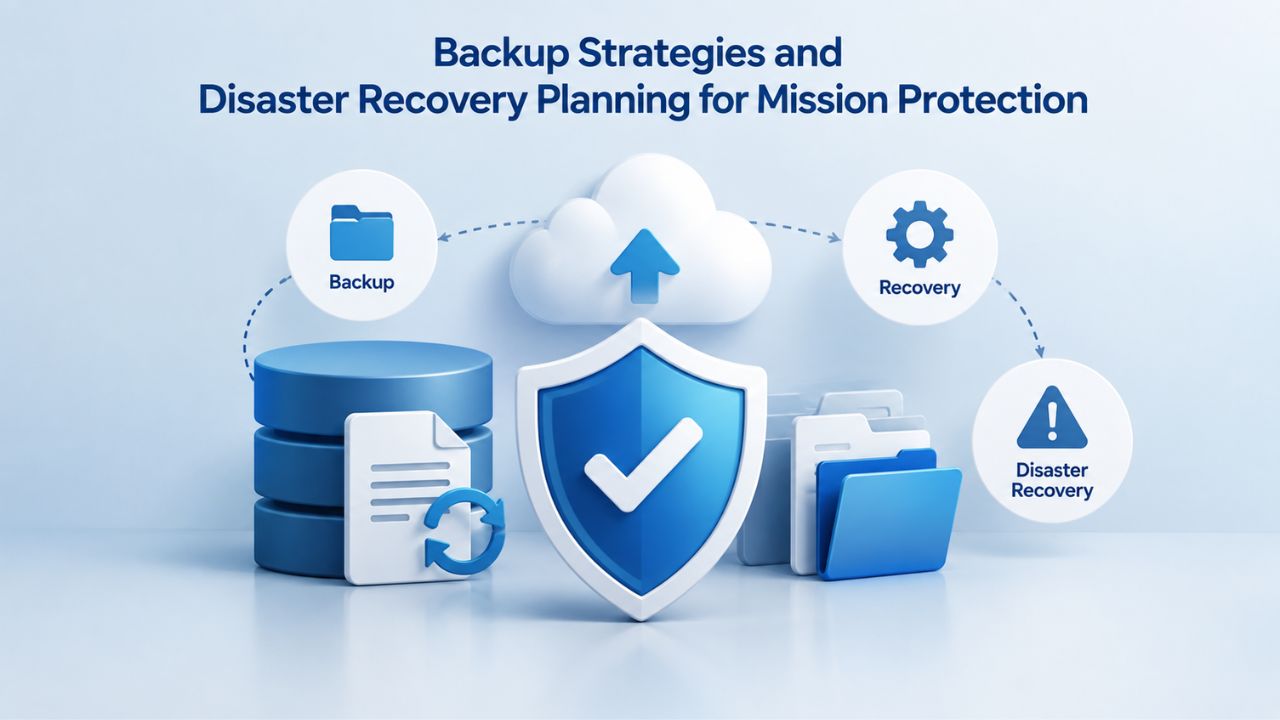
Backups are preventive infrastructure, often overlooked until they’re desperately needed. For nonprofits managing donor information, financial systems, program data, and volunteer records, backup strategy and disaster recovery planning constitute core components of organizational risk management and fiduciary responsibility.
Automated Hosting Provider Backups: Capabilities and Limitations
Every reputable shared hosting provider maintains automated backup systems that protect your website against hardware failure, data-center catastrophes, and major infrastructure disruptions. These provider-maintained backups genuinely protect against infrastructure-level risks. If your hosting provider’s server experiences hard drive failure, their backup systems enable restoration of your website from recent backups maintained on redundant infrastructure. If a data center experiences a power failure or network disruption, provider backups enable recovery once infrastructure is restored.
However, provider backups have meaningful operational limitations. Backup frequency and retention policies vary significantly. Entry-level shared hosting commonly offers weekly backups with 2–4 weeks of retention, meaning you can restore your website to a state from up to four weeks prior, but you may lose changes made in the most recent week. Managed hosting typically provides daily backups with 30-day retention. Backup frequency matters when restoration becomes necessary; daily backups limit data loss to a single day’s changes, while weekly backups create seven-day windows where data modifications may be lost.
Comprehensive Backup Strategy and Recovery Testing
Nonprofits managing sensitive data should implement layered backup approaches. Your hosting provider’s automated backups remain valuable for infrastructure-level protection. Additionally, WordPress plugins like UpdraftPlus or BackWPup provide automatic, scheduled backups to cloud storage services you control. These supplementary backups create copies outside your hosting provider’s infrastructure, stored in Google Drive, Dropbox, Amazon Web Services, or OneDrive, providing insurance against provider-specific incidents or data corruption.
Beyond backup mechanisms, nonprofits need documented, tested recovery procedures. A backup is operationally useless if your organization lacks clear procedures for accessing it, understanding its contents, and restoring from it when needed. Effective backup practices include written documentation of backup locations (where copies are stored), restoration procedures (step-by-step instructions for recovering from backups), staff or volunteer assignments (who has access and responsibility for backups), and regular recovery testing (quarterly practice restoration from actual backups to verify procedures work and staff can execute them successfully).
Scaling Nonprofit Digital Infrastructure as Your Organization Grows
Most nonprofits establish their initial web presence on shared hosting and remain on that platform indefinitely; shared hosting scales sufficiently to accommodate gradual growth in traffic and organizational complexity. Hosting needs grow incrementally rather than suddenly; recognizing the signs that your organization has outgrown its current infrastructure enables proactive scaling decisions instead of reactive emergency migrations during crises.
From Shared Hosting to Managed WordPress: The First Scaling Step
As nonprofit website traffic increases, whether through gradual growth as your organization expands, seasonal spikes during major fundraising campaigns, or surge traffic during crisis response situations, the resource limits of shared hosting plans eventually become operational constraints. The first scaling step for most nonprofits follows a specific path: managed WordPress hosting, a specialized form of shared hosting optimized specifically for WordPress websites.
Managed WordPress isn’t fundamentally different technology from standard shared hosting; it’s shared hosting configured, tuned, and supported specifically for WordPress environments. Managed WordPress plans include performance optimization features, enhanced caching, automatic image optimization, and WordPress-specific server tuning that dramatically improve page load speed compared to standard shared hosting. Managed WordPress plans handle automatic WordPress updates, plugin updates, and core system patches, reducing ongoing maintenance burden on nonprofit teams. Managed plans offer substantially higher bandwidth allocations than equivalent shared hosting, and performance tuning helps sites handle traffic spikes gracefully.
VPS and Advanced Infrastructure for Complex Nonprofit Platforms
The next level in hosting architecture, VPS (virtual private server) hosting, matters for nonprofits running complex, traffic-intensive platforms or managing multiple distinct websites. VPS hosting allocates dedicated server resources, specific CPU processing power, RAM, and storage, that aren’t shared with other organizations’ websites. You retain significant control over server configuration while the hosting provider maintains the underlying infrastructure.
VPS hosting enables custom configurations, including installing specialized software, optimizing databases, and tuning performance for your specific applications. Operating multiple WordPress sites, running membership portals with complex plugin ecosystems, managing e-commerce platforms, or deploying custom web applications often necessitate VPS architecture. VPS costs more than managed hosting but provides the performance and flexibility advanced nonprofit digital infrastructure needs.
Cost Management and Renewal Budget Planning for Financial Sustainability
Nonprofit financial management requires predictability and stability. Hosting renewal pricing represents a category of expense where surprise cost increases create genuine fiscal strain for organizations with fixed or grant-dependent budgets. Strategic web hosting cost management means understanding true long-term costs and intentionally structuring hosting arrangements to provide pricing stability.
Understanding True Long-Term Hosting Costs Versus Introductory Pricing
Hosting provider marketing emphasizes introductory pricing, the deeply discounted rates offered to new customers. These introductory rates are genuine for your initial contract period, but they’re not your actual long-term cost. The full economic picture requires calculating your total cost of ownership across multiple years, accounting for inevitable renewal price increases.
Some hosting providers clearly disclose renewal rates upfront; others bury renewal pricing in terms of service or in contract fine print. Before committing to any hosting plan, specifically seek out and verify the renewal rate. Will your monthly cost stay the same at renewal, or will it increase? If it increases, by how much? Will the provider lock in renewal rates for multiple years, or does the rate reset annually? These details determine whether your hosting is a stable, predictable expense you can confidently budget for, or an expense likely to increase unpredictably.
Strategies for Achieving Pricing Stability and Budget Certainty
Several strategic approaches help nonprofits achieve predictable hosting costs. Some hosting providers explicitly offer price-lock guarantees: you renew at the same rate you paid at signup for a specified number of years (3, 5, or 7 years). This guarantee eliminates renewal surprises and enables confident budgeting. Other providers publicly commit to transparent renewal rates, explicitly stating in their contracts what renewal rates will be. When comparing hosting providers, providers offering these guarantees provide superior value for nonprofits prioritizing budget stability.
Another strategy is to choose longer initial contract periods when renewal rates are substantially higher than introductory rates. If introductory pricing is $3/month but renewal is $12/month, committing to a 2- or 3-year plan at the introductory rate effectively delays the renewal rate increase by 2–3 years. This approach buys your organization time to budget for the upcoming increase or to explore hosting alternatives. However, longer initial commitments carry risk; if your organization’s circumstances change, you remain locked into the contract. This strategy works best for nonprofits with stable, established websites and highly predictable future hosting needs.
Support Models and Technical Capacity: Managed Versus Self-Service Hosting
Web hosting support structures vary dramatically, from fully managed services handling all technical administration to self-service platforms where your organization manages every technical aspect independently. Choosing the right support level requires an honest assessment of your nonprofit’s technical capacity and available staff time.
Evaluating Managed Support Versus Self-Service Based on Organizational Capacity
Managed hosting includes shared and VPS arrangements where the provider actively manages server maintenance, security updates, plugin updates, performance optimization, and routine technical administration. Your organization focuses on website content, organizational messaging, and digital strategy while the hosting provider handles infrastructure concerns. Self-service hosting shifts technical responsibility entirely to your organization; you manage updates, security hardening, performance optimization, and troubleshooting independently.
For nonprofits with minimal technical staff or volunteer capacity, managed hosting reduces operational burden and risk. If your team can dedicate 5–10 hours monthly to website maintenance (checking for plugin updates, running security scans, monitoring site performance), managed hosting typically costs 2–3 times more than shared hosting but remains economically justified by reduced staff time and lower failure risk. If your team has minimal capacity for website maintenance (less than 5 hours monthly) or no staff member with technical confidence, managed hosting shifts from economically justified to operationally necessary. Organizations without capacity for ongoing technical maintenance should not select self-service hosting; the risks of security neglect, performance degradation, or catastrophic failures from missed updates substantially outweigh cost savings.
Support Channels, Response Times, and Communication Access
When evaluating hosting providers, examine support availability and response times. Some providers offer 24/7 phone support, enabling immediate conversation with technical staff when urgent problems occur. Others provide email support with standard 24-hour response times or live chat during business hours. Some platforms rely primarily on community forums and self-service documentation, with no direct provider support available.
For nonprofits whose operations concentrate during business hours, business-hours phone support often proves adequate and valuable. When your website experiences problems during nonprofit working hours, immediate phone access to support staff enables rapid diagnosis and resolution. Email support with 24-hour response times may prove insufficient during crises or urgent situations. For nonprofits conducting significant fundraising during evening hours or managing crisis response across time zones, 24/7 support accessibility provides genuine organizational value that justifies the additional cost.
Evaluating Nonprofit-Focused Hosting Providers and Making Selection Decisions
Selecting a web hosting provider remains one of the highest-ROI technology decisions nonprofits make. An effective hosting partnership provides stable, reliable infrastructure supporting your mission for years. Poor hosting decisions create persistent technical frustrations, compromise fundraising effectiveness, or expose your organization to security or data loss risk.
Core Evaluation Criteria for Nonprofit-Focused Provider Selection
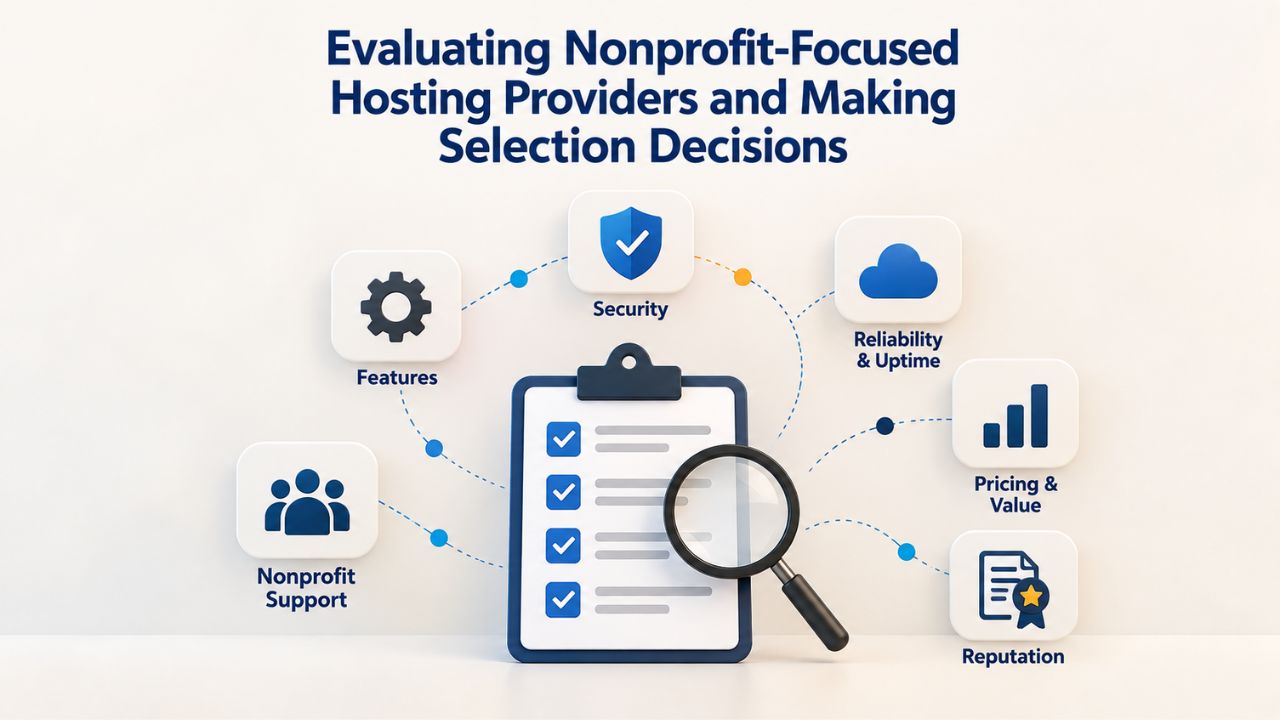
When comparing hosting providers, establish a prioritized evaluation framework. For most nonprofits, the evaluation checklist should emphasize: transparent renewal pricing disclosed upfront enabling accurate budget forecasting; backup systems with clear frequency and retention policies protecting your data; support accessibility matching your organization’s operational model; included SSL certificates and domain email hosting; one-click WordPress installation reducing setup friction; documented migration assistance for transitions; and compliance-ready features (GDPR consent management, privacy policy templates, data deletion tools, audit logging).
Additional evaluation criteria should include reliability indicators: How long has the provider operated? Do they maintain an established track record, or are they a new startup? Does the provider clearly publish its uptime SLA and service credits if it doesn’t meet the guarantee? Does the provider publish server locations, or does it obscure infrastructure details? Is the provider an established midsize company with sustainable economics, or a heavily discounted provider that might prioritize aggressive growth over service quality?
Nonprofit Web Hosting Provider Evaluation Matrix
| Evaluation Factor | Importance | What to Check | Red Flags | Green Flags |
|---|---|---|---|---|
| Renewal Pricing Transparency | Critical | Are renewal rates disclosed in contracts before signup? | Renewal rates hidden in fine print; vague language like “rates may change”; no commitment to published rates | Renewal rates clearly stated upfront; multi-year price locks available; provider publicly commits to pricing stability |
| Backup Systems | Critical | Daily or weekly? How long retained? | No backup information published; backups available only as expensive add-on; no documented restoration process | Daily automated backups; 30+ day retention; documented restoration procedures; free supplementary backup options offered |
| Support Accessibility | Important | Phone/chat/email available? Response times? Business or 24/7? | Email-only support with 48+ hour response times; no published SLAs for response | Business-hours phone support; documented response time commitments; multiple support channels available; community forums with active staff participation |
| Included Features | Important | SSL, email, WordPress installer included or add-ons? | SSL costs extra; minimal included features; WordPress installation not offered | Free SSL included in all plans; domain email accounts included; one-click WordPress installation standard |
| GDPR/Compliance Tools | Important | Privacy templates, consent management, data deletion tools? | No compliance documentation; unclear data handling practices; no privacy policy templates | GDPR documentation published; consent management tools offered; automated data deletion capabilities; clear privacy practices |
| Provider Stability | Important | Operating history? Trustpilot/HostAdvice ratings? | Founded within last 2 years; frequent negative reviews mentioning billing surprises or sudden feature removals; history of sudden price increases or acquisition issues | Operating 5+ years; consistent positive reviews mentioning good support and price stability; public commitment to nonprofit sector; established infrastructure providers |
| Migration Support | Moderate | Free migration tools? Staff assistance available? | No migration assistance offered; migration costs add $200+; unclear procedures | Free automated migration tools provided; staff assistance available; clear documentation with dedicated migration team |
| Nonprofit Discounts | Moderate | Explicit discounts for 501(c)(3) organizations? | No discounts mentioned; unclear how to apply for nonprofit status | Published nonprofit discounts available; process streamlined for nonprofit verification; special nonprofit support email or phone line |
Independent Verification and Peer Nonprofit Recommendations
Independent review platforms like Trustpilot and HostAdvice add real value when evaluating providers. While individual reviews vary in usefulness, patterns across multiple reviews reveal important information. Look for recurring themes: Do multiple reviews mention surprise billing or renewal price shocks? Do reviews consistently praise or criticize support responsiveness? Do reviews consistently praise or criticize support responsiveness? Do reviews mention positive or negative experiences specific to nonprofits?
Nonprofit peer networks offer particularly valuable input. Nonprofit-focused Slack groups, nonprofit technology association forums, or informal networks of nonprofit leaders often include members with direct experience evaluating and using various hosting providers. These peer recommendations, grounded in real nonprofit operational experience, frequently prove more valuable than generic business review platforms. Don’t hesitate to ask in nonprofit technology communities: “Which hosting providers do you recommend for nonprofits?”
Begin Your Nonprofit Web Hosting Search Today
Choosing the right hosting provider represents one of the most consequential technology decisions your nonprofit makes. Niya Digital’s Web Hosting service, built on GoDaddy’s proven infrastructure, offers shared and managed hosting plans sized for nonprofit organizations, from informational websites to membership portals and e-commerce platforms.
Frequently Asked Questions
What is web hosting, and why do nonprofits actually need it?
Web hosting is a service that stores your website’s files on internet-connected servers, making your website accessible worldwide. Yes, nonprofits genuinely need web hosting to maintain any online presence. Without hosting, your domain name connects to nothing; visitors receive error messages instead of your website. Web hosting forms the technical foundation supporting your online presence, whether you operate a simple informational site or a complex fundraising platform. Your hosting provider’s servers run constantly, keeping your website accessible 24/7 to supporters worldwide without requiring you to maintain physical servers or technical infrastructure.
How much should nonprofits budget annually for hosting?
Budgeting for hosting requires accounting for introductory rates versus renewal rates. Many nonprofits see first-year costs of $30–50 annually but face renewal costs of $100–150 annually, a significant difference that requires separate budget planning. A realistic budget plan assumes the renewal rate rather than the introductory rate, setting a conservative estimate of about $50–100 in annual hosting costs per website. Some hosting providers offer nonprofit discounts that reduce these figures; others don’t. Always compare total three-year costs accounting for renewal rates, not merely first-year introductory pricing.
Is free web hosting appropriate for nonprofit websites?
Free hosting platforms exist but carry serious compromises unsuitable for most nonprofit primary websites. Free hosting typically includes advertisements placed on your website (damaging professional appearance and possibly conflicting with nonprofit branding), severely limited storage and bandwidth (restricting website complexity and visitor volume), minimal support or documentation, and limited branding (your URL might be yournonprofit.freedhost.net rather than yournonprofit.org). For a nonprofit’s primary website and fundraising presence, investing in paid hosting costing $50–100 annually delivers substantially greater returns through improved professional credibility, reliable support, and ownership of your domain brand.
What are the differences between shared hosting, VPS hosting, and dedicated servers?
Shared hosting means your website runs alongside hundreds of other organizations’ websites on a shared server; costs are low because resources are distributed, but resource limits exist and performance can fluctuate if other sites consume excessive resources. VPS (virtual private server) hosting allocates dedicated server resources (specific CPU power, RAM, storage) that aren’t shared with other organizations, providing more control and reliability at a higher cost than shared hosting. Dedicated servers mean renting an entire physical server exclusively for your organization, which is extremely expensive and unnecessary for virtually all nonprofits. Most nonprofits appropriately operate on shared hosting throughout their existence, scaling to managed WordPress or VPS only if specific technical demands require more resources.
How should nonprofits approach migrating websites to new hosting providers?
Website migration means transferring all files, databases, email accounts, and configuration from your current host to a new provider. Quality hosting providers offer automated migration tools that programmatically copy your website to the new host, or provide detailed migration documentation and optional paid migration assistance. Back up your current website before beginning migration. Schedule migration during low-traffic periods, typically evenings or weekends, so temporary downtime causes minimal disruption. Domain DNS propagation (the internet replicating your domain’s new location across global servers) typically takes 24–48 hours; your website may be temporarily inaccessible during this window. Quality provider support throughout migration significantly reduces stress and failure risk.
Should nonprofits implement their own backup strategy beyond hosting provider backups?
Yes, nonprofits should implement a supplementary backup strategy independent of hosting provider systems. Provider-maintained backups protect against infrastructure failure but not against security compromise, malware, or accidental data deletion. WordPress plugins (UpdraftPlus, BackWPup) automatically back up to cloud storage (Google Drive, Dropbox, AWS), creating copies under your organization’s direct control. This layered approach, provider infrastructure backups plus supplementary independent backups, provides robust protection against diverse failure scenarios. Test backup restoration quarterly to verify procedures work and staff can execute restoration if genuine emergencies require it.
Are GDPR and CCPA compliance obligations truly applicable to most nonprofit organizations?
Yes, if your nonprofit accepts donations from European Union residents or residents of regulated U.S. states (particularly California), compliance obligations apply regardless of where you physically operate. GDPR applies to any organization processing personal data of EU residents; CCPA applies to organizations collecting data from California residents. Most nonprofits accepting national or international donations must comply with both GDPR and CCPA. Confirm which regulations apply to your organization through legal guidance specific to your nonprofit’s operations and supporter geography, then ensure your hosting infrastructure provides compliance-supporting tools.
How can a nonprofit determine whether its current hosting plan has sufficient resources?
Monitor website performance and resource consumption through your hosting control panel. Review storage usage graphs showing the percentage of allocated storage in use; if storage regularly approaches 75–80% of your plan’s capacity, plan an upgrade. Check bandwidth utilization during peak traffic periods; if you consistently use 60%+ of your monthly bandwidth allocation, performance degradation during traffic peaks becomes likely. Assess page load speed; if pages take 3+ seconds to load, performance optimization or a hosting upgrade becomes valuable. Most hosting control panels display these metrics clearly, enabling you to assess whether your current resources match your organization’s actual usage.
Do hosting providers typically offer nonprofit discounts?
Some hosting providers offer specific discounts for verified 501(c)(3) nonprofit organizations; discounts range from 10–20% off standard rates. Many providers don’t offer nonprofit discounts. Platforms like TechSoup and Taproot+ list companies offering nonprofit discounts or in-kind donations of services, including web hosting. It’s absolutely worth asking prospective hosting providers about nonprofit discounts during your evaluation, but don’t assume all providers participate in nonprofit pricing programs. Even without specific nonprofit discounts, some providers offer genuinely affordable plans and transparent pricing that work well for nonprofit budgets.
What does “unlimited bandwidth” actually mean in hosting marketing?
“Unlimited bandwidth” is marketing language that obscures real limitations. No hosting provider truly offers unlimited data transfer; plans using unlimited language typically include fair-use policies permitting normal website operation but reserving provider rights to terminate service or impose overage charges for abnormally high traffic (such as during DDoS attacks or viral campaign spikes). Ask prospective providers for specific fair-use thresholds; most reputable providers will state something like “up to 5 TB monthly” or define “fair use” with actual numbers. These concrete figures let you assess whether the plan’s actual capacity matches your organization’s requirements.
Should nonprofits use WordPress or dedicated website builder platforms?
WordPress is self-hosted software running on your hosting account; you own your data and retain complete control over website functionality and long-term cost. Website builder platforms (Wix, Squarespace) are hosted services; you don’t purchase separate hosting, and your website remains dependent on their platform. For nonprofits, WordPress on shared hosting typically offers better long-term value and control as organizations grow, though WordPress requires more technical understanding or support investment. Website builders suit nonprofits that prioritize simplicity over long-term flexibility and are willing to accept ongoing platform fees. Most mission-driven organizations find WordPress on affordable shared hosting provides superior long-term value.
How should nonprofits approach email hosting decisions, domain email versus shared commercial email?
Email on your organization’s domain (included with shared hosting) signals professionalism, preserves communication history, and enables access controls that separate functions and staff responsibilities. Shared commercial email accounts (Gmail, Outlook) are free and familiar but lack organizational ownership and create dependency on personal accounts. For nonprofits, domain email on your organization’s hosting account is worth the minimal setup effort for professionalism, organizational continuity, and stewardship visibility. Even small organizations benefit from professional fundraising@yournonprofit.org addresses rather than relying on personal email accounts.
What does SLA mean, and what should nonprofits understand about uptime guarantees?
An SLA (Service Level Agreement) is the hosting provider’s formal written commitment regarding website uptime and associated compensation if they fail to meet commitments. 99.9% uptime (industry standard) theoretically permits 8–9 hours of downtime annually. Understand that SLA guarantees cover only provider infrastructure-level uptime; downtime caused by compromised WordPress installations, outdated plugins, or application-level issues isn’t provider responsibility. Service credits for SLA failures often take the form of account credits applied automatically to future bills rather than refunds. Review the specific provider’s SLA language before committing to confirm you understand what’s guaranteed, what’s excluded, and what compensation you receive if guarantees aren’t met.
How frequently should nonprofit organizations update WordPress and plugins?
Update WordPress and plugins immediately when security updates become available; treat security patches as urgent priorities, not optional maintenance. For standard functionality updates or feature releases, update within two weeks of availability. Delayed updates represent the leading cause of nonprofit website compromise. Managed hosting plans handle updates automatically, reducing this burden; self-service hosting requires your organization to check monthly and execute updates. If your nonprofit lacks the capacity to maintain monthly updates, managed hosting becomes operationally essential rather than optional.
What occurs if nonprofits fail to renew their hosting accounts?
Your hosting account closes, and your website goes offline when hosting expires. Most hosting providers retain account data for 30–90 days before permanent deletion. Your organization receives renewal reminder emails as expiration approaches; set calendar alerts now if you manage hosting renewals to ensure you renew well before deadlines. Some nonprofits have lost years of accumulated website content and donor information through missed renewal deadlines. Designate a responsible person, document the renewal process, and set calendar reminders well before expiration dates.
Should nonprofit organizations use dedicated IP addresses?
Most nonprofits don’t need dedicated IP addresses. Shared hosting typically assigns shared IPs; email and website delivery work normally. Dedicated IPs help organizations running independent mail servers, hosting multiple SSL certificates on one server, or needing specific IP whitelisting for security. Standard nonprofit websites and email function perfectly with shared IPs at lower cost. Ask your hosting provider about their IP allocation, whether shared IPs are standard or whether dedicated IPs require additional fees and complexity you don’t actually need.
Glossary
- Backup: An automatic or manual copy of your website’s files and databases, stored separately from your primary website. Backups enable website restoration if data is lost, corrupted, deleted, or inaccessible due to technical failure.
- Bandwidth: The total amount of data your website can transfer to visitors each month, measured in gigabytes or terabytes. High-traffic periods, video-heavy pages, or large downloadable files consume bandwidth; exceeding your allocation can slow your site or trigger overage charges.
- cPanel / Plesk: Web-based control panel systems enabling website management through graphical interfaces rather than command-line server administration. Both platforms provide menu-driven access to email management, file uploads, database administration, domain configuration, and backup functions.
- DNS (Domain Name System): The internet’s directory system that translates human-readable domain names (yournonprofit.org) into numerical IP addresses that direct visitors to your server. Configuring DNS records points your domain to your hosting provider’s servers.
- Managed Hosting: A hosting service arrangement where the provider actively manages server maintenance, security updates, software patches, performance optimization, and routine technical administration. Your organization focuses on website content while the provider handles infrastructure responsibilities.
- SLA (Service Level Agreement): A formal written commitment from a hosting provider specifying guaranteed uptime percentages, performance metrics, and service credits or compensation if the provider fails to meet stated commitments.
- SSL (Secure Sockets Layer): Encryption technology protecting data transmitted between visitors’ browsers and your website server. SSL is indicated by padlock icons and “https://” URLs (rather than “http://”) and protects donor information and payment data during transmission.
- Uptime: The percentage of time your website remains accessible to visitors during a measurement period, expressed as a percentage (e.g., 99.9% uptime) or average downtime hours annually (e.g., 8–9 hours per year).


