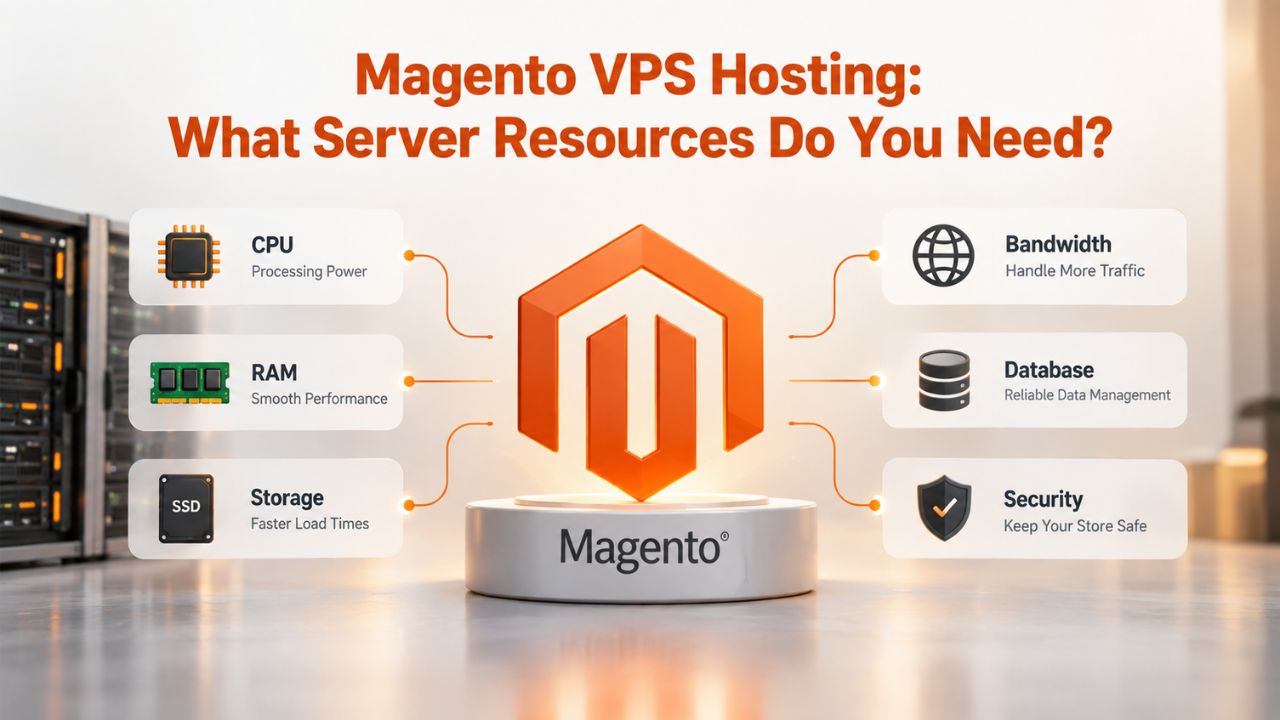
Why Magento Needs More Than Shared Hosting
Magento is fundamentally different from lightweight platforms like WordPress. It’s a full-featured e-commerce system built for complexity, flexibility, and scale. That architectural sophistication comes with real resource costs that shared hosting infrastructure cannot support. Understanding why will help you make the right hosting decision for your store’s growth.
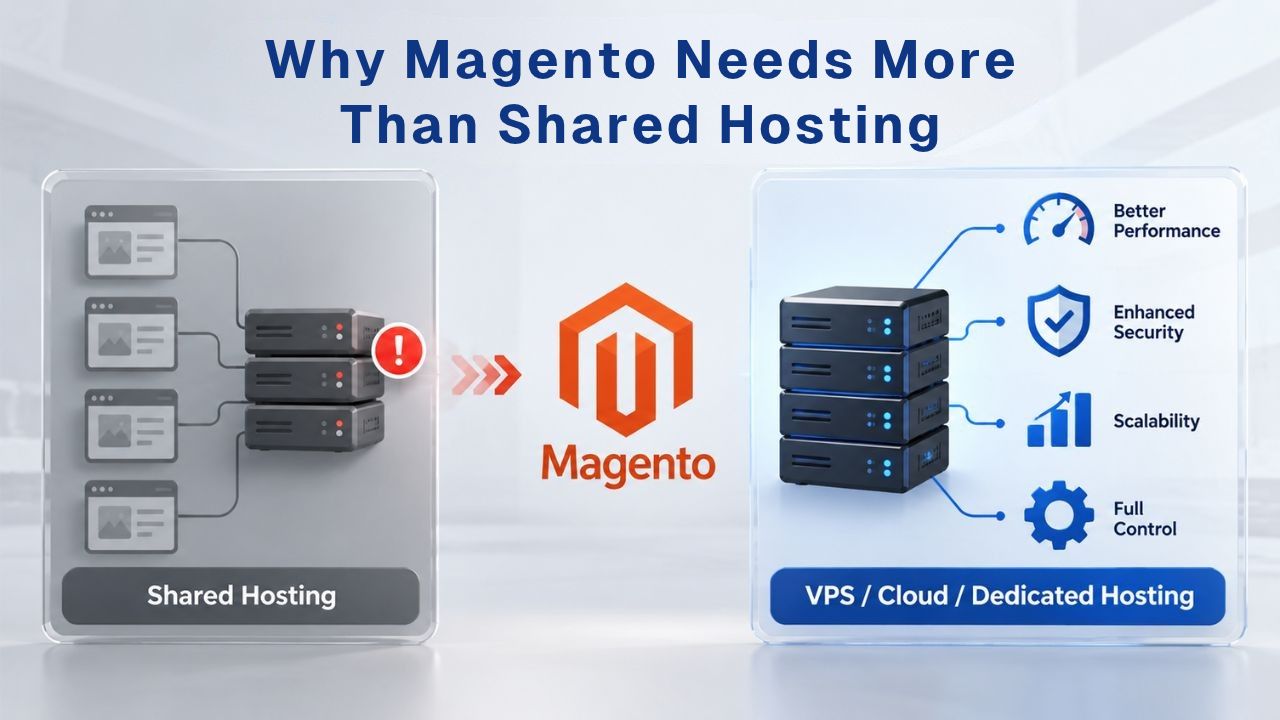
The Resource Drain of a Resource-Intensive Platform
Magento 2 executes complex database queries, dynamic page generation, and search indexing operations on every single page load. When a customer browses a product, your server joins 10+ database tables to load attributes, pricing, inventory, and custom data. When catalog search runs, your server processes full-text indexing across thousands of product variations. When cron jobs run in the background, reindexing products, processing email queues, and updating catalog rules, they all compete for the same CPU and RAM as live customer traffic.
This architectural complexity is Magento’s greatest strength for large, sophisticated stores. It’s also why this platform is resource-intensive and performs poorly on underpowered infrastructure. A single optimized Magento store consumes more CPU, RAM, and I/O than five WordPress sites combined. On a shared host, resources are divided among hundreds of users, each competing for the same pool. As soon as your store grows beyond the smallest test environment, shared hosting performance becomes unmanageable. You’ll see timeout errors, slow admin panels, and sluggish checkouts that frustrate both you and your customers.
Shared Hosting’s “Noisy Neighbor” Problem for E-Commerce
On a shared host, you don’t own dedicated resources; you lease a slice of a multi-tenant environment alongside hundreds of other websites. When another tenant’s site spikes in traffic, runs a resource-heavy backup, or processes a large data migration, your Magento store starves for CPU and RAM. Your page loads crawl. Customer checkouts time out. The hosting provider cannot isolate the problem because all sites compete for the same pool of resources.
This “noisy neighbor” effect is tolerable for a blog or portfolio site where occasional slowdowns don’t cost revenue. For an e-commerce platform where page load speed directly impacts conversion rate, Portent research shows sites loading in 1 second have 2.5× higher conversion rates than sites loading in 5 seconds; it’s revenue-killing. A VPS Hosting solution gives your Magento store dedicated CPU cores, dedicated RAM, and dedicated storage. Your performance doesn’t depend on what your neighbors are doing. Your store performs consistently whether it’s a busy shopping day or a quiet Tuesday afternoon.
VPS Hosting Plans & Pricing
Choose the VPS hosting plan that fits your website, application, or business requirements. Select a self-managed VPS for complete server control or a fully managed VPS with a dedicated team of experts to help manage your server.
Self Managed VPS 1 vCPU
1 GB RAM
Entry-level VPS hosting for lightweight websites and applications.
- 1 CPU Core
- 1 GB RAM
- 20 GB SSD Storage
- Linux only, no control panel

Self Managed VPS 2 vCPU
4 GB RAM
VPS hosting with additional CPU and memory for growing websites and applications.
- 2 CPU Cores
- 4 GB RAM
- 100 GB SSD Storage
Self Managed VPS 2 vCPU
8 GB RAM
Additional memory for more demanding websites and applications.
- 2 CPU Cores
- 8 GB RAM
- 100 GB SSD Storage
Self Managed VPS 4 vCPU
8 GB RAM
Increased processing power for business websites and applications.
- 4 CPU Cores
- 8 GB RAM
- 200 GB SSD Storage
Self Managed VPS 4 vCPU
16 GB RAM
High-memory VPS hosting for resource-intensive workloads.
- 4 CPU Cores
- 16 GB RAM
- 200 GB SSD Storage
Self Managed VPS 8 vCPU
16 GB RAM
Powerful VPS resources for demanding business applications.
- 8 CPU Cores
- 16 GB RAM
- 400 GB SSD Storage
Self Managed VPS 8 vCPU
32 GB RAM
Maximum self-managed resources for demanding workloads.
- 8 CPU Cores
- 32 GB RAM
- 400 GB SSD Storage
Fully Managed VPS 1 vCPU
2 GB RAM
Managed VPS hosting with expert server management.
- 1 CPU Core
- 2 GB RAM
- 40 GB SSD Storage
- Dedicated team of experts to fully manage your server
Fully Managed VPS 1 vCPU
4 GB RAM
Managed VPS resources for websites and business applications.
- 1 CPU Core
- 4 GB RAM
- 40 GB SSD Storage
- Dedicated team of experts to fully manage your server
Fully Managed VPS 2 vCPU
4 GB RAM
Managed VPS hosting with additional CPU resources.
- 2 CPU Cores
- 4 GB RAM
- 100 GB SSD Storage
- Dedicated team of experts to fully manage your server
Fully Managed VPS 2 vCPU
8 GB RAM
Managed VPS hosting with additional memory for growing workloads.
- 2 CPU Cores
- 8 GB RAM
- 100 GB SSD Storage
- Dedicated team of experts to fully manage your server
Fully Managed VPS 4 vCPU
8 GB RAM
Higher-performance managed VPS for demanding applications.
- 4 CPU Cores
- 8 GB RAM
- 200 GB SSD Storage
- Dedicated team of experts to fully manage your server
Fully Managed VPS 4 vCPU
16 GB RAM
High-memory managed VPS for resource-intensive workloads.
- 4 CPU Cores
- 16 GB RAM
- 200 GB SSD Storage
- Dedicated team of experts to fully manage your server
Fully Managed VPS 8 vCPU
16 GB RAM
Powerful managed VPS hosting for demanding business workloads.
- 8 CPU Cores
- 16 GB RAM
- 400 GB SSD Storage
- Dedicated team of experts to fully manage your server
Fully Managed VPS 8 vCPU
32 GB RAM
Maximum managed VPS resources for demanding workloads.
- 8 CPU Cores
- 32 GB RAM
- 400 GB SSD Storage
- Dedicated team of experts to fully manage your server
Understanding Magento’s Hardware Baseline
Every Magento deployment begins with official system requirements published by Adobe. But there’s a critical gap between “minimum to install and run” and “minimum for a stable, responsive store.” Understanding both helps you avoid undersizing and the performance nightmares that follow. Many retailers confuse technical installation requirements with production performance requirements, leading to resource-constrained deployments.
CPU Requirements: From Entry to Production Scale
Magento 2.4.6 and later require a minimum of 2 CPU cores at 2 GHz or higher. That’s the floor for installation. A minimum-spec Magento setup can technically run on 2 cores and serve a small catalog with light traffic- think 500 products with fewer than 100 concurrent visitors. But “minimum” is misleading. As soon as your store grows, CPU becomes the first bottleneck.
In production, a small Magento store (under 10,000 SKUs with modest traffic) genuinely needs 4 CPU cores. For medium stores (10,000–50,000 SKUs), plan for 8 CPU cores minimum. Larger stores or those handling seasonal traffic spikes need 12–16 cores. The reason is straightforward: Magento’s service stack runs 6–8 simultaneous processes (PHP, MySQL, OpenSearch, Redis, Varnish, RabbitMQ, cron jobs), and each process can consume 1–2 full cores under load. If you provision only 2 cores for a growing store, all processes queue up waiting for CPU time, creating a bottleneck that makes your storefront unresponsive during traffic spikes.
RAM & Memory Allocation: Why 4GB Isn’t Enough
Magento’s official minimum is 4 GB of RAM. Again, this is “enough to run the software,” not “enough to run it well.” A production Magento environment simultaneously allocates RAM across six major services: PHP-FPM (2–4 GB), MySQL (2–4 GB), OpenSearch (4–8 GB), Redis (2–4 GB), Varnish (1–2 GB), and the operating system itself (512 MB–1 GB). Together, these allocations mean you need 12–23 GB of RAM to run comfortably.
Many stores make a critical mistake: they buy a VPS with “4 GB RAM,” thinking it matches Magento’s stated minimum. In reality, the VPS boots with the OS consuming 512 MB. cPanel or Plesk consumes another 512 MB. MySQL gets allocated 1 GB. Suddenly, PHP has only 1.5 GB left, far below what Magento needs for even modest traffic. When traffic spikes, PHP processes consume that 1.5 GB in seconds, forcing the server to swap RAM to disk (thousands of times slower than direct RAM access), and the store grinds to a halt. Production small stores should start with 8–16 GB of RAM, and scale upward as your catalog and traffic grow.
Storage Specifications: SSD Type Matters More Than Size
E-commerce storage decisions aren’t just about capacity. Storage type and I/O performance determine whether a customer’s product page loads in under a second or lags frustratingly for 10 seconds. This is one of the most misunderstood aspects of VPS sizing for Magento.
NVMe vs. SATA: I/O Performance & Database Workloads
Magento’s database performs 500+ I/O (input/output) operations per product view. Each product image load, each variant lookup, and each price check is a discrete read from disk. SATA SSDs deliver roughly 100 IOPS (operations per second). NVMe SSDs handle 500,000+ IOPS. The practical difference is dramatic: a product category page on a SATA SSD might load in 8 seconds; the same page on NVMe loads in 0.8 seconds.
GoDaddy’s VPS Hosting plans include NVMe SSD storage across all tiers, a critical architectural decision that keeps your Magento store from suffering slow storage I/O bottlenecks. But you need to understand why NVMe matters: Magento’s EAV (Entity-Attribute-Value) schema is powerful for catalog flexibility but punishing for database performance. A single product load joins multiple tables. A category page with 40 products multiplies those joins exponentially. Without NVMe, database queries take seconds and cause cascading slowdowns. With NVMe, those same queries take milliseconds. For Magento, an NVMe SSD is non-negotiable for production stores.
Storage Capacity Planning & Headroom for Growth
How much storage should you provision? Not just your current catalog size. Best practice is to allocate double your store’s current size for write-heavy logs, automated backups, and future growth. A 50 GB store should have 100+ GB allocated. A 200 GB store should have 400+ GB. This isn’t padding; it’s operational necessity.
Magento generates high disk I/O during indexing, logging, and order processing. Every product reindex writes temporary files. Every order creates detailed logs. Every backup consumes disk space. A store with undersized storage will face two cascading problems: first, slow performance as write operations compete for the same I/O channels as reads, degrading both database performance and backup speed; second, eventual disk-full errors that can crash the entire storefront and make recovery difficult. NVMe storage carries real cost, so plan conservatively, but plan for growth, not just today’s needs.
The Magento Service Stack: What Actually Runs on Your Server
When you provision a VPS for Magento, you’re running more than one application. You’re orchestrating a stack of 6–8 interdependent services, each consuming CPU and RAM in specific ways. Understanding this stack helps you understand why “minimum” specs fail in production and why proper resource allocation requires thinking beyond simple CPU and RAM numbers.
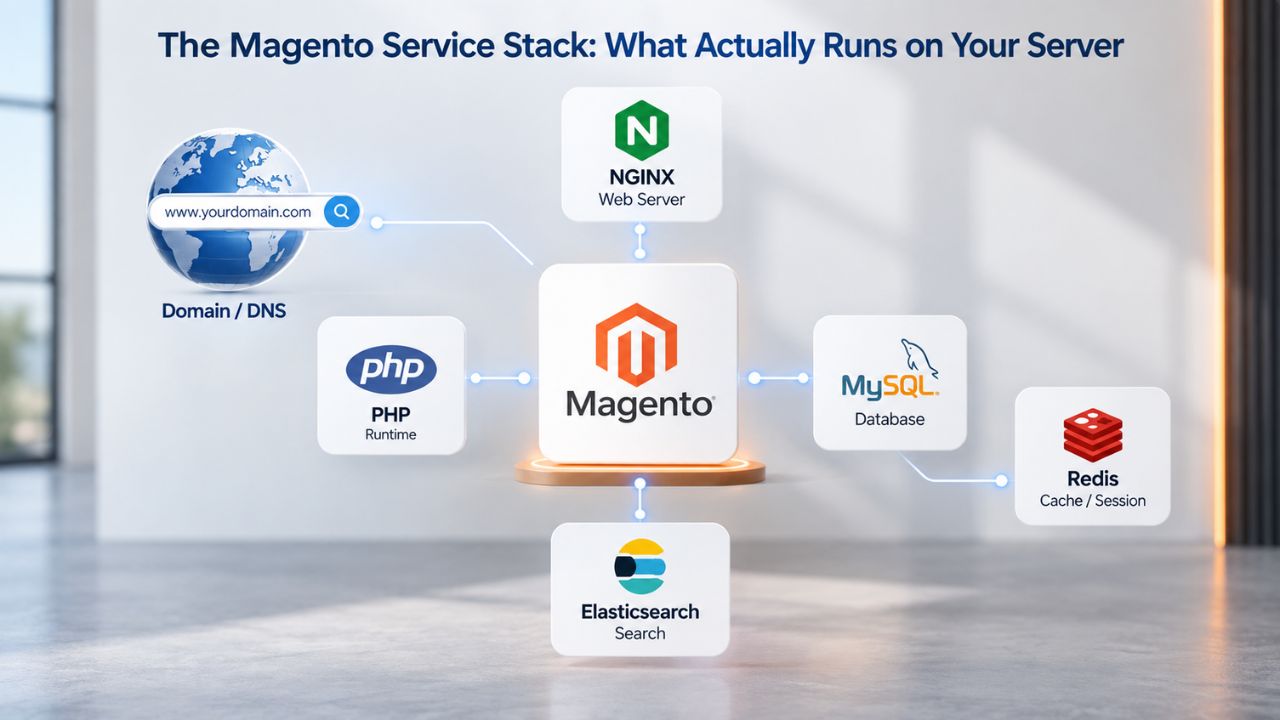
PHP, MySQL, OpenSearch: The Foundation
PHP 8.3 or 8.4 is required for Magento 2.4.8. PHP-FPM (FastCGI Process Manager) runs the Magento application itself, handling incoming requests, executing code, and generating HTML pages. In production, plan for 4–8 PHP processes to run concurrently. Each process consumes 100–500 MB of RAM depending on your store’s customization level and module count. A VPS with only 4 GB of total RAM allocated to PHP will queue requests and time out during traffic spikes.
MySQL 8.0 or MariaDB 10.4 is the database backbone. Magento’s data model is dense: products, variants, attributes, prices, inventory all live in tightly joined tables. Query performance depends directly on RAM (for buffer pools and caches) and CPU (for join execution and sorting). Allocate 2–4 GB of RAM to MySQL on a small store, and 4–8 GB on a medium store. Undersized MySQL is the hidden cause of most “slow category page” problems in Magento deployments. When MySQL lacks sufficient RAM for caching, it reads from disk repeatedly, creating cascading slowdowns.
Magento 2.4.8 requires OpenSearch 2.x (or later); Elasticsearch is deprecated. OpenSearch powers catalog search, faceted navigation, autocomplete, and product filtering. Unlike MySQL full-text search (which Magento abandoned), OpenSearch is a distributed search engine that handles millions of products with low latency and relevance ranking. But OpenSearch is hungry for resources: it requires 2 GB of dedicated RAM as a minimum, 4–8 GB for production stores. On a small VPS, OpenSearch can monopolize RAM, leaving nothing for PHP and MySQL to operate efficiently.
Redis, Varnish, RabbitMQ: Why Each Needs Dedicated Resources
Redis stores Magento’s sessions and cache in RAM, replacing slow file-based storage. When a customer logs in, their session lives in Redis (retrieved in milliseconds). When Magento caches a product’s attributes, that cache lives in Redis (instant access); file-based caching forces thousands of disk reads per second, while Redis delivers the same data from memory in microseconds. For production stores, Redis needs 4–8 GB of dedicated RAM. Underprovision Redis, and you trigger “cache thrashing”; the cache system spends more time managing memory than storing data, paradoxically slowing down the store.
Varnish is Magento’s full-page cache, an HTTP accelerator that serves complete HTML pages from RAM without touching PHP. When properly configured, Varnish bypasses PHP for 95% of visitor traffic, cutting response times from 500+ ms to <50 ms (Time to First Byte). But Varnish only works if it’s active and correctly configured. Many stores install Varnish, then misconfigure it, so traffic still hits PHP. When Varnish is working, it needs 1–2 GB of RAM to cache thousands of pages in memory and handle concurrent visitor requests.
RabbitMQ handles asynchronous job processing, bulk operations, email queues, and order processing tasks that would otherwise block the storefront. On larger stores (10,000+ SKUs), RabbitMQ handles the I/O burden of background reindexing and catalog updates, freeing up the web server to serve customer traffic. Smaller stores can skip RabbitMQ; larger stores should allocate 1–2 GB of RAM to it. The critical insight is this: each service wants its own RAM allocation.
Sizing Your VPS: Small Store vs. Medium Store vs. Enterprise
The question “what size VPS do I need?” has no one-size-fits-all answer. Sizing depends on three key factors: catalog size (how many products), traffic volume (how many concurrent visitors), and peak load (seasonal spikes during holidays). Here’s how to think through your specific situation and requirements.
Small Store (Under 10K SKUs, <1K Daily Visitors): Resource Tiers
A small Magento store, think a niche retailer with 5,000 products and 500–1,000 daily visitors, can run on a modest VPS Hosting plan with 4–8 vCPU cores, 16–32 GB of RAM, and 200–400 GB of NVMe SSD storage. At this tier, you have real headroom to run PHP, MySQL, OpenSearch, and Redis without constant resource contention. Database queries complete in milliseconds. Pages load within 1–2 seconds. Cron jobs (indexing, email processing) run during off-peak hours without affecting customer traffic.
This tier matches what GoDaddy’s VPS Hosting platform offers in its mid-range plans, typically starting at 4 vCPU and 8–16 GB RAM. However, your actual minimum depends on your theme complexity, custom module count, and whether you’ve implemented Redis and Varnish caching. A lean Hyva theme (lighter than the default Luma theme) on a 4 vCPU / 8 GB RAM plan can perform well if caching is configured properly. A heavily customized Luma theme with 30+ modules on the same hardware will struggle. When provisioning for a small store, err on the side of 16 GB of RAM as a safe starting point for production stores.
Medium Store & Traffic Spikes: When You Need Headroom
A medium Magento store, 10,000 to 50,000 SKUs, 10,000+ daily visitors, or seasonal traffic that spikes 3–5× during holidays, needs 8+ vCPU cores, 32–64 GB of RAM, and 500 GB to 1 TB of NVMe storage. At this scale, concurrency becomes critical. Multiple customers browsing simultaneously, cron jobs running, search reindexing in progress, all without timeout errors or request queue buildup. The headroom here is intentional.
A medium store running on 16 GB of RAM is a support-ticket generator. When traffic spikes 20% above normal, the store hits memory limits, forces swaps to disk, and performance collapses immediately. With 32–64 GB allocated, you have buffer room. Spikes are absorbed gracefully. Cron jobs don’t starve customer requests. This is the tier where managed support becomes valuable because resource allocation is no longer obvious and requires ongoing optimization. Niya Digital’s team has found that stores in this range benefit most from provisioning guidance and hands-on tuning during onboarding.
Resource Allocation Guide for Magento VPS Hosting
| Store Profile | Catalog Size | Monthly Visitors | CPU Cores | RAM | SSD Storage | Use Case |
|---|---|---|---|---|---|---|
| Small Test/Dev | <1K SKUs | <1K | 1–2 vCPU | 4–8 GB | 80–120 GB | Development, staging, testing |
| Small Production | 1–10K SKUs | 10K–50K | 2–4 vCPU | 8–16 GB | 120–200 GB | Single-store retailer, modest traffic |
| Medium Production | 10–50K SKUs | 50K–500K | 4–8 vCPU | 16–32 GB | 200–500 GB | Growth-stage retailer, seasonal spikes |
| Large/B2B | 50K–500K SKUs | 500K+ | 8–16 vCPU | 32–64+ GB | 500 GB–2 TB | Enterprise, multi-store, complex |
| Enterprise Scale | 500K+ SKUs | 1M+ | 16+ vCPU | 64–128+ GB | 2–4+ TB | Dedicated server recommended |
Get Your Magento VPS Sizing Right From Day One
Undersizing your VPS is the costliest mistake growing stores make. Every month of undersized infrastructure, slow checkouts, missed conversions, and developer hours chasing performance problems costs more than provisioning correctly from the start. Niya Digital helps you match your VPS Hosting plan to your store’s real needs, not guesses. We’ll assess your catalog, traffic patterns, and growth trajectory to recommend the right tier. Start fast, scale easily, avoid costly downsizing mistakes.
Caching Strategies & Performance Optimization
Raw server resources matter, but caching architecture determines whether your store is fast or slow. Two stores with identical CPU and RAM can have vastly different load times if one implements proper caching and the other doesn’t. Caching is not optional; it’s foundational to modern Magento performance.
Full-Page Cache with Varnish: 95% of Traffic Doesn’t Touch PHP
Varnish is an HTTP accelerator that caches complete HTML pages in RAM. Here’s how it works: a customer visits a product page. Varnish intercepts the request and returns the cached page from memory, bypassing PHP entirely. No database queries. No PHP execution. Sub-50 ms response time. For the next hour (or until the product is updated), every subsequent visit to that page is served from Varnish’s cache at lightning speed.
This is why Varnish can handle 95% of your store’s traffic without touching PHP. On a properly configured Magento store, only new visits to uncached pages, login requests, and shopping-cart operations hit PHP. Everything else is Varnish. Without Varnish, every single page load, thousands per hour, executes PHP and queries the database. With Varnish, that load drops to tens or hundreds of PHP requests per hour. The performance difference is night and day: average page load times drop from 500+ ms to 50–200 ms, improving the customer experience.
Redis for Sessions & Backend Cache: Memory Over Disk
Redis is an in-memory data store that replaces Magento’s slower file-based cache. When Magento caches a product’s attributes, prices, or configuration, that data lives in Redis and is accessed in microseconds. When Magento retrieves a customer’s session, it comes from Redis, not slow disk reads. The advantage is speed: disk I/O (milliseconds per operation) vs. RAM access (microseconds). A busy Magento store with file-based caching can rack up thousands of disk reads and writes per second, consuming I/O bandwidth that should be reserved for the database.
Redis centralizes caching in memory, eliminating that I/O contention. A properly sized Redis instance (4–8 GB for medium stores) prevents cache thrashing, a situation where the cache system spends more time managing memory than storing useful data. Undersized Redis (allocating <2 GB to a store with 20,000 products) will expel cache entries prematurely, causing the store to re-execute expensive operations repeatedly. This creates a paradoxical slowdown: more traffic, more caching activity, but less cache effectiveness.
The Role of OpenSearch/Elasticsearch in Resource Sizing
Catalog search is the hidden resource consumer in Magento deployments. Many store owners overlook it during sizing and wonder why performance degrades as the catalog grows. Search infrastructure isn’t an afterthought; it’s a core part of your VPS resource budget.
Why Search Indexing is CPU & Memory Intensive
Magento 2.4.8 requires OpenSearch 2.x; Elasticsearch is no longer supported. OpenSearch is a distributed search engine that indexes your entire product catalog, attributes, descriptions, prices, and custom fields into an inverted index optimized for full-text search. Building that index requires significant CPU and I/O. When you reindex your catalog (manually triggered or scheduled nightly), OpenSearch analyzes every product attribute, builds the index structure, and writes it to disk.
On a 50,000-product catalog, reindexing can consume 2–4 CPU cores and write gigabytes of data. On a small VPS where OpenSearch shares CPU with PHP and MySQL, a reindex during business hours will noticeably slow down the entire storefront. During off-peak hours, reindexing is invisible to customers. Plan to run reindexing during low-traffic windows and allocate enough CPU headroom that indexing doesn’t starve customer requests. This is a critical operational decision that impacts both performance and customer experience.
Catalog Size → Search Infrastructure Needs
OpenSearch requires a minimum of 2 GB of dedicated RAM and 2+ dedicated CPU cores. For stores with fewer than 10,000 products, this overhead is tolerable. For stores with 50,000+ products, OpenSearch can consume 4–8 GB of RAM to hold the index in memory for fast searching. Very large catalogs (500,000+ products) require dedicated OpenSearch infrastructure or a managed search service, pushing you out of the mid-tier VPS range entirely.
This is a crucial sizing decision: if your store has a large catalog (20,000+ products), allocate 8–16 GB specifically for OpenSearch. If you try to run a large catalog on a small VPS with only 2 GB allocated to OpenSearch, the search index will be paged to disk, and searches will be slow. Customers querying your product catalog will experience 5–10 second load times. In e-commerce, slow search is conversion-killing behavior that drives customers away.
Operating System & Server Environment Choices
Your VPS runs an operating system; Linux is standard for Magento, along with a control panel (cPanel, Plesk, or WHM) that manages server administration. These choices affect your resource footprint and performance ceiling. Choosing the right OS and web server is foundational to long-term performance.
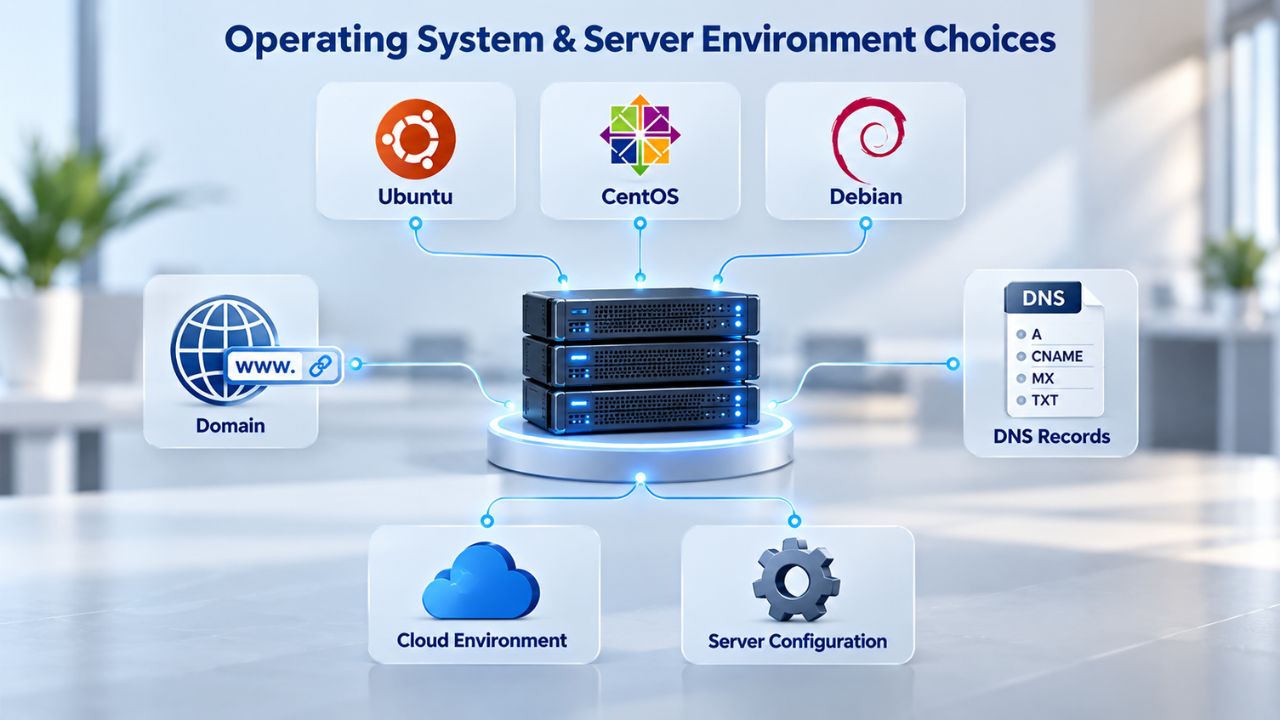
Linux Variants & Performance Tuning (NGINX vs. Apache)
Magento officially supports Linux x86-64 variants including AlmaLinux, Ubuntu, Debian, CentOS, and Rocky Linux. All are production-ready. The choice often comes down to familiarity and available support documentation. AlmaLinux and CentOS tend to have strong community support for e-commerce deployments. Ubuntu has the broadest availability and tooling. The OS choice is important for long-term maintenance and security update schedules.
The more critical choice is your web server: Apache or NGINX. Apache is traditional and widely supported; it runs in a multi-threaded model (one process per request) and can consume significant RAM under high concurrency. NGINX is lighter and handles high concurrency more efficiently, consuming less RAM and CPU for the same throughput. For Magento, NGINX is the modern choice and performs better on resource-constrained hardware. If you’re sizing a VPS, assume NGINX; if stuck with Apache, add 25–50% more RAM to account for overhead.
Control Panel Impact: cPanel, WHM, Plesk Resource Overhead
Control panels simplify server administration but consume resources. cPanel/WHM and Plesk each consume 512 MB–1 GB of RAM and CPU for monitoring, log management, and background tasks. If your VPS is already tight on resources, a control panel becomes a luxury you can’t afford. Many technical teams run Magento without a control panel, using command-line tools and configuration files directly, to reclaim that 512 MB for the application itself.
If you need a control panel for ease of administration, factor its overhead into your sizing calculations. A VPS meant to run Magento with cPanel should be a tier larger than a raw Linux server running the same store. The convenience of a control panel has a real resource cost that you should account for when planning your infrastructure.
Magento Service Stack Resource Allocation
| Service | Primary Function | Min RAM | Prod RAM | CPU | Storage | Notes |
|---|---|---|---|---|---|---|
| PHP-FPM | Web request handler | 2 GB shared | 4–8 GB | Scales w/ traffic | Varies | Core application runtime |
| MySQL/MariaDB | Database & EAV data | 1–2 GB | 4–8 GB | 2–4 cores | Database size + logs | Query performance critical |
| OpenSearch | Catalog search & nav | 2 GB min | 4–8 GB | 2 cores | Index (10–20% catalog) | Mandatory for 2.4.8+ |
| Redis | Session & config cache | Optional | 4–8 GB | Shared | In-memory only | Prevents cache thrashing |
| Varnish | Full-page cache (FPC) | 1 GB | 2–4 GB | Shared | Minimal | Bypasses PHP for 95% of traffic |
| RabbitMQ | Async job queue | Optional | 1–2 GB | Shared | Minimal | For bulk operations |
Provisioning, Scaling & Migration Readiness
Sizing your VPS is not a one-time decision. Your store will grow. Traffic will spike seasonally. New features will increase resource demands. Planning for scaling, both vertical (upgrading the same VPS) and horizontal (distributing load across multiple servers), prevents performance crises and ensures your infrastructure evolves with your business.
How Much Headroom Do You Need for Traffic Spikes?
Most stores experience traffic spikes: holiday shopping, marketing campaigns, flash sales. A baseline VPS handles normal traffic comfortably. During spikes, traffic jumps 2–5×. Without headroom, the store hits CPU/RAM limits, requests time out, and customers see error pages. Best practice: size your VPS so that normal traffic consumes 60–70% of resources, leaving 30–40% for spikes. This means if your baseline traffic needs 8 vCPU and 16 GB RAM, you should provision 12–16 vCPU and 24–32 GB RAM.
Yes, you’re paying for 40% unused capacity during normal days. But that 40% prevents revenue loss during your highest-conversion days. Many retailers spend more time optimizing their server costs than preventing conversion loss from slowdowns during peak season, a false economy. A spike-induced outage costs far more than permanent headroom.
Vertical Scaling vs. Horizontal Scaling: When to Upgrade
Vertical scaling means upgrading your existing VPS to more CPU/RAM/storage. It’s simple: on GoDaddy’s platform, you can upgrade your plan through the control panel without downtime. Horizontal scaling means adding a second server for the database, a third for search, or a fourth for static content delivery. It’s complex but necessary for large stores. Start with vertical scaling; it’s simpler and appropriate for most stores up to 100,000+ SKUs.
As your store grows toward enterprise scale, horizontal scaling (split app/database servers, dedicated search clusters, CDN for images) becomes necessary. Plan your architecture so that vertical scaling is seamless. Ensure your VPS provider supports easy upgrades without downtime or migration costs. This flexibility is what makes VPS hosting superior to fixed-size infrastructure for growing businesses.
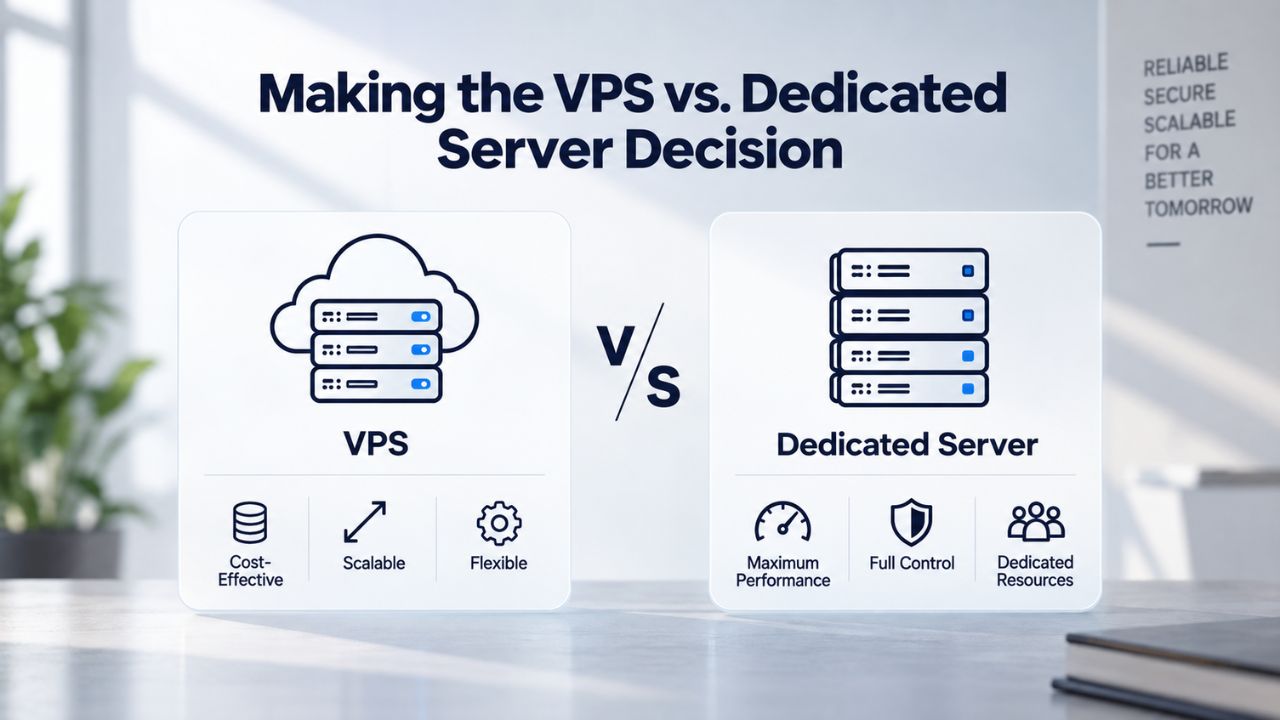
Making the VPS vs. Dedicated Server Decision
Eventually, you’ll ask: should I stay on a VPS or upgrade to a dedicated server? The answer depends on your catalog size, technical skills, and management budget. This strategic decision affects both performance and operational overhead.
When VPS Hosting Is Right (and Why Undersizing Costs More)
A VPS is the right choice for most Magento stores. You get dedicated resources (CPU, RAM, storage) without the full cost of a dedicated server. You have root access for customization. You can run the full Magento stack (PHP, MySQL, OpenSearch, Redis, Varnish) on a single server without contention. The economics are favorable for growing stores.
Many retailers make the mistake of undersizing to save money. They buy a 4 vCPU / 8 GB RAM VPS thinking it will grow into their store as the catalog expands. It won’t. Undersizing forces suboptimal configuration decisions (disabling OpenSearch, running without Redis, relying on shared file-based caching) that permanently handicap store performance. A “cheap” undersized VPS costs more in developer time, performance optimization, and lost conversions than a properly sized VPS from the start. Size correctly from day one.
Migration Path: Shared → VPS → Dedicated
Most Magento stores follow a predictable progression: shared hosting → self-managed VPS → managed VPS → dedicated server or cloud infrastructure. Early stores start on shared hosting and quickly outgrow it. The migration to a VPS (typically 4–8 vCPU, 8–16 GB RAM) solves immediate performance issues and gives you control. Many stores live happily at this tier for years.
As stores scale (50,000+ SKUs, multi-store setups, complex customizations), a managed VPS with expert support becomes valuable. Dedicated servers come into play for very large stores where resource isolation and extreme performance matter. The key: plan your migration path early so that moving from shared hosting to a VPS Hosting plan is seamless, and moving from VPS to dedicated (if needed) doesn’t require complete re-architecture. This forward-thinking approach saves time and money.
Get Expert Guidance on Your VPS Sizing
Niya Digital’s VPS Hosting service includes onboarding support and resource-planning guidance to help you choose the right plan for your store’s architecture. We’ll review your catalog and traffic forecast, assess your customization needs, and recommend a tier that balances performance with cost. We’ll also walk you through provisioning, caching configuration, and migration if you’re upgrading from shared hosting. Let our infrastructure experts help you make the right choice.
Frequently Asked Questions
What’s the minimum RAM I need to run Magento on a VPS?
Magento’s minimum is 4 GB, but production stores genuinely need at least 8–16 GB. You must allocate RAM across PHP (2–4 GB), MySQL (2–4 GB), OpenSearch (2–4 GB), and Redis (2–4 GB). If you provision only 4 GB total, you won’t have enough for all services to run comfortably, which can cause timeouts and slowdowns even under moderate traffic. This is a critical decision that affects store stability.
Can I run Magento on a 1 vCPU VPS?
Technically, yes, for development or testing only. For production, a 1 vCPU VPS is undersized and will create customer-facing performance issues. Magento needs concurrency, multiple PHP processes, database operations, and cron jobs running at the same time. A single core will queue all requests, causing timeouts and 504 errors. Start with at least 4 vCPUs for a small production store.
What’s the difference between NVMe and SATA SSD storage?
Both are SSDs, but NVMe handles 500,000+ I/O operations per second, while SATA SSDs handle ~100 IOPS. For Magento’s database workload, NVMe is dramatically faster. A SATA SSD is acceptable for development; for production, an NVMe SSD is non-negotiable for acceptable performance. The speed difference directly impacts customer experience.
Do I need OpenSearch if I have a small catalog?
Yes. Magento 2.4.8 requires OpenSearch or a compatible search engine. Adobe no longer supports MySQL full-text search. Even small stores need OpenSearch for catalog search, faceted navigation, and autocomplete functionality. Budget 2–4 GB of RAM for OpenSearch in your sizing calculations.
What happens if I undersize my VPS? Can I upgrade without downtime?
Yes. With VPS Hosting, you can upgrade CPU, RAM, and storage through the control panel. Most upgrades happen with minimal or zero downtime. However, undersizing from the start means your store suffers performance issues while you scramble to upgrade. It’s better to size correctly upfront than chase performance problems later.
Should I enable Varnish full-page cache on my VPS?
Absolutely, if your hosting provider supports it and you can configure it correctly. Varnish can reduce load times by 80% by serving cached pages from memory. Misconfiguration is common; confirm that Varnish is truly active as your full-page cache, not just caching static assets or sitting idle. Proper configuration is essential.
How often should I reindex my Magento catalog?
Automatic reindexing happens continuously or on a schedule (typically nightly during low-traffic hours). Manual reindexing is resource-intensive and should happen during maintenance windows. Nightly reindexing is standard; more frequent reindexing (multiple times daily) is needed only for stores with high inventory turnover. Plan accordingly.
What’s the difference between managed and self-managed VPS Hosting?
Self-managed: you handle all server administration, updates, security hardening, and optimization. You need technical skills and time. Managed: the hosting provider handles those tasks, freeing you to focus on your store. Managed costs more but removes operational burden for non-technical teams. Choose based on your expertise.
Is 200 GB of SSD storage enough for my Magento store?
It depends on your catalog size and backup requirements. A 50 GB store should have 100+ GB allocated (double the size for logs and backups). A 150 GB store needs 300+ GB allocated. Most stores operate at 60–70% of their allocated storage to avoid running out of space unexpectedly during peak seasons.
Can I migrate from shared hosting to VPS without losing data?
Yes. Most Magento hosting providers offer migration assistance. They back up your database, files, and configurations, transfer them to the VPS, and restore them. Downtime is typically a few hours during the cutover. Plan the migration during low-traffic hours to minimize impact on customers and sales.
What’s the performance difference between 8 GB and 16 GB of RAM?
On a store that needs 8 GB, 16 GB provides headroom for traffic spikes, cron jobs, and large reindexing operations without forcing memory swaps to disk. The difference between “just enough” (8 GB, pushed to limits, frequent swaps) and “comfortable” (16 GB, with headroom) is often the difference between 2-second page loads and sub-1-second loads.
How much CPU do I need for a store with 20,000 products?
At minimum, 4 vCPUs to handle baseline traffic comfortably. If you expect 10,000+ daily visitors, 8 vCPUs is safer. If your store has heavy customization or complex product attributes, add another 2–4 cores. Size for peak traffic expectations, not baseline traffic alone.
Should my database and web server be on the same VPS?
For small–medium stores, yes. Running both on a single VPS simplifies architecture and is more cost-effective. For large stores (100,000+ products) or those with very high traffic, split the database to a dedicated server and the web application to another to improve performance and allow independent scaling of each tier.
What security features should my VPS include?
At minimum: firewall (inbound/outbound rules), DDoS protection (basic included), SSL certificate, automated backups, and intrusion detection. GoDaddy’s VPS plans include these standards. Root access allows you to implement additional hardening (fail2ban, ModSecurity, custom firewall rules) as your store grows.
Is 99.9% uptime realistic for a VPS?
Yes. 99.9% uptime means about 8.76 hours of allowed downtime per year, which is feasible if the provider has redundant infrastructure, automated backups, and 24/7 monitoring. However, uptime also depends on your own configuration, timely updates, and security practices. The provider and account holder share responsibility.
Glossary
- Virtual Private Server (VPS): A virtualized server environment running on shared physical hardware, providing each user with dedicated CPU cores, RAM, storage, and root access, with isolation without the cost of a full dedicated server.
- Root Access: Full administrator-level control over a VPS, allowing custom software installation, server configuration changes, and optimization without provider restrictions.
- NVMe SSD: Non-Volatile Memory Express Solid-State Drive; high-speed storage handling 500,000+ I/O operations per second, critical for Magento’s database-heavy workload.
- Full-Page Cache (FPC): A caching layer (typically Varnish) that stores complete HTML pages in memory, serving them without re-executing PHP or querying the database.
- OpenSearch: A distributed open-source search engine that indexes your product catalog for fast search, faceted navigation, and autocomplete, required for Magento 2.4.8+.
- Redis: An in-memory data store that caches sessions, configuration, and backend data in RAM, replacing slower file-based storage for millisecond-level access.
- Uptime/SLA: Service Level Agreement; a provider’s commitment to keep servers online (e.g., 99.9% uptime = approximately 8.76 hours of allowed downtime per year).