What Is a VPS and Why Choose One for LLMs
A Virtual Private Server partitions a physical server into isolated environments using hypervisor software. Each customer receives dedicated CPU cores, RAM, storage, and an independent operating system kernel. Unlike shared hosting, where dozens of websites compete for the same hardware resources and a neighbor’s traffic spike slows your application, a VPS gives you your own guaranteed allocation. Unlike a physical dedicated server, you avoid the capital expenditure and maintenance burden of owning hardware; unlike a hyperscaler GPU instance, you enjoy predictable monthly billing and no queue waits.
For LLM workloads, a VPS occupies a practical middle position. You need isolation because model weights and inference data must stay private and not share resources with other customers. You need root access because most LLM runtimes (Ollama, vLLM, Hugging Face Transformers) require permission to install dependencies and configure the kernel. You need cost predictability because cloud GPU instances can become expensive at scale, especially when utilization is unpredictable. A VPS delivers on all three fronts.

Cost vs. Performance in the VPS Sweet Spot
The VPS market has shifted notably in recent years. Where VPS hosting once served as a simple step above shared hosting, today’s VPS infrastructure has evolved toward performance-optimized, secure, and automation-ready configurations. Businesses and developers now run AI workloads on VPS hosting as a cost-effective alternative to hyperscaler GPU queues, which face availability constraints and unpredictable wait times. You sacrifice some raw throughput compared to dedicated GPU hardware, but you gain control and cost certainty, a worthwhile exchange when your LLM serves internal tools or handles moderate traffic.
Shared hosting costs relatively little but provides almost no isolation, no root access, and resources split among dozens of accounts. Niya Digital’s VPS Hosting service offers self-managed and fully managed options across multiple tiers to match your needs. A dedicated physical server costs substantially more and ties you to hardware maintenance. Hyperscaler GPU instances may look economical hourly but add up quickly if you run them continuously for production workloads. A VPS with sufficient CPU and RAM fits the practical middle of this spectrum.
When a VPS Makes Sense for LLMs
A VPS proves ideal for enterprise internal tools (employee chatbots, knowledge-base assistants that answer company questions), compliance-sensitive workloads where data privacy is non-negotiable (GDPR, HIPAA, PCI DSS environments), research deployments where you need full control over the inference stack, small-team deployments where cost efficiency matters, or anywhere you require resource isolation without the full overhead of a dedicated machine. If you’re running a single quantized model at 1B–7B parameters or a CPU-only inference engine with reasonable concurrency, a VPS with 4–8 vCPU cores and 8–16 GB RAM often provides sufficient resources and costs far less than alternatives.
How VPS Compares to Other Hosting Models
Shared hosting isolates customers logically but shares hardware resources, making performance variable and security dependent on your neighbors’ practices. Dedicated servers give you entire machines but cost significantly more and require you to manage hardware failures. Cloud hosting offers flexibility and auto-scaling but adds per-hour billing and GPU-access quotas. A VPS combines dedicated resource guarantees, low operating cost, full root control, and predictable monthly billing, matching the needs of teams deploying LLMs for production workloads that don’t justify dedicated hardware costs.
VPS Hosting Plans & Pricing
Choose the VPS hosting plan that fits your website, application, or business requirements. Select a self-managed VPS for complete server control or a fully managed VPS with a dedicated team of experts to help manage your server.
Self Managed VPS 1 vCPU
1 GB RAM
Entry-level VPS hosting for lightweight websites and applications.
- 1 CPU Core
- 1 GB RAM
- 20 GB SSD Storage
- Linux only, no control panel

Self Managed VPS 2 vCPU
4 GB RAM
VPS hosting with additional CPU and memory for growing websites and applications.
- 2 CPU Cores
- 4 GB RAM
- 100 GB SSD Storage
Self Managed VPS 2 vCPU
8 GB RAM
Additional memory for more demanding websites and applications.
- 2 CPU Cores
- 8 GB RAM
- 100 GB SSD Storage
Self Managed VPS 4 vCPU
8 GB RAM
Increased processing power for business websites and applications.
- 4 CPU Cores
- 8 GB RAM
- 200 GB SSD Storage
Self Managed VPS 4 vCPU
16 GB RAM
High-memory VPS hosting for resource-intensive workloads.
- 4 CPU Cores
- 16 GB RAM
- 200 GB SSD Storage
Self Managed VPS 8 vCPU
16 GB RAM
Powerful VPS resources for demanding business applications.
- 8 CPU Cores
- 16 GB RAM
- 400 GB SSD Storage
Self Managed VPS 8 vCPU
32 GB RAM
Maximum self-managed resources for demanding workloads.
- 8 CPU Cores
- 32 GB RAM
- 400 GB SSD Storage
Fully Managed VPS 1 vCPU
2 GB RAM
Managed VPS hosting with expert server management.
- 1 CPU Core
- 2 GB RAM
- 40 GB SSD Storage
- Dedicated team of experts to fully manage your server
Fully Managed VPS 1 vCPU
4 GB RAM
Managed VPS resources for websites and business applications.
- 1 CPU Core
- 4 GB RAM
- 40 GB SSD Storage
- Dedicated team of experts to fully manage your server
Fully Managed VPS 2 vCPU
4 GB RAM
Managed VPS hosting with additional CPU resources.
- 2 CPU Cores
- 4 GB RAM
- 100 GB SSD Storage
- Dedicated team of experts to fully manage your server
Fully Managed VPS 2 vCPU
8 GB RAM
Managed VPS hosting with additional memory for growing workloads.
- 2 CPU Cores
- 8 GB RAM
- 100 GB SSD Storage
- Dedicated team of experts to fully manage your server
Fully Managed VPS 4 vCPU
8 GB RAM
Higher-performance managed VPS for demanding applications.
- 4 CPU Cores
- 8 GB RAM
- 200 GB SSD Storage
- Dedicated team of experts to fully manage your server
Fully Managed VPS 4 vCPU
16 GB RAM
High-memory managed VPS for resource-intensive workloads.
- 4 CPU Cores
- 16 GB RAM
- 200 GB SSD Storage
- Dedicated team of experts to fully manage your server
Fully Managed VPS 8 vCPU
16 GB RAM
Powerful managed VPS hosting for demanding business workloads.
- 8 CPU Cores
- 16 GB RAM
- 400 GB SSD Storage
- Dedicated team of experts to fully manage your server
Fully Managed VPS 8 vCPU
32 GB RAM
Maximum managed VPS resources for demanding workloads.
- 8 CPU Cores
- 32 GB RAM
- 400 GB SSD Storage
- Dedicated team of experts to fully manage your server
Understanding LLM Model Sizes and Their Hardware Footprints
Before provisioning a server, you must understand your model’s size in billions of parameters. Model size is the primary driver of inference-time memory requirements. A 7-billion-parameter model is roughly 7× larger than a 1-billion-parameter model, and the resource demands scale roughly proportionally across model architectures.
Reference Points: 7B, 13B, 30B, 70B
A 7-billion-parameter model in FP16 precision (half-precision floating-point format) requires about 14 GB of memory for the model weights alone. A 13-billion-parameter model needs roughly 26 GB of memory for weights alone. A 30-billion-parameter model jumps to approximately 60 GB, while a 70-billion-parameter model hits around 140 GB. These figures account for the model parameters only; you must also budget additional memory for the attention cache (KV cache) during inference and runtime overhead, which can double or triple total memory requirements depending on context length and batch size.
For production small-to-medium models ranging from 7B to 8B parameters, the recommended infrastructure baseline is 8–16 vCPU cores, 16–32 GB of RAM, and NVMe SSD storage. GPU acceleration dramatically reduces inference latency, typically improving speed by 5× to 20× depending on model size and GPU type. Still, VPS hosts do not universally offer GPU options, so many teams deploy quantized models on CPU for cost efficiency.
For proof-of-concept or early testing phases, small models up to 3 billion parameters, a minimum of 4 vCPU cores, 8 GB of RAM, and 50 GB of SSD storage are acceptable. Inference will be slow without GPU acceleration, but this configuration is sufficient for development and integration testing before moving to production.
Real-World Sizing: CPU-Only vLLM Deployments
If you’re deploying vLLM (a high-performance LLM serving engine) on CPU-only hardware, resource requirements climb higher than you might initially expect. A 7-billion-parameter model requires 8 vCPU cores, 16 GB of RAM, and 160 GB of NVMe SSD storage to serve with reasonable latency. In comparison, smaller embedding models (used for semantic search) need only 2 vCPU cores, 4 GB of RAM, and 40 GB of storage.
You must also reserve disk space for the model weights themselves; an 8-billion-parameter model in half-precision format occupies roughly 16 GB on disk, and the Hugging Face model cache can consume additional gigabytes. A safe approach is to provision at least three times your model’s uncompressed size in total disk storage to account for weights, cache, logs, and temporary files.
Resource Sizing for LLM Deployment
| Scenario | Model Examples | Recommended CPU | Recommended RAM | Storage | Best For |
|---|---|---|---|---|---|
| Proof-of-concept, small quantized models | 3B INT4, embeddings | 2 vCPU | 4 GB | 100 GB NVMe | Development, testing, prototypes |
| Single production model, modest traffic | 7B INT8, 3B FP16 | 4 vCPU | 8 GB | 200 GB NVMe | Small internal tools, light APIs |
| Single model, higher concurrency | 7B INT8 multi-user, 13B INT4 | 4 vCPU | 16 GB | 200 GB NVMe | Production APIs, moderate traffic |
| Multiple models or mixed workloads | Two 13B INT8, one 30B INT8 | 8 vCPU | 16 GB | 400 GB NVMe | Ensemble deployments, high concurrency |
| Large models or maximum capacity | 30B INT8, 70B INT4 | 8 vCPU | 32 GB | 400 GB NVMe | Enterprise workloads, complex inference |
VRAM Requirements: Model Weights, KV Cache, and Overhead
An LLM’s memory footprint during inference has three distinct components. Understanding each one helps you avoid out-of-memory failures when you provision the wrong server tier.
Model Weights
The model weights are the static parameters of a trained language model. In FP16 precision, each parameter occupies 2 bytes of memory. Therefore, a 7-billion-parameter model requires 7 billion × 2 bytes = 14 GB to load the weights into memory. This portion of memory usage is fully deterministic; you can calculate it exactly once you know the model size and precision format. Unlike other components that fluctuate with input, weight memory is constant and predictable, making it the easiest part of resource estimation.
KV Cache: The Hidden Memory Cost of Long Contexts
The KV cache stores the accumulated Keys and Values from transformer attention layers as the model generates tokens one at a time. As the model generates each new token during inference, this cache grows linearly with sequence length, roughly 1 GB of KV cache per 1000 tokens of context. If your LLM must handle 4000-token input sequences with 1000-token outputs, you’re already consuming 4–5 GB of memory just for the KV cache, on top of the weight memory. During batch processing with multiple concurrent users, the KV cache multiplies further; if you’re serving 10 concurrent inference requests, each maintaining its own cache, memory consumption becomes a serious constraint.
This dynamic explains why long-context models supporting 8K, 16K, or even 32K-token windows demand more VRAM than short-context models. A practical rule of thumb: total inference VRAM ≈ model weights + (KV cache ≈ 0.5–1 GB per thousand tokens) + runtime overhead. Long-context requirements can easily make a model that theoretically fits on a GPU impossible to run in practice once you account for realistic context lengths.
Runtime Overhead and Activations
During inference, the GPU or CPU also holds intermediate activations, the outputs of each layer as computations flow forward through the model. Runtime overhead, including CUDA context, cuBLAS workspaces, kernel launch buffers, and other fixed costs, typically ranges from 300 MB to 1 GB per process. For CPU-only inference, this overhead is smaller but still meaningful. Activations themselves vary with batch size; processing a single prompt uses far less activation memory than processing a batch of 10 concurrent requests.
The Full Picture: 3× Rule of Thumb
During batch inference with multiple concurrent requests and realistic context lengths, total VRAM consumption can balloon to roughly 3× the model’s static weight size. A 7-billion-parameter model that appears to require only 14 GB in FP16 can easily consume 40–50 GB total once you account for a batch of requests, typical context lengths, and activation memory. This multiplier shows why GPU selection and resource planning are critical to production LLM deployments; underestimating memory needs leads to out-of-memory crashes and a poor user experience.
Quantization Strategies to Reduce Memory and Fit Smaller GPUs
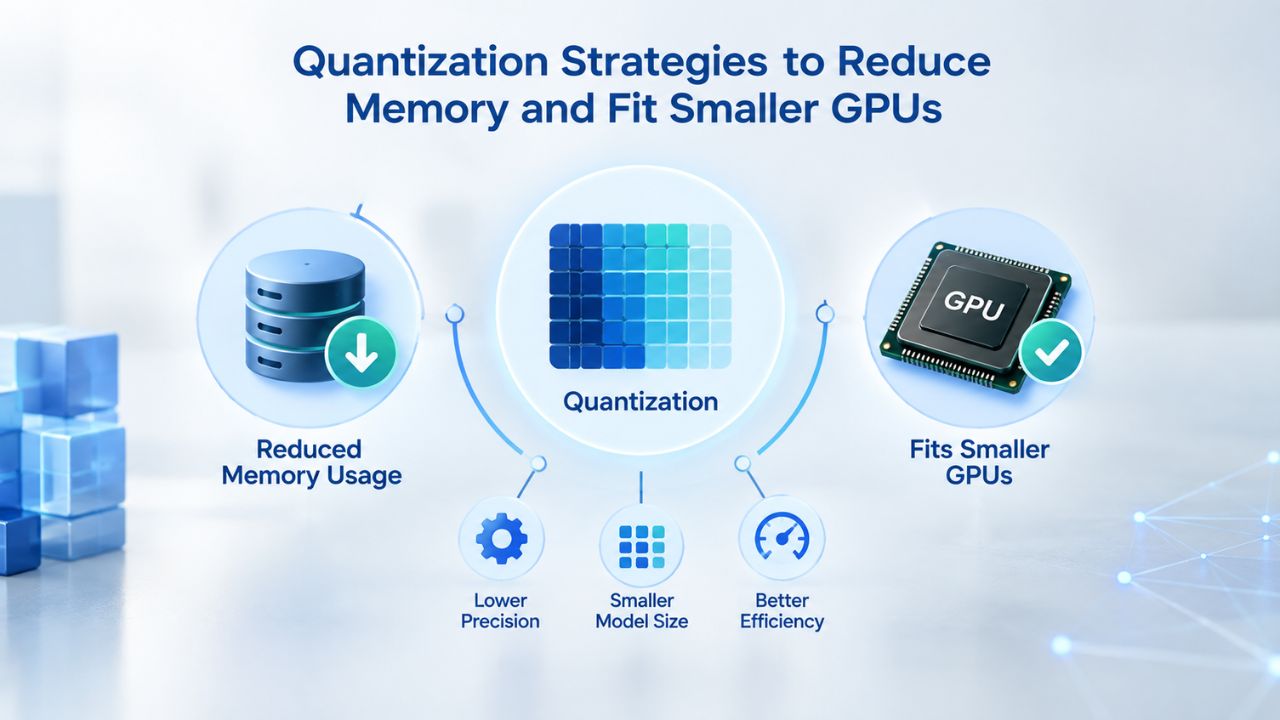
If your model exceeds available VRAM, quantization- converting model weights from high precision to low precision- compresses the model dramatically. The tradeoff is a modest reduction in accuracy, which often proves imperceptible in production use cases once you validate with your actual workload.
INT8 and INT4: The Two Standards
Quantization techniques reduce the numerical precision of model weights and activations from their original high-precision format to a lower-precision format. The two most common quantization targets for LLM inference are INT8 (8-bit integers) and INT4 (4-bit integers), each offering different trade-offs between compression and accuracy.
INT8 quantization reduces a model stored in FP32 by a factor of 4; for example, a 7-billion-parameter model goes from 28 GB in FP32 to 7 GB in INT8. INT8 is the safer choice for production deployments because hardware accelerators widely support it, it causes minimal accuracy loss, and it’s easier to calibrate correctly.
INT4 achieves even more aggressive compression, delivering 8× size reduction compared to FP32; a 28 GB model in FP32 drops to 3.5 GB in INT4, letting much larger models fit on smaller GPUs. The downside is that INT4 requires careful calibration and can incur more noticeable accuracy loss on complex reasoning tasks. INT8 is usually the safer choice for production inference when model accuracy and runtime stability matter most; INT4 is preferable when GPU memory is the primary constraint.
Post-Training Quantization vs. Quantization-Aware Training
Post-Training Quantization (PTQ) applies quantization after training; it requires no retraining but may reduce accuracy. Quantization-Aware Training (QAT) simulates quantization during training, allowing the model to learn parameters that are robust to lower precision; it preserves accuracy better but requires significant additional compute. For deployment of existing models, most teams use PTQ because retraining is expensive and often unnecessary.
Practical Sizing After Quantization
A 7-billion-parameter model quantized to INT4 drops from 14 GB (FP16) to 3.5 GB. This opens possibilities that were previously closed, such as running the model on smaller GPUs or running it on a powerful CPU with reasonable latency. Niya Digital’s VPS Hosting offers tiers with 4 vCPU and 8 GB of RAM, which is sufficient for a quantized 7-billion-parameter model running inference on CPU with moderate concurrency. Moving to higher tiers with more vCPU cores or additional RAM lets you handle higher concurrency or larger quantized models while still staying within a VPS cost envelope rather than moving to dedicated GPU hardware.
CPU-Only vs. GPU-Accelerated LLM Inference: When Each Makes Sense
Your choice between CPU and GPU for inference isn’t strictly binary; it depends on your model size, quantization strategy, expected throughput, latency requirements, and budget.
CPU-Only Inference: Slow but Predictable
CPU inference runs substantially slower than GPU inference, producing anywhere from 5 to 50 tokens per second depending on your specific CPU, model size, and quantization format. Still, it offers several practical advantages for certain workloads. Performance is deterministic and predictable, with no GPU memory management overhead or queue waiting. Costs are lower and more predictable, with no surprise GPU-related charges or resource contention. A CPU-only vLLM deployment with 8 vCPU cores and 16 GB RAM can reliably serve small quantized models, making it ideal for internal tools, prototypes, low-traffic services, or batch jobs where real-time latency isn’t critical.
Niya Digital’s self-managed VPS plans scale up to 8 vCPU cores and 32 GB of RAM, providing ample headroom for CPU-only inference of quantized 7B or 13B models. The primary advantage is full control and cost predictability; the tradeoff is that token generation speed lags far behind GPU deployments, acceptable for chatbots that answer one question per minute, problematic for interactive chat interfaces expecting 50+ tokens per second.
GPU Acceleration: Fast But Requires Specialized Hardware
Adding a GPU can accelerate inference by 5× to 20×, shifting LLM performance from slow batch processing to interactive, real-time applications. With GPU acceleration, you can serve high-concurrency APIs, run chat applications with fast user-perceived response times, and handle traffic spikes gracefully. However, most providers’ standard VPS hosting, including GoDaddy’s base VPS tiers, doesn’t include built-in GPU options, so you’ll need to provision a dedicated GPU server or switch to a hyperscaler instance.
That said, for production deployments of a quantized 7-billion-parameter model on high-clock-speed CPU cores, latency may be acceptable for many use cases. Always benchmark your actual workload on realistic server hardware before assuming you need GPU acceleration; many teams discover that CPU inference, while slower than GPU, still meets their throughput and latency targets at a fraction of the cost.
Ready to Deploy Your LLM?
Choosing the right VPS tier means matching your model’s requirements to realistic infrastructure constraints and expected traffic. Niya Digital’s flexible plan options let you start small, validate your LLM concept at low cost, and scale vertically as demand grows. Self-managed tiers suit technical teams comfortable with Linux administration; fully-managed tiers suit those prioritizing simplicity and support over cost savings. Both include 99.9% uptime commitments, automated backups, and round-the-clock support.
Multi-GPU Scaling: Tensor Parallelism and Pipeline Parallelism
When your model is too large for a single GPU, such as a 70-billion-parameter model in FP16 format consuming 140 GB of memory, you must distribute the model across multiple GPUs. Two primary parallelism strategies exist, each suited to different hardware configurations and latency requirements.
Tensor Parallelism: Best for Intra-Node Scaling
Tensor parallelism splits individual weight tensors across multiple GPUs on the same physical machine. All GPUs process the same batch of requests simultaneously, with each GPU handling a shard of each weight matrix and communicating results through high-bandwidth interconnects. This strategy requires high-bandwidth inter-GPU communication (NVLink or PCIe 4.0), so it works best when all GPUs are co-located on a single physical machine with low-latency connections.
A practical example: a 70-billion-parameter model in FP16 format (approximately 140 GB) requires either 2× H100 80GB GPUs with tensor parallelism or a single H200 141GB GPU. If you quantize that same model to INT4, memory requirements drop to approximately 40 GB, allowing it to fit on a single H100 80GB GPU. Tensor parallelism achieves lower latency than alternative parallelism strategies because all GPUs work in perfect synchronization; one GPU never waits for another to finish its portion of computation.
Pipeline Parallelism: For Multi-Node or Layer-Based Distribution
Pipeline parallelism splits the model by layers: early transformer layers run on GPU 1, middle layers on GPU 2, and later layers on GPU 3 or more. Requests flow through stages sequentially, introducing latency overhead (called “bubble” overhead) because some GPUs remain idle while waiting for earlier stages to finish. Use pipeline parallelism when tensor parallelism isn’t sufficient, for example, when you have multiple nodes with fast network connectivity but not NVLink between GPUs, or when you’re scaling beyond what a single node can provide.
Most teams deploying LLMs on VPS infrastructure stick to CPU-only or single-GPU deployments, so tensor and pipeline parallelism often feel like advanced topics. They become relevant mainly when you’re scaling to very large models (30B+ parameters without quantization) or targeting extremely high concurrency with multiple simultaneous inference requests. For smaller quantized models on VPS, these techniques are typically unnecessary.
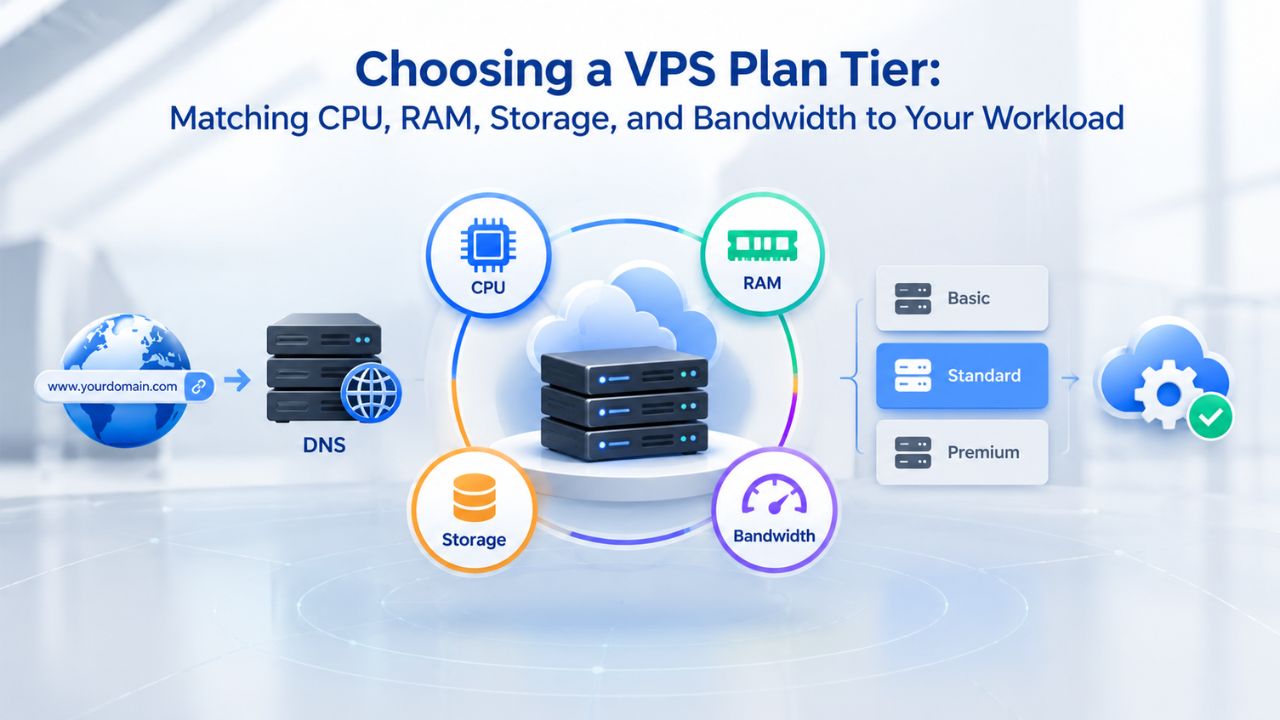
Choosing a VPS Plan Tier: Matching CPU, RAM, Storage, and Bandwidth to Your Workload
Now that you understand model sizes, VRAM requirements, and quantization, how do you select the right Niya Digital VPS plan? The answer depends on your specific model, expected concurrency, and preference for managed versus self-managed infrastructure.
Proof-of-Concept and Development
Start with Niya Digital’s Self-Managed tier, which offers 2 vCPU cores and 4 GB of RAM. This configuration supports small quantized models (3–7 billion parameters) in INT4 format, or embedding models on CPU. Storage typically ranges around 100 GB of NVMe SSD, plenty for model weights, application code, and a development database. You get full root access, so you can install Ollama, vLLM, Docker, or any other tools you need for development without restrictions.
Small Production Workloads (Single 7B Model)
Move to Niya Digital’s 4 vCPU / 8 GB RAM tier for single-model production deployments. This configuration handles a 7-billion-parameter model quantized to INT8 and serves multiple concurrent users without overload. Storage typically includes about 200 GB of NVMe SSD, enough for the model weights, inference engine, application code, and operational logs. If you prefer hands-off infrastructure management, security patching, automated backups, and ongoing monitoring, all managed by Niya Digital’s team, the Fully Managed option trades additional cost for operational simplicity.
Higher Concurrency or Larger Models
Niya Digital’s 4 vCPU / 16 GB RAM tier accommodates a 13-billion-parameter model in INT8 format, or a 7-billion-parameter model serving higher token-generation concurrency to multiple simultaneous users. The extra 8 GB of RAM buffers the KV cache for multiple concurrent inference requests, preventing memory contention and out-of-memory crashes during traffic spikes. Storage typically provides 200 GB of NVMe SSD, still ample for most single-model deployments.
Multiple Models or Mixed Workloads
Niya Digital’s 8 vCPU / 32 GB RAM tier lets you run two distinct 13-billion-parameter models, one 30-billion-parameter model in INT8 format, or ensemble/fallback deployments that route requests intelligently. Storage typically provides 400 GB of NVMe SSD. This tier is ideal for applications that need model diversity, A/B testing between model versions, or mixed workloads that combine inference with other background processes.
Model Sizes and Memory Requirements Reference
| Model Size | Parameters | FP32 Memory | FP16 Memory | INT8 Memory | INT4 Memory | Recommended vCPU | Recommended RAM |
|---|---|---|---|---|---|---|---|
| Small | 3B | 12 GB | 6 GB | 3 GB | 1.5 GB | 2–4 | 4–8 GB |
| Medium | 7B | 28 GB | 14 GB | 7 GB | 3.5 GB | 4–8 | 8–16 GB |
| Large | 13B | 52 GB | 26 GB | 13 GB | 6.5 GB | 8 | 16–32 GB |
| Very Large | 30B | 120 GB | 60 GB | 30 GB | 15 GB | 8–16 | 32–64 GB |
| Huge | 70B | 280 GB | 140 GB | 70 GB | 35 GB | 16+ | 64–128 GB |
Security, Hardening, and Compliance for LLM-Hosting VPS Environments
LLM deployments frequently handle sensitive data, model weights you’ve invested in training or licensing, user prompts containing proprietary information, or inference outputs with business value. A VPS must be hardened from the start against unauthorized access and attacks.
Baseline Security Frameworks: CIS Benchmarks
The Center for Internet Security publishes CIS Benchmarks, consensus-based security configuration guidelines developed by security practitioners and industry experts. These benchmarks cover SSH hardening, firewall default policies, kernel security parameters, Docker daemon configuration, and automatic security update procedures. Niya Digital’s Fully Managed VPS options include security patching, 24/7 network monitoring, and DDoS protection, automatically aligning your infrastructure with CIS controls. If you choose self-managed hosting, you should apply CIS Benchmark checks yourself or use automated compliance scanning tools to verify your configuration.
Defense-in-Depth Security Model
Security is not a single barrier; it’s a series of layers. Perimeter security includes firewall rules and network access control; host-level security includes operating system hardening and access control; application security includes rate limiting and input validation; data security includes encryption and backup procedures. The principle of least privilege, giving each user and process only the permissions it genuinely needs, prevents one compromised account from exposing your entire stack. An attacker who gains access to your model-serving application account should find themselves unable to read database passwords, modify OS settings, or access neighboring customers’ data.
DDoS Protection and Network Isolation
Niya Digital’s VPS includes network-level DDoS protection, courtesy of GoDaddy’s infrastructure, which shields your inference engine from volumetric attacks that try to overwhelm it with traffic. Each VPS runs in its own isolated virtual environment, so a neighbor’s compromised site cannot access your LLM inference engine or model weights. This isolation is automatic and non-negotiable; you don’t need to configure anything for this protection to exist.
Data Privacy and Compliance
If you handle regulated data under GDPR, HIPAA, PCI DSS, or other privacy regimes, a private VPS is essential because your data stays on your server and never touches shared infrastructure. Document your configuration and practices against the relevant standards you must comply with (e.g., GDPR’s data-handling obligations, HIPAA’s encryption and access-logging requirements), and run regular audits to verify compliance. Many compliance frameworks explicitly require automated backups and detailed logging; Niya Digital includes automated snapshot backups on most tiers, and you are responsible for configuring and retaining logs appropriately.
Managing Costs: Provisioning Strategies, Resource Monitoring, and Optimization
VPS costs are predictable and monthly, not subject to surprise spikes like per-hour cloud pricing, but you can still optimize your spending by right-sizing and monitoring appropriately.
Right-Sizing at Provisioning
Select the smallest tier that reliably handles your workload. Oversizing wastes money on unused resources; undersizing causes outages and forces emergency rebuilds. Start with a development tier, deploy your model, and measure actual resource usage under realistic traffic. A quantized 7-billion-parameter model on CPU often runs acceptably on 4 vCPU / 8 GB, not the 8 vCPU / 32 GB you might initially assume. Upgrade only when monitoring shows you’re consistently hitting 80%+ utilization during peak traffic.
Monitoring CPU, GPU, Memory, and Disk
Niya Digital’s Fully Managed VPS includes performance monitoring and alerting for resource exhaustion. For self-managed tiers, install monitoring tools (Prometheus + Grafana, or simpler open-source options like Netdata) to track actual CPU utilization, memory usage, and disk consumption in real time. If CPU maxes out at 80%+ during peak traffic, cores become saturated, and you should upgrade. If memory hits its limit, either add RAM to your VPS or quantize your model further to shrink its footprint.
Scaling Strategy: Vertical vs. Horizontal
Vertical scaling means upgrading a single VPS from 4 GB to 8 GB RAM or from 4 vCPU to 8 vCPU; it’s simple, fast, and effective up to a point. Horizontal scaling means running multiple VPS instances behind a load balancer, each handling a subset of traffic; it’s complex to implement but scales indefinitely. Start vertical; move to horizontal scaling only when a single VPS hits its maximum tier, and you still need more capacity.
Cost vs. Latency Tradeoff
A CPU-only 7-billion-parameter model generates tokens slowly but costs substantially less. A GPU-accelerated version generates tokens 5–20× faster but requires expensive dedicated GPU hardware or hyperscaler GPU instances. For internal tools, batch jobs, or applications with flexible latency requirements, CPU often suffices. For real-time chat APIs and user-facing applications where perceived performance matters, GPU is worth the cost. Choose based on your actual SLA, not theoretical performance ideals.
Migration and Ongoing Management: From Development to Production
Deploying an LLM to production involves more than just launching the server. You need clear provisioning procedures, backup and snapshot discipline, and scheduled update workflows.
Provisioning and Onboarding
Niya Digital provisions a VPS in minutes. You choose your operating system (Ubuntu 20.04/22.04, Debian, CentOS, AlmaLinux, or Windows Server), select your plan tier, and receive SSH access (Linux) or RDP access (Windows) within minutes. Install your inference engine (Ollama, vLLM, Hugging Face Transformers, or LLaMA.cpp), download your model weights from Hugging Face or another model repository, and test the deployment locally before opening the inference API to external traffic.
Backups and Snapshots
Niya Digital includes automated snapshot backups, allowing you to restore to a prior state in minutes if something breaks. Before deploying major updates or making risky configuration changes, take a manual snapshot as a safety checkpoint. If an update goes wrong or corrupts application state, restore from snapshot and roll back to a known-good state rather than spending hours rebuilding. Store snapshots in geographically separate data centers if your workload justifies the cost.
Updates, Patching, and Scaling
On self-managed tiers, schedule regular operating system and software updates (at least monthly security patches). On fully managed tiers, Niya Digital handles this automatically. Plan infrastructure scaling; upgrade CPU or RAM during low-traffic windows rather than during peak traffic when availability might suffer. Monitor model releases from the model publisher; update your model periodically as better versions become available.
Ongoing Monitoring and Alerting
Set up monitoring alerts for CPU utilization above 80%, memory above 90%, or disk above 85% to catch issues before they become emergencies. Application logs (inference engine logs, OS logs, application layer logs) are your debugging lifeline when things go wrong. Centralize logs to a syslog server or external logging service if possible so they survive a server rebuild. An inference engine crash that leaves no logs is impossible to debug; comprehensive logging is cheap insurance.
Get Started with Your LLM VPS
Ready to deploy an LLM to a VPS? Niya Digital’s VPS Hosting service offers flexible self-managed and fully-managed plans, with full root access, NVMe SSD storage, 99.9% uptime commitments based on GoDaddy’s infrastructure, automated backups, and 24/7 support. Explore plans tailored to your model size and concurrency requirements; start small for proof-of-concept, scale vertically as needs grow.
Frequently Asked Questions
What is the difference between a VPS and shared hosting?
Shared hosting splits one physical server among dozens of customers, with all users sharing CPU, RAM, disk space, and bandwidth. One customer’s traffic spike or security vulnerability affects everyone.
A VPS partitions a server into isolated virtual environments, giving you dedicated resources within your allocated tier, more control over configuration, better performance because of no resource contention, and isolation from other customers’ activity.
Do I need a GPU for LLM inference, or can CPU-only inference work?
CPU-only inference works perfectly well for quantized models in INT4 or INT8 format, and for smaller models up to 7 billion parameters. Token generation is slower, 5–50 tokens per second depending on CPU quality and model size, but predictable and cost-effective.
GPU accelerates this 5–20×, enabling real-time chat applications. For internal tools, batch jobs, or applications where latency isn’t critical, CPU is sufficient. For public APIs or interactive chat interfaces requiring fast user-perceived response times, GPU is worth the cost.
How much disk storage do I need for my LLM?
Model weight files are the primary storage consumer. A 7-billion-parameter model in INT4 format is roughly 3.5 GB; in FP16, approximately 14 GB; in FP32, about 28 GB. Add operating system (~5–10 GB), inference runtime (~2–5 GB), and logs (~1–5 GB). A safe rule: allocate three times your model’s uncompressed size. Niya Digital plans range from 20 GB to 400 GB of storage; a 7-billion-parameter model fits comfortably on the 100 GB or 200 GB tiers.
Can I run multiple LLM models on one VPS?
Yes. A 4 vCPU / 16 GB tier can run two 7-billion-parameter models sequentially: load one, run inference, unload it, then load the next. Running them concurrently requires loading both into RAM simultaneously (8 GB + 8 GB = 16 GB saturated). For true parallel serving or ensemble scenarios, move to 8 vCPU / 32 GB RAM.
What is the difference between self-managed and fully-managed VPS?
Self-managed: You control everything- OS, software, security patches, backups, monitoring. Full flexibility, but you handle 24/7 operations. Fully-managed: Niya Digital handles patching, backups, security updates, and monitoring; you focus on your application. Fully-managed costs 2–3× more but trades money for time and reduces your operational burden.
How quickly can I provision a VPS and start serving requests?
Niya Digital VPS provisions in minutes. OS installation and server boot take 10–30 minutes. Installing Ollama or vLLM via package manager takes 5–10 minutes. Downloading a 7-billion-parameter model from Hugging Face (typically 3–14 GB) takes 5–15 minutes at typical internet speeds. End-to-end from order to first inference: 30–60 minutes.
What uptime can I expect from a VPS?
Niya Digital’s VPS infrastructure, running on GoDaddy’s servers, commits to 99.9% uptime with 24/7 network monitoring and DDoS protection. This translates to approximately 43 minutes of downtime per month, either planned maintenance or unplanned failures. Real-world uptime depends on your application code, configuration, and network. Misconfigured applications, unsafe code, or network mistakes cause downtime even if the underlying VPS infrastructure is solid.
Can I upgrade or downgrade my VPS plan?
Yes. Niya Digital allows mid-term plan changes, scaling up to more vCPU/RAM or down to smaller tiers. Scaling up is typically instant or requires a brief reboot. Scaling down may require moving data off the server first. Mid-month upgrades typically prorate billing. Check Niya Digital’s specific terms for exact policies.
What happens if my LLM runs out of memory?
Your inference process crashes with an out-of-memory (OOM) error. The VPS itself remains up; only your LLM application stops. Restart the process, upgrade to a larger tier, or optimize the model further through quantization or pruning. Always monitor memory usage and set up alerts at 80%+ utilization to catch this before production impact.
Does Niya Digital include backups?
Yes, Niya Digital’s VPS plans include automated snapshot backups. Backups let you restore to a prior state after a failed update or clone your VPS for rapid scaling. Fully-managed plans include more frequent and comprehensive backup schedules. For critical LLM applications, take manual snapshots before major changes.
What is the difference between Niya Digital’s VPS and GoDaddy’s direct VPS offering?
Niya Digital is an authorized reseller of GoDaddy-powered VPS infrastructure. Niya Digital operates the customer-facing storefront, plan selection, onboarding support, account management, and customer support.
GoDaddy operates the underlying server, virtualization, network, and data-center infrastructure. Niya Digital adds value through streamlined provisioning, focused plan curation for common workloads, and dedicated customer support.
How do I optimize my LLM for inference speed on a VPS?
Use quantization (INT8 or INT4) to reduce model size and increase speed. Choose an inference engine optimized for your hardware (vLLM for high throughput, Ollama for simplicity).
Use batch processing when possible; multiple requests at once are more efficient than sequential single requests. Monitor CPU utilization and upgrade to higher vCPU tiers if cores consistently saturate. Cache model weights in RAM between requests rather than reloading.
What should I know about security hardening on a VPS?
Follow the CIS Benchmarks for your OS (Linux or Windows). Keep security patches applied; use automatic updates if self-managing. Configure firewall rules to deny all inbound traffic except what your application needs.
Use SSH keys instead of passwords on Linux, disable root login, and run your inference engine as a non-root user with minimal privileges. Enable logging everywhere: application logs, OS logs, and network access logs.
How do I handle model updates and versioning on a VPS?
Keep track of which model version is currently deployed. Before upgrading to a new model version, take a snapshot of your current VPS as a rollback checkpoint.
Test the new model on a separate development server first, or in a separate directory on your production server. Once testing confirms the new model works, update your inference engine configuration and restart the application. Keep old model weights in archive storage for quick rollback if the new version causes problems.
Glossary
- VPS (Virtual Private Server): A virtualized server environment created by partitioning a physical server, providing each customer dedicated CPU cores, RAM, storage, and an independent operating system kernel without requiring ownership of the hardware itself.
- VRAM (Video RAM): Dedicated memory on a GPU used to store model weights, activations, and the KV cache during inference. Measured in GB; larger models and longer sequences require more VRAM.
- Tensor Parallelism: A distributed inference technique that splits a single model’s weight matrices across multiple GPUs on the same machine, with all GPUs processing the same batch simultaneously to accelerate inference.
- KV Cache: Stored Keys and Values from transformer attention layers, accumulated during token-by-token generation. Grows linearly with sequence length; a major source of VRAM overhead during inference with long contexts.
- Quantization: A model compression technique converting high-precision weights (FP32) to lower precision (INT8, INT4), reducing memory consumption, speeding inference, and enabling deployment on smaller GPUs; trades minor accuracy loss for major efficiency gains.
- Root Access: Full administrative control of a server’s operating system, allowing custom software installation, kernel parameter tuning, and unrestricted configuration needed for LLM runtimes.
- DDoS Protection: Network-level defenses against distributed denial-of-service attacks, preventing volumetric traffic floods from overwhelming the server infrastructure.
- Snapshot: A point-in-time backup of an entire VPS, capturing OS state, application configuration, data, and logs; allows rapid restoration or cloning if the original server fails.