
What’s the Real Difference Between Linux and Windows Operating Systems?
Linux and Windows are fundamentally different in how they’re built, licensed, and supported. Understanding these differences is essential to picking the right hosting platform for your site. Neither is universally “better”; each is built for different purposes and excels in different contexts.
Core Architecture and Design Philosophy
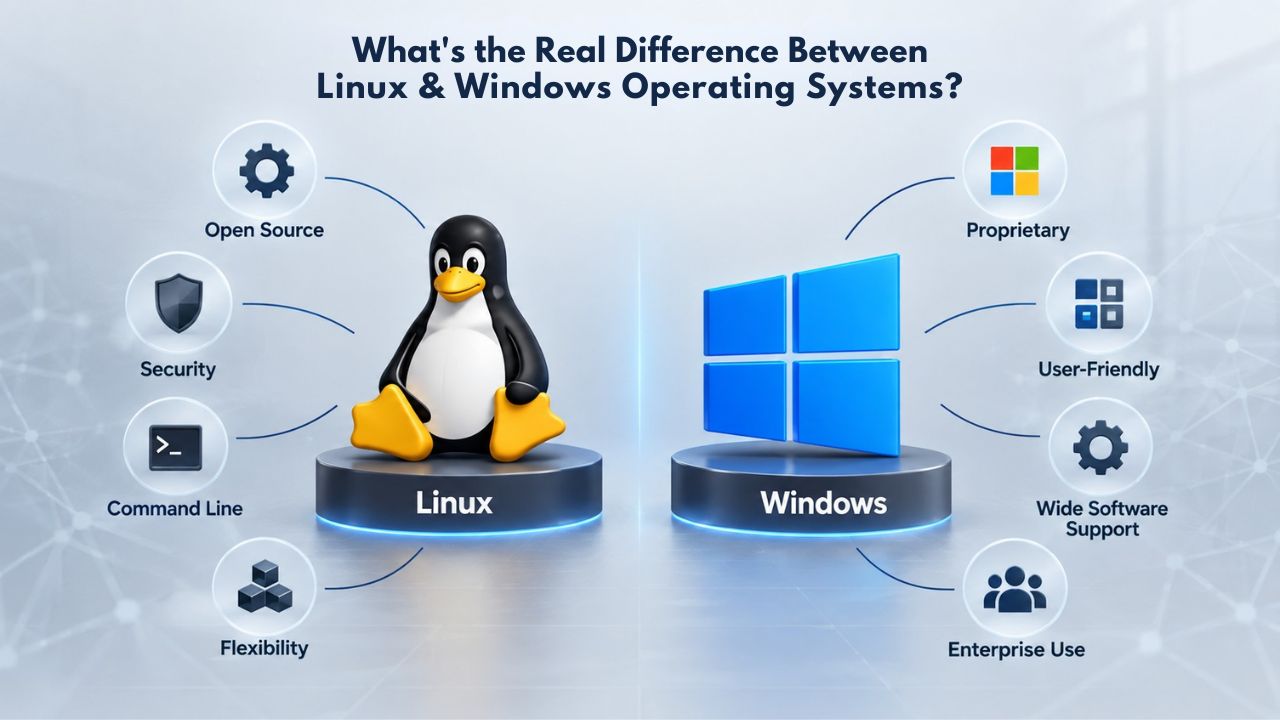
Linux is an open-source operating system whose source code is freely available for anyone to use, modify, and redistribute under open licenses. This transparency means a global community of developers continuously reviews Linux for bugs, security vulnerabilities, and performance improvements. Volunteers worldwide often fix bugs within days, and new security patches are released quickly. Windows is a proprietary operating system owned and developed by Microsoft, with its code kept private and updates managed entirely by Microsoft’s internal teams. Only Microsoft engineers see the Windows source code, and security fixes follow Microsoft’s release schedule.
Linux servers are built lean by default. A minimal Linux installation uses only two to four gigabytes of disk space, allowing administrators to add only the features a specific site needs. Windows servers, by contrast, come pre-loaded with many built-in components, graphical interfaces, indexing services, multimedia codecs, and other features that consume significant system resources even if your website never uses them. This means Linux starts from a much lighter resource baseline, leaving more capacity for serving your actual website.
The practical result is that Linux servers typically require less hardware investment to deliver equivalent performance. Both platforms can host websites reliably when properly configured and maintained, but they start from different architectural philosophies and resource footprints.
Licensing and Open-Source vs. Proprietary Models
Because Linux is open-source, hosting providers pay no licensing fees to offer it. All the major components- the Linux kernel, Apache web server, Nginx, PHP, and MySQL- are free to use and distribute. These cost savings flow directly to customers. Windows Server, by contrast, is licensed software that costs hosting providers real money. Hosting providers must pay Microsoft a recurring monthly fee per server under a Service Provider License Agreement (SPLA), and those licensing fees pass on to you as higher hosting costs. When providers add Microsoft SQL Server or other proprietary Microsoft software, licensing costs increase further.
Licensing differences are one of the most important distinctions between the two platforms. Open-source software can be freely used in unlimited ways, while proprietary software requires ongoing payments and adherence to licensing terms. This affects not just your initial hosting choice, but your ongoing expenses if you scale from shared hosting to VPS or dedicated servers. Linux’s free, open-source model has allowed hosting providers to build entire business models around affordable, reliable hosting, something far more difficult with Windows’s licensing requirements.
| Aspect | Linux | Windows |
|---|---|---|
| Source Model | Open-source, free to use | Proprietary, licensed |
| OS Licensing Cost | None | Per-server monthly fee |
| Base Installation Size | 2–4 GB | Significantly larger |
| Common Distributions | AlmaLinux, Ubuntu, Debian, RHEL | Windows Server 2019/2022 |
| Software Ecosystem | Predominantly open-source, free | Mix of proprietary and open-source |
| Licensing Complexity | Straightforward (GPLv2, MIT licenses) | Complex licensing agreements |
Business Web Hosting Plans & Pricing
Choose the hosting plan that fits your website, WordPress site, or growing business. Compare features, storage, performance, security, and website capacity to find the right hosting environment for your needs.
cPanel Starter
cPanel Hosting that's easy, reliable and lightning-fast.
- 1 website
- 30 GB storage
- Unmetered bandwidth*

cPanel Economy
cPanel Hosting that's easy, reliable and lightning-fast.
- 1 website
- 100 GB space
- Unlimited bandwidth*
- 100 email accounts**
- 10 MySQL databases (1 GB ea.)
cPanel Deluxe
cPanel Hosting that's easy, reliable and lightning-fast.
- Unlimited websites
- Unlimited space
- Unlimited bandwidth*
- 500 email accounts
- 25 MySQL databases (1 GB ea.)
cPanel Ultimate
cPanel Hosting that's easy, reliable and lightning-fast.
- Unlimited websites
- Unlimited space
- Unlimited bandwidth*
- 1000 email accounts
- Unlimited MySQL databases (1 GB ea.)
- 2X Processing power & memory (available for Linux/cPanel only)
- Premium DNS
- 1-year SSL certificate to secure customer data and increase search rankings
*We don't limit the amount of storage and bandwidth your site can use as long as it complies with our Hosting Agreement. Should your website bandwidth or storage usage present a risk to the stability, performance or uptime of our servers, we will notify you via email and may be required to upgrade, or we may restrict the resources your website is using.
**Email account storage is limited to 100 email accounts with 100 MB of total storage.
WordPress Basic
A great way to get started.
- 1 website
- 10 GB NVMe storage
- Unmetered bandwidth
- Free SSL Certificate *
- WordPress pre-installed
- Weekly backups
- Web Application Firewall
- Daily malware scans
- One-time malware removal

WordPress Deluxe
Improve your site performance with Cloudflare CDN.
- 1 website
- 20 GB NVMe storage
- Unmetered bandwidth
- Free SSL Certificate *
- WordPress pre-installed
- Daily backups
- Web Application Firewall
- Daily malware scans
- One-time malware removal
- Up to 2x faster performance with global Cloudflare CDN **
- Enhanced security with DDoS protection
- Staging site
WordPress Ultimate
Add online marketing with more sites, storage and security.
- 1 website
- 30 GB NVMe storage
- Unmetered bandwidth
- Free SSL Certificate *
- WordPress pre-installed
- Daily + on-demand backups
- Web Application Firewall
- Daily malware scans
- Unlimited malware removal
- Up to 2x faster performance with global Cloudflare CDN **
- Enhanced security with DDoS protection
- Staging site
- WordPress code optimizer
- Smart WordPress plugin manager
- Sell online with WooCommerce
*An SSL certificate is included with every site and free for the life of the hosting plan. Certificates are automatically installed, validated and renewed.
Web Hosting Plus Launch
For multiple basic sites.
- 100 GB storage*
- 4 GB RAM
- 2 CPUs
- Unmetered traffic
- 50 websites & databases
- Free, unlimited SSL for all your websites**

Web Hosting Plus Enhance
For high-traffic WordPress, Joomla, and other sites.
- 200 GB storage*
- 8 GB RAM
- 4 CPUs
- Unmetered traffic
- 100 websites & databases
- Free, unlimited SSL for all your websites**
Web Hosting Plus Grow
For advanced eCommerce sites like Magento.
- 300 GB storage*
- 16 GB RAM
- 8 CPUs
- Unmetered traffic
- 150 websites & databases
- Free, unlimited SSL for all your websites**
Web Hosting Plus Expand
For multiple basic sites.
- 400 GB storage*
- 32 GB RAM
- 16 CPUs
- Unmetered traffic
- 200 websites & databases
- Free, unlimited SSL for all your websites**
*The total amount of usable storage capacity for your particular Hosting Service(s) may differ from the represented capacity as there is required space for the operating system(s), system file(s) and other supporting file(s).
**If you cancel the Web Hosting Plus product, you will lose the associated SSL certificate as well.
Technology and Compatibility: Which Stack Does Your Site Need?
The most important question isn’t which operating system is “better” in the abstract; it’s which one supports the specific technologies your website needs to run. This choice is often non-negotiable and should be made first, before any other consideration.
PHP, MySQL, and the WordPress Ecosystem (Linux)
WordPress powers 63.3% of all websites with a known content management system, and WordPress is built from the ground up for Linux. It runs on PHP (a server-side scripting language) and MySQL (a database system), both open-source technologies native to Linux environments. When you host WordPress on Linux with cPanel (the standard control panel for Linux hosting), installation is typically a one-click process; most hosting providers automatically optimize their Linux plans for WordPress performance, handling database setup, file permissions, and WordPress-specific caching.
Beyond WordPress, most other open-source CMS platforms are built for Linux and the LAMP or LEMP stack (Linux, Apache or Nginx, MySQL or MariaDB, PHP). Drupal, Joomla, Magento, PrestaShop, WooCommerce, and similar platforms all run optimally on Linux with PHP and MySQL. Python frameworks like Django and Flask, Ruby on Rails applications, Node.js services, and static site generators also run natively on Linux. While Windows can technically run PHP and MySQL through adapters like FastCGI, the setup isn’t native to Windows and requires extra configuration. Performance typically suffers compared to a Linux environment built from the ground up for that stack.
If you’re building a blog, online store, forum, or community site using any open-source CMS, Linux hosting is the natural choice. The entire hosting industry, documentation, tutorials, and support communities are optimized for WordPress on Linux. Choosing Windows for WordPress is like buying a truck when you need a sedan; it might technically work, but it’s not what the tool was designed for.
ASP.NET, MSSQL, and the Microsoft Ecosystem (Windows)
If your site is built with Microsoft technologies, Windows hosting is not optional; it’s required. Classic ASP.NET (Web Forms), MSSQL Server databases, MS Access applications, Visual Basic web applications, SharePoint integrations, and Microsoft 365 enterprise applications require a Windows Server environment. These technologies have no Linux equivalent; they are Windows-specific and cannot run on Linux servers.
However, modern .NET Core and .NET 6+ represent a significant shift. Microsoft designed these newer versions of its development framework to run on both Windows and Linux. If your development team says “we need .NET,” it’s crucial to ask whether they mean classic ASP.NET (which does require Windows) or modern .NET (which can run on either platform). This distinction directly affects your hosting choice and ongoing expenses; modern .NET on Linux hosting can be substantially cheaper than on Windows hosting. Enterprise scenarios using Microsoft Exchange Server, Active Directory, Dynamics applications, or other legacy Microsoft infrastructure also require Windows hosting.
Performance and Resource Efficiency
Linux typically delivers better performance on shared hosting because it uses system memory, CPU capacity, and disk I/O more efficiently. This efficiency advantage compounds when dozens or hundreds of websites share a single physical server, which is the typical shared hosting model.
Server Resource Consumption and Efficiency
Linux’s base installation is extremely streamlined, letting administrators enable features selectively and creating a lightweight but effective server deployment. Every installed component serves a purpose; nothing is wasted. Windows servers come “all in” by default; every major Windows component is loaded and running whether your website uses it or not. This means unused components consume memory and processor cycles that could otherwise serve your website and other customers’ websites. On a shared hosting server running hundreds of websites, this overhead quickly becomes noticeable.
For this reason, Linux servers notably outperform Windows servers on comparable hardware specifications. A Linux server with the same processor, memory, and storage can often serve more websites simultaneously or handle more concurrent visitors than a Windows server. This efficiency advantage is a major reason why Linux holds 57.3% of the global web server market share, substantially more than Windows. Hosting providers can pack more Linux sites onto shared servers cost-effectively, which is why Linux shared hosting remains so affordable; the economics work because Linux is simply more efficient.
File System Efficiency and Read-Write Operations
The Linux file system is organized to enable faster, more agile read-write operations. File data is typically stored sequentially, and the operating system can predict and optimize how data will be accessed. Windows file systems allocate data more randomly across the disk, resulting in slower retrieval times and more disk I/O overhead. For a WordPress site, e-commerce store, or dynamic application handling thousands of file reads and database queries per day, this I/O efficiency difference translates into noticeable page-load improvements.
When page speed affects search engine rankings, user experience, and conversion rates, and it absolutely does, every millisecond matters. Linux’s file system efficiency, combined with its lighter resource footprint and more efficient use of server memory, often results in measurably faster load times for static websites and dynamic applications alike. Windows can deliver fast performance too, but it requires more tuning and typically runs best on VPS or dedicated servers with ample resources, not on shared hosting plans with limited resources.
Cost and Licensing: Why Windows Hosting Costs More
The price difference between Linux and Windows hosting is not arbitrary or based on market positioning. It reflects real, tangible costs that hosting providers must absorb and pass along to customers.
Windows Server Licensing Fees
Windows Server is proprietary software; hosting providers must pay Microsoft a recurring licensing fee for every Windows server they operate, usually under a Service Provider License Agreement (SPLA). These licensing fees are substantial and non-negotiable, often running into thousands of dollars per server annually. When providers add Microsoft SQL Server databases, Exchange Server, or other Microsoft software licenses on top of the base Windows Server license, the cumulative licensing costs increase further. Large hosting companies have dedicated licensing managers to handle these complex agreements.
These licensing fees are entirely passed through to customers. A Windows shared hosting plan will always cost more than an equivalent Linux plan at the same provider, often substantially more. When you upgrade from shared hosting to a VPS or dedicated server, Windows server costs scale dramatically higher than Linux because each server tier requires additional licensing fees. This licensing reality is why Windows hosting is typically reserved for customers who genuinely need Windows-specific technologies; the cost premium is only justified if your website requires ASP.NET, MSSQL, or similar Microsoft-specific features.
Open-Source Cost Advantage
Linux and common Linux distributions (AlmaLinux, Ubuntu, Debian, Rocky Linux) are completely free to use and distribute. Most software running on Linux servers- Apache, Nginx, PHP, MySQL, PostgreSQL, Perl- is also open-source and free. No licensing fees, per-server costs, or upgrade charges apply. The entire ecosystem is built on the principle that software should be free and modifiable. This cost model lets hosting providers offer Linux shared hosting at affordable rates, with no compromise in reliability or features for most common use cases.
For budget-conscious site owners, developers, startups, and small businesses, Linux hosting’s cost advantage is a decisive factor. You get a production-grade server with all the tools you need, backups, security, email hosting, and one-click app installers, for a fraction of what Windows hosting would cost. There’s no hidden licensing complexity and no surprise costs as you scale. If your website doesn’t require Windows technologies, choosing Linux saves you money immediately and continues to save money as your site grows.
Security and Reliability: Which Platform Is More Secure?
Both Linux and Windows can be secure and reliable when properly maintained and configured. The differences lie in market adoption patterns, how security communities respond to threats, and the inherent transparency of each platform’s development model.
Linux Security Model and Community Response
Linux is generally considered more secure because its source code is open to global review, allowing security researchers and developers worldwide to identify and patch vulnerabilities quickly. When a vulnerability is discovered, the global Linux community can examine the code, understand the flaw, and develop a fix, often within hours. Security patches are released rapidly, and the entire process is transparent. Linux also has a smaller malware attack surface because fewer malware variants target Linux than Windows. Attackers write malware for the larger Windows market because it’s more lucrative; Linux servers are targeted less often simply because of market share.
Linux also benefits from industry-standard hardening frameworks and security practices that are deeply embedded in the Linux ecosystem. Security guidelines from OWASP (Open Web Application Security Project) and other recognized security bodies often reference Linux-specific implementations, making it straightforward for hosting providers and site owners to implement baseline security controls. Linux servers also require fewer forced reboots; you can often apply configuration changes, security patches, and software updates without restarting the entire server, keeping your site online during maintenance. This continuous uptime during maintenance is particularly valuable for live e-commerce sites and high-traffic services that can’t afford downtime.
Windows Security and Patch Management
Windows is secure when properly maintained, but it requires more active management and more frequent intervention. Windows requires more frequent updates and patches because of its licensing and patching system, and security updates sometimes require server restarts, causing temporary downtime. Windows has a larger attack surface simply because more malware targets it, not because it is inherently weaker; the installed base is much larger and more lucrative for attackers. Attackers naturally focus on the biggest targets.
Security is ultimately a shared responsibility between your hosting provider and you. Both platforms benefit equally from firewall rules, intrusion detection systems, regular backups, careful access control, and security monitoring. A competent hosting provider will secure either platform well. If you’re running Microsoft-specific applications that genuinely require Windows, the business benefits of using that platform outweigh the extra security maintenance burden. For everything else, Linux’s passive security advantages (open-source review, lower malware targeting, no forced reboots) and lower maintenance overhead make it the lower-risk default choice.
Ready to Choose? Explore Web Hosting Designed for Your Needs
Niya Digital’s Web Hosting plans include both Linux (with cPanel) and VPS hosting options (with cPanel or Plesk on your preferred OS), so you can choose the right platform from day one. If you’re building a WordPress site or PHP-based project, Niya Digital’s Linux hosting is ready to go with automatic WordPress installation, daily backups, and one-click app installers. If you’re deploying an ASP.NET application or need Windows-specific features, Niya Digital’s managed VPS plans also support Windows Server.
Market Adoption: Why Linux Dominates Web Hosting
If you want evidence that your technology choice will remain viable and well-supported far into the future, look at market adoption and industry trends.
Global Server Operating System Market Share
Linux holds 63.1% of the global server operating system market share, while Windows holds 27.39%. The gap is even wider for web servers specifically: Linux is used by 57.3% of all websites whose operating system is identifiable. This dominance means the hosting industry, the open-source development community, and software developers worldwide focus most innovation and support on Linux. New hosting features, security tools, performance optimizations, and automation frameworks roll out for Linux first. Linux hosting providers have the most mature operations, the deepest expertise, and the most battle-tested configurations.
This dominance also translates to better long-term viability for your website. If you choose Linux, you’re betting on the platform powering more than half the web, a safe, well-established ecosystem that’s been growing for decades and shows no signs of slowing. Choosing a Linux hosting provider is as close to a safe bet as web hosting gets. The ecosystem is massive, mature, actively maintained, and is not going anywhere. If you choose Windows, you’re betting on a smaller but still significant portion of the market, viable, but less dominant.
WordPress and CMS Platform Adoption
WordPress commands 63.3% of the content management system market share globally, and it runs on Linux. Beyond market share, WordPress hosting providers optimize Linux plans for WordPress performance, offering one-click installers, automatic backups tuned for WordPress files and databases, WordPress-specific caching, and security hardening focused on WordPress vulnerabilities. When you host WordPress on Linux, you run on the same platform millions of other WordPress sites depend on every day, and you benefit from proven practices, battle-tested configurations, and a hosting provider with deep WordPress support and optimization experience.
Control Panels: cPanel vs. Plesk and Operating System Compatibility
Your control panel is the interface you use daily to manage your site, email accounts, databases, backups, and domain settings. Your control panel choice is often tied to your operating system, and understanding this relationship helps you make an informed decision.
cPanel Features and Linux Focus
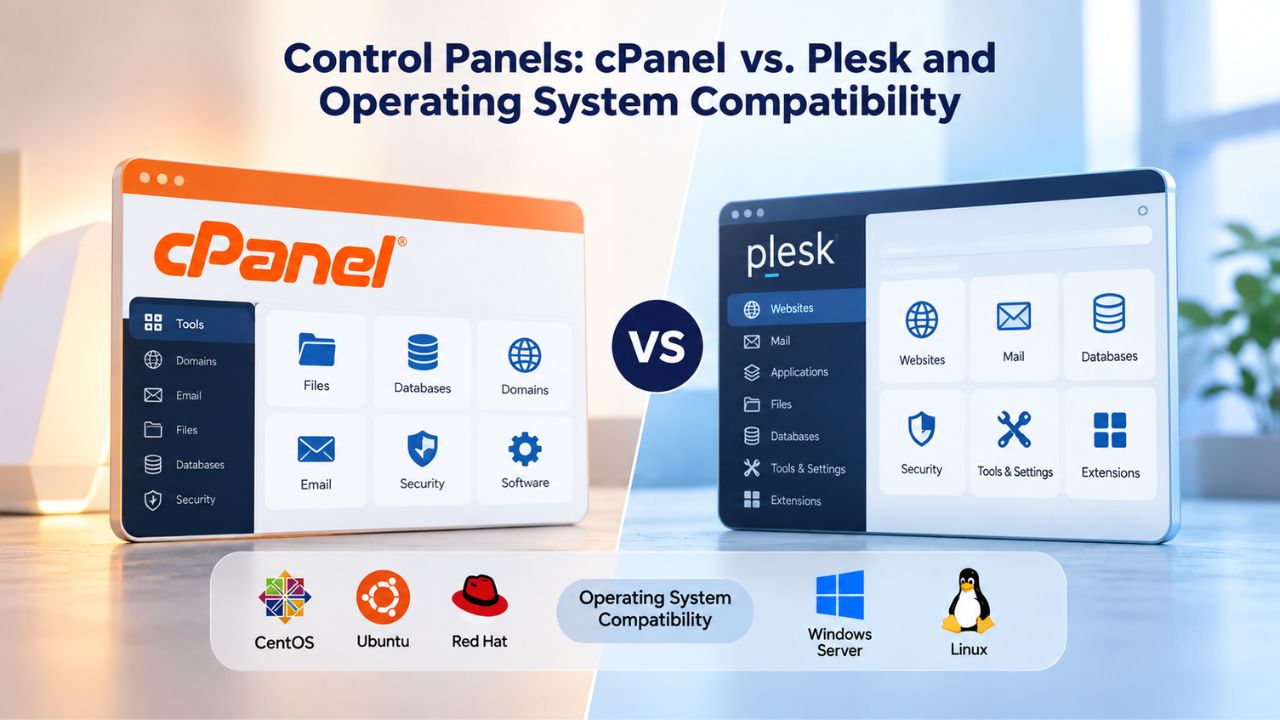
cPanel is the most popular control panel software in the hosting industry and is designed specifically for Linux. It provides a graphical, point-and-click interface for managing everything related to your hosting account. cPanel includes one-click installers for WordPress, Joomla, Drupal, and dozens of other popular applications, eliminating the need for manual installation. It includes backup tools with automatic scheduling, database managers for creating and managing MySQL databases, email account setup wizards, domain and DNS management tools, file managers, and FTP account creation- essentially every tool most site owners need without ever touching a command line or terminal.
Behind cPanel sits WHM (Web Host Manager), a powerful backend interface that hosting providers and resellers use to manage multiple customer accounts. cPanel’s dominance on Linux hosting means abundant documentation, video tutorials, community forums, and third-party support resources. If something doesn’t work as expected, thousands of blog posts, forum threads, and YouTube tutorials already address your question. Most WordPress hosts and PHP-based hosting providers use cPanel because it was built for that stack and integrates seamlessly with Linux. If you’re choosing Linux hosting, you’ll almost certainly have cPanel as your control panel.
Plesk Cross-Platform Capabilities
Plesk is a control panel available on both Linux and Windows servers, offering an alternative approach to hosting management. Plesk has a cleaner, more modern interface that some users find intuitive; it resembles WordPress admin panels more closely than cPanel does. Plesk includes features like a site builder for creating simple websites without coding, integrated SSL certificate management, Docker container support on Linux for advanced users, and support for multiple web servers including both Apache and Nginx. On Windows servers, Plesk is often the default control panel because cPanel doesn’t function on Windows.
If you’re planning to use Windows hosting, Plesk is your primary control panel choice; it works reliably on Windows and provides the graphical management interface you need. Plesk is also available on Linux, though most Linux hosting providers still default to cPanel because of its market dominance, lower overhead, and greater ecosystem of third-party integrations. Niya Digital’s Web Hosting plans include cPanel on Linux servers and Plesk options on Windows and VPS plans, giving you familiar, proven management tools regardless of your OS choice.
Ease of Use and Management Interfaces
A common misconception is that Linux hosting is harder to use than Windows hosting because Linux is associated with command-line terminals and technical complexity. In reality, modern web hosting has abstracted away most of that OS-level complexity for non-technical users.
Modern Web-Based Control Panels Simplify Both
Whether you’re on Linux or Windows, your hosting provider gives you a graphical, web-based interface (cPanel, Plesk, or similar) to manage your site. You never need to open a terminal window, type commands, or interact with the operating system directly. You click buttons, fill out forms, and manage domains, email accounts, databases, and files through the control panel’s graphical menus. For non-technical site and small business owners, this abstraction makes Linux and Windows hosting equally easy to manage day to day. You interact with the control panel, not the underlying operating system.
The days when Linux hosting required command-line expertise are long gone; that changed years ago as hosting providers built better graphical tools. Hosting providers, recognizing that most customers want simplicity and don’t want to learn server administration, have standardized on graphical tools that abstract away OS-level complexity. A WordPress blogger or small business owner can manage a Linux site just as easily as a Windows site through the control panel interface. In fact, Linux hosting is often easier for non-technical users because hosting providers optimize their cPanel configurations for common use cases like WordPress, static sites, and basic PHP applications.
Support Resources and Community Availability
Linux’s market dominance means vastly more online documentation, tutorials, and community help are available for common tasks. Search “how to set up WordPress on cPanel,” and you’ll find thousands of detailed guides, video tutorials, and forum posts. Search “how to configure IIS for a PHP site on Windows,” and results are sparse because few people do it; Windows is not a natural fit for PHP. Similarly, most hosting provider support teams have substantially deeper experience troubleshooting Linux hosting issues because they handle far more Linux customers than Windows customers.
This support advantage compounds if you ever need to migrate your site to a different host, scale from shared hosting to VPS, optimize your site’s performance, or troubleshoot problems. Linux hosting communities, third-party tools (monitoring, backup, optimization, security scanning), and open documentation are vastly more developed than Windows equivalents. You’re not locked into your current hosting provider’s support; you have access to a global ecosystem of resources, tutorials, and experts. This ecosystem advantage is often overlooked but becomes critically important when you need help.
Migration and Switching Between Operating Systems
What if you choose the wrong platform initially? Can you switch operating systems later without major disruption?
Migrating from Linux to Windows (Challenges)
Moving a site from Linux to Windows is difficult if the site was built for the Linux stack. If your WordPress site, PHP application, Python project, or other Linux-native site is running well on Linux and you later decide to move to Windows, you face significant challenges. PHP and MySQL don’t run natively on Windows without complex workarounds, and Windows hosting providers often don’t support the migration because it goes against their platform. Your site’s configuration files, database structure, installed plugins, and custom code may not translate cleanly to Windows. What works on Linux often requires significant rework on Windows.
In practice, migrating from Linux to Windows is rarely worth attempting. If you start on Linux and later discover you need Windows-specific features like ASP.NET, you’re usually better off rebuilding the site on Windows from scratch than forcing a painful, uncertain migration. This reality reinforces the importance of choosing the right operating system upfront based on your actual technology needs.
Migrating from Windows to Linux (Usually Easier)
Moving from Windows to Linux is more straightforward, especially if your website uses only generic technologies. A website designed for a Windows-based web server can be hosted on a Linux web server more easily than the reverse. If your Windows site uses only standard HTML, CSS, JavaScript, and generic databases without Windows-specific features, moving to Linux means uploading your files and recreating your database; hosting providers offer migration tools and assistance. Many hosting companies offer free or assisted migrations from Windows to Linux because Linux hosts know it’s the simpler, more flexible platform most customers will prefer long-term.
This asymmetry again points to Linux as the safer default choice for most websites. If you start on Linux and later discover you need something Windows-specific, you can still migrate. But if you start on Windows and later need Linux, moving backward is harder and more complicated. This makes Linux a lower-risk starting point.
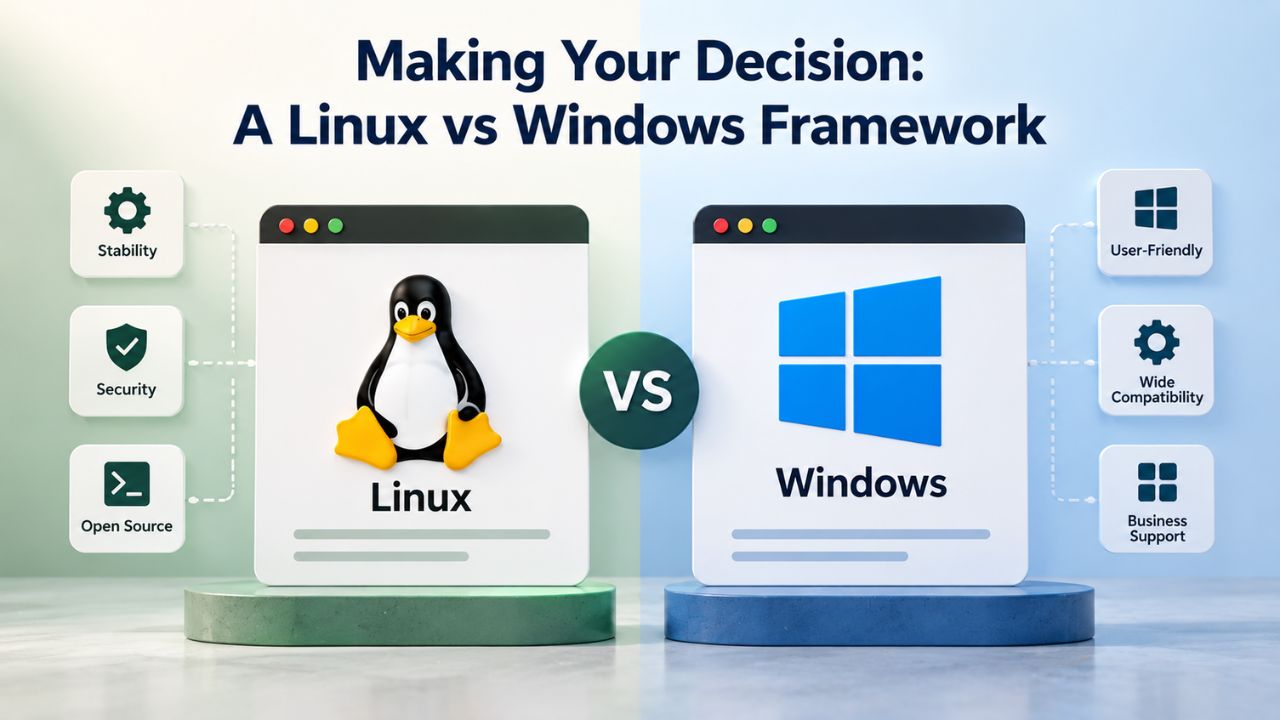
Making Your Decision: A Linux vs Windows Framework
By now, a clear pattern should be emerging: choose Linux for most websites unless you have a specific, documented reason to choose Windows. Here’s a practical decision framework to guide your choice.
Decision Criteria Checklist
Ask yourself these questions in order:
Do you need Microsoft-specific technologies? If your site uses classic ASP.NET Web Forms, MSSQL Server, MS Access databases, Visual Basic applications, SharePoint integrations, Exchange Server, or other Microsoft products, then Windows is required. If not, proceed to the next question.
What’s your primary technology stack? WordPress, PHP, Python (Django/Flask), Ruby on Rails, Node.js, Java, static site generators, or Perl- all of these are built for Linux and run optimally on Linux. If your site uses any of these, choose Linux without hesitation. If not, continue.
What’s your budget and growth trajectory? If budget is a primary constraint, or you expect to scale from shared hosting to VPS as your site grows, Linux will serve you better. Linux hosting is more affordable at every tier, and scaling from shared Linux to a Linux VPS is seamless. If budget is no constraint and you’re confident you won’t scale, either platform works, but Linux is still the better default.
How much technical support do you need? If you need hands-on guidance, abundant documentation, and active community help, Linux wins. More hosting providers, developers, system administrators, and online communities have deep Linux expertise. Windows support exists, but the community is smaller. If your site is simple and you’re comfortable troubleshooting independently, either works.
Do you plan to host multiple sites or expand later? If you plan to host multiple websites or scale as your business grows, Linux offers clear advantages. Scaling from one site to multiple sites, or from shared hosting to VPS to dedicated servers, is more straightforward and less expensive on Linux.
Common Site Types and Recommended Operating System
| Site Type | Primary Technology | Recommended OS | Why |
|---|---|---|---|
| WordPress Blog | PHP + MySQL | Linux | Native stack; one-click setup; optimal performance |
| WooCommerce Store | PHP + MySQL | Linux | WordPress/WooCommerce native; cPanel optimization |
| Drupal or Joomla Site | PHP + MySQL | Linux | Open-source CMS stack; Linux-optimized hosting |
| Static HTML Site | HTML/CSS/JavaScript | Linux | Works on both; Linux is more efficient and flexible |
| Python App (Django/Flask) | Python + Database | Linux | Python deployment tools are Linux-native |
| Node.js Application | Node.js Runtime | Linux | Node.js hosting is Linux-standard by design |
| Classic ASP.NET Site | ASP.NET + MSSQL | Windows | Requires Windows; no viable alternative |
| SharePoint Intranet | SharePoint | Windows | Requires Windows Server environment |
If your specific site type isn’t listed in this table, it almost certainly works better on Linux. The safe approach is to default to Linux, then override that choice only if you’ve confirmed a Windows-specific requirement that cannot be met on Linux.
Planning to Scale Up Later? VPS Hosting Gives You Full Control
Niya Digital’s VPS Hosting supports both Linux and Windows Server with optional cPanel/WHM or Plesk, full root/administrator access for advanced configurations, automated backups, performance monitoring, and 99.9% uptime protection. Start on shared hosting, upgrade to VPS when you’re ready. Niya Digital’s team has found that planning for eventual scaling from the start prevents costly site migrations and architecture redesigns later.
Frequently Asked Questions
Can I run WordPress on Windows hosting?
Technically yes, but it’s not recommended. While Windows can run PHP and MySQL through workarounds like FastCGI or PHP-on-IIS, WordPress is architected for the Linux stack (Apache or Nginx, PHP, MySQL/MariaDB). Installation is significantly more complex on Windows, performance typically suffers compared to Linux, and hosting provider support for WordPress on Windows is limited. Unless you have a specific reason to use Windows, WordPress belongs on Linux, where it runs optimally.
Do I need Windows Server experience to manage a Windows hosting plan?
No. Like Linux hosting, Windows hosting comes with a web-based control panel (usually Plesk) that lets you manage your site, email, databases, and files without technical expertise. You click buttons, fill out forms, and use graphical menus, just like cPanel on Linux. The control panel abstracts away OS-level administration so that non-technical users can manage their sites easily.
Is Linux hosting less secure than Windows hosting?
No. Linux has a smaller malware attack surface because fewer malware variants target Linux than Windows. Linux also benefits from open-source code review by a global security community, which speeds vulnerability identification and patching. Both platforms can be very secure when properly configured and maintained. Security depends more on your hosting provider’s practices (firewalls, updates, monitoring) and your own behavior (strong passwords, regular backups, security updates) than on the OS itself.
What if I choose Linux but later need Windows?
Moving from Linux to Windows is difficult if your site is built for the Linux stack (WordPress, PHP, Python, etc.), because those technologies don’t run natively on Windows without significant workarounds. If you later need Windows-specific features, you’re usually better off rebuilding the site on Windows rather than forcing a painful migration. This reinforces the importance of choosing the right OS upfront based on your actual technology requirements.
How much more expensive is Windows hosting compared to Linux?
The cost difference varies by provider, but Windows hosting typically runs significantly higher than comparable Linux hosting. The difference reflects Windows Server licensing fees that hosting providers must pay Microsoft. If you don’t need Windows-specific technologies, choosing Linux saves money immediately and continues saving as you scale.
Which operating system is faster: Linux or Windows?
On comparable hardware, Linux typically delivers better performance because it uses fewer system resources and has a more efficient file system architecture. However, both can be fast when properly configured and tuned. The performance difference is most noticeable on shared hosting (where Linux’s efficiency lets providers pack more sites per server) and least noticeable on VPS or dedicated servers with ample resources allocated to each account.
Can I switch from cPanel to Plesk if I choose Linux?
Most Linux hosting providers use cPanel and don’t offer easy switching to Plesk, because cPanel is the Linux-hosting standard and switching incurs costs and downtime for both you and the provider. Plesk is available on Linux but is less common. If Plesk is important to you, look for a provider that offers it upfront rather than trying to switch later.
Is .NET the same as ASP.NET? Do both require Windows?
No, they’re different. Classic ASP.NET (Web Forms) requires Windows; there’s no alternative. Modern .NET Core and .NET 6+ are cross-platform technologies designed to run on both Windows and Linux. If your development team says “.NET,” ask whether they mean the older ASP.NET (Windows-only) or the newer cross-platform .NET. The distinction directly affects your hosting choice and cost.
What’s the difference between shared hosting and a VPS?
Shared hosting places your website on a server alongside hundreds of other websites; you share CPU, memory, bandwidth, and other resources with those other sites. A VPS (Virtual Private Server) uses virtualization to partition a physical server into isolated environments, each with dedicated CPU, memory, and storage reserved just for you. Shared hosting is ideal for beginners, small sites, and blogs. VPS is for growing websites that need more performance, reliability, and control.
Does my personal computer’s operating system affect my web hosting choice?
No. If your home computer runs Windows, you can host your website on Linux. If you use a Mac, you can host on either. Your personal computer’s operating system has no connection to your web hosting OS. You choose the web hosting OS based entirely on your website’s technology requirements, not your personal preferences.
How often do I need to manage my hosting operating system directly?
Rarely, in most cases. Your hosting provider updates the OS, patches security vulnerabilities, manages server-level configuration, and handles backups. You interact only with your control panel (cPanel, Plesk) to manage your site, email, and databases. You don’t log into the OS itself unless you’re on a VPS or dedicated server and specifically choose to do so for advanced server administration.
Can a hosting provider migrate my site between Linux and Windows for me?
Not easily. If your site is built for Linux (WordPress, PHP, etc.), migrating it to Windows is difficult because those technologies don’t run natively there. Migrating from Windows to Linux is easier if your site uses only generic technology. Most providers won’t offer cross-OS migration assistance because it’s complex and often requires rebuilding. Choose the right OS from the start.
What if I’m not sure which operating system I need?
Start with Linux. It’s more affordable, more flexible, works for most websites, and offers more support resources. If your site later needs something Windows-specific, you’ll know, and then you can make an informed decision about rebuilding. There’s almost no downside to starting on Linux; the downside to starting on Windows when you don’t need it is wasted resources. Linux is the safe default.
Does Linux hosting have more downtime than Windows hosting?
No. Downtime depends on your hosting provider’s infrastructure, monitoring capabilities, backup systems, and operational practices, not on whether they use Linux or Windows. Both platforms can deliver 99.9% uptime and higher when properly managed. Niya Digital’s hosting plans, built on GoDaddy’s infrastructure, provide uptime guarantees regardless of which OS you choose.
Is open-source software less reliable than proprietary software?
No. Open-source software is reviewed and maintained by communities of developers worldwide, often resulting in faster bug fixes and more stable releases than proprietary alternatives. Linux, Apache, Nginx, MySQL, PHP, and other open-source technologies power the majority of the web. Reliability comes from good design, active maintenance, and community testing, all strengths of open-source development. Some of the most reliable, battle-tested software in existence is open-source.
Glossary
- Bandwidth: The amount of data your website can transfer to and from visitors per month, typically measured in gigabytes (GB). If your website exceeds its bandwidth allocation, you may be throttled or charged overage fees. Most hosting plans include either a set monthly allocation or unlimited bandwidth.
- Control Panel: A web-based graphical interface that lets you manage every aspect of your hosting account without technical expertise. You use a control panel to create email accounts, manage domains, create databases, manage files, set up backups, and install applications. Examples: cPanel (Linux) and Plesk (Linux and Windows).
- DNS: Domain Name System. The internet service that translates your domain name (example.com) into the IP address of your web server, directing visitors’ web browsers to the correct location. You manage DNS records through your hosting control panel.
- Operating System: The base software running on a server that manages hardware resources (CPU, memory, storage) and provides the environment for applications to run. On web hosting servers, the two main options are Linux and Windows Server.
- Uptime: The percentage of time your hosting server is running and accessible to your visitors. The industry standard is 99.9% uptime, which translates to about 43 minutes of acceptable downtime per month. Uptime is critical because your site is unreachable when the server is down.
- VPS: Virtual Private Server. A hosting plan that uses virtualization technology to partition a physical server into isolated virtual environments, each with dedicated resources (CPU cores, RAM, storage) reserved exclusively for that account. You get full root access and control, but at a lower cost than a dedicated physical server.
- Web Hosting: A service that stores your website files and database on a server and makes them accessible to the internet 24/7. Web hosting providers maintain the servers, network connections, security infrastructure, backups, and support so you don’t have to own and manage hardware yourself.


