What’s the Difference? Operating Systems Overview
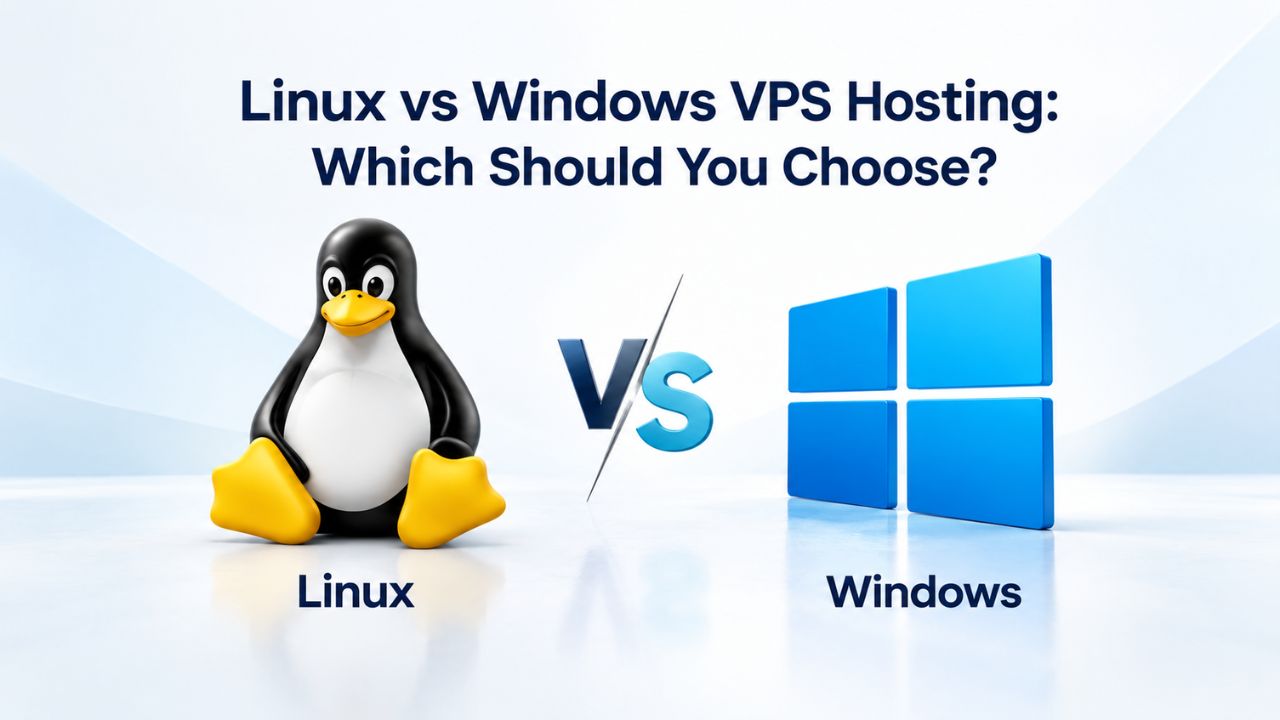
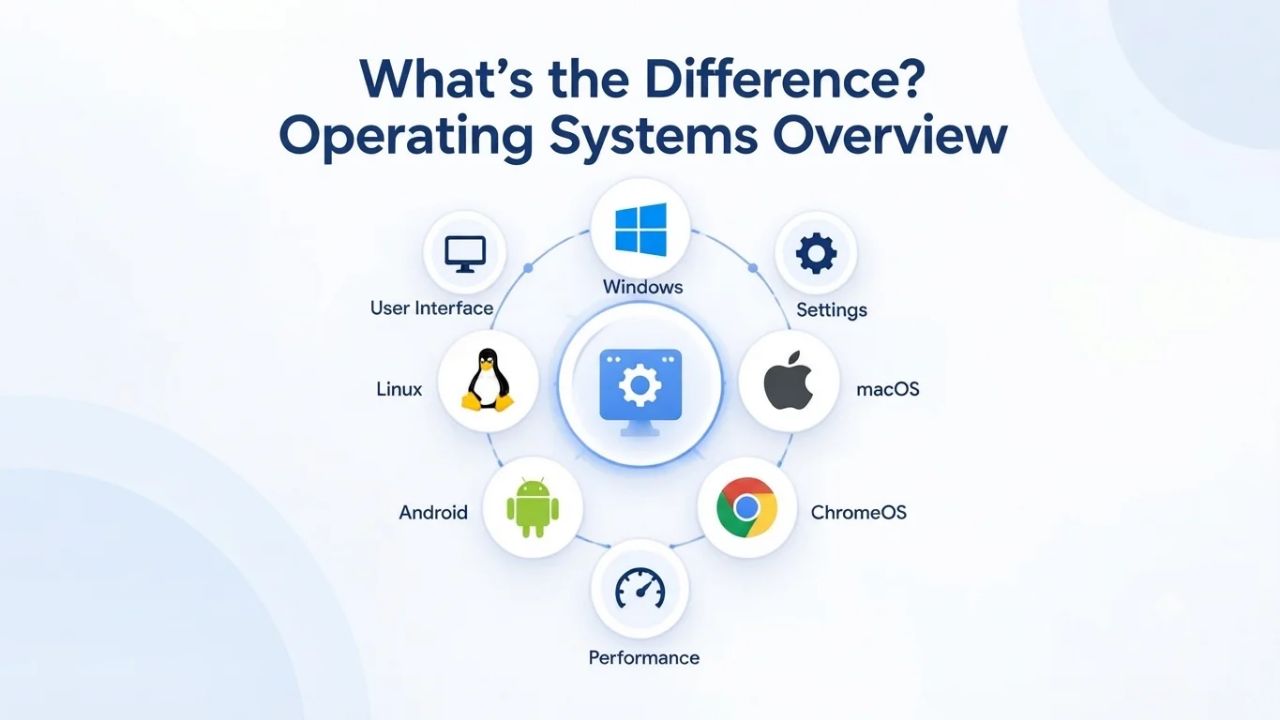
Both Linux and Windows Server run reliably in virtualized VPS environments. The fundamental choice between them comes down to access model, interface philosophy, and ecosystem support, not raw capability or inherent stability. Understanding the core differences between these operating systems helps you align your choice with your actual needs.
Linux: Open-source, free, command-line foundation
Linux is a free, open-source Unix-like kernel available in multiple distributions, Ubuntu, CentOS, Debian, and others, each offering its own ecosystem of tools and community support. You access and manage a Linux VPS primarily through SSH (Secure Shell). This command-line terminal protocol provides encrypted remote access, or you can use a web-based control panel like cPanel or Plesk that abstracts the terminal into a graphical interface.
This means a Linux Virtual Private Server interface is text-driven by default. Many VPS providers, including Niya Digital, offer visual control panels to simplify common tasks like managing DNS records, restarting services, viewing server statistics, or managing databases. Still, the underlying operating system is fundamentally command-line-first. Developers and system administrators comfortable with terminal work find this natural and empowering, giving them full flexibility to configure any aspect of the server. Teams without command-line experience often benefit from managed support to reduce the learning curve, though good control panels can handle most day-to-day tasks.
Windows Server: Commercial, licensed, graphical-first
Windows Server is a commercial server-grade operating system built on Windows architecture, designed for enterprise environments where graphical administration and tight Microsoft ecosystem integration matter. You access a Windows VPS through RDP (Remote Desktop Protocol), which connects you to a full Windows desktop environment with point-and-click icons, a visual file explorer, familiar toolbars, and a Start menu that looks and behaves like the Windows you may already know.
Windows Server feels immediately familiar to anyone who’s used Windows on a workstation or in an IT environment. No command-line knowledge is required for basic administrative tasks; most server management happens through graphical Control Panel applets, Server Manager, or visual configuration wizards. PowerShell (Windows’s command-line scripting equivalent) supports advanced automation and deep system administration, but most Windows administrators use the graphical interface as their primary entry point. VPS providers pass the OS licensing cost to customers in the plan cost, reflecting Microsoft’s per-server licensing model.
OS and Workload Matching Table
| Your Situation | Recommended OS | Why This Choice | Support Tier Suggestion |
|---|---|---|---|
| Building a WordPress or Drupal site | Linux | LAMP/LEMP ecosystem, established hosting best practices, lower infrastructure cost | Managed (for initial setup) or unmanaged (if experienced) |
| Running containerized microservices | Linux | Docker native on Linux, efficient resource scaling, DevOps industry standard | Unmanaged (for experienced DevOps teams) |
| Developing .NET or ASP.NET applications | Windows | Operating system requirement; .NET is designed for and most optimized on Windows | Managed (especially during initial deployment) |
| Hosting SQL Server or Exchange | Windows | Software requires Windows; native integration and performance optimization unavailable elsewhere | Managed (database expertise valuable for tuning) |
| Migrating from shared cPanel hosting | Linux | Minimal code changes; direct migration path from cPanel to Linux VPS infrastructure | Managed (for migration assistance and verification) |
| Small team with strong Windows IT expertise | Windows | Team capability match; reduces deployment risk and accelerates troubleshooting | Managed or unmanaged depending on workload complexity |
| Cloud-native application with Node.js or Python | Linux | Runtime environment native to Linux; containerization and deployment tooling assumes Linux | Unmanaged (for experienced DevOps team) |
| Legacy Windows business application | Windows | Application built for Windows; depends on Windows libraries, COM objects, or Windows APIs | Managed (for configuration and ongoing support) |
VPS Hosting Plans & Pricing
Choose the VPS hosting plan that fits your website, application, or business requirements. Select a self-managed VPS for complete server control or a fully managed VPS with a dedicated team of experts to help manage your server.
Self Managed VPS 1 vCPU
1 GB RAM
Entry-level VPS hosting for lightweight websites and applications.
- 1 CPU Core
- 1 GB RAM
- 20 GB SSD Storage
- Linux only, no control panel

Self Managed VPS 2 vCPU
4 GB RAM
VPS hosting with additional CPU and memory for growing websites and applications.
- 2 CPU Cores
- 4 GB RAM
- 100 GB SSD Storage
Self Managed VPS 2 vCPU
8 GB RAM
Additional memory for more demanding websites and applications.
- 2 CPU Cores
- 8 GB RAM
- 100 GB SSD Storage
Self Managed VPS 4 vCPU
8 GB RAM
Increased processing power for business websites and applications.
- 4 CPU Cores
- 8 GB RAM
- 200 GB SSD Storage
Self Managed VPS 4 vCPU
16 GB RAM
High-memory VPS hosting for resource-intensive workloads.
- 4 CPU Cores
- 16 GB RAM
- 200 GB SSD Storage
Self Managed VPS 8 vCPU
16 GB RAM
Powerful VPS resources for demanding business applications.
- 8 CPU Cores
- 16 GB RAM
- 400 GB SSD Storage
Self Managed VPS 8 vCPU
32 GB RAM
Maximum self-managed resources for demanding workloads.
- 8 CPU Cores
- 32 GB RAM
- 400 GB SSD Storage
Fully Managed VPS 1 vCPU
2 GB RAM
Managed VPS hosting with expert server management.
- 1 CPU Core
- 2 GB RAM
- 40 GB SSD Storage
- Dedicated team of experts to fully manage your server
Fully Managed VPS 1 vCPU
4 GB RAM
Managed VPS resources for websites and business applications.
- 1 CPU Core
- 4 GB RAM
- 40 GB SSD Storage
- Dedicated team of experts to fully manage your server
Fully Managed VPS 2 vCPU
4 GB RAM
Managed VPS hosting with additional CPU resources.
- 2 CPU Cores
- 4 GB RAM
- 100 GB SSD Storage
- Dedicated team of experts to fully manage your server
Fully Managed VPS 2 vCPU
8 GB RAM
Managed VPS hosting with additional memory for growing workloads.
- 2 CPU Cores
- 8 GB RAM
- 100 GB SSD Storage
- Dedicated team of experts to fully manage your server
Fully Managed VPS 4 vCPU
8 GB RAM
Higher-performance managed VPS for demanding applications.
- 4 CPU Cores
- 8 GB RAM
- 200 GB SSD Storage
- Dedicated team of experts to fully manage your server
Fully Managed VPS 4 vCPU
16 GB RAM
High-memory managed VPS for resource-intensive workloads.
- 4 CPU Cores
- 16 GB RAM
- 200 GB SSD Storage
- Dedicated team of experts to fully manage your server
Fully Managed VPS 8 vCPU
16 GB RAM
Powerful managed VPS hosting for demanding business workloads.
- 8 CPU Cores
- 16 GB RAM
- 400 GB SSD Storage
- Dedicated team of experts to fully manage your server
Fully Managed VPS 8 vCPU
32 GB RAM
Maximum managed VPS resources for demanding workloads.
- 8 CPU Cores
- 32 GB RAM
- 400 GB SSD Storage
- Dedicated team of experts to fully manage your server
Cost Comparison: Licensing & VPS Pricing
The price difference between Linux and Windows Virtual Private Server plans comes down to one fundamental fact: Linux licensing is free; Windows Server licensing is not. Understanding how licensing affects total cost of ownership helps you budget accurately and compare plans apples-to-apples.
Linux VPS pricing: No OS licensing cost
Linux distributions carry zero licensing expense to the provider, who passes only infrastructure cost (server hardware procurement, network operations, data center management, physical security) to you. This cost structure means Linux VPS hosting aligns your hosting expense directly with the infrastructure resources you consume- CPU, RAM, storage, bandwidth- without an additional software licensing layer. At scale, this cost advantage grows exponentially. A business running five Linux servers eliminates licensing costs across all five instances. A business running five Windows servers pays the Windows licensing fee on each one.
No licensing cost also means you can easily experiment, test, or run temporary workloads on Linux without tier-based licensing penalties. You can provision a Linux VPS for a proof-of-concept, spin it down if it doesn’t work out, and provision another one without cumulative costs. This flexibility makes Linux the go-to choice for cost-conscious startups, agencies managing multiple client environments, and enterprises optimizing infrastructure spend.
Windows VPS pricing: OS licensing built into plan cost
Windows Server licensing costs money because Microsoft charges per server, and VPS providers include this licensing cost in their plan pricing rather than billing it separately. Windows licensing costs are transparent and built into your monthly bill; there are no surprise fees or per-minute charges. You know exactly what you’re paying when you choose a Windows plan. The cost difference reflects the value of Microsoft’s licensing model: per-server pricing scales linearly, so adding more Windows servers increases your total hosting cost proportionally.
Choose Windows only if your workload genuinely requires it, your application code is .NET, you’re hosting SQL Server, or you depend on Windows-specific business software. Running Windows when Linux works equally well means paying extra for functionality you don’t need. However, if your workload requires Windows, the licensing cost is necessary and worthwhile because running unsupported software or complex workarounds on the wrong platform creates far greater costs in development time, support burden, and potential security risk.
Your Application Stack: Which OS Does Your Code Require?
The strongest decision signal for OS choice is your application itself. Some workloads run natively on one OS but are extremely difficult or practically impossible on the other. The application stack is the primary driver; everything else flows from this decision.
Linux-native stacks: LAMP, LEMP, Python, Node.js, containers
If you’re running PHP, Python, or Node.js web applications, Linux isn’t just compatible; it’s the industry default. The LAMP stack (Linux + Apache + MySQL + PHP) and its modern cousin LEMP (Linux + Nginx + MySQL + PHP) were designed for Linux environments and remain the standard foundation for WordPress, Drupal, Magento, and thousands of open-source web platforms. Ruby on Rails, Django, Flask, and Express.js all run natively on Linux. Modern web development ecosystems, package managers, and deployment tools assume a Linux foundation.
Containerized applications, Docker containers, and Kubernetes clusters run on Linux kernel primitives. If you’re deploying microservices in containers, orchestrating workloads with Kubernetes, or using containerization as part of your deployment strategy, you need a Linux host. Windows Server can technically run containerized workloads through Hyper-V containers or Windows Subsystem for Linux (WSL), but the ecosystem, tooling, and community expertise center on Linux. Running containers on Windows VPS Hosting adds complexity without corresponding benefit and reduces your access to community resources and containerization best practices.
Windows-required stacks: .NET, ASP.NET, SQL Server, Exchange, proprietary software
Some applications run exclusively or primarily on Windows and cannot run on Linux without significant rework or unsupported workarounds. .NET and ASP.NET applications require Windows Server. In contrast, .NET Core now runs on Linux; most existing .NET enterprise code and the framework’s historical development centered on Windows. Microsoft SQL Server, though it now has a Linux version introduced in recent years, was built for Windows architecture and runs best on Windows Server, with full feature parity and native integration.
Microsoft Exchange Server (enterprise email and collaboration) runs on Windows only and has no Linux equivalent. Many legacy business-critical applications, ERP systems, accounting software, CRM platforms, and line-of-business tools are built exclusively for Windows and depend on Windows-only libraries, COM objects, or direct Windows system APIs. Running these on Linux requires complex emulation layers (like Wine), technical support from nobody, and a significant performance penalty.
Your Team’s Expertise: Who Manages the Server?
Technical knowledge and operational capability are as important as application requirements. A wrong OS choice for your team’s skill set turns your VPS Server into an operational burden that consumes management time, creates support dependencies, and introduces operational risk. Choosing an OS that aligns with your team’s existing expertise means faster deployment, fewer support escalations, and better long-term reliability.
Linux skill prerequisites: Terminal knowledge expected
Operating a Linux Virtual Private Server competently requires terminal/command-line competence or willingness to develop it over time. Basic Linux administration covers SSH login, file system navigation (directory structure and permissions), user account management, service management and restart, log file reading and analysis, and package management (installing, updating, removing software). Linux Foundation documentation and Ubuntu Server guides provide comprehensive training resources.
For teams with no prior Linux experience, the learning curve is steep but learnable. A Windows-only IT team may struggle initially to troubleshoot DNS issues, manage system accounts, or diagnose service failures on Linux without formal training or a managed-support engagement. This doesn’t reflect inferior capability or intellectual ability; it reflects domain-specific knowledge.
A Linux expert finds Windows Server equally foreign when approaching it for the first time. Linux’s advantage becomes obvious if your developers already code on Linux (macOS with Unix tools, Windows with WSL), because the mental model transfers directly from the development laptop to the production server. If your team uses containerization, version control tools, or cloud platforms (AWS, Google Cloud, DigitalOcean), most tooling assumes a Linux server foundation.
Windows Server skill prerequisites: familiar with GUI administration
Windows Server administration relies on graphical tools (Control Panel, Server Manager, MMC snap-ins), PowerShell scripts, and the Event Viewer for diagnostics and troubleshooting. A team comfortable with Windows client administration, Group Policy, Active Directory, Windows Updates, the Services control panel, and network configuration recognizes most Windows Server interface elements immediately. The barrier to learning Windows Server for a Windows-fluent team is low because the conceptual model transfers directly.
The learning curve for a Linux-only team is steep in the opposite direction. Terminal commands look alien; the file system organization and permission model are fundamentally different; the ecosystem (package managers, build tools, deployment automation) assumes a different mental model and workflow. Windows’s advantage becomes clear if your IT team already manages Windows client workstations, Windows domain environments, or Microsoft infrastructure; Windows Server is a natural extension of existing skills. If your in-house developers work on Windows machines and deploy to Windows servers, the workflow is coherent from development through deployment. If your organization uses Active Directory for identity management, Windows Server integrates natively.
Support & Management Options: Managed vs. Unmanaged
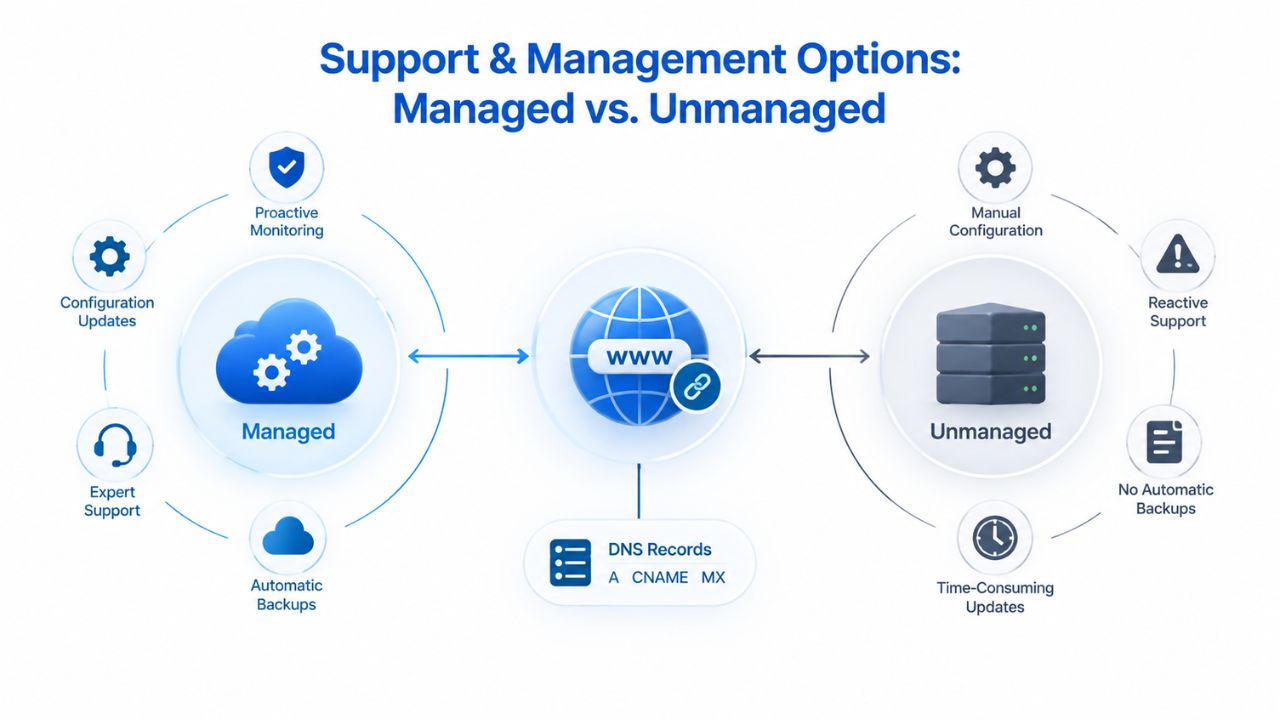
Niya Digital offers managed and unmanaged VPS Hosting tiers on Linux and Windows, so you can choose the support model that matches your team’s operational capacity and expertise. The right choice depends on whether your team has the capacity and skill to run production infrastructure independently.
Managed support: Bridges skill gaps on both operating systems
Niya Digital’s managed VPS Hosting tiers include provisioning assistance, OS configuration guidance, baseline security hardening setup, and responsive support during initial deployment, scaling, or troubleshooting. Niya Digital’s team has found that businesses without deep Linux expertise can confidently choose a managed Linux VPS Server, and our engineers help with initial setup, ongoing package updates, and day-to-day operational questions. Similarly, teams without Windows Server experience can choose managed Windows support, gaining expert guidance without needing in-house Windows expertise.
Managed support is worthwhile if your team lacks OS-specific expertise. Still, the workload requires that OS, if you want to offload routine patching and security updates, or if you need rapid response to infrastructure issues. The managed cost is built into the plan; it reduces operational overhead, lowers the risk of misconfiguration-related outages, and ensures your server stays current with security patches. For teams running production applications where downtime has business impact, managed support is often worth the cost through fewer incidents and faster response.
Unmanaged VPS: For in-house teams with deep OS expertise
Unmanaged Virtual Private Server tiers give you full root (Linux) or administrator (Windows) access and assume you’ll handle provisioning, updates, security hardening, monitoring, and troubleshooting yourself. This suits teams with strong systems-administration capability, DevOps backgrounds, or dedicated infrastructure teams that want maximum control and flexibility. Unmanaged plans typically cost less than managed equivalents because the provider’s support burden is lower.
Neither approach is inherently “better”; it depends on your team’s size, expertise depth, and time available for infrastructure management. A startup’s single developer or small development team might need managed Linux support to avoid becoming a full-time infrastructure operator. A large enterprise with a dedicated DevOps or infrastructure team might run unmanaged Windows VPS to optimize cost and gain full configuration control. Many teams run a hybrid approach: managed support during initial deployment and scaling, then transition to unmanaged once the infrastructure is stable.
Explore Niya Digital’s VPS Hosting Plans
Ready to launch your VPS Hosting server on the right operating system for your workload and team? Niya Digital’s VPS Hosting plans support both Linux and Windows Server with managed or unmanaged support options. Choose the resources, support tier, and OS that fit your application requirements and operational capacity.
Security Fundamentals for Each OS: Hardening & Updates
Security is fundamentally a shared responsibility between the hosting provider and the account holder. GoDaddy’s infrastructure runs secure underlying systems with physical security, network segmentation, and hypervisor isolation. Still, you must configure and maintain your server’s security posture. Both Linux and Windows require active, ongoing hardening and security practices.
Linux security model: Community auditing, transparent source
OWASP Server Security Guidance and CIS Linux Benchmarks describe baseline hardening for Linux servers: disable unnecessary services and network listeners, configure firewall rules (iptables or firewall-cmd) to block unwanted traffic, manage SSH access through key-based authentication (disabling password login and root login), regularly patch the kernel and installed packages, and monitor system logs for intrusion attempts or suspicious activity.
Linux’s open-source nature means security flaws are publicly visible, but global security researchers audit them quickly and distributions patch them. A well-maintained Linux VPS (with current security updates, minimal installed services, properly configured firewall, and SSH hardening) is highly secure. The risk lies entirely in operational decisions: skipped updates, misconfigured permissions, unnecessary services running, or unchanged default passwords create vulnerabilities. The account holder is fully responsible for security; the provider supplies secure infrastructure and patched packages.
Windows Server security model: Microsoft patching, responsible configuration
Microsoft Windows Server Security documentation and CIS Windows Server Benchmarks describe baseline hardening for Windows: enable Windows Firewall with appropriate inbound/outbound rules, configure Windows Defender or third-party antivirus and keep signatures current, restrict Remote Desktop (RDP) access to trusted IP addresses or require multi-factor authentication, disable unnecessary services and server roles, apply monthly security updates on Patch Tuesday, and use strong password policies or certificate-based authentication.
Windows relies on timely Microsoft security patching released on Patch Tuesday (the second Tuesday of each month) plus occasional out-of-band emergency patches for critical vulnerabilities. Windows administrators have established processes to test updates in staging, then deploy to production after validation. The risk is the same as Linux: delayed updates, misconfigured firewall rules, weak access controls, or unnecessary services create vulnerabilities. Both operating systems are secure if actively maintained; neither is inherently “safer.” The difference is the specific hardening checklist and the tools and rhythm you use to implement it.
Performance & Resource Efficiency: Which Consumes Fewer Resources?
Linux and Windows Server have fundamentally different resource footprints and efficiency characteristics. Understanding these differences matters if you’re scaling horizontally (running many servers) or optimizing for cost per unit of compute.
Linux resource efficiency: Lightweight kernel, horizontal scaling
A minimal Linux installation consumes 500MB to 2GB of RAM when idle, depending on the distribution chosen and which system services run. Linux’s kernel is lean by design; it doesn’t require a graphical desktop subsystem, antivirus engine scanning every file, or heavy system services by default. You can install and run only the exact services you need, keeping the footprint minimal. This efficiency means you run substantially more applications per unit of server resources, a core reason why cloud platforms (AWS, Google Cloud, DigitalOcean) default to Linux for cost-sensitive deployments and containerized workloads.
Scaling horizontally with Linux servers (adding more instances) costs significantly less per server because each instance consumes fewer baseline resources. A business running 20 containerized microservices on Linux servers pays substantially less total infrastructure cost than running the same deployment on Windows equivalents. This cost advantage compounds exponentially as deployment scale grows, from dozens to hundreds to thousands of servers, making Linux the platform of choice for hyperscale operations and cost-optimized infrastructure.
Windows resource requirements: Higher overhead, vertical scaling preference
Windows Server’s base resource overhead is considerably higher. A fresh Windows Server installation consumes 1.5GB to 4GB of RAM before you add any applications, depending on which edition you choose. Windows includes a graphical subsystem (even in Server Core editions, the baseline is heavier than Linux), Windows Defender scanning, and various background services that continuously consume memory and CPU cycles. This isn’t a flaw; it’s by design for an enterprise operating system, but it means you get less “free” capacity on the same hardware tier.
Scaling horizontally with Windows servers (adding many instances) means each server costs more in infrastructure; scaling vertically (making each server larger and more powerful) is often more cost-effective for Windows workloads. If running one or two servers, the per-instance resource difference is negligible and doesn’t drive your decision. If you run a large distributed system with dozens or hundreds of instances, the per-server cost difference becomes significant across your total infrastructure spend and should factor into your architecture decisions.
Migration Scenarios: Shared Hosting to VPS
Many businesses outgrow shared hosting and migrate to VPS Hosting. Your current hosting model influences the OS choice and migration path. Understanding these scenarios helps you anticipate the effort and support needed for your transition.
Migrating shared-hosting apps to Linux VPS: Lowest friction path
Shared hosting is predominantly Linux-based; most affordable shared hosting platforms (cPanel, Plesk, WHM) run on Linux infrastructure. If you’re migrating from shared hosting (your current site uses cPanel, you’re on a shared plan, or you’re using a traditional hosting provider), migrating to a Linux VPS is the path of least resistance. Your cPanel account, databases, user structure, file organization, and applications carry over to a Linux VPS with minimal modification or downtime. Your existing DNS records, email configuration, and SSL certificates transfer directly.
Niya Digital’s managed Linux VPS support includes migration assistance, meaning our team can help export your account from shared hosting, import it into a Linux VPS, and verify everything works identically in the new environment. This path often takes a few hours and involves zero code changes; your WordPress site, PHP applications, and MySQL databases work exactly as they did on shared hosting, just with more resources and control.
Launching Windows-dependent workloads on Windows VPS: Direct provisioning
If your application is .NET or requires Windows Server features, shared hosting can’t accommodate you anyway; no shared Windows hosting equivalent exists at scale. Most affordable shared hosting is Linux-only; Windows shared hosting is extremely rare and expensive. If you’re building a new .NET application or migrating an existing .NET workload from a dedicated server to VPS Hosting, you provision a Windows VPS directly and deploy your application there.
Niya Digital’s Windows VPS includes provisioning guidance and support. If you have .NET or SQL Server expertise in-house, setup is straightforward: connect via Remote Desktop, install your runtime and application, and start serving traffic. If you need assistance with IIS configuration, SQL Server tuning, or Windows networking, managed support is available to help you get up and running efficiently.
Control Panel & Management Interface: How You Run Your Server
You manage day-to-day server administration through your control interface. Niya Digital’s VPS Hosting platform supports both native and panel-based administration models, giving you flexibility in how you prefer to work.
Linux control panels: Web interface plus SSH terminal
Linux Virtual Private Server can be managed through a web-based control panel (cPanel, Plesk, or simpler alternatives like Virtualmin), directly via an SSH terminal (command-line), or a combination of both. Niya Digital supports both models. A web control panel provides a graphical user interface for common administrative tasks like managing DNS records, creating email accounts, managing databases, installing SSL certificates, viewing bandwidth usage, and backing up files- tasks that would require multiple terminal commands without a panel.
SSH (Secure Shell) provides terminal access for full system configuration, scripting, advanced troubleshooting, or deployment automation. Most Linux users run both: the control panel for routine maintenance and common tasks, the terminal for customization, debugging, or advanced operations. The control panel is optional and adds cost; SSH terminal access is the default Linux interface and always available. You can manage a Linux VPS entirely from the command line, which gives maximum control but requires deeper expertise and comfort with terminal workflows.
Windows Server remote access: Remote Desktop or PowerShell
You manage a Windows VPS primarily through RDP (Remote Desktop Protocol), which connects you to a full Windows desktop environment on your server. You see the desktop, Start menu, taskbar, file explorer, system settings, and all the graphical administration tools you’d see on a local Windows machine. This is the primary interface most Windows administrators use; it’s familiar, visual, and requires no terminal knowledge.
PowerShell is the Windows equivalent of the Linux terminal, a powerful scripting language and command-line interface for advanced automation, batch operations, and systems programming. You can manage a Windows VPS entirely through PowerShell for full programmatic control and deployment automation. Still, most Windows administrators use the graphical Remote Desktop interface for day-to-day management. Control panels (some Windows hosting providers offer Plesk for Windows) add graphical shortcuts for hosting-specific tasks, but RDP is the native Windows administration interface.
Making Your Final Decision: Decision Tree & Next Steps
You’ve reviewed the technical differences, cost implications, and team considerations. Here’s how to synthesize everything into a clear decision.
Quick-reference decision criteria
Start with your application stack. Is it .NET, ASP.NET, SQL Server, Exchange, or Windows-only business software? If so, choose Windows. Is it PHP, Python, Node.js, Ruby, Java, or containerized? If so, choose Linux. Does your team have strong, deep Windows infrastructure expertise and actively manage Windows servers? Consider Windows even if Linux would technically work; alignment with your team’s expertise matters. Does your team have Linux and Unix experience, or does your DevOps team default to Linux? Consider Linux even if Windows would technically work.
If your application is OS-agnostic (a generic web application, static site, or technology-agnostic service), let cost and team preference decide. Linux costs less and scales cheaper per instance. Windows costs more but may fit your team’s existing skill set better and may integrate with your organization’s existing infrastructure. Managed support on either operating system significantly reduces the team-expertise requirement, so if managed support is available, the OS choice becomes more flexible.
Quick Reference: Operating Systems at a Glance
| Factor | Linux VPS Hosting | Windows VPS Hosting |
|---|---|---|
| OS Licensing Cost | Free | Included in plan |
| Primary Access Method | SSH terminal (command-line) | RDP (graphical desktop) |
| Best-For Workloads | PHP, Python, Node.js, Ruby, Docker, databases | .NET, ASP.NET, SQL Server, Exchange, Windows apps |
| Learning Curve (Linux team) | Gentle | Steep |
| Learning Curve (Windows team) | Steep | Gentle |
| Base RAM Usage (idle) | 500MB–2GB | 1.5GB–4GB |
| Scaling Cost Per Instance | Lower | Higher |
| Security Model | Open-source, community auditing | Microsoft patching, responsible configuration |
| Control & Flexibility | Maximum (terminal-driven) | GUI-driven (graphical tools) |
| Containerization Support | Native (Docker, Kubernetes) | Supported (with added complexity) |
Getting started with Niya Digital VPS: Next steps
Niya Digital’s VPS Hosting service is available in both Linux and Windows flavors. Explore the VPS Hosting plans page to see available resource tiers, configuration options, managed and unmanaged support tiers, and current plan options for each operating system. Niya Digital’s onboarding team is ready to guide you through the decision; reach out to confirm the right plan, operating system, support tier, and deployment timeline for your specific workload.
Start Your VPS Hosting Server Today
Ready to deploy your application on the right operating system? Niya Digital’s VPS Hosting plans provide both managed and unmanaged support tiers across Linux and Windows Server, with dedicated resources, root or administrator access, and provisioning assistance. Choose your operating system, resource tier, support model, and launch your server within minutes. Niya Digital handles the infrastructure; you focus on running your application.
Frequently Asked Questions
Can I switch operating systems after I choose one?
Switching operating systems requires re-provisioning your VPS Server and migrating your application code, databases, and configuration to a fresh instance. This is technically feasible but time-consuming and involves downtime. Choose the right OS from the start by matching it to your application’s requirements, not assumptions. If your stack is OS-agnostic, Linux is the lower-risk default because it costs less; if your team later finds Linux management difficult, upgrading to managed support is simpler than re-platforming your entire application to Windows.
Do Docker and containerization run on both Linux and Windows?
Docker containers run natively and efficiently on Linux, using Linux kernel features like cgroups and namespaces. Windows Server can run containerized workloads through Hyper-V containers or Windows Subsystem for Linux (WSL). Still, the setup is more complex than Linux, and community tooling, documentation, and ecosystem expertise center entirely on Linux containers. If containerization is core to your architecture or deployment strategy, start with a Linux VPS Hosting platform.
Does Niya Digital offer managed support on both Linux and Windows operating systems?
Yes. Niya Digital offers managed VPS Hosting tiers for both Linux and Windows, including provisioning assistance, OS configuration guidance, baseline security hardening, and responsive support during initial deployment and ongoing operations. The support framework is consistent; the technical details differ by operating system (SSH versus RDP access, package manager updates versus Windows Update, etc.).
Which operating system is more secure?
Neither inherently. Both Linux and Windows Server are secure when actively maintained with timely security updates and proper hardening practices. Both have vulnerabilities; the difference is the hardening checklist and update-cycle rhythm. A well-configured Linux Virtual Private Server with current patches, minimal services, and proper firewall rules is as secure as a well-configured Windows Server with current patches and proper access controls. Operator neglect, skipped updates, misconfigured permissions, or unnecessary services create vulnerabilities on either platform.
If I choose Linux, do I need to learn the terminal?
Not necessarily. Web-based control panels (cPanel, Plesk) let you manage email, DNS, backups, and most administrative tasks graphically without ever touching a terminal. However, Linux’s full power and flexibility come through terminal access, and deep troubleshooting often requires command-line knowledge. If you’re uncomfortable with a terminal or command-line tools, managed support or a VPS provider with a strong control panel can significantly reduce this operational burden.
How fast is VPS provisioning on each operating system?
Provisioning speed depends on your hosting provider and the configuration you request, not the operating system itself. Niya Digital’s VPS Hosting provisioning is typically fast for both Linux and Windows, minutes to an hour depending on your configuration. Most provisioning time is consumed by initial configuration (firewall rules, SSL certificates, application deployment setup), not the OS installation itself.
Can one VPS run multiple applications on either operating system?
Yes. Both Linux and Windows VPS Hosting can run multiple applications simultaneously if you have sufficient resources allocated (CPU, RAM, storage). A single Linux VPS might run a web server, a separate database server, and background job processing all at once. A single Windows VPS might host multiple .NET applications and SQL Server databases. Resource constraints, not operating system limitations, determine what you can run on a given plan.
Is Windows Server VPS more reliable than Linux?
No. Reliability depends on infrastructure (Niya Digital’s VPS Hosting runs on GoDaddy’s infrastructure for both operating systems), configuration quality, and maintenance practices. Both operating systems achieve high uptime when deployed carefully and maintained responsibly. Choose your operating system based on your application requirements and team expertise, not assumed reliability differences.
Can I upgrade my VPS from Linux to Windows without re-provisioning?
No. Changing operating systems requires fresh VPS provisioning and application migration. This is another reason to choose correctly at the start. If you’re unsure between the two, start with the operating system that best fits your application requirements and team capability, and include managed support during initial deployment to reduce uncertainty and catch issues early.
Do I pay extra for Linux licensing because it’s free?
No. Linux’s zero licensing cost is reflected in VPS plan pricing. A Linux VPS Hosting plan costs substantially less than an equivalent Windows plan specifically because there’s no Windows licensing fee to pass to you. You pay only for infrastructure; there are no hidden OS licensing surcharges.
Which operating system should I choose if I’m building a scalable web application?
If the application is stateless (each request is independent, no per-server session state), both work equally. If cost and horizontal scaling matter, and you’ll add more servers to handle growth, Linux is the default: each additional Linux server costs less than each Windows server. If your application code is .NET or your organization is Windows-centric, Windows is correct regardless of scalability considerations. Let your application stack and team capability drive the decision, not abstract scalability theory.
Can I run both Linux and Windows VPS Hosting from Niya Digital simultaneously?
Yes. Niya Digital’s VPS Hosting platform supports separate, independent instances running either Linux or Windows. Many businesses run both: a Linux VPS for web applications and containerized workloads, and a Windows VPS for .NET services or SQL Server databases. Each instance runs independently with its own dedicated resources.
How often are Linux and Windows updates released?
Linux distributions (Ubuntu, CentOS, Debian) release security updates on their own schedules, typically monthly security patches plus periodic major version upgrades. Windows Server receives security updates monthly on Patch Tuesday (the second Tuesday of each month), plus occasional out-of-band emergency patches for critical vulnerabilities. Niya Digital’s managed support tiers can automate patching and testing if you prefer to avoid manual update management.
If I choose Linux, can I switch to a different distribution later?
Yes, but it requires re-provisioning your VPS (a server rebuild) and migrating your application code and data. Switching between distributions (Ubuntu to CentOS, for example) doesn’t require changing VPS providers; it requires a server rebuild and redeployment of your applications. Niya Digital’s managed support can assist with this transition if needed, ensuring minimal downtime and data integrity.
Does my application choice determine which operating system I must use, or is the choice flexible?
Most applications have a native or strongly preferred operating system. A .NET application requires Windows; a Django application requires Linux. Some applications are OS-agnostic (static websites, Go binaries compiled for both platforms), giving you genuine choice. When you have a choice, let cost (Linux’s advantage), team expertise (Windows for Windows-skilled teams, Linux for DevOps teams), and operational integration (existing infrastructure and tools) decide your operating system.
Glossary
- Virtual Private Server (VPS): A virtual machine running on shared physical infrastructure with dedicated CPU, RAM, storage, and bandwidth allocated exclusively to your instance. You have root or administrator access, allowing you full control over the operating system and all installed applications.
- Root Access: Full administrative control on a Linux VPS Server, allowing you to install any software, modify any system file, change any server setting, and perform any system-level operation. Equivalent to Windows’s Administrator account.
- SSH (Secure Shell): A secure protocol for logging into a Linux VPS via an encrypted command-line terminal, replacing older insecure protocols. Provides encrypted access for server management, file transfer, and remote command execution.
- RDP (Remote Desktop Protocol): Microsoft’s protocol for connecting to a Windows VPS and displaying a full Windows desktop environment graphically over the network, enabling visual server administration without command-line tools.
- Hypervisor: Software running on physical servers that partitions hardware into multiple isolated virtual machines (your VPS instances). Niya Digital’s VPS Hosting runs on GoDaddy’s hypervisor infrastructure.
- LAMP Stack: A common web application stack combining Linux (operating system), Apache (web server), MySQL (relational database), and PHP (server-side scripting language), the standard foundation for WordPress, Drupal, Magento, and legacy PHP applications.
- Managed VPS: A service tier where the hosting provider handles provisioning, OS configuration, security hardening, routine updates, and ongoing technical support, reducing your operational responsibilities and infrastructure management burden.