Why Emails Land in Spam: The Real Culprits
Most senders assume landing in spam is about subject-line wording or content. In reality, modern spam filters prioritize sender authentication and reputation far above content keywords. This distinction matters because it changes strategy entirely. Knowing where the real risks lie lets senders focus time and effort on what actually moves the needle.
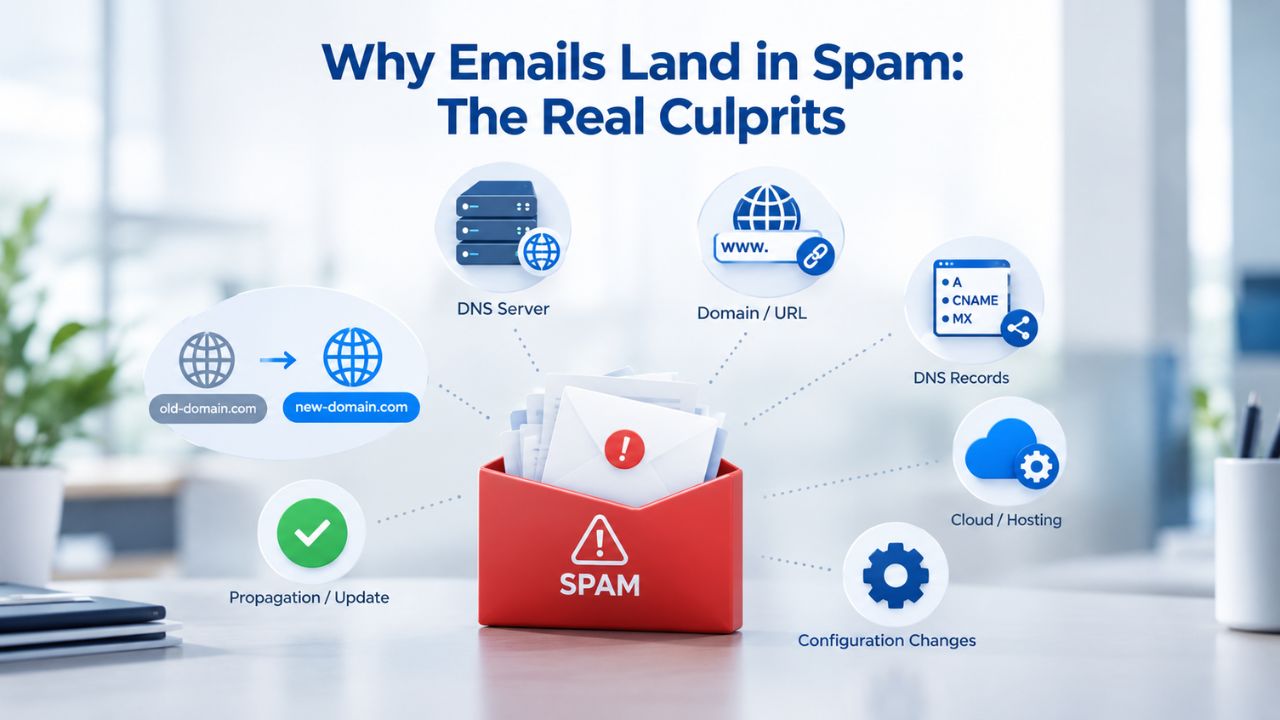
The Critical Difference Between Delivery and Deliverability
Email deliverability is not the same as delivery. A “delivered” notification from an email service provider means the receiving server accepted the message, nothing more. It says nothing about whether the email landed in the inbox, a spam folder, or was silently discarded by filters. Industry testing in 2025 found that only 60% of emails reach a visible mailbox; the rest land in spam or are rejected before anyone sees them.
This gap between acceptance and visibility silently kills email campaigns. The average inbox placement rate across permission-based business email is around 83%, meaning roughly one in six legitimate emails never reach their intended inbox. This gap has widened as Gmail, Yahoo, and Microsoft have tightened enforcement of authentication and sender reputation standards. A sender with 100 prospects might only reach 83, and reputation damage from the other 17 can worsen all future campaigns.
Why Sender Reputation Matters More Than Content
Mailbox providers score your sender reputation continuously based on bounce rates, complaint rates, engagement patterns, and blacklist history. High-reputation IP addresses have a spam rate of just 4.1%, compared to 34.6% for low-reputation IPs. The difference is stark: 89% of emails sent from blacklisted IP addresses never reach inboxes.
Sender reputation is not set once and forgotten; it’s earned and maintained through consistent action. Keeping bounce rates low, maintaining high engagement, and removing invalid addresses before they trigger spam traps are the daily disciplines that determine long-term success. One bad campaign can damage a reputation built over months; rebuilding requires patience and strategic list management.
Setting Up Email Authentication: SPF, DKIM, and DMARC Explained
Email authentication has become mandatory for deliverability. In February 2024, Google and Yahoo introduced bulk-sender requirements that became effectively mandatory for anyone sending 5,000 or more emails per day to personal accounts. By November 2025, Gmail moved from soft enforcement (temporary delays) to hard enforcement: non-compliant messages are permanently rejected before reaching any mailbox. Microsoft followed in May 2025 with equivalent requirements for Outlook, Hotmail, and Live accounts.
These requirements are not optional; they’re the foundation of modern email infrastructure. Understanding what each protocol does and why it matters helps senders set them up correctly and avoid costly mistakes. Even senders under the 5,000-email threshold benefit from full compliance, as smaller providers increasingly adopt the same standards.
SPF (Sender Policy Framework): Verifying the Sending Server
SPF, defined in RFC 7208, is a DNS record that publishes the list of IP addresses and mail servers authorized to send email on behalf of your domain. When a receiving server gets an email claiming to come from your domain, it checks your SPF record: is the connecting IP authorized? If yes, SPF passes. If no, it fails. This simple check prevents attackers from spoofing your domain by sending from unauthorized servers.
SPF alone cannot authenticate a message perfectly; it only checks the envelope sender, not the “From:” header that recipients see, but it’s the first line of defense. Major email providers require SPF as part of their bulk-sender policy. They will reject non-compliant mail. Setting up SPF typically takes 30 minutes to an hour and requires access to your domain’s DNS settings through your registrar.
DKIM (DomainKeys Identified Mail): Signing Messages Cryptographically
DKIM, defined in RFC 6376, adds a cryptographic signature to every email message, proving that the email came from your domain and that its content has not been altered in transit. The receiving server uses a public key published in your DNS to verify the signature. If the signature is valid, DKIM passes; if not, it fails. This approach protects email integrity even when messages are forwarded or processed by third-party services.
Unlike SPF, DKIM checks the actual email content and cannot be spoofed by forwarding through different mail servers. It’s particularly powerful for protecting domain reputation when emails are forwarded or when third-party services send mail on your behalf. For example, marketing automation platforms, CRM tools, and help-desk systems all benefit from proper DKIM configuration to ensure their emails on your domain pass authentication checks.
DMARC (Domain-based Message Authentication, Reporting, and Conformance): Setting Policy
DMARC, defined in RFC 7489, is the policy layer that sits above SPF and DKIM. It tells receiving servers what to do when an email fails SPF or DKIM checks: deliver it anyway (p=none), quarantine it to spam (p=quarantine), or reject it outright (p=reject). DMARC also generates aggregate and forensic reports that show when your domain is being misused or when legitimate mail is failing checks, giving you actionable data.
Starting with p=none lets you monitor failures without affecting delivery, then gradually strengthening to p=quarantine and p=reject as you confirm all legitimate mail passes SPF and DKIM alignment. This staged approach prevents accidentally blocking legitimate emails from third-party senders you’ve authorized but not yet aligned with DMARC.
Monitoring and Improving Your Sender Reputation
Sender reputation is earned through measurable actions, not assumptions. The metrics that matter most are bounce rate, complaint rate, and engagement. Monitoring these metrics weekly reveals patterns and problems before they scale into major deliverability issues. Most email disasters are preventable if you catch them early.
Keep Bounce Rates in Check: The Foundation of Reputation
A bounce rate over 2% draws scrutiny from mailbox providers, and rates above 5% often trigger spam folder placement or rejections. Senders who maintain bounce rates under 1.5% see 10–12% higher inbox placement rates. This relationship is direct: lower bounces equal higher trust from mailbox providers, which directly translates to better inbox placement.
Bounces signal poor address collection or list hygiene. They also trigger spam traps, old, recycled email addresses that mailbox providers monitor specifically to catch senders with bad list practices. A single spam-trap hit can damage your reputation for months, requiring sustained good behavior to rebuild. Removing 50 invalid addresses now prevents weeks of reputation damage later.
Monitor Spam Complaint Rates: The Warning Signal
Gmail requires spam complaint rates below 0.10%; at 0.30%, senders are flagged and at risk of having mail junked or rejected. A complaint rate climbing toward 0.30% is a red flag to act immediately; either your list quality is poor, or your messaging is misaligned with recipient expectations. Waiting until you hit 0.30% to act means weeks of already-damaged reputation before recovery begins.
Complaint rate is a direct signal from recipients: they’re marking your mail as spam. Unlike bounces (technical failures), complaints are votes against your emails. Multiple complaints signal that either your audience has changed, your messaging has shifted, or you’re sending to people who no longer want to hear from you. The fix is usually immediate: audit recent campaigns, segment engaged recipients, and reduce volume to unengaged lists.
Maintain High Engagement: Proof of Legitimacy
Low open rates, rare replies, and high unsubscribe rates signal to spam filters that your mail is unwanted. Engaged recipients prove legitimacy to mailbox providers. If your recent campaigns have open rates consistently below 15%, audit your list and messaging before you scale volume. High engagement is the quiet engine of good deliverability.
Engagement metrics matter because they show mailbox providers that recipients actually want your mail. Recipients who open emails, click links, and reply signal trust and interest. Mailbox providers reward this behavior by placing future emails in the inbox. Conversely, unopened emails and quick deletes signal low value, and mailbox providers respond by filtering more aggressively.
List Hygiene and Bounce Rate Management
The single biggest reputation killer is sending to invalid, abandoned, or recycled addresses. Yet only 23.6% of B2B marketers verify their email lists before campaigns; 69.6% verify monthly or less frequently, creating accumulating reputation damage. This gap between best practice and reality explains why so many senders struggle with deliverability, even when everything else is right.
Remove Invalid Addresses Proactively: Prevention Over Cure
Before each campaign, audit your list. Remove obvious typos (e.g., “gmial.com”), hard bounces from previous campaigns, and addresses that haven’t engaged in the last 6–12 months. High bounce rates not only waste sends, but also damage your domain and IP reputation, making future campaigns more likely to land in spam or face delays. Prevention is far easier than recovery; removing a few bad addresses now avoids weeks of fighting spam folder placement later.
Most invalid addresses come from three sources: typos during signup, abandoned accounts that never engaged, and role addresses that no longer exist (e.g., “info@oldcompany.com” at a company that reorganized). Data validation at signup catches typos. Regular re-engagement campaigns identify abandoned accounts. Industry data and common sense catch role addresses. Combined, these three practices eliminate 80% of invalid-address risk.
Implement Re-engagement Campaigns: Honor the Relationship
Inactive subscribers create deliverability risk and waste sending resources. Send a re-engagement email (“We miss you, do you want to stay on our list?”) and honor the unsubscribe. Removing 50 inactive addresses is far better than letting them accumulate complaints or bounce repeatedly. This practice shows recipients respect and signals to mailbox providers that you maintain list quality.
Re-engagement campaigns also serve a secondary purpose: they improve your understanding of your audience. Addresses that don’t re-engage in 60 days are unlikely ever to engage again. Removing them keeps your future campaigns focused on people who care about your message, improving open rates, click rates, and reputation at once.
Segment by Engagement Level: Protect Your Reputation
Send to your most engaged subscribers first. If initial results look healthy (good opens, low bounces), send to less engaged tiers. This signals to mailbox providers that your mail is wanted and allows you to catch and fix problems before they scale. It also teaches you what your baseline looks like, so anomalies become obvious.
Segmentation is a form of risk management. Your most engaged subscribers are your safest bet; they’ll open, click, and reply, all of which signal value to mailbox providers. Starting there protects your sender reputation while you test messaging and content quality on a warm audience. By the time you send to broader segments, you’ve already proven that your emails are wanted.
Email Content and Design Best Practices
Content matters, but less than senders think. Modern spam filters no longer rely heavily on outdated “spam trigger words” like “free,” “buy now,” or “limited time”; these were meaningful signals in the early 2010s but are far less important today. Modern filters use reputation and engagement data instead. This shift means senders can focus on writing good emails rather than censoring themselves around arbitrary words.

Build Clean, Structured HTML: The Foundation of Rendering
70% of emails contain HTML structural issues such as invalid nesting, missing attributes, or accessibility violations, and emails with poor HTML structure are 18–25% more likely to land in spam. Use simple, valid HTML. Avoid nested tables when possible, include proper alt text for images, and test rendering across clients before sending. Cluttered, overly complex designs can also trigger filters. Minimalist designs with clear headlines, concise copy, and prominent calls to action improve readability and avoid spam triggers like excessively complex HTML.
HTML quality is often overlooked because most emails render fine on modern clients. But mailbox providers scan the HTML itself for red flags: broken code, suspicious patterns, or structures commonly used in phishing attacks. Clean, standards-compliant HTML passes these checks quickly. Poor HTML triggers closer inspection, which means more aggressive filtering.
Craft Subject Lines Carefully: Honesty Over Hype
Avoid all-caps, excessive punctuation (!!!), and subject lines that don’t match the email body. Subject lines with misleading claims or excessive symbols (dollar signs, percentages) raise spam scores. Be honest and specific: “Your Q3 report is ready” performs better and triggers fewer filters than “URGENT: READ NOW – FREE REPORT!!!”. Specificity builds trust with both filters and recipients.
Subject-line honesty is also pragmatic: if your subject promises something your email doesn’t deliver, recipients mark it as spam. Even if it gets past the spam filter initially, that complaint damages your reputation. The best subject lines set accurate expectations and match the email content exactly.
Limit Links and Use Direct URLs: Simplicity Wins
Limit cold emails to 0–1 links, ideally one clear call to action. Avoid URL shorteners like Bitly or TinyURL, as they’re commonly flagged as spam indicators. Direct, recognizable URLs build trust. Multiple links raise spam scores and confuse recipients about what action you want them to take. One clear link does both jobs better.
URL shorteners are flagged because they hide the destination, making them a common phishing tactic. Mailbox providers have learned to distrust them. Direct URLs are safer for recipients, and filters treat them as higher-trust signals. Your domain’s URL is free marketing; use it.
Ensure Visual Consistency: Mobile and Dark Mode Matter
Many recipients prefer dark mode, and emails that render poorly in dark mode trigger spam complaints or unsubscribes. Test your design on mobile devices and across email clients before sending. Use consistent styling, clear visual hierarchy, and descriptive alt text for all images. Poor design doesn’t just hurt open rates; it increases complaints, which directly damage reputation.
Dark mode rendering issues are common because many templates use light backgrounds with dark text only, making them unreadable when inverted. Testing across dark and light modes catches these issues before they hurt deliverability. Mobile rendering is equally critical: over 50% of emails are opened on mobile, and poor rendering pushes unsubscribes and complaints.
Master Your Email Design and Content Strategy
Professional Email Hosting powered by Titan Email includes tools and support to help you build clean, compliant emails that reach inboxes. From authentication setup to content review, we guide you through every step of building email that works.
Gmail, Yahoo, and Microsoft Compliance: What Changed and What It Means
The shift from soft to hard enforcement in late 2024 and 2025 fundamentally changed the stakes. Understanding each provider’s requirements is now essential for any business sending volume. Compliance moved from “recommended best practice” to “required for delivery.” Non-compliance means permanent rejection, not temporary delays.
Gmail and Yahoo Requirements: The Hard Line
Senders dispatching 5,000 or more messages per day to Gmail or Yahoo personal accounts must configure SPF, DKIM, and DMARC, implement one-click unsubscribe (per RFC 8058), and keep spam complaint rates below 0.3%. Starting in November 2025, Gmail will permanently reject non-compliant bulk mail with hard 5xx SMTP errors, with no spam-filtering fallback. This shift means non-compliance isn’t a deliverability problem; it’s a blocking problem.
Hard rejection matters because it’s immediate and unambiguous. A soft failure (spam folder placement) can be recovered from; a hard rejection means the recipient never sees the email. Senders have no opportunity to fix the problem post-send. Compliance must be verified before the send.
Microsoft Outlook and Hotmail: Same Standards
Microsoft now applies equivalent bulk-sender authentication requirements for senders at 5,000+ emails per day, effective May 5, 2025. Non-compliance risks junking or outright rejection for Outlook.com and Hotmail.com recipients. The standards are now uniform across the big three, making compliance straightforward: set up SPF, DKIM, DMARC, one-click unsubscribe, and monitor complaint rates below 0.3%.
Microsoft’s enforcement aligns with Gmail and Yahoo, which simplifies compliance. Senders no longer need to maintain different standards for different providers. One set of practices works across all major platforms. This uniformity helps: senders can focus on one compliance checklist instead of juggling multiple standards.
What This Means for Your Business Email
If your business sends fewer than 5,000 emails per day across all providers combined, these requirements still benefit you even if hard enforcement doesn’t technically apply. Many smaller mailbox providers are adopting the same standards. Compliance should be your baseline, not an exception. When mailbox providers notice a pattern of bounced emails or high complaint rates, they may flag your messages as spam, block them entirely, or reroute them away from recipients’ inboxes.
Even below the 5,000-email threshold, compliance demonstrates professionalism and good sender practices. Recipients trust domains that implement authentication. Mailbox providers reward compliance even when not strictly required. Starting right costs less than fixing it later.
| Provider | 5,000+/Day Threshold | SPF Required | DKIM Required | DMARC Required | Complaint Rate Limit | One-Click Unsubscribe | Enforcement Type |
|---|---|---|---|---|---|---|---|
| Gmail | Yes | Yes | Yes | Yes | Below 0.3% | Yes | Hard rejection (5xx) as of Nov 2025 |
| Yahoo | Yes | Yes | Yes | Yes | Below 0.3% | Yes | Hard rejection, aligned with Gmail |
| Microsoft | Yes | Yes | Yes | Yes | Below 0.3% | Yes | Hard rejection (May 2025+) |
| General Best Practice | <5,000/day | Recommended | Recommended | Recommended | Below 1% | Recommended | Soft (spam placement) or improved |
How Professional Email Hosting Supports Deliverability
Professional email hosting plays a critical role in deliverability. A service with high IP reputation, proper authentication support, and anti-spam infrastructure can mean the difference between inbox placement and spam folders. The platform you choose can help or hinder your efforts.
IP Reputation and Sending Infrastructure: The Foundation
Professional email hosting maintains a high IP reputation, meaning your emails are sent from infrastructure mailbox providers trust. This is harder to achieve than it sounds: shared sending infrastructure is only as strong as its worst actor. Professional platforms that focus on business email, not mass marketing or bulk services, keep IP reputation high by maintaining strict standards across all users.
IP reputation builds over time through consistent good behavior across all senders on that platform. One bad actor can damage shared IP reputation for everyone. This is why professional hosting providers enforce strict authentication, monitor complaint rates, and remove abusive senders quickly. Your reputation benefits from their vigilance.
Built-in Authentication Support: Simplifying Setup
Professional email hosting includes full support for SPF, DKIM, and DMARC setup and configuration. You don’t need to hunt for DNS documentation or worry about misconfiguring records. Setup typically takes less than an hour, and support teams can assist if you get stuck. Many providers include dashboard automation that generates DNS records and guides users through setup.
Having built-in support reduces the barrier to compliance. Without it, many senders either skip authentication or misconfigure it, both of which damage deliverability. With it, compliance becomes part of the normal setup flow, not an afterthought. This matters because senders who set up authentication correctly from day one face far fewer deliverability problems later.
Enforcement of Best Practices: Guardrails That Work
Professional hosting enforces sending limits and monitors spam rates to prevent accidental reputation damage. Rate limits prevent high-volume sends from overwhelming mailbox providers. Complaint-rate monitoring alerts you when something is wrong before reputation damage scales. These guardrails protect you from common mistakes.
Enforcement also signals to mailbox providers that this sender uses a platform that takes abuse seriously. A sender on a reputable platform with strict controls is trustworthy by association. This halo effect helps even new domains or IPs gain better inbox placement faster than they would on less professional infrastructure.
Migration and Ongoing Support: The Transition
When switching from a free email address or another provider, built-in migration tools transfer your existing emails, contacts, and folders. Migration support teams can guide you through the process, usually completing it without data loss and running both systems in parallel for 24–48 hours after migration to catch any missed messages. With professional services, this process is usually seamless.
Migration support matters because email is critical business infrastructure. Losing a single message can damage customer relationships. A team that watches the transition and is ready to troubleshoot reduces this risk. The cost of migration support is negligible compared to the value of data integrity.
Testing and Monitoring Your Deliverability
Setting up authentication and list hygiene is the start, not the finish. Ongoing monitoring tells you whether your efforts are working and alerts you to problems before they scale. Most email disasters are predictable and preventable if you’re watching the right metrics.
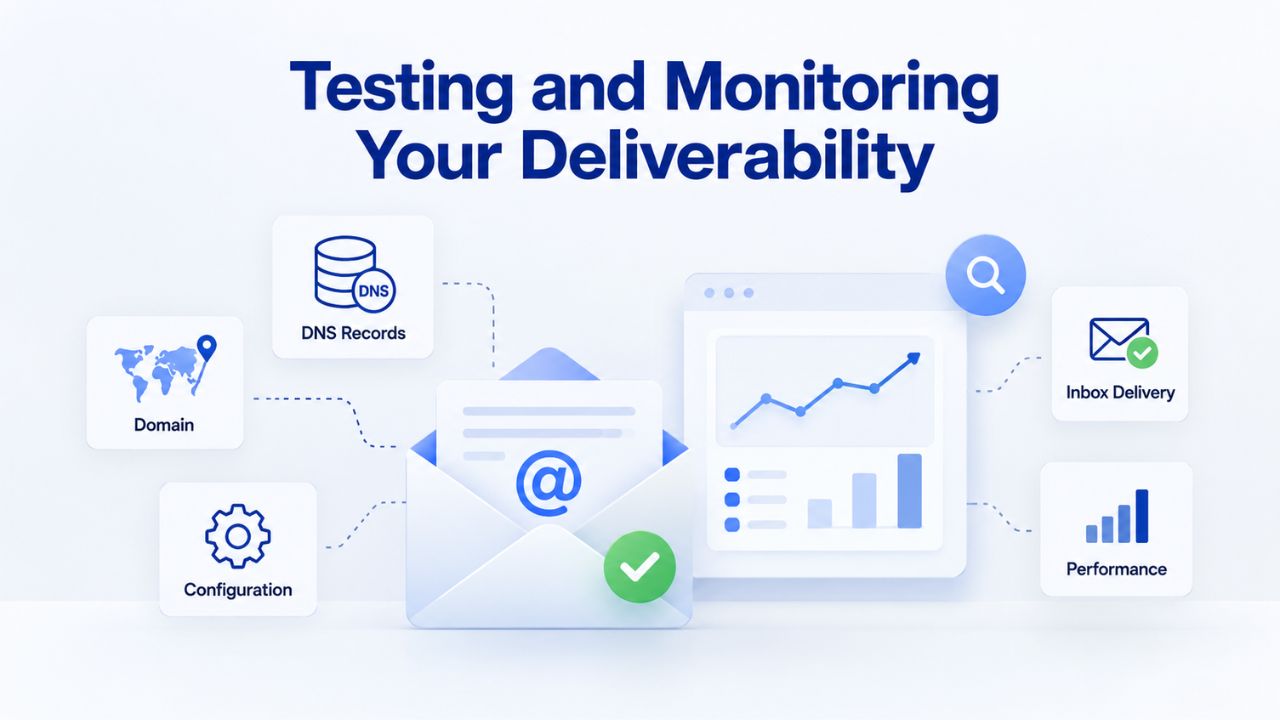
Track Key Metrics: Weekly Monitoring
Monitor bounce rate, complaint rate, and open rates on every campaign. A sudden spike in bounces or complaints is a red flag. A declining open rate might signal list fatigue or a drop in engagement. Use tools like Google Postmaster Tools (for Gmail senders) or your email service provider’s built-in analytics to track these metrics. Most professional email platforms include free monitoring dashboards that make this easy.
Weekly monitoring creates a feedback loop. You see results, identify trends, and adjust. This iteration is how senders improve continuously. Senders who monitor monthly or less often don’t catch problems until they’re severe.
Test Your Authentication Setup: Before Sending Volume
Before sending volume, use free DNS-checking tools to verify that your SPF, DKIM, and DMARC records are correctly configured and return clean results. If any are missing or misconfigured, your email service provider’s help docs will walk you through setup, usually taking less than an hour. Fixing misconfigurations now prevents weeks of poor deliverability later.
Testing is especially important after any change: adding a new email service, migrating providers, or changing domain configurations. One misconfigured record can break authentication. Testing catches this immediately, not after the damage is done.
Audit Your List Regularly: Quarterly Discipline
Perform a full list audit every 3–6 months. Remove hard bounces, flag inactive subscribers, and assess whether your engagement metrics are healthy. List verification before campaigns is standard practice for maintaining reputation. After each campaign, remove hard bounces immediately. Every quarter, audit for engagement: remove addresses that haven’t opened an email in 6–12 months or flag them for re-engagement.
Audits reveal patterns. If bounce rate is climbing, your signup process might be broken. If complaint rate is rising, your messaging might have shifted. If engagement is dropping, your content or frequency might be wrong. Regular audits surface these problems while they’re still fixable.
Act on Warnings Early: Prevention Over Crisis
If your complaint rate is trending toward 0.30%, or your bounce rate exceeds 2%, reduce sending volume and investigate immediately. A small correction now prevents major reputation damage later. Don’t wait for mailbox providers to take action; fix problems before they escalate.
Early action is vastly cheaper than late recovery. Reducing volume by 10% while you investigate a bounce-rate spike costs less than the reputation damage from continued high-volume sending to a degraded list. Professional senders constantly watch for warning signs and act immediately when they appear.
| Metric | Warning Threshold | Critical Threshold | Action |
|---|---|---|---|
| Bounce Rate | > 2% | > 5% | Audit list; remove hard bounces; reduce volume if needed |
| Complaint Rate | Trending to 0.30% | 0.30%+ | Reduce volume immediately; audit recent campaigns; segment engaged recipients |
| Open Rate | < 15% (recent campaigns) | < 10% (consistent) | Audit list quality; test subject lines; reduce send frequency |
| Engagement (clicks/replies) | Declining month-over-month | No clicks for 3+ campaigns | Pause volume; audit list; consider re-engagement campaign |
Common Mistakes and How to Avoid Them
Years of email deliverability advice have created persistent myths. Knowing which are outdated can save senders time and protect reputation.
Mistake 1: Assuming Content Is the Main Problem
Senders often rewrite subject lines, soften sales language, and remove words like “free”, assuming content is why mail lands in spam. In reality, spam filters evaluate sender reputation and authentication long before they assess content. If your content is fine. Still, your bounce rate is 5%, and your domain has no DKIM, fixing the foundation first will have far more impact than rewording. Content tweaks are the last lever to pull, not the first.
The persistence of this myth is understandable: content changes are easier to see and do than authentication setup. But this is a form of false economy. Small content changes produce small results. Big foundation fixes produce big results. Professional senders fix authentication first, list quality second, and content third.
Mistake 2: Ignoring List Quality in Favor of Volume
Buying email lists, scraping addresses, or sending to unverified contacts seems fast. It destroys reputation faster. High bounce rates signal poor list hygiene and trigger spam traps that damage your domain for months. Start with a smaller, verified, engaged list and grow it through permission-based signup. Quality always beats volume in the long run.
The math is simple: a list of 1,000 engaged, verified addresses will outperform a list of 10,000 purchased addresses in every metric that matters: opens, clicks, revenue, and reputation. One bad list buy can set you back months. Slow, clean growth protects your reputation and improves results.
Mistake 3: Setting DMARC to p=reject Immediately
DMARC enforcement is powerful but dangerous if misconfigured. Starting with p=reject before confirming all legitimate mail passes SPF and DKIM alignment can silently block legitimate emails and damage customer relationships. Always start with p=none, monitor reports for at least a week, then move to p=quarantine and finally p=reject. This staged approach prevents surprises.
Testing DMARC policy changes is essential because they affect your entire domain. A misconfigured policy that rejects too much mail can damage customer relationships and revenue. Running p=none for a full business cycle allows you to review reports, identify legitimate senders, and ensure alignment before enforcement.
Mistake 4: Neglecting Mobile Rendering and Dark Mode
Many senders test emails on desktop in light mode only, then send. Many recipients prefer dark mode, and emails that render poorly in dark mode trigger spam complaints or unsubscribes. Test your design on mobile devices and across email clients before sending. Poor design doesn’t just hurt open rates; it increases complaints, which directly damage reputation.
Testing takes 15 minutes and prevents weeks of reputation recovery. Desktop light-mode rendering is no longer sufficient. Professional senders test across at least desktop light/dark, mobile light/dark, and common email clients (Gmail, Outlook, Apple Mail).
Mistake 5: Forgetting to Monitor Post-Send
Set authentication, send a campaign, and walk away. Reputation changes daily. Bounce rates, complaint rates, and engagement metrics signal problems and opportunities. Weeks later, you might discover your bounce rate has climbed, and your reputation has declined. Check metrics regularly, at least weekly for active senders.
Post-send monitoring is where most senders fail. They do everything right before sending, then ignore what happens after. This is backward. What happens post-send tells you whether your approach is working and reveals emerging problems. Professional senders treat post-send monitoring as part of their regular workflow, not an afterthought. Niya Digital’s team has found that senders who monitor their metrics weekly and act on warning signs within 48 hours rarely face severe reputation damage, and their emails reach inboxes consistently month after month.
Building Your Email Deliverability Roadmap
Fixing deliverability isn’t a one-time project; it’s an ongoing practice. The foundations, authentication, list quality, monitoring must all work together. A realistic roadmap spreads these changes across weeks or months, prioritizes high-impact actions first, and builds sustainable habits into your workflow.
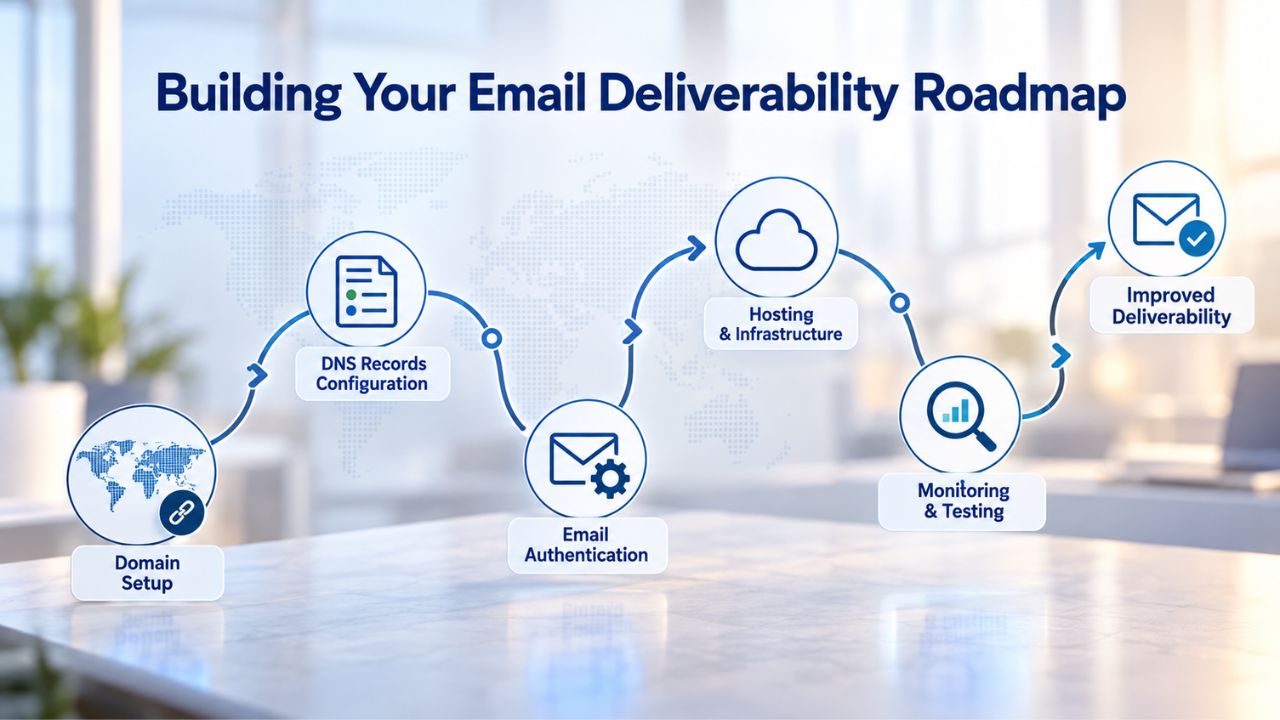
Phase 1 (Weeks 1–2), Lock Down Authentication
Start with SPF, DKIM, and DMARC. These are foundational and must be right before anything else matters. If you’re already using an email service provider, they’ll have DNS instructions and likely an automated setup tool. Set aside one hour, log into your domain registrar’s DNS settings, and add the three records. Then verify they’re correct using MXToolbox or your provider’s testing tool.
Once authentication is live, your emails immediately start passing basic trust checks at Gmail, Yahoo, and Microsoft. This single step often improves inbox placement by 5–10% for domains that previously had no authentication. You won’t fix a damaged reputation overnight, but you’ll stop making it worse, and you’ll lay the groundwork for recovery. Don’t move forward until you’ve completed and verified this step.
Phase 2 (Weeks 3–4), Audit and Clean Your List
Pull your full subscriber list and remove obvious problems: hard bounces from previous campaigns, addresses with obvious typos, and any role addresses you don’t recognize. If you have engagement data, flag (don’t delete) addresses that haven’t opened an email in 12+ months. Remove the hard bounces and hard-invalid addresses; segment the inactive ones for a re-engagement campaign.
This phase is uncomfortable because it shrinks your list, but a smaller, cleaner list outperforms a larger, dirty one in every metric that matters. You might reduce list size by 5–15%; that’s normal and healthy. A list of 5,000 verified, engaged addresses will generate more opens, clicks, replies, and revenue than a list of 10,000 addresses cluttered with invalid or disengaged addresses. After cleanup, your bounce rate should drop noticeably on your next campaign.
Ready to Implement Deliverability Best Practices?
Professional Email Hosting powered by Titan Email handles authentication support, reputation management, compliance monitoring, and ongoing guidance so you can focus on writing emails that matter. Start with the right foundation, monitor continuously, and maintain inbox placement over the long term.
Frequently Asked Questions
What’s the difference between email delivery and email deliverability?
Delivery means the receiving mail server accepted your message; deliverability means your message landed in the recipient’s inbox (not spam or promotions). A delivery receipt tells you the server accepted it. Deliverability tells you the recipient actually saw it. Modern email best practice tracks both, but inbox placement is what matters for business outcomes.
Do I need SPF, DKIM, and DMARC if I’m sending fewer than 5,000 emails per day?
Yes. While Gmail and Yahoo enforce them strictly at 5,000+ emails daily, having all three configured improves inbox placement even at smaller volumes. Many smaller mailbox providers are adopting the same standards. Compliance should be your baseline from day one, not something to add later.
How long does it take to set up SPF, DKIM, and DMARC?
If your domain registrar and email service provider’s documentation are clear, setup typically takes 30 minutes to an hour. You’ll need to log into your domain registrar’s DNS settings, add the records, and wait up to 48 hours for DNS propagation. Most professional hosting services include guided setup that automates record generation.
What’s a safe bounce rate for business email?
Bounce rates below 2% are generally safe and won’t trigger scrutiny. Below 1.5% is optimal and correlates with higher inbox placement. Above 5% is critical and warrants immediate list cleanup. Track this metric on every campaign to catch problems early.
Can I fix a damaged sender reputation?
Yes, but it takes time and consistent action. Reduce sending volume, audit and clean your list aggressively, and monitor metrics weekly. Rebuilding trust can take weeks or months, depending on the damage. In severe cases, starting fresh with a new IP address is faster, but only if you’ve fixed the underlying list or compliance issues first.
Will switching to professional email hosting alone fix my spam folder problems?
Professional email hosting helps significantly because it provides high-reputation IP infrastructure and authentication support. But it’s not a magic fix. You still need to maintain list quality, monitor metrics, and comply with Gmail, Yahoo, and Microsoft requirements. The combination of good hosting plus good practices is what works.
What should I do if my complaint rate is climbing?
Reduce sending volume immediately and audit your recent campaigns. Are you sending to unengaged or stale subscribers? Did your messaging shift in a way that surprised recipients? Implement a re-engagement campaign to clean your list, then resume sending at lower volume. Monitor closely for the next 2–3 campaigns.
Is email authentication enough to guarantee inbox placement?
No. Authentication is baseline, necessary but not sufficient. Sender reputation (bounce rate, complaint rate, engagement) and list quality matter just as much. An authenticated domain with a poor sender reputation will still land in the spam folder. All three foundations must be solid.
How often should I audit my email list?
Every 3–6 months is standard. After each campaign, remove hard bounces. Every quarter, audit for engagement: remove addresses that haven’t opened an email in 6–12 months or flag them for re-engagement. Before major campaigns, run a full list verification.
What’s the fastest way to improve email deliverability?
Fix authentication (SPF/DKIM/DMARC) first; it’s high impact and quick to setup up. Then audit your list for invalid addresses and hard bounces. Then monitor metrics weekly and act on warning signs immediately. These three steps deliver the fastest and most visible results.
If I use professional email hosting, do I have to worry about authentication?
Professional hosting handles IP reputation management through their infrastructure. You still need to configure SPF, DKIM, and DMARC for your domain (pointing to their servers). Support teams guide you through it, and most dashboards include the setup. It’s a one-time task with ongoing benefits.
What’s the best way to transition to professional email hosting without losing emails?
Use your provider’s built-in migration tool to transfer existing emails, contacts, and folders. Update your MX records in DNS to point to the new provider. Run both systems in parallel for 24–48 hours to catch any missed mail, then decommission the old provider. This process is usually seamless with professional services.
Are there free tools to test my email deliverability?
Yes. MXToolbox offers free SPF/DKIM/DMARC verification. Many email service providers include built-in testing tools. Google Postmaster Tools (for Gmail senders) provides free domain reputation and authentication monitoring. These are good starting points before investing in paid monitoring platforms.
How does list segmentation improve deliverability?
Segmentation allows you to send to engaged subscribers first, which signals to mailbox providers that your mail is wanted. Early campaigns from engaged lists perform better, earn positive reputation signals, and set the tone for campaigns to less-engaged tiers. This protects your overall reputation and improves results across the board.
What happens if I use a free email address (@gmail.com, @yahoo.com) for business communications?
Free email addresses undermine credibility and limit features (no custom domain, no team management, limited storage). More importantly, free email providers rate-limit and may flag business-volume sending as spam, especially if you’re sending transactional or marketing emails at scale. A professional email address (@yourdomain.com) is worth the investment.
Glossary
- Bounce Rate: The percentage of emails that fail to reach a recipient’s mailbox server. Hard bounces are permanent (invalid address, domain doesn’t exist), while soft bounces are temporary (mailbox full, server down). High bounce rates damage sender reputation.
- DKIM (DomainKeys Identified Mail): An email authentication method that adds a cryptographic signature to messages, proving they came from your domain and haven’t been altered. Defined in RFC 6376.
- DMARC (Domain-based Message Authentication, Reporting and Conformance): A policy protocol that works with SPF and DKIM to specify what happens to emails that fail authentication checks (deliver, quarantine, or reject). Defined in RFC 7489.
- Email Deliverability: Whether an email reaches a recipient’s inbox (as opposed to spam folders or being rejected). Different from “delivery,” which only means the receiving server accepted the message.
- MX Record: A DNS record that tells other mail servers where to deliver emails for your domain. Essential for receiving business email on your custom domain.
- Sender Reputation: A score assigned by mailbox providers based on factors like bounce rate, complaint rate, engagement, and blacklist history. A high reputation improves inbox placement; a low reputation increases spam folder placement.
- Spam Complaint Rate: The percentage of recipients who mark an email as spam or junk. High complaint rates damage sender reputation and trigger filtering.
- SPF (Sender Policy Framework): An email authentication method that publishes the IP addresses and servers authorized to send mail for your domain and is defined in RFC 7208.