
Why Professional Email Matters for Deliverability
A professional email address, one using your own domain, like business@yourcompany.com, establishes identity in the eyes of ISPs and recipients alike. Custom-domain professional email builds reputation tied to your business, not shared services. This distinction directly affects how ISPs filter your messages and how recipients perceive your legitimacy. Free or shared email addresses carry inherent trust disadvantages because they’re reused across millions of users, making individual reputation hard to establish and easy to damage.

Your Domain Is Your Reputation Asset
When you send from a custom-domain professional email address, you’re building reputation tied solely to your business. ISPs use machine-learning models trained on billions of messages, and the strongest signal is consistent, authenticated mail from recognized domains. This domain-level reputation compounds over time; consistent, high-quality sending improves your standing with ISPs, while poor practices damage it. Your domain becomes an asset you control, building trust with every legitimate message you send.
Free addresses carry lower trust scores because they’re reused across many senders, making it harder to build an individual reputation. When a single bad actor sends spam from gmail.com, every legitimate gmail.com sender’s reputation takes a small hit. With a custom domain, you build and protect your reputation. This distinction isn’t theoretical; it directly affects inbox placement, especially for business-critical transactional and marketing emails.
Professional Email Signals Legitimacy to Recipients
Beyond ISP filtering, recipients themselves respond differently to professional email addresses. A business using a custom-domain email address appears more established and trustworthy than one relying on free alternatives. This matters for customer confidence, partnership credibility, and regulatory or compliance context; many regulated industries expect business email on company domains. The professional appearance of a custom-domain email reinforces the deliverability advantage ISPs are already giving it.
When customers see an email from you@yourcompany.com instead of you@gmail.com, they perceive your business as legitimate and committed to professional communication. This psychological trust, combined with ISP filtering preferences, creates a measurable deliverability advantage. Professional email hosting establishes that expectation from day one, signaling accountability and intentionality. For businesses competing on trust and credibility, this signal is worth the investment.
Understanding Email Authentication Protocols
Modern email deliverability rests on three authentication standards: SPF, DKIM, and DMARC. None of them guarantees inbox placement, but all three are baseline requirements for legitimate business email. Together, they show ISPs that your domain authorizes the mail being sent and that it hasn’t been spoofed or tampered with. These protocols are defined in IETF standards (RFC 7208, RFC 6376, and RFC 7489) and represent the modern consensus on email security.
SPF & Authentication Authorization
SPF (Sender Policy Framework) is a DNS-based standard that allows you to publicly state which mail servers are authorized to send email on your domain’s behalf. When an ISP receives an email claiming to be from your domain, it checks your SPF record, a simple text entry in your domain’s DNS configuration. If the mail came from a server you’ve authorized, the SPF check passes. If not, it fails, signaling to the ISP that the email may be spoofed or forged.
For most business email users, SPF setup is straightforward: your email hosting provider (like Titan Email) publishes an SPF record for you, or provides a template you add to your DNS. Titan Email provides SPF configuration support so your domain’s mail servers are properly authorized. Once in place, SPF checks run automatically on every incoming message; you don’t need to do anything after setup. The record typically takes effect within minutes to hours after DNS propagation.
DKIM & DMARC: Signing and Policy Enforcement
DKIM (DomainKeys Identified Mail) adds a cryptographic signature to every email you send. Your mail server signs outgoing messages with a private key unique to your domain; ISPs verify the signature using your public DKIM record. This dual-key system proves two things: the message genuinely came from a server authorized by your domain, and the message hasn’t been altered in transit. RFC 6376 defines DKIM as the second authentication pillar. Unlike SPF, which is a policy (a list of authorized servers), DKIM is cryptographic proof. If someone intercepts your email and changes the content, the signature no longer matches, and the ISP knows the message has been tampered with.
DMARC (Domain-based Message Authentication, Reporting, and Conformance) is a policy standard that tells ISPs what to do with mail that fails SPF or DKIM checks. You have three options: reject the message outright, quarantine it (mark it suspicious but don’t reject), or allow it but monitor the results. Defined in RFC 7489, DMARC also generates detailed reports showing which messages passed authentication and which failed, giving you visibility into your domain’s sending patterns.
This is the third authentication pillar and the most powerful for preventing domain spoofing. Titan Email manages DKIM signing and DMARC record provisioning, so users don’t handle cryptographic keys directly; the platform handles the technical complexity. For most businesses, starting with a monitor policy makes sense; you’ll see authentication results without risking rejection of legitimate mail.
Setting Up SPF, DKIM, and DMARC for Your Domain
Authentication setup is a one-time task with a small learning curve. Niya Digital’s support team helps new users through the process, and Titan Email provides templates and configuration guides to make the technical work manageable. The process typically takes 30 minutes to an hour, and DNS changes propagate globally within hours.
The Setup Process: DNS Records and Propagation
SPF, DKIM, and DMARC records all live in your domain’s DNS zone file, the same place you’d add records for any domain configuration. When you sign up for Professional Email Hosting with Niya Digital, you receive the exact record values (for SPF and DMARC) or public keys (for DKIM) to add to your DNS host’s control panel. The process typically looks like this: log into your domain registrar or hosting provider’s DNS management interface, create or edit the DNS records for your domain, paste the values provided by Niya Digital’s setup team, and save.
DNS changes propagate globally within minutes to a few hours, though ISPs may take slightly longer to pick up the new records. SPF and DKIM typically begin protecting mail immediately after DNS propagation; DMARC reports may take 24–48 hours to first appear in your inbox. The key thing to remember: once these records are live, they work passively in the background. You set them once, and they protect every email sent from your domain. Most DNS hosts provide a search interface to help you find where to add these records, and Niya Digital’s support documentation guides you through the exact steps for popular registrars and hosts.
Timeline for Full Reputation Benefit
SPF and DKIM checks happen immediately upon mail receipt, so protection starts right away. However, ISP filtering algorithms take time to credit a newly authenticated domain fully. Expect ISPs to integrate your domain’s authentication into their filtering models within 5–10 days, though some systems react faster. During this window, your domain is building reputation; sending consistently high-quality, engaged mail strengthens your standing.
This is also why Niya Digital emphasizes completing authentication setup before launching major email campaigns. If you start sending volume before SPF/DKIM/DMARC are in place, you’re building reputation on a weak foundation, which is harder to repair later. If you wait, set up authentication properly, and then ramp up volume, you start with ISP trust already in place. The difference in deliverability between these two approaches is often dramatic. New domains without authentication may see 20–40% of mail land in spam; the same domain with proper authentication typically sees 95%+ inbox placement.
| Factor | Why It Matters | Action You Can Take |
|---|---|---|
| SPF/DKIM/DMARC Setup | Proves your domain is authentic to ISPs; baseline for modern email security | Add DNS records to your domain; Titan Email provides templates and setup support |
| Sender Reputation | ISPs filter based on your sending history and domain trust | Send consistently, maintain clean lists, achieve high engagement metrics |
| List Quality & Hygiene | Invalid addresses and bounces damage your reputation | Regularly remove bounced addresses and inactive subscribers |
| Engagement Metrics | High opens/clicks signal legitimate mail to ISPs | Send relevant content, segment audiences, run re-engagement campaigns |
| Email Content Quality | ISPs scan for spam-trigger language and patterns | Avoid excessive links, attachments, and spam-flagged words; keep design simple |
| Professional Email Address | Custom domains establish trust and individual reputation | Use business\@yourcompany.com instead of free/shared email services |
| Authentication Monitoring | Ongoing verification that your records work correctly | Review DMARC reports regularly, monitor sender reputation tools |
Sender Reputation: What It Is & How It Works
Sender reputation is the aggregate score ISPs and email clients assign to your domain and IP address based on your sending history. It’s not a single number you can see; rather, it’s an assessment based on dozens of signals ISPs monitor constantly. Your reputation determines whether ISPs place your mail in the inbox or spam folder, and it compounds over time. A domain that sends consistently good mail for months builds strong standing; one bad campaign damages it, but consistent good practices can repair it.
How ISPs Measure Sender Reputation
ISPs track bounce rates, how often mail sent to their servers gets rejected as undeliverable. A high bounce rate signals that you’re sending to invalid or inactive addresses, which damages reputation. They also track complaint rates, how often recipients mark your mail as spam, and engagement metrics like open rates and click rates. Low engagement (few opens, few clicks) signals low-value mail, even if it’s legitimate. Authentication pass rates matter too: domains that consistently pass SPF and DKIM checks build trust faster than those with inconsistent or failing authentication.
ISPs feed all these signals into machine-learning models trained on billions of messages. These models learn to distinguish legitimate mail from spam with high accuracy, and sender reputation is one of the strongest predictors. A domain with a long history of good practices (low bounces, high engagement, consistent authentication) gets inbox placement; one with poor practices gets spam-folder placement or rejection. The reputation system protects recipients from spam while allowing legitimate business mail to flow. Understanding how ISPs assess reputation helps you make better sending decisions.
Why Reputation Compounds
Sender reputation is path-dependent and self-reinforcing. A domain sending consistently good mail for months builds strong standing. One bad campaign (a poorly maintained list, a batch of invalid addresses, a sudden spike in complaints) damages that standing. But consistent good practices over time repair it. This is why list hygiene and engagement are so critical; they’re not one-time tasks- they’re ongoing practices that sustain your reputation month after month.
This also means that new domains start with no reputation. When you first set up Professional Email Hosting with a brand-new domain, you’re starting at neutral. Your first sends are scrutinized more carefully by ISP filters. This is normal. By sending clean, engaged mail from day one, you build reputation quickly. By contrast, if you migrate to a new email provider or domain with poor sending practices already in place, you inherit that damage and must work harder to rebuild. Niya Digital’s migration support helps manage this transition, ensuring authentication is set up properly before you ramp up volume.
List Hygiene & Email Engagement
No amount of authentication or infrastructure can fix a bad mailing list or low engagement. These sender practices directly affect reputation and deliverability. Your infrastructure can be perfect, but if you’re sending to invalid addresses or low-engagement recipients, ISPs will still filter your mail. List quality is where sender responsibility begins.
Why List Cleaning Matters
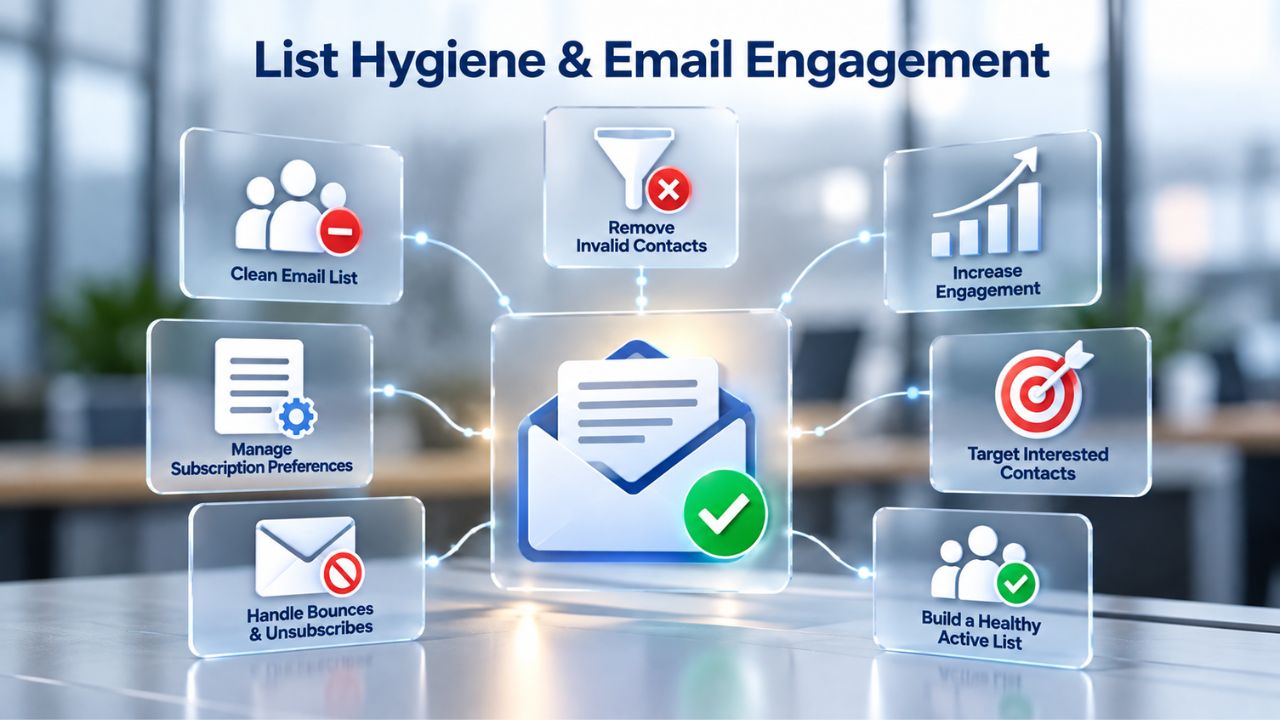
A mailing list full of invalid addresses, recycled/dead accounts, or unengaged subscribers damages sender reputation. Every bounce, every message rejected as undeliverable, signals to ISPs that you’re not maintaining your list. High bounce rates directly lower your sender reputation score, making it harder for legitimate mail to reach the inbox later. Over time, high bounce rates can land your domain on ISP blacklists, making recovery difficult and time-consuming.
Regular list cleaning means removing hard bounces (addresses that permanently reject mail), suppressing repeat complainers (people who’ve marked you as spam), and pruning inactive subscribers (people who haven’t engaged in months). The frequency depends on your sending volume and list size, but most businesses benefit from quarterly or semi-annual reviews. For high-volume senders (thousands of messages per week), monthly cleaning is standard practice. Niya Digital’s support team has found that incomplete list hygiene often goes hand in hand with incomplete authentication; both are quick wins for improving deliverability, yet new business email users frequently overlook them.
Engagement: Opens, Clicks, and Replies
ISPs interpret high open and click rates as signals that recipients want your mail. Conversely, unopened mail and low click rates signal low value, pushing messages toward spam. Engagement metrics aren’t just vanity; they’re core inputs to ISP filtering algorithms. This means your content strategy and send frequency directly affect deliverability. Sending highly relevant, timely content to well-segmented lists improves engagement and, by extension, deliverability.
Sending generic, high-frequency mail to broadly targeted lists tanks engagement and deliverability. For businesses using professional email for newsletters, promotions, or transactional messages, this is a core insight: tighter segmentation and more relevant sends aren’t just good marketing; they’re essential for inbox placement. A business sending weekly newsletters to 5,000 people with 5% open rates will struggle with deliverability. The same business sending bi-weekly newsletters to 1,000 highly segmented subscribers with 30% open rates will achieve excellent inbox placement, even with the same infrastructure.
Ready to Build a Clean, Engaged Mailing List?
List hygiene and engagement are the foundations of sustainable deliverability. When you combine a well-maintained list with professional email infrastructure, inbox placement improves dramatically and stays strong over time. Niya Digital’s Professional Email Hosting, powered by Titan Email, provides the technical foundation; your commitment to list quality and relevant content completes the picture. Start with proper authentication, then invest in list cleaning and segmentation; these three elements work together to ensure your messages reach the inbox consistently.
Content Best Practices to Avoid Spam Filters
ISPs and email clients scan email content. Certain language, formatting, and structural patterns trigger spam filters even if your sender reputation is solid. This is why professional email providers recommend content best practices as part of their onboarding. The good news: these practices are straightforward and often align with good email design anyway.
Language and Link Patterns That Trigger Filters
Spam filters look for typical spam language: excessive capitalization, repeated exclamation marks, too many clickable links, urgent language (“Act now!”), or phrases associated with phishing (“Verify your account,” “Update payment information”). This doesn’t mean your legitimate business mail can’t use action-oriented language, but you should avoid overusing these patterns. A well-designed transactional email (an order confirmation, a password reset) typically has one or two clear, simple links and minimal images. A promotional email with 10+ links and large images gets scrutinized more closely and is more likely to land in spam if your sender reputation is marginal.
The lesson: keep email design simple, link counts low, and copy professional. Avoid ALL CAPS text, excessive punctuation, and urgent language unless it genuinely matches the email’s purpose. Include a clear unsubscribe link (legally required anyway for marketing mail) and sender information. Test emails before sending campaigns to major lists, and monitor spam complaints. If spam complaint rates rise above 0.1%, it’s a red flag that content is triggering filters or not meeting audience expectations.
Formatting and Mobile Rendering
ISPs also check whether email renders correctly across devices. Emails that display poorly on mobile, with broken images, misaligned text, or links that don’t work on small screens, are sometimes downranked in filtering. This isn’t a deliverability silver bullet, but it’s part of the overall signal ISPs use to assess email quality.
Professional email hosting platforms like Titan Email support responsive email templates that render well across devices, reducing this risk. Use a responsive email template or a professional email builder to ensure your design works on phones, tablets, and desktops.
Monitoring & Troubleshooting Deliverability
Once you’ve set up authentication, cleaned your list, and started sending, how do you know if your deliverability is healthy? Monitoring and diagnosis require a mix of tools and practices. Without visibility into what’s happening, you can’t diagnose problems or know whether your efforts are working. Most professional email platforms provide built-in monitoring; third-party tools offer additional insights.
DMARC Reports and Authentication Monitoring
DMARC reports sent to your email inbox show authentication results for every message claiming to come from your domain. A healthy report shows high SPF and DKIM pass rates. A concerning report shows low pass rates or unexpected senders authenticating (a sign your domain may be impersonated elsewhere). These reports are free and automatic; ISPs send them daily or weekly depending on volume, and they’re your primary tool for diagnosing authentication issues.
If your DMARC report shows low SPF or DKIM pass rates on mail you’re actually sending, it signals a configuration problem. For example, if you’ve switched email providers but haven’t updated your SPF record, legitimate mail from your new provider will fail SPF checks. Regularly reviewing your DMARC reports helps you catch these issues quickly. Set up DMARC reporting as part of your initial authentication setup; it takes just a few minutes and provides invaluable insight into your domain’s sending patterns. You can view most reports directly in your email inbox or through third-party DMARC analyzers that aggregate data from multiple sources.
Sender Reputation Tools and Monitoring
Several third-party services check your domain’s sender reputation with major ISPs. These tools are free or low-cost and provide a snapshot of how Gmail, Outlook, Yahoo, and other providers see your domain. A good reputation check shows your domain on whitelist registries and no appearance on blacklist registries.
If your domain or IP is on a blacklist, that’s a red flag; ISPs may reject or heavily filter your mail. The remedy depends on the blacklist; some require a delisting request and proof of remediation (fixed authentication, list cleaning), while others delist automatically after a period of clean sending.
Mobile & Cross-Device Deliverability
Business email reaches recipients on phones, tablets, desktops, and webmail clients. Deliverability must work across all these contexts. Authentication, reputation, and content quality operate at the ISP level, so they’re transparent to the end user. However, the mobile email experience has unique considerations for sending and receiving.
Authentication Across Devices
SPF, DKIM, and DMARC checks happen on the ISP side before mail reaches any device, so authentication is transparent to the end user. A properly authenticated message from your Titan Email account authenticates the same way whether a recipient opens it in Gmail’s web interface, the Gmail app on iOS, or Outlook desktop; the ISP’s servers, not the client, run the authentication check. This means authentication protection is device-agnostic and universal.
However, mobile email clients can be more aggressive about filtering than webmail interfaces. Some mobile clients apply additional rules or sandboxing that can affect link handling or image rendering. Professional email hosting doesn’t directly control this, but good email design (responsive templates, minimal image reliance, clear text-based calls to action) mitigates the risk. When you receive a professionally designed email on your phone, you’re experiencing the benefit of sender discipline. When you send from professional email hosting, you give recipients the best possible experience across devices.
Mobile Setup and Sending
For businesses using professional email on mobile devices, authentication is automatic; your email client (iOS Mail, Outlook, Gmail app) handles SPF/DKIM signing in the background once you’ve added your email account. The key is ensuring your mail server settings are correct when you first add the account.
Niya Digital provides mobile setup guides for iOS, Android, and major email clients to simplify this process. Once set up, mobile sending works seamlessly, and authentication happens transparently. Team members can send business email from their phones with the same authentication protection as desktop sends, ensuring consistent brand and security posture across devices.
Deliverability During Email Migration
Changing email providers is a common concern: will my emails still be delivered? What happens to authentication? How long does reputation transfer? A well-planned migration handled by experienced support can eliminate these risks.
What Happens to Email During a Provider Switch
Your hosting provider stores email on its servers. When you switch providers, emails stored at the old provider stay there (archived in the old provider’s mailbox) unless you download them first. Your new provider gets a fresh mailbox; incoming mail will go to its servers from then on. The key is ensuring your domain’s MX records, DNS entries that tell the internet which servers should receive your domain’s mail, are updated to point to your new provider before the switch completes.
Niya Digital’s migration support handles this coordination, ensuring DNS changes happen at the right time and incoming mail is never lost. Historically, email loss during migration was common; modern providers and coordinated migrations have made it rare, but the details matter. The process typically involves:
(1) setting up new mailboxes at your new provider,
(2) downloading old emails if needed,
(3) updating MX records at the planned switch time,
(4) confirming mail flow to the new provider,
(5) monitoring for any issues.
Niya Digital coordinates all these steps, reducing migration risk to near-zero.
Authentication and Reputation Transfer
SPF and DKIM records must be updated to reflect your new provider’s mail servers. Your old SPF record authorized your old provider’s servers; your new SPF record must authorize your new provider. When you migrate to Titan Email via Niya Digital, SPF and DKIM records are reconfigured as part of setup. DMARC policy typically stays the same (it’s a domain-level policy, not provider-specific). Sender reputation doesn’t transfer automatically; your domain’s reputation is tied to your domain, but ISPs assess it based on recent sending patterns.
If you’re migrating from a provider with poor reputation practices to a professional platform with strong authentication and support, your reputation will gradually improve through clean sending from the new provider. This is why migration support and setup guidance matter: a well-executed migration into professional email hosting typically improves deliverability over time. Many businesses see inbox placement improve 20–30% in the first month after migrating to Niya Digital’s Professional Email Hosting, simply because proper authentication and platform stability compound over time.
Is Professional Email Hosting Worth It for Deliverability?
The decision to invest in professional email hosting comes down to weighing infrastructure quality, support value, and long-term deliverability benefits against the ongoing cost. For most businesses, the answer is clear: professional email hosting is worth the investment. But the reasoning goes beyond deliverability; it also includes compliance, security, and brand reputation.

Cost vs. Infrastructure Quality
Free email addresses (gmail.com, yahoo.com) cost nothing but offer no accountability. ISPs treat them as low-trust. Professional email hosting provides dedicated infrastructure, authentication support, anti-spam and phishing protection, and (crucially) business-level support when things go wrong. Niya Digital’s model, offering Titan Email as an authorized reseller, gives businesses both the technical platform and the support layer without the complexity of managing their own mail servers.
For a small business or solo entrepreneur, even five mailboxes at Niya Digital’s Professional Email Hosting cost less per month than one high-end email client license. For a team of 20 or more, the per-seat cost drops further. The infrastructure quality, uptime, security, spam/phishing protection, and mobile and desktop sync via standard email protocols are enterprise-grade. Compare that to the cost of a single successful phishing attack (credential theft, data breach, compliance violation, reputational damage) or the revenue loss from legitimate emails landing in spam for months, and professional email hosting becomes not just defensible but necessary.
Building Reputation and Long-Term Deliverability
The real value of professional email hosting isn’t immediate; it’s the compounding effect of building domain reputation over months and years. A business using professional email for 12 months with good sending practices (clean lists, high engagement, proper authentication, responsive design) develops strong sender reputation. That reputation becomes a competitive advantage: your transactional emails, newsletters, and marketing mail reach the inbox reliably, while competitors using free email or poor practices still fight spam filters.
For regulated industries (finance, healthcare, e-commerce) or businesses handling sensitive customer data, professional email is also a compliance expectation. Customers and partners expect communication to come from company domains, not free services. Professional email hosting, offered through Niya Digital with Titan Email’s infrastructure and support, meets these expectations and the authentication/security standards that underpin them. Once you’ve invested in professional email and built reputation over months, switching back to free email isn’t a viable option; the reputation advantage and compliance standing are too valuable.
Start Strengthening Your Email Deliverability Today
Deliverability improves when authentication, list quality, engagement, and infrastructure work together as a system. Professional Email Hosting, powered by Titan Email and supported by Niya Digital, gives you the infrastructure and setup guidance; your ongoing sending practices (list cleaning, relevant content, high engagement) sustain the results. The investment in professional email hosting pays dividends in improved inbox placement, stronger brand perception, and reduced compliance risk, benefits that compound over time.
Frequently Asked Questions
What is email deliverability, and why does it matter for my business?
Email deliverability is your messages’ ability to reach recipients’ inboxes instead of spam folders. It matters because poor deliverability reduces revenue and customer trust. For businesses relying on email communication, deliverability is essential to success. Professional email hosting with good sending practices dramatically improves it, ensuring your messages reach the right people at the right time.
Do I need all three, SPF, DKIM, and DMARC, or just one?
All three together provide the strongest protection and should be implemented together. SPF alone is insufficient because it only authorizes servers but doesn’t prevent tampering. DKIM alone provides cryptographic proof but doesn’t enforce policy. DMARC ties them together and tells ISPs how to handle unauthenticated mail. The standard modern approach is to start with SPF and DKIM, then layer in DMARC. Niya Digital helps set up all three as part of the Professional Email Hosting setup.
How long does it take to see deliverability improvements after setting up authentication?
SPF and DKIM begin protecting mail immediately after DNS records propagate. ISP filtering algorithms take 5–10 days to fully credit your authentication setup. Inbox placement improvements typically appear within days to weeks of proper setup, especially when combined with list cleaning and engagement improvements. Many businesses notice noticeable changes within the first two weeks.
Can I guarantee my emails will never land in spam?
No. Even authenticated, well-maintained lists can be caught by individual ISP filters. ISPs use machine-learning models considering dozens of factors. However, proper authentication, good list hygiene, high engagement, and quality design reduce spam-folder placement to near-zero for well-maintained sending. Professional email infrastructure removes technical barriers; your practices remove the rest.
What’s the difference between professional email and free email when it comes to deliverability?
Free email addresses like gmail.com or yahoo.com carry lower trust scores with ISPs because they’re shared across millions of users. Professional email (custom domain) is unique to your business; you build your own reputation unburdened by others’ practices. This distinction typically improves inbox placement significantly compared to free email and builds long-term brand credibility.
What is sender reputation, and how do I know if mine is good?
Sender reputation is an ISP’s assessment of your domain based on bounce rates, complaint rates, engagement metrics, and authentication. You can’t see a single score, but third-party tools offer reputation checks against major ISPs, Gmail, Outlook, Yahoo, etc. A healthy reputation shows your domain on whitelist registries and absent from blacklists. Poor reputation is signaled by blacklist appearance or rejection by major ISPs.
How often should I clean my mailing list?
For transactional email, validate every address at entry. For marketing email, review your list quarterly and remove hard bounces, complainers, and inactive subscribers (no engagement for 6+ months). For high-volume senders, monthly reviews are standard practice. Regular list cleaning prevents reputation damage and ensures you’re sending only to interested, valid addresses.
Can I send professional email from my mobile phone?
Yes. Niya Digital provides setup guides for iOS Mail, Android Gmail, Outlook mobile, and other clients. Once you add your professional email account to your mobile email client, sending and authentication work automatically. Your messages authenticate the same way whether you send them from mobile or desktop. Authentication happens transparently at the ISP level, so ISPs treat mobile and desktop sends the same way.
What happens to my emails if I switch email providers?
Emails at your old provider remain there unless you download them. Your incoming mail is redirected by updating DNS MX records (which tell ISPs where to send your mail). Niya Digital’s migration support handles this coordination, ensuring no mail is lost, and authentication records are in place before the switch. Migration typically takes 1–3 days.
Do I lose my sender reputation when I migrate to a new email provider?
Your sender reputation is tied to your domain, not your provider. When you migrate, ISPs gradually assess your new provider’s infrastructure and your continued sending practices. If you migrate from poor practices to professional hosting with good list hygiene and engagement, your reputation typically improves over 2–4 weeks. Reputation transfer isn’t automatic; you rebuild it through clean sending on the new platform.
What’s an MX record, and why does it matter?
An MX record is a DNS entry that tells ISPs which servers should receive email for your domain. When you set up Professional Email Hosting with Niya Digital, we update your MX records to point to Titan Email’s servers. Niya Digital handles MX configuration during setup.
Can professional email hosting prevent phishing attacks on my domain?
Professional email hosting protects you from being spoofed; SPF and DKIM make it harder for attackers to send phishing emails pretending to be from your domain. However, they can’t prevent phishing attacks targeting your customers. That requires user education and advanced security add-ons. Niya Digital offers anti-phishing and anti-spam protection as part of Titan Email to reduce inbound phishing risk to your mailboxes.
What if my emails are still landing in spam after I’ve set up authentication?
Check your DMARC reports to confirm authentication is actually passing. If SPF/DKIM pass rates are high and mail is still in spam, the issue is likely list quality (many invalid addresses, low engagement) or content (spam-trigger language, too many links). Clean your list, segment your audience, and review email design. For persistent issues, Niya Digital’s support team can help diagnose whether the problem is technical or behavioral.
Is professional email hosting secure?
Professional email hosting platforms like Titan Email (offered through Niya Digital) implement industry-standard encryption (TLS for mail transport, SSL/TLS for webmail and mobile access), multi-factor authentication, and regular security audits. They’re far more secure than consumer free email or self-hosted solutions. For sensitive business communication, professional hosting is a baseline security requirement.
How much does professional email hosting cost?
Professional email hosting varies by provider and plan. Niya Digital’s Professional Email Hosting, powered by Titan Email, offers competitive pricing with discounts for annual and multi-mailbox plans. Check Niya Digital’s current pricing for exact figures, as pricing may change and varies by region.
Glossary
- DKIM (DomainKeys Identified Mail): An email authentication standard that uses cryptographic signing to verify that an email was sent from an authorized server and has not been altered in transit. The sending server signs messages with a private key; ISPs verify the signature using the domain’s public DKIM record.
- DMARC (Domain-based Message Authentication, Reporting, and Conformance): An email policy standard that specifies how ISPs should handle messages that fail SPF or DKIM checks (reject, quarantine, or allow). DMARC also generates reports showing authentication results for messages sent from your domain.
- DNS (Domain Name System): The system that translates domain names into IP addresses and stores configuration records (like SPF, DKIM, DMARC, and MX records) that control how email and other services route to your domain.
- MX Record: A DNS record that specifies which mail servers should receive email sent to a given domain. When you set up professional email hosting, your MX records are updated to point to your provider’s mail servers.
- Sender Reputation: An ISP’s assessment of a domain or IP address based on sending history, including bounce rates, complaint rates, engagement metrics, and authentication performance. Sender reputation directly affects whether messages land in the inbox or spam folder.
- SPF (Sender Policy Framework): A DNS-based email authentication standard that allows a domain owner to publicly declare which mail servers are authorized to send email from that domain. ISPs check the SPF record to verify that incoming mail genuinely came from an authorized server.
- Webmail: Web-based access to an email inbox, allowing users to read, write, and manage mail through a browser without installing or configuring an email client.