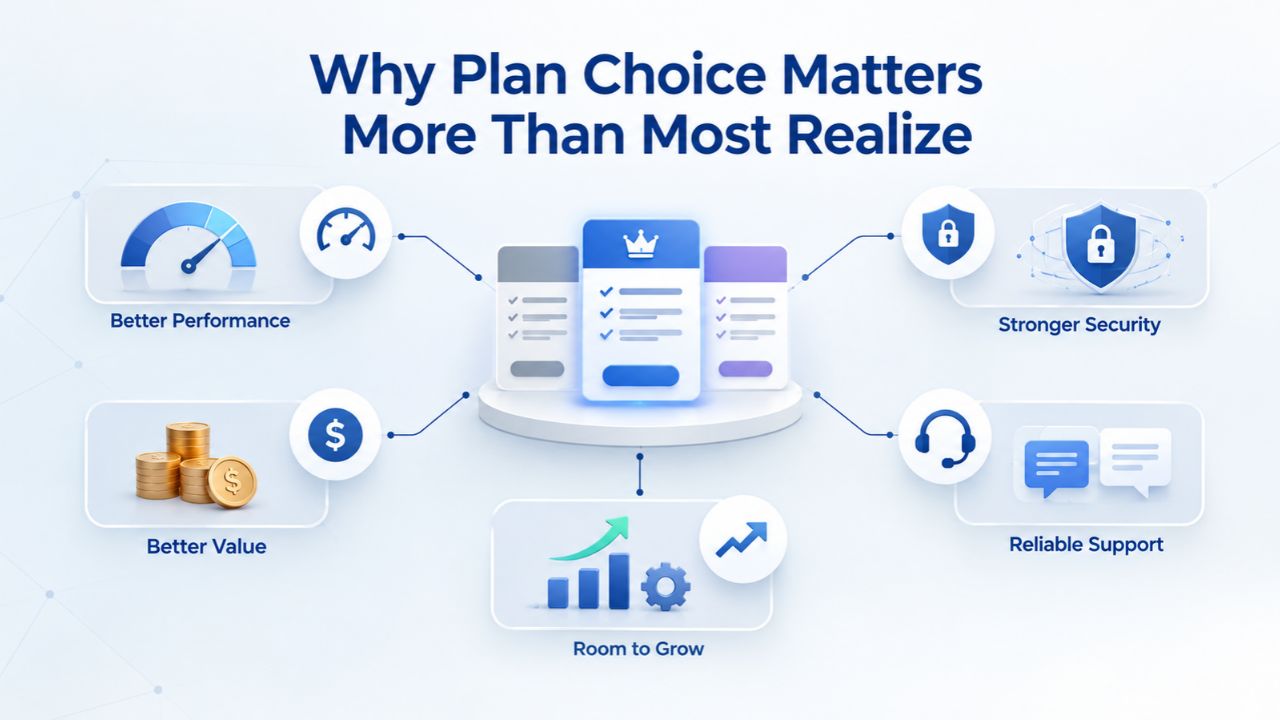
Why Plan Choice Matters More Than Most Realize
The financial and operational math is straightforward: selecting the right plan from the start costs less overall, saves time during growth transitions, and eliminates the friction of mid-journey site rebuilds or data re-entry. Choosing wrong is far more expensive than paying slightly more upfront for a plan that matches your anticipated growth trajectory over the next 18 months.
Plan Mismatches Create Two Costly Friction Points
A mismatch between plan capability and business goals creates real friction. First is the cost friction: you pay for forced upgrades at inopportune times, often at premium pricing. Second is effort friction: rebuilding or migrating content to accommodate a plan-tier change takes weeks and slows your business momentum.
A website builder plan is not like a coffee subscription you can cancel anytime; it’s the foundation of your online presence and critical to customer acquisition. Choosing the right plan eliminates friction and lets you focus on running your business instead of managing platform transitions. Forward-planning is the difference between a smooth growth trajectory and a series of disruptive migrations.
Why Tier Structure Exists
Website builders tier features based on underlying complexity and infrastructure cost. Hosting a simple informational site requires different resources than hosting a site with product inventory, payment-gateway integrations, order management, and customer data handling. E-commerce sites need additional security, payment compliance, and backend systems.
This architectural difference is why you cannot simply “add e-commerce” to a basic plan later; the underlying systems are fundamentally different. Understanding this helps you see plan selection not as a temporary choice but as a critical architectural decision.
Website Builder Plans & Pricing
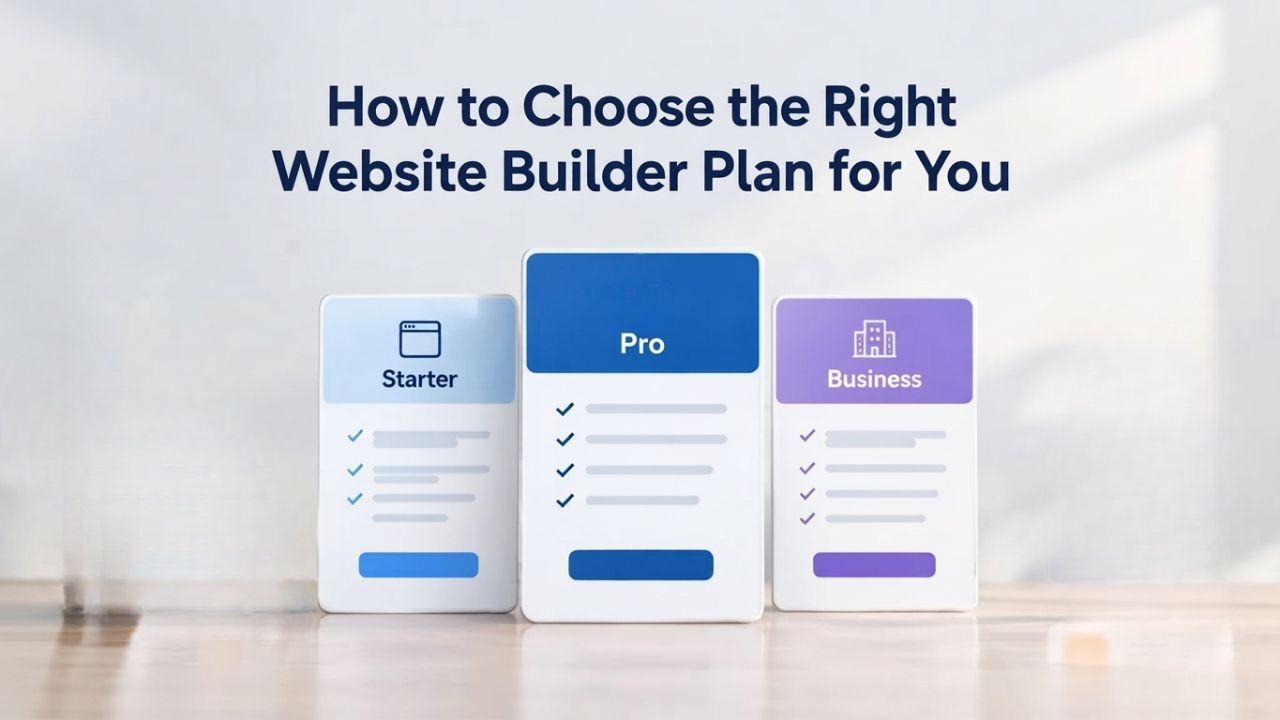
Create a professional website with flexible website builder plans designed for businesses, portfolios, and growing online brands. Choose a plan that matches your needs and build, customize, and manage your website with easy-to-use tools, responsive designs, and essential features for a strong online presence.
Website Builder Personal
Share your passion online.
- Responsive mobile design
- Website hosting
- Rapid Page-Load performance
- Create a blog
- Security (SSL)
- 24/7 support

Website Builder Business
Create an online presence for your business.
- Responsive mobile design
- Website hosting
- Rapid Page-Load performance
- Create a blog
- Security (SSL)
- 24/7 support
- PayPal Buy Now or Donate button
- Search Engine Optimization (SEO)
Website Builder Business Plus
Attract more customers.
- Responsive mobile design
- Website hosting
- Rapid Page-Load performance
- Create a blog
- Security (SSL)
- 24/7 support
- PayPal Buy Now or Donate button
- Search Engine Optimization (SEO)
- Social Media Integration
- Share content to Facebook
- Online Appointments
Website Builder Online Store
Sell products and services.
- Responsive mobile design
- Website hosting
- Rapid Page-Load performance
- Create a blog
- Security (SSL)
- 24/7 Support
- PayPal Buy Now or Donate Button
- Search Engine Optimization (SEO)
- Social Media Integration
- Share content to Facebook
- Online Appointments
- Built-in shopping cart
- Sell physical and digital products
- Accept credit and debit cards, PayPal and more
- Flexible shipping options
- Discounts and promotions
- Manage inventory
Match Your Plan to Your Business Type First
Not all businesses need the same website capabilities. A personal brand, a service business, and an e-commerce operation have fundamentally different feature baselines and infrastructure requirements. Your business model is the starting point for plan selection; it immediately narrows which tiers are actually relevant and prevents you from paying for features that don’t apply to your business.
Service Businesses: Foundations for Lead Generation
Service businesses, consultants, coaches, plumbers, agencies, therapists, accountants, and lawyers prioritize three capabilities above all else: a professional online presence that establishes credibility, lead capture through contact forms or appointment requests, and SEO visibility. Hence, potential clients find you in search results. These core needs fit best in the entry-level and mid-tier plan categories; you don’t need e-commerce features, inventory management, or advanced payment processing because your business model is service-based, not transactional product sales.
Niya Digital’s entry-level plan includes responsive mobile design, website hosting, SSL security, a blog for content marketing, and 24/7 support- everything a service business needs to establish an online presence and start capturing leads. The mid-tier plan adds integrated SEO optimization tools and a payment button for single-transaction items like consultations, workshops, or one-time packages. If your service business includes appointment or class booking, the premium mid-tier option adds that capability directly into your site without requiring third-party integrations. Most service businesses shouldn’t move to the full e-commerce tier unless they’re also selling physical products or digital goods as a secondary revenue stream.
Portfolios & Creative Professionals: Prioritize Visual Presentation
Portfolio sites, designers, photographers, illustrators, artists, and writers need template galleries that showcase work beautifully across all devices, fast page load times that don’t frustrate visitors, and a professional appearance that reflects your creative level. Modern website builders ship these capabilities standard across all tiers; you don’t need advanced e-commerce or appointment systems because your primary goal is visual impact and easy navigation. A portfolio site succeeds when your work speaks for itself, and the site gets out of the way.
Niya Digital includes industry-specific templates for visual work, mobile-responsive layouts that display your portfolio beautifully on any device, and built-in blog capability for sharing process work or writing across its entry and mid-tier plans. You do not need the full e-commerce tier unless you’re selling original work, prints, downloads, or custom services directly from your site and need integrated payment processing and inventory management. For pure portfolio sites, entry or mid-tier plans provide everything you need without unnecessary overhead.
E-Commerce & Product Sellers: This Tier Choice is Non-Negotiable
E-commerce businesses, shops selling physical products, digital downloads, subscription boxes, or services with a transactional component, have only one option: a plan tier that includes a shopping cart, secure checkout, payment processing, inventory management, and order tracking. Choosing a basic or mid-tier plan that lacks these features will force a disruptive and expensive upgrade later. This isn’t a guess-and-adjust decision; it’s a critical choice made at launch.
With Niya Digital, full e-commerce capability is only available on the complete e-commerce tier. This tier includes a built-in shopping cart, support for credit and debit cards plus PayPal, flexible shipping options, discount and promotion tools, and inventory management. If you think you might sell anything online in the next 18 months, even “maybe someday”, start with the e-commerce tier from day one. The incremental monthly cost is far less than the effort and friction of a mid-journey platform migration.
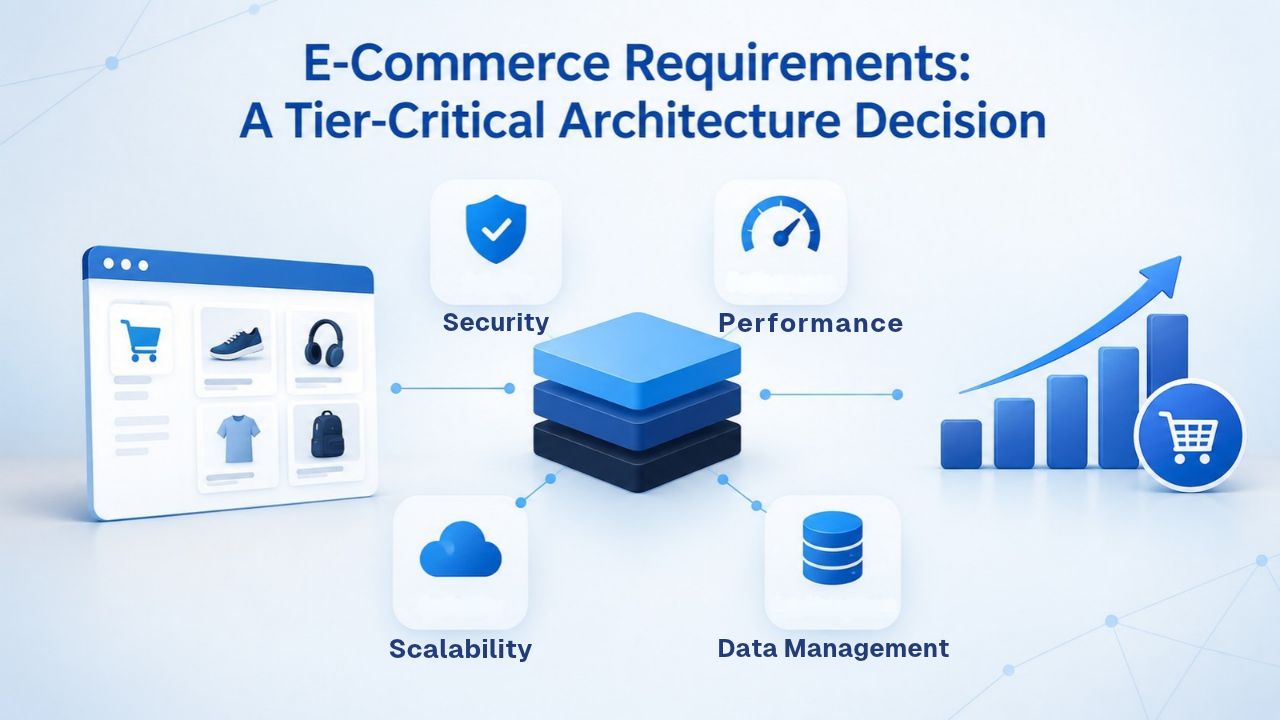
E-Commerce Requirements: A Tier-Critical Architecture Decision
E-commerce isn’t a bolt-on feature available across all plan tiers; it’s a foundational architectural decision that determines which tier you need. This is the most important decision to make before purchasing because you can’t easily change it mid-journey. If you plan to sell anything online- physical products, digital goods, courses, memberships, or services with payment collection- you must select a tier that includes checkout and payment processing from day one.
Why E-Commerce Demands Its Own Tier
Website builder plans tier features based on underlying complexity and infrastructure cost. A simple brochure site requires minimal computing resources and can run on basic hosting infrastructure. An e-commerce site requires additional layers: secure payment processing, payment-gateway integrations, inventory databases, order management systems, shipping integrations, and compliance with payment card industry (PCI) security standards. These systems cannot be easily added to lower-tier plans because the underlying architecture is designed for informational sites, not transactional platforms. Retrofitting e-commerce onto a basic plan would require rebuilding the site’s entire foundation.
Niya Digital’s e-commerce tier includes all the infrastructure necessary for online selling: shopping cart functionality, product catalog management, payment processing, inventory tracking, shipping integrations, and promotional tools. The tier separation exists because hosting and supporting e-commerce sites costs more than hosting informational sites. When you upgrade from a lower tier to the e-commerce tier, you’re not just gaining features; you’re moving to a fundamentally different underlying architecture, which is why the process often requires site redesign or data re-entry.
Forward-Planning for Potential E-Commerce Growth
If you’re a service business today but might sell digital products, online courses, or physical goods within the next 12–24 months, the financial math favors starting with the e-commerce tier. The monthly cost difference between lower-tier plans and the full e-commerce tier is relatively modest when spread across 24 months. Factored against the effort of a mid-journey upgrade, site rebuild, template re-customization, data migration, potential downtime, and lost sales during transition, starting at the e-commerce tier is the financially and operationally prudent choice.
Conversely, if you are certain you will never sell anything online, a pure service business with no transactional component and no intention to sell digital products, the lower-tier plans are appropriate and allow you to avoid paying for unnecessary infrastructure. The key is making an honest 18-month forecast before purchasing. This forward-looking discipline prevents costly surprises.
Storage, Bandwidth & Growth Runway
Every website plan allocates storage space for your site’s files, images, and videos, bandwidth for data transferred to visitors each month, and limits on the number of pages, products, or email accounts. As your site grows- more pages, more products, more traffic- these allocations matter. Choosing a plan with insufficient growth runway can force a mid-year upgrade, disrupt momentum, and create unexpected costs.
Understanding Plan-Specific Limits
Niya Digital does not publish specific storage or bandwidth limits on its public plan pages, which is common practice among website builders. Many offer “sufficient storage for typical small-business sites” without stating an explicit number. Before purchasing, contact Niya Digital’s support team to confirm storage, bandwidth, and product-count limits for your chosen tier. Knowing these specific limits helps you assess whether a plan can accommodate your anticipated growth over 18 months without forced upgrades.
Most small-business sites operate well within standard tier allocations: a 20-page service site uses minimal storage; a 100-product e-commerce shop uses moderate storage but may approach bandwidth limits during seasonal traffic spikes. Ask support for growth projections specific to your business type. If your site will grow from 10 pages to 50+ pages, or your product catalog will expand from 20 items to 500+, choose a mid-tier or premium plan from the start to avoid outgrowing your allocation mid-year.
Upgrade Paths Exist, But Forward-Planning Prevents Friction
Most website builders offer straightforward tier upgrades: if you outgrow your plan mid-year, you can upgrade at any time and are typically credited for the remainder of your billing cycle. This built-in flexibility is a safety net, but it’s not a substitute for forward-planning. A mid-year upgrade still creates friction: you may need to rebuild your site design to accommodate new features, migrate content to new templates, or restructure your workflow. Planning for growth from the start eliminates these mid-journey surprises.
If you expect your site to grow from 10 pages to 30+ pages in the next 12 months, or your product catalog to expand from a handful of items to 50+, choose a mid-tier or premium plan from the start. The per-month cost savings from a starter plan rarely offset the friction, downtime, and opportunity cost of a mid-year upgrade. Healthy growth is good; managing it through a mid-year tier upgrade is not.
Support Level & Onboarding Fit: DIY vs. Hands-On Guidance
Website builder plans often bundle different levels of customer support and onboarding assistance. Niya Digital provides 24/7 customer support across all plan tiers for account issues and technical problems. However, the depth of hands-on onboarding and template-customization support may vary by tier. If you’re technically comfortable and have time to explore the builder interface independently, a lower-tier plan is fine. If you want structured onboarding, expert template customization help, and priority support during launch, a mid-tier or premium plan justifies the higher cost through included support resources.
Entry-Level Plans (Personal): DIY and Self-Guided Exploration
Entry-level plans are designed for self-starters who are comfortable building independently, have time to learn the platform, and are happy to troubleshoot independently using knowledge base articles and video tutorials. Support is available 24/7 for account issues and technical blockers, but you’re expected to figure out design choices, template customization, and workflow optimization on your own. This model works well if you’re not under a launch deadline and enjoy the learning process.
Self-guided setup typically takes 2–4 weeks to reach launch: you’ll spend time exploring templates, experimenting with customization, writing and uploading content, and testing on mobile devices. This works well if you’re bootstrapped and have flexible time. The support team will answer specific questions, but they won’t guide you through every step of the build process. If you’re comfortable with this level of independence, entry-level plans offer excellent value and let you avoid paying for support services you won’t use.
Mid-Tier (Business) & Premium (Business Plus) Plans: Structured Onboarding and Hands-On Guidance
Niya Digital’s team has observed that users selecting mid-tier and premium plans typically request structured onboarding, hands-on template-customization support, and guidance on design choices. If you’re launching under a deadline, migrating an existing site, or have specific customization requirements, invest in a mid-tier or premium plan that includes robust onboarding support. A few weeks of expert guidance during setup is worth far more than weeks of self-guided troubleshooting after launch.
Premium onboarding often includes: a dedicated setup call to understand your business and goals, template recommendations from specialists who know your industry, hands-on customization help to tailor the template to your brand, content strategy advice, and launch checklists to ensure nothing is missed. If your launch is time-sensitive, this support can compress a 4-week DIY setup into a 2-week professional onboarding. For service businesses launching client-facing sites or e-commerce shops, structured onboarding accelerates time-to-revenue and reduces launch errors.
Decision-Factor Comparison Table
Use this table to match your business type, primary needs, and growth trajectory to the appropriate plan tier:
| Business Type | Primary Feature Needs | Growth Timeline | Recommended Tier | Why This Tier |
|---|---|---|---|---|
| Freelancer / Solo Service Provider | Professional site, contact form, portfolio, blog | Stable or gradual growth | Entry (Personal) or Mid-Tier (Business) | Core features sufficient; upgrade only if adding services with bookings |
| Service Business (Small Agency/Team) | Lead capture, SEO, appointment scheduling, client testimonials | Growing over 12 months | Mid-Tier (Business) or Premium Mid-Tier (Business Plus) | Onboarding support valuable; appointment booking included |
| Creative Portfolio (Designer, Photographer, Artist) | Beautiful template gallery, fast load, mobile showcase | Stable or selling work later | Entry (Personal) or Mid-Tier (Business) | Visual showcase is priority; upgrade to e-commerce only if selling |
| E-Commerce Shop (Products, Subscriptions, Digital Goods) | Shopping cart, checkout, payment processing, inventory, orders | Scaling significantly | E-Commerce Tier (Online Store) | Only tier with checkout and payment infrastructure; non-negotiable |
| Professional (Law, Accounting, Consulting) | Credibility, lead capture, content authority, appointments | Growing client base | Mid-Tier (Business) or Premium Mid-Tier (Business Plus) | Support and appointment booking enhance client interaction |
| Multi-Location or Multi-Service Business | Multiple service categories, location pages, scalability | Growing significantly | Premium Mid-Tier (Business Plus) or E-Commerce (Online Store) | Room for expansion; advanced integrations and reporting |
Find Your Fit: Entry-Level DIY or Premium Onboarding Support
Don’t let setup uncertainty delay your launch. Whether you’re a self-guided builder ready to explore independently or you need structured onboarding guidance, Niya Digital’s Website Builder Service offers tiers for both. Browse plans, explore templates, and reach out to support to discuss which tier matches your timeline and comfort level. Your website launch is closer than you think.
Domain, Email & Integrations Included
Most website builder plans bundle domain connection, professional email hosting, and common integrations (social media, email marketing, analytics) as standard features. Understanding what’s included in each tier prevents surprise add-on costs later and helps you assess total value, not just the monthly price.
What Comes Standard Across Niya Digital Plans
All Niya Digital website builder plans include: website hosting on secure, fast servers; domain connection so you can use your custom domain (mybusiness.com) without additional fees; responsive mobile design that automatically adapts to any device; SSL security to protect customer data; and 24/7 support. This comprehensive bundling offers a significant cost advantage over buying hosting, domain registration, and security separately; traditional approaches often cost 2–3x more.
Professional email hosting (your-name@yoursite.com addresses) is also included with all plans, though the number of email accounts included may vary by tier. Before purchasing, confirm the professional email account limit for your chosen plan; if you need more email addresses than your tier includes, ask whether additional accounts incur an overage fee or require a tier upgrade.
Third-Party Integrations and Compatibility
All modern website builders support integrations with popular third-party tools: email-marketing platforms like Mailchimp and Constant Contact, payment gateways like Stripe and Square, CRM systems, social-media management tools, analytics platforms like Google Analytics, and booking services. Confirm that your chosen plan supports the specific integrations you need before purchasing. Some advanced integrations or white-label features may be tier-restricted; ask support to clarify which integrations are available on your intended tier.
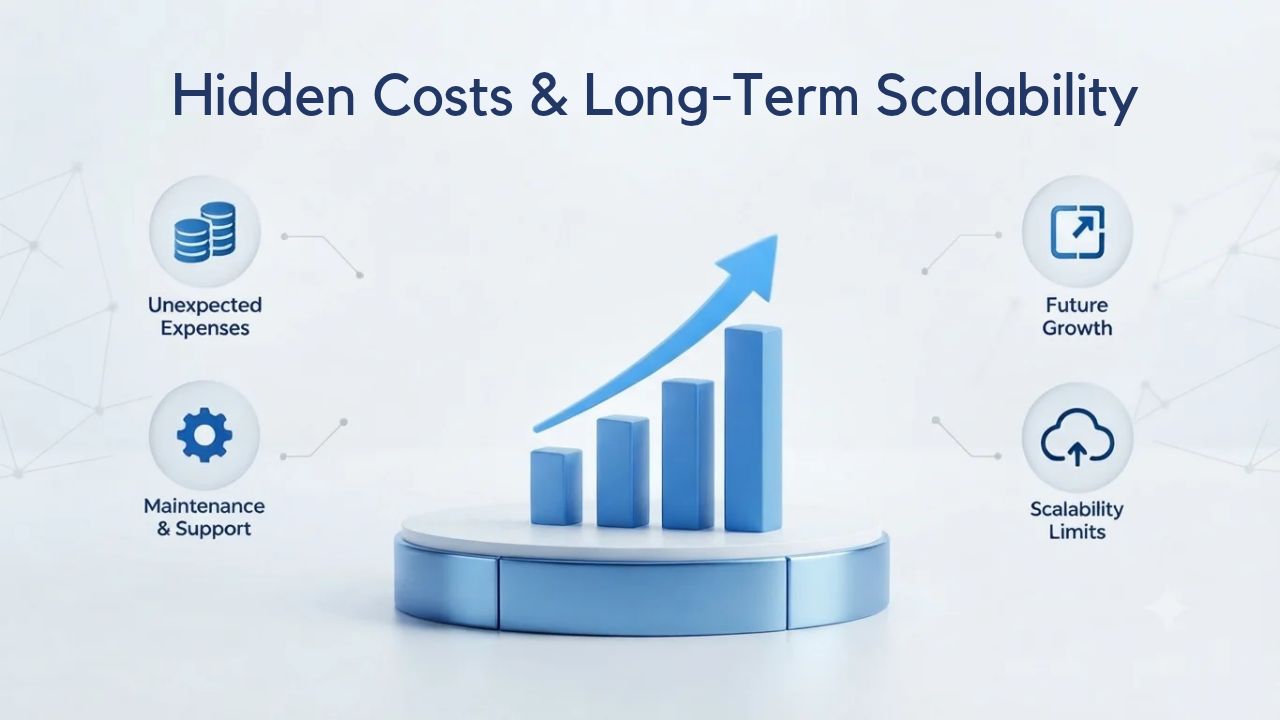
Hidden Costs & Long-Term Scalability
Website builder pricing is usually straightforward: a monthly subscription with no surprise fees, but costs can emerge through add-ons, overage charges if you exceed plan limits, or upgrade costs if you outgrow your tier. Understanding potential extra costs before purchasing helps you budget accurately and avoid mid-year surprises.
Plan-Specific Add-Ons and Overage Fees
Review the fine print on your chosen plan: Do you pay overage charges if you exceed storage limits? Do advanced features like abandoned-cart recovery or advanced reporting require an additional add-on fee? Does your plan include unlimited email accounts or a limited number with overage charges beyond that? Niya Digital’s public plan pages do not itemize all possible add-on fees or overage charges, so reach out to support before purchasing to clarify any potential extra costs and build an accurate annual budget.
Some common add-ons across website builders include advanced analytics, abandoned-cart recovery (an e-commerce feature that re-engages customers who started checkout but didn’t complete purchase), priority onboarding, white-label options for agencies, API access for custom integrations, and upgraded email limits. These are optional features, not included in base plans. Ask whether your use case requires any of these so you can factor their cost into your decision.
Upgrade Paths and Switching Friction
If you outgrow your plan, upgrade options are straightforward: move to a higher tier at any time, and you’re typically credited for the remainder of your current billing cycle. However, switching plans may require template changes or design adjustments because each tier’s feature set and underlying architecture differ. That is why planning matters: starting with a plan tier that supports 18–24 months of growth prevents mid-journey migrations and redesigns.
To minimize switching friction, start with a plan tier that can accommodate your anticipated growth, feature needs, and traffic over 18 months. This forward-planning approach costs slightly more upfront but avoids costly disruptions and redesigns mid-journey. Once you’re live with customers, switching tiers is disruptive; choosing correctly at launch pays dividends.
Comparing Plans Side-by-Side: A Mental Checklist
When you see a plan comparison table, most people default to comparing monthly price. That’s a critical mistake. Price alone tells you nothing about value; a lower plan that forces a higher-tier upgrade in six months can cost more long-term than a slightly higher plan you never outgrow. Use this mental checklist when evaluating website builder plans.
The Evaluation Framework
- Business Model Fit: Does this tier include the feature categories my business actually needs? Does it include e-commerce if I plan to sell? Does it include appointment booking if I need scheduling? Does it include SEO tools if I need search visibility? Evaluate features, not price.
- Growth Runway: Can this tier accommodate my anticipated growth over the next 18 months without forced upgrades? If I add 30+ pages or 100+ products, do I have sufficient storage and capacity? If my team will grow, can I add enough email accounts?
- Support Fit: Does the tier’s support level match my comfort with DIY setup or my need for hands-on guidance? If I’m launching under a deadline, do I need structured onboarding included? Can I afford to spend 4 weeks on self-guided setup, or do I need accelerated onboarding?
- Integration Needs: Are the third-party tools I need (CRM, email marketing, analytics, payment gateways) supported on this tier? Do advanced integrations require upgrades or add-on fees?
- Total Cost of Ownership: What’s the full 24-month cost: monthly subscription × 24 months, plus any add-ons, overages, or required upgrades during that period? Cheaper upfront is not the same as cheaper overall.
Niya Digital Plan Tier Comparison
| Plan Tier | Ideal Business Type | Core Features | Support Level | Scalability |
|---|---|---|---|---|
| Entry-Level (Personal) | Solo services, portfolios, simple sites | Hosting, domain, SSL, blog, contact forms, mobile-responsive, basic analytics | Self-service + 24/7 support | Limited; best for stable or slow-growth sites |
| Mid-Tier (Business) | Growing service business, light lead generation, appointments | All Entry features + SEO tools, appointment booking, social integration, more templates | Self-service + 24/7 support + standard onboarding | Good; accommodates 12–18 months of growth |
| Premium Mid-Tier (Business Plus) | Service business with advanced features, agencies, professionals | All Mid-Tier features + advanced analytics, priority support, more customization resources | Self-service + 24/7 support + hands-on onboarding guidance | Very good; accommodates significant growth and team expansion |
| E-Commerce Tier (online Store) | Product sellers, subscriptions, digital goods, any transactional business | All Premium features + shopping cart, checkout, payment processing, inventory management, order tracking, shipping integrations | Self-service + 24/7 support + e-commerce onboarding | Excellent; built for scaling online sales and managing complex operations |
Common Plan-Choice Mistakes & How to Avoid Them
Most business owners make one of three predictable mistakes when selecting a website builder plan: underestimating future needs, prioritizing price over fit, or misunderstanding which features are tier-gated. Knowing these mistakes helps you sidestep them and make a more durable choice.
Mistake #1: Choosing Starter When Growth is Coming
The most common error is picking the cheapest plan (“I’ll upgrade if I need to later”) and then facing a disruptive upgrade six months in. This mistake costs twice: first in the upgrade fee itself, second in the time spent rebuilding or re-customizing your site to fit the new plan’s different architecture. A consultant launches with an entry-level plan to save money, discovers they need appointment booking after three months of taking phone calls to schedule meetings, and upgrades to a mid-tier plan. The upgrade forces them to redesign their site because appointment booking integrates differently into the new tier. They lose a week of productivity mid-launch.
Avoid this by thinking 18 months ahead. If your business will likely need appointment booking, appointment reminders, team member accounts, inventory management, or significantly more content pages, start one tier higher than the absolute minimum. The extra monthly cost is cheaper than a mid-year migration and the productivity loss it causes.
Mistake #2: Overlooking E-Commerce Tier-Gating
A service business owner buys a mid-tier plan planning to “maybe sell courses later” as a secondary revenue stream. Six months in, demand for online courses is real, and they need a shopping cart and payment processing. Moving from the mid-tier to the e-commerce tier forces a significant site redesign because the checkout infrastructure, payment integrations, and order management systems are fundamentally different. They lose 3–4 weeks rebuilding their site when they should be selling courses.
Avoid this by making an honest 24-month forecast. If you think you’ll sell anything online, even a digital product, online course, or membership, start with the e-commerce tier. The monthly cost difference is modest, but the friction and downtime avoided are enormous. E-commerce is an all-or-nothing architecture choice; you can’t retrofit it onto lower tiers.
Mistake #3: Ignoring Support Needs During Launch
A busy entrepreneur picks the cheapest plan to “save money” and then spends three weeks troubleshooting why their template looks wrong on mobile, why their contact form isn’t sending emails, why their product photos aren’t uploading. They search YouTube and knowledge base articles, ask in community forums, and eventually call support. The issues are often minor configuration problems that 30 minutes of guided onboarding would have solved immediately. The “savings” from the cheaper plan evaporate in lost time and frustration.
Avoid this by honestly assessing your technical comfort level and launch timeline. If your launch is time-sensitive or you want expert guidance during setup, budget for a mid-tier or premium plan that includes structured onboarding. A few weeks of hands-on expert support can accelerate your launch, reduce errors, and often produce higher-quality results than self-guided setup.
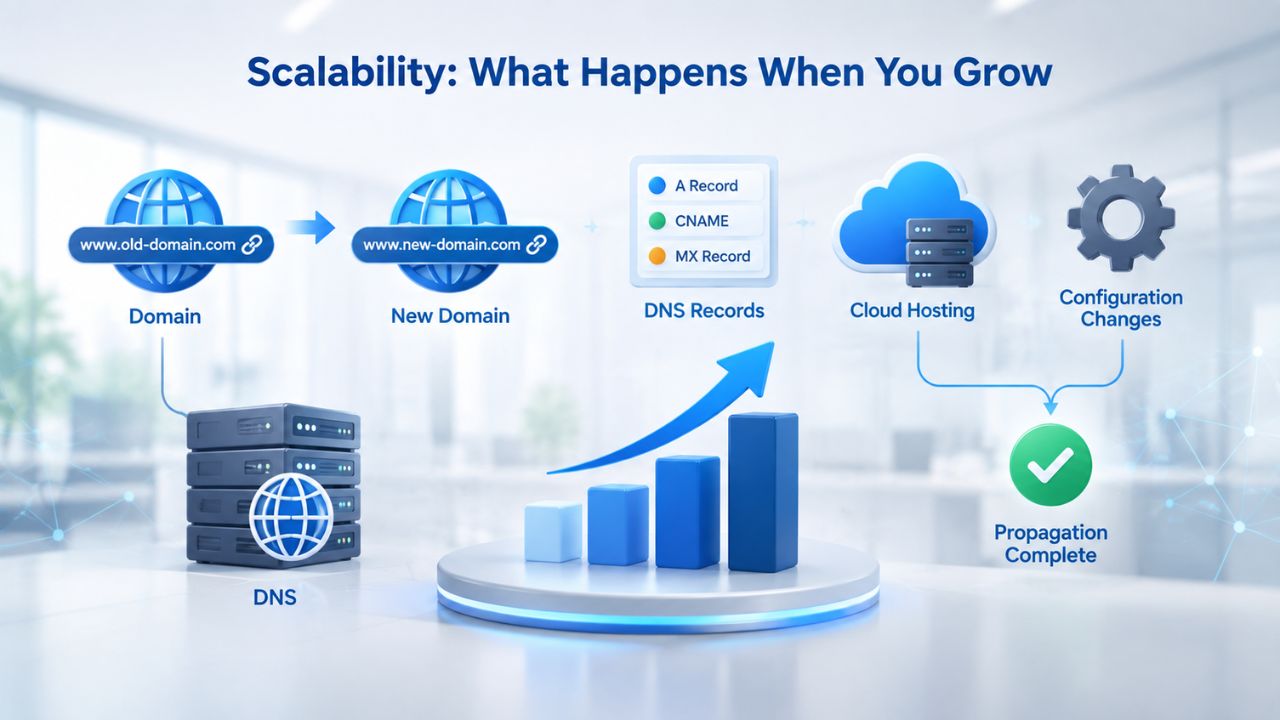
Scalability: What Happens When You Grow
A good website builder plan should scale with your business without forcing platform migrations or complete rebuilds. If you choose correctly, you should grow within your tier for 18–24 months before outgrowing it. If you choose poorly, you’ll face forced migrations every 6 months.
Tier-to-Tier Upgrades: Seamless Transitions or Significant Friction
Most website builders let you upgrade tiers at any time. With Niya Digital, upgrading from entry-level to mid-tier, or mid-tier to premium, or any tier to e-commerce is straightforward. You typically remain on the same underlying platform, your site design remains intact, and you gain access to new features. However, the process varies depending on which tiers you’re upgrading between; some feature additions require minor template adjustments, while others (especially to e-commerce) require more substantial restructuring.
Before purchasing, ask Niya Digital about their upgrade process: Do you maintain your current design when upgrading tiers, or must you rebuild? Can you upgrade mid-month and be credited for the remaining time? Are there any restrictions on downgrades if you upgrade and later want to return to a lower tier? Understanding these upgrade mechanics helps you know how flexible you are if business circumstances change mid-year.
Growth Beyond Your Plan’s Scope
If your business outpaces even the highest tier available- for example, you need advanced API integrations, white-label reselling, dedicated server infrastructure, or custom feature development- you’ve likely outgrown website builders altogether. Consider enterprise solutions or custom development. But for 95% of small and medium businesses, even the premium tier accommodates growth for years. Tier selection is a critical choice, but it’s not permanent; you can upgrade whenever you outgrow your current tier.
Making Your Final Decision: A Decision Framework
Choosing a website builder plan becomes simpler once you know your business type, anticipated growth, feature needs, support preferences, and total cost of ownership. Here’s the decision framework in one place, helping you move from uncertainty to confidence in your choice.
Your Six-Step Selection Process
Step 1: Identify Your Business Type
Are you a service business, creative portfolio, e-commerce shop, professional practice, or something hybrid? Your business model immediately narrows your tier options and forms the foundation for all subsequent decisions.
Step 2: Confirm E-Commerce Needs
Will you sell anything online in the next 24 months? If yes, commit to the e-commerce tier now and avoid costly friction later. If no, you can choose a lower tier with confidence.
Step 3: Assess Support Fit
Are you a self-guided builder with time to explore independently, or do you want hands-on onboarding? Do you have a launch deadline that requires accelerated setup? Select a tier whose support level matches your timeline and comfort.
Step 4: Project 18-Month Growth
Will your site content, products, team size, or traffic grow significantly? Will you add appointment booking, team member accounts, or move from 10 pages to 50+? Choose a tier with runway for that growth.
Step 5: Confirm Integrations & Add-Ons
Does your tier support the tools you need (email marketing, CRM, analytics, payment gateways)? Are there hidden add-on fees or overage charges for features you need?
Step 6: Calculate Total Cost of Ownership
Compare plans not just by monthly price, but by total 24-month cost: monthly subscription × 24, plus any required add-ons, average overages, and factoring in the cost of mid-journey upgrades or migrations if you choose too lean a plan. Cheaper monthly doesn’t mean cheaper overall.
Once you’ve answered these six questions, your plan choice becomes clear. Most small service businesses land on mid-tier plans; creative portfolios often fit entry or mid-tier; e-commerce shops require the e-commerce tier; growing agencies and professionals benefit from premium mid-tier features. There is no universal “best” plan, only the best plan for your specific business and growth trajectory.
Niya Digital’s Website Builder Service offers tiers for every business type with a 24/7 support team ready to answer questions. No credit card required to explore, browse the plans, review templates, contact support with questions, and launch your website with a tier that fits your business.
Ready to Choose Your Plan?
Your business deserves a website that scales with you. Niya Digital’s Website Builder Service offers multiple tiers sized for everything from solo portfolios to full e-commerce stores. All plans include hosting, security, mobile-responsive design, and 24/7 support so you can focus on running your business, not managing your site. Use the decision framework above, reach out to support with questions, and select the tier that matches your business type and 18-month growth plan. Your website launch is just a few clicks away.
Frequently Asked Questions
Can I change my plan after I purchase?
Yes. You can upgrade to a higher tier at any time, and we’ll credit you for the remainder of your current billing cycle. Most website builders, including Niya Digital, allow plan changes without penalty.
Confirm Niya Digital’s specific downgrade policy (moving to a cheaper tier) before purchasing to understand your long-term flexibility. In general, upgrades are seamless, while downgrades may have restrictions depending on the features you’ve used.
What if I choose the wrong plan?
If your selected plan doesn’t fit your needs, you have two options: contact support to discuss whether your use case truly requires a different tier, or upgrade to a higher tier.
The upgrade process is straightforward, and your site remains live throughout. Most people who think they chose wrong find they can succeed with their current tier after exploring its full feature set; others legitimately need to upgrade, and the process is simple and fast.
Is there a contract or long-term commitment?
No. Niya Digital Website Builder plans are month-to-month subscriptions with no long-term contracts or cancellation penalties. You can cancel anytime if you decide the service isn’t right for you.
However, your site goes offline if you stop paying, so keep your subscription active to maintain your online presence. Some providers offer discounts for annual or multi-year prepayment instead of month-to-month; ask Niya Digital whether paying annually lowers your effective monthly cost.
Do I need to buy a domain separately?
No. All Niya Digital Website Builder plans include domain connection and hosting. You can use an existing domain you own, or register a new one through Niya Digital during setup.
Domain registration is technically separate from the website builder plan, but Niya Digital handles both, so you manage everything through one dashboard. Many plans include your first year of domain registration free or discounted; clarify this benefit with support.
What if my site grows and I need more storage?
All Niya Digital plans include storage sufficient for typical small-business sites. If your site grows significantly, with hundreds of product images, thousands of pages, or massive video libraries, you may approach storage limits.
At that point, you can upgrade to a higher tier to gain more storage and additional features. Most small and medium business sites operate well within standard tier allocations; this is rarely an issue in practice, but confirm tier-specific storage with support for your use case.
Do I get email hosting with my plan?
Yes. All Niya Digital Website Builder plans include professional email hosting (your-name@yoursite.com addresses). The number of email accounts included may vary by tier; entry-level plans typically include 3–5 professional email addresses, while higher tiers include more.
If you need additional email accounts beyond your tier limit, ask whether you can add them for a small overage fee or if you must upgrade to a higher tier. Professional email is a powerful credibility signal; use it for customer-facing communications rather than personal Gmail accounts.
Are there hidden fees or add-on costs?
Niya Digital’s plan pricing is transparent; the monthly subscription is your primary cost. Some advanced features or premium integrations may require add-ons, but these aren’t hidden; they’re disclosed during plan selection and setup.
Common add-ons include advanced analytics, priority onboarding, white-label options, and API access for custom integrations. Confirm with support whether your anticipated use case requires any add-ons before purchasing so you can budget accurately.
Can I sell multiple products with the e-commerce tier?
Yes. The e-commerce tier includes unlimited product listings, inventory management, and payment processing for as many products as you need. You can upload 500 products or 5,000 products; there’s no artificial limit.
Niya Digital handles product uploads, inventory tracking, order management, and customer communication through the plan’s built-in tools. You’re only limited by practical considerations like how much time you have to manage inventory and customer service.
What payment methods does the e-commerce tier accept?
The e-commerce tier supports multiple payment options: credit and debit cards (Visa, Mastercard, American Express), PayPal, and other major payment gateways. Customers can pay with their preferred method, reducing cart abandonment and increasing conversions.
Multiple payment options are table stakes for modern e-commerce; all reputable builders support this out of the box. Ask support which payment gateways are available on your tier and whether additional gateways require extra configuration or fees.
Does the plan include SEO tools?
All plans except the entry-level tier include integrated SEO optimization tools, built-in features to help you optimize your site for search engines. Mid-tier and higher plans include on-page SEO guidance, meta tag management, sitemap generation, and tools to improve your search engine visibility.
SEO success also depends on content quality, backlinks from authoritative sites, and ongoing content updates, so these tools are enablers, not guarantees. Use them to optimize your pages, but understand that ranking depends on many factors outside your builder’s control.
Is my site mobile-friendly?
Yes. All Niya Digital Website Builder plans include responsive mobile design, which automatically adapts your site to smartphones, tablets, and desktops. Your site will look great and function correctly on any device without any extra work.
Modern templates are designed mobile-first, so the mobile experience is often superior to the desktop experience. Test your site on actual mobile devices before launch to ensure all forms, buttons, and images display correctly.
What happens to my site if I don’t renew my plan?
If your subscription expires and you don’t renew, your site goes offline, and you lose access. The files are retained for a grace period (typically 30 days), but after that they’re permanently deleted.
To keep your site live, renew your subscription before expiration. Most providers send renewal reminders before your subscription ends; set a calendar reminder as a backup so you never accidentally let your site lapse. One day without your site online can cost customer inquiries and credibility; treat renewal as automatic.
Can I export my site if I want to switch builders later?
Most modern website builders allow you to export your site’s content and files, though the process can be complex depending on the source and destination platforms.
Some builders charge for export functionality; others provide it for free. Before purchasing, ask Niya Digital about export options and data portability, so you understand your flexibility if you ever want to switch builders. Knowing you can take your data with you provides peace of mind, even if you never use it.
Does the plan include backup and security?
Yes. All Niya Digital Website Builder plans include SSL encryption to protect customer data during transmission, 24/7 security monitoring, and automatic site backups. Your site and customer information are protected from common online threats like malware, hacking, and data breaches.
However, security is a shared responsibility: your builder provides the infrastructure, but you’re responsible for strong passwords, avoiding suspicious files, and keeping your content appropriate. Learn more about security features by contacting support; security is serious and worth understanding.
Can I add advanced integrations (CRM, email marketing, etc.)?
Yes. Website builder plans typically support integrations with popular third-party tools: Mailchimp (email marketing), HubSpot (CRM), Google Analytics (traffic analysis), Zapier (workflow automation), and many others.
Confirm that your chosen plan supports the specific integrations you need by reviewing plan details or asking support for a list of compatible tools. Some advanced integrations or white-label features may require the premium tier; check before purchasing if these tools are essential to your workflow.
Glossary
- Website Builder: A no-code/drag-and-drop software tool that empowers businesses to design, publish, and manage websites without writing code, learning development languages, or hiring developers. Website builders democratize web presence creation.
- Plan Tier / Subscription Plan: A pricing and feature level within a website-builder service. Each tier offers different capabilities, storage allowances, email accounts, support options, and integrations at different price points. Tier selection determines which tools your business can use.
- Responsive Design: A website layout that automatically adapts and reflows to different screen sizes, desktop computers, tablets, and mobile phones, ensuring the site looks professional and functions correctly on any device without separate mobile versions.
- E-Commerce / Online Store: The capability to list products, collect customer orders, process payments, manage inventory, track shipments, and handle customer service for buying and selling transactions directly through a website without manual intervention.
- Domain: A unique web address (such as mybusiness.com or jane-photography.com) that points to your website. Domain connection allows a website built with a builder to display under your custom domain, creating professional branding rather than showing a builder’s subdomain.
- Hosting: The infrastructure (physical servers and data centers) that stores your website’s files, databases, and content, making it accessible on the internet 24/7. Most modern website builders include hosting as part of their service, eliminating the need to buy hosting separately.
- SEO (Search Engine Optimization): The practice of structuring, optimizing, and promoting a website so that search engines like Google can find, index, understand, and rank it prominently in search results for relevant queries. Website builders provide on-page SEO tools; off-page SEO depends on content quality and backlinks.
- SSL Certificate: A security protocol that encrypts data transmitted between your website and its visitors, protecting sensitive information (passwords, credit card numbers, personal data) from interception by hackers. All reputable websites now use SSL; you’ll see it as a padlock icon in your browser’s address bar.