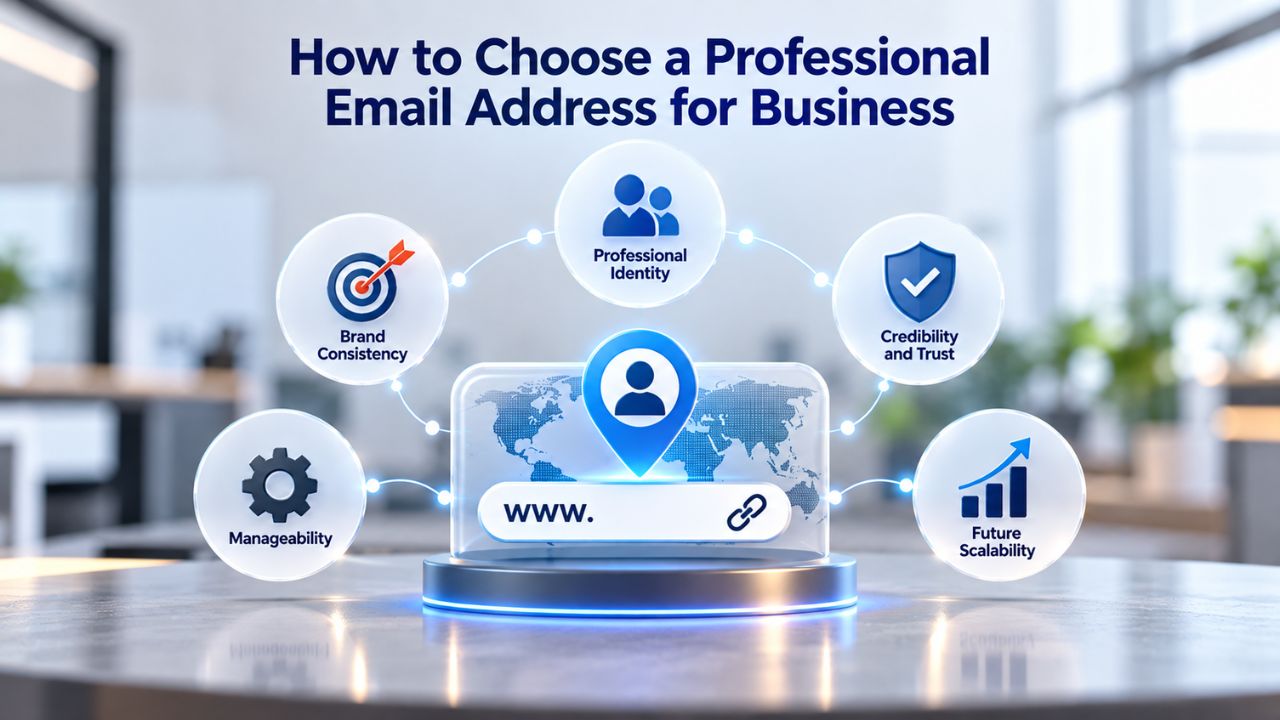
Why Professional Email Builds Trust and Credibility
A professional email address powered by a custom domain sends an immediate signal about your business. It tells customers you’re established, legitimate, and serious about your work. When customers see a branded email address in their inbox, they form conclusions about your business before any conversation begins. This section explains why that signal matters and how it supports your business relationships and long-term success.

Your Email Is Your First Handshake
When customers receive your email for the first time, your email address becomes a crucial part of their first impression. A branded address like [email protected] instantly communicates professionalism and accountability. A generic address like [email protected] feels casual, temporary, or even suspicious- the kind of address someone might use for a side project rather than a serious business. Research shows 75% of U.S. ecommerce customers say a professional, domain-based email is very important for trusting a small business. Customers are 9 times more likely to choose a business with a professional email address over one using free email.
This single detail shifts how people perceive your legitimacy before they even read your message. A professional email address also keeps work separate from personal communication and signals that you compartmentalize business responsibilities properly. This boundary matters to customers who want to know they’re dealing with a dedicated operation, not a side project or hobby business. Every email you send reinforces that professional identity, and over time, consistency builds recognition and trust in your brand.
Credibility Translates to Revenue
Trust directly affects purchasing decisions and customer willingness to engage with your business. Nearly a quarter of survey respondents said they would be reluctant to provide credit card information or personal details to an online seller using a generic email address, which means that hesitation costs you sales and lost business opportunities. Conversely, when customers see an email address that matches your domain and website, they view your business as legitimate and established. Emails sent from professional domains increase open rates by up to 50% compared to free email services, directly improving your communication outcomes and customer engagement.
Brand consistency across all touchpoints- website, invoices, proposals, and email- strengthens recognition and builds trust over time. A mismatch between your website domain and email domain raises doubts about legitimacy and can make customers question whether they’re dealing with the right business. A match reinforces that every aspect of your business is thoughtfully designed and professional. When everything aligns, customers feel more confident, respond faster, and are more likely to buy or refer you to others in their network.
Free Email vs. Paid Business Email Hosting: Which Is Right for You?
Many businesses start with free email (Gmail, Yahoo, Outlook.com) because the upfront cost is zero and setup is immediate. But free email comes with significant trade-offs that quickly outweigh the initial savings as your business grows and your reputation matters more. Understanding what you gain and lose with paid business email hosting helps you make the right choice for your current stage and future growth. This section breaks down the real differences so you can decide what’s right for your situation.
Limitations of Free Email for Business
Free personal email services lack a custom domain entirely, so your address carries the provider’s branding instead of yours. Generic email addresses can make businesses appear amateurish and less established, and they signal to customers that you might not be serious about your work. Free services also offer limited storage, few security controls, minimal customer support, and often display ads within your inbox that distract from professional communication. If you need to add team members or manage multiple inboxes for different departments, free email becomes increasingly cumbersome and unmanageable at scale.
Most free services don’t support email authentication standards (SPF, DKIM, DMARC) that help messages reach inboxes instead of spam folders, so your emails are more likely to be filtered out. Free email is adequate for very small startups or individuals just starting with minimal email volume and few customer interactions. But the moment you communicate with clients, customers, or partners professionally on behalf of your business, that lack of professionalism creates friction that costs sales and erodes customer confidence in your business’s legitimacy and reliability.
Why Paid Professional Email Hosting Makes the Difference
Paid business email hosting gives you a custom domain (e.g., [email protected]), which immediately projects professionalism and brand identity to everyone who receives your emails. You get higher storage limits that grow with your business, strong security features (encryption, two-factor authentication, advanced anti-spam, anti-phishing), team collaboration tools (shared calendars, contact management), mobile and desktop app access on all your devices, and responsive customer support when issues arise. A paid provider also supports email authentication protocols that help ensure your messages reach inboxes reliably and aren’t incorrectly flagged as spam or phishing attempts.
The cost is modest and far less than the revenue you lose from poor credibility, emails landing in spam folders, or customers avoiding contact with your business due to unprofessional communication. Professional email hosting offers features like spam and malware protection, scalable storage options, multi-account management, and dedicated support that free services cannot match. As your business scales and you add team members, you can easily add new mailboxes, increase storage capacity, and manage everything from a single admin panel without switching systems or dealing with multiple vendors.
Choosing Your Domain and Email Username
Your domain name and email username together form your professional email address, and both choices matter significantly for how customers perceive and remember your business. These are permanent touchpoints that your customers see in every message, invoice, and communication you send on behalf of your business. Getting these choices right requires thinking strategically about your brand and long-term business identity, not just grabbing whatever domain is available. This section walks you through the key considerations to help you make choices you won’t regret later.
What Makes a Strong Domain Choice
Your domain is the foundation of your professional email address and your entire online presence. Choose a domain that reflects your business name or brand clearly, is easy to spell and remember without confusion, stays relevant as your business grows and evolves, and is simple enough to say out loud without spelling it letter by letter for customers. A domain should be memorable, reflect the nature of your business, and scale with your growth, so that when you expand your services or add new locations, your domain still makes sense and feels current. For example, if your business is “ABC Consulting,” abcconsulting.com is stronger and clearer than something like abc-consulting-firm-xyz.com.
The .com extension remains the most trusted for business and gives customers immediate confidence, though alternatives like .co and .io work well for tech-focused brands and startups. Remember, the domain is separate from email hosting: you register the domain through a domain registrar (a service that sells domain names), then set up email hosting with a provider like Niya Digital, which provisions Titan Email accounts under that domain. Both components are necessary for a working professional email address: the domain is the address itself, and email hosting is the infrastructure that enables sending and receiving emails.
Email Username Formatting and Best Practices
Once you own your domain, choose usernames for individual mailboxes that reinforce professionalism and reflect your business. Keep usernames short, simple, and memorable; avoid long strings of numbers and special characters; use a format consistent with your brand across all communications and materials. Common formats include firstname@yourdomain.com for individual team members, department@yourdomain.com for shared inboxes (such as sales@yourdomain.com or support@yourdomain.com), or info@yourdomain.com for general inquiries. Avoid casual nicknames, slang, or personal information in usernames, as these undermine the professional impression you’re trying to create.
The username also matters for branding and recognition, so a format like [email protected] reinforces your business identity every time someone sees it. Your email domain should remain relevant and scale with your business, while being consistent with your overall branding across all touchpoints so customers recognize and remember you. Create additional aliases (department-specific addresses) that route to a single mailbox if needed, so you present a unified professional face to customers without managing dozens of separate inboxes or losing important messages in the chaos of multiple mailboxes.
Understanding Email Authentication: SPF, DKIM, and DMARC
Your emails’ journey to the inbox depends partly on invisible handshakes between mail servers that verify your legitimacy and protect recipients from fraud. Email authentication protocols prove your messages are genuinely from you and your domain, not spoofed or forged by someone trying to impersonate your business. If you choose a provider that supports these standards, you’re building a foundation for reliable delivery and protecting your domain’s reputation over time. This section explains what these protocols do and why they matter for your email success.
SPF: Sender Policy Framework and What It Does
SPF (Sender Policy Framework) is a DNS record that lists all authorized mail servers permitted to send email on behalf of your domain, and it’s one of the earliest lines of defense against email fraud. When a recipient’s mail server receives an email claiming to be from yourdomain.com, it checks your SPF record to confirm that you authorize the sending server’s IP address to send on your behalf. If the IP address is not listed in your SPF record, the receiving mail server can flag the email as suspicious, send it to spam, or reject it entirely. SPF protects your domain from being forged by unauthorized senders who might try to impersonate you to commit fraud or damage your reputation.
However, SPF has limitations: it verifies only the bounce address (the “Return-Path” in email headers), not the visible “From:” address users see on screen, so it’s not foolproof on its own. That’s why DKIM and DMARC add additional layers of verification and protection. When you choose an email provider, confirm it supports custom SPF configuration so you can list all your legitimate sending servers and ensure your emails pass this first authentication check.
DKIM and DMARC: Layering Protection
DKIM (DomainKeys Identified Mail) adds a cryptographic digital signature to each email, linked to your domain, creating a unique fingerprint that proves the message came from you. Receiving servers can verify this signature using a public key (published in your DNS records); if anyone tampers with the email after it leaves your server, the signature breaks and the email is flagged as tampered with. DKIM is more robust than SPF because it authenticates the actual message content, not just the sending server, and it provides mathematical proof that you authorized this specific message.
DMARC (Domain-based Message Authentication, Reporting, and Conformance) ties SPF and DKIM together and specifies policies for handling emails that fail authentication checks, while also linking authentication results to the visible “From:” address so recipients can be confident the email genuinely came from your domain. DMARC also requests reports from participating mail servers, giving you visibility into how your emails are authenticated and where authentication fails, so you can troubleshoot and improve over time. When all three protocols are implemented together, SPF, DKIM, and DMARC work together to prevent domain spoofing, combat content forgery, strengthen sender reputation, and improve overall email deliverability and inbox placement.
Email Deliverability and Inbox Placement
You send an important email and never hear back, leaving you wondering: did it get lost somewhere in cyberspace, did the recipient never see it, or did it end up in their spam folder where no one looks? Deliverability, whether your emails actually reach the inbox, is one of the most overlooked yet critical factors in choosing an email provider and maintaining your business reputation. Poor deliverability means your carefully crafted messages disappear into digital oblivion, invisible to the people who need to see them. This section covers what affects inbox placement and why it matters for your business success.
What Deliverability Really Means and Why It Matters
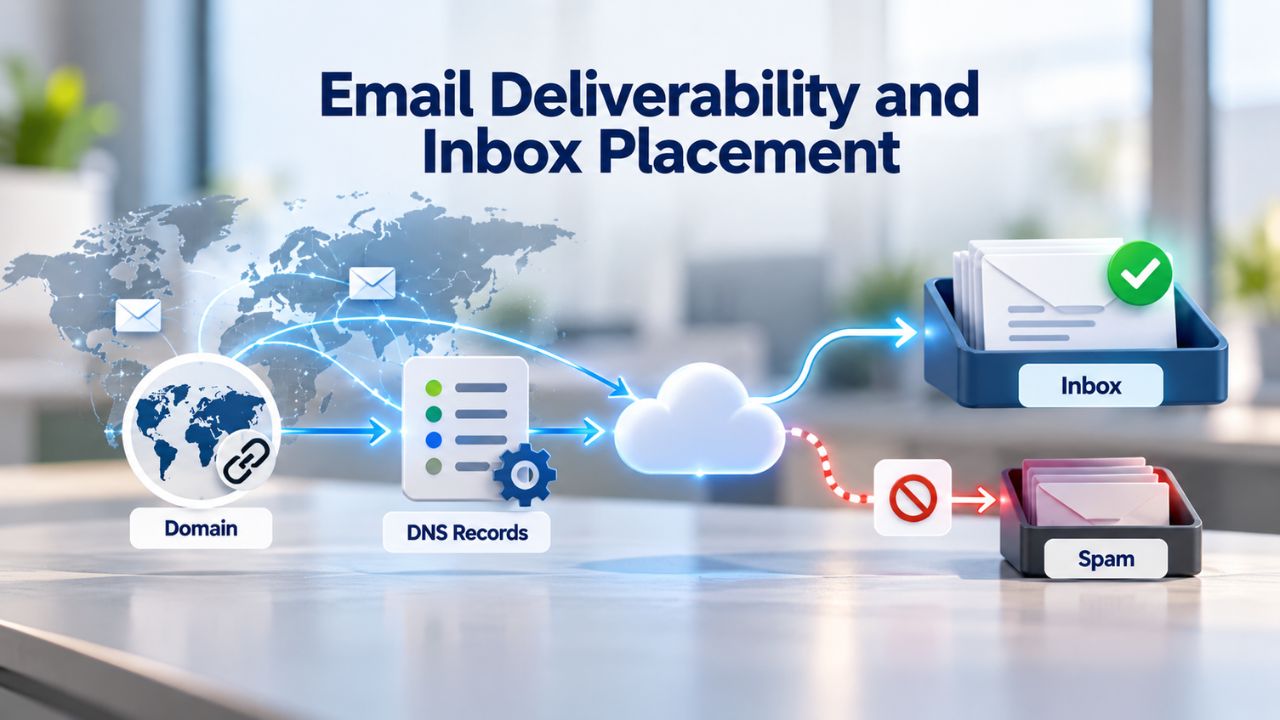
Email deliverability refers to whether an email successfully reaches the recipient’s inbox, not spam or junk folders, or being blocked entirely, and this distinction is crucial for understanding email success. An email can be technically “delivered” to a mail server and still end up sitting in the spam folder, where no one sees it, and no business value is created. True deliverability means inbox placement, visibility in the primary inbox where customers actually look and respond to messages. Poor deliverability lowers visibility, reduces engagement, weakens email marketing performance, and directly impacts ROI by making it harder to reach customers and build relationships.
For business communication, inbox placement matters because missed emails have real, costly consequences. A password reset email that lands in spam might leave a customer locked out of their account, creating frustration and support tickets. An invoice in spam might never get paid, damaging your cash flow. A sales email in spam generates zero leads and leaves you wondering why a prospect never responded. Reliable inbox placement underpins effective business communication and customer relationships, making it one of the most important technical considerations when choosing an email provider.
Factors That Affect Inbox Placement and How to Improve Them
Mail providers like Gmail, Outlook, Yahoo, and corporate email gateways use sophisticated filtering systems to protect users from spam, phishing, malware, and fraud. These systems evaluate many factors when deciding where to place your email: sender reputation based on your IP address’s history, domain reputation based on your domain’s authentication and complaint history, email content including links and formatting that might trigger spam filters, and recipient engagement showing whether past recipients opened your emails or marked them as spam. Authentication settings, sender reputation, subscriber engagement, spam complaints, and sending behavior all influence whether emails appear in the inbox, promotions tab, or spam folder.
This is where professional email hosting and proper authentication matter significantly. A provider with strong IP reputation and robust infrastructure helps your emails start on solid footing with mailbox providers. Email authentication (SPF, DKIM, DMARC) signals to receiving servers that you’re a legitimate sender, not a spammer or phisher impersonating someone else. Consistent sending patterns and healthy recipient engagement (people opening and responding to your emails) build sender reputation over time. Proper email authentication is one of the most important deliverability factors; email providers want proof that emails genuinely come from the domain they claim to represent.
Ready to Choose Your Professional Email Address?
Selecting a professional email address is one of the most important decisions for your business credibility and communication reliability. Your email address represents your brand to every customer, partner, and prospect who receives your messages, making this choice far more significant than it might initially seem. Niya Digital’s Professional Email Hosting, powered by Titan Email, brings together the features, security, and support you need to communicate professionally from day one. Explore Niya Digital’s plans to see how custom-domain email can strengthen your business and improve how customers perceive you.
Key Features to Prioritize When Choosing an Email Provider
With dozens of email hosting options available, knowing which features actually matter for your business prevents you from overpaying for extras you don’t need or missing critical capabilities that will cause problems later. Not all email providers are equal, and the features that matter most depend on your specific business needs and growth plans. Understanding these features helps you compare providers and choose one that fits your stage. This section outlines the evaluation criteria that should guide your selection process.
Security, Storage, and Support
When selecting a business email provider, prioritize strong security features (data protection, encryption, spam/malware/phishing protection), multiple email aliases, ample storage, and reliable 24/7 customer support to protect your business and keep operations running smoothly. Your business data lives in your email: customer conversations, invoices, contracts, passwords, and other sensitive information. A provider that encrypts messages at rest and in transit, offers two-factor authentication, and actively filters spam and phishing threats protects that data from interception and theft. Storage limits matter too; as your business grows and you accumulate years of emails, you’ll need room to store everything without constantly deleting old messages.
Customer support quality often becomes critical when something goes wrong and your email is down, affecting your ability to communicate with customers and partners. A provider with responsive support, ideally available 24/7, can restore service quickly if issues arise and help you troubleshoot problems. Before signing up, check user reviews and reach out to test the support team’s responsiveness; a team that answers quickly and solves problems makes all the difference when an email delivery issue affects your business.
Mobile, Desktop, and Multi-Account Access
You need access to your email everywhere: on your smartphone and tablet when you’re away from the office, on your laptop and desktop computer when you’re working at your desk, and via webmail when you’re on an unfamiliar computer. Professional email hosting should include webmail access, iOS and Android mobile apps, and support for desktop clients like Outlook or Apple Mail so you can choose the access method that works best for your situation. Most providers use IMAP (Internet Message Access Protocol), which syncs your emails across all devices; open an email on your phone and mark it as read, and it shows as read on your desktop too, keeping everything in sync.
If you’re building a team, multi-account support is essential for managing your business effectively. You should be able to manage email@yourdomain.com, sales@yourdomain.com, and support@yourdomain.com from a single admin panel, without having to log in and out of different accounts constantly. Some services let you add team members so each person manages their own inbox while you maintain overall control and can see activity across all accounts for management and compliance purposes.
Email Authentication and Advanced Features
Confirm your provider supports custom SPF, DKIM, and DMARC configuration for email authentication, and look for productivity features like email templates, scheduled send (send-later), read receipts, follow-up reminders, and email aliases that save time and make your team more efficient. These tools transform email from a simple communication channel into a productivity engine that helps your team work faster and respond to customers more effectively. Niya Digital’s Professional Email Hosting, powered by Titan Email, includes custom SPF and DKIM support, webmail and mobile apps, built-in calendar and contacts management, multi-account support for teams, and strong security features to help your business communicate professionally at scale.
An email import tool is also valuable if you’re migrating from another provider or consolidating multiple email accounts. One-click import lets you bring existing emails and contacts from other IMAP-compatible accounts without manual transfer work, keeping your history intact and minimizing disruption during the switch. This feature saves hours of work and ensures you don’t lose important emails or contact information during the transition to your new provider.
Setting Up Email on Mobile and Desktop Devices
Once you’ve chosen a provider and selected your domain and username, the next practical step is getting your email working on all the devices you use daily: phone, tablet, laptop, and desktop. This process is simpler than most people expect because modern email apps auto-detect your email settings and connect automatically. Understanding your options and following a straightforward setup process ensures you stay connected everywhere without frustration. This section walks you through the key decisions and steps for multi-device email access.
Understanding IMAP vs. POP3 for Device Synchronization
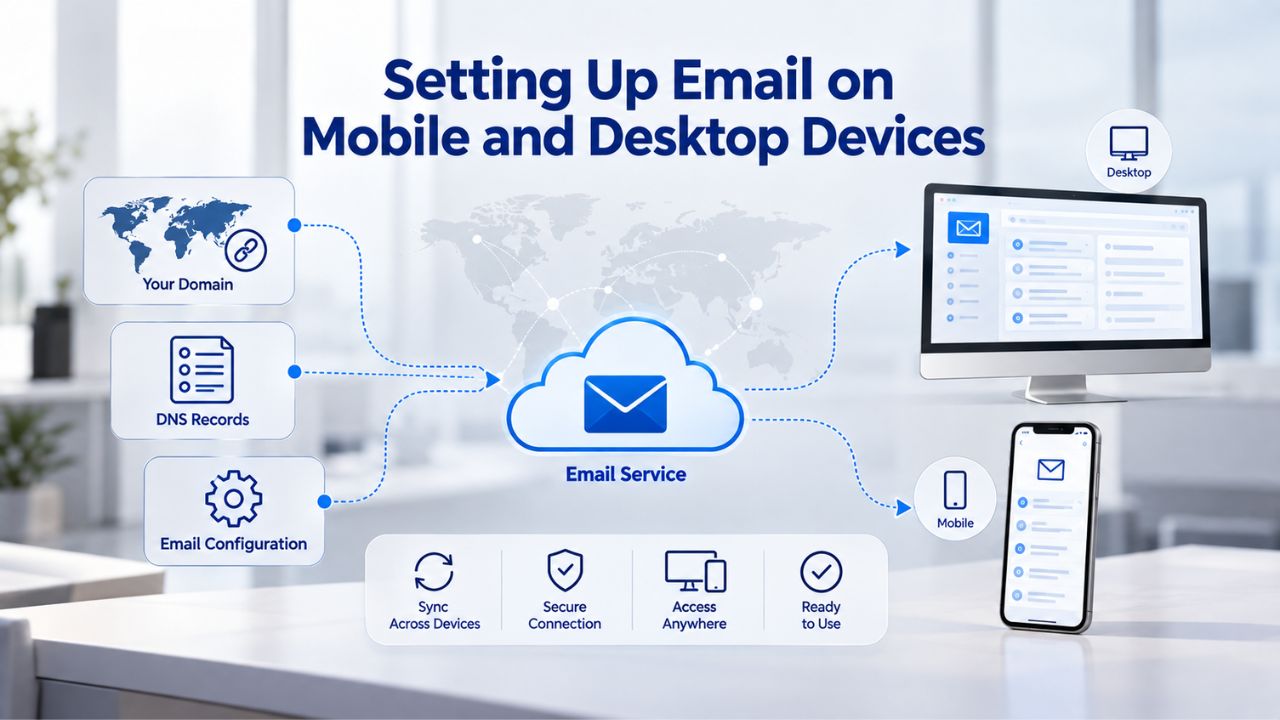
Most professional email providers default to IMAP (Internet Message Access Protocol), the modern standard and recommended choice for anyone using multiple devices. IMAP syncs messages across all devices and is the safer, recommended choice for multi-device access; POP3 downloads emails to a single device and suits only users who need offline storage, making it an outdated option for most business use. With IMAP, your email server acts as the source of truth; every device sees the same inbox, and actions on one device (reading, deleting, moving emails to folders) sync everywhere in real time.
For a business email address, IMAP is the clear winner over POP3, giving you flexibility and ensuring you never miss important messages, no matter which device you use to check email. You can check email on your phone during a meeting, then continue from your desktop when you return to the office, knowing all your emails and folders are up to date. This seamless synchronization is essential for team communication and ensures important messages don’t get stuck on one device while you check another.
Basic Setup Process and Multi-Account Management
Setting up email in Outlook, Apple Mail, the Gmail app, or any standard email client is straightforward and usually takes minutes. You enter your email address and password, and most providers auto-detect the incoming and outgoing mail server settings based on your email domain. A standard configuration includes an Incoming Mail Server (IMAP: port 993), an Outgoing Mail Server (SMTP: port 465 or 587), and SSL/TLS encryption for security, though these are usually handled automatically. If auto-detection doesn’t work, your provider will give you these server addresses to enter manually.
Adding multiple email accounts is easy; most email clients let you add and manage multiple accounts within a single app, making it simple to switch between personal and business accounts or manage multiple business mailboxes without constantly signing in and out. If needed, you can use Outlook or Apple Mail to access email from different providers at the same time. However, consolidating everything with one business email provider simplifies life and reduces the number of passwords you need to remember.
| Step Number | Action to Take | Typical Timeframe |
|---|---|---|
| 1 | Decide on domain name that reflects your business brand and is easy to remember and spell | Same day (takes about 30 minutes of thinking) |
| 2 | Register your domain through a domain registrar if you haven’t already purchased it | Same day to 1 hour after purchase (instantaneous with registrar) |
| 3 | Select email provider that meets your security, feature, storage, and support requirements | 1–2 days (research and comparison) |
| 4 | Create your first email mailbox (e.g., firstname\@yourbusiness.com or info\@yourbusiness.com) | Minutes (depends on provider speed) |
| 5 | Configure email authentication (SPF, DKIM, DMARC) in your email provider’s control panel | 15–30 minutes (straightforward, provider guides you) |
| 6 | Set up your email on all personal devices: phone, tablet, laptop, and desktop computer | 15–30 minutes per device (auto-detect usually works immediately) |
| 7 | If migrating from old email, use one-click import or IMAP to transfer existing emails and contacts | Hours to 1–2 days (depends on mailbox size and provider speed) |
| 8 | Update your domain’s MX (Mail Exchange) DNS records to point to your new email provider | Immediate update, 24–48 hours to propagate globally and take effect fully |
| 9 | Create additional mailboxes for team members or department-specific addresses (sales@, support@, etc.) | Minutes per mailbox (straightforward through admin panel) |
| 10 | Brief your team on how to set up their devices and share security best practices for email | 15–30 minutes (create simple instructions or video tutorial) |
Email Migration: Moving Safely Without Losing Data
If you’re currently using free email or an older email hosting provider, switching might feel risky and complicated. What if emails get lost during the transfer, corrupted, or deleted by mistake? What if there’s downtime during the transition, leaving you unable to send and receive emails? Email migration is actually straightforward if you follow a proven process and plan. This section walks you through the key steps to move safely without losing data or disrupting your business.
Preparing for Migration and Backing Up Your Data
Email migration is the process of moving email accounts, messages, folders, contacts, calendars, and other mailbox data from one email provider to another, and it requires planning to ensure you don’t lose anything important. Before you start the migration process, audit your current email setup carefully: list all email accounts you use, note any aliases or forwarding rules you’ve created, document distribution lists you manage, and take an inventory of shared mailboxes or team accounts. Back up all your email data; a downloadable backup file gives you a safety net if anything goes wrong during the transition or if you discover missing emails after the move.
Before migrating, inventory all email accounts, aliases, distribution lists, shared mailboxes, forwarding rules, and auto-responders to ensure nothing is missed, and confirm your new provider’s storage limits can accommodate your mailbox size. If you’re moving years of emails, you might need to archive older messages first to stay within limits. Tell your team and clients not to change their email passwords during the migration, as new passwords on the old system can interfere with the migration process and prevent messages from transferring properly.
The Migration Process and DNS Changes Required
Most email providers offer built-in import tools or support IMAP-based migration, which copies your messages and folder structures from your old provider to the new one automatically. You can migrate emails using built-in import tools, IMAP, or server-to-server migration, manual transfer via a desktop email client, or professional migration services. The best method depends on mailbox size and provider support, so check what your new provider offers. Set up your new email accounts on the new provider first, migrate your data using one of these methods, and test everything thoroughly before making the final switch to ensure nothing was lost.
Standard IMAP migration only moves your email messages and folders; contacts, calendars, tasks, filters, signatures, and forwarding rules do not automatically transfer and must be imported separately or recreated manually, so budget time for these manual steps after the main email transfer. Once you’ve confirmed all emails and key data are in place on the new system, update your domain’s MX (Mail Exchange) DNS records to point to your new email provider to complete the switch. DNS changes can take 24–48 hours to propagate globally, during which mail flow may be delayed or inconsistent. Still, once complete, all email continues normally.
Professional Email for Small Business: Affordability and Growth
Many small business owners assume professional email hosting is expensive or requires technical expertise to manage effectively. In reality, it’s affordable at various levels, scales as your business grows, and is designed specifically for small teams and solopreneurs. This section addresses common concerns about cost and complexity and shows how professional email works for businesses at every stage. Understanding the true cost and value of professional email helps you make the right investment decision.
Starting Small and Scaling Up as You Grow
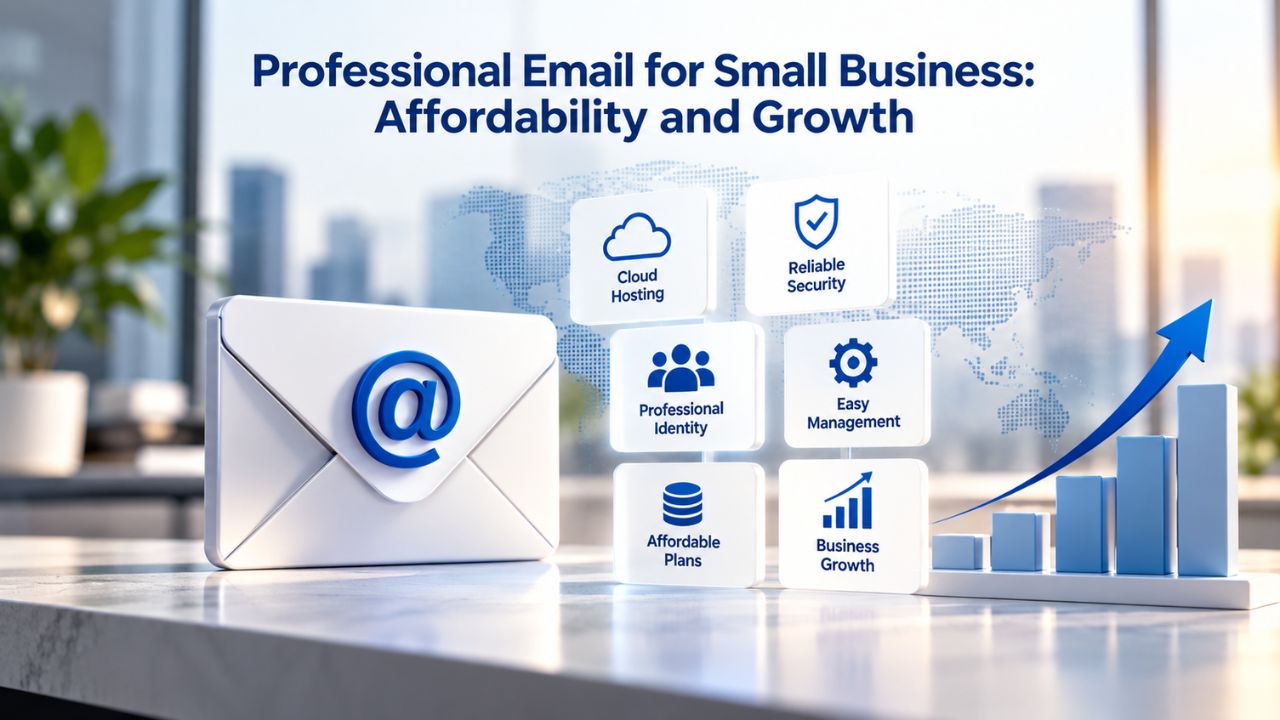
Professional email hosting comes in various price points to fit small businesses at different growth stages, from solo entrepreneurs to growing teams, with plans designed to scale affordably as your needs change. You might start with one mailbox for yourself, then add accounts for team members as you hire, scaling storage and features only when you actually need them. Reputable providers offer tiered plans structured to let you start small without expensive commitments, then upgrade smoothly as your business expands. The key is choosing a provider with a clear upgrade path so you can add mailboxes, increase storage, and access advanced tools without switching systems or dealing with complicated migrations.
As your business scales and you add team members, professional email becomes increasingly important for organization and brand consistency. Niya Digital’s Professional Email Hosting, powered by Titan Email, is structured to scale with your business, whether you’re a solopreneur sending a few emails daily or a growing team managing hundreds of email conversations. The platform grows with you, and you pay only for the capacity and features you use, avoiding the waste of paying for enterprise features you don’t need yet.
Why Professional Email Is Worth the Investment
The investment in professional email hosting is offset by real business value: stronger customer trust when they see your branded email, improved email deliverability meaning more emails reach inboxes, better team productivity with built-in tools and organization, and consistent branding that reinforces your business identity. Niya Digital’s team has found that businesses migrating to dedicated email hosting often see improved response rates and fewer customer support inquiries related to missing emails; the combination of professional branding and reliable delivery makes a measurable difference. When you add up the revenue impact of better credibility, improved inbox placement, and a more organized team, professional email hosting is one of the highest-ROI investments a small business can make.
The peace of mind that comes with knowing your business emails are secure, backed up, and accessible from anywhere is valuable in itself. You don’t have to worry about your personal Gmail account being hacked and exposing your business communications, or about losing access to years of customer emails if something goes wrong with your account. Professional email hosting providers maintain backups, offer security features, and ensure service continuity so your business communication never stops.
Comparing Email Providers: Decision Factors to Weigh
Before you commit to an email provider, use this decision framework to evaluate which factors matter most to your business and priorities. Different businesses have different requirements, and understanding your needs helps you avoid overpaying for features you don’t need or missing critical capabilities that will cause problems later. This table presents the key factors that should influence your provider choice, organized by business priority.
| Factor | Why It Matters for Your Business | What to Look For |
|---|---|---|
| Custom Domain Support | Builds credibility and brand consistency in every email sent to customers and partners | Email address matching your business domain (not @gmail.com or generic provider domain) |
| Storage & Scalability | Grows with your business and prevents having to delete old emails or change providers | Plans that scale from 5GB to 50GB+ per mailbox, easy and affordable upgrade path |
| Security & Encryption | Protects customer data, business conversations, and sensitive information from interception | Encryption at rest and in transit, two-factor authentication, anti-spam/phishing, regular backups |
| Email Authentication | Improves deliverability so emails reach inboxes and prevents others from impersonating your domain | SPF, DKIM, DMARC support with easy setup and management through control panel |
| Multi-Device Access | Keeps you productive on phone, tablet, laptop, and desktop without constant syncing issues | IMAP sync, native apps for iOS and Android, webmail access, desktop client support |
| Multi-Account Support | Simplifies team management and ensures all business communication stays in one system | Ability to create multiple mailboxes and manage from one admin panel without switching |
| Customer Support | Resolves technical issues quickly when they arise and minimizes business disruption | 24/7 availability, responsive team, documented knowledge base, live chat or phone support |
| Migration Assistance | Ensures smooth transition from old provider without data loss or business email downtime | One-click import tool, IMAP migration support, professional migration help if needed |
Essential Features: Security, Authentication, and Domain Support
When comparing email providers, start by evaluating the fundamental features that protect your business and establish your professional identity. Security is non-negotiable—your business data lives in your email, so you need strong encryption, two-factor authentication, and robust anti-spam and anti-phishing protection. Email authentication features like SPF, DKIM, and DMARC improve deliverability and protect your domain from fraud or impersonation. Custom domain support is equally important because it underpins your professional brand and customer trust.
These core features determine whether your email solution works reliably and safely for your business. A provider that excels in security and authentication gives you confidence that your communications are protected and that your emails will reach customers’ inboxes instead of spam folders. Make sure any provider you consider supports all three authentication protocols and offers strong encryption across the board. The cost difference between providers offering strong security and those offering weak security is minimal, so there’s no excuse to compromise on these essentials.
Scalability and Support: Growing with Your Business
As your business grows, your email needs will change and expand, so choose a provider that scales affordably and offers support when you need it. Look for providers with tiered plans that let you start small and grow without forcing expensive upgrades or system changes. Multi-account support and multi-device access become increasingly important as you add team members, allowing everyone to stay connected and synchronized. Customer support quality often determines how quickly issues get resolved, so prioritize providers with 24/7 availability and responsive support teams.
Migration assistance is another critical factor if you’re coming from an older system or consolidating multiple email providers. A provider that offers one-click import, IMAP migration support, or professional migration help makes switching painless and ensures no important emails or contacts are lost during the transition. When you evaluate providers, ask about their support options, read reviews from other customers about response times, and test their support team before signing up. A provider that grows with you and stands behind their service will support your business for years to come.
Getting Started: Your Email Setup and Implementation Checklist
You now have a clear framework for choosing a professional email address and understanding what makes professional email work effectively for your business. This checklist provides a step-by-step reference for implementing your decision, from choosing your domain through full deployment across all devices. The next step is straightforward: choose your domain, select your provider, and start building professional communications under your own brand with confidence.
Frequently Asked Questions
Do I really need a professional email address, or will free email work for my business?
Free email can work if you’re starting and have minimal customer communication or interactions. But as soon as you’re contacting clients, partners, or customers professionally, free email undermines your credibility and makes your business look unprofessional or unestablished. Research shows 75% of customers trust businesses with professional, domain-based email more than those using free email, and the business impact- lost sales, emails landing in spam, reduced customer trust- far outweighs the cost of paid email hosting. Even at the earliest stage, a professional email signals that you’re serious about your business and worth taking seriously as a potential partner or vendor.
What’s the difference between a domain and email hosting?
Your domain (e.g., yourbusiness.com) is the unique web address you own and register through a domain registrar, and it forms the foundation of your online identity. Email hosting is the infrastructure and service that sends and receives emails using that domain, stores your messages on servers, and routes them through the internet. You need both: the domain is the address itself, and email hosting is the service that makes sending and receiving emails possible. Different companies often provide them, though many hosting providers bundle both for convenience; you might also register your domain with one company and host your email with another.
How much does professional email hosting cost?
Pricing varies widely by provider, plan tier, and region, and costs change frequently based on your location and storage needs. General market pricing for business email hosting typically ranges from affordable starter plans designed for solopreneurs to premium tiers with advanced features for growing teams. Check your provider’s current website for exact figures, as costs change regularly and vary by location and specific features. Look for plans that scale affordably as you add users or storage, so you don’t face sudden cost jumps when your business grows or your needs increase.
Will my emails still work if I change email providers?
Yes, if you follow a proper migration process before switching providers and plan the transition carefully. Before switching, you set up accounts on the new provider, migrate your existing emails using IMAP or built-in import tools, and test thoroughly to ensure everything transferred correctly. Only after confirming everything works do you update your domain’s MX records to point to the new provider. DNS changes take 24–48 hours to propagate, during which mail flow may be delayed or inconsistent, but once complete, all email continues normally, and your business communication continues uninterrupted.
What are SPF, DKIM, and DMARC, and do I need to set them up?
SPF, DKIM, and DMARC are email authentication protocols that prove your emails are genuinely from your domain and not forged or impersonated. They’re invisible to users but crucial for inbox placement and preventing your domain from being used to commit email fraud. Most email hosting providers handle the technical setup; you enable them in your control panel and publish DNS records (your provider gives you the exact records to add). They significantly improve deliverability and sender reputation over time, reducing the chance your emails land in spam folders, so yes, you should set them up.
Can I have multiple email addresses under one domain?
Yes, absolutely. You can create email1@yourdomain.com, email2@yourdomain.com, and more under your domain. You can also set up department-specific addresses like sales@yourdomain.com, support@yourdomain.com, info@yourdomain.com, or careers@yourdomain.com. Some of these can be aliases (additional addresses routing to a single mailbox), while others can be separate accounts with their own dedicated inboxes and login credentials.
What’s the best email app to use with professional email hosting?
Any standard email app works with professional email hosting: Outlook (Windows or Mac), Apple Mail (iPhone, iPad, or Mac), Gmail app (Android or iPhone), Thunderbird (cross-platform), or your email provider’s own native app. Most providers support IMAP, so you can use whichever app you prefer or already use on your devices. The key is choosing IMAP (not POP3) to keep your emails synced across all devices, so everything stays in sync regardless of which device you use to read or send emails.
How long does it take to set up professional email?
Setup is usually quick, often just 5 to 15 minutes from start to finish. You create an account with your provider, set up your first email address, and add the address to your phone and desktop apps (auto-detection usually handles everything automatically). If you’re migrating from another provider and have years of emails to transfer, the migration process takes longer (hours to several days depending on mailbox size), but after that, everything works normally, and you’re fully set up.
Is professional email secure?
Reputable email hosting providers offer strong security measures: encryption of emails at rest (stored on servers) and in transit (traveling between servers), two-factor authentication to prevent unauthorized access, anti-spam and anti-phishing filters, and regular backups to prevent data loss. However, no system is 100% secure against all possible threats. Best practices include using strong, unique passwords that you don’t reuse elsewhere, enabling two-factor authentication, and being cautious about suspicious links and attachments in emails from unknown senders or unexpected sources.
Can I use the same email on multiple devices?
Yes, absolutely. With IMAP, you can add your email account to your phone, tablet, laptop, and desktop computer, and all devices will stay in sync automatically. Changes on one device- reading, deleting, moving emails to folders, flagging messages- instantly reflect everywhere. This is a key advantage of IMAP over older POP3, which downloads emails to only one device and doesn’t sync between devices.
What happens to my email if I don’t renew my domain registration?
If your domain registration lapses and expires, your email stops working immediately because the domain is the foundation of your professional email address. Set up auto-renewal with your domain registrar to avoid this problem automatically. If your domain lapses accidentally, you can usually reclaim it quickly by renewing. However, there may be a brief window when the domain is unavailable, and your email is down.
How do I import contacts and calendars to my new email provider?
Contacts and calendars typically don’t migrate automatically with email messages, so you need to handle these separately. Most email apps let you export contacts as a file (.csv or .vcf format) from your old provider, then import that file into your new provider’s contacts application. You often need to export calendars separately and re-import them. Your new provider’s support documentation will walk you through the specific steps for your provider and email client.
Can I set up email forwarding or auto-replies?
Yes, absolutely. Most professional email providers let you create forwarding rules (automatically send all emails from a certain sender or with certain keywords to another address) and auto-replies (automatic responses sent when you’re away). You typically set these up in your email provider’s settings or control panel. Forwarding rules help manage multiple inboxes or ensure important emails go to the right person; auto-replies are common when you’re on vacation, at a conference, or temporarily unavailable.
What should I do if my emails keep landing in spam?
First, check that your email authentication (SPF, DKIM, DMARC) is set up correctly in your provider’s control panel; poor authentication is a common cause of spam filtering. Verify that your email content isn’t triggering spam filters unintentionally (excessive links, suspicious formatting, certain keywords). If you’re having ongoing deliverability issues, contact your email provider’s support team; they can review your sender reputation, check for blacklisting, and help troubleshoot so your emails reach inboxes.
Is it worth moving from free email if I’m starting?
Yes, it’s worth the investment even at the earliest stage because a professional email address signals that you’re serious about your business and worth taking seriously. The credibility boost and professional branding are worth the modest cost, and most providers offer affordable starter plans for solopreneurs and tiny teams. You’ll likely recoup the investment through improved customer trust, higher response rates, and a stronger perception of professionalism in your first few client interactions.
Glossary
- Custom Domain: A unique web address you own and register (e.g., yourbusiness.com) that becomes the @yourbusiness.com part of your professional email address, distinguishing it from free email services like @gmail.com and establishing your business’s online identity.
- Webmail: Email access through a web browser without needing to download an app or client software, allowing you to manage email from any internet-connected device, useful when you’re on someone else’s computer or traveling.
- IMAP (Internet Message Access Protocol): A protocol that syncs email across multiple devices by storing messages on the mail server rather than downloading them; changes made on one device instantly reflect on all other devices.
- POP3 (Post Office Protocol 3): An older protocol that downloads emails from the mail server to a single device for storage and offline access; not recommended for modern business use because emails exist only on the device that downloaded them.
- SPF (Sender Policy Framework): A DNS record that lists all authorized mail servers permitted to send email on behalf of your domain, preventing unauthorized senders from forging your domain in email envelopes.
- DKIM (DomainKeys Identified Mail): A security protocol that adds a cryptographic digital signature to each email to verify that your domain genuinely sent it and has not been altered in transit.
- DMARC (Domain-based Message Authentication, Reporting, and Conformance): An email authentication protocol that ties SPF and DKIM together, specifies policies for handling emails that fail authentication, and requests reports from mail servers on authentication results.
- MX Record (Mail Exchange Record): A DNS record that directs email traffic for your domain to the correct mail server, updated when changing email providers to ensure mail continues flowing to your new host.