Why Businesses Need an Online Store
Establishing an online presence through an e-commerce store is no longer a luxury; it’s a business necessity. The digital marketplace has grown exponentially, fundamentally changing how customers discover and purchase products. Understanding why an online store matters and what a website builder can do for your business is the first step toward competing effectively in today’s market.
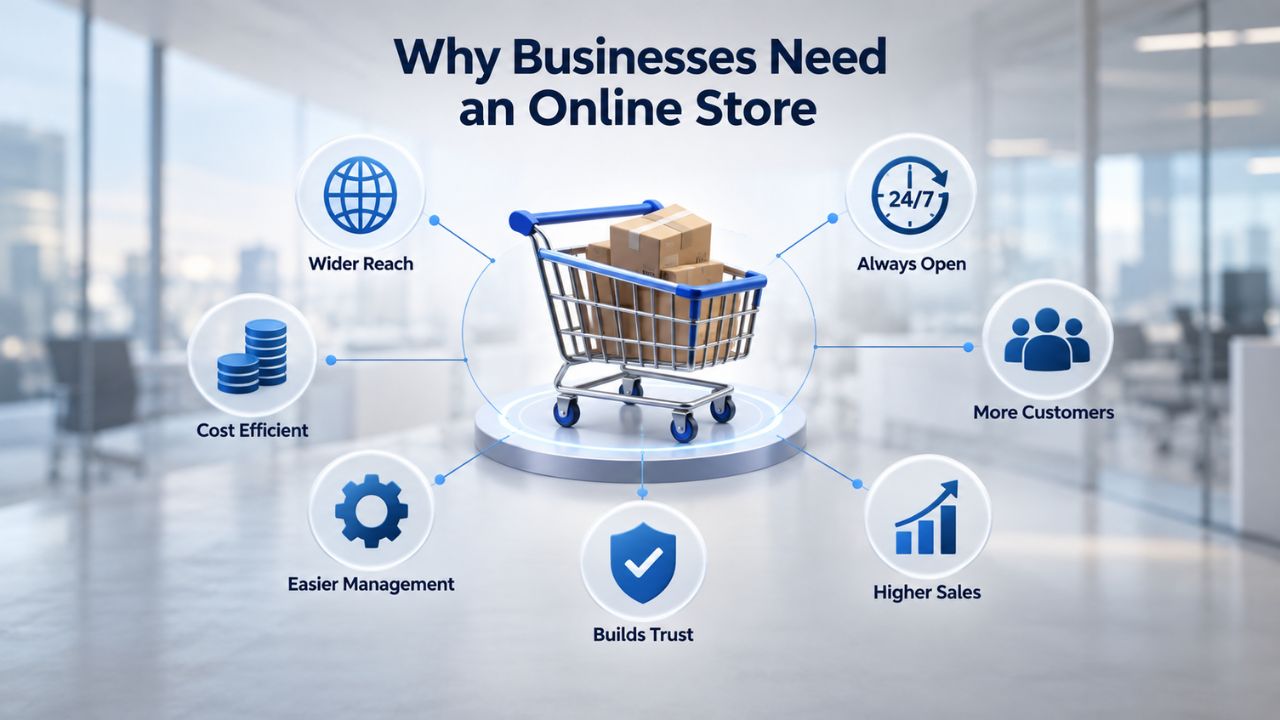
The Competitive Reality of E-Commerce
Today, an online store often determines whether your business remains visible or gets passed over by competitors. Consider the scale: over 3 billion people shop online globally, and more than 28 million e-commerce sites are registered worldwide. Most potential customers research online before making a purchase decision; 81% do, which means if you don’t have a digital storefront, you’re ceding that traffic directly to competitors. For small businesses, the barrier to entry is no longer prohibitive cost or technical complexity. Affordable website builder tools now enable owners to launch professional online stores without hiring expensive developers or spending months learning web development.
The trend is clear: 83% of small businesses now have a website, up from 64% in 2018. The remaining 17% report significantly limited online visibility and struggle to reach customers who increasingly expect digital shopping options. The website builder software market reached $6.38 billion in 2026, driven by small business adoption and AI-powered tools that speed up site creation and management. E-commerce adoption continues to rise; the relevant question is no longer “should you sell online?” but “how quickly can you get your store live?”
Why Website Builders Work for E-Commerce
A website builder, particularly one with integrated e-commerce tools, eliminates the technical and financial barriers that once required hiring full-time developers. Drag-and-drop interfaces, professionally designed templates tailored to online retail, built-in payment processing, inventory management, and hosting all operate within a single unified platform.
You don’t need to purchase hosting separately, manually configure servers, or spend weeks integrating third-party payment processors. Everything lives in one place, with setup taking days rather than months. Niya Digital’s team has observed that businesses launching stores through website builders typically go live faster, iterate on design and messaging more flexibly, and generally spend 70–80% less on initial setup than with traditional custom development.
Website Builder Plans & Pricing
Create a professional website with flexible website builder plans designed for businesses, portfolios, and growing online brands. Choose a plan that matches your needs and build, customize, and manage your website with easy-to-use tools, responsive designs, and essential features for a strong online presence.
Website Builder Personal
Share your passion online.
- Responsive mobile design
- Website hosting
- Rapid Page-Load performance
- Create a blog
- Security (SSL)
- 24/7 support

Website Builder Business
Create an online presence for your business.
- Responsive mobile design
- Website hosting
- Rapid Page-Load performance
- Create a blog
- Security (SSL)
- 24/7 support
- PayPal Buy Now or Donate button
- Search Engine Optimization (SEO)
Website Builder Business Plus
Attract more customers.
- Responsive mobile design
- Website hosting
- Rapid Page-Load performance
- Create a blog
- Security (SSL)
- 24/7 support
- PayPal Buy Now or Donate button
- Search Engine Optimization (SEO)
- Social Media Integration
- Share content to Facebook
- Online Appointments
Website Builder Online Store
Sell products and services.
- Responsive mobile design
- Website hosting
- Rapid Page-Load performance
- Create a blog
- Security (SSL)
- 24/7 Support
- PayPal Buy Now or Donate Button
- Search Engine Optimization (SEO)
- Social Media Integration
- Share content to Facebook
- Online Appointments
- Built-in shopping cart
- Sell physical and digital products
- Accept credit and debit cards, PayPal and more
- Flexible shipping options
- Discounts and promotions
- Manage inventory
Key Features Your Online Store Must Have
A successful online store requires a specific set of features that work seamlessly together. Whether you’re selling physical products, digital goods, or services, your website builder’s e-commerce capabilities must include core functionality that supports inventory management, secure transactions, and customer communication. Understanding what to look for ensures you choose a platform that can grow with your business.
Product Catalog & Inventory Management
Your online store’s foundation rests on the ability to display and manage products professionally. A website builder’s e-commerce features must include straightforward product upload, high-quality image galleries, detailed product descriptions, and real-time inventory tracking. GoDaddy Website Builder’s e-commerce plans support unlimited product uploads, customizable product pages with rich formatting, product variants (such as size, color, or material options), and automatic inventory updates. When a customer purchases a product, inventory counts decrease instantly, preventing the common problem of overselling or promising items you don’t have.
For growing retailers managing dozens or hundreds of products, the ability to organize products into categories, apply customer-facing filters, and create themed product collections, all without touching code, becomes essential to customer experience. Many website builders also include bulk import tools, letting you upload hundreds of products via CSV files instead of entering each one manually. This efficiency matters significantly when you’re launching with an existing inventory or rapidly expanding your product line. Additionally, built-in AI-powered search helps customers find what they want, reducing bounce rates and cart abandonment.
Shopping Cart & Secure Checkout
A streamlined checkout process directly impacts your conversion rate and revenue. A website builder’s e-commerce platform must include a reliable shopping cart that lets customers add and remove items, view running totals, and proceed to payment without friction or confusion. The checkout page itself should load quickly, display visible trust signals (security badges, the padlock HTTPS icon), and offer guest checkout options so customers can purchase without creating new accounts unless they want to save their information for future orders.
Secure checkout requires SSL encryption and PCI DSS compliance, both of which managed website builders handle automatically behind the scenes. The platform’s built-in payment gateways, PayPal, Stripe, Square, or the builder’s own payment processor, eliminate the need to integrate third-party services or write payment code manually. When buyers enter payment details in your checkout, the builder encrypts the data end-to-end, protecting both you and your customers from fraud and data theft. This level of security and compliance is something you’d otherwise need to hire specialists to manage.
Payment Processing & Multiple Payment Methods
Modern customers expect flexibility in how they pay. A quality website builder integrates multiple payment processors so customers can choose their preferred method. GoDaddy Website Builder’s e-commerce offering accepts payments through PayPal, Square, Stripe, and its own GoDaddy Payments service, giving you and your customers plenty of options. Each payment method typically integrates directly into your builder’s dashboard, so no matter which option a customer uses, all orders flow into a single, unified order management system. This centralization simplifies accounting, customer service, and fulfillment.
Different payment processors charge different transaction fees and offer varying features. Some website builder platforms bundle payment processing into the subscription (meaning no additional per-transaction fees), while others offer choice but include processor margins on top of subscription costs. This is an important consideration when choosing a builder and plan for your business.
Choosing the Right Website Builder Plan for E-Commerce
Selecting the appropriate subscription tier is crucial to your store’s success and your ability to scale. Website builders offer multiple plan levels, each designed for different business stages and growth trajectories. Taking time to understand the tiers and your own current and anticipated needs helps you start at the right level without overpaying for unused features or hitting frustrating limitations.
Feature Tiers: Starter vs. Store-Focused Plans
Website builders typically offer tiered subscription plans. Basic or starter plans often support simple informational websites and very small product lists; they may cap product uploads at 20, 50, or 100 items, or lack advanced features like abandoned cart email recovery and multichannel selling. Standard plans expand product capacity, add enhanced SEO tools, and include email marketing integrations. Store-focused or premium e-commerce plans unlock unlimited product uploads, advanced shipping integrations, inventory syncing across multiple sales channels (like eBay and Amazon), and deeper analytics that help you understand customer behavior and revenue sources.
Your choice depends on where your business stands today and how you plan to grow. A shop with 20 handmade items has fundamentally different needs than a retailer managing 500+ SKUs across multiple marketplaces. GoDaddy Website Builder’s e-commerce-focused tier includes sell-unlimited-products capability, multichannel selling tools, and point-of-sale integration. Before committing to a plan, honestly assess: How many products do you have today? How many do you expect to have in 12 months? Do you plan to sell on Amazon, eBay, or other external marketplaces too? Do you anticipate needing international shipping or multi-currency support? These answers should guide your plan selection.
Scalability & Future Growth
A website builder’s e-commerce platform should grow with you without requiring a complete rebuild or migration. Early-stage shops need flexibility to add features, email marketing integrations, customer relationship management tools, and accounting software connections without disruption or data loss. Look for builders that let you upgrade plans seamlessly, add integrations as you scale, and support features like multiple currencies and shipping zones if you plan to expand internationally.
Some website builders deliberately limit scalability, positioning themselves for small shops with capped product counts or transaction volumes. Others, particularly those managing WordPress-based e-commerce or enterprise-class platforms, scale to thousands of products and millions in annual revenue. For most small retailers just starting, a mid-tier website builder plan offers the optimal balance: affordable and accessible, feature-rich enough to support real growth, and scalable enough to avoid outgrowing the platform in your first or second year of operation.
| Starter Plan | Professional Plan | Store-Ready Plan |
|---|---|---|
| 20–50 products | 100–300 products | Unlimited products |
| Basic payment gateway | Multiple payment options | Multichannel selling |
| Manual shipping setup | Automated shipping rates | Real-time carrier integration |
| Limited email marketing | Built-in email campaigns | Advanced automation workflows |
| Basic analytics | Sales and traffic reports | Detailed revenue and customer insights |
| Single currency | Multiple currencies | International shipping support |
| Best for: Side hustles, test markets | Best for: Growing shops, 50–500 products | Best for: Established retailers, 500+ products |
Setting Up Your Store: Step-by-Step Workflow
Creating a functional online store involves several sequential steps, each building on the previous one. By following a structured approach and understanding what happens at each stage, you can launch confidently and avoid common pitfalls. The good news is that website builders have simplified this process dramatically; what once took weeks of technical work now typically takes days.
Registering Your Account & Selecting a Template
Getting started is straightforward and moves quickly. First, register an account with your chosen website builder or reseller (such as Niya Digital). You’ll answer a few questions about your business type, what you sell, target customers, and brand aesthetic or color preferences. The builder then suggests pre-designed e-commerce templates suited to your industry, whether that’s fashion, home goods, food, digital services, or something else entirely. GoDaddy Website Builder’s setup wizard asks basic questions such as store type and business name, then displays a pre-built store design tailored to your answers, ready for you to customize.
Choose a template that matches your brand identity and helps you stand out visually from competitors. The template you select is not locked in permanently; you can change layouts, colors, fonts, and images even after launch. Avoid the temptation to spend weeks perfecting the initial design and layout. A “good enough” template launched quickly often outperforms a perfect design that takes two months to finalize because you get real customer feedback sooner and can iterate based on actual behavior rather than assumptions.
Adding Your Domain, Products & Connecting Payment
Next, you’ll connect or register a domain name, your store’s URL (for example, yourbusiness.com). Your domain is your digital address and a critical part of your brand identity. Many website builders include free domain registration for the first year or offer significant discounts on domain purchases. Once your domain is live and pointing to your store, you’ll upload your products, one by one or in bulk via CSV file upload. For each product, add high-quality images (use well-lit, professional photos), write clear and compelling descriptions, set prices, define variants if applicable (such as small/medium/large), and set inventory quantities.
Then, connect a payment processor. Website builders simplify this considerably: you authorize PayPal, Stripe, or the builder’s native payment system through a simple, guided integration, usually just a few clicks and providing your account credentials, and checkout immediately begins accepting customer payments. Configure shipping zones (the geographic regions where you’re willing to ship), set your shipping rates (flat rate, weight-based, or real-time carrier rates), and configure tax settings. Many builders calculate tax automatically based on the customer’s location; others let you set custom rates for specific regions or product categories. This integration typically takes 30 minutes to an hour and requires no coding or technical expertise.
| Setup Step | What You’ll Do | Typical Time |
|---|---|---|
| Account registration | Sign up, provide business info, select template | 15–30 minutes |
| Domain connection | Register or connect a custom domain name | 10–20 minutes |
| Store customization | Update colors, fonts, layout, business info | 1–2 hours |
| Product upload | Add products, images, descriptions, prices | 2–8 hours (depends on product count) |
| Payment setup | Connect PayPal, Stripe, or other processor | 20–30 minutes |
| Shipping configuration | Define zones, rates, and delivery options | 30–45 minutes |
| Testing & review | Test full customer journey, checkout, payments | 30–60 minutes |
| Pre-launch polish | Final tweaks, add trust signals, review policies | 1–2 hours |
| Total typical range | 1–3 days |
Testing, Optimizing & Launching
Before you go live to real customers, test the complete customer journey from product discovery through checkout. Add a test product to your cart, complete the entire checkout process, and finish a transaction. Most website builders let you process test payments without charging real money, allowing you to verify everything works correctly. On an actual mobile phone (not just a browser’s mobile preview), add items to your cart, fill in your address at checkout, select a shipping method, and choose your payment option. Verify the checkout page loads quickly, displays properly without cramped text or missing buttons, and feels secure and professional.
Also verify that product images display clearly and beautifully, descriptions are complete and accurate, and shipping and tax calculations are correct. Once everything functions properly, configure your final store settings: business name, contact email address, return policy, terms of service, and privacy policy. Write a clear, brief homepage that explains what you sell and why customers should buy from you. Add basic trust signals: a professional photo of yourself or your team, customer testimonials if you have any early adopters, and clear contact information. Then launch. Perfection is the enemy of progress; you can refine product photography, copy, and marketing after going live, but you’ll gain real market feedback from day one.
Managing Products, Inventory & Fulfillment
Once your store is live, daily operations center on your dashboard. Managing products, tracking inventory, processing orders, and coordinating fulfillment become your primary responsibilities. Website builders make these tasks much simpler than traditional retail management, but they still require attention and consistency to keep customers satisfied and your business running smoothly.
Updating Products & Inventory in Real Time
After launch, you’ll spend time updating product listings, managing inventory, and responding to customer demand. When inventory runs low, update quantities directly in your dashboard. To promote a best-selling product or run a limited-time sale, add a sale price or featured badge. Website builders provide drag-and-drop product management tools and real-time inventory tracking, eliminating the need for separate spreadsheets or external software; everything lives in one dashboard.
As your business grows, automated inventory management becomes increasingly valuable. Some website builders sync inventory automatically across multiple sales channels: if you sell on your main website and also on eBay or Amazon, a single inventory update instantly propagates across all platforms. This eliminates the nightmare scenario of overselling (promising a product you don’t actually have in stock). Some builders also integrate with fulfillment partners like Printful (for print-on-demand items) or dropshipping suppliers, automating order forwarding, tracking, and customer updates.
Processing Orders & Shipping
When customers check out, orders automatically appear in your dashboard. From there, you can view each order, customer email, and shipping details; print packing slips for physical fulfillment; generate shipping labels; and mark orders as shipped. Customers typically receive tracking information automatically once you mark their order as shipped, keeping them informed and reducing support inquiries.
For physical products, decide early whether you’ll handle fulfillment yourself or partner with a third-party fulfillment service. Shipping items yourself requires inventory storage space, packing supplies, and time, plus you need carrier accounts with companies like UPS, FedEx, or DHL. Using a fulfillment partner, which typically charges per order, offloads these tasks but reduces your direct control over packaging and presentation.
Track key fulfillment metrics: average time from order to shipment, shipping speed relative to customer expectations, and return rates. Use these insights to refine your shipping strategy and adjust customer expectations accordingly. Many website builder dashboards display these metrics automatically, helping you spot trends and identify opportunities to improve.
Ready to Build Your Online Store This Week
Building an online store is simpler than ever, and waiting delays your first customer. Niya Digital’s Website Builder Service removes the barriers: no coding, no months of development, no hiring expensive developers. Go live in days with a professional, secure store powered by proven e-commerce infrastructure and supported by our team every step of the way.
Payment Processing, Security & Customer Trust
Every online store must prioritize security and customer trust. Payment data protection, compliance with industry standards, and transparent policies all contribute to a customer’s willingness to complete a purchase. E-commerce-focused website builders handle much of the heavy lifting, but understanding what happens behind the scenes helps you make informed decisions and communicate confidently with customers.
SSL Encryption & PCI Compliance
Every online store must use SSL encryption (HTTPS, not HTTP) and maintain compliance with PCI DSS, the Payment Card Industry Data Security Standard set by major credit card companies to protect payment data and reduce fraud. For managed website builders like those powered by GoDaddy Website Builder’s infrastructure, the server and all security configurations are proprietary, meaning you are not held liable for PCI compliance. The builder automatically handles encryption, regular compliance audits, and security patches.
Your store’s storefront displays the HTTPS lock icon in customers’ browsers, which reassures them that their data is encrypted and protected. This is one of the biggest advantages of using a managed website builder for e-commerce: security and regulatory compliance are the builder’s responsibility, not yours. You don’t need to hire a security team, run costly audits, or keep up with evolving standards. The builder’s infrastructure team handles all of this, allowing you to focus on running your business rather than managing technical security.
Building Customer Trust Through Security Signals
Beyond SSL encryption and compliance, customer trust depends on multiple signals. Display security badges (such as Norton Secured, McAfee Secure, or your payment processor’s badge), clearly state your privacy policy and data handling practices, and prominently display your return, refund, and exchange policies. Many customers hesitate to buy from an unfamiliar store if they can’t easily find answers to common questions, such as: How do I return something? What if I don’t like what I ordered?
How is my data protected? A photo of yourself or your team, genuine customer testimonials and reviews, and a clear “Contact Us” page with responsive hours all reinforce that you’re a legitimate, approachable business. Some website builders include built-in review sections, countdown timers for limited-time offers, or live chat functionality, all of which can reduce cart abandonment and increase conversions.
SEO for Online Stores: Getting Found in Search
Search engine optimization for e-commerce differs from SEO for blogs or service websites. Rather than targeting broad topics, you help Google understand each product and match relevant search queries to it. E-commerce website builders include built-in SEO tools that make optimization straightforward, even for business owners without technical knowledge.
Optimizing Product Pages for Search
Website builders provide built-in SEO tools for product pages: customizable meta titles, meta descriptions, URLs, and keywords. Each product page should have a unique title tag, meta description, and at least one primary target keyword naturally woven into the product description. Instead of a generic product title like “Leather Bag,” use descriptive language like “Brown Leather Crossbody Bag for Women”; this matches how customers actually search and tells search engines exactly what your product is.
Write product descriptions for real humans first (clear, engaging, honest, highlighting benefits), then ensure your target keywords appear naturally throughout. Well-structured, informative product content helps search engines understand the product and improves its ranking potential. Avoid keyword stuffing; cramming keywords unnaturally into descriptions doesn’t improve rankings and makes your content difficult to read. Focus on clarity and helpfulness, and keywords will naturally emerge.
Building Product Page Authority & Organic Visibility
Product pages rank in Google when they receive traffic, backlinks from other websites, and positive user engagement signals. Generating backlinks to individual products is harder than building homepage links, so start by building authority at the category and homepage level, then let that authority gradually flow to product pages. Link strategically between related products on your site (for example, “Customers also bought…” sections or “Complete the look” collections), which helps Google crawl your entire product catalog and distributes authority throughout the store.
Use high-quality product images that actually show the product from multiple angles, include customer reviews (which provide fresh, authentic, keyword-rich content that search engines favor), and write unique descriptions for each product instead of copying manufacturer text verbatim. Over time, as your store builds authority and attracts backlinks from customer reviews or industry publications, your product pages begin ranking for long-tail search queries like “affordable brown leather crossbody bag for women,” driving organic traffic without paid advertising. This traffic is highly valuable because these customers are actively searching for exactly what you sell.
Mobile Optimization: Reaching On-the-Go Shoppers
Mobile commerce is no longer a future consideration; it’s the dominant channel for online shopping. If your online store doesn’t work flawlessly on smartphones and tablets, you’re leaving a significant portion of potential revenue on the table. E-commerce-focused website builders handle mobile optimization automatically, but understanding why it matters helps you prioritize the experience correctly.
Why Mobile-Responsive Design Matters for E-Commerce
Mobile e-commerce has exploded in scale and importance. Mobile e-commerce sales reached $2.2 trillion in 2023, accounting for 60% of global e-commerce sales, with projections to reach $3.4 trillion by 2027. This isn’t a small segment; it’s most online shopping. Up to 90% of shoppers say their mobile commerce experience could be better, suggesting many stores still don’t optimize for mobile devices. E-commerce website builders typically build mobile-responsive templates by default, so your store’s layout automatically adapts to phones, tablets, and desktop screens. Navigation becomes a mobile-friendly menu, images scale proportionally, buttons remain tappable (not cramped), and checkout flows smoothly on touchscreens.
This isn’t optional or a “nice to have”; it’s foundational to your store’s success. If a customer discovers your product on social media or Google, clicks through to your store on their phone, and encounters a clunky mobile experience, they’ll leave and shop elsewhere. Mobile responsiveness is as critical as accepting payments.
Conversion Impact & Performance Optimization
Mobile optimization directly affects your conversion rate and revenue. 62% of users won’t return to a site after a poor mobile experience, meaning a clunky mobile store loses repeat customers before they even make a first purchase. Before launch and regularly after, test your store on real mobile phones: add products to your cart, enter your address at checkout, select shipping, and choose your payment method. Does everything load quickly? Are buttons and text readable without zooming? Does checkout feel secure and straightforward? If any step feels slow, cramped, or confusing, fix it immediately.
Also, monitor page speed on mobile connections. Mobile users on slower connections (3G, poor WiFi) expect pages to load within 2–3 seconds. Compress product images, enable lazy loading for images below the fold, and minimize unnecessary redirects. Many website builder platforms optimize automatically, but don’t assume; test your store’s performance with free tools like Google PageSpeed Insights, which provides specific recommendations for improving speed and mobile user experience.
Marketing & Promoting Your Online Store
Launching your store is just the beginning. Without marketing and promotion, even the best product won’t reach customers. Website builders typically include integrated marketing tools and integrations that simplify customer acquisition and retention, helping you drive traffic and build a loyal customer base without requiring expertise in paid advertising or complex marketing funnels.
Leveraging Built-In Marketing Tools
Your website builder likely includes email marketing integrations, social media sharing buttons, and analytics. Email marketing is particularly powerful for e-commerce: capture customer email addresses at checkout (with their permission), then send targeted emails about abandoned carts (customers who added products but didn’t check out), product restocks, customer reviews, or special promotions. Website builders often support integrations with email platforms like Mailchimp or include native email campaign functionality, allowing you to automate nurture workflows without leaving your dashboard.
Social selling is equally important. Add social media links to your store, and consider syncing your product feeds to Facebook Shops or Instagram. When a customer discovers your product on Instagram, they can tap through to your store, or even complete the purchase directly within Instagram without leaving the app. This frictionless path from discovery to purchase significantly boosts conversion rates and social commerce revenue. Many website builders include built-in social media integrations, making setup straightforward.
Generating Reviews & Building Credibility
Customer reviews are extraordinarily powerful for both conversion and search rankings. 90% of consumers read reviews before making a purchase, and reviews provide fresh, authentic content that search engines favor. Many website builders include built-in review modules. After an order ships, automatically email customers to ask for feedback and make it easy to leave a review. Encourage honest reviews; both positive testimonials and constructive criticism build trust with potential customers considering their first purchase.
Display reviews prominently on your product pages and your homepage. Respond to every review, especially critical ones, showing that you care about feedback and customer satisfaction. Also consider paid advertising to accelerate initial traffic. Platforms like Google Ads and Facebook Ads let you target specific customer demographics and drive qualified traffic to your store. Start with a modest budget, even $5–$20 per day, to test which ads convert best, track what drives actual customers, and scale investment in what works. Many website builder platforms integrate with ad networks, allowing you to track revenue directly from ads in your store’s analytics.
Scaling Your Store as You Grow
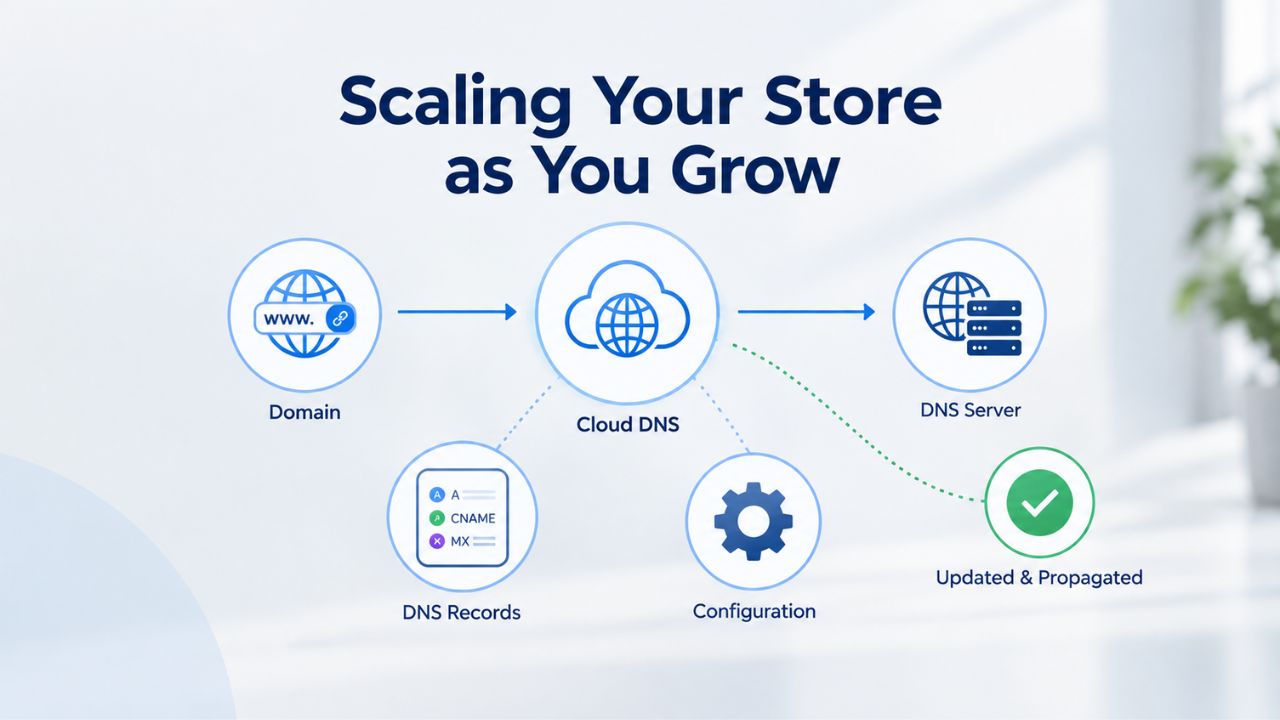
As your store gains traction and revenue increases, you’ll face new challenges and opportunities. Scaling requires planning, better tools, and strategic decisions about which features to add, which marketing channels to expand, and how to maintain customer service quality as volume increases. E-commerce-focused website builders support scaling gracefully, but understanding your growth options helps you plan.
Expanding Product Lines & Channel Integration
In your first months, you may start with 20–50 products to test market response. As you validate product demand, you’ll add new items, expand into new categories, or test new markets. A quality website builder lets you upload products in bulk via CSV or API, so you can add 100+ SKUs at once instead of entering each one manually. More importantly, you’ll want to sell beyond your main website. Multichannel selling, syncing your store with Amazon, eBay, Etsy, or niche marketplaces relevant to your products, multiplies revenue without building multiple separate storefronts.
GoDaddy Website Builder’s advanced tiers support multichannel selling, allowing you to manage inventory, pricing, and orders across channels from a single dashboard. This is genuinely game-changing as you scale: one inventory update propagates everywhere automatically, one order dashboard shows all sales from all channels, and fulfillment happens in one central location. You avoid the nightmare of overselling because inventory syncs in real time across every channel where you sell.
Investing in Advanced Tools & Integrations
After your first 3–6 months of operation, consider integrations with accounting software (QuickBooks, Xero), customer relationship management tools, or advanced analytics platforms. Many builders connect to these systems to automate invoicing, customer follow-up, and financial reporting. If you hire staff, team roles and permissions matter; make sure your builder supports admin, editor, and viewer roles so your team can manage the store without accessing sensitive billing or customer payment data.
Monitor your analytics religiously. Most website builder dashboards provide reporting on traffic sources (which channels send the most customers), customer behavior (how long they browse, what products they view), product performance (which items sell fastest, which generate the most revenue), and overall revenue trends. Use these insights to decide what to promote, what to phase out, and where to invest your marketing budget next. This data-driven approach to business decisions typically leads to better outcomes than gut instinct alone.
Ready to Launch Your Online Store Today
Niya Digital’s Website Builder Service makes launching simple and supported. Our team guides you through plan selection, setup, template customization, and ongoing account management, all powered by GoDaddy Website Builder’s proven infrastructure. You get a professional, mobile-responsive online store with hosting, security, templates, and built-in e-commerce tools, plus Niya Digital’s personalized onboarding and support every step of the way.
Frequently Asked Questions
How long does it take to build an online store with a website builder?
Most small retailers can have a basic store live within 1–3 days. Account setup, template selection, and uploading your core products typically take a few hours to a full day. Refining design details, writing comprehensive product descriptions, and configuring shipping and marketing features may take an additional week or two. The advantage of website builders is that you can launch with your essential products and continue refining while live, learning from real customer feedback rather than perfecting everything before launch.
Do I need coding experience to build an online store?
No coding experience is necessary. Website builders are specifically designed for non-technical users. Drag-and-drop editors, pre-built templates, and step-by-step wizards mean anyone who can upload a photo, adjust text, and click buttons can build a professional store. If you can use email and social media, you have all the technical skills required to launch and manage a website builder store.
What payment methods should I accept in my online store?
Accept at least credit cards (Visa, Mastercard, American Express) and PayPal as your baseline. If your customers skew younger or are international, add Apple Pay, Google Pay, or regional payment methods. The more payment options you offer, the fewer customers will abandon checkout because their preferred method isn’t available. Each additional payment option typically takes just minutes to enable in your builder’s dashboard.
How should I determine and set my shipping costs?
Offer flat-rate shipping (simple and predictable for customers), free shipping on orders above a certain dollar threshold (encourages larger purchases), or real-time carrier rates (most accurate but requires integration with shipping companies). Test different strategies and measure their impact on average order value and conversion rate. Many customers prefer free shipping; even if you’ve built the cost into product prices, it feels like a better deal psychologically.
Is my customer data and payment information secure on a website builder platform?
Yes. Managed website builders handle SSL encryption, PCI DSS compliance, and regular security audits automatically. Your customer payment data is encrypted and stored securely on the builder’s servers, not on your computer. You’re not responsible for compliance because the builder handles it. Always keep your own login credentials secure and enable two-factor authentication on your account for added protection.
Can I move my online store to a different platform if I outgrow my current builder?
Most website builders allow you to export your product data, customer lists, and order history, so migration is possible but requires work. Switching platforms is more involved than staying put, so choose your initial builder carefully. Evaluate the provider’s track record, roadmap, and commitment to supporting growing businesses before committing.
How much does website builder e-commerce typically cost?
Pricing varies significantly by provider and plan tier. Basic plans support small product catalogs with limited features; premium e-commerce plans unlock unlimited products and advanced capabilities. Longer subscription periods (annual vs. monthly) typically offer better value. Budget for the subscription itself plus any add-ons like domain registration, email marketing, or premium templates.
What’s the difference between a website builder and a dedicated e-commerce platform like Shopify?
Website builders emphasize ease of use and all-in-one functionality (website, store, and hosting together). Dedicated e-commerce platforms focus deeply on advanced e-commerce features and customization. Website builders are ideal for small retailers launching their first store; dedicated platforms suit scaling businesses with complex inventory, fulfillment, or integration needs. For most beginners, a website builder is the right choice.
How do I get my online store found in Google search results?
Build your store first, then invest in SEO: write unique product descriptions with relevant keywords, add descriptive alt text to product images, build backlinks to your most important products, and encourage customer reviews. Over time, a mature store with strong content and links ranks for relevant search queries. Paid advertising (Google Ads, Facebook Ads) provides faster initial traffic while organic SEO builds.
Can I sell on multiple channels simultaneously, my website, Amazon, eBay, Etsy?
Yes, if your website builder supports multichannel selling. Connect your Amazon and eBay seller accounts to your builder; inventory and orders sync automatically across channels. This prevents overselling and consolidates order management into one dashboard instead of juggling multiple platforms.
What should I do if a customer has a problem with their order?
Use your website builder’s order management dashboard to view every order, customer email, and order status. Respond to customer emails within 24 hours, track return and refund requests, and update order status so customers know what’s happening. Quick, personal responses build loyalty and reduce negative reviews.
Do I need a business license or tax ID to sell online?
This depends on your location, product type, and sales volume. Consult with your local government or a tax professional. Most website builders support tax calculation and sales tax collection once you configure your settings, but you’re responsible for registering, collecting, and remitting taxes.
How can I differentiate my online store from competitors selling similar products?
Focus on unique value: better product photography, more detailed descriptions, faster shipping, exceptional customer service, a memorable brand story, or exclusive products. Invest in customer reviews and testimonials. Offer something competitors don’t: a gift with purchase, a loyalty program, or premium packaging. Your store’s design and overall customer experience matter as much as the products themselves.
What if my store doesn’t generate sales right away?
New stores need time to build traction. Keep refining: test different product photos, update descriptions, run small ad campaigns to learn what resonates, and gather customer feedback. Sales typically accelerate after 3–6 months of consistent effort and marketing. Don’t expect traffic and revenue without investment in promotion.
Can I run my online store part-time or as a side business?
Absolutely. Website builders scale to your schedule. Some owners run thriving stores with just a few hours of work per week; others grow it into a full-time business. Start small, test whether the market wants what you’re selling, and expand if traction and profit make sense.
Glossary
- Drag-and-Drop Editor: A website builder’s visual design tool that lets you create your site by clicking and dragging elements (text boxes, images, buttons, product cards) into position rather than writing code. What you see on screen while editing is what visitors see on the live website.
- E-Commerce (Online Store): A website where customers browse products, add items to a shopping cart, and complete purchases using a payment processor. Includes product listings, shopping cart, secure checkout, order management, and inventory tracking.
- Payment Gateway: A service (such as Stripe, PayPal, or Square) that securely processes customer credit card or digital wallet payments and transfers the funds to your business account, handling all the complex encryption and security behind the scenes.
- Product Listing: A dedicated page on your online store that showcases one specific product, featuring high-quality images, a detailed description, price, availability status, product variants (if applicable), and customer reviews.
- Responsive Design: A website layout that automatically adjusts and reflows to fit whatever screen size is viewing it, desktop computer, tablet, or mobile phone. Text remains readable, images scale proportionally, and navigation adapts seamlessly across devices.
- SSL Certificate: A digital security certificate (indicated by HTTPS in the URL and a padlock icon in the browser) that encrypts all data traveling between a customer’s browser and your website, protecting payment information, addresses, and personal data from interception.
- Template: A pre-designed, professionally created website layout for a specific industry or business type (such as “Women’s Fashion Boutique” or “Handmade Crafts Shop”). You customize it by changing colors, fonts, images, and product content instead of building from a blank canvas.
- Website Hosting: The server infrastructure that stores your website files and serves them to visitors when they type your domain into their browser. Website builders include hosting automatically; you don’t purchase it separately.