Why Small Business Owners Need a Website
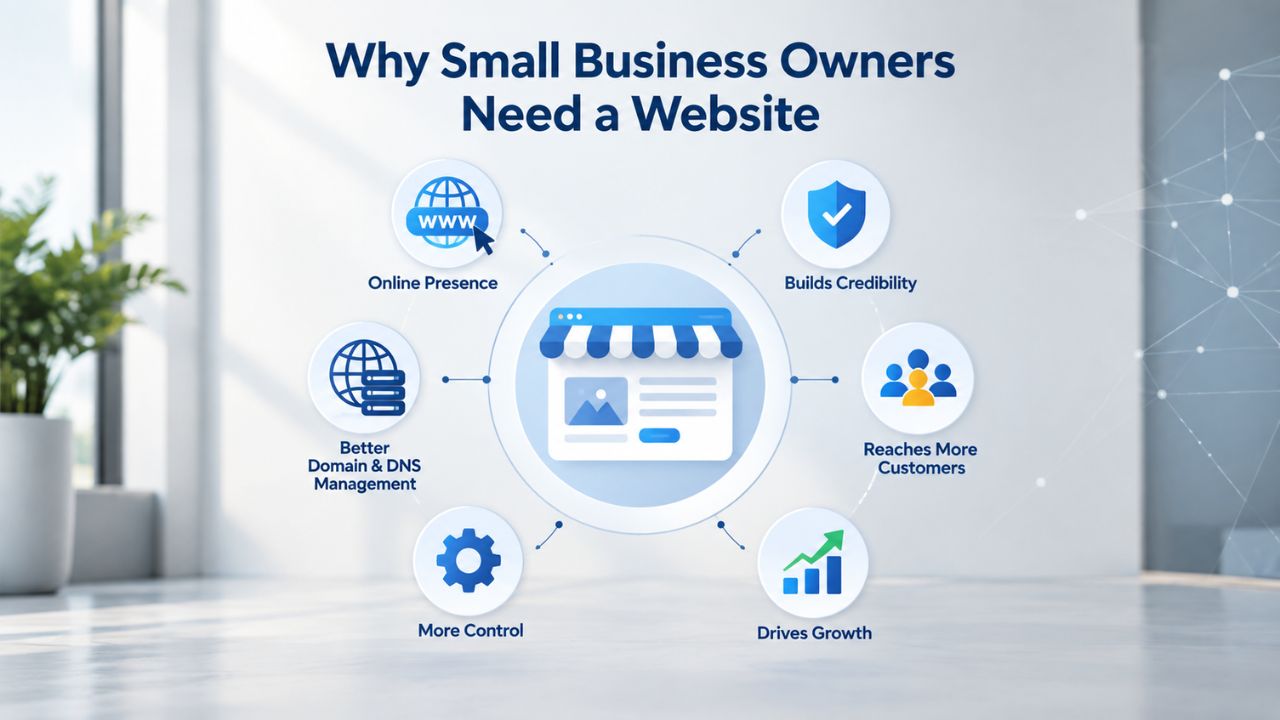
Building a website is no longer optional; it’s essential for credibility and customer discovery. Consumers expect businesses to have an online presence, and those without websites miss critical opportunities to connect with potential buyers. The competitive landscape has shifted dramatically over the past few years, making an online presence a baseline requirement rather than an advantage. Understanding why your business needs a website now helps frame the investment of time and effort as essential, not optional.
The Credibility Expectation Every Customer Has
Seventy-five percent of consumers judge a business’s credibility based on its website design alone. This statistic reflects a fundamental shift in how people evaluate whether to trust and do business with a company. Businesses with websites are perceived as 41% more trustworthy than those without, making your website the strongest credibility signal outside of online reviews. A professional web presence signals legitimacy and seriousness; without one, potential customers may question whether your business is established or should look elsewhere.
Young consumers (ages 18–24) are even more demanding than the general population: 72% say a website is necessary for credibility, versus 69% overall. This isn’t about having any website; it’s about having one that looks current, functions smoothly on mobile devices, and communicates professionalism. An outdated or broken website can harm your credibility more than having no website at all. Your site’s design and functionality signal the quality of your products or services, so investing in a professional appearance pays dividends in customer confidence.
How Customers Actually Search for Businesses Today
Eighty-one percent of shoppers research a business online before making a purchase, meaning most potential customers will look you up before deciding whether to buy from you. If they find you, they’ll likely evaluate your business based on what they see online. Ninety-seven percent of consumers search for local businesses online, with 12% doing so daily. If your competitor has a website and you don’t, customers will find them first and often stop looking. They may never even discover your business if you’re not discoverable online.
The stakes are higher now because AI-powered search tools like ChatGPT, Google Gemini, and Perplexity surface websites to summarize local options for users. A business without a web presence doesn’t appear in these AI-generated summaries, becoming invisible to the growing share of shoppers who rely on these tools. Today, 27% of small businesses still operate without websites, leaving them at a severe competitive disadvantage. Being part of that 27% means missing customers who are actively searching for the products or services you sell.
Website Builder Plans & Pricing
Create a professional website with flexible website builder plans designed for businesses, portfolios, and growing online brands. Choose a plan that matches your needs and build, customize, and manage your website with easy-to-use tools, responsive designs, and essential features for a strong online presence.
Website Builder Personal
Share your passion online.
- Responsive mobile design
- Website hosting
- Rapid Page-Load performance
- Create a blog
- Security (SSL)
- 24/7 support

Website Builder Business
Create an online presence for your business.
- Responsive mobile design
- Website hosting
- Rapid Page-Load performance
- Create a blog
- Security (SSL)
- 24/7 support
- PayPal Buy Now or Donate button
- Search Engine Optimization (SEO)
Website Builder Business Plus
Attract more customers.
- Responsive mobile design
- Website hosting
- Rapid Page-Load performance
- Create a blog
- Security (SSL)
- 24/7 support
- PayPal Buy Now or Donate button
- Search Engine Optimization (SEO)
- Social Media Integration
- Share content to Facebook
- Online Appointments
Website Builder Online Store
Sell products and services.
- Responsive mobile design
- Website hosting
- Rapid Page-Load performance
- Create a blog
- Security (SSL)
- 24/7 Support
- PayPal Buy Now or Donate Button
- Search Engine Optimization (SEO)
- Social Media Integration
- Share content to Facebook
- Online Appointments
- Built-in shopping cart
- Sell physical and digital products
- Accept credit and debit cards, PayPal and more
- Flexible shipping options
- Discounts and promotions
- Manage inventory
Understanding Website Builders vs. Coding or Hiring Help
Before you begin building, it’s important to understand your options for creating a website. You can hire a developer, build yourself using code, or use a website builder. Each approach has different trade-offs in time, cost, and required technical expertise. Understanding these options helps you choose the right path for your business at this stage of growth.
What a Website Builder Actually Does
A website builder is a no-code platform that uses drag-and-drop tools and pre-designed templates to let you create websites without writing code. You select a template that matches your industry or aesthetic, customize the design and content through a visual editor, and then publish your site directly- no developer needed. Website builders handle hosting automatically, so you don’t need to buy hosting separately or manage server configurations. They include built-in SEO tools that help your site show up in search results, and they enable most websites to launch in days or weeks instead of months.
The trade-off when using a website builder is that you work within the builder’s ecosystem and design system rather than building something completely custom. Your site will be built on their platform, using their templates and their infrastructure. However, for most small businesses launching their first website, this trade-off is worthwhile. You get a professional-looking site live quickly, without the complexity of managing code or server infrastructure. As your business grows and your needs become more specialized, you can always migrate to a more customized solution later.
DIY Builder vs. Hiring a Developer vs. Freelance Designer
Building your website yourself using a website builder takes 1–3 days for a simple brochure site with 1–5 pages, or 1–2 weeks for a small business site with 5–15 pages and contact forms. This approach is typically manageable, and you retain full control over the design and content. You avoid communication delays and misunderstandings with developers because you’re making all the decisions directly. This path works best for businesses comfortable learning a new tool and managing their own site updates and maintenance.
Hiring a professional developer or agency takes 1–2 weeks for a brochure site or 4–8 weeks for a small business site, with costs ranging from several thousand to tens of thousands of dollars depending on complexity. You get a polished, custom design and professional support throughout the process, but the timeline is longer, and you depend on the developer’s availability. A middle-ground option is hiring a freelance designer who customizes templates for you, reducing DIY effort while costing less than custom development. For most small businesses launching their first website, a builder-based DIY or freelance approach balances speed, cost, and professionalism effectively.
Choosing the Right Website Builder Plan for Your Business
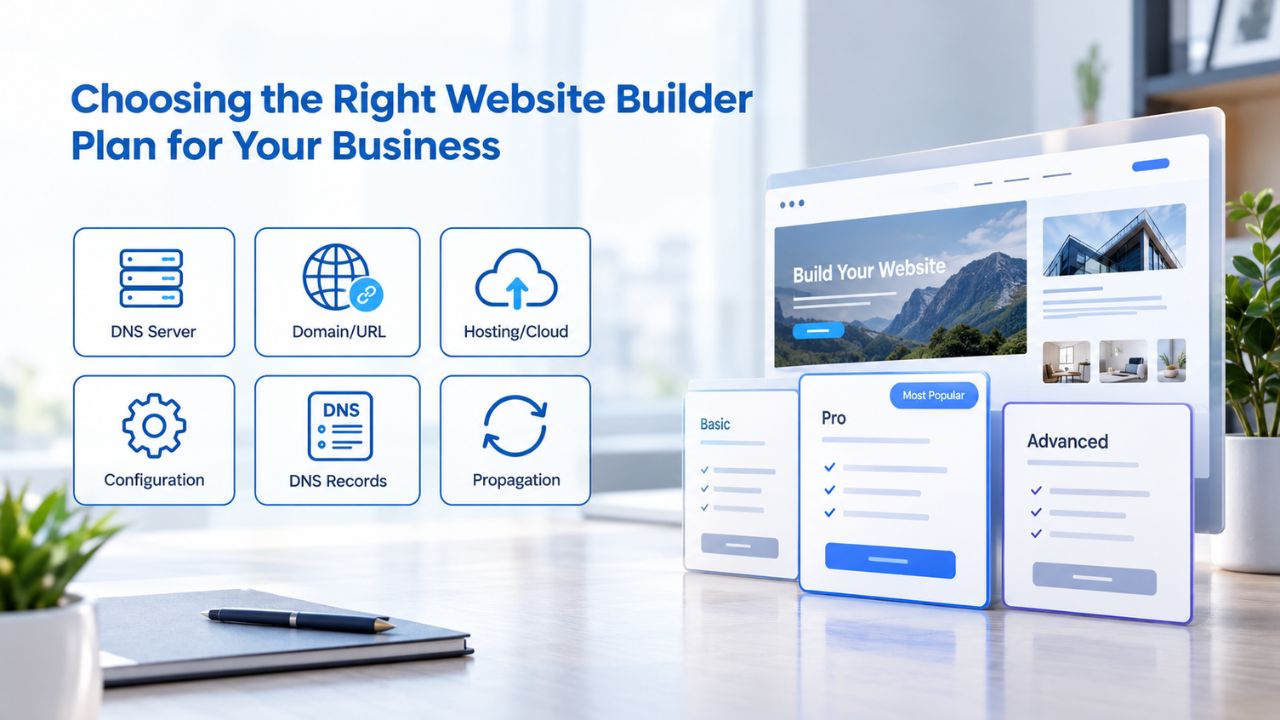
Website builder plans are tiered by the features they include. Understanding what each level offers helps you avoid paying for features you don’t need while ensuring you get the tools your business requires. Most builders offer several plan levels, from basic packages for new businesses to advanced plans for established companies selling online. Choosing the right plan from the start lets you launch quickly without overpaying for features you won’t use right away.
Basic Plan: Simple Brochure or Service Site
A basic plan suits businesses with 5–10 pages, such as home, about, services, contact, and perhaps a blog. It typically includes hundreds of professionally designed templates, drag-and-drop editing tools, a free domain for the first year, professional email hosting, and basic SEO tools to help your site show up in search results.
You’ll get automatic mobile responsiveness built into all modern templates, meaning your site works beautifully on phones, tablets, and desktops without any manual work on your part. This tier is ideal for consultants, small service providers, freelancers, and local businesses- anyone whose main goal is establishing a web presence and capturing lead inquiries from potential customers.
With a Basic plan, you get everything you need to make a professional first impression and stay discoverable online. You can add your business information, upload photos, write your story, and establish trust with potential customers. The plan includes hosting, so you won’t pay extra for server space or technical infrastructure. As your business grows and you need additional pages, email marketing capabilities, or e-commerce functionality, you can upgrade to a higher-tier plan without losing your existing site.
Standard and Premium Plans: More Pages and Marketing Tools
A standard or premium plan adds more pages (typically 50–100 or more), built-in email marketing integration so you can send newsletters to your customers, and social media scheduling tools to help you manage your online presence. If you plan to maintain a blog with regular posts, email campaigns to keep customers engaged, or coordinate your presence across social media platforms, this tier is worth considering. These plans give you the tools to build a more sophisticated online presence and marketing strategy.
E-commerce or store-ready plans are separate and unlock online product catalogs, shopping carts, secure checkout processes, and payment processing integrations with providers like Stripe and PayPal. Choose this tier if you sell products online or want to add e-commerce functionality to your existing website. As an example, GoDaddy Website Builder’s commerce-level plan includes everything above plus unlimited product listings, transaction fee structures, and advanced marketing automation tools. Start with the plan that matches your current needs, then upgrade as your business grows and your requirements expand.
The Website Building Workflow: Step by Step
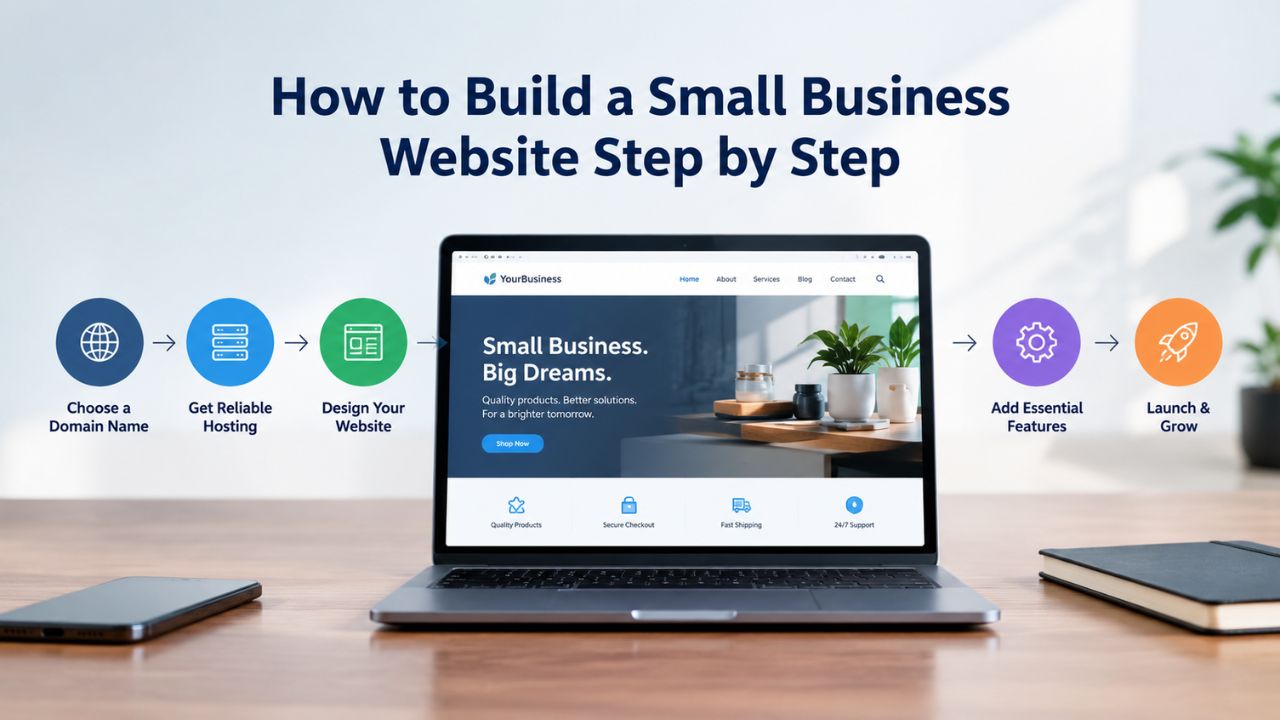
Building your site involves eight sequential steps, each taking anywhere from a few minutes to a couple of hours. A typical small business site takes 1–2 weeks, spread across multiple sessions over time rather than one continuous work period. Most people don’t build their entire website in one sitting; instead, they work on sections over several evenings or weekends. Understanding the workflow helps you plan your time realistically and know what to expect at each stage.
Setting Up Your Account and Choosing Your Template
The first steps involve signing up for an account, which takes 2–5 minutes using your email address, Google login, or Facebook login. You then select your business category, such as consulting, retail, restaurant, or freelance services. The website builder uses this information to suggest relevant templates and pre-configure default content, so you start with layouts designed for your industry. A restaurant template will show menu sections, while a consultant template highlights services and expertise. After selecting your category, you name your site and claim a temporary URL, such as yourname.godaddysites.com, which you’ll use while building.
Next, you browse the website builder’s template library, which typically contains 200–400+ options sorted by industry, style, and aesthetic. Spend 15–30 minutes browsing to find a template that appeals to you and matches your brand vision. Don’t worry about making a perfect choice immediately; you can change templates later if your first selection doesn’t feel right. Once you’ve selected a template, spend 30–60 minutes uploading your logo, editing the header area, and adjusting colors to match your brand identity. The builder’s drag-and-drop editor lets you move, resize, and recolor elements without writing any code. Templates include placeholder text and images that you’ll replace with your own business content, photos, and information.
Building Your Pages and Publishing Live
Customize your homepage by replacing template images and text with your actual business details, a compelling headline, and a clear call-to-action such as “Contact Us Today” or “Learn More.” Add your business address and phone number prominently; search engines like Google use this information for local search rankings and map results. Build your core pages: an About page that introduces your business and team, a Services page that details what you offer and your expertise, and a Contact page with either a contact form or your direct contact information.
If you’re selling products online, add product pages with descriptions, high-quality images, and pricing information. Each page typically takes 15–30 minutes to customize with your own content. Niya Digital’s team has found that small business owners most often launch their first site within 1–2 weeks when they start with an industry-specific template and focus content on their core service offerings first, rather than trying to create every possible page upfront. This focused approach lets you launch quickly and add additional pages later as you have time.
Once your pages are ready, preview your site on both desktop and mobile browsers, fix any issues or typos you notice, and then publish to your temporary URL. Test that images load properly, text is readable, buttons work correctly, and any contact forms function as expected. Confirm mobile responsiveness by testing your site on your phone and tablet. DNS updates that connect your custom domain take 24–48 hours to propagate globally, so plan your launch timing with this delay in mind.
| Step | Action | Time per Step | Cumulative Time |
|---|---|---|---|
| 1. Create Account | Sign up via email or social login | 5 min | 5 min |
| 2. Choose Category | Select business type and industry | 5 min | 10 min |
| 3. Name Site | Create temporary URL for building | 5 min | 15 min |
| 4. Select Template | Browse and choose design template | 15 min | 30 min |
| 5. Customize Header | Upload logo, edit navigation, set colors | 30–60 min | 1.5–2 hrs |
| 6. Edit Homepage | Update headline, images, call-to-action | 20–30 min | 1.75–2.5 hrs |
| 7. Create Core Pages | Build About, Services, Contact, Products | 1–2 hrs | 2.75–4.5 hrs |
| 8. Test & Publish | Preview on devices, fix issues, go live | 30 min | 3.25–5 hrs |
| Total First Session | Complete website basics | — | 3.25–5 hours |
Choose the website type that matches your immediate business goals. A service-based business such as consulting or design typically fits the Small Business Service category. Retailers and product sellers fit the E-Commerce Store model. Blogging businesses or educational content creators fit the Blog + Business Hybrid model.
Designing for Mobile: Why It Matters More Than Ever
Mobile devices now generate most web traffic globally. Sixty percent of global internet traffic comes from mobile phones, and 96.3% of internet users access the web via mobile devices at least some of the time. If your website doesn’t work smoothly on mobile, you lose visitors and potential customers every day. Search engines like Google prioritize mobile-friendly sites in their rankings, meaning a non-mobile-responsive site will rank lower than competitors whose sites work well on phones. This isn’t a future concern; it’s a present reality that affects your visibility and success.
Mobile-Responsive Design and What It Means
Responsive design automatically adjusts your website layout to fit any screen size, from small smartphone screens of 4–5 inches to tablets of 7–10 inches to desktop monitors of 15–27 inches or larger. Text, images, and buttons scale and reposition themselves appropriately for each device without you having to create separate versions of your site. You don’t create a separate “mobile version” and a “desktop version”; one responsive design adapts to all devices automatically. Website builders handle this by default; templates are built with responsive design from the start.
Modern builders use flexible grids, scalable images, and CSS media queries- behind-the-scenes code that adapts automatically to different screen sizes. You still have full control over the visual design of your site, including colors, fonts, images, and layout, but the responsive infrastructure is built in and handled automatically. This means you avoid a major technical hurdle that would otherwise require coding knowledge to implement yourself. Responsive websites are no longer optional; they’re a baseline expectation, and the builder handles them without extra work or technical expertise.
Mobile Experience Impact on Conversions and Rankings
The numbers clearly demonstrate why mobile responsiveness matters to your business success. Responsive websites see mobile bounce rates of 32–45%, meaning many visitors leave quickly, versus 67–85% for non-responsive sites. Businesses with responsive designs report 11% higher conversion rates than those with non-responsive layouts, meaning more of your visitors take the action you want them to take. For e-commerce, 58% of all online sales happen on mobile devices; if your checkout process doesn’t work properly on phones, you’re leaving substantial revenue on the table.
Google’s mobile-first indexing means search rankings now depend primarily on mobile performance; desktop experience is secondary. A mobile-friendly site isn’t just better for users; it’s essential for SEO visibility and search engine rankings. Seventy-three percent of people report that a website’s lack of responsiveness is a key reason they leave and never return. This means that one poor mobile experience can cost you a customer for good. When you use a website builder with built-in responsive design, you ensure every visitor has a positive experience, whether they’re browsing on their phone during lunch, on a tablet on their couch, or on a desktop computer.
Getting Started: Choose Your Plan and Launch
You now understand why a website matters for your business and how website builders simplify the entire process. Next, choose a plan that fits your business needs and launch timeline. Niya Digital’s Website Builder Service makes it simple to get started. Explore the options available or start building to get hands-on experience with templates and see how straightforward the process actually is.
Setting Up Your Domain and Connecting It to Your Website
A domain is the web address that people use to find you online, such as yourname.com or yourbusiness.co.uk. While the website builder gives you a temporary URL to start building and testing, connecting your own custom domain makes your site look professional and established. A custom domain is essential for brand recognition, email addresses that match your business (hello@yourbusiness.com instead of hello@gmail.com), and establishing credibility with potential customers. Domain connection involves updating DNS records, which are a few simple settings that point your domain to your website’s hosting location.
Registering a Domain or Using One You Already Own
You can register a new domain through most website builders, or connect a domain you’ve already registered elsewhere. If you’re registering for the first time, choose a domain that’s simple to remember, easy to spell, and relevant to your business. Avoid using numbers and hyphens, which make the domain harder to remember and share verbally. If your preferred .com domain is already taken, consider alternatives like .co, .io, or .online, which can work well for specific business types. Many builders offer a free domain for the first year with an annual plan, which can reduce upfront costs and make launching more affordable.
If you already own a domain registered elsewhere, you don’t need to transfer it to your builder’s registrar; you can update the DNS records to point to your builder’s hosting. This process is straightforward and doesn’t require moving your domain registration. You log into your domain registrar’s control panel, find the DNS settings, and update a few values. Most builders provide clear instructions, and customer support can help if you get stuck. Keeping your existing domain while hosting with a new builder makes it easy to switch platforms later if needed.
DNS Configuration Explained (Without the Tech Jargon)
DNS, or Domain Name System, is essentially a directory that tells the internet where your website files live on the hosting servers. When someone types your domain into their browser, the DNS system looks up which server hosts your site and automatically directs their browser there. To connect your domain to your website builder, you log into your domain registrar’s control panel, find DNS settings, and select your website builder from a dropdown menu or manually enter the DNS values that the builder provides. This process is designed to be simple for non-technical users, with clear step-by-step instructions.
DNS changes take 24–48 hours to propagate globally, so during this time your custom domain may not work immediately, but your temporary URL will continue to function. Plan your launch with this propagation time in mind if you need your site live on your custom domain by a specific date. After DNS updates complete, your custom domain automatically routes to your website, and you don’t need to do anything else. Your site is then accessible via your professional domain, and you can share that link confidently with customers, partners, and on business materials.
Building an Online Store: From Product Pages to Checkout
If you sell products, whether physical goods, digital downloads, or services with booking capabilities, your website needs e-commerce features. Most website builders include basic online store functionality, while higher-tier plans unlock advanced features such as inventory management, abandoned cart recovery, and detailed sales reporting. Even if you don’t plan to sell online initially, starting with a plan that includes e-commerce capability lets you add a store later without rebuilding your site. This forward-thinking approach saves time and money if your business evolves.
Creating Product Pages and a Shopping Cart
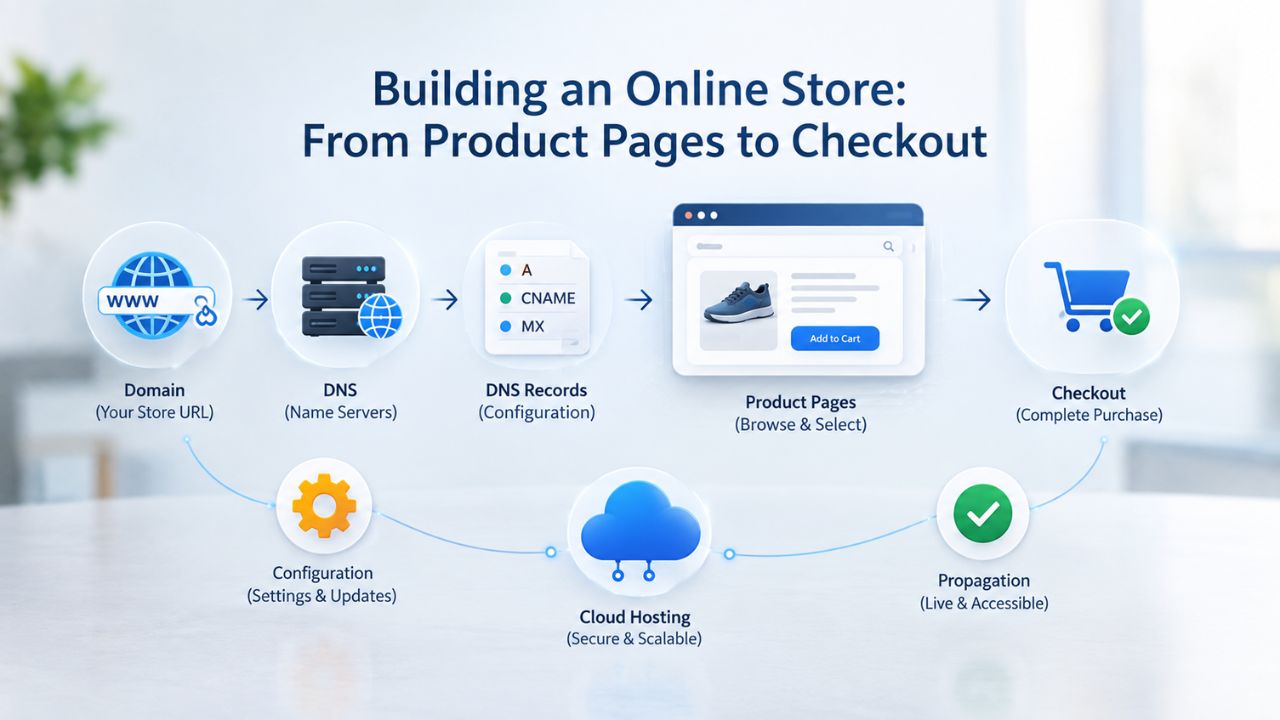
Create a dedicated Store or Shop page with a product catalog organized logically. Add high-quality product images shot from multiple angles in good lighting, write descriptions that highlight benefits and specifications, and set clear pricing. Most website builders allow you to organize products into categories, such as “T-Shirts,” “Hoodies,” or “Digital Downloads,” making it easier for customers to browse and find what they’re looking for. If you have existing customer reviews or testimonials, add them to product pages. Social proof like reviews dramatically increases trust and conversions.
The website builder automatically generates a shopping cart, allowing customers to add items as they browse and proceed to checkout when they’re ready. Keep the checkout process simple; every additional step reduces conversions and increases cart abandonment. A one-page checkout where customers enter shipping, billing, and payment information on a single screen significantly outperforms multi-page checkout flows. Make sure payment information is easy to enter, especially on mobile devices where customers use their thumbs to navigate and type.
Payment Processing and Secure Checkout
Website builders integrate with secure payment gateways like Stripe, PayPal, and Square to process payments safely and legally. The builder encrypts all transactions and maintains PCI compliance with payment card security standards, so you never handle sensitive financial data directly. Deposits from sales typically appear in your business bank account within 1–3 business days. Customers see a secure checkout with trust badges and their payment processor’s logo, which builds confidence in your business’s legitimacy.
Mobile checkout optimization is critical for e-commerce success: 39% of users abandon shopping carts due to slow or confusing checkout experiences. Optimize your checkout for thumb navigation on small screens and ensure your site loads quickly, even on slower mobile networks. Test your checkout process thoroughly on various devices and browsers before launching. Offer multiple payment methods to accommodate different customer preferences. The easier and safer you make checkout, the more customers will complete their purchases instead of abandoning their carts partway through.
Optimizing Your Website for Search Engines
On-page SEO helps your site rank in search results and attract organic traffic from people actively searching for your products or services. Website builders include built-in SEO tools that simplify this process, meaning you don’t need technical knowledge to implement SEO fundamentals. While no tool guarantees search rankings, implementing SEO best practices removes common barriers to visibility and gives your site a better chance of being discovered by potential customers. SEO is an ongoing effort, but starting with the basics gives you a solid foundation.
Meta Tags, Keywords, and Site Structure
Meta tags are snippets of code that tell search engines what your pages are about. The two most important are the page title, which appears as the headline in search results, and the meta description, the snippet beneath the title that summarizes the page content and encourages people to click through to your site. Write titles that include your target keywords naturally, such as “Best Plumbing Services in Austin | Your Company Name”, and keep descriptions under 160 characters, clearly describing what’s on the page in a way that encourages clicks. Website builders include simple fields to edit these for every page; you don’t need to write code.
Internal linking, connecting related pages on your site, helps search engines understand your site structure and distributes authority across pages. Link your blog posts to relevant service pages, and link your services to case studies or testimonials that show results. Use descriptive anchor text in your links, such as “learn about our social media services” rather than “click here.” This tells search engines and users what they’ll find if they follow the link. Organize your site logically with clear navigation so both search engines and visitors can understand the structure and find what they’re looking for.
SEO Fundamentals Every Builder Handles
Website builders automatically create sitemaps, which are files that list all your pages for search engines to crawl, and enable mobile indexing so your site appears in mobile search results. Built-in SEO tools check your pages for common issues like missing alt text on images, slow loading times, and thin content with very little text. Add one relevant, high-quality image per page with descriptive alt text, such as “hand-poured coffee in ceramic mug” instead of “image1.jpg.” Alt text helps search engines understand your images and improves accessibility for visitors using screen readers.
Publish fresh content regularly to signal to search engines that your site is active and maintained. A blog with monthly posts shows activity and gives you opportunities to rank for more keywords. On-page SEO doesn’t guarantee rankings; results depend on content quality, site authority, competition, and ongoing optimization. However, implementing these fundamentals removes common barriers to visibility. Without these SEO basics, your site may not show up in search results even when people are actively searching for what you offer.
Customizing Your Website’s Look and Feel
Beyond the template you choose, you have plenty of options to customize fonts, colors, layouts, and imagery so your site reflects your brand and stands out from competitors. Most website builders offer significant design flexibility without requiring any coding knowledge. You’re not locked into the template’s default appearance; you’re starting with a solid foundation that you can personalize thoroughly. This balance between structure and customization lets you launch quickly while maintaining brand consistency.
Working Within Templates While Building Your Brand
Templates provide a strong foundation: a pre-designed layout that already includes sections for your logo, services, team bios, testimonials, and calls to action. Instead of starting with a blank canvas and building from scratch, you work within this thoughtfully designed structure, which significantly speeds up the design process.
Customize the template by changing the color scheme to match your brand identity, swapping template images for your own professional photos, editing fonts from the many families available (most builders offer 50+ font options), and reorganizing sections via drag-and-drop. You can hide sections you don’t need, such as removing a team section if you’re a solo business, and add new sections for content unique to your business.
This hybrid approach balances design flexibility with ease of use: you’re not designing from scratch, which requires design skills and takes weeks, but you’re not locked into a generic, one-size-fits-all look either. You can create something that reflects your business’s unique personality and values. Different industries benefit from different visual approaches: a law firm conveys professionalism through clean lines and conservative colors, while a creative agency might use bold colors and dynamic layouts. The builder’s tools let you make these choices and implement them without coding.
Branding Consistency Across Pages
Consistency in branding builds trust and professionalism in visitors’ minds. Use the same color palette, logo placement, and typography across all your pages so your site feels cohesive and intentional. Create a visual hierarchy by making your most important information stand out visually through size, color, or placement. Use consistent button styles and icon sets throughout; if you use a rounded button style on one page, use it everywhere. Most professional templates include brand guidelines or style guides that show how different elements should work together; following these guidelines maintains coherence and professionalism.
Mobile-first design means testing your branding on small screens is just as important as on desktops. Make sure your logo, colors, and buttons stay recognizable and functional on a 4-inch phone screen. Inconsistent or cluttered branding dilutes credibility and makes visitors doubt whether your business is legitimate and professional. Consistency signals that you’ve thought through the details, paid attention to quality, and care about how you present your business to the world. This attention to detail often translates into trust and confidence in your products or services.
Launching, Testing, and Going Live
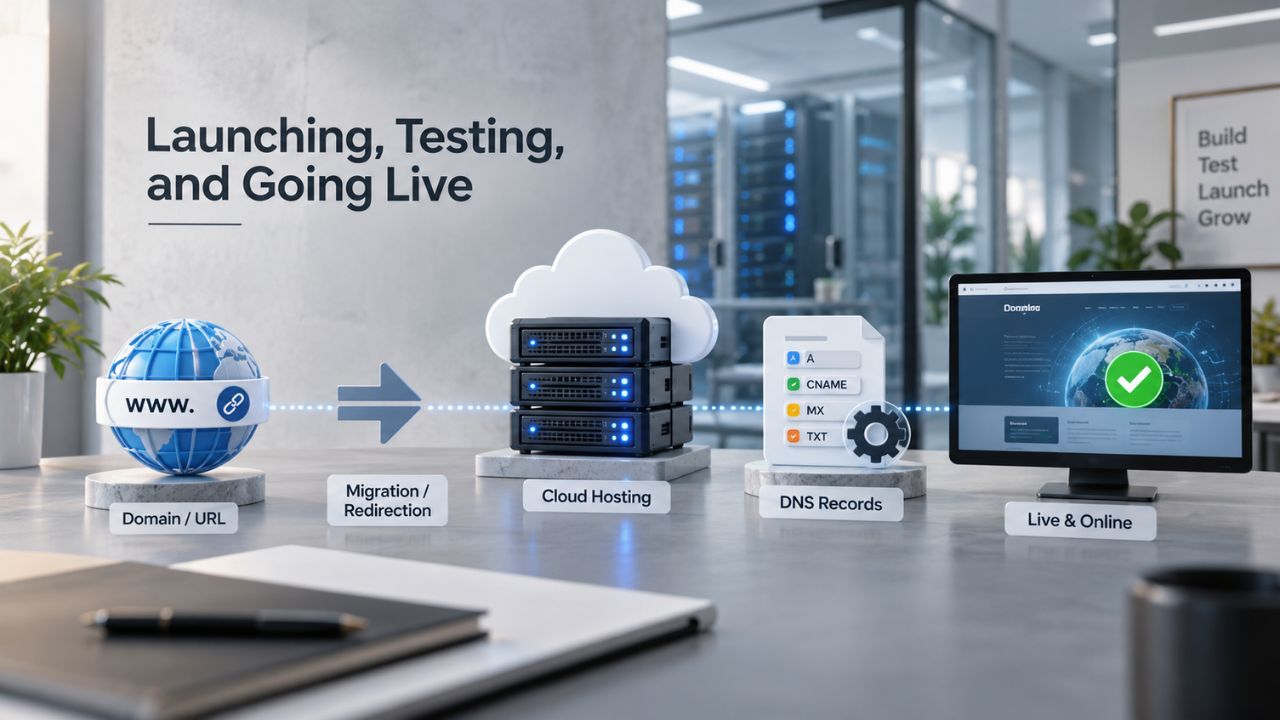
Before publishing your website to your live custom domain, test thoroughly to ensure your website works correctly across devices, browsers, and internet speeds. A few hours of testing before launch prevents embarrassing issues that could harm your credibility after you’ve shared your site with customers, partners, and on social media. Testing also helps you catch and fix any errors before anyone else sees your site, ensuring a professional first impression.
Preview Mode and Device Testing
Use your website builder’s preview function to view your site exactly as visitors will see it. Switch between desktop and mobile views to verify everything looks right on different screen sizes. Test on multiple devices- your phone, a tablet, and a desktop computer- because screen sizes and browsers can behave differently. Check that all links work and lead to the correct pages, forms submit correctly, images load, and any videos play without errors.
If you’re selling products online, test your complete checkout flow end-to-end, from browsing products to submitting payment. Test across different browsers such as Chrome, Safari, Firefox, and Edge to catch any compatibility issues that might affect some visitors but not others. Simulate slow internet speeds using your browser’s developer tools to ensure your pages load within a reasonable time. Fast loading is a ranking factor for search engines and significantly affects whether visitors stay on your site or bounce away.
Most visitors expect a website to load within 3 seconds; if it takes longer, many will leave before the page fully loads. Check that forms work properly by filling them out and submitting test data, then confirming you receive the email notifications. Check that calls-to-action buttons are prominent and clickable, and that the path to converting a visitor into a customer is clear and intuitive.
Launch Checklist Before Going Live
Before flipping the switch to your custom domain, work through a final checklist. Confirm your contact information is visible and correct: phone number, email, mailing address, and business hours if applicable. Verify your business hours are accurate, especially if you recently changed them for seasonal or special circumstances. Check that links to your social media profiles work and lead to the correct accounts.
If you sell online, test your checkout process one final time. Verify that your mobile display looks professional and functions smoothly. Confirm your homepage headline clearly explains what your business does in words that potential customers understand. Publish a brief welcome post or announcement if you have a blog; a published blog post signals activity to both visitors and search engines.
After you publish your site, allow DNS 24–48 hours to propagate globally. During this window, your temporary URL will keep working; use that time to share your new website with contacts and test that the custom domain works properly once propagation completes. Make any final adjustments and refinements after launch if needed; you’re not locked in, and most small issues can be fixed quickly. Your website is a living thing that evolves with your business; launching with the core content and features in place is better than waiting for everything to be perfect.
Website Type Timelines and Best Fit
| Website Type | Page Count | DIY Builder Timeline | Content Effort | Best For |
|---|---|---|---|---|
| Simple Brochure | 1–5 | 1–3 days | Low (template text, minimal custom images) | Solo businesses, freelancers, quick online launches |
| Small Business Service | 5–15 | 1–2 weeks | Medium (original descriptions, business info) | Local services, consultants, small professionals |
| E-Commerce Store | 5–20+ product pages | 3–6 weeks | High (product descriptions, photography, pricing) | Retailers, digital sellers, subscription services |
| Blog + Business Hybrid | 10–20 + blog archive | 2–4 weeks | High (ongoing content creation and publishing) | Content creators, consultants, educators, coaches |
| Lead-Generation Focused | 3–8 | 1–2 weeks | Medium (service pages, lead forms, optimization) | B2B services, agencies, consulting, booking sites |
Maintain and Grow Your Website After Launch
Your website is now live and working for you, but the launch is just the beginning of your online presence journey. The real value comes from actively maintaining your site, updating information as it changes, responding to inquiries promptly, and monitoring performance. Niya Digital’s Website Builder Service includes ongoing support to help you optimize and troubleshoot issues. Your website builder is with you at every step of your business’s growth.
Frequently Asked Questions
How long does it really take to build a website with a website builder?
A simple brochure site with 1–5 pages takes 1–3 days if your content is already prepared and ready to go. A small business site with 5–15 pages plus contact forms takes 1–2 weeks of part-time work over multiple sessions.
Your timeline depends on how much content preparation you need to do, how many revisions you make, and how familiar you are with the tools. If you’re writing descriptions and sourcing images from scratch, add 2–5 additional hours to your timeline. Using a website builder means you invest your own time rather than money compared to hiring professionals.
Do I need coding experience to use a website builder?
No coding experience is necessary. Website builders are designed for non-technical users and small business owners with no website-building experience. Drag-and-drop editors let you click and move elements to arrange your page layout without writing any code.
If you can use email and word processing software, you can use a website builder successfully. Advanced customization or complex integrations might require some coding knowledge, but creating and launching a standard business website is entirely no-code and straightforward.
Can I sell products on a website builder?
Yes, most website builders include e-commerce features that let you add a product catalog, shopping cart, secure checkout, and payment processing. Builders integrate with payment gateways like Stripe and PayPal to handle transactions securely and legally.
The level of e-commerce functionality varies by plan tier; basic plans might support simple product listings, while higher tiers unlock inventory management, discount codes, and abandoned cart recovery emails to remind customers who started checkout but didn’t finish.
How important is mobile responsiveness, and will a builder handle it for me?
Mobile responsiveness is critically important: 60% of web traffic comes from mobile devices, and Google prioritizes mobile-friendly sites in search rankings. Yes, website builders handle mobile responsiveness automatically.
Templates are responsive by default, so you don’t need to configure anything manually or have coding knowledge. Your site will display correctly and function smoothly on phones, tablets, and desktops without any extra work on your part.
What’s the difference between a domain and website hosting?
A domain is your web address that people type into their browser to find you online. Hosting is the server infrastructure that stores your website files and makes them accessible to visitors online.
Website builders include hosting in your plan, so you don’t need to buy hosting separately or manage servers. You can register a new domain through the builder or connect an existing one by updating DNS settings, a simple process the builder guides you through step by step.
How much does a website builder cost, and is there a free option?
Website builders typically cost varies by provider and plan, with many offering free trials for 14–30 days so you can test before committing. Higher tiers provide more features and capabilities as your business grows. Pricing varies by provider and region, so check each builder’s website for current plans and specific figures. Some builders offer free plans with limitations like fewer pages, branded subdomains, or limited storage; paid plans remove these restrictions.
Can I change templates or providers after I build my website?
Most builders allow you to switch templates within their platform without losing your content. Migrating your entire website to a different builder is possible but requires technical steps; you export your content and rebuild on the new platform. To minimize this hassle in the future, choose a builder you’re confident in before investing significant time. Niya Digital’s Website Builder Service provides ongoing support to help you get set up correctly the first time and avoid major migrations later.
How do I get my website to show up in Google search results?
Website builders include basic SEO tools for writing page titles and meta descriptions, adding alt text to images, and ensuring your site is mobile-responsive. Submit your sitemap to Google Search Console, a free tool that shows how Google sees your site.
Create fresh content regularly; a blog with monthly posts signals activity to search engines. SEO is a long-term effort; new sites typically take 2–6 months to rank for competitive keywords. Focus on writing valuable content and implementing on-page basics; rankings follow with time and persistence.
What happens to my website if I stop paying for the plan?
Your website goes offline after your plan expires, and visitors see an error page instead of your content. You lose access to edit your site through the builder’s interface. Some builders allow you to export your site content before it’s removed; others don’t. Don’t cancel your plan without a backup plan. If you’re considering switching to a different builder, export your content first to preserve your work.
Do I need a business email to set up a website?
You can sign up for a website builder using any email address, personal, Gmail, or others. However, most builders include professional email addresses as part of their plans, such as hello@yourbusiness.com, which looks more professional than a personal email address. This professional email helps separate business and personal communication and builds credibility with customers.
Can multiple people access and edit my website?
Yes, most website builders allow you to invite team members or collaborators with different permission levels, such as editor, viewer, or admin. This is useful if you have an assistant, designer, or marketing team member who needs to update your site. You control who sees what sections and who can publish changes, maintaining security and control.
When should I use a Website Builder vs. a self-hosted CMS platform?
Website builders are all-in-one platforms where you build, edit, and publish in one place with hosting included. Self-hosted content management systems require you to install software on your own hosting and handle more technical setup, but offer deeper customization options.
For most small business owners launching their first website, a website builder is simpler and faster to implement. A self-hosted CMS is better if you want extensive customization or plan to maintain complex functionality over many years.
How do I promote my website once it’s live?
Share your website link on social media platforms like Facebook, Instagram, and LinkedIn; add it to your email signature; print it on business cards; and personally tell contacts about your launch. Encourage customers to leave reviews on Google and Yelp, which boost credibility and visibility.
Create blog content around keywords your customers search for; this drives organic search traffic. Paid advertising through Google Ads or Facebook ads can boost visibility quickly, but organic growth from strong content is sustainable and valuable long-term.
Is my website secure, and how is customer data protected?
Website builders include free SSL certificates (security encryption) by default, ensuring all data transmitted between visitors’ browsers and your server is encrypted and secure. Reputable builders also comply with PCI standards for payment-processing security if you sell online.
They back up your site regularly and monitor for security threats. You also have responsibilities: use a strong password, keep your contact information current, and don’t share login credentials with unauthorized people. The builder’s infrastructure handles the technical security heavy lifting.
What ongoing maintenance does my website require after launch?
Update your business information whenever it changes, hours, address, phone number, or team members. Respond to inquiries and messages from visitors promptly to maintain engagement. Publish fresh content regularly, such as blog posts, service updates, or new products, to keep your site active and give search engines reasons to revisit.
Check your site monthly to confirm all links work and images load correctly. Monitor your traffic in your builder’s analytics to understand what content resonates with visitors. These maintenance tasks typically take 1–2 hours per week for an average small business site.
Glossary
- Domain: The web address, or URL, that visitors type into their browser to access your website, such as yourname.com or yourbusiness.co.uk.
- Hosting: The server infrastructure that stores your website files and makes them accessible to visitors over the internet. Website builders include hosting in their plans.
- Meta Tags: HTML elements that provide information about a webpage to search engines and browsers. The most important are the page title and meta description, which appear in search results.
- SEO (Search Engine Optimization): Practices and techniques that help a website rank higher in search engine results, including on-page optimization strategies like titles, descriptions, and keywords, and technical factors like site speed and mobile responsiveness.
- Mobile-Responsive: A website design that works smoothly and looks professional on mobile phones, tablets, and desktop computers by automatically adjusting layouts and scaling elements to fit different screen sizes.
- E-Commerce: The functionality enabling a website to sell products or services online, including product pages, shopping carts, secure checkout processes, and payment processing with providers like Stripe and PayPal.