What Is an AI Website Builder, and Why Does It Matter for Beginners?
An AI website builder is an online platform that uses machine learning to automate design and content decisions, enabling non-developers to create professional sites without touching code. For beginners, the value is immediate and transformative. Instead of choosing between expensive freelancers, spending time learning HTML and CSS, or hiring developers to build something custom, you can describe what you need and the platform can generate a working site in minutes.
AI Removes the Technical Barrier Entirely
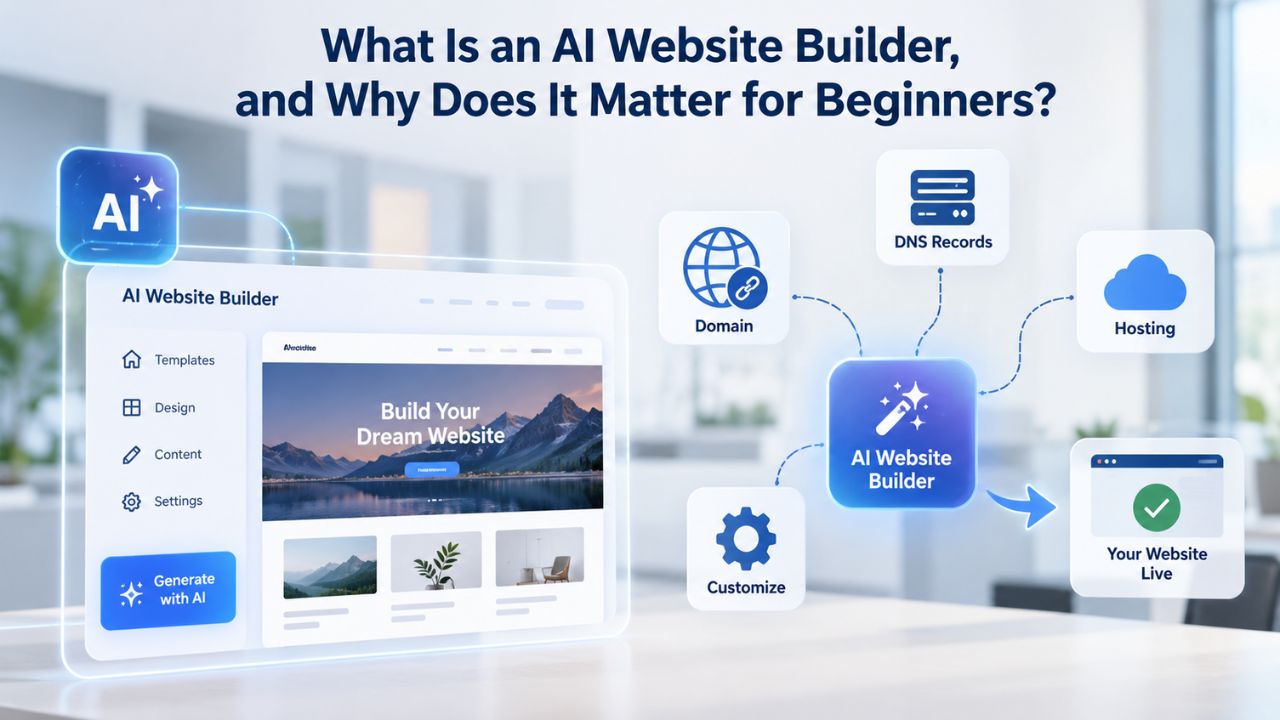
Most beginners associate website creation with complexity that seems insurmountable: hosting accounts, domain DNS settings, server configurations, SSL certificates, and multiple vendor relationships. A traditional approach forces you to juggle multiple vendors separately: a registrar for your domain, a hosting provider for server space, and a design platform for visual creation. This fragmentation makes the entire process feel daunting and introduces points of failure or misconfiguration.
An AI website builder bundles these functions into one integrated platform. GoDaddy Website Builder includes hosting, domain connection, and SSL security built directly into the subscription, so you can skip the technical setup and focus on what matters: your content and customization. This bundling transforms a multi-day technical project into a workflow that beginners can genuinely complete in a few hours.
Niya Digital’s team has found that beginners’ biggest early hesitation isn’t “Can I design a site?” but rather “Will I do it wrong and end up with something that looks unprofessional?” AI-assisted suggestions lower that psychological barrier by providing a professionally styled starting point and reassuring them that design decisions are grounded in tested patterns and best practices, not guesses. When someone can see a polished template populated with intelligent suggestions before they’ve written a word, the intimidation factor drops dramatically, and they’re more likely to complete the project.
Why Beginners Choose AI over Traditional Builders or Coding
A website builder without AI assistance still requires numerous manual decisions at every step: which template layout suits your content best, what color palette matches your brand identity, how to structure navigation logically for visitors, how to phrase your headlines and descriptions. A beginner must either make these choices blindly or invest considerable time researching design fundamentals, user experience principles, and copywriting best practices.
With AI, the builder suggests industry-specific layouts, generates complementary color palettes, and recommends copy based on your business type and target audience, reducing decision fatigue and the risk of an unprofessional result. Coding from scratch is completely off the table for most beginners and is no longer necessary. An AI website builder delivers the professional polish and functionality a small business needs without requiring you to write a single line of code or hire a developer
How AI Website Builders Reduce Common Beginner Barriers
| Beginner Barrier | Without AI Builder | With AI-Assisted Website Builder |
|---|---|---|
| Professional design | Hire a designer or spend weeks learning design tools | Select template; AI suggests customizations; launch in hours |
| Compelling copywriting | Hire a copywriter or spend days drafting; risk amateur phrasing | AI generates copy suggestions based on business type; you refine for brand voice |
| Mobile responsiveness | Requires responsive design expertise or hiring a developer | Platform auto-adapts layout; works perfectly on all screen sizes |
| Domain, hosting, SSL setup | Register domain at one vendor, buy hosting at another, configure DNS manually | All bundled into builder; domain connection in minutes |
| SEO optimization | Learn SEO fundamentals or hire a consultant; research keywords manually | Built-in SEO tools guide metadata, heading structure, keyword usage |
| Publishing and going live | Deploy to hosting server, troubleshoot uptime issues, manage backups | One-click publish; builder handles hosting, backups, monitoring |
| Ongoing updates & maintenance | Manual server admin, security patches, backup management | Builder maintains security, patches, backups automatically |
Website Builder Plans & Pricing
Create a professional website with flexible website builder plans designed for businesses, portfolios, and growing online brands. Choose a plan that matches your needs and build, customize, and manage your website with easy-to-use tools, responsive designs, and essential features for a strong online presence.
Website Builder Personal
Share your passion online.
- Responsive mobile design
- Website hosting
- Rapid Page-Load performance
- Create a blog
- Security (SSL)
- 24/7 support

Website Builder Business
Create an online presence for your business.
- Responsive mobile design
- Website hosting
- Rapid Page-Load performance
- Create a blog
- Security (SSL)
- 24/7 support
- PayPal Buy Now or Donate button
- Search Engine Optimization (SEO)
Website Builder Business Plus
Attract more customers.
- Responsive mobile design
- Website hosting
- Rapid Page-Load performance
- Create a blog
- Security (SSL)
- 24/7 support
- PayPal Buy Now or Donate button
- Search Engine Optimization (SEO)
- Social Media Integration
- Share content to Facebook
- Online Appointments
Website Builder Online Store
Sell products and services.
- Responsive mobile design
- Website hosting
- Rapid Page-Load performance
- Create a blog
- Security (SSL)
- 24/7 Support
- PayPal Buy Now or Donate Button
- Search Engine Optimization (SEO)
- Social Media Integration
- Share content to Facebook
- Online Appointments
- Built-in shopping cart
- Sell physical and digital products
- Accept credit and debit cards, PayPal and more
- Flexible shipping options
- Discounts and promotions
- Manage inventory
How AI Features Help You Build Without Code
GoDaddy Website Builder includes AI-powered tools that handle copywriting, design suggestions, layout recommendations, and image pairing, designed to speed up your build and reduce the time you spend on routine decisions. These tools don’t replace your input; they provide starting points and options you refine to match your business needs. Understanding what AI does and what it doesn’t do is key to using it effectively and getting the best results from the platform.
AI-Generated Copy and Content Suggestions
One of the highest barriers for beginners is writing compelling copy for their site that actually converts visitors. How do you describe your services persuasively without sounding generic? What keywords should you include for search engines to find you? How should your “About” page sound: formal and corporate, approachable and friendly, or energetic and bold? GoDaddy Website Builder’s AI can generate text suggestions for product descriptions, landing-page headlines, service summaries, and blog post introductions based on your business type and the page’s purpose.
You review each suggestion, edit for accuracy and brand voice, and publish what resonates; the AI cuts your writing time in half while giving you a quality baseline to build from. This workflow is especially powerful for beginners who freeze at a blank page or lack confidence in their writing. Product description automation is especially valuable for e-commerce beginners running online stores.
If you have fifty products to describe but limited writing experience, AI can generate descriptions for all of them in minutes; you then edit each one for accuracy and ensure brand consistency. This workflow transforms a full day of intensive writing into a 2-hour refinement session. The AI does the heavy lifting of creating complete sentences and professional phrasing; you do the human work of ensuring the descriptions match your actual products and reflect your brand personality.
Design Recommendations and Color/Layout Pairing
Beginners often struggle with visual cohesion, choosing fonts that work together harmoniously, color palettes that feel professional rather than garish, and layout structures that guide visitors’ eyes logically and intuitively. AI-assisted builders analyze your selected template, industry category, and brand colors, then automatically recommend complementary font pairings, accent colors, and section layouts. You’re never forced to use these suggestions; you can always manually override them and customize further. But having a professionally vetted starting point means your site looks polished and cohesive without requiring you to study design theory. The result is something you can be genuinely proud of, not a site that looks like you built it in an afternoon without training.
Mobile design, ensuring your site looks good and functions well on phones and tablets, is handled automatically by the builder’s responsive-design engine, so AI doesn’t need to make that choice for you. Customizing desktop-specific elements, however, often benefits from AI guidance to ensure mobile balance and desktop visual hierarchy work together seamlessly.
The Role of Templates in AI-Powered Website Builders
A template is a pre-designed page layout with built-in structure, styling, typography, and placeholder content- your starting canvas for customization. GoDaddy Website Builder offers 100+ professional templates organized by industry type: e-commerce sites, service-based businesses, creative portfolios, restaurants, photography studios, personal coaching, consulting practices, and more. You choose a template that matches your industry, and the builder auto-populates placeholder text and sections relevant to that category.
Why Pre-Built Templates Save Beginners Months of Work
Starting from a blank canvas terrifies beginners and paralyzes decision-making because every choice suddenly falls on you: How many pages should you have? What sections belong on a homepage: testimonials, feature list, call-to-action button, blog feed, video embed? Should your navigation be horizontal or a hamburger menu on mobile? Should there be a search bar? Industry templates solve these questions by embedding best-practice patterns developed by professional designers.
A restaurant template includes a menu section, reservation-booking form, location and hours display, and gallery for food photography; you don’t build this structure from scratch; you customize it for your specific needs. Templates also enforce visual consistency automatically. Every element- heading styles, button colors, spacing, font hierarchy- is pre-coordinated, so your site looks cohesive even if you have no formal design experience. Changing one global setting (headline color, for example) updates all headlines site-wide, preventing amateur mismatches that make DIY sites look unprofessional.
Customization Depth Beyond the Template
Templates are starting points, not constraints. Most website builders, including those powered by GoDaddy’s technology, allow unlimited customization and flexibility. You can change layouts, remove sections you don’t need, add new pages, swap colors, replace fonts, reorder elements, and customize almost anything.
For beginners with modest customization needs, your industry template is likely a great starting point; you need to add your content and adjust colors to match your brand. This structure is a massive time-saver. For those with specific brand requirements or a unique layout vision, the customization tools are deep enough to build something distinctive and memorable. You’re not locked into the template; it’s truly just the starting point for your final website.
What Decisions AI Makes for You (and What You Still Control)
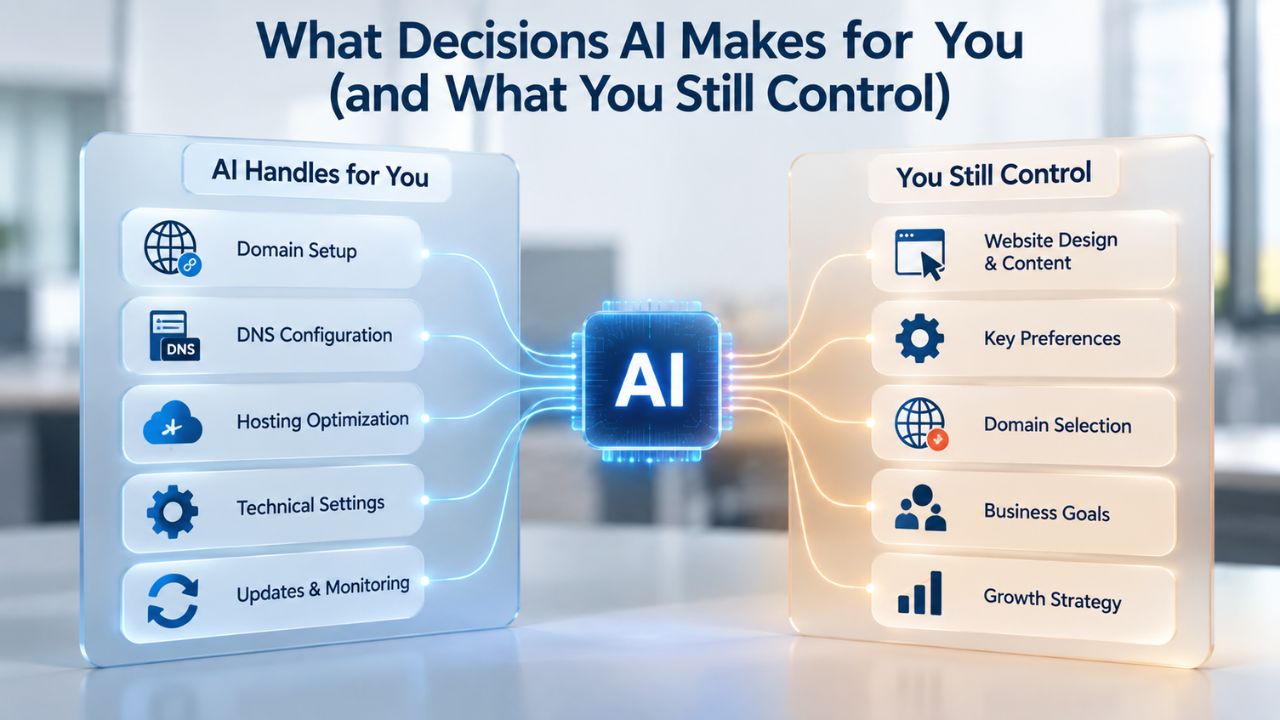
AI automates decisions with clear “right answers”: layout alignment, color harmony, mobile display adaptation, and readability optimization. It cannot and should not automate decisions that are uniquely yours: your brand voice, target audience, pricing strategy, product positioning, messaging tone, and competitive differentiation. Understanding this boundary prevents beginners from over-relying on AI and ensures their site authentically represents their actual business.
Decisions AI Handles (Routine, Tested Patterns)
AI excels at decisions with objective, testable outcomes rooted in design research and usability testing. For example, how should this button look to maximize clicks? Decades of web-design research show that high-contrast, slightly raised or shadowed buttons perform better than flat, low-contrast ones. An AI builder applies these patterns automatically. Similarly, how should text wrap on a mobile screen? Display-width formulas ensure readable line lengths and proper visual hierarchy. Should a hero image be justified or centered? Industry patterns and usability research suggest certain approaches work better for different content types. By automating these choices, AI ensures your site follows usability best practices and accessibility guidelines without requiring you to study UX research or accessibility standards.
Copy suggestions fall into this category partially. AI can recognize your business type and industry and generate appropriate-sounding descriptions, headings, and calls-to-action. But it cannot know your unique value proposition, your specific target customer’s pain points, or the unique outcome you promise. So AI generates a solid starting point; you refine it with your proprietary knowledge and market understanding.
Decisions You Always Make (Brand and Business Strategy)
No AI builder decides who your customers are, what problems you solve, or how you’re different from competitors; those are business strategy decisions. You choose your brand colors and overall visual direction, messaging focus, product mix, pricing tier, and audience targeting. AI might suggest a color palette based on your industry category (e.g., wellness brands often use greens and earth tones), but you override it if your brand is hot pink and neon because that reflects your actual brand identity.
You write your origin story, your service descriptions, and your guarantees. AI helps you phrase these ideas compellingly and quickly; it doesn’t invent the ideas themselves from nothing. Niya Digital’s onboarding support helps beginners navigate this distinction by defining their value proposition, clarifying their audience, and aligning site messaging with business goals before AI suggestions are even generated, so AI tools serve your strategy rather than creating one.
How Mobile Responsiveness Works Automatically
Mobile responsiveness means your website adapts its layout, text size, image scaling, and navigation to fit whatever screen size displays it: a 27-inch desktop monitor, a 10-inch tablet, or a 5-inch mobile phone. Rather than building three separate sites (desktop, tablet, mobile), a responsive-design approach uses flexible grids and adaptive styling so one site looks professional and functions correctly everywhere. For beginners, modern builders handle this automatically.
How Builders Ensure Mobile Perfection Without Code
GoDaddy Website Builder’s responsive-design engine uses CSS (cascading style sheets) and flexible layout frameworks to reflow your content automatically as screen width changes. For example, a three-column layout on desktop stacks into a single column on mobile; a horizontal navigation bar becomes a compact hamburger menu; images scale proportionally while remaining readable.
You don’t set these breakpoints manually or write code; the builder’s infrastructure handles it automatically. You design on your desktop, and the platform’s responsive system handles the mobile version. Preview your site on mobile, tablet, and desktop within the builder’s interface to confirm everything looks right. If text is too small on mobile or an image stretches awkwardly, you can fine-tune adjustments per device, but the platform guarantees the foundational responsive behavior.
Why Mobile-First Design Matters for Beginners
Over 60% of web traffic now comes from mobile devices, and that percentage continues growing. A site that looks great on desktop but breaks on a phone isn’t professional; it’s a liability that costs you customers. Beginners building their first site cannot afford to neglect mobile design.
The good news is that responsive builders make mobile-first design the default; you get it automatically without technical knowledge or extra work. Your site works on all screens, building visitor trust and reducing bounce rates from mobile users frustrated by poor layout or broken navigation.
Start Building Your Professional Website Today
Ready to bring your business online without hiring a developer or spending weeks learning to code? Niya Digital’s Website Builder Service, powered by proven site-building technology, lets beginners launch professional, mobile-responsive websites in hours. Explore plans and get started with guided support every step of the way.
Setting Up Your Site’s Foundation: Domain, Hosting, and SSL
Every website needs three foundational elements: a domain (your custom web address like yourname.com), hosting (the server infrastructure that stores your site files and makes them accessible 24/7), and SSL certification (the encryption that shows visitors your site is secure). Traditional website builders scattered these across multiple vendors; modern platforms like Niya Digital’s Website Builder Service bundle them into one integrated experience.
How Website Builders Bundle Domain, Hosting, and SSL
When you sign up for Niya Digital’s Website Builder Service, the hosting infrastructure is already included; your site files live on secure servers maintained by GoDaddy Website Builder, with automatic daily backups and 24/7 monitoring. You can connect your custom domain name in just a few clicks; the builder automatically handles DNS configuration and domain routing behind the scenes.
SSL encryption is also built in at no extra cost, ensuring all visitor data is encrypted during transmission. The traditional alternative, registering a domain at one vendor, buying hosting from another vendor, installing an SSL certificate manually, and configuring DNS records yourself, takes hours and requires technical knowledge most beginners lack completely. By bundling these, website builders eliminate a major friction point and reduce launch time from days to minutes.
Free Domain Promotions and Renewal Considerations
Many website builders, including GoDaddy Website Builder, offer a free domain for one year with annual subscription plans. After the first year, domain renewal costs apply (typical renewal costs depend on your TLD like .com, .co, or .net). Niya Digital’s plans may include similar promotions; check your plan details or contact support for current offers applicable today. Understanding renewal costs upfront prevents surprise bills after your first year.
Publishing Your Site and Going Live
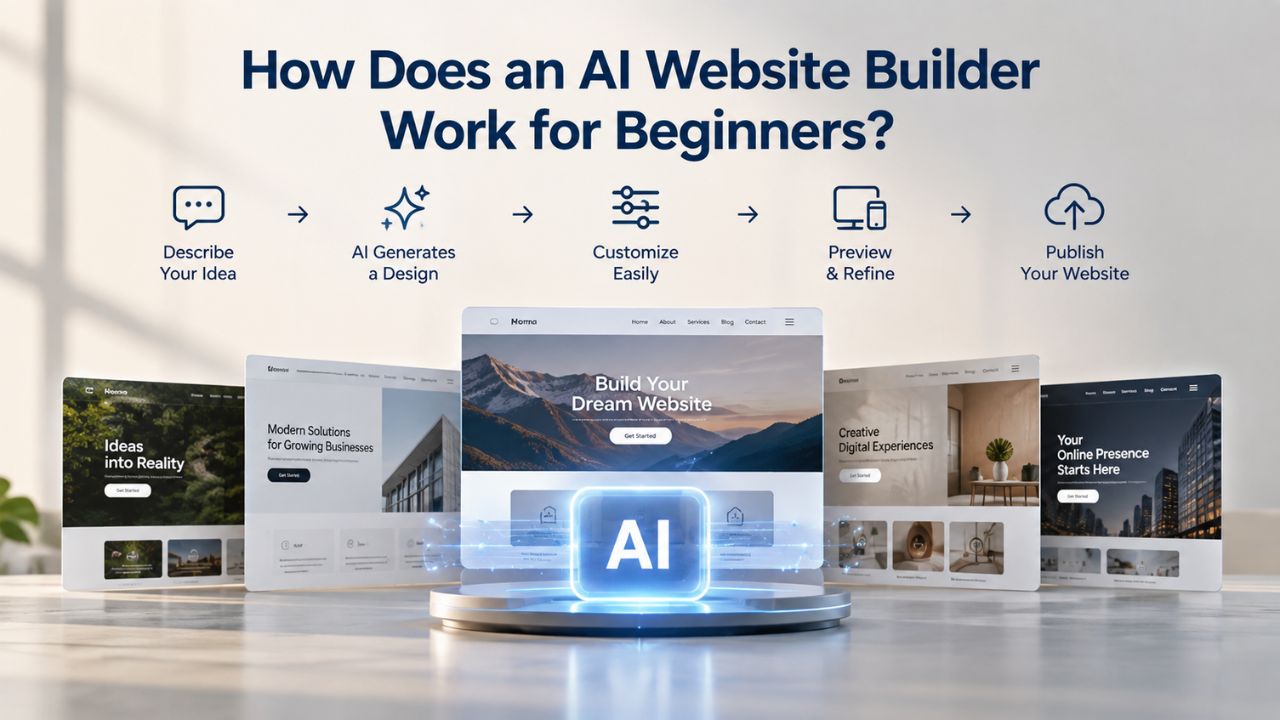
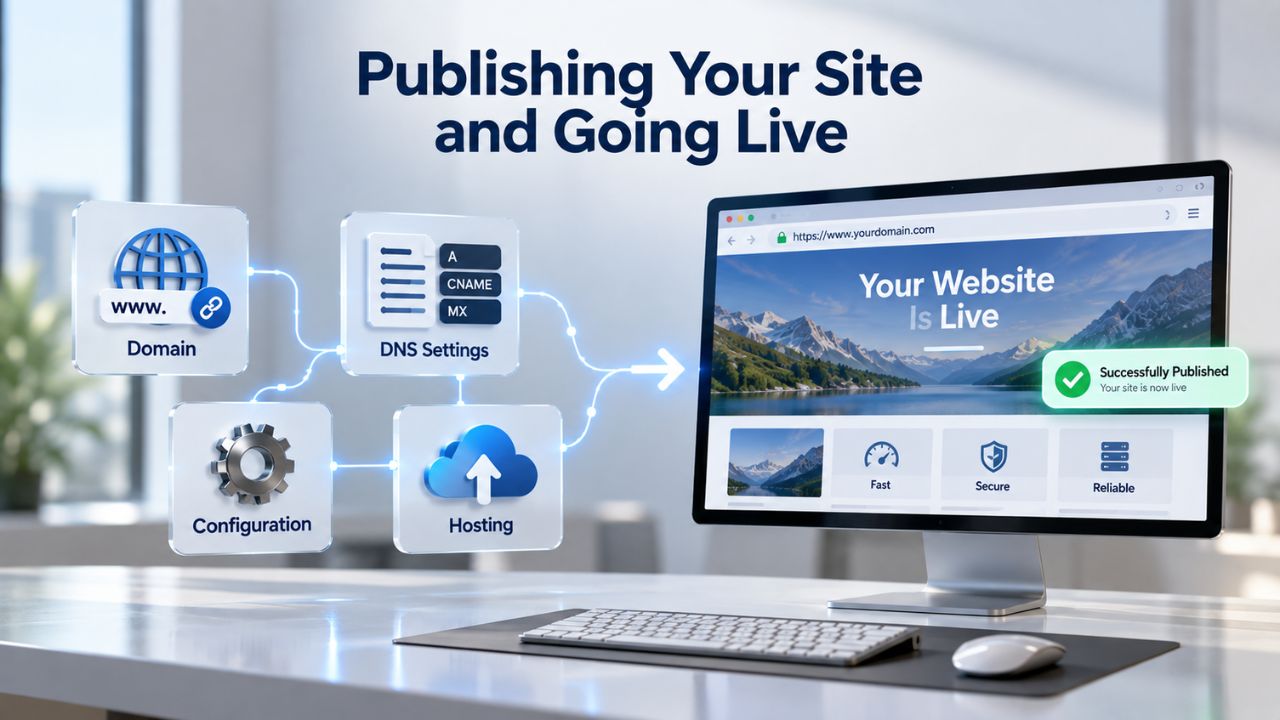
Once you’ve customized your site, added your content, and configured domain settings, publishing is a one-click action, literally. The builder verifies your design, checks that critical pages (homepage, contact, about) are complete and functional, and then deploys your site to its live URL. For most beginners with content prepared, this process takes 5–15 minutes from start to live website.
The Publishing Workflow: Preview, Check, Launch
Before publishing, preview your site end-to-end on desktop and mobile to catch any typos, broken images, formatting issues, or navigation problems. Most builders include a staging preview mode so you can see the live appearance without publishing. Double-check that your contact form works correctly, links go to the right pages, and your domain is correctly connected. Once you’re satisfied, click “Publish,” and your site goes live instantly. The builder’s DNS infrastructure recognizes your domain and routes visitors to your live site immediately (or within a few hours if DNS propagation is still in progress).
What Happens After Publishing
Publishing isn’t the end of your relationship with the builder; it’s actually the beginning of ongoing optimization. Most builders keep you in editing mode even after publishing, so you can update content, add new pages, change designs, and publish updates anytime without interruption. Your site is never locked or finalized; it evolves continuously with your business needs and market changes.
Website Builder Setup Workflow & Typical Timeline
| Step | What Happens | Typical Duration | Beginner Experience |
|---|---|---|---|
| 1. Choose a template | Browse industry-specific templates; select one matching your business type | 15–30 minutes | Easy; template previews show exactly what you’re getting |
| 2. Customize design & layout | Edit colors, fonts, section arrangements; accept or ignore AI suggestions | 1–3 hours | Intuitive drag-and-drop; visual feedback is immediate |
| 3. Add your content | Populate pages with your copy, images, product listings, service descriptions | 2–6 hours | Depends on content readiness; fastest if copy/images prepared |
| 4. Set up domain & hosting | Connect custom domain or register new one; DNS configured by builder wizard | 15–45 minutes | Mostly automated; builder guides you through setup steps |
| 5. Configure SEO & publishing settings | Add page titles, meta descriptions; set up analytics; enable search indexing | 30 minutes–1 hour | Builder prompts guide you; no technical knowledge needed |
| 6. Preview across devices | Test site on desktop, tablet, phone; check for broken links, typos, display issues | 15–30 minutes | Visual preview in builder shows all devices side-by-side |
| 7. Publish & go live | Click “Publish”; site goes live to your domain URL | 5 minutes | One-click action; site is live immediately (or within hours for DNS) |
| Total Typical Range | From template selection to live, professional website | 4–12 hours | With content prepared; beginners spend 8–12 hours total |
On-Page SEO Tools Built Into Website Builders
On-page SEO refers to optimizations you control directly on your website: metadata (page title and description), header structure, keyword usage, image alt text, site speed, and mobile responsiveness. All of these influence how search engines like Google crawl, understand, and rank your site. Beginners often skip SEO entirely because they assume it requires technical expertise and coding; however, modern website builders have simplified it dramatically with built-in tools that guide best practices without requiring code or special knowledge.
Guided SEO Setup and Automated Recommendations
GoDaddy Website Builder includes built-in SEO tools that prompt you to add a page title, description, and keywords for each page while you edit. The builder checks that your page title is under 60 characters (the Google limit for how much displays in search results), flags if your meta description is too long or too short, and suggests improvements to keyword density and heading hierarchy.
These aren’t optional plug-ins you have to remember to install; they’re part of the core editing interface, so SEO best practices are baked into your workflow. For beginners, this is invaluable because you’re learning SEO fundamentals as you build, understanding why page titles matter, how meta descriptions appear in search results, and why heading structure helps both readers and search engines find content.
Sitemaps and Schema Markup Handled Automatically
Search engines rely on a sitemap, a machine-readable list of all your pages, to crawl and index your site efficiently. Most website builders automatically generate and maintain your sitemap without any action on your part. Similarly, schema markup (structured data that tells search engines what content is on your page, products, events, business info) is often included by default, so Google can more accurately categorize your business type, opening hours, customer reviews, and products. For beginners, this automation means you get SEO benefits (sitemaps, schema, mobile responsiveness) without needing to understand XML or JSON. The platform handles the technical layer; you focus on quality content and honest keywords.
Customizing Your Site Beyond AI Suggestions
While AI templates and suggestions give you a strong professional foundation, a truly personal and unique site requires customization beyond the defaults. This might mean tweaking colors to match your exact brand guidelines, reorganizing page sections to tell your unique story, adding custom code snippets for integrations, or building functionality specific to your business (booking systems, product filters, multi-language support). Most website builders support this level of customization through visual editing tools and, for more advanced users, direct code access and flexibility.
Visual Customization for Beginners: Colors, Fonts, and Layouts
Changing colors, fonts, and section arrangements is typically straightforward drag-and-drop work in the builder interface: click on an element, adjust its style in a sidebar panel, and see the change reflected instantly. You can customize individual sections or apply changes globally (e.g., “make all headings navy blue and increase the size by 20%”).
For most beginners, this level of control is enough to express their unique brand identity without writing CSS or editing code manually. If a template section doesn’t fit your needs, you can often delete it and add new sections (contact forms, galleries, testimonials, FAQs) from a library of building blocks, arranging them in any order and styling each independently. This flexibility lets you build a site that feels custom-made rather than obviously templated.
When to Export Code or Hire a Developer
For beginners with advanced customization needs (custom checkout flows, third-party API integrations, bespoke design elements), most modern builders allow you to export your code and hand it off to a developer for further refinement. Alternatively, you can hire freelance developers who specialize in your builder platform to enhance your site while you retain editing access. This hybrid approach- build the MVP yourself with the builder, hire help for specialized features- is a cost-effective path for small businesses to scale up.
Maintaining and Updating Your Site After Launch
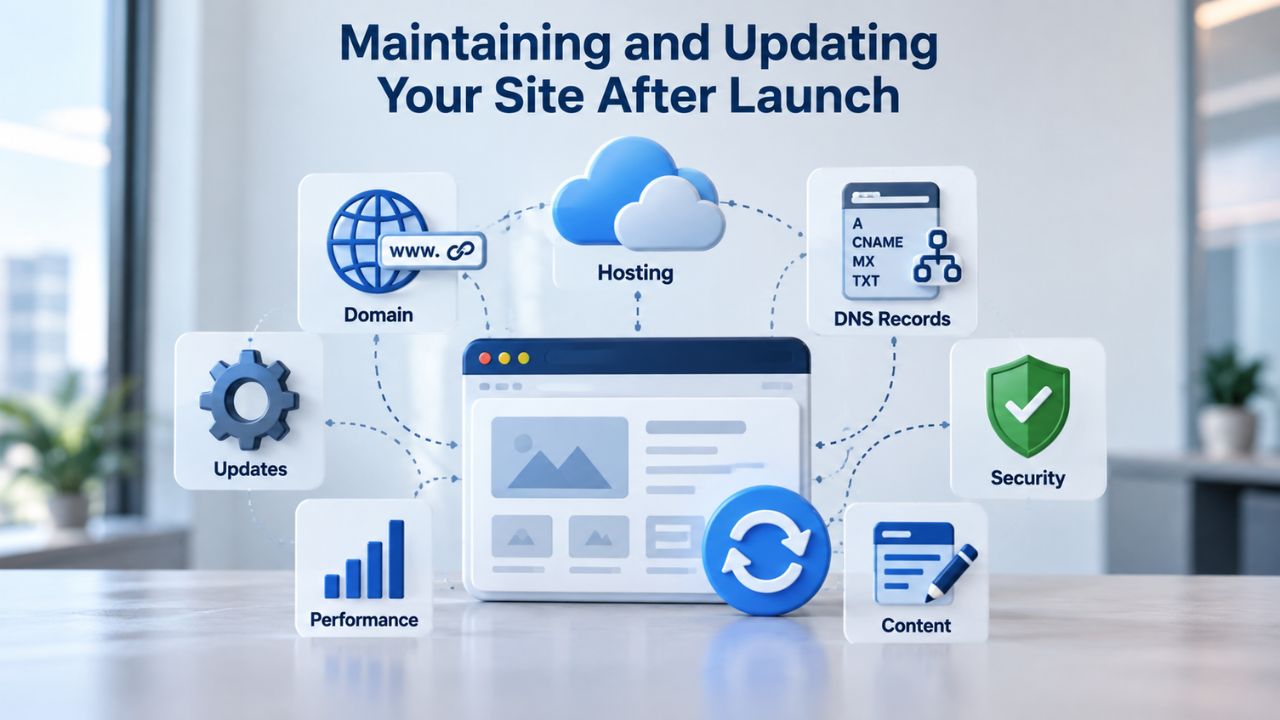
Your site isn’t complete the day you publish; it’s a living asset that evolves with your business. Regular updates, security monitoring, and performance checks are ongoing responsibilities. The good news is that website builders handle much of the technical maintenance automatically (server security, SSL renewal, backup creation, core software updates). You focus on content and strategic updates while the platform handles the infrastructure.
Content Updates, Blog Posts, and Seasonal Changes
Keep your site fresh and relevant by regularly adding new content, blog posts, product listings, updated service offerings, and fresh testimonials from satisfied customers. Website builders make this easy by letting you add pages and publish instantly, without deployment or server access. If you run a restaurant, you update your menu. If you’re a freelancer, you add portfolio pieces. If you run a blog, you publish regular posts.
This ongoing content stream signals to search engines that your site is active and relevant, which helps with rankings. Many beginners underestimate the importance of consistent updates; they build their site, publish, and leave it untouched for two years. Sites that haven’t been updated in months look abandoned to visitors and perform worse in search results. Committing to at least monthly updates (even small ones, a new blog post, a seasonal banner, updated hours) keeps your site healthy and visible.
Monitoring Performance, Traffic, and Visitor Behavior
Most builders include built-in analytics or integrate easily with Google Analytics to track how many visitors you get, where they come from, which pages they visit most, and where they leave. For beginners, this data is invaluable for understanding your audience and iterating on your site. If 80% of visitors leave after viewing your homepage but only 5% ever reach your products, that signals your messaging or layout needs work.
Security monitoring is typically automated: the builder scans for malware, keeps software up to date, and alerts you to any issues. Backups run daily without your intervention. Your only ongoing responsibilities are keeping your content accurate, publishing regular updates, and monitoring your analytics to understand what’s working.
Get Expert Support and Guidance Throughout Your Journey
Building your first website raises questions at every stage: Which plan fits your business needs? How do you set up your domain? Should you start with an online store? Niya Digital’s Website Builder Service includes 24/7 support to guide you from initial planning through launch and beyond. Get personalized onboarding, template recommendations, and hands-on setup help, all backed by a platform you can trust.
Frequently Asked Questions
Do I need any technical skills to use an AI website builder?
No. AI website builders are specifically designed for non-technical users. You don’t need to know HTML, CSS, or how web servers work. The platform automatically handles all technical infrastructure, hosting, domain connection, SSL security, and backups. Your job is to choose a template, add your content, and customize colors and layouts through visual, point-and-click interfaces.
How long does it take to build and publish a website with an AI builder?
With content prepared (copy, images, business description), most beginners can build and publish a basic 5–10 page site in 4–12 hours. Publishing the site takes 5 minutes; most time goes into customizing the design, adding content, and testing on mobile. GoDaddy Website Builder can generate an initial site in minutes using AI; customization and content addition extend the timeline.
Can I sell products and services through an AI website builder?
Yes. Most builders, including Niya Digital’s plans, offer e-commerce features. You can add a shopping cart, product listings, payment processing (PayPal, credit cards), inventory tracking, shipping options, and discount codes. The plans offer different levels of e-commerce features; basic plans support simple “buy now” buttons and PayPal integration.
Is my website mobile-friendly automatically?
Yes. Responsive design, automatically adapting to mobile, tablet, and desktop screens, is built into every modern website builder. GoDaddy Website Builder’s responsive engine ensures your site looks professional on every device without requiring you to build three separate versions or write code.
Will my website rank on Google?
Website builders include built-in SEO tools that help you follow on-page best practices: metadata, proper heading structure, mobile responsiveness, and site speed. However, ranking depends on many factors outside any builder’s control: content quality, keyword relevance, backlinks, competition, and ongoing SEO effort. A builder gives you the tools to do SEO right; your content and strategy determine results.
What if I want to change builders later? Can I export my site?
Most modern builders let you export your site data and code, so you can migrate your site. However, the process can be technical and time-consuming depending on your builder and destination platform. Start with a platform you trust so you can focus on growing your business rather than switching platforms frequently.
Can I use my own domain name with a website builder?
Yes. You can connect your own domain name or register a new one through the builder. Many plans include a free domain for the first year; renewal costs typically apply after that. Domain connection is straightforward, usually just pointing your domain’s DNS records to the builder’s servers through a simple setup wizard.
Does an AI website builder include hosting?
Yes. Website builders always include hosting; your site files are stored on the builder’s secure servers, so you don’t need to purchase hosting separately. This bundling simplifies setup and support because your builder is also your hosting provider and handles uptime, security, and backups.
What’s included in the free domain promotion?
Many builders, including GoDaddy Website Builder, offer a free domain name (typically a .com or similar TLD) for one year when you sign up for an annual plan. After the first year, you pay standard domain renewal rates. Check Niya Digital’s current plans for specific free domain promotions available today.
How does payment processing work for online stores?
Website builders integrate with payment gateways like PayPal, Stripe, and major credit card processors so customers can buy from your site directly. You define products, prices, and shipping options; the builder handles checkout security, payment authorization, and transaction processing. Fees vary by builder and payment method (typically 2.7%–3% per transaction for credit cards).
Can I add a blog to my website?
Yes. Most builders include blog functionality, including creating a blog section, writing posts, scheduling publication, and managing comments. Blogging helps with SEO, keeps your site fresh, and gives visitors a reason to return. For service providers and thought leaders, a blog is a powerful driver of credibility and traffic.
Is my website secure?
Yes. All modern website builders include free SSL encryption (the “padlock” symbol in your browser), automatic daily backups, malware scanning, and security monitoring. These protections are standard, not add-ons, so they protect your site and visitor data from day one.
Can I customize my site after publishing?
Yes. Publishing isn’t final. You remain in editing mode indefinitely, so you can update content, change designs, add new pages, modify pricing, and publish updates instantly. Your site is never locked or frozen; it evolves with your business needs.
What if I need help building my site?
Most builders offer 24/7 customer support via phone, chat, or email. Niya Digital provides dedicated onboarding support to guide beginners through setup, template selection, and customization. Professional design services are also available if you prefer hands-on expert help.
How much does it cost to have a website?
Website builder subscriptions vary by features and business needs. Explore the range of options available through Niya Digital’s Website Builder Service plans to find the right fit for your goals. Actual costs vary by plan tier and location; visit the website for current details.
Glossary
- Website Builder: A platform that enables users to create and publish websites using visual, drag-and-drop interfaces without writing code.
- AI-Assisted: Machine-learning tools integrated into a website builder that auto-generate design suggestions, copy ideas, and layout recommendations to accelerate the building process.
- Template: A pre-designed page layout with built-in structure, styling, and placeholder content that serves as a starting point for website customization.
- Responsive Design: A website layout approach that automatically adapts text size, images, and navigation to fit different screen sizes (desktop, tablet, mobile).
- Drag-and-Drop Interface: A user interface that allows direct visual placement of website elements (text blocks, images, buttons) by clicking and moving them.
- Domain: A unique web address (e.g., yourname.com) that identifies and locates your website on the internet.
- Hosting: Server infrastructure that stores your website files and makes them accessible to visitors 24/7.