Understanding Professional Email Options and Their Trade-offs
Niya Digital’s Professional Email Hosting is powered by Titan Email, a real, independently developed platform that Niya Digital provisions and supports as an authorized reseller. Titan Email relies on standard email-authentication protocols (SPF, DKIM, DMARC) and third-party email deliverability and reputation data to help messages reach the inbox. This improves deliverability outcomes but does not guarantee inbox placement or eliminate spam.
What Google Workspace Is and How It Works
Google Workspace is Google’s comprehensive cloud productivity suite, launched in 2006 as Google Apps for Your Domain and rebranded as Google Workspace in 2020. It bundles custom-domain Gmail with real-time document editing in Docs, Sheets, and Slides; cloud storage in Google Drive; video conferencing in Meet; and integrated calendar, chat, and other collaboration tools designed to keep teams aligned.
The platform operates on a subscription model with multiple tiers, each designed to serve different organizational sizes and complexity needs. Workspace uses a per-user, per-month subscription model, allowing organizations to scale their email and productivity tools as teams grow. Administrative controls, storage allocations, and security features increase across higher tiers, giving enterprises the advanced tools they need for regulatory compliance and data governance.
What Titan Email Is and How It Works
Titan Email is a professional business email hosting platform founded in 2018 by Bhavin Turakhia, also the founder of Flock, CodeChef, and Zeta. Unlike Workspace, Titan focuses exclusively on email: webmail and native iOS/Android apps, built-in calendar and contacts, email-specific features like read receipts and follow-up reminders, and advanced anti-spam and anti-virus protection. Businesses can access the platform through resellers, including domain registrars, web hosts, and email service providers.
Titan Email emphasizes deliverability and email-focused productivity over cross-functional collaboration. The platform includes features designed to improve email communication: email templates, scheduled sends, follow-up reminders for unanswered messages, read receipts to confirm when prospects have opened important messages, and multi-account management so users can switch between different email addresses within a single interface. This focused approach eliminates overhead and complexity for teams whose primary business communication happens through email.
The Core Architectural Difference: All-in-One Ecosystem vs. Email-Only Focus
The fundamental difference between these two platforms shapes everything that follows: Google Workspace is an integrated productivity ecosystem, while Titan Email is a specialized email hosting solution. Understanding this distinction is critical for making the right choice for your organization.
Google Workspace as an Integrated Ecosystem
Google Workspace is designed as a tightly integrated ecosystem where email is one component of a larger productivity canvas. When you send a calendar invite from Gmail, recipients can RSVP directly in the message, and the meeting automatically populates in Google Calendar. When you collaborate on a document in Docs, comments and revisions feed back to Gmail notifications. Video meetings integrate seamlessly into calendar blocks, allowing teams to join calls without leaving the calendar interface. This tight integration is a genuine technical advantage for teams whose daily workflow depends on synchronous collaboration, shared document editing, and unified communication.
The ecosystem approach means that when your team needs to pivot from email communication to collaborative work, the transition is frictionless. A sales team discussing a deal via email can move seamlessly into a shared proposal document, edit it in real time, host a video call with the client directly from the document, and track the entire interaction within the same platform. For knowledge workers, creatives, and cross-functional teams, this integrated workflow eliminates context switching and keeps work flowing naturally.
Titan Email as a Specialized, Email-Focused Platform
Titan Email takes the opposite approach: it is email-only hosting optimized for deliverability, email-specific features, and simplicity. It includes no document editor, video conferencing, or cloud storage. Instead, you get a streamlined inbox experience with powerful email tools and straightforward account management. For teams whose workflow is email-centric, sales organizations, customer service teams, freelancers managing client communication, and small businesses, this focused approach eliminates complexity and cost overhead.
The email-only model means every feature, every optimization, and every support interaction focuses on making email experiences exceptional. Teams using Titan Email get advanced tracking, scheduling, and follow-up capabilities that many productivity suites don’t prioritize. When email is your primary business tool, this specialization delivers tangible value. The trade-off is clear: if your team needs integrated document collaboration or frequent video calls, Titan Email would require additional subscriptions, which can erode its cost and simplicity advantages.
Feature Comparison: What’s Included in Each Platform
Both platforms provide custom-domain email, but the features surrounding email differ significantly based on each platform’s design philosophy.
Email and Collaboration Features
Google Workspace excels at providing integrated collaboration tools alongside email. Every Workspace plan includes Gmail with custom-domain support, Google Drive for cloud storage, Google Docs, Sheets, and Slides for real-time collaborative editing, Google Meet for video conferencing, Google Calendar, and Google Chat for team messaging. The higher tiers add advanced admin controls, eDiscovery capabilities, and enhanced security features designed for enterprises.
Titan Email provides professional email with built-in calendar and contacts, webmail access, and native iOS and Android applications. The platform includes email-specific features like read receipts (limited on lower plans, unlimited on higher tiers), email templates (similarly tiered), follow-up reminders, schedule send, and the ability to undo a message before the recipient opens it. Titan’s email-focused feature set helps professionals manage their inbox more effectively and improve communication outcomes.
Advanced Features and Security
Google Workspace’s higher tiers include advanced compliance and security features: Google Vault for data retention and litigation holds, eDiscovery for searching and exporting emails and documents, Data Loss Prevention (DLP) to prevent sensitive information from leaving your organization, and context-aware access controls that enforce security based on user risk. These features are essential for organizations with regulatory requirements or complex security policies.
Titan Email provides foundational security: data encryption, advanced anti-spam and anti-virus protection, two-factor authentication, custom DKIM support for email authentication, and multi-account management. Organizations with specific compliance mandates (healthcare, finance, government) typically require the advanced features available in Google Workspace’s Enterprise tier or a specialized email compliance solution. For small businesses and mid-market companies without advanced compliance requirements, Titan Email’s security foundation is robust and sufficient.
| Feature | Google Workspace | Titan Email |
|---|---|---|
| Custom Domain Email | ✓ All plans | ✓ All plans |
| Email Storage | 30 GB–Unlimited | 10 GB–100 GB |
| Webmail + Mobile Apps | ✓ Yes | ✓ Yes |
| Calendar & Contacts | ✓ Integrated | ✓ Built-in |
| Real-Time Document Collaboration | ✓ Docs/Sheets/Slides | ✗ No |
| Video Conferencing | ✓ Google Meet | ✗ No |
| Read Receipts | ✗ No | ✓ Yes |
| Email Templates | ✗ No | ✓ Yes |
| Schedule Send | ✗ No | ✓ Yes |
| Follow-up Reminders | ✗ No | ✓ Yes |
| Undo Send | ✗ No | ✓ Yes |
| Advanced Admin Controls | ✓ Plus/Enterprise | Limited |
| Multi-Account Management | Separate login | ✓ Yes |
| IMAP/POP3 Support | ✓ Yes | ✓ Yes |
| Custom DKIM/SPF | Limited | ✓ Yes |
| Email Forwarding | ✓ Yes | ✓ 1–7 external |
| Appointment Booking | ✗ No | ✓ Ultra tier |
| Email Campaigns | ✗ No | ✓ Ultra tier |
Total Cost of Ownership and Value Equation
Both platforms charge per user, but what’s included in that per-user cost differs significantly. Understanding the total value you’re receiving is essential to making a financially sound decision.
How Google Workspace Pricing Works
Google Workspace operates on a per-user, per-month subscription basis with pricing structured across multiple tiers. The entry-level option includes custom-domain email, calendar, contacts, and basic storage. Mid-tier plans add cloud storage and collaboration features, while higher tiers unlock advanced administrative controls, enhanced video conferencing capacity, and compliance tools like eDiscovery. A small team using the entry-level plan receives basic email functionality; the same team on a higher tier gets access to a comprehensive productivity ecosystem.
The cost structure means every user in your organization has access to all tools in their tier, whether they use them or not. A sales team that primarily uses email and calendar, and occasionally meets via video, still maintains access to document editing, spreadsheet tools, and advanced storage. For teams that actively use most Workspace features, document collaboration, real-time editing, video meetings, and shared storage, the per-user cost represents excellent value. For teams that primarily need email, this bundled approach creates cost overhead.
How Titan Email Pricing Works
Titan Email operates on a per-mailbox, per-month subscription basis with straightforward tiers, each adding storage and unlocking progressively more advanced features. The entry-level plan provides email hosting with calendar and contacts; mid-tier plans add email-specific productivity features like read receipts and follow-up reminders; the highest tier unlocks email campaigns and appointment booking tools. The platform’s pricing structure reflects its focused scope: you pay for email and email-specific tools, nothing else.
Titan Email’s value equation works in reverse from Workspace. A small team using Titan receives powerful email-focused features at a lower per-user cost because the platform doesn’t include document editing, video conferencing, or cloud storage. If that same team later needs document collaboration, they add a separate tool and maintain full control over their spending. This modular approach appeals to teams with email-first workflows that prefer to assemble their own toolchain rather than commit to an all-in-one suite. Over time, if your team uses document collaboration frequently, running separate tools may cost more than Workspace’s bundled pricing. The calculation depends entirely on actual usage patterns.
Setup Process, Implementation Timeline, and Complexity
Getting professional business email operational requires several steps: securing a custom domain (if you don’t already own one), configuring DNS records so email routes correctly, creating email accounts, optionally importing existing email history, and testing to ensure everything works. The complexity and time required vary significantly between platforms.
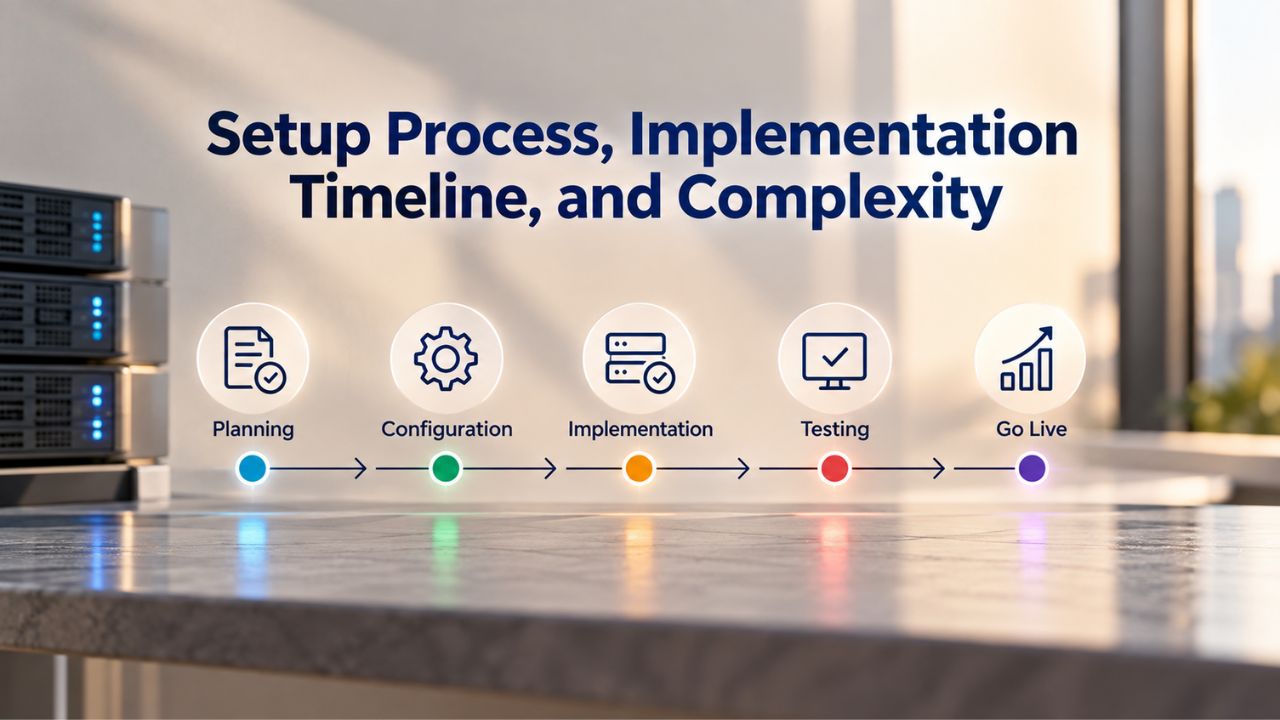
Titan Email Setup and Configuration
Titan Email setup is notably streamlined because the reseller (Niya Digital or another provider) handles much of the DNS configuration behind the scenes. A user signs up through their reseller, connects their custom domain (or registers a new one), creates email accounts, and can begin sending within minutes. The platform’s interface is designed for email-only workflows; there’s no learning curve for unused productivity tools. Active setup typically takes under 30 minutes: identify your domain, create accounts, and verify delivery. DNS propagation, the internet’s recognition that your domain now routes to Titan’s servers, takes one to two additional hours. Optional email migration from another provider, using IMAP protocols to transfer historical messages, adds approximately one more hour to the timeline.
Most resellers, including Niya Digital, support you through setup, helping you configure authentication records (SPF and DKIM) that improve email deliverability. This hands-on approach reduces the technical barrier for non-technical business owners and ensures authentication is configured correctly from the start. For small business owners and freelancers, this streamlined path from registration to sending email often takes a single afternoon.
Google Workspace Setup and Learning Curve
Google Workspace setup is more involved because the platform offers more configuration options and requires planning across multiple tools. Initial account creation is quick, but teams typically spend considerable time configuring admin controls, setting up sharing policies for Drive and Docs, establishing Meet security settings (guest access, recording permissions, participant limits), and training users on how the ecosystem functions. Organizations transitioning from another email provider must also define admin hierarchy, set group policies for document sharing, configure email forwarding rules, and plan data retention policies.
This complexity delivers value when your team actively uses collaboration features, but adds overhead if email is your only need. Enterprise organizations benefit from granular control: setting different security policies for different departments, enforcing data retention rules to meet regulatory requirements, and monitoring user activity for compliance purposes. Small teams using Workspace often spend the first week after implementation discovering features they didn’t know existed and learning how to use them effectively. The learning curve is real, but for teams whose work genuinely spans email, documents, spreadsheets, and video calls, the investment in understanding the platform pays dividends.
Ready to Choose the Right Email Platform for Your Business?
Niya Digital’s Professional Email Hosting, powered by Titan Email, gives you professional business email with built-in security, advanced features, and expert support—without the complexity or cost of tools you don’t need. Set up your custom-domain email in minutes and start building customer trust with a profession al inbox today.
Email Deliverability, Authentication, and Inbox Placement
Email deliverability, the likelihood that your sent email reaches the recipient’s inbox rather than the spam folder or being rejected outright, depends on four critical factors: sender reputation (determined by bounce rates, complaint rates, and recipient engagement), email authentication (proving that you legitimately sent the message), content quality (avoiding spam trigger language and formatting that triggers filters), and recipient list hygiene (ensuring you’re sending to valid, engaged addresses).
Email Authentication Standards and Implementation
SPF (Sender Policy Framework, defined in RFC 7208), DKIM (DomainKeys Identified Mail, defined in RFC 6376), and DMARC (Domain-based Message Authentication, Reporting, and Conformance, defined in RFC 7489) enable domain owners to publish email authentication and policy information in DNS. SPF specifies which mail server IP addresses are authorized to send email on your domain’s behalf. DKIM places cryptographic signatures on messages to prove they came from your domain and haven’t been altered in transit. DMARC provides policy directives that tell receiving mail servers what to do when authentication fails: reject the email, quarantine it, or accept it anyway.
Organizations without proper authentication increasingly see emails filtered to spam folders or rejected outright by major email providers. Gmail and Yahoo have both published strict requirements for bulk senders, effectively making DMARC enforcement mandatory for any organization sending significant email volumes. Both Google Workspace and Titan Email support these authentication standards. Titan Email provides built-in support for custom DKIM and SPF configuration, giving users granular control over their authentication setup. Google Workspace automatically configures SPF and offers custom DKIM on higher-tier plans.
Custom Domain Email and Deliverability Advantage
A significant deliverability advantage comes from using custom-domain email (both platforms support this) rather than free email providers. When you send from your own domain (user@yourbusiness.com) rather than a free service (user@gmail.com), receiving mail servers recognize you as a legitimate business entity, and your emails are far more likely to reach the inbox. This advantage compounds because Gmail and Yahoo now enforce strict DMARC policies on free accounts: if your email fails authentication checks, it may not reach the recipient at all, especially for bulk recipients.
Niya Digital’s team has found that businesses migrating from personal email or legacy systems to Titan Email typically complete their setup and first batch of sends within a single afternoon, achieving significantly better deliverability than they experienced with free email. A professional domain-based address signals to customers and business partners that you’re established and legitimate, and the authentication infrastructure supporting that domain ensures your messages arrive. For sales professionals, customer service teams, and anyone relying on email to conduct business, custom-domain email with proper authentication is essential infrastructure, not a luxury feature.
Collaboration Beyond Email: When You Need More Than Just Inbox Management
Google Workspace’s defining strength is real-time team collaboration on documents, spreadsheets, and presentations. Teams can draft a proposal in Docs while commenting in real time, with changes instantly visible to all collaborators. Multiple team members can work on a spreadsheet simultaneously, with formulas updating across the shared file. Teams can collaboratively build presentations and present from any location with an internet connection. Video meetings integrate seamlessly into Calendar, and shared files in Drive are centrally accessible to everyone with the right permissions.
Google Workspace Collaboration Ecosystem
Google Workspace’s integrated approach means that collaboration happens within the same system as email and calendar. When you need to discuss a proposal via email, you can transition to real-time document editing in Docs without leaving your productive context. Comments in the document notify relevant team members directly, and the conversation history stays attached to the document rather than scattered across email threads. Video meetings launched from Calendar automatically record to Drive, so team members who couldn’t attend can catch up later. This ecosystem approach is powerful for knowledge workers, project teams, and any organization that creates and refines shared documents.
The downside is that this integration locks your team into Google’s collaboration ecosystem. If you prefer other document tools, spreadsheet software, or presentation platforms, Workspace becomes less valuable because you’re maintaining parallel systems. Teams invested in Microsoft Office, Figma for design, Asana for project management, or other specialized tools don’t benefit fully from Workspace’s integrated approach.
Titan Email and Modular Collaboration Approach
Titan Email does not offer document collaboration, video conferencing, or shared cloud storage. Its strength is in email and calendar management within a focused, distraction-free interface. For teams that need collaborative editing, video calls, or centralized file storage, Titan Email requires additional subscriptions: Microsoft OneDrive or Google Drive for file storage, Zoom or Google Meet for video conferencing, and Microsoft Office or Google Docs for document collaboration. This modular approach means you’re assembling your own toolchain, which provides flexibility but also requires coordination across multiple platforms.
The modular approach appeals to teams whose work is genuinely email-first and who already have established preferences for specific tools. A sales team that uses Salesforce for customer relationship management, Slack for team chat, and Google Docs for occasional collaborative documents can use Titan Email for professional communication without redundancy. Over time, if your team uses multiple collaboration tools frequently, the total cost of running these separate systems may approach or exceed what a bundled suite like Google Workspace would cost. The calculation is different for every team and depends on actual usage patterns, not abstract feature lists.
Security, Compliance, and Administrative Controls
Organizations managing sensitive data or operating in regulated industries require security features and compliance capabilities that go far beyond basic email protection. The differences between platforms in this area are substantial and can be decision-determining factors.
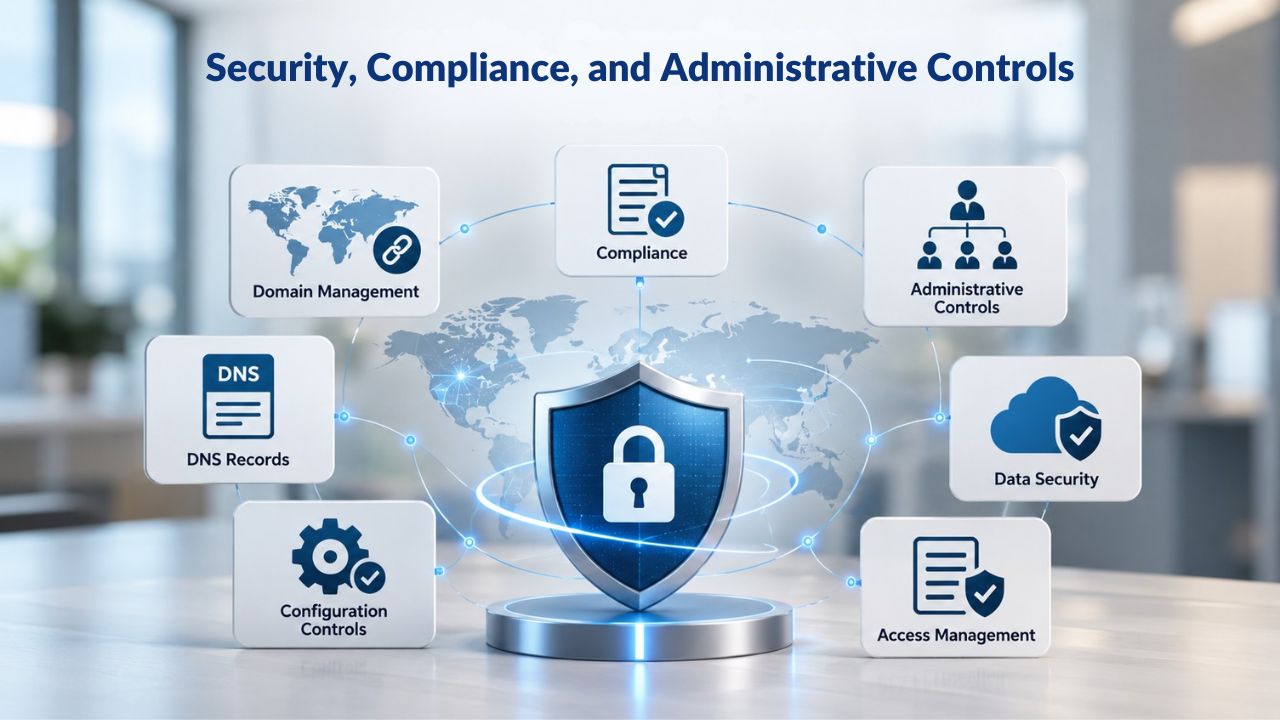
Google Workspace Enterprise Security and Compliance
Google Workspace provides extensive enterprise security features and compliance certifications. Google Workspace meets FISMA (Federal Information Security Management Act) compliance requirements, making it suitable for U.S. government agencies and contractors. The platform maintains SOC 2 and SOC 3 reports, providing third-party assurance that Google’s systems meet rigorous security, availability, and confidentiality standards. Data is encrypted in transit and at rest, and Workspace Plus and Enterprise tiers include Data Loss Prevention (DLP), which can prevent sensitive information from leaving your organization or being accessed by unauthorized users.
Advanced compliance features include Google Vault (for data retention, litigation holds, and compliance data export) and eDiscovery (for searching and exporting emails and documents to meet legal requirements). Context-Aware Access allows organizations to enforce security based on user risk: a user accessing Gmail from an unfamiliar location or unmanaged device might be required to reauthenticate or use additional security measures. For healthcare organizations covered by HIPAA, financial services firms subject to SOX or FINRA requirements, and government contractors, these compliance and security features are often non-negotiable.
Titan Email Security Foundation
Titan Email provides security features for small and mid-market organizations: data encryption (in transit and at rest), advanced anti-spam and anti-virus protection built into every email received, two-factor authentication to prevent unauthorized account access, and support for custom DKIM authentication records to prevent email spoofing. The platform uses industry-standard email filtering to identify and block malicious content before it reaches your inbox.
For small businesses and mid-market companies without advanced compliance mandates, Titan Email’s security foundation is robust and sufficient. The platform lacks advanced compliance features like eDiscovery or a data retention Vault. Organizations with strict regulatory requirements (healthcare, finance, government) typically require Google Workspace’s advanced compliance tier or a specialized email compliance solution specifically designed for their industry. For teams operating without these regulatory constraints, Titan Email delivers the security you actually need without paying for compliance features you won’t use.
Support, Scalability, and Uptime Guarantees
Both platforms leverage cloud infrastructure and provide 24/7 support, but the models differ in important ways. Understanding support responsiveness, scalability limits, and uptime guarantees is critical for organizations where email downtime creates business risk.
Google Workspace Support and Infrastructure
Google Workspace support is provided through Google Cloud’s support channels, with response times and escalation paths based on your Workspace tier. Enterprise customers receive dedicated support with guaranteed response times; smaller organizations rely on community forums and self-service documentation, though paid support options are available. Google’s cloud infrastructure is globally distributed and designed for massive scale: Workspace runs on the same infrastructure that powers Google Search, Gmail (the free service with billions of users), and Google’s other enterprise offerings.
Google Workspace’s uptime and scalability are essentially unlimited for most organizations. You can scale from 10 users to 10,000 without worrying about platform limitations. Video meeting capacity scales from 100 to 1,000 participants depending on your tier. Storage allocates automatically as your team creates more documents and uploads more files. For large enterprises managing tens of thousands of employees across multiple continents, Workspace’s infrastructure is built to handle that scale with consistent performance.
Titan Email Support and Infrastructure
Titan Email support is provided through resellers like Niya Digital, which means support quality and response time depend on the reseller’s commitment to customer service. Niya Digital provides 24/7 support for setup, troubleshooting, and account management. Titan Email itself runs on cloud infrastructure managed by its resellers, with typical uptime guarantees of 99.9% (meaning the service is unavailable no more than about 43 minutes per month on average).
Titan Email scales well for its intended market. Adding 100 email accounts is straightforward and doesn’t create performance issues. If your team later needs document collaboration or advanced video conferencing, you either add separate tools or migrate to Google Workspace. Resellers like Niya Digital often help with this transition, ensuring you don’t lose data or service continuity during the switch. For small and mid-market organizations, Titan Email’s scalability is more than sufficient, and the reseller model means you have a direct relationship with someone who understands your business.
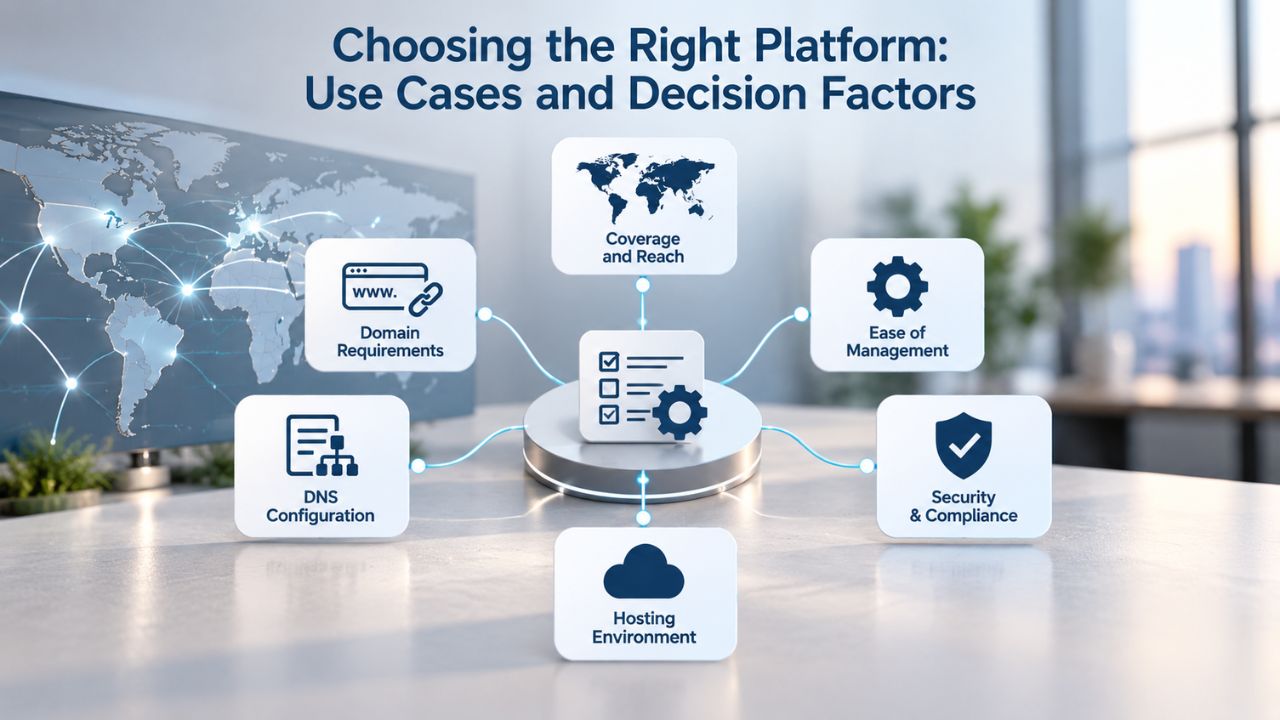
Choosing the Right Platform: Use Cases and Decision Factors
The right email and productivity solution depends entirely on how your team works, what communication and collaboration tools are essential to your business, and whether you prefer an integrated ecosystem or a modular approach.
When Google Workspace Is the Clear Winner
Choose Google Workspace if your team depends on real-time document collaboration in Sheets, Slides, or Docs as a core part of your daily work. If your team frequently drafts proposals, edits budgets, creates presentations, and finalizes them collaboratively, Workspace’s integrated workflow eliminates context switching and keeps work flowing naturally. Choose Workspace if you need integrated video conferencing with 500 or more participants; the platform supports video meetings at scales that Titan Email doesn’t address. Choose Workspace if you need advanced admin controls like eDiscovery, Data Loss Prevention, or data retention Vault, which are essential for regulatory compliance in healthcare, finance, and government sectors.
Workspace makes financial sense when your team is actively using at least three Workspace features, email plus documents plus meetings, for example, regularly. If your team’s workflow spans email, cloud storage, collaborative document editing, and video conferencing, Workspace’s integrated ecosystem provides value that exceeds the per-user cost. Additionally, if your team is already using Gmail and wants to scale to a full productivity suite without changing email providers or mail clients, Workspace is the natural evolution.
When Titan Email Is the Better Choice
Choose Titan Email if your team’s workflow is email-centric: sales professionals managing client communication, customer service teams responding to inquiries, freelancers handling project communication, and small businesses that use email as their primary business tool. Titan Email’s email-specific features- read receipts, follow-up reminders, scheduled send, and advanced filtering- are designed specifically to improve how sales and service teams work. Choose Titan Email if budget constraints favor a lower-cost entry point for email hosting, or if you want to avoid paying for collaboration tools your team rarely uses.
Titan Email becomes the clear winner when a team’s email is its primary business tool and document collaboration happens separately or infrequently. If your team uses Salesforce, Slack, Asana, or other specialized tools for their work, and email is the communication layer connecting everything, Titan Email provides excellent email functionality without redundancy. Choose Titan Email if you prefer a focused, streamlined interface designed specifically for email management and already have preferences for specific tools (Microsoft Office, Figma, Zoom, etc.) rather than wanting everything bundled together.
Decision Matrix: When to Choose Each Platform
| Use Case | Best Fit | Why |
|---|---|---|
| Sales Team Needing Read Receipts & Tracking | Titan Email | Email-specific features designed for sales workflows; lower cost for email-focused teams |
| Marketing Team Creating Collaborative Campaigns | Google Workspace | Integrated document editing, shared Drive, and real-time collaboration on content |
| Customer Service Team Managing Inquiries | Titan Email | Streamlined inbox, follow-up reminders, and multi-account management for support staff |
| Software Development Team Coordinating Projects | Google Workspace | Document collaboration for specs, video meetings for standups, shared Drive for assets |
| Freelancer or Solo Professional | Titan Email | Minimal setup, email-focused features, and lower cost for solo or small team use |
| Enterprise with Regulatory Compliance Needs | Google Workspace | Advanced security, eDiscovery, FISMA compliance, and data retention policies |
| Nonprofit Organization with Limited Budget | Titan Email | Lower cost, straightforward setup, and all essential email features for mission-driven work |
| Design Agency with Distributed Team | Google Workspace | Real-time collaboration in Docs and Slides, Google Meet for video reviews, shared Drive for assets |
| Law Firm or Legal Department | Google Workspace | eDiscovery for document holds, Vault for retention, and compliance reporting for regulatory requirements |
| Startup Building to Scale | Either | Workspace if collaboration is core; Titan Email if adding tools as you grow |
Start Your Professional Business Email Today
Niya Digital’s Professional Email Hosting, powered by Titan Email, streamlines email setup for businesses of any size. Start your business email on a custom domain in minutes. Enjoy native mobile apps, advanced anti-spam protection, built-in calendar features, and 24/7 support from Niya Digital’s dedicated team: no collaboration bloat, just email done right.
Frequently Asked Questions
What is the main difference between Google Workspace and Titan Email?
Google Workspace is an all-in-one productivity suite bundling email with document collaboration, video conferencing, cloud storage, and calendar management. Titan Email is email-only hosting focused on deliverability, email-specific features, and simplicity without the overhead of unused collaboration tools. Workspace is best for teams needing integrated teamwork; Titan Email is best for email-centric workflows where email is your primary business communication channel.
Can I migrate my existing emails to Titan Email?
Yes, Titan Email supports one-click import of existing emails and contacts from other providers using the IMAP protocol. Niya Digital also offers email migration support to help transfer your data without data loss or downtime. The migration process typically takes one to two hours depending on the amount of data being transferred. Most migrations can be completed without interrupting your ability to send and receive new email.
Is Titan Email secure?
Titan Email includes data encryption for emails in transit and at rest, advanced anti-spam and anti-virus protection, two-factor authentication to prevent unauthorized account access, and custom DKIM and SPF support for email authentication. These features provide strong security for standard business email use. For advanced compliance needs requiring eDiscovery or regulatory data retention holds, Google Workspace’s Enterprise tier is better suited.
Which platform offers better email deliverability?
Both platforms support standard email authentication (SPF, DKIM, DMARC), which improves deliverability. Titan Email’s email-focused design and detailed authentication controls give users more granular visibility into sender reputation. Custom-domain email (both platforms support this) is significantly more deliverable than free email because Gmail and Yahoo enforce strict DMARC policies. Deliverability depends on authentication, sender reputation, content quality, and list hygiene; no platform guarantees inbox placement.
Do I need Google Workspace if I only need email?
No. Google Workspace includes features beyond email. If email is your primary need, Titan Email offers email-only hosting without the cost of unused productivity tools. If your team later needs document collaboration or video conferencing, you can add those tools separately or migrate to Workspace. Base the decision on your team’s actual workflow, not potential future features you might not need.
Can I use Titan Email with third-party email clients like Outlook or Apple Mail?
Yes, Titan Email supports IMAP, POP3, and SMTP access so that you can connect desktop and mobile email clients, including Microsoft Outlook, Apple Mail, Thunderbird, and many others. This flexibility means you’re not locked into Titan’s webmail interface; you can use your preferred email client while keeping your custom-domain email address.
How long does it take to set up Titan Email?
Setup typically takes under 30 minutes of active work: register or connect your domain, create email accounts, and configure DNS records (MX and SPF). DNS propagation takes one to two additional hours. Full data migration from another provider adds approximately one additional hour. Niya Digital can assist throughout this process to ensure everything is configured correctly.
What authentication protocols does Titan Email support?
Titan Email supports SPF (Sender Policy Framework), DKIM (DomainKeys Identified Mail), and DMARC (Domain-based Message Authentication, Reporting, and Conformance), the three primary email authentication standards defined by IETF that help prevent email spoofing, improve inbox placement, and provide reporting on email authentication status.
Is Google Workspace FISMA-compliant?
Yes, Google Workspace meets FISMA (Federal Information Security Management Act) compliance requirements, making it suitable for U.S. government agencies and contractors handling sensitive government data. Titan Email’s compliance certifications vary by reseller; Niya Digital can confirm applicable compliance standards for your specific organizational requirements and use case.
Can I scale my team with Titan Email?
Yes, Titan Email scales by adding email accounts without performance degradation. However, if your team later needs document collaboration, video conferencing, or advanced admin controls, you’ll need to add separate tools or migrate to a suite like Google Workspace. The platform itself supports thousands of email accounts, so team size isn’t a limiting factor.
What happens to my email if I leave Niya Digital?
Email continuity during provider changes depends on domain ownership. Since custom-domain email is tied to your domain rather than the provider, you can migrate your email to another provider by updating your domain’s MX records. Niya Digital supports email export and migration assistance to help you transition smoothly without losing any messages or contacts.
How does Google Workspace support scale for large teams?
Google Workspace pricing follows a per-user model scaling with your team size. Large organizations can manage tens of thousands of users across multiple geographic regions. Video meeting capacity scales from 100 to 1,000 participants depending on your tier. Storage scales automatically as your team creates more documents. Enterprise customers receive dedicated support with guaranteed response times for critical issues.
Can I use both Google Workspace and Titan Email?
Yes, though it’s uncommon. Some organizations use Titan Email for primary business email and maintain a separate Google Workspace account for document collaboration and video conferencing. This hybrid approach requires managing two separate platforms and can create email complexity. Typically, choosing one platform per organization is more efficient and easier to manage at scale.
Is Niya Digital the only way to buy Titan Email?
No. Titan Email is available through multiple resellers, including domain registrars (Name.com, NameSilo), web hosting providers (Hostinger, Crazy Domains), and other email service providers globally. Niya Digital is one authorized reseller offering Titan Email with provisioning, setup support, and 24/7 customer service to help businesses get email operational quickly.
What is the difference between SPF, DKIM, and DMARC?
SPF authorizes specific mail server IP addresses to send on your domain’s behalf. DKIM adds cryptographic signatures to emails to verify they came from your domain and haven’t been altered in transit. DMARC sits on top of both and tells receiving servers what to do when authentication fails. Together, these three standards prevent email spoofing and improve deliverability.
How often do I need to reconfigure authentication settings?
SPF and DKIM settings are typically configured once during email setup and rarely need changes. Review DMARC policies periodically to ensure they align with your organization’s email-sending practices. Most organizations configure these settings once and then monitor them to ensure continued compliance. Niya Digital can assist with configuration and ongoing management if needed.
Glossary
- Custom Domain Email: A business email address using your own domain name (e.g., info@yourbusiness.com) instead of a free provider’s domain (e.g., [email protected]).
- MX Record: A DNS record that specifies the mail server responsible for receiving email directed to your domain, ensuring messages are routed to the correct location.
- SPF (Sender Policy Framework): An email authentication standard (RFC 7208) that authorizes specific mail server IP addresses to send on behalf of your domain, preventing unauthorized senders from spoofing your domain.
- DKIM (DomainKeys Identified Mail): An email authentication standard (RFC 6376) that uses cryptographic signatures to verify email authenticity and prevent message tampering during transit.
- DMARC (Domain-based Message Authentication, Reporting, and Conformance): An email authentication standard (RFC 7489) that provides policy directives for handling authentication failures and generates reports on sender compliance.
- Webmail: An email interface accessed via a web browser, requiring no desktop client installation, accessible from any device with internet connectivity.
- Email Deliverability: The likelihood that a sent email reaches the recipient’s inbox rather than being rejected, marked as spam, or filtered by security systems.