
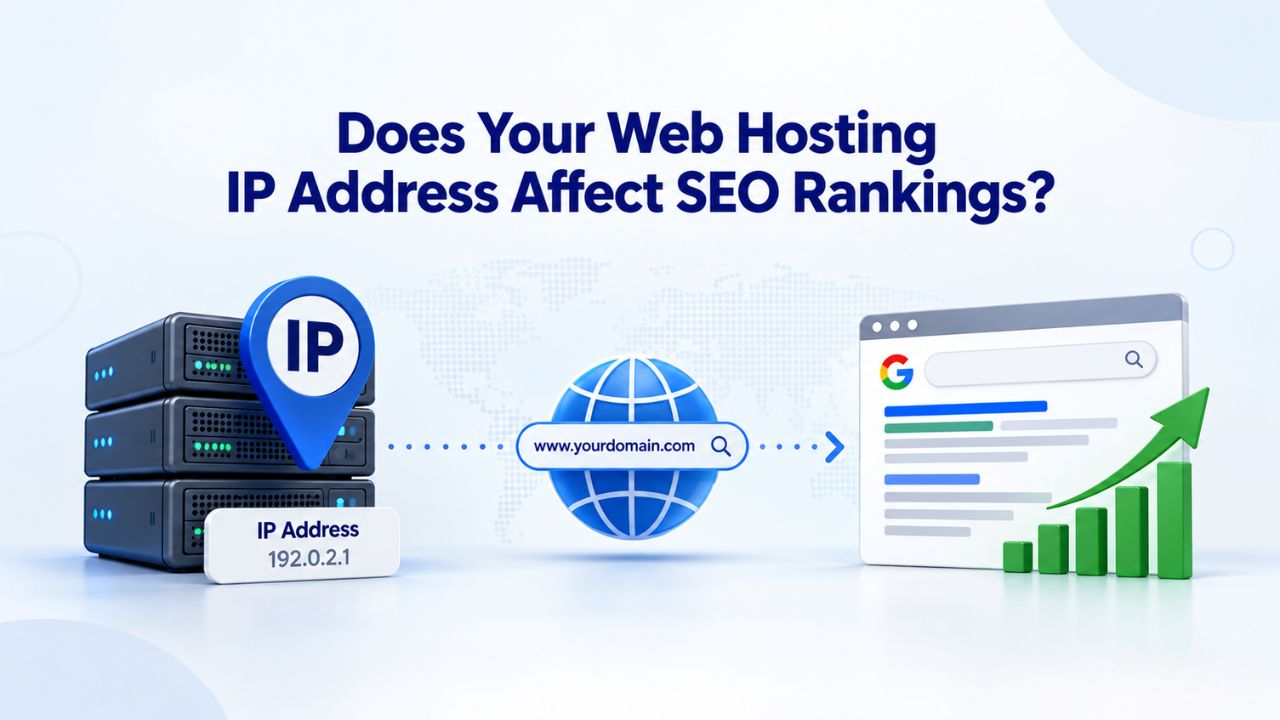
What Google Says About Shared IP Addresses
Shared web hosting places your website on a server with hundreds or thousands of other sites, all sharing the same IP address. This arrangement has been standard across the web hosting industry for decades. Since 2016, Google’s Search Advocate John Mueller has repeatedly confirmed in public statements that this setup poses no SEO risk whatsoever to your site’s rankings or visibility in search results.

Google’s Official Position on Shared IPs
John Mueller, Google’s Search Advocate, stated publicly on Twitter in 2022: “Shared IP addresses are fine for search! Lots of hosting and CDN environments use them.” When asked in 2018 whether a dedicated IP was necessary for achieving good rankings, he responded clearly: “Shared IP addresses are fine for search.” This guidance reflects how Google’s infrastructure actually works. Google’s crawlers use the Host header, the same mechanism that web browsers use, to identify and route requests to individual sites on a shared IP address.
Because shared hosting is the industry norm, major providers like GoDaddy host millions of websites on relatively few IP ranges globally. If Google penalized all sites on shared IPs, it would unfairly affect a significant portion of the internet. This scenario is technically and economically impractical, so Google’s position is definitive: shared IP addresses do not trigger a ranking penalty. Google’s search algorithm has no “guilt by association” effect.
Why This Matters for Shared Hosting Value
Matt Cutts, former head of Google’s Search Quality team, confirmed that “hosting type is not a ranking factor because you cannot control who shares your IP address.” This principle has guided Google’s approach for over a decade. Choosing shared hosting for budget reasons does not compromise your site’s SEO potential or search visibility. Niya Digital’s shared web hosting plans run on GoDaddy’s proven infrastructure without any SEO disadvantage.
Google’s crawlers evaluate sites based on content quality, technical configuration, backlinks, and user signals, not infrastructure-level details like IP sharing. This means a site on shared hosting with excellent content and optimization can outrank a poorly configured site on a dedicated IP. The hosting tier does not determine search success; site quality and strategy do.
| Factor | Affects SEO? | Why / How | Real Impact |
|---|---|---|---|
| Shared IP Address | No | Google evaluates sites independently using the Host header; IP-level filtering is ineffective at scale | Zero SEO effect; cost-effective choice |
| Dedicated IP Address | No | A dedicated IP does not change how Google crawls, indexes, or ranks your site content | Zero SEO effect; useful only for email or legacy support |
| Page Speed / TTFB | Yes | Google confirmed page speed as a ranking factor; slow TTFB cascades through Core Web Vitals | Direct ranking impact; limits performance ceiling |
| Server Uptime | Indirect | Repeated 5xx errors reduce Googlebot crawl frequency; can drop pages from search index | Affects crawlability and indexing frequency |
| SSL/HTTPS Certificate | Yes | HTTPS is a confirmed Google ranking signal; SSL works fine on shared IPs via SNI | Ranking boost plus trust signal |
| Core Web Vitals | Yes | Google’s LCP, INP, CLS metrics measure user experience; hosting affects server response time | Direct ranking factor |
| Server Location | Minor | Server location affects latency; less critical with CDN; influences TTFB for specific regions | Minimal impact with CDN; site configuration matters more |
| IP Reputation | Email Only | Blacklisted IPs affect email deliverability only; Google distinguishes domain from IP reputation | Email deliverability only, not SEO |
Business Web Hosting Plans & Pricing
Choose the hosting plan that fits your website, WordPress site, or growing business. Compare features, storage, performance, security, and website capacity to find the right hosting environment for your needs.
cPanel Starter
cPanel Hosting that's easy, reliable and lightning-fast.
- 1 website
- 30 GB storage
- Unmetered bandwidth*

cPanel Economy
cPanel Hosting that's easy, reliable and lightning-fast.
- 1 website
- 100 GB space
- Unlimited bandwidth*
- 100 email accounts**
- 10 MySQL databases (1 GB ea.)
cPanel Deluxe
cPanel Hosting that's easy, reliable and lightning-fast.
- Unlimited websites
- Unlimited space
- Unlimited bandwidth*
- 500 email accounts
- 25 MySQL databases (1 GB ea.)
cPanel Ultimate
cPanel Hosting that's easy, reliable and lightning-fast.
- Unlimited websites
- Unlimited space
- Unlimited bandwidth*
- 1000 email accounts
- Unlimited MySQL databases (1 GB ea.)
- 2X Processing power & memory (available for Linux/cPanel only)
- Premium DNS
- 1-year SSL certificate to secure customer data and increase search rankings
*We don't limit the amount of storage and bandwidth your site can use as long as it complies with our Hosting Agreement. Should your website bandwidth or storage usage present a risk to the stability, performance or uptime of our servers, we will notify you via email and may be required to upgrade, or we may restrict the resources your website is using.
**Email account storage is limited to 100 email accounts with 100 MB of total storage.
WordPress Basic
A great way to get started.
- 1 website
- 10 GB NVMe storage
- Unmetered bandwidth
- Free SSL Certificate *
- WordPress pre-installed
- Weekly backups
- Web Application Firewall
- Daily malware scans
- One-time malware removal

WordPress Deluxe
Improve your site performance with Cloudflare CDN.
- 1 website
- 20 GB NVMe storage
- Unmetered bandwidth
- Free SSL Certificate *
- WordPress pre-installed
- Daily backups
- Web Application Firewall
- Daily malware scans
- One-time malware removal
- Up to 2x faster performance with global Cloudflare CDN **
- Enhanced security with DDoS protection
- Staging site
WordPress Ultimate
Add online marketing with more sites, storage and security.
- 1 website
- 30 GB NVMe storage
- Unmetered bandwidth
- Free SSL Certificate *
- WordPress pre-installed
- Daily + on-demand backups
- Web Application Firewall
- Daily malware scans
- Unlimited malware removal
- Up to 2x faster performance with global Cloudflare CDN **
- Enhanced security with DDoS protection
- Staging site
- WordPress code optimizer
- Smart WordPress plugin manager
- Sell online with WooCommerce
*An SSL certificate is included with every site and free for the life of the hosting plan. Certificates are automatically installed, validated and renewed.
Web Hosting Plus Launch
For multiple basic sites.
- 100 GB storage*
- 4 GB RAM
- 2 CPUs
- Unmetered traffic
- 50 websites & databases
- Free, unlimited SSL for all your websites**

Web Hosting Plus Enhance
For high-traffic WordPress, Joomla, and other sites.
- 200 GB storage*
- 8 GB RAM
- 4 CPUs
- Unmetered traffic
- 100 websites & databases
- Free, unlimited SSL for all your websites**
Web Hosting Plus Grow
For advanced eCommerce sites like Magento.
- 300 GB storage*
- 16 GB RAM
- 8 CPUs
- Unmetered traffic
- 150 websites & databases
- Free, unlimited SSL for all your websites**
Web Hosting Plus Expand
For multiple basic sites.
- 400 GB storage*
- 32 GB RAM
- 16 CPUs
- Unmetered traffic
- 200 websites & databases
- Free, unlimited SSL for all your websites**
*The total amount of usable storage capacity for your particular Hosting Service(s) may differ from the represented capacity as there is required space for the operating system(s), system file(s) and other supporting file(s).
**If you cancel the Web Hosting Plus product, you will lose the associated SSL certificate as well.
What Actually Affects Your Web Hosting and SEO
An IP address does not appear in Google’s public list of ranking factors. However, web hosting does influence SEO indirectly through performance, reliability, and security features that depend on your server’s hardware and configuration. Understanding these real hosting factors helps you prioritize your hosting investment wisely.
Page Speed and Server Response Time
Google has recognized page speed as a confirmed ranking signal since 2010 for desktop and 2018 for mobile searches. In 2024, this measurement evolved into Google’s Core Web Vitals framework, which measures three specific user experience metrics: Largest Contentful Paint, Interaction to Next Paint, and Cumulative Layout Shift. Your hosting provider directly controls Time to First Byte (TTFB), the delay between when a user or search engine bot requests your site and when the server sends its first byte of response data.
Google recommends TTFB under 200 milliseconds for optimal performance. Anything above 600ms triggers a “Slow” warning in PageSpeed Insights and caps your Core Web Vitals score regardless of front-end optimization. Because Largest Contentful Paint cannot begin until TTFB completes, a slow server puts every downstream performance metric at a disadvantage before your page content even starts loading.
Uptime and Search Engine Crawl Reliability
While uptime is not a named ranking factor, it is critical for crawl efficiency and indexing effectiveness. When Googlebot encounters repeated 5xx server errors during crawl attempts, it reduces crawl frequency and can eventually drop pages from the search index. A 99.9% uptime SLA is the industry baseline for responsible hosting providers. Anything less puts your site’s rankings at ongoing risk due to crawl interruptions.
Niya Digital’s web hosting service, powered by GoDaddy’s infrastructure, supports strong uptime commitments, keeping your site accessible to search engine crawlers and visitors throughout each month.
Shared IP vs. Dedicated IP: The Real Differences
Understanding what shared and dedicated IP setups actually do, and what they don’t do, helps you make an informed hosting decision without wasting money on unnecessary features that won’t impact your SEO.
How Shared IP Works in Modern Web Hosting
In shared hosting, your website shares an IP address with 100 to 1,000+ other domains on the same physical server. Modern web protocols, including HTTP/1.1 and HTTP/2, include a Host header field that identifies your specific domain. Both browsers and search engine crawlers use this Host header to request the correct website from the correct IP address. When Googlebot crawls your site, it sends the Host header specifying your domain, and the server routes the crawler to your site’s files correctly.
From an SEO perspective, shared IPs are completely transparent to Google’s ranking systems. The search engine evaluates your site’s content, link profile, page experience, and technical configuration independently of the IP address. Thousands of studies, tests, and official statements from Google have confirmed this fundamental principle. Changing from a shared IP to a dedicated IP does not change how Google crawls or ranks your site.
When a Dedicated IP Actually Matters
A dedicated IP is a unique Internet address assigned exclusively to your hosting account. Three legitimate, non-SEO reasons exist to use one if your specific needs justify the investment. First, legacy system support: if your site must support very old browsers or systems released before 2010, such as Windows XP with Internet Explorer 6, those ancient clients do not support Server Name Indication, the modern standard for hosting multiple HTTPS sites on one IP. However, such outdated clients represent less than 0.1% of web traffic today.
Second, email deliverability: a shared hosting IP can carry email reputation risk if other tenants send spam. For ecommerce sites or businesses relying on email for critical communications, a dedicated IP or dedicated email infrastructure protects your sending reputation. Third, custom applications: some specialized server software requires a dedicated IP to function properly, such as custom SSL implementations or specific security configurations. These are edge cases affecting a small percentage of hosting customers.
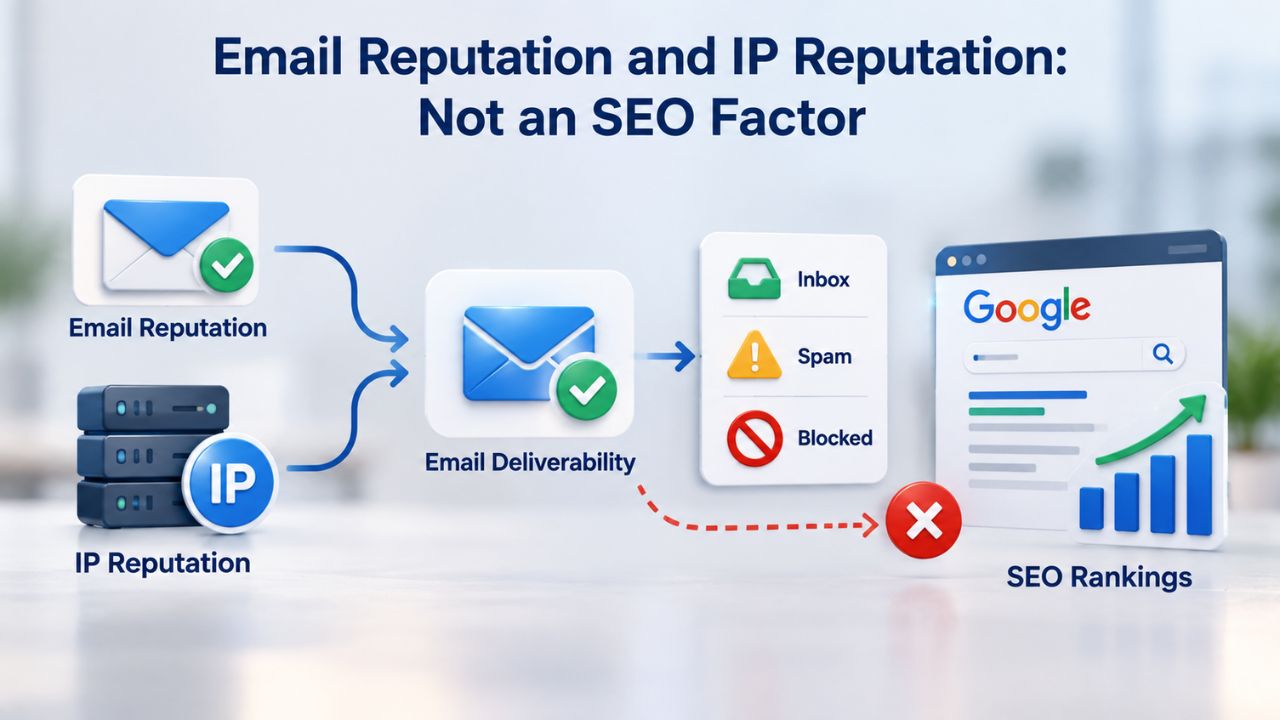
Email Reputation and IP Reputation: Not an SEO Factor
Confusion between IP address and IP reputation has led many site owners to buy dedicated IPs they don’t need. Understanding the real use cases helps you avoid unnecessary expense and make budget-conscious hosting decisions.
Email Deliverability and IP Reputation Risk
Email deliverability depends critically on the IP reputation of mail-sending servers. Email systems at Gmail, Outlook, Yahoo, and other major providers check sender IP addresses against reputation databases and blacklists before accepting incoming messages. If a shared hosting IP gets blacklisted because one tenant sends spam, email from all domains on that IP can suffer lower delivery rates and worse inbox placement, regardless of your own email practices.
This email risk is a separate and distinct concern from SEO rankings. Google’s search algorithm does not penalize your website based on IP reputation lists or blacklist status. Search ranking factors focus on domain reputation, content quality, link authority, and user signals, not IP address reputation. If you send transactional emails, newsletters, or customer communications and rely on email reliability, a dedicated IP or dedicated email infrastructure is a wise investment.
Legacy Browser Support and SNI Technology
Server Name Indication (SNI) became standardized in 2003 and is now nearly universal across modern browsers worldwide. Modern browsers including Chrome, Firefox, Safari, Edge, and recent Internet Explorer versions all support SNI natively. This protocol extension lets multiple HTTPS websites share a single IP address without conflict by telling the server which domain certificate to use during the security handshake.
The only unsupported clients are Windows XP with Internet Explorer 6 and Android versions 2.x and earlier. Unless your analytics show significant traffic from systems released before 2010, SNI-enabled shared hosting provides full HTTPS security and works seamlessly with all modern browsers.
Choosing Web Hosting for Better SEO Performance
The real SEO-relevant hosting decision is not shared versus dedicated IP. The actual choice is whether your hosting provider delivers the performance, reliability, and security features that Google measures and rewards in its ranking algorithm.
Key Features That Support SEO Performance
Page speed capability matters significantly for rankings. Does the hosting provider use modern storage technology like SSD or NVMe instead of older spinning disk drives? Niya Digital’s web hosting, powered by GoDaddy infrastructure, includes SSD storage, which drastically improves data retrieval speed and substantially reduces TTFB. Reliable uptime at 99.9% or better means less than 45 minutes of downtime per month, which is essential for crawl efficiency and user experience.
Security features are table stakes in modern web hosting today. Free SSL certificates are required for HTTPS, which is a confirmed ranking signal. Daily malware scanning, firewall protection, and automatic backups protect both your ranking stability and your site’s reputation. Scalability matters as your site grows: can you upgrade smoothly from shared hosting to VPS to dedicated servers without complex migrations? Niya Digital offers the full spectrum, letting you start small and scale as traffic increases over time.
Support Quality and Performance Troubleshooting
Support quality distinguishes good hosting from average hosting providers. 24/7 support is standard, but what matters is whether your support team can troubleshoot hosting-level performance issues like slow TTFB or crawl errors without deflecting responsibility. They should help you diagnose whether the issue is infrastructure or site configuration. For most blogs, small businesses, and online stores starting their web presence, Niya Digital’s shared web hosting checks these boxes at a reasonable cost and delivers performance Google rewards.
Support teams should be able to measure your TTFB, review uptime logs, and clearly explain resource utilization. They should also advise when to upgrade from shared hosting to higher tiers. Good hosts proactively monitor server performance and alert you to issues before they become critical. Niya Digital’s support team is available around the clock to help with hosting-related performance and technical questions.
Start Your Web Hosting with a Performance Foundation
Niya Digital’s web hosting delivers the page speed, uptime, and security Google actually measures, without the unnecessary expense of features you don’t need. Stop debating IP addresses and start focusing on content quality and site optimization that drive rankings. Explore Niya Digital’s Web Hosting Plans and choose the right hosting for your website’s current needs and future growth trajectory.
Experiences from Niya Digital’s Web Hosting Customers
Niya Digital’s team has found that most small business and blogger clients outrank competitors on shared hosting because they focus on content quality and page optimization rather than debating infrastructure details they cannot control. The hosting foundation matters, but content strategy matters far more.
Real Customer Outcomes and Performance
Customers who host successfully on Niya Digital’s shared infrastructure consistently achieve fast page loads, strong uptime, and good Core Web Vitals scores when they focus on site optimization. A blog with poor TTFB but great content ranks worse than expected; a blog with fast TTFB, great content, and good technical SEO ranks as it should. The hosting provides the foundation; you provide the content strategy that drives rankings.
Site owners often find that switching hosts improves perceived performance even when TTFB measurements show no real change. This happens because the new provider responds faster to support requests, provides better uptime consistency, or has more responsive infrastructure during traffic spikes. Reliability and responsiveness matter more for user experience and search engine crawl consistency than theoretical specs.
Moving Between Hosts Without Losing Rankings
Migration risks are minimal when done correctly with support from your new hosting provider. The main risk is downtime during the migration window. Niya Digital’s support team handles the technical migration: transferring files, databases, email accounts, and DNS configuration to minimize downtime. Proper migration process matters far more than the hosting provider itself as a ranking factor.
Ranking drops after migration are almost always caused by actual downtime, broken redirects, or SSL certificate issues, not the host change itself. By coordinating with Niya Digital’s support team, you can migrate your site while maintaining search visibility and continuous user access.
Core Web Vitals and Hosting Infrastructure Performance
Google’s Core Web Vitals framework measures three specific aspects of user experience that directly relate to hosting performance. Understanding these metrics helps you clearly see the connection between hosting quality and SEO outcomes.

Page Loading Speed and User Experience Signals
Largest Contentful Paint measures how quickly the largest visual element on your page becomes visible. This metric starts after the server sends its first byte of response data (TTFB). A fast TTFB from your hosting gives LCP a head start; slow TTFB means LCP starts late, pushing your score down. Google recommends LCP of 2.5 seconds or better for good user experience and rankings.
Interaction to Next Paint measures responsiveness: how quickly your page responds when users click, tap, or press keys. JavaScript execution influences this, but server load also affects INP during high-traffic periods. Quality hosting with adequate resource allocation keeps INP within the “good” range under 200 milliseconds. Niya Digital’s shared hosting includes resource limits that help maintain responsiveness even during traffic spikes.
Visual Stability and Infrastructure Reliability
Cumulative Layout Shift measures visual stability: how much page layout shifts unexpectedly as content loads. CLS is primarily a front-end issue related to how images, fonts, and ads load. However, slow server response (poor TTFB) can cause CLS issues indirectly because fonts and images load later, causing layout shifts as they appear on screen.
By providing fast TTFB, your hosting provider ensures page resources load quickly and predictably, supporting stable CLS scores. Niya Digital’s infrastructure helps you achieve CLS stability through reliable, fast server response times and consistent uptime. The combination of fast infrastructure and optimized front-end code gives you the best chance of strong Core Web Vitals scores across all three metrics.
Diagnosing Hosting Performance Issues
If your site’s rankings have stalled or dropped, poor hosting could be a contributing factor, but only if it is causing a specific, measurable performance problem. Learning to diagnose hosting issues helps you determine whether an upgrade is necessary or whether optimization elsewhere will help more.
Measuring Server Response Time and TTFB
Use Google PageSpeed Insights or WebPageTest to measure your server response time from your site’s primary audience region. If TTFB consistently exceeds 600 milliseconds, your hosting is likely limiting your Core Web Vitals performance. Record measurements over several days to identify patterns. If TTFB is consistently fast under 200 milliseconds, hosting is not your performance bottleneck. Niya Digital’s shared hosting typically delivers TTFB well under 200 milliseconds thanks to SSD storage and an optimized server configuration.
Test TTFB from multiple geographic locations if your audience spans regions. A server located far from your primary audience can have higher latency; a CDN (Content Delivery Network) mitigates this by caching content geographically. If you see high TTFB from specific regions, adding a CDN is often a better solution than changing hosts. Review your TTFB measurements weekly to identify trends and patterns over time.
Monitoring Uptime and Server Availability
Use a free uptime monitoring service such as Pingdom or UptimeRobot to track whether your site stays accessible to crawlers and visitors consistently. Set up monitoring to alert you immediately when downtime occurs. If you notice repeated downtime, especially patterns during specific times or days, contact your hosting provider. Downtime during scheduled maintenance is normal if infrequent; unscheduled downtime or long maintenance windows indicate quality issues.
Review your site’s uptime percentage over a full month. If it is consistently below 99.5%, discuss upgrade options with your provider or consider switching hosts. Niya Digital’s infrastructure maintains 99.9% uptime, providing the consistency crawlers and users expect. Check uptime statistics weekly to ensure your host meets its commitments and performs reliably.
| Issue | Indicator | Likely Cause | Possible Solution |
|---|---|---|---|
| Slow Load Times | TTFB > 600ms | Older storage technology, overloaded server, poor optimization | Upgrade to SSD hosting; consider Business Web Hosting or VPS |
| Crawl Errors | Spike in 5xx errors in Search Console | Server stability issue, resource exhaustion, traffic spike | Contact hosting support; may need server restart or resource upgrade |
| Intermittent Downtime | Uptime below 99% | Server maintenance issues, resource contention, infrastructure problems | Switch to provider with higher SLA; consider VPS if site-critical |
| High Bounce Rate | Visitors leave before load | Combination of slow hosting plus unoptimized front-end code | Upgrade to SSD hosting AND optimize images, JavaScript, CSS |
Common Web Hosting Myths That Hurt Your SEO Decision-Making
Site owners often choose hosting based on misconceptions about what affects search rankings. These myths persist because they sound plausible and because hosting marketing often reinforces them. Separating fact from fiction helps you invest in real SEO value rather than unnecessary hosting upgrades that won’t improve your rankings.
Myth: Dedicated IP Addresses Boost Your Rankings
One of the most persistent myths is that a dedicated IP address helps your site rank higher in Google search results. This myth likely originated from outdated guidance about SSL certificates, which once required dedicated IPs before Server Name Indication became standard. Today, thousands of hosting providers, marketing agencies, and hosting sales teams still cite this false claim to justify upselling customers to more expensive dedicated IP plans.
Google’s own statements make the reality clear: a dedicated IP provides zero SEO benefit. Google treats IP addresses as infrastructure details, not ranking signals. Your search visibility depends on your site’s content, links, technical configuration, and user experience, not the uniqueness of your IP address. If a sales representative tells you that a dedicated IP will improve your rankings, that is a red flag. No hosting provider can make that promise because it isn’t technically true, according to Google’s own engineering.
Myth: Shared Hosting Cannot Support Good Page Speed
Another common myth is that shared hosting inherently provides slower page speeds than dedicated hosting. This myth persists because older shared hosting platforms caused resource contention and slow performance. Modern shared hosting platforms use containerization, resource limits, and enterprise-grade infrastructure that separates sites effectively. A quality shared hosting provider consistently delivers fast page speeds to all customers.
Niya Digital’s shared hosting, powered by GoDaddy’s infrastructure, proves this myth false through consistent performance. SSD storage, optimized servers, and redundant infrastructure ensure fast TTFB and strong Core Web Vitals scores. The hosting tier does not determine page speed; the quality of the hosting provider’s infrastructure does. A poorly configured expensive dedicated server can be slower than well-optimized shared hosting. A budget shared hosting provider with old infrastructure might be slow; Niya Digital is not.
Making the Right Web Hosting Choice for Your Site’s SEO Goals
Once you understand how hosting affects SEO, choosing a provider becomes straightforward. Your priority should be finding a provider that delivers the fundamentals: fast page speed, reliable uptime, and solid security features. Beyond these basics, choose based on your site’s specific needs and budget.

Assessing Your Current Site’s Hosting Needs
Start by understanding where your site is today and where it is headed. If your site receives fewer than 10,000 monthly visitors, shared hosting delivers all the performance and reliability you need. If you run multiple websites or anticipate rapid growth, shared hosting can still work well; you can upgrade to VPS when traffic genuinely justifies the increased cost. If you operate a high-traffic ecommerce site with critical uptime requirements or send significant email volumes, dedicated infrastructure or dedicated email hosting may be warranted from the start.
Measure your current site’s performance to establish a baseline. Check your TTFB using PageSpeed Insights from your primary audience region. Monitor your current uptime over two to four weeks. Review your bounce rate and user engagement metrics in Google Analytics. This baseline helps you evaluate whether your current hosting is actually a bottleneck or whether other optimizations would help more. If TTFB is fast, uptime is strong, and Core Web Vitals are good, your hosting is not your problem; focus on content and technical SEO instead.
Planning Your Hosting Strategy as Your Site Grows
The best hosting strategy scales with your actual growth rather than paying upfront for capacity you don’t yet need. Niya Digital offers a natural upgrade path: start with shared hosting, upgrade to Business Web Hosting or VPS as traffic increases, move to dedicated servers if you reach very high traffic levels. This approach lets you grow without overpaying or the complexity of managing excess resources.
Document your growth milestones: when do you plan to launch new features, publish new content categories, or run marketing campaigns that drive traffic spikes? When traffic consistently approaches your current plan’s limits, upgrade to the next tier before you hit ceiling performance. This proactive approach keeps your site performing well during growth phases. Niya Digital’s support team can help you evaluate whether your current plan meets your traffic needs or whether an upgrade would improve performance and user experience.
Getting Started With Performance-Focused Web Hosting
Niya Digital’s web hosting is built on GoDaddy’s enterprise infrastructure, delivering the page speed, uptime, and security Google measures. Stop worrying about IP addresses and start focusing on content quality and site optimization. Explore Niya Digital’s Web Hosting Plans and find the right hosting for your website’s needs.
Frequently Asked Questions
Does shared hosting hurt my SEO performance or search rankings?
No. Google explicitly confirms in multiple official statements that shared hosting and shared IP addresses have no negative impact on your site’s search rankings or visibility. Google cares about page speed, uptime, and security; it doesn’t care about IP sharing. Focus your effort on content quality, technical SEO, site structure, mobile-friendliness, and earning quality backlinks.
Should I buy a dedicated IP address to improve my search rankings?
No. A dedicated IP address does not improve SEO rankings or search visibility in Google. If you send high volumes of email and depend on email deliverability, a dedicated IP or dedicated email infrastructure is worth considering. Otherwise, the cost of a dedicated IP isn’t justified for improving search performance.
Does my web server’s physical location affect my SEO rankings?
Server location doesn’t directly affect rankings, but it affects latency for your primary audience, which influences TTFB. If your server is geographically far from your users, server response time may suffer. A CDN mitigates this by caching content closer to your audience globally. Google’s geotargeting signal comes from your site’s domain TLD and Search Console settings, not server location.
Can I run HTTPS and an SSL certificate on a shared IP address?
Yes. Server Name Indication (SNI) has been standard since 2003 and is now universally supported by modern browsers. Shared hosting today includes free SSL certificates that work seamlessly on shared IPs through SNI. You do not need to pay for a dedicated IP just to run HTTPS on your website.
What happens to my rankings if another website on my shared IP gets hacked or is blacklisted?
For email deliverability, yes, a blacklist on a shared IP can affect all sites on that IP. For SEO rankings, no, Google’s systems are sophisticated enough to evaluate sites independently. Your rankings will not drop because a neighboring site on your shared IP was compromised or sent spam emails.
How do I know if my web hosting is slowing down my website and hurting SEO?
Check your TTFB using Google PageSpeed Insights or WebPageTest. If TTFB is consistently over 600 milliseconds, your hosting is likely slowing your page performance. Compare your TTFB against industry benchmarks; most quality shared hosting delivers TTFB under 200 milliseconds. If your TTFB is fast, hosting is not your performance problem.
Is VPS or dedicated hosting necessary for good SEO results?
No. VPS and dedicated servers offer more isolated resources and power if your site grows beyond shared hosting capacity. However, they do not inherently rank better than optimized shared hosting with fast performance. Start with shared hosting; upgrade to VPS only when traffic growth or resource demands genuinely justify it.
Can I switch web hosting providers without losing my SEO rankings?
Yes, if you do it correctly. Downtime during migration is the main ranking risk. Coordinate with your new provider to minimize downtime, keep your domain name and SSL certificate intact, set up 301 redirects if URLs change, and monitor Google Search Console for crawl errors. Proper migration process matters more than the host itself.
What is the difference between cPanel and Plesk web hosting for SEO?
cPanel and Plesk are control panels, graphical interfaces for managing your hosting account, email, databases, and files. Both are equally capable for SEO purposes. Choose based on your interface preference and which applications you need to install. Niya Digital offers both cPanel (Linux) and Plesk (Windows) options for different preferences.
Does Niya Digital offer dedicated IP addresses if I need one?
Yes. Niya Digital’s web hosting service, powered by GoDaddy infrastructure, includes a shared IP by default on most plans and lets you add a dedicated IP if your email deliverability or legacy system requirements justify the investment.
What SEO features does Niya Digital’s web hosting include?
Niya Digital’s web hosting includes SSD storage for fast TTFB, free SSL certificates for HTTPS, daily malware scanning and security monitoring, automatic daily backups, 24/7 technical support, and 99.9% uptime. These features support strong Core Web Vitals performance and search rankings.
How does Niya Digital handle site migration?
Niya Digital’s support team handles the technical details of migration: transferring files, databases, email accounts, and DNS configuration. This professional approach minimizes downtime risk and search engine disruption during transition.
Is email hosting included with web hosting, and does email reputation affect SEO?
Email hosting is typically included with web hosting, allowing you to create email addresses at your domain. Email reputation affects email deliverability, not SEO rankings. Google does not penalize your website for email deliverability issues.
What should I look for when comparing web hosting providers for SEO?
Look for: 99.9% uptime SLA or better, SSD storage for fast server response, free SSL certificates (HTTPS is a ranking signal), automatic daily backups, security features like malware scanning, 24/7 support, and scalability to upgrade. Avoid providers making unrealistic SEO promises.
Will upgrading from shared hosting to VPS improve my SEO rankings?
Upgrading to VPS improves performance if shared hosting was the bottleneck, which could improve Core Web Vitals and rankings. However, if your shared hosting already delivers fast TTFB and good uptime, upgrading to VPS will not significantly improve rankings. Upgrade only if you actually need more resources.
Glossary
- Web Hosting: A service providing server space and infrastructure enabling your website’s files to be accessible online to visitors 24 hours a day, 7 days a week without your personal computer running.
- Control Panel (cPanel / Plesk): A graphical user interface allowing you to manage your hosting account without technical command-line knowledge: configure email accounts, manage databases, upload files, set up backups, and install SSL certificates.
- Shared IP Address: An Internet address shared by multiple websites on the same server. Hosting providers use shared IPs to keep costs low and efficient; Google treats each site independently regardless of IP sharing.
- Dedicated IP Address: A unique Internet address assigned exclusively to one hosting account. Useful for email deliverability protection or legacy system support; not necessary or beneficial for SEO.
- Time to First Byte (TTFB): The time delay between when a user or search crawler requests your website and when the server sends back its first response byte. Google recommends under 200 milliseconds for optimal performance.
- Core Web Vitals: Three performance metrics Google uses to measure page user experience: Largest Contentful Paint (loading speed), Interaction to Next Paint (responsiveness), and Cumulative Layout Shift (visual stability).
- Uptime: The percentage of time your website is accessible and online to visitors and search engines without downtime. The industry standard is 99.9% uptime, meaning less than 45 minutes of downtime per month.
- SSL/HTTPS: Secure Hypertext Transfer Protocol with SSL encryption. SSL certificates encrypt data between your website and visitors’ browsers, build trust, and are a confirmed Google ranking factor.


