How Website Builders Support SEO Fundamentals
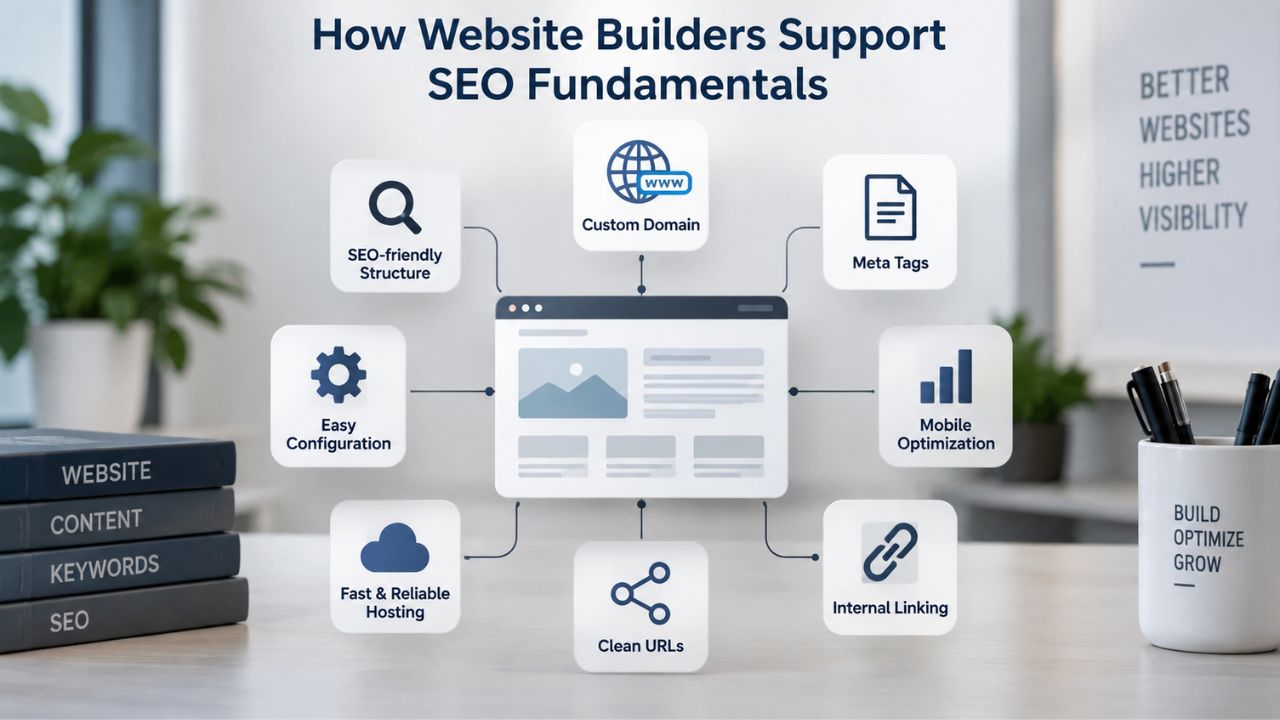
A modern website builder provides the technical infrastructure that search engines expect. These tools handle the foundational elements that make a site crawlable, indexable, and competitive in search results. Understanding this foundation helps you leverage your website builder effectively for organic search visibility.
Mobile-Responsive Design as a Ranking Factor
As of October 2024, mobile devices account for 60.4% of global web traffic, and Google has confirmed that mobile-friendliness is a ranking factor. Your website must look and function properly on phones, tablets, and desktops, not as an afterthought, but as the primary design approach. Websites that render poorly on mobile devices see deprioritized rankings in Google’s search results and experience higher bounce rates from mobile visitors.
GoDaddy Website Builder automatically renders all sites with mobile-first responsive design, so every template and custom page you create adapts to any screen size without manual mobile optimization. The website builder’s templates adapt seamlessly across devices, so you don’t need to write responsive CSS or manually test across multiple devices. This is a builder-level responsibility; you get it included without extra effort, freeing you to focus on content rather than technical responsive-design implementation.
Page Speed and Technical Performance
Google has identified page speed (Core Web Vitals including Largest Contentful Paint, First Input Delay, and Cumulative Layout Shift) as a confirmed ranking factor. Slower sites rank lower than faster competitors, all else equal, which means even a well-optimized article on a slow site may struggle to rank above a competitor’s thinner but faster page. A website builder’s hosting infrastructure, caching layer, and content delivery network (CDN) affect how quickly your pages load for visitors worldwide.
GoDaddy Website Builder’s infrastructure includes built-in caching and CDN delivery, which means your site benefits from hosting-level speed optimization as soon as it’s published. Then you add your own optimization: compressing images, removing unnecessary scripts, avoiding auto-playing video, and limiting third-party embeds. The builder handles the technical baseline; you handle content efficiency. Together, these layers determine whether your site’s speed becomes a competitive advantage or a weakness.
Website Builder Plans & Pricing
Create a professional website with flexible website builder plans designed for businesses, portfolios, and growing online brands. Choose a plan that matches your needs and build, customize, and manage your website with easy-to-use tools, responsive designs, and essential features for a strong online presence.
Website Builder Personal
Share your passion online.
- Responsive mobile design
- Website hosting
- Rapid Page-Load performance
- Create a blog
- Security (SSL)
- 24/7 support

Website Builder Business
Create an online presence for your business.
- Responsive mobile design
- Website hosting
- Rapid Page-Load performance
- Create a blog
- Security (SSL)
- 24/7 support
- PayPal Buy Now or Donate button
- Search Engine Optimization (SEO)
Website Builder Business Plus
Attract more customers.
- Responsive mobile design
- Website hosting
- Rapid Page-Load performance
- Create a blog
- Security (SSL)
- 24/7 support
- PayPal Buy Now or Donate button
- Search Engine Optimization (SEO)
- Social Media Integration
- Share content to Facebook
- Online Appointments
Website Builder Online Store
Sell products and services.
- Responsive mobile design
- Website hosting
- Rapid Page-Load performance
- Create a blog
- Security (SSL)
- 24/7 Support
- PayPal Buy Now or Donate Button
- Search Engine Optimization (SEO)
- Social Media Integration
- Share content to Facebook
- Online Appointments
- Built-in shopping cart
- Sell physical and digital products
- Accept credit and debit cards, PayPal and more
- Flexible shipping options
- Discounts and promotions
- Manage inventory
The Core On-Page SEO Tools Website Builders Provide
Website builders include a suite of on-page SEO tools that let you optimize each page for search engines without touching code. These tools don’t guarantee rankings, but they make it easy to follow SEO best practices and signal relevance to Google. Familiarity with these tools helps you implement fundamentals consistently across every page you create.
Meta Tags, Headings, and URL Customization
GoDaddy Website Builder includes SEO tools for customizable meta titles, meta descriptions, heading tags (H1–H6), image alt-text fields, and URL structures, each of which helps Google understand what your page is about. When you build a page in a website builder, you’re prompted to enter a unique meta title and description; these appear in search results and significantly influence click-through rates. A compelling meta title and description can double your click rate compared to a generic or unclear alternative.
When you write content, you structure it with custom headings that organize information logically for both readers and search engines. You name images with descriptive alt text instead of relying on auto-generated filename strings. These are user-facing actions that also signal content relevance to Google; the builder makes them accessible and easy. Most builders make these fields obvious in the page editor, so you’re prompted to fill them rather than forgetting them.
Sitemap Generation and Search Engine Submission
Website builders automatically generate and manage your XML sitemap, a file that lists all your site’s pages and tells search engines how to crawl them. GoDaddy Website Builder generates an XML sitemap and supports integration with Google Search Console, which lets you submit your site directly to Google and monitor search performance. This integration eliminates manual sitemap submission steps and keeps your sitemap updated whenever you publish new pages.
This is critical for new sites. Submitting your sitemap to Google Search Console tells the search engine that you’re ready to be crawled, often speeding up the indexing process. Without it, Google might take weeks to discover your pages naturally through links and internal crawl budgets. With it, indexing typically accelerates. Many site owners find that active sitemap submission cuts weeks off the time to first indexing.
What Website Builders Cannot Do for Your Rankings
Understanding builder limitations is just as important as knowing their capabilities. Several SEO functions fall entirely outside a builder’s scope and depend on your own effort, strategy, and ongoing work. Recognizing these limits helps you direct your energy toward activities that actually move the needle for rankings.
| SEO Factor | Website Builder Handles | You Are Responsible For |
|---|---|---|
| Mobile responsiveness | Responsive templates, automatic mobile optimization | Testing on your actual devices, ensuring content is readable on mobile |
| Page speed | Hosting infrastructure, caching, CDN delivery | Image compression, removing unnecessary scripts, avoiding heavy embeds |
| Meta titles & descriptions | Editor fields, XML generation | Writing unique, compelling titles/descriptions for every page |
| Heading structure (H1–H6) | Tag support, editing interface | Organizing content logically, including target keywords in headings |
| Image alt text | Input field in page editor | Writing descriptive alt text for every image on your site |
| XML sitemap | Auto-generation, Google Search Console link | Submitting sitemap, monitoring indexing status |
| Link building | None | Earning backlinks via content quality, outreach, partnerships, media coverage |
| Content quality | Publishing tools, formatting options | Writing original, helpful, keyword-targeted content |
| Keyword research | None | Researching target keywords, competitive landscape, audience intent |
| Site updates | Publishing workflow | Publishing new content regularly, refreshing old pages |
Content Quality and Keyword Strategy
No website builder writes your content, researches your target keywords, or understands your audience’s intent. A builder provides a blank canvas with formatting tools; you fill it with words that matter and strategy that works. High-ranking pages address the specific questions your customers are asking, use keywords naturally within that context, and offer information genuinely better than competitors’ pages. A builder’s editor lets you write efficiently and format text with proper headings, but it can’t do keyword research, competitive analysis, or strategic planning.
You’re responsible for ensuring your content solves real problems. Many new website builder sites with poor-quality, keyword-stuffed, or irrelevant content never rank, even with perfect technical foundations. Search engines prioritize helpful, relevant content above all else; technical optimization only amplifies the reach of content that’s already good. This is why content quality and strategic keyword targeting are the single biggest factors you control for ranking success.
Link Building and Domain Authority
Backlinks (links from other sites to yours) remain a major ranking signal; new domains with few external links are treated cautiously by Google because they have limited third-party endorsement. A website builder can’t generate these links for you, nor can any tool or service guarantee that backlinks will appear. Link-building comes from creating content valuable enough that others reference it, or through outreach and relationship-building within your industry. A builder provides no link-building tools.
If you want to rank for competitive keywords, you’ll need to invest time or resources in earning backlinks, promotional outreach to relevant sites, guest posting, resource partnerships, media coverage, or community engagement. Without these signals, even the best-optimized new site will rank poorly for competitive keywords. A builder is a necessary foundation, but it’s only one piece of a ranking strategy.
Why Site Speed and Mobile-Responsiveness Matter for SEO
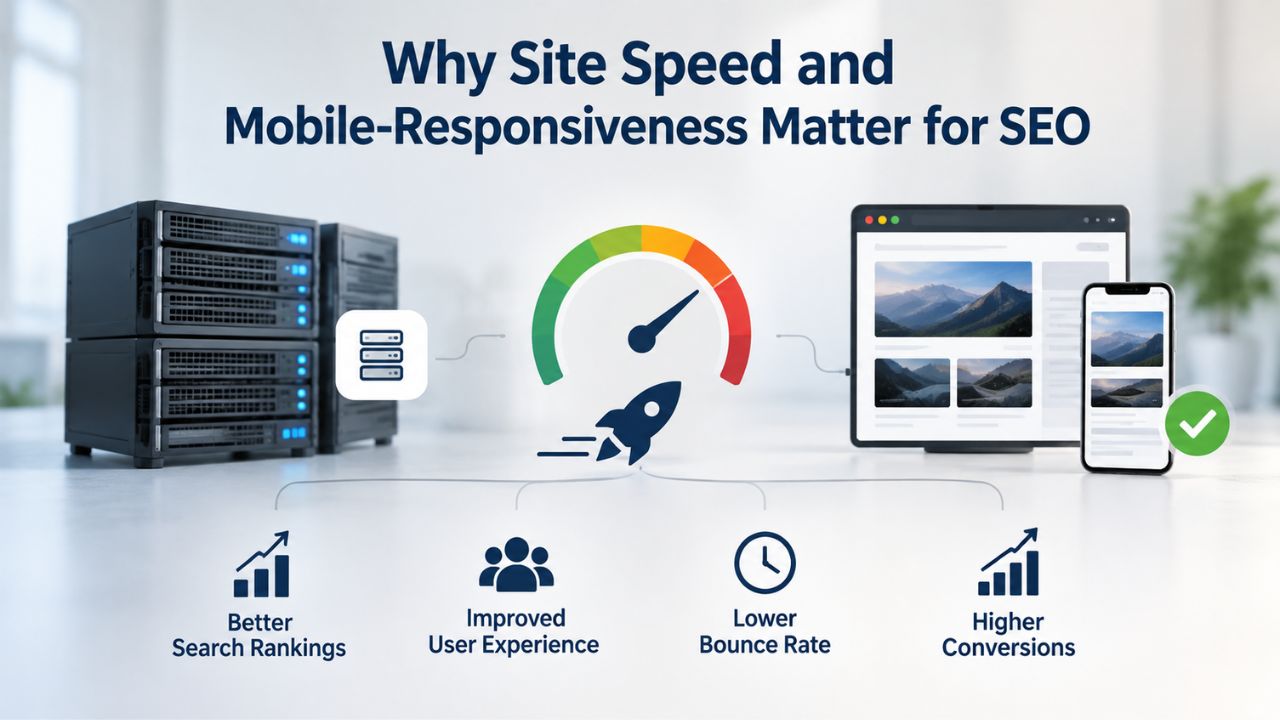
These two technical factors matter so much for SEO that they deserve their own section. Both are tied to how users experience your site and how Google evaluates it. Together, they form the foundation for all other SEO efforts.
Mobile-First Indexing and User Experience
Over 60% of web traffic is now mobile. Google has shifted to mobile-first indexing, meaning it primarily ranks sites based on their mobile experience, then references the desktop version as secondary. A site that works beautifully on desktop but looks broken on mobile will suffer in rankings. Mobile visitors who land on a broken or unusable site leave immediately, signaling to Google through bounce rates and reduced engagement that your page isn’t meeting their needs.
Website builders solve this by designing templates mobile-first from the start. Every page you build works on phones automatically, without extra design work. This matters for both search rankings and bounce rates; visitors who land on a broken mobile site leave immediately, directly harming your SEO performance. The builder handles the complex responsive-design logic; you create content that works equally well on small and large screens.
Page Speed and Core Web Vitals
Faster pages rank higher. After a site is indexed, Google measures user experience metrics: how fast pages load, whether content shifts while loading, and how responsive the page is to user input. These Core Web Vitals are now explicit ranking factors. Indexing can occur within 4 days to 4 weeks; initial keyword movement often appears within 30–90 days, though ranking stabilization typically takes around 4–6 months. During this early period, every technical advantage helps.
A website builder’s hosting infrastructure, its caching, CDN, server response times, and image optimization, gives you a head start on speed. You then improve further by optimizing images on your end, avoiding oversized video embeds, and limiting third-party scripts. Both layers matter; the builder provides the foundation, you provide the polish. This combination typically results in sites that load in 1–3 seconds, fast enough to avoid speed-related ranking penalties and provide good user experience.
The Role of Content Quality in SEO Success
Content is where your effort becomes decisive. A website builder can’t create or evaluate your content; that’s entirely on you. The quality and relevance of your written content often determine whether your site ranks at all, making it the most important SEO lever you control.
Original, Relevant Content as a Ranking Factor
Google’s algorithm ranks pages that answer the user’s query better than competitors’ pages. This means your content must be original (not copied or rephrased from a competitor), detailed enough to fully address the question, and written in a voice and style that resonates with your audience. A website builder’s editor supports writing, formatting, embedding images, and adding links. Still, it doesn’t research your niche, benchmark competitor content, or evaluate whether your page is “good enough” to rank. You assess that yourself through keyword research tools, competitor analysis, and honest self-evaluation.
Many businesses find this step takes longer than building the site. Niya Digital’s team has found that customers who actively optimize on-page content (keywords, headings, image alt text) and consistently publish fresh, relevant content see measurable ranking improvements within 3–6 months, even as first-time site builders. The builder enables the publishing; your strategic content decisions determine results.
Ongoing Publishing and Freshness Signals
Pages that are published and then never updated risk losing rankings over time. Search engines favor sites with active, recent content over stale sites, because actively maintained sites are more likely to remain accurate and relevant. A website builder makes it easy to publish new blog posts, update product descriptions, or refresh old pages, but only if you commit to doing so. This ongoing maintenance becomes more important as your site matures and competes for established keywords.
Niya Digital’s Website Builder Service, powered by GoDaddy Website Builder’s publishing technology, supports a straightforward content-update workflow: log in, edit your page, publish changes immediately. The builder handles the mechanics; you must supply the discipline to keep content fresh and competitive. Many successful sites publish at least one new piece of content per month; this consistency compounds into authority and traffic over time.
Start Building Your Website Foundation
A website builder lays the technical groundwork for SEO success. Eighty-three percent of small businesses now have websites, but many struggle with ongoing optimization after launch. Niya Digital’s Website Builder Service includes onboarding support to help you optimize meta tags, structure headings, and set up Google Search Console integration so your site starts indexing immediately.
Setting Realistic Timelines for SEO Results
Understand when you can expect your website to appear in search results and achieve meaningful rankings. These timelines depend on multiple factors outside any single platform’s control, including your industry’s competitiveness, your content quality, and how actively you optimize. Realistic expectations prevent frustration and help you maintain consistent effort over the months it takes to see results.
How Long Until Your Site Gets Indexed
New websites typically take anywhere from a few hours to 4 weeks to be indexed by Google, depending on site structure, content quality, domain authority, and whether you proactively submit your sitemap. This is the time from launch until Google’s crawlers discover your site and add it to Google’s index. Faster indexing means your pages become eligible to appear in search results sooner, though appearing in results is different from ranking well.
| SEO Timeline Stage | Typical Timeframe | What’s Happening |
|---|---|---|
| Website launch | Day 0 | Site goes live; content and technical setup begin |
| Sitemap submission | Day 1 | Submit to Google Search Console |
| Initial crawling starts | 5–7 business days | Google’s crawlers discover pages |
| Indexing completes | 4 days – 4 weeks | Pages added to Google’s searchable index |
| First impressions appear | 2–8 weeks | Site begins appearing in search results |
| Keyword movement begins | 1–3 months | Early long-tail rankings appear |
| Ranking stabilization | 3–6 months | Meaningful ranking improvements |
| Competitive keyword positions | 6–12+ months | Top-10 rankings for difficult keywords |
Submitting your sitemap to Google Search Console significantly speeds this up, often accelerating indexing to the faster end of that range. The tool tells Google your site exists and provides a roadmap of all your pages. However, even fast indexing doesn’t mean ranking; it just means your pages are in Google’s database and eligible to appear in results. You may not see any traffic yet.
When to Expect Ranking Improvements
After indexing, most new sites see initial keyword movement and first search impressions within 30–90 days; meaningful ranking improvements (pages reaching the top 50 for target keywords) typically take 3–6 months; and competitive keyword positions often require 6–12 months or longer, depending on market difficulty. These timelines reflect reality because ranking involves competing against established content. A new page on an unknown domain must prove its quality through engagement signals, backlinks, and content depth before it can outrank a competitor’s page that’s been ranking for years.
Timelines vary significantly by niche, competition level, and keyword difficulty; no builder can guarantee specific ranking positions or timelines. A site targeting a low-competition local keyword might see top-10 rankings within 2–3 months, while a site targeting a highly competitive national keyword might need 12–24 months of consistent optimization. This variance is normal and reflects the competitive landscape, not a failure of your builder or strategy.
How to Optimize On-Page Content in a Website Builder
Once your site is live, you control on-page optimization. Website builders make these actions straightforward if you know what to do. Mastering these techniques gives you direct control over how well your pages rank for keywords that matter to your business.
Keyword Research and Heading Structure
Before writing a new page, research which search terms your audience actually uses. Tools like Google Keyword Planner and third-party SEO platforms help identify high-intent keywords (terms that signal buying intent or genuine need) with reasonable search volume and attainable competition. This research ensures you’re creating content for keywords people actually search for, not keywords you assume they use.
Once you’ve chosen your target keyword, structure your page with a single H1 heading containing that keyword, followed by H2 and H3 subheadings that break your content into logical sections. A website builder’s text-editing interface makes this easy: you select heading styles from a dropdown, type your text, and move on. This structure helps both readers (who scan pages) and Google (which uses heading hierarchy to understand page topics). A well-structured page with clear heading hierarchy is typically easier for readers to navigate and also signals to Google what your page is about.
Image Optimization and Internal Linking
Every image on your page should have descriptive alt text, a short (2–10 word) phrase explaining what the image shows. A website builder’s image insertion dialog includes an “Alt Text” field; fill it with real descriptions, not keyword stuffing. This helps both accessibility (screen-reader users) and SEO (Google’s image search). Search engines use alt text to understand images, and screen-reader users rely on it to understand visual content on your site.
Internal linking, linking from one page to another within your own site, helps Google understand your site’s structure and distributes ranking authority. When you write a new blog post, link back to related product pages or previous posts. A website builder makes this straightforward: highlight text, click “link,” paste the URL of the page you want to link to. These accumulated internal links help Google crawl your entire site and understand how different topics relate. They also help visitors navigate your content, reducing bounce rates and increasing time spent on your site.
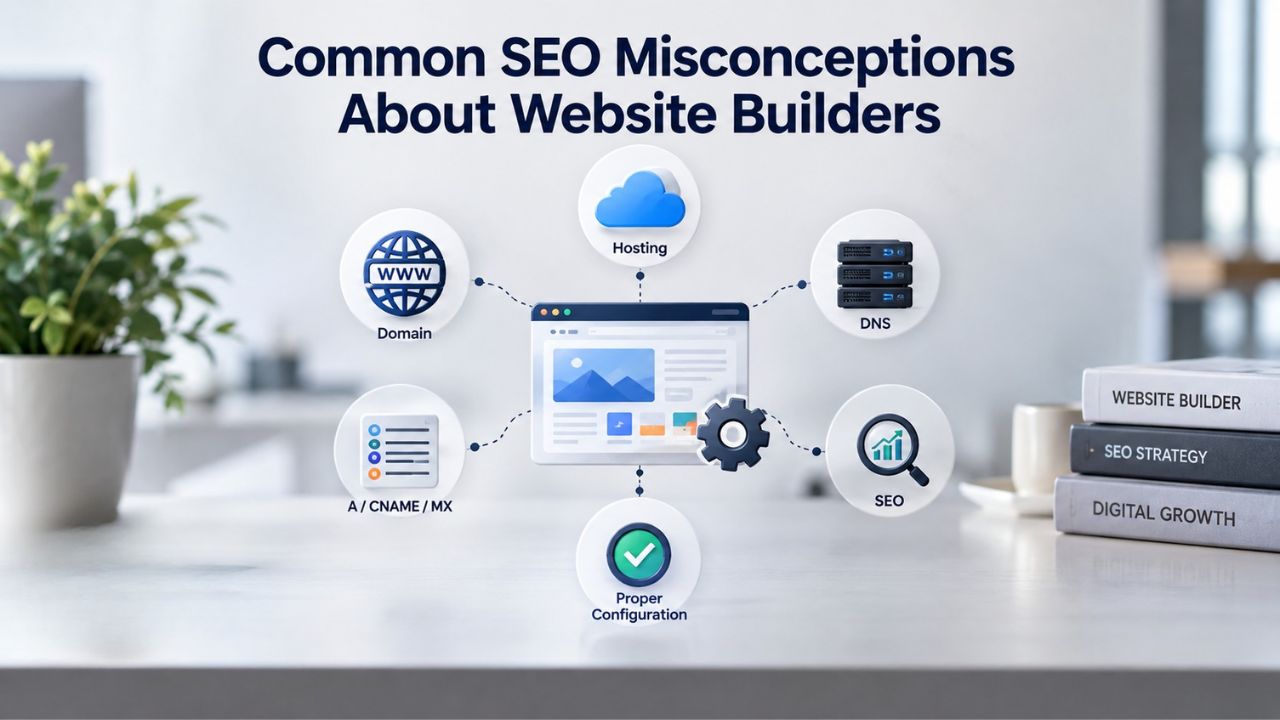
Common SEO Misconceptions About Website Builders
Several myths about website builders and SEO persist; understanding the truth behind them can save you time and money. Clearing up these misconceptions helps you focus effort on strategies that actually work.
“A Website Builder Will Rank My Site on Page One”
This is false. No builder, no matter how good, guarantees first-page rankings. Google’s algorithm determines rankings by evaluating content quality, relevance, user engagement, and authority signals. A builder provides tools to signal SEO best practices; it doesn’t determine whether your content is good enough to beat competitors. If your competitors’ content is more thorough, better-researched, or more authoritative, even a perfectly optimized builder site won’t outrank them.
If you use a builder to publish thin, low-quality, or duplicate content, your site won’t rank, even with perfect technical setup. Conversely, high-quality, unique content on a slower website might still rank, because content quality outweighs pure technical perfection. A builder is a necessary foundation, not a ranking guarantee. Focus on content quality first; the builder’s technical features are the vehicle, but your content is the engine.
“Website Builders Are Bad for SEO”
This is outdated. Modern website builders generate clean HTML, support mobile responsiveness, and include on-page SEO tools. From a technical SEO perspective, the difference between a builder-created site and a custom-coded site is often negligible. Both can rank well if the underlying content and strategy are strong. The gap appears in advanced scenarios (custom logic, performance optimization beyond builder tools, or complex integrations). Still, for small businesses optimizing on-page content and basic technical setup, a website builder is sufficient for SEO.
The bigger differentiator is your effort and content quality, not the builder platform. A builder site with great content, regular updates, and strategic link-building will outrank a custom-coded site that’s neglected. This means you should focus on content and strategy, not debates about which platform is technically superior. Most businesses benefit more from investing in content than from investing in custom development.
Monitoring and Improving Your Site’s Search Performance
After launch, use data to guide optimization decisions. Website builders typically integrate with monitoring tools that show you how your site is performing. Regular monitoring helps you identify what’s working and what needs improvement.
Google Search Console for Visibility and Indexing
Google Search Console is a free tool that shows you which keywords your site appears for in Google search, how many impressions and clicks you’re getting, your average ranking position, and any indexing or security issues Google has detected. Check Search Console monthly to see which pages get impressions but few clicks (a sign your meta title or description needs rewriting to be more compelling), which keywords drive traffic, and whether Google is encountering any crawl errors. This data is gold; it tells you exactly how Google sees your site and where your weaknesses are.
A website builder integrates easily with Google Search Console; the setup typically takes minutes once you confirm site ownership. Log in to your builder, find the Search Console integration section, and follow the prompt to verify ownership. Once connected, you’ll see all your search performance data directly in your builder’s dashboard, eliminating the need to log into multiple systems. Many builders also automatically alert you to new indexing problems.
Analytics, Engagement, and Content Gaps
Google Analytics (or an alternative analytics platform) shows you traffic sources, user behavior on your site, bounce rates, and pages that aren’t generating interest. Use this data to identify your best-performing content (candidates for internal linking, expansion, or promotion) and underperforming pages (candidates for deletion, merge, or rewrite). Search behavior often reveals content gaps; if you see that users are searching for related terms your site doesn’t yet address, that’s an opportunity to create new content.
A website builder’s publishing workflow makes it quick to test new pages, measure their performance, and iterate based on data, far faster than hiring a developer for each content change. Over time, this data-driven approach compounds into a site optimized around what actually works for your audience. Monthly review of analytics and Search Console data typically takes 30–60 minutes and directly informs your content strategy.
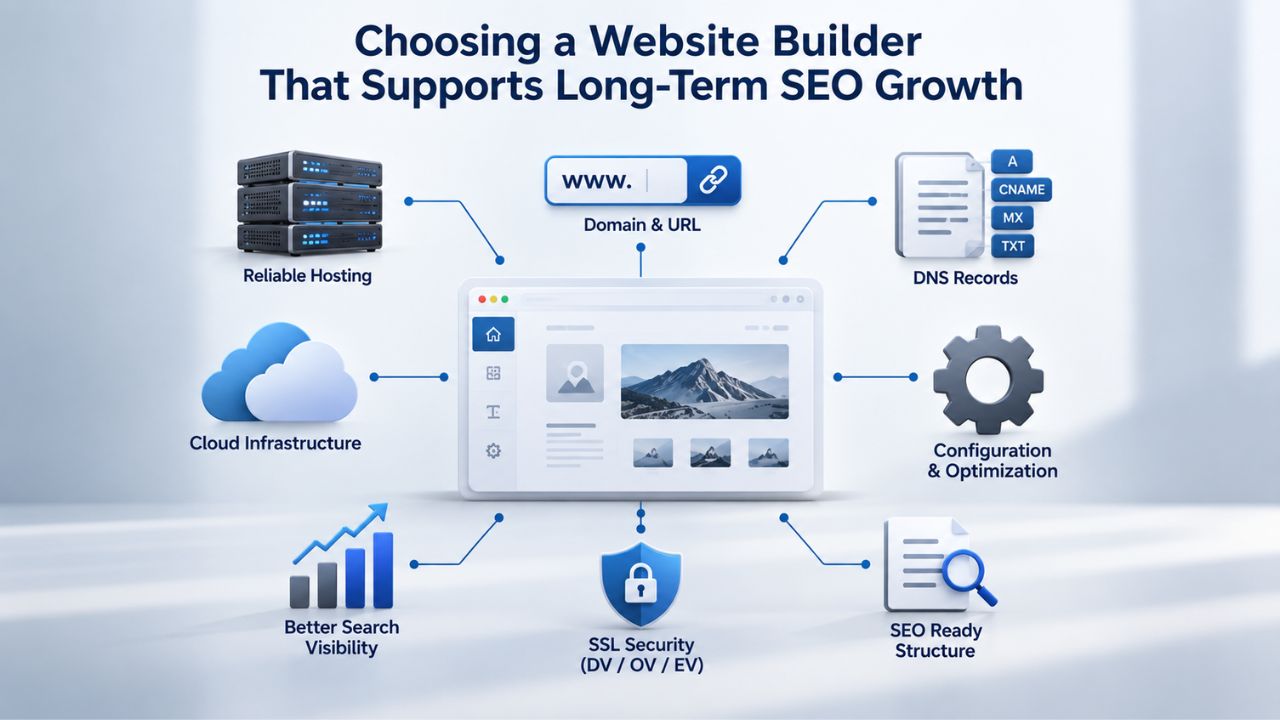
Choosing a Website Builder That Supports Long-Term SEO Growth
Not all builders are equal for SEO-focused businesses. A few features matter most if ranking is a priority. Evaluating builders on these dimensions helps you choose a platform that supports your long-term growth rather than constraining it.
SEO Tool Availability and Search Console Integration
Your builder should include meta-title and meta-description fields for every page, custom URL slug control, heading tag support, image alt-text fields, and XML sitemap generation. It should integrate directly with Google Search Console so you can submit your site and monitor performance without leaving your builder. Niya Digital’s Website Builder Service, powered by GoDaddy Website Builder’s SEO tools, includes all of these as standard features.
This is a minimum bar; if a builder is missing any of these, it’s harder to optimize. More advanced features (schema markup, canonical tag control, robots.txt customization) are nice-to-have but not essential for most small businesses. When evaluating builders, check whether they include these fundamentals before paying; it saves time later and ensures you have the tools you need from day one.
Scalability and Migration Path
Your builder should grow with your business. If your site outgrows the builder (perhaps you need custom development or a higher traffic capacity), can you export your content and migrate to a different platform, or are you locked in? Website builders typically allow content export via standard formats (XML, CSV) so you’re not permanently locked into the platform. This flexibility means you can start with a builder, then scale to a custom solution later if your business demands it.
Avoid builders with no export option or punitive migration fees. Niya Digital’s Website Builder Service supports content portability, meaning you can move your site if your needs change. This flexibility matters as your business grows; you don’t want to discover years later that switching platforms would be prohibitively expensive or technically difficult. Start with a builder that respects your ability to evolve your platform choices.
Get Started with SEO-Ready Website Builder Support
Building a website is the first step; optimizing it for search is ongoing work that starts the day you publish. Niya Digital’s Website Builder Service includes personalized setup support, industry-optimized template recommendations, and ongoing account management to help you implement SEO fundamentals correctly from launch. Our team understands the common SEO pitfalls new site builders face and provides guidance to help you avoid them.
Frequently Asked Questions
Will a website builder hurt my SEO compared to a custom-coded site?
Modern website builders produce code quality comparable to custom development for most small-business use cases. The real difference comes after launch: content quality, keyword strategy, and ongoing optimization matter far more than the platform. For advanced use cases (large-scale custom development, complex integrations), custom coding may be necessary. For first-time business websites, builders are SEO-suitable and often faster to launch.
How long before I see organic traffic from search?
Indexed pages can begin appearing in search results within 2–6 weeks. Meaningful traffic usually takes 3–6 months, depending on keyword competition and your content’s quality. Highly competitive keywords may take 12+ months. Submitting your sitemap to Google Search Console speeds indexing significantly, often compressing the time to first appearances from weeks to days.
Can I improve my rankings by moving to a faster website builder?
Page speed is a confirmed ranking factor, but only one of many. If your current site is very slow, moving to a faster builder will help; if your site is already reasonably fast, switching builders alone probably won’t move the needle. Focus on content quality, keyword targeting, and link-building first; platform performance is secondary.
Do I need to hire an SEO agency after launching my website builder site?
Not necessarily. DIY on-page optimization (keyword targeting, heading structure, meta tags, image alt text) is straightforward with a website builder. If you want advanced services (keyword research, competitive analysis, link-building), an agency adds value. Start with DIY; hire help if you hit a plateau or don’t have the time.
What’s the biggest SEO mistake people make with website builders?
Launching a site with thin, low-quality, or generic content. A builder provides the technical tools; you provide the substance. Sites optimized for search engines but not helpful to humans often fail to rank. Prioritize writing for your actual audience first; SEO optimization is refinement on top of good content.
Can a website builder site rank better than a WordPress site?
Yes. Ranking depends on content quality, backlinks, and user engagement, not the platform. A high-quality, well-optimized builder site often outranks a neglected, poorly optimized WordPress site. WordPress offers more customization, but that advantage disappears if you don’t use it effectively. Choose the platform you’ll actually maintain.
Should I wait for perfect SEO setup before launching my website?
No. Launch with good-enough fundamentals (mobile-responsive, meta tags, one target keyword per page, internal links), then optimize based on real search data. Waiting for perfection delays everything; iteration beats hesitation. Your first month of data (Google Search Console impressions, Analytics behavior) teaches more than theory.
How do I know if my website builder’s hosting is fast enough?
Check Google PageSpeed Insights (a free tool) after your online website builder site goes live. A score of 75+ is good; below 50 indicates room for improvement. Compare your score to competitors’ sites built on similar platforms. If your builder consistently underperforms, platform speed might be the limiting factor.
Does a website builder help with e-commerce SEO?
Yes, but with caveats. Builders typically handle product page templates, meta tags, and product structured data. You must write unique product descriptions (not duplicates from manufacturer specs), target specific long-tail keywords for each product, and generate customer reviews (a trust signal). The builder enables these; you execute them.
What’s the most important SEO factor within my control?
Content quality and consistency. You can’t control your niche’s competitiveness or Google’s algorithm, but you can write better content than competitors, target underserved keywords, and publish regularly. This compounds over time and drives traffic far more reliably than technical tweaks.
How often should I update my website’s content for SEO?
There’s no magic frequency. Update when you have new information, product changes, or customer feedback to reflect. Even one new blog post per month significantly outperforms zero publishing. Consistency matters more than frequency; a weekly post you maintain beats ambitious 5-post-per-week plans you abandon.
Can I use a website builder to start, then switch to WordPress later?
Most builders allow content export; WordPress can import structured data. The switch requires technical setup and time, but it’s possible if you plan for it. Start with a builder if you’re unsure you’re ready for WordPress. Don’t let “perfect platform choice” delay launching.
Will my website builder site be penalized by Google if I move it later?
No automatic penalty exists for platform changes if you manage redirects correctly. If you’re moving from one domain to another (e.g., mybiz.builder.com to mybiz.com), set up 301 redirects so Google knows the old pages moved permanently. Without redirects, you lose accumulated ranking authority.
Do I need to optimize every page, or can I focus on a few?
Focus on your most important pages first (homepage, top service/product pages, about page). Optimize these thoroughly: strong on-page SEO, quality content, internal linking. Secondary pages can follow. Broad, shallow optimization on all pages is less effective than deep optimization on priority pages.
What’s the difference between organic search rankings and paid search ads?
Organic rankings (free search results) take months to develop but deliver long-term traffic without ongoing ad spend. Paid search (Google Ads) appears instantly but costs money for each click. Most businesses benefit from both; start with organic while running small paid tests to understand keyword value.
Glossary
- Website Builder: A platform that lets you create and publish a website without coding, using drag-and-drop design, templates, and built-in hosting.
- Mobile-Responsive Design: A website layout that automatically adapts to fit any screen size, desktop, tablet, or mobile phone, without requiring a separate mobile app or manual device testing.
- Meta Title & Meta Description: Text snippets (title ≤60 characters, description ≤160 characters) that appear in Google search results and help users decide whether to click your page.
- Heading Tags (H1–H6): HTML tags that structure content hierarchy; H1 is the main page heading, H2/H3 are subheadings. Helps both readability and search engine understanding of page topics.
- XML Sitemap: A machine-readable file listing all pages on your site, submitted to Google to speed up crawling and indexing of new pages.
- Organic Traffic: Visitors who find your site through unpaid search results (not ads, social media, or direct links).
- Backlinks: Links from other websites to yours; a key ranking factor because they signal authority and third-party endorsement of your content.