What Does “Export” Actually Mean for a Website Builder?
Most website owners don’t think about exit strategies when they launch their first site. But understanding what data you can extract, how it’s structured, and whether it’s truly portable protects your investment and gives you optionality as your business evolves. Export isn’t a single action; it encompasses several different ways to retrieve and transfer your content and design.
Understanding Export vs. Backup vs. Migration
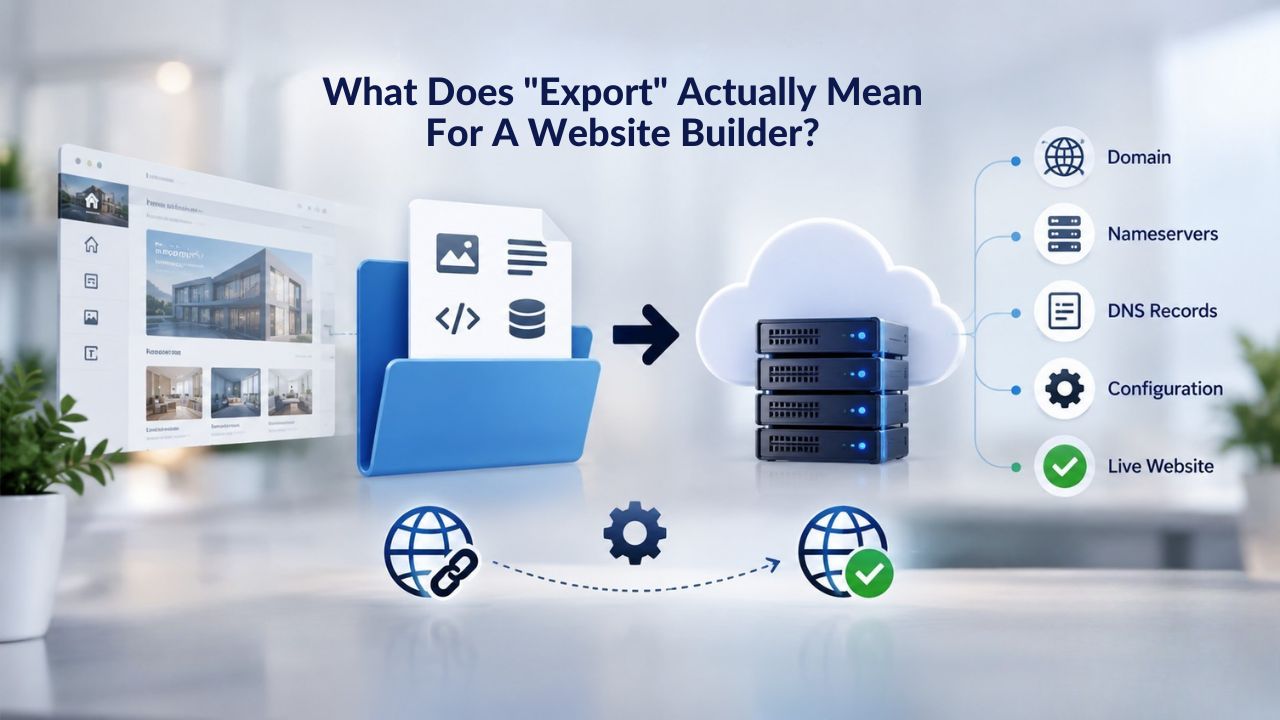
When you ask “can I export my website?” the answer depends entirely on what you want to take with you and where you want to take it. Content export means downloading your text, images, product descriptions, and blog posts in a format you can use elsewhere. Design export refers to your layout, theme structure, and visual customizations, the aesthetic layer built on the platform’s proprietary tools. Migration is the broader umbrella term for rebuilding or transferring your site to a new platform, combining both content and design work.
A backup is different from an export. A backup is a full snapshot of your site exactly as it exists on the builder’s servers, typically stored as a compressed file. Backups help with disaster recovery and restoring previous versions, but they’re not inherently portable to a different platform. Understanding these distinctions before you commit to a website builder helps you ask the right questions and set realistic expectations about what you can take with you later.
Many businesses conflate these terms, assuming “I can back up my site” means “I can move to another platform easily.” That’s not necessarily true. A backup might restore your site to the same builder after a crash, but migrating that backup to WordPress, Shopify, or a different builder is a different challenge entirely. Knowing this upfront helps you make smarter platform decisions.
Why Builders Limit Export Options
Website builders operate on proprietary systems from top to bottom. The drag-and-drop editor you use, the template rendering engine that displays your design, and the hosting infrastructure that keeps your site live all run on the builder’s platform. When you design a site using that editor, the resulting code is tightly integrated with that system and won’t work on another builder or on WordPress without a complete rebuild.
This limitation is intentional. Builders invest enormous resources in making site creation simple, fast, and accessible to non-technical people. In exchange for that user-friendly experience, they retain control over the design layer. Your content is yours; the platform owns the structure, code, and visual framework that displays it. This trade-off benefits beginners by keeping the process friction-free and reducing technical barriers to entry. However, it also creates what many call “vendor lock-in”: the more you build and the longer you stay, the harder it becomes to leave without significant effort or cost.
Understanding this tradeoff is crucial. You’re not being wronged when a builder limits export; you’re seeing the business model at work. The question is whether that model aligns with your needs and your comfort level with platform lock-in.
Website Builder Plans & Pricing
Create a professional website with flexible website builder plans designed for businesses, portfolios, and growing online brands. Choose a plan that matches your needs and build, customize, and manage your website with easy-to-use tools, responsive designs, and essential features for a strong online presence.
Website Builder Personal
Share your passion online.
- Responsive mobile design
- Website hosting
- Rapid Page-Load performance
- Create a blog
- Security (SSL)
- 24/7 support

Website Builder Business
Create an online presence for your business.
- Responsive mobile design
- Website hosting
- Rapid Page-Load performance
- Create a blog
- Security (SSL)
- 24/7 support
- PayPal Buy Now or Donate button
- Search Engine Optimization (SEO)
Website Builder Business Plus
Attract more customers.
- Responsive mobile design
- Website hosting
- Rapid Page-Load performance
- Create a blog
- Security (SSL)
- 24/7 support
- PayPal Buy Now or Donate button
- Search Engine Optimization (SEO)
- Social Media Integration
- Share content to Facebook
- Online Appointments
Website Builder Online Store
Sell products and services.
- Responsive mobile design
- Website hosting
- Rapid Page-Load performance
- Create a blog
- Security (SSL)
- 24/7 Support
- PayPal Buy Now or Donate Button
- Search Engine Optimization (SEO)
- Social Media Integration
- Share content to Facebook
- Online Appointments
- Built-in shopping cart
- Sell physical and digital products
- Accept credit and debit cards, PayPal and more
- Flexible shipping options
- Discounts and promotions
- Manage inventory
Export Limitations: What GoDaddy Website Builder (and Most Builders) Don’t Offer
Website builders in general share similar export philosophies, though with important variations. Most platforms prioritize keeping users on their infrastructure by making export deliberately difficult or impossible. Knowing what you can’t export helps you understand what you can, and why those limitations matter to your business.
Native Export Tools Are Rare
GoDaddy Website Builder, which powers Niya Digital’s Website Builder Service, does not include a native one-click export feature. You cannot download your entire site as a package and upload it to WordPress, Shopify, or another builder with a few clicks. This is true for most mainstream drag-and-drop website builders on the market today; Wix, Squarespace, and similar platforms also limit native export capabilities. Some builders offer limited exports (content only, in specific formats), but few offer true full-site export that includes design, structure, and all assets.
This limitation doesn’t mean your content is permanently trapped or inaccessible. It means that leaving requires manual effort, third-party tools, or hiring a migration service. Niya Digital’s team has found that understanding this upfront helps customers choose platforms with confidence and plan realistically for future migrations. Many small-business owners choose a builder for its ease and affordability, then wonder later why they can’t simply download their site. Clarity on this point before launching prevents frustration and regret.
What You Can and Cannot Export
Most website builders let you export your content in some form. You can typically download your text, images, video files, and sometimes structured lists of your pages or product catalogs. Some builders offer content exports in formats like CSV or JSON, making it easier to transfer product information, customer data, or blog posts to another system. However, the design itself- your chosen template, custom font selections, layout customizations, color scheme, and interactive animations- stays on the builder’s platform.
The reasoning is straightforward: you created your design using the builder’s proprietary drag-and-drop tools, and converting that visual creation into portable HTML/CSS or another platform’s template language would require a developer to rebuild it or significant manual work. Most builders make this deliberately difficult because easy export would undermine their business model and signal that they expect customers to leave. This isn’t deception; it’s the economics of the platform business. Knowing this distinction means you can plan: if you export, what you get is your content layer, not your design layer.
Your Legal Rights: Data Portability & Content Ownership
Regulations worldwide are shifting the balance of power between platforms and users. Data portability rights have moved from a nice-to-have feature to a legal requirement in many jurisdictions. Understanding your rights under these regulations helps you know what you’re legally entitled to request from your website builder, even if the platform doesn’t make export easy.
GDPR and Data Portability Rights
If your business operates in or serves customers in the European Union, GDPR Article 20 grants you and your customers a legal right to data portability. Under this regulation, you can formally request that a website builder provide any personal data you’ve submitted in a structured, commonly used, machine-readable format (such as CSV, JSON, or XML) and transfer it to another provider without the builder hindering or delaying you.
This right applies specifically to personal data (names, email addresses, phone numbers, customer records, order history, contact form submissions). It does not automatically extend to creative content like your site design, template selections, or custom visual styling, though some argue personal data includes content you’ve created.
Data portability is a powerful protection, especially for businesses managing significant customer information through contact forms, email subscriptions, e-commerce checkouts, or appointment booking systems. If your builder collects personal data from your visitors or customers, the builder must honor requests to export that data on demand. The formats and timelines vary by provider, but compliance is legally required.
CCPA and Emerging Portability Standards
California’s Consumer Privacy Act (CCPA) and similar regulations emerging in other jurisdictions (Virginia’s VCDPA, Colorado’s CPA, and others) offer comparable data-portability protections. These laws grant residents and affected individuals the right to request their personal data in a portable format. Portability rights vary by location and continue to evolve, so businesses should confirm which regulations apply to their specific operation, customer base, and location.
The broader trend is unmistakable: data ownership and portability are becoming baseline expectations, and responsible builders are increasingly building explicit export and backup features into their platforms from the outset. This regulatory landscape is shifting quickly. As regulations evolve and enforcement increases, builders are recognizing that offering clearer export paths and data-portability features build customer trust and help them comply with the law. However, for most builders, native export still limits you to content only, not design.
How to Back Up and Export Your Website Builder Site
If you’ve decided to back up your site or are planning a migration, several methods are available depending on your builder’s capabilities and your technical comfort level. Each method has trade-offs in ease, completeness, and compatibility with destination platforms. Understanding your options helps you choose the right approach for your site size and technical resources.
Method 1: Manual Content Download & Copy-Paste
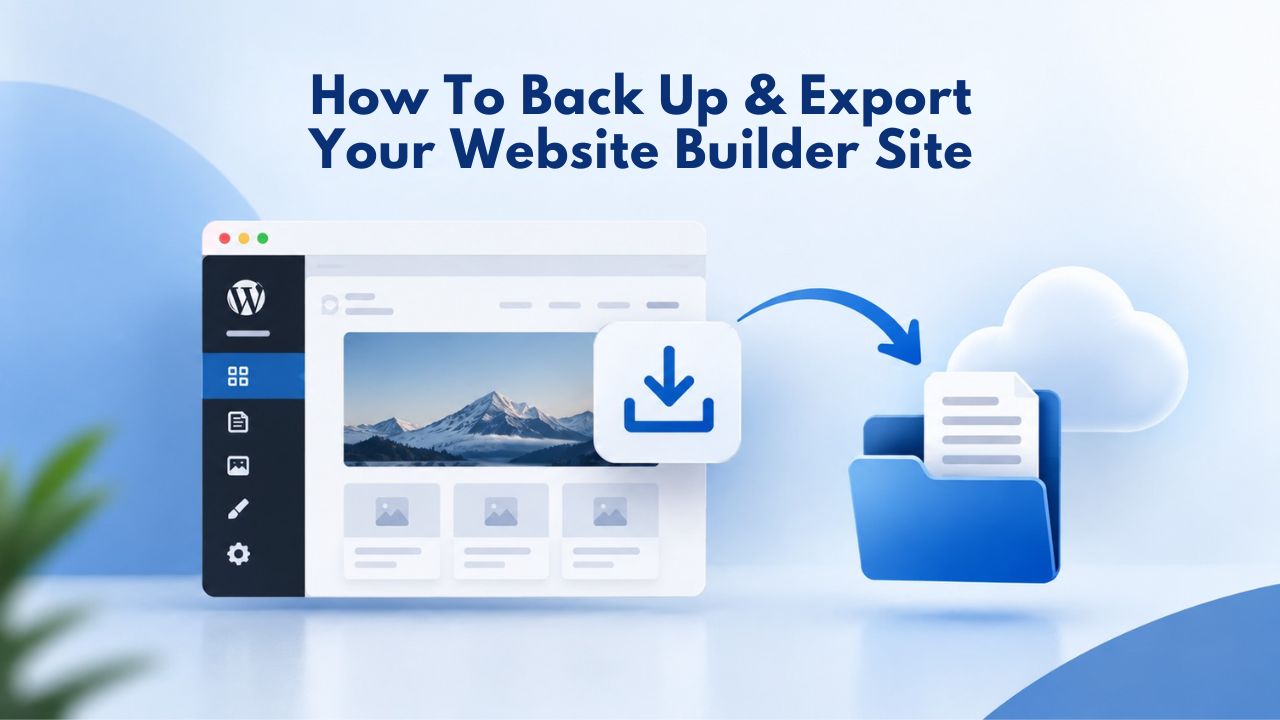
The most straightforward and universally available method for smaller sites is to copy your content manually. Open each page in your builder’s editor, select and copy your text, download your images, and paste everything into a document, spreadsheet, or note-taking system. This is labor-intensive for large sites, but it guarantees you capture your own words, images, and information without tool intermediaries.
This approach works best if you’re backing up or moving a small brochure site or blog with fewer than 10 to 15 pages. For larger sites or complex e-commerce stores, this method becomes unwieldy and time-consuming. However, it gives you complete control over what you’re capturing and requires no technical tools, programming knowledge, or builder cooperation. Many small-business owners start with manual copy when they first decide to migrate, then realize the effort involved and either hire a professional or rebuild more quickly on a new platform.
Method 2: SFTP/FTP Download (Hosting-Backed Builders Only)
If your website builder is hosted on a traditional server with cPanel or FTP access enabled, you may be able to download your site files via SFTP (Secure FTP) or standard FTP. Using a free FTP client like FileZilla, you log in with your FTP credentials, navigate to your site files (usually in a folder named public_html or similar), and download the entire directory as a ZIP file to your computer. This retrieves your raw HTML files, CSS stylesheets, JavaScript, images, and any other files that make up your site’s structure.
However, this method doesn’t work for fully managed website-builder platforms like GoDaddy Website Builder, Wix, or Squarespace, which deliberately abstract away direct file access and manage all infrastructure internally. FTP access is most useful if you’re migrating between different hosting providers while staying on the same builder platform, or if you’re using a hosting-based website builder that hasn’t fully abstracted the file system. Most modern drag-and-drop builders don’t offer FTP access by design.
Third-Party Tools & Alternative Export Methods
When native export options are limited, several third-party tools and approaches can help you back up or migrate your website builder site. These tools vary in effectiveness depending on your site’s complexity, but they offer viable alternatives when platform-native options fall short. Understanding what’s possible helps you plan a realistic backup or migration strategy.
HTTrack: Free Website Mirroring
HTTrack is a free, open-source tool that creates a complete local copy of your entire live website, including all HTML, CSS, JavaScript, and images. You point it at your website’s public URL. It systematically downloads every file, following links throughout your site, and organizes everything into a folder structure on your computer that mirrors your live site exactly as it appears in a browser. The downloaded site is fully functional locally; you can open it in a browser and navigate through it just like your live version.
HTTrack’s advantage is its simplicity and universality: it works on any website, regardless of which builder created it or which host runs it. No platform cooperation required; you’re downloading the publicly visible version of your site. The limitations are significant for complex sites: HTTrack captures your site as static HTML and won’t preserve backend features like forms (contact forms, checkout, login), databases, or dynamic content. It’s ideal for backing up brochure sites and portfolios. For a business site with contact forms, e-commerce functionality, or other interactive features, an HTTrack backup captures the look but not the functionality.
Site Backup Plugins (WordPress-Specific)
If you’re already running WordPress or planning to move to WordPress first, plugins like All-in-One WP Migration and UpdraftPlus are powerful options. These plugins allow you to export your entire WordPress site- content, design, plugins, database, and configuration- into a single compressed file. You can then import that file into a new WordPress installation on different hosting, or even import it into another CMS that supports WordPress imports, making WordPress a useful intermediate step in platform migrations.
This is one of WordPress’s strongest advantages: it was designed with portability in mind from the outset, and the WordPress community has built extensive export and migration tools around that philosophy. If you’re thinking about moving to a different platform eventually, moving to WordPress first and then to another CMS (or staying on WordPress with a different host) is relatively straightforward and requires far less manual work than migrating directly from a proprietary builder.
Export Methods Comparison
The following table compares common export and backup methods, helping you choose the right approach for your situation:
| Export Method | Availability | Ease of Use | Output Format | Best For |
|---|---|---|---|---|
| Manual copy-paste | All builders | Easy (no tools needed) | Text/image files saved locally | Small sites (1–15 pages), brochures, portfolio |
| SFTP/FTP download | Hosting-backed builders only (not GoDaddy Website Builder, Wix, Squarespace) | Moderate (requires FTP client, login credentials) | ZIP file with raw HTML/CSS/images | Migrating between hosting providers, accessing source files |
| HTTrack (free tool) | Any live website | Moderate (free software, external tool) | Local website mirror (HTML/CSS/images/JavaScript) | Complete website backup, static site migration, portfolio sites |
| Backup plugins (WordPress) | WordPress sites only | Easy (one-click export via plugin) | ZIP/compressed file (database + files) | Moving WordPress to new hosting, migrating between WordPress hosts |
| Platform native backup | Builder-dependent; limited capability | Easy (built-in admin panel feature) | Builder-specific or ZIP format | Disaster recovery, restoring previous versions |
| CSV/JSON data export | Most builders (for specific data) | Moderate (structured format) | CSV, JSON, or XML file | Product catalogs, customer lists, blog export |
Ready to Plan Your Future With Support?
Whether you’re building your first website or exploring migration options as your business grows, understanding export and portability options gives you confidence and flexibility. Niya Digital’s support team helps you document your site, plan migration strategies, and identify the right platform for your business at each stage of growth.
When and Why Businesses Export or Migrate Website Builder Sites
Every business’s circumstances differ, but several common triggers prompt website owners to investigate export options and consider migrations. Recognizing these patterns helps you understand whether migration might be right for your business and when the timing makes sense.
Growth Beyond Platform Limits
The most common reason businesses seek to export or migrate is that they’ve outgrown their builder. They want more advanced SEO controls and customization options, integration capabilities with their CRM or inventory management system, higher performance and faster page-load speeds, or the ability to customize their design far beyond what template constraints allow. A website builder that’s genuinely perfect for a startup launching on a shoestring budget can start feeling restrictive within one to three years as the business scales.
Other growth-related triggers include needing more complex e-commerce functionality (advanced product filtering, custom checkout flows, subscription management), a custom domain-based email system aligned with their brand, or API access so they can connect third-party tools directly to their site. When a website becomes the central digital hub of a growing business rather than a simple online brochure, the platform’s limitations often collide directly with business needs.
Compliance and Regulatory Requirements
Data portability requests under GDPR or CCPA sometimes necessitate export. If a customer formally requests access to their personal data, or you need to audit what data you’re storing on a builder’s servers for compliance, exporting becomes a compliance obligation rather than an optional business decision.
Some businesses also export to meet cybersecurity requirements, data-residency regulations, or organizational policies that require data to stay in specific geographic locations or under their direct control rather than on third-party servers.
The Export Challenge: Why Rebuilding Often Beats Pure Migration
Moving a website from one platform to another sounds simpler in theory than it proves in practice. The biggest underestimated challenge is design portability and its ripple effects on SEO, user experience, and brand consistency during the transition.
Design Portability Is Difficult, Not Impossible
The most underestimated part of any website migration is design. Moving your content to WordPress, Shopify, or another builder is achievable with varying degrees of effort; recreating the look, feel, and user experience is another matter entirely. When you build a site using a drag-and-drop builder’s visual editor, the resulting design is expressed in that platform’s proprietary code and design systems. Converting that visual design into portable HTML/CSS or another builder’s template language requires either a skilled developer or substantial manual work.
This is why many businesses hire professional migration services. Services like Cart2Cart for e-commerce, All-in-One WP Migration Pro for WordPress, or custom development agencies can automate content transfer and rebuild designs on new platforms. Still, these services aren’t instant, free, or hands-off. Understanding the design rebuild requirement upfront helps you factor realistic migration costs into your platform comparison and long-term strategy.
URL Structure and SEO Preservation
If your site ranks in search engines for relevant terms and brings in organic traffic, changing platforms involves changing your site’s URL structure and configuration, which can temporarily impact your search rankings. A responsible migration requires setting up 301 redirects from old URLs to new ones, so search engines and users are properly forwarded, carefully preserving your meta titles and descriptions, ensuring search engines recrawl the new site promptly, and monitoring search visibility during the transition.
Many businesses lose search visibility and organic traffic after poorly planned migrations. Niya Digital recommends documenting all your site’s URLs and SEO elements (meta descriptions, heading structures, backlink sources) before exporting, so they can be preserved or properly recreated on the new platform. This single preparation step can make the difference between a smooth transition and a costly drop in organic traffic lasting weeks or months.
Making Export Part of Your Platform Choice
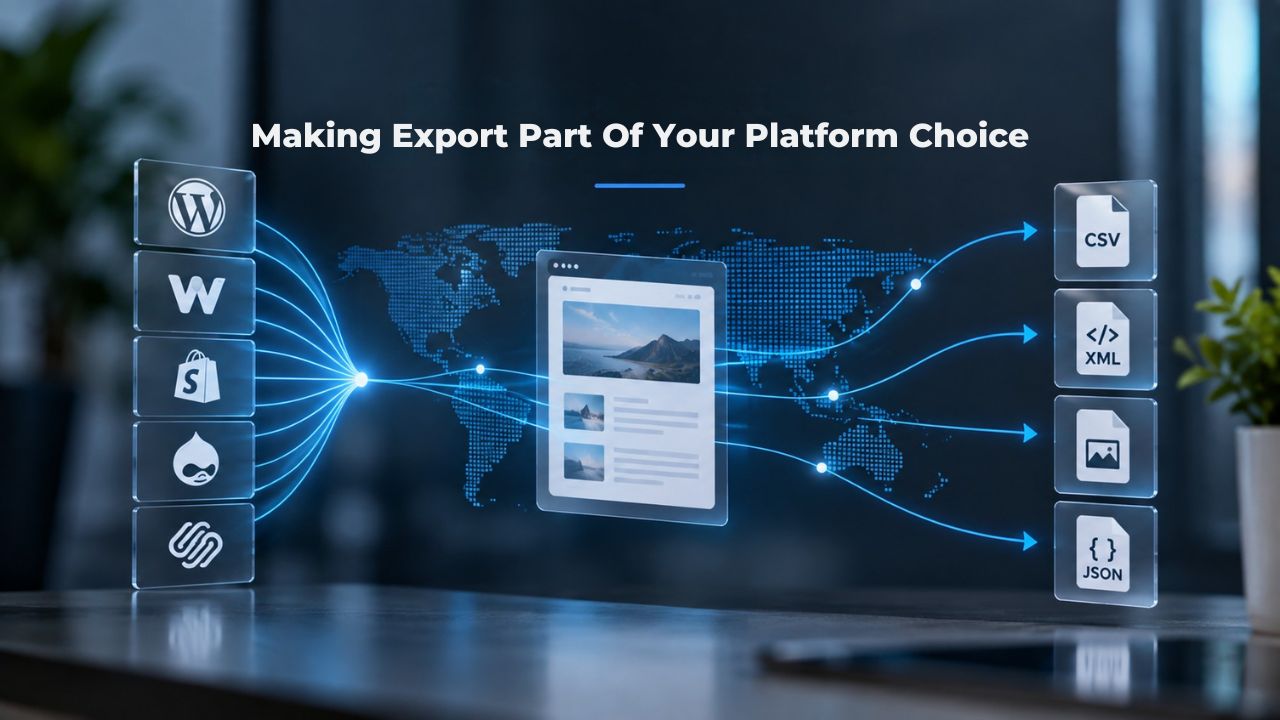
Smart platform selection means thinking beyond launch day and considering your site’s full lifecycle. Part of that lifecycle is the possibility that you’ll outgrow your initial builder and need more sophisticated tools. Building this thinking into your platform evaluation protects your future flexibility.
Ask Before You Build: Export Policy Matters
When evaluating a website builder, ask directly about export and portability options. Can you download your content, and in what format? Can you download a full site backup? If you decide to leave, does the builder offer any migration assistance or documentation? Does the builder provide clear, transparent policies about data access and export? Clear, honest answers to these questions should meaningfully inform your platform decision.
Builders that openly embrace data portability, including explicit export features, backup tools, and migration support, signal that they trust the quality and stickiness of their platform. They’re confident you’ll stay because you want to, not because you can’t leave. If a builder actively resists or obscures export options, ask why and think carefully about whether that’s a partner whose interests align with yours.
Plan for Growth, Not Just Launch
Your first website builder is often the right choice for getting online quickly without hiring expensive developers or learning to code yourself. But smart business thinking includes planning for the possibility that you’ll eventually outgrow it. As your business scales and your needs become more sophisticated, you may need more design control, better performance and hosting infrastructure, or deeper integrations with your other business systems.
Knowing your builder’s export capabilities and data-portability policies now means you won’t be surprised or stranded later if you need to migrate. This is why choosing a platform partner who understands the full site lifecycle, from initial launch through scaling and potential migration, matters significantly. Niya Digital’s Website Builder Service, powered by GoDaddy Website Builder’s robust infrastructure, supports new customers and guides those who may eventually need to scale to more specialized or custom platforms.
Data Security & Privacy During Export
Exporting your website or downloading backups means creating local copies of potentially sensitive information. Handling these files properly protects your business and your customers’ data from unauthorized access or loss.
Protect Your Data When Backing Up
When you export your website or download a backup file, you create a local copy of potentially sensitive information, including customer names, email addresses, product details, form submissions, and order history. Store exported files securely using password-protected cloud storage (Google Drive, Dropbox, OneDrive with encryption), encrypted external drives, or offline backup systems kept in secure physical locations. Never share backup files via unsecured email or unencrypted file transfers, and avoid storing backups on public servers or shared computers where they could be accidentally exposed.
If your site handles payment information, customer records, or other sensitive data, confirm with your builder that the export method doesn’t inadvertently capture secure data that should remain protected and isolated. Most reputable website builders separate transactional data (orders, payment records) from exportable content, but verify this explicitly with your builder’s support team before exporting for the first time.
Compliance Considerations During Export
Exporting personal data for backup or migration purposes falls under your organization’s data-protection obligations. Under GDPR, CCPA, and similar regulations, you must handle any exported personal data with the same security, confidentiality, and care you apply to that data on your live site. If you export customer email addresses, order histories, contact form submissions, or customer account information, treat those exported files as confidential business data, limit access, and delete them securely once they’re no longer needed.
Keep documented records of what data you’ve exported, when you exported it, and why, especially if you’re responding to customer data-portability requests or conducting data audits. Documentation protects both your organization and your customers by creating a clear record of how you handle data.
Your Next Steps: Building and Planning for the Future
Choosing a website builder matters, but it needn’t be permanent or risky if you plan thoughtfully. Taking time now to understand export options, document your setup, and choose a builder with transparent data policies positions you well for whatever changes your business needs in the future.
Understand Your Builder’s Capabilities Before You Commit
Starting with a website builder that offers transparent export options and reliable backup features gives you meaningful flexibility as your business grows and evolves. Before committing to any builder, ask their support team or check their documentation for clear answers to these questions: Do you offer regular automated backups? Can I download my content in standard, portable formats (CSV, JSON, XML)? What’s your policy if I decide to migrate away? Do you offer migration support or recommend trusted migration partners? Does your privacy policy and terms of service clearly spell out my data rights and export options?
A builder’s willingness to answer these questions directly and provide clear documentation is itself a positive signal about their confidence in their product and respect for customer autonomy.
Document Everything From Day One
As you build your site, keep a running document listing your page URLs, key content structure and organization, any custom integrations or third-party tools you’ve connected (email marketing, payment processors, booking systems), and important configuration settings.
This documentation makes migration, if it ever becomes necessary, far simpler and less error-prone. You won’t scramble to remember what your site contained, how it was organized, or which plugins and integrations were active. This inventory also helps you evaluate whether a new platform can support all the functionality your site currently offers.
When to Migrate: Decision Factor Matrix
Use this framework to evaluate whether migration makes sense for your business at this time:
| Scenario | Current Situation | Growth Needed | Recommended Timing | Effort Level |
|---|---|---|---|---|
| Outgrowing features (SEO, e-commerce, integrations) | Builder limiting growth or preventing new capabilities | Advanced customization, API access, higher performance | When current platform consistently blocks new features | High (full rebuild often required) |
| Regulatory compliance (GDPR/CCPA data requests) | Personal data stored on builder, legal request received | Portability and customer data control | Immediately upon request (compliance deadline applies) | Moderate (export, organize, transfer data) |
| Platform performance issues (page speed, uptime) | Site slow or frequently down, customer complaints rising | Better infrastructure, faster hosting, higher reliability | After 2–3 months of consistent problems documented | High (rebuild on new platform) |
| Need for advanced features (custom email, security) | Basic email, standard SSL certificate, limited features | Enterprise-grade email, enhanced security protocols | When business credibility depends on these features | Moderate to High (rebuild plus infrastructure) |
| Builder discontinuing service or changing policy | Platform announcing shutdown or removing relied-upon features | Find alternative platform, preserve business continuity | During announced transition period (typically 60–90 days offered) | High (urgent rebuild needed) |
| Cost concerns (fees growing unsustainably) | Monthly or annual fees rising significantly or unexpectedly | More sustainable cost structure or budget-friendly option | When total cost of ownership significantly exceeds benefits | Moderate (depends on new platform choice) |
Ready to Build With Flexibility in Mind?
Starting your website on a platform that respects your data and supports future growth gives you peace of mind from day one. Niya Digital’s Website Builder Service, powered by GoDaddy Website Builder, combines ease of use with robust infrastructure and support to help you plan for whatever comes next. Explore templates, get hands-on onboarding guidance, and launch your website with confidence.
Frequently Asked Questions
Can I export my website from GoDaddy Website Builder to WordPress?
GoDaddy Website Builder does not offer a native one-click export tool. You’ll need to manually copy your content (text and images) and rebuild your design on WordPress, or hire a professional migration service to handle the process. Tools like HTTrack can create a visual backup of your live site, but converting that to a WordPress-ready format requires manual work or professional help. Niya Digital’s support team can guide you through your options and recommend trusted migration partners.
Is my content legally mine if I build on a website builder?
Yes, you own your content, your text, images, product information, and data you create. The builder owns the underlying platform code, theme templates, and design framework. You can legally request access to your content in a portable format under data-portability laws like GDPR and CCPA. However, the design you created in the builder’s editor (the layout, styling, animations) stays on that platform unless you rebuild it elsewhere.
What’s the easiest way to back up my website builder site?
For small sites (under 15 pages), manual copy-paste works but is tedious. For larger sites, ask your builder if they offer automated backups or content exports. For any site, HTTrack (free, open-source) creates a local mirror automatically. Most builders have a backup feature in their admin panel. Check your builder’s help center for specific steps; most support regular backups even if full site export is limited.
If I move my website to a different platform, will I lose my search engine rankings?
Not necessarily, but migration requires careful planning. Set up 301 redirects from old URLs to new ones, preserve your meta titles and descriptions, and ensure search engines recrawl your new site promptly. Improper redirects or changed URLs without redirects can harm rankings temporarily. Plan migration with SEO in mind, and consider consulting an SEO professional if your site has significant organic traffic.
Does Niya Digital’s Website Builder Service let me export my content?
Niya Digital is an authorized reseller of GoDaddy Website Builder technology. GoDaddy Website Builder’s platform features determine technology-level export capabilities. For Niya Digital-specific support around data backup, migration planning, or export guidance, contact Niya Digital’s support team directly or review the help documentation.
What’s the difference between a website backup and a content export?
A backup is a complete snapshot of your site as it exists on the builder’s servers, stored for disaster recovery or restoring previous versions. An export is typically a download of your content (text, images, data) in a portable format like CSV or JSON that you can use on another platform. Backups restore your site as-is to the same platform; exports prepare your content for migration to a different system.
Can I move from one website builder to another website builder?
Moving between different builders (Wix to Squarespace, GoDaddy Website Builder to Wix, etc.) usually requires rebuilding your site on the new platform. You can manually migrate content, but your design won’t transfer directly. Some builders offer content import tools for common formats, but full platform-to-platform migration is rarely automated. Plan for manual work or hire a migration service.
Are website builders improving their export capabilities?
Yes, gradually. Regulations like GDPR have pushed builders to improve data-portability features over the past few years. Some newer builders have added WordPress export functionality. The industry trend is toward more transparent data access and portability, though most builders still prioritize keeping you on their platform. Export remains more of a differentiator than an industry standard.
What happens to my website if my website builder shuts down?
The risk is relatively low for established, well-funded builders, but it has happened historically. If a builder shuts down, you typically receive a grace period to export or migrate before the site goes offline. This is why understanding export options and maintaining regular backups matters. Having a backup means you can rebuild on another platform quickly if needed.
What data-portability laws should I know about as a business?
GDPR (European Union) and CCPA (California) are the most significant and well-established. Both grant users the right to receive their personal data in a portable format. Other U.S. states (Virginia, Colorado, Connecticut, Utah) have enacted similar laws. Other countries are developing their own regulations. Requirements vary by jurisdiction and industry, so confirm which laws apply to your business location and where your customers are located.
How do I know if I’ve outgrown my website builder?
Common signs include wanting features your builder doesn’t offer (advanced SEO controls, custom integrations, higher e-commerce capability), frustration with slow page speeds or limited design flexibility, or needing to connect third-party tools (CRM, accounting software, email marketing platforms) that your builder doesn’t support natively or charges extra for. If you’re spending more time working around limitations than actually building your site, migration might be worth evaluating.
Should I choose a website builder based on ease of export?
Export capability is worth considering, especially if you think your business might scale significantly. Builders with transparent export policies and reliable backup features demonstrate respect for customer data and business autonomy. This doesn’t mean export capability should be your only selection criterion, but it’s a meaningful signal about the builder’s confidence in their product and their orientation toward customer flexibility.
Can I restore a website builder site from a backup?
In most cases, yes. If your builder offers backups, you can restore your site from a previous date if something goes wrong or you want to revert unwanted changes. However, restoration typically returns your site to the same builder’s platform; it doesn’t help you move to a different platform. Backups support disaster recovery, not migration.
What’s the real cost and time commitment of migrating websites?
Time and cost vary enormously based on site size, complexity, and whether you hire professional help. A small brochure site might migrate in days with DIY methods; a complex e-commerce site might take weeks and cost thousands with professional migration services. Budget for unexpected issues and allow extra time if SEO preservation matters to your business.
Do I need to worry about losing my domain name during migration?
No. Your domain name is owned separately from your website builder. Domain ownership is maintained through your domain registrar regardless of which builder or host you use. During migration, you keep your domain and point it to your new platform. This preserves your web address and helps maintain SEO value.
Glossary
- Website Builder: A no-code platform that enables you to create and publish websites using drag-and-drop editors, pre-designed templates, and built-in tools, without writing code or hiring a professional developer.
- Export: The process of downloading your website’s content, design files, or data in a portable, structured format (such as HTML, CSV, JSON, or ZIP) so you can use it on another platform or for backup purposes.
- Backup: A complete copy of your website as it exists on your builder’s servers, typically stored as a compressed file for disaster recovery, restoration of previous versions, or business continuity purposes.
- Data Portability: The legal right (under regulations including GDPR and CCPA) to request and receive your personal data in a structured, commonly used, and machine-readable format from a service provider so you can transfer it to another provider without obstruction.
- Vendor Lock-In: The business situation where it becomes difficult, expensive, or time-consuming to switch from one platform to another because your data, design, and functionality are tightly integrated with that platform’s proprietary systems.
- Domain: Your website’s internet address (for example, www.yourbusiness.com); owned separately from your website builder and transferable between builders or hosting providers while maintaining your web identity.
- Hosting: The server infrastructure and services that store your website’s files and make them accessible to visitors on the internet; many website builders include hosting as part of their service.