
If you’ve built a .NET Core application and are exploring shared hosting options, you’ve likely encountered cPanel-based Linux Web Hosting. It’s reliable, widely available, and a popular choice for many websites. But before you commit to a plan, you should know one critical fact: cPanel Web Hosting does not support .NET Core. Niya Digital is an authorized reseller of GoDaddy-powered Web Hosting infrastructure rather than an operator of its own independent data centers or hardware. Website performance, uptime, and security depend on many factors outside any single provider’s control, including site configuration, application code, traffic patterns, and security practices.
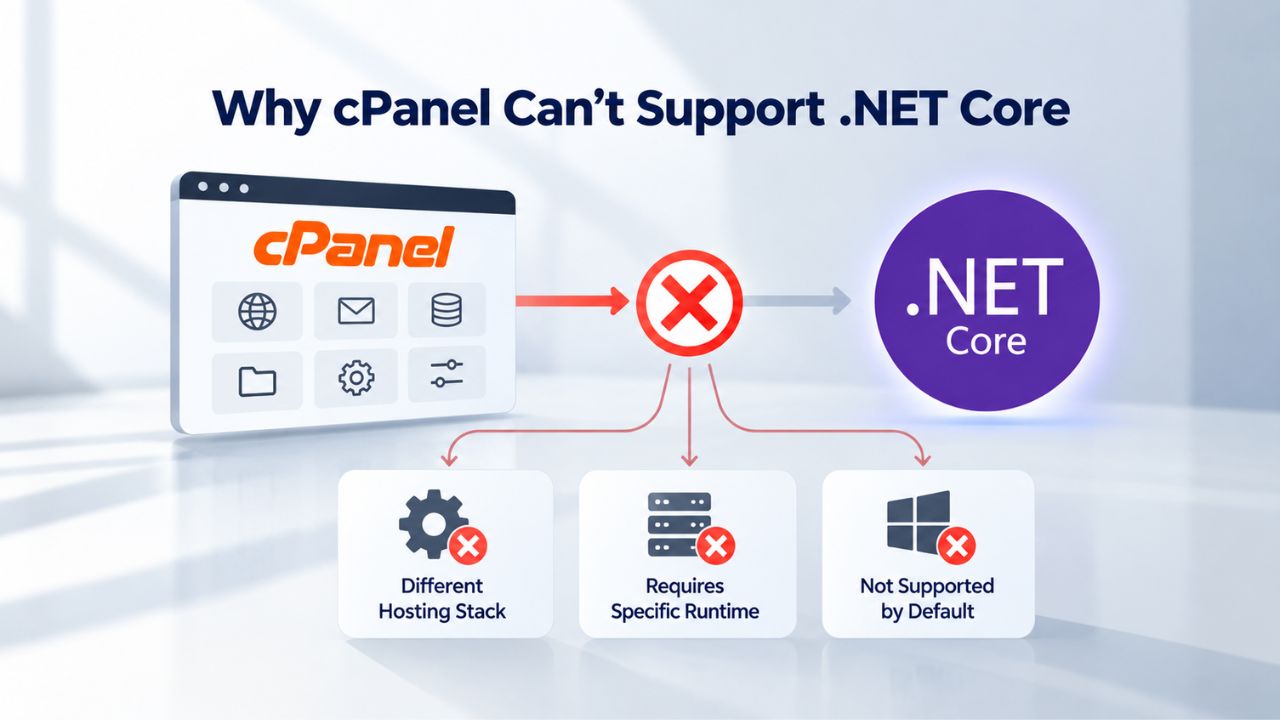
Why cPanel Can’t Support .NET Core
cPanel is built from the ground up for Linux-based Web Hosting environments, and it manages websites through a specific architectural model that has served the industry well for decades. The control panel delegates incoming requests to preinstalled language runtimes- PHP, Python, Perl, and Ruby- each of which runs within application pools or server modules that cPanel controls through its graphical interface.
The Runtime Requirement
.NET Core is not bundled with Linux operating systems the way Apache or PHP might be. GoDaddy’s Web Hosting component support documentation confirms that .NET Core is not available on cPanel-based Linux plans; it lists .NET Core support only on Windows Hosting with Plesk. Every .NET Core application must have the corresponding runtime installed on the host system, whether version 2.1, 3.1, 5.0, 6.0, or later, depending on what your application targets.
A shared hosting provider would need to install this runtime globally on the server, and most don’t take on this responsibility. Why? Because .NET Core support requires ongoing maintenance, security updates, and technical expertise that many providers don’t invest in. The runtime also consumes system resources differently than traditional web server modules, and supporting multiple versions simultaneously adds operational complexity. Most hosting providers evaluate whether supporting a runtime justifies the infrastructure investment and support burden, and for Linux shared hosting, the answer has been no.
The Process Management Barrier
Shared hosting control panels deliberately abstract away system-level process management to protect account isolation and server stability. When you deploy a PHP website on cPanel, you upload your website files via FTP or the file manager, and the web server automatically serves them when a request arrives. From the user’s perspective, the execution model is stateless: each request is independent, and you don’t manage background processes.
With .NET Core, the responsibility shifts dramatically. You must start and supervise the application process yourself. In production environments, this means writing a systemd unit file (a configuration file that tells Linux how to manage a service), enabling the service with systemctl, and managing restart behavior if the process fails unexpectedly. All of these are system-level administration tasks that require root access. cPanel cannot expose these capabilities to end users without fundamentally compromising the security isolation that protects each account from every other account running on the same physical server. This isolation isn’t a limitation; it’s the foundational security model that makes shared hosting safe.
Business Web Hosting Plans & Pricing
Choose the hosting plan that fits your website, WordPress site, or growing business. Compare features, storage, performance, security, and website capacity to find the right hosting environment for your needs.
cPanel Starter
cPanel Hosting that's easy, reliable and lightning-fast.
- 1 website
- 30 GB storage
- Unmetered bandwidth*

cPanel Economy
cPanel Hosting that's easy, reliable and lightning-fast.
- 1 website
- 100 GB space
- Unlimited bandwidth*
- 100 email accounts**
- 10 MySQL databases (1 GB ea.)
cPanel Deluxe
cPanel Hosting that's easy, reliable and lightning-fast.
- Unlimited websites
- Unlimited space
- Unlimited bandwidth*
- 500 email accounts
- 25 MySQL databases (1 GB ea.)
cPanel Ultimate
cPanel Hosting that's easy, reliable and lightning-fast.
- Unlimited websites
- Unlimited space
- Unlimited bandwidth*
- 1000 email accounts
- Unlimited MySQL databases (1 GB ea.)
- 2X Processing power & memory (available for Linux/cPanel only)
- Premium DNS
- 1-year SSL certificate to secure customer data and increase search rankings
*We don't limit the amount of storage and bandwidth your site can use as long as it complies with our Hosting Agreement. Should your website bandwidth or storage usage present a risk to the stability, performance or uptime of our servers, we will notify you via email and may be required to upgrade, or we may restrict the resources your website is using.
**Email account storage is limited to 100 email accounts with 100 MB of total storage.
WordPress Basic
A great way to get started.
- 1 website
- 10 GB NVMe storage
- Unmetered bandwidth
- Free SSL Certificate *
- WordPress pre-installed
- Weekly backups
- Web Application Firewall
- Daily malware scans
- One-time malware removal

WordPress Deluxe
Improve your site performance with Cloudflare CDN.
- 1 website
- 20 GB NVMe storage
- Unmetered bandwidth
- Free SSL Certificate *
- WordPress pre-installed
- Daily backups
- Web Application Firewall
- Daily malware scans
- One-time malware removal
- Up to 2x faster performance with global Cloudflare CDN **
- Enhanced security with DDoS protection
- Staging site
WordPress Ultimate
Add online marketing with more sites, storage and security.
- 1 website
- 30 GB NVMe storage
- Unmetered bandwidth
- Free SSL Certificate *
- WordPress pre-installed
- Daily + on-demand backups
- Web Application Firewall
- Daily malware scans
- Unlimited malware removal
- Up to 2x faster performance with global Cloudflare CDN **
- Enhanced security with DDoS protection
- Staging site
- WordPress code optimizer
- Smart WordPress plugin manager
- Sell online with WooCommerce
*An SSL certificate is included with every site and free for the life of the hosting plan. Certificates are automatically installed, validated and renewed.
Web Hosting Plus Launch
For multiple basic sites.
- 100 GB storage*
- 4 GB RAM
- 2 CPUs
- Unmetered traffic
- 50 websites & databases
- Free, unlimited SSL for all your websites**

Web Hosting Plus Enhance
For high-traffic WordPress, Joomla, and other sites.
- 200 GB storage*
- 8 GB RAM
- 4 CPUs
- Unmetered traffic
- 100 websites & databases
- Free, unlimited SSL for all your websites**
Web Hosting Plus Grow
For advanced eCommerce sites like Magento.
- 300 GB storage*
- 16 GB RAM
- 8 CPUs
- Unmetered traffic
- 150 websites & databases
- Free, unlimited SSL for all your websites**
Web Hosting Plus Expand
For multiple basic sites.
- 400 GB storage*
- 32 GB RAM
- 16 CPUs
- Unmetered traffic
- 200 websites & databases
- Free, unlimited SSL for all your websites**
*The total amount of usable storage capacity for your particular Hosting Service(s) may differ from the represented capacity as there is required space for the operating system(s), system file(s) and other supporting file(s).
**If you cancel the Web Hosting Plus product, you will lose the associated SSL certificate as well.
Understanding cPanel’s Linux Architecture
cPanel has dominated the Linux shared hosting market for nearly three decades because it elegantly solves a specific problem: hosting multiple websites on a single Linux server while giving each account owner a user-friendly way to manage their domains, email accounts, databases, and website files without needing command-line or system administration knowledge.
How cPanel Manages Your Website
When you deploy a PHP website on cPanel, the typical workflow is straightforward and intuitive. You upload files to your home directory using cPanel’s file manager or an FTP client, create a MySQL database via the control panel’s graphical interface, configure your domain settings to point to your account, and set up any email accounts you need. cPanel’s Apache web server, configured and maintained by cPanel, then handles incoming requests, determines which domain was requested, identifies which account owns that domain, and runs the PHP interpreter to process your site’s files.
All of this happens through cPanel’s predefined, tested workflows, refined over years of production use. The system is secure because each account operates within its own file system boundary; it’s stable because cPanel manages all server-level configuration; and it requires minimal technical knowledge because the control panel handles the complexity.
This entire model depends on the web server being able to directly invoke language interpreters, Apache modules, or CGI handlers for each incoming HTTP request. PHP works this way. Python scripts can work this way. cPanel even supports Perl and Ruby through similar mechanisms. But .NET Core does not fit this established pattern. The web server can’t invoke it on demand; it is a standalone application server that must run continuously in the background, maintain state, manage connections, and require dedicated process supervision.
What Makes cPanel a Poor Fit for .NET Core
According to cPanel’s official support documentation, ASP.NET Core is not currently supported, and there is no roadmap for adding it in future versions. The cPanel team has explained in community forums that earlier versions of cPanel (going back to EasyApache 3) supported mod_mono, a way to run .NET Framework on Apache, but maintaining that integration was expensive, and customers rarely used it, so they made the business decision to retire it. The architecture required to support .NET Core properly, with its Kestrel application server, reverse proxy configuration requirements, and systemd process supervision, would require rearchitecting fundamental parts of cPanel itself, not just adding a feature module.
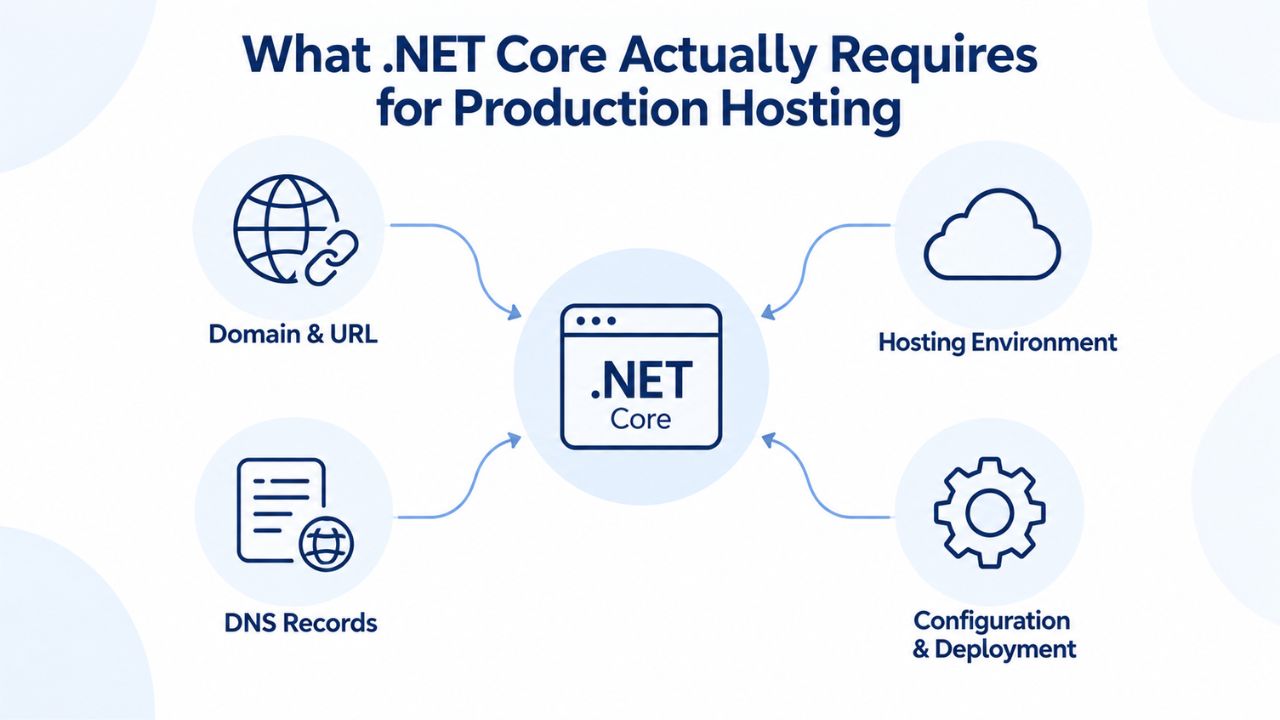
What .NET Core Actually Requires for Production Hosting
To understand why cPanel cannot support .NET Core, you need to understand what a .NET Core application actually does when it runs. Unlike a PHP script, which the web server reads, parses, and executes fresh for each incoming request, a .NET Core application is a compiled binary that runs continuously as a server process from the moment the server boots until it’s explicitly stopped. It doesn’t sleep between requests; it listens actively on a port and waits for incoming requests.
The Kestrel Web Server
Every .NET Core application includes Kestrel, a lightweight, built-in web server developed by Microsoft specifically for this purpose. When you run your application, Kestrel starts up and opens a listening port (typically localhost:5000 or another local port). In a production setting, you don’t expose Kestrel directly to the internet for incoming traffic; instead, you place a reverse proxy in front of it. This pattern- Kestrel running your application on a local port, Nginx forwarding incoming HTTP requests to that local port- is the industry-standard production deployment for .NET Core on Linux. The reverse proxy handles TLS termination, HTTP/2 support, static file serving, request filtering, and caching, while Kestrel focuses on running your application code.
This architecture exists because Kestrel is optimized for application logic, not peripheral web server tasks. Nginx is optimized to handle thousands of concurrent connections and distribute them efficiently. Separating these concerns improves both security and performance.
Process Supervision and Startup Management
On a VPS or dedicated server, you create a systemd unit file, a configuration file that tells the Linux operating system exactly how to manage your application as a service. This unit file specifies the command to run your application, what user it should run as, environment variables, restart behavior if the process crashes, and dependencies. Once you create and enable the unit file, systemctl tells systemd to start your application at boot and automatically restart it if the process dies unexpectedly.
On shared hosting, end users don’t have systemd access, and the hosting provider cannot create or manage these service files for every customer; doing so would create a massive support and security liability. If a provider tried to manage systemd services for 500+ accounts on a single server, any misconfiguration could cascade into widespread issues. That is why shared hosting providers don’t offer .NET Core support. According to the Microsoft Answers community, many .NET Core developers report that shared Linux hosting providers explicitly don’t support .NET Core and don’t allow the root access needed to install it manually.
Hosting Options and .NET Core Support: Comparison Table
| Hosting Tier | Control Panel | .NET Core Support | Management Model | Best Use Case |
|---|---|---|---|---|
| Linux Shared Hosting (cPanel) | cPanel | ❌ No | Fully Managed | PHP, WordPress, Python, Ruby blogs |
| Windows Shared Hosting (Plesk) | Plesk | ✓ Yes (v2.1–v7.x) | Fully Managed | .NET Core applications, classic ASP.NET |
| Linux VPS (Unmanaged) | Command-line (SSH) | ✓ Yes (full control) | Self-Managed | .NET Core developers with Linux skills |
| Windows VPS | Plesk or RDP | ✓ Yes (full control) | Self-Managed | .NET Core with Windows-specific needs |
| Cloud Platform (AWS/Azure/GCP) | Native APIs/CLI | ✓ Yes (full control) | Self-Managed or Managed | Enterprise scaling, high availability |
| Dedicated Server | Command-line (SSH) | ✓ Yes (full control) | Self-Managed | Maximum control, resource-intensive apps |
Every row in this table reflects a different trade-off between cost, control, and operational overhead. The Linux shared hosting tier (cPanel) remains unmatched for affordability and ease of use, but it cannot run .NET Core. Every option that supports .NET Core costs more, requires more technical management, or both.
Why Developers Ask This Question: Market Context and Motivation
.NET Core has become a genuinely cross-platform technology in a way that would have been unthinkable a decade ago. Microsoft released .NET Core in 2016 as an open-source, Linux-compatible alternative to the Windows-only .NET Framework. In recent years, adoption has accelerated across the industry. According to JetBrains’ 2025 developer survey, 70% of .NET web developers now use ASP.NET Core, and most new projects started today target .NET Core instead of legacy frameworks.
The Appeal of Cross-Platform Deployment
For developers who spent years building exclusively on Windows-only .NET, the ability to deploy your code to Linux servers is genuinely transformative. It opens up new possibilities for infrastructure flexibility and cost optimization. Linux hosting has historically been more affordable than Windows hosting because Linux operating systems are free; there’s no licensing fee to pass along to the customer. A developer naturally asks: “If .NET Core runs on Linux, can I host it on affordable Linux shared hosting?” The question is logical and shows clear thinking about infrastructure options. Unfortunately, the answer is no, not because of licensing barriers, but because of fundamental architectural differences.
The Cost Expectation Gap
The frustration that results from this incompatibility is genuinely understandable. Developers familiar with PHP or Python shared hosting see cPanel’s affordable entry point and expect something similar for .NET Core. But shared hosting’s low cost depends on the hosting provider managing dozens or even hundreds of accounts on a single server using a standardized control panel and uniform tooling. .NET Core’s need for per-application process management and reverse proxy configuration breaks that standardization completely. Adding .NET Core support would require providers to fundamentally alter their operational model and support infrastructure, likely forcing price increases across the board.
How Niya Digital’s Team Sees This Pattern
Niya Digital’s team has found through ongoing onboarding conversations that .NET Core developers often discover this compatibility issue too late in their project planning, sometimes only when they’ve already written significant code. Developers familiar with the new, cross-platform capabilities of .NET Core sometimes assume that “cross-platform” automatically means “runs anywhere on Linux,” including cheap shared hosting. Helping developers understand the architectural difference between running on Linux as an operating system versus running within a shared hosting control panel is a key part of support conversations around hosting selection.
Windows Hosting with Plesk: The Managed Alternative for .NET Core
If you want to run .NET Core on shared hosting without managing a VPS yourself, Windows hosting with Plesk is your answer. GoDaddy’s Web Hosting Plus (Windows with Plesk) supports .NET Core versions 2.1, 3.1, 5.0, 6.0, and 7.0. Niya Digital’s Web Hosting service, powered by GoDaddy infrastructure, offers Windows Plesk as a separate Web Hosting tier from the default Linux cPanel tier, giving you a managed option if you need .NET Core support.
How Windows Plesk Supports .NET Core
Plesk is a control panel designed to work on both Windows and Linux servers, but it operates differently depending on the operating system it manages. On Windows servers, Plesk integrates directly with IIS (Internet Information Services), which is Microsoft’s native web server built into Windows Server. When you deploy a .NET Core application to a Plesk Windows account, you upload your compiled application binaries to your hosting account via FTP or Plesk’s web-based file manager, create a new application pool in Plesk (a configuration that tells IIS how to manage this particular application), assign your domain to that application pool, and then Plesk handles everything else: IIS starts your application, manages incoming requests, and supervises the process.
The workflow is similar to cPanel’s approach to PHP hosting, but adapted for .NET Core’s process-based model. You’re still using a control panel GUI; you’re still not managing systemd configuration or Nginx proxying manually. The key difference is that IIS and Plesk are designed from the ground up to support multiple application pools, each running a different technology stack or application. This is where Windows hosting really shines for .NET Core developers; it provides the management convenience of shared hosting with actual support for your technology stack.
The Trade-off: Convenience vs. Cost Considerations
Windows hosting with Plesk does cost more than Linux cPanel hosting. The price difference reflects Windows Server licensing fees that hosting providers must pay to Microsoft for each server, plus the operational complexity of managing a Windows infrastructure. However, if you need managed .NET Core hosting without the complexity of managing a VPS yourself, this tier represents genuine value. You get professional support staff, automated backups, SSL certificate management, domain DNS control, and a control panel designed for your technology- all the convenience features that shared hosting is known for- plus native .NET Core support.
Explore Your .NET Core Hosting Options
If you’re ready to host .NET Core and want professional support without the complexity of managing a VPS, Niya Digital’s Web Hosting offers Windows hosting with Plesk, giving you managed .NET Core support with the convenience of a control panel. You get automated backups, SSL certificate management, domain DNS control, and a support team that understands .NET deployment, all without the Linux administration overhead. Explore Niya Digital’s Web Hosting plans to find which tier matches your .NET Core project scope.
Linux VPS: Full Control and Flexibility for .NET Core Developers
If Windows hosting doesn’t appeal to you, or you need Linux-specific tools and want to minimize licensing overhead, a Linux VPS is a great option for .NET Core hosting. A VPS (Virtual Private Server) is a virtual machine leased from a hosting provider. Unlike shared hosting, where you share a server with hundreds of other accounts, a VPS is essentially your own dedicated virtual computer. You have root access (full administrative permissions) and complete control over the operating system, installed software, and system configuration.
Setting Up .NET Core on a Linux VPS
On a Linux VPS, the typical .NET Core hosting setup follows a well-established pattern that has become the industry standard. First, you install the .NET Core runtime on the VPS using your Linux distribution’s package manager (apt for Ubuntu/Debian, yum for CentOS/AlmaLinux). Next, you upload your compiled application to a directory on the VPS.
Then, you configure Nginx as a reverse proxy, creating a server block that forwards HTTP requests to your Kestrel application server running on localhost. After that, create a systemd service file that tells the VPS to start your application at boot and automatically restart it if it crashes. You enable and start the service with systemctl commands, then point your domain’s DNS records to your VPS’s IP address.
This workflow requires some Linux command-line knowledge and comfort with editing configuration files via SSH. If you’ve never used SSH or edited configuration files, a VPS can feel like a steep learning curve at first. However, many tutorials are available, and once you learn the basics, you gain complete control: you can install any software you want, run multiple applications simultaneously, customize performance settings, and scale resources as your traffic grows.
Cost and Performance Considerations
A production-ready Linux VPS for .NET Core applications typically requires at least a 2.8 GHz CPU, 2 GB RAM, and NVMe storage for optimal performance. This configuration is competitive with Windows VPS pricing overall, but significantly cheaper than Windows hosting tier pricing because you’re running a free operating system. You pay only for hardware, CPU, RAM, and bandwidth, with no licensing costs.
Performance-wise, a Linux VPS with an Nginx reverse proxy + Kestrel application server is highly efficient and scalable. Modern .NET Core code running on this stack can handle thousands of concurrent connections on modest hardware. This combination is battle-tested across thousands of production deployments worldwide, and the ecosystem is mature and well documented.
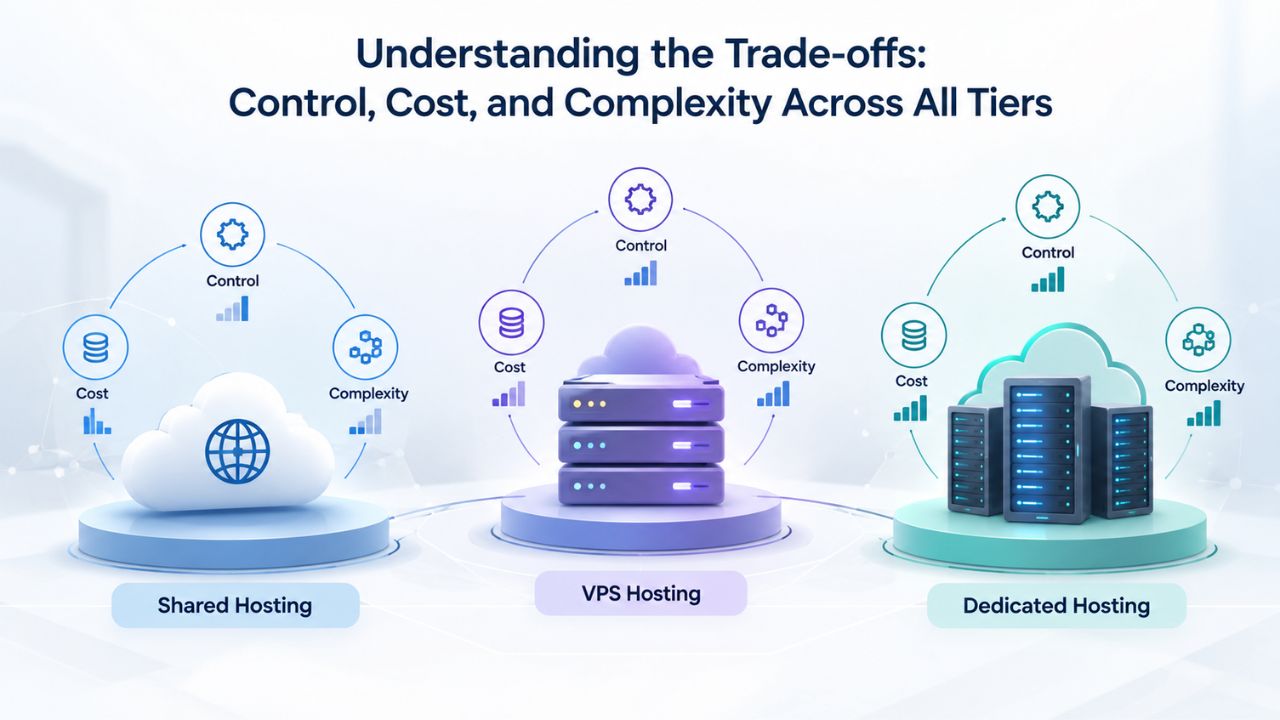
Understanding the Trade-offs: Control, Cost, and Complexity Across All Tiers
Every hosting option available to you- cPanel shared, Windows Plesk shared, Linux VPS, or cloud- makes different trade-offs between cost, control, and operational overhead. There is no universal “best” choice; the right choice depends entirely on your technical skills, your budget, and how much infrastructure management you’re willing or able to handle.
When to Choose Linux cPanel Shared Hosting
Choose this tier if you’re building a PHP, Python, or Node.js site and want the lowest cost and absolute minimum complexity. cPanel handles everything behind the scenes. You upload files through the file manager, create databases through the control panel, point your domain settings, and your site runs. Professional support is often excellent and available 24/7. Backups happen automatically. This tier is ideal for blogs, small business sites, portfolio sites, and projects that don’t require .NET Core. It remains the most cost-effective entry point into web hosting for the languages and platforms it supports.
If you’re building with .NET Core, cPanel shared hosting isn’t an option. That doesn’t make it a bad choice for other projects; it remains the standard choice for millions of websites worldwide.
When to Choose Windows Plesk Shared Hosting
Choose this tier if you specifically need .NET Core hosting but prefer not to manage server administration yourself. You pay more than Linux shared hosting, and that price difference comes from Windows Server licensing costs. However, you get the same management convenience that makes shared hosting appealing: a control panel, one-click backups, built-in SSL certificate support, and a professional support team available when you need help. This tier is ideal for .NET Core projects from developers who want professional-grade hosting without taking on DevOps responsibilities. It’s the middle ground between full automation and full control: you’re not managing infrastructure, but you have access to a control panel designed specifically for your technology stack.
When to Choose Linux VPS
Choose this tier if you’re comfortable with command-line Linux administration and want to minimize infrastructure costs. You’ll manage more yourself- backups, security updates, Nginx configuration- but you retain complete control and save money. This tier is ideal for developers who want deep customization options, plan to run multiple applications on the same server, or are cost-conscious and willing to invest time in learning Linux system administration. It’s the sweet spot for experienced developers who want power without the expense of dedicated servers or cloud platforms.
When to Choose Cloud Hosting
Choose this tier if you’re building an application that will scale rapidly, needs redundancy and automatic failover, or requires elastic scaling based on traffic patterns. Cloud platforms (AWS, Azure, Google Cloud) offer auto-scaling, managed databases, CDN integration, sophisticated monitoring, and other enterprise-grade features. They cost more per month than VPS or shared hosting, but they’re ideal for production applications expecting significant growth or variable traffic patterns.
Making the Decision: Which Hosting Tier Fits Your .NET Core Project
Choosing a hosting tier is fundamentally a decision about risk, complexity, and budget. Your goal is to find the tier that lets you launch your application reliably and sustainably without unnecessary overhead or management burden.
Starting Your Decision: Core Questions
First, ask yourself honestly: “Do I actually need .NET Core, or could this project run on PHP, Python, or Node.js?” If your project is flexible on language choice, shared cPanel hosting is genuinely appealing; it’s affordable, well-supported, and has a massive ecosystem of tools and tutorials. If .NET Core is required (perhaps your team has significant C# skills, or your application needs libraries unique to the .NET ecosystem), then you’re narrowing your options to Windows Plesk shared, Linux VPS, or cloud.
Next: “How much technical infrastructure management am I willing to take on?” If the answer is “as little as possible,” Windows Plesk shared hosting is the right call. You get professional management and native .NET Core support without taking on DevOps responsibilities. If you’re comfortable with Linux administration, or genuinely interested in learning it, a Linux VPS offers better value and substantially more control over your infrastructure.
Finally: “What’s my realistic timeline and scalability expectation?” If you’re building a proof-of-concept, MVP, or small project, shared hosting (Windows Plesk) or a small Linux VPS gets you running quickly without overcomplicating your infrastructure. If you’re planning a production application that might scale rapidly, a cloud platform or managed VPS (one with built-in automation for backups and scaling) is worth the investment.
Red Flags and Next Steps
Don’t choose a hosting tier based purely on lowest price. A hosting account with an attractive price tag is tempting, but if you need .NET Core support and you choose cPanel, you’ve chosen wrong, and realizing this after you’ve written and deployed code is extremely frustrating. Similarly, don’t over-engineer your infrastructure; you don’t need Kubernetes on a major cloud provider for a small internal application. Match the tier to your actual needs and growth expectations.
Once you’ve narrowed your options to one or two tiers, reach out directly to the support team of the hosting provider you’re considering. Ask them directly: “What’s your experience with .NET Core deployments on this specific tier?” Good providers can show you examples of .NET Core sites they host, offer specific configuration guidance, and help you avoid common gotchas. That direct conversation with the support team is often the single best way to validate your hosting decision.
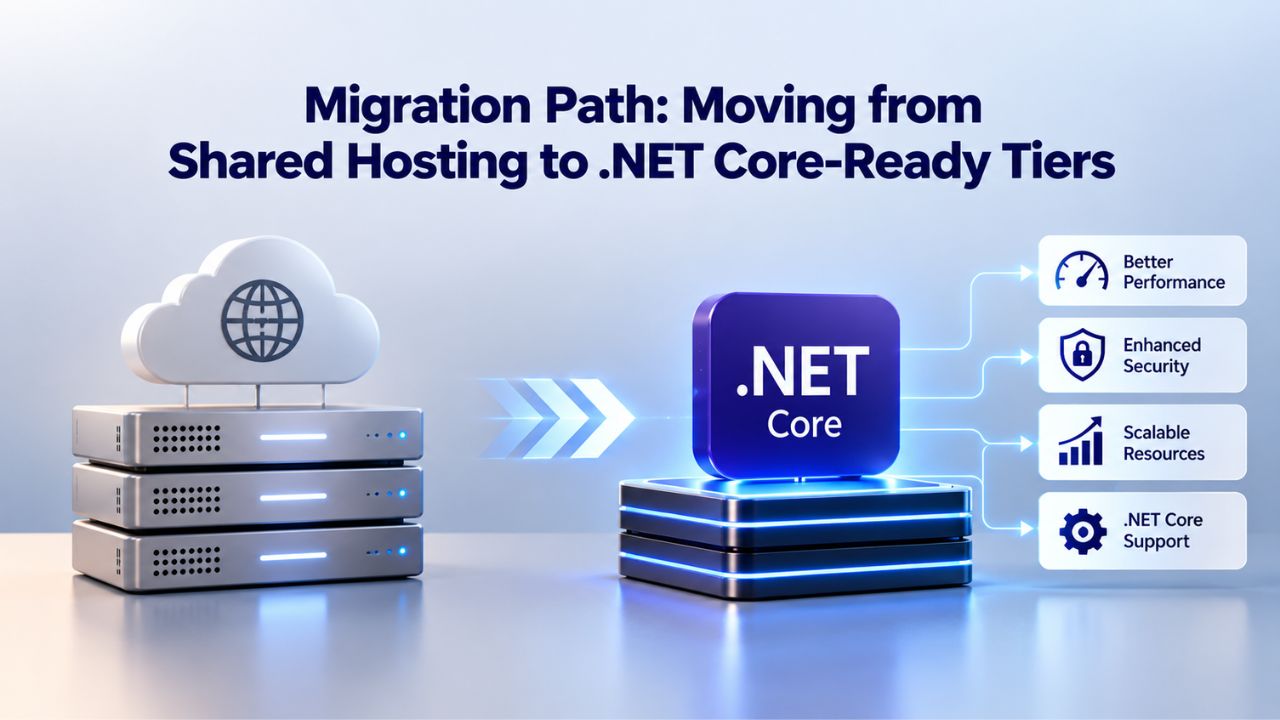
Migration Path: Moving from Shared Hosting to .NET Core-Ready Tiers
If you’re currently running on cPanel shared hosting and want to migrate to a .NET Core–capable tier, or if you’re starting fresh and want to future-proof your hosting infrastructure, planning the migration path carefully matters.
Why and When to Migrate
You might migrate for several reasons: your site is outgrowing shared hosting’s resource limits, you want to deploy a new .NET Core application without running multiple hosting accounts, or you’re consolidating multiple applications onto a single, more capable platform. The right time to migrate is when you can afford a brief transition period and have time to thoroughly test your application on the new server before cutting over live traffic.
The Migration Process: Windows Plesk Shared Hosting
If you’re moving from cPanel Linux to Windows Plesk shared hosting, the process is straightforward and well-established. First, back up everything from your current cPanel account: all files, all databases, and all email. Second, sign up for a Windows Plesk account with your hosting provider (or upgrade your existing account if your provider offers both Linux and Windows tiers). Third, recreate your email accounts and databases on the new Windows server. Fourth, upload your .NET Core application to the new account. Fifth, update your domain’s DNS records to point to the new account’s nameservers or IP address. Finally, test thoroughly before retiring the old account.
Most hosting providers allow you to run both accounts in parallel during the migration period, so you don’t face forced downtime. Domains typically stay live on the old server until you actively change the DNS records. Once you’ve verified that everything works correctly on the new server, that your application runs, that databases are accessible, and that email forwarding works, you can safely cancel the old account.
The Migration Process: Linux VPS
If you’re moving to a Linux VPS, the process requires more hands-on work and technical knowledge. Back up everything from your current hosting account. Provision a new Linux VPS (Ubuntu 24.04 LTS or AlmaLinux are good choices for .NET Core applications). SSH into the VPS and install the .NET Core runtime, Nginx web server, and other dependencies. Upload your application and configure Nginx to reverse-proxy HTTP requests to Kestrel. Create systemd service files to manage your application. Test your application on the VPS using a temporary domain or subdomain. Update your primary domain’s DNS to point to the VPS.
This process can take a few hours if you’re experienced with Linux, or a full day or two if you’re learning as you go. Many hosting providers offer migration assistance for an additional fee; ask whether it’s available and what it includes.
Minimizing Downtime and Testing Thoroughly
The key to a smooth migration is parallel testing before you cut over traffic. Point a temporary domain (like test.yourdomain.com or preview.yourdomain.com) to your new hosting account while your primary domain still uses the old account. Thoroughly verify that your application works correctly on the new server: test all features, test all integrations, confirm email forwarding still works, and test API connections if you have any. Once you’re confident that everything functions correctly on the new server, update your primary domain’s DNS records. DNS changes can take 24–48 hours to fully propagate globally, but your site will typically be accessible on the new server within minutes.
Scaling Beyond Shared Hosting: When and How to Upgrade
As your .NET Core application grows- more users, more traffic, more data, more features- you may eventually outgrow shared hosting, even the Windows Plesk tier. Understanding what the next tier looks like and when to plan for that transition helps you avoid unexpected downtime or performance degradation.
Growth Signals That Indicate It’s Time to Scale
Watch for specific signs that your current shared hosting tier is becoming a bottleneck. Higher response times: your application runs fine in testing, but live user requests take several seconds because you’re sharing server resources with other accounts. Hitting resource limits: your hosting plan has maximum CPU, RAM, or storage allocations, and you’ve upgraded your plan multiple times but still hit limits. Frequent traffic spikes: your site experiences predictable traffic surges (during sales, promotions, or news coverage), and shared hosting becomes unresponsive during those periods. Complex application logic: your .NET Core application now handles real-time features, background job processing, or integrations with multiple external services- complexity that really benefits from dedicated infrastructure.
None of these are catastrophic problems, but they’re clear signals that shared hosting has served you well, and it’s time to move to a more capable hosting tier.
The Upgrade Path: VPS or Cloud
From Windows Plesk shared hosting, your next step is typically a Windows VPS, which gives you more dedicated resources and fuller root access. From a Linux VPS, you might upgrade to a larger VPS with more CPU and RAM, or you might move to a containerized cloud platform if your application needs automatic scaling based on traffic. Both VPS and cloud platforms give you more control and more responsibility. You’ll manage your own security updates, security patching, and backups, or you’ll pay for a managed service to handle those tasks for you. The trade-off is worth it once your application’s actual needs exceed what shared hosting can sustainably provide.
Planning for Scale Without Over-Engineering
Scale when you actually need to, not in anticipation of future needs. A small .NET Core application on a Linux VPS with 2 GB RAM can handle thousands of concurrent users if the code is efficient and well optimized. You don’t need Kubernetes or a full cloud platform from day one. Build on shared hosting or a small VPS, monitor performance metrics and resource usage as your user base grows, and upgrade deliberately when those metrics clearly show you need more capacity.
Decision Framework for Hosting Tier Selection
| Your Situation | Recommended Tier | Key Reason | Next Steps |
|---|---|---|---|
| Building PHP/Python site, want lowest management burden | Linux cPanel Shared | Mature ecosystem, lowest cost, excellent support | Sign up; no special configuration needed |
| Need .NET Core, prefer managed hosting with control panel | Windows Plesk Shared | Native .NET Core support, professional management, GUI control panel | Check provider’s Windows tier; verify supported .NET versions |
| Comfortable with Linux CLI, want .NET Core with full control | Linux VPS | Full control, cost-effective, industry-standard Nginx+Kestrel stack | Choose VPS size; configure Nginx reverse proxy; set up systemd |
| Need rapid scaling or variable traffic patterns | Cloud (AWS/Azure/GCP) | Auto-scaling, managed services, enterprise features | Evaluate platform options; plan architecture before deploying |
| Building low-traffic site, maximum control desired | Dedicated Server | Unlimited control, no shared resources | Verify you have DevOps skills or hire a managed service |
Start Your .NET Core Hosting Journey
Ready to deploy your .NET Core application with professional support and the right infrastructure? Niya Digital’s web hosting offers plans and expert guidance to fit your .NET Core needs. Whether you choose managed Windows hosting or plan a Linux VPS setup, our team helps you select the right tier for your project’s performance, control, and scalability requirements.
Frequently Asked Questions
Can I run .NET Core on shared cPanel hosting if I compile it as a self-contained application?
No, unfortunately not. A self-contained .NET Core application still needs to run as a background process and receive HTTP requests through a reverse proxy. Shared hosting doesn’t provide root access or process management capabilities. Even though the application is compiled into a single executable, it still needs infrastructure support that cPanel fundamentally cannot provide.
Why does Windows Plesk support .NET Core when cPanel doesn’t?
Windows Plesk supports .NET Core because it integrates directly with IIS (Internet Information Services), which is designed to manage multiple application pools, each running a different technology stack. Plesk can configure IIS to route requests to your .NET Core application pool. cPanel is built around Apache and language interpreters (mod_php, mod_python), a model that doesn’t extend to process-based application servers like Kestrel.
Is there a workaround to run .NET Core on cPanel shared hosting?
A: Technically, you could SSH into a cPanel account and manually install the .NET Core runtime, then start your application. However, most shared hosting providers disable SSH access or severely restrict it. Also, your application process wouldn’t persist if the server reboots or the provider restarts services. This approach is not recommended; it’s unsupported, fragile, and will fail when you need it most.
Can I run multiple .NET Core applications on shared hosting?
Yes, both Windows Plesk shared hosting and Linux VPS support running multiple .NET Core applications simultaneously. On Windows Plesk, each application gets its own application pool and domain binding. On a Linux VPS, each application runs as a separate systemd service listening on a different local port, with Nginx routing requests to the appropriate port based on the incoming domain name.
What’s the difference between a VPS and cloud hosting for .NET Core?
A VPS is a single virtual machine that you lease from a hosting provider. You get a fixed amount of CPU, RAM, and storage allocated to your VPS; if you need more, you upgrade to a larger VPS size. Cloud hosting (AWS, Azure, Google Cloud) lets you provision resources on demand and scale automatically based on traffic patterns. Cloud hosting is more complex to manage and more expensive, but it’s ideal for applications expecting variable or rapidly growing traffic.
Do I need a dedicated IP address to run .NET Core on shared hosting?
No. A dedicated IP address is useful for running multiple SSL certificates before SNI became standard, or for sending bulk email. For .NET Core hosting, a shared IP address with SNI (Server Name Indication) support is fine. You can host multiple domains on .NET Core using a single shared IP address if they all use SNI-compatible SSL certificates, which is the standard today.
How do I know if my .NET Core application is compatible with Windows Plesk hosting?
If your application was built with ASP.NET Core (rather than .NET Framework), it’s compatible. Check your project file (.csproj) to confirm your target framework is net6.0, net7.0, net8.0, or similar (not net48 or earlier full framework versions). If you’re using only standard .NET libraries without P/Invoke calls to Windows-specific DLLs, your application will run fine on Windows Plesk hosting.
Is shared hosting less secure than a VPS?
Shared hosting and VPS each have different security models. Shared hosting uses containerization and file-permission isolation to prevent one account from accessing another; this helps prevent accidental data leakage. However, shared hosting exposes you to noisy-neighbor problems (one account’s malware or resource abuse can affect everyone). A VPS isolates you more thoroughly; you’re on a separate virtual machine, but you’re responsible for your own security updates and firewall configuration. For most applications, both are secure if the provider is reputable and you follow basic practices (strong passwords, regular backups, updated software).
Can I move my application from Windows Plesk hosting to a Linux VPS later?
Yes, but it requires technical work. Your .NET Core code should run identically on both platforms if you’ve followed cross-platform best practices. However, you’ll need to recreate database configurations, SSL certificates, and Nginx reverse-proxy settings on the Linux VPS. Hosting providers sometimes offer migration assistance. Plan for several hours to a full day to complete the move and verify everything works correctly.
What’s the typical setup time for .NET Core hosting?
On Windows Plesk shared hosting, you can deploy your application and have it live very quickly: upload files, create a domain binding in Plesk, and point your DNS. On a Linux VPS, expect several hours if you’re experienced with Linux, or a full day if you’re learning as you go. Cloud hosting timelines vary by platform and whether you’re using pre-built templates.
Does Niya Digital’s Web Hosting support .NET Core?
Niya Digital’s Web Hosting service, running on GoDaddy infrastructure, offers both Linux cPanel hosting (which does not support .NET Core) and Windows Plesk hosting (which does support .NET Core). If you need .NET Core support, you’ll want to choose the Windows hosting tier. Niya Digital’s support team can help you select the right plan for your .NET Core application.
What’s the difference between .NET and .NET Core?
.NET Framework is the original, Windows-only implementation of .NET. .NET Core (now called just “.NET,” starting with version 5.0) is the modern, cross-platform, open-source version. New projects should target .NET Core/.NET 5 or later. If your code was built with .NET Framework 4.x, it won’t run on Linux; you’d need to migrate it to .NET Core first.
Are there Linux shared hosting alternatives to cPanel that support .NET Core?
Theoretically, a control panel could be built to support .NET Core on Linux. However, no mainstream shared hosting control panel (cPanel, Plesk, DirectAdmin) has implemented full .NET Core support on Linux shared hosting. Plesk supports .NET Core on Windows. Some niche providers offer Docker-based hosting or specialized .NET hosting, but you’re unlikely to find mainstream shared hosting with integrated .NET Core support on Linux.
Glossary
- Control Panel: A web-based graphical interface that hosting account holders use to manage websites, domains, email accounts, and databases without needing command-line access. cPanel and Plesk are the two most common control panels in web hosting.
- Shared Web Hosting: A service in which multiple websites are hosted on a single physical server, with each account isolated from others through permissions and containerization. It’s the most affordable and beginner-friendly Web Hosting tier because the provider manages all server-level infrastructure and you pay only for your account’s resources.
- .NET Core: Microsoft’s free, open-source, cross-platform runtime for building and running applications written in C#. Unlike the legacy .NET Framework (Windows-only), .NET Core runs on Windows, Linux, and macOS, making it ideal for developers who want platform flexibility and modern application architecture.
- Kestrel: The built-in web server included with every .NET Core application. Kestrel is lightweight and efficient but is typically run behind a reverse proxy (Nginx or Apache) in production for added security, TLS termination, and performance optimization.
- Reverse Proxy: A server (typically Nginx or Apache) that sits in front of an application server, receiving incoming HTTP requests and forwarding them to the application running on a local port. The reverse proxy handles TLS encryption, HTTP/2 support, static file serving, and request routing, while the application server focuses on running code.
- VPS (Virtual Private Server): A virtual machine leased from a hosting provider. Unlike shared hosting, a VPS provides root access and dedicated resources, giving you full control over the operating system and installed software in exchange for more technical responsibility.
- Root Access: Administrator-level permissions on a server that allow you to install software, manage system services, modify configuration files, and perform low-level administration tasks. Shared hosting intentionally does not grant root access to end users for security and isolation reasons.


