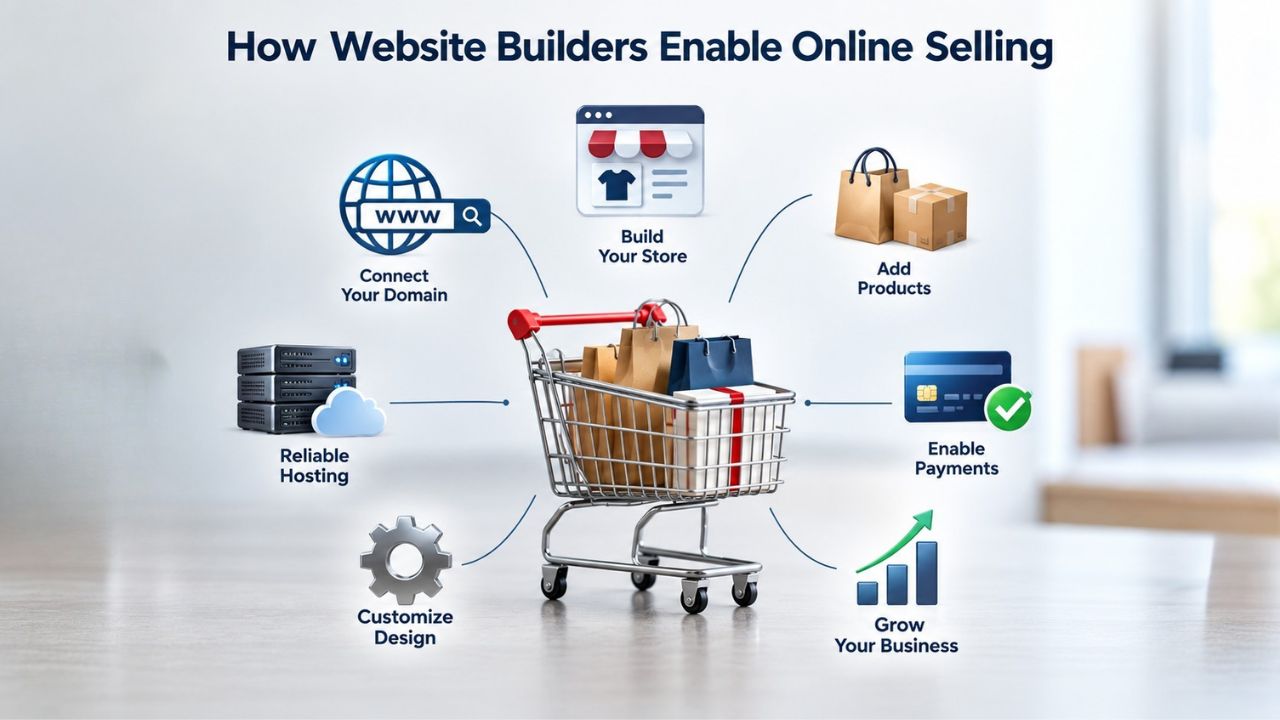
How Website Builders Enable Online Selling
Today’s website builders have evolved far beyond static brochures and simple landing pages. They now integrate core e-commerce functionality directly into their drag-and-drop interfaces, making it possible for anyone, regardless of technical skill, to launch a fully functional online store.
The Technical Foundation Behind Online Selling
An e-commerce website builder handles the behind-the-scenes mechanics you’d otherwise need a developer to build from scratch. When a customer browses your store, the builder manages a secure shopping cart that tallies items and prices, enforces inventory limits, and prevents double-selling. When they’re ready to purchase, the builder delivers a checkout page that collects shipping and billing addresses, applies discount codes, calculates tax and shipping, and securely transfers payment information to your payment processor.
The payment processors integrated with website builders, typically Stripe, PayPal, Apple Pay, Google Pay, and similar services, handle the actual transfer of funds between customer and merchant accounts, ensuring that sensitive financial data never sits unencrypted on your website. The builder also manages order records and notifications. Merchants receive alerts when a purchase occurs, can update order status (processing, shipped, delivered, completed), and trigger automated customer emails at key milestones. Inventory tracking happens in real time; when a customer purchases an item, stock levels update immediately across your store, reducing the risk of overselling.
What Merchants Manage vs. What the Builder Handles
A website builder abstracts away most technical complexity, but it doesn’t remove merchant responsibility. You upload product images, write descriptions, set prices, and configure variants (size, color, options) through a visual editor, no database queries or backend code required. The builder publishes your catalog to a live website, ensures it displays beautifully and functions smoothly on mobile devices, and handles the secure checkout flow.
You are responsible for keeping product information accurate and current, writing descriptions that convert browsers into buyers, sourcing or taking high-quality product photography, managing your inventory in real time, and handling post-sale customer service. The line blurs in the grey zone of business operations the builder enables but doesn’t fully automate. Tax calculations, for example: the builder provides tools and fields to configure your tax rates by location, but you remain responsible for charging the correct amount and remitting taxes to the appropriate jurisdictions. The builder is a powerful tool that removes technical barriers, but it does not remove the need for business knowledge and judgment.
Website Builder Plans & Pricing
Create a professional website with flexible website builder plans designed for businesses, portfolios, and growing online brands. Choose a plan that matches your needs and build, customize, and manage your website with easy-to-use tools, responsive designs, and essential features for a strong online presence.
Website Builder Personal
Share your passion online.
- Responsive mobile design
- Website hosting
- Rapid Page-Load performance
- Create a blog
- Security (SSL)
- 24/7 support

Website Builder Business
Create an online presence for your business.
- Responsive mobile design
- Website hosting
- Rapid Page-Load performance
- Create a blog
- Security (SSL)
- 24/7 support
- PayPal Buy Now or Donate button
- Search Engine Optimization (SEO)
Website Builder Business Plus
Attract more customers.
- Responsive mobile design
- Website hosting
- Rapid Page-Load performance
- Create a blog
- Security (SSL)
- 24/7 support
- PayPal Buy Now or Donate button
- Search Engine Optimization (SEO)
- Social Media Integration
- Share content to Facebook
- Online Appointments
Website Builder Online Store
Sell products and services.
- Responsive mobile design
- Website hosting
- Rapid Page-Load performance
- Create a blog
- Security (SSL)
- 24/7 Support
- PayPal Buy Now or Donate Button
- Search Engine Optimization (SEO)
- Social Media Integration
- Share content to Facebook
- Online Appointments
- Built-in shopping cart
- Sell physical and digital products
- Accept credit and debit cards, PayPal and more
- Flexible shipping options
- Discounts and promotions
- Manage inventory
Realistic Expectations for Online Sales
Building a website with e-commerce capability does not guarantee sales, conversions, or search engine rankings. Website builders provide the tools; your results depend on factors outside the platform’s control. A product must solve a real problem or fulfill a genuine want. Pricing must be competitive relative to alternatives or offer clear value justification for a premium. Marketing effort, whether through email, social media, search visibility, organic word-of-mouth, or paid ads, is essential to reach customers in the first place.
Common Expectations to Recalibrate
Search rankings: A website builder offers on-page SEO tools (meta tags, structured data, XML sitemaps, alt text fields) that help search engines understand and index your content. These tools support on-page optimization best practices but do not guarantee page-one rankings for any keyword. Ranking depends on content quality, backlink authority, topical relevance, user-experience signals like page speed, and competition, all influenced heavily by factors outside the builder’s scope.
A well-optimized store for a popular, low-competition product may rank organically over time; a store for a niche product may need paid advertising or personal network outreach to build initial traffic. The builder enables SEO best practices; achieving actual rankings requires combining those tools with content quality, marketing effort, and time. Don’t expect organic traffic immediately after launch; instead, plan for 3–6 months of steady optimization and marketing effort before search visibility meaningfully improves.
Why Initial Effort and Ongoing Commitment Matter
Conversion rates: No builder guarantees conversion rates or promises to “always” convert visitors into buyers. Conversion depends on site design quality, product appeal, pricing competitiveness, checkout friction, trust signals (customer reviews, clear policies, secure payment badges), and the visitor’s readiness to buy. A website builder provides the functionality and the framework; your conversion rate reflects the quality of execution on top of it.
A beautiful store selling low-quality products will not convert well; conversely, an unglamorous store selling a genuine solution might convert visitors at a healthy rate. The builder enables both scenarios equally. Focus on the factors you can control: clear product descriptions, professional photography, transparent shipping and return policies, fast checkout, and responsive customer support. These elements drive conversion more than the builder platform itself.
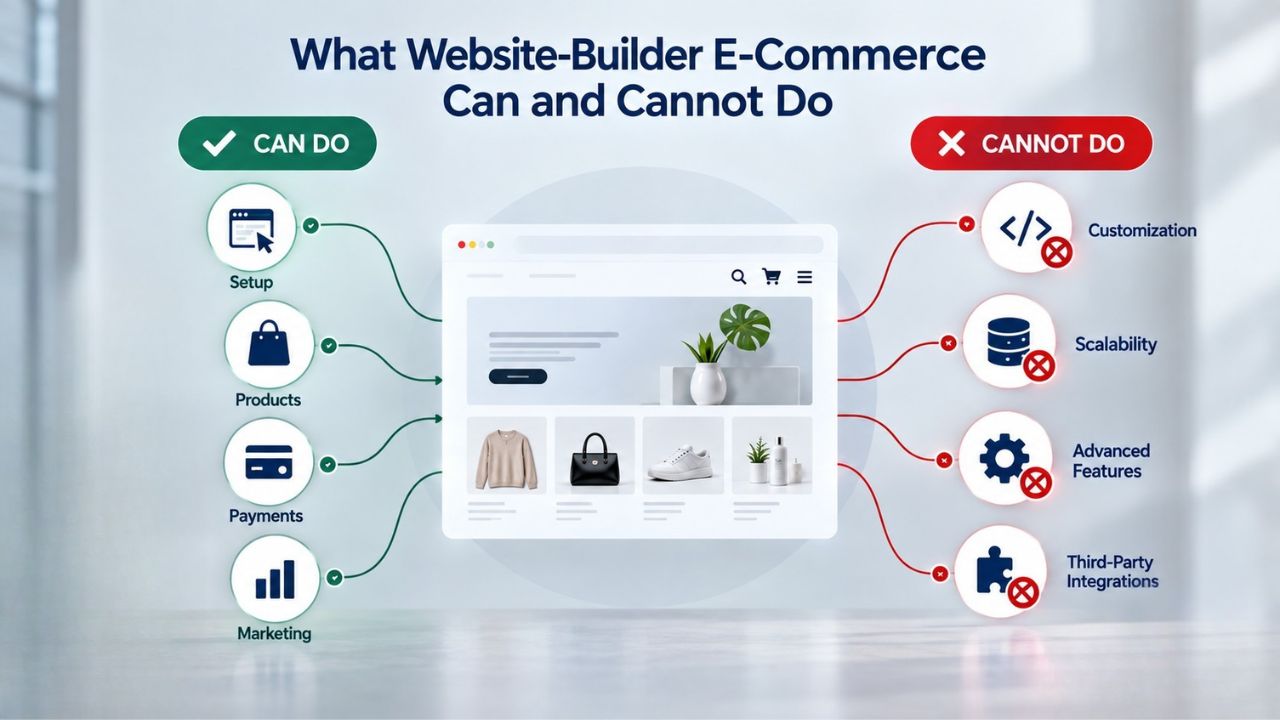
What Website-Builder E-Commerce Can and Cannot Do
Website builders excel at enabling small businesses and solopreneurs to launch a functioning online storefront without hiring a developer or learning to code. They offer standardized industry-specific templates, drag-and-drop product setup, one-click payment integration, bundled hosting and domain connection, and built-in marketing tools like email and social posting. These features make it possible to go from idea to live store in days, not months.
Capabilities and Natural Limits
For the majority of small online sellers, artisans with 50–500 products, coaches and consultants offering digital courses or services, local service providers, freelancers, and digital-product creators, a website builder’s e-commerce capability is sufficient and appropriate. The platform provides everything needed to list products, accept payment, and manage orders without complexity or ongoing platform management overhead.
Investing in custom development or migrating to a larger platform doesn’t make financial sense until you’ve outgrown the builder’s capabilities. Many successful online businesses start on a website builder, achieve product-market fit, validate their business model, and then migrate to a more specialized solution when growth demands it. Starting with a website builder isn’t a limitation; it’s a sensible way to test and launch a business without a huge upfront infrastructure investment.
Plan Tiers and E-Commerce Inclusion
Not every website builder plan includes e-commerce functionality. Entry-level tiers often omit store features to keep the offering affordable for bloggers, portfolio sites, and informational websites. E-commerce is typically reserved for mid-tier and premium plans. Once included in a plan tier, feature differences may reflect product-count limits, transaction-fee structures, storage allocation for digital downloads, access to advanced features like marketplace sync or abandoned-cart recovery, or email-marketing send allowances.
Niya Digital offers website builder plans that bundle site-building technology with reseller-side support. Setup support and ongoing account management are included, providing guidance on template selection, product-catalog best practices, and troubleshooting that complements the underlying builder technology. The value proposition is simplicity plus support: you get the powerful builder engine plus a real person to help you navigate setup, not just self-service documentation.
| Plan Tier | Best For | Typical Features | Suitable For E-Commerce |
|---|---|---|---|
| Personal | Blogs, portfolios, informational sites | Drag-and-drop editor, mobile-responsive templates, basic analytics, domain connection | No; limited to brochure-style content |
| Business | Small business websites, service providers | All Basic features plus advanced SEO tools, email marketing integration, contact forms | Limited; usually no product selling or minimal product support |
| Business Plus | Growing businesses with online presence needs | All Standard features plus advanced customization, marketplace integrations, basic store setup | Yes; supports product listings and checkout, but limits may apply |
| Online Store | Online retailers, service booking businesses | Unlimited product listings, full shopping cart, payment processing, inventory management, order fulfillment tools, marketplace sync | Yes; full-featured online store support |
Which Businesses Benefit Most from Website-Builder E-Commerce
A website builder’s e-commerce fit depends on your business model, product volume, operational complexity, and growth stage. Small retail stores managing 50–500 products find website builders efficient and cost-effective. Artisans and craft sellers benefit from built-in gallery features and product-variant options. Coaches, consultants, and creative professionals offering digital courses, templates, or services appreciate simple checkout and instant digital delivery.
Best-Fit Business Models
| Business Type | Product/Service Volume | Setup Complexity | Payment Processing | Best-Fit Builder Approach |
|---|---|---|---|---|
| Freelance coach with 1–3 service offerings | Low | Simple | Per-appointment deposits or package sales | Website builder with booking calendar and payment collection |
| Artisan/craft seller | 50–100 products with variants | Moderate | Per-product sales | Website builder e-commerce plan with gallery and variant support |
| Local salon or beauty service | 5–10 services + retail products | Moderate | Deposits, full payments, package memberships | Website builder with dual service-booking and retail store |
| Digital-product creator | 1–20 digital products | Simple | Per-download or subscription | Website builder with instant digital delivery and email delivery |
| Retail shop | 500–1,000 products | Moderate | High transaction volume | Website builder e-commerce plan (may hit limits approaching 1,000 SKUs) |
| Subscription or membership business | Recurring monthly/annual charges | Complex | Recurring billing | Website builder with subscription-billing add-on or integration |
| Affiliate or content-monetization site | Varies; embedded affiliate links | Moderate | Commission-based | Website builder with affiliate link integration and affiliate program management |
When to Consider Outgrowing a Website Builder
Conversely, businesses with large catalogs exceeding 5,000 unique items, complex fulfillment needs like multi-warehouse logistics or dropshipping partnerships, subscription models requiring sophisticated recurring-billing logic, or highly specialized selling mechanics often find website builders too limiting and migrate to dedicated e-commerce platforms like Shopify, BigCommerce, WooCommerce, or custom solutions. The transition doesn’t happen overnight, and there’s no universal trigger; timing depends on your specific growth pattern and business needs.
Common triggers include product-catalog size exceeding 5,000–10,000 items, subscription or recurring-revenue models requiring native billing, managing sales across multiple channels simultaneously (your store, Amazon, eBay, Etsy, social), complex fulfillment operations (dropshipping, multi-warehouse), and custom payment or checkout flows specific to your business. A website builder is a strong starting point and foundation for most small businesses; it’s not a ceiling.
Setting Up E-Commerce: What to Expect in Time and Effort
Launching a basic online store on a website builder typically takes days to a couple of weeks, not months. You select a template tailored to your business type, customize colors and branding, upload products with descriptions and images, configure shipping and tax settings, connect a payment processor, and publish. Most of this work involves copying and pasting information into web forms and uploading files, no coding required. The builder handles all the technical setup; you focus on content and decisions.
Timeline and Workload Reality
A live store with no traffic is invisible; even with paid ads or email outreach, building an initial customer base takes consistent effort and usually weeks or months. Most merchants underestimate this third piece; they expect the website to do the marketing work, when in reality, driving traffic is the merchant’s responsibility. Budget time and money for email marketing outreach to your existing list, social-media content creation, or paid ads to drive your first customers and build momentum. The website is the venue; marketing is the work that fills the venue.
Plan for 1–2 weeks of technical setup (template selection, product upload, payment processor connection), 2–4 weeks of ongoing refinement (writing better descriptions, improving product photos, testing checkout), and 6–12 weeks of building an initial customer base through marketing. This timeline isn’t fixed; some merchants move faster, others slower, but it sets realistic expectations. Don’t launch and expect immediate results; launch and commit to ongoing improvement and marketing.
The Role of Onboarding and Setup Support
Onboarding support from your website builder service is the difference between DIY frustration and guided progress. A qualified onboarding team walks you through template selection, helping you find a design that appeals to your target customers and fits your product category. They help you configure store basics: business name, domain connection, payment processor connection, shipping and tax settings. They review your product catalog structure and advise on how to present products for maximum clarity and appeal.
Ongoing account management ensures you know how to use your store once it’s live. Support teams help troubleshoot issues if a checkout flow breaks, if payment processing fails, if inventory counts seem off, and they often provide best-practice guidance on e-commerce operations. This ongoing relationship is where the reseller model adds value beyond the underlying builder technology. You’re not just buying access to a tool; you’re buying access to people who understand how to launch and run online stores.
Start Selling Online Without Technical Barriers
Website builders remove the biggest obstacle to launching an online store: hiring a developer or learning to code. In days, not months, you can have a professional, mobile-responsive storefront that accepts payments, manages inventory, and fulfills orders. Niya Digital’s Website Builder Service combines the powerful builder technology with onboarding support and account management, ensuring you’re guided through every step. Stop waiting to launch; your customers are ready to buy.
Payment Processing, Fees, and Merchant Responsibility
Online payment processing is never “free to the merchant.” When a website builder integrates payment processors like Stripe, PayPal, Square, or others, each processor charges a transaction fee. These fees vary by processor and payment method but typically run 2.7% plus 30 cents per card transaction. If a customer pays with PayPal, the fee structure might differ. Apple Pay and Google Pay may have their own processing rates. These fees are deducted from each sale before funds reach your merchant account. Understanding your processor’s fee structure is essential to profitability.
Understanding Transaction Fees and Merchant Accounts
Once your processor is approved, the builder handles the technical connection. Payment data flows securely from your checkout to the processor, which handles authorization and settlement. Fees are automatically deducted, and net proceeds settle to your merchant account within 1–3 business days. This automated process is reliable and industry-standard, but you need to understand your specific processor’s fee schedule, settlement terms, and any exceptions or special conditions.
Different payment methods sometimes carry different fees. Credit cards might be 2.7% + 30¢, but ACH bank transfers might be a flat 1%, and digital wallets like Apple Pay might negotiate better rates. Check your processor’s pricing table to see which payment methods you offer and their respective fees. Factor these fees into your product pricing and profit-margin calculations from the start. If your profit margin is 30% and your payment fees are 2.7%, you’re losing nearly 10% of potential profit to processing costs, a math that works fine for many businesses but is worth understanding upfront.
PCI Compliance, Security, Tax, and Shipping
The Payment Card Industry Data Security Standard (PCI DSS) regulates card data handling. Website builders handle PCI compliance at the infrastructure level by encrypting card data in transit, storing it securely (if at all), and implementing security protocols that prevent unauthorized access. Merchants don’t need to handle raw card data directly; the builder’s checkout and payment integration handle it securely. Your responsibility is to understand PCI compliance basics (don’t store card numbers in plain text, use secure connections, keep passwords strong), follow your builder’s security best practices, keep your merchant credentials secure with strong passwords and two-factor authentication, and report suspicious activity to your payment processor or builder support immediately.
You set tax rates and shipping costs yourself within the builder’s settings. Website builders may integrate with tax-calculation services like TaxJar or Avalara to automate sales tax compliance, or connect to shipping carriers like USPS, UPS, and FedEx to calculate real-time rates. These integrations are optional and often involve additional fees, but they’re available if your business has complex tax or shipping requirements. Regardless, you remain responsible for charging the correct tax, charging appropriate shipping, and remitting sales tax to the proper jurisdiction. The builder is a tool; tax and shipping policy are business decisions.
Mobile-Responsive Design and Its Impact on Sales
Most internet searches now happen on mobile devices. When potential customers search for your product category on their phone, they expect websites to load quickly and work smoothly on small screens. A website that doesn’t display well on mobile, with text too small to read, buttons too cramped to tap, and images that don’t resize, loses customers before they even see your products. They’ll bounce to a competitor’s site that works better on mobile.

Why Mobile Matters to Customer Experience
Shopping on mobile means trading screen space for convenience and immediacy. Customers expect to load your store quickly on their phone, scroll through products, and complete a purchase in under 5 minutes, all on a small screen. A slow-loading store, cramped layout, or confusing checkout flow feels broken on mobile and prompts abandonment. Website builders optimize for this mobile-first reality because the data is clear: mobile traffic is the majority of ecommerce traffic for most merchants.
The builder’s templates are tested and optimized for mobile from inception; you don’t need to do anything special to achieve this. What you should do is preview your store on actual mobile devices (phones, tablets) during setup and before launch. Test the checkout flow on your phone as a customer. Can you easily add items to cart? Can you read product descriptions? Can you click buttons without accidentally hitting adjacent buttons? This testing takes 30 minutes and prevents costly oversights.
Mobile Optimization and Search Engine Ranking
Mobile optimization also influences search engine ranking. Google prioritizes mobile-friendly sites in mobile search results and treats mobile usability as a ranking factor. A responsive store has a slight SEO advantage simply because it works well on phones. But the direct benefit matters more: a smooth mobile shopping experience keeps customers from leaving due to friction before they can purchase. In practice, this means higher mobile conversion rates and better customer satisfaction.
Ensure your store is mobile-responsive (the builder does this by default), test it on real devices, and keep load times reasonable (large images slow down mobile pages). These three steps cover the core mobile-optimization bases and help both your conversion rate and your search rankings.
SEO Fundamentals for Website-Builder Online Stores
A website-builder store can rank in search results if you apply on-page SEO practices. Builders provide editable meta titles and descriptions, structured data markup, XML sitemap generation, and alt-text fields for product images. These tools support on-page SEO, the practice of optimizing individual pages so search engines understand the content and match it to relevant search queries. A well-written product page with a clear title, keyword-relevant description, high-quality images with alt text, and customer reviews gives search engines clear signals about what the page is about.
On-Page SEO Tools and Best Practices
Every product page in your store should have a unique, keyword-relevant title (not “Product 1” but “Blue Handmade Ceramic Planter – 8 Inch”). Write meta descriptions that clearly describe what the product is and why someone should click. Upload high-resolution product images and fill in alt-text fields describing what the image shows. Include detailed product descriptions that answer common customer questions. Encourage customer reviews and respond to them, as review content is fresh and signals to search engines that your page is active and trustworthy.
The builder provides fields for all of this; using them properly is your responsibility. A store with 100 well-optimized product pages has far better SEO prospects than a store with 1,000 poorly-written pages. Quality matters more than quantity for on-page SEO. Spend time writing genuinely helpful descriptions and titles; that effort pays dividends in search visibility.
SEO Limitations and Realistic Expectations
Where website builders have limited reach: they cannot control external link volume (backlinks from other sites), cannot influence domain age and authority, and cannot overcome weak product-market fit or search volume challenges for your niche. A builder’s SEO tools are necessary but not sufficient for ranking. You also need backlink authority, content that’s genuinely better than competitors, and audience demand for your keywords.
A well-optimized store for a popular, low-competition product has a better chance of ranking organically; a store for a niche product or one in a competitive category benefits greatly from paid advertising or personal network outreach to bootstrap traffic. The builder enables SEO best practices; achieving actual rankings requires combining those tools with content quality, marketing effort, and time. Expect 3–6 months before you see meaningful organic traffic. Build authority through reviews, customer testimonials, and backlinks by reaching out to relevant websites, blogs, and publications in your niche.
Managing Orders, Inventory, and Customer Communication
Once a sale happens, the store must track the order and keep the customer informed. Website builder dashboards log all transactions with customer details, order status, and payment confirmation. Merchants receive notifications when a purchase occurs, often via email or SMS, so they know immediately when a customer is waiting for fulfillment.
Order Tracking and Automated Notifications
Inventory management in website builders ranges from manual to semi-automated. Basic inventory tracking shows product stock levels in your dashboard; you reduce them manually as items sell or you update them on a schedule. The builder prevents overselling by decrementing inventory when an order is placed. If you have 10 items in stock and 2 customers buy 6 items each, the builder will reject the second sale if your settings require stock confirmation.
Advanced features might integrate with fulfillment partners or marketplaces like Amazon and eBay to automatically sync inventory across channels, reducing overselling risk. For small merchants managing inventory manually, accuracy is essential; an oversold product requires you to contact the customer, apologize, and either delay shipment or offer a refund. Staying on top of inventory is a merchant responsibility, but the builder provides the tools to track and manage it efficiently.
Inventory Management and Real-Time Updates
Real-time inventory updates mean that when a customer adds an item to their cart, the available stock decreases for other shoppers. This prevents two customers from buying the last item at the same time. If you receive a large order and inventory depletes, the builder’s inventory system immediately reflects the shortage, and subsequent customers see “Out of Stock” or “Notify Me” options instead of being able to purchase a non-existent item.
For merchants with physical inventory, syncing inventory between your store and your warehouse or point-of-sale system is crucial. Manual updates (logging into your dashboard daily to adjust counts) work for small operations; automated syncing via API integrations works for larger operations. The builder supports both approaches. Choose the method that fits your current scale, knowing you can upgrade to automated inventory syncing if growth demands it.
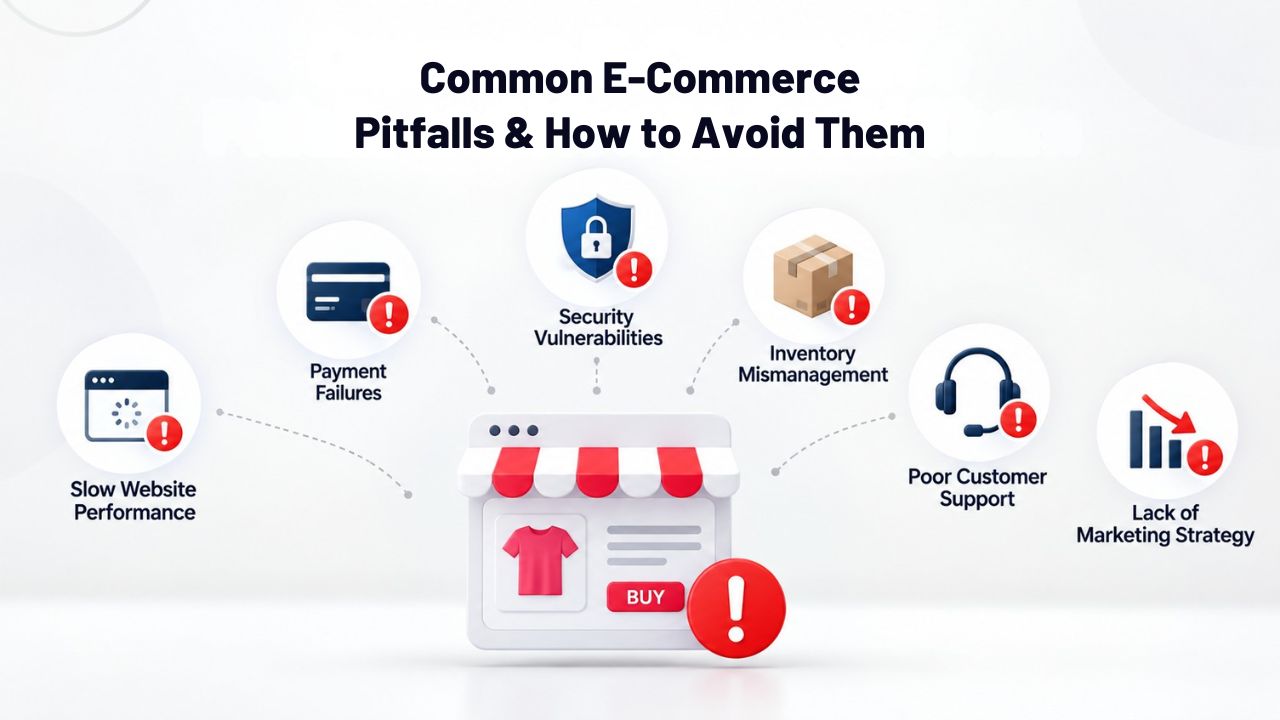
Common E-Commerce Pitfalls and How to Avoid Them
Every new online seller encounters predictable challenges. Poor product information, low-quality images, vague descriptions, and missing product variants frustrate shoppers and drive cart abandonment. Successful online stores invest heavily in clear photography and detailed descriptions that preemptively answer customer questions about size, fit, materials, origin, and shipping time. Lengthy, confusing checkout processes also cause abandonment.
Setup and Product Information Mistakes
Underestimating marketing effort is perhaps the most common mistake new online sellers make. A live store with no traffic is a dark website. Budget time and money for email marketing outreach to your list, social-media content, or paid ads to drive your first customers and build momentum. Most new stores don’t get meaningful organic traffic; you have to earn it through deliberate marketing effort.
Setting up your store’s technical infrastructure is only the first step. The real work is preparing your content (product photos, descriptions), planning your marketing (email list, social channels, ads), and executing consistently. Merchants who invest 30% effort in setup and 70% in marketing see far better results than those who do the reverse. Front-load your content and marketing preparation, then launch and maintain momentum through ongoing marketing effort.
Marketing, Inventory, and Customer Service Challenges
Inconsistent inventory management frustrates returning customers. If you sell out of stock without updating your store, someone buys an out-of-stock item, and then you have to disappoint them with a cancellation. Keep inventory counts current and consider out-of-stock messages or waitlist options to manage expectations. Neglecting customer service after the sale erodes repeat business and damages your reputation. Respond quickly to inquiries, handle problems gracefully, and make returns frictionless.
E-commerce is convenient for customers, which means they expect convenience in every interaction, including support. A quick, helpful response to a support email earns gratitude and repeat business. A slow or dismissive response tanks reviews and generates negative word-of-mouth. Treat support as a core part of your business, not an afterthought. Set reasonable response-time expectations (e.g., “We respond to emails within 24 hours”) and stick to them.
Start Building Your Online Store with Expert Support
Niya Digital’s Website Builder Service includes onboarding support to help you set up products, configure checkout, optimize your store for conversions, and troubleshoot issues as they arise. Templates are pre-built for common e-commerce scenarios, including boutique retail, digital products, service bookings, and appointment-based businesses, and are fully customizable to reflect your brand and values. You get access to Niya Digital’s support team throughout setup and beyond, ensuring you’re not navigating the platform alone. Start building today and get hands-on guidance as you launch your online store.
Frequently Asked Questions
Can I Really Sell Unlimited Products on a Website Builder?
Yes and no. Most website builders allow unlimited product listings at the database level, meaning you can technically add as many products as you want. However, the management interface becomes harder to navigate and slower to use once you exceed several thousand products.
Most builders are optimized for stores with 100–2,000 products; beyond that, searching for products, bulk-editing, and inventory management become less intuitive. For stores with under 1,000 products, website-builder management is typically painless. If you’re planning to launch with 5,000+ SKUs, a dedicated e-commerce platform may be better from day one.
How Long Does Payment Settlement Take?
Payment processors typically settle funds to your merchant account within 1–3 business days after a transaction clears. Website builders don’t control settlement timing; your processor and bank determine it. During that window, the transaction appears as “pending” in your orders; once settled, it’s finalized, and you can see the funds in your merchant account. Check your processor’s terms for specifics on their settlement schedule and any exceptions (weekends, holidays, disputes that slow the process).
What Happens If a Customer Disputes a Charge or Files a Chargeback?
Payment processors handle chargebacks and disputes. If a customer claims they didn’t authorize a purchase, didn’t receive the product, or received a damaged item, the processor investigates. You can provide evidence, order confirmation, tracking info, signed delivery proof, and customer communications to defend your sale.
Based on the evidence, the processor either returns funds to the customer or upholds your transaction. Website builders are not involved in dispute resolution; that’s purely between the processor, your bank, and the customer’s bank. Chargebacks can incur fees, so minimizing them through clear communication and accurate order fulfillment is important.
Can I Use Multiple Payment Processors on a Single Store?
Yes. Most website builders support multiple payment gateways at the same time, letting customers choose their preferred payment method at checkout. You might offer Stripe for credit cards, PayPal as an alternative, Apple Pay for mobile, and Google Pay for Android users, all on the same store.
The builder handles the routing and tokenization securely. This flexibility increases conversion because customers use their preferred payment method rather than abandoning their cart when they don’t see their preferred option.
Do I Need a Physical Business Address or Business License to Sell Online?
That depends on your location and local regulations. Most jurisdictions require some form of business registration and tax identification to operate a business, whether online or offline. Some locations allow home-based businesses; others require a commercial address.
Tax obligations, sales tax, income tax, and value-added tax in certain regions, vary by country, state, and industry. Niya Digital does not provide legal or tax advice, and regulations vary widely. Consult a local accountant or business attorney to confirm requirements for your specific jurisdiction before launching.
How Do I Handle International Shipping and Currency Conversion?
Website builders can configure multiple currencies and destination-based shipping rates. You can set per-country shipping rates, calculate by weight, or integrate with carriers that offer real-time rate quotes for international shipments. International shipping adds complexity; you’ll need to research carrier options (USPS, FedEx, DHL, local carriers), understand customs requirements and documentation, calculate landed costs (including duties), and set customer expectations for longer transit times.
Payment processors handle currency conversion automatically; customers see prices in their local currency and pay accordingly. Compliance obligations (VAT, GST, duty declarations, export restrictions) vary by jurisdiction and product type, so confirm local regulations before launching internationally.
Can a Website Builder Store Handle Flash Sales or Limited-Time Promotions?
Yes. Most builders include discount-code functionality, banner-promotion tools, and the ability to reduce prices or mark products as “on sale temporarily.” You manage these manually, set a sale price, add a promotional banner to your homepage, and push a marketing email to your customer list to announce the offer.
For sophisticated flash-sale mechanics like automatic price drops at specific times or limited-quantity enforcement with countdown timers, custom code or specialized apps might be needed. But most website-builder e-commerce plans include standard promotions and limited-time sales.
What If I Want to Add a Loyalty or Rewards Program?
Basic website builders do not include native loyalty or rewards programs. You can integrate third-party loyalty apps via API if your builder supports it, or manage a loyalty program manually through email marketing.
For example, tracking customer purchases and offering store credit or discounts on repeat buys is a simple loyalty approach that doesn’t require special features. Niya Digital’s support team can advise on compatible third-party tools and integration options based on your specific needs.
How Do I Protect Customer Payment Data?
The website builder handles encryption and PCI compliance at the infrastructure level. Payment data is never stored on your website itself; it’s tokenized and processed by your payment processor, which handles security and compliance.
Your responsibility is to keep your merchant account credentials secure (strong password, two-factor authentication) and follow the builder’s security best practices like keeping backups and monitoring for suspicious activity. Report anything unusual to support immediately.
Can I Embed My Online Store in a Larger Website or Integrate It with an Existing Site?
Some website builders allow embedding store functionality on other pages or integration with external websites via API. Niya Digital’s support team can advise on integration options specific to your needs. If you’re trying to add store capabilities to a site built on a different platform (WordPress, Shopify, custom code), integration may be more complex and might require custom development or workarounds.
What Happens to My Store if the Website Builder Shuts Down?
Established website-builder companies have operated for years and are unlikely to disappear, but the risk exists with any online service. Reputable builders allow you to export your data, product information, customer lists, and orders, so you can migrate to another platform if needed. Regular backups of your critical data (product catalog, customer contacts) to your own computer or cloud storage provide extra protection and peace of mind.
Do Website Builders Include Built-In Email Marketing?
Many website builders include email-marketing tools as part of their feature set. You can create email campaigns, manage subscriber lists, and send promotional emails.
These tools are more basic than dedicated platforms like Mailchimp or ConvertKit but are sufficient for newsletters and promotional emails. For sophisticated segmentation, A/B testing, or advanced automation workflows, you may want to integrate a dedicated email provider alongside your builder.
Can I See Analytics on My Store’s Performance?
Yes. Most website-builder dashboards include analytics showing traffic sources, visitor behavior, sales trends, and popular products. You can see which products get the most views, which traffic sources convert best, and how your revenue changes over time. Use these insights to optimize your product mix, marketing strategy, and site layout. You can also integrate Google Analytics for deeper traffic analysis if you want more detail beyond the builder’s native analytics.
How Much Storage Space Do I Get for Product Images?
Storage allowances vary by plan. Entry-level plans typically include 1–5 GB; e-commerce plans often include 10+ GB. For most small stores with under 500 products and multiple images each, standard storage is sufficient if images are optimized (compressed before upload). High-resolution photography for thousands of items may require upgrading to a larger storage plan or compressing images more aggressively. Check your plan specifications to confirm your storage allocation.
Can I Export My Store’s Data if I Want to Move to Another Platform Later?
Yes, but completeness varies by builder. Most allow you to export product information, customer data, and order history. Some advanced data (custom fields, workflows, specialized integrations) may not export cleanly. Before committing to a platform, ask support what’s exportable. Niya Digital’s support team can advise on export capabilities and migration paths if you outgrow the platform later.
Glossary
- Website Builder: A platform that lets you create and publish a website using drag-and-drop tools and pre-designed templates, without writing code or hiring a developer.
- E-Commerce: The practice of buying and selling products or services online through a website or online platform.
- Shopping Cart: The feature on an online store where customers add products they want to purchase, review items and quantities, and proceed to checkout.
- Checkout: The final step in an online purchase where a customer enters payment information, shipping address, and billing details before completing the transaction.
- Payment Gateway: The service that securely processes credit-card and digital-payment transactions, connecting the customer’s payment method to the merchant’s bank account. Examples include Stripe, PayPal, and Square.
- Product Catalog: The collection of all products offered on an online store, including descriptions, images, prices, and available options like size, color, or variants.
- Responsive Design: A website layout that automatically adjusts to display properly on devices of any size, desktops, tablets, and mobile phones, ensuring good user experience on all screens.
- Hosting: The server infrastructure and service that keeps a website live and accessible on the internet 24/7.
- Domain: The website’s web address (for example, mystore.com), which visitors type into their browser to reach your site.
- SEO (Search Engine Optimization): Practices and tools that help your website rank higher in search engine results for relevant keywords, driving organic (unpaid) traffic.