

If you’ve relied on SiteGround for shared hosting but watched your renewal bill climb sharply in recent years, you’re not alone. Many site owners and small business operators find that introductory rates change dramatically at renewal, and resource constraints force costly upgrades. Niya Digital’s Web Hosting service runs on server and network infrastructure operated by GoDaddy, not independently owned data centers. Website performance, uptime, and security depend on many factors beyond any single provider’s control, including your site configuration, code quality, traffic patterns, and security practices.
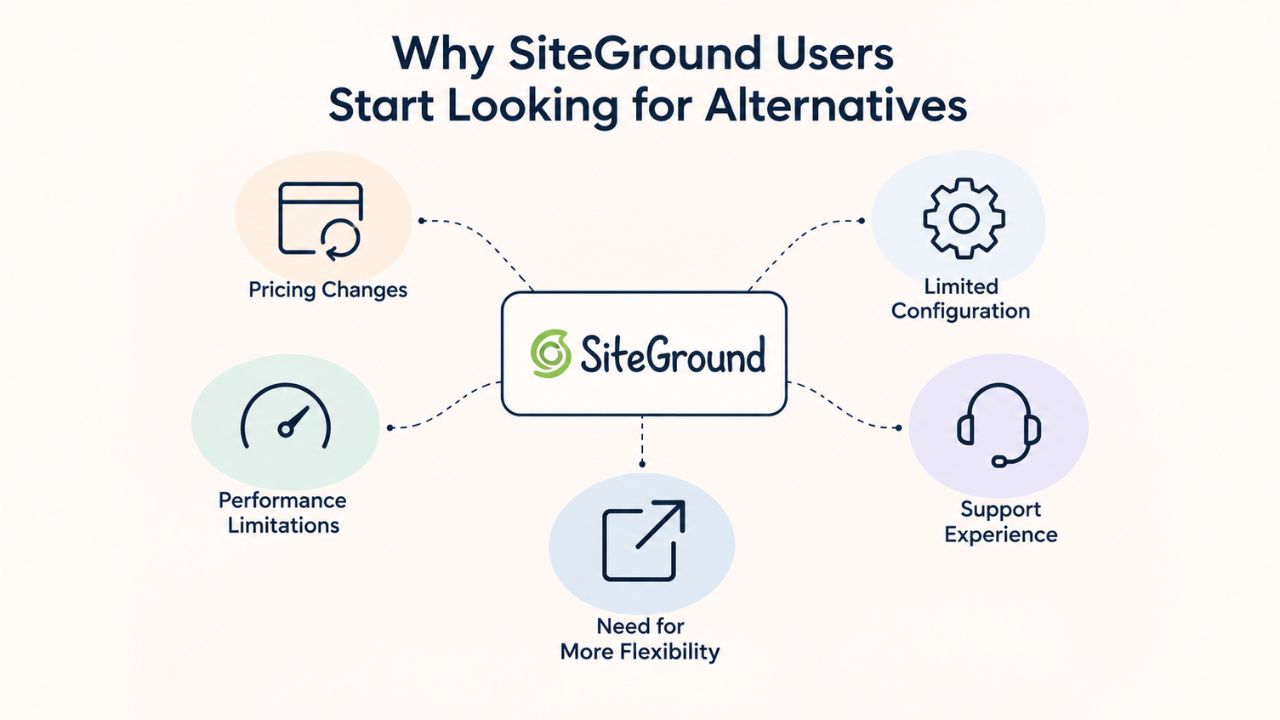
Why SiteGround Users Start Looking for Alternatives
SiteGround has built genuine trust over nearly two decades. The provider’s fast page loads, WordPress-specific optimization, and responsive support remain real strengths that explain its strong reputation. Yet the friction point that triggers most searches for alternatives is straightforward: the business model itself. What begins as an accessible entry rate transforms sharply at renewal, with no warning until the invoice arrives. Beyond pricing, growth-stage users hit artificial CPU and inode limits that trigger forced plan upgrades, creating a compounding problem for sites managing budget constraints.
Renewal Pricing as the Primary Driver for Switching
The single most cited reason users start shopping for alternatives is renewal pricing shock. Many users switch because of rising renewal costs and support limitations, with most customers reporting costs doubling or even tripling after promotional periods end. For individuals and businesses managing multiple sites or operating on a budget, that kind of surprise can derail financial planning entirely. Agencies managing client budgets and e-commerce operators are particularly affected as escalating renewals compound across every account they maintain.
Research across multiple independent sources confirms that renewal-price shock is the dominant decision factor. Bluehost’s analysis of why customers leave SiteGround specifically cites renewal pricing concerns as reason number one, followed by resource constraints and support scope changes. CheckThat.ai’s competitive analysis found that “renewal pricing frustrates growing teams,” with users on Reddit reporting that they left SiteGround because “the renewal prices were so brutal.” In contrast, WooCommerce store owners reported that “the renewal tends to escalate dramatically.”
Resource Limits That Force Upgrades
SiteGround applies documented CPU and inode limits that scale by plan tier. Every shared hosting plan on SiteGround has a monthly CPU-second quota; hitting 80% triggers a warning email, and hitting 100% forces your sites offline until the next billing cycle. There’s no rollover, no grace period, and no appeal. According to SiteGround’s Fair Use policy, no account is allowed to use more than 20% of the CPU for more than 10 seconds. When users hit these limits, which often happens unexpectedly as traffic grows, the only solution is upgrading to the next tier or to SiteGround’s expensive cloud plans.
When sites move to other hosting providers, users report that CPU issues disappear instantly, confirming the constraints are artificial thresholds rather than infrastructure limitations. By contrast, alternatives like Bluehost offer unlimited resources on Plus+ tiers, and Hostinger, A2, and DreamHost apply higher thresholds or clearer upgrade paths that don’t rely on bottlenecks. This matters because even modest traffic spikes or seasonal demand can trigger SiteGround’s warnings, forcing site owners to monitor quotas constantly instead of focusing on their business.
Business Web Hosting Plans & Pricing
Choose the hosting plan that fits your website, WordPress site, or growing business. Compare features, storage, performance, security, and website capacity to find the right hosting environment for your needs.
cPanel Starter
cPanel Hosting that's easy, reliable and lightning-fast.
- 1 website
- 30 GB storage
- Unmetered bandwidth*

cPanel Economy
cPanel Hosting that's easy, reliable and lightning-fast.
- 1 website
- 100 GB space
- Unlimited bandwidth*
- 100 email accounts**
- 10 MySQL databases (1 GB ea.)
cPanel Deluxe
cPanel Hosting that's easy, reliable and lightning-fast.
- Unlimited websites
- Unlimited space
- Unlimited bandwidth*
- 500 email accounts
- 25 MySQL databases (1 GB ea.)
cPanel Ultimate
cPanel Hosting that's easy, reliable and lightning-fast.
- Unlimited websites
- Unlimited space
- Unlimited bandwidth*
- 1000 email accounts
- Unlimited MySQL databases (1 GB ea.)
- 2X Processing power & memory (available for Linux/cPanel only)
- Premium DNS
- 1-year SSL certificate to secure customer data and increase search rankings
*We don't limit the amount of storage and bandwidth your site can use as long as it complies with our Hosting Agreement. Should your website bandwidth or storage usage present a risk to the stability, performance or uptime of our servers, we will notify you via email and may be required to upgrade, or we may restrict the resources your website is using.
**Email account storage is limited to 100 email accounts with 100 MB of total storage.
WordPress Basic
A great way to get started.
- 1 website
- 10 GB NVMe storage
- Unmetered bandwidth
- Free SSL Certificate *
- WordPress pre-installed
- Weekly backups
- Web Application Firewall
- Daily malware scans
- One-time malware removal

WordPress Deluxe
Improve your site performance with Cloudflare CDN.
- 1 website
- 20 GB NVMe storage
- Unmetered bandwidth
- Free SSL Certificate *
- WordPress pre-installed
- Daily backups
- Web Application Firewall
- Daily malware scans
- One-time malware removal
- Up to 2x faster performance with global Cloudflare CDN **
- Enhanced security with DDoS protection
- Staging site
WordPress Ultimate
Add online marketing with more sites, storage and security.
- 1 website
- 30 GB NVMe storage
- Unmetered bandwidth
- Free SSL Certificate *
- WordPress pre-installed
- Daily + on-demand backups
- Web Application Firewall
- Daily malware scans
- Unlimited malware removal
- Up to 2x faster performance with global Cloudflare CDN **
- Enhanced security with DDoS protection
- Staging site
- WordPress code optimizer
- Smart WordPress plugin manager
- Sell online with WooCommerce
*An SSL certificate is included with every site and free for the life of the hosting plan. Certificates are automatically installed, validated and renewed.
Web Hosting Plus Launch
For multiple basic sites.
- 100 GB storage*
- 4 GB RAM
- 2 CPUs
- Unmetered traffic
- 50 websites & databases
- Free, unlimited SSL for all your websites**

Web Hosting Plus Enhance
For high-traffic WordPress, Joomla, and other sites.
- 200 GB storage*
- 8 GB RAM
- 4 CPUs
- Unmetered traffic
- 100 websites & databases
- Free, unlimited SSL for all your websites**
Web Hosting Plus Grow
For advanced eCommerce sites like Magento.
- 300 GB storage*
- 16 GB RAM
- 8 CPUs
- Unmetered traffic
- 150 websites & databases
- Free, unlimited SSL for all your websites**
Web Hosting Plus Expand
For multiple basic sites.
- 400 GB storage*
- 32 GB RAM
- 16 CPUs
- Unmetered traffic
- 200 websites & databases
- Free, unlimited SSL for all your websites**
*The total amount of usable storage capacity for your particular Hosting Service(s) may differ from the represented capacity as there is required space for the operating system(s), system file(s) and other supporting file(s).
**If you cancel the Web Hosting Plus product, you will lose the associated SSL certificate as well.
Understanding Your True Hosting Cost Over Time
Hosting pricing operates on a two-tier model: the promotional rate you see advertised, and the renewal rate you’ll pay after the first or second year. SiteGround’s gap between these tiers is exceptionally wide. Understanding the full cost picture over time, not just the headline number, is essential for budgeting, especially for agencies or businesses running multiple sites. The difference compounds year after year, making transparent renewal pricing a primary decision factor that many alternatives now emphasize.
Alternatives Comparison Table
| Provider | Best For | Standout Strength | Key Limitation |
|---|---|---|---|
| SiteGround | WordPress beginners, small sites | Fast performance, WordPress integration, responsive support | Dramatic renewal cost increases, CPU resource limits trigger forced upgrades |
| Bluehost | WordPress users prioritizing official endorsement | Official WordPress.org recommended host, unlimited sites on Plus tier, free domain first year | Support scope narrowed from WordPress-specific guidance; renewal costs increase |
| Hostinger | Beginners and small businesses, value seekers | Transparent renewal pricing (modest increases), user-friendly hPanel interface, 99.9% uptime | Smaller brand recognition, custom control panel less familiar to cPanel veterans |
| A2 Hosting | High-traffic sites, developers, agencies | Turbo servers for speed, reseller hosting available, comprehensive plan ladder | Entry pricing slightly higher than some budget competitors; Turbo tiers require step-up |
| DreamHost | Long-term budgeters, nonprofits | 97-day money-back guarantee (longest), stable renewal costs, straightforward simplicity | Custom control panel differs from cPanel standard; email hosting extra on cheapest plan |
| Namecheap | Ultra-budget-conscious buyers | Lowest entry costs, Wildcard SSL included standard, transparent per-year renewal rates | Limited feature tier ladder; less advanced optimization than premium competitors |
| IONOS | Absolute budget shoppers, simple sites | Lowest first-year total cost, free domain, Cloudflare CDN included | Limited to single website on budget tiers; fewer advanced features than higher-tier alternatives |
| HostArmada | USA-centric buyers, performance seekers | USA data center locations, 99.9% uptime, transparent features, 45-day guarantee | Smaller global presence than major competitors; fewer data center regions |
How Renewal Structures Vary Across Providers
SiteGround’s shared hosting renewal pricing jumps dramatically from the promotional first-year rate. Each tier sees significant increases that it doesn’t clearly disclose upfront during the sales process. By comparison, competitors like Hostinger advertise modest renewal increases that remain stable year over year, making the renewal step-up transparent and predictable rather than a shock. Namecheap’s renewal fees are also far lower than SiteGround’s proportional increases, with starter plans renewing at roughly the same annual cost as first-year promotional rates.
DreamHost’s cheapest plan includes a 97-day money-back guarantee, the longest in the industry, specifically because the company is confident in its long-term value proposition. The provider offers stable renewal costs that don’t spike dramatically, addressing the trust issue that renewal shock creates. For nonprofits, solo bloggers, and budget-conscious teams, this difference compounds year after year. That’s why transparent renewal pricing has become a primary factor in switching away from SiteGround. Research shows that agencies managing multiple client sites look for providers that offer clarity on future costs, not just promotional rates.
Long-Term Financial Planning for Multisite Owners
An agency using multiple hosting accounts faces compounding costs if each renewal involves a significant jump. The cumulative budget impact across multiple client sites can become severe enough to justify a full provider migration. Independent research indicates that agencies managing dozens of client sites can save thousands of dollars annually by switching to providers with modest renewal increases. This difference enables agencies to reinvest in services, design, SEO, and ongoing support that improve margins and client satisfaction.
Small businesses and e-commerce operators similarly benefit from cost predictability. If a store owner can budget accurately for hosting costs without surprise jumps, they can allocate funds to inventory, marketing, and customer service instead. The trust factor matters too: knowing your hosting cost won’t spike unexpectedly builds confidence in your business projections and allows for more stable financial planning.
Performance & Speed: SSD, Caching, and Resource Allocation
All modern web hosts use SSD storage, but performance differences emerge in caching architecture, server optimization, and, critically, resource allocation. SiteGround excels in page-load speeds on its entry tiers, a genuine strength that reviews consistently mention. However, users who hit CPU limits don’t get faster speeds; they get throttled performance, regardless of their plan tier. Alternatives often combine solid base performance with higher resource ceilings, so growth doesn’t mean hitting artificial walls. The difference between a responsive site and one that slows under load can mean the difference between a converted customer and one who bounces away.
Real-World Performance and Where Constraints Matter
SiteGround offers fast speeds with data centers across four continents, free SSL on all plans, unlimited databases and email accounts, and eco-friendly hosting running on renewable energy. These are genuine strengths, and reviews consistently cite SiteGround’s speed as competitive within its tier. The catch is that speed gains from a good host mean little if your site goes offline when traffic spikes past the CPU quota. Performance is only reliable if it remains consistent under load, which SiteGround’s model doesn’t guarantee.
Comparative testing shows Hostinger outperformed competitors in speed, uptime guarantees, and pricing transparency during real-world trials, with test sites loading noticeably faster than others. A2 Hosting specifically stands out with faster performance through Turbo servers built for high-traffic environments, plus broader developer support and more comprehensive security features like proactive monitoring. Both alternatives offer higher resource ceilings on shared plans, so you won’t face forced upgrades as your site grows or during unexpected traffic spikes.
What Matters for Your Site’s Long-Term Performance
Performance depends on SSD storage (standard everywhere now), server caching (LiteSpeed, NGINX, or Varnish), geographic data center location (fewer milliseconds to your audience means faster loads), and unthrottled resources for your site’s traffic level. Research shows that even a 3-second delay drives away 40% of site visitors; bounce rates climb 32% from 1 to 3 seconds, and 90% from 1 to 5 seconds. Look for a provider with at least 99.9% uptime to minimize downtime, and choose SSD-based storage for faster data retrieval.
SiteGround offers all of these on its base plans, but only until you hit the CPU quota. Hostinger, Namecheap, and DreamHost remove the quota ceiling entirely on higher tiers, letting you scale without performance handcuffs. This is especially critical for e-commerce sites, content-heavy blogs, and any site expecting seasonal traffic spikes. With unthrottled resources, your site performance remains consistent even during unexpected traffic surges.
Support Quality, Scope, and Responsiveness
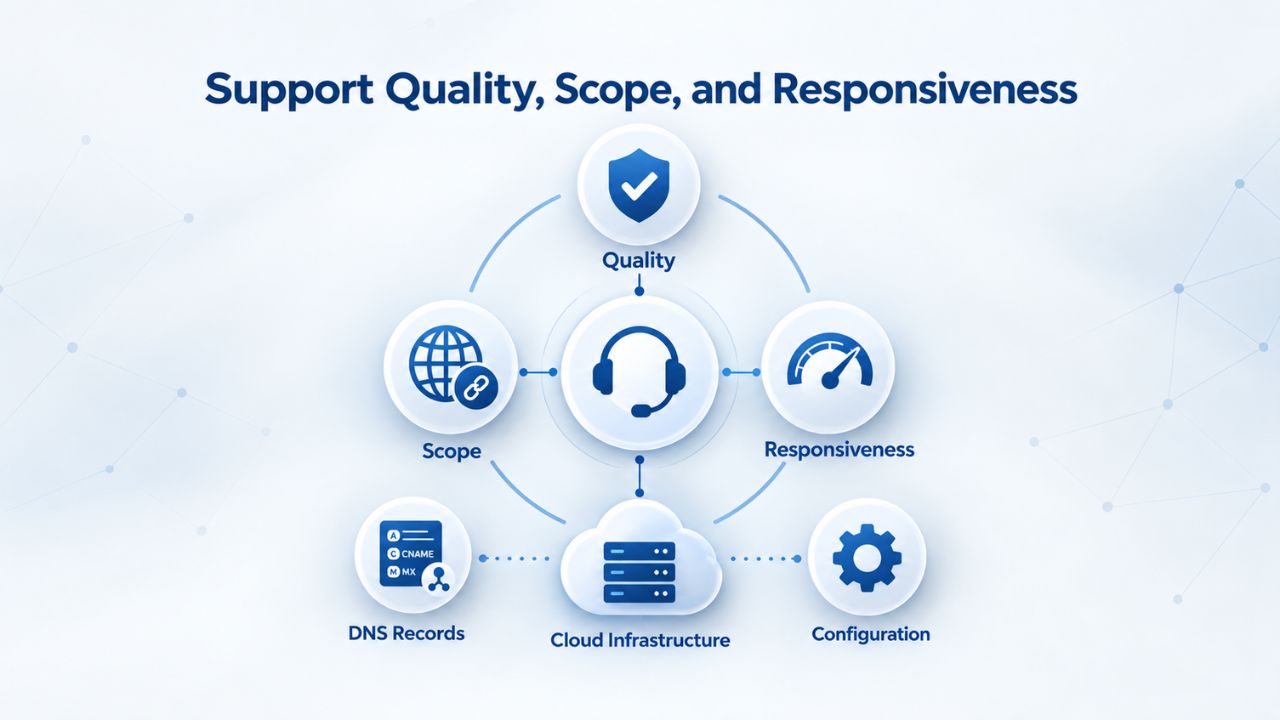
SiteGround’s support reputation has been built on fast response times and technical depth. In 2025, that reputation remains intact for infrastructure issues, but the scope for application-specific guidance has narrowed. Support no longer covers as much WordPress-specific advice as it once did, and response-time metrics vary by ticket complexity. For WordPress-first users, alternatives like Bluehost maintain official WordPress.org endorsements and continued WordPress-focused support that matter more than response time alone when you need help solving WordPress-specific problems.
How Support Scope Differs Across Alternatives
SiteGround reports fast average ticket response times and high satisfaction metrics, but users increasingly report frustration with support when they need help beyond infrastructure-level issues. Users are frustrated by support delays and limitations around flexibility, storage, or performance features that SiteGround doesn’t easily accommodate. That doesn’t mean SiteGround’s support is poor in an absolute sense; it means the scope is now more infrastructure-focused than application-focused, leaving WordPress users without the depth of help they previously expected.
By contrast, Hostinger excels in support quality, with high marks from users who praise its smooth, user-friendly interface and intuitive account management. A2 Hosting offers 24/7 customer support and advanced WordPress features with Turbo servers specifically optimized for WordPress performance. Bluehost is the official WordPress.org recommended host, so its team provides WordPress-specific guidance beyond standard hosting support. This distinction matters for WordPress users who run into plugin conflicts, theme issues, or WordPress-specific performance questions.
Support Priorities at Different Growth Stages
For beginners setting up a first site, responsive chat support and a knowledge base of common questions matter most. For WordPress-specific issues, theme conflicts, plugin optimization, database query problems, or multisite setup, deeper WordPress knowledge becomes crucial. For agencies managing multiple client sites, bulk account management tools, migration support, and API access become the priority. In 2025, hosting buyers prioritize uptime and reliability, speed, security, transparent pricing, and responsive, 24/7 support.
Hostinger, A2, and Bluehost each deliver strong support across these dimensions. A2 and Bluehost lean WordPress-heavy with their support depth, while Hostinger adds easy-setup features and responsive chat support that appeal to absolute beginners. Your choice depends on whether you prioritize WordPress-specific expertise, general reliability and speed, or ease of use for non-technical founders. All three alternatives exceed SiteGround’s current scope for WordPress-specific guidance.
Security, Backups, and Built-In SSL Features
Every hosting provider includes baseline security: SSL certificates (enabling encrypted HTTPS), firewalls, DDoS mitigation, and automated backups. The differentiator is what’s free and what costs extra. SiteGround includes all of these on its base plans, a genuine strength that explains why many users stay despite renewal shock. However, that doesn’t mean every alternative charges for the same tools; many bundle identical security features at lower cost, making the security argument moot.
What’s Included: Base Versus À La Carte
SiteGround offers unlimited databases and email accounts, eco-friendly hosting on 100% renewable energy, and a 30-day money-back guarantee across all plans. Essential features like daily backups, a free CDN, free email, WP-CLI and SSH access, and unlimited databases are included at no extra cost. This all-in pricing model is excellent for buyers who want complete transparency; you won’t be surprised by add-ons after signup.
Hostinger, Bluehost, and DreamHost all include free SSL certificates, daily backups, and email hosting on base plans with no security add-ons required for entry-level protection. IONOS offers accessible plans with must-have security features like daily backups, free Wildcard SSL, and data recovery with no hidden costs. A2 Hosting offers unlimited resources on higher-level plans and 24/7 customer support, with free SSL and advanced malware scanning included. This means you’re comparing actual security parity across providers, and the decision comes down to other factors like resource limits, support scope, and transparency.
Security as a Shared Responsibility
Website security depends on your host’s protections, SSL encryption, firewalls, malware scanning, automated backups, and DDoS protection, and critically on your own practices: keeping WordPress, plugins, and themes updated, using strong passwords, carefully vetting new plugins and themes before installation, and monitoring your site for suspicious activity. Your host cannot prevent security issues caused by outdated plugins or weak passwords, but it can provide the tools and monitoring you need.
All alternatives reviewed include free SSL as standard. What differs is whether you get advanced features like proactive malware scanning and automated remediation included or available as add-ons. For most small sites and beginners, included baseline security is sufficient; for e-commerce sites or those handling sensitive customer data, managed security add-ons become worthwhile. The key is that all alternatives meet the baseline security expectations that any modern host should meet.
Protect Your Site With Niya Digital’s Built-In Security & Backup Features
Every site needs baseline security by default, not as costly add-ons. Niya Digital’s Web Hosting includes free SSL certificates, automated daily backups, malware scanning, DDoS protection, and 24/7 security monitoring across all plans. Your site’s protection and data safety come standard, with no surprises.
Scalability Without Artificial Resource Ceilings
As a site grows, traffic increases, content multiplies, e-commerce transactions rise, hosting must scale gracefully to keep pace. SiteGround’s model requires plan upgrades when you hit CPU quotas, which can happen faster than expected on growing sites. An unexpected traffic spike from a social media share, a successful ad campaign, or seasonal demand can trigger the quota ceiling at exactly the wrong moment, during your busiest sales period or when a post goes viral. Alternatives like Bluehost, A2, and Hostinger either remove ceilings on higher tiers or offer clear upgrade paths that don’t feel like forced transitions driven by artificial constraints.
How Resource Ceilings Differ Plan-to-Plan
SiteGround’s resource limits scale by plan tier, with each tier allowing a specific number of monthly CPU seconds and inodes. Once you exceed your tier’s limit, your site goes offline until the next cycle, even if the actual traffic is well within what your site can handle technically. Growth-stage sites frequently hit these ceilings unexpectedly, forcing owners to monitor quotas constantly, an operational burden that distracts from running the actual business.
By contrast, Bluehost’s Plus and higher tiers offer unlimited websites and resources, giving you headroom for traffic growth without hitting hard limits. Hostinger provides increasing numbers of websites across plan tiers and unlimited bandwidth across all plans, with transparent resource tiers that let you predict when an upgrade becomes necessary rather than hitting surprise ceilings. A2 Hosting offers higher plan ceilings and Turbo servers that are built specifically for performance-demanding websites and high-traffic e-commerce sites where traffic volatility is expected.
Choosing a Plan That Grows With Your Site
Estimate your site’s traffic, storage, and email needs honestly, then choose a plan one tier above that estimate to build in a safety margin. Scalable web hosting ensures a seamless transition to higher-tier plans without downtime or complicated migrations; look for flexible pricing plans and the ability to upgrade storage and server power as your needs grow. Hostinger and A2 make this transition simple through their intuitive control panels; Bluehost’s unlimited tiers remove the need to migrate at all.
Niya Digital’s Web Hosting service, running on GoDaddy’s infrastructure, offers multiple tiers from shared to VPS, letting you scale from a simple blog to a high-traffic site without changing providers. The control panels provide clear visibility into your current resource usage so that you won’t be surprised by approaching limits. Explore Web Hosting Plans to find the right tier for your growth trajectory.
Control Panel Choices and Management Tools
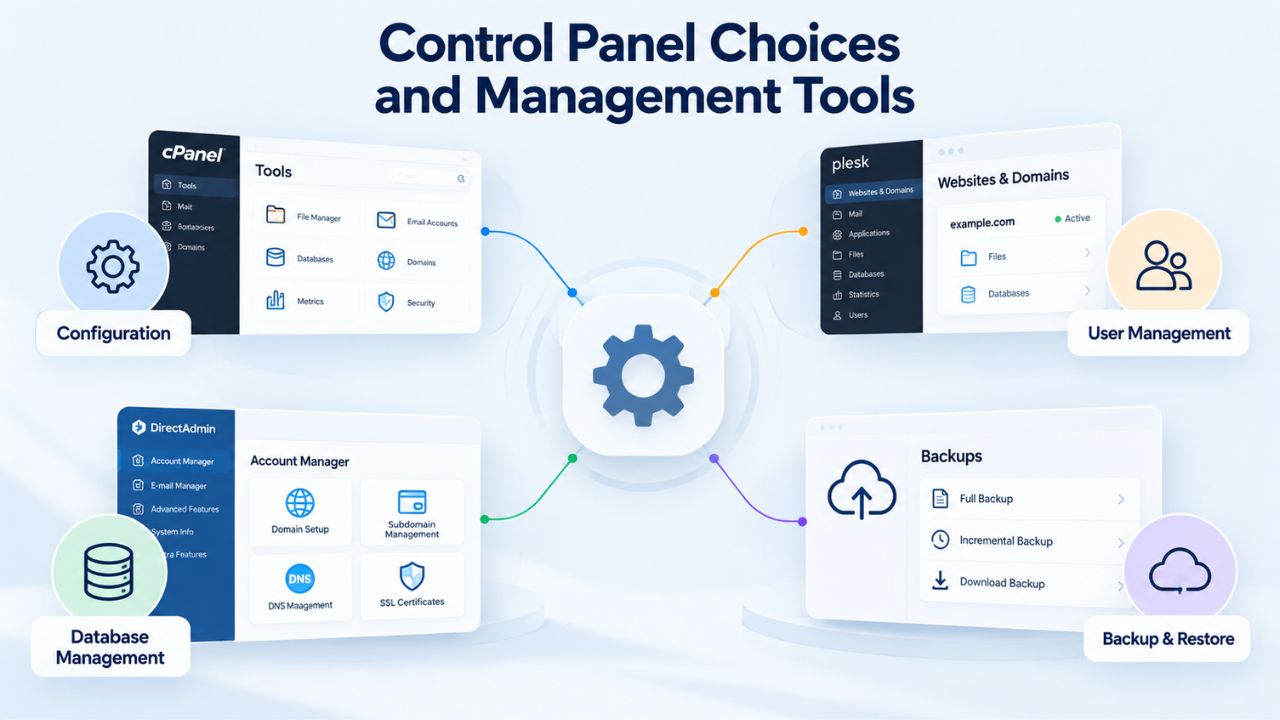
The control panel is where you live day to day, managing files, creating email accounts, installing WordPress, setting up databases, and monitoring your account. SiteGround uses cPanel, the industry-standard interface that most users find familiar and reliable. However, alternatives like Hostinger use custom panels (hPanel) that simplify management for non-technical users, while others keep cPanel or use Plesk, which works just as well. The choice between panels is less about technical capability and more about interface familiarity and the specific features you care about most.
What Control Panel Experience Means for Daily Management
cPanel is industry-standard on many shared hosts and works with thousands of third-party tools. Most users are familiar with it, and it gives developers deep technical access when they need it. Plesk (works on both Windows and Linux) and custom panels like Hostinger’s hPanel do the same job, manage files, databases, email, SSL certificates, backups, and more, but with different interfaces. None is objectively “better”; it depends on your familiarity and how intuitive you find the layout.
For WordPress-specific management, Bluehost and SiteGround provide WordPress-specific dashboards alongside the main control panel, making site management simpler for non-technical site owners. Hostinger’s hPanel intentionally simplifies interface elements to reduce cognitive load for beginners. A2 Hosting maintains cPanel for maximum compatibility with third-party tools and developer preferences. The key is that all alternatives reviewed here provide full control panel access appropriate to your technical level, from beginner-friendly interfaces to advanced developer tools.
Tools for Multisite Management
Agencies managing multiple sites benefit from bulk operations, client account separation, white-label options, and API access. A2 Hosting’s comprehensive plan ladder includes reseller hosting with managed services available across all types, giving agencies flexibility. Hostinger provides an intuitive dashboard that simplifies multi-account management compared to cPanel-only interfaces. Bluehost’s enterprise options support agencies with custom billing, client portal integration, and technical support for agency-level deployments.
Niya Digital’s multi-plan structure and business hosting tiers let agencies scale from shared plans (testing and small client sites) to VPS (high-traffic or high-control client sites) without switching providers. The control panels make account management straightforward, whether you’re managing one site or dozens. Explore Business Hosting Options to see how tiering supports agency growth.
Best Alternatives for WordPress Users
WordPress powers over 43% of the web, making WordPress-specific hosting an important category. Choosing a host optimized for WordPress matters because it affects installation ease, automatic updates, available caching plugins, staging environments, and the quality of WordPress-specific support. Beginners often hesitate between SiteGround (familiar name, decent performance) and newer alternatives (better value, equal or better WordPress support). The case for alternatives has strengthened in 2025, especially as Bluehost maintains its official WordPress.org endorsement and Hostinger delivers comparable speed with better transparency.
Decision Factors: Use Cases and Recommended Tiers
| Use Case / Priority | Recommended Tier / Approach | Best Provider Match | Why This Works |
|---|---|---|---|
| WordPress Beginner | Shared hosting with one-click WordPress | Bluehost or Hostinger | Official WordPress endorsement + ease of use removes setup friction |
| Growing Blog | Shared hosting with unlimited sites | Bluehost Plus or Hostinger Premium | Scales without forcing tier upgrades; headroom for traffic growth |
| E-Commerce Store | Shared or managed VPS with high resources | A2 Turbo or managed VPS tier | Performance stability under sales traffic; no artificial CPU limits |
| Small Agency (5–10 sites) | Shared hosting or reseller hosting | Hostinger Premium or A2 Reseller | Unlimited or high site counts; bulk management tools; transparent renewal |
| Nonprofit on Budget | Shared hosting with nonprofit discount | Namecheap, DreamHost, or Hostinger | Lowest renewal costs + nonprofit rates keep annual budget stable |
| Developer/Technical User | VPS or shared with SSH/cPanel access | A2 Hosting or VPS from any provider | Full control, advanced tools, reseller options, developer-focused support |
| Security Priority | Shared or VPS with managed security | A2 with managed security add-ons | Proactive monitoring, automated remediation, DDoS protection included |
| Minimal Hands-On | Managed shared hosting or WordPress-optimized | DreamHost or Bluehost | Automated updates, straightforward support, minimal configuration needed |
| Multi-Region Audience | Provider with global data centers | GoDaddy infrastructure (Niya Digital) or A2 | Multiple geographic locations reduce latency for distant visitors |
| Cost Predictability | Provider with stable renewal rates | Hostinger or Namecheap | Modest year-over-year increases allow accurate budgeting without surprise jumps |
WordPress-Specific Features and Setup Experience
One-click WordPress installation, automatic backups, malware scanning, free SSL certificates, and WP-CLI access are baseline expectations for any WordPress host. Beyond that, features like staging environments (test changes before going live), caching plugins pre-built for WordPress (LiteSpeed, NGINX caching), and WordPress-specific control panels (Site Tools on SiteGround, hPanel on Hostinger) add real value for non-developers who want to manage their site without hiring developers.
Bluehost is the official WordPress.org recommended hosting provider, meaning WordPress itself endorses the platform. This matters because WordPress.org only recommends hosts that meet specific performance, security, and support standards. Hostinger’s installation process is straightforward and user-friendly, making it ideal for absolute beginners; comparative testing shows their test sites load noticeably faster than competitors. DreamHost offers pre-installed WordPress, a free domain for the first year, and daily backups with a 97-day money-back guarantee, the longest risk-free trial in the industry.
Migration Assistance and Getting Your Site Live
Every alternative reviewed includes free website migration, eliminating the biggest friction point in switching hosts. The new host’s migration team handles the technical work; you provide login credentials; they replicate your site; and you test it in a staging environment before going live. Most migrations complete within 24–48 hours and incur zero downtime if scheduled during low-traffic periods. Money-back guarantees of 30–97 days let you verify everything works before full commitment, removing financial risk from the switching decision.
For WordPress sites, migration is especially straightforward because WordPress is a standard, well-understood platform. Unlike custom-built sites, WordPress sites are portable and widely supported. All alternatives reviewed have handled thousands of WordPress migrations, so the process is smooth and reliable. If you have specific concerns about plugin compatibility, theme functionality, or complex custom code, most hosts offer white-glove migration support where their technical team handles everything.
Best Options for Small Agencies and Multi-Site Owners
Agencies manage multiple client sites on a single account or across accounts, making cost per site a critical metric. Costs compound: every feature cost multiplied by the number of client sites adds up quickly. Features like bulk domain management, reseller tools, client billing integration, and tiered support become essential for agencies to operate efficiently. For this use case, the gap between SiteGround and alternatives widens because renewal costs hit harder when multiplied across 10 or 20 client sites.

Multi-Site Management and Per-Site Economics
Bluehost offers unlimited websites on Plus and higher tiers, letting agencies host multiple sites without per-site charges. Hostinger provides increasing numbers of websites by plan tier, with all plans including unlimited bandwidth and transparent renewal pricing that doesn’t increase drastically. A2 Hosting offers reseller hosting options, allowing agencies to white-label hosting and resell it to their own clients at a markup, creating a revenue stream rather than just a cost.
For an agency running many WordPress sites for small-business clients, the operational benefit of unlimited sites per account is significant. Instead of managing separate accounts or worrying about per-site limits, you manage all clients from a single dashboard. This simplifies billing, support, and account administration. Cost savings at renewal, with no surprise budget jumps, let agencies allocate more resources to client services, design, SEO, and support that differentiate them from competitors.
Tools and Features for Agency-Scale Operations
Agencies benefit from bulk account management, API access, client billing tools, staging environments for testing changes, and managed migrations. A2 Hosting’s comprehensive plan ladder supports agencies moving clients from shared hosting to VPS to dedicated resources as they grow. Hostinger’s custom dashboard simplifies multi-account management compared to cPanel-only interfaces. Bluehost and other alternatives provide staging environments where you can test theme updates, plugin installations, and configuration changes before pushing live, which is critical for agencies managing client sites.
Niya Digital’s multi-plan structure and business hosting tiers let agencies scale from shared plans for testing and small client sites to VPS for high-traffic or high-control client sites without switching providers. The control panels make account management straightforward, whether you’re managing one site or dozens. Explore Business Hosting Plans to see how multiple tiers and transparent operations support agency growth without surprise costs.
Best for E-Commerce and High-Traffic Sites
Online stores and high-traffic sites face unique hosting demands that differ fundamentally from blogs or small business websites. Uptime is revenue-critical; every minute of downtime during business hours costs real sales. Speed directly affects conversion rates; research shows delays drive away customers at a measurable rate. Resource stability prevents cart abandonment during traffic spikes. SiteGround’s CPU limits are particularly problematic for e-commerce; a flash sale, viral social media post, or holiday shopping spike can trigger the quota ceiling, forcing a site offline at peak sales time.
Performance Requirements for Revenue-Generating Sites
Sites handling e-commerce transactions face more demanding performance requirements than informational sites. Even a 3-second delay drives away 40% of visitors; bounce rates climb 90% from 1 to 5 seconds, making server response time and page-load performance directly tied to revenue. A host influences speed through server response time (how fast the server processes HTTP requests), storage speed (SSD), caching layer efficiency (NGINX, LiteSpeed, Varnish), and geographic data center proximity to your audience. Slow response times compound on e-commerce sites handling frequent database queries like product lookups, cart updates, and checkout processing.
A2 Hosting’s Turbo servers and AMD EPYC processors deliver measurably faster page-load times on high-traffic sites compared to standard shared hosting environments. Hostinger includes a 99.9% uptime guarantee, NVMe SSD storage, and NGINX caching built to handle traffic spikes without throttling. Both alternatives offer higher resource ceilings than SiteGround, so a sudden surge in sales traffic doesn’t force your store offline. This is the critical difference for e-commerce: with SiteGround, a successful marketing campaign or seasonal spike can trigger downtime; with these alternatives, traffic growth is handled gracefully.
Security and Compliance for Payment Processing
E-commerce sites collect and process customer payment data, so they need stronger security than informational sites. Compliance with PCI DSS (Payment Card Industry Data Security Standard) is mandatory if you handle credit cards. All hosts must support SSL encryption, but e-commerce sites benefit from additional layers: firewalls to block malicious traffic, intrusion detection systems, regular malware scanning with automated remediation, and comprehensive backup solutions with fast recovery options.
All alternatives reviewed include SSL certificates, DDoS protection, and automated backups as standard. A2 Hosting specifically offers proactive monitoring and managed security add-ons suitable for higher-stakes e-commerce deployments. Bluehost includes SiteLock malware scanning (though premium features require additional fees). All alternatives meet basic e-commerce security requirements, and several offer managed security add-ons if you want extra protection. The key difference is that none artificially limit your resources when you’re processing a high volume of orders, so your security infrastructure doesn’t degrade during peak business.
Get Started With Niya Digital Web Hosting Today
Tired of renewal sticker shock and resource limits that force costly upgrades? Niya Digital’s Web Hosting service offers transparent operations that stay predictable year after year, plus professional setup support and 24/7 account management. Running on GoDaddy’s global infrastructure means fast, reliable performance without the surprise constraints that plague other hosts. Explore your options and find the plan that fits your site and budget.
Frequently Asked Questions
What makes some hosts expensive at renewal compared to promotional rates?
The promotional pricing model attracts customers with low entry rates, then charges significantly higher at renewal; this is how some providers generate revenue from long-term customers. Bluehost, Hostinger, Namecheap, and DreamHost publish renewal rates upfront or advertise modest step-ups, eliminating surprise pricing. When comparing hosts, always request both introductory and renewal rates in writing before signing up. This transparency lets you make a fully informed decision about long-term cost, not just the headline promotional number.
Will my WordPress site run faster on a different host?
Not necessarily faster, but potentially more reliably without throttling under load. All modern hosts use SSD storage and caching systems. The difference emerges in resource ceilings: if you hit CPU quotas on SiteGround, your site slows or goes offline. Alternatives like A2 (Turbo servers) and Hostinger (NVMe plus NGINX) are optimized for speed, with higher resource ceilings that mean growth doesn’t trigger throttling. The real advantage is performance stability: your site stays fast and responsive even as traffic grows.
How do I migrate my site without losing data or experiencing downtime?
Free migration tools handle the technical work; you provide login credentials, the new host replicates your site, and you test it in a staging environment before going live. Most migrations complete within 24–48 hours and incur zero downtime if scheduled during low-traffic periods. Money-back guarantees of 30–97 days let you verify everything works before you commit. The entire process is straightforward because website migration is an industry-standard process that all providers handle routinely.
Is SiteGround still a good choice for absolute beginners?
Yes, if you understand the renewal cost structure and can absorb the renewal price jump. For beginners prioritizing ease of use and the lowest risk of getting stuck, Bluehost (official WordPress.org endorsement), Hostinger (intuitive setup), or DreamHost (longest guarantee with stable renewal costs) deliver equal beginner-friendliness at lower long-term cost. All three provide one-click WordPress installation, responsive support, and thorough knowledge bases. The choice depends on whether you want official WordPress endorsement (Bluehost) or the simplest interface for non-technical users (Hostinger).
What’s the actual difference between cPanel and other control panels?
cPanel is the industry standard on many shared hosts and familiar to most users because it’s been around for decades. It works with thousands of third-party tools and gives developers deep technical access when they need it. Plesk (supports Windows and Linux) and custom panels like Hostinger’s hPanel accomplish the same goals, managing files, databases, email, SSL, backups, and more, but with different interface designs. None is objectively “better”; it depends on your familiarity and whether you prefer traditional or streamlined interfaces.
Can I use WordPress on all the alternatives mentioned?
Yes, absolutely. Every alternative reviewed supports WordPress with one-click installation, automatic updates, and dedicated WordPress caching and optimization. Bluehost and SiteGround have official WordPress.org endorsements; the others can run WordPress just as well, but without the official badge. If WordPress endorsement matters to you (for marketing purposes or peace of mind), Bluehost delivers that credibility.
How do I know when I need to upgrade from shared hosting to VPS?
Shared hosting works for most blogs and small business sites handling under 100,000 monthly visitors. As traffic grows and you need more control over your server environment, VPS (Virtual Private Server) is a good fit, usually for sites with around 100,000 to 1 million monthly visitors. All alternatives reviewed offer all hosting types, so you can start with shared and upgrade to VPS later without changing providers. Your host’s support team can help you assess when an upgrade makes sense for your traffic patterns.
What if my site grows faster than I expect?
All alternatives reviewed here make upgrades simple and immediate: click a button in the control panel, confirm the new service tier, and your account scales up automatically without downtime. Some providers (like Bluehost’s unlimited tiers) let you grow without ever upgrading; you stay on the same plan while your resources scale. Others require an upgrade at some point, but the process is straightforward and transparent, not a surprise forced by artificial quota limits.
Do these alternatives include free email accounts?
Yes, all reviewed here offer professional email accounts as part of hosting plans. Email hosting is managed through your control panel and includes spam filtering, anti-virus protection, and mobile access. If you need advanced features like shared calendars, meeting scheduling, or mobile device management, you can upgrade to Microsoft 365 or Google Workspace integration while keeping your host’s base email included.
How important is the 99.9% uptime guarantee?
Very important for revenue-generating sites, less critical for hobby blogs. A 99.9% guarantee means the SLA allows about 43 minutes of downtime per month. In practice, most hosts achieve this; the difference is whether you can claim credits if uptime slips below that threshold. All alternatives reviewed guarantee 99.9% uptime; check their SLA terms for refund eligibility if downtime exceeds the guarantee. For e-commerce and business-critical sites, uptime guarantees with financial penalties for failures provide peace of mind.
Can I move my domain without downtime?
Yes, domains and hosting are separate services. You can keep your domain registered where it is while moving your site to a new host. Update your domain’s nameservers (your registrar controls this) to point to the new host, and DNS propagates within 24–48 hours. With proper timing, you can achieve zero downtime: your site goes live on the new host as soon as nameserver updates propagate. The process is straightforward and takes about 10 minutes of setup work.
What’s the best option for nonprofit organizations?
Bluehost, Namecheap, and DreamHost all offer nonprofit discounts or special nonprofit rates that significantly reduce costs. Hostinger’s already-low overall cost also works well for nonprofit budgets. Pricing transparency matters more than discounts; renewal shock kills nonprofit websites just as it does for-profit sites. Choose a host that publishes renewal rates upfront so your nonprofit can budget accurately without surprise annual cost jumps.
Should I commit to annual billing or pay monthly?
Annual billing costs significantly less per month (20–40% discounts are common) but locks you in. Monthly billing costs more but lets you cancel anytime without penalty. For testing a new host (using money-back guarantees), monthly might make sense initially. Once you’re confident, switch to annual billing to save money and lock in your budget. Many hosts offer discounts if you commit to 2 or 3 years upfront, but that’s only worth it if you’re sure you’ll stay.
How do I know if a hosting provider is actually reliable?
Check independent reviews on G2, Gartner, and TemperStack; look for patterns in user feedback rather than isolated complaints. Verify uptime guarantees and SLA terms carefully; read the fine print about refund eligibility. All alternatives reviewed here score 3.8 out of 5 or higher across major review platforms, with Hostinger leading at 4.9 out of 5. None is a hidden gem or risky choice; all are established, reputable providers with large customer bases and proven track records.
What happens to my site data if a host goes out of business?
Reputable hosts maintain your data and migrate it automatically if they’re acquired or close operations; their terms of service cover this. More importantly, you maintain backups of your entire site independently. All hosts reviewed include automated backup options; download backups monthly to your own computer as additional protection. This practice protects you against potential host issues and is standard best practice for any website owner.
Can I use multiple hosting providers for different parts of my site?
Technically yes, but it’s unnecessarily complicated. You can host your main WordPress site with one provider and email with another, for example, but keeping everything with one provider simplifies management, billing, support, and backups. If you have complex requirements (WordPress, separate email, separate staging, separate dev environment), a single provider that supports all these as features is simpler than juggling multiple providers.
Glossary
- Web Hosting: A service that stores your website files on publicly accessible servers so visitors can access your site online 24/7. Hosting includes server storage space, data transfer bandwidth (for visitors viewing your site), email accounts, control panel access for management, and technical support.
- Control Panel: A web-based interface (cPanel, Plesk, hPanel, or similar) that lets you manage your hosting account without writing code. From the control panel, you install WordPress or other applications, create email accounts, manage databases, upload or modify files, configure backups, and monitor account usage.
- SSD Storage: Solid-state drive storage that retrieves data significantly faster than mechanical hard drives. SSD storage directly improves website page-load times because it accesses and delivers files much faster.
- Uptime: The percentage of time your hosting server is operational and accessible to visitors. A 99.9% uptime guarantee means your site is unavailable approximately 43 minutes per month; 99.99% means about 4 minutes per month. Uptime directly affects your business because downtime prevents sales and hurts search engine rankings.
- Renewal Pricing: The monthly or annual rate you pay after your introductory promotional term expires. Always confirm renewal rates before signing up, because some hosts increase rates dramatically at renewal time, sometimes 200–400% higher than promotional rates.
- CPU Execution Limit: A cap on processor time allowed per billing cycle. Exceeding the limit can force your site offline until the next month starts, regardless of actual visitor demand, creating artificial resource constraints.
- SSL Certificate: A security credential that encrypts data transmitted between your visitor’s browser and your website. SSL enables HTTPS (the padlock icon in the browser address bar) and protects customer data during checkout, login, or any sensitive transaction.
- Bandwidth: The total amount of data your website can transfer to visitors per month. “Unlimited bandwidth” means you won’t be charged overage fees for data transfer; metered bandwidth comes with a cap and fees for exceeding it.


