Understanding Your AI Workload Type
The first step in choosing a VPS for AI is honestly assessing what your workload actually does. A chatbot calling an external LLM API has completely different needs than a model running inference locally. Training a neural network on your own hardware introduces a third set of requirements. Misclassifying your workload leads to either oversized infrastructure that wastes resources or undersized infrastructure that performs poorly.
Classifying Training vs. Inference
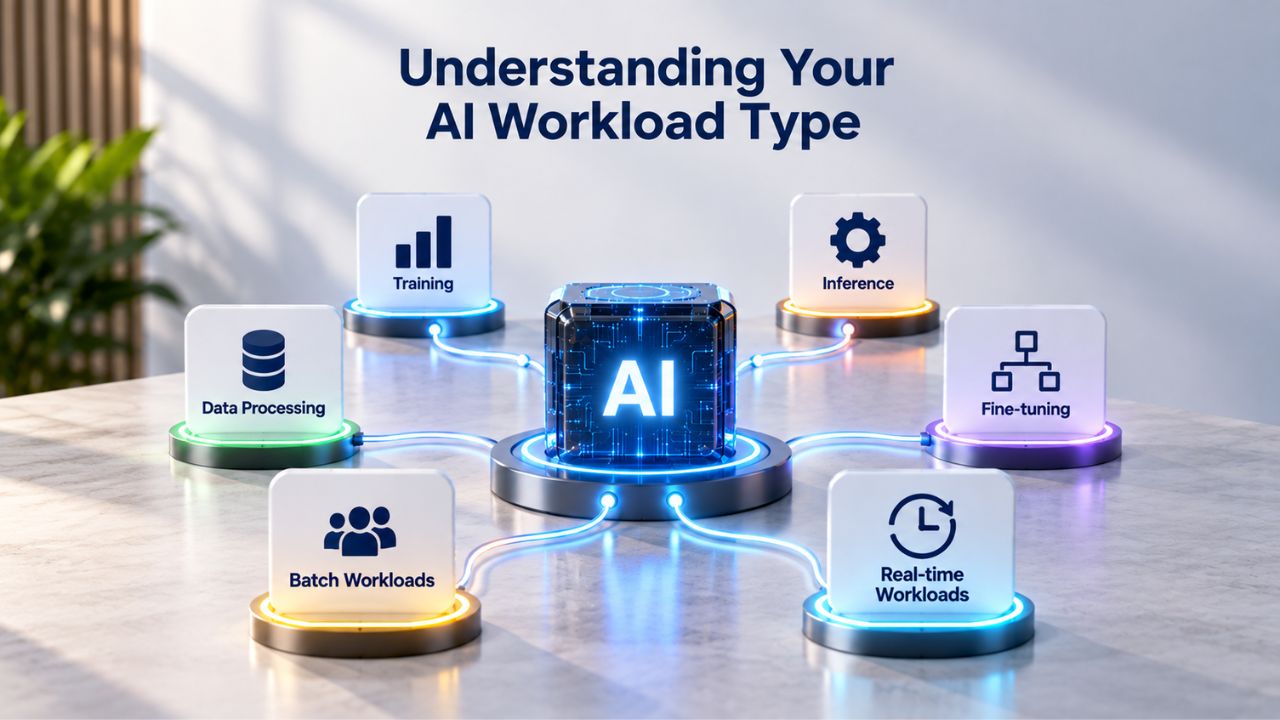
Training, building, or fine-tuning a model on new data is fundamentally a batch-oriented, resource-intensive process. It demands sustained high CPU or GPU utilization over hours or days, large memory capacity for storing model parameters and datasets in active memory, and fast storage for reading and writing checkpoints and intermediate results. The math is straightforward: more CPU cores, more RAM, faster drives, and ideally GPU acceleration reduce training time from weeks to days.
Inference, running a trained model on new inputs to generate predictions, classifications, or generations, is fundamentally different in its resource profile and constraints. It’s latency-sensitive and often runs in real-time, handling one user request at a time (or small batches) without the massive dataset churn of training. Inference doesn’t need the same sustained raw power. Still, it absolutely needs consistency: CPU spikes mid-response kill user experience, and memory swapping to disk (which happens when RAM is oversold) can add seconds to a single response. Inference workloads are the sweet spot for VPS hosting because they fit well within predictable, dedicated resource allocations.
CPU-Based vs. GPU-Accelerated Workloads
Not every AI task needs a GPU. Machine learning, excluding deep learning and NLP, is CPU-based and runs exceptionally well on VPS without GPU acceleration, benefiting from high clock speeds and strong RAM for analytics, anomaly detection, and structured-data workloads. Classical NLP tasks, sentiment analysis, text classification, and entity extraction using lightweight language models, also run effectively on CPU. These workloads are ideal for VPS Hosting because you get dedicated CPU cores with no virtualization overhead competing for resources.
GPU acceleration becomes essential for heavy workloads that involve matrix operations at scale. Large-language-model inference, image generation, computer vision tasks, and deep-learning training all require GPU compute to achieve acceptable latency. Classical NLP workloads only require a CPU, while LLM and production-grade deep learning models are GPU-based and will perform poorly on CPU alone. If your use case involves generative AI, training deep networks, or real-time inference on vision models, a GPU isn’t a luxury; it’s mandatory for acceptable performance.
VPS Hosting Plans & Pricing
Choose the VPS hosting plan that fits your website, application, or business requirements. Select a self-managed VPS for complete server control or a fully managed VPS with a dedicated team of experts to help manage your server.
Self Managed VPS 1 vCPU
1 GB RAM
Entry-level VPS hosting for lightweight websites and applications.
- 1 CPU Core
- 1 GB RAM
- 20 GB SSD Storage
- Linux only, no control panel

Self Managed VPS 2 vCPU
4 GB RAM
VPS hosting with additional CPU and memory for growing websites and applications.
- 2 CPU Cores
- 4 GB RAM
- 100 GB SSD Storage
Self Managed VPS 2 vCPU
8 GB RAM
Additional memory for more demanding websites and applications.
- 2 CPU Cores
- 8 GB RAM
- 100 GB SSD Storage
Self Managed VPS 4 vCPU
8 GB RAM
Increased processing power for business websites and applications.
- 4 CPU Cores
- 8 GB RAM
- 200 GB SSD Storage
Self Managed VPS 4 vCPU
16 GB RAM
High-memory VPS hosting for resource-intensive workloads.
- 4 CPU Cores
- 16 GB RAM
- 200 GB SSD Storage
Self Managed VPS 8 vCPU
16 GB RAM
Powerful VPS resources for demanding business applications.
- 8 CPU Cores
- 16 GB RAM
- 400 GB SSD Storage
Self Managed VPS 8 vCPU
32 GB RAM
Maximum self-managed resources for demanding workloads.
- 8 CPU Cores
- 32 GB RAM
- 400 GB SSD Storage
Fully Managed VPS 1 vCPU
2 GB RAM
Managed VPS hosting with expert server management.
- 1 CPU Core
- 2 GB RAM
- 40 GB SSD Storage
- Dedicated team of experts to fully manage your server
Fully Managed VPS 1 vCPU
4 GB RAM
Managed VPS resources for websites and business applications.
- 1 CPU Core
- 4 GB RAM
- 40 GB SSD Storage
- Dedicated team of experts to fully manage your server
Fully Managed VPS 2 vCPU
4 GB RAM
Managed VPS hosting with additional CPU resources.
- 2 CPU Cores
- 4 GB RAM
- 100 GB SSD Storage
- Dedicated team of experts to fully manage your server
Fully Managed VPS 2 vCPU
8 GB RAM
Managed VPS hosting with additional memory for growing workloads.
- 2 CPU Cores
- 8 GB RAM
- 100 GB SSD Storage
- Dedicated team of experts to fully manage your server
Fully Managed VPS 4 vCPU
8 GB RAM
Higher-performance managed VPS for demanding applications.
- 4 CPU Cores
- 8 GB RAM
- 200 GB SSD Storage
- Dedicated team of experts to fully manage your server
Fully Managed VPS 4 vCPU
16 GB RAM
High-memory managed VPS for resource-intensive workloads.
- 4 CPU Cores
- 16 GB RAM
- 200 GB SSD Storage
- Dedicated team of experts to fully manage your server
Fully Managed VPS 8 vCPU
16 GB RAM
Powerful managed VPS hosting for demanding business workloads.
- 8 CPU Cores
- 16 GB RAM
- 400 GB SSD Storage
- Dedicated team of experts to fully manage your server
Fully Managed VPS 8 vCPU
32 GB RAM
Maximum managed VPS resources for demanding workloads.
- 8 CPU Cores
- 32 GB RAM
- 400 GB SSD Storage
- Dedicated team of experts to fully manage your server
Light AI & API-Based Agents
Many AI projects never need to self-host a model locally. A chatbot that calls OpenAI, Anthropic, or similar services via API, an automation workflow that triggers external AI endpoints through webhooks, or a customer-service bot that pipes user input to a managed LLM service- these are light AI workloads. They run application code and orchestration logic, not the models themselves, and can be efficiently hosted on modest resources.
Resource Profile for API-Based Agents
Light AI workloads, API-based chatbots, automation scripts, external AI service integrations, and orchestration agents operate entirely differently from model-serving workloads. Your VPS spends most of its time waiting for network responses from the external API, not crunching numbers locally. The infrastructure burden is lightweight: Python or Node.js running a webhook handler, maybe a message queue like Redis for buffering requests, and some business logic to transform data. These don’t stress hardware. A small-tier VPS plan with 2–4 dedicated vCPU cores and 4–8GB RAM is entirely adequate for this use case.
For API-based agents, reliability and uptime matter more than raw compute power. A request fails not because your server is slow but because it crashed or became unreachable. Uptime, consistent availability, and professional support are the selling points. You’re paying for isolation from other workloads and a guaranteed SLA, not for teraflops of processing power. The infrastructure enables it; the external AI service does the heavy lifting.
When Light Workloads Suffice
API-based agents are the right choice if your use case matches any of these scenarios: you’re building a prototype or minimum viable product before committing to larger infrastructure, you want minimal operational overhead and don’t need to manage model updates or GPU driver compatibility, you’re iterating rapidly on prompt logic and integration patterns without deploying new models, or your cost sensitivity is high, and you want predictable monthly spending without capacity risk. If your entire application is orchestration, data transformation, and API calls, a basic VPS Hosting tier gives you an isolated, stable environment with professional support and the flexibility to scale up later if needed.
Local LLM & Deep Learning Models
Self-hosting a large language model or deep learning inference service is fundamentally more demanding than running API-based agents. Instead of calling an external service, your server holds the model weights in memory and runs inference locally. This changes every aspect of resource requirements and operational complexity. You become responsible for model loading, inference server management, request queuing, and ensuring sufficient memory and compute to handle your workload.
Memory Requirements for Model Hosting
The single largest constraint in local model hosting is memory. A 7–8 billion parameter language model requires about 8GB of memory to store model weights in base precision. A 13 billion parameter model requires 16GB or more. These figures are base requirements; they don’t include overhead for the inference server runtime, supporting libraries, batch buffers, or handling concurrent requests. A model that takes 16GB by itself needs to run on a server with 24–32GB available RAM to leave headroom for the operating system, application runtime, and any concurrent users.
Real-world sizing for production LLM inference typically lands in the 16–64GB range depending on the model size, inference framework, and concurrent-request load. The critical mistake many operators make is assuming a plan advertising “16GB RAM” will deliver 16GB to their workload. On an oversold VPS, you might only get 8GB truly available, with the rest going to the hypervisor or other tenants. RAM must be genuinely available and not oversold on a VPS; oversold memory causes disk swapping, which degrades AI inference latency and performance catastrophically. A single swap event can add milliseconds or even seconds to response time.
CPU and GPU Trade-offs
Running a 13 billion parameter model on CPU alone produces inference responses so slowly, often minutes per query, that most users abandon the service. A GPU accelerates the same model from unusable to usable, dropping latency from minutes to seconds. GPU is strongly recommended for local LLM inference; CPU-only inference for larger models is slow enough that most developers add GPU acceleration once they move past prototyping.
Standard VPS tiers, including those powered by GoDaddy’s infrastructure, typically don’t include GPUs by default. If you need local LLM hosting with acceptable latency for production use, you have two practical paths: choose a VPS provider that explicitly offers GPU instances, or recognize that CPU-only inference on large models may exceed what a standard VPS can deliver and evaluate dedicated GPU servers instead. This isn’t a limitation of VPS as a category; it’s about matching the right tool to your specific performance requirements.
AI Workload Type & Recommended VPS Tier
| Workload Type | Typical Use Case | Recommended vCPU | Recommended RAM | GPU | Inference Latency |
|---|---|---|---|---|---|
| API-based Agents | Chatbots, external AI API calls | 2–4 | 4–8 GB | No | <500 ms (network-bound) |
| Light ML Inference | Small models, analytics, predictions | 2–4 | 8–16 GB | No | <1 second |
| Classical NLP | Text processing, lightweight models | 4–8 | 16–32 GB | No | 1–5 seconds |
| Local LLM (7–8B model) | Standalone language model hosting | 8–16 | 16–32 GB | Recommended | 5–30 seconds (CPU), <2 seconds (GPU) |
| Local LLM (13B+ model) | Larger models, production inference | 16+ | 32–64 GB | Recommended | 30+ seconds (CPU), 2–10 seconds (GPU) |
| Model Training (CPU) | Batch training without GPU | 16+ | 32–64 GB | Optional | N/A (training, not inference) |
CPU Power & Processor Requirements
CPU performance for AI inference is not just about core count; consistency, clock speed, and isolation matter equally, especially for real-time applications where latency is visible to end users.
Core Count vs. Clock Speed
AI workloads consume CPU and RAM more consistently than standard web traffic; unpredictable spikes in inference reasoning loops can briefly push CPU to 100% for seconds at a time and rapidly consume resources. A 4-core processor running at higher clock speeds often outperforms an 8-core chip with lower clock speeds for AI inference workloads. What matters most is that the cores you’re allocated are actually yours: a hypervisor that oversells CPU to multiple tenants means your application gets preempted during spikes, causing inconsistent latency that frustrates users.
GoDaddy’s VPS Hosting uses KVM virtualization for full control and offers vCPU configurations from 1 to 32 cores, with the underlying infrastructure sized to support your allocation. When you select 4 vCPU cores on a properly provisioned VPS, those cores are genuinely reserved for your workload.
The difference between a dedicated core and an oversold core is the difference between predictable performance and performance roulette. An inference response that takes 50ms on dedicated cores can take 500ms on oversold cores during peak hours, when the hypervisor is managing multiple competing workloads. This jitter destroys user experience for real-time applications. Paying for a properly provisioned tier that guarantees your CPU allocation prevents this penalty.
Why CPU Consistency Beats Peak Performance
AI inference is latency-sensitive. A 10-millisecond response time feels instant; a 1-second response feels broken. If your VPS operates on oversold shared CPU cores, performance may be erratic, particularly during high-traffic periods, resulting in unpredictable response times.
One request completes in 100ms; the next takes 2 seconds. Users perceive the service as flaky or broken. Consistency in hardware allocation matters more than peak theoretical performance for inference workloads. You want guaranteed access to your allocated resources, not a best-effort promise that your cores might be available when you need them.
Memory (RAM) Allocation & Overselling
RAM is where many VPS buyers encounter performance surprises after deployment. A plan advertising “8GB RAM” might not actually deliver 8GB to your workload if the provider oversells the physical server by assuming not all customers will use peak resources simultaneously.
The Overselling Problem
Oversold memory is invisible until your AI application starts swapping to disk. When your model tries to load into RAM and finds only partial space available, the operating system spills the overflow to disk storage (the swap partition). Disk access is thousands of times slower than RAM; a single swap event can add milliseconds or seconds to inference latency, and under continuous swapping, your model inference slows by orders of magnitude. Your model inference might degrade from 100ms per query to 5 seconds per query simply because the operating system is constantly moving data between RAM and disk.
Niya Digital’s team found that model-serving customers who upgrade to non-oversold VPS plans cut inference latency in half simply by eliminating swap usage, without any code changes. This is why reputable VPS Hosting providers prominently disclose their memory allocation guarantee. Some guarantee that you get the full advertised RAM with no overselling; others accept a certain overselling ratio (like 2:1 or 3:1) and document it clearly. Read the fine print, and if documentation is unclear, ask support directly before committing. A provider’s honesty about overselling is a trust signal.
Sizing for Peak Load
If you’re hosting a local LLM, never assume model memory is the only consumer of your RAM. The inference server (whether Ollama, llama.cpp, vLLM, or a custom PyTorch service) adds overhead. The Python runtime adds overhead. Concurrent requests each add overhead as they load their own data buffers.
System processes add overhead. A practical heuristic: take your model’s base memory requirement, add 30–50% for runtime overhead and concurrent requests, then choose your RAM tier accordingly. A 13 billion parameter model requiring 16GB base should run on a VPS plan offering 24–32GB RAM, not a 16GB plan that leaves no breathing room.
Your Path Forward with AI VPS Hosting
Choosing a VPS for AI is not a one-size-fits-all decision. It depends on workload type (light API agents vs. local LLM hosting), resource requirements (CPU, RAM, storage speed), security needs (model-weight protection, API-key isolation), and growth trajectory (start small and scale, or plan for peak load upfront). The good news is that Niya Digital’s VPS Hosting service is built on proven infrastructure and supports customers running AI workloads. Start by classifying your workload using the framework above, size your resources using the decision tables, and select a VPS plan that matches your actual current needs, not your worst-case fears.
Storage Speed & Data Access
Storage performance is often overlooked in VPS selection, until your AI application becomes sluggish because model weights take minutes to load or vector-database queries stall waiting for disk I/O to complete.
NVMe vs. SATA Storage
AI systems routinely read and write substantial datasets, embeddings, logs, and cache files throughout the inference lifecycle. Storage speed directly impacts model-loading time and vector-database query latency. NVMe (Non-Volatile Memory Express) SSDs offer 3–5x faster sequential and random I/O compared to standard SATA SSDs. For AI workloads, this isn’t a luxury; it’s the difference between a responsive system and a frustrating one. A model that loads in milliseconds on NVMe might take seconds on SATA; a vector-database query that returns in 10ms on NVMe might take 50ms on SATA.
GoDaddy VPS Hosting includes NVMe SSD storage across all plans, offering up to 3x speed improvement and unlimited traffic. This baseline matters deeply: your inference model loads in milliseconds instead of seconds; your embeddings vector store retrieves matches instantly instead of after a delay; your logs write without stalling your inference loop. NVMe isn’t optional for serious AI workloads; it’s the baseline expectation. If a provider advertises SATA SSDs on their standard plans, that’s a red flag for AI use cases.
Sizing Storage for Datasets and Checkpoints
A 13 billion parameter model itself occupies roughly 26GB on disk (two bytes per parameter in half-precision). If you’re fine-tuning models, you need storage for checkpoints, multiple snapshots saved during training. If you’re serving embeddings, you need storage for your vector database.
If you’re logging inference requests for monitoring or debugging, you need buffer space for logs. GoDaddy’s VPS plans offer storage ranging from 40GB to 1.5TB, with the ability to expand as needed. Start with a tier that accommodates your model plus 50% headroom for logs, checkpoints, and application data. As your embeddings corpus grows or your training generates more checkpoints, vertical scaling allows you to increase storage without changing servers or managing a migration.
Operating System & Framework Setup
Your choice of operating system and AI framework shapes the entire infrastructure, deployment process, and operational complexity.
Linux as the Default for AI
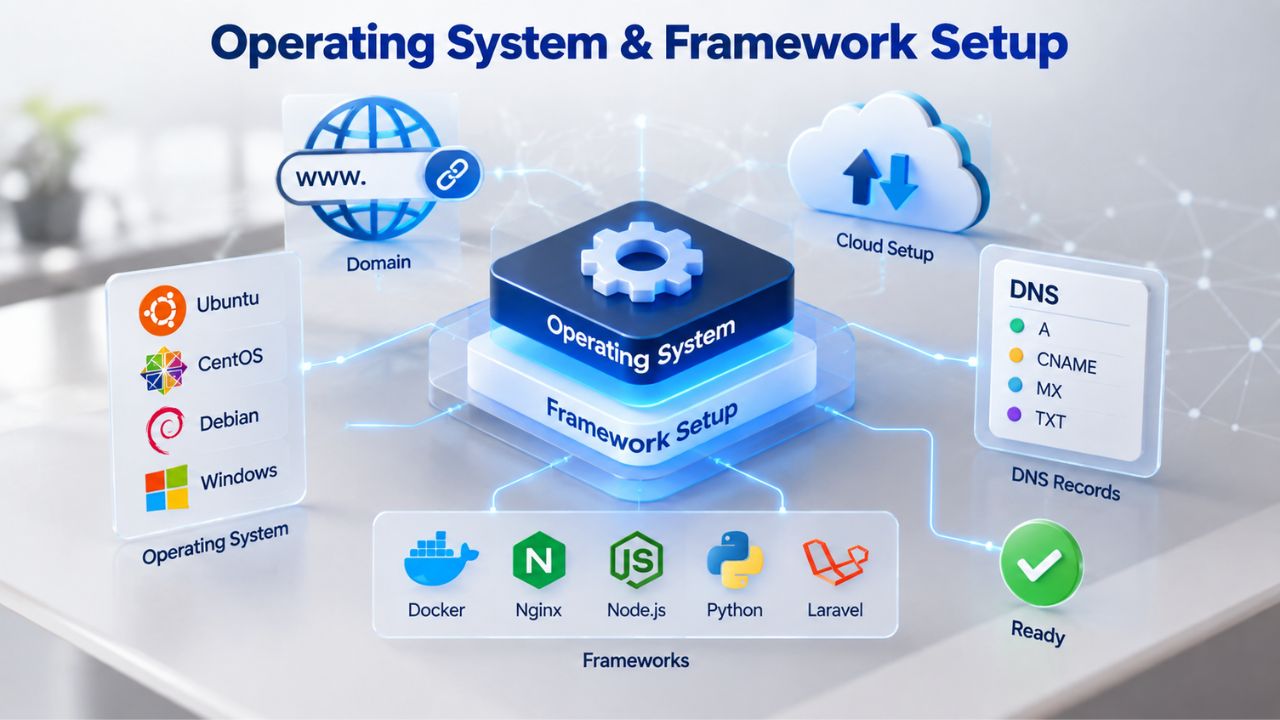
PyTorch and TensorFlow are supported on Linux (Ubuntu 16.04 and above); Python 3.6+ is required. The AI and ML ecosystem has standardized on Linux as the deployment platform: Docker containers, model-serving runtimes like Ollama and llama. Orchestration tools like Kubernetes and monitoring systems are all Linux-native. Windows Server VPS is technically possible but adds complexity: you’re fighting against the grain of the ecosystem, dealing with Windows-specific issues that few AI practitioners encounter or document.
GoDaddy VPS Hosting offers Linux options including AlmaLinux, Debian, and Ubuntu, as well as Windows Server if required for specific use cases. For AI workloads, Ubuntu 20.04 LTS or later is the standard choice. Long-term support (LTS) means five years of security updates without forced major-version upgrades, giving you stability and predictability. Choose Ubuntu unless you have a specific, documented reason to deviate.
Pre-Installed Frameworks vs. Docker Containers
You have two deployment approaches: install PyTorch, TensorFlow, and all dependencies directly on the OS using pip and system package managers, or run everything in Docker containers with locked versions of every dependency. Docker is cleaner for reproducibility and environment isolation; your inference server runs in a container with specific versions of CUDA, PyTorch, and dependencies, and that exact environment is reproducible on any machine running Docker. Common AI frameworks are available pre-installed in Docker containers optimized for GPU and CPU environments; you can pull an image and have a ready-to-run environment in minutes.
Niya Digital’s VPS Hosting gives you root access to install whatever you need. Choose Ubuntu as your OS, clone a Docker image for your framework from Docker Hub, and you’re operational in minutes. Container-based deployment is recommended for production use cases because it isolates your AI workload from OS changes and makes version management explicit and auditable.
Security Hardening for AI Servers
AI servers hold model weights, API keys, and datasets, making them high-value targets for attackers who want to steal intellectual property, use your GPUs to mine cryptocurrency, or exfiltrate data.
Why AI Servers Are Targets
AI servers are high-value targets because they hold model weights, datasets, API keys, and expensive GPU compute simultaneously in one place. Infrastructure misconfiguration, exposed inference ports, weak authentication, and unpatched OS vulnerabilities are the primary attack vectors. In early 2026, security researchers found approximately 175,000 Ollama servers publicly reachable without any authentication layer. The overwhelming majority were compromised not through sophisticated hacks but through simple misconfiguration: the owner changed one environment variable and forgot to enable a firewall rule.
Protecting your AI infrastructure requires layered controls: SSH hardening, firewall rules, container isolation, and monitoring. The stakes are high: a compromised AI server exposes model weights that represent months of training and fine-tuning, API keys to external services, and compute resources attackers can use to run their own workloads undetected. Hardening isn’t optional; it’s essential.
Containerization & Isolation
VPS hardening for AI workloads requires multiple layered controls. Start with SSH key-only authentication (disable password login and root login), configure UFW firewall with a default-deny policy (allow only essential ports), use a custom SSH port to reduce automated scanning, keep your OS and all packages patched, run service accounts with least-privilege permissions, and provide private network access via Tailscale or an authenticated reverse proxy. Also, run your inference server in a Docker container under a non-root user, use a minimal base image, and set resource limits (CPU cap, memory limit) to prevent a runaway workload from consuming all server resources.
AI agents execute arbitrary actions, consume unpredictable resources, and process untrusted input by design; a prompt injection attack can give a compromised agent elevated privileges. Sandboxing with mandatory access control (AppArmor on Ubuntu, SELinux on AlmaLinux) prevents a compromised agent from escaping the container and reaching your host OS or other services. These controls transform your VPS from an open attack surface into a hardened, isolated environment where breaches are contained.
Scaling & Growth Strategy
Your AI infrastructure will change as your project matures. Prototypes scale into production services. Models get larger. User demand grows. Planning for growth paths avoids expensive midnight migrations and downtime.
Vertical Scaling: When to Add Resources
Vertical scaling involves upgrading CPU, RAM, or storage within a single VPS using virtualization technology; the process is often completed without downtime or service interruption. If you start with a 4-vCPU / 16GB RAM plan and discover your inference workload needs 8 vCPU / 32GB, most providers (including those on GoDaddy’s platform) allow in-place upgrades through their control panel.
You request the upgrade, the hypervisor allocates additional resources to your VPS, and your running services see the new allocation, often without a restart. Your applications continue running; they simply suddenly have access to more CPU and memory. This flexibility makes VPS hosting ideal for startups and growing teams. You don’t guess resource needs upfront; you start at a reasonable tier and scale up as real metrics tell you what you actually need. Vertical scaling is simple, requires no application changes, and happens within your existing server. It’s the growth path for most projects.
Horizontal Scaling: When One VPS Isn’t Enough
Horizontal scaling involves adding multiple VPS instances and distributing workloads across them using a load balancer. If your inference workload grows to the point where a single VPS’s physical server capacity is maxed out, you can’t scale vertically anymore. Instead, you provision additional VPS instances, deploy your inference service to each, and put a load balancer in front to distribute incoming requests. This is the scaling path for mature products handling significant traffic.
Horizontal scaling is more operationally complex: you manage multiple servers, orchestrate software updates across instances, monitor multiple machines, and handle distributed system concerns like consistency and failure. But it’s also how you handle 10x or 100x traffic growth without moving to a completely different platform. Start thinking about horizontal scaling when vertical scaling no longer keeps up with demand.
Deciding Between VPS, GPU Servers, and Cloud
Not every AI project belongs on VPS. Knowing when to stay on VPS, when to add GPU, and when to move elsewhere saves money and prevents performance disasters.
VPS Is Right When
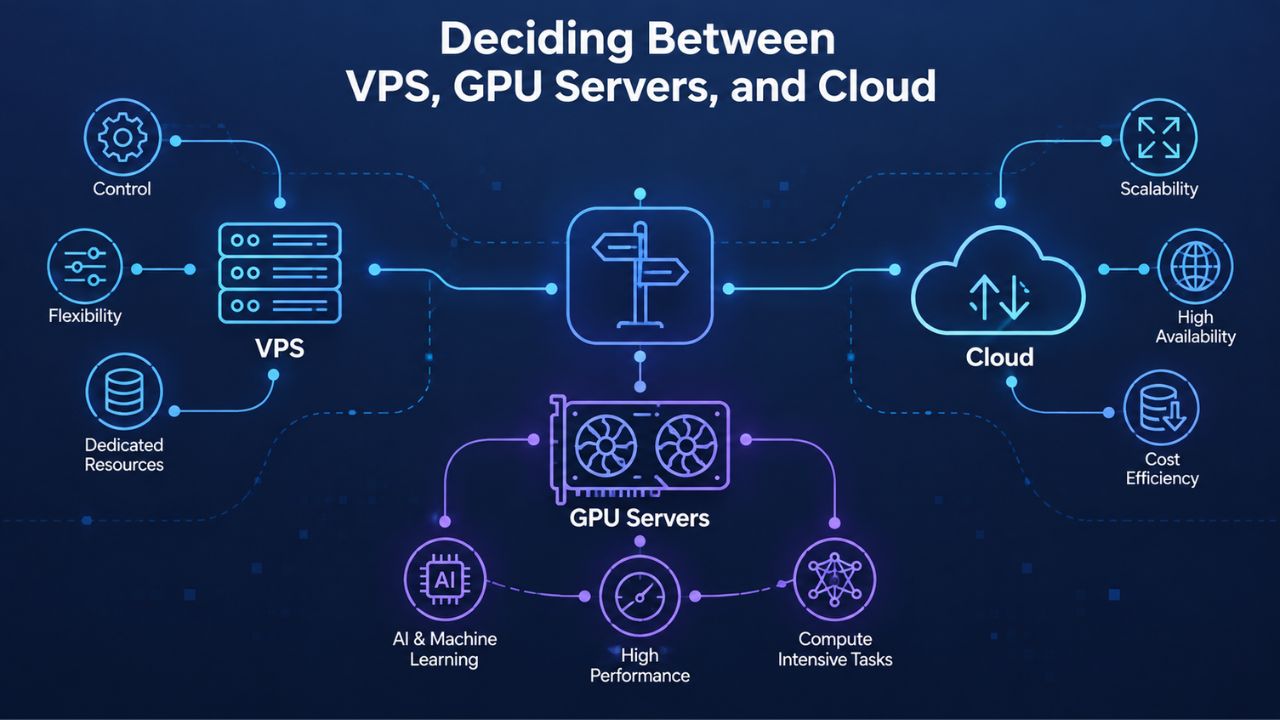
VPS Hosting excels for light inference workloads, API-based agents, orchestration services, and applications that call external AI services. It’s right for CPU-based machine learning tasks that don’t need GPU acceleration. It’s right for development and testing environments where you’re iterating on models and trying different approaches.
It’s right for projects where you need full control over the stack without hyperscaler constraints. You pay for predictable, isolated resources and the flexibility to customize your environment end to end. Costs are low and start immediately without queue waits or availability lottery systems. A VPS is the right choice if you want autonomy and cost-effectiveness.
GPU Servers When You Need GPU
If your workload genuinely requires GPU, large-model inference at acceptable latency, training, or real-time vision processing, and you need those GPUs available immediately, GPU-specialized VPS providers or dedicated GPU servers are the right choice. These tiers add cost and complexity but offer performance benefits that justify the investment. If your current VPS inference latency is unacceptable or your training is too slow, GPU acceleration is the next logical step.
Cloud Services When You Need Managed Services
Cloud platforms (AWS, GCP, Azure) excel at managed AI services: you upload a dataset and model training runs on their infrastructure; you deploy an inference endpoint and they autoscale it automatically; you don’t manage the underlying servers at all. Trade-off: less control, higher cost, and potentially slower response than a dedicated local inference setup. The cloud is best for teams that want to focus on model development and research rather than infrastructure operations, monitoring, and patching. If operational overhead becomes unsustainable, cloud services abstract it away.
Making the Decision
The decision is fundamentally about control vs. convenience and cost vs. performance. Start on VPS if you want low cost and full control. Move to GPU servers if performance metrics demand it. Move to cloud if operational overhead (managing OS patches, monitoring, backups) becomes unsustainable for your team. Most projects start on VPS, scale vertically as needed, then decide on GPU or cloud based on real performance data.
VPS vs. GPU Servers vs. Cloud: Decision Framework
| Decision Factor | VPS Hosting | Dedicated GPU Server | Cloud AI Services |
|---|---|---|---|
| Best For | Light inference, API agents, CPU-based ML, development | Large-model inference, training, GPU-accelerated workloads | Managed AI services, autoscaling, fully managed training |
| Resource Consistency | High (dedicated allocation) | Very High (dedicated hardware) | Medium (shared, scalable) |
| Upfront Setup & Config | Moderate (OS, frameworks) | High (hardware, drivers, optimization) | Low (managed, pre-configured) |
| Cost Predictability | High (fixed plan) | High (fixed plan) | Variable (pay-per-use, autoscaling) |
| Scaling Speed | Minutes to hours (vertical or horizontal) | Hours to days (new hardware) | Seconds to minutes (horizontal autoscaling) |
| Model Weight Security & Control | High (your full control) | Very High (on-premises or dedicated) | Medium (provider custody) |
| Operational Overhead | Moderate (OS patches, monitoring) | High (full responsibility) | Low (fully managed) |
| Ideal When | Starting out, cost-sensitive, need control | Performance-critical inference, large models | Don’t want ops overhead, need rapid scaling |
Building Secure, Scalable AI Infrastructure
Security and growth planning aren’t afterthoughts; they’re foundational to any production AI system. The infrastructure you choose today should support your workload safely today and scale gracefully as demand grows. Niya Digital’s VPS Hosting gives you the flexibility to start lean, scale vertically as your models grow, and make data-driven decisions about GPU or cloud migration later. From initial deployment through production scaling, you have a clear upgrade path and professional support at every stage.
Frequently Asked Questions
Can I run a large language model on a VPS without a GPU?
You can run a large language model on a VPS without a GPU, but inference will be significantly slower. A 13-billion-parameter model on CPU-only infrastructure can take minutes per response, which is unusable for most real-time applications. If you need reasonable latency, under a few seconds per response, GPU acceleration is essential. However, for lightweight NLP tasks, classical machine learning, and inference on smaller models, a CPU-only VPS is perfectly adequate and cost-effective.
How much RAM do I actually need for model hosting?
Base your calculation on model size: a 7 billion parameter model needs approximately 8GB just for weights; a 13 billion parameter model needs 16GB or more. Add 30–50% additional RAM for the inference server runtime, concurrent request buffers, and system overhead. For example, a 13 billion parameter model should run on a VPS plan offering 24–32GB RAM, not the bare minimum of 16GB. Undersizing leads to disk swapping and catastrophic latency degradation.
Is NVMe storage essential for AI workloads?
Yes, NVMe storage is essential for AI inference workloads. Standard SATA SSDs are 3–5x slower than NVMe, and for applications that frequently load models or query vector databases, this speed difference translates directly into user-facing latency. Model loading that takes seconds on NVMe can take minutes on SATA, degrading inference responsiveness. All GoDaddy VPS plans include NVMe as standard, so you get this performance advantage by default with Niya Digital VPS Hosting.
What operating system should I use for AI on VPS?
Ubuntu 20.04 LTS or later is the standard choice for AI workloads. The AI and ML ecosystem- PyTorch, TensorFlow, Docker, Kubernetes, and model-serving runtimes- is Linux-native and best supported on Ubuntu. Windows Server is technically possible but adds unnecessary complexity and limits access to tools and frameworks optimized for Linux. Choose Ubuntu unless you have a specific, documented reason to deviate for your particular use case.
How do I protect my model weights and API keys on a VPS?
Use SSH key-only authentication (disable password login), configure UFW firewall with default-deny rules, run your inference server in a Docker container under a non-root user, use Tailscale or a reverse proxy for private network access, and store secrets in environment variables or a secrets manager, never hardcoded. These controls are security fundamentals, not optional extras. Layered security prevents most attacks against AI infrastructure.
When should I upgrade from VPS to a dedicated GPU server?
Upgrade when your inference latency requirements can’t be met on CPU alone, or when your training workload is too large for VPS resources. If you’re running a 7 billion parameter model on CPU and latency is acceptable, VPS is fine. If you’re running a 70 billion parameter model or doing large-scale training, a dedicated GPU becomes cost-effective and necessary for acceptable performance.
Can I scale a VPS without downtime?
Vertical scaling, upgrading CPU, RAM, or storage on your existing VPS, often happens without downtime, depending on the provider’s hypervisor. Niya Digital’s infrastructure uses GoDaddy’s KVM platform, which typically allows in-place upgrades. For mission-critical workloads, confirm with your provider’s support before assuming zero-downtime scaling; some upgrades may require a brief restart.
What’s the difference between VPS Hosting and cloud services for AI?
VPS Hosting gives you a dedicated, fixed-resource server you control entirely; cloud services abstract servers and autoscale based on demand. VPS offers lower cost, lower operational overhead, and more control; cloud offers managed services, automatic scaling, and less infrastructure responsibility. Choose VPS if you want autonomy and cost-effectiveness; choose cloud if you want managed services and automatic scaling.
Do I need root access for AI workloads?
Yes, root access is essential for AI workloads. It allows you to install custom frameworks, manage dependencies, configure firewall rules, deploy your inference service, and customize system settings. All Niya Digital VPS Hosting plans include full root access, so you’re never locked into a pre-configured environment and always have the control you need for your specific AI stack.
What frameworks are supported on VPS?
We support PyTorch, TensorFlow, JAX, Hugging Face Transformers, and any framework that runs on Linux. You have complete control over what you install on your VPS. Docker makes framework setup simpler: pull a pre-built container image with all dependencies pre-installed, and you’re ready to run your inference or training service immediately without configuration overhead.
How do I know if my VPS is overselling resources?
Test it using basic monitoring tools: free -h shows available RAM, nproc shows CPU cores, and benchmark tools test inference latency under load. If RAM usage spikes above your plan limit, you’re hitting overselling. Reputable providers clearly disclose their allocation policy and let you verify actual vs. allocated resources. Niya Digital’s support team can clarify resource guarantees for any plan.
Is Niya Digital’s VPS Hosting suitable for production AI services?
Yes. GoDaddy operates the underlying infrastructure, a well-established hosting provider with decades of experience, and Niya Digital handles provisioning, support, and account management. Many teams run production inference endpoints on similar infrastructure. Start with staging and development on a smaller tier, prove your workload’s performance, then scale to production with confidence.
Can I migrate my AI workload from another host to Niya Digital?
Yes. You can create a VPS plan, build a server snapshot from your current setup, and migrate manually using standard tools or (if supported) your current provider’s migration services. Niya Digital’s onboarding team can guide this process to minimize downtime and ensure a smooth transition. Your existing models, configurations, and workloads can be transferred efficiently.
How often should I monitor my AI VPS performance to catch scaling needs early?
Monitor your VPS monthly using basic metrics: CPU usage during peak hours, RAM availability after model loading, storage capacity trends, and inference latency under typical load. Most VPS control panels provide dashboards showing these metrics. Set alert thresholds for when CPU consistently exceeds 75%, RAM swapping occurs, or inference latency increases noticeably. Early monitoring prevents cascade failures and lets you scale proactively.
What should I do if my model inference is slow on my current VPS?
First, check whether disk swapping is occurring; high swap usage indicates RAM overselling, which you can fix by upgrading to a non-oversold plan. Monitor CPU usage; if it is consistently at 100%, scaling up CPU cores can help. Check storage speed; if latency is high during model loading, an NVMe upgrade can improve performance. If none of these solve the issue, you may need GPU acceleration or a migration to a dedicated GPU server.
Glossary
- Virtual Private Server (VPS): A virtualized server that partitions a physical machine into isolated environments, each with dedicated CPU, RAM, and storage resources. You retain full administrative control and can install custom software without restrictions up to the operating system level.
- Root Access: Full administrative privilege on your VPS, allowing you to install software, modify system settings, configure services, and manage security without restrictions. Essential for AI workloads where you need custom framework installation.
- NVMe SSD: Non-Volatile Memory Express storage using the NVMe protocol, offering dramatically faster read/write speeds (often 3–5x faster than SATA SSDs). Essential for rapid model loading and fast database queries in AI workloads.
- Inference: Running a trained machine learning model on new input data to generate predictions, recommendations, or generations. Contrasts with training, which builds or refines models from datasets.
- VRAM: Video RAM, the specialized memory on a graphics processing unit (GPU) that stores model weights and intermediate computations during GPU-accelerated AI workloads. Distinct from system RAM.
- Hypervisor: Virtualization software that creates and manages virtual machines on physical servers. GoDaddy uses KVM hypervisor technology to partition server resources among VPS instances while maintaining isolation.
- Vertical Scaling: Upgrading the CPU, RAM, or storage of an existing VPS without migration. Allows growth within a single server as resource demands increase, with minimal or no downtime.
- Prompt Injection: A security vulnerability in which untrusted input passed to an AI agent is crafted to manipulate the agent’s behavior or bypass intended constraints. Requires sandboxing and input validation to prevent.