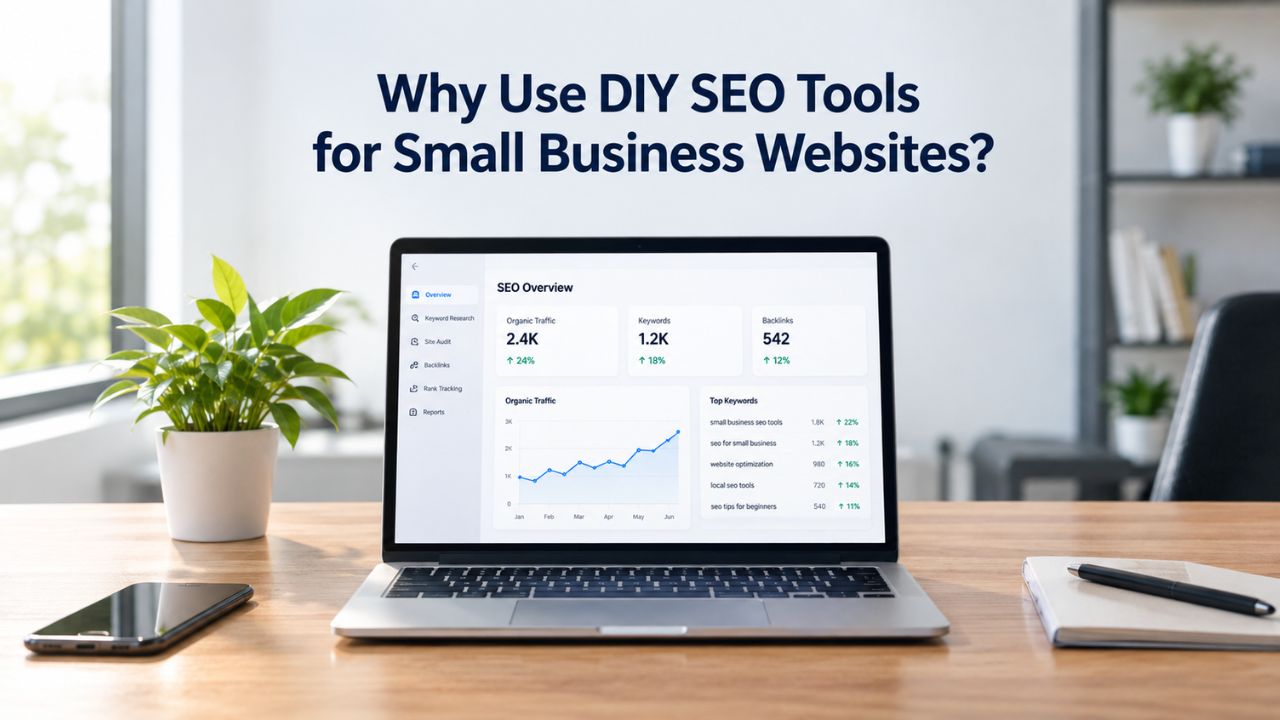
Most small business owners hear the same pitch: hire an SEO agency to manage search visibility. For many, that cost is prohibitive. The alternative, DIY SEO tools, lets you manage performance independently using the same data sources agencies rely on, without external retainers or dependency on third-party teams.
What DIY SEO Tools Actually Do
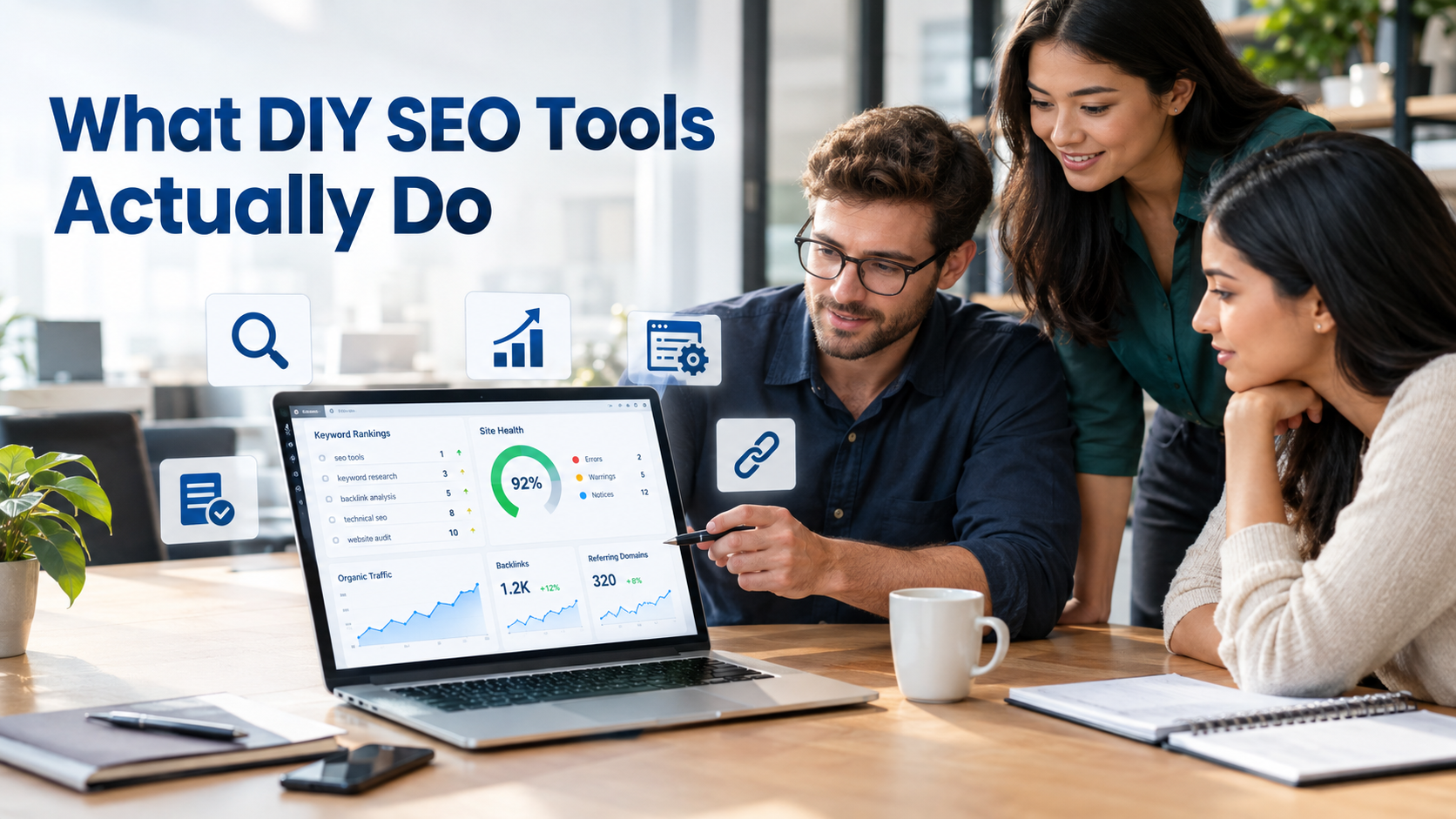
DIY SEO tools empower website owners and small businesses to analyze, optimize, and monitor search engine performance independently. These platforms provide actionable insights and automated recommendations that turn complex SEO data into clear, implementable strategies to improve organic visibility. Instead of waiting for agency reports or relying on external consultants, you see results in real time and own every optimization decision.
The Four Core Capabilities Every DIY SEO Platform Should Offer
DIY SEO tools handle four foundational workflows that form the backbone of any organic search strategy. Keyword research identifies the search terms your customers actually use, ranked by search volume and how difficult those keywords are to rank for in competitive results. Technical SEO audits scan your entire website for broken links, slow page speed, mobile usability issues, and missing metadata that prevent search engines from crawling and ranking your pages effectively.
Rank tracking monitors where your pages appear in Google results for each target keyword over time, showing progress across weeks and months so you can measure whether your efforts are working. Competitor analysis reveals what keywords your rivals rank for, their backlink strategy, and where market gaps exist- opportunities you can fill before competitors discover them. Without keyword research, you’re guessing which search terms to target. Without technical audits, you’re blind to site performance barriers. Without rank tracking, you can’t measure whether your efforts are working. Without competitor insights, you’re missing half the strategic picture.
Why DIY SEO Tools Have Transformed Access to Search Visibility
Ten years ago, detailed keyword data, technical audits, rank tracking, and competitor analysis belonged only to large companies that could afford agency services or expensive software platforms. Today, DIY SEO tools democratize that same intelligence for businesses of any size. Small businesses and solo entrepreneurs now access the same underlying search and keyword-data sources that power professional-grade platforms, enabling them to compete without hiring external expertise or paying ongoing retainers.
This shift means a local plumber, e-commerce store owner, service provider, or independent consultant can build real organic visibility and drive consistent traffic without hiring an agency. Niya Digital’s DIY SEO tool draws on third-party search and keyword-data sources to generate its metrics, just like any SEO platform. The underlying data-provider relationships are never described as exclusive; they’re the same generic industry sources competitors use. What changes is your direct access to the data and your ability to act on it without waiting for a third-party report or approval.
Search Engine Optimization Plans & Pricing
Choose the right SEO plan for your website. Improve search engine visibility, discover relevant keywords, monitor rankings, and access customized optimization services to support your business growth.
Search Engine Optimization (SEO)
Bring more traffic to your website with Search Engine Optimization.
- Search Optimization: Improve search engine rankings with keyword and suggested topics tool
- Keyword suggestions: Get personalized phrases and words to add to increase traffic to your website and help it rank better.
- Tracking your ranking: Track the progress of your website’s rank on Google over time
- Create your sitemap: Customize, create and submit a site map to aid search engines in crawling your site.

Customized SEO Plan
Get Customized Plan For your Business Website SEO (Search Engine Optimization)
- On-Page & Off-Page Optimization: Update Meta Tags, Titles, Descriptions, Alt Tags, Schema / JSON-LD / Microdata Format, HTML + TXT + XML Sitemap, Robots.TXT, Google Analytics & Google Search Console integration
- Keyword Research & Analysis: Improve Keyword Effectiveness Index (KEI) with main heading & sub-heading tags, Content Review by professional content editor
- Competitor Research & Analysis: Compare and Compete with competitors search engine ranking positions, Track and analyse competitor trends
- Diversify Back Link Profile: Relevant Business Directory Submission, Article Submission, Blog Creation, Web 2.0 asset creations, Author Profile Links, Social Book Marking links
- Monthly Task Review & Progress Reporting: Get Monthly SERP Reports and Task Performance Reports
Why Agency SEO Costs More Than Most Small Businesses Can Afford
Understanding the true cost difference between DIY and professional SEO is essential before you decide whether to handle SEO yourself or hire an agency. The financial case is significant, but so are the trade-offs in control, transparency, and long-term value.
The Real Price Tag for Professional SEO Services
Professional SEO work demands specialized expertise, ongoing optimization, content creation, link-building, and detailed reporting. Agencies provide consistency: if a team member leaves, someone else can pick up your account and maintain continuity. For many growing businesses, the strategic value of an experienced team justifies the investment. However, for bootstrap startups, tight-margin local businesses, and early-stage companies, the ongoing expense of professional SEO is often unaffordable, regardless of the value it might deliver.
The barrier to entry for professional SEO is substantial, putting it out of reach for most small business owners who are bootstrapping, managing multiple revenue channels, or reinvesting profits back into their business. This creates a gap: businesses need SEO, but they can’t afford traditional agencies. DIY SEO tools bridge that gap, offering a way to manage search visibility without a large monthly retainer or long-term vendor dependence. This democratization doesn’t mean DIY SEO is easier than professional services; it requires commitment, learning, and discipline, but it does mean small business owners can access the same intelligence and tools agencies use.
What DIY SEO Tools Cost Compared to Hiring Professional Help
DIY SEO tools range from free (Google’s own services like Search Console, Analytics, and PageSpeed Insights) to subscription-based platforms with varying feature sets and keyword limits. Most all-in-one DIY SEO tools use affordable subscription models, offering a dramatic cost reduction compared to agency services. The financial advantage of DIY SEO isn’t just the subscription savings; it’s eliminating ongoing retainers and scaling across multiple websites at marginal cost.
For early-stage companies with founder time to spare and limited cash flow, DIY tools make economic sense. You’re trading time for money, which works when you’d otherwise spend that time bootstrapping instead of generating immediate revenue. For scaling businesses whose owners’ time is highly valuable and already allocated to client work or business development, the economics shift: at some point, hiring professional help becomes cheaper than the opportunity cost of doing SEO yourself. The key is being honest about your hourly rate and how much time you can genuinely allocate without sacrificing core business activities.
The Opportunity Cost Calculation Most Small Owners Miss
Most business owners focus on the tool subscription fee and miss the real cost: time. Managing DIY SEO requires consistent effort across four core workflows: keyword research, technical audits, content creation, and rank tracking. Small business owners attempting DIY SEO typically spend significant time each week on this work, broken down into keyword research, technical fixes, content creation, and reporting and analysis.
This is not a part-time project you pick up on Friday afternoons. It’s an ongoing operational commitment, similar to managing your social media, email marketing, or customer service. The work compounds over time: after three or four months, you’ll have a backlog of ranking content, so new keyword research yields faster results. Routine audits catch issues before they affect rankings. The effort becomes more efficient, but the weekly commitment remains constant. For some business owners, this calculation favors DIY; for others, it clearly doesn’t. The key is to be honest about your hourly rate and whether you can set aside the necessary time without compromising your core business.
Why Small Business Owners Choose DIY SEO When Agencies Aren’t An Option
Beyond cost, DIY SEO appeals to business owners because it offers control, transparency, and ownership of your search visibility strategy. Agencies manage your SEO as a black box: you see monthly reports and results, but you don’t see the decision-making process, the keyword-targeting strategy, or the week-to-week tactical adjustments. With DIY tools, you own every decision.
Direct Visibility Into Your Website’s Performance and What’s Actually Happening
DIY SEO gives you real-time dashboards showing exactly which keywords you’re ranking for and which pages drive traffic. These technical issues need fixing, and you need to know whether competitors have captured keywords you’re targeting. You don’t wait for a monthly report to discover your site speed has degraded or a competitor has launched new content that outranks you. You see it immediately and can respond within days rather than waiting for the next agency update or strategy call.
This transparency builds confidence in your strategy. When you understand why a page isn’t ranking- perhaps it lacks authority, the title tag is too generic, the keyword is too competitive, or a technical issue is blocking indexing- you can fix it directly instead of hoping your agency eventually addresses it or explaining the issue in the next call. You also eliminate dependency on external teams for basic SEO management. Your SEO knowledge and your tool access don’t leave if an agency employee changes jobs or a vendor relationship ends. This ownership is particularly valuable for small businesses that view search visibility as core to their long-term strategy rather than an outsourced marketing expense.
Alignment With Your Business Priorities and Unique Market Position
Agencies optimize for billable time, case studies, and internal processes. DIY SEO tools optimize for what matters to you and your business. If local rankings drive 80% of your revenue, you can weight your keyword research and rank tracking entirely toward local search terms relevant to your geography and service area. If you sell a niche product with a specific audience, you can focus on high-intent long-tail keywords where conversion rates run significantly higher than broad head terms.
This alignment is particularly powerful for small businesses with non-obvious niches, local service territories, or unique value propositions. A local contractor might dominate “emergency plumbing in [your city]” while a national agency would push them toward broader, more competitive terms that don’t drive relevant traffic. DIY tools let you follow the signals that actually matter to your business model and customer acquisition strategy. An e-commerce business might prioritize product-specific keywords and commercial intent. In contrast, a service business might focus on local search and educational content that builds trust before customers decide to buy.
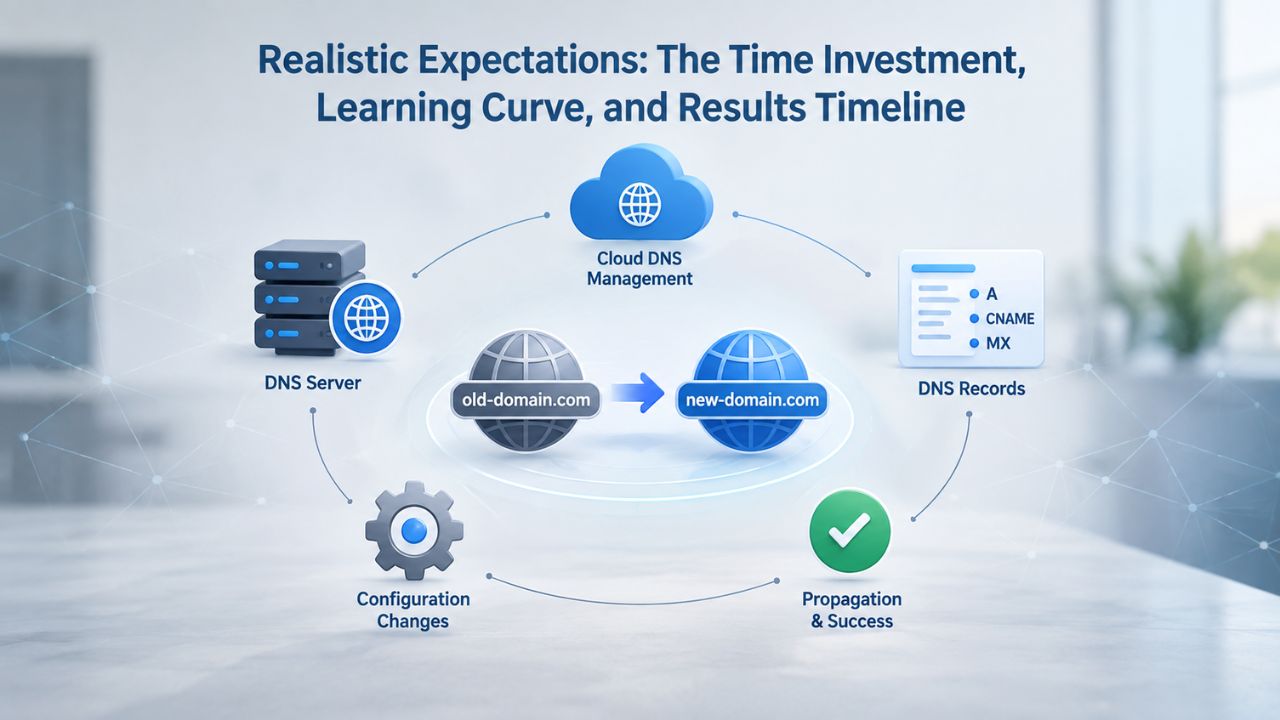
Realistic Expectations: The Time Investment, Learning Curve, and Results Timeline
One of the biggest DIY SEO mistakes is underestimating what it takes to manage search visibility effectively. Here’s an honest breakdown of what meaningful DIY SEO actually demands.
You Need a Significant Weekly Time Commitment for Meaningful Results
Niya Digital’s team has found that business owners running DIY SEO without structured processes often spend significant time each week on the four core workflows: keyword research, technical audits, content, and tracking. Skip any pillar, and your results plateau. You can’t do keyword research one month and ignore it for three months; you can’t audit your site once and assume it stays healthy; you can’t publish one piece of content and expect compounding organic growth. DIY SEO requires ongoing, consistent effort across all four areas.
This isn’t a part-time project you pick up on Friday afternoons. It’s an ongoing operational commitment, similar to managing your social media or email marketing. The good news: the effort compounds. After month three or four, you’ll have a backlog of ranking content, so new keyword research yields faster results. Routine audits catch issues before they affect rankings. The work becomes more efficient and produces better results per hour invested. Initial setup and learning require more time; once you understand your processes and tools, execution accelerates significantly.
The Learning Curve Is Real, But Most Core Concepts Aren’t Hard to Understand
SEO terminology intimidates people: keyword difficulty scores, Core Web Vitals, canonical tags, search intent, domain authority, anchor text, backlink profiles. In practice, none of it is rocket science. You don’t need a computer science degree or marketing background to use a DIY SEO tool effectively. Most tools guide you with built-in recommendations and explanations. Google’s own documentation is free and surprisingly clear if you want to understand the technical side more deeply.
The learning curve is steepest in weeks one through four. After that, you develop intuition. You learn what a keyword difficulty score of 25 means for your site’s authority and how many backlinks you’d need to compete. You recognize when a page isn’t ranking because it lacks authority versus when the title tag is too generic, or the content doesn’t match search intent. You stop second-guessing every decision and start making strategic optimizations based on data. The concepts build on each other, and once you grasp the fundamentals, everything else follows logically.
Results Take Time; Patience and Consistency Matter More Than Speed
New pages typically take two to four weeks to appear in Google’s index and another four to eight weeks to accumulate enough search data for meaningful ranking movement. This means your first measurable wins usually land in month two or three. Meaningful organic traffic increase, the kind that stakeholders notice and celebrate, typically shows after month four to six, as you accumulate ranking content and your domain authority grows.
After month six, compounding accelerates significantly. Your keyword rankings stabilize, older content gains authority, and new pages rank faster because your site’s overall authority improves. This is why most SEO experts recommend at least a 6-month commitment before evaluating whether your strategy is working. Months one and two feel like you’re working without results; months three and four show early wins; months six and beyond show the compounding effect. Businesses that quit after three weeks miss the payoff. Businesses that commit to six months and stay disciplined across all four workflows typically see meaningful results.
The Four Essential Capabilities You Absolutely Need in a DIY SEO Tool
Not all DIY SEO tools are equal. Some specialize in keyword research but skip rank tracking. Others focus on technical audits but lack competitor insights. Some offer extensive features but have overwhelmingly complex interfaces. Here’s what separates a genuinely useful tool from an incomplete one.
Keyword Research Tools That Surface Real Opportunities, Not Just Search Volume
A keyword research tool must show search volume (how many people search for a term monthly), keyword difficulty (how hard it is to rank for that keyword), and search intent (is this a “how-to” question, a product purchase, an informational search, or a comparison). Volume alone is worthless; millions of searches mean nothing if the top 10 results are huge authority sites and you’re a new domain competing without resources.
The best DIY keyword tools help you filter for long-tail keywords (longer, more specific phrases with lower competition and higher conversion rates). A tool that surfaces “how to make strong coffee at home” (lower difficulty, moderate volume) is more useful than one pushing you toward “coffee” (enormous difficulty, millions of searches). Long-tail keywords are achievable for small sites and deliver more qualified traffic because they match specific customer intent. Look for tools that show SERP previews (what pages currently rank for your target keyword before you commit to optimizing). This one step prevents wasted content effort on keywords where massive authority sites outgun you.
Technical Audit Tools That Flag Issues You Can Actually Fix Yourself
A technical audit tool should scan your entire site, identify broken links, check mobile-friendliness, measure page speed and Core Web Vitals, verify XML sitemap configuration, and flag common on-page issues like missing title tags or meta descriptions that exceed character limits. The tool should prioritize issues by impact, not overwhelm you with thousands of minor issues.
A broken internal link hurts user experience and might block a page from ranking completely. An unoptimized image drags down page speed, a confirmed ranking factor. These matter and should be addressed first. A missing ALT text on one image is less critical than fixing 50 broken links. A tool that shows you the highest-impact issues first helps you focus your effort where it matters most. Look for tools that explain what each issue means and provide specific recommendations for fixing it- guidance that helps you learn as you work.
Rank Tracking That Updates Regularly and Alerts You to Important Changes
Rank tracking tools monitor where your pages appear in Google results for your target keywords over time. They should update regularly (daily or at least weekly), show historical trends so you can spot patterns and momentum, and alert you when a ranking suddenly drops, a signal that something changed and needs investigation. You can diagnose whether algorithm updates affected you, a competitor launched new content, or a technical issue emerged.
You can also track competitors’ rankings alongside your own. If a competitor’s page dropped and yours moved up in the same ranking, you know your optimization tactic works. If you moved up but a completely new domain appeared ahead of you, that tells you the competitive landscape shifted, and you might need a content refresh. Rank tracking is your primary feedback mechanism for validating whether your SEO efforts are working or you need to adjust your approach.
Competitor Analysis That Surfaces Keyword Gaps and Link-Building Opportunities
Competitor analysis tools reveal which keywords your competitors rank for that you don’t (a gap you can fill with new content), what their backlink strategy looks like (link sources you might pursue), and how their content performs compared to yours. This intelligence prevents blind spots; you won’t waste time optimizing for keywords competitors have already dominated if you can see opportunities they’ve missed.
A good competitor analysis tool shows you which keywords drive traffic to competitor sites, the topics they rank for that you don’t, their top-performing content, and where their backlinks come from. This information helps you identify quick wins (keywords they rank for with low difficulty that you could rank for too) and understand the competitive landscape for the keywords that matter to your business.
Ready to Start Building Your Search Visibility Strategy?
DIY SEO tools put competitive intelligence and site optimization directly in your hands. You’ve learned what capabilities matter, why DIY makes sense, and what realistic timelines look like. The next step is choosing your first tool and committing to the process. Niya Digital’s DIY SEO platform combines all four core capabilities- keyword research, technical audits, rank tracking, and competitor analysis- in one integrated platform designed for small business owners who want to manage search visibility independently.
Building Your First DIY SEO Tool Stack: Start Free, Add Tools Strategically
You don’t need to buy everything at once. In fact, starting with too many tools at once is a common mistake that leads to overwhelm, confusion about what each tool does, and underutilization of the capabilities you’ve paid for. Here’s a realistic path forward.
Google’s Free Tools Are Your Foundation and Your Best Starting Point
Google Search Console (free) shows you how Google crawls and indexes your site, which keywords drive clicks from search results, and any errors preventing indexing. Google Analytics (free) reveals where your organic traffic comes from, which pages get the most traffic, how visitors behave on your site, and whether they convert. Google PageSpeed Insights (free) measures page speed and provides optimization recommendations with specific areas to improve.
Google Mobile-Friendly Test (free) confirms your site works on phones and identifies mobile-specific usability issues. Google Keyword Planner (free, though with limited precision if you’re not running ads) and Google Trends (free) help with initial keyword brainstorming and identifying seasonal patterns. Together, these tools cost nothing and provide the foundation for 60% of what you need. Start here, spend two to three weeks learning them, and only add paid tools afterward. Too many business owners buy expensive platforms without understanding their free foundation; then the paid tool feels overwhelming because they don’t know what to do with it.
| Tool | Primary Purpose | What to Check |
|---|---|---|
| Google Search Console | Monitor indexing & search performance | Keyword impressions, clicks, crawl errors, indexing coverage |
| Google Analytics | Track visitor behavior & organic traffic | Traffic sources, page-by-page performance, bounce rate, conversions |
| PageSpeed Insights | Measure page speed & Core Web Vitals | Mobile/desktop speed scores, First Contentful Paint, Cumulative Layout Shift |
| Mobile-Friendly Test | Verify mobile responsiveness | Viewport configuration, tap-target sizes, text readability on mobile |
| Google Keyword Planner | Research search volume & keyword ideas | Volume ranges, competition levels, related keyword suggestions |
| Google Trends | Track keyword popularity over time | Seasonal patterns, related queries, geographic search interest |
Your First Paid Tool Should Solve Your Biggest Bottleneck
After two to three weeks with Google’s free tools, identify which of the four core capabilities you need most urgently. If keyword research is your biggest challenge, you’re not sure which keywords to target or how to validate whether keywords are worth pursuing, start with a dedicated keyword research tool. If you’re struggling with technical issues, you know something is wrong with your site but can’t figure out what, consider an all-in-one platform that includes technical audits and site crawling.
If rank tracking is your priority, you need visibility into whether your optimization efforts are actually moving rankings; specialized rank tracking tools focus on that workflow alone. Most businesses starting benefit most from all-in-one platforms because they avoid tool proliferation and the mental load of integrating five separate services. An all-in-one tool gives you keyword research, technical audits, rank tracking, and competitor analysis in one place with consistent data and unified reporting.
Avoid Over-Tooling and Stick With What You’ll Actually Use
A common mistake is buying an enterprise-level platform with hundreds of features when you need only the four core capabilities done well. You don’t need advanced features if you’re starting. You don’t need every tool a platform offers; you need the four core capabilities executed well. Choose a tool with a clear interface that doesn’t overwhelm you with options. A tool you actually use and understand beats a theoretically “better” platform you find too complex.
Complexity is a feature bloat problem: each added feature adds menu items, settings, and options you have to understand. More options means more decisions, which slows you down and creates decision paralysis. A simpler tool that covers the four core capabilities well and has an intuitive interface will serve you better than an enterprise platform with a 500-page manual. You can always upgrade later once you’ve mastered the basics.
How Rank Tracking Reveals What’s Working and Guides Your Next Steps
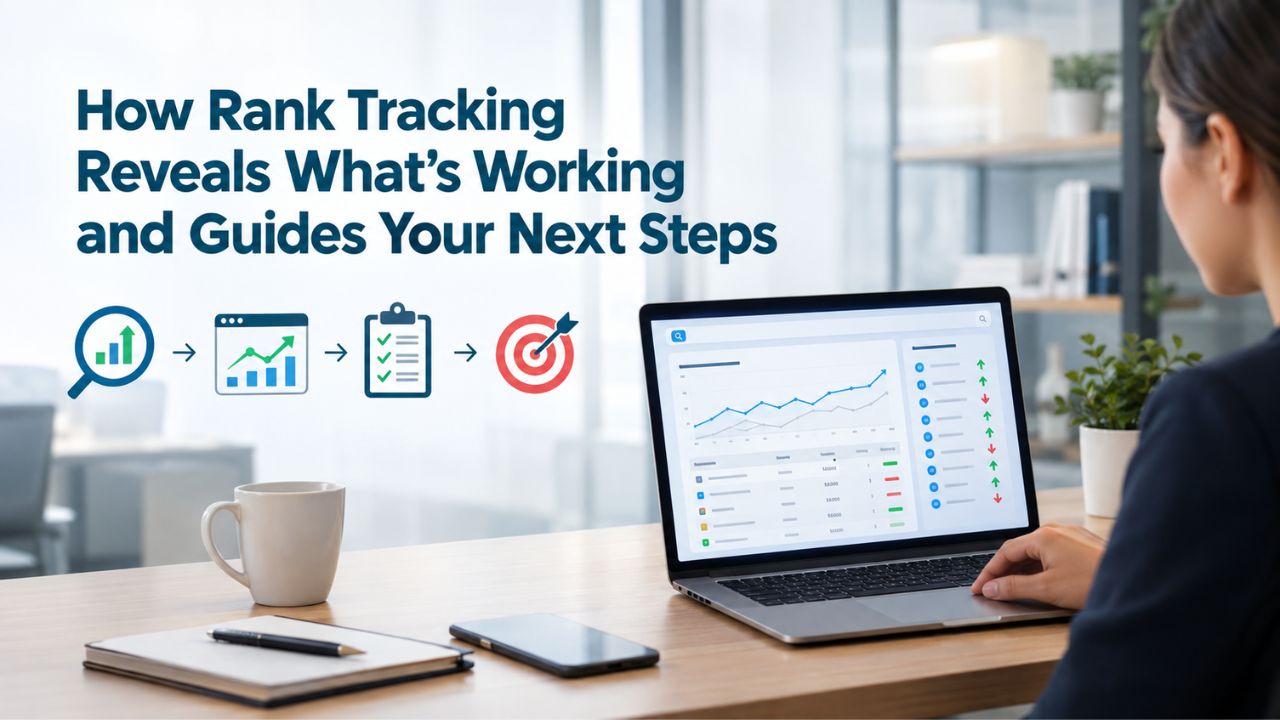
Rank tracking often feels like vanity metrics, obsessing over whether you’re in position 11 versus position 9. In reality, rank tracking is your primary feedback mechanism for understanding whether your SEO strategy is working and where to focus your effort next.
Tracking Positions Tells You If Your Optimizations Actually Work
When you optimize a page- refreshing the content, adding internal links, improving the title tag, fixing technical issues- rank tracking shows the result over time. Did that change move you from position 15 to position 8? Then your optimization tactic works, and you should apply it to other pages. Did it move you from position 8 to position 12? Your tactic backfired or missed the mark, and you need to adjust. This real-time feedback loop is how you refine your process and stop wasting effort on things that don’t move the needle.
Many DIY practitioners skip rank tracking because it feels tedious or because they assume their content is good, so it must be ranking. Reality check: you might be ranking for the wrong keyword modifier, or a technical issue is blocking indexing, or your competitor’s updated content leapfrogged you, or your article doesn’t match the search intent. Rank tracking surfaces these truths quickly. Without it, you’re flying blind, making changes and hoping they work rather than measuring and learning from data.
Identifying Keywords That Are Close to Breaking Into Top Positions
Most rank tracking tools show not just your keywords but also keywords where you’re close to ranking well. If you’re ranking at position 8–12 for a keyword, that’s a “quick win” zone; one more content refresh, a couple of internal links, or a small technical fix often moves you into the top three. These near-miss keywords deserve priority over keywords where you’re stuck at position 25.
Rank tracking makes this visible. You see the trend: “This keyword has moved from position 20 → 15 → 12 → 9 over the last three months.” That’s momentum. It tells you to double down on that keyword and page, do one more refresh, and watch it break into the top 10. Another keyword stuck at position 24 for four months tells you the approach isn’t working, and it’s time to pivot, deprioritize, or try a different content angle. This data-driven prioritization prevents wasted effort on low-potential keywords.
Common DIY SEO Mistakes and How DIY Tools Help You Avoid Them
Most DIY SEO failure isn’t due to a lack of intelligence or effort; it’s preventable mistakes that stop progress before it starts. Understanding the most common pitfalls helps you avoid them.
Mistake 1: Creating Content Without Keyword Research
One of the biggest DIY SEO mistakes small businesses make is writing blog posts and pages based on assumptions about what customers search for, not data. You think “best local plumbers” is a high-volume keyword, so you write a 2,000-word post. In reality, no one searches that exact phrase. Competitors dominate “emergency plumbing near me” or “24-hour plumber [your city].” Your content gets zero organic traffic and wastes your writing time.
Keyword research tools prevent this mistake. They show you exactly what people search for, how often each query is searched, and how hard each keyword is to rank for. You write content only for keywords with real search demand that you can realistically rank for. This simple discipline, validating keyword demand before writing, eliminates wasted effort and ensures every piece of content you create has a shot at driving traffic.
Mistake 2: Ignoring Long-Tail Keywords and Chasing Broad, Competitive Head Terms
Many small business owners aim for broad, high-volume keywords like “SEO,” “marketing,” “plumbing,” or “digital marketing.” These terms have millions of searches but are dominated by established brands, large agencies, and authority sites. A new website has almost zero chance of ranking for them in the first year or two, no matter how good your content is.
Long-tail keywords (longer, more specific phrases like “DIY SEO tools for small business” or “emergency plumbing near downtown Denver”) have lower volume but dramatically lower competition and higher search intent. Visitors searching for specific phrases usually have a clear need or intent. A robust DIY SEO strategy starts with long-tail keywords where you can realistically rank in month three to four, then expands to broader terms as your domain authority grows. Keyword difficulty scores in your DIY tool should steer you toward keywords you can realistically compete for.
Mistake 3: Neglecting Mobile Optimization in a Mobile-First World
Over 60% of Google searches now come from mobile devices, yet many small business websites are poorly optimized for phones. Buttons are too small to tap, text isn’t readable without zooming, and pages load slowly on mobile connections because images aren’t optimized. Google weighs mobile experience heavily in rankings and often shows mobile versions first in search results.
Technical audit tools make mobile issues visible. They run your site through Google’s Mobile-Friendly Test, check Core Web Vitals from mobile users’ perspective, and highlight mobile-specific issues. Fixing mobile before you launch content prevents months of invisible traffic loss and ensures you’re not handicapping your pages from the start. Mobile optimization isn’t optional; it’s a prerequisite for ranking in 2026.
Mistake 4: Weak Internal Linking That Doesn’t Guide Search Engines or Visitors
Internal links (hyperlinks from one page on your site to another) serve two purposes. They guide search engines to important pages and show topical relationships between pages. A page with no internal links is invisible to crawlers and gets no link authority benefit. A homepage that doesn’t link to your best content wastes your link authority on pages that don’t drive business value.
A DIY tool’s site crawler shows your internal linking structure visually: which pages are connected, which are orphaned (unreachable), and which carry the most link authority. This reveals quick wins: “Your homepage isn’t linking to your highest-value content pages. Add three internal links and boost their authority.” Strategic internal linking costs nothing but time and significantly impacts your ability to rank.
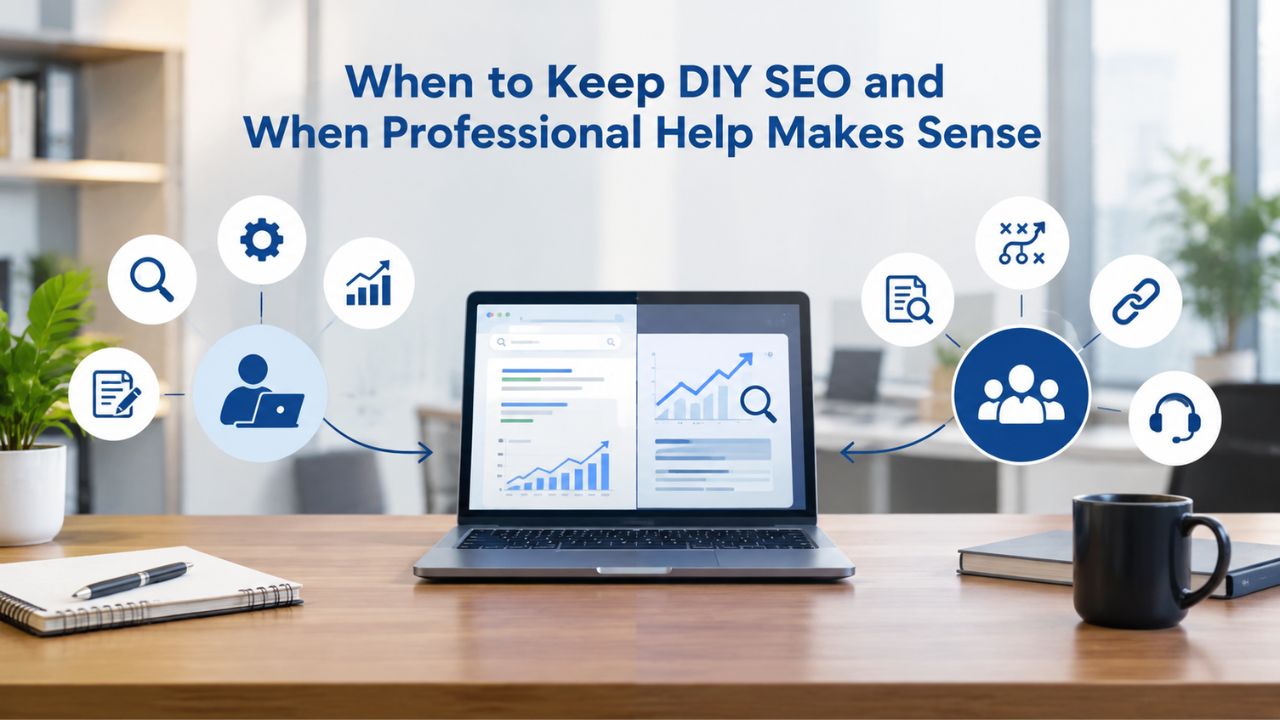
When to Keep DIY SEO and When Professional Help Makes Sense
Every business reaches a point where the DIY model stops working economically. Knowing when that moment arrives saves you years of wasted time or expensive mistakes.
The DIY Model Works Best In Your First 6 to 12 Months
When you’re starting, DIY SEO makes financial sense. You have time available. You’re learning and building skills that compound forever. The opportunity cost of your time is acceptable because you don’t yet have paying clients filling those hours. Early investment in SEO fundamentals compounds dramatically over time. The first 6–12 months of DIY SEO is a skills-building phase that pays dividends for years as you continue to manage your own search visibility.
During this phase, focus on proficiency over perfection: learn the tool, build keyword lists, audit your site, optimize 10–15 pages, and track their progress. Don’t aim for flawless content or perfect strategy; aim for completion and learning. By month 12, you’ll have a realistic sense of what’s possible, how much time it actually requires, and whether DIY SEO aligns with your business model and available resources.
The Hybrid Model: DIY for Strategy, Outsource Specialized Work
After month 12, many businesses shift to a hybrid model. You keep keyword research and rank tracking in-house because that strategic layer belongs to the business owner who understands your market and business goals. You outsource content creation to a freelance writer or agency because writing takes significant time and many owners aren’t strong writers. You might outsource backlink building because it’s tedious, requires relationship-building, and benefits from industry connections and outreach skills.
This hybrid approach keeps your overall investment lower than full-service agencies while eliminating your bottleneck (writing, link building, or whatever tasks drain your time most). You retain strategic control over keyword direction and rankings while delegating execution to specialists. This model scales better than pure DIY because you’re not trying to do everything yourself while managing your core business.
When Full Outsourcing Makes Sense (And When It Doesn’t)
Outsourcing entire SEO to an agency makes sense when your business is scaling fast, your time has genuine revenue impact (you’re closing deals or managing delivery), and your organic traffic target requires sophistication beyond your team’s bandwidth. At that stage, paying for professional SEO is an investment with a measurable return. You’re trading a recurring cost for a dedicated team, research investment, and expertise.
Outsourcing doesn’t make sense if your revenue is modest, organic traffic is nice-to-have (not essential), or you have spare time and genuine interest in DIY SEO. An expensive agency retainer on a business model where organic traffic isn’t make-or-break is a waste. Similarly, if you’re in a niche where DIY SEO produces great results with your available effort, outsourcing is unnecessary. The decision depends on your business stage, time availability, revenue model, and whether organic traffic is strategic to your growth.
| Business Stage | SEO Model | Key Characteristics | Time Investment | Best Approach |
|---|---|---|---|---|
| Startup / Bootstrap | DIY SEO | Limited budget, founder time available, learning phase | 7–10 hours/week | Lean on free Google tools, build foundational content, learn processes |
| Early Growth (Months 6–12) | DIY + Foundation | Profitability emerging, some revenue from organic, team growing | 7–10 hours/week | Add one paid tool, focus on quick wins, build keyword backlog |
| Scale Phase (Year 1–2) | Hybrid Model | Consistent organic revenue, owner’s time highly valuable, need consistency | 3–5 hours/week strategy | Keep keyword research in-house, outsource content/link building |
| Rapid Growth (Year 2+) | Full Outsource | Organic is key revenue driver, need sophisticated strategy, team dedicated | 1–2 hours/week oversight | Professional agency, internal SEO hire, or both depending on needs |
| Mature/Established | Full Outsource or Internal | Organic is predictable revenue, SEO is strategic function, scale across properties | Variable | Internal team, specialized agencies, or mix depending on scale |
A Simple 30-Day Roadmap to Start Your DIY SEO Today
Starting feels abstract until you have specific first steps. Here’s how your first month should flow so that you can go from zero to a working foundation.
Week 1: Set Up Google’s Free Tools and Understand Your Baseline
Day 1–2: Claim Google Search Console and Google Analytics. Verify your domain in both. Connect them so data flows between systems without manual work. Day 3–5: Run your site through Google’s Mobile-Friendly Test. Check PageSpeed Insights and note your page speed score on mobile and desktop. Take screenshots of your baseline metrics.
By the end of week one, you’ll have baseline data. You’ll know your current mobile score, page speed, and the errors Google’s crawlers encounter when trying to index your site. You also establish your “before” snapshot. Any improvement from week one onward is measurable progress. This baseline also helps you track whether your changes improve your metrics or make things worse. You’ll be amazed at the difference between week one and week twelve.
Week 2: Research Your First 20 Target Keywords
Use Google Keyword Planner (free) or a paid keyword research tool to brainstorm keywords related to your business. Focus on long-tail keywords, phrases three to five words long, specific to your service, product, or local area. Sort by difficulty: target keywords where you can realistically compete (lower difficulty scores for a new site). Aim for keywords where the top-ranking pages aren’t massive authority sites like Wikipedia or major news outlets.
Write down 20 keywords in a spreadsheet with columns for the keyword itself, search volume (approximate), difficulty score, and which page on your site should rank for it. This list is your content roadmap for the next 90 days. It tells you exactly what to write and in what order. Over the next several months, you’ll create content for these 20 keywords and watch them rank up. This list is valuable; treat it as your strategic roadmap.
Week 3: Audit Your Site and Fix Critical Issues
Run your site through your DIY tool’s technical audit (or use Google’s free tools if you haven’t bought a tool yet). Look for broken links, missing title tags, slow page speed, mobile issues, and indexing problems. Prioritize fixing broken links and mobile issues first because they immediately hurt both rankings and user experience. Page speed optimization comes second. Security issues like mixed HTTP/HTTPS content come third.
By the end of week three, your site should have no broken links and pass mobile-friendly tests. You’ve fixed the foundation. New content you publish from this point forward has a fighting chance to rank because you’ve addressed the technical barriers. This week is unglamorous; it’s fixing problems rather than creating content, but it’s essential. You can’t build on a broken foundation.
Week 4: Publish or Optimize Your First 3–5 Pages for Target Keywords
Pick your three easiest target keywords (lowest difficulty scores). Write or substantially update pages specifically for those keywords. Include the keyword naturally in the page title, first paragraph, headings, and body. Answer the question or intent behind the search. Don’t overthink this. Your goal is to publish, not achieve perfection. You’ll learn more from seeing what ranks and what doesn’t than from endless editing and revising.
Push three pages live by the end of month one. That’s your measurable goal. Months two and three, monitor those pages and see where they rank. Make adjustments based on what you learn. This cycle- publish, monitor, adjust- is the core of DIY SEO.
Getting Started: Your First Paid Tool and Long-Term Strategy
You don’t need to buy everything at once. In fact, starting with too many tools leads to overwhelm and underutilization. After two to three weeks with Google’s free tools, identify which of the four core capabilities you need most urgently. Does keyword research feel like your biggest challenge? Do technical issues confound you? Do you want to see weekly ranking updates? Let your biggest bottleneck guide your first paid tool investment.
Choosing Your First Paid Tool Based on Your Needs
After mastering Google’s free tools, you’ll know what you need. If keyword research is your pain point and you’re creating content but aren’t sure you’re targeting the right keywords, start with a dedicated keyword research tool. If technical audits overwhelm you, you know something’s wrong with your site but can’t diagnose it, choose an all-in-one platform. If you want visibility into ranking progress and want to measure impact, prioritize rank tracking.
Most businesses starting out benefit from all-in-one platforms because they avoid tool switching and keep your data in one place. A single platform with all four capabilities, a clean interface, and solid documentation makes learning easier. You’re not jumping between three different tools and trying to reconcile conflicting data. One source of truth simplifies decision-making and keeps you focused on execution, not tool management.
Building Your Tool Stack Over Time
Your first tool is not your last. After six months with your first platform, you’ll have stronger opinions about what you need. Maybe you want more advanced competitor analysis, or specialized rank tracking with mobile rankings, or keyword research that shows search intent more clearly. Add your second tool strategically to fill gaps in your first tool, not duplicate functionality.
The goal is a lean stack, four to five tools maximum, that covers all four core capabilities with no redundancy. More tools means more mental overhead, more data to reconcile, and more subscriptions to manage. Lean stacks work better for small businesses than bloated suites you never fully utilize.
Ready to Take Control of Your Search Visibility?
DIY SEO tools give you the same competitive intelligence agencies use without expensive retainers or external dependencies. The next sections show you how to build your first tool stack and start generating results in weeks, not months. Niya Digital’s DIY SEO platform combines keyword research, technical audits, rank tracking, and competitor analysis in one place, designed specifically for businesses that want to manage their search visibility independently.
Frequently Asked Questions
What’s the difference between keyword difficulty and search volume?
Search volume tells you how many people search for a keyword monthly (e.g., “best coffee” might get 50,000 searches). Keyword difficulty estimates how hard it is to rank for that keyword on a scale of 0–100, based on the backlink profiles and domain authority of the pages currently ranking in the top 10.
A keyword with very high search volume but extremely high difficulty is harder to rank for than one with moderate volume and lower difficulty. Volume and difficulty are separate signals; don’t chase high volume if difficulty is unachievable for your site’s authority level.
Do I need a paid DIY SEO tool, or can Google’s free tools do everything?
Google’s free tools (Search Console, Analytics, PageSpeed Insights, Keyword Planner) provide the foundation and work well for basic SEO. They lack some conveniences: Keyword Planner gives volume ranges, not exact figures; Analytics doesn’t show keyword rankings directly; Search Console doesn’t track competitor keywords.
A paid all-in-one tool adds significant value: exact search volume, rank tracking, and competitor analysis that save you hours weekly and provide data you can’t get for free. For DIY practitioners serious about results, a paid tool is worthwhile after your first month of learning with free tools.
How often should I check my rankings, and will obsessive tracking help?
Rank tracking tools update daily or weekly, but daily position swaps are normal noise. Rankings fluctuate based on time of day, geographic location, device type (mobile vs. desktop), and Google’s algorithm testing. Check your ranks weekly or bi-weekly for trends, not daily for tweaks. Obsessive daily tracking leads to panic and over-optimization. What matters is the overall trend: is this keyword moving up over four weeks, staying flat, or declining? That’s the signal to act on.
What’s realistic organic traffic growth per month in DIY SEO?
Traffic growth depends on your niche competitiveness, starting domain authority, keyword difficulty, and publishing frequency. Realistic estimate: zero traffic in months 1–2 while pages index and gain data. Months 3–4: first pages rank in positions 15–25 (low traffic).
Months 5–6: some keywords crack the top 10 (noticeable traffic). Month 6+: compounding accelerates as your site authority grows. By month 12, expect a percentage of your potential traffic depending on your effort and niche. This is geometric growth, not linear; early months are slow, but acceleration kicks in at month six.
Can I do SEO without creating new content? What if I only optimize existing pages?
You can improve existing pages and see ranking gains, especially with technical fixes and internal linking. But lasting SEO growth requires new content. Here’s why: you have only so much authority to distribute across existing pages. To capture 50 new keywords, you need 50 new pages (or at minimum, comprehensively updated existing pages). Optimizing five existing pages gets you five keywords ranking. New content is how you expand into adjacent keyword opportunities and build organic traffic at scale.
What’s the biggest mistake beginner DIY SEO practitioners make?
Underestimating time and then quitting after three weeks. DIY SEO requires consistent effort and patience through months one and two with minimal results. Many people expect dramatic change immediately, don’t see it, and abandon the effort. Businesses that succeed commit to six months and stay disciplined across all four workflows: research, audits, content, and tracking. Consistency beats heroic effort for one month.
How do I know if a keyword is worth targeting, beyond just checking difficulty and volume?
Check the search intent by looking at the current top 10 results. If you’re selling products but the top results are all educational blog posts (“how to choose”), that keyword’s intent is educational, not commercial; traffic won’t convert. If the top results are other product pages like yours, the intent matches your offering.
Also ask: do I have unique value for this keyword, or am I writing the same thing everyone else published? If your angle is identical, skip the keyword even if volume and difficulty look good.
Should I focus on local keywords, national keywords, or both?
Start with local keywords specific to your geography if local is your business model. Local keywords have lower volume but dramatically lower competition. “Best plumber in Denver” is infinitely easier to rank for than “best plumber in America.”
After securing local rankings and traffic, expand to regional or national keywords if your business model supports it. But don’t chase national keywords when your business serves one city.
How do I compete with established competitors who have been ranking for years?
Find keyword gaps they’ve missed or underserved. Analyze what keywords your competitors rank for, then look for related long-tail variations they haven’t optimized for. Update your content to be fresher and more comprehensive than theirs, if possible. Build links to pages that directly compete with them.
Compete on timeliness: if you publish updated information faster, search engines reward freshness. A long-tail keyword strategy, slightly better content, and patience can win out over time, even against established competitors.
Can I use DIY SEO tools for multiple websites, or does each site need its own subscription?
Most DIY SEO tools charge per project or domain, but the per-domain cost is low. A tool that costs a base rate for one website often costs only a small additional amount for two to three sites. Managing a small business or personal brand portfolio? You can manage multiple sites with a single subscription on most platforms. Check pricing before committing.
What’s the relationship between DIY SEO and paid search (Google Ads)?
They’re separate channels. Google Ads gets you immediate traffic for a cost-per-click fee; organic SEO builds long-term, free traffic. Many small businesses run both. You might pay for Google Ads on competitive keywords while building organic rankings on long-tail keywords. As organic traffic grows and proves ROI, you can reduce ad spend. Strong organic rankings on valuable keywords free up ad budget for strategic paid campaigns that organic can’t cover fast enough.
How long until my DIY SEO efforts start showing ROI, not in rankings, but in actual revenue?
Rankings come faster than revenue. You might see keyword movement in month 3–4. But rankings don’t equal traffic, and traffic doesn’t equal sales. A rank in position 8 might drive 5 clicks monthly. Position 3 might drive 30 clicks. Of those clicks, only a small percentage convert to customers. True ROI (revenue exceeding the cost of your time plus tools) typically arrives in month 6–9 for well-executed campaigns. Patience and realistic expectations matter: you’re investing in a long-term asset, not expecting immediate return.
Should I hire a consultant to help with my DIY SEO, or does that defeat the purpose?
Hiring a part-time consultant or coach to advise on strategy isn’t the same as outsourcing all work. A coach reviews your keyword research, audits your site health, and points out blind spots, then you execute. This hybrid keeps your investment lean while accelerating your learning. A consultant adds value in months 1–3 by helping you avoid costly mistakes.
How often should I publish new content if I’m doing DIY SEO?
Publishing frequency depends on your niche competitiveness and resource availability. Realistic starting pace: one to two new pages per week with ongoing refreshes to existing high-value pages. Quality matters far more than quantity; one in-depth, well-researched page outranks five thin pages. Focus on consistency and depth over speed.
What if I don’t see results after three to four months of consistent effort?
Step back and audit your strategy. Common issues include targeting overly difficult keywords, poor search-intent matching, weak on-page optimization, or technical barriers. Make one targeted change at a time and track the result. Patience combined with strategic adjustment beats waiting passively for results.
Glossary
- Keyword Difficulty (KD) Score: A 0–100 metric that estimates how hard it is to rank for a particular keyword in organic search results. The score is based on the backlink profiles and domain authority of the top-ranking pages. A difficulty of 0–30 is typically achievable for new websites; 30–50 requires established authority and some backlinks; 50+ usually needs significant domain authority or link-building effort.
- Long-Tail Keywords: Longer, more specific keyword phrases (typically 3–5+ words) with lower monthly search volume but also lower competition and higher search intent. For example, “how to make strong coffee” is a long-tail keyword (lower volume, lower difficulty), while “coffee” is a head term (enormous volume, extreme difficulty). Long-tail keywords are a strategic starting point for small businesses entering competitive niches.
- Technical SEO Audit: A comprehensive analysis of a website’s backend and structural elements that affect search engine crawling and indexing. It examines site speed, mobile responsiveness, broken links, internal linking structure, XML sitemaps, robots.txt configuration, HTTPS security, canonical tags, duplicate content, and meta tag optimization. Regular audits (at least quarterly) identify issues before they affect rankings.
- Rank Tracking: The process of monitoring a website’s position (ranking) in Google search results for specific target keywords over time. Tools track daily or weekly, creating historical data that reveals trends, confirms whether optimizations work, and alerts on sudden ranking drops. Rank tracking is the primary feedback mechanism for DIY SEO practitioners to measure progress and guide next steps.
- Core Web Vitals: Google’s set of three metrics measuring user experience and page performance: Largest Contentful Paint (LCP, how fast main content loads), First Input Delay (FID, responsiveness to user input), and Cumulative Layout Shift (CLS, visual stability as the page loads). These metrics influence search rankings and are measured on real user data in Google Search Console.
- Organic Traffic: Website visits that come from unpaid search results (Google, Bing, etc.), as opposed to paid ads, direct links, or social media. Building organic traffic is the primary goal of DIY SEO efforts, as organic visits are free and compounding (existing ranked pages continue driving traffic indefinitely).
- DIY SEO Audit Tool: Software that scans a website to identify technical, on-page, and structural issues affecting search engine visibility. Audits check for broken links, mobile usability, page speed, metadata completeness, indexability problems, and competitor comparison opportunities. Regular use (at least quarterly) prevents performance degradation.
- Search Intent: The underlying goal or reason behind a search query. A person searching “how to make coffee” has informational intent (learning how). A person searching “buy coffee maker” has commercial intent (purchasing). A person searching “best coffee shops near me” has local intent. Matching your content to search intent is essential for rankings and conversions.