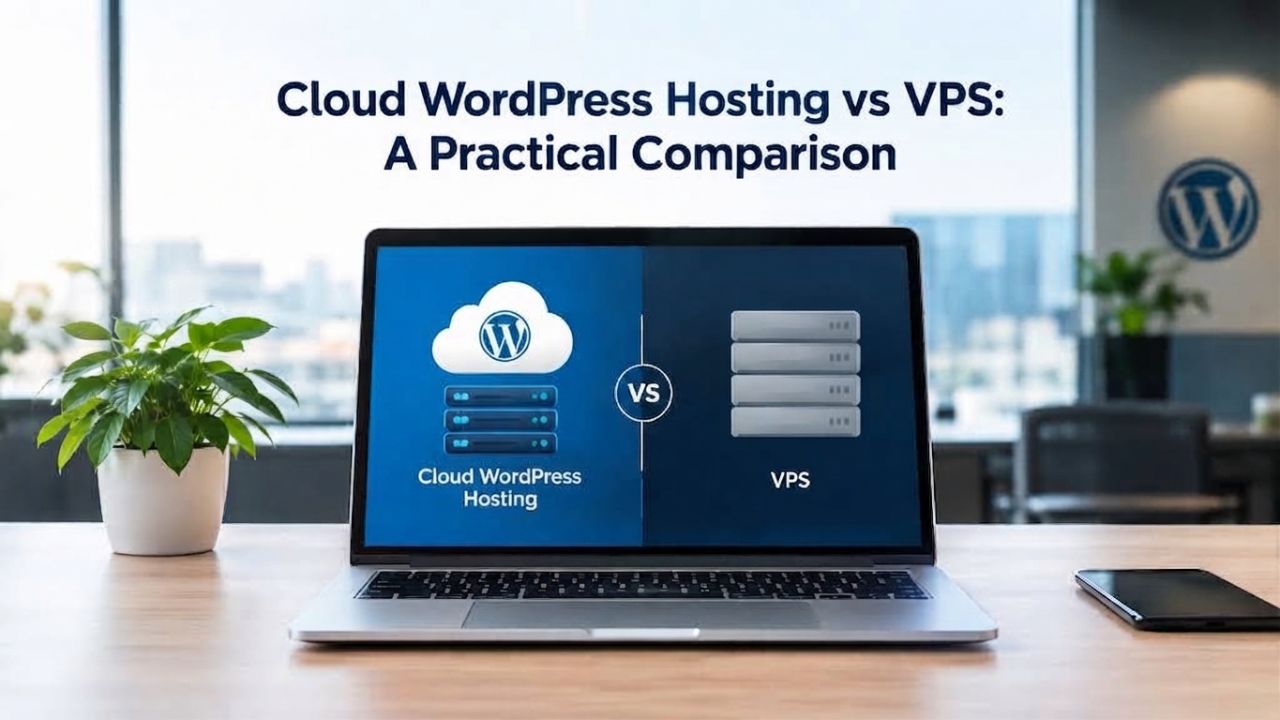
When your WordPress site outgrows shared hosting, the choice between cloud WordPress hosting and VPS hosting is critical. Both offer dedicated resources and better performance, but their architectures differ fundamentally. Niya Digital partners with an enterprise-grade cloud infrastructure partner to deliver managed WordPress hosting optimized for real-world growth.
How Cloud and VPS Architecture Fundamentally Differ
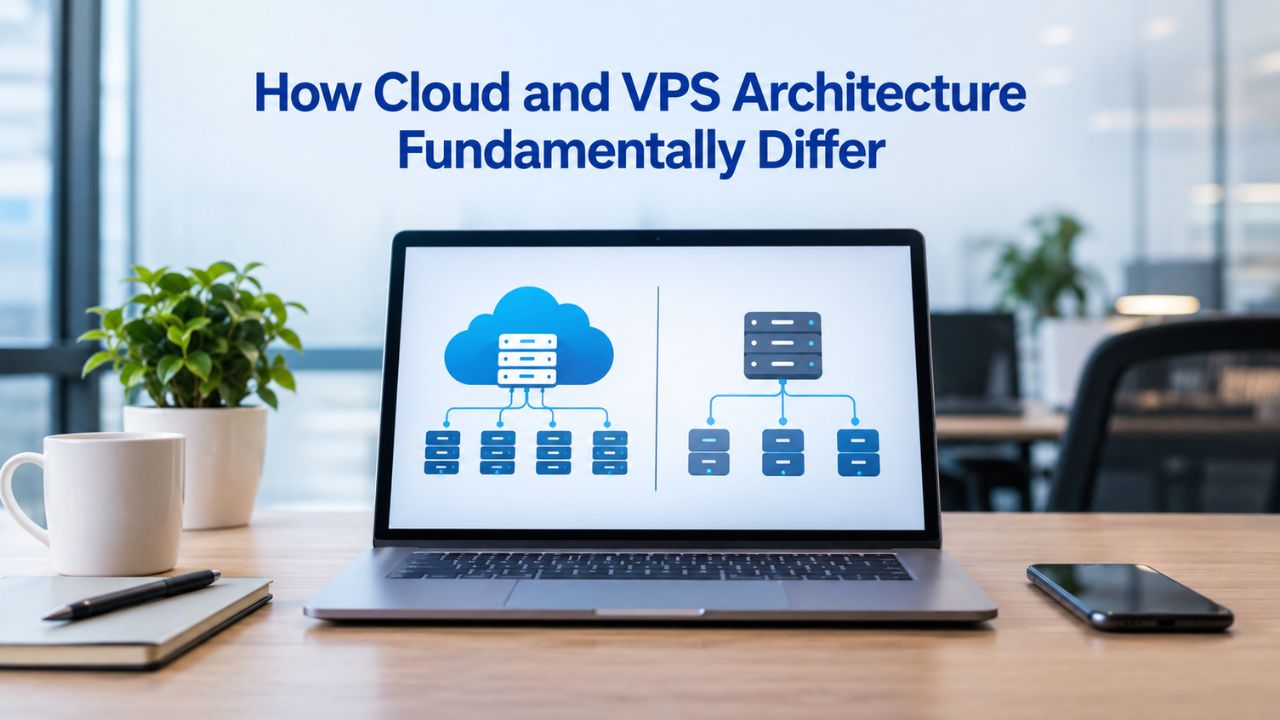
The architectural difference between cloud and VPS hosting determines how your site handles growth, traffic spikes, and infrastructure failures. Understanding this foundation clarifies every decision that follows. Cloud and VPS take opposite approaches to organizing and allocating computing resources for your WordPress site.
How VPS Infrastructure Works
A Virtual Private Server partitions a single physical server into isolated virtual environments using virtualization software called a hypervisor. Each VPS gets its own dedicated slice of CPU, RAM, disk space, and bandwidth from that one machine. Think of it like a high-rise condo building: you own your own unit with guaranteed square footage, utilities included, and your neighbors’ noise doesn’t reduce your space. The key advantage is predictability: your resources stay constant. The key constraint is scale: if the physical server reaches its limit, all VPS instances on it share the strain.
This isolation means VPS hosting gives you root access and deep control over server configuration, software installation, and security settings. You can customize the operating system, install proprietary applications, and tune every setting to your exact needs. Many developers choose unmanaged VPS for this reason. However, that control comes with responsibility: you maintain the server yourself, apply security patches, monitor uptime, manage backups, and troubleshoot at 2 a.m. if something breaks.
How Cloud Infrastructure Works
Cloud WordPress hosting draws resources from a network of interconnected servers pooled together in a cluster. Your website runs on one or more virtual machines, but those machines can draw CPU, RAM, and storage from anywhere in the pool. When your site needs more power, it doesn’t wait for a technician to upgrade a physical machine; the cluster automatically allocates additional resources. It’s like a utility grid: you draw power when you need it, and the system ensures it’s available.
Cloud infrastructure typically relies on a load balancer to distribute incoming traffic across multiple servers. If one physical host fails, your site automatically migrates to another healthy host with zero downtime. Data is replicated across multiple storage nodes, so a single disk failure never causes data loss. Managed cloud WordPress hosting adds another layer: the provider handles operating system updates, security patches, backups, and monitoring. You focus on WordPress, content, plugins, and themes, while the infrastructure team handles the infrastructure.
| Factor | Cloud Hosting | VPS Hosting |
|---|---|---|
| Resource Model | Pooled resources across multiple servers; elastic allocation | Dedicated slice of one physical server; fixed allocation |
| Scaling | Automatic horizontal scaling (add/remove servers) | Manual vertical scaling (upgrade plan, sometimes requires reboot) |
| Traffic Spike Handling | Auto-scales within seconds; maintains performance | Fixed capacity; performance degrades until manually upgraded |
| Server Failure Impact | Site migrates automatically to healthy host; zero downtime | Site goes offline until hardware replaced and backup restored |
| Data Redundancy | Replicated across multiple storage nodes by default | Local storage on single server; backup-dependent recovery |
| Management Overhead | Managed by provider; updates and patches automatic | Owner or admin responsible for patches, updates, monitoring |
| Support Model | 24/7 infrastructure support usually included | Infrastructure support only; app-level support often excluded |
WordPress Pricing Plans
Choose the WordPress hosting plan that fits your website needs, with reliable performance, security, storage, backups, and tools to help your site grow.
WordPress Basic
A great way to get started.
- 1 website
- 10 GB NVMe storage
- Unmetered bandwidth
- Free SSL Certificate *
- WordPress pre-installed
- Weekly backups
- Web Application Firewall
- Daily malware scans
- One-time malware removal

WordPress Deluxe
Improve your site performance with Cloudflare CDN.
- 1 website
- 20 GB NVMe storage
- Unmetered bandwidth
- Free SSL Certificate *
- WordPress pre-installed
- Daily backups
- Web Application Firewall
- Daily malware scans
- One-time malware removal
- Up to 2x faster performance with global Cloudflare CDN **
- Enhanced security with DDoS protection
- Staging site
WordPress Ultimate
Add online marketing with more sites, storage and security.
- 1 website
- 30 GB NVMe storage
- Unmetered bandwidth
- Free SSL Certificate *
- WordPress pre-installed
- Daily + on-demand backups
- Web Application Firewall
- Daily malware scans
- Unlimited malware removal
- Up to 2x faster performance with global Cloudflare CDN **
- Enhanced security with DDoS protection
- Staging site
- WordPress code optimizer
- Smart WordPress plugin manager
- Sell online with WooCommerce
Performance Impact on Core Web Vitals and Site Speed
Hosting infrastructure sets a performance ceiling that no amount of front-end optimization can overcome. If your server responds slowly, every page load slows, every Core Web Vital suffers, and search rankings follow. Cloud and VPS architectures deliver measurably different performance baselines because of how they route requests and manage server load.
How Hosting Infrastructure Affects TTFB and LCP
Time to First Byte represents the delay from when a browser requests a page to when the server sends its first response byte. This metric directly drives your Largest Contentful Paint score, the time until the biggest content element appears on screen. A slow TTFB cascades into a slow LCP, which Google measures as a ranking factor. According to Google’s own guidance on Core Web Vitals, TTFB should ideally stay under 200 milliseconds. Most shared hosting environments fall short of this benchmark, often delivering TTFB in the 600–1400 millisecond range typical of over-provisioned shared servers. Managed WordPress hosting with server-level caching and optimized infrastructure often achieves TTFB under 250 milliseconds.
Cloud WordPress hosting addresses TTFB through multiple layers: SSD storage replaces older disk types, modern PHP versions (8.2+) execute faster than older releases, and server-level caching (like reverse proxy caching) serves full pages instantly for repeat visitors. VPS hosting can deliver identical TTFB if configured the same way; the architecture itself doesn’t prevent it, but VPS defaults often omit these optimizations, leaving the user to implement them manually. A misconfigured VPS with old PHP versions and no caching layer easily bottlenecks at 800+ milliseconds TTFB.
Performance Under Load: Single-Server Limits
When traffic spikes- a successful marketing campaign, a social media mention, seasonal demand- a VPS’s fixed resources become a constraint. The server’s CPU, RAM, and I/O capacity are fixed until you manually upgrade. During the spike, requests queue up faster than the server can process them. Page load times climb. Users experience timeouts or 503 errors. The VPS doesn’t automatically grow to handle the surge; it simply maxes out.
Cloud infrastructure handles load differently. When traffic increases, load-balancing software automatically distributes requests across multiple servers. The orchestration system can detect increased demand and spin up additional web server instances in real time, allocating more computing power from the cluster’s pool. Performance stays stable during the spike. After the spike subsides, instances scale back down automatically. This elasticity is cloud hosting’s defining advantage for sites with unpredictable traffic.
Scalability and Handling Traffic Spikes
Autoscaling isn’t a luxury; it’s the difference between staying online during a traffic surge and going down. Real-world WordPress sites face spikes: a viral blog post, holiday shopping traffic, a product launch, a news mention. Sites built on fixed resources either slow to a crawl or crash. Cloud infrastructure scales horizontally to handle spikes automatically. VPS vertical scaling is manual and can be impossible without downtime.
Automatic Scaling in Cloud WordPress Hosting
Managed cloud WordPress hosting platforms monitor server load continuously through automated systems. When CPU utilization climbs above a threshold, RAM demand increases, or request queues build up, the autoscaling rules trigger automatically. Additional web servers spin up behind the load balancer within seconds. Database queries distribute across multiple instances. Static assets are served from cache layers. None of this requires you to act or even notice; your site stays responsive.
This automatic response is transformative for certain workloads. An eCommerce site running a limited-time promotion can handle 10x normal traffic without manual intervention. A news site mentioned on social media serves readers reliably without crashing. A SaaS application serving API requests scales with demand. The trade-off: you pay for consumed resources, so a genuine traffic spike costs more in that billing period than a fixed VPS would. But the alternative- crashing, losing sales, damaging reputation- costs far more.
Manual Scaling in VPS Environments
VPS scaling requires human intervention. When you notice performance degrading (often after customer complaints), you log into your VPS control panel, purchase an upgrade to the next tier, and wait for the change to take effect. Some VPS providers offer in-place upgrades without downtime; others require a brief reboot. Either way, you’re reacting after the problem appears, not preventing it proactively.
Some VPS providers offer burst resources or burstable CPU, baseline CPU allocation with the ability to spike higher for short periods, but this is a safety net, not a solution. If burst capacity is exhausted, your site slows regardless. Advanced users can implement their own scaling using multiple VPS instances, load balancers, and orchestration tools, but that requires DevOps expertise and significantly raises complexity and cost. For most WordPress site owners, VPS means fixed resource capacity, and scaling requires upgrading to a new plan.
Management Overhead and Operational Responsibility
The difference between managed and unmanaged hosting is the difference between running a website and running a server. Managed cloud WordPress hosting removes server-level operational work from your plate; VPS hosting (especially unmanaged VPS) assigns that work to you. This distinction drives more practical decisions than any technical feature.
Managed WordPress Hosting: What’s Included
Managed WordPress hosting means the provider owns server maintenance, security, and reliability. They apply operating system updates automatically, patch PHP and MySQL the day security fixes ship, monitor server health 24/7, and handle backups with automated restore capability. If hardware fails, your site stays online through automatic failover to another host. If a DDoS attack targets the network, provider-managed defenses mitigate it. You never receive a 2 a.m. alert about a crashed database or a forgotten SSL certificate renewal.
This hands-off model frees your team to focus on WordPress, content strategy, plugin selection, theme customization, and user experience. A small marketing team running an agency WordPress site, a nonprofit managing a donor portal, or a blogger focused on writing can all benefit from eliminating server administration overhead. Niya Digital’s team has found that most WordPress site owners underestimate the ongoing technical work required to operate and secure an unmanaged server, leading teams to choose managed hosting after initially opting for a less expensive unmanaged option.
Unmanaged VPS: Full Responsibility Model
An unmanaged VPS shifts responsibility entirely to you. You control the server, which means you own all maintenance: applying security patches weekly, updating PHP monthly, monitoring disk space, reviewing logs for intrusions, optimizing databases, configuring firewalls, and ensuring backups run and restore correctly. For an experienced system administrator, this takes 2–4 hours of routine work per month. For someone learning server administration, it easily becomes 10–20 hours monthly, and a single misconfiguration can take down your site or leave it vulnerable.
The appeal is clear: unmanaged VPS costs less upfront than managed hosting. But the total cost of ownership includes your time. Unmanaged VPS maintenance consuming 3 hours monthly at professional hourly rates adds significant labor cost beyond the advertised hosting fee. A managed plan’s higher monthly cost often delivers actual savings when you factor in operational burden and risk reduction. This math shifts for teams with dedicated DevOps staff or developers who maintain multiple servers; their per-server overhead drops as they spread administration time across machines.
Reliability, Uptime, and Disaster Recovery
Uptime, the percentage of time your site stays online, directly affects your business. A 1% downtime difference between 99.9% and 99% means 43 additional minutes per month without revenue, visibility, or user access. The hosting architecture underneath your WordPress install determines how resilient that uptime is to hardware failure, network issues, or catastrophic outages.
Single-Point-of-Failure Risk in VPS
A traditional VPS runs entirely on one physical server. If that hardware fails, a disk crashes, a power supply dies, or a network card burns out, the entire VPS goes offline. The provider detects the failure, finds spare hardware, restores your backup, and brings your site back online. This process typically takes 30 minutes to several hours, depending on backup recency and queue depth. During downtime, your site is completely inaccessible.
True high-availability VPS exists (providers offer clustering, automatic failover, and distributed storage), but it’s an add-on requiring additional complexity and cost. A standard VPS plan doesn’t include it. If uptime is critical to your business- an eCommerce store, a SaaS platform, a high-traffic information site- standard VPS uptime risk is unacceptable. You’re betting on provider response time and your backup strategy. If backups are stale, data loss compounds the outage.
Redundancy and Automatic Failover in Cloud Hosting
Cloud infrastructure is designed to eliminate single points of failure. Your website’s data replicates across multiple storage nodes in real time. If one node fails, another automatically serves requests. Compute resources span multiple physical hosts. If one host fails, workloads migrate to others without manual intervention. Advanced cloud hosting includes availability zones, geographically separated data centers within the same region, so even a catastrophic failure (fire, power loss, earthquake) at one facility doesn’t take your site down.
This automatic failover and redundancy is why cloud hosting providers can promise higher uptime SLAs. Managed cloud WordPress hosting often guarantees 99.9% uptime or better because the architecture supports it without manual intervention. Outages happen (no infrastructure is perfect), but they’re measured in seconds, not hours. Your site recovers automatically while you sleep.
Ready to Upgrade Your WordPress Hosting?
If your WordPress site is outgrowing shared hosting and you’re ready to evaluate managed WordPress hosting with professional support and reliable performance, Niya Digital’s plans combine enterprise-grade cloud infrastructure with WordPress-specific optimization and 24/7 expert support. We handle server management, security, backups, and scaling; you focus on content and business. Explore what’s possible when hosting infrastructure works for you, not against you.
Security Architecture and Data Isolation
WordPress security is a shared responsibility across three layers: hosting infrastructure, WordPress application, and user behavior. Many site owners focus on plugins and passwords but ignore the hosting layer, a critical mistake. The server-level security controls matter as much as any WordPress plugin.
Managed Cloud Security vs. VPS Owner Responsibility
Managed cloud WordPress hosting places infrastructure security largely on the provider. The provider configures firewalls, implements DDoS mitigation, runs malware scanning, isolates each customer’s WordPress installation in a containerized environment, and hardens the underlying operating system. When a critical vulnerability surfaces in PHP, the provider patches all servers before your site is vulnerable. When a brute-force login attack targets your domain, the hosting provider’s rate-limiting and intrusion detection prevent it before it reaches your WordPress admin login.
This provider-managed approach doesn’t eliminate your responsibilities; you still must update WordPress core, keep plugins current, use strong passwords, and apply role-based access controls. But it removes the server-level security work you can’t see: network segmentation, firewall rules, security patch management, and compliance monitoring. A small site owner with limited security expertise benefits enormously from this delegation.
VPS security is your responsibility. You configure the firewall, install security updates, monitor logs for attacks, and harden the operating system. A misconfigured firewall rule, a forgotten security patch, or a missed intrusion can compromise your entire server. Many VPS owners run older PHP versions for compatibility, leaving known vulnerabilities unpatched. Some disable security features to simplify configuration. The flexibility is there, but so is the risk. If you lack security expertise, running an unmanaged VPS exposes you to threats.
Data Isolation and Multi-Tenancy Considerations
Cloud hosting spreads multiple customers’ WordPress sites across the same physical infrastructure. The hypervisor and containers isolate each site so one customer’s compromise doesn’t affect others, but they still share hardware. This multi-tenancy creates theoretical risk: if an attacker finds a hypervisor vulnerability, they could jump between VMs. In practice, major cloud providers patch hypervisors constantly, and such a breakthrough is rare.
VPS hosting also uses multi-tenancy (multiple VPS instances on one physical server), so the risk profile is identical from a hypervisor-escape perspective. However, VPS instances on the same server don’t receive the same level of provider-managed security hardening as cloud hosting. If one VPS owner leaves an older PHP version running with a known vulnerability, the provider might not intervene. Security depends more on the individual VPS owner’s diligence.
Cost Structure and Total Cost of Ownership
Price is rarely the true deciding factor; total cost of ownership is. Upfront VPS pricing looks cheaper, but hidden costs (maintenance time, downtime risk, manual scaling work) often outweigh the savings. Cloud pricing looks higher, but it eliminates labor costs and improves operational efficiency.

VPS Pricing: Fixed Costs, Hidden Operational Costs
VPS hosting charges a fixed monthly fee for a set resource allocation: CPU cores, RAM, disk space, bandwidth. The advertised price is clear and predictable. Budget VPS plans maintain their fixed monthly cost unless you manually upgrade. This predictability appeals to tight budgets and cash-conscious startups. However, the advertised cost is not the true total cost.
The true cost includes the time you spend managing the server. If you’re experienced, 2 hours of monthly maintenance at your professional hourly rate adds a high hidden cost beyond the advertised hosting fee. If you’re learning as you go, maintenance can consume 10+ hours monthly. Add downtime risk: if your VPS crashes during peak traffic and you lose sales, that outage cost dwarfs any hosting savings. Total cost of ownership for unmanaged VPS typically exceeds advertised pricing significantly when you factor in operational overhead and risk.
Cloud Pricing: Variable Costs, Labor Elimination
Cloud WordPress hosting typically uses tiered pricing or base-plan pricing with usage-based overage charges. Your monthly bill varies based on actual resource consumption: higher during high-traffic months, lower during slow periods. This variable billing reflects actual usage. The higher advertised tier price compared to fixed VPS often delivers lower total cost of ownership because you’re not paying for server management time, and you’re not risking downtime-induced revenue loss.
The comparison breaks down by workload. A site with stable, predictable traffic might pay 20% more for cloud hosting but save 40% in eliminated operational overhead, a clear win. A site with spiky, variable traffic pays variable cloud fees but avoids crash scenarios and manual scaling work, also a win. A site with very low baseline traffic running minimal workload might save money staying on a fixed VPS plan, but risks outgrowing it without warning.
Use-Case Matching: When to Choose Cloud vs. VPS
There’s no universally “right” choice; the right choice depends on your site’s traffic patterns, your team’s technical expertise, and your tolerance for operational complexity. This matrix clarifies the decision.
When Cloud WordPress Hosting Makes Sense
Cloud hosting is the best fit for WordPress sites where uptime matters, traffic is unpredictable or growing rapidly, or operational overhead concerns your team.
Scenario: You run an eCommerce store. Seasonal traffic spikes (holidays, sales) are predictable. Your site must stay online and responsive; every minute of downtime loses revenue. Black Friday traffic could be 3x normal levels. You have no dedicated IT staff.
Outcome: Cloud WordPress hosting auto-scales during the spike, keeping your site responsive. You sleep through the event without manual intervention. Costs spike slightly during the event, but far less than the revenue gained from staying online.
Scenario: You manage client WordPress sites as an agency. Clients’ sites have varied traffic patterns, and you want to offer reliability guarantees without managing each server individually. You want to focus billable hours on WordPress consulting and content strategy, not server administration.
Outcome: Managed cloud WordPress hosting lets you scale each client site independently, handle traffic spikes without manual work, offer SLA-backed uptime guarantees, and spend your team’s hours on high-value work. Labor savings and client satisfaction from rock-solid uptime offset the higher per-site cost.
When VPS Hosting Makes Sense
VPS hosting suits WordPress sites with predictable, stable traffic; teams with server administration expertise; or specific customization needs that managed hosting restricts.
Scenario: You run a blog or small business site with 5,000–10,000 monthly visitors on a predictable schedule. Traffic rarely spikes. You’re comfortable configuring servers, applying patches, and managing backups. You want full control over server software.
Outcome: A budget unmanaged VPS costs far less than managed hosting, and your occasional server maintenance is routine. If traffic spikes occasionally, you notice and manually upgrade for that month, then downgrade after.
Scenario: You’re a developer building a custom application on WordPress with specific server requirements (custom PHP extensions, unusual database configuration, specialized caching layers). Managed WordPress hosting restricts customization.
Outcome: An unmanaged VPS or managed VPS with root access gives you full control. You accept the operational responsibility in exchange for unlimited flexibility. Your technical expertise makes the ongoing maintenance reasonable.
| Scenario | Best Fit | Why |
|---|---|---|
| Unpredictable traffic or rapid growth | Cloud | Auto-scaling handles spikes; no manual intervention needed |
| Predictable, stable traffic | VPS | Fixed pricing, simpler overhead; predictable workload doesn’t require elasticity |
| eCommerce or high-traffic content sites | Cloud | Spike handling and uptime SLAs protect revenue; downtime is costly |
| Agency managing multiple client sites | Cloud | Simplifies scaling each site independently; reduces operational burden |
| Developer with specific customization needs | VPS | Full control over server; custom configuration possible without hosted restrictions |
| Small business with limited IT resources | Cloud | Hands-off management removes server-admin burden; peace of mind included |
| Nonprofit or startup with tight budget | VPS | Lower upfront cost; can grow into cloud later if needed |
| SaaS or API-driven application | Cloud | Must handle variable traffic and concurrent connections reliably |
Migration Paths and Upgrade Strategies
Most WordPress sites don’t stay on one hosting platform forever. Growth, changing traffic patterns, or operational needs push you to migrate. Understanding upgrade paths matters before you choose.
Starting with VPS and Scaling to Cloud
Many sites start on VPS because the lower cost fits early-stage budgets. As the site grows and traffic becomes less predictable, the operational overhead (manual scaling, alert fatigue from near-capacity alerts) grows too. The natural evolution is migrating to managed cloud WordPress hosting to eliminate that friction. This path works well if the VPS hosting and cloud provider are from the same company or have clear migration tools. If they’re unrelated, the migration involves downtime, complexity, and risk.
The WordPress.org hosting handbook emphasizes minimizing disruption to visitor access and data integrity during site migration. Niya Digital offers WordPress site migration services to help sites move from other platforms with minimal downtime and reduced risk of data loss. A thoughtful migration plan includes: setting up the new hosting environment, copying files and databases, updating DNS records, testing thoroughly in staging, and cutting over during low-traffic periods.
Starting with Cloud and Scaling Down (Rare)
Occasionally, a site built on cloud infrastructure outgrows the traffic that justified its variable costs. A project that was supposed to go viral never gained traction. A marketing campaign underperformed. The site’s traffic settles to a low, predictable baseline. At that point, migrating to cheaper VPS hosting to save money might make sense. This is less common because the operational overhead of managing a VPS doesn’t scale down; you still spend 2–4 hours monthly maintaining it, even with minimal traffic. Most site owners stay on cloud hosting because eliminating operational work is worth the slightly higher cost.
Support Model Differences and Getting Help When Things Break
When something breaks, a plugin conflicts with your theme, the database corrupts, the site goes slow, you need help fast. The support model available to you differs radically between cloud and VPS hosting, and it matters more than many site owners expect.
Managed Hosting Support: Expert, Available, Fast
Managed WordPress hosting comes with 24/7 support from engineers trained specifically on WordPress architecture, WordPress plugins, and hosting infrastructure. You contact support via chat, ticket, or phone, describe your problem, and immediately connect with someone who understands WordPress. If the issue is a hosting-level problem (server misconfiguration, resource exhaustion, database performance), they investigate and fix it. If it’s a WordPress problem (plugin conflict, theme issue), they guide you or escalate to WordPress specialists. Response times are fast, often minutes for chat, hours for tickets.
This support model is invaluable during crises. Your site goes down at 3 a.m.? You contact managed hosting support, and a real engineer investigates immediately. They can restart services, optimize database queries, or trigger failover to redundant infrastructure. You’re not alone; you have expert backup.
VPS Support: Hosting-Level Only, Often Limited
Unmanaged VPS support typically covers only hosting-layer problems: server availability, hardware issues, network connectivity. Application-level issues- WordPress, plugins, themes, databases- are explicitly not supported. If your site is slow because a poorly written plugin queries the database 1,000 times per page, VPS support won’t help. You figure it out. If a plugin corrupts the database and your site crashes, you restore from backup yourself.
Some managed VPS providers include basic support for server-level issues and OS maintenance, but rarely for WordPress application issues. The division of responsibility is clear: the provider manages the infrastructure; you manage WordPress. This model works for users with technical expertise; it frustrates those without it.
Ready to Optimize Your WordPress Hosting?
Choosing between cloud and VPS hosting affects your site’s reliability, performance, and long-term operational burden. Niya Digital’s managed WordPress hosting removes the guesswork: you get automatic scaling, 24/7 expert support, and infrastructure built for WordPress growth. Whether you’re migrating from another host or upgrading from VPS, we handle the technical complexity so you can focus on business growth.
Frequently Asked Questions
What does “autoscaling” mean, and does my site need it?
Autoscaling is an automated system that allocates additional server resources when demand spikes and removes them when demand drops. Your site needs autoscaling if traffic is unpredictable, variable, or subject to sudden spikes. A blog with steady 5,000 monthly visitors doesn’t need autoscaling; each visitor generates similar load predictably. An eCommerce site selling seasonal products needs autoscaling; Black Friday traffic could spike 10x normal levels for 48 hours, then drop just as fast. Autoscaling prevents crashes during spikes without manual upgrades.
Can VPS hosting handle traffic spikes without autoscaling?
Yes, but with constraints. A VPS can handle traffic spikes up to its maximum capacity (CPU, RAM, bandwidth limits). If the spike exceeds that capacity, performance degrades, and users experience slowdowns or timeouts. If you anticipate a spike (planning a major marketing campaign), you can manually upgrade your VPS to a higher tier before the event, then downgrade after. But if spikes are unpredictable or frequent, manual upgrades become tedious and risky; you might miss an unannounced spike and face downtime.
Is cloud hosting always more expensive than VPS?
Not necessarily. Cloud hosting’s advertised cost is often higher than budget VPS, but total cost of ownership depends on hidden factors. An unmanaged VPS requiring several hours of monthly maintenance at professional rates can exceed the true cost of managed cloud hosting, which requires no administrative work. If your VPS requires minimal maintenance and traffic is predictable, fixed VPS pricing might offer savings. The key: compare total cost of ownership, including your time, not just advertised monthly fees.
What happens if my cloud hosting provider experiences a data center outage?
Advanced managed cloud WordPress hosting uses availability zones, multiple geographically separated data centers within the same region. If one data center loses power or connectivity, your site automatically fails over to another zone with zero downtime. You never notice. If the outage affects multiple availability zones (rare, regional catastrophe), your site might experience brief downtime before automatic recovery. Traditional VPS doesn’t offer this protection; a data center failure affects all VPS instances on that host equally.
Do I need to know how to code to manage a VPS?
Not for basic VPS administration, but it helps. An unmanaged VPS requires command-line familiarity (SSH, Linux commands, text editors). Most VPS providers offer control panels (cPanel, Plesk) that provide a GUI for common tasks, but deep customization and troubleshooting still require command-line work. If you’re not comfortable with the Linux command line, an unmanaged VPS can be frustrating. Managed VPS or managed cloud hosting eliminates this requirement; you manage WordPress through its admin panel, not the server.
How quickly can I migrate from VPS to cloud hosting?
Migration speed depends on your site’s size and the provider’s migration tools. Small sites (under 1 GB of files and database) can migrate in hours; large sites might take a day or two. The key is minimizing downtime during DNS cutover. A well-managed migration keeps your site online throughout; you only experience brief delays (minutes) during DNS propagation. Niya Digital’s WordPress site migration services handle the technical complexity, including file copying, database migration, staging testing, and careful DNS coordination to minimize disruption.
Can I run multiple WordPress sites on one VPS?
Yes, absolutely. A VPS has fixed resources (CPU, RAM, storage) that you divide among multiple WordPress installations. You can run 5, 10, or more WordPress sites on one VPS, each with its own domain and database. The constraint is that all sites share the same resource pool. If one site’s traffic spikes and consumes CPU and RAM, all other sites on that VPS experience slowdowns. If you’re running multiple client sites or multiple brands, managed cloud hosting (which lets you scale each site independently) often makes more sense than VPS.
What’s the difference between managed VPS and managed cloud hosting?
Managed VPS includes server administration and maintenance but typically on a fixed-resource plan. Your resources don’t autoscale; you upgrade manually. You get support for OS patches, backups, and basic troubleshooting, but application-level WordPress support is often limited. Managed cloud hosting includes server administration, autoscaling, and usually WordPress-specific support. Your resources grow and shrink automatically. The line blurs with some providers; some managed VPS offerings include autoscaling features, making them functionally similar to cloud hosting.
Is cloud hosting more secure than VPS?
Both can be equally secure if configured well. Cloud hosting’s strength is provider-managed security layers (firewalls, DDoS mitigation, automatic patching); the provider handles infrastructure security, freeing you to focus on application security (WordPress updates, plugin management, access controls). VPS security depends on the administrator. A knowledgeable VPS admin can harden a server to be as secure as cloud hosting; a negligent one can leave it vulnerable. If you lack security expertise, cloud hosting’s built-in safeguards are a significant advantage.
How long is a typical website migration?
For small to medium sites (under 10 GB total), migration typically completes within 24 hours from start to finish. The actual data transfer might take 2–4 hours; the rest is testing, DNS verification, and contingency planning. Large sites (over 100 GB) or complex WordPress installations (custom post types, extensive plugin configurations, WooCommerce stores) might take 2–3 days. During the entire process, your site can remain online on the old host; you only switch DNS once everything is tested and ready. This minimizes visitor impact to minutes rather than hours.
Should I choose cloud or VPS based on price alone?
Never. Price is important, but it’s not the whole story. A cheaper VPS that takes 20 hours of your time each month and crashes twice a year costs more than a pricier cloud plan that runs reliably and hands-off. Evaluate based on total cost of ownership, operational comfort, uptime requirements, and traffic predictability. If you’re uncomfortable with servers, cloud hosting is worth the extra cost. If you’re highly skilled and traffic is predictable, VPS might offer savings. The right choice aligns hosting infrastructure with your specific situation.
What if I outgrow cloud hosting? Can I scale beyond it?
Yes, but it’s rarely the constraint. Cloud hosting’s scalability is nearly unlimited for standard WordPress sites; you can run a site serving millions of visitors monthly on managed cloud WordPress hosting. If you outgrow even that (building a custom application that needs dedicated infrastructure, or requiring custom server configurations that the provider won’t allow), you’d migrate to dedicated servers or a hybrid approach. This is exceptionally rare for standard WordPress sites and agencies.
Do I need enterprise-grade cloud hosting if I’m a small blog?
No. A small blog with 1,000–5,000 monthly visitors runs fine on budget managed WordPress hosting. You don’t need enterprise features (advanced redundancy, premium support tiers, SLA guarantees) unless traffic justifies it. Most providers offer tiered plans scaling from beginner to enterprise. Start at the right tier for your current traffic; upgrade as you grow.
Glossary
- Autoscaling: An automated system that adds or removes server resources (CPU, RAM, web server instances) based on real-time demand. When traffic increases, autoscaling automatically provisions additional capacity; when traffic drops, it removes unused capacity to reduce costs.
- Availability Zone: A geographically separate data center location within a cloud region. Multiple availability zones are designed to be far enough apart that a failure affecting one zone (power loss, earthquake, fire) won’t affect others, enabling high availability and disaster recovery.
- TTFB (Time to First Byte): The time elapsed from when a browser sends an HTTP request to when the server sends back the first byte of response data. Lower TTFB directly improves Largest Contentful Paint and overall page load speed; Google recommends keeping TTFB under 200 milliseconds.
- Core Web Vitals: Three specific performance metrics Google uses to measure user experience: Largest Contentful Paint (LCP, loading speed), Interaction to Next Paint (INP, responsiveness), and Cumulative Layout Shift (CLS, visual stability). Google uses these metrics as ranking factors.
- Failover: Automatic switching from a failed server or component to a redundant backup system without manual intervention. In cloud hosting, if one physical host fails, your site automatically migrates to another healthy host; users experience no downtime.
- Load Balancing: Distributing incoming traffic requests across multiple servers to prevent any single server from becoming overwhelmed. Load balancers direct each new request to the least-loaded available server, improving response times and enabling scaling.
- Hypervisor: Virtualization software that creates and manages multiple virtual machines (VMs) on a single physical server. The hypervisor abstracts hardware and isolates each VM so they can’t interfere with each other, even though they share the same physical hardware.