You know your customers search online for solutions, but you don’t know which keywords they’re actually using, where your website ranks in those search results, or why your organic traffic hasn’t grown in months. Small business owners face this challenge every day: managing limited budgets, handling multiple responsibilities without in-house marketing expertise, and feeling overwhelmed by the sheer number of tools available. Search engine optimization has become essential for competing online.
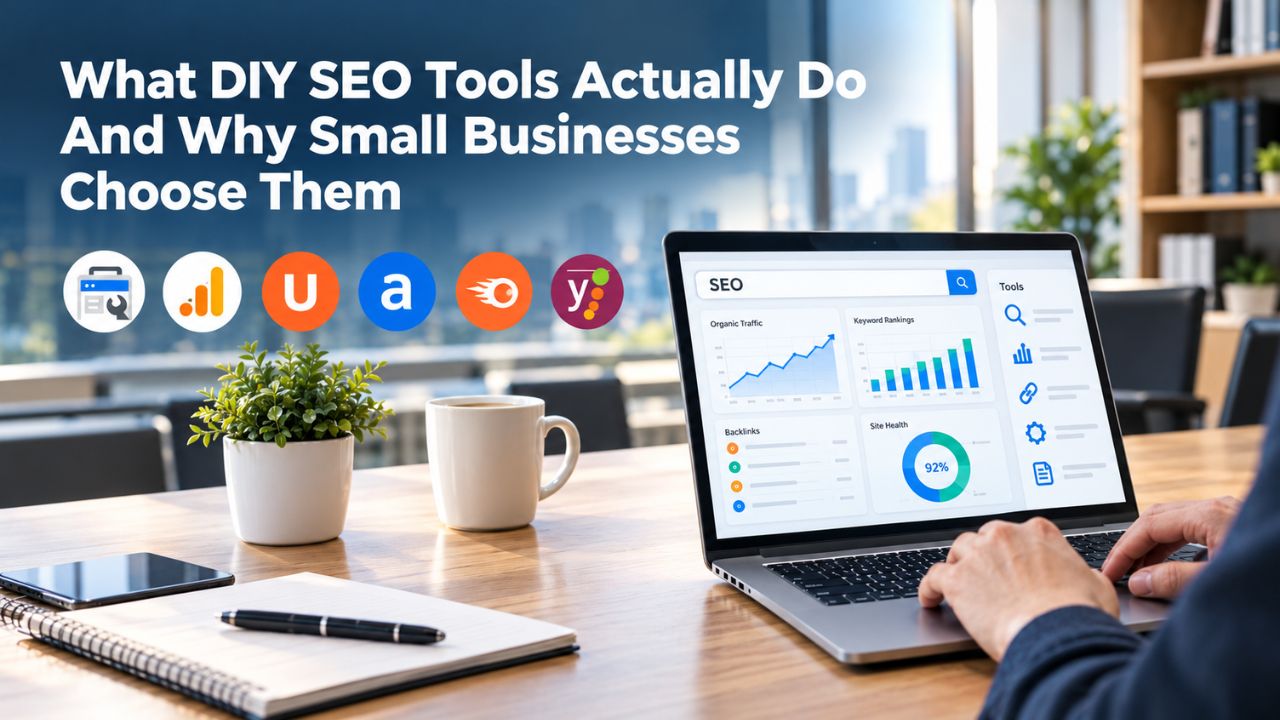
What DIY SEO Tools Actually Do And Why Small Businesses Choose Them
DIY SEO tools give you control over the data that drives your search visibility strategy. Instead of hiring an agency to handle everything or paying a consultant, you use software to research keywords, audit your website, track rankings, and analyze competitors. This approach appeals to small business owners because it eliminates the middleman, significantly reduces costs, and lets you understand exactly what’s happening with your SEO efforts.
Core Capabilities That Separate DIY Tools From Doing Nothing
Every DIY SEO tool handles at least one critical function: keyword research (discovering what people search for related to your business), rank tracking (monitoring where your website appears in search results), technical audits (identifying issues preventing Google from properly crawling and indexing your site), competitor analysis (understanding what strategies your rivals are using), or on-page optimization (improving individual pages to rank better). The best tools for small businesses combine several of these functions into one integrated platform so you don’t have to switch between five different interfaces. All-in-one platforms centralize your workflow, so one login gives you access to keyword research data, technical audit findings, rank-tracking updates, and competitor insights, all connected to the same underlying data.
Single-purpose tools go deeper on one function but require you to buy multiple tools and integrate data manually, adding complexity and overhead. All-in-one platforms eliminate this friction by consolidating capabilities into one place where data flows naturally between functions. When you identify promising keywords through research, you can immediately add them to rank tracking without exporting and reimporting lists. When you run a technical audit, the findings connect to your site’s overall profile, showing how crawl issues correlate with ranking challenges. This integration saves enormous time and mental overhead, especially for solo entrepreneurs or small teams wearing multiple hats.
Why Small Business Owners Prefer DIY Over Hiring Agencies
When a small business owner compares the cost and control of doing SEO themselves versus hiring external help, the financial case often favors DIY, at least initially. Agencies typically require long-term contracts and charge substantial monthly retainers, which can strain early-stage budgets. DIY tools, by contrast, range from completely free (Google Search Console, Google Analytics, Google Keyword Planner) to affordable monthly subscriptions, giving owners the flexibility to start lean and scale investment only as their business grows. Beyond economics, DIY appeals to owners who want to understand their own SEO rather than delegating it to someone else. Learning SEO builds knowledge you retain forever; outsourcing everything means you’re always dependent on external expertise.
However, DIY SEO has a hidden cost: time. Small business owners attempting DIY SEO invest substantial weekly hours learning tools, executing optimization, and analyzing results. Time that could go toward revenue-generating activities like sales calls, content creation, or product development instead goes into SEO learning and execution. For some businesses, this trade-off makes sense; for others, particularly those where the owner’s hourly value is high, hiring help becomes more cost-effective than trying to do everything in-house. The right choice depends on your specific situation, how much free time you actually have, and whether your industry is so competitive that learning SEO yourself would take too long to deliver meaningful results.
Search Engine Optimization Plans & Pricing
Choose the right SEO plan for your website. Improve search engine visibility, discover relevant keywords, monitor rankings, and access customized optimization services to support your business growth.
Search Engine Optimization (SEO)
Bring more traffic to your website with Search Engine Optimization.
- Search Optimization: Improve search engine rankings with keyword and suggested topics tool
- Keyword suggestions: Get personalized phrases and words to add to increase traffic to your website and help it rank better.
- Tracking your ranking: Track the progress of your website’s rank on Google over time
- Create your sitemap: Customize, create and submit a site map to aid search engines in crawling your site.

Customized SEO Plan
Get Customized Plan For your Business Website SEO (Search Engine Optimization)
- On-Page & Off-Page Optimization: Update Meta Tags, Titles, Descriptions, Alt Tags, Schema / JSON-LD / Microdata Format, HTML + TXT + XML Sitemap, Robots.TXT, Google Analytics & Google Search Console integration
- Keyword Research & Analysis: Improve Keyword Effectiveness Index (KEI) with main heading & sub-heading tags, Content Review by professional content editor
- Competitor Research & Analysis: Compare and Compete with competitors search engine ranking positions, Track and analyse competitor trends
- Diversify Back Link Profile: Relevant Business Directory Submission, Article Submission, Blog Creation, Web 2.0 asset creations, Author Profile Links, Social Book Marking links
- Monthly Task Review & Progress Reporting: Get Monthly SERP Reports and Task Performance Reports
Understanding Your Budget: Free Tools, Paid Tools, And Real Value
Every small business should start with free tools before spending a single dollar on premium platforms. Google provides three essential free resources that address core SEO needs: Google Search Console (which shows you how your site appears in search results and surfaces any technical issues Google encounters), Google Analytics 4 (which tracks how many visitors come from search and what they do on your site), and Google Keyword Planner (which reveals search volumes and competition levels for keywords). These three tools alone let you understand what’s working, identify problems, and discover opportunities, without investing beyond your time to learn them.
The Actual Value Provided At Different Investment Levels
Free tools have limitations that don’t matter for every business but become critical as you scale or compete in crowded markets. Google Search Console only reports on your own site, so it can’t show you what keywords your competitors rank for or how their strategies differ from yours. Google Keyword Planner was designed to help advertisers buying Google Ads, not SEO professionals doing organic optimization, which means it sometimes obscures organic-specific insights. Google Analytics requires manual interpretation of raw data; it won’t automatically tell you which keywords drove qualified traffic or which pages need optimization work. For businesses just starting or operating in low-competition niches, these free tools often suffice and deliver excellent value.
However, as you build confidence in DIY SEO or compete in crowded markets, paid tools become valuable for the time they save and the insights they provide. A small investment in a dedicated SEO platform can automate tasks that would take hours manually, like crawling your entire website to identify technical problems or tracking rank positions for dozens of keywords weekly instead of Googling each one individually.
The investment in DIY SEO tools delivers a clear return when you factor in the time saved. If a technical audit takes 8 hours manually but a tool’s crawler handles it in 30 minutes, or if tracking 50 keyword positions manually takes 2 hours weekly but a tool does it automatically, that automation compounds quickly over months.
Where To Start And What Paid Tools Add
Every small business should claim and optimize Google Business Profile (free; essential for local visibility), set up Google Search Console (free; shows how Google sees your site), and link Google Analytics 4 (free; reveals how visitors behave on your site). These three are non-negotiable foundations that require no software investment. Next, explore Google Keyword Planner for keyword discovery, Ubersuggest’s free version for additional insights, and Screaming Frog’s free tier (crawls up to 500 URLs) for technical audits.
Only after exhausting free options should you consider paid platforms. Many small businesses skip paid tools altogether and rely on free tools plus manual competitor research, visiting competitors’ sites, analyzing their content, and reviewing their backlinks through publicly available tools. That approach is slower, but it shows paid tools accelerate work rather than replace fundamental effort.
When paid tools make economic sense, they typically solve a specific time problem: you’re spending too many hours on manual rank tracking, or running audits manually takes time away from actual optimization work. The question isn’t whether a tool pays for itself in time savings- most do- but whether that freed-up time is actually going toward strategy and growth. Often, owners buy tools, save hours, then fill that time with email and interruptions instead of moving the SEO needle. The real value of paid tools emerges only when you commit to using the time savings deliberately for optimization work that drives results.
| Tool Category | Best Suited For | What It Handles | Typical Investment | Learning Curve |
|---|---|---|---|---|
| Free Google suite | Micro-businesses, extreme budget constraints, learning phase | Search visibility, traffic tracking, keyword discovery | $0 | Steep; requires interpretation |
| Entry-level all-in-one | Solo entrepreneurs, single website, startup phase | Keyword research, basic audits, fundamental rank tracking | Monthly subscription | Moderate; built for beginners |
| Mid-tier all-in-one | Small teams, multiple sites, growing competition | Multi-site management, competitor analysis, detailed audits | Monthly subscription | Moderate; comprehensive but organized |
| Enterprise or agency platform | Agencies, large companies, multiple team members | Unlimited projects, API access, advanced features, collaboration | Higher monthly investment | Steep; feature-rich and complex |
| Freelancer services | Businesses preferring outsourcing, need expert guidance | Done-for-you audits, strategy consultation, implementation | Hourly or project basis | None; outsourced |
DIY vs. Hiring External Help: Making The Right Choice For Your Situation
The decision between managing SEO yourself and hiring professional help hinges on three key variables: how much time you can realistically commit to SEO learning and execution, how much budget you can allocate without harming your operating capital, and how urgently you need ranking improvements to drive business growth. There’s no universally correct answer; the right choice depends on your specific circumstances, market position, and business stage.
When DIY SEO Makes Strategic And Financial Sense
DIY SEO is the right approach for businesses where the owner or team has genuine free time available, not “I’ll squeeze this in somehow” but actual hours in the week with no current productive use. If you’re a solo founder in the early stage and you’re not actively selling or fulfilling work every hour, dedicating 10–15 hours weekly to SEO is realistic and builds valuable knowledge that compounds over years.
DIY works well when your keywords have low competition; if your target keywords have low monthly search volumes (under 200–300) or minimal ranking competition, you’re likely to see ranking progress in 4–6 months of consistent effort, which keeps motivation high. It’s also ideal if your industry is uncrowded; perhaps you serve a specific geographic area, operate in a niche market segment, or compete in a brand-new category where most potential competitors haven’t invested in SEO yet.
DIY SEO delivers meaningful results in these scenarios, but the results come slower than what a dedicated agency could achieve. Building the skills, executing strategies, and allowing ranking changes to propagate through Google’s index takes time measured in months, not weeks. Most DIY efforts show visible traffic growth within 4–6 months if done consistently, but reaching 20% or 30% traffic growth often takes 8–12 months or longer, depending on competition and content quality.
During this period, you’re still operating your core business, handling customer needs, and juggling other priorities. The DIY timeline is a feature, not a bug, for small businesses with limited budgets; it lets you test whether SEO will work for your specific business without major financial commitment before investing seriously.
Situations Where External Expertise Becomes More Cost-Effective
Hiring external SEO help, whether a part-time freelancer, dedicated consultant, or full-service agency, becomes the smarter financial choice when your time has high value. If you’re an accountant, attorney, consultant, or tradesperson who bills by the hour or by project, every hour spent learning SEO instead of serving clients costs real revenue. A contractor billing $150 per hour who spends 10 hours weekly on DIY SEO forgoes $78,000 in potential billings annually.
Even a modest freelancer’s investment becomes a bargain if it frees you to earn multiples more by serving clients. External help also makes sense when you’re competing in crowded, high-value markets where every month of ranking delays represents lost revenue or market share. If your keywords have substantial monthly search volume and many competitors targeting the same terms, the stakes are high enough that hiring proven expertise pays for itself quickly.
External help is also appropriate when you’ve hit specific DIY limitations; perhaps you’ve optimized your obvious keywords and built basic content, but you’re stuck at rank #8–#12. You can’t seem to break into the top 5. This plateau often indicates technical issues, missing backlinks, or content quality gaps that require deeper expertise to diagnose and fix.
A technical SEO specialist or an agency can conduct a detailed audit, identify root causes, and recommend fixes you might never discover alone. The final scenario where hiring external help makes sense is when you need fast growth and can’t wait 12 months for organic results to compound. If you’ve just launched a business or pivoted to a new market and need revenue within 3–6 months, outsourcing SEO to professionals who can move quickly is worth the investment, even if DIY would eventually deliver similar results at a lower cost.
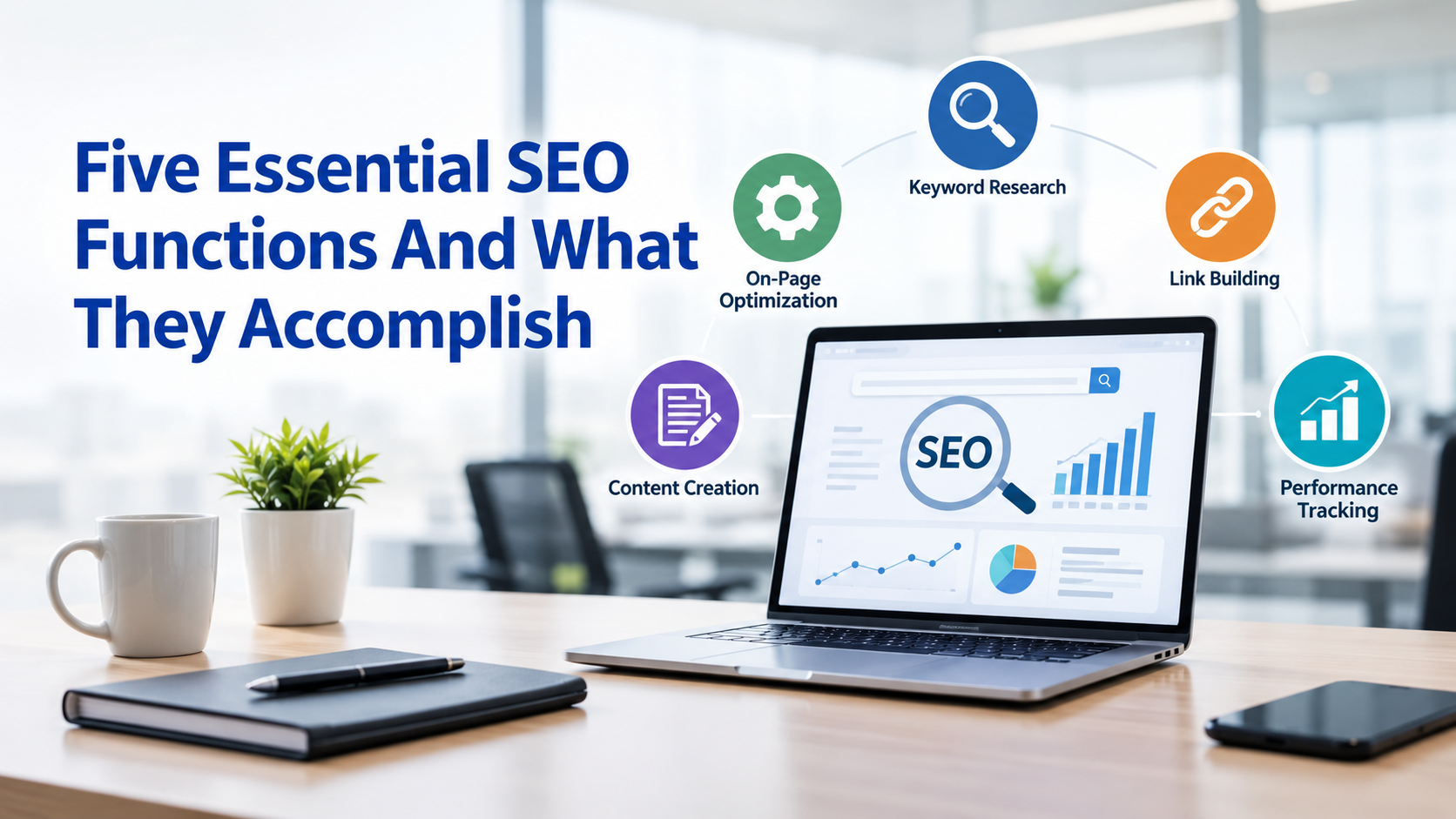
Five Essential SEO Functions And What They Accomplish
Understanding these five core functions helps you evaluate which tools you actually need and which would be wasteful for your business. Not every business needs to excel at every function; your specific market determines which matter most to your success.
Keyword Research And Understanding Search Intent
Keyword research is the foundation of all effective SEO. Without understanding which keywords your potential customers actually search for, you’re essentially guessing about what to optimize. A keyword research tool reveals what people search (the queries they type into Google), how often each query is searched, and how much competition exists for ranking for that keyword.
Beyond volume and difficulty scores, modern keyword tools show search intent, whether someone searching a keyword is looking to learn something, find a local business, make a purchase, or compare options. This intent understanding is crucial because optimizing a page for a keyword where users want to compare solutions is useless if your page is a product page designed to sell; the content and user expectations won’t align.
Good keyword research also surfaces related keywords and long-tail variations that you might not have considered. If you’re a plumber, the keyword “plumber” might be highly competitive and too broad, but “emergency plumber available 24/7” or “plumber accepting new clients in [your area]” might have lower competition while attracting more qualified leads who are closer to buying.
Google Keyword Planner (free) provides basic keyword data, but it was designed for Google Ads advertisers, so it sometimes obscures organic SEO intent. Paid tools include organic-search refinements, showing not just volume but also which sites currently rank for each keyword and what their content strategy is. Regardless of which tool you use, treat keyword research as an ongoing practice, not a one-time project.
Rank Tracking, Competitor Analysis, And Technical Audits
Rank tracking answers the fundamental question: “Is my optimization working?” Without tracking, you’re optimizing in the dark and can’t measure whether changes actually improved rankings. A rank tracking tool monitors your website’s position for chosen keywords over time, typically updating weekly or monthly. Instead of manually Googling your keywords weekly and logging positions in a spreadsheet (tedious and error-prone), the tool automates the process. You set the keywords you care about, the tool checks them regularly, and alerts notify you of significant movements. Rank tracking shows which optimization efforts succeeded, alerts you to algorithm changes (when all your rankings suddenly drop simultaneously, an algorithm update likely occurred), and proves to stakeholders that your SEO efforts deliver results.
Competitor analysis reveals which keywords your rivals rank for (and you don’t), their backlink sources, and content strategy gaps you might exploit. Technical audits crawl your website, checking for problems like broken links, duplicate content, missing meta descriptions, slow pages, and mobile usability issues. Screaming Frog (free up to 500 URLs) crawls locally from your computer; all-in-one platforms offer cloud-based crawling.
Every small business should audit before optimizing anything; fixing crawl errors and mobile responsiveness often directly improves rankings immediately. An audit takes 1–2 hours to setup up, then 1–2 hours monthly to review flagged issues. These three functions (rank tracking, competitor analysis, technical audits) work together to give you complete visibility into your SEO landscape and progress toward goals.
All-In-One Platforms vs. Specialized Point Solutions
The fundamental architectural choice in building your SEO toolstack is whether to buy one comprehensive platform or assemble multiple specialized tools. Each approach has advantages and disadvantages that should guide your decision.
Centralized All-In-One Platforms And Their Advantages
An all-in-one SEO platform combines keyword research, rank tracking, technical audits, competitor analysis, and reporting into a single interface. The primary advantage is simplicity: one login, one learning curve, integrated data flow. When you research keywords, you see their difficulty scores immediately without switching tabs. When you identify target keywords, you add them directly to rank tracking without exporting/importing lists.
When you run a technical audit, the results connect to your existing site data and historical findings, creating a comprehensive picture of your website’s health over time. For a small business owner or solo freelancer, this integration saves enormous amounts of time and mental overhead. You’re not managing five tool subscriptions, remembering five different passwords, or learning five different user interfaces.
All-in-one platforms also provide a cohesive user experience designed for the specific workflows that matter to SEO professionals. Rather than adapting a generic data platform for SEO work, all-in-one tools are built from the ground up for workflows that move from keyword research to rank tracking to competitor analysis. This results in cleaner workflows and faster task completion.
Niya Digital’s DIY SEO tool exemplifies this approach, offering keyword research, technical audits, rank tracking, and competitor analysis in an interface designed for small business owners who need power without unnecessary complexity. The platform draws on third-party search and keyword-data sources to generate its estimates; when making important decisions based on tool recommendations, verify findings against Google Search Console to ensure accuracy.
Specialized Tools And The Hybrid Approach
The alternative is to assemble a toolkit of specialized, best-in-breed tools, each handling one function exceptionally well. If backlink analysis is critical to your competitive strategy, a specialized backlink tool might offer deeper insights than any all-in-one’s backlink module. If content optimization is your bottleneck, a content optimization specialist tool might provide more sophisticated recommendations than a general platform. These specialized tools often appeal to agencies, large SEO teams, or businesses with deep expertise where the extra depth justifies the complexity of managing multiple tools. However, for small businesses without dedicated SEO staff, the friction of tool-switching often outweighs the benefit of extra depth.
Most small business owners find that the 80/20 principle applies to SEO tools: 80% of your ranking improvements come from doing the core activities well (finding the right keywords, creating better content, fixing technical issues), which don’t require best-in-breed specialists. Pursuing that last 20% through specialized tools is valuable once you’re confident in the basics, but it’s premature complexity for beginners.
Start with an all-in-one tool to keep overhead low and focus on fundamentals. Only after you’ve proven SEO’s value and understand your specific bottlenecks should you consider adding specialized tools for targeted improvements. A hybrid approach often works best: start with one comprehensive platform, then after 6 months, if you identify a specific area needing deeper expertise, add one specialized tool for that function.
Begin Your SEO Foundation Today With Free Tools
Stop overthinking your tool selection and start building your SEO foundation this week with completely free resources. Spend two hours setting up Google Search Console, Google Analytics, and running your first technical audit with Screaming Frog’s free version. By week’s end, you’ll have your baseline and understand whether DIY SEO fits your business. Everything you need to start is available immediately.
Critical: Understanding Estimated Data vs. Real Performance Data
This distinction separates confident, profitable strategy decisions from wasted optimization efforts chasing false signals. Whether data is measured (real) or estimated (modeled) changes how you interpret tool recommendations and make strategy decisions.
Measured Data From Google vs. Estimates From Every Other Tool
Google Search Console reports measured data: actual impressions (the real number of times your site appeared in search results), actual clicks (the genuine number of people who clicked your result), actual average position (where your site actually ranked, aggregated across devices, locations, and users). This data comes directly from Google’s servers; it’s as accurate as technology allows for your specific website.
Every other tool, including Niya Digital’s DIY SEO platform, SEMrush, Ahrefs, and all others, works with estimated data. They estimate keyword search volume based on aggregated, anonymized signals and historical patterns. They estimate keyword difficulty by analyzing the authority and backlink profiles of currently top-ranking sites. They estimate competitor organic traffic by inferring it from their estimated ranking positions and assumed click-through rates.
These estimates are useful for relative comparison and strategic direction, but they’re not precise measurements of reality. The accuracy problem is significant enough to matter in your decision-making. Industry research indicates that search volume estimates are only roughly accurate for about 60% of keywords, meaning 40% are substantially over- or under-estimated.
Rank positions tracked by third-party tools fluctuate due to personalization (Google shows different results based on location, device, and search history), making exact positions impossible to pin down. Organic traffic estimates for competitors are educated guesses; without access to their actual Google Analytics data, there’s no way to know their true traffic. When you build strategy on tool estimates alone without cross-checking against measured data, you risk optimizing for keywords that aren’t actually valuable.
Cross-Validating Tool Recommendations With Measured Reality
Smart SEO practitioners treat tool estimates as a starting point, then verify important decisions against measured data before committing time and resources to implementation. If your tool recommends targeting a particular keyword, check Google Search Console to see if you already rank for it and what actual impressions it generates in real search results. If your tool suggests a competitor dominates a keyword, use Google Keyword Planner to validate the search volume estimate before worrying about competitive threats. If your tool forecasts that ranking for a keyword would drive significant traffic, look at Google Search Console data for that keyword across your site to understand actual user behavior and click-through rates.
This verification discipline prevents the common pitfall where business owners optimize extensively based on tool recommendations, only to discover after months that the tool data was misleading and their ranking improvements drove minimal actual traffic. That is why Google Search Console, despite being free and more basic than paid tools, remains essential to any SEO strategy.
It’s your source of truth for actual performance. Paid tools automate data gathering and provide insights; Google Search Console keeps you honest about results. Niya Digital’s DIY SEO tool, like all platforms, draws on third-party search and keyword-data sources to generate estimates. Before making major strategy decisions based on its data, verify findings against Google Search Console to ensure accuracy and avoid wasted effort.
The Learning Curve And Real-Time Investment Required
One of the most underestimated aspects of DIY SEO is the learning curve and ongoing time commitment it demands. Realistic timelines help you decide whether DIY is truly feasible for your business.

Realistic Timeline From Zero Knowledge To Functional Competence
If you’ve never done SEO before, expect a specific progression of learning and skill development. Understanding basic SEO concepts, how search engines work, what on-page optimization means, why backlinks matter, and how technical issues affect rankings typically takes 1–7 days of reading documentation, watching educational videos, and absorbing concepts. This is foundational knowledge that helps everything else make sense and builds intuition. Practical beginner skills- actually doing keyword research, writing meta descriptions, setting up Google Search Console, running a technical audit, and interpreting results- take 2–6 weeks to develop with consistent practice and hands-on application. This is where you move from theory to execution, learning by doing on your own website rather than in the abstract.
Applying these skills to a real business takes 2–3 months of concentrated effort. This phase involves optimizing 5–10 existing pages, publishing new content targeted at discovered keywords, earning your first backlinks, and tracking rank movements to see whether optimization actually works. During this phase, you’re no longer just learning; you’re executing a real strategy and seeing real results.
Many people find this phase motivating because you start seeing concrete evidence that the work pays off. Running a full SEO campaign, planning and executing a 6-month content roadmap, consistently monitoring rank movements, analyzing Google Search Console data for insights, and adjusting strategy based on what you’re learning takes 3–6 months. At this point, you’re no longer a beginner; you understand the fundamentals well enough to operate independently.
The Weekly Time Commitment Reality Check
Research consistently shows that small business owners attempting DIY SEO invest 7–20 hours per week. For some, it’s manageable because they’re starting a business or between major projects. For others, it’s stolen time from things that matter more to their business. Calculate the real opportunity cost: if you bill $75–$150 per hour as a contractor, or if your business generates $500+ in weekly profit, then 10 hours of DIY SEO costs $750–$1,500 per week or more in opportunity cost.
Multiply that across a year, and you’re looking at $39,000–$78,000+ in time that could have gone toward revenue-generating activities, product development, or customer service. Many business owners genuinely believe they can spare 10 hours weekly for SEO but discover after a month that they can’t actually sustain it alongside business operations, customer demands, and personal life obligations.
Understanding this realistically is crucial to making the right DIY vs. hire decision. If you’d genuinely miss earning revenue from those 10 hours weekly, or if you’d miss important family time, sleep, or sanity, then DIY’s cost is much higher than the tool subscription suggests. Conversely, if those 10 hours are truly “free” (not billable, not needed for your core business), then DIY becomes much more financially attractive.
Most small business owners fall somewhere in the middle: a few hours weekly are available, but not the full 10–15 DIY requires for rapid progress. For these businesses, a hybrid approach often works best: do basic keyword research and content creation yourself (areas where business knowledge adds value), but outsource technical audits and specialized work to freelancers (areas requiring niche skills and tools).
Essential Features Your SEO Toolstack Must Absolutely Include
Regardless of which tools you choose, your stack must cover these foundation-level capabilities, or you’ll constantly wish you had features you’re missing.
Keyword Research And Rank Tracking As Non-Negotiable Basics
You must be able to find keywords worth targeting and track whether you’re ranking for them over time. This is the backbone of any SEO strategy, which is why every tool in every toolstack must handle at least these two functions explicitly. Keyword research without rank tracking leaves you optimizing blindly, unable to measure success or know if your efforts actually worked. Rank tracking without keyword research means you’re monitoring random positions without a strategic framework for which keywords matter most to your business goals. These functions typically work together: you research keywords, identify targets aligned with your business, add them to rank tracking, optimize content, and then monitor movement weekly or monthly.
Niya Digital’s DIY SEO tool includes both keyword research and rank tracking; if you’re assembling specialized tools, make sure you cover both functions explicitly rather than leaving gaps. Beyond those capabilities, your tool must integrate with Google Search Console, so you see real performance data alongside your tracked positions. This integration prevents the common mistake where you’re proud of rank movements in your tool. Still, Google Search Console shows flat impressions because your ranks improved for keywords nobody actually searches. Integration automates connecting your tool’s rank data with Google’s real search performance data, keeping everything in sync and giving you a complete picture of what’s driving traffic and which optimizations matter most.
Technical Audit Capabilities And Actionable Recommendations
Your toolstack must include a way to crawl your website and identify technical problems preventing rankings. Screaming Frog (free up to 500 URLs) crawls locally from your computer. All-in-one platforms include cloud-based crawling. Some tools include hundreds of checks for different technical issues; others cover just the basics. What matters most is that the tool clearly identifies actionable problems: broken links (which hurt user experience and waste crawl budget), duplicate content (which confuses search engines about which version to rank), missing title tags or meta descriptions (which show up in search results and affect click-through rates), mobile usability issues (which cause problems for 50%+ of users), and Core Web Vitals problems (which influence rankings).
Many businesses defer technical audits, thinking they’re low priority, but technical issues often prevent rankings from improving no matter how good your content or links are. A page with broken internal links won’t rank as well as it could. A site with slow page speed might rank okay, but visitors bounce immediately, wasting your ranking value. A site with mobile usability problems ranks worse for mobile searches, losing visibility to most users. Fixing technical foundations is often the highest ROI work you can do early in your SEO journey. That’s why technical audits are essential, not optional; they reveal quick wins that often improve rankings immediately once fixed, without needing new content or new backlinks.
| Seo Function | Priority Level | Implementation Timeline | Impact On Rankings | Tools Required |
|---|---|---|---|---|
| Keyword Research | Critical | Weeks 1–2 | High; determines what to optimize | All-in-one platforms, Google Keyword Planner |
| Technical Audits | Critical | Week 1 + ongoing | High; fixes blockers | Screaming Frog, audit modules |
| Rank Tracking | Essential | Week 2 | High; proves results | Rank tracking features in all-in-one tools |
| Competitor Analysis | High | Weeks 3–4 | Medium; informs strategy | Competitor modules, backlink tools |
| Content Creation | Critical | Weeks 2+ ongoing | High; drives rankings | Google Docs, content tools |
| Backlink Building | Essential | Months 2+ ongoing | High; increases authority | Outreach tools, manual effort |
| On-Page Optimization | High | Weeks 2–4 | Medium; supports rankings | Content optimization tools |
Niya Digital’s DIY SEO Tool As A Reference Example
Niya Digital’s DIY SEO platform illustrates how all-in-one tools consolidate multiple SEO functions for small business owners who need power without unnecessary complexity or features they’ll never use.
Bringing Multiple Functions Into One Integrated Interface
Niya Digital’s platform combines keyword research, technical audits, rank tracking, and competitor analysis within a single interface. Rather than switching between separate tools for each function, you log in once and move between capabilities seamlessly. Keyword research connects directly to rank tracking; when you identify promising keywords, you immediately add them to monitoring without exporting data to another system. Technical audit findings integrate with your site’s profile, showing how crawl issues correlate with ranking problems and highlighting which fixes would likely have the biggest impact. Competitor analysis reveals which keywords your rivals rank for, helping you spot gaps in your own strategy and opportunities to target keywords competitors haven’t captured yet.
This integration reduces overhead and keeps everything in context rather than fragmented across disconnected systems. Like all platforms, Niya Digital’s metrics come from third-party search and keyword-data sources, meaning the estimates represent the tool’s modeling of available search data rather than direct measurements from Google’s algorithm or your actual traffic. When using the platform, cross-reference important recommendations with Google Search Console, which reports your actual performance. This habit ensures you optimize for keywords that genuinely matter to your business rather than chasing rankings that won’t drive meaningful traffic.
How All-In-One Platforms Reduce Friction And Accelerate Results
The primary value of consolidating multiple functions into one platform is reducing friction and mental load. You’re not maintaining five logins, five sets of documentation, five different data formats you need to reconcile. You’re not exporting keyword ideas from one tool and importing them into another for rank tracking, only to lose data in translation. You’re not struggling to understand how backlink data from tool A relates to rank tracking data from tool B. Instead, you have one coherent workflow: research → target → track → analyze → optimize. This coherence matters for small businesses where one person does SEO as part of broader responsibilities. The less friction and confusion in your tools, the more actual optimization work you can complete.
All-in-one platforms also tend to guide data. Rather than just showing you raw metrics, they suggest actions: “This keyword has low difficulty and reasonable volume; consider creating content around it.” “This page has broken internal links; fix these to improve crawl efficiency and rankings.” “Your competitor ranks for 50 keywords you don’t; here are the 15 most achievable for your site to target next.” This guidance speeds up learning and decision-making for owners without deep SEO expertise. You spend less time wondering what to do with data and more time actually doing the optimization work that moves the needle on rankings and traffic.
Selecting Your First SEO Tool: A Practical Decision Framework
Rather than trying to predict which tool is objectively “best,” answer these five questions specific to your situation. These questions will clarify which tool architecture and investment level make sense for your business.
Five Critical Questions About Your Situation And Needs
Question 1: What’s Your Realistic Monthly Budget?
Be honest about what you can sustainably spend without impacting business operations. If it’s zero, you’ll rely on free Google tools and manual work. If it’s modest, an entry-level all-in-one platform makes sense. If you have more budget, you can invest in a more comprehensive platform or assemble multiple specialized tools. Your budget determines the ceiling; don’t waste time evaluating tools above your spending capacity.
Question 2: How Many Hours Per Week Can You Realistically Commit?
Not how many you hope to commit, but genuinely, realistically, with your existing business running. If it’s 1–2 hours, you need highly automated tools and probably need to outsource some work. If it’s 5–10 hours, DIY all-in-one becomes realistic. If it’s 15+, you can use specialized tools. This answer matters because it determines whether DIY is feasible or whether you need external help.
Question 3: How Competitive Is Your Target Market?
Niche markets, local businesses, and uncrowded industries have easier paths to ranking. Competitive niches require more aggressive strategies. If you’re competing in a crowded space, either hire external help to move faster or commit to a longer timeline.
Question 4: Do You Have Technical SEO Issues Already?
If your website was built years ago or hasn’t been maintained, you probably have technical debt. Start with a technical audit using free tools. Fix the foundation first, then layer on keyword targeting.
Question 5: What Outcome Matters Most in Year One?
Ranking for 10 specific keywords? Traffic growth? Local visibility? Your primary outcome shapes which tool capabilities matter most.
Recommended Starter Approaches By Business Size And Strategy
For micro-businesses ($0–$1M revenue, one person doing marketing), start with free: Google Search Console, Google Analytics, Google Keyword Planner, and Screaming Frog’s free version. These four alone cover the basics. After 4–6 weeks, you’ll know whether paid tools save you meaningful time. If you’re not yet sure DIY SEO is worth your time investment, don’t buy anything yet; prove the concept first with free tools before spending money.
For small businesses ($1M–$10M revenue, 2–5 people), one paid all-in-one platform plus the free Google tools creates a strong foundation. Niya Digital’s DIY SEO tool combines keyword research, audits, and rank tracking; supplement it with Google Search Console to verify performance against real data. Spend 1–2 hours weekly getting familiar with the platform, then 5–10 hours weekly executing actual SEO work.
For growing businesses ($10M+ revenue, established SEO practice), a mid-tier all-in-one platform plus one or two specialized tools for specific bottlenecks creates optimal leverage. Hire someone (freelancer or junior full-time) to execute, freeing you to focus on strategy and business growth. At this scale, SEO is a legitimate business function, not just one person’s side project or secondary responsibility.
Start Building Your SEO Strategy This Week
Claim your Google Business Profile, set up Google Search Console, and run your first free technical audit with Screaming Frog. By week’s end, you’ll have your baseline and understand your real starting point. Download Niya Digital’s DIY SEO tool to see how all-in-one platforms simplify SEO work. The foundation you build this week determines your SEO success over the next 12 months.
Frequently Asked Questions
Do I really need paid SEO tools, or are Google’s free tools genuinely enough?
Google’s free suite handles 70% of small business SEO needs: Search Console shows actual search performance, Analytics tracks traffic origins, Keyword Planner reveals keyword volumes, Screaming Frog audits your site. The trade-off: free tools require manual work and lack automation like rank tracking and competitor analysis. Suppose you have time and patience; free tools work indefinitely. If you’re busy, paid tools save hours weekly. Most businesses start free, prove SEO’s value, then add one paid tool.
How do I know whether my SEO efforts are actually working?
Check Google Search Console monthly for three trends: impressions (is visibility growing?), clicks (are users clicking your results?), and average ranking position (are positions improving?). Monitor organic traffic in Google Analytics. Track rankings for target keywords. Expect 4–12 months before significant change. If you see no movement after 12 months, your strategy probably needs adjustment: keywords may be too competitive, content too generic, technical issues unaddressed, or backlinks insufficient. Patience is essential.
What’s the difference between keyword search volume and actual traffic I’ll get from ranking?
Search volume estimates how many times a keyword is searched monthly. Actual traffic depends on your ranking position, click-through rate, and competition. Ranking 3 for a keyword with 1,000 monthly searches might drive 50–100 visits monthly. Rank 1 might drive 200–300 visits. Tools can’t predict exact traffic; they estimate based on position and assumed behavior. Google Search Console is your source of truth for actual clicks and impressions you received from real searches.
Why do different rank trackers show different positions for the same keyword?
Google personalizes results by location, device, search history, and time, so your position varies. You might rank #5 in New York, #8 in Los Angeles. Different tools measure different slices of this data using different methodologies. They’re not wrong; they’re measuring different angles. For local businesses, location-specific tracking matters most. For national, track national averages. Google Search Console shows your actual clicks regardless of personalizations- your truth source.
Can I do SEO myself if I’ve never done marketing before?
Yes, with realistic expectations. Spend 2–4 weeks reading guides, watching tutorials, experimenting on your own site with free tools. Join SEO communities like Reddit r/SEO and ask questions. Most people grasp fundamentals in 4–8 weeks with consistent practice. Advanced skills take longer. You don’t need expertise to meaningfully improve visibility; you need patience and a willingness to invest time in learning. The learning curve is real but traversable.
How many keywords should I target per page?
One primary keyword plus 3–5 closely related variations. Example: primary “best running shoes,” related “best running shoes for marathons,” “lightweight running shoes,” “cushioned running shoes for long distance.” Google naturally understands that one page can rank for keyword variations. Forcing 10+ unrelated keywords into one page confuses search engines and dilutes your message. Group related keywords by search intent, then assign one primary per page. Quality over quantity matters.
How long until I see ranking improvements after optimizing a page?
Expect 4–12 weeks. Google needs to crawl your updated page, process changes, and adjust rankings. Competitive keywords take longer; low-difficulty keywords sometimes move in 2–4 weeks. Rank trackers update weekly, not daily. Set a baseline today, check again in 8 weeks, then decide if strategy is working. Impatience is the enemy of SEO; don’t adjust strategy based on week 2 results. Give changes time to propagate through Google’s systems.
Is any tool able to guarantee 1 ranking?
No legitimate tool can. Rankings depend on multiple factors outside any tool’s control: Google’s algorithm, competition, content quality, backlinks, user experience, and technical foundation. Tools automate data gathering and reveal opportunities; they can’t control outcomes. Anyone claiming guaranteed rankings is overselling. Good tools improve your odds by highlighting opportunities and tracking progress. The actual work of creating content, earning backlinks, and optimizing your site is yours.
Should I copy my competitor’s backlink strategy?
No, but analyze theirs. Review competitors’ backlink profiles to see which industries, websites, and link opportunities you’re missing. If competitors get links from industry directories, pursue those too. If they’re mentioned in industry publications, pitch similar topics for coverage. This is reconnaissance and competitive analysis, not plagiarism. Your link strategy should fit your unique value proposition and audience, informed by understanding what competitors are doing.
What’s the best SEO tool if I only have a limited budget?
Google’s free suite costs nothing and covers the basics. If you need one paid tool without budget pressure, look for entry-level all-in-one platforms that provide keyword research, site audit, and rank tracking in one interface. These provide the most value per dollar by consolidating multiple functions. Start here for 4–6 weeks, prove whether SEO drives results, then decide if upgrading makes sense. Most small business owners find modest monthly investment provides excellent ROI.
Should I outsource SEO to a freelancer or agency if I can’t do it myself?
Yes, if budget allows. Freelancers provide audit or strategy services and part-time execution. Agencies manage full-service optimization. Trade-offs: less control and business knowledge than DIY, slower communication, and typically a longer commitment (12+ months). Hire if your time’s value exceeds tool and freelancer costs, your niche is competitive, or you’ve hit DIY ceilings. Interview multiple vendors; check references. Avoid agencies promising guaranteed rankings. Good vendors acknowledge SEO’s time-based nature.
How much should a small business realistically allocate to SEO monthly?
Micro-business ($0–$1M revenue): $0–modest investment in one tool (DIY with free tools). Small business ($1M–$10M revenue): modest all-in-one tool subscription plus occasional freelance support. Mid-market ($10M–$100M revenue): comprehensive tool suite plus freelancer or small in-house team or full-service agency. These are guidelines; adjust based on industry competitiveness and how important growth is. If SEO drives 30%+ of leads, invest more. If it’s 5%, start lean.
Can I use identical strategy for local versus national SEO?
No; they’re different channels. Local SEO focuses on Google Business Profile, local keywords, local backlinks, and reviews. National SEO targets broad keywords, requires more content and backlinks, and emphasizes domain authority. Small businesses start local (faster wins, less competition) before expanding nationally. If you have multiple locations, create location-specific pages and Business Profiles for each. Your tool should support location-specific rank tracking if local is your focus.
How do I know whether a tool is reliable or just marketing hype?
Read independent reviews on G2, Capterra, and Trustpilot for 3.8+ ratings. Scrutinize 1-star reviews; they reveal real issues. Look for case studies from similar businesses. Try the free trial before committing. Ask vendors: “What data sources do you use?” Good vendors name sources and acknowledge accuracy limitations. Avoid vendors claiming 100% accuracy. Niya Digital, like others, works with estimated data; verify important decisions against Google Search Console.
What single tool is most important for a total beginner?
Google Search Console. It’s free, shows real performance (impressions, clicks, rankings), reveals indexing status, flags technical issues, and answers whether Google can see your site. Setup takes 15 minutes. Before optimizing anything, understand what’s currently happening in Search Console. Once that’s set up, add Google Analytics 4 to track traffic, then Google Keyword Planner for keyword research. These three free tools handle 70% of beginner SEO.
Glossary
Core Web Vitals: Three metrics Google uses to measure page experience quality: Largest Contentful Paint (how fast the biggest visible element loads), Cumulative Layout Shift (how much the page layout shifts unexpectedly during loading), and First Input Delay (how fast the page responds to user interaction). All three influence search rankings and directly affect user experience and satisfaction.
Domain Authority (DA): A score from 0–100 estimating how likely a domain is to rank well in search results, based primarily on analyzing the quality and quantity of backlinks pointing to the domain. Higher DA websites typically rank easier than lower DA sites, though it’s a comparative metric, not predictive for any specific keyword or niche.
Estimated Search Volume: An approximation of how many searches occur monthly for a specific keyword, calculated by SEO tools using aggregated search data and pattern recognition. Estimates are only roughly accurate (60% of keywords according to major tool providers); always cross-reference against Google Keyword Planner and Google Search Console for your actual data.
Keyword Difficulty (KD): A score typically ranging from 0–100 indicating how hard it is to rank for a specific keyword, calculated by analyzing the backlink strength and authority of websites currently ranking in the top 10 positions. Higher KD means stronger competition; lower KD means easier ranking opportunities. Low-difficulty keywords often rank faster for new sites.
Organic Traffic: Website visitors arriving through unpaid search engine results, as opposed to traffic from paid ads, social media, direct visits, or referral links. Increasing organic traffic is the primary goal of SEO efforts and the key metric for measuring whether your SEO work generates business value.
Technical SEO: Website optimization focused on search engine crawlability, indexation, performance, and architecture, separate from content quality or backlinks. Includes fixing crawl errors, improving page speed, ensuring mobile-friendliness, creating XML sitemaps, eliminating duplicate content, and implementing structured data markup.