Why Email Hosting Quality Matters for Small Business
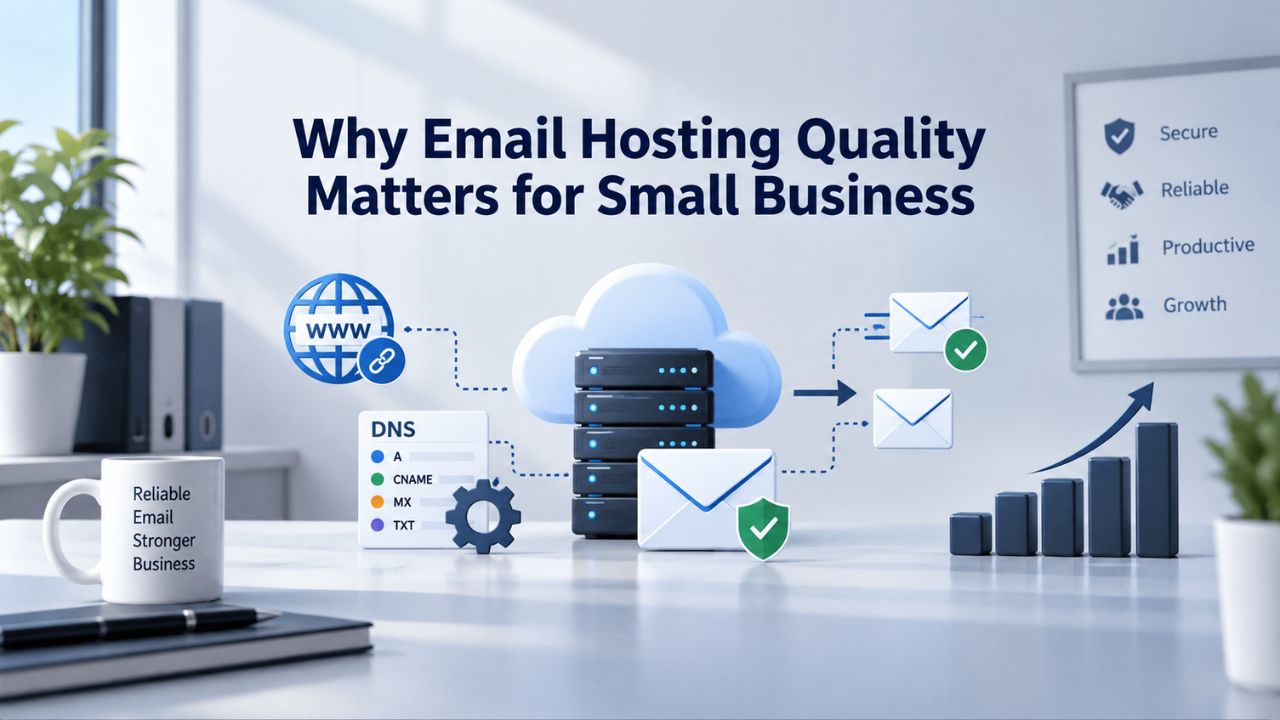
A business’s email address is its public identity. Free consumer email signals to clients that your operation lacks infrastructure investment or doesn’t prioritize secure communications. A custom domain email address, formatted as you@yourbusiness.com rather than a generic Gmail or Outlook.com address, instantly strengthens client perception and trust. Beyond the branding benefit, proper email authentication through industry-standard protocols ensures your messages reach client inboxes instead of spam folders, a critical operational requirement often overlooked until email delivery fails.
Custom Domain Email Establishes Professional Credibility
When clients receive correspondence from a generic email provider address, they may assume your business either cannot afford professional infrastructure or has not prioritized secure client communications. A branded email domain immediately signals an established, professional operation with secure systems. Email authentication protocols, specifically SPF (Sender Policy Framework), DKIM (DomainKeys Identified Mail), and DMARC (Domain-based Message Authentication, Reporting & Conformance), work together to verify that emails genuinely originate from your domain and prevent competitors or malicious actors from spoofing your identity.
Without proper authentication configuration, even your legitimate business emails can be flagged by spam filters or misdirected by mail servers. Microsoft 365 Business plans include all the backend infrastructure required to support these authentication methods; the setup task is actually the first meaningful test of your service provider’s competence and willingness to guide you through technical configuration. Niya Digital’s team has found that small businesses completing the custom domain migration process report measurable improvements in email deliverability and significantly fewer customer complaints about missed messages within 30 days of full deployment.
Security and Compliance Are Built Into Every Plan
All Microsoft 365 Business plans include anti-spam and anti-malware filtering through Exchange Online Protection, defending against commodity threats like mass malware campaigns and bulk phishing attacks. Business Premium adds advanced Microsoft Defender for Business capabilities that protect against ransomware, zero-day exploits, and sophisticated phishing schemes that target your industry. Multifactor authentication (MFA), a security control that requires two or more verification factors to access accounts, is built into all plans and is the single most effective defense against account takeover.
Small businesses handle sensitive customer data, employee records, financial information, and intellectual property that require protection and audit capabilities. Compliance with data protection regulations isn’t optional for most businesses; free consumer email services simply don’t offer the audit trails, encryption standards, or data residency controls that regulated industries like healthcare, finance, and legal services require. Business Premium includes Microsoft Purview capabilities to automatically detect and classify sensitive information, a feature most growing businesses need as they expand and handle more regulated data.
Microsoft 365 Plans & Pricing
Find the Microsoft 365 plan that fits your needs, whether you're using it at home, with your family, or for your business. With a range of plans designed for different budgets and requirements, you can enjoy the tools you need to stay productive, connected, and protected.
Microsoft 365 Email Essentials
Professional email with 10GB of email storage.
- Professional email using your domain name
- 10GB storage for email, contacts & calendar
- Sync across all devices
- Shared online calendars
- Up to 400 email aliases

Microsoft 365 Email Plus
Professional email with 50GB of email storage.
- Professional email using your domain name
- 50GB storage for email, contacts & calendar
- Sync across all devices
- Shared online calendars
- Up to 400 email aliases
Microsoft 365 Online Business Essentials
Office web apps & professional email.
- Office apps (online only)
- 1TB OneDrive storage
- Unlimited online meetings & HD video
- Professional email using your domain
- 50GB email storage
- Sync across all devices
Microsoft 365 Business Professional
Office apps on 5 devices, web apps & professional email.
- Office apps installed on up to 5 devices
- Office web apps
- 1TB OneDrive storage
- Business apps included
- Professional email using your domain
- 50GB email storage
Understanding the Three Microsoft 365 Business Plans
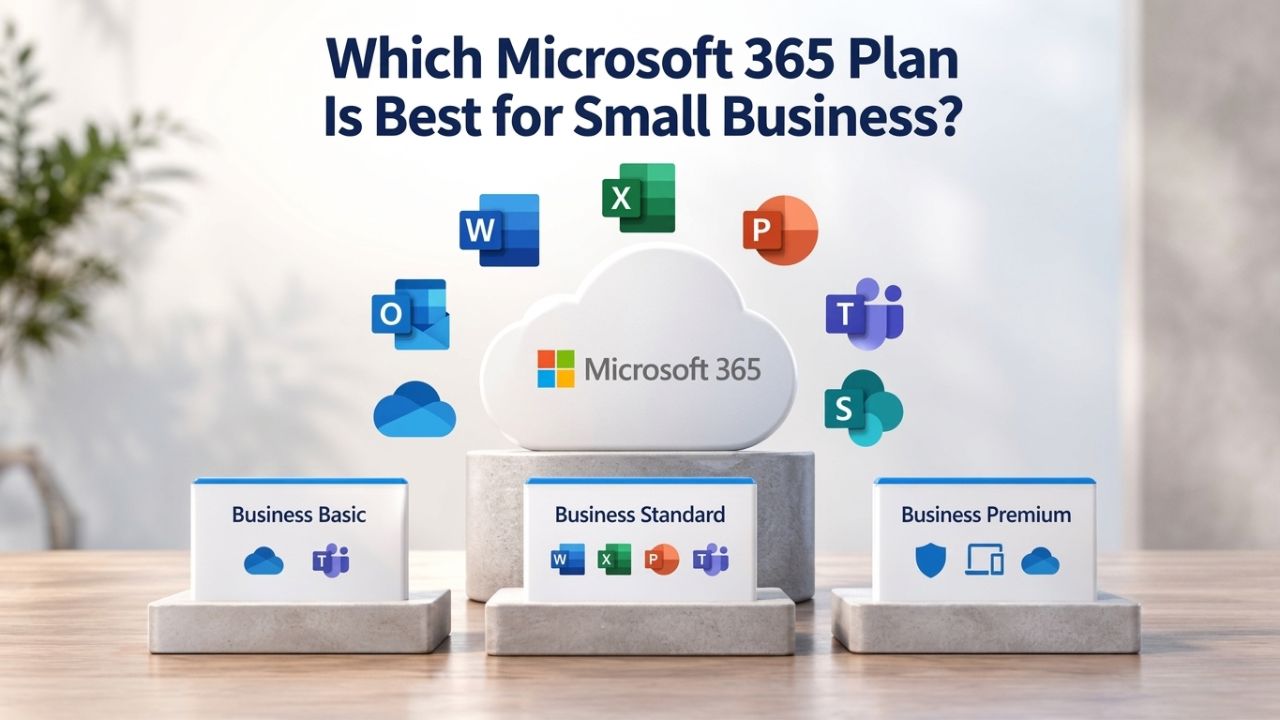
Microsoft 365 offers three distinct business plan tiers: Business Basic, Business Standard, and Business Premium. Each step up adds productivity applications, collaboration tools, and security features that address increasingly sophisticated business requirements. Understanding what each plan includes, and critically, what capabilities remain unavailable in lower tiers, forms the foundation for right-sizing your investment.
Plan Features and Included Applications
The feature matrix below outlines the core applications and services included in each tier:
| Feature | Business Basic | Business Standard | Business Premium |
|---|---|---|---|
| Desktop Office Apps (Word, Excel, PowerPoint, Outlook, Access) | Web & mobile only | ✓ Desktop + web & mobile | ✓ Desktop + web & mobile |
| Custom Business Email with Branded Domain | ✓ (100 GB primary + 50 GB archive) | ✓ (100 GB primary + 50 GB archive) | ✓ (100 GB primary + 1.5 TB archive) |
| OneDrive Cloud Storage per User | 1 TB | 1 TB | 1 TB |
| Microsoft Teams Included | ✓ (with-Teams variant) | ✓ (with Teams variant) | ✓ (with-Teams variant) |
| SharePoint Online & Team Sites | ✓ | ✓ | ✓ |
| Microsoft Defender for Business | Available as add-on | Available as add-on | ✓ Included |
| Advanced Identity Management (Entra ID) | Free version | Free version | ✓ Advanced included |
| Data Loss Prevention (DLP) | — | — | ✓ Included |
| Device Management & Compliance | — | — | ✓ Included |
| 99.9% Uptime Service Level Agreement | ✓ | ✓ | ✓ |
Business Basic provides web and mobile access to Office applications, professional email with custom domain support, and 1 TB of cloud storage. This entry-level plan works well for teams whose primary work involves email communication, light document editing, and cloud file storage accessed primarily through mobile devices or web browsers. Business Standard adds full desktop versions of Office applications, Word, Excel, PowerPoint, and Outlook for Windows and Mac, enabling professional document creation, complex spreadsheet work, and advanced presentation design alongside all Basic capabilities. Business Premium bundles advanced security features, device management through Microsoft Intune, and data protection tools alongside all Standard capabilities, creating a comprehensive suite for organizations with compliance requirements or security-sensitive operations.
Understanding Capability Gaps and Feature Tiers
The most significant capability jump occurs between Business Basic and Business Standard, driven by the inclusion of desktop Office applications. Users working exclusively in web browsers encounter limitations: certain Excel formulas don’t function in the online version, PowerPoint design tools are simplified, and offline work becomes impossible without fallback solutions. The jump from Business Standard to Business Premium doesn’t add Office applications; it focuses on deeper security, device management, and compliance-ready infrastructure. This distinction matters because different businesses have fundamentally different security and productivity needs.
Most small business teams cluster in the 5–50-person range and find Business Standard represents the optimal balance of capability and cost. A startup launching with five employees can begin on Business Basic and upgrade smoothly as desktop application demand grows. Conversely, a professional services firm handling client data from day one should start on Business Premium to ensure compliance infrastructure is operational from launch rather than retrofitted months later. The choice between plans ultimately reflects your actual operational requirements, not your expected or theoretical future needs.
Team Size and Feature Requirements Decision Matrix
| Business Profile | Recommended Plan | Primary Reason | Secondary Consideration |
|---|---|---|---|
| Startup or Solo Operation, 1–5 people | Business Basic | Email, storage, and basic collaboration cover core needs; cost minimization for cash-constrained early stage | Monitor desktop app demand closely; upgrade to Standard within 6 months if PowerPoint or Excel usage increases |
| Small Professional Business, 5–20 people, document-heavy work | Business Standard | Desktop Office apps combined with Teams collaboration and email; balance capability against cost; fits majority of small businesses | Add Defender for Business if handling customer financial data or health records |
| Growing Mid-Size Business, 20–50 people, compliance or remote-heavy | Business Premium | Full suite plus Defender and device management; compliance infrastructure ready from day one; security governance built in | Consider Microsoft 365 Copilot add-on if team relies on AI-assisted workflows |
| Service Business or Professional Firm, any size | Business Standard or Premium | Email archive capability matters significantly (Premium’s 1.5 TB vs. Standard’s 50 GB); Data Loss Prevention essential if storing client contracts or sensitive documents | Business Premium if handling client PII, health records, or regulated data; Standard if collaboration and archive alone suffice |
The goal is matching plan capability to actual business needs without overpaying for unused features or undershooting and creating friction. A startup paying for Business Premium features it won’t use for eighteen months wastes money that could accelerate growth. Conversely, a fifteen-person professional services firm trying to operate on Business Basic encounters daily friction when PowerPoint slides won’t open properly on a Mac, when Excel formulas exceed web app capabilities, or when teams need features only the desktop client supports. Estimate your true user count, identify the primary work activities dominating your team’s time (email communication, Office document creation, Teams collaboration, cloud file storage and sharing), and match the plan to demonstrated reality rather than aspirational scenarios.
Desktop Applications: A Key Differentiator Between Plans
One of the largest sources of confusion for small businesses evaluating Microsoft 365 is application availability and platform limitations. Business Basic ships exclusively with web and mobile versions of Office applications, while Business Standard and Premium include full desktop applications for Windows and Mac computers. For some teams, web apps deliver all needed functionality; for others, the missing features or offline access limitations create daily frustration and workarounds that reduce productivity.
When You Need Full Desktop Office Applications
Desktop applications deliver complete feature sets that web versions cannot match. Excel’s complex formula support, array operations, and advanced data analysis capabilities remain unavailable in the web version. PowerPoint’s design tools, custom animations, embedded media, and advanced formatting are simplified or missing in web versions. Access database functionality, Publisher design capabilities, and advanced Word features like mail merge and complex template work require the full desktop client.
Offline access represents another critical operational difference. Mobile and web versions of Office require an active internet connection to function effectively, while desktop applications maintain productivity even during network outages. Remote teams in areas with spotty internet connectivity, field service teams, and professionals traveling internationally often find that offline access alone justifies the plan upgrade. Niya Digital’s support experience shows that the shift from web to desktop apps often happens three to six months into a deployment, after initial tasks like email setup and basic document sharing are done and teams hit the limits of what web tools can accomplish.
Web and Mobile Apps Handle Light Productivity Workflows Effectively
For solopreneurs, office managers coordinating across departments, or teams whose Office use mainly involves opening documents created by others and making minor edits, web-based Office applications deliver excellent functionality without limitation. The web versions have matured significantly; they support real-time multi-person collaboration, basic offline editing with sync on reconnection, and mobile access across iOS and Android devices. Document view-only access, light editing, and stakeholder collaboration all function seamlessly in web versions.
The practical decision-making approach is to honestly assess actual usage patterns. Teams that answer “we only send files back and forth in email and review documents others created” often underestimate their feature needs until they try intermediate work. A realistic validation approach is to start with Business Basic for thirty days, track how often teams request desktop application features or report friction, and upgrade if requests climb. Data from actual usage patterns is far more reliable than theoretical planning, and most teams find their answer quickly through real-world experience.
Security, Compliance, and Data Protection Frameworks
Security decisions and compliance requirements form the third major decision axis for plan selection. Small businesses often assume their size protects them from targeted threats; hackers prioritize volume over targeting individual businesses, but email remains the primary attack vector for ransomware, credential theft, and phishing. Choosing a plan with adequate threat protection reduces operational risk and breach impact.

Email Security and Advanced Threat Protection Features
All Microsoft 365 Business plans include Exchange Online Protection, which provides anti-spam, anti-malware, and basic phishing defenses through Microsoft Defender for Office 365 Plan 1. This foundational protection catches most commodity threats, mass malware campaigns, bulk phishing messages, and zero-hour exploits that affect thousands of organizations simultaneously. Business Premium upgrades to advanced Microsoft Defender for Office 365 Plan 1, which adds time-of-click URL protection, sandboxing for suspicious attachments before opening, and threat analytics showing campaign-level patterns and tactics.
Teams receiving email from unknown senders, handling sensitive business documents, or operating in healthcare or financial services benefit materially from advanced threat protection. Adding standalone Microsoft Defender for Business to any plan creates a middle-ground option for teams not yet ready for Premium but needing enhanced endpoint protection. For teams handling customer personal information or regulated data, investing in Premium or a Defender add-on typically pays for itself many times over in avoided breach response costs, incident recovery, and regulatory fines or penalties.
Compliance, Audit, and Sensitive Data Classification
Business Premium includes Microsoft Purview Data Loss Prevention (DLP) capabilities that automatically detect sensitive information, credit card numbers, Social Security numbers, health records, and other personally identifiable information in emails and files, and can prevent accidental or malicious transmission. All plans include Purview Audit (Standard) for logging and searching audited activities, essential infrastructure for compliance investigations and regulatory audits. If your business operates in regulated industries like healthcare (HIPAA), finance (SOX/GLBA), or government contracting (FedRAMP), compliance auditing and data protection are mandatory requirements.
Multifactor authentication (MFA) is built into all plans at no additional cost and represents the single most effective defense against account takeover from credential theft or brute-force attacks. Conditional Access policies (available in Business Premium) let you require MFA only under specific conditions, such as remote sign-ins or access from unusual locations, balancing security effectiveness with user convenience instead of requiring MFA for every login and creating frustration.
Collaboration Tools: Teams, SharePoint, and OneDrive Integration
Modern small businesses operate distributed across office locations, remote work environments, and client sites. Collaboration platforms have shifted from optional nice-to-have tools to essential infrastructure for teams working across locations or time zones. Microsoft Teams, SharePoint Online, and OneDrive for Business are included in all Microsoft 365 Business plans and form the foundation for remote-friendly workflows and knowledge organization.
Microsoft Teams for Real-Time Communication and Meeting Infrastructure
Teams is included in all plan variants labeled “with Teams” and provides integrated chat, audio calling, video conferencing, and meeting recording in a single application. Web and mobile access to Teams is available in all Business plans; desktop client applications come standard with Business Standard and Premium. The with-Teams plan variants include unlimited meeting duration and recording capabilities; free Teams limits meeting sessions to 60 minutes and restricts some advanced features.
For distributed teams with five or more people, dedicated chat and meeting infrastructure eliminates email chains about scheduling conflicts and prevents version confusion from passing documents by email. Teams integrates directly with Office applications, so team members can edit Word documents, Excel spreadsheets, and PowerPoint presentations directly in Teams channels without switching applications or downloading files. Client calls, all-hands meetings, and department stand-ups conducted through Teams create searchable transcripts and recordings available for asynchronous viewing across time zones.
SharePoint and OneDrive for Document Organization and Collaboration
SharePoint Online, included in all Business plans, creates team sites for organizing files, projects, and documents by department, client, or initiative, replacing fragmented email-based file sharing with centralized, version-controlled storage. Documents stored in SharePoint remain searchable, with version history preserved and access controls preventing accidental deletion or unauthorized access. OneDrive for Business provides 1 TB of personal storage per user for individual files and documents that don’t belong in team spaces.
The distinction between these two services is operationally critical: OneDrive is your personal secure space for individual work; SharePoint is team space for collaborative projects and shared resources. Using both correctly prevents the “which version is current?” problem that plagues email-based file sharing and stops duplicate files from scattering across inboxes. Niya Digital frequently finds that small businesses underutilize SharePoint because they default to email attachments out of organizational habit. Migrating to SharePoint early, organizing customer contracts in a client folder, project documentation in a project folder, and financial records in a finance folder, forces structure and makes later organizational scaling far simpler.
Find the Right Microsoft 365 Plan for Your Business
Selecting the right Microsoft 365 plan requires matching features, security capabilities, and operational overhead to your real business needs. Start by estimating your team size, identifying your primary productivity and collaboration activities, and assessing compliance requirements based on the data you handle. The plan that works for a startup is fundamentally different from one that fits a growing services firm or a team handling regulated information. Niya Digital’s team can walk you through the evaluation process, handle custom domain email configuration, implement security controls, and execute migration with minimal operational disruption.
Email Storage, Archive, and Long-Term Scalability
Email storage limits are a practical constraint few small business owners consider until they unexpectedly hit capacity limits. Understanding your organization’s archive strategy and long-term email retention model prevents costly surprises and ensures compliance with legal hold and regulatory requirements.
Mailbox Storage, Primary vs. Archive, and Auto-Expansion
All Microsoft 365 Business plans include 100 GB of primary mailbox storage for current email plus separate archive storage for older messages and attachments. Business Basic and Business Standard include 50 GB of archive storage; Business Premium includes 1.5 TB of archive storage. Primary storage holds actively accessed email; archive storage holds older messages and attachments that users rarely access but retain for compliance, historical reference, or legal discovery.
For most small teams, 100 GB of primary storage accommodates two to three years of email before archiving becomes necessary, depending on message volume and attachment size. Archive storage grows automatically through the auto-expand feature; Microsoft increases archive capacity as needed without manual intervention. The real operational decision involves retention strategy: how long does your business legally need to keep email based on regulatory requirements, industry standards, and litigation holds? Microsoft’s retention policies automate archiving and deletion so human memory and manual processes don’t become your operational bottleneck.
Scaling Users and Plans as Your Organization Grows
All Microsoft 365 Business plans support organizations from one user through 300 total provisioned users. If your organization starts with ten users on Business Standard, adding another twenty people is seamless: you provision new licenses, assign them to users, and they gain access to email and collaboration tools within hours. Upgrading individual users from Business Basic to Business Standard or from Standard to Premium is likewise transparent and lossless; users retain full access to their mailbox, OneDrive files, Teams history, and all shared documents during and after the transition.
Your organization can mix plans within a single tenant to optimize cost and capability per role: perhaps senior staff on Business Premium for compliance features, operations teams on Business Standard for full Office capability, and administrative staff on Business Basic for email-focused workflows. One operational constraint: Microsoft enforces a hard limit of 300 provisioned licenses total across all Business plan tiers combined. Organizations exceeding 300 users must migrate to enterprise plans. For 99% of small and mid-sized businesses, this growth ceiling provides years of runway before it becomes a constraint.
Planning Your Migration and Setup Process
Email migration is a business-critical project requiring careful planning. A poorly executed migration results in data loss, employee frustration, and broken customer communications that damage relationships and revenue. Proper planning, backup strategies, and security setup transform what could be chaotic into a straightforward business process transition. The key is understanding conceptually what gets moved, when it moves, how security is maintained during transition, and how to validate success before cutover.
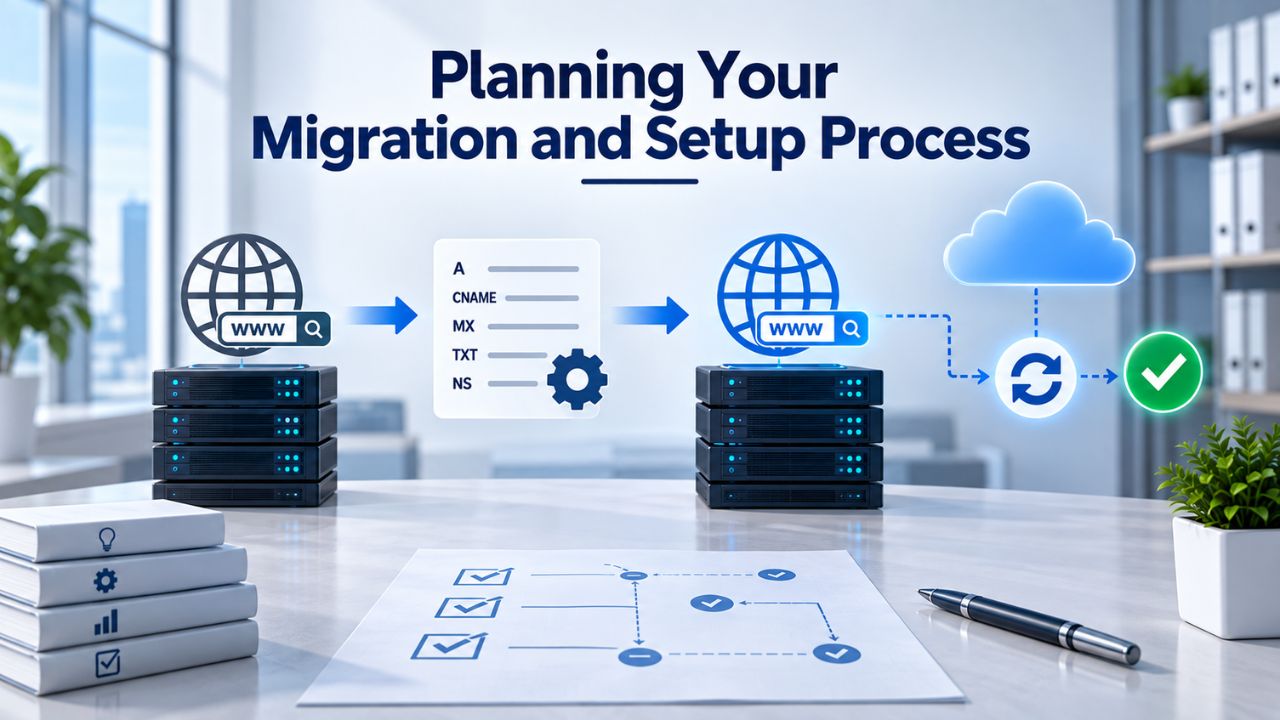
Pre-Migration Planning and DNS Authentication Setup
Before moving a single email message, document what’s being migrated: mailbox sizes in gigabytes, custom domains in use, distribution lists and shared mailboxes, external forwarding rules, and calendar sharing arrangements. Set up proper email authentication protocols, SPF (Sender Policy Framework), DKIM (DomainKeys Identified Mail), and DMARC (Domain-based Message Authentication, Reporting & Conformance) records in your domain’s DNS system before mail routing changes occur. This prerequisite work prevents newly migrated email from landing in spam folders and ensures your domain reputation transfers cleanly with your email service.
A focused two- to three-week planning phase prevents weeks of post-launch troubleshooting and customer support burden. Niya Digital’s team has found that the most common migration delays stem from overlooking shared mailboxes, failing to archive old email before migration, or misconfiguring authentication records. Testing email authentication records before broad migration begins is far more efficient than troubleshooting delivery failures after cutover.
Security and Identity Infrastructure Setup Before Migration
Identity management and security controls should be operational before data moves. Set up Microsoft Entra ID and multifactor authentication (MFA) before broad email migration begins, ensuring users are secure from day one rather than retrofitting security after launch. Define administrative roles clearly: who has tenant-level access, who manages user provisioning, who can change security policies? Conditional Access policies (available in Business Premium) let you require MFA only under specific conditions, such as remote sign-ins or access from suspicious locations, adding security without creating excessive friction for standard office-based access.
Security policies retrofitted after migration launches leave cloud tenants vulnerable and create unnecessary exposure windows. Planning these controls before launch ensures your security posture is operational from the moment your first user signs in to the new system. This sequencing shows that security is foundational, not an afterthought.
Support Options and Long-Term Reliability Expectations
Understanding Microsoft’s uptime commitments and support structure sets realistic expectations for your deployment and clarifies your recourse if service issues occur. Cloud services live or die on reliability and support quality.
Uptime Service Level Agreement and Financial Guarantees
All Microsoft 365 Business plans guarantee 99.9% uptime, translating to roughly 43 minutes and 12 seconds of allowable downtime per calendar month. This is a financially backed commitment: if Microsoft fails to meet the SLA, your organization receives automatic service credits. No scheduled downtime is promised; updates and maintenance happen transparently without announced maintenance windows. In practice, 99.9% uptime means the service is available for most business hours; outages, when they occur (historically two to three per year, lasting minutes to an hour), are relatively rare.
The comparison to on-premises email infrastructure is stark: on-premises systems can suffer hardware failures, network misconfiguration, or administrator error that cause days of downtime, requiring expensive emergency support and recovery. With 99.9% uptime, organizations trade direct physical control of their infrastructure for reliance on Microsoft’s globally distributed data centers and redundant systems. For most businesses, this trade-off is favorable: you avoid capital investment in email infrastructure, eliminate hardware maintenance, and gain reliability that exceeds what most small organizations can build independently.
Support Channels and Response Expectations
All Microsoft 365 Business plans include anytime phone and web support, self-help troubleshooting tools, knowledge articles, and community forums. Response times for Business plan support vary depending on issue severity and current support queue demand. Premium support tiers (Premier and Unified support) offer SLA-backed response times and dedicated support engineers, though larger organizations or those needing guaranteed response commitments typically purchase them. For most small teams, included support is sufficient; for mission-critical deployments where business continuity depends absolutely on Microsoft 365 availability, organizations often escalate to premium support tiers or engage managed service partners who contractually commit to SLA response times as part of their service offering.
The realistic assessment: opening a support ticket at 2 AM on a Sunday and expecting an immediate response is unrealistic with standard support included in Business plans. Response times typically range from several hours to a full business day depending on issue severity and support load. If your organization requires 24/7/365 guaranteed support response for critical issues, escalating to premium support or engaging a managed service provider with contracted SLA response commitments becomes a worthwhile investment.
Collaboration Features: Teams, SharePoint, and OneDrive
Modern distributed teams require robust collaboration platforms that enable communication, file sharing, and project organization across multiple locations and time zones. Microsoft Teams, SharePoint Online, and OneDrive for Business are integrated components included in all Microsoft 365 Business plans, providing the foundation for effective remote teamwork and centralized knowledge management.
Microsoft Teams for Unified Communication and Virtual Meetings
Teams provides integrated chat messaging, audio calling, video conferencing, and meeting recording in a single unified application that replaces email chains about scheduling and fragmented communication across multiple tools. Web access to Teams works in any modern browser; mobile applications are available for iOS and Android devices; desktop client applications come standard with Business Standard and Premium plans. Meeting capabilities in Teams with variant plans include unlimited meeting duration and full recording and transcription features.
Teams integrates directly with Office applications and other Microsoft 365 services, allowing team members to create, edit, and collaborate on Word documents, Excel spreadsheets, and PowerPoint presentations directly within Teams channels. Client calls with external participants, all-hands company meetings spanning time zones, and department stand-ups conducted through Teams generate searchable transcripts and recordings available on-demand for team members who couldn’t attend live. For distributed teams, this unified communication platform eliminates the coordination overhead created by scattered email, Slack, Zoom, and individual calendar tools.
SharePoint Online and OneDrive for Centralized Document Organization
SharePoint Online creates team sites organized by project, department, client, or initiative, providing centralized repositories where documents are version-controlled, searchable, and protected by access controls that prevent accidental deletion or unauthorized access. Teams channels integrate directly with SharePoint sites, so files accessed in Teams chats are stored and organized in the underlying SharePoint library. OneDrive for Business provides each user with personal cloud storage separate from team spaces, ideal for drafts, personal work, and files not yet ready for team sharing.
Operational clarity between these storage options matters: OneDrive is your secure personal space; SharePoint is your team collaborative space. Organizations that use both correctly eliminate the endemic “which version is current?” problem that plagues email-based file sharing. Niya Digital sees that businesses establishing SharePoint discipline early, organizing customer files in client folders, project deliverables in project folders, and financial records in compliance folders, create organizational structure that scales as the business grows and makes future governance far simpler.
Plan-Specific Feature Comparisons
Understanding which features come with each plan tier and which require add-ons helps you forecast total cost and capability. The comparison below focuses on operational distinctions that matter for small-business decision-making.
Core Productivity and Collaboration Capabilities Across Plans
All plans include web and mobile access to email, cloud storage, and basic collaboration. Business Standard adds desktop Office applications. Business Premium adds advanced security, device management, and compliance features. The following features merit particular attention when evaluating plans: access to advanced Office features (desktop-only in Standard and Premium), offline document editing (desktop apps only), advanced Excel and PowerPoint functionality, and unlimited meeting duration in Microsoft Teams.
Business Basic teams can still collaborate through Teams, share files in OneDrive and SharePoint, and communicate professionally; they use web or mobile versions of Office applications. Business Standard teams get full desktop Office capability, enabling complex document creation, advanced spreadsheet analysis, and professional presentation design without workarounds. Business Premium teams add Defender for Business (ransomware and malware protection), advanced Entra ID for conditional access policies, and Purview Data Loss Prevention to detect and prevent sensitive data transmission.
Determining Hidden Costs Through Add-On Services
Organizations choosing Business Basic or Standard may find certain capabilities available only as paid add-ons. Microsoft Defender for Business, providing ransomware and advanced threat protection, is included in Business Premium but available as an add-on for Basic and Standard teams. Microsoft 365 Copilot, providing AI-assisted writing and analysis, is available as an add-on for all plans. Advanced compliance features beyond what Premium includes, such as advanced eDiscovery and advanced compliance management, require Enterprise E5 licensing.
Understanding what gaps exist in your chosen plan helps you forecast whether future upgrades or add-ons will be necessary. Many organizations find that starting on Business Standard and adding Defender for Business when security requirements evolve is more cost-effective than upgrading to Premium immediately.
Security Features, Compliance Infrastructure, and Data Protection
Security capabilities and compliance readiness vary significantly across plan tiers. Organizations handling regulated data, customer personal information, or sensitive business records should carefully evaluate whether their chosen plan includes necessary infrastructure.
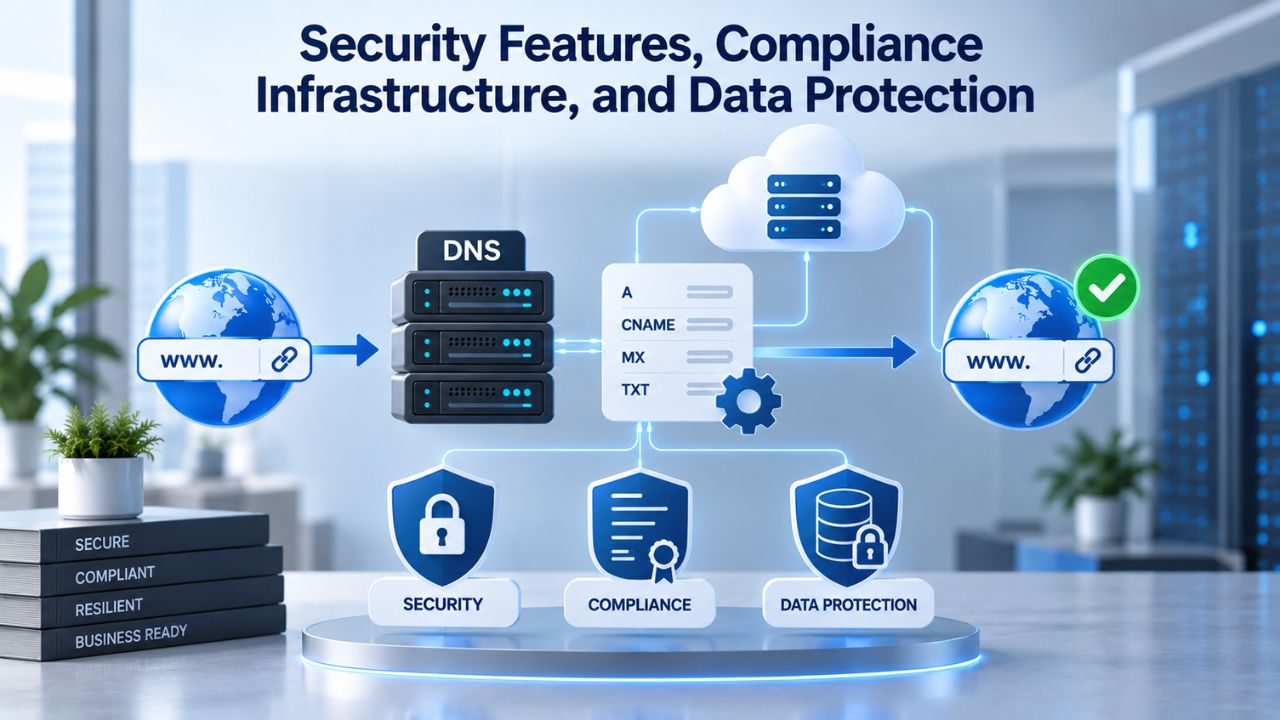
Email Protection, Threat Detection, and Advanced Defense
All plans include Exchange Online Protection, which provides basic spam filtering, malware detection, and phishing protection. Business Premium includes Microsoft Defender for Business, adding endpoint protection against ransomware, advanced malware, and endpoint detection and response (EDR) capabilities. These features work together to defend against the most common attack vectors targeting small businesses: phishing emails delivering malware, compromised user credentials, and ransomware spread through infected attachments.
Business Premium also includes Microsoft Defender for Office 365 Plan 1, which adds time-of-click URL protection, sandboxing for suspicious attachments, and threat analytics showing campaign patterns. For teams receiving email from unknown senders, handling sensitive documents, or operating in high-risk industries, this advanced protection materially reduces breach probability and incident severity if compromise occurs.
Data Classification, Compliance, and Audit Infrastructure
Business Premium includes Microsoft Purview Data Loss Prevention (DLP) capabilities that automatically detect sensitive information, such as credit card numbers, healthcare records, and personally identifiable information, in emails and files. You can configure policies to prevent transmission, require approval, or log attempts. All plans include Purview Audit capabilities for logging and searching audited activities, essential for regulatory investigations and compliance audits required by healthcare (HIPAA), finance (SOX/GLBA), and government contracting (FedRAMP) regulations.
Multifactor authentication (MFA) is built into all plans and fundamentally changes your security posture by preventing account takeover even if user passwords are compromised. Conditional Access policies (Business Premium only) allow intelligent requirement of MFA only when risk factors are present, remote sign-in location, unusual access time, or unfamiliar device, balancing security effectiveness with user convenience.
Evaluation Framework and Final Selection Process
Right-sizing your Microsoft 365 plan requires honest assessment of your actual operational requirements rather than theoretical or aspirational needs. Using a systematic evaluation framework ensures your team gets the capability they need without overpaying for unused features.
Honest Assessment of Team Productivity Patterns
Begin by documenting what your team actually does daily: email communication, document creation, spreadsheet analysis, presentation design, video collaboration, file storage and sharing. Be specific: does your team create complex financial models in Excel, or do they primarily view and annotate spreadsheets others create?
Do they design presentations for clients, or do they present slides others designed? Does your team work primarily from office locations, or do they work remotely and need offline access? These patterns should drive plan selection far more than industry rules of thumb or peer examples.
Growth Timeline and Upgrade Path Clarity
Consider where your team will be in 12 and 24 months. Will you add staff? Will work patterns shift toward more complex document creation or compliance requirements? Starting on Business Basic with a clear plan to upgrade to Standard within six months is perfectly reasonable if you’re cash-constrained early and confident about future need.
Starting on Business Premium immediately as an insurance policy against future needs often wastes resources that could accelerate growth elsewhere. The Microsoft 365 upgrade path is seamless and transparent; users can upgrade without losing data or experiencing service disruption.
Cost vs. Capability Tradeoffs
Evaluate the cost difference between plans against the capability gap. The difference between Basic and Standard is substantial in capability (web-only vs. desktop Office apps); productivity gains often justify the cost difference.
The difference between Standard and Premium is primarily security and compliance; if you don’t handle regulated data, Premium might be unnecessary. Some organizations find a hybrid approach- most staff on Standard, compliance and security roles on Premium- provides optimal value. Niya Digital can help you model different scenarios and their operational impact.
Ready to Choose Your Microsoft 365 Plan?
The right Microsoft 365 plan delivers the features your team needs without overpaying for capability you won’t use. Your decision should reflect your team size, primary work activities, compliance requirements, and growth trajectory. Niya Digital helps small businesses evaluate their needs, implement custom domain email with proper authentication, configure security controls, and execute migration with minimal disruption to operations.
Frequently Asked Questions
What is the difference between Microsoft 365 Business Basic, Standard, and Premium?
Business Basic provides web and mobile access to Office applications, email with a custom domain, and cloud storage. Business Standard adds full desktop Office applications for Windows and Mac. Business Premium includes advanced security with Defender for Business, device management, and data loss prevention. Choose based on your need for desktop Office, security maturity, and compliance requirements. All three plans support teams up to 300 users and include 99.9% uptime guarantees.
Do all Microsoft 365 Business plans include Microsoft Teams?
Yes, Teams is included in plan variants labeled “with Teams.” Plans without Teams are available at lower cost if your organization uses a different unified communications platform. Most small businesses choose with-Teams variants because Teams pricing is minimal and integration with Office apps and organizational data is valuable. Email, files, and Outlook calendars all integrate seamlessly with Teams regardless of plan tier.
Can I upgrade from one plan to another without losing data or experiencing downtime?
Yes, upgrading is seamless and lossless. Upgrading individual users from Basic to Standard or Standard to Premium takes effect within hours. Email, OneDrive files, SharePoint documents, Teams chat history, and all other data remain fully accessible during and after the upgrade. You can upgrade individual users, departments, or your entire organization gradually without business disruption.
How much storage does each plan include, and what happens if I exceed the limit?
All plans include 1 TB OneDrive per user for personal cloud storage. Email mailboxes include 100 GB primary storage plus archive: Basic and Standard include 50 GB archive; Premium includes 1.5 TB auto-expanding archive. Archive storage grows automatically as needed so that you won’t run out of email storage. You can expand OneDrive via add-ons if personal storage limits become constraining.
Is multifactor authentication (MFA) included in all plans, or is it an additional cost?
Multifactor authentication (MFA) is built into all plans at no additional cost. Microsoft requires MFA for administrative accounts and strongly recommends enabling it for all users to protect against account takeover. Conditional Access policies (Business Premium only) allow intelligent MFA requirements under specific conditions, such as remote sign-in, an unusual location, or an unfamiliar device, balancing security with user convenience.
What security features come with each plan, and when should I upgrade to Business Premium?
All plans include Exchange Online Protection with anti-spam and anti-malware filtering. Business Premium adds Microsoft Defender for Business (ransomware protection, endpoint detection), Purview Data Loss Prevention (sensitive data detection and prevention), and advanced identity management. Upgrade to Premium if you handle regulated data, customer PII, or operate in healthcare, finance, or legal services. For general-purpose teams, Basic or Standard security is adequate; adding a Defender for Business add-on provides middle-ground protection.
Can I use Microsoft 365 plans on non-Windows devices?
Yes, Microsoft 365 works across devices. Web apps run in any modern browser. Mobile apps for Outlook, Teams, OneDrive, and Office are available for iPhone, iPad, and Android. Desktop applications are available for Windows and Mac. Cloud-stored documents sync to mobile automatically. This device flexibility is essential for distributed teams working across locations and time zones.
How do I set up a custom business domain email address with Microsoft 365?
Setup involves verifying domain ownership in the Microsoft 365 admin center, updating DNS records (MX, SPF, DKIM, DMARC) to route email to Microsoft, and creating user mailboxes tied to your custom domain. Most domain registrars provide straightforward DNS editing interfaces. Microsoft 365 provides step-by-step guidance; Niya Digital’s services handle the entire process, including authentication configuration and testing.
What happens if my team grows from 15 to 50 people?
All business plans support 1–300 total provisioned users. Adding 35 more people is seamless: you provision licenses, assign them to users, and they gain access within hours. You can keep everyone on one plan or mix plans for different roles. At 300 users, Microsoft enforces a limit and requires migration to Enterprise plans. Most small businesses reach 50–100 users before hitting this constraint.
What is the difference between shared mailboxes and distribution lists?
Shared mailboxes (support@yourbusiness.com) allow multiple team members to access and send from a single inbox, ideal for team coordination. Distribution lists send emails to a group; each member receives messages in their personal inbox, ideal for announcements or department-wide messages. Both are available in all plans and managed in the admin center.
How do I back up email and files in Microsoft 365?
Microsoft replicates email across data centers and retains deleted items for 30 days. For regulatory compliance or additional protection, organizations add third-party backup tools that snapshot email and OneDrive nightly and retain backups for years. Business Premium’s audit and compliance features support retention policies for extended data preservation.
Can I use different plans for different team members?
Yes, you can assign Basic to some users, Standard to others, and Premium to a third group in one tenant. This lets you optimize costs by paying Premium prices only for users who need Defender and device management; assign others to Standard or Basic. Email, files, and collaboration work seamlessly across plan tiers.
What support is available during email migration?
Microsoft provides self-service migration tools, documentation, and community support at no extra cost. Third-party migration specialists and resellers offer managed migration services handling planning, execution, testing, and post-launch support. Managed services reduce migration risk for large or complex deployments.
Can I try Microsoft 365 before committing to full deployment?
Microsoft offers free trials for all business plans. Trials are 30 days, require no credit card in most regions, and allow you to create users, explore features, and validate your plan choice before purchasing production licenses. Trials are the best way to evaluate whether you need Basic, Standard, or Premium.
What happens if Microsoft 365 experiences an outage on a critical business day?
Microsoft guarantees 99.9% uptime (~43 minutes per month) with financially backed service credits if they miss the SLA. Outages are rare (2–3 per year, minutes to hours). For mission-critical operations requiring 24/7/365 guaranteed support, escalate to premium support or engage a managed service partner with contracted SLA commitments.
How do I choose the right plan for my business?
Evaluate your team size, primary work activities (email, document creation, collaboration), compliance requirements based on data sensitivity, and growth plans. Niya Digital helps small businesses assess needs, model scenarios, and choose the best plan. Consulting with a Microsoft 365 specialist prevents costly over-investment or under-capability decisions.
Glossary
- Custom Domain Email: Email address using your business domain name (you@yourbusiness.com) instead of a generic provider email. Requires domain verification and DNS configuration. Included in all Microsoft 365 Business plans and essential for professional business operations.
- Exchange Online: Microsoft’s cloud-based email and calendar service included in all Microsoft 365 Business plans. Provides mailbox storage, spam and malware filtering, custom domain support, archive storage, and integration with Teams and Outlook applications.
- OneDrive for Business: Personal cloud storage (1 TB per user) included in all Microsoft 365 Business plans. Enables file sync across devices, secure sharing, and seamless integration with Teams and SharePoint for document collaboration.
- SharePoint Online: Team collaboration platform included in all Microsoft 365 Business plans. Provides centralized document storage, version control, team sites organized by project or department, and full-text search across organizational documents.
- Multifactor Authentication (MFA): Security method requiring two or more verification factors (password plus phone code, biometric, or security key) to access accounts. Included in all plans; dramatically reduces account takeover risk from credential theft or phishing.
- SPF/DKIM/DMARC: Email authentication protocols preventing domain spoofing and improving deliverability. SPF authorizes mail servers for your domain. DKIM digitally signs emails. DMARC sets policy for handling unauthenticated mail. Proper configuration prevents competitor spoofing and keeps legitimate email out of spam.
- Microsoft Entra ID: Identity and access management platform. The free version is included in Business Basic and Standard. The advanced version in Business Premium enables conditional access policies, device management, and multi-tenant integration for stronger security governance.
- Microsoft Defender for Business: Endpoint security tool included in Business Premium; available as an add-on for Basic and Standard. Provides ransomware protection, malware detection, vulnerability management, and endpoint detection and response (EDR) for protecting devices and data.