Recognizing the Signals Before They Become a Crisis
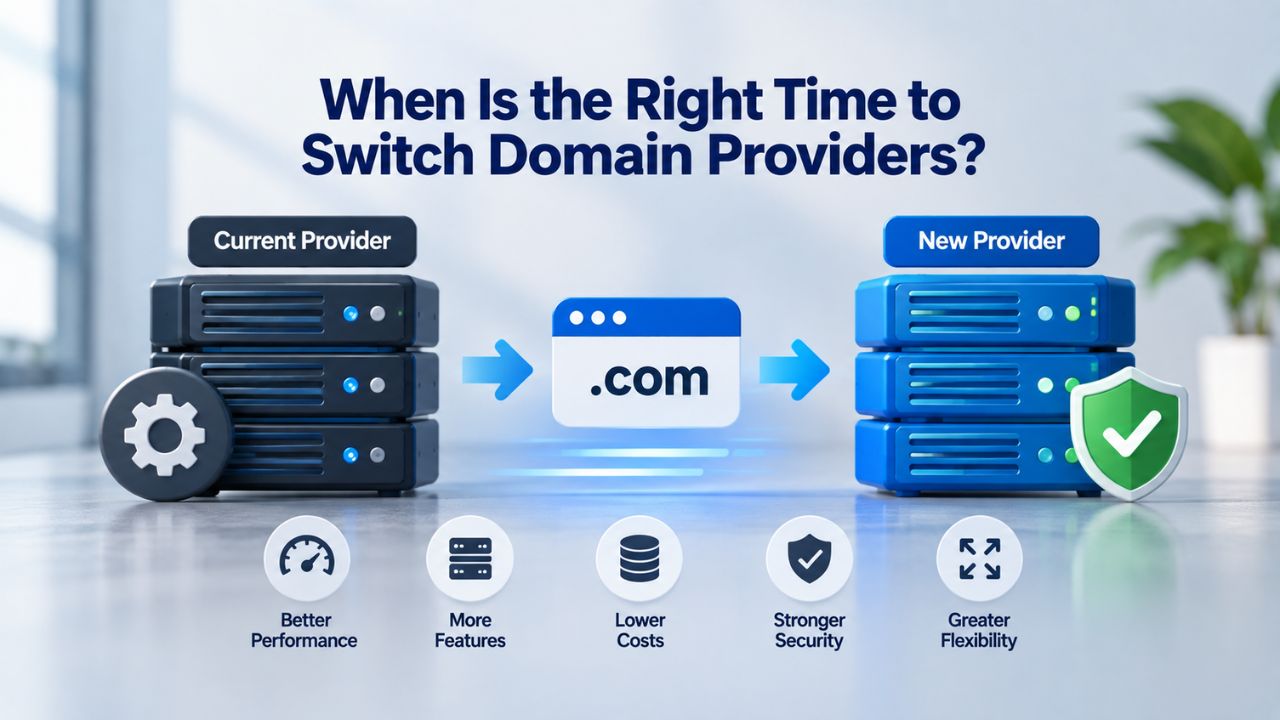
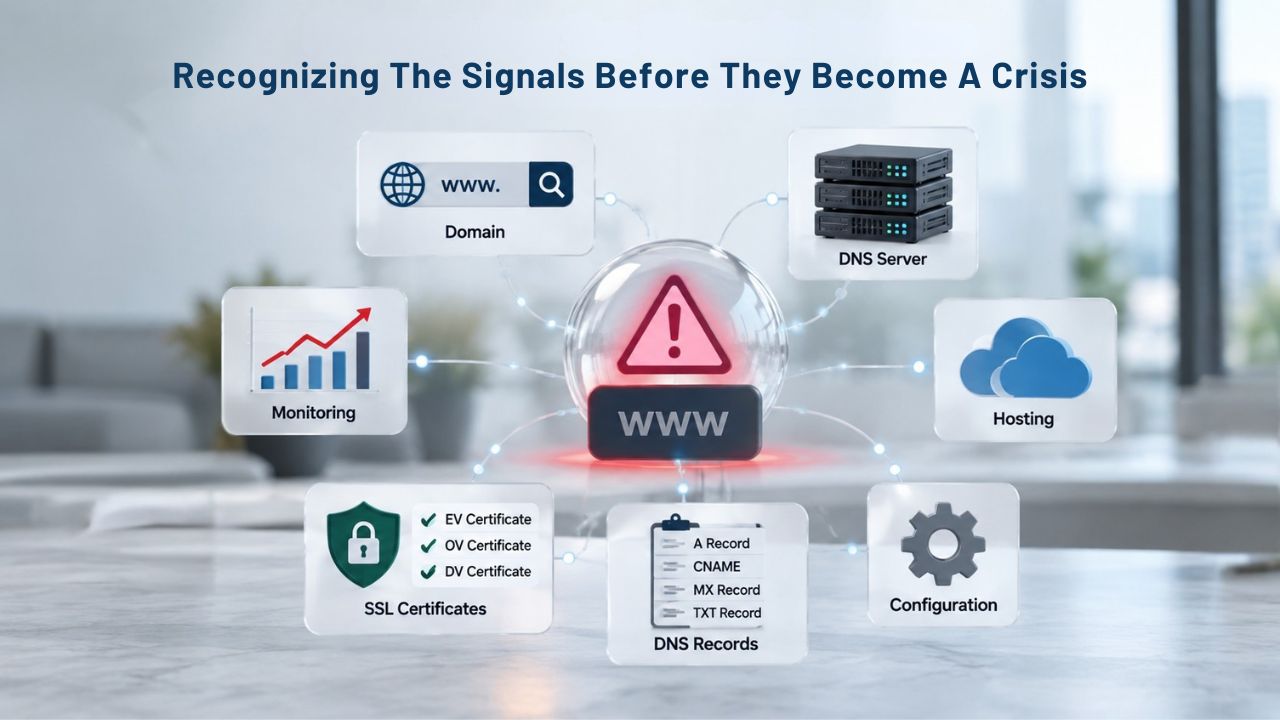
A single dramatic failure rarely triggers most switching decisions. They accumulate from a pattern of smaller frictions: a support request that takes too long to resolve, a DNS interface that cannot keep pace with a growing set of subdomains, or a Domain Registration Services relationship that no longer fits how the business actually operates. Recognizing these patterns early gives a team room to plan the move on its own schedule, rather than waiting for a Domain Renewal Services deadline or an outage to force the issue.
Support Response Gaps That Compound Over Time
A single slow support response is rarely a reason to switch on its own. The pattern that matters is different: whether response times are trending in the wrong direction, whether escalations for account-security issues get the urgency they need, and whether a provider’s support model has shifted away from what was promised at signup. Teams managing Business Domain Hosting for customer-facing sites are especially exposed here.
A delayed DNS fix during a support backlog can extend an outage that would otherwise have been resolved in minutes. Niya Digital’ team has found that transfer requests initiated after a documented pattern of support delays tend to go more smoothly than those triggered by a single incident. The requesting team has usually already gathered the account access, contact details, and DNS records needed before the process starts. The practical test is whether a provider’s support model matches the complexity of what you’re managing.
Outgrowing the Current DNS and Management Tooling
A domain and hosting setup that worked well for a five-domain portfolio can become a liability at fifty. Teams that started with a single Web Domain Hosting account often outgrow it. DNS Management Services designed for occasional changes do not hold up under frequent updates and multiple subdomains.
They also strain when several people need to make changes safely at once. When every DNS edit requires a workaround or a support ticket, the tooling no longer matches the scale of the operation. None of these problems individually justifies switching providers. Together, though, they describe a setup built for a smaller footprint that no longer matches the Domain Name Management needs the business now has.

Domain Name Registration
Each and every domain name comes with all you need to get online.
- Domain Forwarding and Masking: Direct any domain name you own to your website. Anyone who types that domain name into their browser is taken directly to your website.
- Domain Locking: Domain locking prevents accidental or intentional transfers of domain ownership and stops anyone from redirecting your nameservers.
- Total DNS Control: Manage your domain nameserver (DNS) records and set your email, FTP, sub-domains and website location all from one control panel.
- Change of Registration: Assign your domain name to someone else or change the contacts for your domain online anytime.
- Status Alerts: Monitor the status of your domain and get instant alerts if there's been a change.
- Auto Renew Protection: No need to watch expiration dates to make sure you renew on time! Auto renew keeps your domains, hosting, website builders, and other products in your name and under your control.
Domain Disclaimers:
- Special savings apply only to first year of registration. You must purchase entire section to qualify for special savings.
- The final price may differ because of additional sales, fees, and promotions.
- Products will automatically renew until cancelled. You may turn off the auto-renewal feature by visiting your account.
- Change of registration may require a fee for certain domains.
What “Switching” Actually Involves
The word “switching” often gets used loosely to describe two different operations. These operations carry different rules, risks, and timelines. Separating them clearly at the outset prevents avoidable confusion later. Understanding which move a business needs is the foundation for planning.
| Factor | Why It Matters |
|---|---|
| Support responsiveness | Determines how quickly a DNS or security issue is resolved before it affects website availability. |
| DNS management capability | Determines whether frequent, multi-subdomain DNS changes can be made safely without workarounds. |
| WHOIS privacy handling | Controls how registrant contact information is displayed and protected under current RDAP-based access rules. |
| Portfolio and bulk management tools | Determines whether dozens or hundreds of domains can be tracked and updated consistently. |
| Transfer and migration assistance | Shapes how much risk-reduction support is available when a registrar switch is executed. |
| Security posture (DNSSEC support) | Determines whether a verifiable DNS chain of trust can be maintained throughout DNS resolution. |
| Renewal and expiration visibility | Reduces the risk of accidental expiration that could trigger ICANN’s 30-day Redemption Grace Period. |
| Account consolidation | Reduces fragmentation by bringing domains from legacy vendors, acquisitions, or regional teams into a single account. |
Registrar Transfer Versus Hosting or DNS Migration
A registrar transfer changes who manages the domain’s registration record. That entity is who a business pays to renew the name. It also appears as the sponsoring registrar in registration data. A DNS or hosting migration is a separate operation.
It means pointing the domain’s nameservers or individual DNS records to a new destination for the website or email, without necessarily changing who holds the registration. You can migrate hosting without transferring the underlying domain registration at all. Many businesses do exactly that when they only need to change where a site is hosted. A team that only needs to move hosting sometimes initiates a full registrar transfer instead. That takes on ICANN’s transfer-lock timing and Form of Authorization steps for no operational reason.
Building a Timeline Before Initiating Anything
Once the switch type is clear, the next task is building a realistic timeline around it. A registrar transfer typically depends on three things: the receiving registrar’s Form of Authorization process, the losing registrar’s response window, and any applicable ICANN lock periods. The fastest possible path is rarely the safest one for a business-critical domain.
Rushing a transfer that touches active email or a revenue-generating site invites exactly the kind of DNS misconfiguration that causes preventable downtime. Building the timeline also means identifying dependencies early: which services rely on the domain’s current DNS records, who needs to approve the change internally, and whether the switch should happen during a planned maintenance window. A domain switch handled with a documented plan is far less likely to produce a visible outage than one attempted as a same-day, ad hoc change.
ICANN Transfer Rules That Govern Timing
Domain transfers are not governed solely by provider policy. They operate within a global framework set by ICANN that applies uniformly across accredited registrars. Understanding these rules in advance removes most of the surprises that otherwise derail a planned switch. The steps below outline, at a high level, how a standard registrar transfer typically unfolds once eligibility is confirmed.
| Step | What Happens | Typical Timeframe |
|---|---|---|
| Confirm eligibility | Verify that no active 60-day transfer lock applies due to registration, a previous transfer, or a Change of Registrant. | Same day, if records are available |
| Unlock the domain | Remove the registrar lock status with the current domain provider. | Same day to a few days |
| Obtain authorization code | Request the EPP/Auth Code to confirm legitimate control of the domain. | Same day to a few days |
| Initiate transfer | Submit the transfer request through the gaining registrar. | Same day |
| Approve Form of Authorization | Confirm the transfer using the authorization email sent to the registrant. | Within the confirmation window established by the gaining registrar |
| Transfer completes | Registration moves to the new registrar of record. | Generally within about one week of initiation |
| Post-transfer lock clears | A new 60-day transfer lock begins, restricting additional transfers. | 60 days from transfer completion |
The 60-Day Lock Windows Explained.
ICANN’s Transfer Policy prevents you from transferring a domain to a new registrar within 60 days of its initial registration. The same restriction applies within 60 days of changing the registrant name, organization, or email address. This rule applies uniformly across all ICANN-accredited registrars. It is not any single provider’s own policy.
A second, related lock applies after any Change of Registrant, meaning a material update to the registrant’s name, organization, or email address. This lock also runs 60 days from the date of the change, separate from the initial-registration window. Many domain owners are surprised that the Change-of-Registrant lock is not automatically avoidable. Per ICANN’s Transfer Policy Implementation Update, registrars must impose a 60-day inter-registrar transfer lock following a Change of Registrant. Registrars may allow registered name holders to opt out of the lock before submitting a Change of Registrant request. Still, that opt-out is available at each registrar’s discretion, not guaranteed.
What Can and Cannot Block a Transfer Request
ICANN’s Transfer Policy also limits the grounds on which a losing registrar can deny a transfer request. This protects registrants from being held hostage by administrative friction. A transfer can be denied for a few specific reasons: nonpayment on the current registration, no response from the registrant to a required confirmation, or an active 60-day lock.
A domain being mid-registration-period is not, on its own, a valid reason to refuse a transfer, as long as it falls outside those specific lock windows. This matters in practice: a business does not need to wait for a renewal date to initiate a switch. The relevant constraints are the lock windows themselves, not the registration term. Domains in registrar-lock status present a related but separate consideration, a security feature distinct from the ICANN-mandated locks. Per ICANN’s Transfer Policy, a registered name holder must be given a reasonable way to remove that lock before a transfer request can proceed, so confirming the domain’s current lock status is a practical first step.
Handling DNS and Security Continuity During the Switch
A domain switch touches more than the registration record. DNS configuration and account-security settings both need deliberate handling to avoid gaps that show up as downtime or exposure. Keeping the old DNS records active until you verify the new configuration, rather than switching everything at once, gives the migration room to fail safely and correct issues before customers notice.
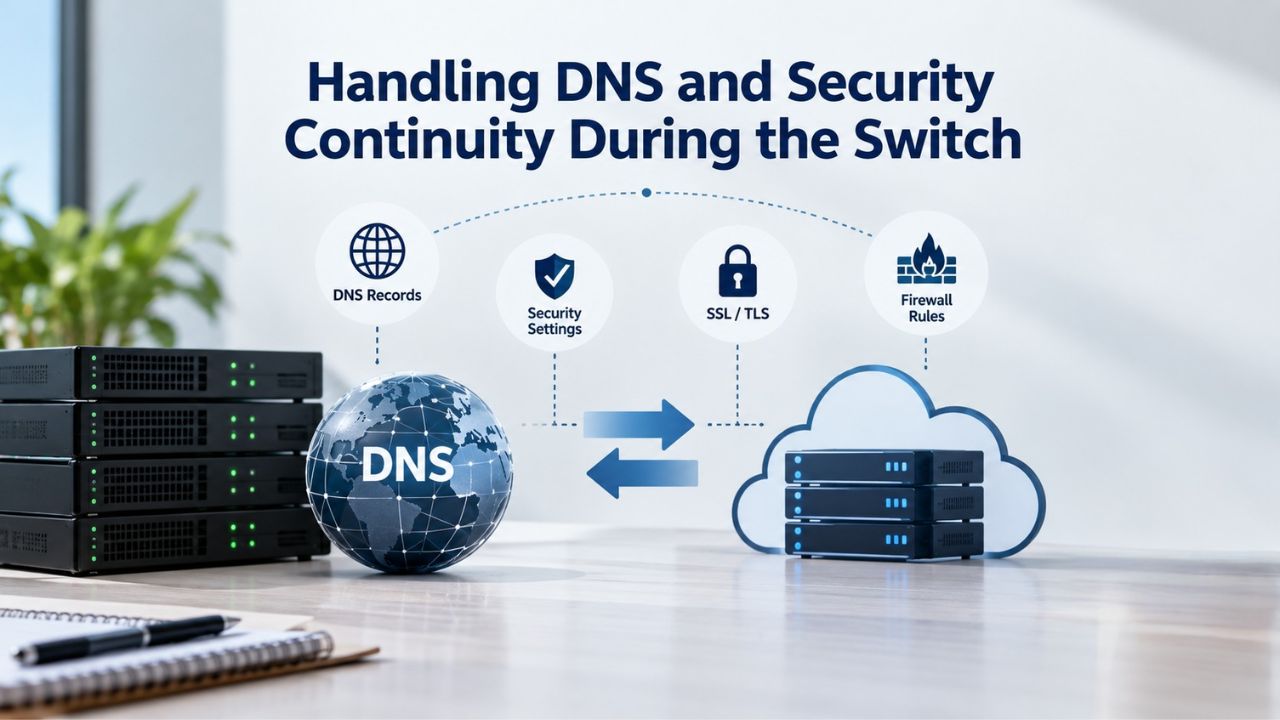
Avoiding DNS Downtime During Migration
DNS propagation is often misunderstood as an instant, global update. In practice, changes roll out gradually as caches expire and resolvers refresh their stored records rather than updating everywhere at once. Across roughly 25 years of Uptime Institute outage data, human error accounts for between two-thirds and four-fifths of downtime incidents.
Most operators also say their most recent serious outage could have been prevented. That points toward planning and sequencing, not the DNS protocol itself, as the more common point of failure. Practical safeguards make the difference between a clean migration and a visible outage. Lowering TTL (time-to-live) values on key records in advance so that any needed rollback propagates faster, testing the new DNS configuration in a non-production environment before it goes live, and scheduling the actual cutover during a lower-traffic window so any unexpected issue affects fewer users all reduce the blast radius of a mistake.
Maintaining WHOIS Privacy and Security Posture Through the Move
Domain owners switching providers should also confirm that WHOIS Privacy Protection carries over cleanly, since privacy settings are themselves considered a registrant-information change under ICANN’s framework and can interact with lock timing depending on how they are applied. As of January 28, 2025, the industry has moved from the legacy WHOIS protocol to RDAP as the definitive method for accessing gTLD registration data, which changes how that information is retrieved technically without changing what data exists.
Businesses switching providers should confirm the new provider supports this current standard as a baseline expectation rather than a differentiator. Because this transition applies specifically to gTLDs under ICANN’s jurisdiction, businesses working across multiple TLD types should verify that support requirements vary by registry rather than assume the same protocol timeline applies everywhere. Security posture deserves the same scrutiny. If DNSSEC was enabled with the outgoing provider, you’ll need to re-establish that chain of trust with the new provider rather than assume it carries over automatically, since a broken DNSSEC configuration can cause DNS resolution failures that are harder to diagnose than a simple misconfigured record.
Redemption Grace Period Risks Mid-Switch
One of the more consequential mistakes during a provider switch is allowing a domain to lapse while attention is focused on the transfer process itself. Understanding what happens if that occurs, and how to avoid it, is essential before initiating any switch. The financial and operational costs of an accidental lapse far exceed the time spent planning carefully.
What Happens If a Domain Lapses During a Transfer
If a domain expires during a switch, ICANN’s Expired Registration Recovery Policy requires gTLD registries to offer a 30-day Redemption Grace Period after deletion, during which the deleted registration may be restored. The registry must prohibit any attempted transfer during that window. This means a lapsed domain cannot simply be picked up and transferred immediately; the original registrant must first redeem it through the sponsoring registrar, adding real time and, in most cases, an additional cost to a process that on-schedule renewal would have avoided entirely.
The redemption fee varies by provider, but registrars must make renewal, post-expiration, and redemption fees clearly available so registrants can understand the cost implications in advance. The more important operational point is timing: a domain in RGP has its DNS resolution disabled, meaning any website or email tied to that domain stops functioning for the duration of the recovery process, a substantially worse outcome than the brief, well-managed disruption a properly planned transfer should produce.
Sequencing a Switch to Avoid the Redemption Window Entirely
The straightforward way to avoid this risk is never to let expiration and switching timelines overlap. Confirm the current expiration date, renew if the domain is within its final weeks before that date, and only then initiate the switch to remove the possibility of an accidental lapse entirely. For businesses managing several domains at once, building a shared calendar of expiration dates alongside any planned switching activity turns this from a manual risk into a checked, repeatable step.
Registrars must also provide multiple notices ahead of expiration, but relying solely on those notices as the only safeguard is risky if an inbox change, a spam filter, or a staff transition means the notice goes unseen. A business planning a provider switch should treat expiration-date verification as a mandatory first step, not an assumption to check later.
Explore Domain Transfer Support with Niya Digital
Planning a provider switch involves coordinating transfer timing, DNS continuity, and security settings correctly the first time. Niya Digital works with its ICANN-accredited registrar partner to help businesses sequence a domain and hosting switch, reducing the chance of an avoidable service gap. Explore the resources available for planning a Domain Migration Services move before initiating any transfer request.
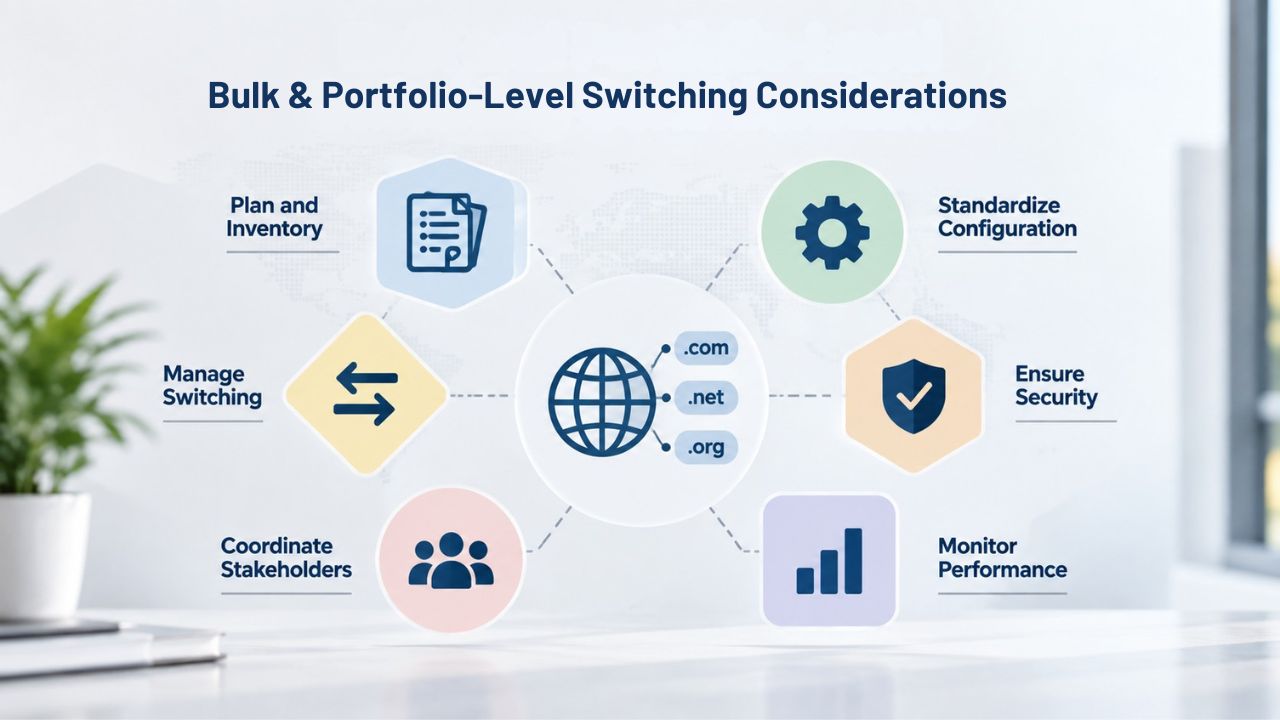
Bulk and Portfolio-Level Switching Considerations
Businesses managing a handful of domains face different constraints than those managing dozens or hundreds across departments, brands, or regions. Portfolio-scale switching introduces coordination challenges that a single-domain move does not. As portfolio size grows, dependencies, stakeholders, and potential failure points multiply.
Coordinating Multiple Domains Without Losing Track
A portfolio switch multiplies every risk already discussed by the number of domains involved: more expiration dates to track, more DNS configurations to verify, and more opportunities for one domain to be missed entirely during a bulk move. Bulk Domain Registration and management tools that support batch operations, moving multiple domains through a transfer process together, applying consistent DNS templates, and tracking status across the full set, reduce the chance that a smaller domain gets overlooked. At the same time, this approach keeps attention on the highest-traffic properties.
A practical safeguard for portfolio-level switches is triaging domains by business criticality before starting. High-traffic, revenue-generating, or email-dependent domains warrant the most careful, individually planned migration, while parked or low-priority domains can often move in bulk with less individual oversight. Treating every domain in a large portfolio identically, regardless of its actual business impact, wastes planning effort on low-risk domains while under-resourcing the ones that matter most.
Centralizing Management After the Switch
The consolidation goal behind most portfolio-level switches is a single, coherent view of every domain’s status, expiration date, and DNS configuration, rather than fragments scattered across multiple legacy accounts from prior acquisitions, regional teams, or historical vendor relationships. Domain Reseller Services and Domain Hosting for Agencies arrangements particularly benefit from this consolidation, since agencies managing client domains need clear audit trails showing who has access to what, especially as client relationships change over time.
Centralizing does not mean every domain needs identical configuration; a global business may still need region-specific DNS setups or contact details. Still, it does mean having one system of record for the portfolio as a whole, rather than checking multiple providers to understand the full picture. This single-pane visibility is often the single largest operational improvement a portfolio-level switch delivers, independent of any other benefit the new provider offers.
Practical Timing: Planning a Switch Around Business Events
Even when you’ve addressed every technical and policy consideration, the calendar timing of a switch still matters. When you execute a planned move can matter as much as how you execute it. Strategic planning avoids turning a routine change into a crisis during peak business periods.
Avoiding High-Stakes Windows
Scheduling a domain switch around a product launch, a major marketing campaign, or peak seasonal traffic multiplies the consequences of any unexpected issue. The safest timing is typically during a genuinely low-traffic period, when a brief DNS propagation delay or an unforeseen configuration issue affects the fewest possible users and gives the team the most room to resolve it calmly rather than under pressure. Reliable Domain Hosting Services planning should always account for the business calendar, not just the technical steps involved.
Teams sometimes underestimate how much internal coordination a switch requires, including stakeholder sign-off, availability of the person who manages DNS, and a window when the new provider’s support is readily reachable if something unexpected comes up. Scheduling a switch for a Friday afternoon before a long weekend, for instance, removes the buffer time needed to catch and correct an issue before it compounds into a larger problem.
Building in a Verification Period After the Move
The switch isn’t complete the moment DNS records are updated. A verification period, checking that email delivery, website resolution, and any dependent services function correctly from multiple locations and networks, should be built into the plan as its own step, not treated as an afterthought. DNS changes can take time to propagate across all resolvers fully, so confirming full resolution, rather than assuming success from a single successful check, catches residual issues. At the same time, they are still easy to fix.
Keeping the prior provider’s records or account accessible for a defined grace period after the switch, rather than closing it immediately, provides a safety net if an overlooked dependency surfaces days later. This buffer costs little and meaningfully reduces the risk that a delayed discovery becomes an emergency instead of a routine correction.
Assessing Support Quality and Responsiveness
Support quality is one of the most significant factors in a successful domain provider relationship, yet it is often overlooked until a problem arises. A provider with strong technical capabilities but poor support channels can leave a business stranded when an urgent issue needs resolution. Understanding what support actually means and what to expect is critical before making a switch.
Support Channels and Availability Expectations
Different providers offer different levels of support accessibility. Some offer email-only support; others provide phone, live chat, or ticket-based systems. For business-critical domains, knowing which support channels are available during the hours when issues are most likely to occur matters significantly. A provider with excellent daytime support might not help if a problem surfaces at 2 AM on a holiday.
Niya Digital’ team has observed that businesses often underestimate the importance of support accessibility until they face a real outage. Response times vary dramatically across providers, and what constitutes “fast support” differs by use case. An e-commerce business needs faster response than a portfolio holder, but many providers offer the same support tier to all customers. When evaluating a new Domain Hosting Provider, confirm whether support SLAs match the criticality of the domains being transferred.
Evaluating Support Track Record and User Feedback
Direct feedback from existing customers provides the clearest picture of actual support quality, since marketing claims often differ from reality. Online reviews, industry forums, and user communities offer honest perspectives on whether a provider delivers on its support promises. Some providers excel at technical depth but struggle with response times; others prioritize speed but may lack specialized knowledge for complex issues.
Before committing to a full transfer, test support responsiveness with a small inquiry. Contact the prospective Domain Hosting for Small Business support team with a non-urgent question and observe how quickly and thoroughly they respond. This real-world test often reveals more about the provider’s actual support culture than any marketing material can.
Security Continuity and Domain Hijacking Prevention
Domain security extends far beyond simply owning the registration. A business must maintain control of its domain throughout and after a transfer, protecting against unauthorized changes, transfers, and DNS modifications that could redirect users to fraudulent sites. Understanding the security measures available and how they transfer between providers is essential.
Transfer Locks and Account-Level Security
Transfer locks are a critical security mechanism that prevents unauthorized domain transfers. ICANN’s transfer-lock requirements exist specifically to give domain owners time to detect and reverse any unauthorized changes before a transfer to another registrar can complete. However, the new provider must also configure these locks properly to maintain protection after the switch.
Beyond transfer locks, account-level security deserves equal attention. Two-factor authentication (2FA) on the account itself adds a layer of protection against credential compromise. Some providers offer additional security features like domain-lock holds that prevent any modifications until manually unlocked, or administrative restrictions that require multiple approvals for sensitive changes. When planning a switch, verify that the new provider offers at least the same security features as the current one, and ideally stronger protections.
DNSSEC Chain of Trust and DNS Resolution Security
If a domain currently uses DNSSEC to sign DNS records and validate their authenticity, you must re-establish that chain of trust with the new provider. A broken DNSSEC configuration can cause DNS resolution failures that are hard to diagnose because resolvers that attempt to validate the signature fail silently rather than falling back to the old DNS servers.
The technical steps for transferring DNSSEC vary by provider and registry. Before initiating a transfer, confirm that both the old and new providers understand the domain’s DNSSEC requirements and have a plan to maintain the chain of trust during the migration. This is especially critical for domains serving security-sensitive applications or high-traffic services where validation failures would be immediately visible to users.
Planning for DNS and Nameserver Changes
DNS is the foundational system that routes internet traffic to the correct servers for a domain. While DNS configuration and domain registration are technically separate, you must coordinate them carefully during a provider switch to avoid disruption. Understanding how nameservers work and planning nameserver changes properly is essential for a seamless migration.
Understanding Nameserver Updates and TTL Management
A domain’s nameservers determine which DNS servers are authoritative for that domain’s records. When switching providers, the nameservers themselves may need to change to point to the new provider’s DNS infrastructure. This change happens at the registry level, the authoritative source for TLD information, not at the registrar level. Before initiating a transfer, confirm that the new provider has set up the domain’s DNS zone and is ready to receive traffic before the nameserver change occurs.
TTL (Time-To-Live) values on DNS records control how long other systems cache those records before querying the authoritative nameserver again. Lowering TTL values before a switch means that if something goes wrong after the nameserver change, the old records stop being served quickly, reducing the disruption window. A typical approach is to lower TTL to 5 or 10 minutes for a day or two before the switch, then raise it back after the migration is complete.
DNS Propagation Timing and Global Resolution
DNS propagation, the process by which updated nameserver information spreads across the global network of DNS resolvers, is often misunderstood as an instant, global event. In reality, propagation is gradual and asynchronous. Different resolvers refresh their cached data at different times based on previous TTL values, so some parts of the internet may use the new nameservers immediately. In contrast, others may continue using the old ones for hours.
This gradual rollout is actually a safety feature. It means that if a problem is discovered shortly after the switch, traffic can still flow partially to the old setup as a fallback while the new configuration is corrected. However, it also means that any verification of the new setup must account for this lag. Testing DNS resolution from multiple global locations, not just the local network, ensures the domain resolves correctly across different regions and ISPs.
Take the Next Step in Your Domain Strategy
A well-planned provider switch protects the continuity of email, websites, and any service tied to a domain’s DNS. Through its ICANN-accredited registrar partner, Niya Digital supports businesses evaluating a move to stronger Domain and Hosting Services without unnecessary disruption. Review the available domain management resources to plan a switch that fits your timeline and risk tolerance.
Frequently Asked Questions
How long does a typical domain registrar transfer take?
A standard transfer generally completes within about a week once initiated, assuming no lock windows apply and both the losing and gaining registrar respond promptly to required confirmations. Delays usually come from an unconfirmed Form of Authorization, an active 60-day lock, or slow response from the current registrar rather than the transfer mechanism itself. Building a buffer into any planned timeline accounts for this variability and unexpected complications.
Can I switch DNS or hosting providers without transferring my domain registration?
Yes. Updating a domain’s nameservers or individual DNS records to point to a new hosting or DNS provider is a separate operation from a registrar transfer. Many businesses do exactly this when they only need to change where a site is hosted. The domain’s registration stays with the current registrar while DNS resolution moves elsewhere, which is often the simpler, lower-risk path when a full registrar transfer isn’t required.
What is the ICANN 60-day transfer lock, and does it apply to every domain?
Per ICANN’s Transfer Policy, the 60-day lock applies after initial registration and after certain changes to the registrant name, organization, or email address, and it is mandated uniformly across ICANN-accredited registrars for gTLDs. It gives the legitimate domain owner time to detect and reverse unauthorized changes before a transfer completes. Some registrars allow registrants to opt out of the Change-of-Registrant version of the lock before the change is requested, though this option isn’t universal.
Will I lose WHOIS privacy protection if I switch registrars?
WHOIS Privacy Protection settings generally need to be reconfirmed with the new provider rather than assumed to transfer automatically, since privacy status depends on how the new registrar handles contact data. Confirming this setting explicitly during setup, rather than after the switch, avoids an unintended window where registrant contact details become publicly visible unexpectedly.
What happens to my domain’s DNSSEC configuration during a transfer?
DNSSEC’s chain of trust typically needs to be re-established with the new provider rather than assumed to carry over automatically during a transfer. If DNSSEC records aren’t correctly reconfigured at the new provider, DNS resolution can fail in ways that are harder to diagnose than a standard misconfigured record, so this step deserves explicit verification before considering a transfer complete.
How do I know if my domain is eligible for transfer right now?
Eligibility hinges on whether any ICANN-mandated lock currently applies, generally within 60 days of initial registration, within 60 days of a prior transfer, or within 60 days of a Change of Registrant. Checking the domain’s current registration data and lock status with the existing registrar before initiating a transfer request helps avoid submitting a request that will be denied on timing grounds.
Can a losing registrar refuse to release my domain for any reason?
No, ICANN policy limits acceptable grounds for denial to specific situations such as nonpayment, no response from the registrant, or an active lock period; a domain simply being mid-registration-term outside those windows is not valid grounds for refusal. If a registrar denies a transfer for reasons outside these permitted grounds, that denial may not be policy-compliant and is worth escalating.
What is the Redemption Grace Period, and how does it affect a planned switch?
The RGP is a 30-day window after a domain’s deletion during which the original registrant can restore the registration, and registries must prohibit any transfer attempt during that period. If a domain lapses mid-switch, the plan must shift to redemption first, transfer second, adding real time to the process. Verifying expiration dates before initiating any switch is the simplest way to avoid this scenario entirely.
Is it risky to switch domain and hosting providers for a business-critical website?
It carries real risk if you approach it without a plan. Still, that risk is manageable with proper sequencing: verify lock status, lower TTL values in advance, test configurations before cutover, and schedule the move during low-traffic periods. Most downtime during provider switches traces back to rushed execution or missing verification steps, not the switch itself being inherently unsafe.
How much planning does a domain provider switch typically need?
The planning horizon depends on domain count and complexity. Still, a single business-critical domain generally benefits from at least several days to confirm lock status, prepare DNS records, and identify a suitable low-traffic window. Portfolio-level switches involving many domains need considerably more lead time to triage by criticality and coordinate a phased move rather than a single simultaneous cutover.
Do I need to notify anyone before switching domain providers?
ICANN doesn’t require you to notify third parties. Still, internally, any team relying on the domain for email, applications, or customer-facing services should know the switch is happening and when, so they can watch for and report any issue quickly. External stakeholders, like partners who rely on specific subdomains, may also benefit from knowing the planned timing.
What’s the difference between a registrar lock and the ICANN 60-day lock?
A registrar lock (often shown as an EPP status like clientTransferProhibited) is a security feature that the registrant or provider can typically toggle at will. In contrast, the ICANN 60-day lock is a mandated restriction tied to specific triggering events that no registrar can remove early. Both need to be checked and addressed before a transfer, but they are governed differently and require different actions to clear.
Can WHOIS/RDAP data affect my ability to switch providers?
The transition from WHOIS to RDAP as the definitive method for accessing gTLD registration data changed how registration information is retrieved, not what governs transfer eligibility. Both systems reflect the same underlying registration data, including any active lock status, so the transfer mechanics are unaffected by which protocol you use to look up that information.
Should I switch providers if I’m only unhappy with pricing?
Pricing is a legitimate business consideration, but a switch decision generally holds up better when it also accounts for support quality, DNS tooling fit, and security posture, not cost alone. A cheaper provider that is weaker on any of those dimensions can end up costing more in downtime, staff time, or risk than the switch was meant to save.
What should I check with a new provider before committing to a switch?
Beyond the technical transfer mechanics, confirm DNS management capabilities match current and near-future needs, and that WHOIS privacy and security features like DNSSEC support are available. Confirm support channels are accessible for the issues most likely to come up. Testing the new provider’s DNS interface with a low-stakes domain before moving business-critical ones can surface friction points early.
Glossary
- Transfer lock: An ICANN-mandated restriction, most commonly lasting 60 days, that temporarily prevents a domain from being moved to a new registrar following specific triggering events like initial registration or a registrant information change.
- Change of Registrant: A material update to a domain’s registrant name, organization, or email address that, under ICANN policy, can trigger a 60-day inter-registrar transfer lock.
- Redemption Grace Period (RGP): A 30-day window following a domain’s deletion during which the original registrant may restore the registration before it becomes available for others to register.
- RDAP (Registration Data Access Protocol): The current ICANN-mandated standard for accessing gTLD registration data, which replaced the legacy WHOIS protocol as of January 2025.
- Authorization code (EPP code): A unique code obtained from the current registrar that verifies legitimate control over a domain and is required to initiate a transfer to a new registrar.
- DNS propagation: The gradual process by which updated DNS records become visible across the internet’s distributed network of resolvers, rather than updating instantly everywhere at once.
- DNSSEC: A security extension to the DNS protocol that adds a verifiable chain of trust to domain resolution, helping reduce (though not eliminate) certain types of DNS spoofing risk.
- Nameserver: A server that translates domain names into IP addresses, directing internet traffic to the correct location where a website or service is hosted.