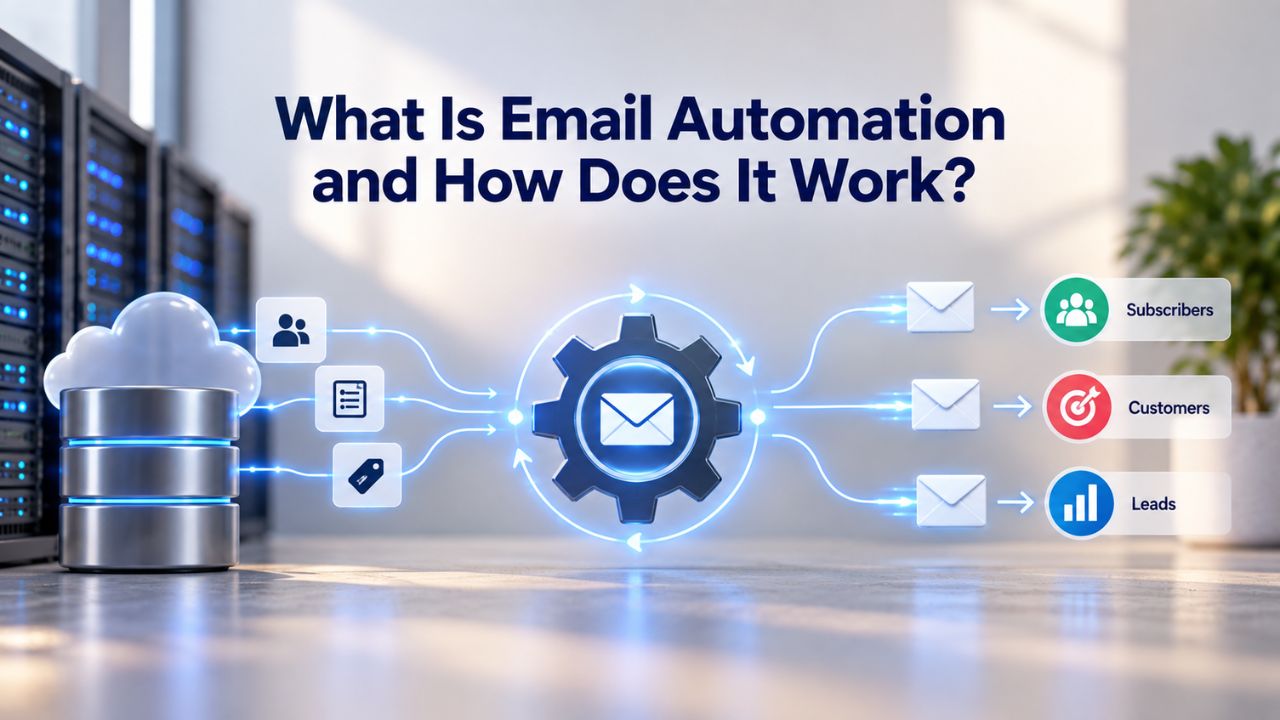
Email marketing automation is transforming how businesses connect with subscribers. Instead of manually sending individual emails, automation platforms let you send targeted messages automatically based on customer behavior, lifecycle events, and time-based schedules. Email deliverability depends on standard authentication protocols and sending-reputation factors outside any single platform’s control; automation platforms support better inbox placement but don’t guarantee it.
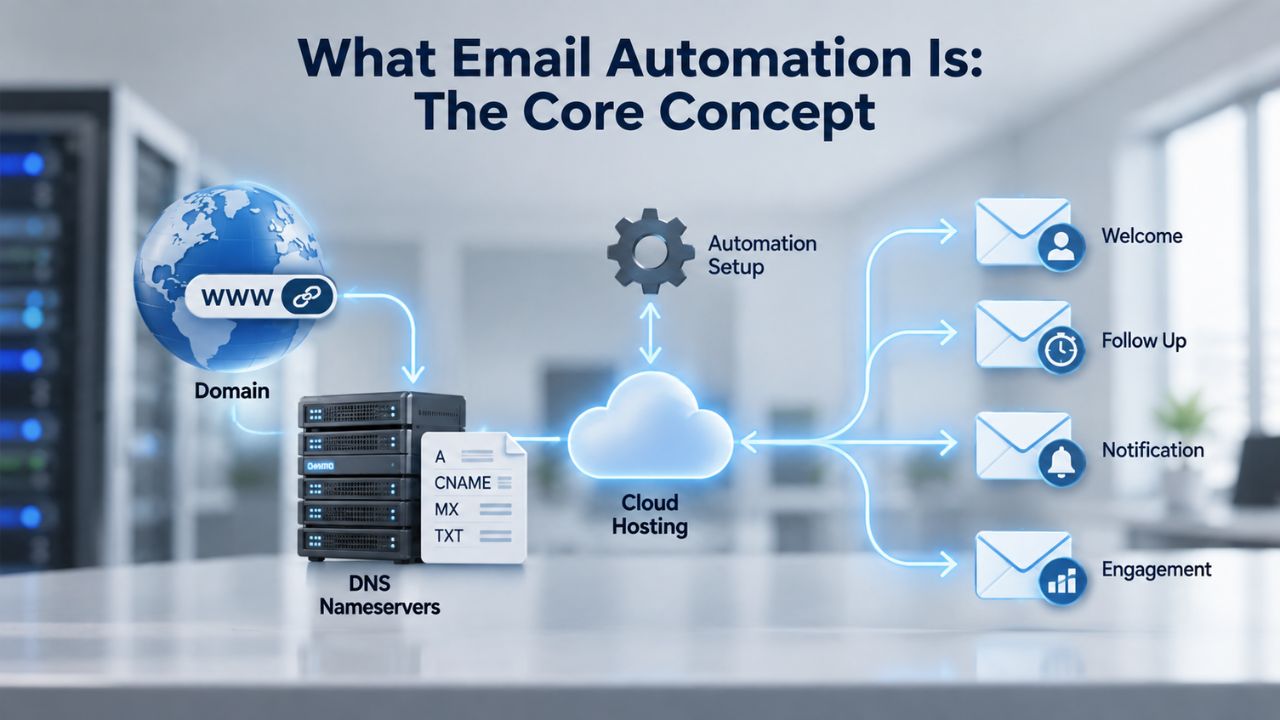
What Email Automation Is: The Core Concept
Email marketing automation is software that sends emails automatically when specific triggers occur, eliminating the need to send each time. Instead of crafting and sending individual messages, you define rules once: when a subscriber takes an action or meets a condition, a pre-built email or sequence activates automatically.
The distinction from manual marketing is significant. Manual email marketing means crafting and sending individual campaigns to static lists, while automation creates workflows that respond to subscriber actions in real time. This real-time responsiveness is what powers the performance advantage of automated campaigns.
Setting Up Triggers and Conditions
Common automation triggers include: a contact subscribing to a list or completing a form, a contact being added to a CRM pipeline stage, a contact clicking a specific link in a previous email, a contact visiting specific pages on your website (tracked via tracking pixels), a date-based trigger such as a contact’s signup anniversary or contract renewal date, a product event trigger such as completing onboarding or reaching a usage milestone, and a re-engagement trigger such as a contact not opening any emails for a defined period.
Each trigger tells the automation platform to execute a predefined workflow. The power lies in precision: you’re not blasting everyone; you’re sending the right message to the right person when they’re most likely to engage.
From Simple to Complex Workflows
Email marketing automation can be as simple as a welcome email sent immediately when someone subscribes, or as complex as a multi-stage nurture program that branches based on the recipient’s behavior, industry, and lifecycle stage. Simple automations handle single actions; advanced workflows use conditional logic to create multiple paths based on subscriber responses.
Email Marketing Plans
Email Marketing Beginner
For anyone getting started with email marketing.
- Up to 500 Contacts
- Add more anytime
- Send up to 5,000 Emails/Month
- Single Signup Form
- Basic Image Storage
- Unsubscribe Handling
- Works with Facebook, Etsy & More

Email Marketing Up & Running
Already have clients? This plan’s for you.
- Up to 2,500 Contacts
- Add more anytime
- Send up to 25,000 Emails/Month
- Unlimited Signup Forms
- Unlimited Image Storage
- Unsubscribe Handling
- Works with Facebook, Etsy & More
- Automated Welcome Email
- Converts Blog Posts to Email
- Unsubscribe Options
- Hot Leads List
Email Marketing Pro
For savvy marketers with growing mailing lists.
- Up to 5,000 Contacts
- Add more anytime
- Send up to 50,000 Emails/Month
- Unlimited Signup Forms
- Unlimited Image Storage
- Unsubscribe Handling
- Works with Facebook, Etsy & More
- Automated Welcome Email
- Converts Blog Posts to Email
- Unsubscribe Options
- Hot Leads List
- Auto-sends Event Emails
- Automated Email Campaigns
- Record Signup IPs
- Share Statistics w/Others
How Automation Workflows Function: The Mechanics
An automation workflow is a sequence of emails and actions triggered by conditions you define. Once activated, the system runs continuously, sending messages at optimal times without your intervention.
The Trigger-Condition-Action Pattern
Email automation follows a simple three-step pattern: Trigger, condition, and action. First, an event triggers the process. Second, the system checks any rules you set. Third, it sends a message or adds the person to an email sequence. This pattern repeats for every new subscriber or event that matches your criteria.
When someone signs up, abandons a cart, or reaches an anniversary date, the platform detects the event instantly. The automation then checks whether that contact meets your conditions; perhaps they haven’t made a purchase, or they belong to a specific segment. If conditions align, the pre-configured email deploys automatically.
Timing and Frequency Control
Automation platforms let you control when emails arrive. You can send immediately (welcome emails after signup, cart-abandonment reminders within hours), at specific times (daily digests at 9 a.m. in the subscriber’s timezone), or after delays (follow-up emails 3 days after the first). This timing precision keeps content relevant without overwhelming subscribers.
Segmentation and Personalization: Targeting at Scale
Segmentation drives automation’s effectiveness. Rather than sending one message to everyone, you divide your audience into groups based on behavior, demographics, or engagement, then automatically send tailored content to each group.
How Behavioral Segmentation Works
Email segmentation automation uses software to dynamically group subscribers by attributes and behaviors, enabling targeted campaigns without manual list curation. Instead of marketing teams manually tagging contacts or creating static lists, segmentation engines automatically categorize subscribers based on defined criteria. As subscribers take actions, they move into new segments and trigger new workflows.
For example, a subscriber who clicks a link about “Premium Features” enters a segment that receives follow-up emails about your premium tier. Another subscriber who browses budget-friendly options enters a different segment with relevant messaging. No manual list management required.
Conditional Logic and Branching
Branching logic creates different paths in an automation based on specific conditions. Instead of a straight line, your workflow can split into branches that follow different actions depending on data or user input. A single workflow can fork into multiple paths based on subscriber behavior.
Imagine a welcome series where newly subscribed users receive an initial email. If they open it and click a link, they enter an engagement-focused path. If they don’t open it, they enter a re-engagement path. If they unsubscribe, they exit the workflow entirely. Each person experiences a tailored journey without you designing five separate automations.
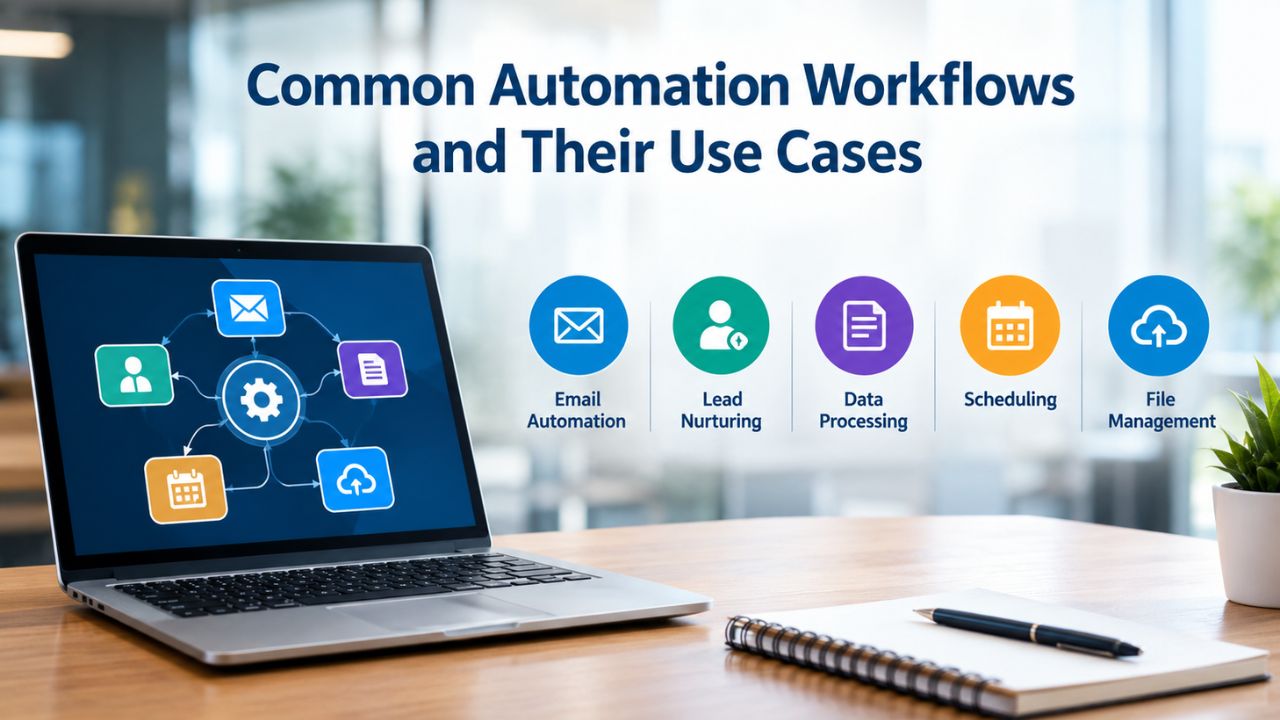
Common Automation Workflows and Their Use Cases
Most automation revenue comes from a core set of repeatable workflows. These proven templates handle most customer lifecycle marketing.
Welcome Series: The First Impression
Welcome series workflows consistently deliver the highest engagement rates because they connect with subscribers when interest levels peak. These sequences introduce new subscribers to your brand, set expectations, and guide them towards their first purchase or desired action through carefully timed, value-focused messages.
A typical welcome series runs 5–7 emails over 7–14 days: a confirmation email immediately, a brand story on day 1, a valuable resource on day 3, a soft product introduction on day 5, and social proof on day 7. This pacing maintains engagement while respecting subscriber attention.
Abandoned Cart Recovery: Recapturing Lost Revenue
Abandoned cart recovery workflows prove invaluable for e-commerce businesses, typically recovering 10–15% of abandoned purchases. These sequences remind customers about items they showed interest in, address common concerns, and often include incentives to complete the purchase.
Cart-recovery timing is critical. The first email arrives within 1–4 hours while intent remains high. The second email (24 hours later) introduces social proof or addresses common objections. The third email (48–72 hours later) adds a final incentive if needed.
Other High-Value Workflows
Post-purchase emails build customer loyalty by confirming orders, requesting feedback, and recommending complementary products. Re-engagement (win-back) workflows target inactive subscribers with special offers or content refreshes. Browse-abandonment workflows remind visitors about products they viewed but didn’t purchase. Each workflow automates repetitive communication while maintaining personalization.
Email Automation Workflow Comparison
| Workflow Type | Primary Trigger | Industry Benchmark | Business Outcome |
|---|---|---|---|
| Welcome Series | New subscriber signup | 68.6% open rate, 5–10% conversion | Drives first purchase, establishes brand voice, sets engagement expectations |
| Abandoned Cart | Incomplete checkout (1+ hour) | 50.5% open rate, 10–15% recovery rate | Recovers lost revenue from high-intent shoppers |
| Post-Purchase | Order confirmation deployed | 45–55% open rate | Increases repeat purchase rate by 20–30%, reduces support inquiries |
| Browse Abandonment | Visitor views product, exits site | 35–40% open rate, 8–12% conversion | Re-engages window shoppers with relevant follow-up messaging |
| Re-engagement (Win-Back) | No opens/clicks for 90+ days | 20–25% open rate, 3–5% reactivation | Recovers lapsed subscribers before permanent disengagement |
| Birthday/Anniversary | Contact milestone date | 48–52% open rate, 15–20% CTR | Drives high-performing offers through personalization |
Why Automation Delivers Superior ROI: The Numbers
Automation’s return on investment is extraordinary because it combines precision targeting with efficiency. The data proves the impact.
Automation vs. Manual Sends: Performance Benchmarks
Automated emails drove 37% of all email-generated sales in 2024 while accounting for just 2% of total email volume, based on Omnisend’s analysis of over 23 billion marketing emails. According to Omnisend’s primary research, automated emails have 52% higher open rates, 332% higher click rates, and 2,361% higher conversion rates than regular scheduled campaigns.
This disparity reflects the power of behavioral triggers. You’re not interrupting subscribers randomly; you’re reaching them when they’re actively engaged with your brand.
Revenue Multiplication Through Automation
Automated flows generate up to 30x more revenue per recipient than one-off campaigns, based on the difference between USD 0.11 average revenue per recipient for standard email campaigns and USD 3.65 for abandoned cart flows, according to Klaviyo’s 2024 analysis of over 325 billion emails on its platform.
This 30x multiplier comes from frequency, relevance, and timing working in concert. An abandoned cart flow targets a subscriber at peak purchase intent; a broadcast email reaches a general list regardless of readiness.
Adoption and Business Impact
At least 76% of businesses now use some form of marketing automation technology, and projections suggest that 80% to 90% of companies will use automation in some capacity by the end of 2025. For every dollar spent on marketing automation, companies earn an average of $5.44 over the first three years, with 76% of adopters generating positive ROI within the first year.
Niya Digital’s team has found that businesses starting with one simple automation (welcome series or cart recovery) typically expand to 5–7 workflows within six months, as early wins build confidence to tackle additional customer lifecycle stages.
Start Your Email Automation Journey
Email automation is proven to drive 30x more revenue per recipient than one-off campaigns. Niya Digital’s Email Marketing Service provides the workflow builder, segmentation, and performance tracking you need, without technical complexity. Begin with a welcome series or cart recovery automation today and measure results within weeks.
Email Authentication and Deliverability: The Foundation
Automation only works if emails reach the inbox. Email authentication protocols are the bedrock of deliverability, and they’re non-negotiable for automation success.
Understanding SPF, DKIM, and DMARC
SPF, DKIM, and DMARC are the three core email authentication protocols that help mailbox providers verify whether a message is legitimately coming from your domain. SPF checks whether the sending server is allowed to send for the domain. DKIM checks whether the message carries a valid digital signature. DMARC checks whether SPF or DKIM passed in a way that aligns with the visible From domain.
SPF (Sender Policy Framework) publishes a DNS record listing which mail servers can send email on behalf of your domain. Receiving servers check this record before accepting your mail.
DKIM (DomainKeys Identified Mail) digitally signs outgoing emails with your private key. Receiving servers verify the signature using your public key, proving the message wasn’t altered in transit.
DMARC (Domain-based Message Authentication, Reporting, and Conformance) ties SPF and DKIM together and tells mailbox providers what to do if authentication fails (monitor, quarantine, or reject).
Why Authentication Matters for Automation
Email authentication is how mailbox providers confirm that the messages you send are really from you and not forged by someone else. Without it, your emails are far more likely to be filtered as spam or rejected altogether. When you deploy an automation with weak or missing authentication, every email in that workflow faces deliverability risk.
Setting up SPF, DKIM, and DMARC is the first step with any email marketing platform, including Niya Digital’s Email Marketing Service, before sending automation campaigns at volume.
Measuring Automation Performance: Key Email Marketing Metrics
Tracking performance is how you optimize automation over time. Several standard metrics reveal what’s working.
Open Rate and Click-Through Rate Benchmarks
For the past two years, the average open rate has hovered around 32 percent. Your click-through rate shows the percentage of subscribers who clicked one or more links in your email. This could include clicking hyperlinked text or a call-to-action button. Currently, click-through rates are about 3.9 percent, which, as you can see in the chart, has held fairly steady over the past three quarters.
These are starting benchmarks. Automated campaigns typically outperform these averages; automated flows boast 52% higher opens, 332% higher clicks, and 2,361% better conversions.
Conversion Rate: The Business Outcome
Your conversion rate measures how many contacts follow through with your desired action, like making a purchase or downloading a paper from your site. Conversion rates range between 2-5 percent, according to advertising agency WordStream.
In automation, conversion rate is your true north. It connects email engagement to tangible business results, revenue, signups, or downloads.
Industry Benchmarks Vary; Test Your Own
Email performance differs by industry, audience, and sending frequency. Rather than aiming for generic benchmarks, compare your own metrics over time and segment results by workflow type. A welcome series typically performs better than a re-engagement campaign; knowing your own baselines lets you optimize effectively.
Email Marketing Metrics: Definitions & Industry Benchmarks
| Metric | Definition | Industry Average | What It Reveals |
|---|---|---|---|
| Open Rate | Percentage of delivered emails opened by recipients | 20–32% (varies by industry) | Subject line effectiveness and audience interest level |
| Click-Through Rate (CTR) | Percentage of delivered emails with at least one link click | 2–4% | Email content relevance and call-to-action clarity |
| Conversion Rate | Percentage of email recipients who complete a desired action | 2–5% | Campaign effectiveness at driving business outcomes (purchases, signups) |
| Click-to-Open Rate (CTOR) | Percentage of opened emails where recipients clicked a link | 10–15% | Content quality and offer relevance among engaged subscribers |
| Unsubscribe Rate | Percentage of recipients who opt out of future emails | \~0.2% | Indicator of content fit; rising rates signal messaging misalignment |
| Bounce Rate | Percentage of emails failing to reach recipients’ inboxes | 2–3% (healthy list) | List health and email deliverability foundation |
Getting Started with Email Automation: Setup and Learning Curve
Starting with automation can feel overwhelming. The platform complexity is real, but the learning path is straightforward.
Begin with One Simple Workflow
Software is only as smart as the people using it, so if a user misspells their name or adds an extra space, they’ll feel awkward when they receive this email. The solution: Use autofill only if you have a small mailing list you can clean regularly. Otherwise, use segmentation to make your emails more personal, rather than trying to personalize them with autofill.
Start small: pick a single, high-value automation (welcome series or cart recovery), build and test it thoroughly, then measure results. Success with one workflow builds confidence and insights for expanding.
Expect a Manageable Learning Curve
But don’t rush into automation without mastering the basics. Start with the simple stuff, like setting up your first customer journey. Most platforms have user-friendly interfaces where you can drag and drop branded email components. It’s like playing with virtual Lego! Take it one step at a time, and soon you’ll be dancing through your automation journey like nobody’s watching.
Most modern email marketing platforms, including Niya Digital’s Email Marketing Service, feature drag-and-drop builders. No coding required. A typical welcome series takes 2–4 hours to build and test on first attempt; subsequent automations take less time as you internalize the interface.
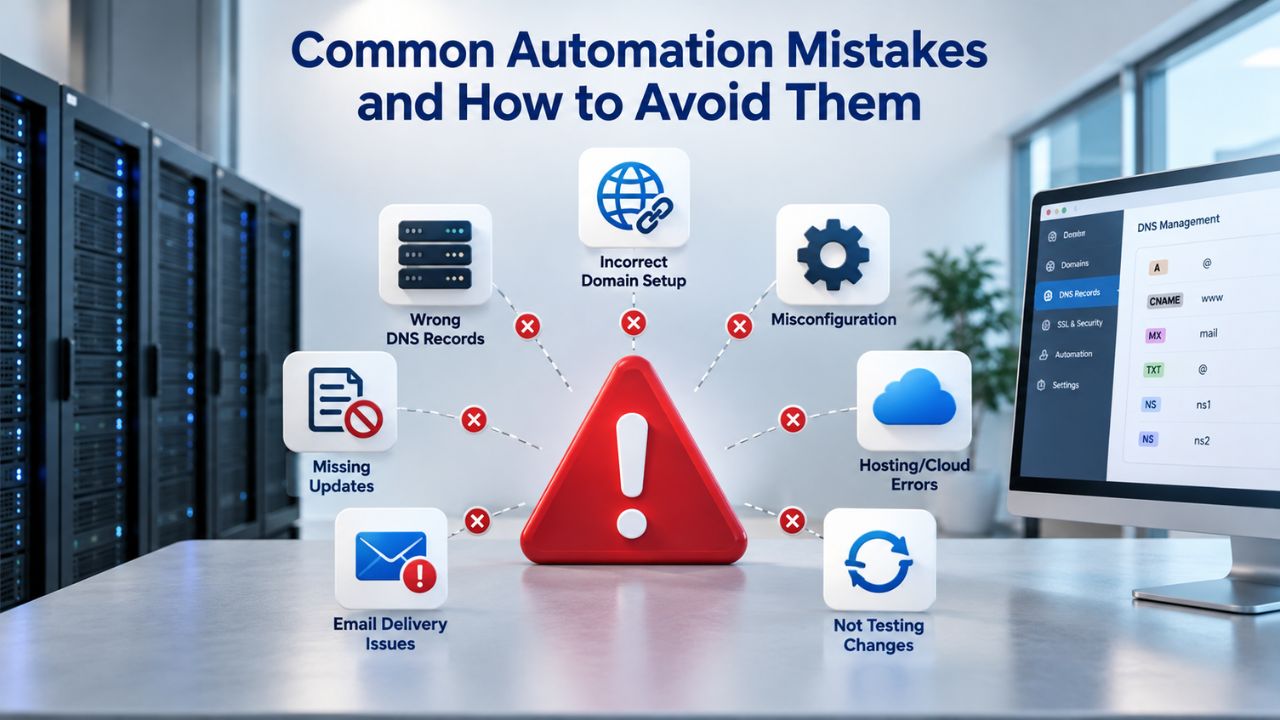
Common Automation Mistakes and How to Avoid Them
Automation missteps can damage your reputation and waste budget. Learning from common pitfalls helps you avoid costly errors.
Mistake 1: Wrong Trigger or Poorly Defined Conditions
One of the most frequent mistakes is starting a marketing automation project without a well-defined strategy. Implementing tools without clear objectives can lead to inconsistent results and wasted resources. Before you start, set SMART goals (Specific, Measurable, Achievable, Relevant, and Time-bound). Also, identify your target audience and map a customer journey to guide your automated actions.
Example: triggering a “browse abandonment” email to contacts who viewed a product, but sending it to everyone who visited the website dilutes relevance.
Mistake 2: Inadequate List Segmentation
Another common marketing automation mistake is treating all customers the same. Sending generic messages can reduce campaign effectiveness and negatively impact the customer experience. Segment your database based on criteria such as purchasing behavior, location, interests, or engagement level.
Without segmentation, new subscribers receive the same emails as lapsed customers, and browsers receive the same follow-up as buyers. This creates friction and high unsubscribe rates.
Mistake 3: Skipping Authentication Setup
You’ve invested a lot of time and money in an industrial-strength email solution with more bells and whistles than the Vatican. Still, you’ve skipped the simple steps of working with the vendor and IT to set up a sender policy framework (SPF) and domain keys identified mail (DKIM). These configurations are critical to ensuring strong email deliverability. Work with your vendor and your internal email admin from the start to complete these crucial setup steps.
Authentication is not optional. Missing or weak SPF/DKIM/DMARC records tank deliverability for entire automation workflows.
Advanced Automation Strategies and Optimization
Once your foundation workflows are performing, optimization drives exponential returns.
A/B Testing Subject Lines and Content
Automation platforms let you test different subject lines or email bodies within a single workflow. Half your audience sees version A, half sees version B. The winner then deploys to future subscribers. This continuous testing compounds performance gains over time.
Segmented email campaigns generate 14–30% higher open rates and 50–100% higher click-through rates compared to unsegmented sends. Testing pushes these advantages higher still.
Dynamic Content and Personalization
Advanced automations show different content blocks based on subscriber data. A subscriber who purchased shoes sees shoe-care tips; one who bought a running app sees training guides. The same email template adapts to each person, scaling personalization without multiplying your workload.
Multi-Touch Journeys and Lifecycle Optimization
Map out your entire customer journey across lifecycle stages: new subscriber → engaged prospect → first purchaser → repeat customer → loyal advocate. Design a discrete automation workflow for each stage transition. Email marketing campaigns create compound revenue gains as each stage optimizes independently and feeds the next.
Ready to Build Your Email Automation Strategy
Niya Digital’s Email Marketing Service includes full workflow automation, segmentation, behavioral triggers, and performance analytics- everything you need to build and optimize email automation without technical complexity. Start with your highest-value workflow, measure results, and expand from there.
Frequently Asked Questions
What is the difference between email automation and email marketing?
Email marketing is the broader strategy of sending messages to subscribers; automation is the tactic that executes those messages based on triggers and conditions without manual sending each time. All automation is email marketing, but not all email marketing is automated. Manual campaigns require you to compose and send each message. Automated campaigns run continuously once set up, delivering timely responses to subscriber actions at scale.
How long does it take to set up an email automation workflow?
A simple automation (welcome series or cart recovery) typically takes 1–4 hours to design, build, test, and launch, depending on your familiarity with the platform and complexity of personalization. The first workflow takes longer as you learn the interface; subsequent workflows take less time. Most email marketing platforms offer templates and guides to speed up setup.
Can I use automation if I have a small email list?
Yes. Automation is valuable at any list size. A small list benefits from consistent, timely communication without manual effort. A welcome series for 200 new subscribers annually saves you 10–15 hours of manual sending while improving engagement. As your list grows, automation’s efficiency advantage grows exponentially.
Do automated emails feel spammy or impersonal?
Properly configured automation feels personal because it’s triggered by subscriber behavior and personalized with their data. A cart-abandonment email triggered 2 hours after abandonment with the customer’s name and their specific items feels timely and relevant, not spammy. Generic weekly blast emails are spammy; triggered, segmented, personalized emails are valuable. This distinction is why automation significantly outperforms batch sends.
How do I ensure automated emails reach the inbox and don’t land in spam?
Set up SPF, DKIM, and DMARC before sending automation at volume. These authentication protocols prove your domain’s legitimacy to mailbox providers. Second, maintain list hygiene: remove unengaged subscribers periodically and handle bounces. Third, monitor complaint rates and unsubscribe rates. Platforms like Niya Digital’s Email Marketing Service handle authentication setup and provide deliverability monitoring tools.
What happens if a subscriber takes multiple actions that trigger different automations?
Modern automation platforms manage multiple concurrent automations per subscriber. If someone clicks an abandoned cart email and re-engages, they exit the recovery workflow and enter a purchase-follow-up workflow. If they later become inactive, a win-back workflow may trigger. Platforms prevent duplicate sends or conflicting messaging through enrollment rules and workflow logic.
Can I personalize automated emails without coding?
Yes. Modern email marketing platforms offer drag-and-drop personalization: merge tags for names and custom fields, conditional content blocks based on subscriber attributes, and dynamic product recommendations based on purchase history. No code required. Niya Digital’s Email Marketing Service and similar platforms make personalization visual and accessible.
What’s the best first automation to build?
Start with a welcome series or abandoned cart (for e-commerce). A welcome series connects with subscribers at peak interest; cart recovery captures revenue at risk. Both are relatively simple to set up, deliver quick wins, and build confidence for more complex automations. Pick whichever aligns with your immediate business priority.
How do I measure automation ROI?
Track revenue generated per automation workflow (attributed sales), compare against cost (platform fee + design time), and measure efficiency gains (time saved vs. manual sending). Most platforms provide revenue attribution if you connect your eCommerce or CRM data. A welcome series generating 5 conversions per 100 new subscribers is strong ROI. Compare metrics across workflows and optimize the highest performers.
Can I update or pause an automation once it’s running?
Yes. Most platforms let you edit email content, timing, or conditions without disrupting active subscribers already in the workflow. You can pause a workflow temporarily (e.g., during product shortages) and resume it later. Changes to future sends take effect immediately; current subscribers finish the workflow as originally configured.
What if a subscriber is in multiple automations at once?
Modern platforms manage enrollment rules to prevent conflicts. A subscriber might be in a welcome series and a browse-abandonment workflow at the same time; that’s fine if both are relevant. But you’d avoid enrolling the same person in two cart-recovery workflows for the same cart. Platforms let you set enrollment rules like “don’t enroll if already in a cart-recovery automation within the last 30 days.”
How often should I send automated emails?
Frequency depends on the workflow and audience. Welcome series: space emails 1–3 days apart (5 emails over 10–14 days). Abandoned cart sequences run 3 emails over 72 hours (high urgency). Win-back campaigns might be quarterly. Test different frequencies; monitor unsubscribe and complaint rates. If unsubscribes spike, you’re sending too often. Most audiences tolerate 1–2 automated emails per week if content is relevant.
Should I use automation for new product launches?
Yes, but as a component of a broader launch strategy. Automated emails can trigger browse-abandonment sequences for visitors who view the product page but don’t purchase, or announce the launch to specific segments. Combine automation with one-time broadcast sends to your full list for launches.
Can automation work for B2B email marketing?
Absolutely. B2B automation is often more sophisticated than B2C because sales cycles are longer. Multi-stage nurture sequences guide prospects over weeks or months based on content downloaded, pages visited, or scoring thresholds. B2B teams often use automation to segment leads by industry, role, or company size, then send tailored educational content.
What’s the most common reason automations fail?
Poor list quality and inadequate segmentation. If your list includes expired addresses, unengaged subscribers, or mismatched segments, even well-designed automations underperform. Spend time cleaning and segmenting your list before launching automations. Monitor engagement metrics; remove non-openers after 12 months of inactivity.
Glossary
- Automation Trigger: An event or condition (such as a form submission, purchase, link click, or date milestone) that initiates an automated workflow. For example, subscribing to a list triggers a welcome series.
- Email Segmentation: The process of dividing your email list into groups based on subscriber behavior, demographics, interests, or engagement level to send targeted content to each group automatically.
- Open Rate: The percentage of delivered emails that recipients open. Calculated as unique opens divided by emails delivered.
- Click-Through Rate (CTR): The percentage of delivered emails where recipients clicked on one or more links inside the message.
- Sending Reputation: A score assigned to a sender’s domain or IP address by mailbox providers (Gmail, Outlook, Yahoo, etc.) based on bounce rates, spam complaints, engagement levels, and authentication setup. Higher reputation improves inbox placement.
- DKIM (DomainKeys Identified Mail): An email authentication standard that cryptographically signs outgoing messages to prove they originate from your domain and haven’t been altered in transit.
- SPF (Sender Policy Framework): An email authentication protocol that lists which mail servers are authorized to send email on behalf of your domain, helping receiving servers verify message legitimacy.