Every email marketer faces the same constraint: manual follow-ups don’t scale, reminder emails pile up without a system, and personalized outreach becomes impossible without automation. Critical moments slip past, abandoned shopping carts lose revenue, new subscribers never receive a structured welcome sequence, and inactive customers fade away without a re-engagement attempt. Email automation sends the right message at precisely the right time, based on real subscriber behavior. Email deliverability depends on industry-standard authentication protocols and sending-reputation systems that operate beyond any single platform’s control; automation tools can help improve results, but outcomes vary based on list quality, sender reputation, and compliance with email regulations.
The Revenue Case for Email Automation
Email automation isn’t a convenience; it’s the highest-return marketing channel for most businesses. The financial case is consistent across industries and company sizes, making automation a clear priority for any business serious about email marketing results.
Automated Emails Outperform Manual Campaigns by a Wide Margin
Automated campaigns drive revenue more efficiently than scheduled sends because they respond to behavior, not calendars. According to third-party research analyzing billions of marketing emails annually, automated messages generate open rates 52% higher than regularly scheduled campaigns, click-through rates 332% higher, and conversion rates 2,361% higher. Automated emails generate an average of in revenue per send, compared to $0.18 for scheduled campaigns, a gap that comes down to timing and relevance.
Automation Types by Revenue Contribution and Setup Complexity
| Automation Type | Revenue Share | Typical Trigger Event | Email Sequence Length | Primary Use Case | Implementation Complexity |
|---|---|---|---|---|---|
| Abandoned Cart Recovery | 32% | Shopping cart abandoned for 1+ hour | 3 emails | E-commerce, retail, digital products | Moderate |
| Welcome Series | 21% | New subscriber joins list | 3–5 emails | All businesses, customer acquisition | Low |
| Post-Purchase Sequences | 16% | Purchase completed and confirmed | 2–3 emails | E-commerce, SaaS, subscription services | Low–Moderate |
| Browse Abandonment | 6% | Product page viewed 2+ min, not added to cart | 1–2 emails | E-commerce, catalog-based retail | Moderate |
| Replenishment & Repeat-Buy | 16% | 30–90 days since last purchase | 2–3 emails | Consumables, subscriptions, recurring purchases | Moderate–High |
| Re-engagement/Win-Back | 5% | 30+ days without any engagement | 2–3 emails | All businesses, list hygiene | Low–Moderate |
| Review Request | Included in Post-Purchase | 2–3 days after order delivery | 1 email | E-commerce, retail, marketplaces | Low |
| B2B Lead Nurture | Varies by program | Content download, demo request | 5–8 emails | SaaS, enterprise software, services | Moderate–High |
Most Businesses Underinvest in Automation Despite Strong Evidence
Forty-eight percent of marketers planned to include email automation in their programs; among those who implemented automation, 80% reported increased leads, 77% saw higher conversion rates, and 76% achieved positive ROI within one year. Yet adoption remains incomplete: many teams operate with light automation, a welcome email and perhaps a cart recovery, rather than building out the full range of high-impact sequences. The opportunity to add a second and third email automation sequence, or to build entirely new flow types, often sits untapped. Niya Digital’s team has found that teams running three or more key automations consistently outperform those with only one or two, often by 40% or more on overall email-driven revenue.
Most teams recognize automation’s value in principle but underestimate the specific workflows that drive the largest returns. Welcome series, abandoned cart recovery, and browse abandonment together account for over 50% of all email automation revenue. Post-purchase automations, review requests, and replenishment sequences add another 25%. Yet teams that only implement welcome and cart recovery miss substantial revenue from the other categories. The pathway from partial automation to full automation is where significant revenue growth happens.
Email Marketing Plans
Email Marketing Beginner
For anyone getting started with email marketing.
- Up to 500 Contacts
- Add more anytime
- Send up to 5,000 Emails/Month
- Single Signup Form
- Basic Image Storage
- Unsubscribe Handling
- Works with Facebook, Etsy & More

Email Marketing Up & Running
Already have clients? This plan’s for you.
- Up to 2,500 Contacts
- Add more anytime
- Send up to 25,000 Emails/Month
- Unlimited Signup Forms
- Unlimited Image Storage
- Unsubscribe Handling
- Works with Facebook, Etsy & More
- Automated Welcome Email
- Converts Blog Posts to Email
- Unsubscribe Options
- Hot Leads List
Email Marketing Pro
For savvy marketers with growing mailing lists.
- Up to 5,000 Contacts
- Add more anytime
- Send up to 50,000 Emails/Month
- Unlimited Signup Forms
- Unlimited Image Storage
- Unsubscribe Handling
- Works with Facebook, Etsy & More
- Automated Welcome Email
- Converts Blog Posts to Email
- Unsubscribe Options
- Hot Leads List
- Auto-sends Event Emails
- Automated Email Campaigns
- Record Signup IPs
- Share Statistics w/Others
Why Timing Matters: Behavioral Triggers Over Scheduled Sends
The core principle underlying all effective email automation is behavioral targeting. Instead of sending emails on a predetermined schedule, say, every Tuesday at 9 AM, behavioral automation sends emails triggered by what subscribers actually do. This timing difference isn’t marginal; it fundamentally changes the outcome.
How Behavioral Trigger Systems Work
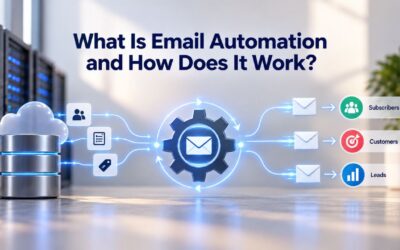
Email automation workflows are pre-built sequences that send targeted messages to subscribers based on specific triggers or actions, running automatically through your email marketing software and delivering personalized content at optimal times without manual intervention. A behavioral trigger monitors for a specific event- a subscriber opens an email, views a product, completes a purchase, or becomes inactive- and automatically fires a corresponding email response. These workflows rely on sophisticated trigger-based systems that monitor customer actions and respond with relevant messages at precisely the right moments.
Why is this timing advantage so large? Behavior-based email triggers respond to what customers are actually doing: browsing, comparing, abandoning, buying, or drifting away, and when paired with intent signals, those moments become highly predictive of conversion. A customer who just abandoned their cart is far more likely to return and complete the purchase than a customer receiving a generic promotional email days later. The behavioral trigger model captures this moment of intent, when customer attention is highest, and the decision to act is still actively forming.
Why Scheduled Campaigns Fall Short
Scheduled campaigns operate on a fixed timeline, sending the same email to all subscribers at a predetermined time, regardless of where each subscriber is in their journey with your brand. This approach misses two critical advantages that behavioral automation captures: immediate response to customer signals and personalization tied to that customer’s specific action. Marketing teams trying to replicate automation through manual scheduled sends often end up sending messages too late to capture the moment of intent, leading to lower engagement and missed recovery opportunities.
Scheduled campaigns also require constant manual oversight, whereas behavioral automation runs invisibly in the background, responding to thousands of customer actions simultaneously without requiring daily attention. A team sending scheduled campaigns must decide in advance who receives each email and when. A team running behavioral automation sets the rules once, and the system executes them continuously. Over time, this difference compounds: automation scales with your customer base, while manual sending doesn’t.
Welcome Series: Your Most Important Automation
The welcome series is where automation begins for most businesses, and for good reason. The moment a subscriber signs up is when they’re most receptive to your brand: peak interest, high attention, and maximum willingness to engage. Squandering this moment with a generic welcome email or, worse, no welcome at all, is one of the costliest mistakes in email marketing.
Why Welcome Sequences Outperform All Other Automations
Automated email messages generate a 70.5% higher open rate and a 152% higher click-through rate than standard marketing messages. For welcome series specifically, the performance is even stronger. A welcome email series typically brings in 51% more revenue than a single welcome email, reflecting the compound effect of multiple touchpoints during peak subscriber interest. Welcome emails have an average open rate of 50–60% compared to 15–25% for regular campaigns, nearly a 3x advantage in engagement.
The reason is straightforward: new subscribers expect to hear from you immediately. They’ve just given permission, confirmed their email, and are actively waiting for the payoff. A welcome series capitalizes on that eagerness by delivering value, brand introduction, best-selling products or most useful content, community invitations, or incentives to complete a first purchase, across multiple emails over the first week. Welcome series also account for 21% of all email automation revenue despite being one of the simplest automations to set up, making them essential for every business.
Welcome Series Structure and Performance
The most effective welcome sequences follow a three-email structure over 7–10 days. The first email confirms the signup and sets expectations for what the subscriber will receive. The second introduces your best-selling products or most useful content, giving subscribers a reason to stay engaged. The third responds to what they did (or did not do) with emails one and two, moving them toward a purchase or deeper engagement based on their behavior. This progression moves from confirmation to engagement to conversion, with each email building on subscriber behavior from the prior send.
Most businesses send only one welcome email; adding a second and third email is where the revenue multiplication happens. The timing matters: subscribers are most engaged in the first 24 hours after signup, making the first email critical. The second email, sent 2–3 days later, reaches subscribers who engaged with the first email and are ready for deeper content. The third email, sent 5–7 days later, captures subscribers who may have needed more time to decide or want additional social proof before purchasing. Welcome series generate 21% of all email automation revenue, a massive proportion for one automation type.
Abandoned Cart Automation: Recovering Lost Revenue
Abandoned cart automation is the single largest revenue generator in email automation, yet it’s also one of the most underoptimized. Many businesses send only a single cart reminder; the data shows that’s leaving significant money on the table.
Why Abandoned Cart Automation Drives Exceptional Results
Abandoned cart automation generates 32% of email automation revenue, the top-ranked flow type by a wide margin, reflecting the high commercial intent of the trigger event. Abandoned cart emails have an impressive 41% open rate and a click-through rate far above average, indicating that subscribers take the abandonment email seriously. In terms of recovery impact, abandoned cart emails generate an average of 34 times more orders per customer than regular promotional emails because subscribers have already decided to browse and add items to their cart.
Why does cart abandonment work so well? The subscriber has already moved past awareness and consideration; they’re in active purchase intent. They’ve selected products, added them to a cart, and demonstrated a clear buying signal. The abandoned cart email serves as a reminder or removes a final objection (offering a discount, addressing shipping costs, resending a lost payment link, providing reassurance about security). This isn’t cold outreach; it’s a reminder about an in-progress transaction. Abandoned cart emails recover 5–15% of otherwise lost revenue for most e-commerce businesses.
Building a Multi-Email Sequence for Maximum Recovery
A three-email abandoned cart sequence, sent at 1 hour, 24 hours, and 72 hours after abandonment, captures most recoverable cart revenue with minimal ongoing maintenance once built. Yet most teams have a single abandoned cart email rather than a multi-email sequence; adding a second and third email to an existing single-email sequence typically increases cart recovery revenue by 40–60% over the one-email version, often with less total effort than building a new automation type from scratch.
The timing progression is intentional and psychological. The first email arrives while the abandonment is fresh, addressing impulse recovery; the subscriber may have just gotten distracted and needs only a reminder. The second email (24 hours later) targets customers who may have wanted more time to decide, allowing for overnight reflection and reconsideration. The third email (72 hours later) is the last-chance appeal, typically paired with a limited-time discount or free shipping offer to push hesitant buyers over the line. This three-step progression increases recovery rates significantly compared to a single email, and the incremental cost is minimal.
Start Building Your Post-Purchase Automations Today
Niya Digital’s Email Marketing Service gives you the tools to create post-purchase sequences, review request automations, and cross-sell campaigns that extend customer lifetime value and turn one-time buyers into repeat customers. Set up your first post-purchase workflow and watch engagement and revenue grow.
Browse Abandonment: Catching Interest Earlier in the Funnel
Browse abandonment automation works one step earlier than cart recovery. Instead of targeting customers who added items to their cart, browse abandonment catches customers who viewed products with clear interest but never added anything to their cart. This earlier-stage trigger means you intervene when the buying signal is weaker, but also when there’s more room to guide the purchase.
When Browse Abandonment Triggers and Why It Matters
Browse abandonment triggers when a customer views specific products, typically spending meaningful time on them, without adding to cart. Send emails 2–4 hours after the browsing session ends; timing is crucial because waiting too long lets the window of interest close, while sending too quickly can feel intrusive. Browse abandonment generates 6% of automation revenue, a smaller proportion than cart abandonment, but it represents significant untapped recovery for many programs because fewer businesses have implemented it.
Browse abandonment addresses a different part of the purchase journey than cart abandonment. Cart abandonment targets customers who’ve made a provisional purchase decision. Browse abandonment targets customers still in the comparison stage. A customer who viewed three different products in the same category is comparison shopping; they’ve demonstrated category interest but haven’t yet selected a product to purchase. This earlier-funnel trigger means browse abandonment converts at a lower rate than cart recovery, but it reaches a much larger audience. The product data shows that adding browse abandonment automation can increase overall email-driven revenue by 5–10%.
Personalization Strategy and Product Recommendation
The email should include the viewed products, plus, and this is crucial, personalized alternatives; if someone viewed three different Bluetooth speakers, they’re comparison shopping, so show them the speakers they viewed alongside one or two options they missed that might be a better fit. This approach adds genuine value. The customer sees that you’ve noticed their interest and are helping them find the best match, not just pushing them back to a single product they’ve already rejected.
The personalization mechanism is straightforward in modern email marketing platforms. Your system captures which products the customer viewed, identifies similar products they didn’t view, and dynamically populates the email with both sets. This creates an email that feels custom-built for that customer’s browsing behavior, rather than a generic “come back and shop” message. The psychological shift is substantial: from push (you abandoned us, come back) to help (we noticed you were comparing these products, here are other options). This mindset creates higher engagement and converts browse abandoners at rates approaching 15–20% in well-optimized programs.
Building Your Automation Strategy Around Customer Lifecycle
Email automation is most effective when it’s not random. The strongest programs align their automations to the customer lifecycle, the different stages a customer moves through from first awareness to loyal repeat buyer. Mapping automations to these stages ensures your message matches the subscriber’s actual position and need.
How Lifecycle Stages Map to Automation Types
Different customers need different messages at different times. Customer journey automation delivers personalized communications and actions at each stage of a customer’s lifecycle, from initial awareness through purchase, onboarding, retention, and advocacy, based on behavioral triggers and segment membership rather than manual marketing operations. Awareness and acquisition stages include automated lead capture forms, landing page personalization based on traffic source, and initial welcome sequences that introduce the brand and value proposition; a typical automation sends new subscribers a 3–5 email welcome series over 7–10 days.
The consideration stage begins when a prospect engages with educational content, clicks on pricing pages, or downloads a resource. At this point, automated nurture sequences that deliver relevant case studies, comparison guides, or product demonstrations keep the prospect moving toward a decision. Purchase stage automations focus on cart recovery and checkout optimization. Post-purchase automations, onboarding, review requests, and upsell offers extend the customer relationship and build lifetime value. Each stage requires different messaging, timing, and content, and mapping automations to the right stage ensures relevance and higher conversion.
Why Lifecycle Alignment Drives Results
Lifecycle segmentation tailors email content to where a customer is in their journey with your brand, improving engagement and driving results; segmented campaigns deliver 320% more revenue, 14% higher open rates, and double the click-through rates compared to generic emails. Sending an onboarding sequence to a customer who abandoned a product three months ago is wasted effort. Sending the same welcome message to a loyal repeat customer is tone-deaf and damages engagement metrics. Lifecycle-aligned automation ensures the right message reaches the right person at the right moment in their journey.
The business case is clear: lifecycle-aware marketing drives significantly higher engagement and conversion than one-size-fits-all approaches. A business that sends welcome automations to new subscribers, cart recovery to browsers, onboarding to purchasers, and reactivation to inactive customers generates substantially higher revenue per subscriber than one that sends the same email to everyone. Lifecycle automation also reduces unsubscribe and spam-complaint rates because subscribers receive messaging relevant to their current status, not their past behavior or your broadcast schedule.
Segmentation and Personalization: Making Automation Relevant
Automation without personalization becomes noise. A customer receives dozens of emails daily; automations must stand out by being genuinely relevant to that specific person. Segmentation and personalization make this happen.
Segmentation Fundamentals and Real-World Examples
Segmentation means dividing your subscriber list into smaller groups based on shared characteristics. You can segment contacts by demographics, website behavior, past purchases, and position in the sales funnel. A simple example: segment e-commerce customers by product category viewed (electronics, apparel, home goods). When a browse abandonment email goes out, show them products from the category they viewed, not random inventory. Segmentation works because it acknowledges that a one-size-fits-all approach fails.
Emails tailored to a customer’s lifecycle stage are 497% more effective than generic bulk emails. This isn’t a modest improvement; it’s transformational. The difference between sending the same email to every subscriber and sending lifecycle-relevant emails to segmented audiences is often the difference between profitable automation and marketing noise. Most email marketing platforms let you segment based on purchase history, engagement level, browsing behavior, demographics, and custom data points. Start with simple segments (buyers vs. non-buyers, new vs. loyal) and add complexity over time as your program matures.
Personalization at Scale Through Dynamic Content
Personalization means customizing email content based on individual subscriber data. Emails with customized subject lines generate 26% higher open rates, and campaigns with dynamic content see up to 82% higher click-through rates compared to static ones; businesses using advanced personalization report a 20% average increase in sales. In automated workflows, personalization happens automatically. A browse abandonment email shows the specific product the customer viewed. A post-purchase sequence addresses the customer by name and references the item they bought.
Modern email marketing software handles personalization through dynamic content blocks and merge tags. You build one email template with variables ({{first_name}}, {{product_viewed}}, {{category_purchased}}) and the system fills in each subscriber’s individual data at send time. This scales personalization to thousands of subscribers without building unique emails for each person. The result is emails that feel custom-written for each customer, even though you built only one template. This is where automation and personalization combine to create outsized results: scale meets relevance.
Post-Purchase and Review Automation: Maximizing Customer Value
The purchase isn’t the end of the automation journey; it’s a turning point. Post-purchase automations transform one-time buyers into repeat customers and brand advocates, directly impacting customer lifetime value and retention.
Post-Purchase Automation Types and Timing Strategies
Post-purchase automations include onboarding sequences, review requests, and cross-sell offers. Send a product tips email 3–5 days after delivery with care instructions, setup guides, or styling suggestions that feel genuinely useful, not like a sales pitch. Cross-sell recommendations at 14–21 days should feature products that complement the purchase, informed by product intelligence rather than generic recommendations. Timing and tone matter enormously here because post-purchase is when customer satisfaction and brand affinity are highest; meeting that moment with useful content builds the relationship, while leading with another sales push squanders it.
A customer who just received a new appliance wants to know how to use it, not how to buy a second one. Meeting that genuine need builds trust and sets the stage for future purchases. Post-purchase automations account for 16% of email automation revenue, a substantial percentage that many programs underinvest in. A complete post-purchase sequence includes an immediate order confirmation, a shipping confirmation, a product tips email on delivery, a review request 2–3 days later, and a cross-sell email at 2–3 weeks. Each email serves a specific purpose tied to the customer’s actual stage of ownership.
Review Request Automation and Its Business Impact
One of the most underutilized automations is the review request. An effective post-purchase journey should include a request for customer reviews, as many prospective customers won’t buy unless they can read multiple product reviews first. Reviews are integral to showing social proof and reducing purchase anxiety, and customers are most likely to leave a review when excitement is high after initial use. Trigger your review request 2–3 days after delivery, when the customer has had time to receive and start using the product, but enthusiasm is still high.
Reviews are social proof; they’re also a ranking factor for product pages and search visibility. A single automated email request can generate dozens of reviews per month across your product catalog. For e-commerce businesses especially, review generation is a high-ROI automation. The incremental effort is minimal: one email template plus a trigger rule, but the business impact compounds over months and years as your product catalog accumulates authentic customer reviews. Businesses with active review-collection automations report higher conversion rates on product pages, higher average order values, and improved search rankings.
Re-Engagement and Win-Back Campaigns: Protecting Your Sending Reputation
Every subscriber list accumulates inactive contacts, people who signed up but stopped opening emails, clicked nothing, and essentially disengaged. Re-engagement automation targets this segment, either reactivating them or permitting you to remove them, keeping your list clean and your sending reputation high.
How Re-Engagement Automation Works and Why It Matters
Use a re-engagement series to target contacts who have become unengaged (stopped opening or clicking your emails) and try to reactivate them through compelling offers and new product alerts. Keep contacts who engage with the series on your mailing list, but be prepared to remove the remaining non-engagers. The trigger is typically 30+ days without an open or click. The sequence usually runs 2–3 emails over 7–14 days, offering a compelling reason to re-engage (a special offer, new product launch, or exclusive content that speaks to their original interests).
Why is re-engagement automation critical? Email service providers track engagement metrics; senders with consistently low engagement rates get deliverability penalties. A list cluttered with inactive subscribers damages your sending reputation, reduces deliverability rates, and increases the likelihood that emails land in spam folders. Re-engagement automation is both a revenue-recovery tool and a list-hygiene mechanism. Win-back or re-engagement generates 5% of automation revenue, smaller than cart recovery or welcome, but serves a dual purpose: revenue recovery for engaged subscribers and list health through identifying and removing truly inactive contacts.
The List Hygiene Trade-Off and Removal Strategy
The most important step after running re-engagement is having a plan for non-responders. Be prepared to let the remaining non-engagers go. Continuously mailing inactive subscribers damages your sending reputation and wastes resources. A clean, engaged list sends better, avoids spam-folder placement, and ultimately delivers higher ROI across your automation programs. Most email marketing platforms track engagement per subscriber, and you can segment your list to exclude or remove contacts who haven’t engaged in 60–90 days.
Removing inactive subscribers feels counterintuitive (why delete people from your list?), but it’s essential for sustainable email marketing. Removing 5% of inactive contacts from a list of 100,000 means you’re running your next 10 sends to 95,000 engaged subscribers instead of 100,000 mostly inactive subscribers. The engagement rates, open rates, click rates, and ROI on those 10 sends will all improve. Over a year, a clean list delivers substantial business impact. Most platforms provide standard segmentation and suppression tools; using them is table stakes for a mature email marketing program.
Replenishment and Repeat-Purchase Automation: Extending Customer Lifetime Value
For businesses selling consumable products, replenishment automation is essential. This automation predicts when a customer will likely need to reorder and sends a reminder before they run out, turning repeat purchase into autopilot.
Replenishment Timing and Repeat-Buyer Automation
A replenishment trigger is a must-have for brands that sell consumable products, think food, disposable items, toiletries, etc. Use customer data to determine each product’s typical rate of use, then target buyers with a replenishment series about two weeks out, reminding them to reorder before they run out. The trigger is behavioral and historical: if a customer typically reorders coffee every 35 days, the replenishment email arrives around day 21, asking if they’re ready to order again. This automation is nearly invisible to the customer but ensures that repeat purchases happen at predictable intervals.
Automation Sequencing and Timing Reference Guide
| Automation Type | Send 1 Timing | Send 2 Timing | Send 3 Timing | Ideal Send Day/Time | Key Personalization Element | Success Metric |
|---|---|---|---|---|---|---|
| Welcome Series | Immediate upon signup | 2–3 days later | 5–7 days later | Tuesday–Thursday, 9–11 AM | Subscriber first name, signup source | First-purchase conversion rate |
| Abandoned Cart | 1 hour post-abandonment | 24 hours later | 72 hours later | Send within hours of abandonment | Specific abandoned product, price | Cart recovery rate (5–15%) |
| Browse Abandonment | 2–4 hours post-browsing | — | — | Send while interest is active | Exact product viewed, alternatives | Browse-to-cart conversion |
| Post-Purchase (Onboarding) | 3–5 days post-delivery | — | — | Morning hours post-delivery | Product name, care instructions | Email open rate |
| Post-Purchase (Cross-Sell) | 14–21 days post-purchase | — | — | Tuesday–Thursday, 10 AM | Related products, category preference | Cross-sell attachment rate |
| Review Request | 2–3 days post-delivery | — | — | Morning or evening | Product name, simplified request | Review generation rate |
| Replenishment | \~21 days before typical reorder | — | — | Time of day subscriber usually shops | Product name, usage history | Repeat-purchase rate |
| Re-engagement (Wave 1) | At inactivity + 30 days | — | — | Tuesday–Thursday, 10–11 AM | Personalized offer or new products | Re-engagement open rate |
| Re-engagement (Wave 2) | 5–7 days after Wave 1 | — | — | Wednesday, 2 PM | Limited-time discount, last-chance appeal | Secondary engagement rate |
| Re-engagement (Wave 3) | 7–10 days after Wave 2 | — | — | Friday, 11 AM | Final incentive; remove if no response | Removal/archival rate |
Revenue Impact and Prioritization Strategy
Prioritize post-purchase upsell and replenishment as your third automation after abandoned cart and welcome series. A complete automation portfolio looks like:
1) Welcome (3–5 emails),
2) Abandoned cart (3 emails),
3) Replenishment or repeat-buy (2–3 emails),
4) Browse abandonment (1–2 emails),
5) Post-purchase review request (1 email),
6) Re-engagement (2–3 emails).
Each automation targets a different customer behavior and lifecycle stage, ensuring maximum coverage without message fatigue.
For e-commerce and subscription businesses, replenishment automation can become a major revenue source over time. A customer who reorders coffee monthly via automation generates 12 purchases per year without requiring a marketing message for each one. Scale this across thousands of customers, and replenishment automation becomes a revenue-generation engine that runs with minimal ongoing attention. The initial setup effort is modest; the long-term business impact is substantial.
Ready to Automate Your Email Marketing?
Niya Digital’s Email Marketing Service includes pre-built automation templates for welcome series, abandoned cart recovery, browse abandonment, post-purchase follow-up, and re-engagement sequences, along with segmentation and personalization tools to tailor each automation to your audience and customer lifecycle stage. Get started building a complete email automation strategy that drives revenue at every customer touchpoint.
Frequently Asked Questions
What is email automation, and how does it differ from regular email campaigns?
Email automation sends predetermined email sequences automatically based on subscriber actions or time-based rules. In contrast, regular campaigns are manually created and sent to your entire list on a fixed schedule. Automation responds to behavior (a customer opens an email, abandons their cart, or becomes inactive) with a targeted response, making emails more timely and relevant. Regular campaigns reach everyone at the same time, regardless of where they are in their relationship with your brand. The result: automated emails generate 2,361% higher conversion rates than regular campaigns because they’re sent at moments of higher customer intent.
What automation should I build first?
Build your welcome series first. It reaches subscribers at peak interest, the moment they’ve just signed up, and sets the tone for your entire customer relationship. Welcome series generate 21% of all email automation revenue and are simpler to set up than cart recovery or lifecycle-based sequences. Once your welcome automation is live and performing, add abandoned cart recovery (or browse abandonment if you’re not e-commerce). Together, these two automations typically drive over half of all email automation revenue.
How much revenue can I expect from email automation?
The exact return depends on your industry, list quality, and which automations you prioritize. Abandoned cart alone can recover 5–15% of otherwise lost revenue. Welcome series typically deliver 51% more revenue than a single welcome email. These figures are consistent across industries and company sizes, though your specific results will vary based on your execution.
How do behavioral triggers work in automation?
A behavioral trigger monitors for a specific subscriber action (viewing a product, adding to cart, completing a purchase, opening an email, or remaining inactive) and automatically fires a corresponding email. For example, when a subscriber adds items to their cart but doesn’t check out within one hour, the cart abandonment trigger fires and sends a reminder email. Triggers work 24/7 without manual intervention, making behavioral automation scalable to thousands of customer actions simultaneously without requiring team attention.
Can I personalize automated emails without having a developer?
Yes. Modern email marketing platforms include drag-and-drop automation builders and dynamic content blocks that let you create personalized automations without coding. You can customize subject lines, insert subscriber names, show products they’ve viewed, and segment sends based on purchase history or browsing behavior, all through a visual interface. Personalization in automation is standard functionality, not a developer feature, making it accessible to small teams and solo marketers.
What’s the difference between segmentation and personalization?
Segmentation divides your list into groups based on shared characteristics (purchase history, browsing behavior, lifecycle stage, demographics). Personalization customizes email content for individual subscribers within those segments. You might segment by product category purchased, then personalize each category’s post-purchase email to reference the specific product they bought. Segmentation is structural; personalization is dynamic. Together, they make automations relevant to each subscriber.
How often should I send emails in an automation sequence?
Timing depends on the automation type and your audience. Abandoned cart typically uses three sends: 1 hour, 24 hours, and 72 hours after abandonment. Welcome series spans 7–10 days over 3–5 emails. Re-engagement runs 2–3 emails over 7–14 days. Post-purchase sequences space product tips (3–5 days after delivery) and cross-sell offers (14–21 days) weeks apart. The principle: send when intent or engagement is highest, and space sends far enough apart that they don’t feel like harassment.
What happens to subscribers who don’t engage with an automation sequence?
Depending on the automation, non-engagers either exit the sequence or move to a follow-up sequence. In cart abandonment, if someone completes their purchase after the first email, they automatically exit; there’s no need to send the second and third emails. In re-engagement sequences, subscribers who don’t open or click over the series are typically removed from your list, keeping your sending reputation clean. In welcome sequences, non-engagers remain on your list but may be added to a separate nurture sequence.
Do I need many list segments to run effective automation?
No. Start simple: segment by purchase history (buyer vs. non-buyer), lifecycle stage (new subscriber vs. repeat customer), and engagement level (active, inactive). Many high-performing programs run on 5–10 core segments. Over time, you can layer in behavioral and demographic segments, but the fundamentals work with minimal segmentation. The key is ensuring each automation reaches the right audience, not maximizing the number of segments.
How do I measure automation performance?
Track these metrics for each automation: open rate (percentage who opened the email), click-through rate (percentage who clicked a link), conversion rate (percentage who completed a desired action, like a purchase), and revenue attributed to the automation. For abandoned cart, monitor recovery rate (percentage of abandoned carts that lead to a purchase). For welcome series, track first-purchase rate. For replenishment, measure repeat-purchase rate. Most email platforms include automation-specific reporting dashboards.
What’s the best way to test and optimize automations?
Start with A/B testing subject lines and send times within a single automation, and measure the impact on open and click rates. Once the basics are solid, test email copy (short vs. long), offers (discount vs. free shipping), and call-to-action button text. For abandoned cart, test the three-email sequence timing: does 24 hours outperform 20 hours? For post-purchase, test when to send review requests (2 days vs. 5 days). Run one test per automation at a time, and measure results over at least 2–4 weeks to account for variability.
Can I use automation for lead nurturing in B2B?
Absolutely. B2B automation typically targets the consideration and decision stages with nurture sequences triggered by gated content downloads, pricing page visits, or demo requests. A lead downloads a whitepaper and receives a 5–8 email nurture series over 4–6 weeks with case studies, comparison guides, and product information; if they click through to pricing, a sales-focused sequence begins. B2B automations often have longer cycles (weeks/months) than e-commerce (days), but the principle is identical.
How does email automation connect with segmentation and personalization?
Automation, segmentation, and personalization work together. Automation is the delivery mechanism (send emails based on triggers). Segmentation is the targeting (who receives which automation). Personalization is the customization (what content each person sees). A single abandoned cart automation might segment users by product category, then personalize the email to show products from the category they browsed. The same automation infrastructure serves thousands of customers simultaneously, each receiving tailored content based on their behavior.
What’s the relationship between email automation and customer lifetime value?
Email automation increases customer lifetime value by extending the post-purchase relationship. Welcome automation converts first-time interest into first purchases. Post-purchase automations (review requests, onboarding, cross-sell) increase repeat purchase rates. Replenishment and repeat-buyer automations drive additional revenue per customer. Re-engagement automations recover at-risk customers before they churn. Collectively, these automations mean each customer generates significantly more revenue over their lifetime, and most of that additional revenue comes from automations, not one-off campaigns.
How should I prioritize which automations to build first?
Prioritize based on revenue potential and setup complexity:
1) Welcome series (highest engagement, simplest to build),
2) Abandoned cart recovery (highest revenue, moderate complexity),
3) Browse abandonment or post-purchase sequences (moderate revenue, moderate complexity),
4) Re-engagement or replenishment (lower initial revenue, but protect list health or extend customer lifetime value).
Start with the first two, then add based on your business model and available resources.
Glossary
- Behavioral Trigger: An automated event that fires when a subscriber takes (or fails to take) a specific action, such as viewing a product, abandoning a cart, completing a purchase, or remaining inactive for a defined period.
- Segmentation: The process of dividing a subscriber list into smaller groups based on shared characteristics, such as purchase history, browsing behavior, demographic data, or position in the customer lifecycle.
- Lifecycle Stage: A point in the customer journey with a brand, typically ranging from awareness (initial signup) through consideration, purchase, onboarding, retention, and advocacy.
- Dynamic Content: Email content that automatically adapts based on the recipient’s data or behavior, displaying personalized product recommendations, messaging, or offers.
- Drip Campaign: A series of automated emails sent over time, triggered by specific subscriber actions or scheduled intervals, designed to nurture leads or customers through a defined journey.
- Abandoned Cart: A shopping cart that was populated with items but where the purchase was not completed, typically followed by one or more reminder emails.
- Open Rate: The percentage of email recipients who opened an email, measured as a key engagement metric for campaign performance.
- Click-Through Rate (CTR): The percentage of email recipients who clicked a link within an email, measuring engagement depth and interest in the message content.