What Is a Domain Name?
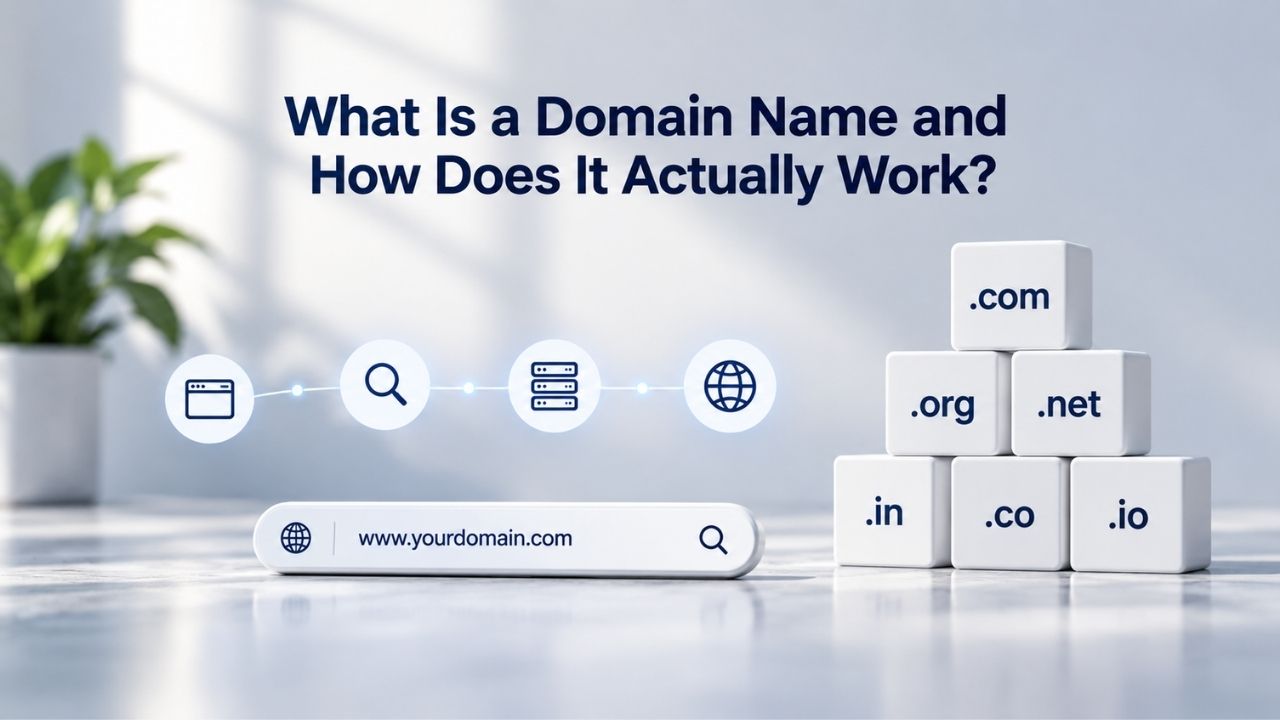
A domain name is a text-based address that identifies a specific location on the internet. Instead of typing a string of numbers, an IP address like 192.0.43.7, you type a memorable name. The Domain Name System (DNS) makes this possible by connecting that name to the numerical address your browser needs to load a website.
The Problem IP Addresses Solve, and Create
Every device on the internet has a unique identifier called an IP address. Computers use IP addresses to send information to each other, much like postal workers use street addresses. Without them, the internet couldn’t route data. But IP addresses are hard for people to remember; they’re sequences of numbers and dots with no pattern. A domain name, by contrast, is intuitive: it tells you something about what you’re visiting.
The problem is that computers don’t understand names the way humans do. They only recognize numbers. This is why the Domain Name System exists: to translate the names you type into the numbers your computer needs.
A Domain Name’s Structure
A domain name consists of two or more labels separated by dots, like example.com. The label after the final dot is the top-level domain (TLD), in this case, “com.” The label before it is the second-level domain, “example.” Together, they form a unique identifier. You can also register subdomains (like mail.example.com or blog.example.com), which sit in front of the main domain and point to different servers or purposes.
Together, these labels create the fully qualified domain name. When registered, that name belongs to you within the Domain Name System’s hierarchical structure. No two registrants can own the identical second-level domain under the same TLD globally.

Domain Name Registration
Each and every domain name comes with all you need to get online.
- Domain Forwarding and Masking: Direct any domain name you own to your website. Anyone who types that domain name into their browser is taken directly to your website.
- Domain Locking: Domain locking prevents accidental or intentional transfers of domain ownership and stops anyone from redirecting your nameservers.
- Total DNS Control: Manage your domain nameserver (DNS) records and set your email, FTP, sub-domains and website location all from one control panel.
- Change of Registration: Assign your domain name to someone else or change the contacts for your domain online anytime.
- Status Alerts: Monitor the status of your domain and get instant alerts if there's been a change.
- Auto Renew Protection: No need to watch expiration dates to make sure you renew on time! Auto renew keeps your domains, hosting, website builders, and other products in your name and under your control.
Domain Disclaimers:
- Special savings apply only to first year of registration. You must purchase entire section to qualify for special savings.
- The final price may differ because of additional sales, fees, and promotions.
- Products will automatically renew until cancelled. You may turn off the auto-renewal feature by visiting your account.
- Change of registration may require a fee for certain domains.
How the Domain Name System Works
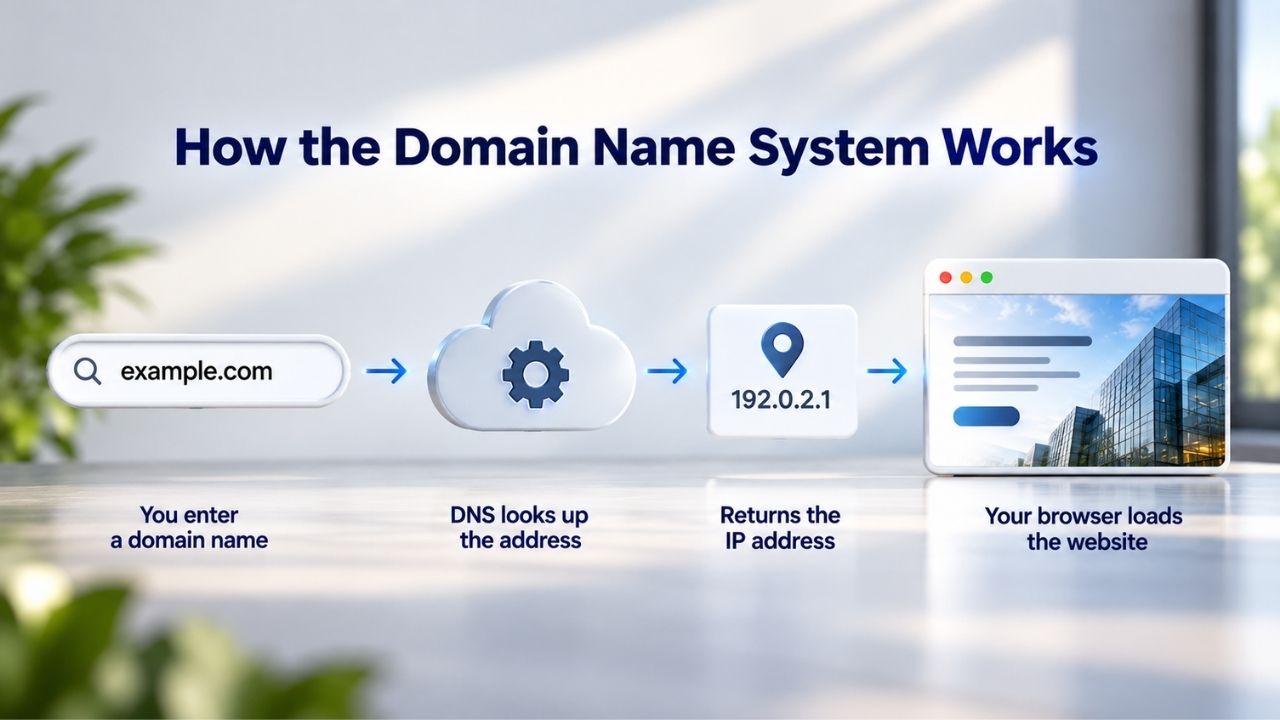
The Domain Name System (DNS) is fundamentally a distributed phone book for the internet. It is not one server in one location but thousands of interconnected servers worldwide, each holding pieces of the address database. When you enter a domain name in your browser, a query travels through this network to find the matching IP address and return it.
The DNS Query: A Step-by-Step Journey
When you type www.example.com into your browser’s address bar, several things happen in rapid succession. Your browser first checks its local cache to see if it recently looked up that domain. If it isn’t found, it asks a resolver (usually operated by your internet service provider) for the IP address. The resolver then queries one of the internet’s root nameservers, which directs it to the appropriate top-level domain nameserver.
The TLD nameserver (for .com, .org, .net, etc.) points the resolver to the authoritative nameserver for that specific domain. The authoritative nameserver, typically managed by the registrar where the domain was registered or by a DNS host the registrant chose, holds the actual DNS records. It returns the IP address to the resolver, which sends it back to your browser. Your browser then connects to that IP address and loads the website.
Why Nameservers Matter for Domain-to-Hosting Connection
Nameservers connect your domain to the web server hosting your website. They bridge domain registration (handled by a registrar) and hosting (handled by a web host). When you register a domain name, it comes with default nameservers. You can change these nameservers to point your domain to any hosting provider, giving you flexibility to manage registration and hosting separately.
This flexibility is powerful: you might register a domain with one company, point its nameservers to a different host, and use a third service for email, all from the same domain name. Your registrar’s nameserver settings control where traffic flows. Update them, and your domain redirects to a new host without ever leaving your registrar.
Top-Level Domains: Types and Choices
Top-level domains fall into two main classes: generic top-level domains (gTLDs) and country-code top-level domains (ccTLDs). Each serves a different purpose and operates under different rules. Understanding the landscape helps you choose the right TLD for your online presence.
Generic Top-Level Domains (gTLDs)
Generic top-level domains are TLDs with three or more characters, like .com, .net, .org, .edu, and .info. The original gTLDs (created in the 1980s) were .com for commercial, .org for organizations, and .net for networks. Over time, ICANN introduced newer gTLDs (.tech, .shop, .online, .ai) to expand naming options and reduce saturation in legacy extensions.
Today, 1,249 gTLDs are available for registration. As of March 2025, the .com TLD had 157.2 million registrations, making it the most popular extension. Newer gTLDs are growing rapidly, offering registrants creative ways to signal their industry, purpose, or personality directly in the domain name; a .tech domain makes an immediate statement that .com does not.
Country-Code Top-Level Domains (ccTLDs)
Country-code top-level domains are two-letter codes assigned to countries, territories, and regions: .uk for the United Kingdom, .de for Germany, .in for India, and .jp for Japan. These domains follow the ISO 3166-1 standard. You can use them to signal geographic targeting, local presence, or regional affiliation.
Unlike gTLDs, ccTLDs do not operate under a single global ICANN policy. Each ccTLD manager sets its own registration rules within local legal and institutional environments. Some ccTLDs are open to anyone worldwide; others require proof of local residency, a company registration, or a trademark. This flexibility allows ccTLDs to serve local communities, while some (like .io and .me) have become globally popular for tech and personal brands, respectively.
ICANN’s Role in Domain Governance
ICANN (Internet Corporation for Assigned Names and Numbers) manages the Domain Name System through oversight, policy development, and coordination. ICANN doesn’t operate the internet directly but sets the rules and policies that keep the global domain system running consistently. Without ICANN’s governance, domain registration would be chaotic and fragmented.
How ICANN Manages the Global Domain System
ICANN manages the official root zone file, which lists all top-level domains, and oversees registrar accreditation worldwide. ICANN operates one of the 13 global root servers (IMRS) that respond to DNS queries for the root zone. However, the root servers are decentralized: various organizations independently manage and operate them under ICANN’s coordination, ensuring no single point of failure.
ICANN also accredits independent registrars worldwide that issue domain names to individuals, businesses, and organizations. An accredited registrar must meet technical, operational, and financial criteria and comply with the Registrar Accreditation Agreement (RAA). This accreditation system guarantees a stable, reliable environment for domain registration services globally.
| Component | Role in Domain System | Example |
|---|---|---|
| TLD Nameserver | Routes requests to the domain’s authoritative nameserver | .com TLD nameserver directs queries to example.com’s authoritative nameserver |
| Authoritative Nameserver | Stores DNS records and returns the requested resource records | ns1.example.com contains an A record pointing to 192.0.43.7 |
| Registry | Maintains the master database of all registered domains within a TLD | The registry operator maintains the authoritative database for a TLD |
| Registrar | Provides domain registration services and manages the registration interface | An ICANN-accredited registrar registers and manages domain names |
| Resolver | Queries DNS servers on behalf of the user’s browser or application | An ISP resolver or a public DNS service such as 8.8.8.8 initiates the DNS lookup |
| Root Nameserver | Starting point of the DNS hierarchy that directs queries to the appropriate TLD nameserver | The 13 logical root nameserver systems route queries for all top-level domains |
Universal Resolvability and Global Consistency
ICANN supports what’s called universal resolvability: no matter where you are in the world, typing a website address takes you to the same version of that site. This consistency is fundamental to how the internet works. ICANN’s policies ensure domain names are unique, protect user data, and support overall internet security. Every accredited registrar worldwide must follow the same core ICANN policies, creating predictability for registrants and preventing fraud.
Domain Registration: Who Does What
When you decide to register a domain name, you interact with a registrar or reseller. Understanding the difference between these roles and knowing what contact information you’ll need to provide helps you make informed choices and protect your domain.
Registrars vs. Resellers: What’s the Difference?
An ICANN-accredited registrar offers domain registration services with direct access to gTLD registries. Registrars handle compliance, maintain connections to registries, process registrations, manage renewals, and ensure ICANN policies are followed. A reseller is a third-party company offering domain services through a registrar. Still, it is not itself ICANN-accredited. Resellers focus on customer service and support while the underlying registrar manages technical infrastructure and registry communication.
Niya Digital is a reseller that partners with an ICANN-accredited registrar, providing domain registration services and support to customers globally. Whether you register directly with a registrar or through a reseller, your domain’s ICANN protections and transfer rights remain the same.
Domain Contacts: Registrant, Admin, Technical, and Billing
When you register a domain, you must provide contact information for several roles. The registrant contact is the legal owner with ultimate control of the domain. The administrative contact handles day-to-day management, renewal decisions, and transfer authorization. The technical contact handles DNS and server issues; the billing contact receives invoices and payment notices.
Since August 2025, registrars are no longer required to collect a separate administrative contact, and the technical contact is optional. For most small websites and personal domains, one person serves all four roles. Keep contact information accurate: ICANN requires registrants to update contact data within seven days of any change, and it can suspend domains with unverified details.
Ready to Register Your Domain?
Niya Digital offers comprehensive domain registration services backed by an ICANN-accredited registrar partner. Whether you’re getting started or managing an existing portfolio, our team supports every step of domain ownership, from initial registration through renewal and transfer. Start with a simple domain search today.
Connecting Your Domain to Website Hosting
Your domain name and your web hosting are separate services, but they must work together seamlessly. A domain points traffic to a hosting server, and the hosting server stores your website files. Understanding this connection helps you avoid common setup mistakes.
How Nameservers Link Registration to Hosting
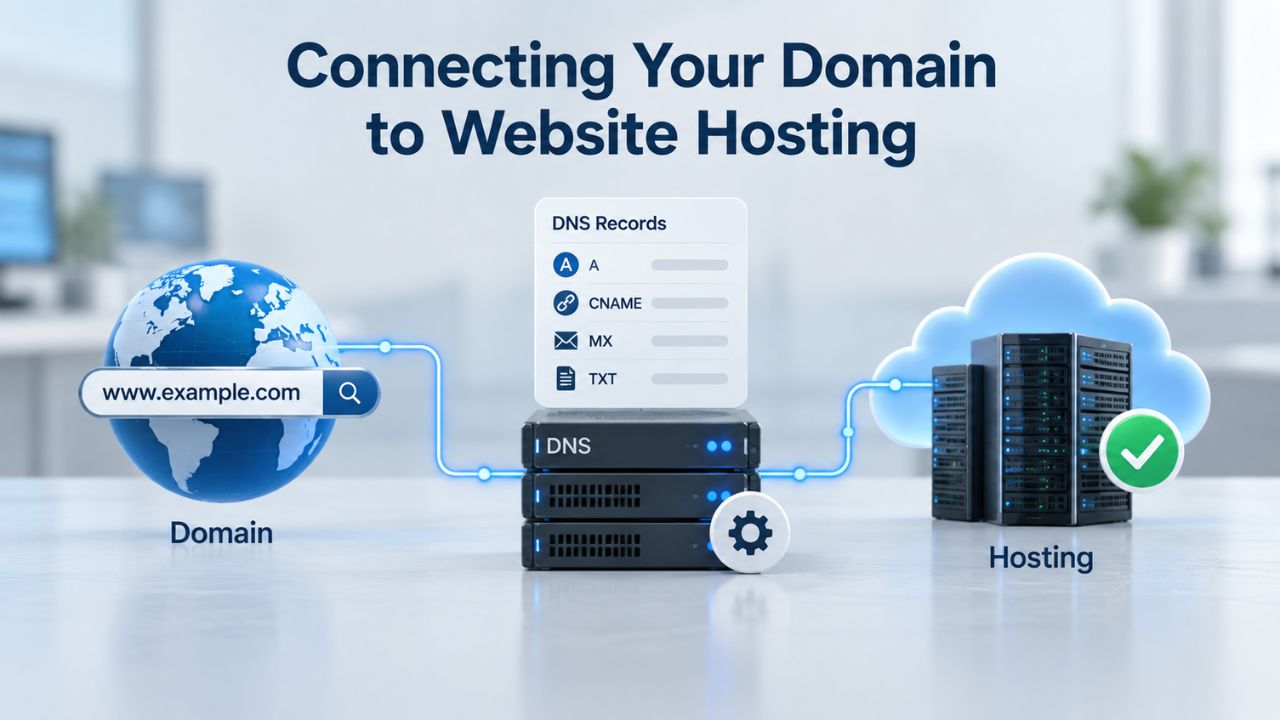
Nameservers are specialized servers that connect a domain name to the IP address of the web server hosting your website. When you register a domain, it comes with default nameservers (often your registrar’s own servers). To point your domain to a hosting provider, you update the nameserver settings at your registrar to match your host’s nameservers. This connection between domain name hosting services is essential for a functioning website. Once this change propagates through the DNS, a process called propagation that typically takes 24–48 hours, visitors typing your domain will reach your host’s server.
The nameserver setting at the registrar controls where your domain directs traffic. Change it, and you redirect your entire domain to a new host without touching domain ownership or registration. This flexibility means you can switch hosting providers without changing registrars, or register a domain with one company while hosting it with another.
DNS Records: The Detailed Instructions
Once your nameservers point to your host, your host controls your DNS records, the detailed instructions that tell the internet where to send different types of traffic. An A record links your domain to your website’s IP address. An MX record directs email to your mail server. A CNAME record connects subdomains to your main domain. Your host typically provides a control panel where you can create and update these records.
If you change hosts, your new host will provide new DNS records to create. If you use a third-party email service, you’ll add MX records pointing to that service’s servers. This granular control, made possible by separating registration and hosting, is one of the domain system’s greatest strengths.
Domain Renewal, Expiration, and Redemption
A domain registration is not permanent. When you register a domain, you buy the right to use it for a specific period, typically one year, though longer terms are available. Understanding what happens when that period ends helps you avoid losing your domain.
The Renewal Timeline and Grace Periods
Domain registrations expire on a specific date set at registration. As that date approaches, your registrar sends renewal notices. Most registrars send multiple reminders (30 days before, 14 days before, 7 days before). If you renew before the expiration date, your registration continues uninterrupted. If you miss the renewal deadline, your domain enters an expiration grace period.
The grace period typically lasts 30 to 45 days, depending on your registrar, during which you can still renew at the standard renewal price. Your domain’s website and email remain inactive during this period, but the domain hasn’t been deleted yet. If you renew within the grace period, everything returns to normal.
The Redemption Grace Period and Domain Recovery
If you don’t renew within the grace period, your domain enters the Redemption Grace Period (RGP), also called Pending Delete on some registries. During RGP (typically 30 days), only the original registrant can restore the expired domain through the original registrar. Restoration incurs a redemption fee, significantly higher than a standard renewal, to encourage prompt renewal.
If RGP passes without restoration, the domain moves to pending delete status for approximately 5 days. During this window, the domain is not yet available for others to register. After pending delete expires, the domain drops and becomes available for anyone to register. Niya Digital’ team has found that many registrants don’t realize the redemption fee is so much higher than renewal, leading them to lose domains unnecessarily. Setting up auto-renewal or calendar reminders prevents this costly mistake.
| Domain Lifecycle Stage | Typical Timeframe | Registrant Action Available | Cost Implication |
|---|---|---|---|
| Active / Renewed | 1 year (or longer registration term) | Full control of the domain; renew at any time before expiration | Standard renewal fee due upon expiration |
| Expiration Grace Period | 30–45 days after expiration | Renew the domain at the standard renewal rate | Standard renewal fee applies |
| Redemption Grace Period (RGP) | Approximately 30 days after the grace period | Restore the domain only through the original registrar | Redemption fee applies, substantially higher than the normal renewal fee |
| Pending Delete | Approximately 5 days after the redemption period | No recovery or renewal is possible; wait for deletion | Domain cannot be recovered during this stage |
| Dropped | Immediately after the pending delete period ends | Domain becomes publicly available for new registration | New registration fee applies to whoever registers it |
| Re-registration | After the domain has dropped | Any eligible registrant can register the domain | Standard new registration fee applies for the new owner |
ICANN Transfer Policies: The 60-Day Lock Explained
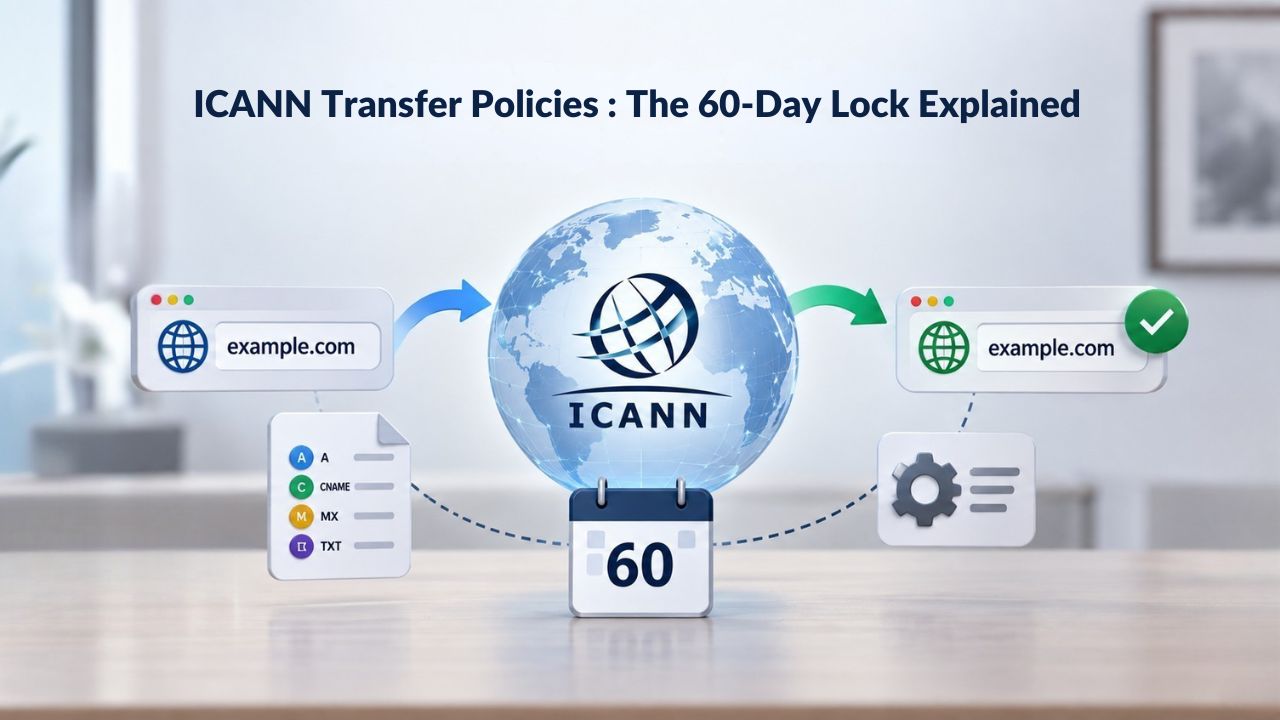
ICANN’s domain transfer service policies are designed to prevent domain fraud and give registrants time to dispute unauthorized transfers; they include transfer locks that restrict when a domain can move between registrars. These locks frustrate some registrants but serve an important security purpose.
When Transfer Locks Apply
ICANN policy imposes a mandatory 60-day transfer lock on all newly registered domains. If you register example.com today, you cannot transfer it to another registrar until 60 days have passed. This lock cannot be waived; it applies to all ICANN-accredited registrars globally. Similarly, if you transfer a domain from one registrar to another, the domain locks for 60 days at the new registrar. This prevents bad actors from rapidly moving a freshly stolen domain to hide their theft.
A third 60-day lock triggers when you change your registrant contact information. However, registrars can offer an opt-out option. If you opt out before making the contact change, you can transfer immediately after updating your registrant information. If you don’t opt out, the 60-day lock applies. Not all registrars offer this option, so check with yours before making contact changes if you plan an immediate transfer.
Locked Domains Still Function Normally
An important clarification: a locked domain will continue to function normally. Your website loads, your email works, and your DNS records function. The lock prevents you from moving the domain to another registrar during the 60 days. You can still manage DNS settings, update contact information (subject to the contact-change lock), and renew. The transfer lock restricts transfers, not domain functionality or management.
Understanding this distinction prevents unnecessary panic. If you need to move your domain to a new registrar and discover a lock is active, you have two options: wait for the lock to expire, or contact your current registrar and your desired new registrar for guidance on possible solutions.
Registration Data and Privacy: WHOIS Becomes RDAP
For decades, anyone could look up a domain owner’s personal information- name, address, phone, email- through a public directory called WHOIS. That system is changing worldwide because of privacy regulations and security concerns.
The Shift from WHOIS to RDAP
The legacy WHOIS system made registrant contact data publicly queryable by anyone without authentication. As data protection laws like Europe’s GDPR took effect, this open-query model became untenable. Effective January 28, 2025, ICANN mandated the transition to RDAP (Registration Data Access Protocol), which replaced WHOIS as the official standard for gTLD registration data access.
Under RDAP, domain registration privacy is the default state: sensitive registrant data sits behind access controls and is not visible in standard public queries. Requests for non-public information must go through a structured disclosure process, with registrars assessing the legal basis for each request before sharing data. The result is a system that protects domain owners while preserving legitimate access paths for law enforcement, security researchers, and intellectual property holders acting under proper legal authority.
Privacy Protection and Data Masking Options
RDAP changes how registration data is accessed, not what data is stored. Registrars and registries still maintain the same registration details for WHOIS. What’s different is that RDAP supports privacy controls and role-based access restrictions, preventing indiscriminate public scraping.
Additionally, registrants can use privacy or proxy services to mask their contact information. When you enable WHOIS privacy protection on your domain, the registrar substitutes proxy details in place of your real name, address, and phone number. Registrars are permitted and sometimes required by ICANN to mask otherwise publicly available registrant contact information. Requirements vary by jurisdiction and TLD. Some extensions (like .us) prohibit privacy protection, so contact details remain public. To find your registrar and check your domain’s privacy status, use the ICANN Lookup tool (https://lookup.icann.org/).
Domain Ownership and Security Essentials
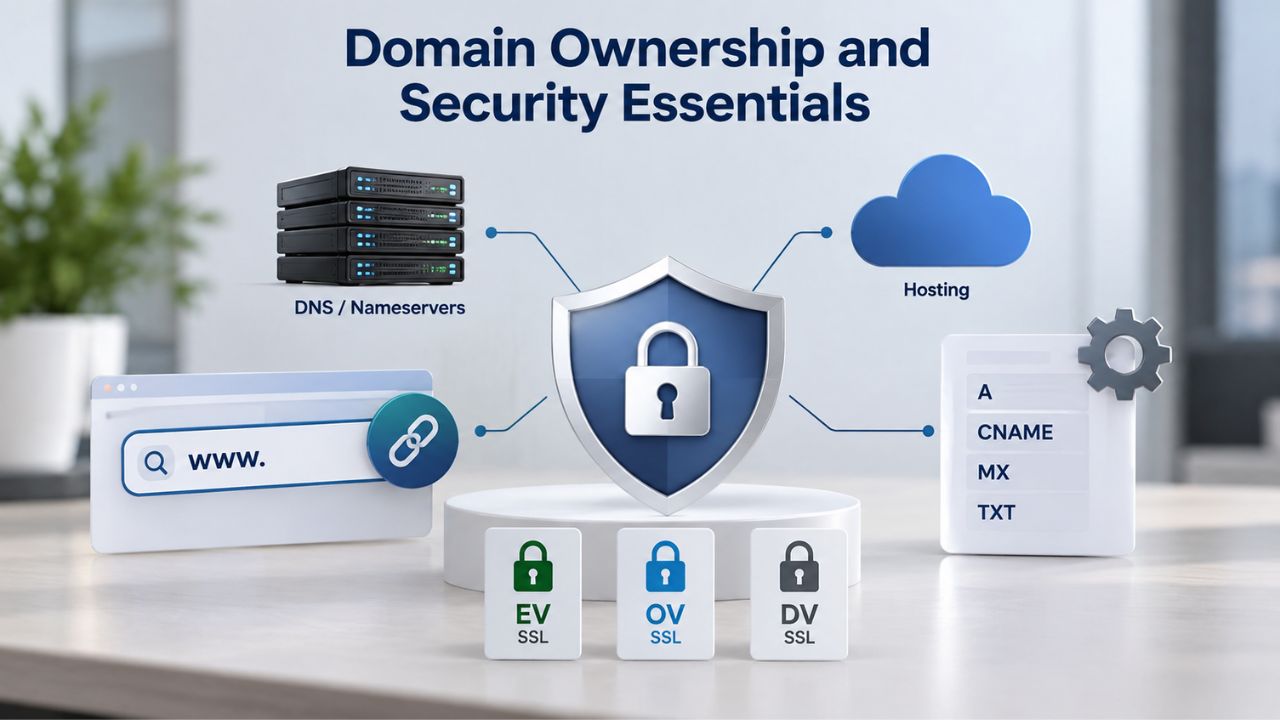
Protecting your domain means more than just keeping it active. It involves safeguarding the registrant and administrative contact information, securing access to your registrar account, and understanding your rights if disputes arise.
Registrant Contact Protection and Unauthorized Transfers
Your registrant contact is your domain’s most sensitive information. The registrant is the legal owner with ultimate control, and unauthorized changes to registrant information could result in loss of domain control. Keep your registrant email current and constantly monitored. Your registrar sends all critical notifications to the registrant email, including transfer authorization requests, renewal reminders, and security alerts, so missing that inbox means missing opportunities to protect your domain.
The administrative contact has almost as much authority as the registrant and can authorize transfers, make policy changes, and manage renewals. Assign this role to someone you trust completely. If your admin contact becomes unreachable or unavailable, contact your registrar immediately. Unauthorized domain transfers typically begin with an attacker gaining access to the admin contact email or the registrar account itself.
UDRP and Dispute Resolution Basics
ICANN adopted a Uniform Domain-Name Dispute-Resolution Policy (UDRP) that all accredited registrars must follow. If you believe someone registered a domain that infringes your trademark, you can file a UDRP complaint to attempt recovery without going to court. The process is faster and less expensive than litigation, but it requires proving bad-faith intent and trademark ownership.
UDRP is a specialized legal remedy, not a blanket protection. A registrant with a legitimate reason to own a domain (even if it contains words you use) won’t lose it via UDRP. Consult a legal professional if you suspect trademark infringement. Equally important: ensure your own domain registrations don’t violate others’ trademark rights, as UDRP complaints can result in domain cancellation.
Secure Your Domain With Professional Support
As a trusted domain hosting provider, Niya Digital gives you confidence that your domain is protected, managed accurately, and kept secure throughout its lifetime. Our domain and hosting services include access to expert support, DNS management, and renewal tracking – everything you need for complete peace of mind.
Frequently Asked Questions
What is the difference between a domain name and web hosting?
A domain name is your website’s address (like example.com). Web hosting is the server space storing your website files. You buy them separately: the registrar manages your domain, while a host provides the server. Nameservers connect the two, directing your domain to your host’s server. Both are necessary for a complete online presence.
Can I transfer my domain to a different registrar?
Yes, if your domain isn’t transfer-locked. A 60-day lock follows registration or a previous transfer (ICANN policy), preventing inter-registrar transfers during this period. After the lock expires, contact your new registrar to initiate the transfer. You’ll need an authorization code (EPP or auth code) from your current registrar and access to your registrant email.
What happens if I don’t renew my domain?
If you miss expiration, your domain enters a grace period (30–45 days) for standard-rate renewal. If you miss the grace period, it enters the Redemption Grace Period (~30 days), where restoration costs more. If the RGP passes, your domain enters pending delete for ~5 days, then drops. Set auto-renewal to prevent accidental loss.
How do I set up email with my domain?
To set up email with your domain, point your domain’s MX records to an email service provider. You can use your host’s email, Google Workspace, or your registrar’s email service. In your DNS settings (managed at your registrar), add an MX record pointing to your provider’s mail server. After propagation completes (24–48 hours), emails to you@yourdomain.com route correctly.
What is privacy protection, and do I need it?
Privacy protection (also called WHOIS privacy) masks your personal registrant information in public lookup tools and replaces it with proxy details. This reduces spam, phishing, and unwanted contact. Most registries allow it; some (like .us) require public information. It typically costs extra but offers valuable security, especially for individuals and competitive businesses.
Can I own a domain with special characters or non-English letters?
Yes, through internationalized domain names (IDNs). IDNs allow domains in Chinese, Arabic, Cyrillic, Devanagari, and other non-Latin scripts. Internally, browsers convert them to ASCII-compatible encoding (ACE) so the DNS system can process them. When you type in your native script, your browser converts it automatically. Availability varies by TLD and language; check with your registrar for IDN options.
What’s the difference between .com, .net, and .org?
These are generic top-level domains with historical distinctions. .com originally targeted commercial entities, .net targeted network infrastructure, and .org targeted nonprofit organizations. Today, ICANN lets anyone register any gTLD regardless of type. Distinctions are now mostly branding and perception. .com remains the most popular and trusted for business; .org is common for nonprofits and communities.
How do I know which registrar my domain is registered with?
Use ICANN Lookup at https://lookup.icann.org/ or legacy whois.icann.org. Enter your domain name, and the results will show your registrar’s official name and contact information. If your domain was registered through a reseller, the listed registrar is the underlying ICANN-accredited partner managing technical registration, while the reseller manages your customer relationship and support services.
What is a nameserver, and why does mine need to change?
A nameserver is a server that contains your DNS records, the instructions telling the internet where your website and email are hosted. When you register a domain, you get default nameservers (often your registrar’s own). To switch hosting providers, change your nameservers at your registrar to match your new host’s nameservers. This redirects traffic without losing your domain ownership.
How long does it take for domain changes to take effect?
DNS changes propagate globally through the internet’s caching system, typically taking 24–48 hours to complete fully. However, changes often take effect within minutes to hours on many systems. During propagation, different servers worldwide show old or new data until caches refresh. If changes seem wrong after hours, wait 24–48 hours before troubleshooting. Your registrar’s status page often shows propagation progress.
Can someone steal my domain?
Domain theft is possible but preventable with proper security practices. Attackers typically target registrant email, administrative contact, or registrar account password. Protect your registrant email, enable two-factor authentication on associated accounts, use strong passwords, and keep your admin contact secure. Enable registrar locks (separate from ICANN locks) for extra protection against unauthorized changes and transfers.
What does ICANN accreditation mean for my domain?
ICANN accreditation means your registrar has met strict technical, operational, and financial standards and agrees to follow ICANN policies protecting you. An accredited registrar must maintain WHOIS/RDAP data accurately, honor transfer rights, support domain disputes, and provide customer support. This accreditation system ensures global consistency and protection, whether you register directly or through a reseller partnered with an accredited registrar.
Are there any costs beyond the initial registration price?
Domain registration involves an initial registration fee, with renewal fees applied yearly to keep your domain active. Optional charges include privacy protection, auto-renewal setup, and priority support. Premium or specialty domains may cost more than standard registrations. Expired domains in the Redemption Grace Period incur substantially higher restoration fees. Hosting, email, and SSL certificates are separate services with their own costs.
How do I transfer an expired domain back to my ownership?
The recovery process depends on your domain’s expiration timeline. If within the grace period (30–45 days), you can renew at the standard renewal rate. In the Redemption Grace Period (~30 days after), you can restore it through the original registrar for a substantially higher fee. After pending delete status, you cannot recover it; you must wait for the drop and re-register as new.
What should I know about changing my registrant contact information?
Changing registrant contact information (name, email, address) triggers a 60-day transfer lock preventing inter-registrar transfers. Some registrars offer an opt-out before the change to enable immediate transfer. Keep your registrant email current and monitored; ICANN requires you to update contact data within seven days of any change. Inaccurate registrant information can result in domain suspension.
Glossary
- DNS (Domain Name System): The decentralized system of servers and databases that translates human-readable domain names into numerical IP addresses, enabling computers to locate each other and route internet traffic correctly.
- IP Address (Internet Protocol Address): A unique numerical identifier (e.g., 192.0.43.7) assigned to each device connected to the internet, used by computers to communicate, identify each other, and locate specific servers.
- Nameserver: A specialized server that stores and delivers DNS records, directing internet traffic from a domain name to the correct web server or service. Nameservers act as the bridge between domain registration and hosting infrastructure.
- Registrant: The legal owner of a domain name, holding ultimate authority over its management, renewal, transfer, and use. The registrant contact is the highest-authority role in domain registration.
- RDAP (Registration Data Access Protocol): The modern standard for accessing gTLD registration data, replacing legacy WHOIS effective January 28, 2025. RDAP features privacy controls and role-based access restrictions, supporting data minimization and lawful disclosure practices.
- TLD (Top-Level Domain): The rightmost segment of a domain name after the final dot (e.g., .com, .org, .de), representing either a generic category (gTLD) or a country/region (ccTLD). ICANN regulates gTLDs, while local registries regulate ccTLDs.
- Transfer Lock: An ICANN-imposed restriction preventing inter-registrar transfers during specific periods (60 days after registration or a previous transfer, or after registrant contact changes). Transfer locks secure domains against unauthorized transfers during vulnerable windows.