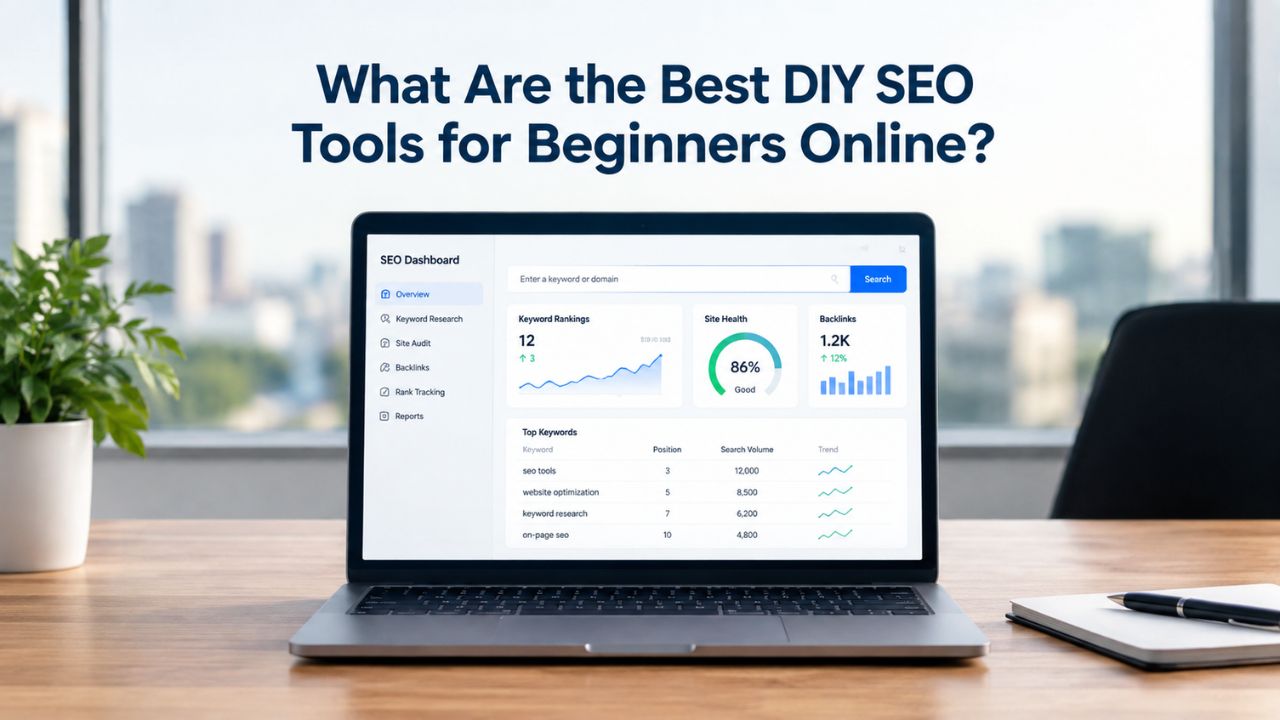
Small business owners and website beginners often feel trapped: hire an expensive agency or struggle alone with confusing tools. The truth is, you don’t need either. The best DIY SEO tools are designed for people with no technical background, letting you research keywords, audit your site, track rankings, and analyze competitors without an agency. Like other SEO tools, Niya Digital’s DIY SEO platform draws on third-party search and keyword-data sources to generate its metrics. The data reflects estimates and periodic updates rather than exclusive proprietary data or perfect real-time precision for every keyword.
Understanding What DIY SEO Tools Actually Do
DIY SEO tools are self-serve platforms that help you optimize your website for search engines without hiring a specialist. They simplify tasks that would normally cost thousands of dollars in agency fees by putting the data and guidance directly in your hands. The goal is to make SEO accessible, not to replace learning, but to give you the right information and framework to make informed decisions about your website’s visibility.
Core Functions Every Beginner Should Know
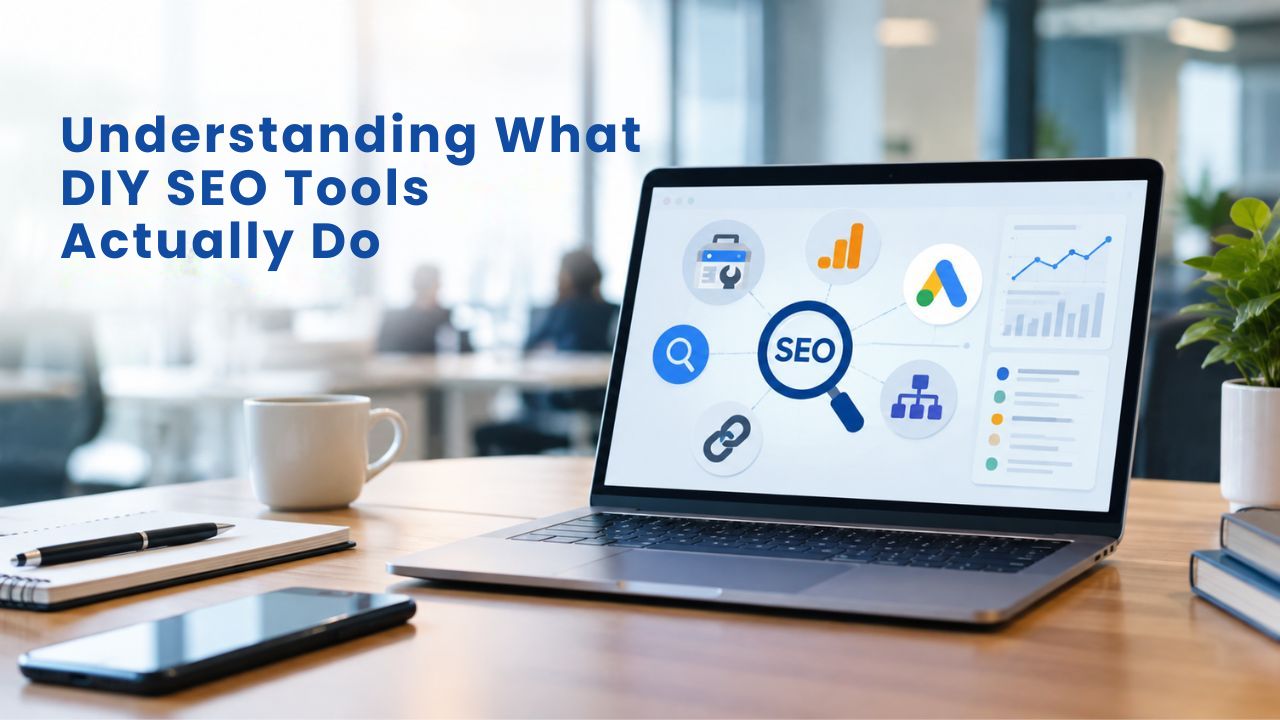
Most self-serve SEO tools focus on four core capabilities: keyword research, technical site audits, rank tracking, and competitor analysis. Keyword research helps you discover the words and phrases people actually search for related to your business or content. Technical audits check whether search engines can crawl and index your pages without obstruction. Rank tracking monitors where your website appears in search results for specific keywords over time. Competitor analysis reveals who ranks for your target keywords and why, showing you content gaps and opportunities to differentiate.
A tool doesn’t need all four features to be useful; many successful DIY SEO practitioners start with just keyword research or rank tracking and add other capabilities as they grow. The best DIY SEO tools balance ease of use with enough depth to do real work. Too few features, and you’ll outgrow the tool quickly. Too many features, and you’ll spend weeks learning instead of optimizing. Google’s own free tools set the foundational baseline.
Google Search Console shows which search queries bring impressions to your site and flags indexing issues. Google Analytics 4 tracks organic traffic and user behavior. Google Keyword Planner provides search volume estimates at no cost if you have a Google account. Google maintains these tools and makes them freely available, making them a natural starting point before investing in paid DIY SEO platforms.
Why DIY SEO Saves Money and Builds Control
Professional SEO agencies typically charge thousands of dollars per month and lock clients into long-term contracts. With a DIY approach, you maintain complete control over your strategy, budget, and timeline. You decide which keywords to target, which pages to optimize, and how quickly to scale your efforts. This hands-on involvement builds your SEO knowledge over time, a skill that benefits your entire business beyond just search rankings. Many small business owners find that learning SEO themselves gives them confidence to make strategic decisions without waiting for an agency’s recommendations.
The cost savings are significant. Instead of paying a large monthly retainer, you can invest in specific tools only when you clearly need them. You can test different platforms with free trials before committing money. You can start with free tools and upgrade to paid options only when free data is no longer sufficient. This flexibility is especially valuable for startups and early-stage businesses with tight marketing budgets. Even if you eventually hire an agency or freelancer, the foundation you build through DIY work means you’ll make better decisions about what to outsource and how to measure results.
Search Engine Optimization Plans & Pricing
Choose the right SEO plan for your website. Improve search engine visibility, discover relevant keywords, monitor rankings, and access customized optimization services to support your business growth.
Search Engine Optimization (SEO)
Bring more traffic to your website with Search Engine Optimization.
- Search Optimization: Improve search engine rankings with keyword and suggested topics tool
- Keyword suggestions: Get personalized phrases and words to add to increase traffic to your website and help it rank better.
- Tracking your ranking: Track the progress of your website’s rank on Google over time
- Create your sitemap: Customize, create and submit a site map to aid search engines in crawling your site.

Customized SEO Plan
Get Customized Plan For your Business Website SEO (Search Engine Optimization)
- On-Page & Off-Page Optimization: Update Meta Tags, Titles, Descriptions, Alt Tags, Schema / JSON-LD / Microdata Format, HTML + TXT + XML Sitemap, Robots.TXT, Google Analytics & Google Search Console integration
- Keyword Research & Analysis: Improve Keyword Effectiveness Index (KEI) with main heading & sub-heading tags, Content Review by professional content editor
- Competitor Research & Analysis: Compare and Compete with competitors search engine ranking positions, Track and analyse competitor trends
- Diversify Back Link Profile: Relevant Business Directory Submission, Article Submission, Blog Creation, Web 2.0 asset creations, Author Profile Links, Social Book Marking links
- Monthly Task Review & Progress Reporting: Get Monthly SERP Reports and Task Performance Reports
How to Choose Between Tool Types
The DIY SEO tool market splits into distinct categories, each serving different needs and budgets. Understanding these differences helps you avoid overspending on unnecessary features or underbuying features you actually need. Not all tools fit every business type, budget, or learning style.
All-in-One Platforms vs. Single-Purpose Tools
All-in-one platforms bundle dozens of tools into one dashboard, offering keyword research, competitor analysis, backlink tracking, rank tracking, site audits, and reporting all in one place. The advantage is convenience: you stay in one interface, and everything works together without manual data transfers. These platforms also often provide advanced features like AI-powered content optimization, alert systems for ranking changes, and automated competitor monitoring. The disadvantage is cost, which runs higher than single-purpose tools, and a steep learning curve that can overwhelm beginners. Most all-in-one platforms require time investment to understand their many features and dashboards.
Single-purpose tools focus on one area: keyword research, rank tracking, or site audits. These tend to be simpler to learn because they have fewer buttons and fewer options. They’re affordable because they specialize rather than trying to do everything. For a first-time DIY SEO practitioner, a single-purpose tool is often the better choice. You master one tool completely before adding a second. Free and freemium options offer another entry point.
Google Search Console and PageSpeed Insights cost nothing and provide solid foundational data, search query performance, indexing status, traffic reports, and page speed metrics. Many third-party tools offer free tiers with limited features, letting you test before paying. The limitation is data precision: free tools provide ranges instead of exact figures, updates are slower, and competitor intelligence is minimal or absent. Most business owners outgrow free-only approaches within 3–6 months once they need daily rank updates and detailed competition tracking.
Balancing Ease of Use and Feature Depth
Choosing the right DIY SEO tool means balancing how much you’re willing to learn against how much depth you need. A tool with a clean, simple interface might be missing advanced competitor analysis features you’ll eventually want. A tool with powerful data might have such a complex interface that setup takes weeks. Before buying any tool, ask yourself three questions.
First, does this tool solve a specific problem? Generic “I need SEO help” is too vague; “I need daily rank tracking for ten keywords” is specific enough. Second, is the learning curve manageable? Can you get started in 2–4 hours, or will you spend a week watching tutorials? Third, does the tool solve a problem you have right now, or are you buying for a problem you might have someday? Beginners often buy comprehensive platforms to avoid future tool-switching, then never use most of the features.
Free trials are invaluable for testing before committing money. Most self-serve SEO tools offer 7–14-day free trials with full feature access. Use them. Run your keywords, audit your site, analyze competitors. See if the interface clicks with how your mind works. Test the reporting and data export features if you plan to share results with clients or a team. Real hands-on testing beats reading reviews because the best tool for someone else might not be the best for you. Don’t evaluate only on features; evaluate whether you’ll actually use it consistently.
How DIY SEO Tools Help Beginners: Feature Comparison
| DIY SEO Tool Type | Best Use Case | Key Strengths | Learning Curve | Time to Value |
|---|---|---|---|---|
| Google Free Suite | Foundation building, startups | Official, free, reliable data | Easy (familiar interface) | Immediate (free data) |
| Single-Purpose Rank Tracker | Tracking keyword progress | Focused, simple interface, daily updates | Easy (one main feature) | 1–2 weeks |
| Single-Purpose Keyword Tool | Finding target keywords | Affordable, specialized, sufficient for most | Easy (focused features) | 1 week |
| Single-Purpose Site Auditor | Technical SEO issues | Detailed diagnostics, actionable fixes | Moderate (many metrics) | 1–2 weeks |
| All-in-One Platform | Scaling beyond basics | Comprehensive, integrated data, advanced features | Steep (50+ tools) | 4–8 weeks |
| Freemium Tool | Testing before buying | Low-risk trial, core features free | Easy (simplified UI) | Immediate |
Keyword Research Tools: Your First Real SEO Task
Keyword research is the foundation of any DIY SEO strategy. It’s where you discover what your audience is searching for and identify the topics worth creating content around. Many beginners skip keyword research and write content based on assumptions instead. This is the most common and costly mistake in DIY SEO. You can create beautifully written content that ranks nowhere because you targeted the wrong keywords.
How to Find Keywords People Actually Search For
Keyword research starts with brainstorming seed topics, broad areas related to your business. If you run a fitness coaching business, seed topics might be “home workouts,” “weight loss for women over 40,” or “building muscle without a gym.” From these seeds, you expand to specific keywords. Use Google Keyword Planner (free with a Google Ads account; you don’t need to run ads) to enter your seed topic and discover related keywords with search volume estimates. The tool shows how many people search for each keyword monthly and how competitive it is.
Long-tail keywords are longer, more specific phrases like “weight loss exercises for women over 40 at home” rather than just “weight loss.” Long-tail keywords typically have lower monthly search volume, but they’re easier to rank for and often signal higher purchase intent. For beginners, long-tail keywords are your competitive advantage. You can rank for them before you have the domain authority to compete for broad terms.
Once you have keyword ideas, manually verify them by searching in Google. Look at the top 10 results. Are they from massive companies with huge budgets and domain authority? That keyword is likely too competitive for a new site. Are they from mid-size websites, blogs, or service providers similar to you? That keyword might be achievable. This manual assessment combined with keyword difficulty scores gives you a realistic sense of what you can win. Prioritize keywords where you have a realistic chance to rank within 3–6 months.
Understanding Search Volume and Keyword Intent
Search volume measures how many people search for a keyword monthly. A keyword with 500 monthly searches is viable for most businesses. One with 5 searches is too niche to matter unless you’re in a specialized industry. But volume isn’t everything. A keyword with 100 monthly searches and clear commercial intent (e.g., “buy ergonomic keyboard”) is more valuable than one with 1,000 searches where people are just exploring (e.g., “what is an ergonomic keyboard”). Search intent refers to what the searcher wants to accomplish. Informational intent means they’re learning. Commercial intent means they’re ready to buy. Navigational intent means they’re looking for a specific brand or website. Local intent means they’re searching for nearby services.
Matching your content to search intent is critical. Don’t try to rank an informational blog post for a commercial keyword, and don’t create a product page for an informational query. Look at what Google currently ranks for each keyword to understand the winning format. If the top results are all how-to guides, the intent is educational; create a guide, not a sales page.
If the top results are product listings or service pages, the intent is commercial; create a detailed offer page. This alignment between content type and user intent is one of the clearest signals to Google that your page deserves high rankings. Many beginners create great content that ranks nowhere simply because the content format doesn’t match what users are searching for.
Technical SEO Audits: Finding Hidden Problems
Many websites lose search visibility not because the content is bad, but because search engines struggle to crawl, index, or understand their pages. Technical SEO is the behind-the-scenes work that either enables or blocks visibility. A technical DIY SEO audit tool identifies these hidden blockers. You don’t need to understand code to run one; good auditing tools translate technical issues into plain English and suggest fixes.
What a Technical SEO Audit Checks
Start with crawlability: Can Google find and read all your important pages? Visit your robots.txt file at yoursite.com/robots.txt to ensure you’re not accidentally blocking content you want to rank. Check that your XML sitemap is up to date and submitted to Google Search Console. The Coverage Report in Search Console shows if Google encountered any errors crawling or indexing your site. Fix any pages marked with “error” status immediately; these represent lost opportunities for visibility.
Next, check indexability: Are your pages showing up in search results? Use Search Console’s Index Coverage report to identify pages marked as noindex (intentionally excluded from search) or flagged as duplicates. A common mistake is accidentally marking pages as noindex during development or using old duplicate content, then forgetting to remove the tag before launch.
Site speed matters more than many beginners realize. Slow pages hurt rankings and user experience. Use PageSpeed Insights to measure your site’s performance on Google’s Core Web Vitals, the metrics Google uses to evaluate user experience. LCP (Largest Contentful Paint) measures how fast the main content loads; target under 2.5 seconds. INP (Interaction to Next Paint) measures how responsive the page is to clicks and keyboard input.
CLS (Cumulative Layout Shift) measures how much the page layout shifts while loading, a frustrating experience when content moves after you’ve already clicked or started reading. Mobile-friendliness is non-negotiable. More than 60% of searches happen on mobile devices. Test your site using Google’s Mobile-Friendly Test. If you fail, users and search engines both penalize you.
Using Free Tools to Conduct a Technical Audit
Google Search Console and PageSpeed Insights together cover 80% of technical SEO needs for beginners. For a deeper crawl of your entire site, tools with free tiers (limited to small sites) scan your pages and flag broken links, missing title tags, duplicate content, and redirect chains. These free auditing tools can find real problems that hurt your rankings. Paid technical audit tools offer automation and daily monitoring, but if you run an audit quarterly and fix issues as they appear, free tools are sufficient to start. The key is consistency; don’t do one audit and forget about it. Schedule audits every 3 months, especially after making site changes.
Rank Tracking: Monitoring Your Progress
Rank tracking shows whether your DIY SEO efforts are working. Without it, you’re working blind, making changes without data about whether they help. Rank tracking automates ranking checks and tracks changes over time.
What Rank Tracking Does and Why It Matters
Rank tracking tools automatically scan search results daily or weekly and record your website’s position for each keyword you’re monitoring. Over time, you see trends: Is your ranking climbing, plateauing, or dropping? Did a ranking jump after you published a new article? Did your rankings shift after a major Google algorithm update? This data lets you refine your strategy instead of guessing about what’s working.
You can identify which keywords are close to breakthrough positions, ranking at positions 6–10, where a small improvement moves you into the top 3 results where most clicks happen. You can spot drops early and investigate before traffic damage compounds. You can also benchmark against competitors to see which keywords they rank for and how their positions change over time.
For beginners, the Google Search Console Performance Report gives free rank data for keywords already driving impressions to your site. You see click-through rates and average position for each search query. It’s not as flexible as dedicated rank-tracking tools, but it’s real data, and it’s free. The limitation is that Search Console only shows keywords already generating clicks; it doesn’t track keywords you’re trying to rank for but haven’t yet. It also updates slowly, sometimes taking weeks to show ranking changes. Dedicated rank tracking tools provide daily updates, track any keywords you choose (not just those already driving clicks), and often include competitor rank data. This speed and flexibility let you make faster strategic adjustments.
Setting Up and Interpreting Rank Tracking Data
Choose 10–20 target keywords to track, a mix of higher-volume head terms and lower-volume long-tail keywords that match your content. Set up tracking for each keyword and specify which page on your site should rank for it. Most tracking tools let you check weekly or monthly at no extra cost; daily updates may require a higher plan. Expect flat or negative movement in months 1–3 as Google crawls and evaluates your changes. Rankings don’t change instantly; Google needs time.
Expect initial upward movement in months 3–6 as lower-competition keywords climb. Expect growth to accelerate after month 6 as your site gains authority in your niche. Track rankings alongside organic traffic and conversions in Google Analytics; a ranking improvement that drives no traffic suggests the audience isn’t ready to buy, the content doesn’t match search intent, or the keyword itself has low volume or commercial value. Correlating these metrics helps you understand what’s working and what’s not.
Explore Rank Tracking and Competitor Analysis
DIY SEO means understanding where you stand compared to competitors. Niya Digital’s rank tracking lets you monitor keyword positions daily and analyze competitor strategies without switching between tools. See which keywords are closest to top rankings and which competitors are winning.
Competitor Analysis: Learning from Those Who Rank
Analyzing competitors reveals patterns you’d otherwise miss. It’s not about copying; it’s about understanding what Google rewards and what your audience responds to in your niche.
How to Identify and Analyze Your SERP Competitors
Start by searching your target keywords and noting the top 10 websites appearing in results. These are your SERP competitors, not necessarily your direct business competitors. You might rank alongside large publishers, local service providers, or niche blogs that don’t sell the same product as you but target the same search intent. Visit each top-ranking page and study what they do well.
How long is their content? What keywords do they use in headings and subheadings? Do they include video, images, or interactive elements? How organized is their content? This analysis reveals patterns. If every top-ranking page is 3,000+ words and structured with clear headings, short blog posts won’t rank. If they all include original data or research, thin content without supporting evidence won’t rank.
Use free tools to start. Manually review the top pages and note common themes in content length, format, and structure. Many third-party tools offer free features showing backlink count and linking domain authority for any site. This tells you how many external sites link to each competitor. For a deeper competitive picture, premium tools show which sites link to competitors and which content pieces get the most links, often indicating topics that resonate with audiences and earn media coverage.
Finding Content Gaps and Keyword Opportunities
Competitor analysis often reveals low-hanging fruit: keywords your competitors rank for that you don’t, or topics they mention briefly without deep coverage. If a competitor ranks well for “beginner’s guide to keyword research” but only covers long-tail keywords in a brief section, writing a comprehensive guide focused entirely on long-tail keyword strategy might capture that audience. Search for “site:[competitor.com]” in Google to see all their indexed pages, then compare against your own content map. Where are the gaps? What topics do they cover that you haven’t touched? These are opportunities to differentiate and rank for related keywords they’re ignoring.
Look at Google’s “People Also Ask” section for any of your target keywords. These questions often signal content topics that will rank and answer real user questions. If your competitors haven’t created content answering these questions well, you have an opportunity. Check for content in different formats too; if competitors have only blog posts and no videos, video content might rank quickly. If they have text but no downloadable resources or tools, a free tool might differentiate you. The goal is finding areas where you can create better, more thorough, or more useful content than what currently ranks.
The Real Timeline: When You’ll See Results
This is where setting realistic expectations matters most. Unrealistic timelines are the #1 reason beginners quit DIY SEO. Understanding the real timeline helps you stay consistent and avoid panic when results don’t appear immediately.

Month-by-Month Expectations for DIY SEO
Months 1–3 (Foundation & Setup): You’re doing keyword research, running technical audits, fixing site issues like slow load times and crawl errors, and publishing your first optimized content. Rankings typically don’t move much because Google needs time to crawl, re-evaluate, and index your changes. You might see improved crawl efficiency in Search Console and faster page load times, but visible ranking movement is rare. This foundation stage feels frustrating because you’re working hard but seeing little external evidence. This is normal. Every successful DIY SEO practitioner has experienced this. Stick with it.
Months 3–6 (First Movements): Long-tail keywords and low-competition terms start ranking. You’ll likely see your first 10–20 ranking positions for new content. Organic traffic begins rising steadily. This is validation that your strategy is working. The temptation to quit usually fades here because you see proof in Analytics. The growth is still gradual, maybe 20–50% more traffic than baseline, but it’s real and measurable. Momentum builds both for your site and your confidence.
Why the Timeline Varies by Niche and Competitiveness
The speed of your results depends largely on three factors: niche competitiveness, domain authority, and content quality. Highly competitive niches like finance, legal, and health take longer to rank in because large companies and established publishers already dominate results. Less competitive niches let new sites rank faster. If your domain is brand new and has zero backlinks, ranking takes longer than if you’re adding SEO to an established site with existing backlinks. High-quality, thorough, original content ranks faster than thin or derivative content.
Niya Digital’s team has found that websites with clear topical focus and consistent content publishing see faster results than those jumping between unrelated topics. A website publishing 4 focused blog posts monthly in the same niche typically outpaces one publishing 8 posts across different topics. Domain authority builds through backlinks, which means ranking in competitive niches requires building links. In less competitive niches, strong organic content alone can rank. Your realistic timeline depends on an honest assessment of your competitive landscape. Search your main keywords. If Fortune 500 companies and major publications dominate the results, expect 12+ months. If results include blogs and small business sites, expect 6–9 months. If results include thin affiliate content, expect 3–6 months.
DIY SEO Timeline and Expected Outcomes
| Phase | Months | Focus Areas | Expected Traffic Growth | Ranking Movement | What’s Happening |
|---|---|---|---|---|---|
| Foundation | 1–3 | Keyword research, technical fixes, content planning | Flat to +10% | Minimal (crawl improvements only) | Google crawling, indexing, initial evaluation |
| Early Traction | 3–6 | Content publishing, on-page optimization | +30–50% | Long-tail keywords ranking, 5–10 positions up | Pages gaining index inclusion, relevance assessment |
| Building Momentum | 6–9 | Content scaling, backlink outreach | +50–100% | Competitive keywords moving, 10–20 positions up | Site authority building, topical relevance increasing |
| Steady Growth | 9–12 | Ongoing optimization, authority building | +100–200% | Keywords consolidating in top 20, climbing steadily | Domain authority climbing, ranking stability improving |
| Compounding Results | 12+ | Authority maintenance, advanced optimization | 200%+ (exponential growth possible) | Top keywords ranking top 10, new keywords ranking faster | Site recognized as authority, new content ranks quickly |
Building Your DIY SEO Tool Stack: What You Actually Need
The temptation to buy every tool at once is real. Resist it. You don’t need five platforms to succeed. Strategic tool choices matter more than buying comprehensively.
Free Tools vs. Paid Tools vs. Freemium Options
A beginner’s free-only stack includes Google Search Console for indexing and query data, Google Keyword Planner for search volume, Google Analytics 4 for traffic and user behavior, and free site audit tools that crawl small sites. This covers the foundations: keyword research, technical auditing, traffic tracking. The limitation is real: you get no rank tracking, no competitor keyword research, and slow data updates. This free-only approach works if you’re patient and willing to do more manual work. You can track rankings by hand-searching Google weekly, which is tedious but free.
Upgrading to a single paid rank tracking tool adds daily automated rankings and competitive keyword visibility, two critical data points you can’t get for free. This half-paid, half-free hybrid approach is common among profitable DIY SEO practitioners. You keep Google’s free tools and add one focused paid tool that solves your most pressing problem. A mid-tier stack might add a content optimization tool that shows word count targets, semantic keyword requirements, and backlink benchmarks for top-ranking competitors. This lets you write smarter content instead of guessing about depth and structure. Most successful DIY SEO professionals operate with 3–4 tools rather than trying to use 20.
Evaluating Tools by Ease of Use and Learning Curve
Before purchasing any tool, evaluate the learning curve honestly. Some tools have 2-hour onboarding. Others take a week. Ask yourself whether you’ll actually commit that time. A tool is worthless if you buy it and never open it because it’s too confusing. Read user reviews specifically about ease of use and onboarding. Watch demo videos. Try free trials long enough to do real work, not just click around. Consider whether customer support matters to you; some tools have extensive documentation and community forums, while others offer minimal support. For beginners, strong documentation and tutorials matter more than for experienced marketers.
Also evaluate whether the tool integrates with other systems you use. If you use Google Analytics and Search Console heavily, a rank tracker that imports data directly from them saves time. If you manage multiple websites, can the tool handle multiple sites efficiently? If you’ll share results with clients, how good is the reporting? Some tools include beautiful client reports; others require you to build reports manually. These details matter for long-term usability.
Common DIY SEO Pitfalls and How to Avoid Them
Knowing what not to do saves months of wasted effort and prevents common derailments that cause beginners to quit.
The Five Mistakes Beginners Make
Mistake 1: Skipping keyword research.
Publishing content without researching keywords is like throwing darts blindfolded. You might hit something, but the odds are bad. Spend dedicated time on keyword research before publishing anything. Choose 10–20 target keywords with reasonable search volume and manageable competition. Then write content around those keywords, integrating them naturally into titles, headings, and the body copy.
Mistake 2: Ignoring site speed and mobile-friendliness.
A slow website is a ranking penalty and a user experience disaster. Mobile-unfriendly sites are effectively invisible to mobile searchers (who represent over 60% of search traffic). Check your site speed monthly using PageSpeed Insights and fix issues quickly. Enable caching, compress images, and remove unnecessary scripts. Test your site on mobile devices and use Google’s Mobile-Friendly Test tool. If you fail, fix it immediately.
Mistake 3: Publishing once and hoping.
SEO is ongoing work. One article isn’t a strategy; a steady stream of optimized content is. Plan to publish at least 2–4 focused articles monthly. Set internal links between related articles to help search engines understand topic relationships. Link new content to older posts on the same topic and vice versa. This internal linking creates a web of topical authority that search engines recognize.
Mistake 4: Not measuring results.
Without tracking rankings, traffic, and conversions, you’re working blind. Set up Google Analytics, Search Console, and a rank tracker (free or paid) in week 1. Check them weekly. Identify patterns. Which keywords are ranking? Which aren’t? Which content drives the most traffic? Which converts best? Use this data to inform your content strategy. Double down on what works; adjust or stop what doesn’t.
Mistake 5: Expecting instant results.
This is the #1 reason beginners quit. SEO compounds over time. If you expect results in 2 weeks, you’ll be disappointed and quit at month 2 when things are actually starting to move. Expect at least 3–6 months for initial results. If you see ranking movement by month 3, you’re ahead of average. Most websites see meaningful growth starting in month 4–6.
Building Consistency and Measuring What Actually Works
Consistency beats intensity in SEO. Publishing 4 good articles monthly for 12 months beats publishing 20 articles over 3 months, then nothing. Search engines reward steady, consistent effort. Choose a publishing schedule you can sustain long-term. Many successful DIY SEO practitioners block 5–10 hours weekly for SEO work, usually split between content creation, keyword research, and analytics review.
Measure the right metrics. Vanity metrics like page views don’t matter; conversions do. If you’re building a blog to drive leads, measure lead generation, not traffic. If you’re running an e-commerce site, measure sales revenue, not rankings. Track organic traffic alongside your business metrics. Set a goal (e.g., “increase organic lead generation by 50% in 6 months”) and measure progress monthly. A keyword rank is only valuable if it drives traffic, and traffic is only valuable if it converts into business results.
Measuring Success: Tracking Progress and Adjusting Strategy
Understanding what to measure and how to interpret data separates successful DIY SEO practitioners from those who work without direction.
Key Metrics Every DIY SEO Practitioner Should Monitor
Track these metrics monthly using Google Analytics 4, Search Console, and your rank tracking tool.
Organic traffic (visitors from unpaid search results) should trend upward. In months 1–3, growth is slow; in months 4–6, it accelerates; after month 6, it compounds. Don’t expect linear growth; some months jump, others plateau, then growth resumes. This is normal.
Keyword rankings show progress on your target keywords. Expect most keywords to stay stagnant months 1–3, move 5–10 positions up in months 3–6, then continue climbing as authority builds. Track average position across all keywords; one keyword ranking well while others drop isn’t progress.
Click-through rate (CTR) from search results (shown in Search Console) tells you whether your titles and descriptions entice clicks. If your ranking improves but CTR drops, your page title or meta description isn’t compelling.
Bounce rate shows what percentage of visitors leave after viewing one page. High bounce rates (over 70%) suggest content doesn’t match search intent or has poor user experience.
Conversion rate (the percentage of visitors who complete a goal, sign up, download, or buy) is your ultimate metric. Organic traffic means nothing if it doesn’t convert. Track how many organic visitors convert and compare to other traffic sources.
When to Seek Help and How to Scale Your Efforts
After 6 months of consistent DIY SEO, you’ll know whether this approach is working for your business. If traffic is growing 30%+ month over month and conversions are following, keep doing what you’re doing and scale it. If growth is slower than you need, you have options. You can hire a freelance writer to handle content creation while you focus on strategy and optimization. You can hire a link-building specialist to build domain authority faster. You can bring in an SEO consultant to audit your strategy and identify blind spots. A hybrid model (DIY strategy and monitoring, freelancer for execution) is common and often delivers the best ROI because you maintain strategic control while outsourcing time-intensive tasks.
Don’t give up too early. SEO takes patience. Niya Digital’s DIY SEO tool makes strategy and monitoring simpler so you can focus your effort where it matters most: creating content that genuinely helps your audience. When you’re ready to scale, our platform supports multiple projects, collaborative reporting, and deeper competitive analysis than free tools provide.
Ready to Take Control of Your SEO?
You now understand what DIY SEO tools do, why they matter, and the realistic timeline for results. The next step is picking a tool that matches your needs and committing to consistent effort. Success depends more on consistency and honest measurement than on expensive tools or a perfect strategy. Start free, learn the fundamentals, and invest in paid tools only when free data isn’t enough.
Frequently Asked Questions
What is the absolute cheapest way to start DIY SEO?
Start with Google’s free suite: Search Console for indexing and query data, Google Keyword Planner for search volume, Google Analytics 4 for traffic tracking, and free site crawlers for technical audits. Cost is zero. Limitation: no rank tracking, no competitor keyword research, and slow updates. Most people add one paid tool within 3 months when they realize they need faster data.
How much time do I really need to commit weekly?
Start with 5–10 hours weekly for the first 3 months (learning, keyword research, content planning, publishing). After month 3, drop to 3–5 hours weekly for ongoing content creation and monitoring. This assumes you’re writing your own content. If you hire freelancers, time requirements drop significantly. Small business owners often find a sustainable rhythm of 2–3 focused hours daily, several times a week.
Can I do DIY SEO part-time while running my business?
Yes, but consistency matters more than intensity. It’s better to publish one solid article weekly than to work 40 hours one month, then abandon DIY SEO for two months. Build SEO into your weekly routine. Many successful DIY practitioners block specific days for SEO, “Tuesdays and Thursdays are SEO days,” and treat it like a business meeting.
Which DIY SEO tool is easiest for complete beginners?
Google’s free suite is easiest because it’s officially maintained and has abundant documentation. If you want one paid tool, start with a single-purpose rank tracker with a clean interface rather than all-in-one platforms that overwhelm beginners with options. Most beginner-friendly platforms offer free trials; use them before paying.
What if I pick the wrong tool?
The wrong tool costs money and time, but it’s not permanent. Cancel and try another. The market has options at every price point. Most people find a good fit after testing 2–3 tools. Don’t get attached to the first platform you try.
How do I know if my DIY SEO efforts are actually working?
Track organic traffic weekly in Google Analytics. Track keyword rankings monthly. If both are flat after 6 months, something is wrong: either keywords are too competitive, content doesn’t match user intent, or technical issues block indexing. Use Search Console to diagnose. If traffic and rankings are rising, your strategy is working; compound results by doing more of what works.
Should I hire help or stay fully DIY?
If you’re learning and have time, stay fully DIY for 3–6 months to develop intuition. If you hate it or see no progress after 6 months, hiring a freelancer for content creation or link building can accelerate results. A hybrid model (DIY strategy, freelancer for execution) is common and often the best ROI.
Is there any guarantee of ranking positions or traffic?
No. Anyone guaranteeing #1 rankings or specific traffic numbers is lying. SEO is competitive and algorithmic. You can optimize everything perfectly and still lose if a competitor publishes better content or has higher authority. You control effort (consistent keyword research, quality content, link building) and measurement (tracking progress). Results follow effort over time, but timing and volume are unpredictable.
What happens if Google’s algorithm changes?
Algorithm updates affect all sites. Established sites with high authority often recover faster because they’ve already proven expertise. Your best protection is publishing genuinely useful, well-researched content and earning backlinks from reputable sources. Build on quality, and you’ll recover faster than sites optimizing for tricks.
Can I use DIY SEO tools for multiple websites?
Yes. Most tools charge per account or per project, not per website. Add multiple sites to one tool and track them in separate projects. Cost typically stays the same. This is common for freelance consultants or agencies managing multiple client sites.
Do DIY SEO tools work for local businesses?
Absolutely. Local businesses (plumbers, dentists, salons, lawyers) often benefit most from DIY SEO because competition is lower than national markets. Focus on local long-tail keywords like “plumber in [city],” not just “plumber.” Optimize your Google Business Profile, get local citations, and earn location-specific backlinks. DIY tools track local rankings the same way they track national rankings.
How do I build backlinks for DIY SEO?
Start by listing potential link sources: industry directories, local business associations, relevant blogs and publications in your niche, and past customer lists. Reach out personally to ask for links, especially from sites already linking to your competitors. Create link-worthy content: data, original research, comprehensive guides, or free tools that sites want to reference. The best links are earned when people find your content so useful they link to it naturally.
What’s more important: rankings or traffic?
Traffic matters more. A ranking for a low-search-volume keyword means nothing. A ranking for a popular keyword that drives hundreds of monthly visitors matters a lot. Monitor both, but optimize for traffic and conversions, not rankings. Some keywords rank well but drive no clicks because the search intent doesn’t match your content. Track traffic alongside rankings to catch this.
Should I focus on Google alone or other search engines?
Google dominates search (over 90% of searches globally). Focus primarily on Google. Bing, Yahoo, and other search engines have smaller audiences and aren’t worth optimizing specifically for in most cases. However, optimizing well for Google automatically helps on other search engines since they use similar ranking principles.
How do I know when to scale from DIY to hiring help?
Scale when your DIY efforts are generating measurable results (organic traffic growing 20%+ monthly), and you’ve identified where bottlenecks exist (content creation taking too much time, you don’t have link-building skills, technical issues need specialist help). Start by hiring for the specific bottleneck, not everything. Most people first hire a freelancer to write content while they handle strategy.
Glossary
- Search Volume: The average monthly number of Google searches for a specific keyword or phrase. Higher volume means more people searching; lower volume means a niche topic with fewer potential visitors.
- Keyword Difficulty: A metric (usually 0–100) indicating how hard it is to rank for a specific keyword, based on the backlink strength and domain authority of current top-ranking websites. Greater difficulty means more established competitors.
- Crawlability: The ability of search engine crawlers (automated software) to find and read all important pages on a website without obstruction from robots.txt files, noindex tags, or technical barriers.
- Indexability: Whether a webpage is included in Google’s search index and eligible to appear in search results. Pages blocked by robots.txt or marked with noindex tags are not indexed and won’t appear in searches.
- Core Web Vitals: Three Google metrics measuring user experience on your website: LCP (how fast main content loads), INP (how responsive the page is to interactions), and CLS (how much the page layout shifts while loading).
- SERP (Search Engine Results Page): The page of results Google displays after someone submits a search query. Ranking higher on the SERP means appearing earlier in the list where most clicks happen.
- Organic Traffic: Visitors who arrive at your website through unpaid search engine results. These are people searching for something, finding your site in Google, and clicking through.
- Domain Authority: A score (0–100) predicting how well a website will rank in search results, based on its backlink profile, site age, and overall credibility. Higher scores suggest stronger ranking ability.