Small business owners often face a choice: invest in expensive SEO agencies or try to optimize on their own with limited knowledge. DIY SEO tools offer a practical third option, letting website owners research keywords, audit technical issues, track rankings, and analyze competitors without hiring specialists. These platforms make search optimization accessible to solopreneurs, startups, and small teams who want control over their SEO strategy and visibility into results.
Understanding What DIY SEO Tools Are and Why They Exist
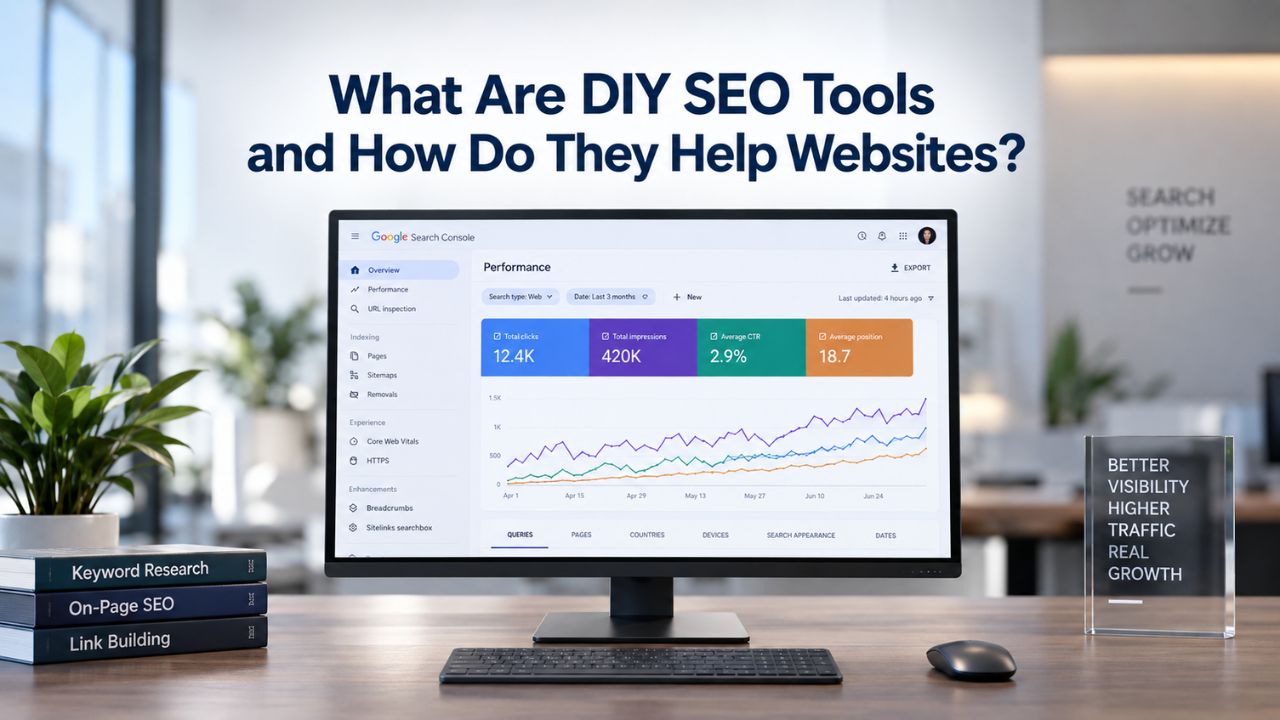
DIY SEO tools empower website owners to analyze, optimize, and monitor search performance independently. Rather than relying on expensive agency retainers or hiring in-house SEO specialists, these platforms democratize search optimization. They automate complex data collection and turn it into clear, actionable recommendations that any business owner can implement, without needing technical expertise.
Core Problems DIY SEO Tools Solve
Small business owners typically face three major barriers to effective SEO. First, hiring professional SEO experts requires significant financial investment that strains bootstrapped budgets. Second, learning SEO from scratch takes substantial time; most people spend 7 to 10 hours weekly just understanding the fundamentals. Third, without proper data and tracking, it’s easy to waste weeks optimizing pages for keywords nobody searches for, wasting effort and delaying growth.
DIY SEO tools solve each problem by reducing costs, automating time-consuming tasks, and providing real search data. Niya Digital’s DIY SEO tool integrates keyword research, technical audits, rank tracking, and competitor analysis into one unified workspace. This eliminates the need to juggle four separate platforms and login credentials. Instead of guessing at an optimization strategy, you make data-driven decisions grounded in real search behavior.
Niya Digital’s team has found that small business owners often underestimate how much data matters. Guessing at keywords or blindly applying optimization techniques almost always wastes effort and slows growth compared to strategies grounded in search volume metrics, keyword difficulty scores, and competitive landscape analysis.
What Counts as a DIY SEO Tool
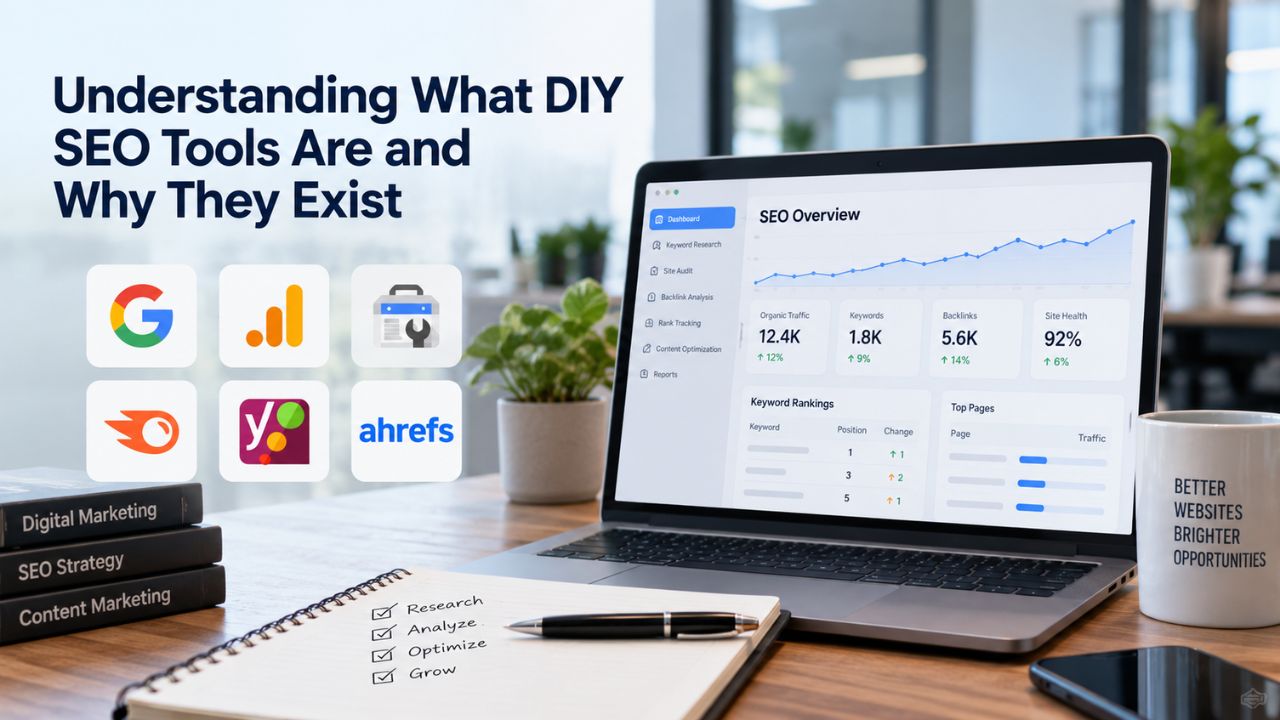
DIY SEO tools come in different configurations and styles. All-in-one platforms bundle keyword research, auditing, rank tracking, and competitor analysis into single dashboards. Specialized single-purpose tools focus on one task, perhaps only keyword research or only rank tracking, and let you combine them strategically. Many small businesses start with free tools provided by Google (Search Console, Analytics, Keyword Planner) and graduate to paid platforms once they outgrow limitations within 3 to 6 months.
The common thread across all these tools is the shift from manual guesswork to data-driven decision-making. Rather than assuming what keywords matter or hoping your technical fixes worked, these tools show you actual rankings, search volume, competitor strategies, and site health. For many business owners, this transparency alone justifies the investment in better tools.
Search Engine Optimization Plans & Pricing
Choose the right SEO plan for your website. Improve search engine visibility, discover relevant keywords, monitor rankings, and access customized optimization services to support your business growth.
Search Engine Optimization (SEO)
Bring more traffic to your website with Search Engine Optimization.
- Search Optimization: Improve search engine rankings with keyword and suggested topics tool
- Keyword suggestions: Get personalized phrases and words to add to increase traffic to your website and help it rank better.
- Tracking your ranking: Track the progress of your website’s rank on Google over time
- Create your sitemap: Customize, create and submit a site map to aid search engines in crawling your site.

Customized SEO Plan
Get Customized Plan For your Business Website SEO (Search Engine Optimization)
- On-Page & Off-Page Optimization: Update Meta Tags, Titles, Descriptions, Alt Tags, Schema / JSON-LD / Microdata Format, HTML + TXT + XML Sitemap, Robots.TXT, Google Analytics & Google Search Console integration
- Keyword Research & Analysis: Improve Keyword Effectiveness Index (KEI) with main heading & sub-heading tags, Content Review by professional content editor
- Competitor Research & Analysis: Compare and Compete with competitors search engine ranking positions, Track and analyse competitor trends
- Diversify Back Link Profile: Relevant Business Directory Submission, Article Submission, Blog Creation, Web 2.0 asset creations, Author Profile Links, Social Book Marking links
- Monthly Task Review & Progress Reporting: Get Monthly SERP Reports and Task Performance Reports
Why Small Business Owners Choose DIY SEO Over Hiring Agencies
The case for DIY SEO is fundamentally economic and strategic. While professional SEO agencies deliver results, they also demand significant ongoing investment. For businesses with limited budgets but founder bandwidth, DIY SEO can deliver meaningful results while preserving cash flow. If you have 10 to 15 hours a week to invest and a genuine interest in how search engines work, the math favors self-directed optimization.
Cost Comparison: DIY vs. Agency
Hiring an SEO agency represents a substantial monthly commitment that most startups and small businesses struggle to sustain long-term. Instead of paying for external expertise, DIY SEO trades money for your time and investment in tools. A functional DIY SEO tool stack remains affordable compared to agency retainers, making it accessible to bootstrapped founders and solopreneurs.
The financial advantage of DIY SEO extends beyond tool costs. You’re not paying markups or agency overhead. You’re buying direct access to data and automation. As you build skills over months, your return on tool investment compounds. Every hour spent learning SEO benefits your business directly and builds institutional knowledge that persists even if you later hire external help.
Control and Learning as Hidden Benefits
Beyond financial savings, DIY SEO gives you control and builds knowledge that agencies cannot provide. You’re not waiting for monthly reports; you’re monitoring progress in real time. You learn why certain keywords matter, understand how competitors structure their strategies, and discover which technical issues slow your site down. This knowledge compounds over time. You start making better content decisions, faster optimization choices, and more informed decisions about hiring external help.
Many business owners discover that learning SEO fundamentally changes how they understand their industry. You see search patterns that reveal what customers actually want, which problems they’re trying to solve, and where market opportunities exist. This strategic insight often proves more valuable than ranking improvements, informing product decisions, content strategy, and business development priorities.
What Happens When Small Businesses Skip DIY SEO Tools
Without proper tools and data, small business owners make avoidable, costly mistakes. Understanding common pitfalls clarifies why data-driven tools matter and what you gain by using them. These tools exist because small businesses repeatedly run into the same problems: creating content for keywords nobody searches for, missing technical issues that block search crawlers, and losing visibility to competitors without realizing it.
Common Pitfalls Without Data-Driven Guidance
The biggest mistake is guessing at keyword strategy. A business owner creates pages based on assumptions about what customers search for, only to discover that the content generates minimal organic traffic. Without keyword research tools showing search volume and competition levels, you might spend months optimizing pages for keywords with virtually no monthly searches while ignoring high-potential alternatives.
Long-tail keywords, specific, multi-word phrases, exemplify this problem. A phrase like “best affordable website redesign for contractors” might have only a few hundred monthly searches compared to 10,000+ for “website redesign.” Yet this long-tail phrase drives more qualified traffic because intent is narrower and competition is vastly lower. Most business owners ignore these opportunities because they don’t understand search volume or keyword difficulty metrics. Tools make these tradeoffs visible, preventing months of wasted effort.
Technical and On-Page Mistakes
Technical SEO issues silently kill visibility. Broken internal links, missing meta descriptions, slow page speed, poor mobile optimization, and indexing problems each signal to search engines that your site isn’t trustworthy or valuable. Without a technical audit tool, these issues go unnoticed until rankings mysteriously drop or traffic plateaus despite strong content. A comprehensive audit tool crawls your site systematically, flagging issues by priority so you fix what matters most first.
On-page optimization problems are equally costly and equally invisible without proper tools. Missing or poorly written meta descriptions reduce click-through rates from search results. Vague title tags weaken relevance signals. Forgotten image alt text misses optimization opportunities. Without guidance, even experienced marketers miss these details across dozens of pages. An audit tool identifies these issues, points you to the pages that need attention, and suggests specific improvements.
How DIY SEO Tools Work: The Workflow
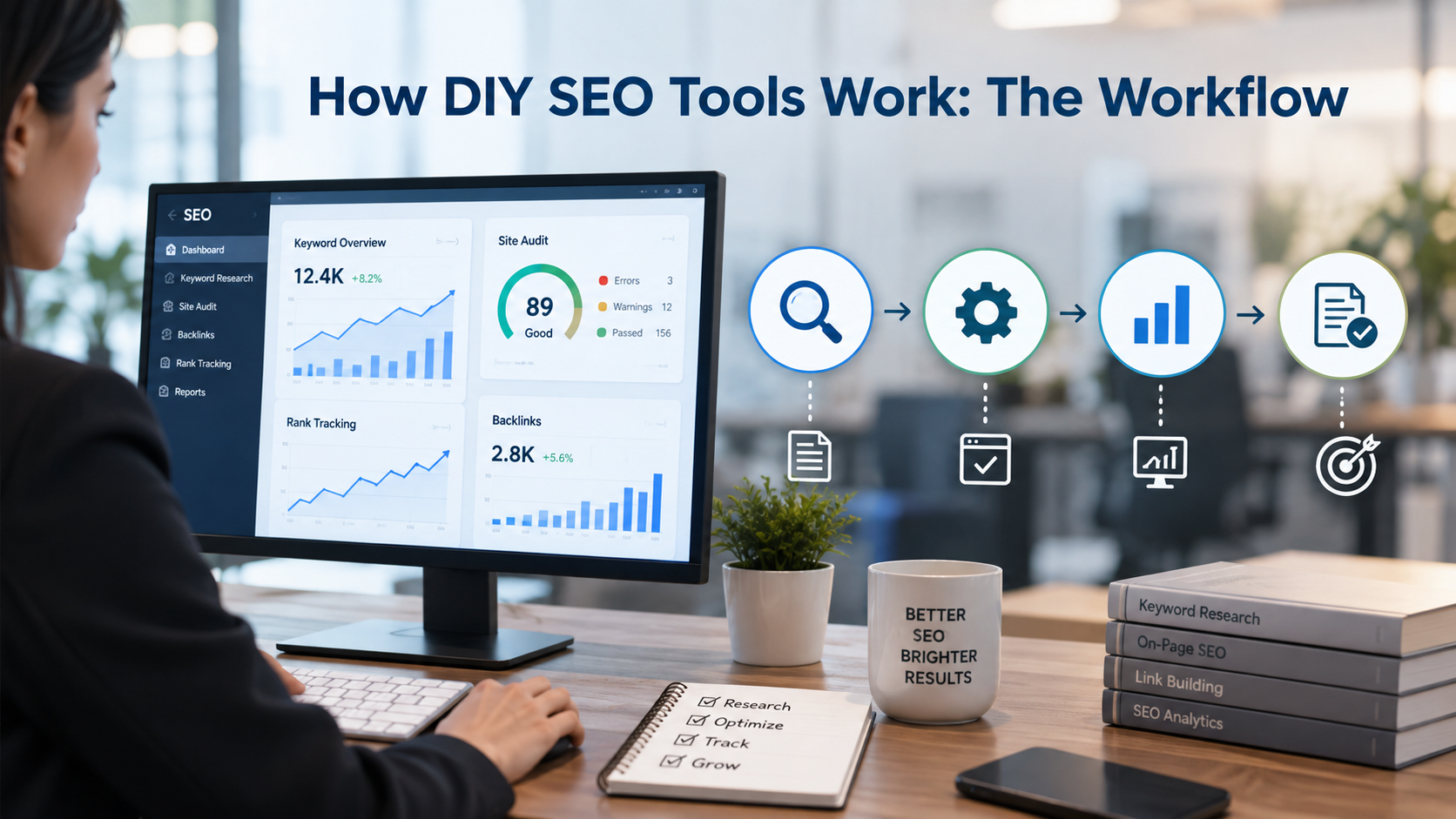
Using a DIY SEO tool involves a consistent workflow spanning research, auditing, optimization, tracking, and iteration. Understanding this workflow helps you see where tools add value and how to structure your efforts strategically. Most quality platforms guide users through these steps, but knowing the overall process prevents confusion and builds confidence as you move from setup to sustainable optimization.
The Setup and Onboarding Phase
Setup begins by adding your website to the tool and connecting integration points like Google Search Console and Google Analytics. These integrations grant the tool access to real search data from Google’s index, transforming estimates into actual performance metrics. You’ll choose your target location and language settings, then input seed keywords, core terms central to your business. The tool processes this initial data, identifying keyword opportunities, technical issues, rank tracking baselines, and competitor insights.
This one-time setup typically takes 1 to 2 hours but establishes your command center for months of ongoing work. You’ll run your first technical audit and discover issues categorized by severity and impact. You’ll review keyword opportunities ranked by search volume and competition level. You’ll see where competitors rank and which keywords drive their traffic. By week one, you have a complete snapshot of your current position and clear visibility into opportunities ahead.
Ongoing Monthly Tasks and Measurement
Once launched, you establish a sustainable rhythm of weekly and monthly tasks. Each week, you might spend 30 minutes to an hour reviewing rank changes for tracked keywords and noting which positions improved or declined. Each month, you run fresh audits to identify new technical issues or confirm that previous fixes remain in place. You review keyword research reports and identify new content opportunities aligned with your business goals.
Content planning and optimization consume the largest portion of your ongoing effort. You identify priority keywords to target with new content or updates to existing pages. You optimize pages by naturally incorporating target keywords, improving page structure and readability, and ensuring technical elements are properly configured. You might spend 3 to 5 hours weekly on these activities, depending on your business size and content volume. As you implement changes, the tool tracks ranking improvements and provides feedback to guide your next steps.
Key Features to Look For When Choosing a DIY SEO Tool
Not all DIY SEO tools are equal. Some specialize in WordPress site optimization; others work across any website architecture. Some emphasize keyword research capabilities; others prioritize technical auditing or local SEO features. Choosing wisely means understanding your business needs and which tools deliver the features that matter most to your goals.
Must-Have Capabilities
At minimum, your tool should offer keyword research with accurate search volume metrics and keyword difficulty scoring. These metrics guide which keywords to target and show which opportunities are realistic given your current domain authority. Your tool must include website crawling for technical audits, systematically examining your site’s structure, configuration, and performance to flag issues that block search engine crawlers or prevent proper indexing. Rank tracking is essential, monitoring how your target keywords perform in search results over time and showing whether your optimization efforts move the needle.
Competitor analysis rounds out core capabilities, showing where competitors rank and which keywords drive their traffic. This competitive intelligence reveals gaps in your strategy and untapped opportunities. Google’s free tools, Search Console and Google Analytics, provide baseline data showing your actual search performance. However, they don’t offer competitive analysis or predictive difficulty scoring. A comprehensive DIY SEO tool bundles these capabilities into one interface, eliminating the friction of logging into multiple platforms and manually cross-referencing data.
Niya Digital’s DIY SEO tool integrates keyword research, technical audits, rank tracking, and competitor analysis, enabling users to build complete SEO strategies without switching between separate tools. This unified approach simplifies onboarding, reduces the learning curve, and makes consistent SEO practice more achievable for time-pressed business owners.
Ease of Use and Support
Beginner-friendly tools matter tremendously. A platform that requires advanced technical knowledge or deep SEO expertise is useless to solopreneurs without formal marketing backgrounds. Look for tools with intuitive dashboards that highlight what matters most, built-in tutorials that guide first-time users, and responsive support when you have questions or run into issues. A tool’s reporting capabilities matter too: the ability to generate monthly reports you can share with stakeholders, archive for records, or use to celebrate progress with your team.
Integration capabilities extend usefulness significantly. Does the tool connect with Google Analytics, Google Search Console, your CMS platform, and other systems you already use? Fewer logins mean less friction. Better integrations mean richer data and smoother workflows. Customer support quality becomes crucial when learning a new platform. Responsive support teams, comprehensive documentation, community forums, and training resources separate great tools from frustrating ones.
Understanding DIY SEO Tool Categories and Implementation Approaches
| Tool Category | Best For | Core Features | Learning Curve | Ideal Timeline |
|---|---|---|---|---|
| Free Tier Tools | Complete beginners, tight budgets | Basic keyword insights, Google Analytics integration, rank tracking (limited) | Low, familiar interfaces | 0–3 months learning |
| Budget All-in-One Platforms | Solopreneurs, small agencies | Keyword research, site audits, rank tracking, basic competitor data | Medium, new interface to learn | 1–3 months to proficiency |
| Mid-Tier Comprehensive Tools | Growing teams, 5–50 clients | Full keyword research, unlimited rank tracking, complete audits, competitive analysis | Medium-High, depth requires learning | 2–4 months to mastery |
| Enterprise/Agency Platforms | Large teams, 50+ accounts | Unlimited everything, white-label options, API access, dedicated support | High, complex feature set | 3–6 months to optimization |
| Specialized Single-Purpose Tools | Users wanting best-of-breed | Deep expertise in one area (keywords, rank tracking, audits, or analysis) | Low per tool, High overall | 1–2 months per tool |
Ready to Take Control of Your SEO?
Niya Digital’s DIY SEO tool combines keyword research, technical audits, rank tracking, and competitor analysis in one unified workspace. Whether you’re a solopreneur, growing agency, or small business team, proper tools put data-driven SEO in your hands, without the overhead costs of traditional agencies.
Realistic Time Investment and Learning Curve
DIY SEO works only if you commit consistent time. Budget 7 to 20 hours weekly, depending on your tool’s complexity and your baseline SEO knowledge. New users often underestimate the learning curve during early months; experienced marketers sometimes overestimate how quickly results arrive. Realistic timelines prevent disappointment and keep you committed through the necessary foundation-building phase.
First Months: Learning and Foundation Building
Month one focuses on learning and setup. You’ll watch platform tutorials, connect integrations, define target keywords, and run initial audits. You’ll likely make mistakes, such as targeting keywords that are too competitive or missing obvious optimization opportunities. This is normal. Your first month typically demands 15 to 20 hours as you steep yourself in how your tool works and what your competitive landscape looks like.
By month two, you’ve internalized basic workflows. The time required drops to 10 to 15 hours weekly as you shift from setup exploration to active optimization. You start recognizing patterns in your data. You gain confidence interpreting reports and deciding which changes to prioritize. Your learning curve flattens, and hands-on work accelerates. You’re no longer figuring out how to use your tool; you’re using it to improve your SEO.
After Month 3: Sustainable Rhythms and Early Results
After three months, you’ve established a sustainable rhythm. Perhaps you spend 2 to 3 hours weekly on rank tracking and technical audits, plus 3 to 5 hours on content research and page optimization. You might start seeing early ranking improvements for long-tail keywords or observe positive impacts from technical fixes you implemented. These early wins fuel motivation and validate your approach. The key is consistency. SEO compounds over months; small optimizations add up to meaningful traffic growth.
If you drop to zero effort, your ranking gains plateau or decline. If you maintain 7 to 10 hours weekly, most DIY SEO tools show measurable progress by month 6 to 12. This consistency matters more than perfection. Small, regular improvements compound into substantial results. A business owner optimizing one page per week, fixing one technical issue per week, and tracking results consistently will outperform someone who sporadically makes major changes and then disappears.
Common DIY SEO Mistakes and How Tools Prevent Them
Even with tools, predictable errors derail progress. Understanding the most common pitfalls, and how tools guard against them, helps you avoid months of wasted effort. These mistakes repeat so consistently that tools are designed to flag and prevent them.
Keyword Research Pitfalls
Targeting only high-competition keywords is a classic mistake. Large brands have resources to dominate terms like “best SEO tools,” high-volume phrases with intense competition. A solo practitioner will rank for that keyword eventually, but it could take years of effort. Instead, balance high-volume terms with long-tail alternatives. Your keyword tool shows realistic difficulty scores, helping you target keywords you can actually rank for within 3 to 6 months.
Keyword cannibalization, accidentally targeting the same keyword across multiple pages, is another trap. Your tool shows which keywords you’re tracking and which pages rank for them, preventing unintentional overlap. Ignoring search intent is equally costly. If someone searches “how to do SEO audit,” they want a step-by-step guide, not a sales pitch for an audit tool. Keyword tools often include intent categories (informational, commercial, transactional), helping you match content to what people actually want.
Technical and On-Page Oversights
Poor on-page SEO is rampant among DIY practitioners. Missing meta descriptions, vague title tags, and forgotten image alt text each represent a missed opportunity. A technical audit tool flags each issue with clarity, showing you that perhaps 47 pages are missing meta descriptions or 12 pages have duplicate titles. Fixing these issues takes hours but can meaningfully improve click-through rates from search results and strengthen relevance signals.
Broken internal links and redirect chains silently hurt crawlability. Without a tool, you might never know you have 404 errors blocking important pages. A crawler finds these instantly, showing exact URLs and severity. Mobile optimization is equally critical yet often overlooked. Search engines now prioritize mobile-first indexing, meaning your site’s mobile experience directly impacts rankings. A tool that tests mobile responsiveness and flags issues is non-negotiable in 2024.
Common DIY SEO Implementation Mistakes and Prevention Strategies
| Common Mistake | Why It Happens | Business Impact | How DIY Tools Prevent It | Typical Fix Timeline |
|---|---|---|---|---|
| Targeting only high-volume keywords | Assumption that more searches equal better opportunity | Months wasted competing for unrealistic keywords | Keyword difficulty scoring shows realistic targets | 1–2 weeks (pivot strategy) |
| Keyword cannibalization | Unintentionally optimizing multiple pages for same keyword | Rankings split across pages; no single page dominates | Tool shows which pages rank for which keywords | 2–4 hours (consolidate/redirect) |
| Ignoring search intent mismatch | Misunderstanding why people search for a keyword | Content doesn’t answer user questions; no conversions | Tool categorizes intent (informational vs. commercial) | 3–5 hours per page (rewrite) |
| Poor on-page SEO elements | Not knowing which elements search engines prioritize | Pages rank lower despite good content | Technical audit flags missing titles, descriptions, alt text | 2–8 hours (batch fixes) |
| Slow page speed and Core Web Vitals | Neglecting mobile and desktop load time testing | Users bounce; search engines deprioritize slow sites | Audit tests Core Web Vitals; identifies optimization targets | 4–20 hours (depends on fixes) |
| Broken internal links and redirects | Manual site maintenance gaps go unnoticed | Crawlers can’t reach some pages; rankings suffer | Crawl audit finds 404 errors and redirect chains instantly | 1–2 hours (fix technical issues) |
| No consistent rank tracking | Guessing whether SEO efforts work | Losing motivation from uncertainty; missing early wins | Rank tracker monitors keywords daily/weekly; reveals trends | Ongoing (prevents this mistake) |
Measuring DIY SEO Success: Tracking Progress Over Time
SEO results aren’t instant. Initial improvements appear in 3 to 6 months; significant ROI typically takes 6 to 12 months. Without consistent tracking, it’s easy to lose faith or miss early wins entirely. A rank tracking tool turns uncertainty into clarity, showing whether your efforts move the needle.
Essential Metrics to Monitor
Track your target keyword rankings weekly or daily. Are you moving up, down, or staying in place? A good rank tracker shows position history over months, revealing trends that daily fluctuations obscure. Monitor organic traffic in Google Analytics. Is organic traffic to your site growing month over month? Track keyword rankings by category (branded keywords, product keywords, informational keywords) to see which content pillars perform well and deserve additional investment.
Monitor your domain’s overall authority, which reflects how search engines perceive your site’s credibility and trustworthiness. Most tools show authority metrics that typically climb as you build quality content and earn backlinks from authoritative sources. Track which pages rank for your top keywords and contribute most to overall organic traffic. This helps you double down on what works and identify underperforming content needing updates or restructuring.
Setting Realistic Milestones and Timelines
Expect initial results, ranking improvements for low-competition keywords, in 3 to 6 months of consistent effort. Significant gains (top 10 rankings for moderate-competition keywords) typically arrive in 6 to 12 months. After one year of sustained work, you’ll have moved the needle on dozens of keywords. Organic traffic will likely be 50% to 100%+ higher than your starting point, though exact improvement depends on starting position, business type, and effort consistency.
Set quarterly milestones to maintain motivation. By month 3, you should see early rankings for long-tail keywords and measurable improvements in site technical health. By month 6, you should see meaningful traffic increases and growing visibility for your core keyword targets. By month 12, you should be seeing ROI that justifies your tool investment and time commitment. Tracking these milestones in your tool keeps motivation high during the long middle months when progress feels slow or incremental.
Budget-Friendly Tool Strategies for Solopreneurs and Startups
Not every business can afford premium enterprise tools. Solopreneurs and early-stage startups need affordable alternatives without sacrificing core functionality or data quality. Smart tool selection and strategic layering let you build powerful capabilities on a constrained budget.

Free and Freemium Tool Stacking
Start with Google’s free tools: Search Console (showing your actual search performance data), Google Analytics (showing traffic and user behavior), and Google Keyword Planner (rough search volume estimates). These three are genuinely free and genuinely useful for many basic needs. They won’t give you competitive analysis or precise keyword difficulty scores, but they’ll answer core questions: Is my site properly indexed? How much organic traffic am I receiving? What keywords do people use to find my site?
Use these free tools for your first three months while you learn SEO fundamentals. This approach costs nothing but requires time to learn. If you find you need more precision, competitive intelligence, or advanced features, then graduate to paid tools once you’ve proven that DIY SEO can work for your business. A strategic “freemium stack” that starts with Google tools and adds a single affordable all-in-one platform often serves small businesses better than piecing together multiple specialized tools.
Niya Digital’s DIY SEO tool offers an integrated all-in-one approach, bundling keyword research, audits, rank tracking, and competitor analysis. This eliminates the complexity of connecting five separate accounts while delivering comprehensive capabilities. The choice depends on whether you prefer one integrated dashboard or the flexibility of mixing specialized best-of-breed tools.
When to Upgrade and Why
Most businesses outgrow free tools within 3 to 6 months when they realize they need exact keyword difficulty scores and consistent rank tracking to make informed decisions. Once you’ve proven that DIY SEO delivers results (you’ve seen ranking improvements and traffic gains), upgrading to better tools typically pays for itself within weeks. The time you save by not manually checking rankings or guessing at keyword difficulty returns far more value than tool investment.
Upgrade timing matters. Upgrading too early, before you’ve committed to consistent SEO effort, wastes money. Upgrading too late means you’re handicapped by limited data when you’re ready to accelerate. The sweet spot is after your first 3 months, once you know whether DIY SEO works for your business and you’re confident you can sustain the effort.
Getting Started with Your First DIY SEO Tool
Starting with a DIY SEO tool can feel overwhelming, but the process is straightforward. Taking it step by step removes paralysis and builds momentum. Most tools provide guided onboarding, making the first week feel less daunting.
Your First Week: Setup and Exploration
Week one is setup and exploration. Add your website to your tool and connect Google Search Console, authenticate ownership, and import real search data. Connect Google Analytics if available. Choose 10 to 20 seed keywords central to your business, terms you’d genuinely want to rank for. Spend several hours exploring your tool’s dashboard: run a technical audit to see what issues exist, check keyword opportunities, and see where competitors rank for similar terms.
This exploration takes 5 to 10 hours but teaches you what the tool can do and where your biggest opportunities lie. You’ll likely feel overwhelmed by the volume of data and potential improvements. That’s normal. You’re seeing, perhaps for the first time, the complete technical and strategic picture of your website. This clarity is valuable; it shows you’re no longer guessing but working from data.
Your First Month: Planning and Quick Wins
Month one is about quick wins and strategic planning. Your audit will flag easy, high-impact fixes: adding missing meta descriptions, fixing broken links, optimizing your homepage for mobile responsiveness. Tackle these before worrying about content creation. They often take only a few hours but can meaningfully improve crawlability, user experience, and click-through rates from search results.
In week two, compile a priority list of keywords to target over the next three months. Focus on long-tail keywords with realistic search volume and moderate competition; these are achievable targets for businesses building SEO from scratch. By month-end, you’ll have a sense of your baseline (where you stand now) and a clear roadmap (where you’re headed). This clarity alone turns DIY SEO from daunting to achievable. From month two onward, you’re iterating, tracking progress, fixing issues, and building content aligned with your keyword research.
Ready to Accelerate Your Search Visibility?
Once you understand how DIY SEO tools work and what they unlock, the decision becomes clear: invest in your own SEO strategy or outsource it. Niya Digital’s DIY SEO tool empowers you to research keywords, audit your site, track progress, and analyze competitors without paying agency retainers. Start with a clear strategy, invest consistent effort, and let data guide your growth.
Frequently Asked Questions
How long does it take to see results from DIY SEO?
Initial results typically appear in 3 to 6 months, with significant ROI in 6 to 12 months. Timeline depends on your starting position (domain age and authority), keyword competitiveness, and consistency of effort. Long-tail keywords often rank faster than competitive head terms. Some businesses see early wins in 4 to 6 weeks after fixing technical issues; others need 12+ months for competitive keywords in saturated industries.
Can I really do SEO myself without hiring an expert?
Yes, absolutely. DIY SEO is viable if you invest 7 to 20 hours a week and use the right tools. You won’t match a full-time specialist’s output, but small business owners with consistent effort typically achieve meaningful results within 6 to 12 months. Start with free tools and learn fundamentals, then upgrade to a paid DIY tool once you’ve proven you can commit time consistently.
What’s the difference between DIY SEO tools and hiring an agency?
DIY SEO requires investment in tools and your personal time; agencies require substantial monthly retainers. DIY gives you control and learning; agencies provide expertise and handle all work. If your time is valuable and you have limited bandwidth, an agency may be a better fit. If you have time to invest and want to learn, DIY SEO typically delivers strong returns.
Which DIY SEO tool should I start with?
Start with free tools (Google Search Console, Google Analytics, Google Keyword Planner) for three months to learn the basics. If you’re committed to DIY SEO, upgrade to an affordable paid tool. Alternatively, consider an integrated all-in-one platform like Niya Digital’s DIY SEO tool that bundles keyword research, audits, rank tracking, and competitor analysis, eliminating the need to connect multiple separate platforms.
Do I need premium SEO tools, or are free tools enough?
Free tools are excellent starting points. Google Search Console shows real search performance; Google Analytics shows traffic and behavior; Google Keyword Planner gives volume estimates. They lack competitive analysis and precise difficulty scoring, limiting strategic depth. Most businesses benefit from paid tools after 3 to 6 months once they’ve proven DIY SEO works.
How many hours per week does DIY SEO actually take?
Expect 7 to 20 hours weekly depending on tool complexity and experience. Month one is heaviest (15–20 hours for setup and learning). Months 2–3 average 10–15 hours as you shift to routine optimization. By month 4+, you settle into 8–12 hours weekly for rank tracking, audits, content research, and optimization. Add 5–10 hours if you’re writing blog posts or web pages.
What’s the ROI of a DIY SEO tool investment?
A DIY tool typically pays for itself within weeks if it prevents wasted effort on low-value keywords or saves you 5+ hours weekly of manual work. Over 12 months, if your tool-assisted SEO generates even one or two extra qualified leads monthly, ROI is positive. If the tool helps you rank for keywords that consistently drive customers, ROI becomes exponential.
Can I use multiple DIY tools together, or should I stick to one?
Both approaches work. One all-in-one tool simplifies onboarding and reduces the learning curve. Multiple specialized tools give best-of-breed features for each task but require integration work and context-switching. Most solopreneurs prefer one integrated tool. Larger teams often use multiple tools for deeper keyword research, rank tracking, or competitor analysis.
What if I don’t see results after 6 months of DIY SEO effort?
If you’re not seeing results after 6 months, audit your strategy. Are you ranking for the right keywords? Is your content competitive with top 10 results? Have you fixed technical issues? Are you targeting keywords with enough search volume? Most stalled efforts suffer from wrong keywords, weak content, or overlooked technical issues. A DIY tool can help you diagnose the problem.
Is DIY SEO suitable for competitive industries like legal, finance, or health?
DIY SEO in competitive industries is harder but not impossible. Instead of targeting head terms, focus on long-tail keywords specific to your expertise or location. Competitive industries require longer timelines (12–24 months) and higher-quality content. DIY SEO works if you’re patient and willing to build authority over time. For ultra-competitive keywords, a hybrid approach combining DIY effort with external help may accelerate results.
How do I know if my DIY SEO tool is giving me accurate data?
Verify tool data against Google’s free sources. Compare keyword difficulty scores with actual SERP difficulty. Compare tool rank positions with manual spot-checks. Rank checkers simulate Google searches and report positions; cross-check a few keywords manually. Search volume estimates are always approximate (tools use historical data and projections), so expect variance. Trust trending data and patterns more than single-point numbers.
What’s the learning curve for a DIY SEO tool?
Most DIY SEO tools have gentle learning curves. Setup (connecting your website, defining keywords) takes 2–4 hours. Understanding your dashboard and core reports takes another 5–10 hours over the first month. Seeing results, ranking changes, and traffic improvements takes 3–6 months of consistent effort. Many tools include tutorials, webinars, and support documentation. If you’re comfortable with Google Analytics or spreadsheets, most DIY SEO tools feel approachable within your first week.
Should I hire an SEO expert to help me get started?
A consultant can accelerate your learning and help you avoid expensive mistakes. However, you can learn basic DIY SEO through free tutorials and tool documentation. If you’re budget-constrained, start solo. If you’re time-constrained or managing multiple projects, hiring expert guidance for your first month can be worthwhile, paying for strategy help rather than ongoing execution.
How do I prioritize improvements when my audit flags hundreds of issues?
Focus ruthlessly on high-impact, low-effort fixes first. Technical issues affecting many pages (missing meta descriptions, broken links) matter more than single-page optimizations. Mobile responsiveness and page speed affect user experience and rankings. Canonical issues and crawlability problems are critical. Leave perfectionist tweaks (changing heading levels, minor wording adjustments) until you’ve addressed foundational issues.
What happens if my rankings drop suddenly after I make changes?
Ranking fluctuations are normal and temporary. Google’s algorithm updates, competitor activity, and seasonal changes all affect rankings. After making changes, wait 2–4 weeks before assessing impact. If drops persist beyond a month, investigate whether your changes inadvertently caused issues (perhaps an accidental redirect or meta robots tag). Your tool should show exactly when changes occurred, helping you correlate rankings with your actions.
Glossary
- Keyword Difficulty: A metric (typically 0–100) estimating how hard it is to rank for a specific keyword based on the authority of competing pages. Greater difficulty means more established, authoritative sites rank for that term, making it harder for newer or smaller sites to rank.
- Long-Tail Keywords: Longer, more specific keyword phrases (usually 3+ words) like “affordable digital marketing for contractors” versus generic “digital marketing.” Long-tail keywords typically have lower search volume but less competition and higher conversion intent, making them ideal for businesses building SEO from scratch.
- Search Intent: The underlying reason or goal behind a user’s search query. Common types include informational (searching to learn), commercial (researching options), navigational (finding a specific site), and transactional (ready to buy). Content should match the intent of keywords you target.
- SERP: Abbreviation for Search Engine Results Page, the list of results returned by a search engine when a user enters a query. “Ranking on page one of the SERP” means your site appears in the top 10 results.
- Technical SEO: The practice of optimizing your website’s technical infrastructure (speed, mobile responsiveness, crawlability, indexability, security) so search engines can easily discover, crawl, render, and index your pages.
- Core Web Vitals: Google’s metrics for measuring page experience: Largest Contentful Paint (loading speed), First Input Delay (interactivity), and Cumulative Layout Shift (visual stability). Sites with poor Core Web Vitals typically rank lower than competitors with fast, stable pages.
- Backlinks: Links from other websites pointing to your site. Quality backlinks from authoritative, topically-relevant sites signal to search engines that your content is trustworthy and valuable, boosting your authority and rankings.
- Domain Authority: A metric (0–100) predicting how well a domain will rank in search results. Authority builds over time through quality content, backlinks from authoritative sources, and consistent brand presence.