Understanding Email Platforms for Business
Selecting an email provider is more complex than it appears. Both platforms deliver professional email under your custom domain, but their philosophies differ. Titan Email focuses exclusively on email management, treating it as a complete solution. Microsoft 365 positions email as the entry point to a larger ecosystem of productivity, collaboration, and business tools. Understanding this distinction is the first step toward making a decision that won’t require costly changes in six months.
Email-Only Versus Integrated Productivity
Titan Email is purpose-built for businesses whose primary communication vehicle is email. It includes email templates, read receipts, follow-up reminders, and contact management, tools specifically designed to help professionals send, track, and organize high-volume client communication. For a solo consultant, freelancer, or small agency managing client relationships almost entirely through email, these features are deeply useful.
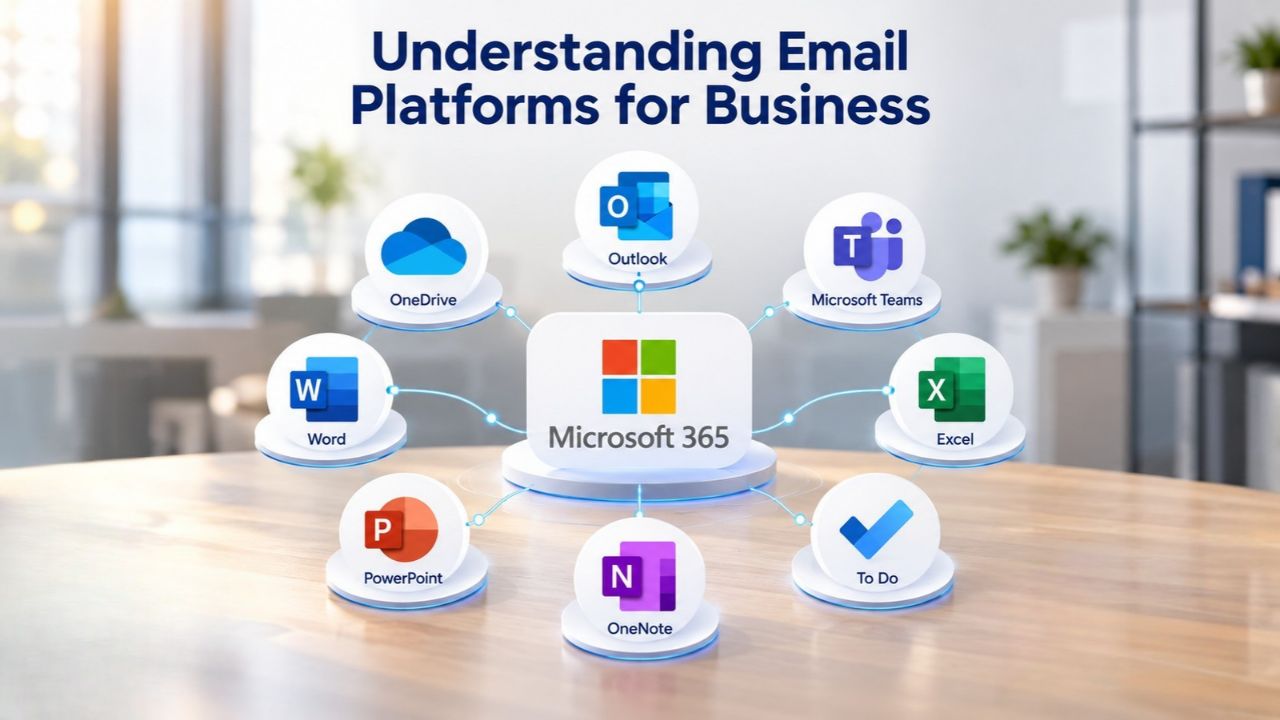
Microsoft 365 treats email (via Exchange Online) as one component within a broader productivity suite. It includes Word, Excel, PowerPoint, Teams, OneDrive, and SharePoint alongside email. If your team spends half the day composing emails and half drafting proposals in Word, collaborating on spreadsheets, or holding video meetings with clients, the integrated approach prevents workflow fragmentation. You stay in one ecosystem instead of switching between multiple platforms.
Feature Depth Across Plan Tiers
Both platforms offer multiple plan levels to match different business sizes and needs. Titan Email provides graduated storage and feature access (from 10 GB to 100 GB per account across tiers), with higher tiers adding unlimited templates, contact groups, and advanced security. Microsoft 365 Business plans similarly scale from basic web-only office access to full desktop applications, with security and device management features in premium tiers.
Niya Digital’s team has found that businesses often overlook how much email-specific functionality matters until they’re handling dozens of daily conversations. Read receipts, templates, and follow-up reminders become critical infrastructure when your business runs on customer communication. Conversely, businesses that rarely use email for external communication but constantly co-edit documents often see those features as secondary to the collaboration tools built into Microsoft 365.
Microsoft 365 Plans & Pricing
Find the Microsoft 365 plan that fits your needs, whether you're using it at home, with your family, or for your business. With a range of plans designed for different budgets and requirements, you can enjoy the tools you need to stay productive, connected, and protected.
Microsoft 365 Email Essentials
Professional email with 10GB of email storage.
- Professional email using your domain name
- 10GB storage for email, contacts & calendar
- Sync across all devices
- Shared online calendars
- Up to 400 email aliases

Microsoft 365 Email Plus
Professional email with 50GB of email storage.
- Professional email using your domain name
- 50GB storage for email, contacts & calendar
- Sync across all devices
- Shared online calendars
- Up to 400 email aliases
Microsoft 365 Online Business Essentials
Office web apps & professional email.
- Office apps (online only)
- 1TB OneDrive storage
- Unlimited online meetings & HD video
- Professional email using your domain
- 50GB email storage
- Sync across all devices
Microsoft 365 Business Professional
Office apps on 5 devices, web apps & professional email.
- Office apps installed on up to 5 devices
- Office web apps
- 1TB OneDrive storage
- Business apps included
- Professional email using your domain
- 50GB email storage
Email Storage and Core Features
Both platforms deliver reliable custom domain business email with storage, calendar, and contact management. The differences lie in capacity, advanced features, and how tightly integrated email is with other business functions.
Storage Capacity and Email Tools
Microsoft 365 Business Basic provides 50 GB of Exchange Online mailbox storage per user, sufficient for years of typical business correspondence, including some attachments. Calendar and contacts are native to Outlook, and all users access email through either web, desktop Outlook, or mobile applications. Titan Email Business Pro offers 10 GB per account, while Titan Email Business Premium provides 50 GB, bringing storage to parity with Microsoft 365’s entry level.
From a pure storage perspective, both platforms handle normal business email volumes without requiring archival or cleanup for several years. The distinction emerges when users regularly send or receive large files, documents, or presentations through email. A design agency or media company may find 50 GB limiting; a professional services firm handling mostly text-based communication typically never approaches the limit.
Built-in Productivity and Management Features
Titan Email distinguishes itself through email-native tools: unlimited email templates on premium plans, advanced anti-spam and anti-virus protection, email scheduling, and contact group management within the interface. These features streamline repetitive communication, particularly for businesses sending similar emails to multiple recipients or managing large contact databases. The “undo send” feature, available across all tiers, is a small but genuine safety net in fast-paced email communication.
Microsoft 365 includes these basics but emphasizes them differently. The platform assumes you’ll compose email in Outlook (desktop or web) using broader Office features, templates stored in Word, contact lists synced across Teams and Outlook, and signatures tied to your organizational directory. If you’re a team of 20 with a centralized HR and IT department managing branding and templates, this integration is an advantage. If you’re a solo business managing your own email templates and branding, Titan’s email-focused approach feels more immediate.
| Feature | Microsoft 365 Basic | Titan Email Pro | Titan Email Premium |
|---|---|---|---|
| Email Storage | 50 GB mailbox | 10 GB mailbox | 50 GB mailbox |
| Calendar & Contacts | Included | Included | Included |
| Email Templates | Basic templates | 1 template | Unlimited templates |
| Read Receipts | Built-in | 10 per month | Unlimited |
| Mobile Apps | iOS & Android | iOS & Android | iOS & Android |
| Desktop Client | Microsoft Outlook | Optional third-party email clients | Optional third-party email clients |
| Advanced Anti-Spam | ✓ Included | ✓ Included | ✓ Included |
| Two-Factor Authentication (2FA) | ✓ Included | ✗ Not available | ✓ Included |
| Undo Send | ✓ Included | ✓ Included | ✓ Included |
| Contact Groups | ✓ Included | Limited | Unlimited |
Collaboration and Integration
These platforms diverge most sharply in collaboration. One treats email as the complete solution; the other views it as the foundation for broader teamwork.
Team Communication and Unified Messaging
Microsoft 365 includes Microsoft Teams, a unified communication platform combining chat, file sharing, video meetings, and persistent conversation threads. Your entire team can discuss a project in Teams, reference shared documents, and hold video calls without leaving the platform or fragmenting conversations across email threads. For distributed teams, remote workers, or businesses holding frequent client video calls, Teams becomes the central nervous system of daily work.
Titan Email does not include team chat, video meetings, or a unified communication platform. For a solo freelancer or small team whose primary external communication is email with occasional phone calls, this absence doesn’t matter. For a growing team (8+ people) where internal coordination needs become as important as external communication, the lack of integrated chat creates friction. You’d add Slack, Microsoft Teams, or another platform separately, increasing tool sprawl and integration complexity.
Document Collaboration and Shared Workspace
Microsoft 365 includes OneDrive (1 TB per user for personal file storage) and SharePoint (team sites for collaborative document management). Multiple people can edit a Word document, Excel spreadsheet, or PowerPoint presentation simultaneously, with changes syncing in real time. Comments and version history are built in. These capabilities are foundational for professional work involving any shared documentation.
Titan Email provides email and calendar; it does not provide document storage, co-authoring, or file management. Businesses using Titan Email rely on external services like Google Drive, Dropbox, or OneDrive for shared documents. This isn’t inherently bad for a small business. Still, it means your email data, document data, and communication history live in separate ecosystems, making information retrieval and team collaboration more complex.
Custom Domain Setup and Email Configuration
Both platforms enable you to use your company domain for professional email. The configuration process is similar, but support quality and documentation clarity differ.
Domain Verification and Record Configuration
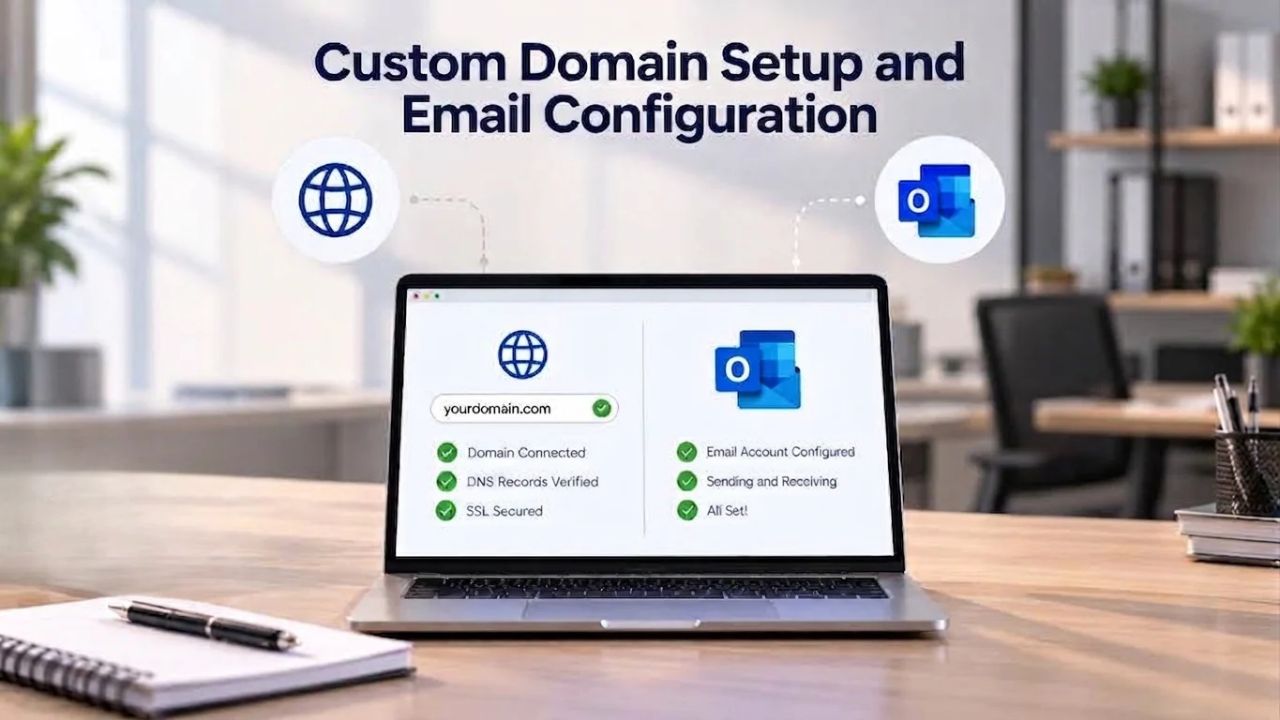
To add a custom domain to either platform, you verify ownership through DNS records and update your MX (mail exchange) record to direct incoming email to the correct mail server. Microsoft’s official setup guide provides step-by-step instructions for domain verification, DNS configuration, and SPF/DKIM/DMARC authentication protocol setup.
Titan Email supports custom domains; documentation is primarily available through reseller partners rather than Titan’s own website. If you’re familiar with DNS management from previous domain work, the process is routine. If this is your first time configuring email infrastructure, having comprehensive official documentation (as Microsoft provides) significantly reduces the risk of misconfiguration.
DNS Records and Email Authentication
Both platforms require standard email authentication records: MX records (to direct mail to the right server), SPF records (to prevent domain spoofing), DKIM records (to digitally sign your emails), and DMARC records (to define policies for failed authentication). Microsoft’s compliance and authentication documentation details these requirements; Titan’s setup is similar but less prominently documented in primary sources.
The key difference surfaces when something goes wrong. If your DNS changes aren’t propagating or email isn’t flowing after domain configuration, support quality becomes critical. Microsoft 365 offers tiered support by plan; Titan Email provides 24/7 technical support across all plans. For a business with no IT staff, Titan’s round-the-clock availability can be invaluable. For an organization with internal IT support, Microsoft’s knowledge base and broader IT ecosystem often suffice.
Security, Encryption, and Compliance Posture
Both platforms protect data through encryption, but their regulatory readiness and compliance documentation differ significantly.
Encryption and Multi-Factor Authentication
Microsoft 365 encrypts data in transit using Transport Layer Security (TLS) and at rest using BitLocker. Multi-factor authentication (MFA) is available as a standard feature, requiring users to provide a second form of verification (authenticator app, text message, or security key) before accessing accounts. This significantly reduces the risk of unauthorized access even if a password is compromised.
Titan Email includes basic encryption and anti-virus protection across all plans, with two-factor authentication available on premium plans. User reviews on Trustpilot consistently praise Titan’s responsiveness to phishing attempts and domain-spoofing incidents, suggesting the team takes security seriously. However, Titan’s security documentation is less extensive, and it does not prominently publish independent security certifications.
Regulatory Compliance and Certification
Microsoft 365 is certified for major regulatory frameworks including GDPR (Europe), HIPAA (healthcare), SOC 2 (security audits), and ISO 27001 (information security management). These certifications are well-documented and publicly available. If you handle customer data subject to GDPR, medical records subject to HIPAA, or operate in a heavily regulated industry, Microsoft 365’s compliance certifications are often required, not optional.
Titan Email’s compliance posture is less clearly defined in public sources. Basic encryption and standard email security features address general data protection needs, but formal compliance certifications (GDPR, HIPAA, SOC 2) are not prominently advertised. For a small business handling routine client emails and basic business information, this gap is irrelevant. For an agency managing sensitive client data or a healthcare practice handling patient information, Microsoft 365’s documented compliance is essential.
| Security Feature | Microsoft 365 | Titan Email | Notes |
|---|---|---|---|
| Data Encryption (in transit) | TLS encryption | ✓ TLS encryption | Both platforms use industry-standard encryption for email transmission. |
| Data Encryption (at rest) | BitLocker and service-level encryption | ✓ Data encrypted at rest | Both platforms protect stored mailbox data from unauthorized access. |
| Multi-Factor Authentication (MFA) | ✓ Included with all plans | ✓ Available with Premium plan | Microsoft includes MFA across all business plans, while Titan limits it to Premium. |
| GDPR Compliance | ✓ Documented compliance | Not prominently documented | Important for organizations handling personal data within the European Union. |
| HIPAA Support | ✓ Documented compliance capabilities | Not prominently documented | Relevant for healthcare organizations managing protected health information. |
| SOC 2 Compliance | ✓ Documented certification | Not prominently documented | Often required for organizations operating in regulated industries. |
| Audit Logging | Advanced audit logs and compliance reporting | Basic audit capabilities | Microsoft provides more comprehensive auditing and investigation tools. |
| Compliance Tools | Extensive (DLP, eDiscovery, retention policies, Microsoft Purview) | Limited compliance capabilities | Microsoft 365 offers significantly broader compliance and governance functionality. |
Explore Microsoft 365 for Your Team’s Growth
If your business collaborates on documents, needs scalable team communication, or operates in a regulated industry requiring compliance certifications, Microsoft 365 is built for growth. Niya Digital helps businesses of all sizes provision Microsoft 365 subscriptions, set up custom domains, safely migrate existing email, and establish secure, scalable email infrastructure. Start your evaluation today and see how integrated productivity tools transform your team’s workflow.
Scalability and Growing Your Team
Business needs change. The email platform you choose today must accommodate your team two or three years from now.
User Limits and Plan Flexibility
Microsoft 365 Business plans support up to 300 users combined across all Business tiers (Basic, Standard, Premium). Beyond 300 users, you transition to enterprise plans (E3 or E5). This transition is a licensing change, not a platform migration; your email, OneDrive, Teams, and all data remain in place. Scaling from a 10-person team to 50 people involves purchasing more licenses; it doesn’t require data migration or retraining on a new system.
Titan Email targets freelancers, solopreneurs, and small teams (target audience: 1–250 employees). It functions well for small businesses but isn’t marketed as an enterprise platform. As your team grows and collaboration needs emerge, many businesses introduce additional tools (Slack for chat, Google Drive for shared documents, Zoom for meetings) alongside Titan Email, creating tool sprawl.
Transition Paths and Long-Term Platform Fit
Choosing a platform is partly a bet on your company’s future. If you expect to hire significantly, increase client collaboration, or formalize internal processes, starting with Microsoft 365 prevents costly platform switches. If you’re confident your business will remain small, lean, and email-centric, Titan Email serves that model efficiently.
Switching costs between platforms are real. Moving email data, migrating contacts and calendars, reconfiguring DNS, and retraining staff on new systems consumes time and money. Businesses that underestimate this cost often find the disruption of switching later erases the savings from using a simpler platform early. Niya Digital’s guidance: choose based on your three-year outlook, not just today’s headcount.
Migration and Switching Considerations
If you decide to change email platforms, plan the transition to minimize disruption.
Email Data Migration and Configuration
Moving email from Titan Email to Microsoft 365 involves exporting your email archive, contacts, and calendar, then importing them into Microsoft 365 mailboxes. The process itself is technically straightforward; both platforms support standard export formats, but timing is critical. During the cutover window (when you update DNS records to point mail to the new server), there is a period of risk: emails sent to your domain might be delayed or misrouted if DNS propagation hasn’t fully propagated globally.
The typical window for full DNS propagation is 24–48 hours, though rare cases extend to 72 hours. During this window, a business relying on email for client communication faces real risk. Responses to urgent client emails may be delayed; messages may bounce or be temporarily queued. For a business where email downtime translates directly to lost revenue (e.g., order processing, support tickets), this risk is not theoretical.
Downtime Minimization and Configuration Risks
Switching email systems introduces multiple failure points. DNS records might be misconfigured, sending outbound email to the wrong server. Mailbox creation might lag behind DNS updates, causing bounced messages for new users. Users might accidentally access the old email system, creating confusion about where their mail lives. Staff training on new interfaces takes time; productivity dips during the transition period.
To minimize these risks, many businesses pilot with a subset of users before full cutover. Testing the new system with 5–10 users for one week before company-wide migration reveals configuration issues early. This approach adds time to the transition but significantly reduces the risk of company-wide disruption. Alternatively, hiring a managed service provider to oversee the migration (like Niya Digital’s migration support services) reduces internal staff burden and improves success rates.
Support Quality and Availability
When your business relies on email, support quality during outages or configuration problems becomes critical.

Support Channels and Response Speed
Titan Email provides 24/7 technical support via email and help desk, available across all plans. User reviews on Trustpilot consistently report quick response times (often within hours), patient support staff willing to troubleshoot complex issues, and genuine helpfulness even for non-technical users. This consistent 24/7 availability is a competitive advantage for small businesses or sole proprietors who can’t afford to wait for business-hours support.
Microsoft 365’s support model is tiered. Business plans typically receive support during business hours (Monday–Friday, 9 AM–5 PM in your time zone) for non-critical issues. Critical issues (email completely down) may receive a faster response. Enterprise plans (E3, E5) receive 24/7 priority support. For a small team with internal IT staff, business-hours support often suffices. For a business without dedicated IT support, Titan’s round-the-clock availability is a genuine differentiator.
Uptime Guarantees and Reliability Infrastructure
Titan Email guarantees 99.9% uptime and email deliverability. This translates to approximately 8.76 hours of acceptable downtime per year, less than one 10-hour outage annually. User reviews consistently praise platform stability and reliable email delivery, suggesting the infrastructure lives up to this commitment. Titan’s official platform pages prominently emphasize this uptime guarantee.
Microsoft 365’s infrastructure is globally distributed across multiple data centers, designed for enterprise-grade reliability. Microsoft doesn’t publish a single uptime percentage but typically maintains availability above 99.9%, based on industry reports. Microsoft’s scale provides geographic redundancy and automatic failover; if one data center has issues, traffic shifts to others. For a large business, this architectural advantage is significant. For a small business where a single outage per year is acceptable, both platforms meet practical reliability needs.
Choosing Based on Your Business Type
The right platform depends on your business model, team structure, and growth plans.
Best Fit for Freelancers and Solopreneurs
If you’re a solo consultant, freelancer, or single-person business, Titan Email is typically the better choice. Your primary need is professional, branded email with excellent email management features. You don’t benefit from Microsoft 365’s team collaboration tools because you don’t have a team to collaborate with. You don’t need advanced compliance certifications. You benefit most from low costs and accessible support. Titan’s 24/7 support, email-focused features, and lower cost of entry align perfectly with this business model.
Professional email from your own domain (instead of a generic Gmail or Hotmail address) is a genuine credibility signal to clients and partners. It says your business is established and professional. The investment in a custom domain platform, either Titan or Microsoft 365, pays for itself through improved client perception and more efficient email management. For a solo business, Titan Email is the pragmatic choice.
Best Fit for Growing Teams and Collaboration-Heavy Businesses
If you’re part of a team that collaborates on projects, co-authors documents, or holds frequent internal meetings, Microsoft 365 becomes the natural choice. A team of 5–10 people benefits significantly from Teams chat, OneDrive document sharing, and integrated video meetings. These tools aren’t extras; they’re productivity infrastructure that growing teams need. The cost per user, while higher than Titan Email’s entry level, is justified by the workflow integration and reduced tool sprawl.
Teams using separate email (Titan), chat (Slack), documents (Google Drive), and meetings (Zoom) incur hidden costs: time spent switching between platforms, security fragmentation from multiple vendor logins, and data silos where information lives in multiple ecosystems. Microsoft 365 consolidates these under one platform, improving both security and workflow efficiency. For a growing business planning to scale beyond 10–15 people within 18–24 months, starting with Microsoft 365 typically has better long-term economics than switching later.
Long-Term Platform Viability and Future Roadmap
Your email platform should evolve with your business and adapt to changing security threats and compliance requirements.

Feature Development and Regular Updates
Titan Email maintains a stable, email-focused feature set. Updates are incremental rather than transformative. User reviews note occasional frustration with feature removals (some advanced features shifted to premium-only tiers over time) and the company’s focus on small businesses rather than growth-stage teams. The platform is mature and reliable; it prioritizes stability over rapid feature innovation.
Microsoft 365 is actively developed by Microsoft, one of the world’s largest software companies. Microsoft releases updates monthly, often driven by customer feedback, competitive pressure, and emerging security threats. New features continuously flow into the platform: AI-assisted editing in Word, advanced threat detection, Copilot integration, and other capability expansions. If your business depends on staying current with productivity and security tools, Microsoft 365’s development velocity is substantially more ambitious.
Vendor Roadmap and Long-Term Investment
Titan Email is a stable, profitable business but remains a niche player in the email hosting market. Investment in new capabilities is constrained by the market segment it serves. Major feature innovations (AI, advanced compliance tools, deep integrations) are unlikely in the near term.
Microsoft 365 benefits from Microsoft’s massive R&D budget and market position. The company continuously adapts the platform to emerging threats (ransomware detection, advanced threat protection) and new usage patterns (hybrid work, remote-first teams). If your business needs to stay current with security standards and compliance requirements, Microsoft 365’s roadmap is substantially more ambitious. For a long-lived business, this matters. Tools you choose today often become foundational infrastructure. Switching platforms three years later is exponentially costlier than choosing carefully upfront.
Get Expert Help Setting Up Microsoft 365
Uncertain how to configure custom domain email, migrate from your current provider, or ensure your Microsoft 365 setup meets your compliance requirements? Niya Digital handles provisioning, domain configuration, migration support, and security setup so your team transitions smoothly. Our team manages the technical complexity while you focus on running your business.
Frequently Asked Questions
Can I use my own domain with both platforms?
Yes. Both Titan Email and Microsoft 365 support custom domains under your company name. You verify domain ownership through DNS records, then update your MX record to direct email to the correct server. The process is similar for both platforms and typically completes within 15–30 minutes, though DNS propagation can take up to 48 hours globally. Both platforms provide guides; Microsoft’s official documentation is more comprehensive, while Titan’s documentation is available through reseller partners.
How much email storage do I get?
Titan Email Business Pro provides 10 GB per account; the Premium tier offers 50 GB. Microsoft 365 Business Basic includes 50 GB of Exchange Online mailbox storage. For most businesses handling routine email with occasional attachments, these capacities support years of communication before requiring archival. Heavy attachment use or media industry workflows might strain these limits, requiring account audits or external archival.
Do either platform include Microsoft Office apps?
Titan Email does not include Microsoft Office applications. You must purchase Word, Excel, and PowerPoint separately if needed. Microsoft 365 Business Standard and Premium include full desktop versions of Office apps installable on up to five devices per user. Microsoft 365 Business Basic includes only web versions of Office apps, without desktop installation capability, which significantly limits functionality for power users.
Can I move my email to a different platform later?
Yes, you can migrate between platforms, but it involves several steps. You export email data, contacts, and calendar from your current platform, then import them into the new platform. During DNS switchover (when you update MX records), email delivery may be briefly delayed as DNS propagates globally. Planning this transition carefully and testing with pilot users reduces the risk of disruption and data loss.
Which platform has better security?
Both encrypt data and offer multi-factor authentication, reducing the risk of unauthorized access. Microsoft 365 features extensive compliance certifications (GDPR, HIPAA, SOC 2) and advanced threat protection tools, making it the standard choice for regulated industries. Titan Email offers solid encryption and anti-threat protections but doesn’t emphasize compliance certifications. For businesses handling sensitive data, Microsoft 365’s documented security posture is essential. For small businesses handling routine communication, both platforms provide adequate protection.
Do I get 24/7 support with either?
Titan Email offers 24/7 support via email and help desk on all plans, a competitive advantage for small businesses without IT staff. Microsoft 365’s support varies by plan: Business plans receive business-hours support; Enterprise and premium tiers receive 24/7 support. If round-the-clock support is critical to your operations, Titan’s availability is an advantage. For businesses with internal IT resources, Microsoft’s support model often suffices.
What’s the difference in total cost between them?
While specific pricing changes frequently and varies by region, Titan Email’s entry-level tier is generally significantly more affordable than Microsoft 365. However, pricing alone doesn’t account for additional tools you might need separately (document storage, team chat, video meetings) if using Titan Email. Microsoft 365 bundles these capabilities, which may offer a better total cost of ownership for teams that need collaboration features.
How do both platforms handle GDPR compliance?
Microsoft 365 is certified for GDPR compliance and includes tools for data subject access requests, breach notifications, and detailed audit logging. This certification is well-documented and publicly available. Titan Email supports basic data protection but does not prominently advertise GDPR certification. If GDPR compliance is a legal requirement for your business (handling EU customer data), verify Titan’s specific compliance posture with their support team before committing.
Can I use Microsoft Teams with Titan Email?
No. Microsoft Teams is included only in Microsoft 365 subscriptions. Titan Email does not integrate with Teams. If your business needs Teams for chat, video meetings, or file sharing, you’ll need a separate Teams subscription (typically bundled with Microsoft 365) or a different platform.
What’s the learning curve for switching between them?
Titan Email is intuitive and resembles consumer email interfaces, so most users adapt within a day. Microsoft 365 has more moving parts (Office apps, Teams, OneDrive, admin settings), so a small team may need 1–2 weeks to feel fully productive. Both platforms offer free training resources and responsive onboarding support, minimizing the learning burden.
Are there hidden costs or mandatory add-ons?
No. Both platforms clearly advertise per-user monthly pricing, with no hidden fees or mandatory add-ons. Niya Digital does not apply markups or undisclosed fees to Microsoft 365 subscriptions. Costs arise only from optional add-ons you choose (advanced security, compliance tools, or complementary platforms).
Which is better for a freelance business?
Titan Email is typically the better choice for a solo freelancer. You get affordable professional email, strong email management tools, responsive 24/7 support, and no unused collaboration features. You don’t need Microsoft Office or Teams; Titan’s email-centric approach aligns perfectly with freelance workflows.
Which is better for a 10-person team?
Microsoft 365 Business Standard is typically better for a 10-person team. Your team likely collaborates on shared documents, holds video meetings, and benefits from integrated communication tools. Microsoft 365’s all-in-one platform reduces tool sprawl, improves security (single-login ecosystem), and enables workflows that Titan Email cannot support on its own.
Can I trial both platforms before committing?
Yes. Microsoft 365 offers a free 30-day trial at https://www.microsoft.com/microsoft-365/business/microsoft-365-business-standard with no credit card required. Titan Email also advertises free trials; check their reseller pages for specific trial terms. Testing both platforms with your actual workflow, team size, and typical communication patterns is the best way to evaluate which fits your needs.
What if my team grows beyond what one platform supports?
If you start with Titan Email and grow beyond 10–15 people with significant collaboration needs, migration to Microsoft 365 is an option (though not seamless). If you start with Microsoft 365 Business, scaling to larger teams means upgrading to Enterprise plans (E3 or E5), a simple licensing change with no platform migration, data movement, or retraining required. This is one reason starting with Microsoft 365 is often the safer choice for growing businesses.
Glossary
- Custom Domain: A branded email address using your company name (e.g., [email protected]yourcompany.com) instead of a third-party provider’s generic address. Custom domains improve professional credibility and brand consistency.
- Exchange Online: Microsoft’s cloud-based email service included in Microsoft 365 Business plans. It delivers email, calendar, and contacts via Outlook and is accessible through web, desktop, or mobile applications.
- MX Record: A DNS record specifying which email server should receive messages sent to your domain. Updating the MX record redirects email traffic from your current provider to a new platform during migration.
- SPF/DKIM/DMARC: Email authentication protocols that verify emails genuinely originate from your domain, reducing spoofing and phishing attacks. Proper configuration of these records is essential for email deliverability and security.
- 99.9% Uptime SLA: A service level agreement guaranteeing a platform is available 99.9% of the time, equating to approximately 8.76 hours of acceptable downtime per year. This translates to high reliability for business-critical communication.
- DNS: The Domain Name System translates domain names (like yourcompany.com) into IP addresses that computers use to route data. Email configuration requires updating DNS records to connect your domain to your email provider.