Email Management & Workflow
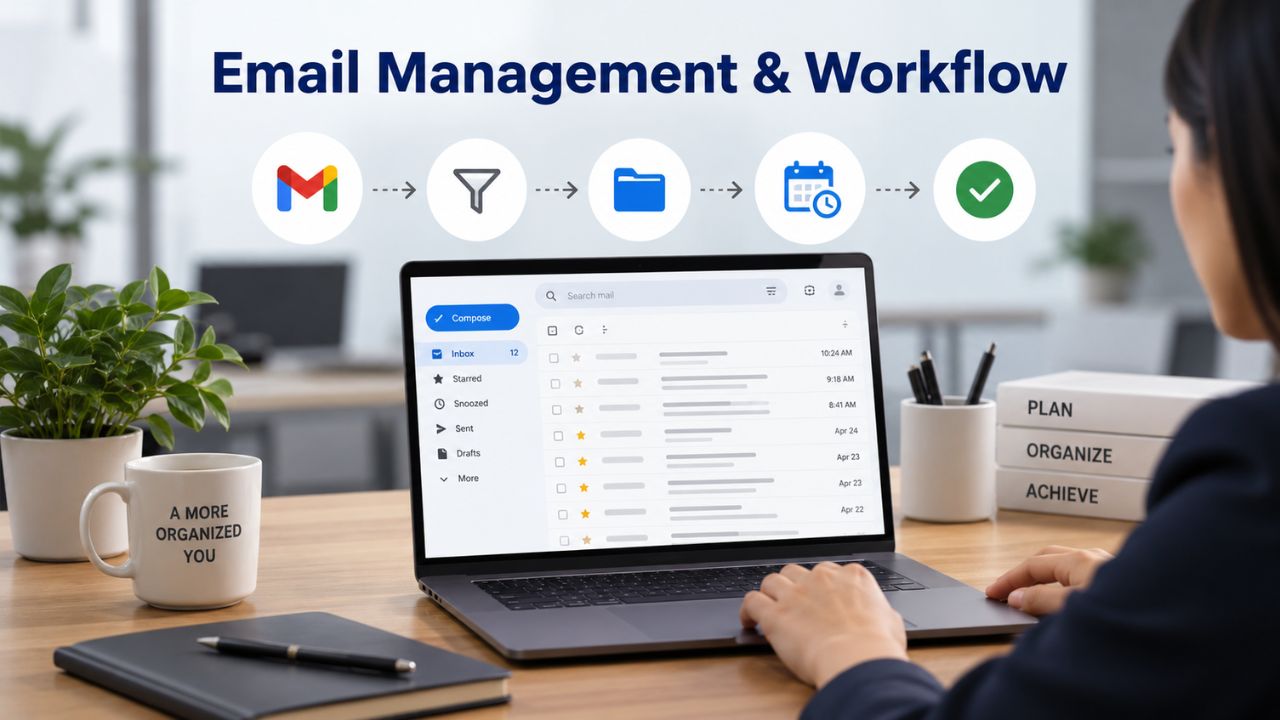
Email remains the backbone of business communication, yet how each platform handles everyday tasks reveals important differences in usability and capability.
Mailbox Features & Message Organization
Microsoft 365 Business plans support professional email using your custom domain, such as user@yourbusiness.com, along with full admin controls for managing user access and device compliance across your organization. The Outlook email client includes a mature rules engine that lets users create sophisticated message filters, sorting by sender, subject, forwarded status, message size, and importance, with actions ranging from automatic folder placement to forwarding or flagging for follow-up. Shared mailboxes, delegate access, and resource calendars are built into the platform, making it straightforward for teams to manage shared inboxes and meeting rooms without external tools.
Open-Xchange emphasizes practical email management through custom domain hosting, robust spam protection with advanced filtering, mailbox forwarding, multiple email aliases per user, and auto-responder functionality. The OX App Suite webmail interface is the primary access point, though IMAP connectivity allows users to connect Outlook, Thunderbird, or other compatible email clients. Message rules and forwarding capabilities are present and functional; however, deeper automation scenarios, such as script-based reactions or seamless integration with third-party APIs, typically require on-premises deployment and dedicated development resources to implement fully.
Niya Digital’s team has found that businesses migrating from on-premises email servers often underestimate how much they rely on custom rules and delegate scenarios; setting these up correctly early prevents recurring support tickets and ensures a smoother transition for end users.
Mobile & Cross-Platform Email Access
Both Microsoft 365 and Open-Xchange support industry-standard IMAP access, native mobile applications for iOS and Android, and web-based webmail interfaces so users can access email from any device. Microsoft 365 integrates tightly with OneDrive, letting users access attachments and shared files directly from Outlook on desktop, tablet, or smartphone, with automatic synchronization across devices and seamless offline access to recent messages.
Open-Xchange mobile clients support webmail, calendar management, task lists, address book, and, depending on the chosen plan, OX Drive cloud storage with file synchronization across devices. For organizations where users primarily work within webmail and light calendar management, both platforms deliver equivalent mobile experiences. However, users who depend on offline-capable desktop Office applications (Word, Excel, PowerPoint) integrated with email will find Microsoft 365 substantially more capable and responsive than browser-only alternatives.
Microsoft 365 Plans & Pricing
Find the Microsoft 365 plan that fits your needs, whether you're using it at home, with your family, or for your business. With a range of plans designed for different budgets and requirements, you can enjoy the tools you need to stay productive, connected, and protected.
Microsoft 365 Email Essentials
Professional email with 10GB of email storage.
- Professional email using your domain name
- 10GB storage for email, contacts & calendar
- Sync across all devices
- Shared online calendars
- Up to 400 email aliases

Microsoft 365 Email Plus
Professional email with 50GB of email storage.
- Professional email using your domain name
- 50GB storage for email, contacts & calendar
- Sync across all devices
- Shared online calendars
- Up to 400 email aliases
Microsoft 365 Online Business Essentials
Office web apps & professional email.
- Office apps (online only)
- 1TB OneDrive storage
- Unlimited online meetings & HD video
- Professional email using your domain
- 50GB email storage
- Sync across all devices
Microsoft 365 Business Professional
Office apps on 5 devices, web apps & professional email.
- Office apps installed on up to 5 devices
- Office web apps
- 1TB OneDrive storage
- Business apps included
- Professional email using your domain
- 50GB email storage
Security & Compliance Architecture
Security requirements drive many purchasing decisions, and both platforms take protection seriously, but they differ fundamentally in how they implement protection and who configures it.
Multi-Factor Authentication & Identity Management
Microsoft’s internal data shows that multi-factor authentication (MFA) blocks over 99% of account compromise attempts, making it the single most effective control for preventing unauthorized access even when passwords are stolen or guessed. Beginning February 9, 2026, Microsoft will enforce MFA for all administrators accessing the Microsoft 365 admin center, with no exceptions and no grace period, ensuring the accounts managing your entire email and collaboration environment remain protected by default. For end users, Microsoft 365 offers Security Defaults (available at no additional cost), which automatically enables MFA for all users while blocking legacy authentication protocols that cannot enforce MFA, creating a baseline security posture suitable for most small-to-midmarket organizations.
Open-Xchange does not mandate MFA by default, leaving configuration to administrators or hosting providers. The platform emphasizes spear-phishing and email-impersonation protection through advanced filtering, as well as compliance with legal interception requirements and maintenance of geo-redundant security architecture to protect against regional outages. MFA is available within OX App Suite but requires deliberate administrative setup and configuration. This design choice provides greater flexibility for organizations with specific compliance frameworks or technical constraints, but also introduces potential security gaps if MFA configuration is overlooked or deprioritized.
Email Encryption & Data Protection Architecture
Microsoft 365 Business Premium includes Microsoft Defender for Business, which provides ransomware protection and advanced endpoint threat detection, along with email-based threat analysis and remediation. Data Loss Prevention (DLP) policies allow administrators to define rules for how sensitive information, customer records, financial data, and intellectual property can be handled, shared, or transmitted, with automated encryption and access controls preventing accidental exposure. Encryption is built into all Microsoft 365 tiers: data is encrypted in transit using TLS (Transport Layer Security) and at rest using AES 256-bit encryption managed by Microsoft, with audit logging and compliance reporting available through the admin center.
Open-Xchange offers OX Guard, an optional PGP-based email encryption tool that operates transparently for users. Emails and attachments can be encrypted with a single click; the platform automatically decrypts them for other OX Guard users, and for recipients outside the OX ecosystem, OX Guard creates a temporary guest account that allows secure decryption without requiring the recipient to understand PGP complexity. This approach delivers genuine user-friendly encryption without the administrative burden typical of traditional PGP deployments. Open-Xchange data centers maintain a geo-redundant architecture with automatic failover and regular backups, ensuring data availability even if a single location goes offline.
| Security Factor | Microsoft 365 | Open-Xchange |
|---|---|---|
| Multi-Factor Authentication (MFA) | Mandatory for administrators; Security Defaults available to enforce MFA across users | Optional; configured by the administrator based on deployment and identity provider |
| Threat Detection | Microsoft Defender for Business (Business Premium); Exchange Online Protection included in all business plans | Standard spam and malware filtering; advanced threat protection depends on the hosting provider and deployment |
| Email Encryption | Built-in TLS encryption with AES data protection; advanced message encryption available on higher-tier plans | Optional PGP encryption through OX Guard with transparent end-user experience |
| Ransomware Protection | Included with Microsoft Defender for Business in Business Premium | Not included natively; depends on the hosting provider’s security services |
| Data at Rest | AES 256-bit encryption managed by Microsoft | TLS/AES encryption managed by the hosting provider or deployment environment |
| Audit Logging | Centralized audit logs with built-in compliance reporting and monitoring | Audit logging capabilities vary depending on the cloud provider or self-hosted deployment |
| Service Availability Guarantee | 99.9% financially backed uptime SLA | 99.9% financially backed SLA for Open-Xchange Cloud; self-hosted deployments depend on customer infrastructure |
Cloud Storage & Collaboration Capabilities
Modern work means more than email; teams need reliable file storage, version control, and the ability to edit documents together without endless email attachments.
Storage Allocation & File Synchronization
Microsoft 365 provides each user with 1 terabyte (1 TB) of personal cloud storage via OneDrive for Business, plus organizational cloud storage via SharePoint (1 TB base capacity plus 10 GB per user additional allocation). Files stored in OneDrive automatically sync across devices- desktop, tablet, smartphone- with offline capability so users can continue working even without internet connectivity; changes sync automatically when the connection returns. Version history is maintained automatically, allowing users to view and restore previous versions of documents up to 93 days back, protecting against accidental deletion or unwanted edits.
Open-Xchange provides cloud storage via OX Drive, with capacity varying by plan: the Basic plan includes limited shared storage, the Premium plan provides 25 GB per mailbox, and Enterprise plans offer custom storage allocation. OX Drive features automatic version control and straightforward rollback, allowing users to access previous file versions. Files and folders can be synchronized across devices, phones, tablets, and laptops, via the OX App Suite interface, and sharing settings allow colleagues to view, download, and modify files with granular permission controls. For organizations working primarily with email attachments and lightweight documents, 25 GB storage per user is generally adequate; however, teams working with large media files, archives, or extensive video content will find the 1 TB per-user allocation in Microsoft 365 substantially more suitable.
Real-Time Collaboration & Document Co-Authoring
Microsoft 365 enables seamless real-time collaboration directly within Office applications. Multiple users can open the same Word document, Excel spreadsheet, or PowerPoint presentation and edit simultaneously, seeing each other’s changes in real time with built-in presence indicators and change tracking. Teams integrates with OneDrive and SharePoint, letting users share files, create shareable links with expiration dates, and manage permissions directly from Teams chats and channels, keeping all project files in the same workspace as conversations. The ecosystem is deeply integrated: when a user shares a document in Teams, it’s automatically stored in SharePoint or OneDrive with version control; when someone mentions a file in an email, it can open directly in Outlook without downloading.
OX Drive provides browser-based document storage similar to traditional cloud storage services; users upload files, organize them in folders, and share them with granular permission controls so colleagues can access, view, download, and edit files. OX Documents, comprising OX Text (word processor), OX Spreadsheet, and OX Presentation, enable browser-based document creation and editing without requiring desktop Microsoft Office. A key advantage is that Open-Xchange does not impose a proprietary file format; documents created in Microsoft Office, LibreOffice, or OpenOffice can be opened and edited within OX Documents without formatting loss or conversion errors. However, browser-based editing is slower than desktop applications and lacks some advanced features; users accustomed to desktop Office will likely find the browser-only editing experience limiting.
Productivity Tools & Team Communication
Email and storage are foundational, but modern collaboration demands integrated calendaring, task management, and team messaging, features that distinguish a communication platform from a simple email system.

Shared Calendars, Contacts & Task Management
Microsoft 365 Business plans include Microsoft Teams with integrated calendaring, allowing users to schedule meetings, view team members’ availability, and manage resources like meeting rooms. Microsoft Bookings simplifies appointment scheduling by allowing customers or colleagues to view your availability and book time directly through a web-based calendar interface. Calendar sharing with colleagues is straightforward, delegate access lets assistants manage executives’ calendars, and meeting invitations automatically add events to all participants’ calendars with embedded audio/video conference links. Contact management within Outlook includes distribution groups, shared contacts, and the ability to create organization-wide address lists so everyone can reach colleagues without manually building contact lists.
OX App Suite includes OX Contacts with comprehensive contact detail management, CardDAV and CalDAV protocol support for standards-based synchronization with other tools, and built-in calendar and task list features. Calendar sharing and meeting management work well for basic scheduling; however, the platform lacks dedicated scheduling assistants like Microsoft Bookings and does not include real-time availability visualization that Microsoft Teams provides. For organizations with complex meeting management, resource scheduling, and heavy calendar delegation, Microsoft 365’s tools are substantially more capable.
Team Communication & Real-Time Messaging
Microsoft Teams is included in all Microsoft 365 Business plans and serves as the hub for team communication. Users can create persistent team channels organized by project, department, or function; join direct conversations with colleagues; and access shared files, calendars, and applications within the Teams interface. Teams meetings support automatic recording, AI-powered transcription, and breakout rooms for group discussions, with seamless Outlook integration. As a result, meeting invitations include Teams meeting links, and participants can join directly without separate video conferencing tools.
Open-Xchange does not include a built-in team messaging or video conferencing platform equivalent to Microsoft Teams. Email, calendar, and task management are present and functional, but real-time team chat is absent. This is a significant functional gap for distributed teams, remote workers, and organizations that prioritize unified communication. Hosting providers using Open-Xchange can integrate third-party tools like Mattermost, Rocket.Chat, or Nextcloud Talk, but this adds cost, configuration complexity, and potential integration gaps between email and messaging systems.
| Productivity Factor | Microsoft 365 | Open-Xchange |
|---|---|---|
| Email & Calendar | Full Outlook integration with advanced rules, delegate access, shared mailboxes, and shared calendars | Open-Xchange Webmail with integrated calendar, IMAP, CalDAV, and CardDAV support |
| Meeting Scheduling | Microsoft Teams with Bookings, meeting scheduling, room/resource management, recording, and live transcription | Shared calendars and meeting invitations; no built-in appointment scheduling or webinar platform |
| Team Messaging | Microsoft Teams included with channels, chat, file sharing, voice, video meetings, and collaboration | No native team messaging platform; requires third-party collaboration tools |
| Contact Management | Shared contacts, organization-wide address lists, distribution groups, and Outlook contact synchronization | Open-Xchange Contacts with CardDAV synchronization; no native distribution groups or global address lists |
| Task Management | Microsoft To Do and Outlook Tasks integrated with Teams, Planner, and Exchange Online | Basic task management within Open-Xchange App Suite |
| File Access in Communication | Native integration with OneDrive and SharePoint for real-time file sharing and collaboration inside Teams and Outlook | Files must be uploaded to Open-Xchange Drive or attached manually before sharing |
Deployment Flexibility & Technical Control
Where email lives- cloud-only, on your own servers, or hybrid- fundamentally shapes your operational burden and ability to customize the platform to your organization’s needs.
Cloud-Only Versus On-Premises Deployment Options
Microsoft 365 Business plans are cloud-only; you can’t deploy on-premises or maintain hybrid coexistence between cloud and local servers. Microsoft manages all infrastructure, patching, updates, and feature releases, automatically rolling out changes with no downtime or scheduled maintenance windows affecting users. The trade-off is simplicity: IT teams don’t manage servers, schedule patches, or troubleshoot infrastructure failures, but they also cannot customize the underlying platform, choose when updates deploy, or implement features Microsoft hasn’t built.
Open-Xchange offers deployment flexibility: the OX Cloud service is a managed cloud offering similar to Microsoft 365, removing the server-management burden; on-premises OX Server deployment lets organizations install and run the software on their own infrastructure, giving complete control over patches, upgrades, feature selection, and hardware sizing. On-premises means your team owns responsibility for server maintenance, backups, security patching, and performance tuning. Still, you gain the ability to customize the codebase, integrate proprietary APIs, and maintain data on infrastructure you control. Many organizations, particularly hosting providers, internet service providers, and enterprises with strict data residency requirements, choose Open-Xchange specifically for this flexibility.
Administrative Overhead & Technical Complexity
Microsoft 365 administration happens through a cloud-based admin center accessed via a web browser. Intuitive wizards and dashboards handle user creation, license management, security policy configuration, and usage monitoring for IT teams familiar with Microsoft cloud products. Setting up a new domain involves DNS verification and typically takes hours. The learning curve is minimal for organizations already using Microsoft products; for teams new to Microsoft, the admin center offers strong documentation and support resources.
Open-Xchange cloud administration is similarly straightforward when using OX Cloud; however, on-premises administration requires deeper technical knowledge. Installing OX Server involves Linux system administration, database configuration, backup strategies, and performance tuning. Administrative tasks include applying security patches on your schedule, managing storage growth as users add more email, configuring load balancing and clustering for scaling, and troubleshooting failures when they occur. This is substantially more operationally intensive but also substantially more powerful for organizations with specialized needs or development capabilities.
Ready to Unify Your Team’s Collaboration?
Microsoft 365’s integrated Teams, calendar, and file sharing transform how distributed teams work together. Niya Digital helps organizations evaluate collaboration features, configure Teams for your workflow, and migrate from fragmented email and messaging systems into one unified platform. Our team can assess your current tools, identify gaps, and recommend the right Microsoft 365 plan for your team’s communication needs. Talk to Our Team
Support, Uptime & Incident Response
Email downtime costs money and damages customer relationships. Support quality and uptime guarantees directly impact how quickly you recover from incidents.
Support Channels & Response Expectations
Microsoft 365 Business Premium subscriptions include support through the Microsoft 365 admin center via email, chat, and phone, with response times varying by issue severity and subscription tier. Critical issues affecting all users typically receive faster response than issues affecting individual accounts. Microsoft backs uptime guarantees with service credits if it misses its commitment, providing financial recourse if service falls below stated levels. Many organizations purchase Business Premium specifically for support access, not just for advanced security or identity management features.
Open-Xchange enterprise support includes dedicated account managers and 24/7 availability; however, support quality depends heavily on your deployment model. Organizations using OX Cloud receive vendor support directly from their hosting provider or from Open-Xchange consulting partners. On-premises deployments typically rely on community forums, official documentation, and paid consulting for advanced issues; “support” is more DIY unless you maintain a service agreement with a consultant or systems integrator.
Realistic Uptime Guarantees & Incident Response Speed
Both Microsoft 365 and OX Cloud guarantee 99.9% uptime (three nines equals approximately 45 minutes of acceptable downtime per month). In practice, Microsoft 365 is backed by Microsoft’s global infrastructure, redundancy, and automation; incidents are rare, and remediation is typically fast because automated failover systems handle most issues.
On-premises Open-Xchange deployments have no formal uptime guarantee; availability depends entirely on your infrastructure and team expertise. A single hardware failure, misconfiguration, or missed security patch can cascade quickly, causing extended outages if you don’t architect redundancy properly.
Migration Path & Setup Disruption
Moving to a new email platform creates operational risk if you don’t plan carefully. Understanding migration options and potential disruption helps you choose an approach that fits your team size and downtime tolerance.
Migration Methods & Data Transfer Approaches
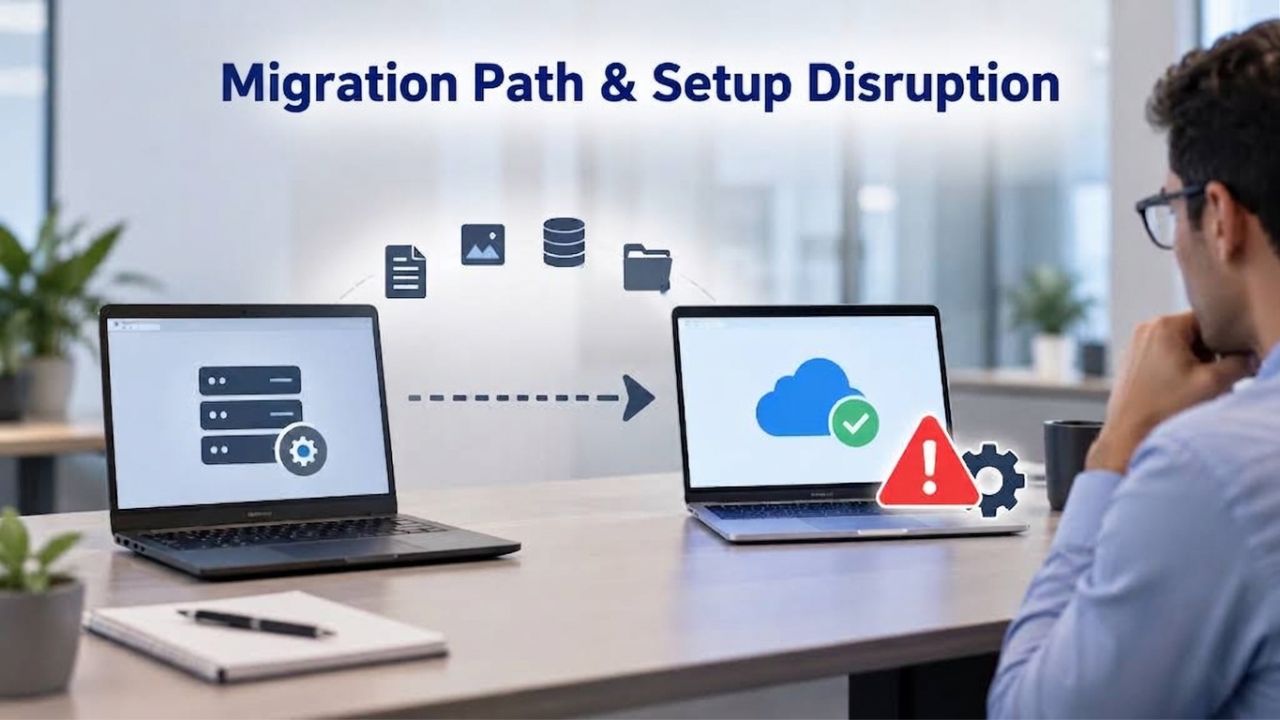
Microsoft 365 supports multiple migration strategies, depending on your organization size and downtime tolerance. Cutover migration moves all mailboxes at once in a single operation, typically completed in hours to a few days, making it ideal for small organizations with fewer than 2,000 mailboxes (though practically 150 or fewer is recommended for speed and reliability). Staged migration batches mailboxes over time, allowing larger organizations to move users gradually while both old and new systems coexist temporarily, extending the migration period but reducing the risk of widespread disruption. Hybrid deployments maintain coexistence between on-premises and cloud mailboxes indefinitely, suitable for organizations with compliance requirements to keep some data locally.
Third-party migration tools support moving email from Open-Xchange (cloud-hosted or on-premises) directly to Microsoft 365, maintaining folder structures, preserving message metadata, and supporting selective filtering (for example, migrating only emails from the past two years if you want to leave archived data behind). The migration path is straightforward for organizations moving from Open-Xchange to Microsoft 365.
Downtime & User Disruption Minimization
Microsoft 365 migrations can be staged in batches, allowing users to switch to cloud mailboxes over days or weeks while email continues flowing throughout the transition. Perceived downtime is minimal, primarily the time it takes to reconfigure email clients to point to new servers, and is typically completed in minutes per user. Most mailboxes migrate with zero actual service loss; changes are purely configuration-side.
Open-Xchange migrations are similarly non-disruptive if planned carefully. Whether migrating from on-premises to cloud, or from Open-Xchange to Microsoft 365, data migration tools minimize disruption. The key difference is that moving from Open-Xchange to another platform is a one-way transition; switching back later requires redeploying infrastructure and migrating data again, making the initial choice more consequential.
Vendor Independence & Long-Term Organizational Control
Some organizations prioritize owning their infrastructure and avoiding dependency on a single vendor, particularly if they operate in regulated industries or have strong data sovereignty requirements.
Open-Source Advantages & Customization Capabilities
Open-Xchange is open-source software under the GPL license, allowing organizations to review the full source code, modify functionality as needed, and deploy it on any compatible Linux system without licensing restrictions. Open-Xchange’s strong expertise in open-source communication and collaboration software positions it as the preferred solution for organizations prioritizing transparency, customization flexibility, and freedom from proprietary vendor lock-in. This open architecture appeals particularly to internet service providers, hosting resellers, government agencies, and enterprises subject to data sovereignty or transparency requirements, allowing them to offer email services to customers without relying on a single vendor.
Microsoft 365 is proprietary software; organizations cannot examine the underlying code, cannot modify functionality, and are dependent on Microsoft for all updates and feature releases. Your email data resides in Microsoft’s cloud; switching providers requires exporting data and losing tight integration with Microsoft Office and Teams. For organizations bound by regulatory requirements mandating open-source or non-proprietary software, or for those prioritizing freedom to modify infrastructure, Open-Xchange’s open architecture is a genuine competitive advantage.
Data Portability & Exit Costs
Both platforms support data export, but the ease and completeness differ substantially. Microsoft 365 exports mailbox data to PST files or via IMAP; once you leave, you lose tight Office integration, automated calendar sharing, and Teams-based communication history.
Admin controls, security policies, and user provisioning tools don’t transfer because Microsoft owns them. Open-Xchange, especially on-premises deployments, is substantially more portable; source code is available, databases can be migrated to new hardware or other providers, and you’re not locked into proprietary protocols or vendor-specific formats.
Scalability for Growing Organizations
Email systems must accommodate growth without performance degradation, feature loss, or architectural changes that require major reconfiguration.
User Scaling & Performance Under Load
Microsoft 365 is designed to scale seamlessly from small teams to global enterprises. Adding users is administrative: creating accounts, assigning licenses, and provisioning mailboxes, without any infrastructure changes on the backend. Microsoft’s global data centers automatically load-balance workloads, scaling compute and storage capacity transparently as your organization grows. There are no practical limits on user count, mailbox size, or storage capacity; Microsoft 365 Business plans work equally well for 5-user startups and 5,000-user enterprises.
Open-Xchange is similarly scalable but in different ways depending on deployment model. OX Cloud (hosted) scales transparently like Microsoft 365; your hosting provider automatically manages capacity expansion. On-premises deployments require deliberate capacity planning; as your organization grows, you may need to add more servers, configure load balancing to distribute traffic, and implement clustering for high availability. This provides fine-grained control over performance characteristics but requires technical expertise and ongoing infrastructure investment.
Feature Availability Across Organization Sizes
Microsoft 365 feature availability is consistent across all organization sizes; a small business with 5 users gets the same Teams, OneDrive, and security features as a 5,000-user enterprise (though some advanced identity or threat management features require Premium tiers). This consistency simplifies migration and scaling; your team doesn’t need to reconfigure workflows or learn new tools as you grow.
Open-Xchange feature availability depends on deployment model and your hosting provider. Some resellers offer tiered service levels (basic email, professional with collaboration, enterprise with advanced features), meaning you might need to migrate to a different service tier or hosting provider as you outgrow basic service. This can add migration friction and increase costs as your organization scales.
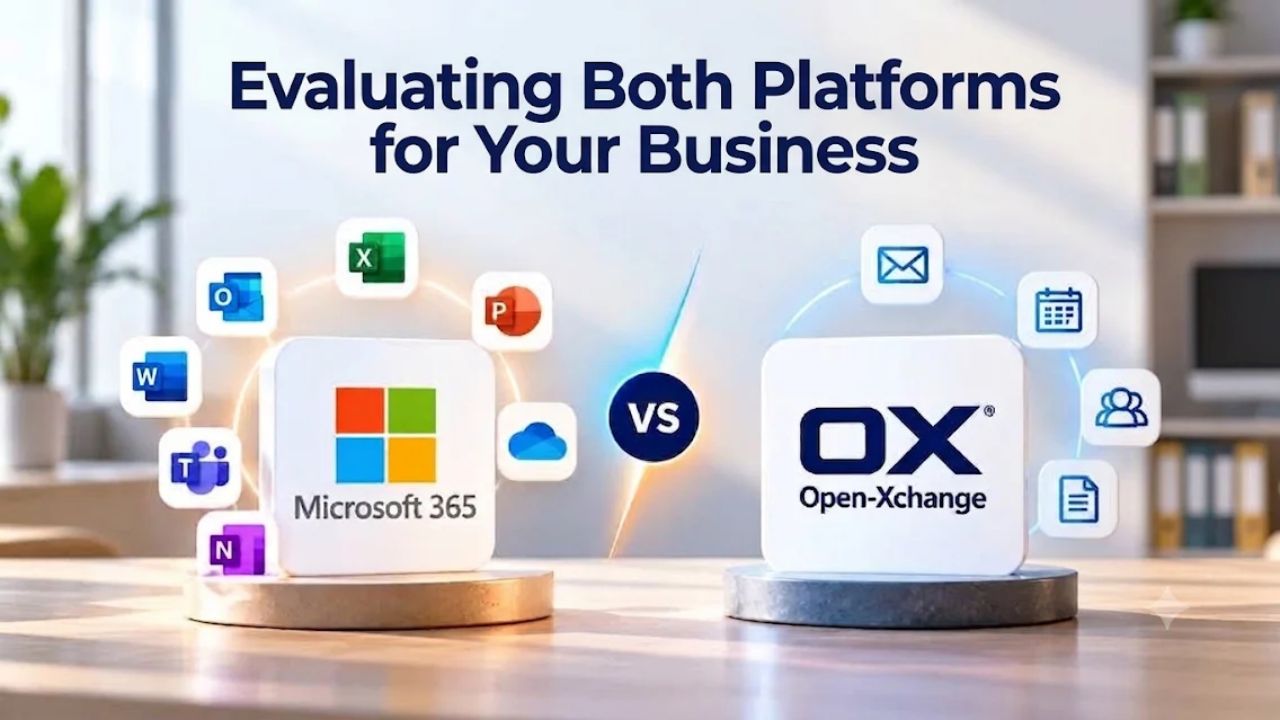
Evaluating Both Platforms for Your Business
Choosing between Microsoft 365 and Open-Xchange requires honest assessment of your organization’s priorities, technical capabilities, and long-term strategy. Neither platform is universally “better”; the right choice depends on what matters most to your business.
Decision Factors & Organizational Fit
Microsoft 365 is the strong choice for organizations prioritizing simplicity, ecosystem depth, and seamless collaboration. If your team uses Office extensively, relies on Teams for communication, needs AI-powered productivity features like Copilot, or wants email “to just work” without infrastructure management, Microsoft 365 delivers all of that out of the box. The learning curve is minimal for organizations already using Microsoft products, and support is straightforward from Microsoft or from authorized resellers like Niya Digital.
Open-Xchange is the right choice for organizations prioritizing data sovereignty, infrastructure control, and independence from US-based vendors. If your team needs on-premises deployment, has the development capabilities to customize the platform, or you’re a hosting provider wanting to offer email services to customers, Open-Xchange’s open architecture and flexibility are compelling. The operational burden is higher; you manage infrastructure, patching, and support, but the control and customization options are substantially greater.
Hybrid & Future Considerations
Some organizations maintain both platforms temporarily during migration or use them in parallel for different purposes. This approach maximizes flexibility but introduces user confusion and administrative overhead; most organizations eventually standardize on a single platform.
Consider also your organization’s growth trajectory and future requirements. Microsoft 365 scales effortlessly as you grow, but switching away later becomes expensive. Open-Xchange on-premises allows full customization today but requires infrastructure investment and ongoing management. Cloud-hosted Open-Xchange (OX Cloud) offers a middle ground: managed infrastructure without on-premises complexity, while retaining data residency options and some customization capabilities.
Start Your Email Platform Evaluation Today
Choosing the right email and collaboration platform is one of the highest-impact decisions for any organization. The right choice supports growth, enables productivity, and reduces operational risk. Niya Digital specializes in helping businesses evaluate Microsoft 365 plans, plan migrations from legacy email systems, and implement email infrastructure with minimal disruption. Whether you’re exploring Microsoft 365 features, planning a migration timeline, or need guidance on security configuration and user adoption, our team has the expertise to guide you through evaluation and deployment.
Frequently Asked Questions
What is the primary difference between Microsoft 365 and Open-Xchange?
Microsoft 365 is a cloud-only subscription service managed by Microsoft, offering integrated Office applications, Teams communication, and cloud storage. Open-Xchange is an independent platform offering both cloud (OX Cloud) and on-premises deployment, emphasizing customization and data control. Microsoft 365 prioritizes simplicity and ecosystem integration; Open-Xchange prioritizes flexibility and organizational independence. Most small-to-midmarket businesses choose Microsoft 365 for a straightforward setup; organizations that need infrastructure control choose Open-Xchange.
Does Microsoft 365 require on-premises infrastructure?
No. Microsoft 365 Business plans are entirely cloud-based; Microsoft manages all servers, storage, and infrastructure. Your organization accesses email, Teams, and OneDrive through web browsers and native applications connected to Microsoft’s cloud. You can’t deploy on-premises or maintain local servers. This removes infrastructure burden from your IT team but also means you depend entirely on Microsoft for availability and cannot customize the underlying platform.
Can I customize email workflows in Open-Xchange more than in Microsoft 365?
Yes. Open-Xchange, especially on-premises deployments, gives you direct access to the source code and configuration files, enabling custom integrations, API extensions, and workflow automations. Microsoft 365 customization is limited to API-based integrations and configuration of built-in features through the admin center. If your organization has specialized email workflows or needs to integrate email with custom internal systems, Open-Xchange provides substantially more flexibility.
Which platform has better email security by default?
Microsoft 365 enforces MFA for administrators and offers Security Defaults for all users at no cost, blocking legacy authentication and enabling MFA organization-wide. Open-Xchange security depends on administrator configuration; MFA is optional and must be deliberately enabled. Microsoft 365’s enforced MFA for admins is the single most important security control, making it more secure by default. However, organizations with specialized security requirements may prefer Open-Xchange’s flexibility.
How much cloud storage does each platform provide?
Microsoft 365 Business plans provide each user with 1 terabyte (1 TB) of OneDrive storage plus organizational SharePoint storage. Open-Xchange Basic plans include limited shared storage; Premium plans include 25 GB per mailbox; Enterprise plans offer custom storage allocation. For organizations working with large media files or extensive archives, Microsoft 365’s storage allocation is substantially more generous. For email and lightweight documents, Open-Xchange storage is adequate.
Can I access email offline in both platforms?
Microsoft 365 supports offline access to Outlook (desktop application) with automatic synchronization when the connection returns; web access requires internet connectivity. Open-Xchange webmail requires internet connectivity; IMAP clients (Outlook, Thunderbird) support offline access. Both platforms handle offline work adequately, but their approaches differ.
Does Open-Xchange include video conferencing like Microsoft Teams?
No. Open-Xchange includes email, calendar, and task management but lacks built-in video conferencing or team messaging. Hosting providers can integrate third-party tools like Mattermost or Rocket. Chat, but this requires separate setup and is not native to the platform. Microsoft 365 includes Teams with built-in video conferencing, recording, and transcription.
What are typical migration times from Open-Xchange to Microsoft 365?
Migration time depends on data volume and complexity. Small organizations (under 50 users) typically migrate in 1-2 weeks; larger organizations (50-500 users) typically require 2-6 weeks of planning and execution. Actual data transfer often completes in hours; the remaining time is for preparation (domain setup, user provisioning) and testing. Most disruption is minimal if planned carefully, with user-perceived downtime limited to email client reconfiguration.
Is Open-Xchange GDPR compliant?
Open-Xchange maintains data protection standards and operates under Standard Contractual Clauses for international data transfers (post-Schrems II framework). Compliance depends on your specific deployment model (cloud vs. on-premises) and hosting provider. If GDPR compliance is critical, verify your hosting provider’s Data Processing Agreement (DPA) and certification status before committing. Microsoft 365 is also GDPR-compliant and publishes compliance documentation publicly.
Can I run Open-Xchange and Microsoft 365 simultaneously during migration?
Yes, temporarily. You can operate both systems in parallel during a staged migration, gradually moving users from Open-Xchange to Microsoft 365. This approach reduces the risk of data loss and lets teams adjust to the new platform gradually. However, running two email systems long-term introduces confusion and administrative overhead; the goal is typically to complete migration within weeks or months.
Does Open-Xchange work with Outlook and other email clients?
Yes, through the IMAP protocol. Open-Xchange supports IMAP, CardDAV (contacts), and CalDAV (calendars), allowing users to connect Outlook, Thunderbird, Apple Mail, and other standards-based email clients. However, features like rules, delegate access, and shared mailboxes are best used through the OX App Suite webmail interface. Microsoft 365’s Outlook client integrates natively with Exchange Online, providing deeper feature support than IMAP alone.
What happens if my organization grows rapidly? Does either platform scale more easily?
Both platforms scale to thousands of users, but in different ways. Microsoft 365 scales transparently; adding users is purely administrative, with no infrastructure changes required. Open-Xchange Cloud scales similarly; on-premises deployments require infrastructure expansion and careful capacity planning as you add users. For rapid growth, Microsoft 365’s automatic scaling is simpler; on-premises Open-Xchange requires more active management.
Can I use both platforms if I have multiple business units?
Technically yes, but not recommended. Running two email systems for different departments introduces user confusion, prevents cross-organization collaboration, and increases administrative overhead. A single unified platform is strongly preferred. If your organization has truly different compliance or operational requirements (e.g., one business unit on-premises, another cloud-based), consider on-premises Open-Xchange for full separation.
Does either platform lock me in if I want to switch later?
Microsoft 365 switching cost is moderate to high: you can export data to PST or via IMAP, but you lose integration with Office, Teams, and admin controls. The switch is operational but not catastrophic. Open-Xchange Cloud (hosted) has switching costs similar to Microsoft 365. On-premises Open-Xchange has a low switching cost because the source code is available and the data is portable to other systems. If avoiding lock-in is important, on-premises Open-Xchange is the most portable option.
How is support structured for each platform?
Microsoft 365 support comes through the admin center via email, chat, or phone; Business Premium includes prioritized response. Open-Xchange Cloud support comes through your hosting provider; on-premises support depends on your service agreement with a systems integrator or consultant. Microsoft 365 support is standardized and predictable; Open-Xchange support quality varies by hosting provider or internal expertise.
Which platform is right for my remote or distributed team?
Microsoft 365 is the stronger choice for distributed teams. Teams’ built-in meeting recording, transcription, and seamless file sharing across OneDrive and SharePoint make it easy for remote workers to collaborate. Open-Xchange handles basic email and calendar well but lacks integrated team communication; adding a third-party tool like Rocket. Chat introduces complexity. If remote work is central to your organization, Microsoft 365’s unified platform is substantially more productive.
Glossary
- MFA (Multi-Factor Authentication): A security method requiring two or more verification methods, such as a password plus a code sent to your mobile phone, a biometric scan, or a security key, before granting access to an account. MFA significantly reduces the risk of unauthorized access even if a password is compromised or guessed, because an attacker would need multiple authentication factors.
- MX Record (Mail Exchange): A Domain Name System (DNS) setting that directs email intended for your domain toward the correct mail server. For example, setting an MX record tells the internet’s mail routing systems to send all messages addressed to user@yourbusiness.com to your email provider’s mail servers, rather than routing them incorrectly or returning them as undeliverable.
- DKIM (DomainKeys Identified Mail): An email authentication protocol that digitally signs outgoing messages using your organization’s private key, allowing receiving mail servers to verify that the message genuinely came from your domain and has not been altered in transit. DKIM helps reduce email spoofing and phishing attacks while improving deliverability by proving to spam filters that your messages are legitimate.
- SLA (Service Level Agreement): A contractual commitment from a service vendor specifying guaranteed uptime percentages, response times for support requests, and service credits or refunds if the vendor fails to meet its obligations. For example, a 99.9% uptime SLA means the service should be available at least 99.9% of the time in a given month, with the vendor providing compensation if availability falls below that threshold.
- Geo-Redundancy: The practice of automatically backing up data and failing over services across geographically separated data centers, so if one location experiences an outage, natural disaster, or infrastructure failure, user data and services continue uninterrupted from a secondary location far enough away that a single event cannot affect both simultaneously.