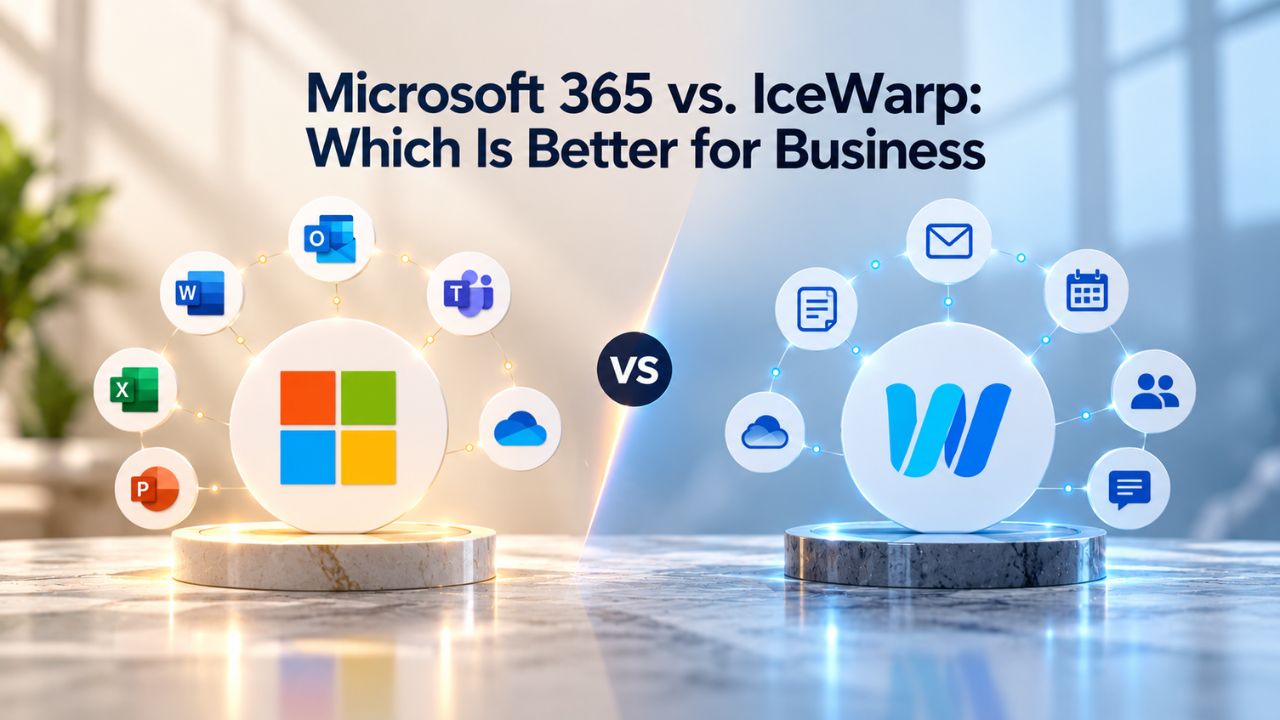
Choosing between email and collaboration platforms shapes how your team communicates, stores files, and stays secure every single day. Both Microsoft 365 and IceWarp offer custom domain email, cloud storage, and built-in productivity tools, but they differ fundamentally in deployment options, integrations, compliance focus, and organizational complexity.
Niya Digital resells Microsoft 365 subscriptions and works with an authorized Microsoft partner network to provision, set up, and support your deployment.
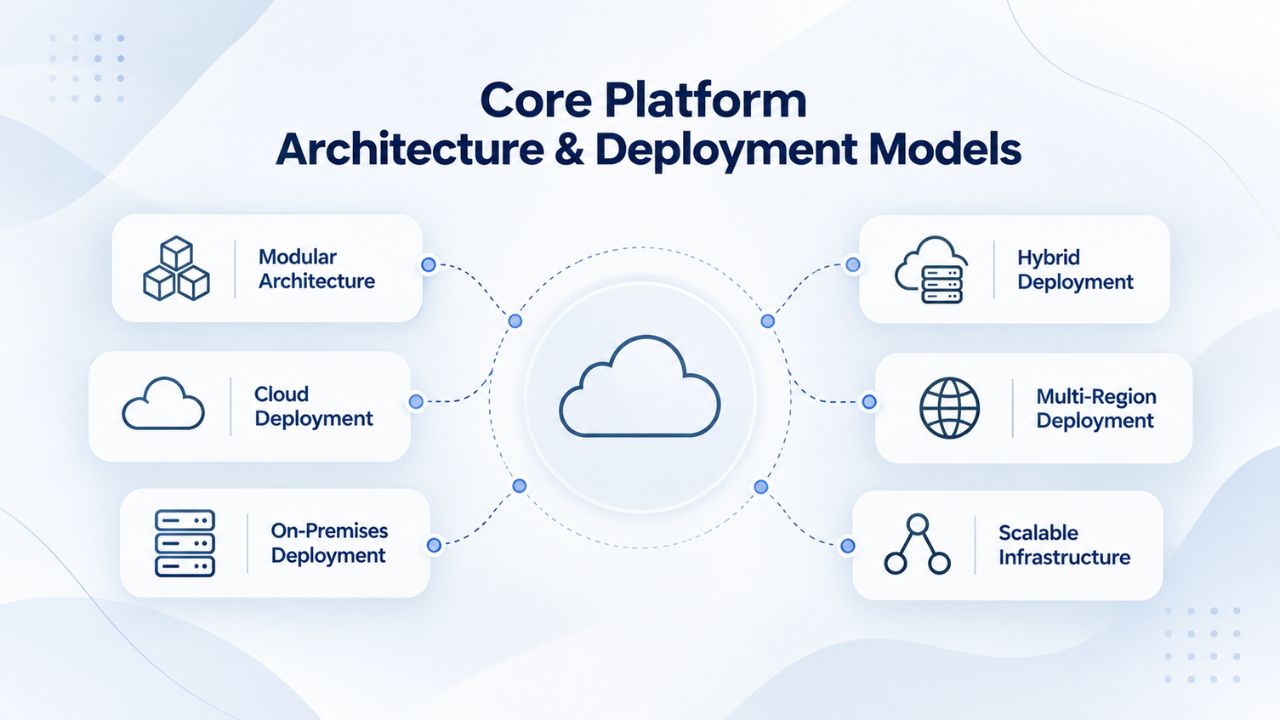
Core Platform Architecture & Deployment Models
Each platform’s foundational architecture determines scalability, maintenance responsibility, and operational complexity. Deciding whether you prefer a fully managed cloud experience or the flexibility of on-premises control is essential. Each approach has distinct advantages depending on your IT capacity, regulatory requirements, and long-term growth strategy.
Microsoft 365: Cloud-First, Globally Managed
Microsoft 365 operates exclusively as a cloud-delivered service managed entirely by Microsoft. Your organization never touches servers, patches, or infrastructure; Microsoft handles all updates, security patches, and global availability guarantees. Microsoft delivers the platform through its worldwide data centers, ensuring redundancy and continuous operation even during regional outages.
This approach eliminates the need to manage internal IT infrastructure. Email, storage, collaboration tools, and security services all flow through Microsoft’s cloud backbone. Users access everything through web browsers, desktop clients (on Windows/Mac), or mobile apps. For organizations without dedicated IT teams, or those seeking rapid deployment, the fully managed model significantly reduces operational friction.
IceWarp: Cloud, Self-Hosted, or Hybrid Options
IceWarp provides three deployment paths: cloud-managed (similar to Microsoft 365), self-hosted on your own servers, or hybrid combinations. Organizations can choose IceWarp Cloud (managed data centers in the EU or US) or deploy IceWarp Server on their own Windows or Linux infrastructure. This flexibility appeals to businesses that need data sovereignty, regulated industries that require on-premises control, or organizations that want to leverage existing server infrastructure.
Self-hosted deployments shift responsibility: your IT team manages server updates, backups, security patches, and hardware scaling. This model suits mature organizations with IT staff, those subject to data-residency mandates, or teams wanting complete control over their communication infrastructure. The choice between cloud and self-hosted can shift based on your organization’s growth phase and compliance requirements.
Microsoft 365 Plans & Pricing
Find the Microsoft 365 plan that fits your needs, whether you're using it at home, with your family, or for your business. With a range of plans designed for different budgets and requirements, you can enjoy the tools you need to stay productive, connected, and protected.
Microsoft 365 Email Essentials
Professional email with 10GB of email storage.
- Professional email using your domain name
- 10GB storage for email, contacts & calendar
- Sync across all devices
- Shared online calendars
- Up to 400 email aliases

Microsoft 365 Email Plus
Professional email with 50GB of email storage.
- Professional email using your domain name
- 50GB storage for email, contacts & calendar
- Sync across all devices
- Shared online calendars
- Up to 400 email aliases
Microsoft 365 Online Business Essentials
Office web apps & professional email.
- Office apps (online only)
- 1TB OneDrive storage
- Unlimited online meetings & HD video
- Professional email using your domain
- 50GB email storage
- Sync across all devices
Microsoft 365 Business Professional
Office apps on 5 devices, web apps & professional email.
- Office apps installed on up to 5 devices
- Office web apps
- 1TB OneDrive storage
- Business apps included
- Professional email using your domain
- 50GB email storage
Email Storage Architecture & File Organization
How each platform organizes email, archives, and file storage directly impacts daily workflow and long-term compliance obligations. These structural differences influence whether users hit storage limits or enjoy seamless, unified access to communications and documents.
Microsoft 365: Separated Mailbox and OneDrive Quotas
Microsoft 365 Business plans provide a primary mailbox (100 GB) and archive mailbox (50–1,500 GB depending on plan tier) that operate as distinct storage pools. As emails age, they automatically move to the archive, keeping the primary inbox responsive. However, this separation requires users and administrators to manage two quotas: one for active email and another for archived messages. OneDrive for Business sits as a completely separate 1 TB allocation per user, not counted against mailbox limits.
This structure supports mature compliance workflows. Legal departments and records managers appreciate the explicit separation between active communications and archived records. However, smaller teams often find multiple quota systems confusing: users hit primary mailbox limits, then encounter archive limits, then face OneDrive constraints independently. Each service requires separate expansion and management oversight.
IceWarp: Unified Storage Pool
IceWarp’s architecture combines email storage, file storage, and collaboration content into a unified per-user quota. The Business plan allocates 200 GB of email plus 1 TB of total file storage, pooled together. Users don’t juggle separate limits; everything stored- emails, attachments, shared documents- draws from the same quota. This simplicity eliminates the cognitive load of managing multiple storage boundaries.
The unified approach suits small-to-medium organizations managing email and light file collaboration. A 15-person team using IceWarp stores email and shared project files in one quota without worrying about which system claims which gigabytes. However, organizations with complex compliance requirements (multiple departments with separate retention policies) may find the lack of explicit archiving structure less suited to their governance needs.
Security Foundation & Threat Detection Capabilities
Security posture is non-negotiable for business communication systems. Both platforms provide foundational protections, but they differ in how they detect threats, verify users, and include advanced defensive layers. Your organization’s risk appetite and industry regulations should drive this decision.
Microsoft 365: Exchange Online Protection & Advanced Threat Intelligence
All Microsoft 365 Business plans include Exchange Online Protection (EOP), automated anti-spam and anti-malware scanning on inbound email. Microsoft scans inbound messages against known malware signatures and spam patterns before they reach the inbox. Business Premium plans add Defender for Office 365 Plan 1, which includes Safe Links (time-of-click URL scanning) and Safe Attachments (sandboxed detonation of email attachments before user access).
This layered approach catches threats at multiple stages. A phishing email with a malicious link passes through EOP filtering; even if it reaches the inbox, Safe Links intercepts the click and rechecks the URL in real time. An email with a suspicious attachment is detonated in a virtual sandbox to detect malicious behavior before delivering the file. Multi-factor authentication (MFA) is available on all plans; Business Premium adds Microsoft Entra ID conditional access, enforcing additional verification for risky sign-in scenarios (e.g., logins from unfamiliar locations).
IceWarp: Compliance-First Security & Encryption
IceWarp emphasizes regulatory compliance and data protection through ISO 27001, ISO 27017, and ISO 27018 certifications, GDPR compliance since May 2018, and SOC 2 Type II attestation. The platform includes 2-factor authentication support (SMS, authenticator apps) and S/MIME email encryption for digital signing and message confidentiality. IceWarp also integrates ChatGPT to help users detect phishing language in drafts before sending.
IceWarp’s security model prioritizes transparency, compliance auditing, and user-level encryption rather than centralized threat intelligence. An organization subject to GDPR, NIS2, or DORA regulations finds IceWarp’s certified compliance posture reassuring. However, IceWarp lacks the advanced threat-detection engines that Microsoft 365 Premium brings: no sandbox detonation, no time-of-click URL rescanning, and no behavioral anomaly detection across millions of users’ inboxes. For organizations in highly targeted sectors (finance, healthcare, government), Microsoft 365’s Defender capabilities provide stronger protection against sophisticated attacks.
Feature Comparison
| Feature | Microsoft 365 | IceWarp |
|---|---|---|
| Deployment Model | Cloud-only (Microsoft-managed) | Cloud, Self-Hosted, or Hybrid deployment |
| Custom Domain Email | Supported with MX, SPF, DKIM, and DMARC configuration | Supported with simplified DNS configuration |
| Email Storage Architecture | Separate primary mailbox, archive mailbox, and OneDrive storage | Unified mailbox quota shared across email and collaboration services |
| Chat & Messaging | Microsoft Teams | IceWarp TeamChat |
| Video Conferencing | Up to 1,000 interactive attendees with webinars and live events | Up to 1,000 attendees with webinar capabilities |
| Document Co-authoring | Word, Excel, and PowerPoint on web and desktop | Built-in online document editors with collaborative editing |
| File Sharing & Sync | OneDrive for Business and SharePoint Online | IceWarp Files with unified storage |
| Threat Detection | Exchange Online Protection and Microsoft Defender | Compliance-focused security with encryption and anti-malware protection |
| Compliance Certifications | SOC 2, HIPAA, FedRAMP, and other Microsoft compliance programs | ISO 27001, ISO 27017, ISO 27018, GDPR, and SOC 2 |
| Data Residency Options | Multiple regional data centers with optional EU data residency | EU-only hosting or complete on-premises deployment control |
| Third-Party Integrations | 300+ integrations through Microsoft AppSource and APIs | Limited integrations using IMAP, SMTP, CalDAV/CardDAV, and Zapier |
| AI Assistance | Microsoft Copilot for Business (available with eligible licensing) | ChatGPT integration using the customer’s own API key |
| Uptime Guarantee | 99.9% financially backed SLA | No published cloud SLA; customer controls availability for self-hosted deployments |
| Support Availability | Business support with 24/7 support for eligible enterprise plans | 24/7 support for enterprise customers |
| Mobile Apps | Full-featured iOS and Android applications | iOS and Android applications with core collaboration features |
Compliance Certifications & Data Residency Guarantees
Regulatory environments dictate where data must physically live, who can access it, and how it must be protected. Compliance requirements vary globally, and misalignment between your platform’s capabilities and your jurisdiction’s rules creates legal and operational risk. Both platforms support compliance, but their approaches and guarantees differ substantially.
Microsoft 365: Multi-Region Flexibility with Global Infrastructure
Microsoft 365 holds SOC 2, FedRAMP (for US government), and HIPAA certifications. GDPR compliance is standard; Microsoft’s Privacy Shield and Standard Contractual Clauses provide legal mechanisms for EU-US data transfers. However, data may transit multiple regions during backup, recovery, and service operations. An EU organization can request EU-only data centers, yet during a disaster recovery scenario, data might temporarily flow through Microsoft’s global infrastructure.
This approach maximizes operational resilience. Microsoft’s global network ensures redundancy, continuous availability, and rapid recovery. However, organizations subject to strict data-residency mandates (e.g., Swiss privacy law, Russian data localization laws, or German GDPR interpretations) may find the global infrastructure model unacceptable. The trade-off is clear: operational robustness vs. absolute data locality control.
IceWarp: EU Data Residency & Self-Hosted Sovereignty
IceWarp Cloud customers can explicitly choose data centers in the Czech Republic, Germany, or Italy, with contractual guarantees that data remains within the European Economic Area (EEA). No transatlantic data transfers occur. For organizations requiring even stricter control, IceWarp’s self-hosted option lets you deploy on customer-owned infrastructure, providing complete data sovereignty. Your organization owns and controls the servers; no third-party infrastructure involvement.
This flexibility appeals to EU-based organizations, regulated industries (finance, healthcare), and businesses in jurisdictions with data-localization requirements. IceWarp’s compliance certifications (ISO 27001, ISO 27017, ISO 27018) are validated annually, providing auditable proof of compliance controls. However, self-hosted deployments shift security responsibility to your organization; if your IT team misconfigures the server or misses a critical patch, data exposure falls on you, not the vendor.
Productivity & Collaboration Tool Integration
The breadth and depth of built-in collaboration tools shape team workflows and determine whether your organization needs to add third-party applications. A unified set of tools reduces complexity and switching costs; a focused platform may require strategic integrations with best-of-breed services.
Microsoft 365: Broad Ecosystem with Deep Integration
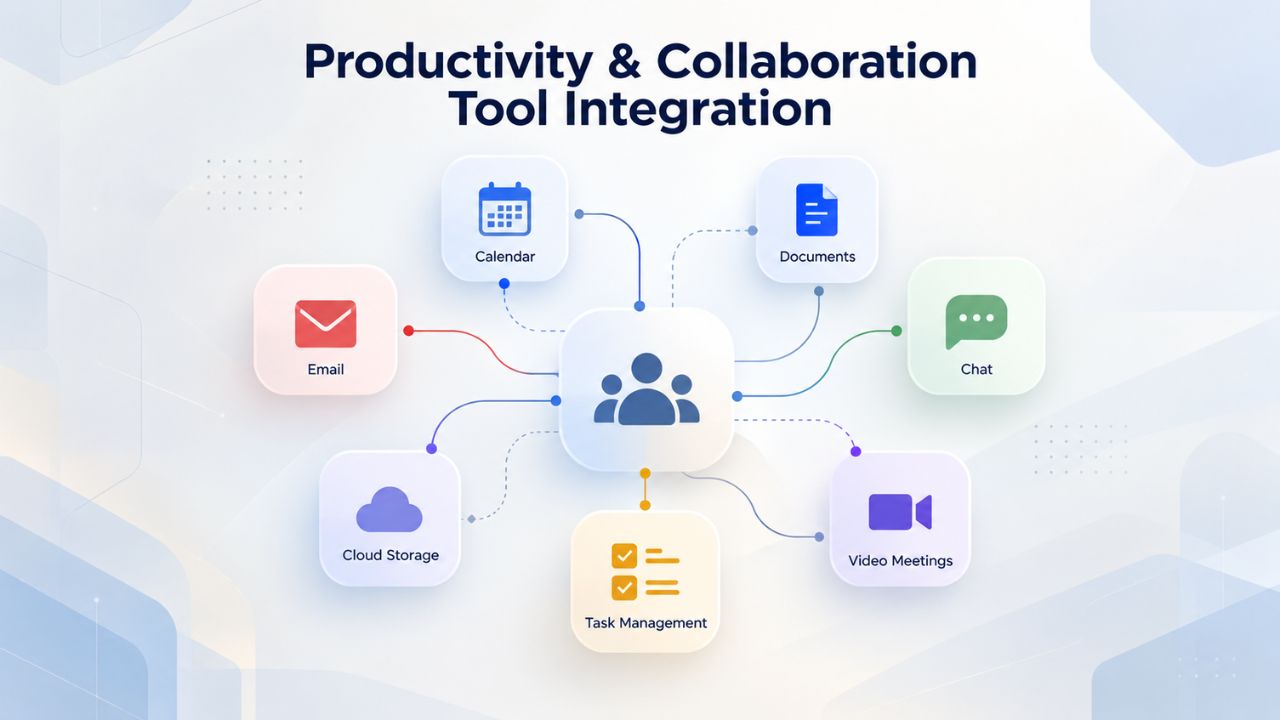
Microsoft 365 centers on Microsoft Teams, chat, calling, video meetings up to 1,000 attendees, screen sharing, recording, and transcription. OneDrive provides personal file storage with automatic sync to Windows PCs and Macs (Desktop, Documents, Pictures folders). SharePoint Online enables team sites where groups collaborate on documents, manage projects, and share files with permissions control. Desktop versions of Word, Excel, PowerPoint, and Outlook ship with qualifying plans; all plans include web versions.
Integration depth is Microsoft’s strength. Teams surfaces inside Outlook, enabling @mentions and task integration. Files in Teams automatically sync to OneDrive. Word, Excel, and PowerPoint run inside Teams, allowing real-time co-authoring without leaving the chat. Conditional access policies (enforced via Entra ID on Premium plans) can require MFA for Teams access based on user location, device compliance, or time of day. For organizations already invested in Windows, Office, and Microsoft’s ecosystem, this integration reduces friction and context switching.
IceWarp: Self-Contained Unified Interface
IceWarp bundles email, TeamChat (real-time team messaging), video conferencing (up to 1,000 attendees in Webinar Mode), shared calendars, task management, and online document co-authoring, all accessible in a single browser interface or desktop client. No separate apps for chat, email, or files; everything appears in the same workspace with unified search.
This consolidation appeals to organizations that favor simplicity and less tool sprawl. A 20-person marketing team can manage campaigns, send emails, chat about designs, and co-author documents without logging into four different applications. However, IceWarp’s ecosystem is narrower. Integration with external services is limited; Dropbox, Microsoft 365 (via sync), and IMAP/SMTP bridges are available. Still, the third-party app ecosystem is a fraction of Microsoft 365’s scale. Organizations relying on Salesforce, Slack, Power Automate, or hundreds of SaaS tools discover that IceWarp lacks native connectors; workarounds require API calls or third-party middleware.
Get Expert Guidance on Your Business Email Platform
Selecting the right platform requires aligning features, compliance obligations, budget, and growth strategy. Both Microsoft 365 and IceWarp deliver reliable business email and collaboration. Microsoft 365 excels for organizations deeply invested in Windows, Office, and AI-driven workflows; IceWarp suits budget-conscious teams prioritizing data sovereignty and simplified deployment. Niya Digital’s team can assess your specific requirements, email volume, storage needs, compliance mandates, and IT capacity, and guide you toward the platform that maximizes productivity while minimizing operational risk and complexity.
Business Email Setup & Custom Domain Configuration
Implementing custom domain email for your organization involves DNS changes, user provisioning, and mailbox migration from legacy systems. The complexity and timeline depend on your organization’s size, existing infrastructure, and platform choice. Both platforms support custom domains, but setup ease differs.
Microsoft 365: Guided DNS Setup with Admin Center
Configuring Microsoft 365 for custom domain email requires creating MX records (directing email to Microsoft’s servers), SPF records (authorizing Microsoft to send mail on your behalf), DKIM records (cryptographically signing outgoing messages), and DMARC records (policy for handling authentication failures). The Microsoft 365 admin center provides step-by-step guidance. However, administrators must manually enter these records in their domain registrar’s DNS settings.
User provisioning follows: administrators create user accounts in Entra ID or sync from on-premises Active Directory. Once mailboxes are created, email begins routing through Microsoft’s infrastructure. For organizations with existing on-premises Exchange Server, Niya Digital’s migration services support mailbox extraction, data preservation, and cutover scheduling to minimize downtime. A 100-person migration typically requires 4–8 weeks of planning, pilot testing, and user training before the production cutover weekend.
IceWarp: Hosting-Integrated Automation or Manual Configuration
IceWarp’s setup simplicity depends on your hosting provider. If you use managed hosting with cPanel or Plesk, DNS changes are often automated, and the hosting control panel can add MX records and create mailboxes in a few clicks. For self-hosted deployments, administrators manually configure DNS records and create user accounts via IceWarp’s administrative interface. The process is simpler than Microsoft 365 (fewer DNS record types required), but still involves hands-on configuration.
User onboarding is faster. Once mailboxes are created, users can log in immediately. If migrating from another system (Exchange, Google Workspace, Zimbra), IceWarp’s managed migration service automates mailbox extraction and syncs both systems during a testing period, allowing rollback if issues arise. A similar 100-person migration often completes in 2–4 weeks because the architecture is simpler. Niya Digital’s team has found that small-to-medium organizations experience fewer setup friction points with IceWarp because it has fewer moving parts.
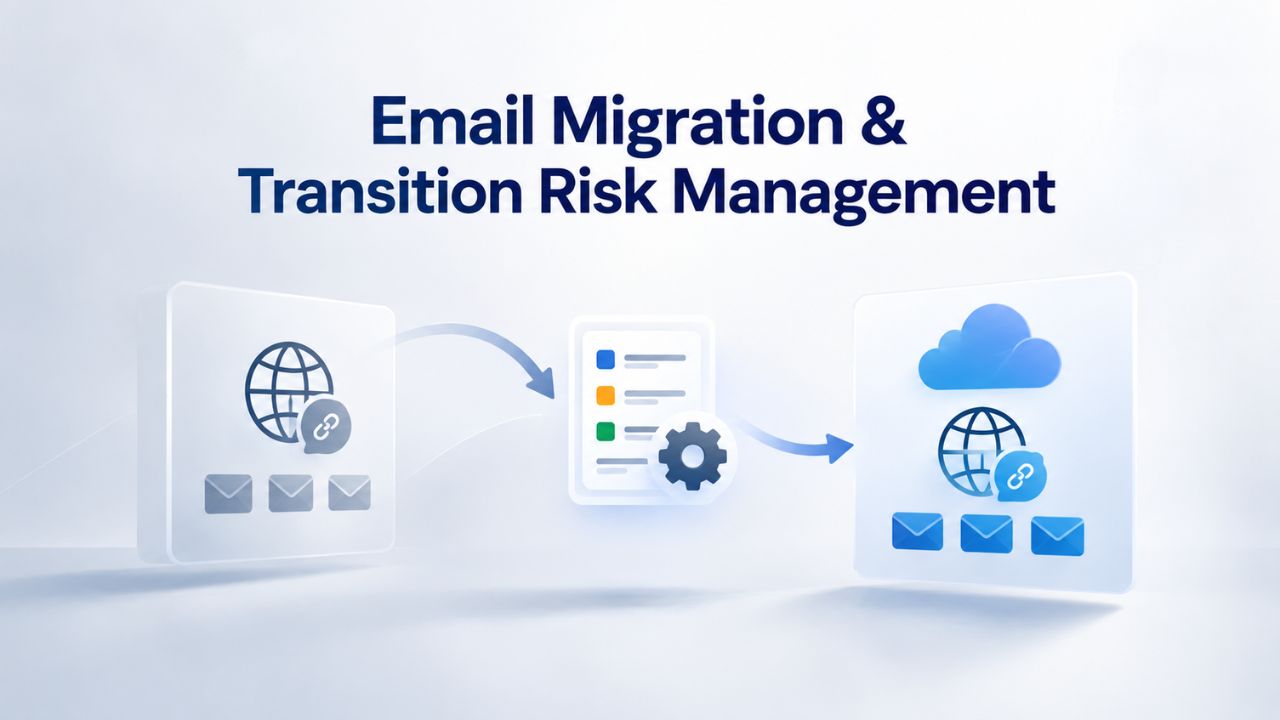
Email Migration & Transition Risk Management
Email migration is a high-stakes project. A failed cutover leaves employees without access to sent mail, calendar invites, or contact information. Both platforms support migration from legacy systems, but the risk profiles and safety margins differ. Proper planning, testing, and vendor partnership are non-negotiable.
Microsoft 365: Staged or Big-Bang Cutover Strategies
A 2025 Gartner survey found that 40% of enterprise cloud migrations experienced significant disruption, missed deadlines, budget overruns, or data integrity issues, most stemming from inadequate planning and skipped testing. Microsoft 365 migrations follow two primary paths: staged cutover (by department or office, over weeks or months) or big-bang cutover (entire organization over a weekend).
Staged cutover reduces risk. Department A moves first; IT validates that email, calendar, and attachments transfer correctly before moving Department B. However, supporting dual systems (legacy and Microsoft 365) for weeks increases operational overhead; IT must manage two email systems, synchronize calendars, and handle routing conflicts. Big-bang cutover is faster but riskier; if something fails on the cutover weekend, the entire organization loses email access. Third-party migration tools (CloudM, Quest, Kernel) and managed service providers reduce risk by automating mailbox mapping, metadata preservation, and validation.
IceWarp: Parallel Sync & Extended Validation Windows
IceWarp’s migration approach emphasizes parallel operation: both the legacy system and IceWarp are active simultaneously, with mailboxes synced continuously. Users can validate functionality on IceWarp while still using their old system. Once confidence is high, a single-cutover event (often just a DNS change to redirect email to IceWarp) completes the migration. If issues arise, rollback is simple: redirect DNS back to the old system.
This strategy extends the migration window (typically 1–2 weeks of parallel operation) but dramatically reduces cutover risk. A 50-person organization can migrate in 3–5 weeks with minimal disruption; larger organizations benefit equally because parallel sync removes the pressure of a single high-stakes weekend event. IT teams report fewer emergency incidents and faster resolution when issues occur because users retain access to the legacy system during troubleshooting.
Scalability & Growth-Phase Flexibility
As organizations grow from 10 to 100 to 500+ users, the platform’s ability to scale without major architectural changes becomes important. Scaling costs, administrative overhead, and feature access should grow predictably with headcount, not introduce cliff costs or forced plan upgrades.
Microsoft 365: Tier-Based Scaling with Plan Transitions
Microsoft 365 Business plans support up to 300 users; organizations exceeding this threshold must transition to Enterprise plans (E3, E5), which operate on different administrative models, feature sets, and support terms. This transition introduces complexity, different licensing terms, different admin center configurations, and different support contracts. Within Business tiers, upgrading from Basic to Standard to Premium is straightforward; each new tier adds features (Teams, Copilot, Defender) incrementally.
Device management via Intune scales smoothly. A 10-user team uses basic Intune policies; a 500-user organization deploys fine-grained policies that enforce device encryption, app restrictions, and phishing-resistant MFA across all endpoints. For organizations planning rapid growth or expecting to exceed 300 users, this predictable scaling is reliable, though the plan transition (Business to Enterprise) requires planning and potential cost reassessment.
IceWarp: Flat-Rate Scaling with No Tier Transitions
IceWarp Cloud and Self-Hosted scale to thousands of users without plan tier changes. Per-user cost remains consistent regardless of headcount. A 5-user startup pays the same per-user rate as a 500-user organization. This predictability simplifies budgeting and eliminates cliff costs. However, self-hosted deployments require infrastructure scaling; larger organizations need bigger servers, redundancy, and backup systems. The IT team must plan hardware upgrades as the user base grows. For cloud-hosted IceWarp, scaling is transparent; IceWarp’s infrastructure automatically accommodates growth.
Organizations with uncertain growth trajectories, or those planning to scale rapidly, often prefer IceWarp’s flat-rate model to avoid surprise plan transitions. Mature organizations with stable headcount appreciate Microsoft 365’s feature-based scaling, where each plan tier clearly maps to specific security, compliance, or collaboration needs.
Vendor Support & Service Level Expectations
When email stops working, or a critical security issue arises, support responsiveness is essential. Each vendor offers different support channels, hours, and guarantees. Understanding the support model helps you assess risk tolerance and plan for operational continuity.
Microsoft 365: Scheduled Support Hours & SLA-Backed Guarantees
Microsoft 365 Business plans include anytime phone and web support with posted hours Monday–Friday, 6 AM–6 PM Pacific Time. A financially backed 99% uptime guarantee means Microsoft credits your account if availability falls below that threshold. For issues outside support hours, you can escalate to Microsoft’s partner support network, but this is not included in base support.
This model suits organizations comfortable with business-hours support and accepting that weekend emergencies may require partner escalation. The uptime SLA provides financial recourse if outages occur, though credits rarely offset business disruption. Organizations in financial services, healthcare, or other sectors that require 24/7 coverage typically add premium support plans or engage managed service providers (MSPs) that provide after-hours escalation.
IceWarp: 24/7 Enterprise Support with Tiered Options
IceWarp provides 24/7 support for enterprise customers; standard support during business hours for starter tiers. The knowledge base, community forums, and video tutorials are extensive, enabling self-service resolution for common issues. Organizations operating globally (across time zones) appreciate 24/7 availability; urgent issues don’t require waiting until morning.
Uptime guarantees aren’t explicitly published for Cloud plans; self-hosted customers own uptime through their infrastructure. For organizations in regulated industries demanding SLA-backed guarantees, Microsoft 365’s financial uptime guarantee is stronger. For global teams or those with strong IT staff that can troubleshoot independently, IceWarp’s 24/7 support plus extensive documentation provides confidence without requiring premium add-ons.
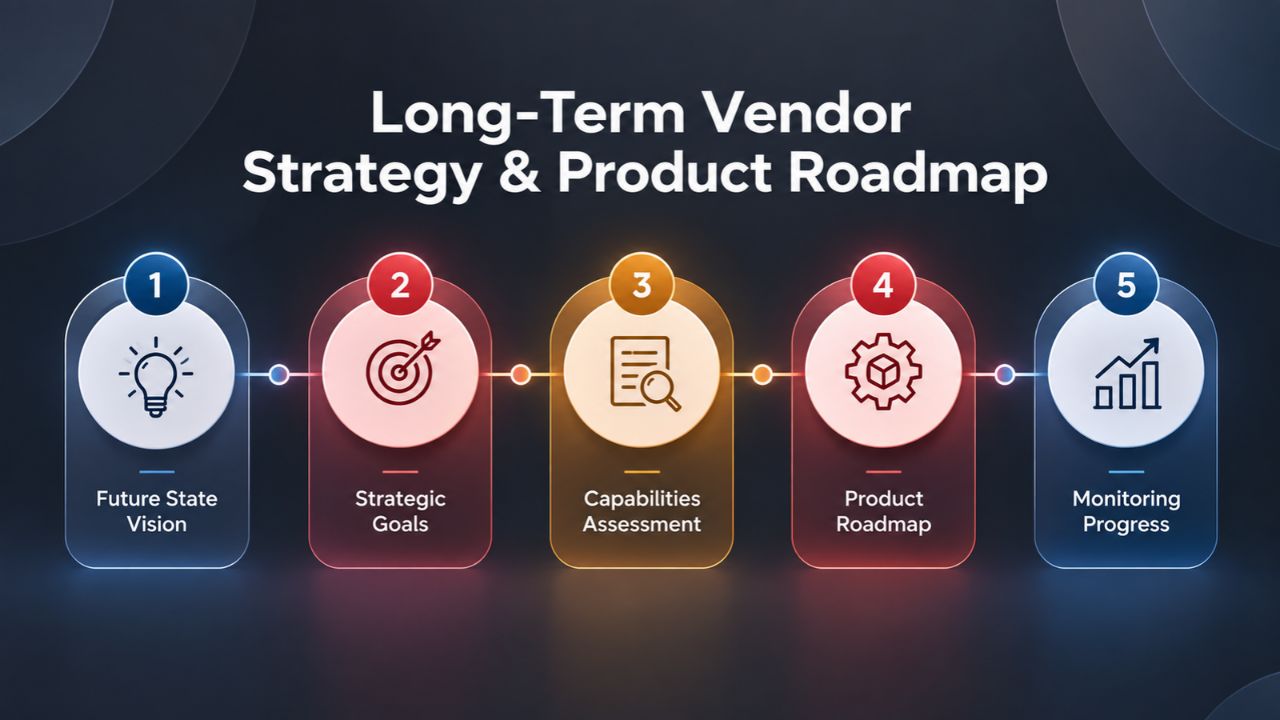
Long-Term Vendor Strategy & Product Roadmap
Your platform choice today affects your technology stack for years. Understanding each vendor’s investment direction, especially around AI, automation, and emerging compliance requirements, helps you bet on the right infrastructure.
Microsoft 365: AI-Powered Productivity & Agent Automation
Microsoft’s strategic focus centers on embedding AI into work. Copilot Business (running GPT-4 models) is now standard in Business Premium and Enterprise plans, enabling AI-assisted email drafting, meeting summarization, document analysis, and data research within Office apps, Teams, and Outlook. Work IQ (Microsoft’s reasoning AI) is rolling out, enabling autonomous workflows and agent-based task automation. Investment in agentic AI, systems that can take multi-step actions autonomously, is accelerating.
Organizations betting on AI-driven productivity gains, those already using Dynamics 365 or Power Platform, or teams leveraging Salesforce or other enterprise systems find Microsoft 365’s roadmap aggressive and complementary. However, organizations skeptical of rapid AI adoption or concerned about vendor lock-in to Microsoft’s AI ecosystem view this direction skeptically.
IceWarp: Compliance & Reliability Focus with OpenAI Integration
IceWarp’s strategy emphasizes reliability, compliance, and user choice through OpenAI ChatGPT integration (users bring their own API key). Rather than using proprietary AI, IceWarp lets customers leverage OpenAI’s models for email drafting and content generation. This approach avoids vendor lock-in and lets organizations choose their AI provider based on cost and capability.
IceWarp’s investment direction prioritizes self-hosted deployments, EU data residency, and NIS2/DORA compliance support, reflecting demand from regulated industries and European organizations. For teams skeptical of Microsoft’s AI roadmap or those needing compliance certifications beyond what Microsoft 365 offers, IceWarp’s conservative, compliance-first strategy is reassuring.
Decision Matrix for Organization Sizing & Requirements
| Scenario | Recommended Platform | Reasoning |
|---|---|---|
| Startup (5–20 users), minimal budget | IceWarp | Lower licensing costs, simplified deployment, and an all-in-one collaboration platform help minimize IT overhead. |
| Mid-market Business (50–200 users), Windows-centric | Microsoft 365 | Deep integration with Windows, Microsoft Teams, Intune, and Active Directory simplifies device management and productivity. |
| EU-based Organization with Strict Data Residency | IceWarp Cloud (EU) or Self-Hosted | Provides EU-hosted cloud options or complete on-premises deployment for organizations with strict data sovereignty requirements. |
| Healthcare Provider (HIPAA Compliance) | Microsoft 365 | Offers mature compliance capabilities, Business Associate Agreement (BAA) support, and extensive healthcare-focused security features. |
| Financial Services (SEC Compliance, Large Scale) | Microsoft 365 | Advanced auditing, eDiscovery, retention policies, and legal hold capabilities support complex regulatory requirements. |
| Remote-First Team Requiring Advanced Meetings | Microsoft 365 | Microsoft Teams includes breakout rooms, meeting recordings, live captions, transcription, webinars, and AI-powered collaboration features. |
| Organization Using Salesforce or Microsoft Dynamics | Microsoft 365 | Extensive integration ecosystem, Power Automate workflows, and native CRM connectivity improve operational efficiency. |
| API-First Organization Favoring Open Integrations | IceWarp | REST APIs, IMAP/SMTP standards, and reduced vendor lock-in provide greater deployment flexibility. |
| Rapid Growth (10 → 500+ Users) | IceWarp | Predictable licensing and straightforward scaling can simplify budgeting during rapid organizational expansion. |
| Mature Organization with Stable Headcount | Microsoft 365 | Multiple licensing tiers, centralized administration, and comprehensive security controls support long-term enterprise management. |
| Privacy-First Organization with Self-Managed Infrastructure | IceWarp Self-Hosted | Complete control over infrastructure, storage, security policies, and data residency without relying on a public cloud provider. |
Ready to Choose the Right Email Platform?
Your business deserves a communication foundation that supports growth, protects data, and simplifies workflows. Whether you’re drawn to Microsoft 365’s broad ecosystem and AI capabilities or IceWarp’s cost efficiency and data-sovereignty options, your priorities will drive the decision. Niya Digital helps you navigate the trade-offs, plan the migration, and ensure a successful deployment. Reach out to discuss your specific requirements and get expert guidance tailored to your organization’s size, industry, and technical needs.
Frequently Asked Questions
Can I migrate from Microsoft 365 to IceWarp if I change my mind?
Yes. Both platforms support IMAP/SMTP export and import. IceWarp’s managed migration service handles transitions from Microsoft 365, extracting mailboxes, calendar events, and contacts. The typical timeline is 2–4 weeks depending on mailbox size and organizational readiness. No data is lost; the switch is straightforward if your organization decides IceWarp better meets your needs.
Which platform is better for remote-first teams?
Both excel for remote work. Microsoft 365 Teams offers superior video conferencing with breakout rooms, live polls, and transcription, ideal for distributed teams needing rich meeting features. IceWarp’s all-in-one interface (email, chat, video, files) suits teams preferring consolidated tooling with less context-switching. Choose based on whether you prioritize premium meeting features (Microsoft 365) or unified simplicity (IceWarp).
How does compliance certification differ between the platforms?
Microsoft 365 holds SOC 2, HIPAA, and FedRAMP certifications with global compliance reach. IceWarp holds ISO 27001, ISO 27017, ISO 27018, GDPR certification, and SOC 2 Type II attestation, emphasizing EU data residency and privacy. For regulated industries, both are compliant; Microsoft 365 is stronger for US-centric compliance; IceWarp is stronger for EU-centric compliance.
What happens to my data if Microsoft 365 or IceWarp has an outage?
Microsoft 365 operates with a 99% uptime guarantee; if outages exceed that threshold, Microsoft provides account credits. IceWarp Cloud doesn’t explicitly guarantee uptime; self-hosted customers are responsible for infrastructure redundancy. For critical business continuity, both platforms offer backup solutions. Niya Digital recommends independent backup for both platforms as a precaution.
Can I use my own domain name with both platforms?
Yes. Both support custom domain email. Microsoft 365 requires DNS configuration (MX, SPF, DKIM, DMARC records) through your registrar; IceWarp offers the same, often with simpler automation if hosted on managed hosting platforms with cPanel or Plesk.
How much storage does each plan include?
Storage varies by plan and is not specified here; consult official vendor pages for current allocations. Both platforms support expansion via additional licenses or pay-as-you-go capacity upgrades.
Is ChatGPT or AI writing assistance built into both platforms?
Microsoft 365 Business Premium and Enterprise plans include Copilot Business, providing AI-assisted writing in Word, Excel, and Outlook. IceWarp enables ChatGPT integration for email drafting (users provide their own OpenAI key), offering flexibility in AI provider choice without vendor lock-in.
Which platform is easier to set up for a small business?
IceWarp typically involves fewer DNS records and simpler provisioning, especially on managed hosting with cPanel/Plesk. Microsoft 365 requires more DNS configuration and Entra ID setup, though the process is well-documented and supported by Niya Digital’s migration services.
Can I run IceWarp on my own servers without cloud involvement?
Yes. IceWarp Self-Hosted lets you deploy on Windows or Linux infrastructure you own and manage. Your IT team handles OS patches, backups, and hardware scaling. Microsoft 365 is cloud-only; there is no on-premises option.
Does either platform offer API access for custom integrations?
Yes. IceWarp provides REST API documentation for custom integrations. Microsoft 365 offers Microsoft Graph API and Power Automate for custom workflows. IceWarp’s API surface is smaller but sufficient for common use cases.
What’s the difference in user experience between web and desktop clients?
Microsoft 365 offers full-featured desktop apps (Outlook, Word, Excel, PowerPoint) for deeper functionality; web versions are capable but offer reduced features. IceWarp provides a feature-rich web interface and desktop client (Windows/macOS) that closely mirrors web functionality. The desktop and web experiences are comparable; desktop clients feel more native in Microsoft 365.
Can I use Outlook with IceWarp?
Yes. IceWarp supports Outlook via IMAP/SMTP or direct synchronization through OutlookSync integration, so users can keep using Outlook while mailboxes live on IceWarp infrastructure.
What’s the best platform for organizations in the European Union?
IceWarp’s EU data residency guarantees, ISO certifications, and GDPR emphasis make it the natural choice for EU organizations prioritizing data sovereignty. Microsoft 365 is compliant but requires explicit EU data center selection and manages infrastructure globally. For strict EU-first requirements, IceWarp is typically preferred.
How long does it take to migrate an organization fully?
Microsoft 365: 4–8 weeks for 100+ users (including planning, pilot, testing, cutover, and training). IceWarp: 2–4 weeks for similar scale. Smaller organizations (under 50 users) migrate faster on both platforms. Niya Digital can provide a specific timeline after assessing your infrastructure.
Glossary
- DKIM (DomainKeys Identified Mail): A cryptographic protocol that digitally signs outgoing emails at your domain, proving to recipients that emails originated from your organization and were not forged during transit.
- Email Archive: Long-term separate storage of incoming and outgoing emails, independent of the active mailbox, used for compliance documentation, legal holds, and storage optimization to keep primary inboxes responsive.
- MFA (Multi-Factor Authentication): A security requirement that users provide two or more verification factors (password, SMS code, authenticator app, or hardware key) to log in; significantly reduces account-takeover risk from stolen passwords.
- MX Record: A DNS (Domain Name System) record that directs incoming email destined for your domain to your email server; essential for custom domain email delivery and must be configured at your domain registrar.
- Quota (Storage): A per-user limit (measured in gigabytes or terabytes) on the total amount of files or mailbox content stored in the cloud; once exceeded, users typically lose upload and sync abilities until space is freed or the limit is increased.