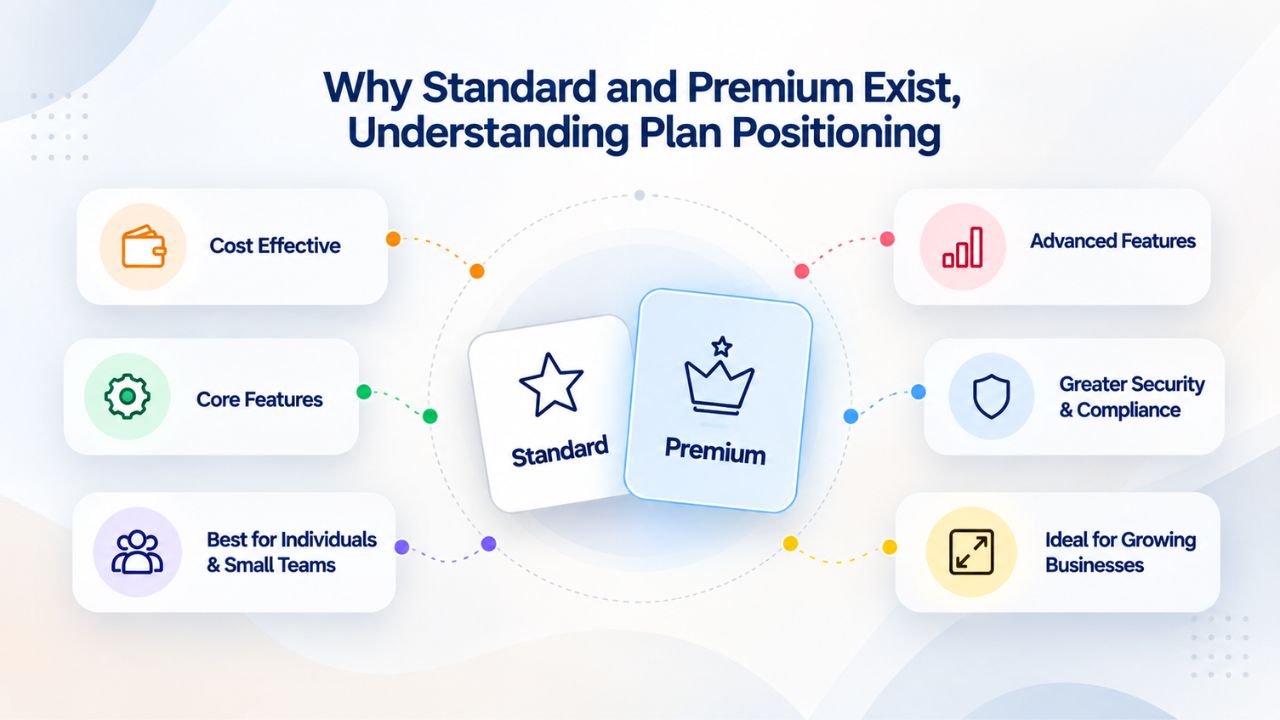
Why Standard and Premium Exist, Understanding Plan Positioning
Understanding why Microsoft created these two tiers helps clarify the decision. A startup with five employees handling only internal communications needs a different foundation than a healthcare consultancy managing patient records or a law firm with sensitive client data. Both deserve access to the same core productivity tools. The differentiator is security maturity and organizational complexity, not just company size.
The Productivity Foundation (Both Plans Identical)
Microsoft 365 Business Standard and Premium both bundle the full suite of desktop Office apps: Word, Excel, PowerPoint, Outlook, OneNote, and, on Windows PCs, Access and Publisher. These are the same applications you’d use in any Microsoft 365 environment; neither plan limits you to web-only versions or stripped-down feature sets. Every user on either plan gets fully installed, always-updated versions of the apps that most knowledge workers rely on daily.
Both plans include Exchange Online for business-class email with custom business domain support (you@yourbusiness.com), shared mailbox capabilities, and calendar management. One license covers installation on five PCs or Macs, five tablets, and five mobile devices per person. This device flexibility means employees can use Office on their home laptop, tablet during travel, and phone while on the go, all under a single subscription.
Where the Paths Diverge, Security and Control
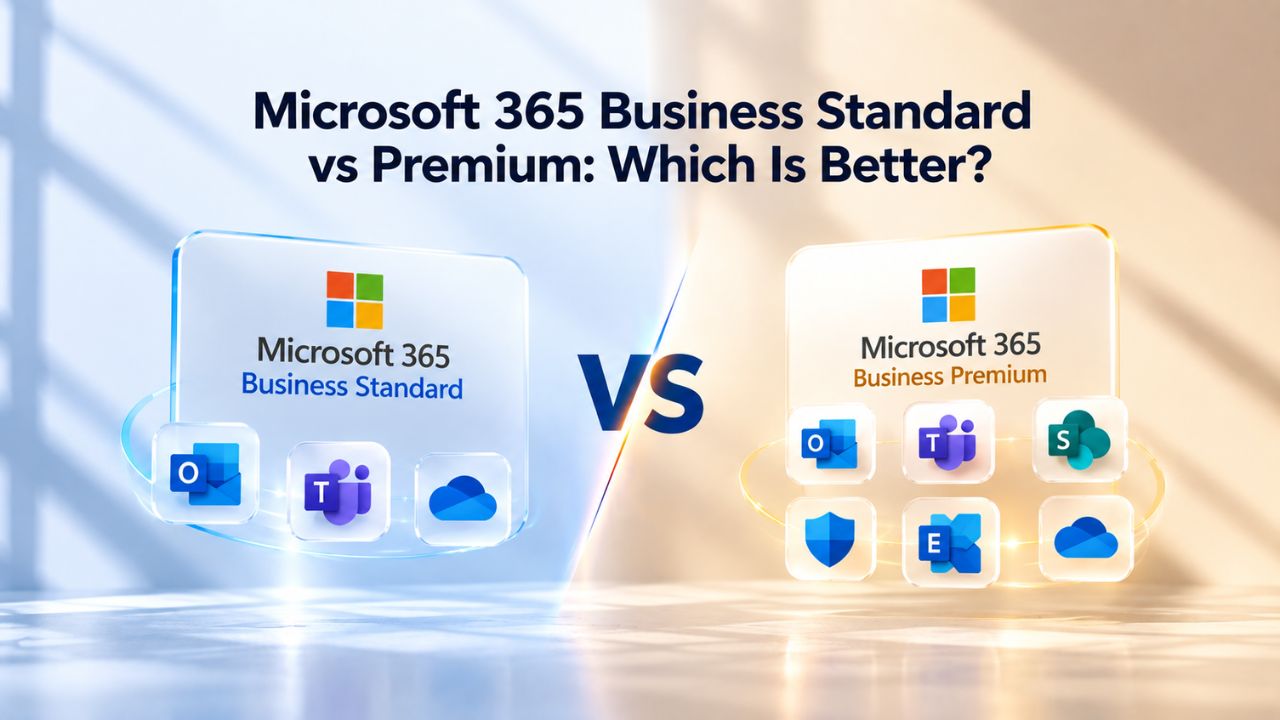
The divergence between Standard and Premium is architectural, not cosmetic. Standard stops after productivity and collaboration. Premium doesn’t. Premium adds four major security and management components not in Standard: Intune P1 (device management), Defender for Business (endpoint security), Defender for Office 365 P1 (email threat protection), and Entra ID P1 (advanced identity and access controls). These aren’t optional add-ons or UI enhancements; they fundamentally reshape how IT teams enforce policy, detect threats, and respond to incidents.
Niya Digital’s team has found that organizations often underestimate complexity; a small team handling customer data or managing company devices quickly outgrows Standard’s baseline protections. What feels sufficient on day one (basic email filtering, user passwords) becomes inadequate once you’re managing remote devices, handling regulated data, or running compliance audits. Understanding this trajectory helps you plan proactively rather than scrambling to upgrade mid-growth.
Microsoft 365 Plans & Pricing
Find the Microsoft 365 plan that fits your needs, whether you're using it at home, with your family, or for your business. With a range of plans designed for different budgets and requirements, you can enjoy the tools you need to stay productive, connected, and protected.
Microsoft 365 Email Essentials
Professional email with 10GB of email storage.
- Professional email using your domain name
- 10GB storage for email, contacts & calendar
- Sync across all devices
- Shared online calendars
- Up to 400 email aliases

Microsoft 365 Email Plus
Professional email with 50GB of email storage.
- Professional email using your domain name
- 50GB storage for email, contacts & calendar
- Sync across all devices
- Shared online calendars
- Up to 400 email aliases
Microsoft 365 Online Business Essentials
Office web apps & professional email.
- Office apps (online only)
- 1TB OneDrive storage
- Unlimited online meetings & HD video
- Professional email using your domain
- 50GB email storage
- Sync across all devices
Microsoft 365 Business Professional
Office apps on 5 devices, web apps & professional email.
- Office apps installed on up to 5 devices
- Office web apps
- 1TB OneDrive storage
- Business apps included
- Professional email using your domain
- 50GB email storage
Productivity and Collaboration, Feature Parity
Both Standard and Premium deliver the complete Microsoft 365 productivity experience. The apps, cloud services, and real-time collaboration capabilities are identical. This section makes clear what’s shared so you understand the comparison focuses purely on security, device management, and compliance differences.
Office Apps, Email, and Cloud Services Are Identical
Every user on both Standard and Premium gets the same desktop and web versions of Word, Excel, and PowerPoint. There’s no “lite” version of Excel in Standard or a “pro” version in Premium; the apps are identical. Teams supports the same number of meeting attendees (up to 300) and includes the same calling, chat, and channel features in both plans. SharePoint Online provides intranet sites and document libraries with the same sharing and permission controls.
Specialized tools, Microsoft Loop for collaborative workspaces, Clipchamp for video editing, Bookings for appointment scheduling, and Planner for task management, appear in both plans. The email experience is equally robust: both plans include Exchange Online with custom business domains, shared mailbox support, and calendar sharing. Neither plan restricts you from setting up your own domain or managing multiple email addresses. If productivity and collaboration are your primary decision factors, you won’t find a meaningful difference between the two tiers.
Storage, Device Support, and User Scale Limits
Both plans offer 1 TB of OneDrive for Business per user, which is sufficient for most teams’ document storage, backups, and offline file synchronization. Each license covers five PCs or Macs, five tablets, and five mobile devices, the same device allocation across both plans. Both support organizations up to 300 users maximum; beyond that scale, you transition to enterprise plans like Microsoft 365 E3.
| Feature | Business Standard | Business Premium |
|---|---|---|
| Desktop Office Apps (Word, Excel, PowerPoint, Outlook, etc.) | ✓ | ✓ |
| Exchange Online (Email, Calendar, Contacts) | ✓ | ✓ |
| Custom Business Domain Support | ✓ | ✓ |
| Microsoft Teams (Calls, Chat, Meetings up to 300 participants) | ✓ | ✓ |
| OneDrive for Business (Cloud Storage per User) | 1 TB | 1 TB |
| SharePoint Online (Team Sites & Document Libraries) | ✓ | ✓ |
| Microsoft Loop (Collaborative Workspaces) | ✓ | ✓ |
| Clipchamp (Video Editing) | ✓ | ✓ |
| Microsoft Bookings (Appointment Scheduling) | ✓ | ✓ |
| Device Limit per User | 5 PCs/Macs, 5 tablets, 5 mobile devices | 5 PCs/Macs, 5 tablets, 5 mobile devices |
| Maximum Organization Size | 300 users | 300 users |
When productivity, storage, and device support are identical across both tiers, the real decision-making question becomes: what additional capabilities does your team need to stay secure, compliant, and operationally controlled? That’s where the plans separate fundamentally.
Security and Compliance, Premium’s First Major Differentiator
Standard provides foundational security built into Exchange Online: multifactor authentication, spam filtering, and malware protection. These baseline protections are table stakes for any modern email system and prevent the most common threats. Premium, however, adds defense-in-depth, layered protections that work together to detect and stop sophisticated attacks. The security posture gap grows as your data sensitivity, team size, or regulatory obligations increase.
Email Threat Protection and Data Loss Prevention
Premium includes Defender for Office 365 P1, which scans email attachments, links, and URLs for malicious content in real time. Standard users rely on Exchange Online’s baseline anti-spam and anti-malware filtering, which catches common threats but lacks the advanced phishing detection and Safe Links/Safe Attachments scanning that Premium provides. When a new phishing technique emerges, or a zero-day vulnerability targets email, Standard’s signature-based detection may miss it; Premium’s behavioral analysis often catches it.
Premium adds Data Loss Prevention (DLP), which identifies sensitive information, customer records, financial data, intellectual property, and blocks or logs attempts to share it via email, SharePoint, OneDrive, or Teams. Standard has no DLP mechanism. If your team regularly handles regulated data (healthcare records, payment card information, legal documents, personal information), DLP isn’t optional; it’s required for compliance and risk management. A single accidental email sharing customer data with the wrong person can trigger regulatory fines, breach notifications, and reputational damage that DLP is designed to prevent.
Identity Protection and Compliance Reporting
Premium includes Entra ID P1 (formerly Azure Active Directory Premium P1), which enforces Multi-Factor Authentication (MFA) and Conditional Access policies. Conditional Access lets you set login rules, require MFA if accessing from a new location, block logins from unmanaged devices, and enforce app-based protections, so compromised passwords don’t grant instant access to your entire tenant. Standard has basic MFA available but no Conditional Access policies; you can’t create rules beyond “turn on MFA or turn it off.”
Premium also includes Microsoft Purview for data classification and compliance reporting, enabling sensitivity labels to tag confidential documents and audit access trails. For industries under data-protection regulations (GDPR, HIPAA, CCPA), this audit trail and document-classification layer helps you demonstrate compliance to regulators during audits. Standard has no compliance reporting or labeling tools, which means you have no systematic way to prove you’re protecting regulated data.
Device and Endpoint Management, Premium’s Second Major Differentiator
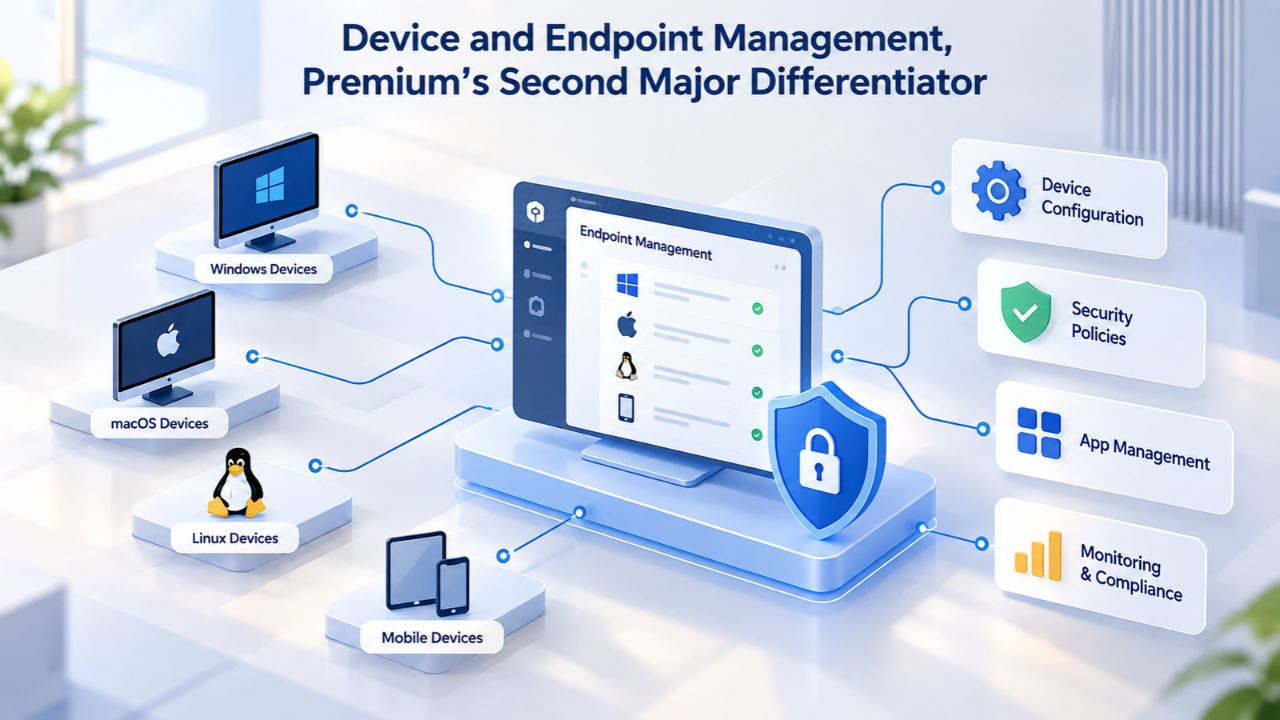
Standard assumes devices are under user control; users handle passwords, updates, and security. Premium assumes IT needs central visibility and control over devices. This architectural difference shapes daily operations for any team managing company devices, running remote/hybrid work, or enforcing security policies.
Mobile Device Management and Windows Autopilot
Premium includes Intune P1, Microsoft’s cloud-based mobile device and application management (MDM/MAM) service. Through Intune, IT administrators can enforce security policies (require strong passwords, auto-lock idle devices, enforce encryption), deploy apps and security updates remotely, manage BYOD (bring-your-own-device) scenarios by protecting corporate data on personal phones, and remotely wipe company data if a device is lost or an employee leaves. Standard has no device management; once you issue a license, you have no visibility into device security status and no way to enforce policy across devices.
Premium also includes Windows Autopilot, which automates new Windows device provisioning. Instead of manual setup (unbox device, run through Windows setup, manually install apps and configure settings), devices ordered from vendors can be pre-configured to auto-join your tenant, auto-install company apps and security policies, and route directly to users without IT intervention. For organizations scaling from 5 to 20 to 50 employees, Autopilot automation saves weeks of IT time per year and eliminates the common problem of a device shipping with outdated security configurations.
Endpoint Detection and Threat Response
Premium includes Defender for Business, which provides next-generation antivirus, endpoint detection and response (EDR), and threat and vulnerability management. Standard users get Windows Defender (the OS-included antivirus), which handles common malware through signature detection but lacks EDR, the ability to detect anomalous behavior, investigate threats, and respond. If a ransomware variant slips past signature-based detection, or if malware behaves differently than known samples, Standard leaves you without incident-response visibility and containment tools.
Defender for Business in Premium tracks device security events in real time, identifies suspicious activity patterns, and enables IT to investigate and contain threats before they spread across your network. As your organization grows and remote work increases, endpoint visibility becomes increasingly critical. Many cyber insurance policies now require Defender or equivalent EDR as a condition of coverage; Premium bundles it as a baseline security layer.
Identity, Access Control, and Compliance, Premium’s Third Major Differentiator
Beyond device and email security sits the identity layer: who can access what, when, and from where. Premium’s identity tools reshape your security posture through enforced authentication and access policies. Standard’s identity controls are minimal, assuming users will manage password security and access requests themselves.
Conditional Access and Multi-Factor Authentication Enforcement
Standard includes basic MFA that can be enabled, but no Conditional Access policies. Premium’s Entra ID P1 adds Conditional Access, allowing administrators to define context-aware login rules: require MFA for risky sign-ins, block access from unmanaged devices, enforce app-based protections for sensitive apps, and adjust policies by user role. For example, you could require MFA whenever someone logs in from outside your country, or block OneDrive access from a device that hasn’t run Defender scans in 30 days. Standard cannot do any of this; you can only turn MFA on or off globally.
The practical impact is significant: in a Standard-only environment, a compromised password often means full access to email, OneDrive, Teams, and all company data connected to that account. In a Premium environment with Conditional Access, compromised credentials alone don’t grant access; stolen passwords trigger additional verification and device checks, dramatically reducing account-takeover risk.
Sensitivity Labels and Information Protection
Premium includes Microsoft Information Protection (formerly Azure Information Protection), enabling sensitivity labels that classify and protect documents. You can tag a file “Confidential, Internal Use Only” so that it auto-encrypts, restricts copying or forwarding, and logs who accesses it and when.
Standard has no document classification or automatic protection mechanisms. For organizations handling intellectual property, client confidentiality, or regulated data, sensitivity labels enforce protection at the document level, not just the infrastructure level, ensuring that even if a document leaves your organization, it remains protected.
Ready to Explore Your Microsoft 365 Business Plan Options?
Both Standard and Premium share identical productivity features, Office apps, Teams, email, and cloud collaboration. Premium adds the security, device management, and compliance capabilities your organization needs as data sensitivity, team distribution, and regulatory requirements increase. Niya Digital can help you assess your current security posture, design the right license mix for your team’s growth stage, and plan your migration to Microsoft 365 Business. Explore our Microsoft 365 setup and support services to determine which plan aligns with your business needs today and tomorrow.
Operational Readiness and When to Upgrade
The choice between Standard and Premium isn’t just about features; it’s about operational readiness. Organizations often start on Standard because it’s sufficient for their immediate needs, then discover mid-growth that they need Premium’s capabilities. The question becomes: do you plan for Premium upfront, or do you upgrade reactively when pain points emerge?
The Bundling Value Proposition and Operational Complexity
Premium bundles device management (Intune P1), endpoint security (Defender for Business), email security (Defender for Office 365 P1), and advanced identity management (Entra ID P1) into one plan. If you tried to assemble equivalent capabilities from third-party vendors or standalone Microsoft products, you’d be managing multiple vendors, multiple consoles, and complex integrations. Premium bundles these tools so they work together seamlessly: policy changes in one admin center, unified threat intelligence across devices and email, and coordinated incident response.
For organizations managing devices or handling regulated data, the bundled approach is operationally superior to piecemeal solutions. You’re not cobbling together a security stack; you’re deploying an integrated platform designed to work as one system. This integration is invisible to most users but critical to IT teams trying to prevent and respond to incidents efficiently.
Operational Inflection Points, When to Plan Premium
Organizations typically face inflection points that make Premium essential. The first is team growth: when you scale from 5 to 15 employees, device diversity increases (home laptops, personal phones, tablets), data handling becomes more complex, and the overhead of managing security without tools becomes significant. The second is data sensitivity: if you launch a product handling customer data, accept regulated data from clients, or move into a regulated industry, Premium becomes non-negotiable. The third is remote/hybrid work adoption: distributed teams require centralized device management and access controls that Standard doesn’t provide.
Planning annually for these inflection points helps you stay ahead of operational needs. If you anticipate any of these changes in the next 12 months, Premium makes sense from day one. If you’re genuinely low-risk (internal work only, small stable team, no regulated data), Standard is valid. But underestimating complexity is common; planning conservatively and upgrading to Premium earlier is often wiser than scrambling to secure devices and data after a problem surfaces.
Making the Decision, Organization Size, Complexity, and Risk Profile
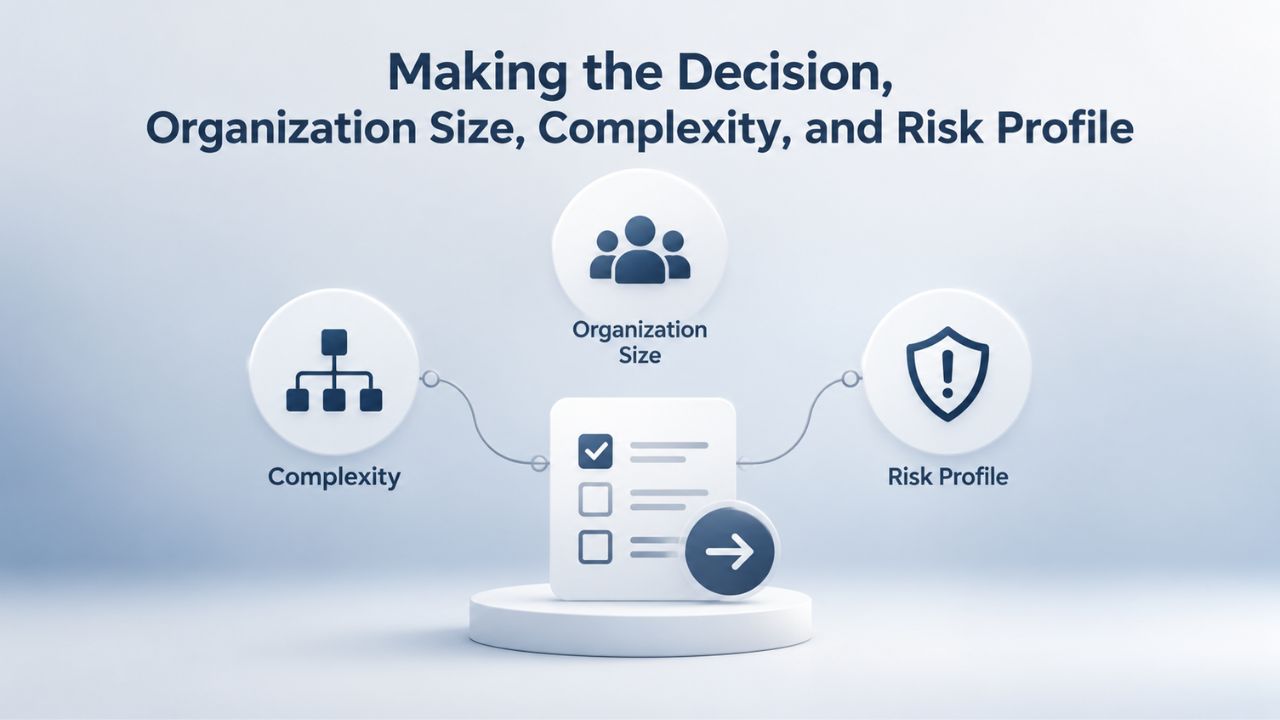
The choice between Standard and Premium reflects your organization’s growth stage, data handling practices, and risk tolerance. Early-stage startups with no external data and fully remote teams may safely start on Standard. Organizations scaling past 20 users, handling customer or regulated data, or managing company devices should prioritize Premium from the start.
Organization Size and User Scenarios
For 1–10 users, Standard is often sufficient if your team is entirely internal, doesn’t handle sensitive external data, and operates in a low-regulation industry. For 10–30 users, the decision depends on data type: if you manage customer databases, financial records, or healthcare information, move to Premium. If you’re a creative agency or consulting firm that deals primarily in proposals and non-sensitive deliverables, Standard may suffice, as long as you maintain strong user discipline around passwords and sharing.
At 30–50 users, organizational complexity typically pushes toward Premium. Remote/hybrid work increases device diversity; multiple teams and roles increase data-sharing scenarios; external collaboration with clients or partners introduces risk. Organizations increasingly use mixed licensing strategies, assigning Standard to lower-risk roles (administrative staff, data-entry) and Premium to higher-risk roles (IT, sales handling customer data, HR accessing payroll). This approach is operationally sound and resource-efficient; you’re not overpaying for features unused, and you’re protecting high-risk roles with appropriate controls.
Compliance and Security Drivers
If your industry requires compliance audits (healthcare under HIPAA, finance under SOX, data processors under GDPR), Premium is not optional. Many cyber insurance providers now require specific security controls, MFA, endpoint protection, device management, and data-loss prevention, as a condition of coverage. Premium bundles exactly these controls. You can start on Standard and upgrade later, but planning for Premium from the start is operationally smoother and often more cost-effective than retrofitting security later.
| Scenario | Recommendation | Rationale |
|---|---|---|
| Startup / Freelance (1–5 users, no external data) | Business Standard | Low data sensitivity and straightforward collaboration needs make the Standard plan sufficient for most small teams. |
| Small Team (6–15 users, internal work only) | Business Standard or Mixed | Use Standard for general users and assign Premium licenses only to employees handling customer, financial, or regulated data. |
| Mixed Office / Remote Workforce (15–50 users) | Business Premium or Mixed | Remote work and multiple device types benefit from Intune, Conditional Access, and centralized device management while a mixed licensing strategy helps control costs. |
| Regulated Industry (Healthcare, Finance, Legal) | Business Premium | Advanced security, compliance features, device management, and Data Loss Prevention (DLP) support regulatory and audit requirements. |
| BYOD (Bring Your Own Device) Environment | Business Premium | Intune, mobile application management, and security policies help protect corporate data on personally owned devices. |
| IT-Managed / Compliance-Focused Organization | Business Premium | Centralized policy enforcement, audit logging, endpoint protection, and compliance controls simplify governance and administration. |
| Growth-Focused Business Planning 2-Year Expansion | Business Premium | Starting with Premium reduces the need for disruptive security upgrades later and provides a scalable foundation as the organization grows. |
Remote and hybrid work has become a universal driver too. Managing devices across home offices, coffee shops, and shared co-working spaces requires the centralized oversight and Conditional Access policies that only Premium provides. If more than 25% of your team works outside the office, Premium becomes practically necessary.
Custom Domain Email Setup and Migration Planning
Both Standard and Premium support custom domain email setup through Exchange Online. Setting up your domain (you@yourbusiness.com) involves verifying domain ownership, configuring DNS records, and routing email through Microsoft’s infrastructure. The setup process is identical for both plans; the difference is post-migration operational readiness. Premium’s device management and security tools simplify the environment you’re migrating into.
Custom Domain Verification and DNS Configuration
To set up a custom domain in Microsoft 365, you must first verify ownership. The typical method is adding a TXT record to your domain’s DNS control panel with a verification code Microsoft provides. Once verified, you configure DNS records for email routing: the MX record (directing inbound email to Microsoft 365), SPF record (authenticating outbound email), and Autodiscover CNAME record (configuring Outlook clients automatically). These DNS records are the bridge between your domain registrar and Microsoft’s email infrastructure.
Before updating your MX record to point to Microsoft 365, add all email users and set up their mailboxes in the Microsoft 365 admin center. This sequencing ensures email continues flowing without interruption as you switch from your previous email provider. If you update the MX record first and mailboxes aren’t ready, incoming email will bounce temporarily, leaving senders with non-delivery reports and potentially lost messages. Proper preparation prevents this common migration mistake.
Migration Coordination and Transition Planning
Moving existing email from an old provider to Microsoft 365 requires careful planning to minimize disruption. Common migration challenges include data loss if mailboxes aren’t pre-staged, calendar and contact syncing issues, broken shared-mailbox permissions, and DNS propagation delays. Proper sequencing, inventorying existing mailboxes, cleaning up old data, migrating in batches, validating DNS settings, and then cutting over MX routing helps reduce risk and user impact.
Niya Digital can assist with Microsoft 365 migration services, helping you plan each phase, coordinate DNS changes, and support users through the transition. For organizations moving from other email providers, on-premises email systems, or another Microsoft 365 tenant, an experienced migration partner helps avoid costly mistakes and keeps operations running during the changeover. This is especially important if your team spans multiple time zones or depends on constant email availability.
Common Myths and Misunderstandings About Standard vs Premium
Misconceptions often delay or complicate the Standard-to-Premium decision. Clarifying what’s actually true helps you plan with confidence and avoid common pitfalls.
Many organizations make licensing decisions based on incomplete information or assumptions that don’t hold up under scrutiny. Separating fact from myth is essential to right-size your investment and avoid regrettable decisions that are expensive to reverse.
Standard Has Everything; Premium Is Just Extra Bells and Whistles
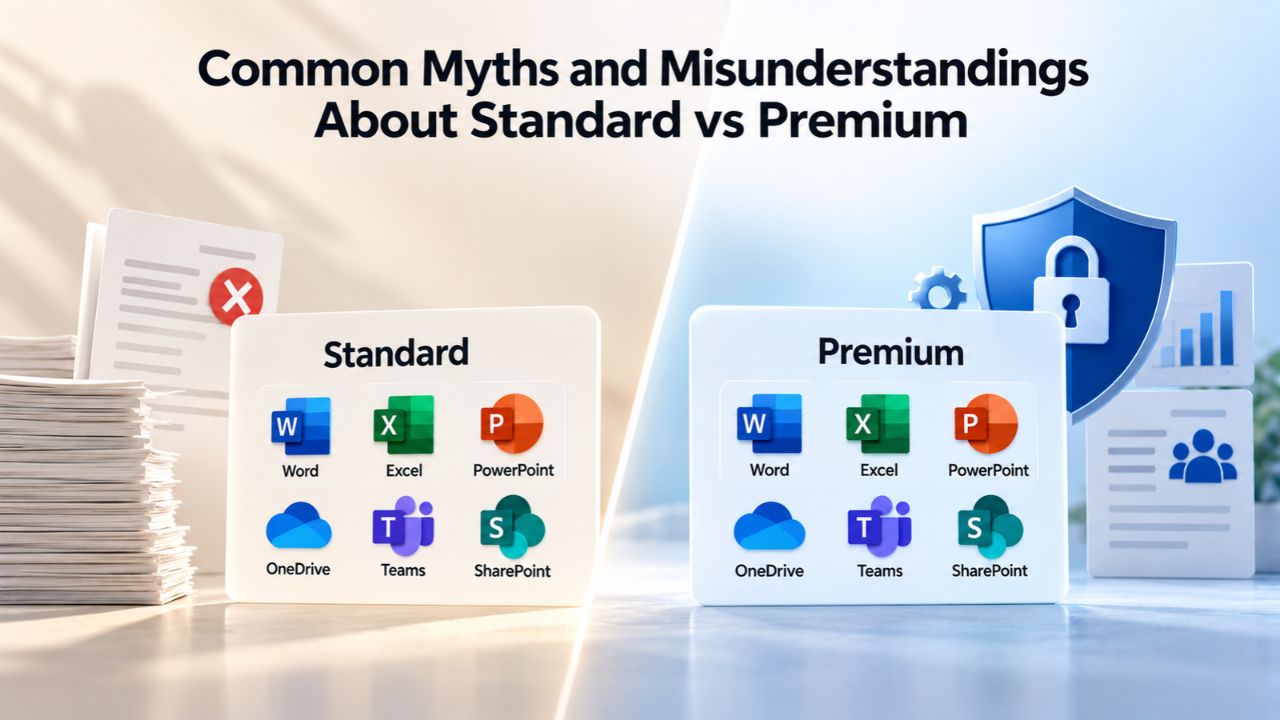
This misses the architecture entirely. Standard includes apps and collaboration tools. Premium includes apps, collaboration, and the security and device-management layer that modern distributed work requires. The distinction isn’t cosmetic features or UI enhancements; it’s foundational operational control. You can use Standard without Intune and Defender, just as you can drive a car without airbags, but the risk profile is fundamentally different.
If your team handles any form of customer data, manages company devices, or works remotely from uncontrolled environments, Premium isn’t a luxury add-on; it’s foundational infrastructure. Standard is genuinely sufficient for small, internal teams with low data sensitivity. But conflating “we can technically run Standard” with “Standard is adequate for our needs” leads to security incidents, compliance failures, and expensive retrofits.
Switching Plans Later Is Easy, We Can Start on Standard
Technically, yes, you can upgrade users from Standard to Premium by changing their license in the admin center. But operationally, it requires significant coordination. If your organization starts on Standard without device management policies, you’ll need to deploy Intune management, enroll existing devices, configure security baselines, educate users on compliance policies, and update IT processes when you upgrade. Doing all this upfront is less disruptive than retrofitting it mid-growth when your team is busy and your environment is more complex.
More importantly, upgrading late often means you’ve already had security incidents, compliance issues, or operational problems that Premium would have prevented. You’re not just paying for the license; you’re dealing with incident response costs, audit findings, and user frustration. Plan for Premium if you expect to need it within 12 months; the operational smoothness makes the earlier investment worthwhile.
All Users Must Have the Same Plan
False, and this misunderstanding often leads to overspending. Many organizations use mixed strategies: Standard for lower-risk roles (general staff, administrative roles, back-office) and Premium for higher-risk roles (IT, sales handling customer data, HR accessing payroll, executives). This approach is operationally sound and cost-conscious; you’re not paying for Premium features unused, and you’re protecting high-risk roles with appropriate controls. It’s an advanced licensing strategy but increasingly common in mature organizations.
Running Standard and Premium users side by side in the same tenant is seamless. You manage different plan types in the admin center; policies apply to Premium users, while Standard users keep baseline protections. This flexibility lets you right-size your investment and evolve your mix over time as organizational needs change.
Scaling from Standard to Premium, Your Long-Term Growth Roadmap
Few organizations get the license mix perfect on day one. Building a strategy to evolve from Standard to Premium as your organization grows ensures you’re never under-protected or over-committing resources.
When to Evaluate an Upgrade
Plan to review your license mix annually or whenever your team grows by 25%, or when a significant change occurs, entering a regulated industry, launching a customer data product, adopting BYOD, or opening a remote office. At these inflection points, reassess whether Standard’s baseline security still fits your risk profile. As hiring accelerates and data handling increases, Premium’s tools become harder to live without.
Microsoft 365 licensing is flexible; you can change plans per user, per department, or across the entire organization without service disruption. You can run Standard and Premium users side by side in the same tenant. This hybrid approach lets you grow into Premium incrementally, starting with IT, finance, and HR, then expanding to the broader team as budget and organizational readiness allow. Each upgrade is a conscious decision aligned with your operational needs, not a reactive scramble.
Planning for Compliance and Regulatory Requirements
If you’re in an industry that may impose regulatory requirements in the future, plan for Premium now. Retroactive security upgrades are disruptive and expensive. Compliance audits, post-breach incident response, and security retrofitting cost far more than planning defensively from the start. Cyber insurance increasingly requires Conditional Access, MFA enforcement, device management, and endpoint detection, features exclusive to Premium in the Microsoft 365 Business tier.
Starting on Standard is valid for genuinely low-risk teams with internal-only data and simple operations. Start on Premium if you handle external data, manage devices, or plan to hire beyond 30 people within 24 months. The worst decision is starting on Standard when you should be on Premium, then scrambling to catch up later when you’ve already had security problems.
Ready to Right-Size Your Microsoft 365 Subscription?
You’ve now seen the full picture: Standard delivers productivity and collaboration; Premium adds security, device management, and compliance controls. The real question is when you need those controls, not whether they’re valuable. For organizations managing devices, handling regulated data, or scaling beyond 20–30 users, Premium is justified from the start. Niya Digital can help you audit your current security posture, design a license mix that fits your risk profile and growth trajectory, and plan your migration to Microsoft 365 with minimal disruption. Your organization’s security and operational efficiency depend on getting this decision right.
Frequently Asked Questions
Can I switch from Standard to Premium later without losing data?
Yes. Changing a user’s license from Standard to Premium in the Microsoft 365 admin center is seamless; no data is lost, email and OneDrive content remain accessible, and the user retains all existing settings. The upgrade typically takes effect within minutes. However, device management policies and advanced security features won’t apply to existing devices until you enroll them in Intune and configure policies, so coordinate with IT to ensure smooth adoption of new security controls.
Do all users in my organization need the same Microsoft 365 plan?
No. Many organizations use mixed licensing strategies, assigning Standard to users who don’t require device management or advanced security (general staff, administrative roles, departments without data sensitivity) and Premium to higher-risk roles (IT, finance, human resources, sales handling customer data). This approach optimizes cost without compromising security for sensitive roles. You manage different plan types in the same tenant without conflict, giving you complete flexibility.
What happens to my email if I switch from Standard to Premium?
Nothing adverse. Switching a user’s license from Standard to Premium does not affect their mailbox, calendar, contacts, or OneDrive data. Email continues flowing uninterrupted. All previous emails, calendar events, and files remain intact and accessible. The only change is that additional security and device management features become available to the user and their administrator, enhancing future protection.
Is Premium worth it for a small team under 10 people?
It depends on your data sensitivity and device management needs. If your team is entirely internal, doesn’t handle customer or regulated data, and operates company devices that users don’t take home, Standard may suffice. If team members use personal devices (BYOD), access customer databases, handle sensitive information, or work in a regulated industry, Premium’s Intune, Defender, and Conditional Access controls justify the investment from day one, even for small teams.
How does Microsoft 365 support work, and is it different between Standard and Premium?
Technical support is available 24 hours per day, 7 days per week in English; billing support is available during business hours (typically 9 AM–5 PM, Monday–Friday, varying by region). Both plans offer web chat, email, and phone support channels. Premium doesn’t unlock faster response times or dedicated support; that’s available through premium support add-ons like Business Assist, which work with either plan.
Can I use Microsoft 365 Premium if I have more than 300 users?
No. Both Business Standard and Business Premium support up to 300 users per tenant. If your organization exceeds 300 users, you must transition to enterprise plans like Microsoft 365 E3 or E5, which are designed for larger organizations and include additional features and scalability.
What is Intune, and why is it only in Premium?
Intune is Microsoft’s cloud-based mobile device and application management (MDM/MAM) service. It lets IT administrators centrally manage, secure, and monitor devices (Windows PCs, Macs, iPhones, Android phones, tablets) remotely, enforce password policies, deploy apps, manage BYOD scenarios, and wipe data if a device is lost. Standard lacks device management entirely; Premium includes Intune P1 so IT can maintain control and security across the device ecosystem.
Does Premium include Copilot, and is it different from Standard?
Both Standard and Premium can add Microsoft 365 Copilot Business as a separate add-on, available for either plan. Copilot isn’t included by default in either plan and doesn’t differentiate them. If you want AI-powered assistance in Word, Excel, Teams, and other apps, you add Copilot to whichever base plan (Standard or Premium) you choose.
How does custom business email setup differ between Standard and Premium?
Custom domain email setup (you@yourbusiness.com) is identical in both plans. Both include Exchange Online with domain verification, DNS configuration for MX/SPF records, and Outlook configuration via Autodiscover. The setup process is the same; Premium adds advanced email security (Defender for Office 365 P1) and data-loss prevention to protect email after it’s set up and running.
What’s the difference between Basic, Standard, and Premium, and which should I choose?
Business Basic includes web and mobile Office apps, Teams, email, and cloud storage. Still, no desktop apps. Business Standard adds desktop Office apps for full productivity. Business Premium adds device management, endpoint security, and compliance tools for organizations needing security-first operations. Choose Basic if your team uses only web/mobile apps; Standard if you need desktop Office and Teams; Premium if you manage devices or handle regulated data.
Is there a trial period for Microsoft 365, and do the same plans apply to trials?
Microsoft offers a 30-day free trial for both Standard and Premium. Trial subscriptions include the same features as paid subscriptions; no differences. After the trial, your subscription converts to paid at the rate you selected (monthly or annual billing). You can cancel at any time during the trial with no charges.
Can I migrate email from other email providers to Microsoft 365?
Yes. Microsoft 365 supports migrations from other cloud email services, on-premises email systems, and other Microsoft 365 tenants through cutover migrations (all at once) or staged migrations (in batches). Migrations require planning to avoid data loss, calendar sync issues, and permission problems. Both Standard and Premium support migrations; Premium’s centralized device and security management simplifies the post-migration environment.
What compliance standards does Microsoft 365 help meet?
Both Standard and Premium provide foundational compliance reporting through Exchange Online security features. Premium adds Microsoft Purview for data classification, compliance labeling, and audit reporting, helping organizations meet GDPR, HIPAA, CCPA, and other regulatory requirements. Neither plan makes you compliant on its own; you must still implement policies and train users, but Premium provides the control tools to demonstrate compliance to regulators and auditors.
Which plan should we choose if we’re a startup planning rapid growth?
If you anticipate hiring beyond 30 people or handling customer data within 18–24 months, start on Premium. Retrofitting security mid-growth is disruptive and expensive. If you’re genuinely staying small (under 15 people, internal-only work, no regulated data), Standard is valid. But be honest about growth plans; underestimating future complexity is a common mistake that leads to scrambled upgrades.
Glossary
- Intune: Microsoft’s cloud-based mobile device and application management service. Administrators use Intune to enforce security policies across devices, deploy apps remotely, manage bring-your-own-device (BYOD) scenarios, and remotely wipe data from lost devices. Included only in Microsoft 365 Business Premium.
- Entra ID (formerly Azure Active Directory): Microsoft’s identity and access management service. Entra ID P1, included in Business Premium, enables Conditional Access (device/location-based login rules), Multi-Factor Authentication enforcement, and identity protection beyond the basic free tier.
- Endpoint Detection and Response (EDR): Security technology that detects suspicious activity on devices (endpoints), analyzes threats in real time, and enables IT teams to investigate and contain incidents before they spread. Defender for Business (in Premium) provides EDR capabilities for Microsoft 365 Business users.
- Data Loss Prevention (DLP): Policy engine that identifies sensitive information (customer data, financial records, proprietary information) in documents and emails, then blocks or logs unauthorized sharing attempts. Included only in Microsoft 365 Business Premium.
- Conditional Access: Identity security feature that enforces context-aware login rules: require Multi-Factor Authentication if accessing from a new location, block logins from unmanaged devices, enforce app-based protections. Part of Entra ID P1 in Business Premium; Standard has no Conditional Access capability.
- Exchange Online: Microsoft’s cloud-based email and calendaring service. Both Standard and Premium include Exchange Online with custom business domain support, shared mailbox capability, and calendar management features.
- MFA / Multi-Factor Authentication: Security practice requiring two or more forms of verification (password + phone code, password + biometric scan, etc.) before granting access to accounts. Both plans include basic MFA; Premium enables stronger enforcement through Conditional Access policies.
- Defender for Business: Microsoft’s endpoint security tool included in Business Premium. It provides next-generation antivirus, endpoint detection and response (EDR), and threat and vulnerability management for all device types (Windows PCs, Macs, mobile devices).