The Evolving Email Security Threat Landscape
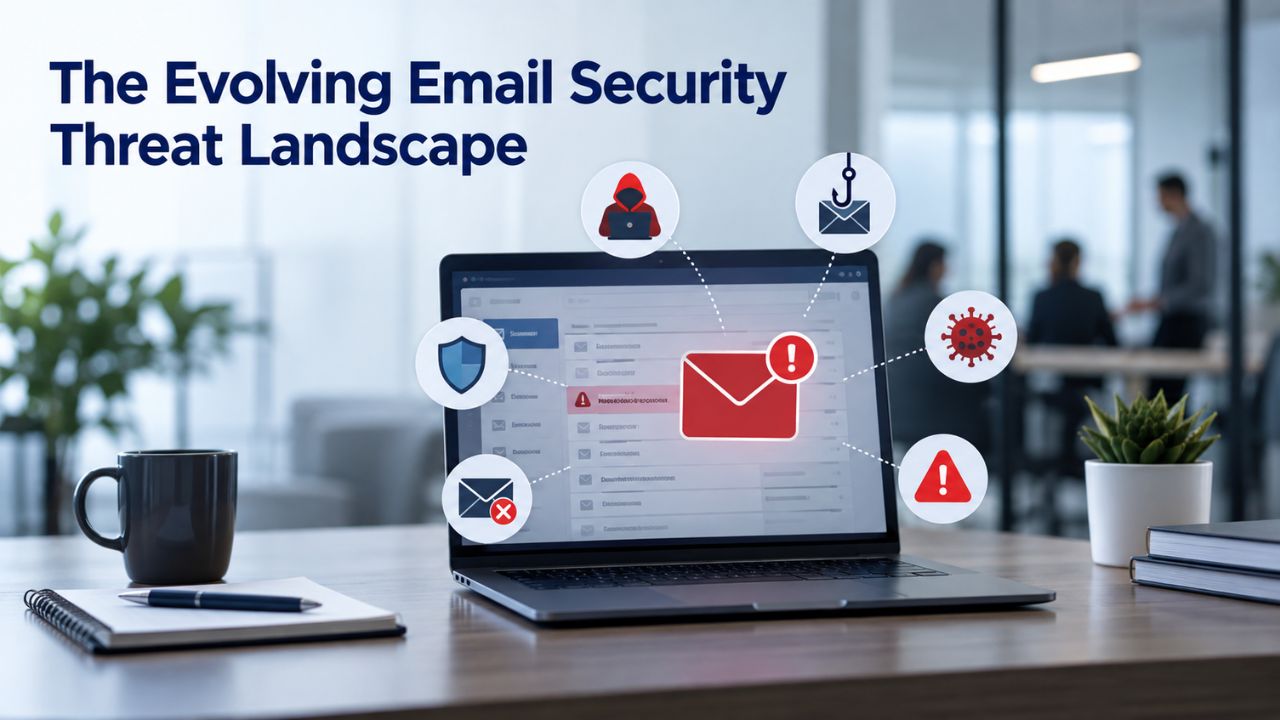
Email has become the highest-value attack surface in modern business. Criminals exploit it constantly, and their methods evolve faster than many organizations can adapt. Understanding the real threats, not hypothetical ones, is the first step to evaluating whether your current email security is sufficient. The threat landscape is not static; it shifts daily as attackers adopt new tools, tactics, and social engineering approaches.
Volume and Cost of Email-Based Attacks
The numbers are striking and demand attention from every business leader. In 2025, the Anti-Phishing Working Group recorded 3.8 million unique phishing attack sites worldwide, with actual attack volume estimated at two to three times higher than captured data. An estimated 3.4 billion phishing emails are sent every day, accounting for roughly 1.2% of all email traffic worldwide. These figures represent an industrial-scale assault on business email systems across industries, geographies, and organizational sizes.
The financial damage extends far beyond individual phishing incidents. The FBI’s 2024 Internet Crime Report shows $2.77 billion in business email compromise (BEC) losses, and the total cost of email-based cybercrime exceeded $12.5 billion in 2025, encompassing BEC, ransomware initiated via email, credential theft, and data breaches. For organizations evaluating Microsoft 365’s email security, this context matters profoundly: you are not just protecting against spam or generic threats; you are defending the primary entry point for ransomware deployments, credential theft campaigns, and sustained data theft operations that can cripple business operations.
AI-Powered Phishing and Behavioral Attacks
Phishing has been weaponized and industrialized in ways traditional email filters struggle to address. According to Sumsub’s Identity Fraud Report 2024, deepfake fraud incidents grew 4 times year over year, and individual jurisdictions such as the Maldives recorded deepfake cyberattack growth as high as 2,100%. Attackers are no longer constrained by the limitations that once made large-scale phishing campaigns expensive and time-consuming. A peer-reviewed study found that fully AI-automated spear phishing emails achieved a 54% click-through rate, on par with emails crafted by human experts and 350% higher than the 12% rate of generic control emails.
The traditional advantages attackers faced- cost constraints, time requirements, and quality challenges- have evaporated as generative AI tools democratize email threat creation. Email security today is no longer primarily a technical control problem; it is fundamentally a human risk problem, and the tools you choose must address both layers simultaneously. A security solution that only stops malware but ignores the psychology of social engineering will fail repeatedly against modern threat actors who have mastered the art of manipulation.
Microsoft 365 Plans & Pricing
Find the Microsoft 365 plan that fits your needs, whether you're using it at home, with your family, or for your business. With a range of plans designed for different budgets and requirements, you can enjoy the tools you need to stay productive, connected, and protected.
Microsoft 365 Email Essentials
Professional email with 10GB of email storage.
- Professional email using your domain name
- 10GB storage for email, contacts & calendar
- Sync across all devices
- Shared online calendars
- Up to 400 email aliases

Microsoft 365 Email Plus
Professional email with 50GB of email storage.
- Professional email using your domain name
- 50GB storage for email, contacts & calendar
- Sync across all devices
- Shared online calendars
- Up to 400 email aliases
Microsoft 365 Online Business Essentials
Office web apps & professional email.
- Office apps (online only)
- 1TB OneDrive storage
- Unlimited online meetings & HD video
- Professional email using your domain
- 50GB email storage
- Sync across all devices
Microsoft 365 Business Professional
Office apps on 5 devices, web apps & professional email.
- Office apps installed on up to 5 devices
- Office web apps
- 1TB OneDrive storage
- Business apps included
- Professional email using your domain
- 50GB email storage
What Microsoft 365 Security Actually Includes
Microsoft 365 for business comes with built-in email security features that vary by plan tier. All plans include baseline protection; higher tiers add advanced layers. Understanding what comes standard, what requires configuration, and what remains your responsibility is essential to deciding whether Microsoft 365 meets your organization’s actual security needs. The distinction between “included” and “optimally configured” is critical and often misunderstood.
Core Email Protection Features Across All Plans
All Microsoft 365 for business accounts include anti-phishing, anti-spam, and anti-malware email protection, plus multi-factor authentication (MFA), which can prevent hackers from taking over even if they know your password. These protections run by default through Exchange Online Protection (EOP), which uses multiple filtering technologies, such as Microsoft’s SmartScreen technology, to analyze email messages and identify potential threats. The EOP system operates continuously, examining incoming messages against a massive database of known threats, suspicious patterns, and behavioral anomalies accumulated across Microsoft’s infrastructure.
Beyond these basics, all plans support email encryption through multiple mechanisms. Outlook (with a qualifying Microsoft 365 subscription) supports encryption, digital signatures, and use of sensitivity labels or Information Rights Management (IRM) to protect emails and verify sender identity. Data Loss Prevention (DLP) tools scan outgoing messages, classify sensitive data (credit card numbers, health records, Social Security identifiers), and can block or encrypt emails containing regulated information before they leave your organization. These capabilities represent substantial security infrastructure, but they come with a critical caveat: default settings are not always configured for maximum protection, leaving organizations with false confidence in their baseline security posture.
Advanced Protection in Business Premium and Enterprise Plans
Business Premium and Microsoft 365 E3/E5 plans include significant additional security layers that business leaders should understand in depth. Business Premium provides Microsoft Defender for Office 365 Plan 1, which includes advanced anti-phishing, safe links, and safe attachments for email, along with Intune, Entra ID P1 conditional access, and device management. These additions matter substantially. Microsoft 365 Business Premium also includes impersonation protection and phishing email thresholds in anti-phishing policies, which address specific attack vectors that generic filtering systems miss entirely.
The value proposition of these advanced tiers is significant and measurable. For organizations handling sensitive data, regulated information, or operating in compliance-heavy industries, these advanced tiers close meaningful gaps compared to Standard plans. The advanced threat protection features, device management capabilities, and conditional access controls collectively reduce your organization’s attack surface significantly.
Phishing and Social Engineering Defense
Phishing works because it exploits human psychology, trust relationships, and the fundamental challenge of distinguishing legitimate communications from sophisticated forgeries. Microsoft 365 provides multiple technical layers to stop phishing emails before they land in inboxes, but technical defenses are incomplete without understanding what they stop and what inevitably slips through. Modern phishing isn’t about crude spelling errors and obvious forgeries; it’s psychological manipulation delivered through technically convincing channels.
How Microsoft 365 Blocks Phishing
Microsoft Defender for Office 365 connects to Microsoft’s database to analyze a business’s endpoints and evaluate texts, files, or links for potential malware. Defender offers various services, including end-to-end encryption, threat protection policies, threat investigation, and reports. For organizations on higher tiers, Microsoft Defender for Office 365 adds layers such as Safe Links, Safe Attachments, impersonation/spoof-protection, and machine-learning-based detection to block advanced and zero-day threats. These systems operate in real time, examining each message component against behavioral patterns that indicate malicious intent, previously unknown vulnerabilities, and attack signatures that match known threat campaigns.
Safe Links specifically works by checking URLs at the time of user click, not just at the moment of initial email send. This matters because attackers often host legitimate-looking content initially, establish a trusted URL, and then swap it for malicious content after emails have been delivered to inboxes. Similarly, Safe Attachments sandboxes files in an isolated, virtualized environment to detonate them and observe malicious behavior before allowing the attachment to download to a user’s device. These technologies represent genuine advances in email security, but they operate within defined boundaries that organizations must understand.
Realistic Detection Gaps
Technical systems work within their design parameters, but they don’t catch everything. Real-world testing reveals significant, meaningful gaps. Security firms’ testing has shown that Microsoft Defender missed over 70 malicious emails in matched samples. At the same time, specialized solutions caught all but 9 of the same threats, a meaningful difference when scaled across an organization processing millions of emails monthly. In conversation hijacking attacks, Microsoft’s miss rate jumps to 88%, where attackers enter established email threads and leverage existing conversation context to make fraudulent requests seem legitimate. Conversation hijacking is a category of attack that EOP simply does not detect by default because it looks like normal business communication with trusted senders.
Configuring SPF, DKIM, and DMARC through a p=reject enforcement policy is the only way to close domain-spoofing gaps; a p=none DMARC policy generates reports but blocks nothing. This means organizations relying on Microsoft’s default DMARC settings without additional configuration leave domain-spoofing attacks, where attackers forge your company’s email domain, partially undefended. Microsoft 365 can stop these attacks; execution and configuration are the customer’s responsibility. Many organizations deploy Microsoft 365 assuming default settings protect them, only to discover during security assessments that they haven’t properly enforced domain authentication.
Compliance Certifications and Your Responsibility
Compliance frameworks like GDPR, HIPAA, and SOC 2 are mentioned alongside Microsoft 365 constantly in marketing materials and sales conversations. It is critical to understand what Microsoft’s certifications actually mean and where your organization’s responsibility begins. Compliance is not a product feature you purchase; it is a sustained organizational practice that requires technical controls, governance procedures, documentation, and ongoing verification.

What Microsoft’s Certifications Cover
Office 365 SOC 2 attestations are based on rigorous, comprehensive third-party examinations conducted by an independent AICPA-accredited CPA firm. These audits examine Microsoft’s infrastructure, processes, and security controls across multiple trust service criteria. The M365 platform stack holds ISO 27001/27017/27018/27701, SOC 1/2/3, GDPR, IRAP, plus ISO 42001 for AI management and the HIPAA BAA. These certifications carry legitimate weight and reflect Microsoft’s investment in security and compliance infrastructure.
However, many organizations misunderstand a critical caveat. Microsoft 365’s SOC 2 covers Microsoft’s own cloud infrastructure and service operations. It says nothing about how your organization has configured Microsoft 365. Under the shared responsibility model, how you configure Entra ID Conditional Access, privileged roles, offboarding, and audit logging is entirely on you, and that is exactly what your auditor samples. In plain terms: Microsoft’s certifications prove that Microsoft’s underlying platform controls are sound and independently verified. They do not prove that your specific Microsoft 365 tenant, with your particular configuration choices, user access patterns, and data handling, is compliant with your regulatory requirements. This distinction is fundamental and often causes organizations to fail audits despite running certified platforms.
The Shared Responsibility Model in Practice
Microsoft 365 can be a strong foundation for GDPR, HIPAA, ISO, SOC, and industry compliance. Still, it does not make an organization compliant on its own. In 2026, the practical path is to combine Microsoft’s audited cloud services with correctly configured Microsoft Purview, Microsoft Entra ID, Microsoft Intune, Microsoft Defender, documented policies, and ongoing evidence collection.
For organizations pursuing SOC 2 compliance specifically, the timeline is real: for an organization starting from a reasonably mature Microsoft 365 environment, SOC 2 preparation typically takes 3–6 months before the audit observation period begins. This includes configuration work, policy documentation, evidence collection setup, and, critically, demonstrating sustained compliance through an observation period. Microsoft 365 is one component of compliance; your governance framework and organizational discipline matter just as much.
| Compliance Framework | What Microsoft 365 Provides | What Your Organization Must Do | Observation Period |
|---|---|---|---|
| SOC 2 Type II | Audited cloud infrastructure controls, encryption, access logging, security monitoring, and documented incident response processes | Configure Conditional Access, enable audit logging and retention, implement role-based access control (RBAC), establish identity governance, document offboarding procedures, and maintain evidence of security controls | Minimum 6 months of continuous compliance evidence |
| GDPR | Encryption for data in transit and at rest, regional data residency options, audit logs, Data Loss Prevention (DLP), and compliance management tools | Implement data classification, maintain consent records, perform privacy impact assessments, establish breach notification procedures, and manage processor/vendor agreements | Ongoing compliance requirement |
| HIPAA | Encryption, audit logging, identity and access controls, and Business Associate Agreement (BAA) availability | Execute a BAA, perform periodic risk assessments, document security controls, train employees on HIPAA safeguards, manage encryption keys where applicable, and maintain breach notification procedures | Ongoing compliance requirement |
| ISO 27001 | Cloud security controls, continuous monitoring, incident response capabilities, and documented operational security practices | Develop an Information Security Management System (ISMS), maintain asset inventories, document access controls, implement required security controls, collect compliance evidence, and complete annual certification audits | Annual audit cycle |
This table demonstrates that no single control is sufficient for email security. Email security effectiveness depends on layering controls and acknowledging what each stops and what it does not.
Common Configuration Gaps That Leave Systems Vulnerable
Many organizations purchase Microsoft 365 and assume that security is automatically enabled and optimally configured. In reality, email security requires intentional, deliberate configuration work. The gap between deployment and secure configuration is where most vulnerabilities hide, and where sophisticated attackers find opportunities. Configuration gaps are not theoretical; threat actors exploit them daily by targeting organizations that deploy products without proper security.
Default Settings That Require Hardening
Security requires intentional configuration, not just deployment. Phishing attacks targeting user credentials remain the most common threat, especially when accounts lack multi-factor authentication or email security protocols like DMARC. DMARC is a concrete example: the protocol can be deployed with reporting only (p=none), generating insights into forged emails but blocking nothing. Only p=reject enforcement actually stops spoofed emails from reaching user inboxes. Many organizations believe they have domain spoofing protection enabled when they actually have monitoring only.
Encrypting at the DLP policy level rather than relying on employees to manually apply protection closes the human error gap entirely, since the policy fires automatically when classifiers detect a match, with no user decision required. Similarly, overly permissive external sharing settings on cloud files, unencrypted cloud file access over the internet, and missing backup strategies for email archives leave organizations exposed to data loss and ransomware. The fix is not exotic; it is methodical and systematic. Audit current settings against Microsoft’s security best practices, apply recommended preset security policies (Standard or Strict level), enable Conditional Access if your plan includes it, enforce MFA organization-wide, implement DLP policies for your organization’s sensitive data types, configure DMARC with p=reject enforcement, and monitor audit logs regularly for suspicious activity patterns.
When Configuration Fails
Weak user judgment, incomplete DLP coverage, and limited visibility into account activity tend to overlap in the same tenants. That overlap is where things break. An organization may configure DLP policies but not train users on why the policies exist, leading to frustration and workarounds. Another organization may enable MFA but leave Conditional Access unconfigured because the organization lacks expertise in identity governance. These gaps compound and create vulnerabilities that attackers actively exploit.
From August to November in 2025, waves of relatively low-skill attackers used this cybercrime service to bypass Microsoft 365’s email defenses and compromise accounts in at least 90 countries. These attacks succeeded not because Microsoft 365 itself was insecure, but because attackers systematically exploited known gaps in how organizations configure the tool. Configuration is not a one-time task; it requires ongoing review and tightening as threats evolve, new attack patterns emerge, and your organization’s risk profile changes.
Ready to Strengthen Your Microsoft 365 Email Security?
Email is where most attacks begin. If you are questioning whether your current Microsoft 365 setup protects your organization adequately, now is the time to evaluate your security posture systematically. Niya Digital helps you assess your current configuration, identify critical gaps, and build an email security program that holds up against real threats. Start by evaluating your security baseline and plan tier against your actual business risk.
The Human Element: Training, Behavior, and Culture
Technical controls are essential but not sufficient on their own. Sixty percent of breaches involve human error or judgment, a fact that no firewall or email filter changes regardless of sophistication. Email security effectiveness increasingly depends on sustained user training, behavioral change, and cultural reinforcement around security practices. Organizations that focus entirely on technical controls while neglecting human risk management are operating with incomplete security postures.
The Scale of Human Risk
The Verizon Data Breach Investigations Report 2025 confirms that human behavior drives more than 60% of breaches, making sustained, measurable behavior change the defining program objective for 2026. Technical filters block known malicious payloads effectively, but they cannot intercept a well-crafted Business Email Compromise message that exploits a trained employee’s established trust in their Chief Financial Officer’s email address and communication style. The attacker has done their research, knows the organizational structure, understands the recipient’s role and responsibilities, and has crafted a message that feels legitimate.
84% of organizations experienced at least one successful phishing attack in 2025, down from 86% in 2024, a marginal improvement despite significant investment in email security technology. The reason is clear: technology alone is insufficient. 53% of US senior tech leaders say employees are the least prepared to handle phishing threats. Investment in email filtering technology has not been matched by proportional investment in training and behavioral change. Organizations are buying better locks while employees still write passwords on sticky notes.
Training That Actually Works
The research on what works is detailed and compelling. Twelve months of continuous training cut the global phish-prone rate by 86%, dropping organizations from a 33.1% baseline to just 4.1%, according to the KnowBe4 2025 Phishing by Industry Benchmarking Report. The critical insight is “continuous training,” not annual checkboxes or one-time awareness sessions. Behavioral change requires repetition, reinforcement, and ongoing challenge.
Phishing simulations should run at least monthly for most employees, with more frequent testing for high-risk roles such as finance, HR, and the C-suite. A monthly cadence keeps threat recognition sharp and prevents the skill decay that follows annual-only testing. Organizations that treat training as a once-a-year event operate on a timeline that no longer matches the threat landscape. Attackers launch campaigns constantly; annual training gives employees eleven months to forget what they learned. Monthly simulations, role-specific testing adjusted to each department’s threat profile, and ongoing coaching are the baseline for organizations that take human risk seriously. Niya Digital’s team has found that organizations that combine sustained phishing simulations with regular policy reviews and incident response drills report far fewer successful attacks than those running annual training alone. Behavioral change requires repetition, feedback, and cultural reinforcement, not a one-time event.
Security Comparison Across Microsoft 365 Plans
Choosing the right Microsoft 365 plan significantly affects both your security capabilities and total cost of ownership. Security requirements should drive the plan decision, not the other way around. Each plan tier includes different security features, and understanding which capabilities matter for your organization’s risk profile is essential to making a defensible decision.
| Security Control | What It Stops | What It Does Not Stop |
|---|---|---|
| Multi-Factor Authentication (MFA) | Automated password-guessing attacks, credential-stuffing using breached passwords, and most account takeover attempts relying solely on stolen credentials | Users voluntarily entering credentials into sophisticated phishing sites, compromised authentication devices, or advanced Business Email Compromise (BEC) attacks involving social engineering |
| Conditional Access | Logins from suspicious locations, risky or non-compliant devices, impossible travel scenarios, and access that violates organizational security policies | Access using valid credentials from trusted devices, insider threats, or social engineering attacks that persuade legitimate users to approve access |
| Safe Links & Safe Attachments | Known malware, malicious URLs, phishing links, and suspicious email attachments by scanning and sandbox detonation before delivery | Highly targeted social engineering, previously unknown exploits in trusted content, or attacks that activate only after extended user interaction |
| User Security Training & Phishing Simulations | Improves user awareness, reduces phishing click rates, lowers credential disclosure, and reinforces secure email practices through continuous education | Highly sophisticated impersonation attacks, deepfake voice or video scams, and real-time social engineering targeting trusted business relationships |
This table demonstrates that no single control is sufficient for email security. Email security effectiveness depends on layering controls and acknowledging what each stops and what it does not.
Common Configuration Gaps That Leave Systems Vulnerable
Many organizations purchase Microsoft 365 and assume that security is automatically enabled and optimally configured. In reality, email security requires intentional, deliberate configuration work. The gap between deployment and secure configuration is where most vulnerabilities hide, and where sophisticated attackers find opportunities. Configuration gaps are not theoretical; threat actors exploit them daily by targeting organizations that deploy products without proper security.
Default Settings That Require Hardening
Security requires intentional configuration, not just deployment. Phishing attacks targeting user credentials remain the most common threat, especially when accounts lack multi-factor authentication or email security protocols like DMARC. DMARC is a concrete example: the protocol can be deployed with reporting only (p=none), generating insights into forged emails but blocking nothing. Only p=reject enforcement actually stops spoofed emails from reaching user inboxes. Many organizations believe they have domain spoofing protection enabled when they actually have monitoring only.
Encrypting at the DLP policy level rather than relying on employees to manually apply protection closes the human error gap entirely, since the policy fires automatically when classifiers detect a match, with no user decision required. Similarly, overly permissive external sharing settings on cloud files, unencrypted cloud file access over the internet, and missing backup strategies for email archives leave organizations exposed to data loss and ransomware. The fix is not exotic; it is methodical and systematic. Audit current settings against Microsoft’s security best practices, apply recommended preset security policies (Standard or Strict level), enable Conditional Access if your plan includes it, enforce MFA organization-wide, implement DLP policies for your organization’s sensitive data types, configure DMARC with p=reject enforcement, and monitor audit logs regularly for suspicious activity patterns.
When Configuration Fails
Weak user judgment, incomplete DLP coverage, and limited visibility into account activity tend to overlap in the same tenants. That overlap is where things break. An organization may configure DLP policies but not train users on why the policies exist, leading to frustration and workarounds. Another organization may enable MFA but leave Conditional Access unconfigured because the organization lacks expertise in identity governance. These gaps compound and create vulnerabilities that attackers actively exploit.
From August to November in 2025, waves of relatively low-skill attackers used this cybercrime service to bypass Microsoft 365’s email defenses and compromise accounts in at least 90 countries. These attacks succeeded not because Microsoft 365 itself was insecure, but because attackers systematically exploited known gaps in how organizations configure the tool. Configuration is not a one-time task; it requires ongoing review and tightening as threats evolve, new attack patterns emerge, and your organization’s risk profile changes.
The Human Element: Training, Behavior, and Culture
Technical controls are essential but not sufficient on their own. Sixty percent of breaches involve human error or judgment, a fact that no firewall or email filter changes regardless of sophistication. Email security effectiveness increasingly depends on sustained user training, behavioral change, and cultural reinforcement around security practices. Organizations that focus entirely on technical controls while neglecting human risk management are operating with incomplete security postures.
The Scale of Human Risk
The Verizon Data Breach Investigations Report 2025 confirms that human behavior drives more than 60% of breaches, making sustained, measurable behavior change the defining program objective for 2026. Technical filters block known malicious payloads effectively, but they cannot intercept a well-crafted Business Email Compromise message that exploits a trained employee’s established trust in their Chief Financial Officer’s email address and communication style. The attacker has done their research, knows the organizational structure, understands the recipient’s role and responsibilities, and has crafted a message that feels legitimate.
84% of organizations experienced at least one successful phishing attack in 2025, down from 86% in 2024, a marginal improvement despite significant investment in email security technology. The reason is clear: technology alone is insufficient. 53% of US senior tech leaders say employees are the least prepared to handle phishing threats. Investment in email filtering technology has not been matched by proportional investment in training and behavioral change. Organizations are buying better locks while employees still write passwords on sticky notes.
Training That Actually Works
The research on what works is detailed and compelling. Twelve months of continuous training cut the global phish-prone rate by 86%, dropping organizations from a 33.1% baseline to just 4.1%, according to the KnowBe4 2025 Phishing by Industry Benchmarking Report. The critical insight is “continuous training,” not annual checkboxes or one-time awareness sessions. Behavioral change requires repetition, reinforcement, and ongoing challenge.
Phishing simulations should run at least monthly for most employees, with more frequent testing for high-risk roles such as finance, HR, and the C-suite. A monthly cadence keeps threat recognition sharp and prevents the skill decay that follows annual-only testing. Organizations that treat training as a once-a-year event operate on a timeline that no longer matches the threat landscape. Attackers launch campaigns constantly; annual training gives employees eleven months to forget what they learned. Monthly simulations, role-specific testing adjusted to each department’s threat profile, and ongoing coaching are the baseline for organizations that take human risk seriously. Niya Digital’s team has found that organizations that combine sustained phishing simulations with regular policy reviews and incident response drills report far fewer successful attacks than those running annual training alone. Behavioral change requires repetition, feedback, and cultural reinforcement, not a one-time event.
Security Comparison Across Microsoft 365 Plans
Choosing the right Microsoft 365 plan significantly affects both your security capabilities and total cost of ownership. Security requirements should drive the plan decision, not the other way around. Each plan tier includes different security features, and understanding which capabilities matter for your organization’s risk profile is essential to making a defensible decision.
Feature and Protection Breakdown by Plan Tier
| Security Feature | Business Basic | Business Standard | Business Premium | Enterprise E3 | Enterprise E5 |
|---|---|---|---|---|---|
| Exchange Online Protection (EOP) | ✓ All emails | ✓ All emails | ✓ All emails | ✓ All emails | ✓ All emails |
| Antiphishing, Antispam & Antimalware | ✓ Standard | ✓ Standard | ✓ Advanced | ✓ Advanced | ✓ Advanced |
| Data Loss Prevention (DLP) | Basic rules | Basic rules | Advanced policies | Advanced policies | Advanced policies + audit |
| Email Encryption (OME/IRM) | ✓ Available | ✓ Available | ✓ Included | ✓ Included | ✓ Included |
| Multi-Factor Authentication (MFA) | ✓ Optional | ✓ Optional | ✓ Recommended | ✓ Standard | ✓ Standard |
| Defender for Office 365 Plan 1 | ✗ | ✗ | ✓ Included | ✓ Included | ✓ Included |
| Safe Links & Safe Attachments | ✗ | ✗ | ✓ All emails | ✓ All emails | ✓ All emails |
| Conditional Access | ✗ | ✗ | ✓ P1 Level | ✓ P1 Level | ✓ P2 Level |
| Intune Device Management | ✗ | ✗ | ✓ Basic | ✓ Basic | ✓ Advanced |
| Microsoft Purview Compliance | Limited | Limited | Moderate | Moderate | Full suite |
The feature gaps between tiers are substantial and meaningful. Organizations on Basic or Standard plans lack Conditional Access entirely, which means they cannot enforce device health checks, geographic restrictions, or risk-based additional authentication. Organizations on Premium and above gain these capabilities, which address entire categories of attacks that Standard plans cannot detect or prevent. The difference is not marginal; it is architectural.
Decision Framework: Which Plan Fits Your Risk Profile?
Business Basic is appropriate for organizations where teams work primarily in browser-based tools, have minimal desktop Office needs, face severe cost constraints, and do not handle sensitive data. This plan is sufficient for light collaboration, email, and Teams communication in low-risk scenarios.
Business Standard fits organizations that need desktop Office applications without advanced security or compliance requirements; teams that rely on a separate third-party vendor for security; and basic email and file collaboration scenarios. This is the most common plan for small businesses with modest security needs.
Business Premium fits any organization handling client data, financial records, health information, or operating under regulatory compliance requirements (GDPR, HIPAA, PCI DSS); teams requiring device management and conditional access; and organizations where conditional access and Data Loss Prevention are non-negotiable for risk reduction. This tier closes significant capability gaps.
Enterprise E3/E5 fits larger organizations with complex compliance needs, multiple business units with different security policies, advanced identity governance requirements, or needs for eDiscovery and advanced audit capabilities. Enterprise plans are designed for organizations where security is a primary operational requirement.
Niya Digital recommends treating the plan decision as a security decision first, not a cost decision. The bundled capabilities of Premium plans, when compared to buying equivalent security components separately, often justify the higher tier for organizations handling regulated or sensitive data. Underestimating your security needs at plan selection time usually results in expensive security augmentation later.
Real Limitations of Microsoft 365 Email Protection
No email platform is perfect, and no platform stops all attacks. Understanding Microsoft 365’s genuine limitations, where it falls short against sophisticated attacks, helps organizations make realistic security investment decisions and plan appropriate augmentation. Sophisticated threat actors have studied Microsoft 365’s capabilities extensively and have developed techniques to bypass its protections.
Detection Gaps in Advanced Attacks
Microsoft 365 Defender lacks the advanced capabilities to detect smartly distributed malware, spear-phishing attempts, or zero-day exploits. Exchange Online Protection uses signature-based detection and behavioral analysis; attackers using polymorphic malware that changes its code constantly to avoid detection, or fileless malware that runs entirely in memory without touching the disk, can slip through native protections. These gaps are not hypothetical; ransomware groups and targeted attack campaigns use them.
EOP takes a retrospective approach to identifying phishing and malware attacks and does not safeguard against human error. Users need email security services that better anticipate emerging zero-day attacks, malicious URLs, and attachments not included in static lists. This is the nature of any detection system based on known threats: it blocks known malicious content, and zero-day attacks are by definition previously unknown. Microsoft’s security infrastructure is reactive to known threats; it cannot predict novel attack techniques that have not yet been observed, analyzed, and added to threat intelligence databases.
Incident Response Automation Gaps
Microsoft Defender’s incident response functionality is another concern. The platform is manual and requires a security expert to investigate and remediate incidents. Its limited automation may give attackers more time to commit cybercrime. Microsoft provides tools and dashboards to investigate suspicious activity and respond, but the workflow requires human expert judgment and manual action at each stage. Specialized security solutions offer advanced response automation and remediation workflows that Microsoft Defender does not. In fast-moving incident scenarios, manual response processes can cost organizations hours or days of attacker access time.
Organizations evaluating Microsoft 365 against other email platforms often treat Microsoft’s built-in capabilities as a complete security solution. But the actual email security posture depends equally on organizational factors: identity governance rigor, user training and behavior change, audit logging and monitoring, offboarding procedures for departing employees, email archive backup strategies, and incident response planning. Microsoft 365 is one component of email security, not the entire solution. Organizations that purchase Microsoft 365 and assume security is complete are making a false assumption.
Building a Holistic Email Security Strategy
The answer to whether Microsoft 365 is secure enough is not binary, yes or no. Instead, it is conditional: Microsoft 365 is sufficient for many organizations if deployed correctly, configured for your actual risk profile, paired with realistic user training, and augmented strategically where gaps exist. Email security is not a product you buy; it is a practice you build.
Layered Defense and Risk Acceptance
Email security today requires a defense-in-depth approach that operates at multiple layers simultaneously: technical controls (MFA, encryption, threat detection), configuration hardening (DMARC enforcement, DLP rules, Conditional Access policies), user training (monthly simulations, role-based coaching), and incident response planning (documented procedures, practiced drills). No single layer, even Defender for Office 365, stops all attacks. Attackers probe for the weakest layer and focus their efforts there.
Organizations must also accept that some email security risk is irreducible and accept that perfection is not achievable. A determined attacker targeting a specific person with a customized, sophisticated social engineering campaign, especially one combining phishing, voice deepfakes, and video deepfakes, can fool even trained employees and bypass technical controls. The goal is not zero risk; it is reducing risk to a defensible level and detecting and responding quickly when attacks succeed. Every organization will eventually experience a successful phishing attack; the question is whether it detects and responds quickly or remains compromised for weeks.
When to Augment Microsoft 365
Organizations should consider augmenting Microsoft 365 with specialized email security when facing one or more of these conditions: handling highly sensitive data (healthcare, financial, intellectual property); operating in a regulated industry with strict compliance requirements; experiencing successful phishing attacks despite training; lacking resources to manage advanced configuration in-house; or facing targeted attacks from sophisticated threat actors. Specialized solutions can provide advanced sandboxing, URL rewriting for time-of-click protection, behavioral analysis, and automated response workflows that complement Microsoft 365’s native capabilities. The goal is not to replace Microsoft 365 but to close the specific gaps that remain after configuration and training are fully implemented.
Niya Digital’s experience supporting organizations across industries shows that the decision to augment typically follows a discovery process: organizations run their first phishing simulation and discover unexpected vulnerabilities in high-risk departments; they attempt to configure Conditional Access and realize the complexity exceeds their expertise; they review their DLP policies and find they are not catching the sensitive data types they thought were protected. Augmentation is typically not a pre-purchase decision but rather a post-deployment recognition of specific gaps.
Moving Forward: A Practical Checklist
Start with fundamentals: Enable MFA organization-wide, not as optional. Configure preset security policies at the Standard or Strict level, not the default. Implement DMARC with p=reject enforcement to stop domain spoofing. Test your DLP policies with real data types your organization actually handles. Enable Conditional Access if your plan includes it. Then establish ongoing operations: run monthly phishing simulations, measure click rates and trends, adjust training based on results, review audit logs regularly for suspicious patterns, and conduct incident response drills at least annually.
Evaluate your plan tier against your actual security and compliance requirements. If you are on Business Standard and handling sensitive data, the move to Business Premium is a security investment, not a luxury. If you are on Premium, ensure the advanced features (Conditional Access, DLP, Defender) are actually enabled and configured, not just purchased and left in default settings. Finally, remember the human element: email security isn’t a product you buy; it is a practice you build continuously. Microsoft 365 provides the foundation; your team, your processes, and your security culture provide the actual defense.
Get Expert Help With Your Email Security Strategy
Email is the primary attack vector for most threat campaigns. If you question whether your current Microsoft 365 setup provides adequate protection, take action now. Niya Digital helps you assess your configuration, close critical gaps, and build an email security program that holds up against real threats. Evaluate your plan tier and security requirements with expert guidance today.
Frequently Asked Questions
What is the single most important security feature in Microsoft 365?
Multi-Factor Authentication (MFA) is the most impactful single control organizations can enable. Microsoft research shows MFA thwarts 99.9% of automated account compromise attempts. However, MFA alone does not stop sophisticated social engineering or phishing attacks that target the user’s judgment, not the account. Layered defenses- MFA plus training plus Data Loss Prevention plus Conditional Access- work together effectively. MFA is the foundation, not the entire solution to email security.
Does Microsoft 365 meet GDPR and HIPAA requirements by itself?
No, Microsoft 365 meets the technical requirements of GDPR and HIPAA through encryption, audit logging, and data handling controls. Still, compliance also requires organizational controls: data classification, employee training, incident response procedures, privacy policies, and, for HIPAA, a signed Business Associate Agreement. Microsoft 365 is necessary but not sufficient for compliance. Regulatory compliance requires configuration, governance, and documentation beyond the platform itself.
What does “shared responsibility” mean for email security?
Microsoft secures the cloud infrastructure, applies security patches, and maintains encryption. Your organization is responsible for configuring Microsoft 365 (MFA, Conditional Access, DLP, DMARC), managing user access and offboarding, training employees, and maintaining audit logs and incident response procedures. Shared responsibility means you cannot assume security is automatic; configuration and governance are your organizational responsibility.
Is Business Standard sufficient, or should we upgrade to Premium?
It depends on how you handle data. If your team handles only internal communications and non-sensitive business documents, Standard may suffice with additional third-party security. If you handle client data, financial information, health records, or operate in a regulated industry, Premium’s bundled security (Conditional Access, Data Loss Prevention, Defender for Office 365, Intune) justifies the investment. Calculate your security requirements first; then decide based on actual risk.
How often should we run phishing simulations?
Monthly minimum for most employees; more frequently for high-risk roles (finance, HR, executive assistants). Monthly testing prevents the skill decay that follows annual-only simulations. Organizations that treat simulations as one-time annual checkboxes see click rates remain elevated because employees forget what they learned. Continuous, frequent testing reduces phishing success rates by up to 86%.
Can I rely on Exchange Online Protection (EOP) alone?
No. 84% of organizations experienced at least one successful phishing attack in 2025, despite having EOP enabled. Exchange Online Protection catches obvious threats but misses sophisticated social engineering, conversation hijacking, and targeted Business Email Compromise. EOP is the baseline; you must add configuration (DMARC, DLP), user training, and, for high-risk organizations, additional threat detection layers.
What is Conditional Access, and does my plan include it?
Conditional Access is a security feature that requires additional authentication or blocks access based on risk signals (unusual location, risky device, impossible travel). It is available in Business Premium, E3, and E5, but not in Basic or Standard. For organizations on Standard, Conditional Access is a key reason to evaluate upgrading to Premium or adding specialized security solutions.
Does law require email encryption?
Not universally, but specific regulations require it. HIPAA requires encryption of health information in transit and at rest. GDPR does not mandate encryption but requires appropriate technical safeguards, and encryption is the standard implementation. PCI DSS requires encryption of cardholder data. If you handle regulated data, encryption is non-negotiable; if you handle general business email only, encryption is recommended but not always legally required.
How quickly does Microsoft 365 detect and respond to threats?
Microsoft screens roughly 5 billion emails per day, and detection is fast; threat detection typically occurs within seconds to minutes. However, you’re responsible for investigation and response. Microsoft provides tools and alerts, but a security expert must interpret the alerts and take action. This is why incident response planning is critical: organizations with pre-planned procedures respond faster than those making decisions during incidents.
What should we do if our current email security feels inadequate?
Start with audit and configuration: Verify MFA is enabled, preset security policies are applied, DMARC is configured with p=reject enforcement, and DLP rules are in place for your sensitive data. Run a phishing simulation to gauge your baseline. Then layer: establish a monthly simulation program, enroll employees in security awareness training, and review your plan tier against your compliance requirements. Only after you’ve optimized your configuration should you consider third-party augmentation.
Can we migrate to Microsoft 365 without operational disruption?
Disruption can be minimized but not always eliminated. Staged migrations (moving batches of users over time) reduce business disruption more than cutover migrations (all users at once). Niya Digital can help plan a migration strategy that minimizes operational impact, but realistic planning acknowledges that some disruption is inevitable when moving critical systems.
What is the difference between Data Loss Prevention (DLP) and encryption?
Data Loss Prevention prevents sensitive data from leaving your organization through email or other channels. It scans outgoing emails, identifies sensitive data (credit card numbers, health records, Social Security numbers), and blocks or encrypts them before sending. Encryption protects data in transit and at rest; even if an email is intercepted, the recipient must decrypt it. Both are valuable; DLP is preventive, encryption is protective.
Should we hire a Microsoft 365 consultant, or can we manage security ourselves?
It depends on your team’s expertise and available time. Microsoft 365 security configuration requires knowledge of Conditional Access, DLP policies, identity governance, and compliance frameworks, expertise that takes time to develop. Many small organizations benefit from outsourced support (a managed service provider or consultant) to set up and maintain security, leaving internal IT to manage day-to-day operations. This is especially important if you handle regulated data.
How do we know if our Microsoft 365 security is working?
Measure. Track phishing simulation click rates monthly (target: under 5% after training). Review audit logs for unusual login patterns, forwarding-rule changes, or data-access anomalies. Monitor Data Loss Prevention incidents to ensure policies are catching sensitive data. Measure response time to security alerts and track remediation effectiveness. These metrics show whether your technical controls and training are effective.
Glossary
- Multi-Factor Authentication (MFA): A security practice requiring users to verify identity through more than one authentication factor (such as a password plus a code sent to a phone) before gaining access to an account or system. MFA significantly reduces the risk of account compromise, even when passwords are stolen.
- Phishing: Fraudulent emails designed to deceive recipients into revealing sensitive information, clicking malicious links, or downloading infected attachments, typically by impersonating a trusted sender. Phishing is the most common initial attack vector for ransomware and data breaches.
- Business Email Compromise (BEC): A targeted fraud attack exploiting trust in internal or external business communications, often involving a request for payment, access, or sensitive information from someone impersonating an executive. BEC attacks cause billions in annual losses globally.
- Data Loss Prevention (DLP): A security policy and technical control that scans, classifies, and blocks sensitive data from being sent outside an organization through email or other channels. DLP prevents accidental disclosure of regulated or proprietary information.
- Exchange Online Protection (EOP): The built-in email filtering service in Microsoft 365 that uses multiple filtering technologies (SmartScreen, machine learning, signature-based detection) to detect and block spam, malware, and phishing. EOP is the baseline protection on all Microsoft 365 business plans.
- Conditional Access: A Microsoft Entra ID security feature that enforces additional authentication or blocks access to Microsoft 365 resources based on risk signals such as location, device health, or authentication risk. Conditional Access enables policy-based access control beyond simple password authentication.
- Zero-Day Exploit: A previously unknown security vulnerability in software that attackers exploit before the vendor discovers and releases a patch, allowing attacks to succeed against unpatched systems. Zero-day vulnerabilities are particularly valuable to threat actors because no defenders have yet developed mitigations.