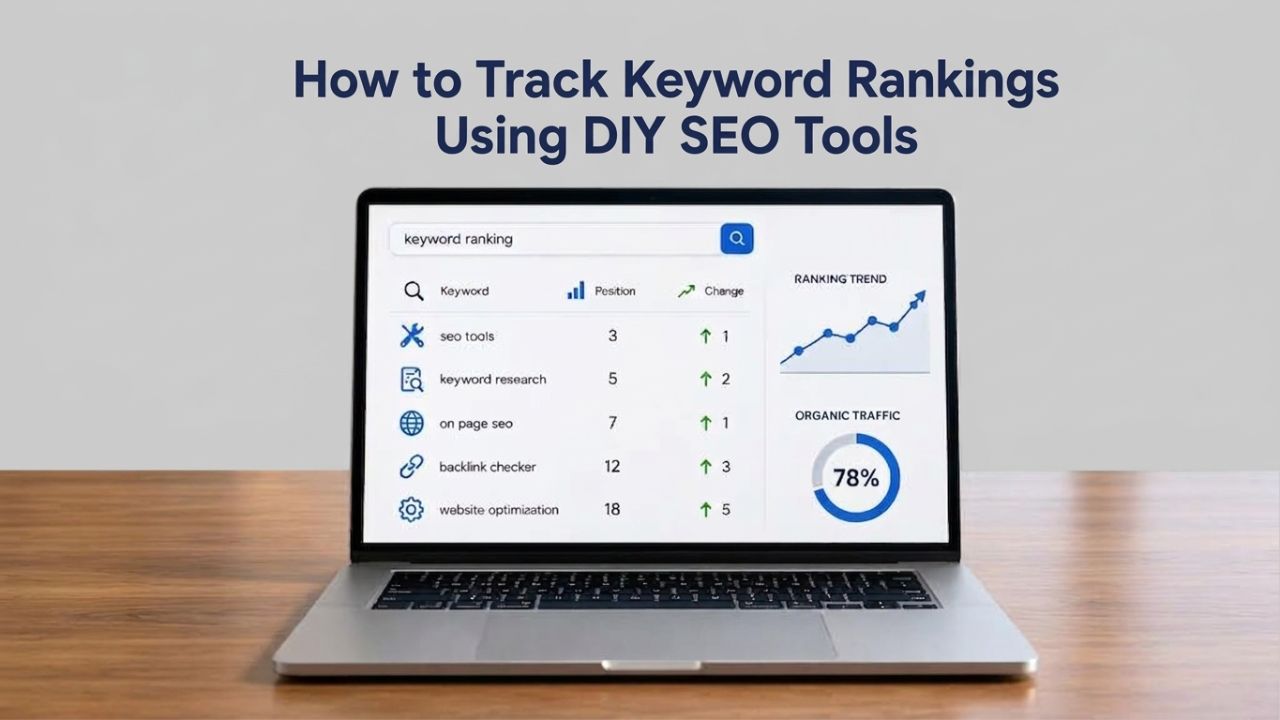
Your website ranks for hundreds of keywords, but where do you actually stand? Without tracking your keyword rankings, you’re investing time and money into SEO with no way to measure what’s working. Rank tracking turns search visibility into actionable data, showing you which optimizations move the needle and which keywords are close. Niya Digital’s DIY SEO platform draws on third-party search and keyword data sources to generate rank tracking and keyword performance metrics, similar to other DIY SEO tools on the market.
Why Rank Tracking Matters for Your SEO Strategy
Without knowing where you rank, SEO becomes guesswork. Rank tracking is the practice of monitoring where your website appears in search results for specific keywords over time, and it’s the single most important measurement tool for DIY SEO success. It transforms abstract optimization efforts into hard data: did that content update work? Are competitors pulling ahead? Is a Google algorithm update affecting your visibility? Rank tracking provides measurable data on your search visibility, helping you make informed optimization decisions and prove ROI from your SEO efforts. Without it, you’re flying blind, making decisions based on hope rather than evidence.
Measuring the Real Business Impact of Your SEO Efforts
Ranking position and traffic are directly connected. About 70% of all search clicks go to the top 5 organic results, so the difference between position 8 and position 4 translates into real increases in visitors. For example, moving a page from position 12 to position 4 can result in 300% more organic traffic and 15 new leads within a month. This isn’t theoretical; it’s the measurable impact of moving just a few positions in search results.
Rank tracking connects the dots between your optimization work and its business outcomes. You don’t just see that a keyword moved up; you can correlate that movement with traffic and conversion increases in your analytics. This data-driven approach enables ROI calculation and quantifies the success of your SEO investments. Instead of wondering if your SEO work matters, rank tracking shows you exactly how many leads and customers each optimization generates, making it easier to justify continued investment in your DIY SEO efforts.
Spotting Opportunities Before Competitors
Rank tracking reveals “quick wins”: keywords already on Page 2 (positions 8–15) that need only minor optimization to break into the top 5. Small improvements to content ranking in positions 4–10 generate more clicks than the same effort applied to keywords at positions 40+ on Page 4. By monitoring these positions weekly, you can identify content that’s already resonating with search intent and push it over the finish line with targeted, high-impact revisions.
Tracking also reveals when competitors gain ground. By monitoring competitor rankings alongside your own, you gain valuable competitive intelligence and can adjust your content strategy to reclaim lost visibility. When you notice a competitor’s new article outranking your existing page for an important keyword, rank tracking alerts you immediately, so you can respond with content updates, improved formatting, or added depth before that keyword drives traffic away from your site permanently.
Search Engine Optimization Plans & Pricing
Choose the right SEO plan for your website. Improve search engine visibility, discover relevant keywords, monitor rankings, and access customized optimization services to support your business growth.
Search Engine Optimization (SEO)
Bring more traffic to your website with Search Engine Optimization.
- Search Optimization: Improve search engine rankings with keyword and suggested topics tool
- Keyword suggestions: Get personalized phrases and words to add to increase traffic to your website and help it rank better.
- Tracking your ranking: Track the progress of your website’s rank on Google over time
- Create your sitemap: Customize, create and submit a site map to aid search engines in crawling your site.

Customized SEO Plan
Get Customized Plan For your Business Website SEO (Search Engine Optimization)
- On-Page & Off-Page Optimization: Update Meta Tags, Titles, Descriptions, Alt Tags, Schema / JSON-LD / Microdata Format, HTML + TXT + XML Sitemap, Robots.TXT, Google Analytics & Google Search Console integration
- Keyword Research & Analysis: Improve Keyword Effectiveness Index (KEI) with main heading & sub-heading tags, Content Review by professional content editor
- Competitor Research & Analysis: Compare and Compete with competitors search engine ranking positions, Track and analyse competitor trends
- Diversify Back Link Profile: Relevant Business Directory Submission, Article Submission, Blog Creation, Web 2.0 asset creations, Author Profile Links, Social Book Marking links
- Monthly Task Review & Progress Reporting: Get Monthly SERP Reports and Task Performance Reports
How Rank Tracking Works: Manual vs. Automated
Rank tracking simulates searches in Google and records where your URL appears. The process is straightforward: you enter a list of target keywords, the tracking system checks Google results, and it records your position. This is repeated on a schedule, daily, weekly, or monthly, so you see how your rankings change over time. Most DIY practitioners use automated tools rather than checking manually. Manual tracking (opening Google in incognito mode and searching each keyword by hand) is time-consuming and imprecise, especially across different locations and devices. Automated rank tracking tools eliminate this burden and provide consistent, reliable data.
Understanding Automated Rank Tracking Infrastructure
Automated rank trackers store your keyword list and run scheduled checks for you. You enter target keywords, the tool checks positions on Google (desktop and/or mobile), and it stores results in a dashboard so you can compare progress over time. Many trackers also capture related metrics like search volume, competitor positions, and SERP features that appear alongside organic results. This automation handles the tedious work of checking hundreds or thousands of keywords, which would be impossible to do manually while maintaining consistency and accuracy.
Check frequency matters for accuracy and signal detection. Daily checks catch algorithm changes faster, allowing you to respond quickly when volatility strikes. Weekly checks reduce noise without sacrificing trend visibility, making it easier to distinguish real ranking movements from normal daily fluctuations. Normal background fluctuation is 1–3 position movements on individual keywords, with overall average position staying roughly stable over 7 days. Tracking too frequently amplifies this noise and can lead to unnecessary edits that may actually harm your rankings rather than improve them.
Understanding Google Search Console’s Role
Google Search Console is the only reliable source for data coming directly from Google: real queries, real impressions, real clicks, with no sampling estimates, third-party approximations, or crawled-rankings guesswork. The Performance Report in Search Console shows your average position for each query searched by real users, drawing from actual search logs rather than simulations. This makes Search Console data authoritative and trustworthy for understanding how your site truly performs in real-world search.
However, Google Search Console data is aggregated and delayed. The Performance Report provides data on clicks, impressions, CTR, and average position, but it’s not live tracking; GSC shows aggregated performance over time, not real-time positions. For daily or on-demand checks, most DIY SEO practitioners combine GSC data with a dedicated rank tracking tool that can check any keyword at any time. This hybrid approach gives you the best of both worlds: official confirmation of real performance from Google itself, plus the flexibility and detail of a dedicated tracking tool.
Google Search Console vs. Dedicated Rank Tracking Tools
Google Search Console is free and authoritative, but it’s designed to monitor real user traffic rather than track every keyword you want to target. Dedicated rank tracking tools fill a different need: they check positions for your entire keyword list on your schedule, whether Google Search Console has impression data or not. The choice depends on your goals and how comprehensively you want to monitor your search visibility. For tracking high-volume keywords that already drive traffic, Search Console is sufficient. For comprehensive monitoring of your full keyword strategy, including low-volume targets, branded terms, and competitor keywords, a dedicated rank tracker is worth the investment in your SEO operation.
When to Use Google Search Console Alone
Google Search Console’s Performance Report is ideal for understanding which keywords drive clicks to your site and which regions and devices those clicks come from. Search Console provides 16 months of ranking data, showing which search queries drive clicks to your site and the average position for every query and page within that timeframe. This makes GSC perfect for identifying your highest-impact keywords and spotting unexpected traffic drops that warrant investigation. If a keyword suddenly stops sending clicks, Search Console alerts you through performance changes, letting you investigate why visibility has declined.
Use this data to prioritize optimization efforts on keywords that matter most to your business. Rather than spreading your efforts across every keyword you track, focus first on the terms that already drive traffic and revenue. If you notice that one of your top 10 traffic-generating keywords has dropped three positions, that’s a red flag worth investigating and addressing immediately. Search Console makes it easy to connect ranking changes directly to traffic impact, helping you focus your limited DIY SEO time where it matters most.
When Dedicated Rank Trackers Add Value
Dedicated DIY SEO rank tracking tools let you monitor keywords that don’t yet drive traffic through Search Console. You can track a keyword at position 25 and watch it climb to position 8, even if it hasn’t appeared in Search Console because it hasn’t generated enough impressions yet. This forward-looking insight is essential for content planning and helps you identify which optimization efforts are working before they affect traffic, giving you a leading indicator of future performance. By tracking emerging keywords, you can celebrate small wins and adjust strategies while positions are still improving.
Dedicated trackers also support competitor keyword tracking, mobile-versus-desktop comparisons, and multi-location monitoring for local SEO, features that Google Search Console doesn’t offer or offers only in limited form. Good rank trackers should support desktop and mobile rankings independently, check multiple locations for local SEO strategies, show competitor rankings for comparison, and provide historical data and trend charts so you can see patterns over months. Together, these features create a comprehensive monitoring system that goes well beyond what Google Search Console alone can provide.
Tracking Frequency & Understanding Ranking Volatility
How often should you check your rankings? The answer depends on your industry’s competitiveness and your SEO resources. Weekly is best for most websites to track gradual changes without getting overwhelmed by daily fluctuations that teach you nothing. Daily tracking is ideal for competitive niches, large e-commerce sites, or during active campaigns where you need immediate feedback on changes. Monthly tracking is useful for long-term trend analysis, but too slow for fast-changing SERPs where your competitors are actively working to improve their positions. Understanding the difference between normal fluctuation and meaningful volatility prevents overreaction and keeps you focused on what truly matters.
What Causes Ranking Fluctuations
Keywords fluctuate because of Google algorithm updates, ongoing content updates across the web, Google server synchronization, automatic or manual actions on your site, competitor website changes, background Google experiments, and search personalization that affects different users differently. Most daily movements are noise; you shouldn’t edit your site based on a single day’s data. Google updates its algorithm thousands of times per year, with seven confirmed updates occurring in 2024 and four in 2025, indicating an accelerating pattern of ongoing refinement. When multiple rank tracking tools simultaneously report high volatility in your industry, a Google update is likely rolling out and affecting all websites in your space.
| Tracking Frequency | Best For | Update Lag | Key Advantage | Key Limitation |
|---|---|---|---|---|
| Daily | Competitive niches, e-commerce, active campaigns | 24 hours | Catch algorithm changes immediately; monitor real-time volatility | Overwhelming noise; difficult to identify genuine trends |
| Weekly | Most businesses and DIY SEO practitioners | 7 days | Balance trend visibility with manageable workflow; eliminates noise | Misses some daily movements; slower initial alerts |
| Monthly | Long-term trend analysis only | 30 days | Minimal time investment; clear long-term patterns | Too slow for most SERPs; misses ranking drops that damage traffic |
Reacting to Drops, The Waiting Period
If your rankings drop during a confirmed Google update window, resist the urge to rewrite your content and make panic changes immediately. For drops during a confirmed update window, wait until the rollout completes, then give it another 7–14 days before deciding to make changes. Many sites recover naturally once the update stabilizes; premature edits can make things worse by flagging your pages as unstable or low-quality. During the update period, Google is still testing and settling its new ranking criteria, so your position may fluctuate significantly before stabilizing. Editing during this window often means your changes are evaluated under criteria that will change again within days.
Track your rankings weekly during normal periods and establish a baseline of what normal fluctuation looks like for your industry. If you notice a consistent, unexplained drop after the waiting period has passed, then investigate technical issues, competitor changes, or content quality problems that might explain the decline. By building this discipline, you avoid the trap of constant edits that can harm your SEO by signaling to Google that your site is unstable or your content is changing frequently without clear improvement.
Mobile & Desktop Ranking Differences, A Separate Tracking Requirement
Most websites rank differently on mobile and desktop because of differences in page speed, content formatting, design optimization, and usability across devices. Desktop ranking tracking focuses on search results for desktop devices. In contrast, mobile rank tracking focuses on mobile-specific results, and it’s critical because sites often perform very differently on mobile and desktop. Google’s mobile-first indexing means mobile rankings are now the primary ranking signal for most. However, desktop website performance still matters for audience segments that search on computers, tablets, and other devices. If you track only desktop rankings, you’re missing half the picture and could make SEO decisions based on incomplete information.
Why Mobile Rankings Diverge from Desktop
Mobile and desktop versions of websites often differ in page speed, content formatting, text sizing, navigation structure, and overall usability. Mobile rankings are affected by mobile-friendly design, page speed optimization (more critical on mobile connections), mobile-friendly content structure, and local SEO factors that appear more prominently in mobile results. A page might rank #5 on desktop because of strong content and authority but rank #15 on mobile because of slow load times on mobile connections, text that’s too small to read easily, or poor mobile navigation that frustrates users. These performance differences translate directly into ranking differences, as Google evaluates user experience signals.
DIY SEO tools that support mobile rank tracking let you see these gaps clearly and prioritize mobile optimization accordingly. If your mobile rankings are significantly lower than desktop for your core keywords, investigate and fix mobile UX and page speed first. You might find your site loads in 1.5 seconds on desktop but takes 5+ seconds on mobile, or that your mobile layout requires zooming and scrolling, which users hate. By tracking these differences, you gain the visibility needed to make informed prioritization decisions about which technical improvements will have the biggest impact on your mobile rankings and traffic.
Tracking Across Devices and Regions
For businesses targeting multiple regions or serving both mobile and desktop audiences, configure your rank tracker to separate these dimensions so you understand performance in each context. You can filter keyword ranking data by country, which helps businesses target specific geographical markets and tailor their SEO strategy to local search behavior and competition. Similarly, enable mobile tracking for every keyword you monitor, and ideally track tablets separately if they represent a meaningful portion of your audience. This granular tracking reveals which devices and regions perform best and which need more attention.
Some keywords rank well across all devices and regions, while others are strong only on mobile or only in specific countries. By understanding these patterns, you can make smarter decisions about content localization, mobile optimization, and regional SEO strategies. For example, you might notice that a product page ranks #2 on desktop in the US but only #12 on mobile in the UK, signaling that you need both mobile optimization and localization work for that market. This level of detail enables far more precise optimization than simply tracking overall rankings without these contextual dimensions.
Explore Your Complete DIY SEO Toolkit
Rank tracking isn’t a standalone job; you need keyword research to identify targets, technical audits to fix ranking blockers, competitor analysis to stay ahead, and rank tracking to measure progress and prove ROI. Niya Digital’s DIY SEO platform brings all these components together in one integrated workflow, eliminating the need to jump between multiple tools or manually compile data from different sources. Explore how rank tracking fits into your complete DIY SEO strategy and unlock the data you need to make confident, profitable SEO decisions.
Beyond Organic Rankings, SERP Features You Should Track
For years, SEO meant competing for the ten blue organic links. Today, most Google search results include at least one SERP feature: Featured Snippets at Position 0, Local Packs with maps and business information, Video Carousels showing results from video platforms, Knowledge Panels providing direct answers, and People Also Ask boxes prompting follow-up questions. These features capture most user attention and clicks, often more than the organic position #1 result. Ignoring SERP features means leaving massive traffic on the table. Ranking #1 organically is often less valuable than owning the Featured Snippet above it, which appears at Position 0 and is formatted as a visual box with answer text and prominent placement that dominates the search results page.
Featured Snippets and Position Zero Opportunities
Featured Snippets capture 20–30% of click share, often more than the #1 organic result, making them incredibly valuable real estate. You win them through specific formatting: concise, direct answers to questions in 40–60 words, often in list or table format that Google can easily extract and display. If you’re monitoring a keyword and see a Featured Snippet opportunity appearing in the search results, that’s a strategic signal to rewrite your content specifically to capture it. Rewrite the relevant page to include a direct, concise answer early in the content, formatted as a clear list or table rather than buried in a paragraph.
Many DIY SEO tools now flag snippet opportunities automatically, showing you which keywords in your tracking list currently have Featured Snippets and which have the potential to generate them but don’t yet. This data allows you to prioritize content rewrites based on snippet opportunity size and current ranking position. A keyword you’re already ranking in the top 5 for that has a snippet opportunity is a quick win, often requiring only a content formatting change to claim that Position 0 spot. This is one of the highest-ROI optimizations you can make because the effort is small, but the click increase is often dramatic.
Local Packs, Video Carousels, and Rich Results
Local businesses should track Local Pack positions separately from organic rankings because they represent a different type of search result with different user intent and higher qualification rates. Appearing in the Local Pack with a complete Google Business Profile, accurate hours, services listed, responded-to reviews, and recent posts can drive more qualified traffic than organic position #1. Local users are actively seeking local businesses, making them much more likely to convert into customers or foot traffic. Video results, image packs, and knowledge panels also appear for branded and category keywords, representing opportunities to capture visibility in multiple formats.
Optimizing for these features involves implementing structured data markup (schema.org) so Google understands your content’s meaning and eligibility for rich snippets, ensuring image alt text is descriptive so your images appear in image packs, and optimizing video titles and descriptions. This helps your content appear in video carousels. Each SERP feature type has specific optimization requirements, and modern rank tracking tools let you monitor your ownership of each feature type. This gives you a complete picture of your search visibility, not just where you rank for the traditional “blue links” but across all the different ways your content can appear in search results.
| SERP Feature | Appearance & Impact | Optimization Focus |
|---|---|---|
| Featured Snippet (Position 0) | Concise answer box above #1 organic; captures 20–30% of clicks | 40–60 word direct answer; clear list or table format |
| Local Pack | Map display with 3 local businesses; high purchase intent | Complete Google Business Profile; local schema; reviews |
| Video Carousel | Vertical scrolling row of video results; high engagement | Video schema markup; YouTube optimization; descriptive titles |
| Knowledge Panel | Right sidebar information box; brand visibility | Consistent brand information; structured data; Wikipedia presence |
| People Also Ask | Expandable question boxes; long-tail opportunity | FAQ format; anticipate related questions; concise answers |
| Image Pack | Grid of relevant images; visual search traffic | Descriptive alt text; image schema markup; high-quality visuals |
Finding Quick Wins and Optimization Targets
One of the highest-ROI uses of rank tracking is identifying “quick-win” keywords, terms you’re already ranking for but just barely missing the top 5. Pages ranking in positions 4–10 are low-hanging fruit; small content improvements often generate a three-digit return in clicks and traffic. A keyword at position 12 that needs one update to reach position 5 is worth far more effort than a keyword at position 40 that would need a complete rewrite to compete. By identifying and prioritizing these quick wins, you maximize the return on your limited DIY SEO time and build momentum with easier wins before tackling the harder optimization challenges.

Using Rank Tracking Data for Content Prioritization
When you review your rank tracking dashboard weekly, sort by position and look for keywords in the 8–15 range as your first optimization targets. These are quick-win candidates because they’ve already proven relevance and competitive viability. Check what’s currently ranking above you for that keyword and identify the gap. Is it content depth? A better introduction that answers the question faster? A clearer answer format with lists or tables? Better internal linking structure? Most of the time, the gap is something small and fixable rather than something fundamental to your content.
Close that gap, re-optimize the page with fresh content that addresses the weaknesses you identified, and within 2–4 weeks that keyword often moves into the top 5. This is far more efficient than creating entirely new content for keywords at position 50+ or starting from scratch on untargeted terms that you’re not currently ranking for at all. Document what changes you made when you implement updates; was it a content update? A technical fix? New internal links? This record helps you replicate success and understand which optimization tactics work best for your particular audience and content.
Identifying Declining Keywords (Early Warning System)
Rank tracking also catches declines before they become a traffic crisis that impacts your business. Tracking your rankings over days, weeks, or months helps you see which SEO changes are working effectively, uncover new keyword opportunities emerging from your content, and act quickly if your positions drop unexpectedly. A keyword dropping from position 3 to position 8 might not show an immediate traffic impact, but the trend warns you to investigate before the damage gets worse. That keyword disappears from your top performers entirely.
When you notice declining keywords in your rank tracking data, investigate the causes before acting. Is a competitor’s new content ranking above you and outperforming your existing article? Did a Google update shift results across your category? Is your page loading slowly on mobile? Did you lose some key backlinks? Catching these issues early lets you respond before traffic plummets and your rankings deteriorate further. The sooner you identify and fix the root cause, the faster you can stabilize and recover your rankings, protecting the traffic and leads that depend on those keywords.
Using DIY SEO Tools for Rank Tracking
Niya Digital’s DIY SEO tool integrates rank tracking with keyword research, technical audits, and competitor analysis in one platform designed for business owners doing their own SEO. A rank tracking tool monitors your site’s keyword rankings on search engines. It provides historical data to measure the impact of optimization efforts over time, showing you whether your work is actually moving the needle. For DIY practitioners, this integration streamlines the workflow: research keywords, optimize pages, track rankings, measure results, repeat. You don’t have to jump between multiple tools or manually export data from one system to another; everything flows together in one cohesive platform.
Setting Up Your Keyword List in a DIY Tool
Start with your core business keywords, the terms your ideal customers actually search for when they’re looking for your product or service. Best practices for effective rank tracking include selecting high-value keywords directly connected to your business, identified as main target keywords with high search volume and highest priority in tracking. Add secondary keywords (long-tail variants, supporting terms that relate to different aspects of your business) and competitor keywords (terms competitors rank for but you don’t yet). A realistic starting point for most small businesses is 20–50 keywords to track; grow from there as you optimize and expand your content library.
Organize your keywords by topic or business objective so you can see which areas of your SEO strategy are performing well and which need work. You might track keywords for different product lines, service areas, or content pillars separately, allowing you to measure progress independently for each business priority. This organization also makes it easier to correlate ranking changes with specific content updates. When you update all your product pages in one category, you can see the impact on rankings for that product’s keywords.
Reporting and Maintaining Accountability
Niya Digital’s team has found that businesses structured around weekly rank tracking reports, a simple dashboard review showing position changes and trends, maintain more consistent SEO discipline than those tracking sporadically or checking only when they remember. Weekly reporting keeps rank tracking top of mind and connects optimization efforts to measurable progress you can see and celebrate. This regular habit of checking your progress builds momentum and helps you stay committed to your DIY SEO strategy even when results take time to materialize.
Create a simple reporting template showing your top 20 keywords, their current positions, week-over-week changes, and quick-win opportunities identified that week. This doesn’t need to be elaborate; even a simple spreadsheet with position numbers and trend indicators works fine. Share this with team members or stakeholders weekly so everyone understands SEO progress and can celebrate wins together. This transparency helps justify continued investment in SEO when leadership questions whether the effort is worthwhile, because you have hard data showing which keywords improved and which traffic increased.
Common Rank Tracking Mistakes to Avoid
Rank tracking only works if you use the data correctly and resist the instincts that lead most DIY practitioners astray. Here are the pitfalls most businesses fall into when they start tracking rankings, along with how to avoid them.
Obsessing Over Daily Fluctuations and Overreacting to Noise
Checking your rankings every day is the fastest way to burnout and frustration. Normal daily ranking fluctuations of 1–3 positions come from Google’s constant re-crawling of pages, internal testing and algorithm tweaks, and natural variation in search results. Your keyword at position 5 today might be position 6 tomorrow and back to position 5 two days later. This noise teaches you nothing; it’s just random variation that you can’t control or predict. Weekly tracking eliminates most of this fluctuation and reveals genuine trends that actually warrant investigation or action.
The urge to “fix” something the moment you see a position drop is nearly irresistible, especially when you’ve put effort into your content. Resist it. Avoid making changes based on single-day data or even week-to-week fluctuations that could be normal variation. Set a policy for yourself: if a keyword drops, you investigate after 2–3 weeks of consistent decline, not after a single day of volatility. This discipline prevents counterproductive edits that can harm your rankings by signaling to Google that your content is unstable or low-quality.
Tracking Rankings Without Measuring Revenue Impact
A high ranking for a keyword that doesn’t convert is wasted effort. Consider metrics beyond rankings, such as organic traffic and conversion rates, to measure SEO success meaningfully and focus your effort on what matters. Track high-value keywords, the ones your business actually cares about, not just any keyword you can find. Connect your rank tracking data to business outcomes by linking keywords to traffic through Google Analytics, and traffic to conversions through your CRM or order system.
When you identify which keywords send the most traffic, which of those convert to leads, and which leads convert to customers, you can prioritize optimizing high-value keywords far more effectively. A keyword ranking #20 that converts at 10% might be worth more effort than a keyword ranking #3 that converts at 0.1%. By making this connection explicit, you optimize your limited time for maximum business impact rather than just chasing higher rankings for any keyword.
Building Your Rank Tracking Workflow
Effective rank tracking is a repeatable process, not one-time work. Here’s how to build a sustainable DIY SEO rank tracking workflow that connects your optimization efforts to measurable results and keeps you accountable to your SEO strategy.
Establishing Your Keywords and Tracking Frequency
Decide whether you’ll track weekly, daily, or monthly based on your industry’s competitiveness and your available time and resources. Weekly is best for most websites; daily for highly competitive niches or during active campaigns; monthly only for long-term trend analysis when you’re building a strategy over many months. Schedule your rank-tracking checks for the same day each week so you can compare apples to apples over time. Comparing Tuesday rankings one week with Friday rankings the next introduces day-of-week noise and makes trends harder to spot.
Choose keywords that represent your business and customer journey. Best practices for rank tracking include prioritizing main target keywords with high search volume directly connected to your business, using secondary keywords with medium volume as supporting terms, and treating competitor keywords as potential opportunities. Aim for 20–50 to start, including high-intent keywords (bottom of funnel, indicating buying intent) and mid-funnel keywords (comparison, research terms that help people evaluate options). Avoid pure information keywords unless they drive business value, like email signups or product discovery.
Creating Alerts, Review Processes, and Integration
Most DIY SEO tools let you set alerts for significant drops (typically 5+ positions in a single check), so you’re notified of real issues, not normal fluctuations. Enable these alerts and configure them for your core keywords. Schedule a weekly rank-tracking review, even if it’s just 15 minutes, to review changes and plan your next actions. Look for quick wins that appeared during the week, identify declining keywords that need investigation, and note any patterns in your results. This regular habit of deliberate review is what turns rank tracking data into action.
Your rank tracking shouldn’t live in isolation from your other SEO efforts. Cross-reference rank tracking data with Search Console performance, on-page optimization notes, and your content calendar so you understand the full context of each ranking change. When a keyword climbs from position 8 to position 4, log what changed on that page or your site. Was it a major content update? A technical fix you implemented? New backlinks pointing to that page? This record helps you replicate success and understand which optimization tactics work best for your audience and content type.
Get Started With Rank Tracking
Rank tracking is the foundation of SEO accountability and the only way to prove whether your efforts are actually working. Without it, you’re making decisions based on hope rather than evidence, spending time on optimization that might not move the needle for your business. Niya Digital’s DIY SEO tool makes rank tracking simple and actionable, integrating it with keyword research, technical audits, and competitor analysis. That way, you have everything you need to manage your SEO strategy effectively. Start tracking your keyword rankings today and connect your optimization efforts to real business results.
Frequently Asked Questions
What is the difference between rank tracking and keyword research?
Keyword research identifies the search terms you want to target based on search volume, competition level, and relevance to your business and customer needs. Rank tracking measures how well you rank for those terms over time to see whether your optimization efforts are working. Keyword research sets the target by answering “what keywords matter?”; rank tracking answers “are we winning for those keywords yet?” Both are essential components of a complete DIY SEO strategy, and most DIY SEO tools combine them into one platform to streamline your workflow.
How often should I check my keyword rankings?
Weekly tracking is ideal for most websites, letting you spot real trends without getting overwhelmed by daily noise and random fluctuations. Daily tracking makes sense in highly competitive industries or during active optimization campaigns where you need immediate feedback. Monthly tracking is useful only for long-term trend analysis over many months when you’re building a comprehensive strategy. Choose the frequency that fits your industry’s pace, your budget, and the time you can devote to reviewing and acting on rank tracking data.
Can I track keyword rankings for free using Google Search Console?
Google Search Console provides free, official ranking data through its Performance Report, showing keywords that have generated real impressions and clicks. However, it only shows keywords that have already generated sufficient impressions and interest. To track every keyword in your strategy, including low-volume targets, long-tail variations, and keywords you haven’t ranked for yet, you’ll need a dedicated rank tracking tool that checks demand positions.
What’s the difference between desktop and mobile rankings?
Google ranks desktop and mobile versions of websites separately because they have different page speeds, mobile-friendly design factors, content formatting, and mobile-specific usability issues. A page might rank #5 on desktop but #12 on mobile due to slow load times on mobile connections, text that’s too small to read, or poor mobile navigation. Always track mobile rankings separately since Google’s mobile-first indexing means mobile rankings are the primary ranking signal for most search results.
Why do my rankings fluctuate so much from day to day?
Normal daily ranking fluctuations of 1–3 positions come from Google’s constant re-crawling of pages, internal algorithm testing, and natural variation as search results settle. This is background noise; you shouldn’t make changes based on a single day’s data. Track weekly to filter out this noise and identify genuine ranking trends that persist over multiple weeks. Only react to drops of 5+ positions across multiple keywords or consistent declines that continue over multiple weeks.
How do I know if a ranking drop is due to a Google update or a site-specific issue?
If multiple rank tracking tools simultaneously report high volatility across your industry, a Google update is likely rolling out and affecting many websites. Check industry SEO news to confirm announced updates. If only your site is dropping while competitors hold steady in the same positions, investigate site-specific issues like crawl errors, technical problems, page speed decline, or content quality changes. Don’t make edits during confirmed update windows; wait for the update to stabilize fully.
What are “quick win” keywords and why do they matter?
Quick-win keywords are ones you’re already ranking for in positions 8–15 on Page 2. They require only minor optimization, better content formatting, a stronger introduction, or deeper information to reach the top 5 and Page 1. Focusing on quick wins is far more efficient than writing entirely new content for position 40+ keywords or starting from scratch. You’ll see traffic results faster and build momentum with these easier wins before tackling harder optimization challenges.
Should I track competitor keywords in my rank tracking tool?
Absolutely. Adding keywords your competitors rank for but you don’t reveals content gaps and new opportunities for your business. When you see competitors ranking well for a keyword related to your business, that’s often a signal to create content targeting that term. Competitor tracking helps you stay strategically ahead and identifies markets where your competitors are winning that represent opportunities for your growth.
How do I connect rank tracking to business outcomes like leads or sales?
Use your rank tracking data alongside Google Analytics and your CRM data to identify which tracked keywords send the most traffic and which traffic converts to leads and customers. Prioritize optimizing high-value keywords, those with both strong rankings and strong conversion rates. This connection transforms rank tracking from a vanity metric into a business intelligence tool, helping you focus your limited DIY SEO time where it actually impacts revenue.
What rank tracking data should I include in stakeholder or client reports?
Focus on key metrics: ranking changes for main keywords, quick-win opportunities identified, significant drops and their investigation, and action items for the coming month. Avoid overwhelming readers with every keyword’s daily position. A simple chart showing trending keywords and a summary of optimization priorities typically resonates better than data dumps. When possible, connect rank improvements to traffic and lead changes.
How long does it take to see rank improvements after optimizing a page?
Google typically re-crawls active pages within 2–7 days, though some changes take longer to process fully. Rank changes often appear within 2–4 weeks of optimization, especially for less competitive keywords with lower search volume. Don’t expect overnight results; SEO is gradual and cumulative. Track weekly and look for trends over 4–8 weeks rather than expecting immediate changes after each optimization.
Can I use rank tracking to identify technical SEO problems?
Partly. If you notice consistent ranking drops across many unrelated keywords rather than isolated drops, a site-wide technical issue like a crawl error, robots.txt block, or indexing problem is possible. However, rank tracking alone won’t diagnose the problem. Cross-reference with Google Search Console’s coverage and indexing reports to pinpoint technical issues, then use a technical SEO audit tool for deeper investigation.
What are SERP features and why should I track them?
SERP features include Featured Snippets appearing at Position 0, Local Packs displaying maps, Video Carousels, Knowledge Panels, and People Also Ask boxes. These often capture more clicks than organic position #1. Modern rank tracking tools show which SERP features appear for your keywords and track whether you own them. Focus on capturing relevant SERP features alongside traditional organic rankings for complete visibility.
How do I avoid keyword cannibalization when tracking rankings?
Review your rank tracking data regularly to spot keywords where multiple pages rank. For those keywords, decide which page should be the primary ranking page. Redirect, consolidate, or rewrite the other pages to target different keywords or long-tail variants instead. Consistent rank tracking prevents this mistake by making cannibalization visible before it significantly damages your overall rankings.
Is rank tracking worth the investment for a small business?
For small businesses relying on organic search for growth, rank tracking is one of the best ROI investments you can make. It transforms SEO from a guessing game into a data-driven strategy, helping you identify what works and justify continued investment. The tracking enables faster optimization cycles and prevents wasted effort on changes that don’t move the needle for your business.
Glossary
- SERP Features: Additional results displayed on search results pages beyond the traditional organic “blue links,” including Featured Snippets, Local Packs, Video Carousels, Knowledge Panels, and People Also Ask boxes.
- Volatility: Large, rapid ranking position changes that often correlate with Google algorithm updates or significant site-wide changes; distinct from normal daily fluctuation.
- Fluctuation: Small, normal daily position movements of 1–3 spots caused by Google’s background re-crawling and internal algorithm testing.
- Average Position: Google Search Console metric showing the mean ranking a page held for a specific query over a selected time period; lower numbers indicate higher ranking.
- Featured Snippet: Position 0 search result appearing above the organic #1 ranking; displays a concise answer extracted from a webpage, capturing 20–30% of clicks.
- Quick Wins: Keywords ranking in positions 8–15 that require minimal optimization to reach the top 5.
- Mobile-First Indexing: Google’s primary crawling and ranking mechanism that treats the mobile version of websites as the canonical version for indexing and ranking purposes.