Your website may not appear in search results because search engines cannot properly crawl, index, or understand it. A DIY SEO audit identifies these hidden issues before they cost you traffic and visibility. Niya Digital’s DIY SEO tool draws on third-party search and keyword data sources to generate estimated metrics, search volume, approximate ranking position, and periodic data refresh. Like all SEO tools, these represent estimates refined by underlying data, not exact figures for every keyword.
What Is a DIY SEO Audit and Why It Matters
A DIY SEO audit is a systematic review of your website’s technical, on-page, and structural elements to identify issues blocking visibility in search results. Instead of hiring an external agency, you can do the audit yourself using free and low-cost online tools. The goal is clear and actionable: find problems, prioritize fixes based on impact, and improve your search rankings over time through consistent optimization.
Three Technical Requirements for Search Visibility
Your website’s search performance rests on three fundamental technical requirements that must all function correctly together. First, search engines must be able to crawl your pages, meaning their automated bots can follow links and access content without encountering barriers like login walls or robots.txt blocks. Second, Google must index those pages, adding them to its searchable database so they can potentially appear in results. Third, your content must load quickly and be easy to navigate on mobile devices, since mobile traffic now represents the majority of internet usage.
If any of these three foundations fail, even excellent content will struggle to rank. Many businesses waste months creating great content only to discover their pages never appeared in search results at all. A DIY audit catches these issues before that expensive mistake happens. Google’s SEO Starter Guide covers these fundamentals in detail, and they remain the foundation of every audit you will run throughout your website optimization journey.
Cost Savings and Speed of DIY Audits
Running a DIY audit costs nothing; Google Search Console, PageSpeed Insights, and other free tools give you the same foundational data that agencies use. The tradeoff is your time investment: learning the tools and processes takes 2 to 6 weeks, but once you understand the fundamentals, auditing becomes a routine activity you can repeat every quarter. Many small business owners find this tradeoff worthwhile because it lets them avoid external service costs while building internal SEO knowledge.
Small and medium-sized businesses especially benefit from DIY audits because the foundational fixes deliver about 80% of the potential results for only 20% of the total effort. You do not need to be a developer or certified SEO specialist, just methodical and willing to learn a few key concepts and tools. The barrier to entry is low, and the learning curve is manageable for anyone comfortable following step-by-step guides and using web-based tools.
Search Engine Optimization Plans & Pricing
Choose the right SEO plan for your website. Improve search engine visibility, discover relevant keywords, monitor rankings, and access customized optimization services to support your business growth.
Search Engine Optimization (SEO)
Bring more traffic to your website with Search Engine Optimization.
- Search Optimization: Improve search engine rankings with keyword and suggested topics tool
- Keyword suggestions: Get personalized phrases and words to add to increase traffic to your website and help it rank better.
- Tracking your ranking: Track the progress of your website’s rank on Google over time
- Create your sitemap: Customize, create and submit a site map to aid search engines in crawling your site.

Customized SEO Plan
Get Customized Plan For your Business Website SEO (Search Engine Optimization)
- On-Page & Off-Page Optimization: Update Meta Tags, Titles, Descriptions, Alt Tags, Schema / JSON-LD / Microdata Format, HTML + TXT + XML Sitemap, Robots.TXT, Google Analytics & Google Search Console integration
- Keyword Research & Analysis: Improve Keyword Effectiveness Index (KEI) with main heading & sub-heading tags, Content Review by professional content editor
- Competitor Research & Analysis: Compare and Compete with competitors search engine ranking positions, Track and analyse competitor trends
- Diversify Back Link Profile: Relevant Business Directory Submission, Article Submission, Blog Creation, Web 2.0 asset creations, Author Profile Links, Social Book Marking links
- Monthly Task Review & Progress Reporting: Get Monthly SERP Reports and Task Performance Reports
The Three Pillars of SEO Audits
Every comprehensive SEO audit examines three distinct areas: technical SEO, on-page SEO, and off-page SEO. Understanding what each pillar covers helps you stay organized and ensures you don’t miss anything during your review. Most DIY practitioners focus on technical and on-page optimization first because they control these entirely; off-page work (backlinks and brand mentions) comes later once the foundation is solid and performing well.
| Audit Area | What to Check | Impact on Rankings | Priority |
|---|---|---|---|
| Crawlability | Robots.txt configuration, XML sitemap, server errors, login walls | High | 1 (Foundation) |
| Indexation | Google Search Console Coverage report, noindex tags, redirect chains | High | 1 (Foundation) |
| Core Web Vitals | LCP, INP, CLS scores via PageSpeed Insights and Search Console | High | 1 (Ranking Factor) |
| Mobile-Friendliness | Responsive design, viewport settings, touch targets, loading speed | High | 1 (Ranking Factor) |
| Page Titles | Uniqueness, character length (50–65), keyword inclusion | Medium | 2 (On-Page) |
| Meta Descriptions | Uniqueness, character length (150–160), no keyword stuffing | Medium | 2 (CTR Driver) |
| Heading Structure | H1 presence, logical H2/H3 hierarchy, keyword relevance | Medium | 2 (Content Organization) |
| Schema Markup | JSON-LD validation, required fields, rich-result eligibility | Medium | 3 (Rich Results) |
Technical SEO: The Foundation Layer
Technical SEO is where everything starts because it addresses how search engines interact with your website at the most basic level. Technical SEO includes site structure, crawlability, indexability, page speed, mobile responsiveness, and security protocols. Think of it as your website’s health checkup; if search engines cannot crawl your pages, no amount of brilliant content will help you rank in search results. That is why you must fix technical issues before expecting improvements from content optimization alone.
In technical SEO, you will check whether Google can find your pages via Google Search Console, confirm your sitemap is properly submitted and formatted, review your robots.txt file to ensure nothing is accidentally blocked, and measure performance using Core Web Vitals, which measure loading speed, interactivity, and visual stability. These checks typically take 2 to 4 hours for most small websites but surface the most critical issues first, so you can prioritize your work effectively.
On-Page and Off-Page Considerations
On-page SEO covers the elements you control directly on each page: title tags, meta descriptions, heading structure, URL design, internal link placement, and content quality. Off-page SEO includes backlinks, domain authority, brand mentions across the web, and social signals. For a DIY audit, focus on technical and on-page first because they are entirely in your hands and often deliver faster results than spending time on backlink analysis.
A typical on-page audit reviews 20 to 50 high-traffic pages, checking whether titles are unique and keyword-relevant, descriptions summarize content clearly without stuffing, and headings follow a logical hierarchy that guides readers. Off-page audits require competitor analysis and backlink research, which can wait until your technical foundation is strong and your top pages are optimized. Many DIY practitioners return to off-page work only after technical and content improvements show visible results in Google Search Console, typically 4 to 8 weeks after fixes are deployed.
How Crawlability and Indexation Work
Crawlability and indexation are non-negotiable foundations of SEO success. If Google cannot crawl your pages or chooses not to index them, they will never appear in search results, no matter how good the content is. Understanding these concepts helps you diagnose why pages disappear from results or never show up in the first place, and how to prevent these issues in the future.
Making Your Site Discoverable to Google
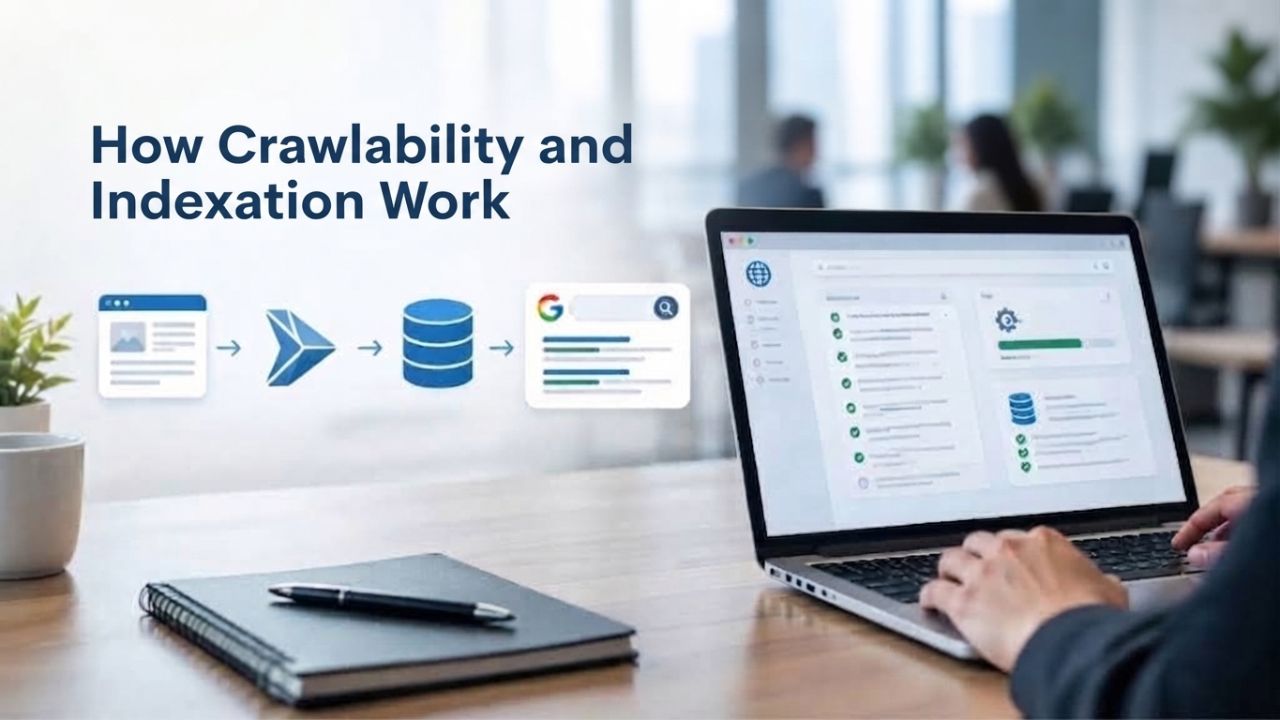
Search engines use automated bots, called crawlers, to visit your website, follow links, and download page content for analysis and indexing. Your robots.txt file tells crawlers which areas of your site to access and which areas to skip or avoid. Your XML sitemap acts like a roadmap or index, listing all the pages you want Google to find and consider for indexing. Both are crucial; a misconfigured robots.txt can accidentally block entire sections of your site from crawling, making content invisible.
Start by verifying that your robots.txt isn’t blocking important content that should be indexed. Common mistakes include disallowing the forward slash /, which blocks your entire site; forgetting to include a link to your XML sitemap; or blocking crawlers from accessing JavaScript or CSS files that render your pages properly in modern browsers. Check your robots.txt file at yoursite.com/robots.txt and compare it against Google’s robots.txt documentation to ensure everything is configured correctly. If you spot any blocks on important content, fix them immediately to restore crawlability.
Checking Your Indexation Status
Google Search Console’s Coverage report shows which pages Google has indexed, which are blocked, and why some pages aren’t being indexed. Navigate to the Coverage section and scan for errors or excluded pages that should be indexed. Ideally, all important pages should appear as indexed; if key pages show “Excluded,” click into the reason provided and fix the underlying issue.
Common indexation issues include noindex meta tags accidentally applied to important pages, redirect chains that confuse crawlers and waste crawl budget, canonical tag mistakes that consolidate authority to the wrong URL, and crawl errors like timeouts or server errors that prevent indexing. Each of these issues is fixable, usually within an hour, and Google Search Console reveals them instantly without additional tools or software purchases. Fix crawlability issues first, then check back in a few days to see if indexation improves.
Measuring Core Web Vitals and Page Performance
Page speed has been an official Google ranking factor since 2021, and it still significantly influences search visibility and user experience. Core Web Vitals are three specific metrics Google uses to measure user experience objectively: loading speed (LCP), responsiveness (INP), and visual stability (CLS). Poor scores on these metrics directly harm your search visibility and also frustrate users, leading to higher bounce rates.
Understanding LCP, INP, and CLS
Largest Contentful Paint (LCP) measures how long it takes for the largest visible element on the page to load and become visible to the user, usually a hero image, heading, or large text block. The target threshold is under 2.5 seconds for a “good” score, which indicates fast loading performance.
Interaction to Next Paint (INP), which replaced First Input Delay in March 2024, measures how responsive your page is when users click buttons, type in forms, or tap on mobile devices. The target threshold is under 200 milliseconds for responsiveness to be rated “good.” Cumulative Layout Shift (CLS) measures visual stability by tracking whether elements unexpectedly move while the page loads, causing frustration. The target threshold is under 0.1 to avoid jarring layout changes.
According to the 2025 Web Almanac, 48% of mobile websites and 56% of desktop websites pass all three Core Web Vitals thresholds simultaneously. This means strong Core Web Vitals represent a genuine competitive advantage in search rankings and user experience. Focus on improving LCP first because it has the biggest impact on both user experience metrics and search ranking performance, making it the highest-leverage optimization target.
Using Google PageSpeed Insights for Your Audit
Google PageSpeed Insights is completely free and shows both field data from real visitors and lab data from simulated testing environments. Field data comes from actual user performance via the Chrome User Experience Report and is what Google uses for ranking decisions. Lab data helps you diagnose specific performance issues in a controlled setting. Enter your homepage URL and scroll through the results to see each metric score, performance suggestions, and a prioritized list of fixes.
Pay special attention to field data scores because they affect your rankings. If your LCP is over 2.5 seconds or your CLS exceeds 0.1, those are immediate priorities requiring fixes. PageSpeed Insights suggests specific optimizations: compress and optimize images, defer non-critical JavaScript, enable browser caching, or preload critical resources to speed up loading. You don’t need to understand the technical details yourself; share the report with your developer and ask them to address the high-priority items first. Improvements typically appear in Google Search Console within 2 to 4 weeks after fixes are deployed to your live website.
Mobile-Friendliness and Responsive Design Checks
Over 50% of global internet traffic now comes from mobile devices, and this percentage keeps growing every year. Google now indexes mobile versions first when determining search rankings, a practice called mobile-first indexing. If your site isn’t mobile-friendly or mobile-optimized, you lose search visibility and convert fewer visitors into customers or leads.

Mobile-First Indexing and Search Rankings
Google’s mobile-first indexing strategy means the search engine evaluates your site’s mobile version when deciding whether to rank it prominently in results. A desktop-only site or one that renders poorly on phones will rank lower than mobile-optimized competitors, or not at all, even if the desktop version is excellent. Beyond search rankings, mobile usability directly affects conversion rates and user satisfaction; slow-loading or hard-to-navigate mobile pages cause visitors to bounce immediately without engaging with your content.
Mobile-friendliness includes responsive design that adapts your layout to different screen sizes, fast loading on mobile networks with slower connections, and proper touch-target spacing. As a result, buttons and links are large enough to tap easily without missing. Many DIY auditors forget to test mobile because they primarily use desktop browsers and devices. Always test on an actual smartphone or use browser device-emulation tools to verify the real mobile experience users encounter.
Testing Mobile-Friendliness Across Devices
Use Google’s Mobile-Friendly Test to check any page on your website. The tool reports whether your page is mobile-friendly. It highlights specific issues: text that is too small to read, clickable elements spaced too close together, unplayable content like Flash animations, or a viewport not configured properly. Most mobile-friendliness issues have straightforward fixes: adjust viewport meta tags in your HTML header, ensure font sizes are readable without zooming, and use mobile-responsive CSS frameworks like Bootstrap or Tailwind.
Test multiple pages, not just your homepage, because mobile issues often appear on subpages first. Audit your most important pages: product pages for e-commerce sites, service pages for agencies, and category pages for content sites. If 80% of your pages pass mobile-friendliness tests, prioritize fixing the remaining 20% that drive the most traffic and revenue. Many mobile issues resolve in 1 to 3 days with basic CSS adjustments or responsive design template updates.
Ready to Streamline Your Audit?
A DIY SEO audit lets you take full control of your website’s search performance without hiring external agencies. You now understand how to audit crawlability, indexation, Core Web Vitals performance, mobile-friendliness, on-page elements, and technical issues. Niya Digital’s DIY SEO tool streamlines this work by combining keyword research, rank tracking, competitor analysis, and technical auditing in one integrated platform. Many site owners successfully combine free Google tools with a dedicated DIY platform to save time and catch issues faster.
On-Page Audit Fundamentals: Titles, Descriptions, and Structure
On-page SEO is your direct control over how individual pages appear and rank in search results. Unlike technical SEO, which affects your whole site, and backlinks, which you cannot control, on-page elements are entirely in your hands. Title tags and meta descriptions are your first impression in Google Search results; getting them right dramatically improves click-through rates from search traffic.
Optimizing Title Tags and Meta Descriptions
Your title tag appears as the headline in Google Search results and affects both click-through rate and the keyword relevance signals Google’s algorithm uses. The ideal length is 50 to 65 characters so it displays fully on mobile devices without truncation. Include your primary keyword near the front of the title, make each title unique to avoid duplicates, and write for human readers first; keyword stuffing hurts both readability and search rankings.
Meta descriptions appear beneath the title in search results as a summary snippet. While they don’t directly affect rankings, they dramatically impact click-through rates because they are the only text users see before deciding whether to click. Write a compelling 150 to 160 character summary that includes your primary keyword naturally and motivates users to click on your result. Avoid duplicating the same description across multiple pages; each page should have a unique, accurate summary of its content. Audit your top 30 to 50 pages by exporting URLs and current titles and descriptions from Google Search Console; youwill quickly spot duplicates, missing descriptions, or titles that are too long.
Structuring URLs and Heading Hierarchy Correctly
URLs should be descriptive, keyword-relevant, and as short as practical. Compare /blog/seo-tips, which is clear and helpful, versus /blog/?p=12345, which reveals nothing to users or search engines. Descriptive URLs help both users and search engines understand page content at a glance and are especially valuable for sharing on social media where the URL text is often visible. If you are redesigning your site or migrating to new URLs, use 301 redirects to permanently redirect old URLs to new ones, preserving search authority and preventing 404 errors.
Heading hierarchy using H1, H2, and H3 tags organizes your content logically so users and search engines can understand the structure. Each page should have one clear H1 heading (usually the page title or main topic), followed by H2 headings for major sections and H3 headings for subsections. Avoid skipping heading levels (e.g., going from H1 directly to H3 without an H2), and avoid keyword stuffing in headings; write for readability and user experience first. Manually audit 5 to 10 important pages by reviewing heading structure and ensuring keywords appear naturally throughout. Most content management systems like WordPress and Shopify make heading optimization straightforward and user-friendly.
Schema Markup and Structured Data Validation
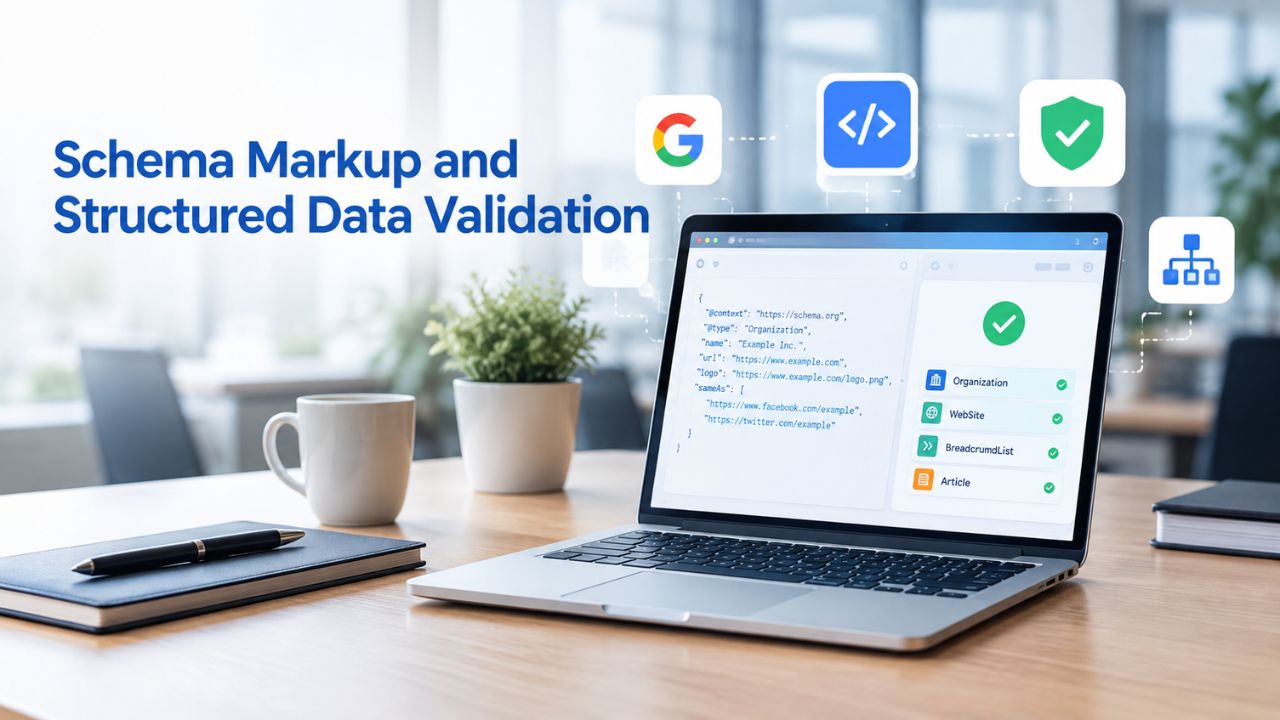
Schema markup is code embedded in your HTML that tells search engines what your content means and how to interpret it. Properly implemented schema markup can earn rich results in Google Search, star ratings, recipe cards, event details, FAQ snippets, and more, which significantly increase click-through rates. Many DIY auditors skip schema entirely because it sounds technical and complicated, but validation is actually straightforward.
What Schema Markup Is and Why It Matters
Schema markup uses JSON-LD format (JavaScript Object Notation for Linked Data) to encode structured data in a standardized way. For example, an Article page includes a headline, author name, publish date, and featured image, all wrapped in JSON-LD code that Google’s crawler can parse and understand. Google’s algorithm parses this structured data and, if it is valid and complete, displays rich results in search results instead of plain text snippets. A recipe page with star ratings, prep time, cook time, and ingredients is much more likely to earn clicks than a plain text result.
Common schema types include Article for blog posts, Product for e-commerce pages, LocalBusiness for service providers and local businesses, FAQ for pages with questions and answers, and Event for upcoming events. Start by adding schema markup to your highest-traffic pages first: blog posts, product pages, or service descriptions. Schema.org provides free templates and documentation for all schema types; many plugins like Yoast and Rank Math generate schema automatically for WordPress sites.
Validating Structured Data for Rich Results
Use Google’s Rich Results Test to validate schema markup on any page. Paste your page URL into the tool, and it fetches your page, extracts all schema markup, and reports whether it is valid and eligible for rich results in search. If there are errors, the tool explains which fields are missing or malformed and suggests fixes. This validation takes just a few minutes per page and saves you from publishing broken schema.
Audit your top 10 to 20 page types by testing one blog post, one product page, one service page, and so on to ensure schema is implemented consistently across your site. If your CMS has schema plugins enabled, spot-check a few pages to confirm the plugin generates valid markup automatically. Fixing schema errors typically takes 1 to 2 hours per page type. It can immediately increase your click-through rate in search results, especially for high-traffic pages where rich-result eligibility is competitive.
Identifying and Fixing Common Technical Errors
Technical errors, broken links, server errors, misconfigured redirects, security warnings, and crawl issues silently destroy search visibility and frustrate users. Many of these errors are invisible until you specifically look for them using the right tools. The good news is that most technical errors can be fixed in just a few hours, not days or weeks.
| Issue Type | Typical Cause | Effort to Fix | Impact | Priority |
|---|---|---|---|---|
| 404 Errors | Deleted pages, broken links, site reorganization | 1–2 hours | High (crawl waste) | 1 |
| Redirect Chains | A→B→C instead of A→C | 30 min–2 hours | High (crawl waste) | 1 |
| Robots.txt Blocks | Accidental disallow or important directory blocks | 15 min | High (blocks indexation) | 1 |
| Indexation Issues | Noindex tags, duplicates, crawl errors | 1–4 hours | High (visibility loss) | 1 |
| Mixed Content | HTTPS pages loading HTTP resources | 1–4 hours | High (security) | 1 |
| Page Speed | Large images, unminified code, poor caching | 2–8 hours | High (Core Web Vitals) | 2 |
| Mobile Issues | Viewport misconfigured, touch targets small | 1–3 days | High (ranking factor) | 2 |
Detecting 404 Errors, Broken Links, and Redirects
A 404 error occurs when a page does not exist or cannot be found on your server. They happen when you delete old blog posts, reorganize your site structure, or external links point to pages that have moved. Each 404 error wastes search-engine crawl budget and sends users to a dead end, damaging user experience. Use Google Search Console’s Coverage report to find pages that return 404 errors to Google’s crawler. For each broken page, decide whether to redirect it to a similar existing page using a 301 redirect, restore the page content, or delete the redirect rule if it was accidental.
Redirect chains, where page A redirects to B, B redirects to C, confuse crawlers and waste valuable crawl budget. Check for these using your server logs or a site crawl tool. Avoid infinite redirects that create loops, redirects that point to wrong content, or chaining more than one or two redirects. Most redirect issues resolve by updating your .htaccess file on Apache servers or redirect rules on Nginx to point directly to the final destination, eliminating unnecessary intermediate steps.
Addressing Security Issues and Mixed Content
HTTPS encryption is an official ranking factor and a critical trust signal to users. If your site is not running on HTTPS, auditing and optimizing will not help you rank well. Install an SSL certificate (many hosting providers offer free Let’s Encrypt certificates), and redirect all HTTP traffic to HTTPS to ensure all connections are encrypted. Once done, submit your site to Google Search Console over HTTPS so Google knows your preferred version.
Mixed content, where HTTPS pages load some resources like images, scripts, or stylesheets over HTTP, breaks security and creates browser warnings. Audit your pages with browser DevTools by pressing F12 and checking the Console tab for mixed-content warnings. Update all resource URLs from http:// to https:// or use protocol-relative URLs like //cdn.example.com/image.jpg instead. This typically takes 1 to 4 hours depending on site size and usually requires developer involvement to implement correctly.
Prioritizing Audit Findings and Creating an Action Plan
An audit generates a list of findings and issues. Without prioritization, you will waste time on low-impact fixes while critical issues go unaddressed. Effective prioritization combines impact assessment (how much this affects rankings or user experience) and effort estimate (how hard it is to fix and how many hours it requires).
Categorizing Issues by Impact and Effort
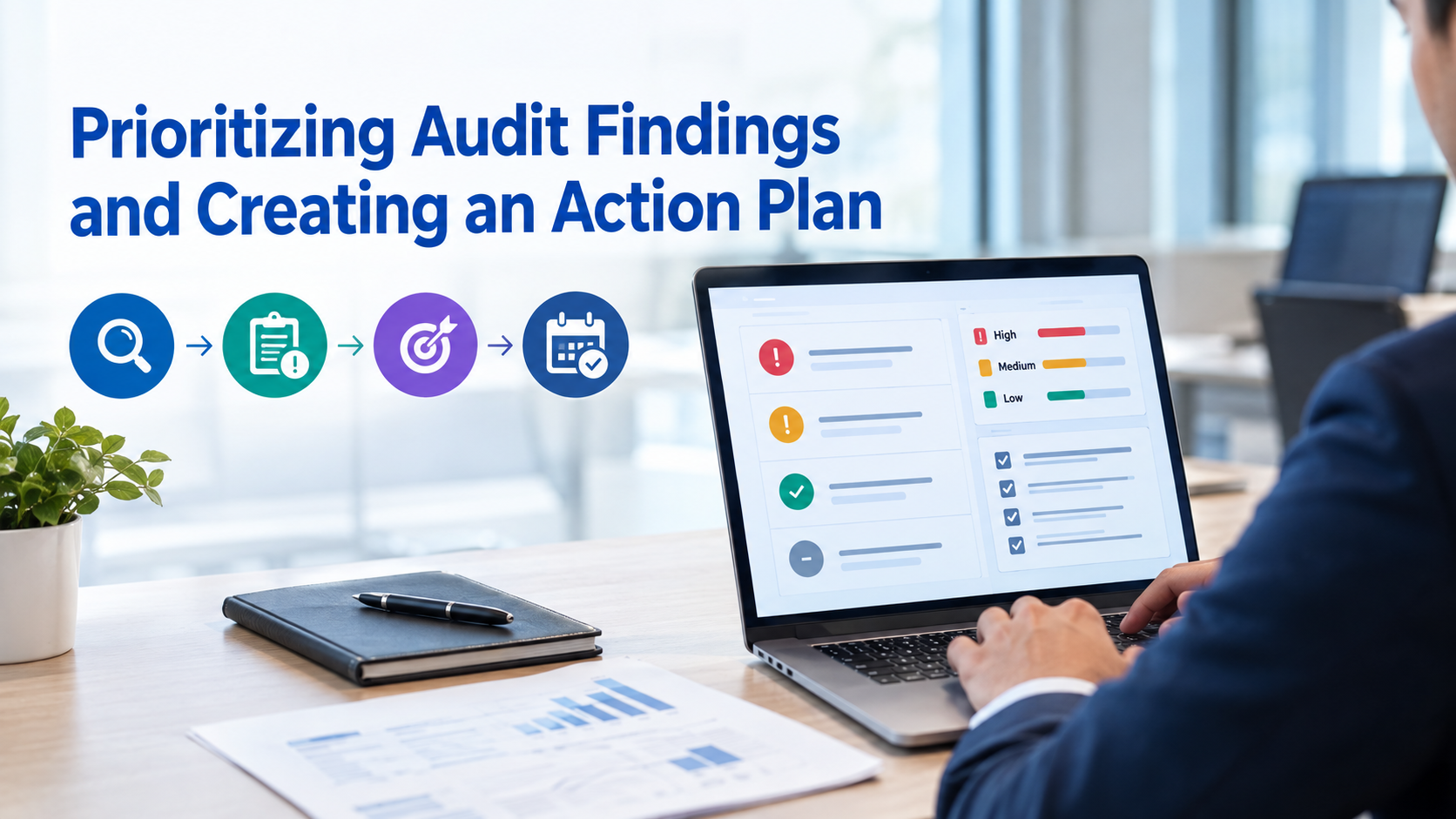
Create a simple prioritization matrix: high-impact, low-effort fixes go first as quick wins; high-impact, high-effort fixes go second as important but requiring more planning; low-impact fixes go last as nice-to-haves. For example, fixing a robots.txt block that accidentally blocks your entire site is high impact and takes only 15 minutes of effort, so it goes first. Optimizing images for faster loading is medium impact but takes 4 to 8 hours, so it goes second.
Typical priorities in order are:
(1) Crawlability and indexation issues because these prevent your pages from being found at all;
(2) Security and mobile-friendliness because they are ranking factors affecting overall visibility;
(3) Core Web Vitals and page performance because they directly affect rankings;
(4) On-page elements like titles, descriptions, and headings which provide incremental gains;
(5) Schema markup which can boost click-through rates;
(6) Backlink analysis and off-page work which takes longer.
Niya Digital’s team has found that businesses that fix crawlability and indexation issues first see results within 4 to 8 weeks, while those that start with on-page work alone wait 2 to 3 months longer to see meaningful movement.
Creating a Timeline and Accountability Framework
Assign clear ownership and set specific deadlines for each fix. If your developer will handle technical issues, give them a prioritized list with estimated effort and target dates. If you are doing it yourself, break the work into weekly chunks like Week 1 for crawlability fixes, Week 2 for Core Web Vitals optimization, and Week 3 for on-page element improvements. Set calendar reminders to check progress in Google Search Console every week; improvements typically appear 2 to 4 weeks after fixes deploy to your live website.
Track changes by monitoring Google Search Console and Google Analytics. After each batch of fixes, note the date in your audit document and check Search Console 3 to 4 weeks later to see if metrics improved. Expect to see improvements in coverage (more pages indexed), ranking positions (some keywords moving up), and click-through rates from search (better titles and descriptions attracting more clicks). Measurable progress builds stakeholder buy-in and justifies continued SEO investment over time.
Using Free Google Tools and DIY SEO Platforms
The best audit tools are free, authoritative, and aligned with Google’s ranking signals. Google Search Console, PageSpeed Insights, and Google Analytics form the foundation of any professional audit. Managing multiple tools across multiple audits is tedious and time-consuming. Many professionals supplement free tools with a dedicated DIY SEO platform to streamline workflow efficiency.
Leveraging Google Search Console and PageSpeed Insights
Google Search Console is your primary data source and should be checked regularly. It shows indexation status, Core Web Vitals metrics from real users, mobile usability issues and warnings, search performance data like queries and clicks, and security alerts. Check it weekly, not daily, since Google updates data with a delay and too-frequent checking creates noise. Set up Google Search Console email alerts for critical issues like sudden indexation errors or security problems.
PageSpeed Insights combines field data from real visitor performance and lab data from simulated performance in controlled environments. Field data matters most for rankings; lab data helps diagnose specific issues. Test your homepage and top 10 to 20 pages quarterly to track performance trends over time. Set a specific target like LCP under 2.5 seconds and work toward it systematically. Many improvements like image optimization, script deferment, and browser caching pay dividends across your entire site.
Simplifying Audits with DIY SEO Platforms
A dedicated DIY SEO platform consolidates crawling, keyword research, rank tracking, and competitor analysis into one unified dashboard. Instead of copying data between Google Search Console, PageSpeed Insights, a separate rank tracker, and a keyword tool, you log into one platform and see all your audit findings, keyword performance, and competitive position at a glance. For ongoing quarterly or monthly audits, this saves 3 to 5 hours per audit cycle.
Niya Digital’s DIY SEO tool includes website crawling to identify technical issues, technical issue detection and recommendations, keyword research and competitor analysis, rank tracking across keywords, and competitor benchmarking, all drawing on third-party search and keyword data sources to generate estimated metrics. Many users combine it with Google Search Console for independent verification, since both tools feed off the same underlying search data. A dedicated DIY SEO platform is most valuable if you run quarterly audits or need to track progress consistently across multiple sites.
Start Your DIY Audits Today
A DIY SEO audit empowers you to take complete control of your website’s search performance without hiring external agencies or consultants. You now understand how to identify and fix crawlability issues, indexation problems, Core Web Vitals performance, mobile-friendliness, on-page elements, and technical errors. Get started with Niya Digital’s DIY SEO platform to combine free Google tools with built-in auditing, tracking, and keyword research all in one unified interface. Many site owners successfully use both free Google tools and a dedicated DIY platform to save time.
Frequently Asked Questions
How long does a DIY SEO audit take?
A basic audit on a small to medium-sized site (10 to 100 pages) takes 2 to 8 hours spread over several days using free tools. A comprehensive audit with deeper on-page and content review takes 1 to 2 weeks part-time. Larger e-commerce or content sites may take 2 to 4 weeks. The timeline depends on site size, complexity, and the number of issues found. Start with a quick 2-hour scan of crawlability, Core Web Vitals, and mobile-friendliness, then add on-page reviews as time allows.
Do I need any paid tools to audit my site?
No. Google Search Console, PageSpeed Insights, Google Mobile-Friendly Test, and Google Rich Results Test provide everything you need. Optional free tools include Screaming Frog for limited crawling, Chrome DevTools Lighthouse tab, and the Core Web Vitals Chrome extension. Many DIY SEO platforms offer paid tiers, but you don’t need them for a basic audit.
What are the most common mistakes when auditing your own site?
Skipping keyword research before optimizing, since people fix on-page elements without knowing which keywords matter. Ignoring Core Web Vitals since page speed affects rankings and experience. Not checking mobile-friendliness when over 50% of traffic is mobile. Assuming canonicalization and redirects are correct when they are often misconfigured. Forgetting indexation checks in Google Search Console when you might be fixing pages Google never indexed. Address these first to prevent wasted effort.
How often should I audit my site?
For small to medium businesses, quarterly audits every 3 months are ideal. Quarterly reviews catch new issues before they compound and track the impact of previous fixes. For small sites that rarely change, twice-yearly audits are acceptable. For large e-commerce or content sites with frequent updates, monthly quick-scans and quarterly deep dives work well. Set calendar reminders and assign ownership so audits become routine habits.
What should I do if Google Search Console shows indexation errors?
Indexation errors fall into categories. “Crawled – currently not indexed” means Google found the page but did not index it (usually low value or duplicate). “Excluded” pages have a specific reason: a noindex tag, a redirect, duplication, low quality, or a crawl error. Click into each reason and fix the root cause. Remove noindex from important pages, fix redirects to point to existing pages, and address crawl errors. Request re-crawling in Search Console after fixes.
Does a DIY SEO audit guarantee better rankings?
An audit identifies problems and opportunities but does not guarantee rankings. Ranking depends on content quality, keyword relevance, backlink authority, competition, and dozens of other factors. An audit removes barriers, ensuring Google can crawl and index pages, pages load fast, and the mobile experience is good, but good content and backlinks still matter more. Expect 3 to 6 months for improvements in typical markets; highly competitive keywords take longer.
What’s the difference between crawlability and indexation?
Crawlability means Google’s bot can access your pages without robots.txt blocks, login walls, or server errors preventing download. Indexation means Google has added pages to its searchable database. A page can be crawlable but not indexed if it is low-quality or duplicate. You cannot have indexation without crawlability. Google Search Console Coverage report shows both: “Discovered – currently not indexed” means crawlable but not indexed; “Indexed” means searchable.
How do I know if my page speed is good?
Use PageSpeed Insights and look at field data. If your LCP is under 2.5 seconds, that is good. If INP is under 200 milliseconds, that is good responsiveness. If CLS is under 0.1, that is good visual stability. If all three are in good range, your speed is competitive. Scores above thresholds are opportunities, not failures. Compare to competitors’ scores using PageSpeed Insights too, and prioritize fixes where you are clearly slower.
Can I improve rankings just by fixing technical SEO?
Technical SEO is necessary but not sufficient. Fixing crawlability, indexation, and Core Web Vitals removes ranking barriers, like keeping restaurant dishes clean before serving food. But great content, keyword relevance, and backlinks still matter more. If technical SEO is broken, you will not rank no matter how good the content is. Fix technical issues first (1 to 2 weeks), then invest in content and links for long-term gains.
What’s the difference between on-page SEO and technical SEO?
Technical SEO affects your entire site: crawlability, indexation, site speed, security, and mobile responsiveness. On-page SEO affects individual pages: title tags, meta descriptions, headings, content, and keyword placement. Both matter. Technical SEO is the foundation; on-page SEO communicates value to Google and users. Most audits start with technical (1 to 2 days) because a strong foundation multiplies the value of on-page work. Then optimize pages systematically.
Should I hire an SEO agency or do a DIY audit myself?
DIY audits work if you have 2 to 6 weeks to learn the tools and time for ongoing quarterly work. Agencies handle audits and implementation if you want hands-off help. Many businesses do DIY audits first to understand the current state, then hire help to fix issues if needed. Running a DIY audit teaches you what to expect and questions to ask professionals later.
How do I check if my competitor’s site is faster than mine?
Use PageSpeed Insights and test competitor URLs the same way you test your own. You will see their field data, lab data, and optimization suggestions side by side with your scores. This helps you benchmark; if competitors are faster, you know speed is a competitive pressure. Use Chrome DevTools (F12, Performance tab) to record and compare load times across devices.
What is schema markup and why does it matter?
Schema markup is code (usually JSON-LD) describing what your content is. For example, Article schema tells Google a page is a blog post with a headline, author, and publish date. When schema is valid and complete, Google displays rich results in search, such as star ratings, recipe cards, and FAQ snippets. Rich results get higher click-through rates than plain text snippets. Schema doesn’t directly affect rankings, but it improves visibility.
Can I audit my site on my own if I’m not technical?
Absolutely. Google’s free tools are designed for non-technical users: enter a URL, read results, follow suggestions. Most audit tasks (checking crawlability, testing mobile-friendliness, validating schema) require no coding. Fixing issues might need developer help, but auditing is approachable. Many small-business resources walk through each step. The hardest part is time commitment, not technical skill.
What should I prioritize: fixing errors or optimizing for opportunities?
Fix errors first. Errors prevent ranking; opportunities accelerate ranking. If Google cannot crawl your site, fix that before optimizing keyword density. Once errors are fixed, spend 60% of effort on the most impactful fixes (Core Web Vitals, mobile-friendliness, high-volume keywords) and 40% on incremental improvements. This balances quick wins with sustainable progress.
Glossary
- Crawlability: The ability of search-engine bots to access, download, and follow links on your website without technical barriers such as robots.txt blocks, login walls, or server errors preventing access.
- Indexation: The process of Google adding your web pages to its searchable index database. Only indexed pages appear in Google Search results. Crawlability is required for indexation to occur successfully.
- Core Web Vitals: Three Google-defined metrics measuring user experience: Largest Contentful Paint (LCP, loading speed), Interaction to Next Paint (INP, responsiveness), and Cumulative Layout Shift (CLS, visual stability). They are official ranking factors.
- Schema Markup (Structured Data): Code (usually JSON-LD) embedded in HTML that tells search engines what your content means, enabling rich results in search like star ratings, recipes, or FAQ snippets.
- 301 Redirect: A permanent redirect from one URL to another. Search engines preserve ranking authority through 301 redirects, making them the correct choice for moving pages.
- Meta Description: A 150–160 character HTML tag that summarizes page content, displayed beneath the title in Google Search results. It doesn’t affect rankings directly but strongly influences click-through rates.
- Canonical Tag: An HTML tag specifying the preferred version of a page when multiple similar or duplicate pages exist. It consolidates ranking signals to a single URL.