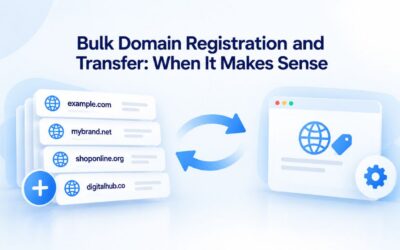
Securing the right domain name is one of the highest-stakes decisions in your digital strategy. Popular domains disappear in hours; competitive pressure is real. Niya Digital is a reseller offering domain registration and hosting services in partnership with an ICANN-accredited registrar partner.
Why Domain Availability Is Time-Sensitive
Domains operate on a first-come, first-served basis across all registrars. ICANN synchronizes domain availability in real time; once one registrar claims a name, it’s gone globally. No queue exists. No registrar can reserve your choice or guarantee priority access.
The Real Cost of Hesitation
Every minute you wait costs you. Popular terms, brand-aligned keywords, and short, memorable names attract investors and competing businesses at the same time. High-demand domains sell within hours or minutes, especially during product launches or industry announcements. Hesitation becomes regret.
If a competitor registers your intended domain, you’re left scrambling. A longer name, a different TLD, or a costly aftermarket purchase can split your brand and confuse your audience. Speed plus confidence dramatically improve your odds. Early research followed by immediate registration is how you win.
Why First-Mover Advantage Matters
Once you’ve validated your domain through research, registration itself takes minutes. The registrar submits your request to the registry, the registry confirms availability, and your domain is secured. No waiting period, no review delays (except for restricted TLDs like .gov or .edu), and no benefit to pausing. The only advantage is acting now.
Niya Digital’ team has found that clients who research early and register immediately after validation have zero regret about their domain choice. Meanwhile, those who hesitate often discover their intended name has been claimed in the interim.

Domain Name Registration
Each and every domain name comes with all you need to get online.
- Domain Forwarding and Masking: Direct any domain name you own to your website. Anyone who types that domain name into their browser is taken directly to your website.
- Domain Locking: Domain locking prevents accidental or intentional transfers of domain ownership and stops anyone from redirecting your nameservers.
- Total DNS Control: Manage your domain nameserver (DNS) records and set your email, FTP, sub-domains and website location all from one control panel.
- Change of Registration: Assign your domain name to someone else or change the contacts for your domain online anytime.
- Status Alerts: Monitor the status of your domain and get instant alerts if there's been a change.
- Auto Renew Protection: No need to watch expiration dates to make sure you renew on time! Auto renew keeps your domains, hosting, website builders, and other products in your name and under your control.
Domain Disclaimers:
- Special savings apply only to first year of registration. You must purchase entire section to qualify for special savings.
- The final price may differ because of additional sales, fees, and promotions.
- Products will automatically renew until cancelled. You may turn off the auto-renewal feature by visiting your account.
- Change of registration may require a fee for certain domains.
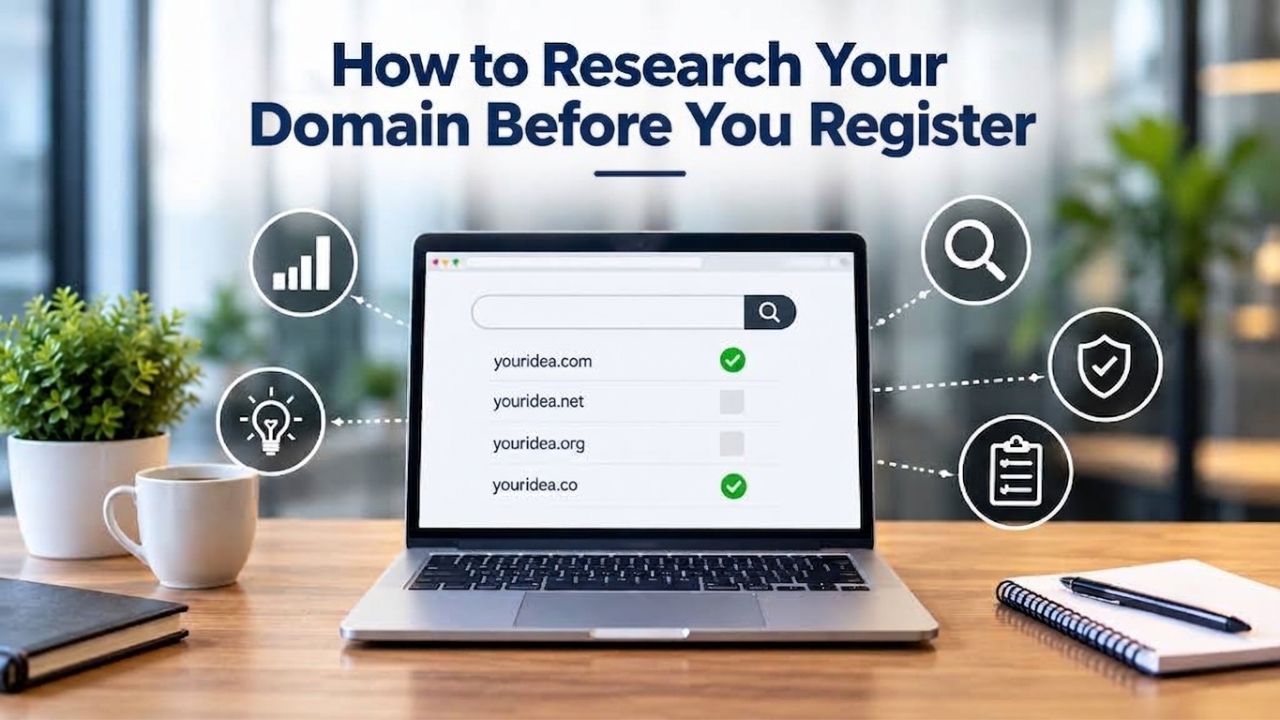
How to Research Your Domain Before You Register
A strong domain isn’t just available; it’s strategically sound. Research protects you from trademark conflict, competitor overlap, or generic phrasing that sounds weak when spoken aloud.
Validate Against Trademark Conflict
Check whether your intended domain conflicts with an existing trademark before registration. The ICANN Uniform Domain-Name Dispute-Resolution Policy (UDRP) allows trademark holders to challenge registrations they claim infringe their rights. If you register a domain identical or confusingly similar to an active trademark you don’t own, you risk losing it and paying legal costs.
Search public trademark registries and search engines for existing brands in your space. Look for exact matches, phonetic similarities, and variations. If you own the trademark, registration is defensible. If you’re unsure, consult a trademark attorney before registering; it’s cheaper than recovering from a UDRP dispute.
Assess Competitor Domain Mapping
Map competitor domains in your industry to understand the landscape. Which TLDs do market leaders choose? Are there gaps you can occupy? If competitors use .com predominantly, registering the same name under .net or .co might invite secondary competitor registration. If .com is taken but your brand is strong, a .tech or .store domain can feel contemporary and intentional, not like a fallback.
Spend time understanding where your domain fits competitively. A domain that stands out in its category is memorable; one that mimics competitors is confusing.
Securing Your Account Before Registration Day
Your domain is only as secure as the account that holds it. Before your first registration, harden your registrar account the way you would a financial account.
Enable Two-Factor Authentication (2FA)
Two-factor authentication requires two distinct identity verifications before account access, typically a password plus a code from an authenticator app, SMS, or email. If someone compromises your password, 2FA blocks them unless they also control your phone or email.
Domain hijacking often begins with compromised credentials. 2FA is your strongest single defense. Most registrars offer 2FA via authenticator apps (Google Authenticator, Microsoft Authenticator, Authy) or SMS. Choose the method you’ll use consistently; an unused security feature offers no protection.
Use a Strong, Unique Password
A strong password is at least 16 characters, mixes uppercase and lowercase letters, numbers, and symbols, and contains no dictionary words or personal details. Equally important: your registrar password must be unique and used nowhere else. A breach at another service could affect your registrar account.
Use a password manager (1Password, Bitwarden, LastPass) to generate and store strong, unique passwords. The small upfront effort prevents account compromise. Your registrar account controls your digital kingdom; protect it.
Configure Account Recovery Options
Set up recovery options (backup email, phone number, security questions), so you can regain access if you lose your primary credentials. Test these pathways before you need them; confirm backup emails receive verification links, recovery phone numbers are current, and you can answer security questions reliably.
| Security Setting | What It Does | Your Action |
|---|---|---|
| Two-Factor Authentication | Prevents login without a phone/app code even if password is stolen | Enable on authenticator app or SMS |
| Strong, Unique Password | Resists brute-force attacks and protects against credential-reuse breaches | Generate 16+ chars with letters, numbers, symbols in password manager |
| Account Recovery Email | Allows password reset if primary email is compromised | Confirm backup email receives verification links |
| Recovery Phone Number | Enables 2FA reset and account recovery if phone/email fails | Test that SMS or calls are received |
| Security Questions | Last-resort recovery if email and phone are inaccessible | Answer with facts only you know; avoid public-information answers |
| Login Alerts | Notifies you of account access from new devices or locations | Enable email/SMS alerts for logins |
| DNS Change Notifications | Alerts you if someone modifies your domain’s DNS records | Enable to catch unauthorized redirects early |
Understanding the Domain Registration Process
Domain registration is fast but involves several distinct steps. Grasping each one clarifies what happens after you click “Register” and why certain details matter.
What Happens Behind the Scenes
When you submit a domain registration request through a registrar, the registrar validates your details, charges your payment method, and submits the registration to the appropriate registry. For most generic TLDs (.com, .net, .org), approval is automatic and completes within minutes. For country-code domains (.uk, .de, .in) or restricted TLDs (.edu, .gov), the registry may require manual review, which can extend registration to hours or days.
Once the registry confirms, your name servers and DNS records update immediately. Email routing, website hosting, and other services go live without delay. The registrar sends a confirmation email with your domain management credentials and control panel access, where you’ll manage renewals, transfer settings, and privacy options.
Registrant Information & WHOIS Privacy
During registration, you provide registrant contact information, name, address, email, and phone- which the registry publishes in the WHOIS database unless you opt for privacy protection. WHOIS data is publicly searchable and exposes registrants to phishing and social engineering. Privacy-proxy services mask this information while keeping your domain registered in your name.
Privacy protection isn’t paranoia; it’s a standard defense against targeted threats. If your business domain’s owner name and email are publicly listed, attackers can craft convincing phishing emails (“Verify your domain ownership now”) that appear to come from the registry. WHOIS privacy availability varies by TLD and country/region. Confirm protection is available for your specific domain before registering.
Ready to Register Your Domain?
Finding and registering the right domain is the foundation of your online presence. Niya Digital simplifies the process by providing domain registration, renewals, transfers, and privacy protection in one place. Whether you’re launching a new
website or expanding your digital portfolio, you can search, secure, and manage your domains with confidence.
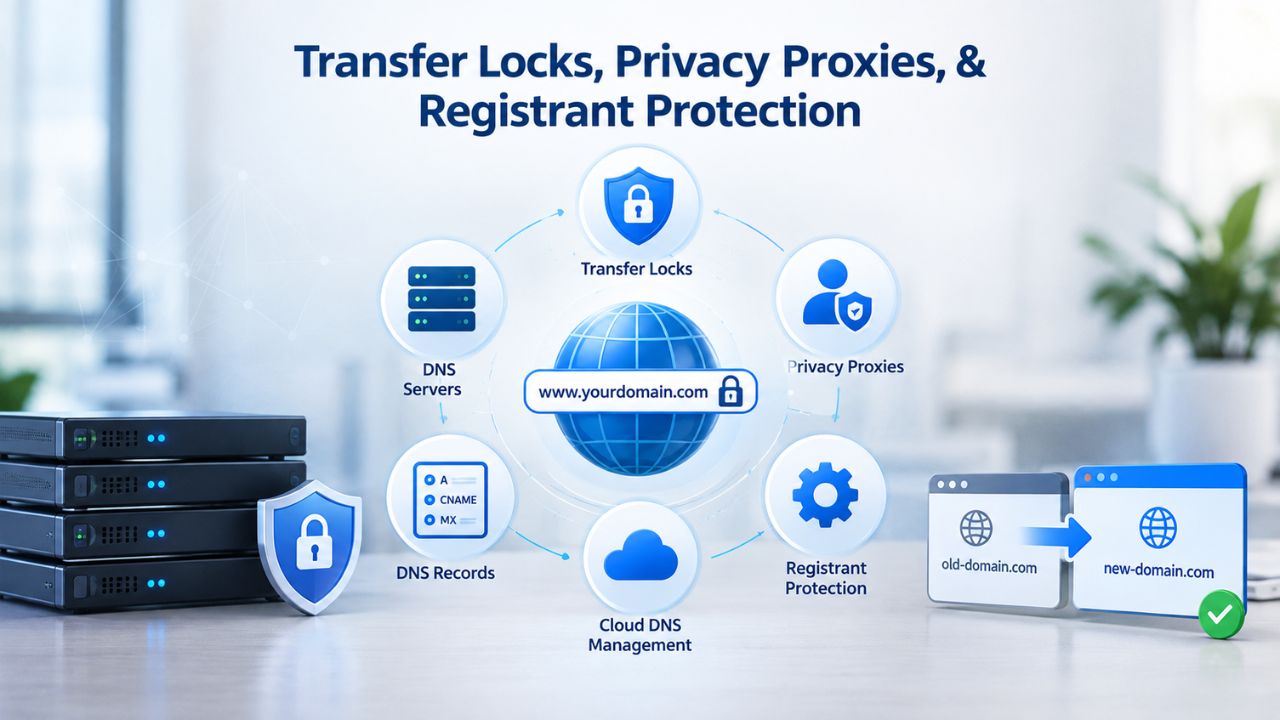
Transfer Locks, Privacy Proxies, & Registrant Protection
Once registered, your domain becomes valuable, both as a business asset and a theft target. Registrars provide built-in protections that dramatically reduce risk.
How Transfer Locks Work
A transfer lock is a registrar-enforced restriction preventing domain transfer to another registrar without authorization. ICANN policy requires a 60-day transfer lock after all new registrations and transfers, and most registrars keep it active by default even after it expires; you can unlock it if you plan to migrate registrars.
If someone gains account access, a transfer lock buys time. They must request a transfer, trigger the unlock, confirm via email, and then re-initiate at their target registrar. This multi-step process with email verification is where you detect and stop the attack. Keep transfer locks enabled on all domains unless you’re actively migrating. The minutes required to unlock pale in comparison to the hours it takes to recover a stolen domain.
How Privacy Proxies Shield Your Identity
A privacy proxy (also called WHOIS privacy or privacy protection) substitutes the registrar’s contact information for yours in the public WHOIS database. Instead of your name and email, the database shows the registrar’s details. Incoming mail is automatically forwarded to your real address, and legal notices reach you. You retain full control; the proxy is invisible to you and transparent to the registry.
Privacy proxies reduce targeted phishing and social engineering by removing your personal identifiers from public searches. A domain hijacker can’t craft personalized spear-phishing if they don’t know your name or email. Most registrars include privacy protection in premium tiers or offer it at low cost, one of the highest-ROI security investments available.
Planning a Domain Strategy: One Domain or Many?
Your domain portfolio should reflect your business strategy. Single-domain focus and multi-TLD protection have different trade-offs.
The Case for Multi-TLD Registration
Registering your brand across multiple TLDs (e.g., .com, .co, .net, and a category-specific one like .tech or .store) protects brand consistency across the web. If a competitor registers your brand under .net while you hold .com, customers may land on their site instead of yours. Multi-TLD coverage prevents this fragmentation.
Multi-TLD strategy isn’t paranoia; it’s market positioning. The .com TLD remains the most trusted and commonly registered, but emerging TLDs like .tech, .io, and .app appeal to modern, tech-focused audiences. If your audience skews technical or startup-forward, owning both .com and .tech signals sophistication and niche credibility.
When Single-Domain Focus Makes Sense
If budget is tight or your business has a single, focused geographic or industry identity, concentrating on one premium .com domain often outweighs spreading resources across multiple TLDs. A single, short, memorable .com domain is worth more than five mediocre domains across multiple extensions. Quality beats quantity in domain portfolios.
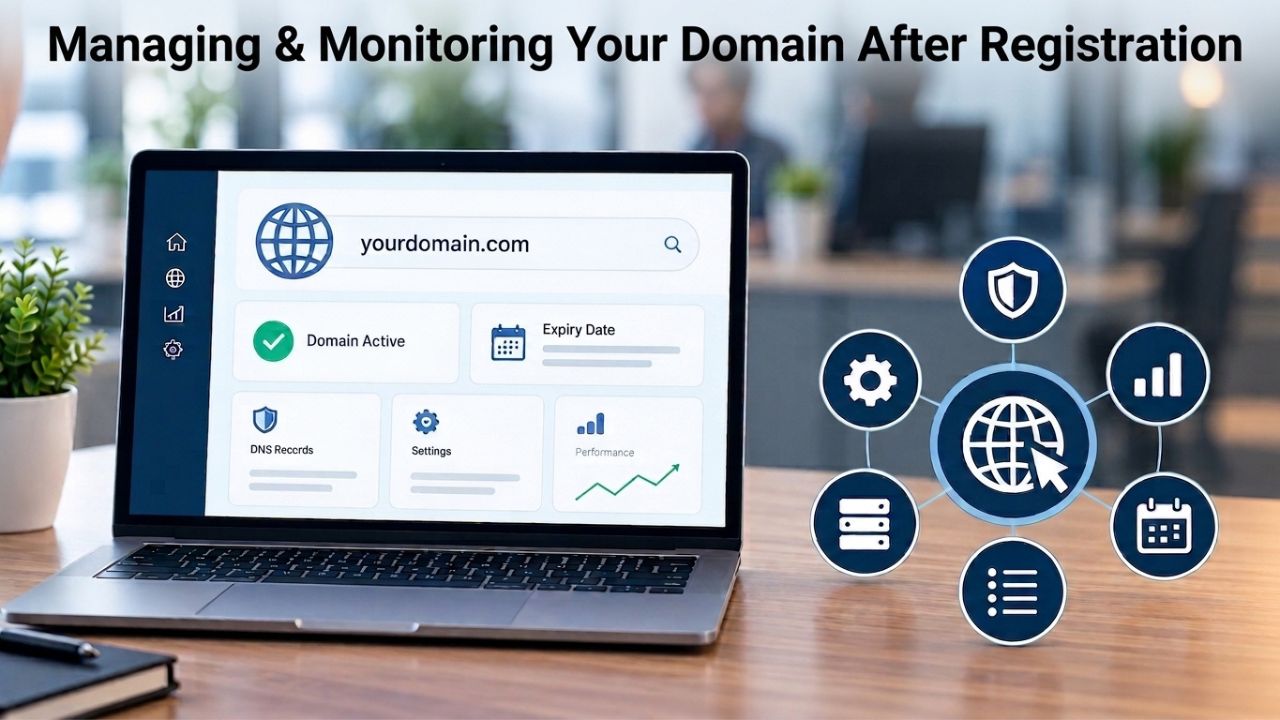
Managing & Monitoring Your Domain After Registration
Registration is the beginning, not the end. Active management and monitoring keep your domain secure and prevent avoidable loss.
Set Up Monitoring & Alerts
Most registrars allow you to configure notifications for renewal dates, expiration warnings, and account-access events (logins, password changes, DNS updates). Enable all of them. A simple email reminder 60 days before expiration prevents accidental domain loss. DNS-change alerts catch unauthorized modifications early; if someone gains access and redirects your domain, you’ll know within hours, not days.
Document your domain portfolio in a spreadsheet (registrar, registrant name, renewal date, contact email, privacy-protection status). Review this list quarterly; it’s your safety net if registrar emails are missed or filtered. Treat your domain registry like a business record, worth protecting.
Automate Renewal Where Possible
ICANN policy provides a grace period after expiration, typically 45 days, though duration varies by registrar, during which you can renew without penalty. After the grace period, your domain enters redemption grace (typically 30 days), where recovery costs premium fees. After the redemption grace period, the domain is permanently released and available for anyone to register.
| Lifecycle Phase | What Happens | Duration | Your Window |
|---|---|---|---|
| Active Registration | Domain is reserved in your name; you control DNS and all settings | 1–10 years (your choice) | Anytime during this period, you own it |
| Expiration Triggered | You receive expiration notice from registrar; domain still active but notice is sent | 30–60 days before expiration | Renew now to avoid any lapse |
| Grace Period | Domain still resolves; you can renew without penalty or extra fees | Typically 45 days (varies by registrar) | Renew immediately if you missed the notice |
| Redemption Grace | Domain no longer resolves; recovery possible but at premium cost (2–10x renewal) | Typically 30 days (varies by registrar) | Expensive recovery window; avoid if possible |
| Post-Redemption Hold | Domain held by registry; not yet available for public registration | 5–10 days | Cannot be recovered; recovery period ended |
| Released to Registry | Domain becomes available for anyone to register via any registrar | Happens after hold period | Domain is lost; you cannot reclaim it |
Avoid this cascade by enabling auto-renewal. If your payment method changes or fails, auto-renewal may fail silently, which is why monitoring alerts matter. In most cases, auto-renewal protects against accidental loss. Most registrars offer it by default; enable it unless you have a specific reason not to.
Backorder & Domain-Watching Strategies for Expiring Domains
If your ideal domain is already registered, waiting for expiration is a legitimate strategy, but it requires patience, timing, and realistic expectations.
How Backorder Services Work
A backorder service (offered by most registrars and specialized acquisition companies) monitors an expiring domain and attempts to re-register it the moment it becomes available. When a domain expires, there’s a brief window, often seconds, before competing backorder systems also attempt to capture. The registrar with the fastest system and earliest submission usually wins.
No backorder service guarantees success; the first-come, first-served registry model means direct registrations or competing backorders may claim high-demand domains at the same time. If your target is popular, hundreds of backorders may wait. Budget realistically: treat a successful backorder as a bonus, not a plan.
Using Domain-Watch Lists
If you’re not ready to commit to a backorder fee, a simple domain-watch alert (free on most registrars) notifies you when your target domain’s status changes, expires, privacy protection is enabled/disabled, or similar. A watch alert gives you a heads-up to decide whether to backorder or direct-register if the domain becomes available. It’s low-friction first intelligence.
Support Channels & Escalation When Issues Arise
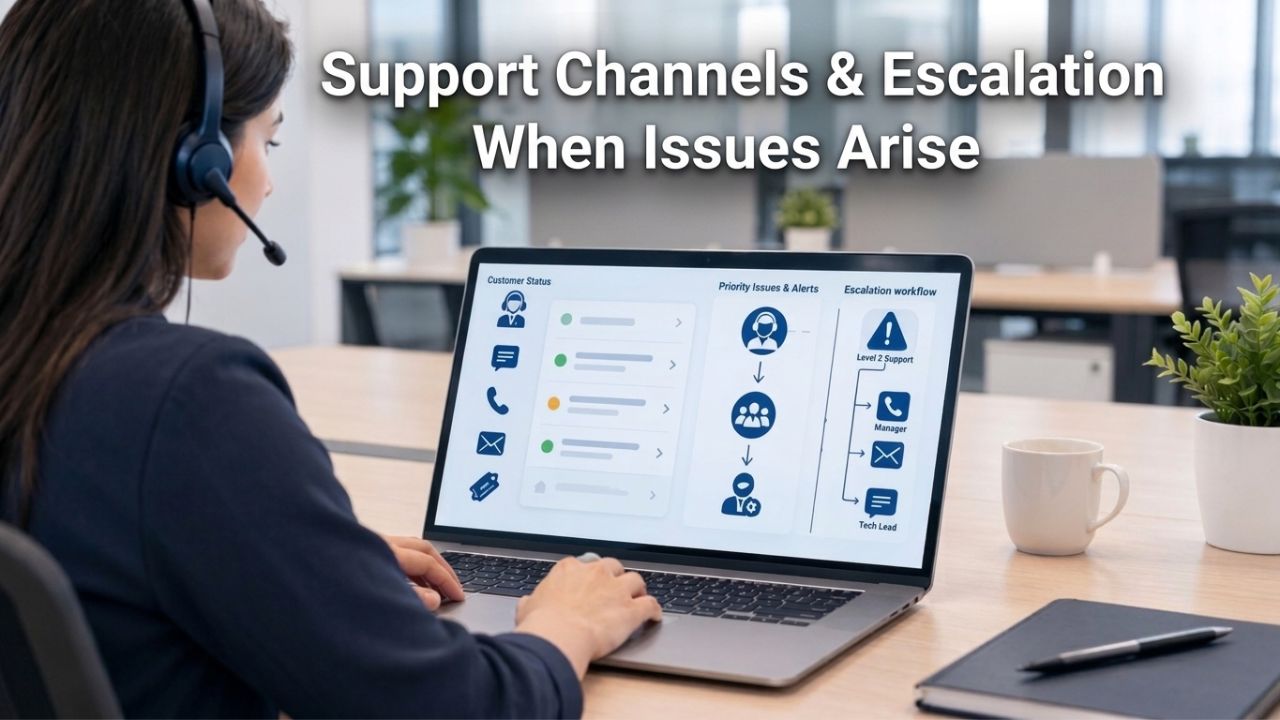
Domain registration usually runs smoothly. When issues do arise, a blocked registration, a transfer dispute, or account recovery can require responsive support.
Registrar Support Channels & Expectations
Most registrars offer multiple support channels: email ticketing, live chat, and phone support. Response times and availability vary widely by registrar and support tier. Some offer 24/7 phone support for critical issues; others queue email tickets with multi-hour response times. Know your registrar’s support options and response-time tiers before an emergency hits.
Standard support (email) typically takes 4–24 hours for non-critical issues. Premium or priority support (paid upgrade or high-value account status) usually offers 1–2-hour response commitments and escalation paths. Domain hijacking or imminent expiration is critical. If your registrar doesn’t offer rapid escalation, you’re at risk. Evaluate registrars on support responsiveness as seriously as price.
When to Escalate & How
If you suspect unauthorized account access, contact your registrar’s security team immediately; don’t wait for standard support. Most registrars have abuse or security escalation lines with faster response. If a domain transfer is blocked or disputed, or if you’re recovering from account compromise, escalation to a senior representative who can override or investigate quickly is often the only path to resolution.
Document every communication. Keep records of support tickets, response times, and resolution steps. If a registrar is unresponsive, regulatory authorities (varies by country/region) may have complaint mechanisms, but prevention beats complaint resolution every time.
Long-Term Domain Success, Planning Beyond Registration
The true value of domain registration emerges over years, not days. A domain that supports business growth requires intentional renewal planning, portfolio-wide monitoring, and alignment with your evolving strategy. This section outlines how to think about domain ownership as a lasting business asset.
Building Your Renewal Calendar & Continuity Plan
Domain renewal isn’t a one-time event; it’s a recurring business obligation as critical as paying rent. Create a master renewal calendar (spreadsheet, calendar app, or registrar-native reminders) listing each domain’s name, registrar, renewal date, and current contact email. Review this calendar quarterly and share a copy with a trusted colleague or your business manager, so renewal doesn’t depend solely on one person. If you’re out sick, on vacation, or have account access issues, someone else can step in and renew before expiration.
Most domains renew automatically if you enable auto-renewal and keep your payment method up to date. However, silent payment failures (expired credit card, changed billing address) can still cause auto-renewal to fail. Set up renewal alerts 60 days before expiration in addition to auto-renewal; the double layer catches nearly all failures. If you operate multiple domains or use a multi-year renewal strategy, documenting each lifecycle prevents the avoidable loss that affects many growing businesses.
Scaling Your Domain Portfolio with Business Growth
As your business evolves, entering new markets, launching product lines, or pivoting your brand, your domain strategy should evolve too. A startup might start with a single .com; a scaled business often holds 5–15 domains across TLDs and related brand names to defend market position and redirect customer confusion. Plan ahead: if you anticipate geographic expansion, reserve your brand under relevant country-code TLDs (.uk, .de, .in, etc.). If you’re likely to add product-specific subbrands, buy those domains early rather than scrambling later.
Periodically audit your portfolio for domains you no longer need and let them expire (don’t renew them) to reduce cost and management overhead. Conversely, if your business has grown past your original domain choices, registering premium names that better reflect your current positioning is worth the investment. Your domain portfolio should feel intentional, not like an accidental archive. Niya Digital’s bulk registration tools and domain management dashboard make scaling your portfolio straightforward as your needs grow.
Protect Your Domain Investment Today
Your domain is one of your most valuable digital assets, and protecting it should be a priority. Niya Digital helps you safeguard your domains with secure registration, transfer assistance, renewal management, domain privacy options, and responsive support. Whether you’re managing a single website or an entire domain portfolio, our team is here to help you maintain security and uninterrupted ownership.
Frequently Asked Questions
What happens immediately after I register a domain?
After registration, your domain is reserved under your name, your registrar emails you access credentials, and you can update DNS records and hosting settings immediately. The domain propagates across the internet’s DNS system within a few minutes to 48 hours, depending on your configuration. Email, website hosting, and other services using that domain can launch right after DNS updates complete.
Can I register a domain that’s currently owned by someone else?
Not directly. If a domain is actively registered, it’s reserved for its owner until expiration. You can try contacting the registrant (via WHOIS privacy proxy forwarding) and offer to buy it, or wait for expiration and backorder it. Alternatively, negotiate through an aftermarket broker, though this usually costs significantly more than standard registration.
What’s the difference between registering a domain and setting up hosting?
Domain registration reserves your name with a registry. Hosting provides a server where your website files live. You need both, but they’re separate services. Your domain points to your hosting server via DNS records. Many registrars offer both (Niya Digital partners with an ICANN-accredited registrar offering both), but you can mix registrars and hosting providers if you prefer.
How long does domain registration actually take?
Most registrations complete within minutes for generic TLDs like .com, .net, and .org. Some country-code and restricted TLDs require manual registry review, which can extend registration to hours or days. Your registrar provides an estimated timeframe during checkout. DNS propagation typically takes 24–48 hours after registration, though updates often appear much faster.
Why do I need to enable transfer lock if I’m not transferring?
Transfer locks prevent unauthorized domain transfers if your account credentials are compromised. If your account is hacked, an attacker must request an unlock, which typically triggers an email authorization step- your chance to detect and stop the attack. Keep transfer locks enabled unless you’re actively preparing to move your domain. The minor inconvenience of unlocking is worth the security benefit.
Can I really lose my domain if I forget to renew it?
Yes. If your domain expires and you don’t renew within the grace period (typically 45 days, varying by registrar), it enters redemption grace (typically 30 days), where recovery costs premium fees. After redemption grace, the domain is permanently released, and anyone can register it. Enable auto-renewal and set expiration alerts to prevent this. It’s one of the most avoidable domain disasters.
Is WHOIS privacy actually necessary?
WHOIS privacy shields your contact details from public databases, reducing targeted phishing and social engineering. For business-critical or high-profile domains, privacy protection is nearly essential. For hobby or personal projects, the urgency is lower, but the cost is minimal, and the defense is proven. Most registrars include it in their service or charge a small fee; it’s worth enabling.
What’s a redemption grace period, and why does it cost extra?
After your domain expires and the standard grace period passes, a redemption grace period (typically 30 days) lets you recover it at a premium fee (often 2–10x the standard renewal cost). The higher fee reflects the registry’s administrative work to recover expired domains and incentivizes timely renewal rather than last-minute rescue. Avoid this fee by renewing before the regular grace period ends.
How do I know if my ideal domain will ever become available?
If it’s currently registered, use WHOIS lookup tools to find the registrant’s contact email (unless a privacy proxy is enabled) and reach out directly. Set a domain-watch alert to notify you if the domain’s status changes. If those fail, a backorder service monitors expiration and attempts re-registration, but success isn’t guaranteed, especially for popular domains where hundreds of backorders may compete.
What should I do if my domain registration is blocked or fails?
If registration fails, your registrar provides an error code (domain already registered, TLD-specific restriction, payment declined). Contact your registrar’s support to clarify the reason. Common issues: incorrect contact information, typos, or TLD-specific eligibility requirements. Restricted TLDs like .gov have strict criteria. For most generic TLDs, failures are usually payment or data-validation issues that are easy to fix.
Can I transfer my domain to a different registrar?
Yes. To transfer, you need an active domain in your account, an authorization code (authcode or EPP code) from your current registrar, a transfer request at your new registrar, and email confirmation. The process typically takes 5–7 days. Your current registrar may impose a transfer fee (varies by provider). Plan transfers during low-traffic periods to minimize disruption.
How many domains can I register at once?
Registrars typically allow bulk registration for multiple domains in a single transaction. If registering dozens or hundreds, some registrars offer bulk-upload tools or APIs for developers. Contact your registrar about bulk pricing and tools. Niya Digital supports bulk registration; talk to our team for options.
What happens to my domain if the registrar goes out of business?
ICANN policy requires registrars to maintain domain continuity in the event of business closure, typically through migration to another registrar. Your domain doesn’t vanish; it’s transferred to ensure you retain access. The transition process can be chaotic, though. Choosing a stable, well-established registrar partner (like Niya Digital’ ICANN-accredited partner) significantly reduces this risk.
Is it better to register my domain for a long term (e.g., 10 years) or renew annually?
Either approach works. Long-term registration (up to 10 years for most TLDs) locks in today’s renewal price and reduces administrative overhead. Annual renewal keeps options open and spreads costs. From a security perspective, there’s no difference. From a price-lock perspective, multi-year registration insulates you from future rate increases.
Glossary
- Transfer Lock: A registrar-enforced restriction preventing a domain from being transferred to another registrar without explicit authorization. ICANN policy requires a 60-day lock after registration or transfer; most registrars keep locks enabled by default for security.
- Redemption Grace Period: An extended period (typically 30 days) after standard expiration during which an expired domain can be recovered at a premium fee before permanent release to the registry.
- WHOIS Privacy / Privacy Proxy: A service that masks the registrant’s personal contact details (name, email, address, phone) in the public WHOIS database, replacing them with the registrar’s information while forwarding legal notices to the true owner.
- Two-Factor Authentication (2FA): A security method requiring two distinct identity verifications, typically a password plus a code from an authenticator app, SMS, or email, before granting account access.
- Authcode (Authorization Code / EPP Code): A unique code issued by your current registrar that authorizes domain transfer to a new registrar. Required to initiate most domain transfers.
- Backorder Service: A registrar or third-party service that monitors an expiring domain and attempts automated re-registration the moment it becomes publicly available, competing against other backorder systems for capture.