What Technical SEO Problems Are and Why They Matter
Technical SEO refers to the backend optimization of a website that enables search engines to crawl, index, and rank pages effectively. These are the unseen issues: a slow-loading page that frustrates users and search engines alike, a misconfigured redirect that traps crawlers in a loop, or a page that returns a 404 error to search engine bots. Unlike content gaps or weak backlinks, technical problems don’t show up in rankings on their own. Instead, they silently block search engine bots from accessing and understanding your pages, preventing indexing before a single ranking opportunity emerges.
The stakes are high. Technical SEO problems are errors in a site’s foundation- slow page speeds, broken links, indexing errors, poor mobile-friendliness- that prevent search engines from accessing your content effectively, even when your content is exceptionally strong. Most technical SEO problems stay invisible until traffic drops unexpectedly. A broken canonical tag, a blocked crawler, or a page that loads in eight seconds on mobile may not show up anywhere a visitor can see, but search engines notice it immediately.
The Hidden Cost of Ignoring Technical Issues
When search engines cannot crawl your pages, they can’t index your content. If it’s not indexed, it doesn’t rank. If it doesn’t rank, it generates no organic traffic. The result: 96.55% of all pages receive zero search traffic from Google. That statistic represents billions of hours of wasted content production, countless dollars spent on writing and promotion that never translate into visibility. Small businesses and solo site owners often invest heavily in writing great content, building links, and optimizing keywords, only to watch rankings stall because crawl errors or mobile usability issues block the foundation on which all ranking signals rest.
The business impact extends beyond lost rankings. Slow pages frustrate users and damage conversion rates. Bounce rates increase by 90% if page load time increases from one to three seconds. A one-second delay in page load time can decrease customer satisfaction by 16%. Core Web Vitals, Google’s official performance metrics measuring load time, responsiveness, and visual stability, are now a confirmed ranking factor. Sites failing these metrics lose visibility to faster competitors, creating a compounding disadvantage that grows with each algorithm update.
The Audit Gap in Small Business SEO
Here’s the critical disconnect: 73% of websites have critical technical SEO issues, yet only 31% of businesses audit their technical foundation more than once per year. Most site owners don’t know what they don’t know. They focus on content and links while technical barriers silently shrink their potential. They deploy new pages, build relationships for backlinks, and optimize for keywords, yet rankings refuse to move because crawlability or speed problems block the foundation. This gap between problem prevalence and action frequency is precisely why DIY SEO tools matter. They make technical audits actionable for anyone, not just specialists with deep technical knowledge or agencies with large budgets.
Search Engine Optimization Plans & Pricing
Choose the right SEO plan for your website. Improve search engine visibility, discover relevant keywords, monitor rankings, and access customized optimization services to support your business growth.
Search Engine Optimization (SEO)
Bring more traffic to your website with Search Engine Optimization.
- Search Optimization: Improve search engine rankings with keyword and suggested topics tool
- Keyword suggestions: Get personalized phrases and words to add to increase traffic to your website and help it rank better.
- Tracking your ranking: Track the progress of your website’s rank on Google over time
- Create your sitemap: Customize, create and submit a site map to aid search engines in crawling your site.

Customized SEO Plan
Get Customized Plan For your Business Website SEO (Search Engine Optimization)
- On-Page & Off-Page Optimization: Update Meta Tags, Titles, Descriptions, Alt Tags, Schema / JSON-LD / Microdata Format, HTML + TXT + XML Sitemap, Robots.TXT, Google Analytics & Google Search Console integration
- Keyword Research & Analysis: Improve Keyword Effectiveness Index (KEI) with main heading & sub-heading tags, Content Review by professional content editor
- Competitor Research & Analysis: Compare and Compete with competitors search engine ranking positions, Track and analyse competitor trends
- Diversify Back Link Profile: Relevant Business Directory Submission, Article Submission, Blog Creation, Web 2.0 asset creations, Author Profile Links, Social Book Marking links
- Monthly Task Review & Progress Reporting: Get Monthly SERP Reports and Task Performance Reports
How DIY SEO Tools Perform Site Audits
A DIY SEO tool simulates how search engine bots navigate your website from start to finish. It crawls pages the way Googlebot does, follows links from page to page, checks HTTP responses, measures load times, and flags issues as it encounters them. The tool then compiles findings into a comprehensive report: which pages load slowly, which return errors, which have duplicate content, which lack mobile optimization. The output is a prioritized list of problems, not recommendations. That distinction matters significantly. A good audit tool tells you what’s broken and how many pages are affected; your job is to decide how to fix it and allocate resources.
Tools perform different types of checks simultaneously during a single crawl. Some focus on crawlability (can bots reach your pages?). Others measure performance (how fast do pages load?). Still others validate mobile rendering (do pages work on smartphones?). The best DIY SEO tools for beginners combine all these checks into a single crawl, so you get a complete technical picture without running multiple separate audits.
Site Crawling: How Tools Discover Problems
SEO audit tools perform site crawls that simulate how search engine bots navigate a website, highlighting issues such as broken links, duplicate content, and pages blocked from indexing. During a crawl, the tool follows every internal link it can find, records how each page responds, and notes any errors it encounters. If a page returns a 404 (page not found), the tool flags it. If a page title is missing or identical to another page’s title, the tool flags it. If a page blocks crawlers via robots.txt or noindex tags, the tool records that decision and notes the pages affected.
Niya Digital’s team has found that the crawl process itself is where most site owners discover problems they didn’t know existed. A small e-commerce site with 5,000 product pages might have 200 orphaned pages (pages with no internal links pointing to them) that search engines never crawl. A blog with years of archives might have dozens of broken links from old posts that went unnoticed. A site migrated from HTTP to HTTPS might have incomplete redirect chains that trap crawlers or leak link equity. The crawl reveals all of this in minutes, work that would take manual inspection for days or weeks to complete thoroughly.
Comprehensive Technical Analysis in One Pass
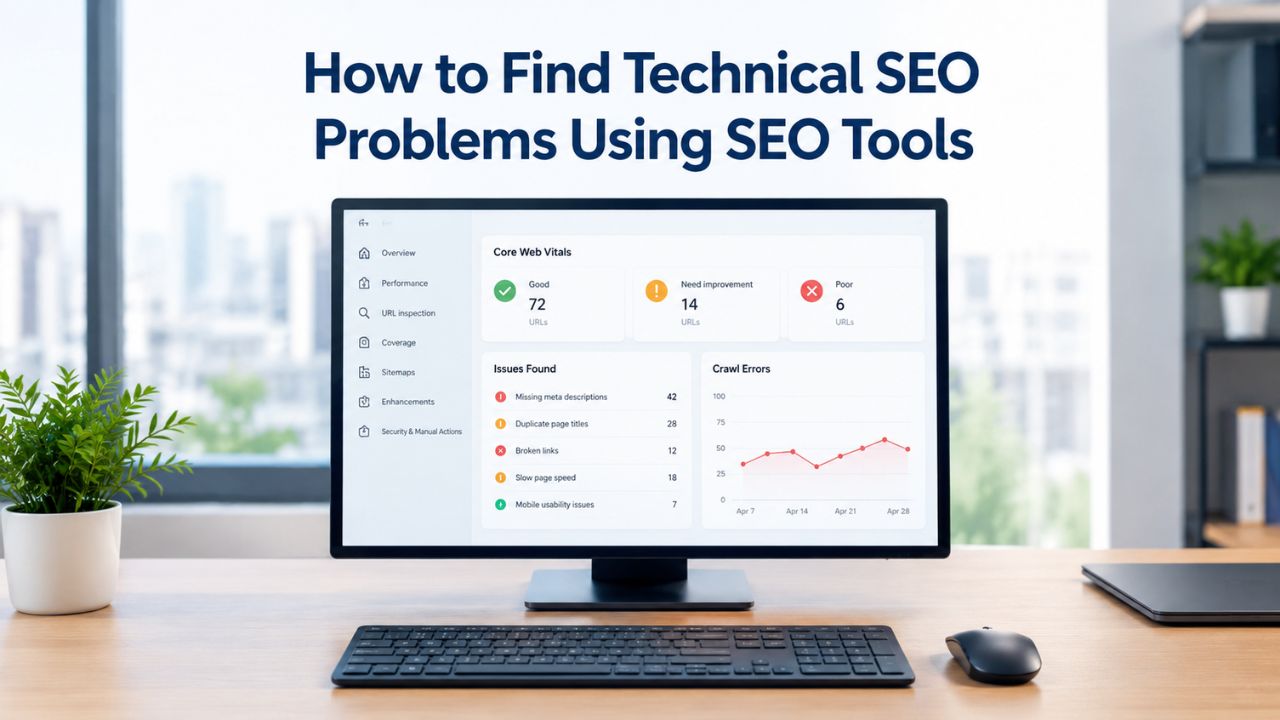
SEO audit tools detect site speed, mobile usability, crawl errors, HTTPS implementation, redirect chains, and duplicate content across an entire website in a single scan. A full technical SEO audit checks for missing meta tags, misconfigured robots.txt files, XML sitemap errors, broken images, unoptimized images, duplicate page titles, canonical tag issues, and thin content. The output is sortable by severity, so you know exactly which problems block the most pages and which ones affect just a handful.
Most tools provide an overall site health score (often ranked 1–100) and category breakdowns for each technical element. You might see your site scores 68/100 overall, but only 42/100 on mobile usability and 51/100 on site speed. That segmentation is critical for prioritization. It tells you precisely where to focus first. A site with perfect crawlability but failing Core Web Vitals has a completely different action plan than a site with orphaned pages and redirect loops.
Technical SEO Problem Categories and Detection Methods
| Problem Category | Definition | How DIY SEO Tools Identify It | Ranking Impact |
|---|---|---|---|
| Crawl Errors | Search engine bots cannot access pages (404, 500, DNS, timeout) | Google Search Console coverage report, site crawl audit flags, status code analysis | Critical, blocks indexing entirely |
| Site Speed and Core Web Vitals | Pages load slowly, fail LCP/CLS/INP metrics | PageSpeed Insights, GTmetrix, Core Web Vitals reports in Search Console, crawl performance timing | High, confirmed Google ranking factor |
| Mobile Usability | Pages don’t render properly on mobile devices; unresponsive design | Mobile usability test in Search Console, tool mobile crawl simulation, viewport checking | High, mobile-first indexing standard since 2021 |
| Duplicate Content | Multiple pages with identical or near-identical content | Crawl reports flag duplicate title tags, meta descriptions; canonical tag analysis, content comparison | Moderate to High, dilutes link equity, confuses indexing priority |
| Broken Internal Links | Internal links point to non-existent pages | Crawl audit identifies 404 targets, dead link detection, orphaned pages analysis | Moderate, wastes crawl budget, harms user experience |
| Missing Structured Data | Pages lack schema markup; no rich snippet eligibility | Structured data testing tools, schema validation in crawl reports, schema.org compliance checks | Moderate, reduces visibility in SERP features |
| XML Sitemap Errors | Sitemap missing pages, contains broken URLs, or not submitted | Search Console sitemap status report, tool validation checks, submitted vs. found page comparison | Moderate, slows discovery of new or updated pages |
| Redirect Chains and Loops | Multiple redirects between pages; redirect points back to itself | Crawl audit flags redirect sequences, identifies loops, counts redirect hops per URL | Moderate, slows crawling, loses link equity with each hop |
Identifying Crawl Errors and Indexation Issues
Crawl errors prevent search engine bots from accessing or interpreting your web pages correctly. Google Search Central documentation defines two main categories: site-level errors (crawlers can’t reach the entire website) and URL-level errors (crawlers can’t access specific URLs). Both categories prevent indexing. Both directly cost you rankings and organic traffic.
URL-level errors are far more common on most websites. A page returns a 404 error (page not found). A page returns a 500 error (internal server error). A page returns a 403 error (access denied specifically to crawlers). A page times out before the bot finishes reading its content. A page has a DNS error, preventing the bot from reaching the domain. Each of these errors blocks that specific page from being indexed by search engines. If you have 50 pages with 404 errors, you’ve effectively lost 50 pages of potential ranking real estate.

Crawl Error Types and What They Mean
Site-level crawl errors occur when the crawler cannot reach the domain at all, DNS failures that prevent domain resolution, server unreachability during the crawl window, or widespread timeouts across the site. These are urgent and require immediate attention. If Google’s bot cannot reach your site, nothing gets indexed, and you lose all organic visibility. URL-level errors are more granular in scope: 404 errors (page not found), 500 errors (server internal error), 403 errors (access forbidden to crawlers), soft 404s (page returns a “not found” message without a proper 404 status code), and timeout errors (page takes too long to load before the crawler stops waiting).
Most DIY SEO tools surface these errors prominently in a “Coverage” or “Crawl Health” report, prioritized by frequency and severity. Google Search Console, which is free and should be your primary source of truth, also provides a detailed “Coverage” report showing which pages are indexed, which are excluded, and why each exclusion exists. A page blocked by robots.txt, a page marked noindex, a page that returns a 404: all appear in Search Console’s comprehensive report. A good DIY SEO tool replicates this analysis from its own crawl perspective, giving you a second opinion and often finding issues Search Console hasn’t reported yet because of Google’s crawl schedule.
Using Google Search Console to Monitor Crawl Errors
Google Search Console is the most important free tool available for identifying and fixing technical issues on websites. The “Coverage” report shows you exactly how many pages are indexed, how many are excluded, and which errors are preventing indexation. The “Index Coverage” report breaks down status by detailed category: indexed pages, excluded pages, error pages, and warning pages that are indexed but have problems.
When you see a spike in errors in Search Console, running a crawl with your DIY SEO tool helps you investigate the root cause. Search Console might report a “404 error” affecting 23 pages; your tool’s crawl identifies which specific pages return 404s, which other pages link to them, and which category of your site the errors cluster in. If all 404 errors are in your /archive/ section, the fix is straightforward (either restore the pages or remove links to them). If they’re scattered across product pages, links, and blog posts, the problem is more complex and requires a different action plan and resource allocation.
Detecting Site Speed and Core Web Vitals Issues
Google has confirmed that page experience signals, including Core Web Vitals, are a ranking factor in search results. A site with poor Core Web Vitals will receive less organic traffic than an equivalent site with strong performance. The three Core Web Vitals metrics are Largest Contentful Paint (LCP, measuring how quickly the main content appears), Interaction to Next Paint (INP, measuring how responsive the page is to clicks), and Cumulative Layout Shift (CLS, measuring how stable the visual layout stays during loading).
Core Web Vitals are calculated using data collected from real Chrome browser users. PageSpeed Insights, Google’s free performance tool, shows field data (real-user experience at the 75th percentile over the last 28 days) and lab data (simulated performance from Lighthouse testing). Only the field data from real users is used as a ranking signal. The lab data guides optimization work. This distinction matters: you might have a perfect Lighthouse score in testing but still fail Core Web Vitals in practice if real users experience poor performance because of connection speed or device capability variations.
Measuring Load Time and Performance Metrics
Site Speed: A webpage’s load time significantly affects user experience and search rankings. SEO tools assess elements such as image file sizes, server response times, and overall page speed metrics. How fast does your largest content element load? That’s LCP, and Google wants it under 2.5 seconds for a good user experience. Does the page feel responsive when you click a button or form? That’s INP, which should be under 200 milliseconds for good interactivity. Does the page jump around disruptively as content loads? That’s CLS, which should stay below 0.1 to feel stable.
Most DIY SEO tools include a performance section that shows your Core Web Vitals scores (both real user data and simulated lab data), identifies specific bottlenecks, and suggests prioritized fixes for each issue type. Large uncompressed images are a common culprit; a single 5MB photo can slow page load by several seconds. Unminified CSS and JavaScript can block rendering and delay interactivity. Third-party scripts (ads, analytics widgets, chat widgets) can delay main content from appearing. A good audit tool pinpoints which assets slow your pages and prioritizes the slowest pages first.
Using Google’s Official Tools for Performance Validation
Google PageSpeed Insights measures a URL’s loading time and rates it 0–100. It shows Core Web Vitals like Largest Contentful Paint, Cumulative Layout Shift, and Interaction to Next Paint for mobile and desktop separately, and provides specific optimization recommendations. The tool surfaces both real-user data (field data from Chrome) and simulated data (Lighthouse testing). Your DIY SEO tool’s performance report should align with PageSpeed Insights results. Suppose it doesn’t; investigate the difference. PageSpeed Insights is Google’s official measurement standard, so trust it as the authoritative source.
Recent analysis shows only 33% of websites meet Google’s Core Web Vitals threshold, meaning two-thirds of sites have room for improvement. Fixing Core Web Vitals often delivers measurable ranking boosts, even before broader Page Experience updates. The reason: page speed has been a ranking factor since 2010 for desktop and 2018 for mobile. Improving Core Web Vitals typically improves site speed across the board, which improves rankings through multiple ranking mechanisms.
Spotting Mobile Usability and Responsive Design Problems
Mobile-first indexing means Google primarily crawls and ranks the mobile version of your site, not the desktop version. If your mobile site has usability problems, your rankings suffer directly. Responsive design, CSS media queries that adapt layout to different screen sizes, is the standard solution. However, many sites still use inflexible designs that break on small screens or fail to adapt properly.
DIY SEO tools check mobile usability by simulating how pages render on common mobile devices and screen sizes. Does the text stay readable without manual zooming? Are buttons big enough to tap accurately with a finger? Is the viewport meta tag properly configured? Does intrusive content like pop-ups or interstitials block the main content? A good tool flags these issues and shows you a preview of how the page looks on mobile devices.

Checking Mobile Responsiveness and Performance
Mobile Usability: With mobile browsing now representing over 60% of web traffic, sites must be mobile-friendly. Audit tools check for responsive design issues that could affect mobile users specifically. Your site’s mobile version should have readable text without zooming, large enough clickable buttons for accurate tapping, fast load times on typical mobile connections, and no content-blocking interstitials that prevent access.
Most DIY SEO tools now include separate mobile and desktop crawls so you can compare performance side by side. A site might pass mobile usability tests but fail Core Web Vitals on mobile (slow load time on 4G). Another site might render properly on mobile but have layout shifts (CLS failures) that don’t appear on desktop. Seeing these differences helps you prioritize fixes effectively. Mobile is where most of your users are, so mobile problems should take priority over desktop-only issues.
Addressing Core Web Vitals on Mobile Devices
Mobile devices have slower connections and less processing power than desktop computers. A page that loads in 2 seconds on a fast desktop computer might take 6 seconds on a mobile device with a 4G connection. Images need aggressive optimization for mobile. Minimize and defer JavaScript. The mobile-first ranking system means your mobile performance is your ranking performance, period.
If your mobile Core Web Vitals are failing but your desktop scores are strong, start with image optimization, JavaScript bundling, and connection-speed assumptions in your testing. Tools like Google PageSpeed Insights will show you “Mobile” and “Desktop” tabs side by side. Compare the two. If mobile is significantly worse, the fix is likely asset optimization, not architectural changes. If both are poor, you might have server-side performance issues (slow database queries, slow API responses) that affect both.
DIY SEO Tool Selection Decision Factors
| Factor | Why It Matters | Best For Beginners | Best For Established Sites |
|---|---|---|---|
| Crawl Depth and Capacity | Determines how many pages the tool can audit in one pass | Free tier (500–2,000 URLs) often sufficient for small sites; upgrade if you exceed limits | Paid tier (10,000+ URLs per crawl) needed for large inventories; ensure tool handles your page count |
| Site Speed Analysis | Core Web Vitals now a confirmed ranking factor; slow sites lose rankings | PageSpeed Insights (free, Google-official) covers essentials; good starting point before tool purchase | Full Core Web Vitals reporting with historical trend data and field vs. lab data segmentation |
| Mobile and Desktop Testing | Mobile-first indexing means mobile performance testing is mandatory | Tool should test both mobile and desktop; mobile issues often compound desktop ones | Separate mobile/desktop crawl capability with comparative reports and performance deltas |
| Crawl Error Reporting | Blocked pages never rank; errors must be identified and fixed first | Clear error categorization (404, 500, DNS, timeout); prioritized by frequency and severity | Segmented error reports with trend analysis, drill-down capability, and affected page lists |
| Data Freshness and Historical Data | Real-time alerts catch new issues; history shows if fixes stuck and improved rankings | Near-real-time alerts on new crawl errors; basic 30–60 day history sufficient for trend spotting | 90–180 day historical trends to confirm fixes and monitor stability; regression detection |
| User Interface Clarity | A confusing tool wastes time; clear reporting drives faster action | Intuitive layout, minimal jargon, prioritized recommendations, visual site maps | Advanced filtering, custom views, API/export capability for team workflows and external tools |
| Ongoing Support and Learning | Tool is useless without understanding how to interpret and act on results | Built-in help articles, community guides, free training resources, responsive support | Priority support, advanced training, custom onboarding for large or complex sites |
Discover Hidden Technical Issues Before They Cost You Traffic
Technical SEO problems silently drain your organic traffic while you focus on content and links. Niya Digital’s DIY SEO tool uncovers crawl errors, speed issues, and indexation problems in minutes. Audit your site today and get a prioritized action plan to fix what matters most.
Finding Duplicate Content and Canonical Tag Issues
Duplicate content- multiple pages with identical or near-identical content- confuses search engines about which version should rank. Which version is primary? Google has to guess, and often it guesses wrong, splitting ranking power. More importantly, duplicate content dilutes link equity. If you have three identical pages and each gets some backlinks, those links are spread across three pages instead of concentrated on one, reducing the ranking power of each page significantly.
Canonical tags solve duplicate content problems. A canonical tag tells search engines which version of a duplicated page they should index and rank. Most DIY SEO tools check for missing, incorrect, or conflicting canonical tags. A page that points its canonical tag to itself (redundant but harmless), a page that points to a different page that points elsewhere (canonical chain), or a page that self-references but is also marked noindex (contradiction), all are flagged by audit tools.
Detecting Duplicate Pages and Content Issues
Duplicate/Thin Content: Spot and resolve low-value or duplicate pages to prevent keyword cannibalization and improve your site’s overall content quality. A DIY SEO tool’s crawl report shows page titles, meta descriptions, and body text snippets side by side for comparison. If two pages have identical titles or descriptions, the tool flags it for investigation. If page A has 150 words and page B has 155 words and both target the same topic, the tool might flag them as potential duplicates or near-duplicates.
7.4% of pages ranking in the top 10 don’t have a title tag, which is often a symptom of duplicate content issues or thin content problems. This statistic suggests many sites aren’t properly differentiating their pages or are experiencing crawl issues that prevent search engines from recognizing title tags. A good audit tool will show you which pages are missing title tags, which pages have identical titles, and which pages might be competing for the same keywords internally (cannibalization).
Implementing Canonical Tags and Consolidation Strategies
If you find duplicate content, you have two choices: consolidate (merge the pages and 301-redirect one to the other) or differentiate (make each page unique and valuable). For consolidation, move all links and citations to the surviving page, then set up a permanent 301 redirect from the deleted page. For differentiation, expand one page with unique content, then add a canonical tag to any remaining similar pages that shouldn’t rank.
Search engines may decrease rankings for sites with numerous errors, as these can be interpreted as signs of neglect or low content quality. Duplicate content itself isn’t a penalty; Google will still index one version, but it wastes crawl budget and confuses the indexing priority. A clean site with unique, non-duplicated pages ranks better than a site with redundant pages, all else equal.
Uncovering Broken Links and Redirect Problems
Broken links are hyperlinks that point to non-existent pages (dead links). Every broken link is a dead end for visitors. It’s also a wasted crawl opportunity for search engines. If a search engine bot follows a link and hits a 404, it notes the error and moves on. That crawl visit is wasted on a non-existent page instead of indexing new or updated content. Across hundreds of broken links, you waste significant crawl budget that could be spent on valuable content.
Redirect chains are sequences of multiple redirects: Page A redirects to Page B, which redirects to Page C. Redirect loops are worse: Page A redirects to Page B, which redirects back to Page A. Both problems slow down crawling and weaken link equity transfer. Each hop in a redirect chain leaks a small amount of link power. A 301 redirect already transfers about 90% of link equity; a second redirect (to that page) transfers 90% of 90%, and so on, compounding the loss.
Identifying Broken Internal and External Links
Crawl Errors: Search engines must crawl and index a website effectively. Audit tools identify issues like broken links, misconfigured robots.txt files, or XML sitemap errors that prevent proper crawling. A DIY SEO tool crawls your site and records every link it finds. If a link returns a 404, the tool flags it. If an external link (to another domain) times out or is unreachable, the tool notes it and marks it for review.
The best tools distinguish between internal broken links (links to your own pages that return 404) and external broken links (links pointing to other sites that return 404 or are unreachable). You should fix internal broken links immediately; they harm user experience and waste crawl budget. External broken links hurt your credibility slightly but are less urgent. Some tools let you bulk-update or remove broken links; others report them and leave the fixing to you.
Fixing Redirect Chains and Optimizing Redirect Structure
Redirect Chains and Loops: Detect and fix redirect chains or loops that confuse search engines, slow down crawling, and weaken link equity passed between pages. A common scenario: you rename a URL from /old-page to /new-page and set up a redirect. Years later, you update /new-page to /better-page and redirect that too. Now /old-page → /new-page → /better-page. Search engines follow all three hops; users wait a fraction of a second longer for the page to load.
A well-structured redirect goes directly from the old URL to the final destination: /old-page → /final-page (one hop only). When an audit tool finds redirect chains, it flags them as a priority fix. The solution is straightforward: update the redirect to point directly to the final destination. A 301 redirect that goes one hop instead of three is faster, preserves more link equity, and shows search engines that you maintain your site carefully and intentionally.
Checking Structured Data and Schema Markup Gaps
Structured data, also called schema markup, is code added to a page to tell search engines exactly what information is on the page. A product page with schema markup tells Google the product name, price, availability, and review rating. An article page with schema markup tells Google the headline, author, publication date, and content type. Search engines use this data to display rich snippets (enhanced search results with extra information like star ratings or product availability).
Structured data is optional for ranking, but it’s increasingly important for visibility and click-through rates. A product with a rich snippet showing a 4.8-star rating gets more clicks than the same product without a rating visible in search results. An article with a date, author, and snippet visible in search results gets more clicks than a plain text result. As search becomes more visual and feature-rich, structured data becomes a competitive advantage.
Validating Schema Markup and Rich Snippet Eligibility
Most DIY SEO tools include a structured data validator that checks for valid schema markup on your pages. The tool uses Google’s official schema.org standards and checks for common mistakes: missing required fields, incorrect field types, malformed code, and outdated schema versions. If your product page has price and rating schema, the tool checks that the markup is correctly formatted and uses the right field names according to schema.org.
A good audit tool also checks your rich snippet eligibility. Google won’t display a star rating in search results unless the schema markup is correct and the review data is recent and credible. Google won’t show product availability unless you’re using correct availability schema. The tool can’t guarantee Google will show your rich snippets, but it can verify that your markup is technically correct and eligible for inclusion.
Implementing Structured Data for Search Visibility
Structured data marks up your website’s content to help search engines understand its meaning and context. This can improve visibility in AI search results and rich snippet opportunities. As AI-powered search tools gain market share, structured data becomes even more important. Tools like Google SGE (Search Generative Experience) use structured data to understand page content more accurately and present it to users.
Schema.org, the official schema standard, provides markup for products, articles, recipes, organizations, people, events, and dozens of other content types. You don’t need to implement every type; focus on the types relevant to your business. An e-commerce site should prioritize product and review schema. A B2B service site should prioritize organization and service schema. A blog should prioritize article and breadcrumb schema. Start with the types that appear most frequently on your site.
Monitoring Crawl Budget and Site Architecture
Crawl budget is the number of pages on your site that search engine bots will crawl in a given time period. Google doesn’t crawl every page of every site every single day. Large sites might have a crawl budget in the millions; small sites might have a budget in the thousands. Sites with poor architecture waste their crawl budget on low-value pages (thank-you pages, duplicate pages, outdated archives) instead of focusing on new or high-value content that should rank.
Site architecture refers to how you organize and link your pages. A flat structure (all pages one click away from the homepage) is highly crawlable and user-friendly, but only works for small sites. A deep structure (pages buried 5 levels deep) is hard to crawl and hard to navigate. A logical structure (pages grouped by category, categories grouped by section) balances crawlability with organization.
Optimizing Site Structure and Internal Navigation
Poor Site Architecture: A confusing layout can make it hard for visitors and search engines to find your content. Fix this by organizing content into clear categories, using simple menus, keeping navigation shallow (most pages reachable within 2–3 clicks), and using clear URLs that describe page content (e.g., /seo/technical-seo-guide instead of /page1).
Crawl budget optimization starts with a site architecture audit. Most DIY SEO tools show you a visual map of your site’s structure, highlighting which pages are most linked (most crawl-important) and which are orphaned (no internal links pointing to them). They also show you how deep certain pages are (homepage → category → sub-category → page = 4 clicks). If important pages are buried, link them more prominently. If low-value pages are taking crawl budget, noindex them or deprioritize them in your XML sitemap.
Addressing Orphaned Pages and Deep Site Structures
Orphan pages have no internal links pointing to them. Search engines can only find them by accident (if an external link exists or if they’re listed in the XML sitemap). Orphaned pages are often forgotten archive pages, old product pages, or draft pages that went live by mistake. A site audit should uncover these, and you should either link them (making them discoverable) or noindex them (removing them from the crawl budget equation).
Deep site structures waste crawl budget by forcing bots to navigate many levels to reach pages. If a page is 7 clicks away from the homepage, bots might not reach it during their allocated crawl window. The solution is to reorganize or add cross-links to shorten the path. An e-commerce site with 1,000 product pages shouldn’t require 6 clicks to reach each one. Instead, structure should be: homepage → category (clothing) → sub-category (shirts) → product. Most pages should be reachable in 3 clicks or fewer.
Creating a Prioritized Technical SEO Action Plan
An audit report without an action plan is just a list of problems. The report must tell you which problems to fix first. Not all technical issues have equal business impact. A site-level crawl error (the entire site is unreachable) is urgent and critical. A missing alt attribute on one image is low-priority maintenance. A missing XML sitemap is high-priority. Duplicate content across 100 pages is high-priority. A single thin page is low-priority.
Most DIY SEO tools automatically prioritize issues by severity and estimated impact. Issues are flagged as critical (blocks crawling or indexing), high (affects multiple pages or is a confirmed ranking factor), medium (affects user experience or a small number of pages), or low (cosmetic or rare). This categorization helps you build an action plan. Fix critical issues first. Schedule high-priority issues for the next sprint. Batch low-priority issues and address them quarterly.

Interpreting Audit Reports and Issue Prioritization
After the site crawl, you’ll receive a report detailing technical issues sorted by category and severity. The key to leveraging this data is understanding how to interpret the results accurately. Filter the report by severity. Fix every critical issue before moving to high-priority items. High-priority issues should be on your roadmap for the next 1–2 weeks. Medium-priority issues can wait 1–2 months. Low-priority issues can be batched and fixed quarterly.
For each issue category, the report should show: how many pages are affected (1 page vs. 100 pages), what the problem is, why it matters, and what the fix is. “100 pages missing a title tag” is more urgent than “1 page missing a title tag.” “Slow Core Web Vitals on homepage and top 10 landing pages” is more urgent than “Slow Core Web Vitals on 5 archive pages.” Let impact guide your priority, not just the raw number of issues flagged.
Building and Executing a Repair Roadmap
A good technical SEO action plan has phases. Phase 1 (Week 1–2): Fix all critical issues that block crawling or indexing entirely. Phase 2 (Week 3–4): Address high-priority items that affect multiple pages or are confirmed ranking factors. Phase 3 (Month 2): Resolve medium-priority issues that affect user experience. Phase 4 (Ongoing): Monitor for new issues and batch low-priority fixes quarterly.
For each issue, assign an owner, set a deadline, and verify the fix after deployment. If the plan says “fix 50 broken links,” define which 50 (homepage links first, then category pages, then archive pages), who fixes them, and when. After you deploy fixes, run another crawl with your DIY SEO tool to confirm the issues are resolved. Search engines don’t instantly re-crawl pages, so verification takes time- days to weeks- but a follow-up audit confirms that your fixes actually stuck and improved your technical foundation.
Ready to Start Your Technical SEO Audit?
Running a technical SEO audit is the fastest way to uncover hidden problems before they cost you rankings and traffic. Niya Digital’s DIY SEO tool enables you to crawl your entire site, identify critical issues, and build a prioritized action plan, all without hiring an agency or needing technical expertise. Start your audit today and take control of your site’s technical foundation.
Frequently Asked Questions
What is the difference between technical SEO, on-page SEO, and off-page SEO?
Technical SEO optimizes a website’s backend structure so that search engines can crawl, index, and rank pages effectively. On-page SEO focuses on optimizing individual pages’ content and HTML code (titles, descriptions, keyword usage). Off-page SEO involves activities outside your website to improve rankings, like building backlinks and earning mentions. All three work together: technical SEO is the foundation, on-page SEO builds ranking signals within pages, and off-page SEO adds external authority. Without a solid technical foundation, strong on-page and off-page efforts won’t achieve their full potential.
How often should I audit my website for technical SEO issues?
Most businesses should audit their technical foundation at least quarterly (every 3 months), and sites that frequently update content or structure should audit monthly. After deploying major fixes, run an audit within 1–2 weeks to verify improvements stuck. If your site is stable and rarely changes, quarterly audits may be sufficient. Niya Digital recommends monthly audits for active sites and quarterly audits for static sites. Track audit results over time to spot trends. Are new issues appearing? Are old issues recurring? These patterns inform your maintenance schedule.
What is crawl budget and why does it matter?
Crawl budget is the number of pages Google crawls on your site in a given time period. Google allocates crawl budget based on server load and site popularity; large sites get larger budgets, small sites get smaller ones. If you waste crawl budget on duplicate pages, outdated archives, or orphaned pages, you reduce how frequently Google crawls your important content. A site with poor architecture might have Google crawling 10% of its pages weekly; a well-structured site might have 40% crawled weekly. Better architecture means Google crawls important content more often.
How do I fix broken links on my website?
Identify broken links using your DIY SEO tool’s audit report or Google Search Console’s “Coverage” report. For each broken internal link (a link to a page on your own site that returns 404), decide whether to restore the page or remove/redirect the link. If the page is outdated, set up a 301 permanent redirect to a relevant replacement page. Update internal links to point directly to the correct page. If a page shouldn’t exist, noindex it (if you want to keep it temporarily) or delete it (if you’re confident). Test each fix by visiting the page in a browser and confirming the link works or redirects properly.
What is a canonical tag and when should I use one?
A canonical tag is an HTML element that tells search engines which version of a page they should prefer. Use canonical tags when you have multiple pages with identical or near-identical content and only one should rank. For example, if you have /products/shirt and /products/shirts (plural), set the canonical tag on the plural version to point to the singular version. Canonical tags are especially important in e-commerce (where filtering and sorting create duplicate page versions) and multi-language sites (where the same content exists in multiple languages). Always use absolute URLs in canonical tags.
Why are Core Web Vitals important for SEO?
Core Web Vitals measure how fast a page loads (Largest Contentful Paint), how responsive it is (Interaction to Next Paint), and how stable the layout is (Cumulative Layout Shift). Google has confirmed that Core Web Vitals are a ranking factor. Pages that fail Core Web Vitals lose visibility compared to pages that pass. Just 33% of websites pass the Core Web Vitals threshold, meaning 67% have room for improvement. Fixing Core Web Vitals often delivers ranking boosts beyond the Core Web Vitals update itself, because page speed has been a ranking factor since 2010 (desktop) and 2018 (mobile).
How do I optimize Core Web Vitals?
Optimize Largest Contentful Paint (LCP, load time) by compressing images, deferring JavaScript, using a CDN, and improving server response time. Optimize Interaction to Next Paint (INP, responsiveness) by reducing JavaScript execution time and deferring non-critical scripts. Optimize Cumulative Layout Shift (CLS, visual stability) by specifying image dimensions, deferring ads and embeds, and avoiding inserting content above existing content. Tools like Google PageSpeed Insights and GTmetrix provide specific recommendations. Start with the quickest wins: image compression and lazy loading typically boost LCP significantly.
What should I do if my site has no XML sitemap?
Create an XML sitemap that lists all the important pages on your site, including the last modified date for each page. Submit the sitemap to Google Search Console and Bing Webmaster Tools. Most CMS platforms (WordPress, Shopify, etc.) generate XML sitemaps automatically; check your CMS settings. If your site is custom-built, you can generate a sitemap using tools like Screaming Frog (free for 500 URLs) or a dedicated sitemap generator. An XML sitemap isn’t required for ranking, but it helps search engines discover and index pages faster, especially new pages.
What is the robots.txt file and how do I use it correctly?
The robots.txt file is a simple text file placed in your site’s root directory (https://example.com/robots.txt) that tells search engines which parts of your site to crawl and which to avoid. Use robots.txt to block crawling of duplicate pages, private areas, test pages, and unnecessarily deep directories. For example, “Disallow: /admin/” tells search engines not to crawl /admin/ or any pages within it. “Disallow: /*.pdf” tells search engines not to crawl PDF files. A common mistake is accidentally blocking important pages in robots.txt, which prevents those pages from being indexed.
How do I implement structured data (schema markup)?
Choose the schema type relevant to your page (product, article, recipe, organization, etc.) from schema.org. Determine which fields are required (most schema types have 3–5 required fields) and which are optional. Add the schema code to your page’s HTML. Most CMS platforms support structured data plugins (Yoast SEO for WordPress); others require manual code. After implementing schema, use Google’s Rich Results Test tool to validate that your markup is correct. Submit your pages with rich snippets for review in Search Console if you’re implementing new schema types.
What are the most common technical SEO mistakes small businesses make?
Most small businesses prioritize content and links before fixing technical foundations, leading to invisible content (not indexed due to crawl errors or robots.txt blocks). Common mistakes include misconfigured robots.txt (blocking important pages), missing XML sitemaps, duplicate content without canonical tags, and slow mobile performance. At the same time, desktop is fine, redirects are not properly set up during site migrations, and broken internal links are left unfixed for months. The pattern: these issues are silent. Visitors don’t complain. Traffic just never materializes.
How long does a technical SEO audit typically take?
A site crawl typically takes a few minutes for small sites (under 1,000 pages) to an hour or more for large sites (100,000+ pages). Interpreting the results and building an action plan takes an additional 1–2 hours depending on site complexity and the number of issues found. Fixing the issues takes much longer, from days to months depending on the issues, your team’s size, and how much work is involved. High-priority fixes (crawl errors, broken links) usually take days to 1–2 weeks.
Do I need to hire an agency for technical SEO, or can I do it myself?
For straightforward issues (broken links, missing titles, slow mobile speed), DIY SEO tools plus basic HTML/CSS knowledge are enough. For more complex issues (server configuration, JavaScript rendering, redirect architecture), you might need help from a developer. Many small businesses manage technical SEO successfully on their own using tools and guides. The main barrier is time, not complexity. If you have 2–3 hours per month to audit and fix issues, DIY tools get you 80% of the way there.
What is the connection between technical SEO and user experience?
Technical SEO and user experience are deeply connected. A fast-loading page (good technical SEO) is a good user experience. A mobile-friendly page (good technical SEO) is accessible to mobile users. Clear navigation and site structure (good technical SEO) help both visitors and search engines find content. Broken links (bad technical SEO) frustrate visitors. Redirect chains (bad technical SEO) add delay. Many issues a DIY SEO tool flags also affect users. Fixing technical SEO improves rankings and user satisfaction at the same time.
How do I stay on top of new technical SEO requirements and changes?
Follow the Google Search Central blog for official announcements about ranking changes and technical updates. Subscribe to industry blogs like Search Engine Journal or Moz for analysis and practical guides. Set up crawl alerts in your DIY SEO tool to flag new issues as they emerge. Run audits quarterly to catch regressions. Join SEO communities (Reddit’s r/SEO, SEO Slack groups, local SEO meetups) to learn from others. Dedicate 1–2 hours per month to staying current. Most important: automate what you can and focus your time on priority issues.
Glossary
- Canonical Tag: An HTML element that specifies which version of a page should be considered the primary version when multiple similar pages exist. Tells search engines to treat one version as the preferred URL for indexing and ranking.
- Core Web Vitals: A set of three Google metrics measuring webpage performance: Largest Contentful Paint (LCP, load time), Interaction to Next Paint (INP, responsiveness), and Cumulative Layout Shift (CLS, visual stability). All three are confirmed ranking factors.
- Crawl Budget: The number of pages on your site that search engine bots will crawl during a given time period. Limited for large sites; wasted on low-value pages if site architecture is poor.
- Crawlability: The ease with which search engine bots can discover and navigate through pages on a website without encountering errors or blocks.
- 301 Redirect: A permanent redirect from one URL to another. Preserves most link equity and is the preferred method when a page moves to a new URL.
- Robots.txt: A simple text file placed in a website’s root directory that tells search engine crawlers which pages or sections should or should not be crawled.
- Schema Markup: Code added to a page to tell search engines exactly what information is on the page (e.g., product price, article author, recipe ingredients). Enables rich snippets in search results.
- XML Sitemap: A file listing all the important pages on a website, along with metadata like the last modified date. Helps search engines discover and index pages more efficiently.