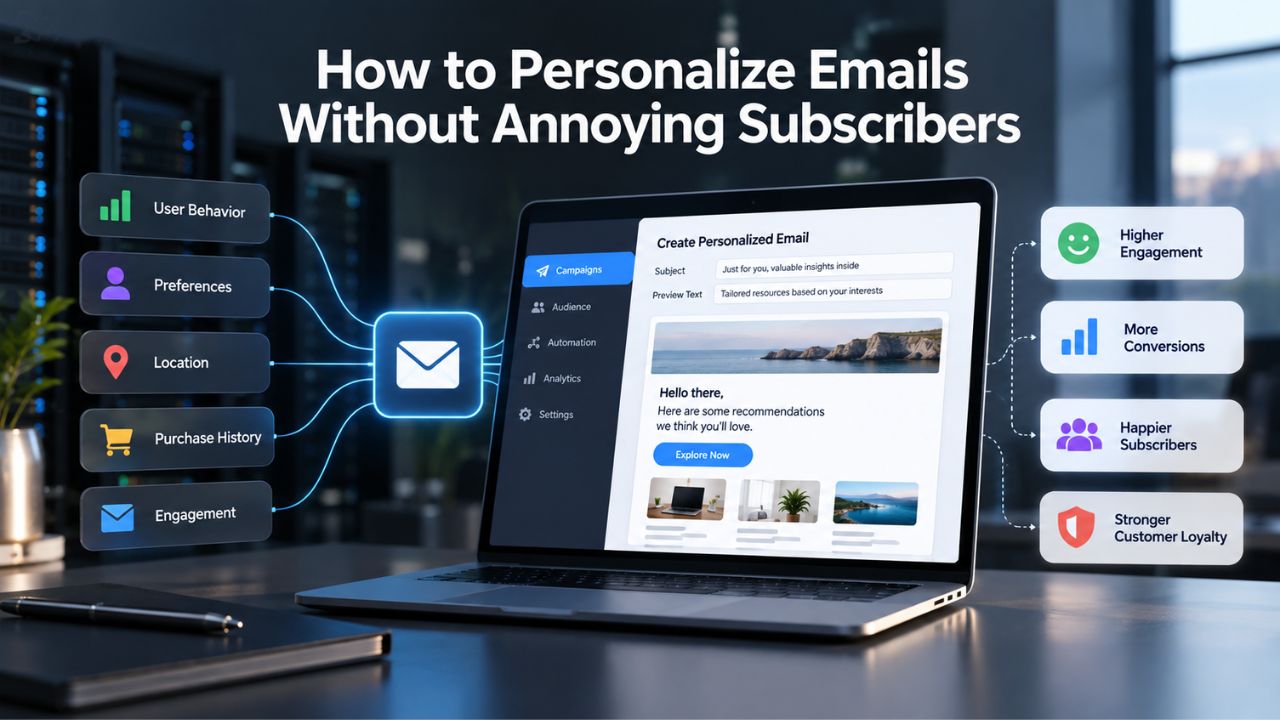
Email marketing remains one of the highest-return channels for business growth, but personalization is a double-edged tool. While targeted, relevant emails drive higher engagement and conversions, overdoing personalization can backfire spectacularly, leaving subscribers feeling tracked, manipulated, or violated. Email marketing success depends on multiple factors beyond any single platform’s control, including subscriber consent practices, list quality, and standard email authentication protocols (SPF, DKIM, DMARC) supported by industry-standard sending-reputation systems.
The Real Business Case for Email Personalization
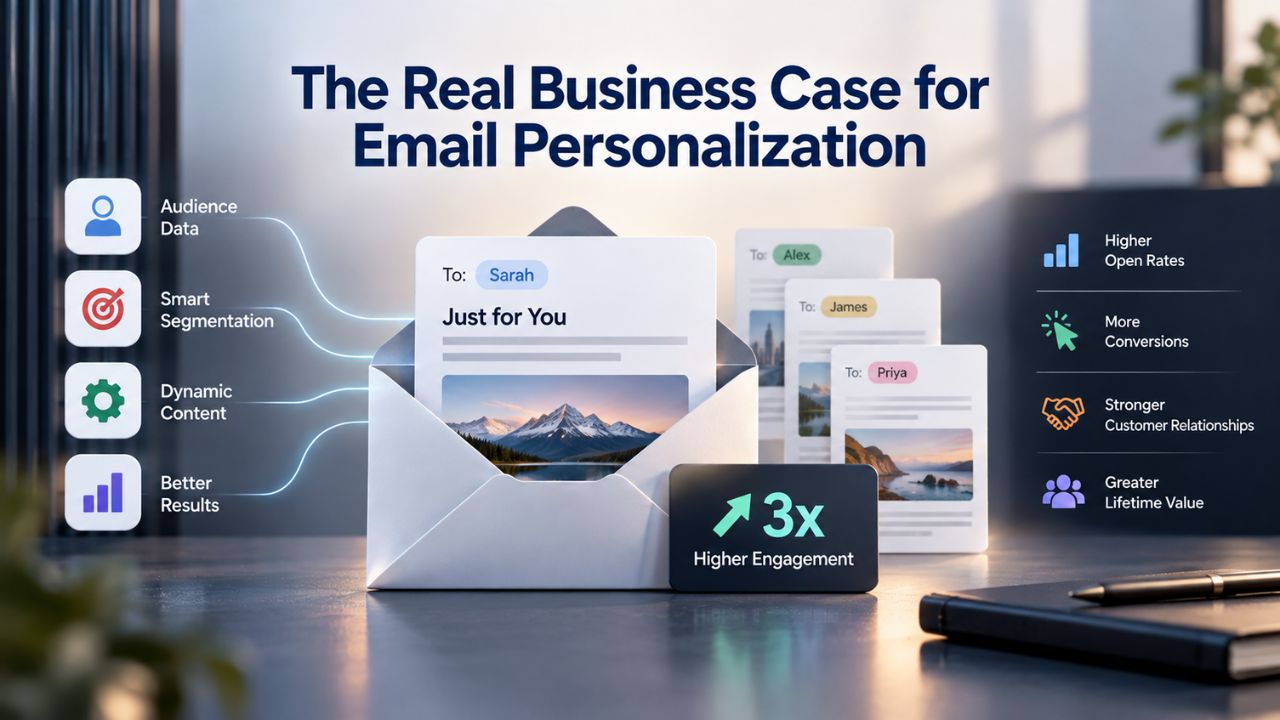
Personalization delivers measurable impact across the entire customer journey. The evidence is clear and consistent: when executed thoughtfully, personalized emails outperform generic sends on every meaningful metric. Understanding this business case is the first step toward building a sustainable personalization strategy that subscribers actually appreciate.
Beyond the Name Tag
Personalization drives engagement at scale. Personalized emails achieve a 29% higher open rate and a 41% higher click-through rate than non-personalized emails, and adding a subscriber’s name to the subject line alone can lift open rates by 26%. For small businesses and growing teams, email remains the owned channel with the highest ROI; there’s no algorithm, no feed change, and no dependency on a platform’s favor to reach your audience.
But here’s the critical context: raw personalization tactics feel outdated to today’s subscribers. Most teams still think email personalization means dropping a first name into the subject line; that trick made a difference a decade ago, but today it is the floor, not the ceiling. Subscribers know when they’re part of a mail merge, and generic name-swapping can actually damage trust rather than build it. The shift has moved toward real, data-driven personalization that feels like genuine understanding rather than automated tag insertion.
Personalization as a Retention Driver
The deeper value of personalization lies in building lasting customer relationships. Real email personalization uses customer data to shape relevant content for each subscriber: product recommendations, location-based offers, behavioral triggers, and messaging matched to where someone sits in their buying journey. When executed thoughtfully, this approach feels like a brand that genuinely understands its audience, not one that’s exploiting its data.
The financial impact on customer lifetime value is substantial. Leveraging customer data such as purchase history, browsing behavior, and preferences enables marketers to deliver highly relevant content, resulting in six times higher transaction rates for personalized emails. For ecommerce, SaaS, and subscription businesses, this translates directly to revenue. Additionally, 80% of consumers are more likely to purchase from companies that create a personalized experience, and over half (56%) say they will become repeat buyers after one. This makes personalization not just a tactic but a cornerstone of retention strategy.
Email Marketing Plans
Email Marketing Beginner
For anyone getting started with email marketing.
- Up to 500 Contacts
- Add more anytime
- Send up to 5,000 Emails/Month
- Single Signup Form
- Basic Image Storage
- Unsubscribe Handling
- Works with Facebook, Etsy & More

Email Marketing Up & Running
Already have clients? This plan’s for you.
- Up to 2,500 Contacts
- Add more anytime
- Send up to 25,000 Emails/Month
- Unlimited Signup Forms
- Unlimited Image Storage
- Unsubscribe Handling
- Works with Facebook, Etsy & More
- Automated Welcome Email
- Converts Blog Posts to Email
- Unsubscribe Options
- Hot Leads List
Email Marketing Pro
For savvy marketers with growing mailing lists.
- Up to 5,000 Contacts
- Add more anytime
- Send up to 50,000 Emails/Month
- Unlimited Signup Forms
- Unlimited Image Storage
- Unsubscribe Handling
- Works with Facebook, Etsy & More
- Automated Welcome Email
- Converts Blog Posts to Email
- Unsubscribe Options
- Hot Leads List
- Auto-sends Event Emails
- Automated Email Campaigns
- Record Signup IPs
- Share Statistics w/Others
The Over-Personalization Trap: When Relevance Turns Creepy
The paradox at the heart of email marketing is real and well-documented: the same techniques that drive engagement can also trigger subscriber discomfort. Understanding where this line sits, and why subscribers perceive certain approaches as invasive, is essential to avoiding the reputation damage that over-personalization can cause.
The Creepy Factor and Subscriber Perception
The tension between personalization and privacy is not theoretical. A survey of more than 1,000 Americans found that 13% of respondents said too much personalization in email marketing was annoying and creepy. While this percentage is smaller than those citing frequency fatigue (50% said getting emailed too often was annoying), the “creepy” factor is uniquely damaging to brand perception because it signals a breach of trust.
Why does this happen? Hyper-personalized campaigns can feel intrusive, and subscribers know the tools marketers use to personalize content and that it doesn’t take much extra effort. In other words, heavy-handed personalization can backfire precisely because it feels calculated rather than genuine. Subscribers can tell the difference between “this brand understands me” and “this brand is watching me too closely,” and the difference often comes down to how many personalization tactics you deploy at once.
The 2–3 Feature Rule
Industry guidance on the safe zone for personalization is remarkably consistent. If your entire email template includes six or seven instances of personalization, recipients might feel like you hold too much of their information (even if you do); two or three personalization features is about the maximum. This isn’t a hard rule, but it’s a useful guardrail, and it applies per email, not per campaign or relationship.
What does appropriate personalization depth look like in practice? A subject line that uses the subscriber’s name plus one piece of dynamic content, such as a product recommendation based on past purchase history, strikes a good balance. Another example is a location-based offer tied to behavioral data, or a re-engagement message triggered by inactivity within a specific timeframe. Going beyond this combination risks triggering the uncanny-valley feeling that makes subscribers uncomfortable, and it increases the likelihood of technical failures that damage brand perception.
Technical and Compliance Risks of Personalization
Personalization introduces complexity that must be managed carefully. Beyond the perception risk, technical failures and compliance violations can expose your business to serious legal and reputational consequences. Understanding these risks upfront allows you to build safeguards into your strategy.
Breakage, Brand Damage, and Compliance Exposure
Technical failures in personalization carry real costs to engagement and reputation. If something goes wrong or information is missing about a contact, it can break personalization. The email can come across as unprofessional or confusing. For example, if an email uses dynamic content and it doesn’t load properly, it can look disjointed or incomplete. A broken merge tag that displays as blank, a fallback message that looks like an error, or a dynamic content block that fails to render creates exactly the impression you’re trying to avoid: that the brand doesn’t care about quality.
Beyond engagement impact, poor personalization execution can create compliance violations. If you collect and use customer data, it must comply with data privacy laws such as GDPR and CCPA; if personalization goes too far, it can violate these laws, resulting in legal issues and fines. This means that over-personalization isn’t just an engagement risk; it’s a legal risk. Building in testing, fallbacks, and data-quality checks before you deploy personalization at scale is not optional; it’s foundational.
Data Quality as Foundation
The most common cause of personalization failure is poor data quality. Missing subscriber information, outdated preferences, or inferred behaviors based on false assumptions create a cascade of problems. If your database has incomplete first names, stale job titles, or incorrect location data, personalization becomes counterproductive. Before deploying any personalization strategy, audit your data sources for completeness, accuracy, and recency.
Building a GDPR- and CCPA-Compliant Subscriber List
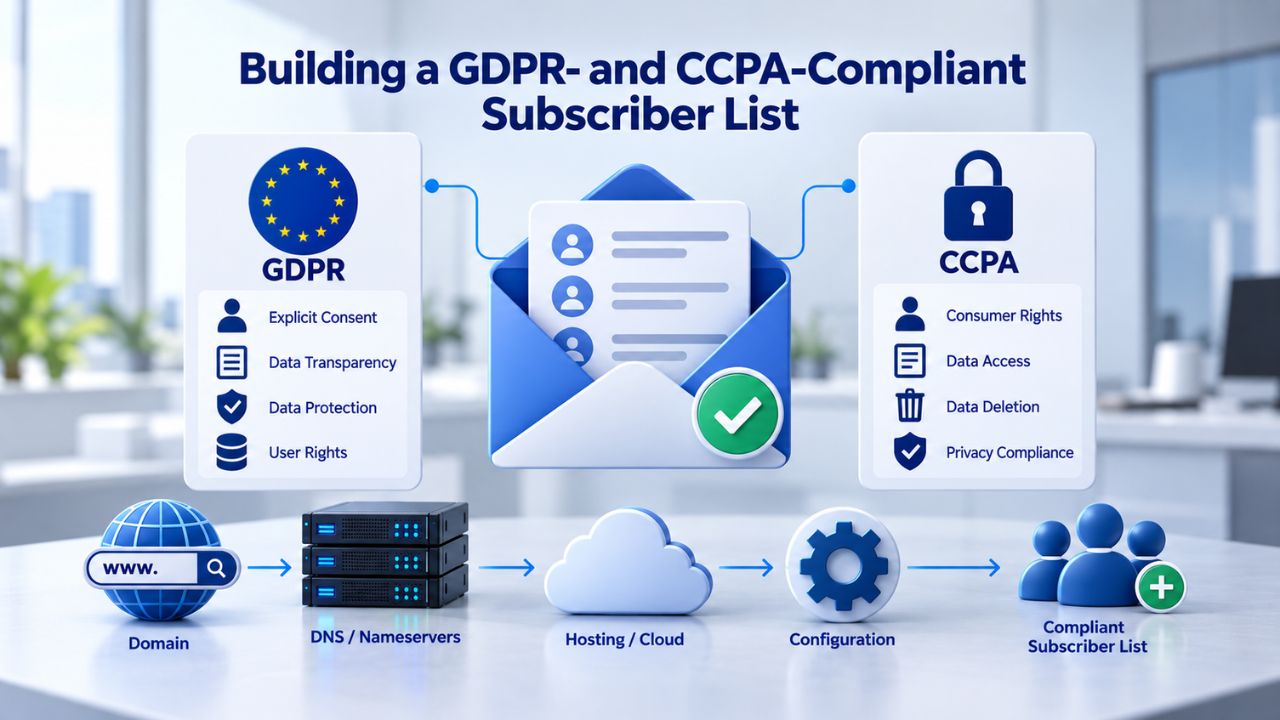
Personalization depends entirely on data, and legally defensible data depends on consent. The two major privacy frameworks, GDPR (covering the EU) and CCPA (covering California), take fundamentally different approaches, but both prioritize subscriber agency and transparent data practices. Understanding these frameworks is non-negotiable for any brand doing email personalization.
GDPR: The Explicit Consent Model
Under GDPR, consent must be proactive and documented. Businesses must obtain clear, affirmative consent before sending marketing emails; it must be freely given, specific, informed, and unambiguous. In practice, this means no pre-checked boxes, clear language about what subscribers will receive, a link to your privacy policy, and the ability to prove when and how you obtained consent.
GDPR requires companies to show how they obtained consent and whether any consenting users have since opted out or unsubscribed; companies must also give individuals the right to delete, request, and access the personal data collected. This requires more than just a compliant signup form; it requires ongoing documentation and audit trails. Many entry-level email marketing platforms don’t include these features, so if GDPR applies to your audience, you need an Email Marketing Service with built-in compliance tools.
CCPA: The Opt-Out Model
CCPA takes the opposite approach for California residents. CCPA is an implied-consent, or “opt-out,” jurisdiction; companies can assume consent before contacting anyone via email, but must provide a mechanism to opt out or unsubscribe. However, the opt-out requirement is strict, and many overlook a data component.
Data on each user’s open rate and click-through rate is considered personal information; if a user requests deletion, you must not only remove their email address from your list but also delete any data derived from their engagement with your email marketing campaign. This means you can’t retain behavioral or engagement history if a subscriber explicitly requests deletion, which fundamentally changes how you track and use engagement data for personalization.
Global Scope and Jurisdictional Variation
Email marketing regulations vary significantly by jurisdiction, and global businesses face competing compliance obligations. Email regulations exist worldwide (including GDPR in the EU, CCPA in California, CASL in Canada, and the Spam Act in Australia). Requirements vary significantly by region. GDPR applies to any business, regardless of location, that collects or processes data from EU residents. At the same time, CCPA grants California residents greater control over how businesses collect and use their data.
The practical takeaway: if your subscriber list is geographically diverse, you must follow the strictest standard that applies to any portion of your audience. This typically means treating all your subscribers as if GDPR applies, even if the majority are in less restrictive jurisdictions. Businesses should confirm rules for the regions where their subscribers are located, as compliance requirements will continue to evolve.
Segmentation as the Foundation for Relevant Personalization
Here’s a critical insight that separates sustainable personalization from the kind that annoys subscribers: segmentation is what makes personalization work at scale without feeling intrusive. Generic personalization (adding names to every email) feels lazy; targeted personalization (sending relevant offers to the right segment at the right time) feels thoughtful. The difference is segmentation.
Behavioral vs. Static Segmentation
Segmentation comes in two primary forms, and the distinction is foundational to understanding modern email marketing. Behavioral email list segmentation groups subscribers by their actions rather than static demographic information. In contrast, traditional segmentation relies on data collected at signup; behavioral segmentation continuously updates using signals from email engagement, website activity, and purchase history.
Static segmentation, grouping by location, job title, or signup form responses, goes stale immediately after collection. A subscriber who joined your list interested in beginner gardening tips may have since become an advanced gardener, but their profile still shows the original interest unless something updates it; behavioral segmentation closes this gap by using real actions to drive group membership. This is why behavioral segmentation is superior for personalization: it reflects where subscribers actually are in their journey, not where they were when they signed up.
The Business Impact of Behavioral Segmentation
The performance lift from behavioral segmentation is substantial and consistent across industries. Businesses using automated behavioral segmentation report open rates 20 to 30 percent higher than campaigns sent to unsegmented lists, because every message reaches people with demonstrated interest. To illustrate the scale of this difference: a static list of 10,000 subscribers might generate 800 opens on a typical campaign, while a behaviorally segmented list of the same size, sending targeted messages to engaged subgroups, routinely generates 1,200 to 1,500 opens from the same send volume.
This is the inverse of over-personalization: by segmenting first and personalizing second, you ensure that personalization feels relevant rather than intrusive. Subscribers receive fewer emails overall, and each one speaks to something they’ve demonstrated interest in. Niya Digital’s Email Marketing Service includes behavioral segmentation tools and segment templates to help you start segmenting by engagement level, purchase recency, content interest, and other behavioral signals right away.
| Segmentation Type | Criteria | Update Speed | Use Case |
|---|---|---|---|
| Demographic | Age, location, job title at signup | On import only | Initial targeting; goes stale quickly |
| Behavioral | Opens, clicks, purchases, page visits | Real-time or scheduled | Primary personalization; stays current |
| Static (time-based) | Signed up in last 30 days; no opens in 60 days | On schedule | Welcome series; re-engagement |
| Dynamic (recency-based) | Last open/click within X days | Continuous | Engaged segment for primary campaigns |
| High-value | Repeat purchasers; high LTV signals | Real-time | Premium offers; loyalty content |
| At-risk | No engagement for 60–90 days | Daily/weekly | Re-engagement campaigns; win-back |
Behavioral Triggers and Automated Workflows
Segmentation becomes even more powerful when paired with automation. Behavioral triggers allow you to send emails based on subscriber actions, or inactions, without manual intervention, ensuring timely, relevant communication that feels earned rather than random.
Common Trigger Types and Their Impact
Behavior-based triggers are powerful automation techniques that respond to specific subscriber actions. If a lead visits a particular product page but doesn’t make a purchase, you can set up an automated email series that sends follow-up messages with additional information or incentives related to that product. High-value triggers that work across most industries include welcome series (triggered by signup), abandoned cart (triggered by cart activity without checkout), post-purchase follow-up (triggered by purchase confirmation), and re-engagement campaigns (triggered by inactivity after a specified period).
The key advantage of automation is timing precision. A well-timed trigger email often outperforms manually scheduled campaigns because it responds to what the subscriber just did, not what you think they might be interested in. For example, a cart-abandonment email sent within one hour of abandonment typically has higher recovery rates than one sent the next day, because the intent is still fresh. Automation removes guesswork and human bottlenecks.
Setting Up Triggers Without Breaking Email Delivery
The technical side of automation matters enormously. Automation requires a certain level of technical expertise; if something goes wrong or information is missing about a contact, it can break personalization, and the email can come across as unprofessional or confusing. A cart-abandonment email that sends hours too late, or a welcome sequence with a typo in the personalization code, damages both engagement and brand perception.
Before deploying triggers at scale, test them thoroughly in staging environments. Verify that your email service provider’s API integration works correctly, that trigger events fire at the right times, and that fallback content displays cleanly if personalization data is missing. Niya Digital’s Email Marketing Service includes pre-built trigger templates and behavioral automation workflows designed to reduce setup friction and testing time, which is especially valuable for small teams that lack dedicated email or engineering resources.
Ready to Simplify Personalization? Explore Niya Digital’s Email Automation
Setting up behavioral triggers and segmented campaigns can feel complex, especially if you’re managing them manually or with limited technical resources. Niya Digital’s Email Marketing Service streamlines automation, letting you build trigger-based workflows without coding or extensive configuration. Start building your first automated campaign today, no developer required, and no complicated setup.
Data Quality and Privacy: The Hidden Driver of Effective Personalization
Personalization only works if the underlying data is accurate, current, and ethically collected. Stale subscriber information, incorrect preferences, or inferred behaviors based on false assumptions can backfire spectacularly and damage subscriber trust faster than generic sends ever could.
Keeping Data Fresh and Accurate
Data decay is inevitable, but how you manage it determines personalization success. Sending a “Welcome to the Family” email to a long-term customer or a winter sale promo to users in the southern hemisphere signals you’re not paying attention; these missteps break the illusion that you know and care about your audience’s needs. Irrelevant personalization isn’t just ineffective; it actively damages you because it shows a failure to maintain data quality.
To avoid these pitfalls, audit your data sources regularly. Are you importing purchase timestamps correctly? Have subscriber locations changed since signup? Are you pulling engagement data from the right date range? Are job titles and role information still accurate? Small errors compound across thousands of subscribers. Implement a quarterly data audit process that flags stale information, removes incomplete records, and updates preferences based on recent behavior.
Building Trust Through Transparent Consent
Here’s a counterintuitive insight that separates successful email programs from failing ones: strong privacy practices and personalization are not in conflict; they enable each other. When subscribers opt in through a clear, transparent consent process and see that you’re only using data you’ve explicitly asked for, they’re more likely to trust personalization efforts and less likely to perceive them as creepy or invasive.
Privacy-first personalization also creates a competitive advantage. By documenting consent clearly, providing easy unsubscribe options, and using data only as promised, you differentiate yourself from less scrupulous competitors. This isn’t just compliance; it’s a retention strategy. Consumers increasingly expect brands to handle their data responsibly, and those who do typically enjoy higher engagement, lower churn, and stronger brand loyalty. Niya Digital’s Email Marketing Service includes built-in consent capture and GDPR/CCPA compliance features designed to document the full consent trail, protecting your business legally while building a high-quality, engaged subscriber base that’s more receptive to personalized content.
Testing and Optimization: Finding Your Personalization Sweet Spot
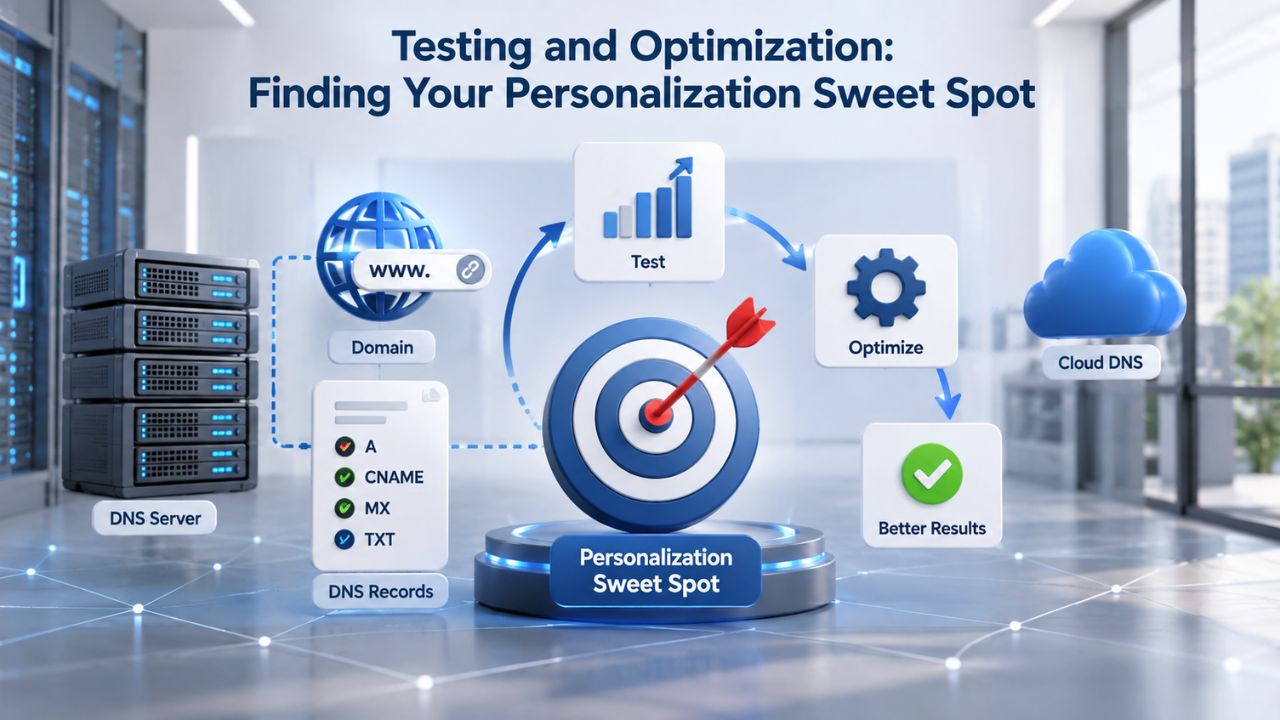
Not all personalization is created equal, and what works for one audience may alienate another. The only way to find your brand’s personalization sweet spot is through systematic testing and honest measurement.
A/B Testing Personalization Approaches
Start with simple, low-risk experiments that isolate personalization’s impact without overwhelming your audience. Test subject line personalization (with name vs. without name), segment depth (one segment vs. three segments for the same campaign), trigger timing (immediate vs. delayed by 1–2 hours), and content variation (generic message vs. behavior-specific message within the same segment).
Track not just open and click rates, but also unsubscribe rates and list-decay metrics. If adding personalization lifts opens but increases unsubscribes, you’ve over-personalized. The goal is sustainable engagement without eroding list health. Use holdout groups to isolate impact: send a personalized version to 80% of your segment and a non-personalized version to 20%. Compare metrics over time, and only roll out more aggressive personalization after you’ve validated that engagement remains healthy and unsubscribes stay low.
| Test Variable | Control (Non-Personalized) | Variant (Personalized) | Success Metric | Sample Size | Typical Lift |
|---|---|---|---|---|---|
| Subject Line | “New products you might like” | “{{FirstName}}, we found 3 items for you” | Open rate; unsubscribe rate | 5,000+ per variant | +20–26% opens; monitor unsubs |
| Product Recommendation | Generic “bestsellers” section | Dynamic products based on browse history | Click-through rate; conversion | 2,000+ per variant | +15–30% CTR; +10–20% conversion |
| Send Timing | Fixed schedule (Tuesday 10 am) | Triggered by user action (cart abandonment within 1hr) | Conversion rate; revenue per email | 1,000+ per variant | +25–40% recovery rate |
| Segmentation Depth | All subscribers (one list) | Three engagement-based segments (high/medium/low) | Open rate; list health | Full list split | +20–30% opens; lower unsubscribe |
| Dynamic Content Blocks | Same content for all | Content block varies by location/purchase history | Click-through rate; engagement | 3,000+ per variant | +10–18% CTR; +5–12% conversion |
| Frequency | Weekly send to all | Frequency based on engagement preference | Unsubscribe rate; list decay | 1,000+ per variant | -30–50% unsub rate; +15–25% retention |
Measuring Attribution Carefully
Proper attribution prevents you from over-crediting personalization for results it didn’t drive. Measure with short attribution windows and KPIs such as CTR, conversion rate, and revenue per recipient; follow privacy rules like CAN-SPAM and CCPA when collecting and using behavioral signals. Don’t assume that one personalized email caused a sale; use proper attribution windows to isolate the impact of personalization from other variables like product quality, pricing, or competing marketing channels.
Email Frequency and Subscriber Fatigue
One of the easiest ways to annoy subscribers isn’t over-personalization; it’s over-sending. And the two often go hand in hand: automated triggers can lead to email fatigue if you don’t manage them carefully and deliberately.
Balancing Automation with Subscriber Preferences
The biggest nuisance in email marketing is frequency, not personalization depth. 50% of subscribers selected getting emailed too often by a brand as their biggest complaint, outweighing even the “creepy personalization” factor. This suggests that frequency is your biggest risk, and managing cumulative send volume should be a top priority.
When setting up automation, think about cumulative frequency across all your sends. If a subscriber receives a welcome series (3–5 emails over two weeks), plus a weekly newsletter, plus behavioral triggers (cart abandonment, re-engagement, product recommendations), they could receive 8–12 emails in a single month. For some audiences, that’s acceptable; for others, it’s overwhelming and will trigger unsubscribes. Audit your complete automation workflow to understand the total email volume each subscriber receives, segmented by engagement level and preference.
Preference Centers and Granular Controls
Give subscribers control over how often they hear from you. A preference center that lets subscribers choose email frequency, content topics, or opt into specific automation flows (e.g., “yes, send me cart reminders, but not product recommendations”) reduces unsubscribes and improves perceived relevance. This isn’t just a courtesy; it’s a business strategy. Subscribers who feel in control are more likely to stay subscribed, open emails, and complete purchases.
Technical Setup: Avoiding Common Personalization Breakages
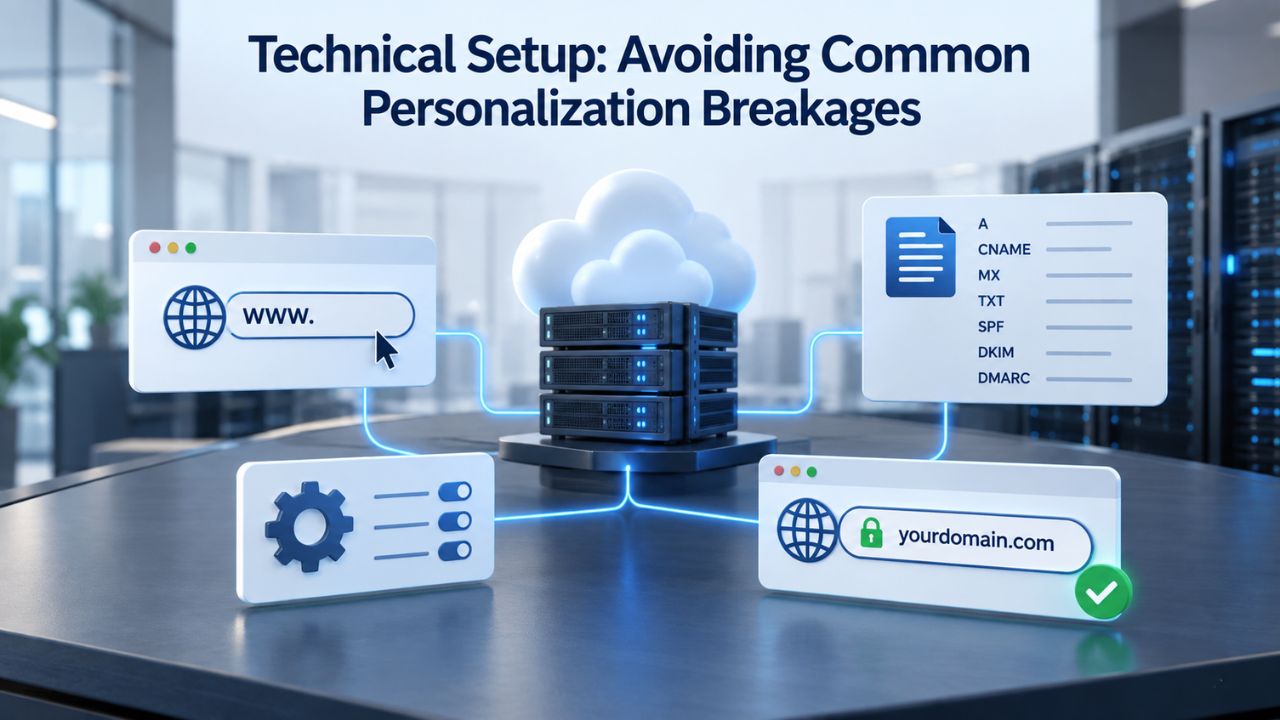
Personalization is only as good as its execution. A few common technical pitfalls can undo even the best strategy and damage subscriber perception of your brand quality.
Missing or Incomplete Data
The most common personalization breakage occurs when a merge tag references data that doesn’t exist for some subscribers. If you’re using {{FirstName}}. A subscriber has no first name on file, the email looks blank or shows an error. Test your data completeness before sending to any large segment. Identify which fields are required for each personalization element, and build fallback content for records that are missing data. For example, if {{FirstName}} is blank, fall back to “there” or a generic greeting.
Build a data audit into your pre-send workflow. Before deploying any personalized email, run a report showing field completion rates across your entire audience. If first-name completion is below 95%, consider removing first-name personalization from the subject line and using it only in the body where fallback content is easier to implement.
Dynamic Content and API Integration Risk
If your Email Marketing Service’s dynamic content system relies on external APIs or real-time data pulls, latency or API failures can cause content blocks to render as blank. Test under realistic conditions, network delays, API timeouts, and partial data responses before sending to your full list. Niya Digital’s Email Marketing Service includes multi-client preview and automated testing to catch these issues before sending, reducing the risk of reputation-damaging email failures.
Measuring Personalization Impact: From Opens to Conversions
Personalization success isn’t just about engagement metrics. The real measure is whether personalized campaigns drive the business outcomes you care about: conversions, customer retention, or lifetime value expansion.
Tracking the Right Metrics and Attribution
Monitor these core signals to understand personalization impact: open rate (but with caution, as Apple Mail Privacy Protection now pre-loads many emails, inflating open rates for Apple Mail users), click-through rate (a more reliable indicator of genuine engagement), conversion rate (the ultimate measure of whether personalization drove action), unsubscribe rate (rising unsubscribes indicate you’ve over-personalized), and list decay rate (high bounce or complaint rates suggest data quality issues).
The most reliable metric for measuring personalization impact is revenue per recipient, tracked across segments. Compare revenue per send from highly personalized campaigns to generic sends, but also account for send frequency and list overlap. A personalized campaign that generates higher revenue per email but decreases overall revenue per recipient (because you’re sending more frequently) is not a win.
Learning from Behavioral Patterns
Niya Digital’s team has found that the most effective personalization strategies start narrow: one behavioral segment, one trigger, one personalization element per email, all rigorously tested before expansion. Brands that try to personalize everything at once typically see initial engagement gains followed by declining list health and rising unsubscribe rates. The sustainable path starts small, measures impact, and expands only when you have clear data that engagement remains healthy and subscribers keep finding value in personalized sends.
Take the Next Step: Start Small with Behavioral Automation
The path to sustainable personalization isn’t complicated; it’s targeted and measurement-driven. Begin with one high-value behavioral trigger (welcome series or abandoned cart), test it with your most engaged segment, and expand only after you’ve validated that engagement stays healthy and unsubscribe rates remain low. Niya Digital’s Email Marketing Service includes templates and guidance to set up your first automation in minutes, no coding required.
Frequently Asked Questions
Is personalizing with someone’s first name considered over-personalization?
No. Using a subscriber’s first name in the subject line or greeting is standard practice and rarely feels creepy on its own. The risk emerges when you combine multiple personalization tactics in a single email: name plus product recommendation plus a location-based offer plus a purchase-history reference. Keep it to two personalization elements maximum per message, and you’ll stay safely in the “relevant” zone rather than drifting into the “invasive” territory.
How often should I send behavioral trigger emails without annoying subscribers?
There’s no universal rule, but most subscribers tolerate one or two automated emails per trigger event (e.g., one cart-abandonment email at 1 hour, one reminder at 24 hours). Beyond that, you risk unsubscribes and list decay. If possible, let subscribers control trigger frequency through preference centers, and monitor unsubscribe and bounce rates closely to catch fatigue early.
Can I personalize emails using inferred data like guessing interests from browsing?
Legally, yes, under most regulations, but only if you can defend the inference and have disclosed the practice in your privacy policy. GDPR, for example, requires that any use of personal data have a lawful basis. Inferred interests are lower-risk than collected interests, but they’re less accurate. Start with explicitly collected data; use inferred data only as a secondary signal to refine targeting.
What if my Email Marketing Service doesn’t support behavioral segmentation?
Many entry-level platforms support only static segments, which limits personalization strategy but doesn’t eliminate it. You can still segment by signup date, form field (e.g., product interest), or manually update segments based on imported purchase data. Behavioral segmentation is preferable because it’s more accurate and requires less maintenance, but if unavailable, static segmentation is better than no segmentation.
How do I know if I’ve over-personalized?
Watch your unsubscribe rate closely. If adding personalization lifts your open rate by 10% but your unsubscribe rate rises by 5%, you’re likely over-personalizing. Also monitor subscriber feedback and spam complaint rates; if you see patterns like “too much data sharing” or “feels intrusive,” dial back personalization depth immediately. The goal is sustainable engagement growth, not short-term wins.
Does GDPR allow me to use purchase history for personalization?
Yes. Purchase history is data the subscriber explicitly gave you through their own transaction or action. The requirement is that you have a lawful basis to use it and have disclosed the practice. Clear terms at signup about how you’ll use purchase data for personalization satisfy this requirement under GDPR.
Can I use dynamic content to show different product recommendations to different segments?
Yes, and this is one of the safest forms of personalization. Showing a user a product recommendation based on their purchase history or browsing behavior feels relevant rather than creepy, especially if it’s something they’ve already viewed or a natural next step in their journey. This is exactly the kind of personalization subscribers appreciate.
What’s the best way to test personalization without annoying your entire subscriber base?
Use a holdout group for every test. Send a personalized version to 80% of your segment and a non-personalized (or differently personalized) version to 20%. Compare metrics over time. This lets you validate impact without risking your entire audience and gives you clear data to decide whether to roll out more broadly based on measurable results.
How do I handle subscribers with incomplete data like missing first names or location?
Build fallback content into every personalized email. If {{FirstName}} is blank, use a generic greeting like “Hello” or skip the personalization entirely. If location data is missing, exclude those subscribers from location-specific segments and send them a generic version instead. Test these fallbacks to make sure they render cleanly and don’t look like template errors.
Is behavioral personalization GDPR-compliant?
Yes, if you have a lawful basis for collecting the behavioral data. Email engagement (opens, clicks) and website behavior (page visits, content consumed) come from the subscriber’s own actions. The requirement is transparency: your privacy policy should explain how you collect and use this data. At signup, inform subscribers that you’ll track their engagement to send more relevant emails.
Can I send more emails to subscribers if they’re highly personalized?
Not necessarily. Personalization and frequency are independent variables. A highly personalized email that arrives too frequently still annoys subscribers and drives unsubscribes. The goal is fewer, more relevant emails, not more emails that happen to contain personalization. Higher personalization depth should generally lead to lower send frequency, not higher.
What’s the difference between personalization and segmentation in practical terms?
Segmentation is dividing your list into groups based on shared characteristics; personalization is customizing content for individuals within (or across) groups. You need segmentation first, then personalization, not the other way around. Personalizing without segmenting usually leads to irrelevant or intrusive messaging because you’re not targeting based on actual subscriber interest or behavior.
How do I make sure my segmentation logic doesn’t accidentally exclude valuable subscribers?
Review segment criteria regularly and use overlapping segments. A “recent purchaser” segment is useful, but if your criteria is “purchased in the last 7 days,” you’re excluding last-month’s buyers from ongoing promotions. Use overlapping segments (recent + medium-term + at-risk) to ensure broad coverage, then personalize depth by recency or engagement level.
If a subscriber opts out of tracking via Apple Mail Privacy Protection, can I still personalize?
Yes, but with limitations. You can still use explicit data (name, preferences, purchase history) and inferred behavior (form submissions, event sign-ups). You won’t have open rates as a behavioral signal since Apple Mail pre-loads messages. Focus on click-through and conversion as your primary engagement metrics instead.
How long should I keep subscriber data after they unsubscribe?
This depends on regulation and your retention policy. GDPR’s right to erasure means you should delete most data promptly after an unsubscribe (though you can retain records for compliance purposes). CCPA has similar rules. CAN-SPAM allows you to retain a suppression list for a reasonable period to avoid re-mailing unsubscribers. Check your local regulations and document your policy clearly.
Glossary
- Behavioral Segmentation: Grouping subscribers based on their actions (opens, clicks, purchases, website visits) rather than static demographic data collected at signup. Behavioral segments update continuously as subscribers interact with your brand, ensuring targeting stays relevant and current.
- Click-Through Rate (CTR): The percentage of email recipients who click on at least one link within an email. Calculated as (total clicks ÷ emails delivered) × 100. CTR is a more reliable engagement indicator than open rate, especially after Apple Mail Privacy Protection changes.
- Dynamic Content: Email content that changes based on subscriber data, behavior, or preferences. For example, showing different product recommendations to different subscribers within the same email template, or displaying location-specific offers based on a subscriber’s location.
- Merge Tag: A placeholder code (e.g., {{FirstName}}, {{RecentPurchase}}) inserted into an email template that pulls in subscriber-specific data at send time. Also called a personalization token.
- Open Rate: The percentage of recipients who open an email. Measured by tracking pixel; note that Apple Mail Privacy Protection now pre-loads many emails, inflating open rates for Apple Mail users and making click-through rate a more reliable metric.
- Personalization Token: Same as a merge tag; a dynamic code that inserts subscriber-specific information into email content at send time, enabling customization without manual work.
- Segmentation: The process of dividing an email list into smaller groups based on shared criteria (demographics, behavior, preferences, engagement level, purchase history). Proper segmentation is foundational to effective personalization.