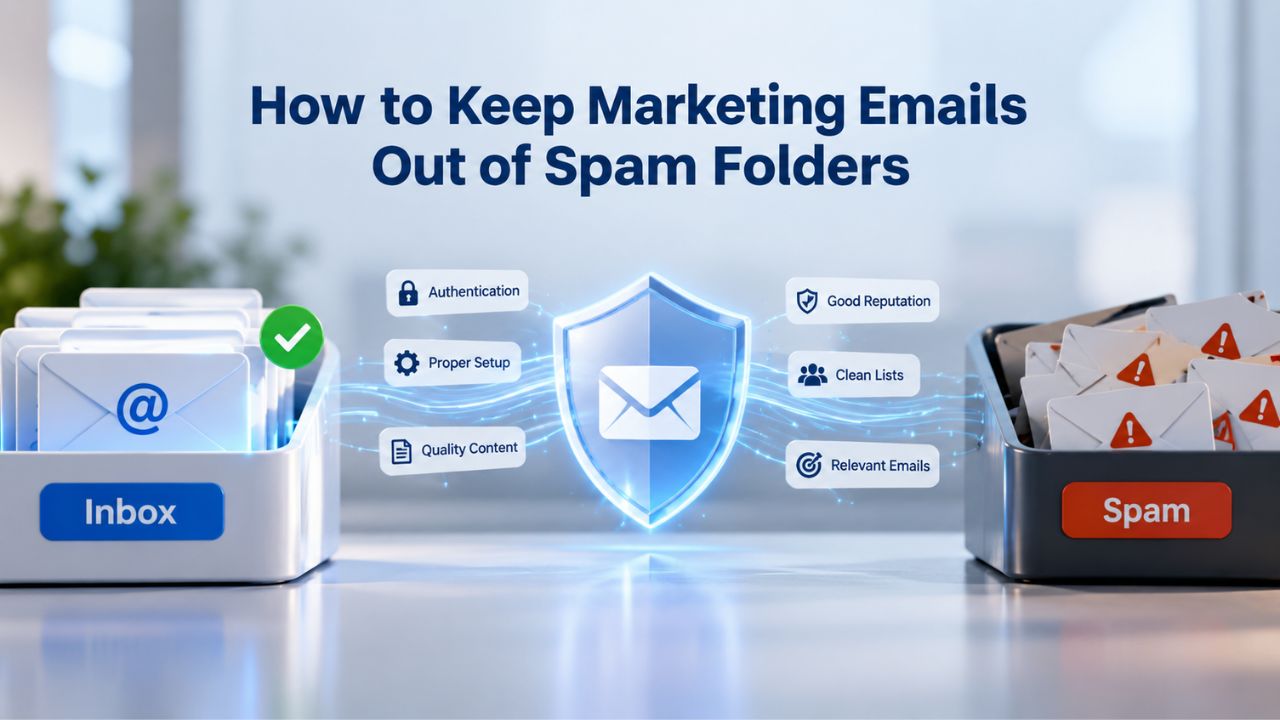
Email marketing remains one of the most effective ways to reach customers. Yet, approximately 21% of permission-based marketing emails never reach the inbox; they end up in spam folders or get blocked entirely. This gap represents a significant opportunity cost for businesses that rely on email as a primary communication channel. The good news: inbox placement is largely within your control. By understanding how email filters work and implementing proven deliverability practices, you can ensure your messages land in subscriber inboxes instead of spam folders.
Build a Strong Sender Reputation First
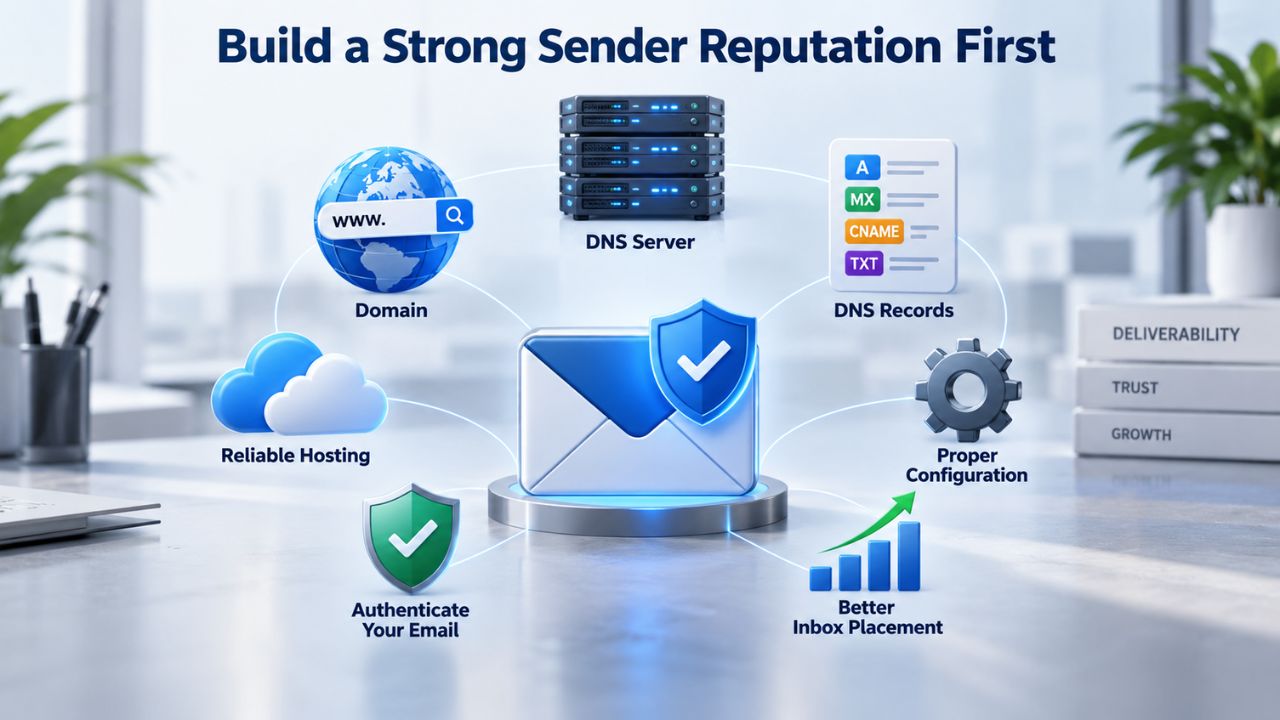
Your sender reputation is the foundation of email deliverability. It’s a score assigned to your sending IP address and domain that reflects your trustworthiness as a sender and builds over time based on your sending history, recipient engagement, and compliance with email best practices. ISPs (Internet Service Providers) monitor this reputation continuously and use it to decide whether to deliver your emails to the inbox, spam folder, or reject them outright. Understanding what influences your reputation is critical because a strong reputation can take months to build but only days to destroy.
The Reputation Score That Matters Most
A poor sender reputation can be damaged by a high number of emails marked as spam by recipients, high bounce rates from invalid email addresses, and low subscriber engagement. Each of these factors signals to ISPs that your messages may be unwanted or fraudulent. A reputation can be damaged quickly but recovered slowly; this is why prevention matters more than reaction. Your sending domain and IP address each carry their own reputation score, and both influence where your emails land. Even if you manage one well, neglecting the other can hurt deliverability.
Monitoring your reputation is essential but often overlooked by businesses just starting their email marketing journey. ISPs continuously monitor sender behavior. If they detect spam-associated patterns, such as sending to unknown users or a sudden spike in volume, your reputation can suffer quickly. The key is consistency: maintain steady sending patterns, focus on engaged subscribers, and avoid sudden volume spikes that look suspicious to ISP algorithms. Think of your sender reputation like a credit score for email; it reflects your trustworthiness, and maintaining it requires ongoing discipline.
How Engagement Metrics Drive Reputation
Engagement is the primary signal ISPs use to evaluate sender reputation. If a large portion of a list never opens or clicks emails, it indicates the content isn’t wanted, which is why it’s critical to regularly clean the email list and run re-engagement campaigns to remove inactive subscribers. Low open rates and click-through rates don’t just look bad in your analytics; they damage your sending reputation and increase the likelihood that future emails will be filtered. ISPs use engagement as a proxy for message quality; when recipients ignore your emails, ISPs interpret that as a sign you’re sending unwanted content.
This is why list quality trumps list size. A smaller list of engaged subscribers will consistently outperform a large list of inactive addresses in both deliverability and conversion rates. Niya Digital’s team has found that senders who actively segment by engagement and remove unresponsive subscribers see measurable improvements in inbox placement within weeks of cleanup. The difference comes down to this: engaged subscribers validate your sender reputation with opens and clicks, while inactive subscribers undermine it with silence. Prioritize quality over quantity in every aspect of list management.
Email Marketing Plans
Email Marketing Beginner
For anyone getting started with email marketing.
- Up to 500 Contacts
- Add more anytime
- Send up to 5,000 Emails/Month
- Single Signup Form
- Basic Image Storage
- Unsubscribe Handling
- Works with Facebook, Etsy & More

Email Marketing Up & Running
Already have clients? This plan’s for you.
- Up to 2,500 Contacts
- Add more anytime
- Send up to 25,000 Emails/Month
- Unlimited Signup Forms
- Unlimited Image Storage
- Unsubscribe Handling
- Works with Facebook, Etsy & More
- Automated Welcome Email
- Converts Blog Posts to Email
- Unsubscribe Options
- Hot Leads List
Email Marketing Pro
For savvy marketers with growing mailing lists.
- Up to 5,000 Contacts
- Add more anytime
- Send up to 50,000 Emails/Month
- Unlimited Signup Forms
- Unlimited Image Storage
- Unsubscribe Handling
- Works with Facebook, Etsy & More
- Automated Welcome Email
- Converts Blog Posts to Email
- Unsubscribe Options
- Hot Leads List
- Auto-sends Event Emails
- Automated Email Campaigns
- Record Signup IPs
- Share Statistics w/Others
Set Up Email Authentication (SPF, DKIM, DMARC)
Email authentication is the technical foundation that proves your emails are legitimate. A very common technical reason emails land in spam is a lack of proper email authentication. You must set up your SPF, DKIM, and DMARC records correctly for your domain; they are essentially your email’s digital passport. Since February 2024, Google and Yahoo require all three for bulk senders, making authentication mandatory for any serious email marketing program. Without proper authentication, even a clean list and solid sender reputation won’t guarantee inbox placement.
SPF and DKIM: The Authentication Pair
SPF is a DNS TXT record that lists the IP addresses and hostnames authorized to send mail on behalf of your domain. When a receiving server gets a message, it checks the MAIL FROM (envelope sender) domain, looks up that domain’s SPF record, and verifies that the connecting IP is in the allowed list. SPF is relatively simple to set up but has one significant limitation: it validates the envelope sender address, not the visible “From” address that recipients see in their inbox. This means a determined attacker can still spoof your visible sender address if you rely only on SPF. That’s where DKIM comes in, adding an extra layer of security that’s harder to circumvent.
DKIM uses a digital signature added to the email header; the recipient’s email server validates it with a public key in your domain’s DNS records. If the signature matches, the email is authenticated, proving it hasn’t been tampered with. DKIM survives email forwarding, making it more robust than SPF alone when subscribers forward your emails to colleagues or friends. Most email marketing platforms, including Niya Digital’s Email Marketing Service, sign emails with DKIM automatically, without requiring manual DNS configuration. This means you get DKIM’s security benefits without the technical complexity of managing cryptographic keys.
DMARC: Alignment and Policy Enforcement
DMARC is an authentication standard that tells recipients what to do when an email fails SPF and DKIM checks; it lets senders publish policies in DNS records that specify how to handle unauthenticated emails. The critical concept in DMARC is alignment: alignment requires that the domain validated by SPF or DKIM matches the domain in the From: header, preventing a nefarious actor from passing SPF/DKIM for one domain while displaying another in the recipient’s inbox. This prevents domain spoofing, a common tactic where malicious senders impersonate legitimate brands to trick recipients into clicking malicious links or opening harmful attachments.
When you publish a DMARC policy, you tell ISPs what action to take with emails that fail authentication checks. You can start with monitoring-only policies (p=none), progress to quarantine (p=quarantine), and eventually move to rejection (p=reject) as your alignment improves and you verify all legitimate sending sources. This gradual approach protects your deliverability while you work through configuration issues. Many businesses spend a few months in monitoring mode to identify any systems they forgot to authenticate, then move to quarantine for a period, and finally reach full rejection mode once they’re confident all legitimate traffic is properly authenticated.
Build Your List the Right Way
How you build your email list directly impacts deliverability and sender reputation. Permission-based lists generate far fewer complaints and bounces, while purchased or scraped lists are a fast path to spam folder placement and potential legal consequences. The difference between a healthy list and a problematic one often comes down to the decisions you make during signup.
Single vs. Double Opt-In: The Best Practice Path
While U.S. law doesn’t require prior consent or a double opt-in process, many businesses use a two-step confirmation (double opt-in) to ensure email addresses are valid and subscribers genuinely want to receive their messages. Double opt-in works by sending a confirmation email after signup; subscribers become active only after they click a confirmation link in that message. The confirmation email also immediately verifies that the email address is valid and that the subscriber actively monitors it.
Confirmed subscribers are more likely to open, click, and convert; double opt-in also provides clear proof of consent under regulations like GDPR and CAN-SPAM and eliminates fake, misspelled, or temporary email addresses from your list. While double opt-in can slightly reduce initial list growth, the quality gain justifies the trade-off in almost every scenario.
Avoiding Purchased Lists and Building Organic Growth
Sending to a non-permission-based list (e.g., purchased or scraped lists) is one of the quickest ways to destroy sender reputation because recipients are far more likely to mark emails as spam. Purchased list addresses are often outdated, duplicated, or collected without clear recipient consent. The moment you send to these addresses, spam complaints and bounce rates spike dramatically, damaging your reputation immediately and making it harder for future legitimate sends to reach the inbox.
Instead, focus on organic list building through website signup forms, lead magnets, social media promotions, and in-store or event signups. Niya Digital’s Email Marketing Service includes built-in signup form tools and list management features that make it easy to capture subscribers directly and maintain permission records over time. Organic growth takes longer, but you’re building a foundation that will support sustainable email marketing success for years to come.
Monitor Engagement and Re-Engage Inactive Subscribers
Engagement is a living metric; it changes with every send and evolves as your subscriber base matures. Monitoring engagement trends and acting quickly when trends turn negative is essential to protecting your reputation and ensuring your emails continue to reach the inbox. The longer you wait to address engagement problems, the more damage accumulates to your sender reputation.
Identifying and Removing Inactive Subscribers
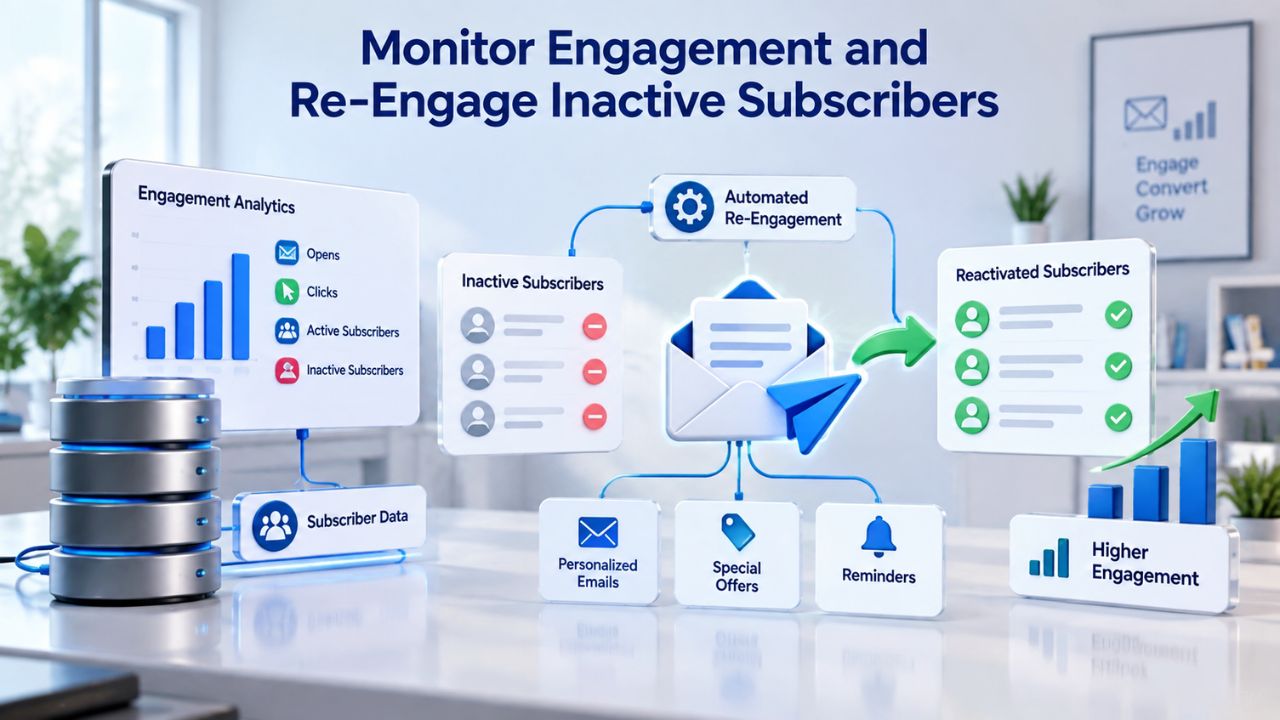
Track open and click rates closely at the list and segment levels. If a large segment of your list hasn’t opened or clicked on any email in the past 6–12 months, they are actively damaging your sender reputation with every send. A high bounce rate or frequent spam complaints damages sender reputation, making emails more likely to land in the spam folder; engaged subscribers drive higher open rates, click-throughs, and conversions, while inactive contacts drag down metrics. Inactive subscribers aren’t just dead weight; they actively harm your ability to reach the inbox.
If your email marketing platform allows it, set up automated suppression rules to remove hard-bounced addresses immediately after a bounce. Monitor soft-bounced addresses and remove them after they soft-bounce multiple times (typically three consecutive bounces). Segment inactive subscribers (those who haven’t opened or clicked in 6–12 months) for re-engagement or removal, depending on your retention strategy. Niya Digital’s Email Marketing Service provides detailed engagement reports so you can identify inactive subscribers and make informed decisions about list cleaning.
Running Strategic Re-Engagement Campaigns
Before deleting inactive subscribers, give them one last chance through a strategic re-engagement campaign. Regularly clean email lists by removing invalid, unengaged, or complaint-prone addresses to directly improve deliverability and help you avoid spam traps while maintaining a positive sending reputation. A re-engagement campaign typically offers a special incentive, asks subscribers to confirm continued interest, or reminds them why they signed up. The goal is to identify which inactive subscribers still have value and which are genuinely uninterested.
Segment re-engagement campaigns separately from your main sends and monitor their results carefully. Keep only subscribers who respond to re-engagement campaigns on your main list. Archive those who don’t respond for a future attempt, or remove them entirely. This maintains list health and protects your sender reputation from the cumulative weight of inactive addresses. The re-engagement process typically takes 1-2 weeks, during which you can analyze response rates and segment accordingly.
| Best Practice | Expected Impact | Timeline |
|---|---|---|
| Engagement-based list segmentation | Higher open and click rates on main list; improved ISP perception | Immediate |
| Re-engagement campaign (1-2 sends) | Recovers responsive inactive subscribers; identifies true unengaged addresses | 1-2 weeks |
| Hard bounce removal | Prevents reputational damage; reduces bounce rate below 2% | Immediate |
| Soft bounce monitoring | Maintains list quality; removes addresses with persistent delivery issues | Ongoing (threshold: 3 bounces) |
| Inactive subscriber removal | Improves engagement metrics; reduces ISP filtering of future sends | After re-engagement results |
| Quarterly list audit | Identifies emerging engagement problems before they damage reputation | Every 90 days |
Optimize Content and Sending Practices
Email content itself influences spam folder placement in ways that sender reputation and authentication alone cannot control. Spam filters analyze subject lines, body text, HTML structure, and sending patterns for red flags that indicate unwanted or malicious content. Even with perfect authentication and a strong reputation, poor content decisions can still land your emails in spam.
Subject Lines and Content Quality
Avoid spam trigger words that common filters flag automatically. Words like “free,” “guarantee,” “limited time,” and excessive exclamation points are common culprits that trip aggressive spam filters. But the bigger issue is relevance and honesty: deceptive subject lines that don’t accurately reflect the email’s content can lead to spam complaints and damage your sender reputation. When subject lines promise something the body doesn’t deliver, subscribers mark your email as spam, and that complaint hurts your reputation far more than any trigger word ever could.
Keep a balanced text-to-image ratio in your email designs. Emails that are 90% images often trigger spam filters because malware is frequently delivered in image-heavy emails that contain little or no text. Include at least some text, preferably text that clearly explains your offer or message. Use a simple, professional design that renders well on both desktop and mobile devices. Overly complex HTML, excessive styling, or suspicious layouts can trigger filters even if your content is legitimate.
Unsubscribe Placement and Frequency
A complicated unsubscribe process can contribute to a mailbox provider assigning a poor reputation to your sending domain because if the unsubscribe process is complex, recipients might find it easier to mark emails as spam instead. Make unsubscribe links prominent and functional on every email you send. Ideally, place the unsubscribe option in the email footer where recipients expect to find it, using clear, obvious language. When someone wants to leave your list, let them leave easily; it’s far better than receiving a spam complaint, which damages your reputation far more severely than a voluntary unsubscribe ever could.
Inconsistent sending patterns can flag spam filters; a regular sending schedule can improve your sender reputation. Whether you send daily, weekly, or monthly, try to maintain a consistent schedule your subscribers can rely on. Sudden volume spikes or irregular gaps can trigger ISP scrutiny and may result in temporary filtering while ISPs evaluate whether you’re a legitimate sender or a spammer. Consistent sending shows ISPs you’re a predictable, reliable sender worthy of inbox placement.
Get Started Improving Your Email Deliverability Today
Email deliverability isn’t a one-time fix; it’s an ongoing practice that requires attention to reputation, authentication, list quality, engagement, and compliance at the same time. The strategies in this guide work together to create a foundation for consistent inbox placement. Niya Digital’s Email Marketing Service makes it easy to implement these best practices through built-in tools for segmentation, authentication, compliance, and detailed engagement reporting. Your subscribers are waiting to hear from you. Make sure your messages reach them.
Understand Global Email Compliance Laws
Email regulations vary significantly by geography, and violations can damage both your legal standing and your sender reputation with ISPs. Compliance is not one-size-fits-all, and what works in one region may expose you to legal liability in another. Understanding where your subscribers live and which regulations apply to them is a critical part of any email marketing strategy.
CAN-SPAM: The U.S. Opt-Out Standard
CAN-SPAM (Controlling the Assault of Non-Solicited Pornography and Marketing Act) is legislation that governs how businesses can act when sending promotional and commercial emails in the U.S. and is regulated by the Federal Trade Commission (FTC). To enforce the CAN-SPAM Act, the FTC can seek penalties of up to $16,000 per email that violates CAN-SPAM, without a maximum penalty. Because penalties are per email, a single campaign sent to a large list could result in millions of dollars in fines if violations are found.
CAN-SPAM requires a clear opt-out mechanism in every email, prohibits misleading subject lines and sender information, mandates physical address disclosure, and requires processing unsubscribe requests within 10 business days. CAN-SPAM is an opt-out law, meaning you can send without prior consent as long as you include a clear unsubscribe mechanism and honor unsubscribe requests promptly. However, best practices favor opt-in even for U.S. campaigns to reduce complaints and improve deliverability beyond legal minimums.
GDPR and CASL: Global Opt-In Requirements
GDPR (EU) requires explicit opt-in consent before sending marketing emails, gives recipients the right to access, correct, or delete their data, mandates data protection measures to safeguard personal information, and can lead to severe fines for non-compliance (up to 4% of global revenue). GDPR is far stricter than CAN-SPAM: you must have explicit, documented consent before the first send, and you must keep records proving you obtained consent. If you send to any EU-based recipients, your entire email marketing program must comply with GDPR, even if your business is outside the EU and only sells domestically.
CASL (The Fighting Internet and Wireless Spam Act, also known as Canada’s Anti-Spam Legislation, enacted in 2014) sets rules for email, SMS, and all communications sent by Canadian companies; under CASL, a visible and operable unsubscribe mechanism must be provided in all communications, and opt-in consent must be collected for all contacts. Violating CASL can land your company a penalty of up to $10 million. Many businesses implement GDPR-level opt-in consent practices globally; it’s simpler and safer than maintaining two different signup flows for different regions, and it protects you if your business ever expands internationally.
Manage Bounce Rates to Protect Reputation
Bounce rates are one of the most direct indicators of list quality and sender reputation health. Understanding the difference between hard and soft bounces is essential for anyone managing an email marketing program, as each type requires a different response and affects your reputation differently. High bounce rates are one of the fastest ways to damage your sender reputation and trigger increased ISP filtering.
Hard Bounces vs. Soft Bounces
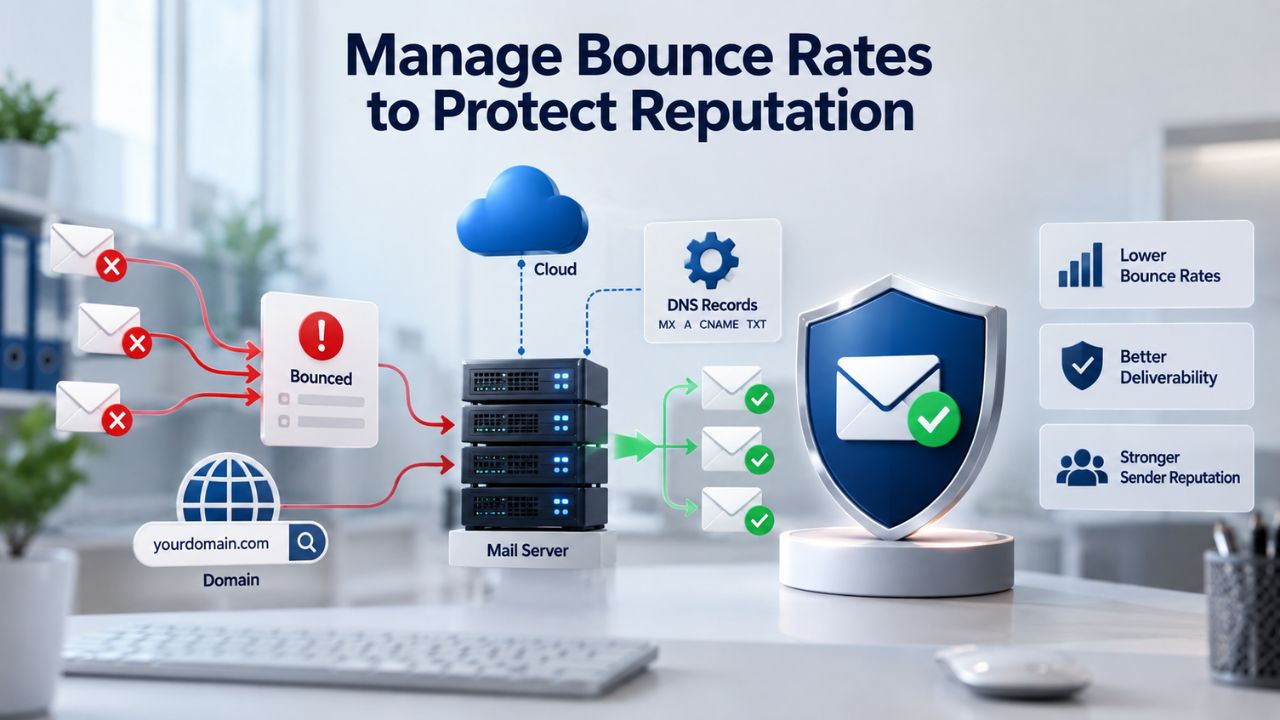
A hard bounce occurs when an email address is permanently invalid, the domain doesn’t exist, the mailbox is permanently closed, or the address is rejected outright by the receiving server. Hard bounces damage your sender reputation more severely because they indicate poor list hygiene; email providers view high hard bounce rates as a sign of purchased lists or outdated data collection practices. Hard bounce rates above 2% suggest list quality problems that require immediate attention through list cleaning and verification efforts.
Soft bounces are temporary delivery failures: a mailbox is full, a server is temporarily down, the connection times out, or the ISP’s rate limit is hit. Soft bounces might resolve on their own, but addresses that consistently soft bounce should be removed after several attempts, as a mailbox that’s been full for weeks likely belongs to an inactive user who won’t engage with your content anyway. Soft bounces are less damaging than hard bounces, but a pattern of soft bounces from the same address suggests the mailbox is no longer actively used and should be removed.
Removal Protocols and Monitoring
Remove hard-bounced addresses immediately after the bounce occurs. Don’t wait for a second send or accumulate them for batch removal later. Most email marketing platforms automatically suppress hard bounces, but confirm this in your account settings and reports. For soft bounces, set a threshold, typically 3 consecutive soft bounces, before suppressing an address permanently. Some platforms allow you to set this threshold automatically; if yours doesn’t, review your bounces regularly and remove persistent soft bounces manually.
Globally, the hard bounce rate has decreased to 0.44% in 2023 (from 0.92% in 2021 and 0.82% in 2022). The soft bounce rate has declined to 0.33% (from 0.84% in 2021 and 0.73% in 2022). This positive trend is attributed to marketers taking list hygiene more seriously, better adhering to laws and regulations, and meeting consumer expectations. If your bounce rates exceed these industry benchmarks, list cleaning should be your immediate priority. Use these benchmarks as targets; matching or beating industry averages puts your sender reputation in a healthy position.
| Metric | 2023 Benchmark | 2024 Benchmark | Implication |
|---|---|---|---|
| Global Acceptance Rate | 98.46% | 99.22% | Email delivery is increasingly reliable when fundamentals are followed |
| Hard Bounce Rate | 0.82% | 0.44% | Better list hygiene practices across industry; target <2% minimum |
| Soft Bounce Rate | 0.73% | 0.33% | Fewer temporary delivery issues; ISP infrastructure more stable |
| Spam Complaint Rate | 0.03% | 0.07% | Senders should target <0.1% to maintain good reputation |
| Unsubscribe Rate | Not tracked | 0.14% | Professional senders expect 0.1%–0.2% unsubscribe rate on engaged lists |
| Average Deliverability Rate | 94.26% | 96.43% | 1 in ~25 emails still fail to reach inbox; authentication and hygiene critical |
Use Monitoring Tools to Track Sending Health
Modern email marketing platforms and ISP tools provide visibility into your sending reputation that was impossible just a few years ago. These tools help you catch problems early, before they become severe enough to affect overall deliverability. Monitoring is not optional if you take email marketing seriously; it’s a core part of maintaining a healthy sender reputation.
Google Postmaster Tools and ISP Dashboards
Use tools like Google Postmaster Tools to track sender reputation metrics. Postmaster Tools shows data on authentication pass rates, spam complaint rates, unsubscribe rates, and delivery errors specific to Gmail, which matters because Gmail is used by over 1.8 billion people worldwide. Setting up Postmaster Tools should be your first technical step if you send to any Gmail addresses, which is virtually every sender.
Yahoo, Microsoft Outlook, and other major ISPs offer similar postmaster programs with their own insights and metrics. Enroll in as many as your sending volume justifies. These tools show you real data about how ISPs perceive your sending, not estimates or generic industry averages. They give you direct feedback from the actual ISPs filtering your emails, making them invaluable for troubleshooting deliverability problems and optimizing your sending practices.
Feedback Loops and Complaint Monitoring
Feedback loops (FBLs) notify you when recipients mark your emails as spam through their email provider. The average spam complaint rate was 0.07% in 2023; this average has more than doubled since 2021. A complaint rate above 0.1% indicates a serious problem that requires immediate investigation and action. When you receive FBL notifications, analyze what subscribers complained about and remove those subscribers immediately to prevent further damage to your reputation.
Set up regular monitoring dashboards in your email marketing platform to track your metrics continuously. Niya Digital’s Email Marketing Service includes built-in reporting that tracks bounces, complaints, and engagement metrics so you can respond quickly to any deliverability issues before they escalate. Regular monitoring helps you catch emerging problems early, adjust your sending practices proactively, and maintain the strong sender reputation that keeps your emails in the inbox.
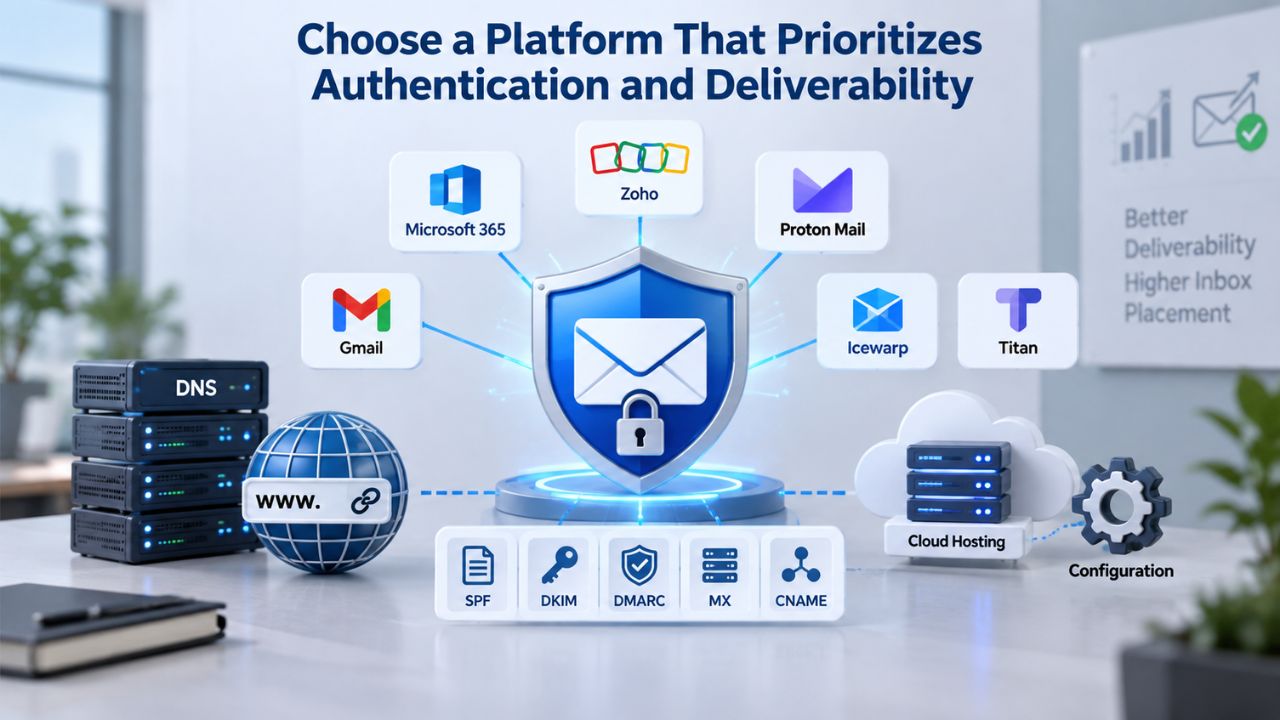
Choose a Platform That Prioritizes Authentication and Deliverability
Your email marketing platform’s infrastructure directly impacts your ability to maintain a good sender reputation and reach the inbox. Not all platforms are created equal when it comes to authentication support, compliance features, and reporting transparency. Choosing the right platform is one of the most impactful decisions you can make for long-term email marketing success.
Authentication and DNS Support
Look for a platform that handles SPF and DKIM signing automatically or provides clear, step-by-step guidance for custom domain setup. Niya Digital’s Email Marketing Service supports DKIM signing on all accounts. It supports SPF configuration with clear documentation and support. The platform’s infrastructure includes sending-reputation systems and layered compliance protections that reduce the likelihood of your campaigns being flagged or filtered. Automatic DKIM signing means you get enterprise-level email authentication without needing a technical team to manage it.
The platform should also provide DMARC support and guidance, including the ability to gradually move from monitoring policies to enforcement policies as you gain confidence in your authentication setup. Some platforms offer Postmaster integration, automatically pulling your Google Postmaster and Yahoo data into your dashboard for centralized monitoring.
List Management and Compliance Built-In
The platform should offer segmentation, automation, and double opt-in support built directly into the interface, not as expensive add-ons or third-party integrations. It should enforce CAN-SPAM compliance by requiring unsubscribe links and making them functional with a single click. For GDPR and CASL, it should support consent management features that let you document when and how subscribers opted in.
Look for platforms that automatically suppress hard bounces, monitor soft bounces, and offer easy list-cleaning tools. Segmenting by engagement level and identifying inactive subscribers should be straightforward and not require technical expertise. List management features that make compliance and good hygiene practices easy will have the most impact on your long-term success.
Reporting Transparency
A good platform provides transparent reporting on bounces, complaints, and engagement metrics with clear explanations of what each metric means. You should be able to export data in standard formats, segment by engagement level, and identify inactive subscribers easily without special requests or custom reports. Tracking campaign performance over time and comparing metrics across sending periods helps you spot trends before they become problems.
Use these insights to improve list quality and protect your reputation continuously. The best platforms make best practices easy to implement, not hard to follow.
Build a Warm-Up and IP Reputation Strategy
New IP addresses and domains start with no reputation history, which means ISPs treat them with suspicion. A strategic warm-up process gradually builds your reputation with ISPs by sending to engaged subscribers first, demonstrating that you’re a legitimate sender before expanding volume. Without proper warm-up, even a perfect sender can have emails filtered during those critical first weeks.
Starting Strong with New IPs and Domains
When you launch from a new IP address or domain, ISPs have no historical data about your sending patterns, engagement rates, or complaint history; because of this lack of history, ISPs treat new senders conservatively, since many are indeed malicious. A proper warm-up strategy gradually proves your legitimacy through consistent, clean sending to your most engaged subscribers. Start with a small volume of sends to your most responsive list segments, then gradually increase volume over 2-4 weeks as your reputation improves.
Most email marketing platforms recommend following a specific warm-up schedule: send 10,000 emails on day one, then double volume every 1-2 days until you reach your target sending volume. This gradual ramp-up shows ISPs a consistent pattern of legitimate sending from an engaged audience. Skip this step, and you risk immediate filtering or even blacklisting, which can damage your reputation for months. The warm-up investment pays dividends in improved deliverability and a faster path to inbox placement.
Monitoring Reputation During Warm-Up
Throughout your warm-up period, monitor your metrics religiously using Google Postmaster Tools and your email marketing platform’s reporting. Watch for rising bounce rates, complaint spikes, or authentication failures that might indicate problems. ISPs continuously monitor sender behavior. If they detect patterns associated with spam, such as sending to unknown users or a sudden spike in volume, your reputation can suffer quickly. During warm-up, even small problems are amplified because you’re starting with a blank reputation score.
If complaint rates rise above 0.1% during warm-up, pause sending immediately and investigate. You may have list quality issues, authentication problems, or content that’s triggering filters. The warm-up period lets you identify and fix these problems while sending volumes are small. Once you complete warm-up and ramp to full volume, fixing these issues becomes much harder and more damaging to your overall reputation.
Master Email Deliverability with Niya Digital
Keeping marketing emails out of spam folders requires consistent attention to sender reputation, authentication, list quality, engagement, and compliance. Each element matters, and neglecting any one of them undermines your efforts in the others. Implement these strategies systematically, monitor your progress with the tools available to you, and adjust based on your data. Niya Digital’s Email Marketing Service supports all of these practices, from automatic authentication setup to compliance handling to engagement tracking. Start with a free account today and see how proper email deliverability practices transform your campaign results.
Frequently Asked Questions
Why do my emails keep landing in spam despite having a clean list?
Clean lists alone don’t guarantee inbox placement; you also need proper authentication (SPF, DKIM, DMARC), consistent sending patterns, and good engagement metrics. Check whether your authentication is set up correctly using Google Postmaster Tools or your ISP’s postmaster program. If authentication is passing but emails still go to spam, review your subject lines and content for spam trigger words, and ensure you’re sending only to genuinely engaged subscribers who have opened or clicked recent messages.
How often should I clean my email list?
Review your list quarterly at minimum, and more frequently if you notice rising bounce or complaint rates. Remove hard bounces immediately; don’t wait for patterns to emerge. For soft bounces, monitor and remove after 3 consecutive soft bounces. Segment inactive subscribers (those who haven’t opened or clicked in 6–12 months) for re-engagement campaigns or removal, depending on your retention strategy. More frequent cleaning protects your sender reputation by preventing the cumulative weight of invalid or unengaged addresses from dragging down your metrics.
Does double opt-in reduce my list size?
Yes, typically by 20–50% depending on your audience and implementation. However, the subscribers who confirm double opt-in are far more engaged and far less likely to mark your emails as spam. Smaller, engaged lists consistently outperform larger, unengaged lists in both deliverability and conversion rates. The trade-off is worthwhile for long-term sender reputation health and sustainable email marketing success over years, not just months.
What’s the difference between CAN-SPAM and GDPR, and which applies to me?
CAN-SPAM (U.S.) is opt-out: you can send until recipients unsubscribe. GDPR (EU) is opt-in: you must have explicit consent before sending. If your business sends to any EU residents, GDPR applies regardless of your location. If you send only to U.S. recipients, CAN-SPAM is your baseline, but following GDPR standards is a safer, best-practice approach that protects you and your reputation. When in doubt, use opt-in consent and keep detailed records of when and how you obtained consent for every subscriber.
How do I know if my SPF, DKIM, and DMARC are set up correctly?
Use free tools like MXToolbox or DMARC Analyzer to check your DNS records. Search for “[your domain] SPF check” or “[your domain] DKIM check” to run immediate diagnostics. These tools will tell you whether your records are present and properly configured. Google Postmaster Tools also shows whether emails from your domain are passing SPF and DKIM checks. If checks are failing, work with your email provider or IT team to fix the DNS records; most issues resolve quickly with proper guidance.
What’s a good sender reputation score, and how do I check mine?
Different ISPs use different scoring systems, so there’s no universal “score” you can check directly. However, the average spam complaint rate was 0.07% in 2023, and the hard bounce rate has decreased to 0.44% in 2023. Aim to stay below these benchmarks. Use Google Postmaster Tools, Yahoo Postmaster, and SenderScore to understand your reputation across different ISPs. Your email marketing platform’s reporting dashboard should also show key metrics like bounce rates and complaint rates.
Can I recover from a poor sender reputation?
Yes, but it takes time and consistent effort over weeks or months. Remove all hard bounces immediately, segment out inactive subscribers, run re-engagement campaigns on older lists, and ensure authentication is properly set up and functioning. Gradually warm up sending by starting with a small volume to your most engaged subscribers, then expanding slowly as reputation improves. Maintaining a consistently good reputation requires ongoing vigilance and adherence to email marketing best practices. Reputation recovery typically takes 4–12 weeks depending on severity, so patience and consistency are critical.
Should I use a shared IP or a dedicated IP for sending?
Shared IPs are fine for most small and mid-sized businesses and have the advantage that the ISP has already warmed up the IP reputation through other senders. Dedicated IPs make sense when you send very high volume and want full control over reputation. If you choose a dedicated IP, budget time for warm-up: start with low volume and increase gradually over 4–6 weeks. Most email marketing platforms offer both options; shared IPs are typically the better choice for growing businesses.
What’s the best sending frequency to maintain good deliverability?
Consistency matters more than frequency. Whether you send daily, weekly, or monthly, maintain a predictable schedule that your subscribers can rely on and expect. Inconsistent sending patterns can flag spam filters; a regular schedule can improve your sender reputation. Subscribers who signed up for weekly content may unsubscribe or complain if you suddenly send daily. Sudden volume spikes also trigger ISP review. Test your audience’s preferred frequency, then stick to it consistently.
How do I handle unsubscribe requests to stay compliant?
Include a visible, functional unsubscribe link in every email you send. Process unsubscribe requests within 10 business days under CAN-SPAM (sooner is better and recommended). Most email marketing platforms automatically remove unsubscribed addresses from future sends within minutes. However, if recipients email you directly to unsubscribe, remove them manually. Every compliance law requires easy, functional unsubscribe mechanisms; don’t hide them, make them hard to find, or password-protect them.
What email metrics should I monitor most closely?
Monitor bounce rate, complaint rate, open rate, and click-through rate as your core metrics. Rising bounce rates indicate list quality problems that need immediate attention. Rising complaint rates indicate content or targeting issues that require investigation. Declining open and click rates may signal engagement fatigue or a decline in sender reputation. Track these metrics week over week or month over month, not just campaign to campaign, to spot trends early. Trends matter more than individual campaign numbers; patterns reveal underlying problems.
Is authentication enough to avoid the spam folder?
No. Authentication is necessary but not sufficient. Even authenticated emails can land in spam if your sender reputation is poor, your content triggers filters, or your engagement metrics are weak. Without SPF, DKIM, and DMARC, receiving servers may mark your emails as spam or reject them entirely, resulting in poor deliverability and a poor sender reputation. Think of authentication as table stakes; it gets you in the door, but good sending practices and strong reputation keep you in the inbox.
Can I improve deliverability without changing my email marketing platform?
Yes. Most platforms can handle list cleaning, authentication setup, engagement monitoring, and compliance. However, some platforms make it easier than others through built-in features and automation. If your current platform doesn’t provide simple authentication setup, detailed engagement reporting, or easy list segmentation, switching to a platform like Niya Digital’s Email Marketing Service may help. The right platform automates many tasks and gives you the transparency needed to maintain good deliverability.
How does email provider authentication affect my sending reputation?
With Email Marketing, in most cases you will get an SPF Pass without needing to change anything on your end; if you don’t have an SPF record set up, your campaigns will still deliver really well through Email Marketing, as each campaign is signed using the provider’s own DKIM signature and includes Sender ID validation, allowing for full email validation without you ever needing to be involved. A reputable email marketing provider’s infrastructure helps your emails authenticate more easily because the provider’s IP reputation is already established with major ISPs. This is a key advantage of using a dedicated email marketing platform.
What role does list segmentation play in deliverability?
Segmentation allows you to send relevant content to engaged subsets of your list, which improves open rates, click rates, and engagement, all positive signals to ISPs. Sending the same content to your entire list (engaged and unengaged alike) drags down overall engagement metrics and harms your reputation. Segment by engagement level, by content interest, or by customer lifecycle stage. Send re-engagement campaigns only to inactive subscribers, not your whole list. Better targeting equals better engagement, which protects your sender reputation.
Glossary
- Sender Reputation: A score assigned by ISPs to a sending domain and IP address, based on sending history, engagement metrics, and compliance practices. Poor reputation leads to spam folder placement or email rejection. This is the single most important factor determining deliverability.
- Hard Bounce: A permanent email delivery failure caused by an invalid email address, nonexistent domain, or blocked sender. Remove hard bounces immediately, as they can quickly damage sender reputation if allowed to accumulate.
- Soft Bounce: A temporary email delivery failure caused by a full mailbox, temporary server issues, or connection timeouts. Remove addresses with repeated soft bounces after a set threshold, typically 3 consecutive bounces, as they indicate inactive mailboxes.
- SPF (Sender Policy Framework): A DNS authentication record (RFC 7208) that lists authorized mail server IP addresses for a domain. ISPs check SPF to verify a sending server’s identity and prevent domain spoofing of the envelope sender address.
- DKIM (DomainKeys Identified Mail): A cryptographic authentication protocol (RFC 6376) that adds a digital signature to email headers. DKIM proves the email hasn’t been altered in transit and survives email forwarding better than SPF alone.
- DMARC (Domain-based Message Authentication, Reporting, and Conformance): An email authentication policy standard (RFC 7489) that ties SPF and DKIM together and allows domain owners to publish policies for handling unauthenticated emails. DMARC also provides detailed reporting on authentication results and failures.
- Double Opt-In: A two-step email subscription process where subscribers confirm their signup via a confirmation email link. Double opt-in improves list quality, verifies email validity, and provides clear consent documentation for compliance.
- List Hygiene: The practice of maintaining list quality by removing invalid, unengaged, or complaint-prone email addresses. Good list hygiene directly improves deliverability and protects sender reputation from cumulative damage caused by poor-quality addresses.