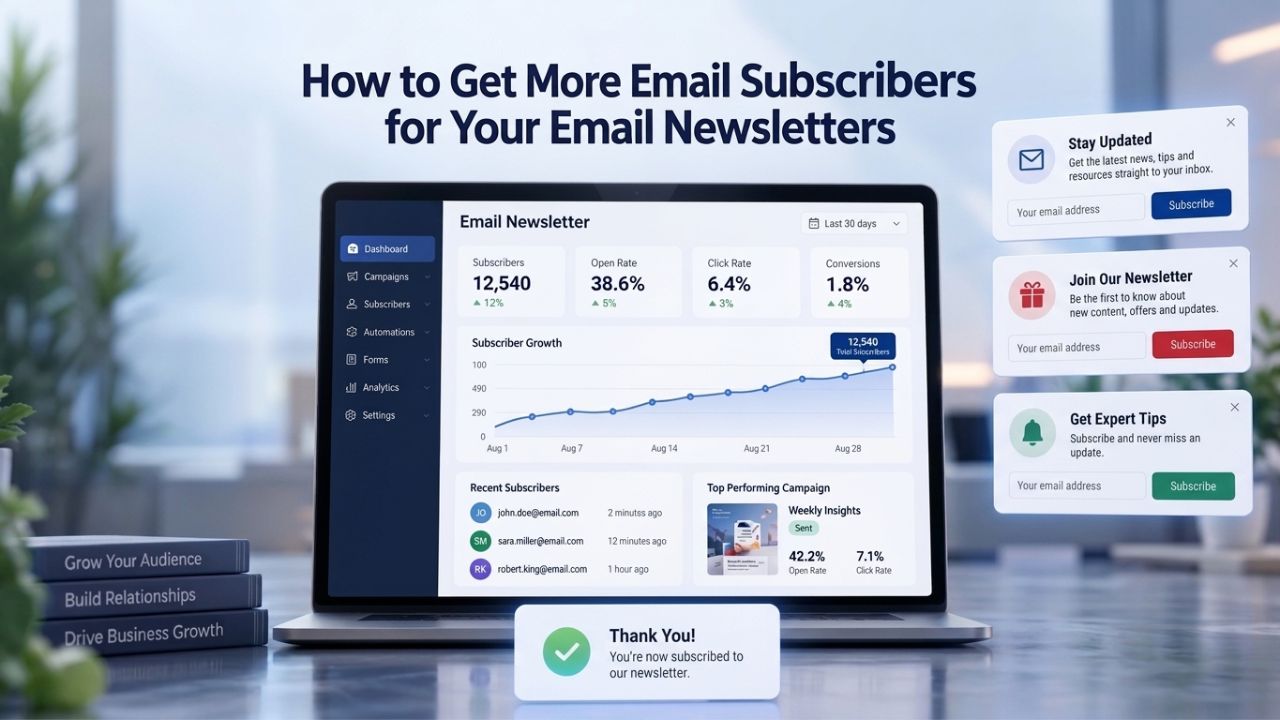
Your email list is shrinking. Without steady growth, your audience erodes by 20–30% every year. Website visitors scroll past signup forms, popups trigger frustration, and lead magnets fall flat. The solution isn’t complexity; it’s strategy. This guide covers the exact mechanics that turn casual visitors into committed subscribers and the decisions that separate growing lists from stagnant ones. Email deliverability depends on subscriber consent, engagement patterns, and sending-reputation systems outside any single platform’s control; the strategies here support better list quality and growth, not guaranteed results.
Why Email Subscribers Are Your Most Durable Business Asset
Every business relies on communication channels to reach customers. Social media platforms can change algorithms overnight, delete accounts, or charge new fees without warning. By contrast, your email list is a permanent, owned asset. Every subscriber who confirms their email address becomes a direct communication channel that no algorithm can interrupt, no platform can shut down, and no competitor can take away.

Direct Ownership vs. Platform Dependence
An email list operates on fundamentally different economics than rented channels like Facebook or Instagram. When you own a list of subscribers, you control the entire relationship. You decide when to send, what to say, and how to segment your audience. Platforms like Meta or TikTok serve as intermediaries; they can change their terms, limit your reach, or ban your account at any time. Your email subscribers, by contrast, opted in directly to hear from you. This relationship persists as long as you maintain it.
You don’t pay per impression like display ads or compete in an auction like paid social. Instead, you invest in building a list and then communicate with that audience repeatedly at near-zero marginal cost. Email is 40 times more effective for customer acquisition than Meta and X combined, a gap that widens every year as social platforms become more crowded and algorithmic.
Building Lists Faster Than They Decay
The math of email list growth is brutal. 20–30% of lists churn annually through unsubscribes and address decay, meaning a business with 10,000 subscribers loses 2,000–3,000 every single year just to attrition. This isn’t a failure of engagement; it’s email’s natural lifecycle. People change jobs, delete old email addresses, or lose interest over time. Without deliberate growth, a list shrinks even when nothing goes wrong.
The revenue impact is immediate and measurable. Each 10% increase in subscriber count translates to 8–12% higher monthly revenue for eCommerce businesses. This direct correlation makes list growth a business priority, not a marketing tactic. 74.7% of marketers list email list growth as a top priority in 2025, driven by hard numbers showing that growing lists outperform stagnant ones by orders of magnitude in revenue generation.
Email Marketing Plans
Email Marketing Beginner
For anyone getting started with email marketing.
- Up to 500 Contacts
- Add more anytime
- Send up to 5,000 Emails/Month
- Single Signup Form
- Basic Image Storage
- Unsubscribe Handling
- Works with Facebook, Etsy & More

Email Marketing Up & Running
Already have clients? This plan’s for you.
- Up to 2,500 Contacts
- Add more anytime
- Send up to 25,000 Emails/Month
- Unlimited Signup Forms
- Unlimited Image Storage
- Unsubscribe Handling
- Works with Facebook, Etsy & More
- Automated Welcome Email
- Converts Blog Posts to Email
- Unsubscribe Options
- Hot Leads List
Email Marketing Pro
For savvy marketers with growing mailing lists.
- Up to 5,000 Contacts
- Add more anytime
- Send up to 50,000 Emails/Month
- Unlimited Signup Forms
- Unlimited Image Storage
- Unsubscribe Handling
- Works with Facebook, Etsy & More
- Automated Welcome Email
- Converts Blog Posts to Email
- Unsubscribe Options
- Hot Leads List
- Auto-sends Event Emails
- Automated Email Campaigns
- Record Signup IPs
- Share Statistics w/Others
Understanding List Decay: Why Constant Growth Matters
Email lists naturally decline over time, a phenomenon called list decay. This isn’t unique to poorly managed lists; even well-engaged subscriber bases experience annual churn. Understanding this dynamic is essential because it frames growth not as optimization but as necessity. A stable list is actually a shrinking list; true growth requires deliberately adding new subscribers faster than the existing base deteriorates.
The Natural Decline: Numbers and Revenue Impact
Your email list loses subscribers every day, whether you notice or not. Industry research confirms 20–30% annual list decay as the norm. This encompasses unsubscribes from people who no longer want your emails, hard bounces from addresses that no longer work, and soft decay from inactive contacts. A business with 10,000 subscribers loses 2,000–3,000 every single year to these forces, even if customer engagement remains strong and the marketing is excellent.
The revenue implications are stark. Each 10% increase in subscriber count translates to 8–12% higher monthly revenue for eCommerce businesses. Conversely, a stagnant list shrinks in revenue terms year over year. Most businesses don’t see this decline as urgent until they review year-over-year email revenue and find it flat or falling despite strong campaign engagement. By then, months of opportunity have passed. In 2025, 74.7% of marketers prioritize email list growth, finally recognizing that growth isn’t a vanity metric but a revenue driver.
Healthy Growth Benchmarks by Industry
Different industries experience different growth rates based on audience availability, seasonal factors, and competitive dynamics. Knowing where your industry sits helps you set realistic targets and catch problems early. The table below shows typical monthly growth rates by segment, helping you benchmark your own performance.
| Industry Segment | Monthly Growth Rate | Context |
|---|---|---|
| Ecommerce | 2–5% | Highest baseline; competitive market with active shoppers |
| Technology | 3–6% | Fastest-growing segment; strong content-driven audiences |
| Finance | 1–3% | Slowest growth; regulatory constraints limit acquisition |
| Overall Average | 2.5% | Baseline across all industries and sizes |
| Early-Stage Business | 5–10% | Rapid growth phase from small subscriber base |
| Mature List | 1–3% | Steady-state growth; already large, market-saturated |
These benchmarks assume consistent growth effort. Without dedicated list-building tactics, rates drop toward zero. With aggressive, well-executed strategies, targeted lead magnets, optimized popups, and mobile-first forms, growth can exceed these benchmarks substantially. The key is understanding your industry norm and tracking whether you’re above, at, or below it each month.
Designing High-Converting Signup Forms and Landing Pages
A signup form is the gateway from visitor to subscriber. Every element of form design, field count, label clarity, button color, and mobile responsiveness influences whether someone completes the action or bounces. The best forms remove friction while collecting essential data. The worst forms ask for too much information and drive visitors away. Getting this balance right underpins all other growth strategies.
Form Simplicity and Field Count Impact
The first rule of form design is counterintuitive: ask for less, not more. Every additional form field drops your conversion rate by 10–30%. This means a form asking for email only converts at dramatically higher rates than one asking for email plus name. A three-field form (email, name, company) converts at roughly half the rate of a one-field form. Most businesses over-optimize for data collection at the expense of conversion.
The practical implication is clear: start with email address only. If you absolutely need a name for personalization, add it as a second field and measure the impact. Stop there. You can collect additional information, job title, company size, product interest, through follow-up emails, progressive profiling, or preference-center forms after subscribers confirm. Niya Digital’s team has found that single-field forms (email only) consistently achieve 2–3% higher opt-in rates than two-field forms in real customer campaigns, a gain that compounds significantly when multiplied across thousands of visitors. Remove every field that isn’t essential to the immediate conversion action.
Mobile Optimization as Table Stakes
Mobile optimization is non-negotiable in 2025. In 2025, 82.9% of web traffic comes from mobile, yet mobile conversion rates are 8% lower than desktop, meaning mobile visitors are both the majority and the hardest to convert. However, responsive layouts and dynamic landing pages can increase mobile conversion rates by 25.2%, closing that gap entirely through deliberate optimization.
Speed matters enormously on mobile. 53% of mobile users abandon pages that take longer than 3 seconds to load, and every 0.1-second improvement in load time increases conversion rates by 8–10%. A mobile-optimized form combines responsive design (touch-friendly buttons at least 44×44 pixels), minimal copy (one-sentence benefit statement), and fast load times. Test your signup forms on actual mobile devices, not desktop browsers. Remove unnecessary images, simplify text, and make the call-to-action button large and easy to tap. The mobile signup experience should take 5 seconds from page load to form submission.
Winning with Popups: Timing, Triggers, and Mobile Mastery
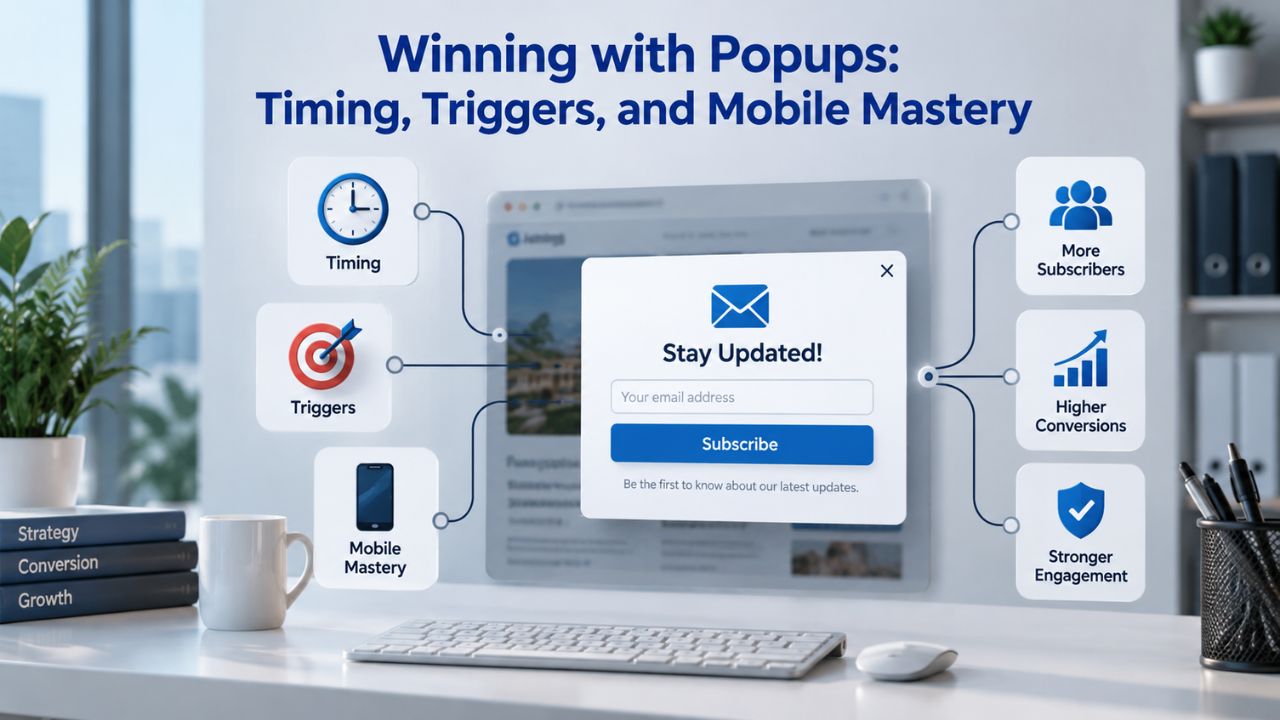
Popups have earned a negative reputation because most are poorly executed. A popup that fires the instant a visitor lands on your page feels like an ambush and triggers an immediate close. A popup timed perfectly and offering real value converts at three times the rate of one that’s mistimed. Popups are powerful tools when deployed strategically; they’re annoying when deployed carelessly. Timing, trigger, and mobile experience are the three levers that determine popup success.
Timing and Exit-Intent: The Conversion Multipliers
Popup timing dramatically influences whether visitors engage or dismiss. Popups shown after 6–10 seconds yield the best conversion rates; immediate displays underperform. This delay gives visitors time to engage with your content, understand the value, and become mentally receptive to an offer. A 6-second delay isn’t a rule; it’s a baseline. Test 3 seconds, 5 seconds, 8 seconds, and 12 seconds to find your audience’s sweet spot.
Exit-intent popups, triggered when a visitor moves to leave your site, capture 137% more subscribers than passive embedded forms. These popups serve a specific purpose: catching visitors who are about to leave and giving them one last reason to stay or engage. Exit-intent works because it respects the visitor’s intention while offering a final value proposition. Combine exit-intent timing with a strong offer (free resource, limited-time discount, community access), and you recapture visitors who would otherwise leave with zero engagement.
Performance Benchmarks and Mobile Considerations
Gamified popups (like a Wheel of Fortune format) outperform traditional forms, achieving 3.5%+ conversion rates versus a 2.1% average. This performance gap reflects human psychology: interactive, game-like experiences feel less like ads and more like engagement. On mobile, the gap widens. Mobile-optimized popups convert at 2.2%, while desktop-only designs hit just 1.4%. Mobile visitors represent 75% of new email signups, making mobile popup optimization critical.
The average email popup converts at 2.1% across all devices, with 1.5% as underperforming, 1.5–3% as average, 3–5% as good, and 5%+ as excellent. Your goal isn’t perfection; it’s better than average. Test popup delay (6–10 seconds is baseline), mobile responsiveness, form field count, and offer clarity. Most businesses can achieve 3%+ conversion with deliberate testing. Mobile popups should be full-width or near-full-width, so users can’t easily dismiss them, with a clear close button in the corner but not so prominent that it becomes the obvious action.
Creating Lead Magnets That Actually Drive Conversions
A lead magnet is a specific resource offered in exchange for an email address. Not a generic “free guide to marketing,” but “the 12-point SEO checklist for SaaS startups.” Specificity is everything. A broad offer attracts everyone and converts no one. A narrow, deeply valuable offer attracts the right people and converts them at high rates. Lead magnets bridge curiosity and commitment; get them right, and growth accelerates.
Specificity Over Breadth: The Lead Magnet Rule
The fundamental rule of lead magnets is simplicity: solve one specific problem better than anyone else. A broad offer (“Ultimate Guide to Marketing”) attracts everyone and converts no one; a narrow offer (“The 12-Point SEO Checklist for SaaS Startups”) attracts the right people and converts them. Specificity works because it immediately tells your ideal customer that this resource is for them. It also sets clear expectations: subscribers know exactly what they’re getting and whether it solves their current problem.
Lead magnet landing pages convert about 18% of visitors on average, with checklists and content upgrades hitting 30–34% conversion rates. These conversion rates reflect the power of specificity. A checklist that solves a specific, immediate problem converts at 30%+ because visitors can quickly assess whether it matches their need. Interactive formats go further. Quizzes and calculators drive 20–40% conversions, with some case studies showing peaks of 60%. These formats work because they engage visitors in solving the very problem the lead magnet addresses, making the value exchange feel natural.
Lead Magnet Formats and Multiplier Effects
Different lead magnet formats work for different audiences and stages of the customer journey. Offering an ebook in exchange for newsletter signup achieves 7.49% popup conversion, while a simple newsletter promotion hits 8.33%. These benchmarks show that even simple offers outperform no offer. However, the real power emerges when you combine lead magnets with popup triggers. Adding a lead magnet to a popup doubles mobile conversion from 3.8% to 7.7% and desktop conversion from 1.8% to 4.7%, a 100–155% uplift.
This multiplier effect means your lead magnet strategy should layer: specific offer plus popup presentation plus optimized timing equals exponential conversion growth. Start with a narrow, valuable lead magnet (checklist, template, webinar recording). Embed it in a popup with a 6–10-second delay. Test mobile optimization separately. Track the conversion rate weekly. A 2% improvement in conversion compounds: if you run 1,000 visitors per day, a 2% improvement equals 20 additional subscribers daily, 600 monthly, 7,200 yearly. Small optimization gains compound dramatically over time.
Ready to Build Your List? Explore Niya Digital’s Email Marketing Service
Once you’ve designed your signup forms and landing pages, you need a platform to manage the flow. Niya Digital’s Email Marketing Service lets you create unlimited signup forms, landing pages, and popups, plus manage campaigns, design newsletters, and track performance from one unified dashboard. The right infrastructure removes friction and accelerates list growth.
Segmenting and Personalizing From Day One
Segmentation is the practice of dividing your list into smaller groups based on subscriber characteristics, behaviors, or interests. Without segmentation, you send the same message to everyone. With segmentation, you send targeted messages to each group. The results are transformative. Building segmentation early, even with your first hundred subscribers, creates a foundation that becomes more powerful as your list grows. Most businesses wait until they have thousands of subscribers to segment, then regret losing months of historical data.
Segmentation as Revenue Multiplier
Segmented email campaigns drive 760% more revenue than non-segmented (batch-and-blast) campaigns. This isn’t a marginal improvement; it’s a fundamental difference in how email marketing performs. HubSpot research identified segmentation (78%) and personalization (72%) as the most effective email marketing strategies overall; 25% of revenue generation traces directly to segmented email lists. Why such a dramatic gap? Simple: 74% of customers ignore email content not relevant to them.
Segmentation makes content relevant. A subscriber who clicked a link about project management software doesn’t need to hear about accounting tools. A customer who purchased two weeks ago shouldn’t receive beginner tutorials. A prospect who viewed pricing pages multiple times needs a sales follow-up, not educational content. Segmentation ensures each subscriber gets messages designed for their stage, interest, and behavior. This relevance drives engagement and conversions at every stage of the funnel.
Personalization Outcomes and Timing
Personalized subject lines are 26% more likely to be opened; personalized email messages improve click-through rates by 14% on average and conversions by 10%. These gains come from simple personalization: including the subscriber’s first name, referencing content they clicked, or acknowledging their purchase history. Start segmenting as soon as you’ve captured your first batch of subscribers; don’t wait until you have thousands and wish you’d tracked behavior from the start.
Early segmentation requires minimal effort but creates infrastructure that scales. Capture basic data at signup: where did they come from (landing page, popup, organic)? What content did they engage with? What product are they interested in? Use early emails to learn more: which links do they click? What topics trigger responses? Which offers resonate? Build these segments gradually, and by the time your list reaches 1,000 subscribers, you’ll have rich behavioral data that allows true personalization at scale. Businesses that segment from day one outperform those that segment after reaching 10,000 subscribers by 6–12 months in terms of revenue per subscriber.
Double Opt-In and Building a High-Quality List
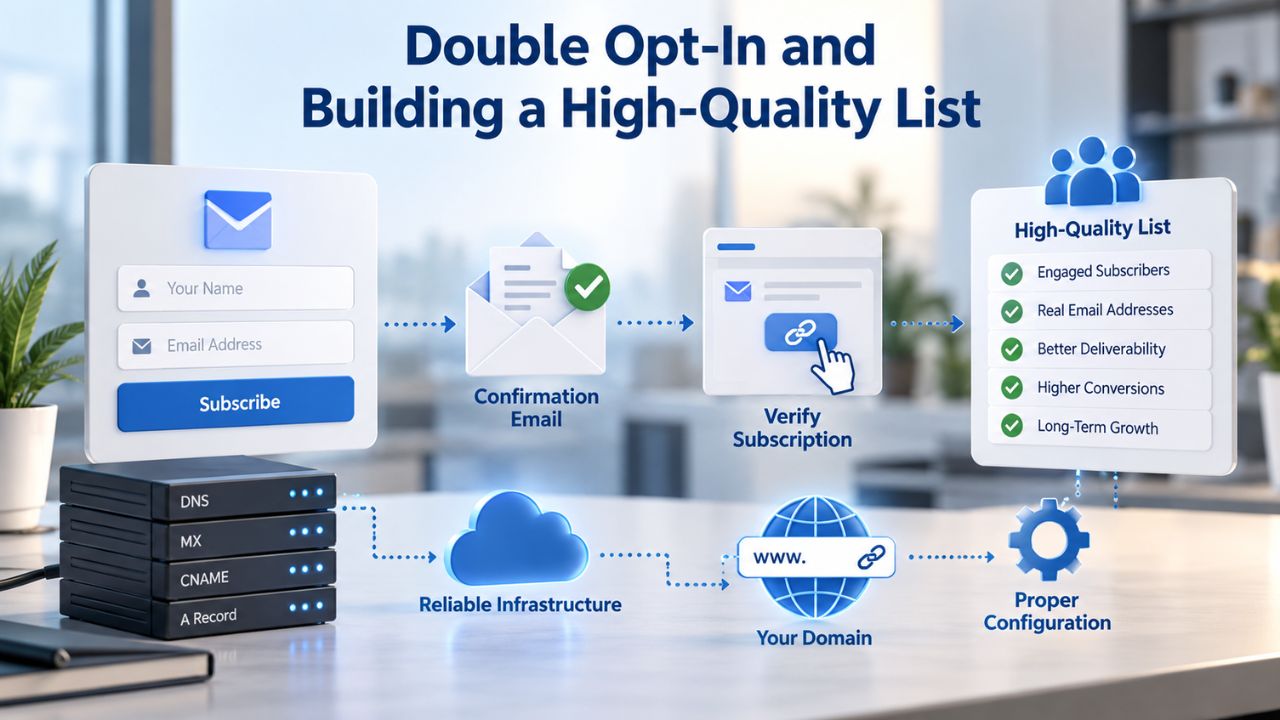
List quality matters infinitely more than list size. A list of 1,000 genuinely interested, frequently engaged subscribers generates more revenue and requires less effort than a list of 10,000 unengaged or fake addresses. Double opt-in ensures list quality. It’s a simple but powerful process: after a visitor enters their email, your system sends a confirmation link. Only when they click that link do they join the active subscriber list. Anyone who doesn’t click remains unconfirmed and never receives emails.
Quality Over Quantity: The Case for Double Opt-In
Double opt-in requires subscribers to confirm their email address via a confirmation link; only clicking the link adds them to the active list. This extra step filters out spam bots, fake signups, typos, and disinterested visitors. Some businesses resist double opt-in because confirmation rates are typically 70–80%, meaning 20–30% of signups never confirm. But this filter is the point. Double opt-in filters out spam bots, fake signups, and mistyped addresses, creating a smaller but higher-quality list.
The quality difference manifests in sender reputation and email deliverability. Email service providers (ESPs) and internet service providers (ISPs) now use sophisticated algorithms to determine sender reputation; a list full of bounces and invalid addresses signals poor sender quality. Gmail, Outlook, and Yahoo’s systems learn from your sending patterns. If you consistently send to invalid addresses, they flag your domain as a poor sender and filter your emails to spam folders. Double opt-in prevents this by ensuring only real, active addresses make it into your list.
Compliance and Confirmation Rate Optimization
Double opt-in also provides legal documentation of subscriber consent, which regulators recognize as explicit permission under frameworks like GDPR. In regulated industries or jurisdictions, this documentation is essential. Confirmation rates improve when you pair double opt-in with real value: offer a discount on the first purchase conditional on confirming, or a specific content download (not a generic newsletter signup), which motivates people to click the link.
A confirmation email should be clear, friendly, and action-oriented. Subject line: “Confirm your email, claim your free checklist.” Body: Brief reminder of what they signed up for, clear confirmation link (or button), and explanation of what happens after confirmation (first email delivery, frequency of sends, etc.). Make the confirmation link unmistakable. Many confirmation emails fail because the link is buried in dense text or the email gets filtered to spam. Audit your confirmation email flow: sign up yourself, check your spam folder, and confirm your address. If you find friction, fix it immediately.
Optimizing Your Signup Experience for Mobile
Mobile subscribers are the growth frontier and increasingly make up most new signups. Approximately 75% of new email subscribers originate from mobile devices. Yet many signup forms, popups, and landing pages are built for desktop first and adapted for mobile as an afterthought. This backward approach leaves conversions on the table. Mobile-first design isn’t an optimization; it’s the baseline in 2025.
The Mobile Subscriber Majority
Mobile subscribers are the growth frontier. Approximately 75% of new email subscribers originate from mobile devices. This dominance reflects how people browse the web: mostly on phones, often on the move. A signup form optimized for desktop, with small buttons, multi-column layouts, and text-heavy copy, fails on mobile. Visitors on phones need one-column layouts, large touch targets, and minimal text. They’re making quick decisions, not settling in for a desktop experience.
53% of mobile users abandon pages that take longer than 3 seconds to load. On mobile networks (especially 4G and older), slow pages hemorrhage visitors before the signup form even loads. Every 0.1-second improvement in load time increases conversion rates by 8–10%. This means optimizing images (compress and resize for mobile), deferring non-critical scripts, and minifying CSS and JavaScript is as important as form design. A beautiful signup form that takes 5 seconds to load converts worse than a simple form that loads in 2 seconds.
Mobile-First Form and Popup Design
Start with mobile-first design: touch-friendly buttons (minimum 44×44 pixels), simplified forms with one or two fields, and fast-loading pages. Remove unnecessary elements. Every image, every paragraph of copy, every design flourish adds bytes and slows load time. Mobile forms should ask for email only or email plus name at most. If you need additional data, collect it in the first automated email after signup or through a preference-center form after subscribers confirm.
Popups on mobile should be full-width or near-full-width so they can’t be easily dismissed. Include a small close button in the top corner, required for compliance and user experience, but don’t make it prominent. The popup content (headline, offer, form, submit button) should dominate the screen, forcing a conscious choice to engage or dismiss. Test your popups on multiple devices: iPhone SE (small screen), iPhone 14 (standard), iPad (tablet). Ensure touch targets are appropriately sized and spacing allows comfortable tapping without accidentally hitting the wrong button.
Automating Welcome Sequences and Early Subscriber Engagement
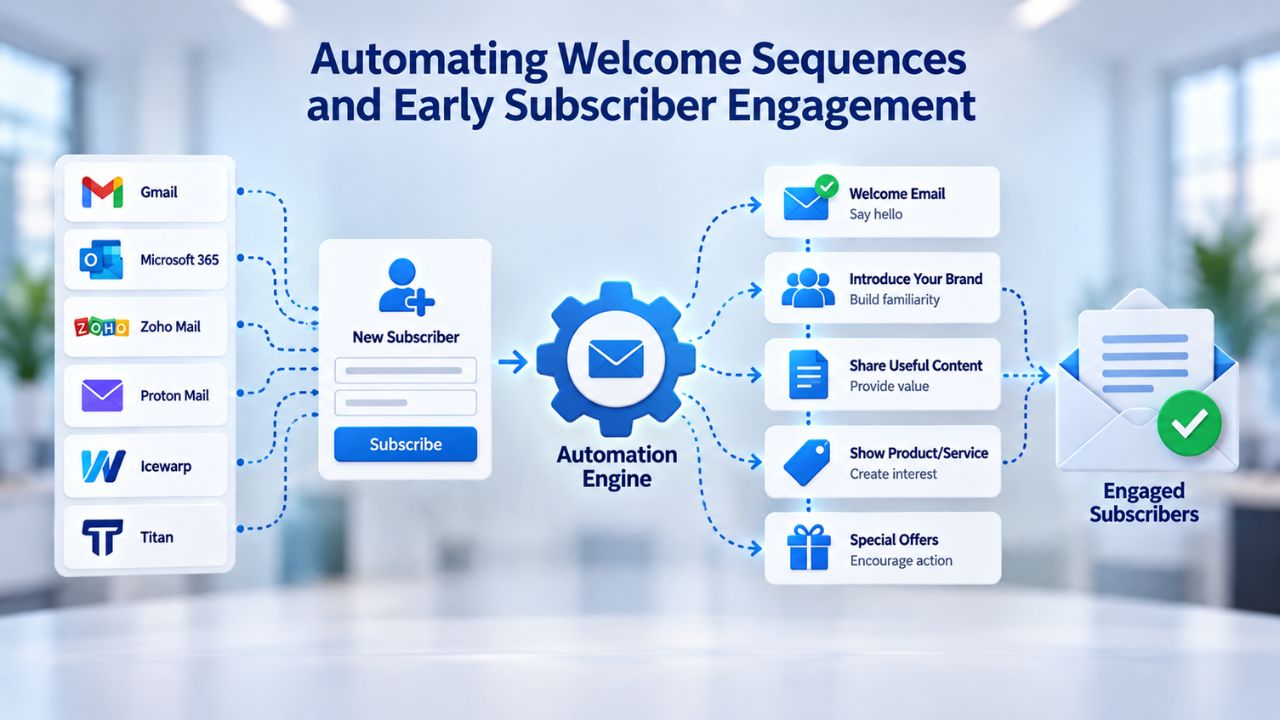
The first email a subscriber receives sets the tone for the entire relationship. Welcome emails achieve dramatically higher engagement than any other email type. However, one welcome email isn’t enough. A welcome sequence, three to five automated emails sent over one to two weeks, nurtures new subscribers through the critical first weeks, reducing churn and building engagement that persists long-term. Most businesses stop after one welcome email and miss this opportunity.
First-Touch Automation and Welcome Email Performance
Welcome emails achieve a 91.43% open rate and 42% higher read rates than average campaigns. This extraordinary engagement reflects subscriber psychology: someone who just signed up is highly motivated to see what they’ve opted into. This window of attention is your opportunity to exceed expectations, deliver on the promised lead magnet, and set clear expectations for future communication.
Send the first email immediately upon subscription confirmation. Include the promised resource (downloadable link, account access, coupon code), a thank you, and a brief introduction to your brand. Keep it warm and personal, not corporate or automated-sounding. Second email (day 2–3): introduce your best content or most popular product. This email validates their decision to subscribe by showing value immediately. Third email (day 7): share social proof, testimonials, case studies, usage statistics. This email builds credibility and trust. Fourth and fifth emails (days 14, 21): educational content relevant to the subscriber’s stated interest. End the sequence there; further emails risk overwhelming new subscribers.
Overlap of List-Building and List-Nurturing
Automation bridges the gap between list-building (acquiring subscribers) and list-retention (keeping them engaged). You build the list through signup optimization, forms, popups, and lead magnets, but you keep subscribers engaged through strong first-touch automation. A subscriber who receives a poor welcome sequence is more likely to disengage or unsubscribe. A subscriber who receives a strong welcome sequence is more likely to stay engaged for months or years, dramatically reducing list decay and increasing lifetime value.
This is where strategy compounds. Invest in optimization at signup, then invest in automation in the welcome sequence. Test different welcome sequences against each other. Track unsubscribe rates by day; if unsubscribe spikes after email 4, your sequence is too long. Track click rates and content engagement; if clicks drop after email 2, early emails aren’t meeting expectations. Strong automation transforms new subscribers into retained, engaged subscribers, the highest-value segment of any email list.
Measuring Growth, Tracking Retention, and Iterating Your Strategy
You can’t improve what you don’t measure. Growth metrics tell you what’s working and what needs adjustment. Track multiple metrics monthly: subscriber growth rate (new adds minus unsubscribes), double opt-in confirmation rate, lead magnet conversion rate, landing page conversion rate, popup conversion rate, and form abandonment rate. Each metric reveals a different part of your funnel. When growth slows or stops, these metrics help diagnose the problem.
Key Growth Metrics and Diagnostic Signals
The table below outlines essential metrics, their healthy benchmarks, and actions to take if they underperform.
| Metric | What to Track | Healthy Benchmark | Action If Below Benchmark |
|---|---|---|---|
| Monthly Growth Rate | New subscribers minus unsubscribes | 2–5% depending on industry | Increase lead magnet visibility or test new traffic sources |
| Double Opt-In Confirmation Rate | % of people who click confirmation link | 70–80%+ | Audit confirmation email clarity; test more compelling subject lines |
| Lead Magnet Conversion Rate | % of landing page visitors entering email | 7–18% average; 20%+ good | Narrow focus of lead magnet; ensure specific, immediate value |
| Landing Page Conversion Rate | % of page visitors completing form | 6.6% median; 10%+ good | Simplify form; test mobile optimization; add social proof |
| Popup Conversion Rate | % of popup viewers submitting form | 1.5–3% average; 5%+ excellent | Adjust timing (6–10 second delay); optimize mobile; test gamification |
| Form Abandonment Rate | % of people starting but not completing form | <30% optimal | Reduce form fields; clarify CTA; test exit-intent offers |
Track these metrics monthly and compare them month over month. A 0.5% increase in form conversion compounds to thousands of additional subscribers annually. A drop signals a problem: did you change the form? Did traffic source shift? Did mobile users increase without mobile optimization?
Compound Gains From Iterative Testing
Growth doesn’t come from one perfect decision. It comes from consistent, measured iteration. Start with one test: does a 1-field form convert better than a 2-field form? Measure for a week or two, then either implement the winner or test a variation. Run the next test: does a 6-second popup delay outperform 8 seconds? Then test lead magnet format: checklist vs. template vs. ebook. Over months, you layer small improvements. A 2% gain here, a 3% gain there, compounds into 30–50% overall conversion improvement.
The businesses that grow fastest aren’t the ones with perfect initial execution. They’re the ones committed to continuous iteration. Test one variable at a time so you know what caused the improvement. Document results. Share wins across the team. Build a culture of experimentation. By quarter two, you’ll have doubled your early metrics. By year one, you’ll barely recognize your signup experience, not because you changed everything at once, but because you improved it relentlessly, week by week, month by month.
Ready to Scale Your Email Marketing? Discover Automation and Analytics
List building is the foundation, but growth accelerates when you combine new subscriber acquisition with smart automation, segmentation, and analytics. Niya Digital’s Email Marketing Service includes list-building tools, automated welcome sequences, detailed subscriber analytics, and segmentation- everything you need to grow your email channel faster and keep subscribers engaged long-term.
Frequently Asked Questions
What’s a realistic email list growth rate?
A healthy list grows 2–5% monthly depending on industry (eCommerce 2–5%, technology 3–6%, finance 1–3%). Mature lists typically achieve 1–3% monthly as a steady state. Early-stage businesses may see 5–10% monthly growth from smaller starting bases. These benchmarks assume consistent growth effort. Stagnant lists shrink by 2–3% monthly due to natural churn.
How many form fields should my signup form have?
Start with email only. If you need a name, add it as a second field, then stop. Every additional field (company, job title, company size) drops conversion by 10–30%. Collect extra data via follow-up emails or preference-center forms once subscribers confirm. Research shows 1–2 fields are optimal for conversion rate. Test your own form: remove one field and measure the impact.
What’s the difference between single opt-in and double opt-in?
Single opt-in adds subscribers instantly after email entry. Double opt-in sends a confirmation email; only clicking the link adds them to the active list. Double opt-in filters out fake addresses and improves sender reputation but reduces initial list size (expect 70–80% confirmation rates). It significantly improves list quality, sender reputation, and regulatory compliance.
When should I use a lead magnet?
Use a lead magnet when you want to convert casual visitors into subscribers. Lead magnets work best on landing pages and popups. Without a lead magnet, expect opt-in rates around 1.95%; with a narrow, valuable lead magnet, 7–18%+. The lead magnet’s specificity determines its effectiveness.
How long should my welcome email sequence be?
Start with 3–5 emails over 1–2 weeks. Email 1 delivers the lead magnet and thanks subscribers. Emails 2–5 introduce your content, product, or community. Keep each email focused on a single message. Stop before subscribers feel bombarded. Watch for unsubscribe spikes; if rates rise after 4 emails, trim your sequence back to 3.
Why does my popup conversion rate feel low?
Common culprits:
(1) Timing, showing instantly instead of after 6–10 seconds.
(2) Mobile design, not optimized for small screens.
(3) Too many form fields.
(4) Unclear offer; visitors don’t understand what they’re getting.
(5) Poor targeting, same popup for everyone instead of segmenting by page or behavior.
Test one variable at a time and measure impact.
What’s the difference between a landing page and a signup form on my website?
A landing page is a standalone, focused page (no navigation menu) designed for a single conversion action, usually accessed via email or ad. A signup form is embedded on an existing page like your homepage. Landing pages convert 19.3% when email drives traffic; embedded forms convert 1–3%. Use landing pages for dedicated campaigns; use forms for ongoing organic capture.
Can I buy an email list?
No. Purchased email lists are ineffective. They deliver low engagement, high bounce rates, and a risk of spam complaints. ISPs like Gmail and Outlook flag emails from purchased lists as likely spam, permanently damaging sender reputation. Building your own list from organic opt-ins is slower but immensely more effective over time and legally safer.
How do I improve my landing page conversion rate?
Simplify: single value proposition, single call-to-action, minimal copy, mobile-responsive design, fast load time (<3 seconds), and social proof if possible. Then A/B test one element at a time (headline, CTA text, form fields, image, video). Track results and iterate. Businesses that test consistently achieve 30–50% conversion improvements within three months.
What happens if my confirmation rate is low?
Low confirmation rates signal subscribers don’t see value in your lead magnet, the confirmation email is unclear or goes to spam, or the confirmation link is hard to find. Audit your confirmation email: is the subject line compelling? Is it clear what they’re confirming? Can you simplify the link (button vs. text link)? Test a more compelling subject line or clearer copy.
Should I segment my list before I have 1,000 subscribers?
Yes. Start segmenting from your first subscribers. Capture basic data (source: popup vs. landing page, product interest, geography) in your signup form or via early automated emails. Segmentation becomes more powerful as your list grows, but starting your data infrastructure early saves months of work later. You’ll thank yourself at 5,000 subscribers.
How do I balance signup incentives without attracting low-quality subscribers?
Be specific. “50% off your first purchase” attracts deal-seekers but may not build engaged subscribers. “50% off your first purchase + free shipping” plus a welcome email introducing your product philosophy attracts higher-intent buyers. Content-based incentives (checklist, template, webinar recording) attract subscribers interested in learning, which often aligns with your ideal customer.
How often should I review and update my growth strategy?
Monthly. Track growth rate, confirmation rate, lead magnet conversion rate, and landing page conversion rate. If any metric declines, investigate the cause and test a fix. Successful email marketers treat list growth as a continuous experiment with weekly tests and iterations, not a one-time setup phase. Assign ownership and measure everything.
What’s the fastest way to grow my email list?
No single fastest way exists, but combinations work:
(1) Add an exit-intent popup to your website (137% more captures than passive forms).
(2) Create a narrow, valuable lead magnet (7–30% conversion).
(3) Optimize for mobile (75% of new subscribers come from mobile).
(4) Use double opt-in (improves sender reputation and long-term engagement).
Start with one, measure, then layer in others.
How do I keep my list healthy as it grows?
Enforce double opt-in from day one to ensure valid addresses. Send welcome sequences immediately to new subscribers to build early engagement. Segment your list actively based on behavior (clicks, opens, purchases). Remove inactive subscribers after six to twelve months of inactivity. Monitor sender reputation metrics (bounce rate, complaint rate, engagement rate) weekly. Quality over quantity always wins.
Glossary
- Double Opt-In: A signup process requiring subscribers to confirm their email address via a confirmation link before being added to the active subscriber list. Filters out fake addresses, spam bots, and typos, significantly improving list quality and sender reputation.
- Exit-Intent Popup: A popup triggered when a visitor’s mouse movement indicates they’re about to leave your website, capturing abandoning visitors with a targeted offer or lead magnet. Exit-intent popups capture 137% more subscribers than passive embedded forms.
- Lead Magnet: A valuable free resource (ebook, checklist, template, webinar recording, discount code) offered in exchange for a subscriber’s email address. Specific, narrow lead magnets convert better (30%+) than broad offers (1–2%).
- List Decay: The natural annual loss of subscribers through unsubscribes, address abandonment, inactivity, and spam complaints. The industry average is 20–30% annual decay, making consistent growth essential to maintain list health and revenue.
- Segmentation: Dividing an email list into smaller groups based on subscriber characteristics (behavior, interests, demographics, purchase history, engagement level) for targeted, personalized messaging. Segmented campaigns drive 760% more revenue than non-segmented campaigns.