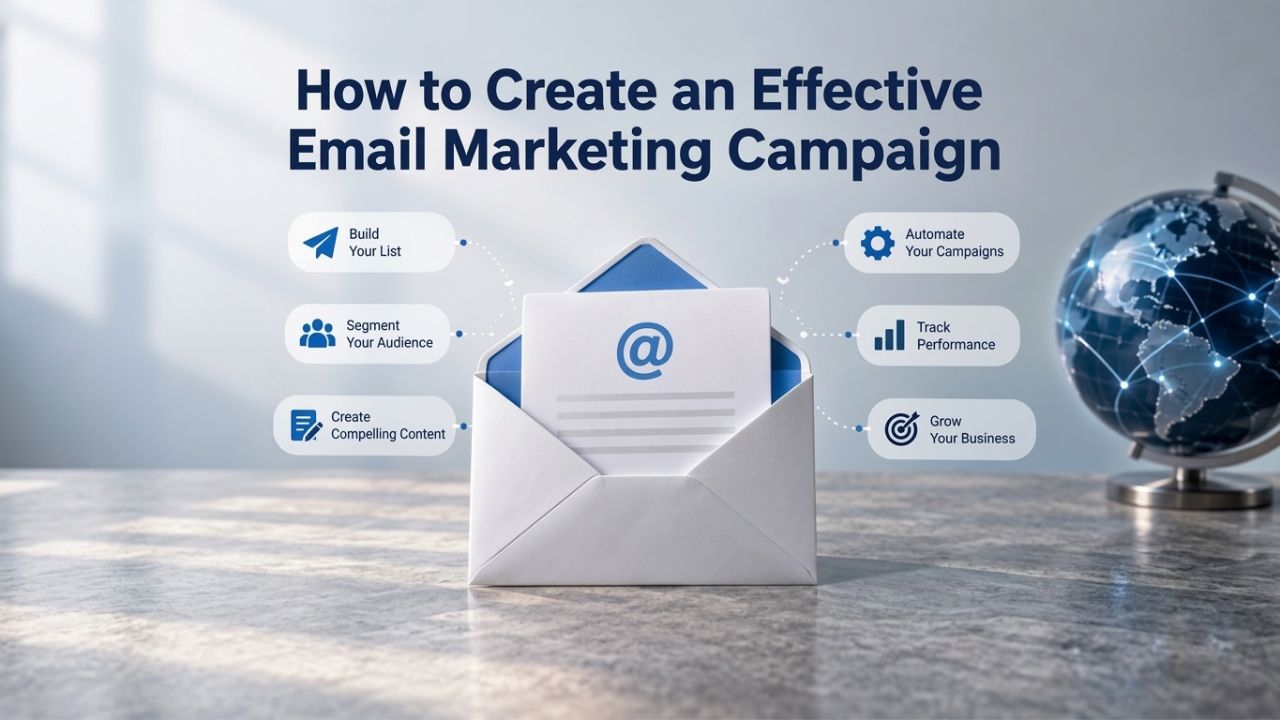
Many businesses struggle with email campaigns that land in spam, generate low opens and clicks, or fail to convert. Creating an effective email marketing campaign requires strategy, technical setup, and continuous measurement, not just hitting send. Email marketing software enables list building, personalization, and performance tracking, turning subscriber engagement into measurable results. Email deliverability depends on industry-standard authentication protocols (SPF, DKIM, DMARC), subscriber list quality, and sending reputation, factors that no single platform fully controls. Our guidance covers best practices and realistic expectations, not guaranteed results.
Campaign Strategy & Planning, The Foundation for Success
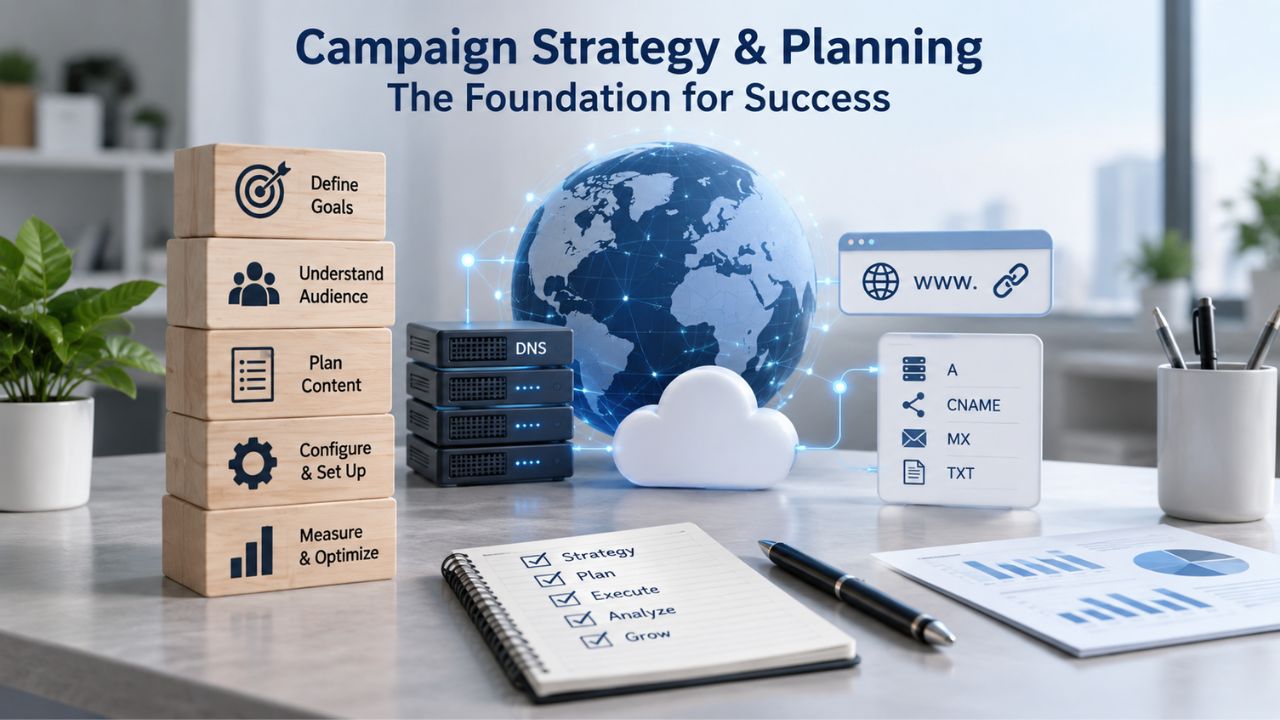
Before designing a single email, successful campaigns start with clear planning. A strategy pins down what you want to achieve, who you’re reaching, and why they should care. Without it, even a beautifully designed email will underperform. Think of strategy as the blueprint for everything that follows: your content, audience segment, send frequency, and measurement metrics all flow from a clear strategic foundation.
Defining Your Campaign Goal and Audience
Every effective email marketing campaign begins with a specific, measurable goal. Are you driving sales, nurturing leads over time, re-engaging inactive subscribers, announcing a new product, or building brand awareness? Without clarity on the business outcome, emails feel generic and underperform because they’re built to please everyone and serve no one. Define not just the business goal but also the audience segment receiving the email: Are you targeting new subscribers who just joined your list, loyal repeat customers, people who clicked your last email, or those who haven’t opened anything in six months?
Niya Digital’s Email Marketing Service supports audience segmentation at every level, letting you target specific subscriber groups with tailored messaging rather than sending a one-size-fits-all message to everyone. Segment your list by purchase history (first-time buyers vs. repeat customers), engagement level (active openers vs. non-engaged), location, demographics, or custom behaviors tied to your business. The more precise your audience segment, the higher your inbox relevance score, the better your open and click rates, and the higher your conversion odds. Most planning stages take 2–3 hours and pay for themselves through better email performance.
Crafting a Clear Value Proposition and Message Angle
Once you’ve defined your goal and audience, decide what single problem you’re solving or benefit you’re offering in this specific campaign. A campaign built around one core idea, “save 10% on your next purchase,” “here’s the feature we built you asked for,” or “exclusive early access for loyal customers,” outperforms a spray-and-pray email that tries to cover five different topics in one message. Subscribers have short attention spans in their inbox; if your email doesn’t have a clear point, it goes straight to delete or spam.
The message angle should align precisely with where your subscribers are in their journey with your brand. New subscribers who just signed up need a welcome and introduction to who you are and what value you provide; repeat customers need loyalty perks, exclusive offers, or alerts about new products they might like; inactive subscribers who haven’t engaged in months need re-engagement offers with a strong incentive to open. Your preview text, subject line, and opening sentences should all ladder up to this one core angle so the reader immediately understands why they should care. Before you start designing, test your angle assumption by asking: Does this feel relevant and valuable to this specific segment? If not, refine your angle before you invest time in design.
| Factor | Why It Matters in Campaign Creation |
|---|---|
| Goal clarity | Without a defined business outcome (sales, leads, retention, awareness), emails feel generic and underperform because they don’t have a clear purpose. |
| Audience definition | Sending to a specific segment (new subscribers, loyal customers, re-engagement targets) lifts relevance and conversion compared to broadcasting to everyone. |
| List quality | A list of opted-in, engaged subscribers outperforms a large, disengaged bought list on every metric: opens, clicks, and conversions. |
| Subject-line testing | A/B testing subject lines reveals what your audience responds to; stronger subject lines drive significantly higher open rates. |
| Send-time optimization | Testing different send times shows when your audience is most likely to open; consistency around that time reinforces habits and improves engagement. |
| Mobile design | Over 50% of email opens occur on mobile devices; email design must render clearly, and CTAs must be easy to tap on small screens. |
| Unsubscribe clarity | Clear unsubscribe options reduce spam complaints, protect sender reputation with mailbox providers, and ensure compliance with CAN-SPAM and GDPR. |
| Performance tracking | Measuring opens, clicks, and conversions shows which campaigns worked and which didn’t; data drives continuous optimization. |
Email Marketing Plans
Email Marketing Beginner
For anyone getting started with email marketing.
- Up to 500 Contacts
- Add more anytime
- Send up to 5,000 Emails/Month
- Single Signup Form
- Basic Image Storage
- Unsubscribe Handling
- Works with Facebook, Etsy & More

Email Marketing Up & Running
Already have clients? This plan’s for you.
- Up to 2,500 Contacts
- Add more anytime
- Send up to 25,000 Emails/Month
- Unlimited Signup Forms
- Unlimited Image Storage
- Unsubscribe Handling
- Works with Facebook, Etsy & More
- Automated Welcome Email
- Converts Blog Posts to Email
- Unsubscribe Options
- Hot Leads List
Email Marketing Pro
For savvy marketers with growing mailing lists.
- Up to 5,000 Contacts
- Add more anytime
- Send up to 50,000 Emails/Month
- Unlimited Signup Forms
- Unlimited Image Storage
- Unsubscribe Handling
- Works with Facebook, Etsy & More
- Automated Welcome Email
- Converts Blog Posts to Email
- Unsubscribe Options
- Hot Leads List
- Auto-sends Event Emails
- Automated Email Campaigns
- Record Signup IPs
- Share Statistics w/Others
Building and Segmenting Your Subscriber List
A powerful email marketing platform is only as good as the list it sends to. List quality drives opens, clicks, and deliverability more than any platform feature, automation tool, or template design. Growing a healthy list and keeping it organized through segmentation is the unglamorous but absolutely critical foundation of long-term campaign success. No amount of beautiful design or clever copywriting can fix a poor-quality list.
Growing Your List Through Signup Forms and Landing Pages
Most businesses start with a small subscriber list and grow it over time through deliberate list-building efforts. Niya Digital’s Email Marketing Service includes signup forms, dedicated landing pages, and list-management tools you can embed on your website or run standalone to collect opt-in emails from interested people. The faster you grow your list, the more opportunities you have to reach customers and build relationships, but only if you’re attracting genuinely interested, consenting people.
The best lists are built around clear value: offer a discount code, a free guide or template, a webinar seat, exclusive content, or early access to a sale in exchange for an email address. Place signup forms at high-traffic points where your audience expects them: website header, exit-intent on blog posts, footer navigation, or embedded in high-engagement landing pages. Avoid pre-checked boxes or manipulative defaults; make opting in a clear, intentional choice, so subscribers want to hear from you. Realistic expectations: you’ll typically see 1–3% of website visitors subscribe, depending on your traffic quality and offer strength. Building from zero to 1,000 subscribers can take 2–4 weeks with strong organic traffic and a compelling offer, or several months if you’re starting with a small audience.
Segmenting by Behavior, Engagement, and Demographics
A single “send to everyone” email list quickly becomes stale and mixed, with new subscribers, engaged repeat customers, and long-gone inactive people all in one place. Segmentation divides your subscribers into smaller groups based on how they behave and engage with your brand. Segment by purchase history (new buyers, repeat customers, high-value customers), engagement level (email openers, email non-openers, clickers), signup date, location, interests indicated in their profile, or any custom behavior tied to your business.
Email list building is only step one; segmentation makes your campaigns far more effective and personalized. Niya Digital’s Email Marketing Service lets you divide your list by custom fields and automatically route new subscribers into the right segments based on their behavior and profile. For example, send a multi-email welcome series to new subscribers, a special re-engagement campaign to those who haven’t opened an email in 90 days, and a VIP loyalty offer to repeat purchasers. Maintaining segment health means regularly removing inactive subscribers who never engage with anything you send; this keeps your sender reputation strong with mailbox providers, improves your open and click metrics for the engaged subscribers who remain on your list, and helps you focus your efforts on people who actually want to hear from you.
Designing Email Content That Converts
Content design, from subject line to call-to-action, is where your strategy meets the inbox and determines whether someone opens, clicks, and converts. Poor design kills even great ideas; strong design turns opens into clicks and clicks into conversions. Your email design is one of the few places where every word and every pixel matters because your subscriber has only seconds to decide.
Writing Subject Lines and Preview Text That Get Opened
Your subject line and preview text are the only things most subscribers see before deciding whether to open your email or leave it to sit unread. Weak subject lines like “Check out our latest updates,” “We have news for you,” or “Important announcement,” get ignored or deleted. Strong subject lines create curiosity, signal relevance, or highlight a clear benefit without being misleading.
Subject line best practices: Keep it under 50 characters for mobile; avoid ALL CAPS and excessive punctuation marks because they trigger spam filters and look unprofessional; be specific about the benefit or news so readers know exactly why they should care; and always test two subject-line variants (A/B testing, covered below) to learn what resonates. Your preview text, the gray line that appears after your subject in the inbox, is real estate most email senders waste completely; write it intentionally to complete your value proposition. For example: Subject: “Winter boots on sale,” Preview: “Save 40% today, sale ends Sunday at midnight.” This tells the reader exactly why they should open and why urgency matters. Avoid spam-trigger words like “FREE,” “URGENT,” “ACT NOW,” “CLICK HERE,” or “WINNER”; these increase your spam-folder risk significantly and damage your sending reputation over time because mailbox providers learn your email is likely spam.
Email Body Layout, CTA Placement, and Mobile Design
Once someone opens your email, your body copy and call-to-action button determine whether they click through or delete. The best email marketing campaigns follow a simple rule: one primary goal, one main clear CTA, and a scannable layout. Use short paragraphs (2–3 sentences max), bulleted lists for key points, and white space so readers can scan without effort or frustration. Place your main CTA button (not just a text link) above the fold on mobile screens; aim for a maximum of 3–4 clicks from opening the email to reaching your conversion goal.
Avoid cluttered layouts with multiple CTAs competing for attention and confusing the reader about what you want them to do; choose one action and build the email around it. Test your email design on mobile devices before sending because over 50% of opens happen on phones and tablets these days. Niya Digital’s Email Marketing Service includes drag-and-drop email templates and a built-in mobile-preview tool, so you can see exactly how your design looks on every device before hitting send and ensure your layout, fonts, images, and buttons render correctly.
Technical Setup, Authentication, Sender Reputation, and Deliverability
Technical setup is invisible to your subscribers but absolutely critical to inbox placement and campaign success. Mailbox providers like Gmail, Outlook, and Yahoo use authentication signals and sender-reputation systems to decide whether to deliver your email to the inbox or spam folder. Getting this right from the start prevents delivery headaches later and protects your sending domain’s reputation.
Understanding SPF, DKIM, and DMARC
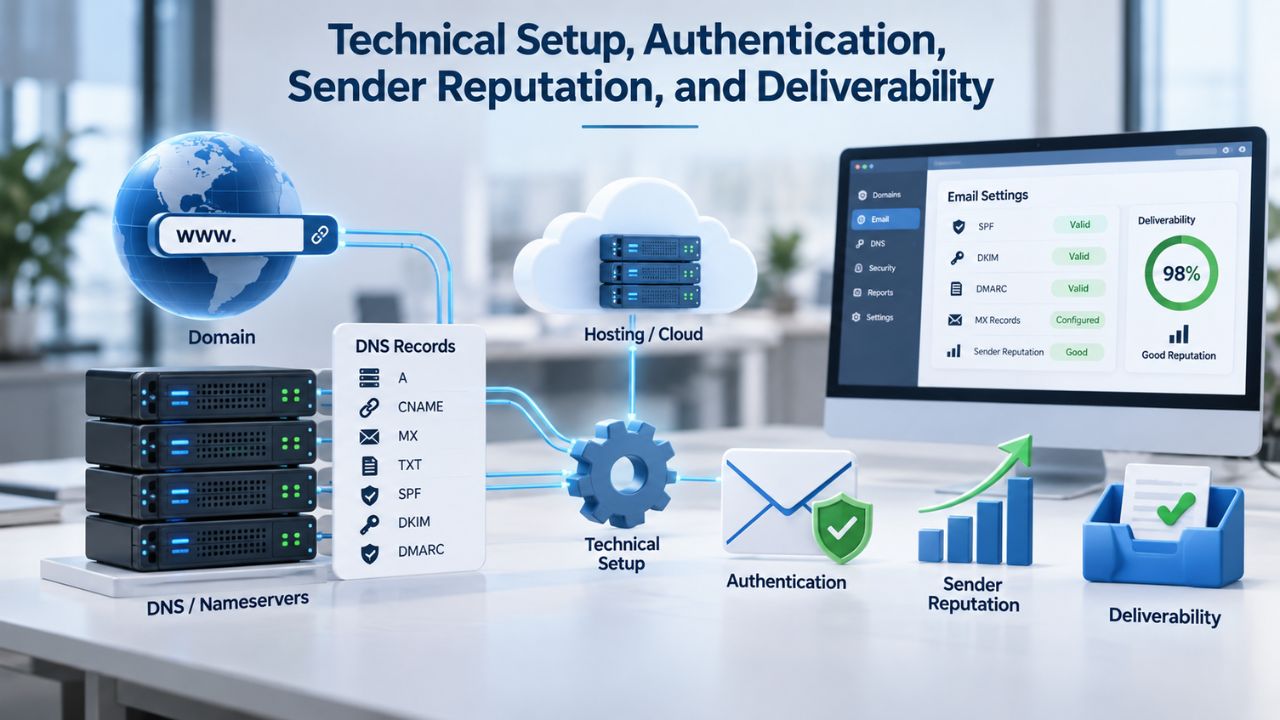
Three authentication protocols, SPF, DKIM, and DMARC, work together to verify that emails claiming to be from your domain actually are legitimate and haven’t been forged or tampered with. SPF (Sender Policy Framework) is a DNS record that specifies which mail servers are authorized to send email from your domain. When a mailbox provider receives an email, it checks the SPF record to confirm the sending server is on the approved list. DKIM (DomainKeys Identified Mail) cryptographically signs each email with a unique key tied to your domain, proving the email hasn’t been altered in transit. DMARC (Domain-based Message Authentication, Reporting, and Conformance) sets a policy that ties SPF and DKIM together and tells mailbox providers what to do if authentication fails: accept the message, quarantine it, or reject it outright.
Together, these protocols tell mailbox providers: “This is really from company.com, not a spammer pretending to be company.com.” Without authentication, even legitimate emails face higher spam-folder risk because mailbox providers can’t verify you’re who you claim to be. Niya Digital’s Email Marketing Service supports SPF, DKIM, and DMARC configuration, typically requiring 10–15 minutes of one-time setup per sending domain. Most modern email marketing platforms handle this automatically: you add your domain to the platform, we generate the DNS records, you paste them into your DNS provider (GoDaddy, Cloudflare, etc.), and you’re done. The process is straightforward and a standard part of any email marketing platform’s sending-infrastructure support.
Sender Reputation and the Role of List Quality
Authentication gets your email past the first gate at the mailbox provider. Still, they also watch your sender reputation, your track record with that specific recipient domain based on historical sends. Factors affecting sender reputation include complaint rate (how many people mark your email as spam), engagement rate (opens and clicks from real people), bounce rate (emails that fail to deliver), and list quality (are you sending to real, active people or old, abandoned email addresses?).
A high complaint rate, even just 0.1% of recipients marking your email as spam, damages your sender reputation and can land your email in spam or trigger account suspension. An old list where 30% of recipients don’t engage looks suspicious to mailbox providers; they infer you’re sending unwanted mail to people who don’t want it. The fix is straightforward: clean your list regularly by removing non-openers after 12 months, monitor your complaint rates, and send only to people who explicitly opted in. Even with perfect authentication, a poor-quality list will hurt deliverability because mailbox providers view it as a sign you don’t respect subscriber preferences. Niya Digital’s Email Marketing Service includes analytics showing your complaint rate and engagement trends, so you can spot reputation risks early and adjust your sending practices before it’s too late.
Timing, Frequency, and Respecting Subscriber Preferences
How often you send emails and when you send them deeply affect subscriber fatigue, engagement, and unsubscribe rates. Sending too often burns out your subscribers and causes unsubscribes; sending too rarely means subscribers forget who you are and don’t recognize your email when it arrives. The right frequency balances engagement with not overwhelming people.
Choosing Send Times and Frequency That Work for Your Audience
Email engagement peaks at different times depending on your specific industry and audience demographics. B2B emails often see higher opens Tuesday through Thursday mornings, when professionals check email at work; consumer retail emails often peak on weekends, when people have time to browse and shop. But the absolute best send time for your unique audience depends on your own data; the only way to know is to test and learn from your metrics.
Frequency also varies widely by business model and industry: some ecommerce businesses send daily deals or alerts, breaking news outlets send multiple times daily, many newsletters send weekly, and thought-leadership content sends monthly. Start with a frequency you can sustain long-term without burning out, then monitor your unsubscribe and complaint rates carefully. If they spike after you increase send frequency, you know you went too far; pull back. Most businesses find that 1–2 emails per week maintains strong engagement without triggering fatigue and unsubscribes. Niya Digital’s Email Marketing Service lets you schedule sends for optimal times and includes A/B testing for send times so you can test Tuesday at 9 AM versus Thursday at 2 PM and see which performs better. As a general rule, avoid Monday mornings (everyone’s inbox is crowded) and Friday afternoons (people are checked out for the weekend). Wednesday and Thursday mornings are statistically safer bets, but always validate with your own audience data.
Managing Unsubscribes and Subscriber Preferences
Every marketing email you send must include a clear, working unsubscribe link; it’s required by law (CAN-SPAM in the U.S., GDPR in the European Union, CASL in Canada), and it’s good practice that builds trust with your subscribers. When subscribers click unsubscribe, you must honor the request immediately and remove them from your mailing list. Continuing to email someone after they unsubscribe violates compliance regulations, damages your sender reputation with mailbox providers, and can trigger account suspension or legal fines.
A preference center gives subscribers more control and often reduces unsubscribe rates: instead of unsubscribing entirely, they can choose which types of emails they receive (sales emails yes, newsletter no, product updates yes) or how often you contact them (weekly vs. monthly). This reduces unsubscribe rates, keeps more subscribers engaged, and maintains compliance. Niya Digital’s Email Marketing Service includes preference-center tools that let subscribers update their communication preferences without contacting your team. The result: fewer unsubscribes, lower complaint rates, a healthier sender reputation, and a more sustainable email marketing program. Managing preferences shows respect for your subscribers, and it pays off in better deliverability and engagement metrics over time.
Ready to Build Your First Campaign?
Creating an effective email marketing campaign starts with solid strategy, clean list building, and technical best practices, not guesswork. Niya Digital’s Email Marketing Service bundles list building, email design, audience segmentation, and performance tracking in one platform, so you can execute campaigns from start to finish without building your own sending infrastructure. Start free today and build your first campaign in under an hour.
Personalization and Dynamic Content
Generic emails get ignored; personalized emails get opened, read, and acted upon. Personalization goes far beyond inserting a subscriber’s first name in the subject line; it means tailoring content, offers, and messaging based on what you actually know about each subscriber’s behavior, preferences, and history.
Beyond “Hi {First Name}”, Behavioral Personalization
True personalization uses subscriber behavior and history to decide what you send to each person. If a subscriber clicked on a product-category link in your last email, show them related products next time. If they abandoned a shopping cart with specific items, send a recovery email with those exact items and perhaps a limited-time discount. If they’re a repeat purchaser, offer them exclusive loyalty perks or early access to new products. If they’ve never purchased despite being on your list for months, send a special first-purchase incentive. This kind of behavior-triggered, personalized messaging feels less like generic marketing and more like helpful guidance from someone who understands them.
Email list segmentation enables this personalization at scale: divide your list into groups (new subscribers, cart abandoners, repeat buyers, window shoppers) and assign each group a tailored campaign sequence. Niya Digital’s Email Marketing Service includes automation rules that trigger personalized emails based on real subscriber actions, purchase history, email clicks, page visits, form submissions, or custom events you define. Set up the automation once, and the platform automatically sends the right message to the right person at the right time. The result: higher engagement and conversion rates because every email feels relevant to the recipient based on their actual behavior, not a one-size-fits-all blast sent to everyone.
Dynamic Content Blocks and Recommendation Engines
Dynamic content blocks allow you to show different content to different subscribers within the same email template. One version shows a subscriber their recommended products based on their purchase history and browsing behavior; another version shows completely different recommendations to a subscriber with a different history. From the subscriber’s perspective, they each received an email designed specifically for them, but behind the scenes, it’s one email template with dynamic blocks that adapt to each reader.
Email marketing software with dynamic content blocks and recommendation logic can significantly lift engagement metrics because personalized campaigns outperform generic ones across every metric: opens, clicks, and conversions. Niya Digital’s Email Marketing Service supports dynamic content blocks and recommendation logic, letting you personalize at scale without writing custom code. The payoff is clear: personalized campaigns consistently outperform one-size-fits-all campaigns. Personalization signals respect for the subscriber’s time and interests, building loyalty and reducing unsubscribes.
A/B Testing and Campaign Experimentation
Systematic testing can significantly improve most campaigns. A/B testing (also called split testing) means sending two slightly different versions of an email to small random samples of your subscriber list, measuring which version performs better, and then sending the winning version to the rest of your list. Over many campaigns, small improvements from testing compound into major year-over-year performance gains.
What to Test and How to Read Results
Test one variable at a time so you can identify what actually drove the difference: subject line, send time, CTA button color, email body copy, offer strength, layout, or design. Testing multiple variables at once makes it impossible to know which change improved performance; you’ll confuse the data. Send each version to 10–20% of your list (or at least a few hundred subscribers), wait for opens and clicks to stabilize over 24–48 hours, then measure: Which version had a higher open rate? Which had more clicks? Which generated more conversions or revenue?
Common A/B tests include: Subject line A (“Save 20% today”) vs. Subject line B (“Your exclusive offer inside”); Send time A (Tuesday 9 AM) vs. Send time B (Thursday 2 PM); CTA text A (“Shop Now”) vs. CTA text B (“See What’s New”); Offer A (20% off) vs. Offer B (Free shipping). Results reveal what actually resonates with your audience instead of what you guessed. Niya Digital’s Email Marketing Service includes built-in A/B testing: you select the variable you want to test, define two versions, and the platform automatically splits your list, sends both versions, and reports the winner. Over 5–10 campaigns, small improvements compound: a 5% higher click rate per campaign means 25% more clicks annually compared to not testing.
Significance and When to Trust Your Results
Not every difference in test results is real; sometimes results vary due to random chance or sample-size issues. A/B test results are reliable only when you have enough subscribers in each sample and enough time has passed to measure. Testing subject lines to an audience of 500 total subscribers is less reliable than testing to 5,000. Testing for 12 hours may not capture enough variation; 24–48 hours is the standard timeframe. Statistical significance means the difference between the two versions is large enough that it’s mathematically unlikely to be random chance.
Niya Digital’s Email Marketing Service shows you open rates, click rates, and conversion rates, but always use common sense when reading results: if version A has 25% opens and version B has 26%, that 1% difference is probably not real or meaningful. If version A has 20% opens and version B has 28%, that 8% difference is meaningful and worth acting on. Most email marketing platforms flag statistically significant results, so you know which tests to trust. Test continuously, but act only on results that show real, measurable, statistically valid differences. This builds a culture of data-driven improvement rather than guessing.
Compliance and Legal Considerations
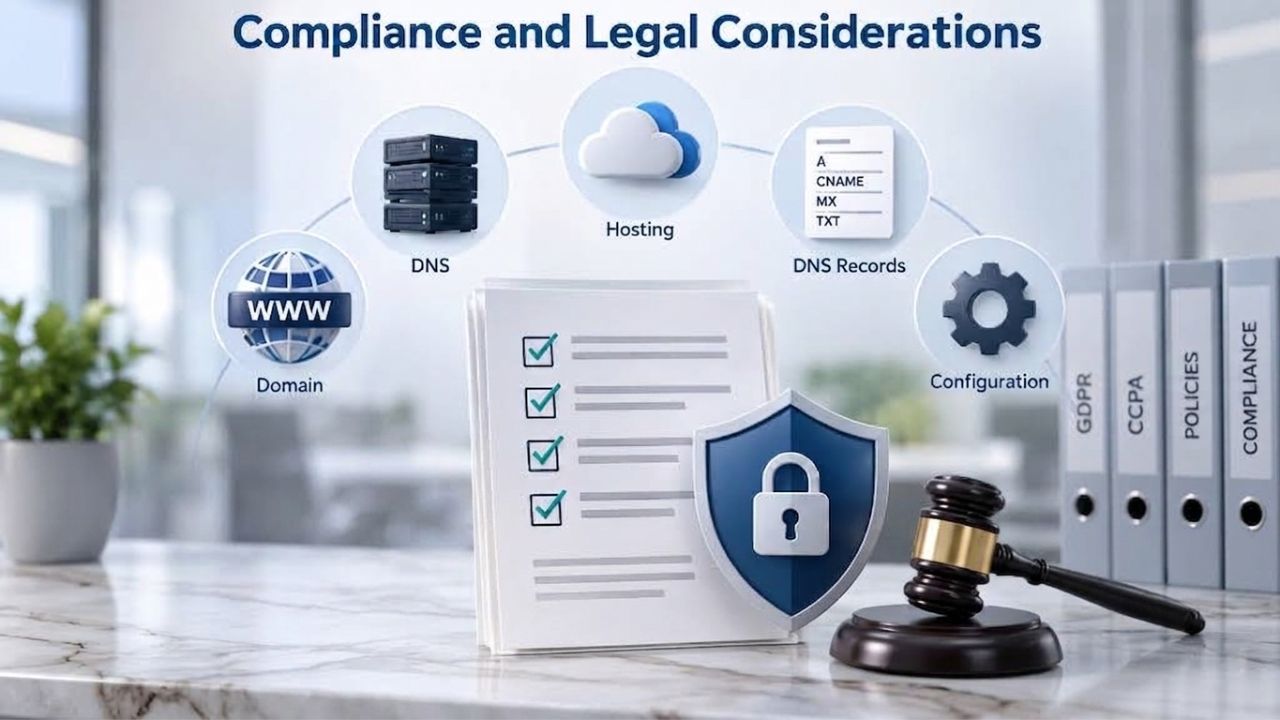
Email marketing operates within regulatory frameworks designed to protect consumer privacy and prevent spam. Understanding compliance basics isn’t optional; it’s legally required and essential to protect your sender reputation and business. Violating email regulations can result in fines, account suspension, and reputational damage that takes months or years to recover from.
CAN-SPAM, GDPR, and CASL Essentials
CAN-SPAM (U.S.) requires that all marketing emails include a physical mailing address and a clear, working unsubscribe option. Violations can result in significant fines. GDPR (European Union) requires explicit opt-in consent before sending marketing emails to EU residents; it also gives subscribers the right to see, correct, and delete their data. CASL (Canada) has similar requirements: prior express or implied consent and easy unsubscribes. Australia, Singapore, Japan, and other countries have their own email marketing regulations with similar themes.
The core rules are consistent across jurisdictions: get explicit consent before sending marketing emails, provide an easy way to unsubscribe, honor unsubscribe requests immediately, and keep accurate records of when and how you got consent. Don’t buy email lists from brokers or send to people who didn’t opt in; it violates compliance law, damages your sender reputation, and likely won’t generate results anyway because those recipients never wanted to hear from you. Niya Digital’s Email Marketing Service includes compliance-ready features like double opt-in (a confirmation email before adding someone to your list) and automated unsubscribe handling. Requirements vary by region and country; confirm which laws apply to your business and the regions where your subscribers live.
Data Handling, Privacy, and Building Subscriber Trust
GDPR and similar privacy laws worldwide require businesses to handle subscriber data responsibly: encrypt data at rest and in transit, limit access to authorized people only, retain data only as long as necessary, and be transparent about how you use it. Your email marketing platform should support data security (encryption), role-based access controls, and data export/deletion at the subscriber’s request.
Email subscribers are real people who trust you with their inbox, one of the most personal digital spaces. Breaching that trust by selling their email to unrelated third parties, sending spam, or using their data for purposes they didn’t consent to damages your reputation and violates privacy laws. The foundation of sustainable email marketing compliance is respect: only email people who explicitly opted in, tell them clearly what they’re signing up for and how often you’ll contact them, honor their unsubscribe and preference choices immediately, and keep their data secure. Niya Digital’s Email Marketing Service handles unsubscribe logic automatically and supports GDPR-compliant data handling with data portability and deletion on request. Compliance isn’t a legal chore or box to check; it’s how you build a sustainable, trustworthy, and profitable email marketing program.
Measuring Campaign Performance and ROI
Email marketing is one of the few marketing channels where you can measure and track every open, click, and conversion. This measurability gives you hard data on what works and what doesn’t. Without measurement, you’re flying blind and making decisions based on gut feeling instead of evidence.
Open Rate, Click Rate, and Conversion Rate Fundamentals
Open rate is the percentage of recipients who opened your email, measured via a small invisible tracking pixel. A high open rate indicates strong subject-line quality and good sender reputation with mailbox providers. Click-through rate (CTR) is the percentage of recipients who clicked a link in the email, indicating engaging content and an effective call to action. Conversion rate is the percentage of recipients who took your desired action after clicking (a purchase, a signup, a download), the metric that ultimately matters for revenue.
Typical benchmarks vary significantly by industry: nonprofits typically see 40–50% open rates; retail brands 15–25%; technology and SaaS 20–30%. These numbers matter mainly as reference points, not absolute standards; your baseline depends on list quality, subject-line quality, and sending reputation. Focus on your own trends: Is your open rate trending up or down compared to last month? After you improved subject lines, did clicks increase? After you segmented your list, did engagement improve? After you tested send times, did opens go up? Measurement answers these questions and guides improvement. Niya Digital’s Email Marketing Service provides real-time dashboards tracking opens, clicks, conversions, unsubscribes, and complaint rates. Use this data to identify which campaigns performed well and which missed the mark, then double down on what works.
Revenue Attribution and ROI Calculation
Many businesses struggle to connect email marketing directly to revenue: How much sales did this campaign actually drive? Email marketing ROI depends on tracking properly: link clicks to purchases, tie purchases back to the campaign that inspired them, and calculate revenue per email sent. High-quality email marketing typically shows ROI of $30–$50 per dollar spent, though this varies widely by industry, list quality, and offer strength.
Set up tracking so that revenue is tied back to the email campaign that drove it. Most email platforms support UTM parameters (special URL codes that mark traffic as “from email campaign X”) and conversion tracking (code that records when someone who clicked your email later makes a purchase). If you can’t track revenue directly, at least track clicks; click data gives you a clear engagement signal. Measure not just revenue per campaign but also customer lifetime value: an email that drives a $50 first purchase might drive $200+ in lifetime value if that customer becomes loyal. Email marketing is often most valuable as a retention and loyalty channel, not just an acquisition channel. Niya Digital’s Email Marketing Service integrates with basic conversion tracking. It supports UTM parameters, so you can see which campaigns drive clicks and attribute revenue to email campaigns with proper setup.
Automation and Lifecycle Campaigns
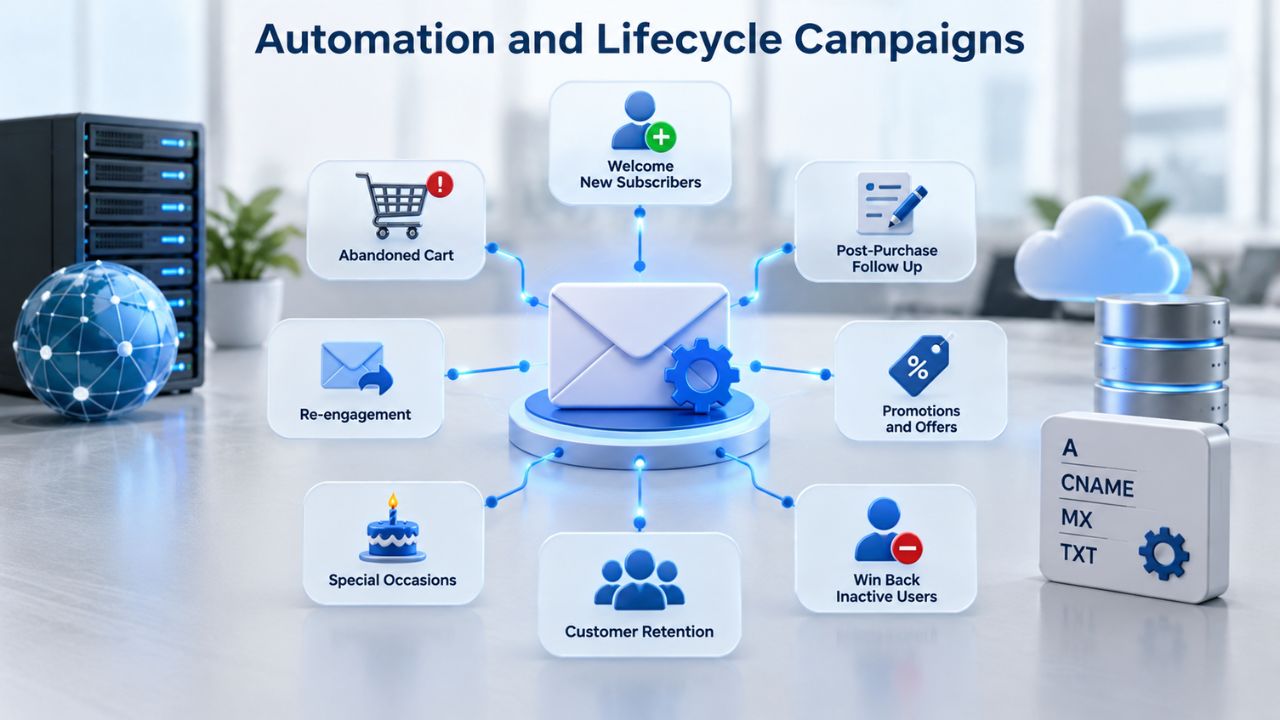
Automation scales email marketing beyond manual sends and turns it into a permanent revenue engine. Lifecycle campaigns are automated email series triggered by specific subscriber behavior or milestones: welcome series for new subscribers, abandoned-cart recovery for cart abandoners, re-engagement campaigns for inactive subscribers, or anniversary offers for long-term customers. Set up the automation once, and it runs continuously.
Welcome Series and Onboarding Automation
A welcome series is a sequence of emails sent automatically to new subscribers on a set schedule. Email 1 arrives immediately after signup, confirms they joined, and sets expectations for future emails. Email 2 (day 2–3) introduces your brand, mission, and core value proposition. Email 3 (day 5–7) offers a first-purchase discount, free guide, or exclusive resource. A well-designed welcome series achieves 50%+ open rates because subscribers are genuinely engaged and actively expecting your email.
Welcome automation works because it leverages peak engagement: the moment right after someone opts in. Niya Digital’s Email Marketing Service includes automation workflows that trigger a multi-email welcome series based on signup or custom events. Design your sequence, set the timing and triggers, and the platform sends each email automatically to each new subscriber at the right moment. Setup time: 30–60 minutes. Expected result: 30–50% higher lifetime value for new subscribers compared to those who don’t receive a welcome series. Welcome automation is the simplest and highest-ROI automation to implement first because it captures people at their most engaged moment.
Abandoned-Cart Recovery and Re-engagement Campaigns
Abandoned-cart recovery emails remind customers who added items to their cart but didn’t complete checkout. Email 1 (1 hour after abandonment) reminds them of the items they left behind. Email 2 (day 2) may add a limited-time discount incentive. Email 3 (day 5) might emphasize “Your items are still waiting” with urgency. Abandoned-cart campaigns typically recover 10–20% of abandoned carts, pure revenue with minimal effort once set up.
Re-engagement campaigns target subscribers who haven’t opened or clicked in 90–180 days, serving as your list-cleaning mechanism. Email 1 might say, “We miss you, here’s an exclusive offer.” Email 2 (if they still don’t re-engage) is a final reminder: “Last chance before we remove you from our list.” Re-engagement automation cleans your list of truly inactive subscribers while giving genuinely engaged people a last chance to re-engage. Niya Digital’s Email Marketing Service supports behavior-triggered automation: set rules (if a subscriber adds to cart, send this sequence; if a subscriber hasn’t opened in 6 months, send this re-engagement campaign), and the platform executes them automatically. Lifecycle automation turns email from a one-off tactic into a continuous, scalable revenue engine.
| Phase | What Happens | Realistic Timeframe |
|---|---|---|
| Planning | Define goal, audience, and message angle based on business objectives. | 1–2 hours |
| List building & segmenting | Grow subscriber list through signup forms and landing pages; divide into segments by behavior and interest. | 1–4 weeks (ongoing) |
| Content creation | Write copy, design layout, build email in platform, and test render on mobile and desktop. | 2–4 hours per campaign |
| Technical setup (authentication) | Configure SPF, DKIM, DMARC DNS records to verify your sending domain (one-time per domain). | 15–30 minutes (one-time) |
| Testing | A/B test subject lines, send times, or content variants to a sample before sending to the full list. | 1–2 days |
| Sending | Send winning variant to full list or schedule send time based on optimal windows. | Minutes to hours |
| Measurement | Review open, click, conversion, and complaint metrics; compare to benchmarks and goals. | Ongoing, 24–48 hours after send |
| Optimization iteration | Analyze results, test new variables, refine approach for next campaign based on data. | Continuous, per-campaign |
Ready to Launch Automated Campaigns?
Automation and lifecycle campaigns are where email marketing multiplies in value. Set up a welcome series, abandoned-cart recovery, or re-engagement workflow once, and Niya Digital’s Email Marketing Service runs it for you every single day. Most businesses see 50%+ uplift in customer lifetime value within 90 days of implementing lifecycle automation workflows.
Frequently Asked Questions
How long does it take to see results from email marketing?
You’ll see opens and clicks within hours of sending your campaign. Revenue and conversions take longer: e-commerce campaigns often convert within days; B2B and high-ticket items may take weeks or months to show results. The real payoff from email marketing compounds over time: a welcome series, abandoned-cart recovery, and re-engagement campaigns run continuously, growing revenue month after month. Most businesses report meaningful ROI within 60–90 days of launching campaigns and automation workflows.
Can I buy an email list, or do I have to build my own?
You must build your own list through organic opt-in signups. Buying email lists violates CAN-SPAM, GDPR, and other regulations; it damages your sender reputation; and it generates poor results because the recipients never consented to hear from you. Start small with organic growth through website signups, landing pages, and lead magnets like free guides or discount codes, and grow over time. A small, engaged list outperforms a large, disengaged bought list in every metric.
What’s a good open rate, and should I be worried if mine is low?
Open rates vary by industry (nonprofits 40–50%, retail 15–25%, tech 20–30%) and depend heavily on subject-line quality, sender reputation, and list freshness. Focus on your own baseline and trends: Did your open rate improve after testing new subject lines? Did it drop after you stopped sending for a month? Trends matter more than absolute numbers. If your rate is consistently below 10%, test better subject lines, clean your list of non-openers, and check your authentication setup (SPF, DKIM, DMARC).
How often should I send emails to avoid unsubscribes?
There’s no universal rule; it depends on your audience and the value you provide. Most businesses find 1–2 emails per week works well; daily emails work for breaking news or ecommerce; monthly emails work for thought leadership. Monitor unsubscribe and complaint rates: if they spike after increasing frequency, pull back. Use preference centers to let subscribers choose frequency. The goal is sustainable frequency that your subscribers actually want to receive.
What’s the difference between an open rate and a click rate, and which matters more?
Open rate measures inbox arrival and subject-line effectiveness; click rate measures content and CTA effectiveness. Both matter. A high open rate with a low click rate suggests your subject line is strong, but your content or CTA needs work. A low open rate with high clicks (rare but possible) suggests great content but weak subject lines. Track both and test both; improving either one lifts your overall campaign results.
How do I know if my sender reputation is good?
Monitor your metrics: open rate, click rate, complaint rate, and bounce rate. If these stay stable or improve over time, your reputation is healthy. If opens or clicks drop while complaint rates rise, your reputation may be slipping; clean your list, check your authentication, and avoid sending too frequently. Most email platforms (including Niya Digital’s Email Marketing Service) show you these metrics in real time.
Do I need a separate email list for different products or audiences?
No, use segmentation instead of separate lists. A single centralized list divided into segments (product-category buyers, by geography, by engagement level) is more efficient and scalable than managing multiple separate lists. Segmentation lets you send targeted emails without duplicating work. Keep everything in one platform unless you have a specific business reason to separate.
What’s the best email marketing software for beginners?
Look for a platform that offers drag-and-drop email building (no coding required), pre-built templates, automatic unsubscribe handling, and clear reporting. Niya Digital’s Email Marketing Service provides all of these plus list segmentation, automation, and deliverability support- everything a beginner needs to get started without technical complexity. Compare platforms on their current feature pages to find the right fit.
Can I use email marketing if I’m in a regulated industry (finance, healthcare, legal)?
Yes, but with stricter compliance requirements. Finance and healthcare have additional consent and data-handling rules beyond CAN-SPAM and GDPR. Consult your legal team on what’s allowed, then ensure your email platform supports your compliance needs (encryption, role-based access, audit logs, etc.). Niya Digital’s Email Marketing Service includes compliance-ready features, but compliance ultimately depends on your processes and content.
How do I reduce my email spam-complaint rate?
Complaints come from recipients who mark your email as spam. To reduce complaints: email only people who opted in; send relevant content matched to their interests using segmentation; make unsubscribing easy and honor it immediately; avoid spam-trigger words and suspicious design; maintain list health by removing non-openers after 12 months. A complaint rate above 0.1% damages reputation. Most healthy, engaged lists maintain rates below 0.05%.
What’s a “sending reputation” and why should I care?
Sending reputation is a mailbox provider’s assessment of whether your email is legitimate, based on your domain’s history: complaint rate, bounce rate, engagement rate, and how long you’ve been sending. A good reputation means emails land in the inbox; a poor reputation means they land in the spam folder. You build reputation by sending only to opted-in subscribers, keeping complaint rates low, achieving decent engagement, and authenticating emails (SPF, DKIM, DMARC). Once damaged, reputation takes months to rebuild.
Should I send at the same time every week, or does timing vary?
Test different send times and track opens to discover when your audience is most receptive. You’ll learn when subscribers are most likely to open. Many businesses find Tuesday–Thursday mornings work well for B2B; weekends for consumer retail. But the only way to know is to test. Once you find optimal timing, consistency helps: subscribers learn to expect email at that time. Niya Digital’s Email Marketing Service supports A/B testing send times.
Can I see which subscribers clicked which links, or overall click rate?
Good email platforms show both: overall click rate for the campaign and link-level details showing which subscribers clicked which links. This data shows which content and CTAs resonate, so you can refine future campaigns. It also helps with conversion tracking: if you tag each link with UTM parameters, you can see which campaign and which link drove conversions.
What’s the difference between double opt-in and single opt-in?
Single opt-in: subscriber enters their email, and you add them immediately. Double opt-in: subscriber enters their email, receives a confirmation email, clicks a link to confirm, then gets added. Double opt-in takes longer and converts at a lower rate, but results in higher-quality subscribers (fewer typos, more engaged). Most businesses start with single opt-in for speed, then move to double opt-in once they have volume. Niya Digital’s Email Marketing Service supports both.
How should I handle unsubscribe requests, and what happens if I don’t?
Honor unsubscribe requests immediately; it’s required by law (CAN-SPAM, GDPR, CASL). Continuing to email after someone unsubscribes violates regulations, damages sender reputation, and can trigger account suspension or fines. Niya Digital’s Email Marketing Service handles unsubscribe requests automatically when subscribers click the unsubscribe link or update preferences. Set it and let the platform enforce compliance.
Glossary
- Open Rate: The percentage of recipients who opened an email, measured via a tracking pixel. High open rates indicate strong subject lines and good sender reputation with mailbox providers; low open rates suggest subject-line testing or list-quality issues.
- Click-Through Rate (CTR): The percentage of email recipients who clicked a link within the email. CTR measures content and call-to-action effectiveness; it’s a leading indicator of conversion potential.
- Sending Reputation / Sender Score: A mailbox provider’s evaluation of a sender’s legitimacy, based on complaint rate, bounce rate, engagement history, and domain age. A good reputation leads to inbox placement; a poor reputation leads to the spam folder.
- Segmentation: Dividing a subscriber list into groups based on shared characteristics (purchase history, engagement level, geography, interests) to send targeted campaigns instead of generic messages to everyone.
- SPF (Sender Policy Framework): An email authentication protocol that publishes a DNS record specifying which mail servers are authorized to send email from your domain, reducing spoofing and improving delivery.
- DKIM (DomainKeys Identified Mail): An email authentication protocol that cryptographically signs outgoing emails, proving they came from your domain and haven’t been tampered with in transit.
- DMARC (Domain-based Message Authentication, Reporting, and Conformance): An email policy framework that combines SPF and DKIM, instructs mailbox providers how to handle authentication failures, and provides reporting on email traffic using your domain.