Many site owners want to improve their search rankings but can’t afford an agency. The challenge isn’t whether you can do SEO yourself; you can. The real obstacle is picking tools that fit your budget, skill level, and goals.
What DIY SEO Tools Are & When DIY Makes Sense
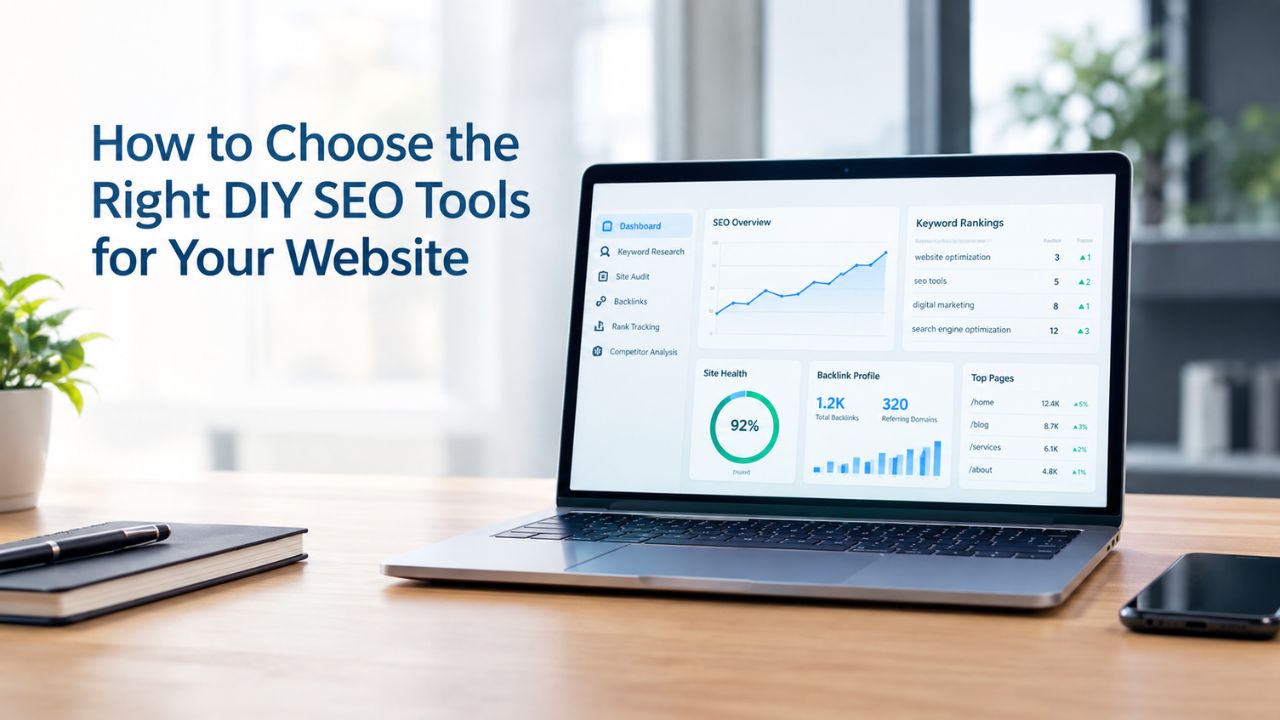
DIY SEO tools let business owners do search optimization without hiring an agency, giving you control over strategy and lowering costs. These platforms handle keyword research, site audits, rank tracking, competitor analysis, and reporting, tasks that once required dedicated professionals. The appeal is clear: lower costs and direct control over your SEO program. Niya Digital’s DIY SEO platform draws on third-party search and keyword-data sources to generate its metrics, just as other SEO tools do. This disclosure clarifies how all DIY SEO tools function.
DIY Tools Give You Agency-Level Capabilities
DIY SEO tools help business owners and marketers rank sites higher in search engines without outsourcing to professionals. Most modern platforms combine multiple functions- keyword research, audits, rank tracking, backlink analysis, and reporting- into one interface or integrated suite. This eliminates the need to buy ten separate subscriptions and gives solo entrepreneurs and small teams the same analytical firepower that agencies use. The best tools offer intuitive interfaces, sufficient depth for real analysis, strong support channels, and free trials so you can test before committing.
Niya Digital’s team has found that many site owners delay SEO work not because it’s hard, but because they’re overwhelmed choosing between paid platforms, free alternatives, and hybrid stacks. Once they choose a focused toolset and commit to using it consistently, execution becomes straightforward. The tools themselves are enablers; the real work is your time, consistency, and willingness to learn what the data means.
When DIY Is Right for You
DIY SEO works well if you have time to learn the tools, a modest budget, and realistic expectations about the timeline. Initial measurable results typically appear in 3–6 months, with significant ROI reached in 6–12 months. If you need results next month or lack 5–8 hours a week for SEO tasks, hiring an agency may be faster. If you can commit sustained effort over quarters, DIY tools scale your reach affordably and give you direct insight into what’s working on your site.
The opposite is also true: if you’re not willing to spend time learning tools, interpreting data, and adjusting strategy based on what you learn, no tool will solve that for you. DIY SEO requires agency-level patience and consistency from your team. Before choosing a tool, commit to this reality first.
Search Engine Optimization Plans & Pricing
Choose the right SEO plan for your website. Improve search engine visibility, discover relevant keywords, monitor rankings, and access customized optimization services to support your business growth.
Search Engine Optimization (SEO)
Bring more traffic to your website with Search Engine Optimization.
- Search Optimization: Improve search engine rankings with keyword and suggested topics tool
- Keyword suggestions: Get personalized phrases and words to add to increase traffic to your website and help it rank better.
- Tracking your ranking: Track the progress of your website’s rank on Google over time
- Create your sitemap: Customize, create and submit a site map to aid search engines in crawling your site.

Customized SEO Plan
Get Customized Plan For your Business Website SEO (Search Engine Optimization)
- On-Page & Off-Page Optimization: Update Meta Tags, Titles, Descriptions, Alt Tags, Schema / JSON-LD / Microdata Format, HTML + TXT + XML Sitemap, Robots.TXT, Google Analytics & Google Search Console integration
- Keyword Research & Analysis: Improve Keyword Effectiveness Index (KEI) with main heading & sub-heading tags, Content Review by professional content editor
- Competitor Research & Analysis: Compare and Compete with competitors search engine ranking positions, Track and analyse competitor trends
- Diversify Back Link Profile: Relevant Business Directory Submission, Article Submission, Blog Creation, Web 2.0 asset creations, Author Profile Links, Social Book Marking links
- Monthly Task Review & Progress Reporting: Get Monthly SERP Reports and Task Performance Reports
Assess Your Current SEO Needs & Goals
Before evaluating any tool, clarify what you’re trying to accomplish and where your site stands today. Site requirements vary by niche, audience, and business goals; a small blog needs different tools than a large e-commerce platform. Your starting point matters too: a new site with no search visibility has different priorities than an established site losing rankings. Understanding these differences upfront saves time and money by directing your tool investment toward your actual bottleneck.
Define Your Primary SEO Goals
Ask yourself what you’re trying to achieve with SEO. Are you building organic traffic from scratch, improving existing keyword rankings, capturing local search visibility, or optimizing e-commerce product pages? Each goal shapes which tools you should prioritize. If keyword research is your bottleneck and you don’t know which terms to target, a deep keyword research tool may justify the investment. If you already know your keywords but suspect technical issues are silencing your site, a site audit tool becomes your priority. If you’re tracking fifty competitors, a competitive analysis tool saves hours of manual work each month.
The clearest way to identify your goal is to ask: what would success look like in twelve months? If success means fifty new organic leads per month, you need rank tracking, conversion tracking, and traffic analytics. If success means appearing on page one for five specific keywords, you need rank tracking and keyword difficulty assessment. Naming your goal first prevents you from buying tools that look impressive but don’t actually address your real problem.
Assess Your Website’s Current State
Your site’s age, authority, and technical health shape which DIY SEO tools will deliver the quickest wins. New sites need foundation-building tools: keyword research to identify low-competition opportunities, basic audit tools to fix crawlability issues, and rank tracking to monitor early progress. These tools help you avoid common mistakes and validate that your SEO strategy is moving the needle. Established sites with existing traffic benefit from deeper competitive analysis, advanced rank-tracking features, and API integrations that feed data into custom dashboards.
A new site might spend its first three months using just Google’s free tools and one affordable keyword research platform. An established site with twenty thousand monthly visitors might invest in a premium all-in-one platform to unlock competitive benchmarking and API access. The difference isn’t that one is “better”; it’s that the tools match the site’s stage. Buying an enterprise-tier platform for a brand-new site wastes money; buying basic tools for an established site misses optimization opportunities. Knowing your starting position prevents this mismatch.
Define Your Budget & Select the Right Tier
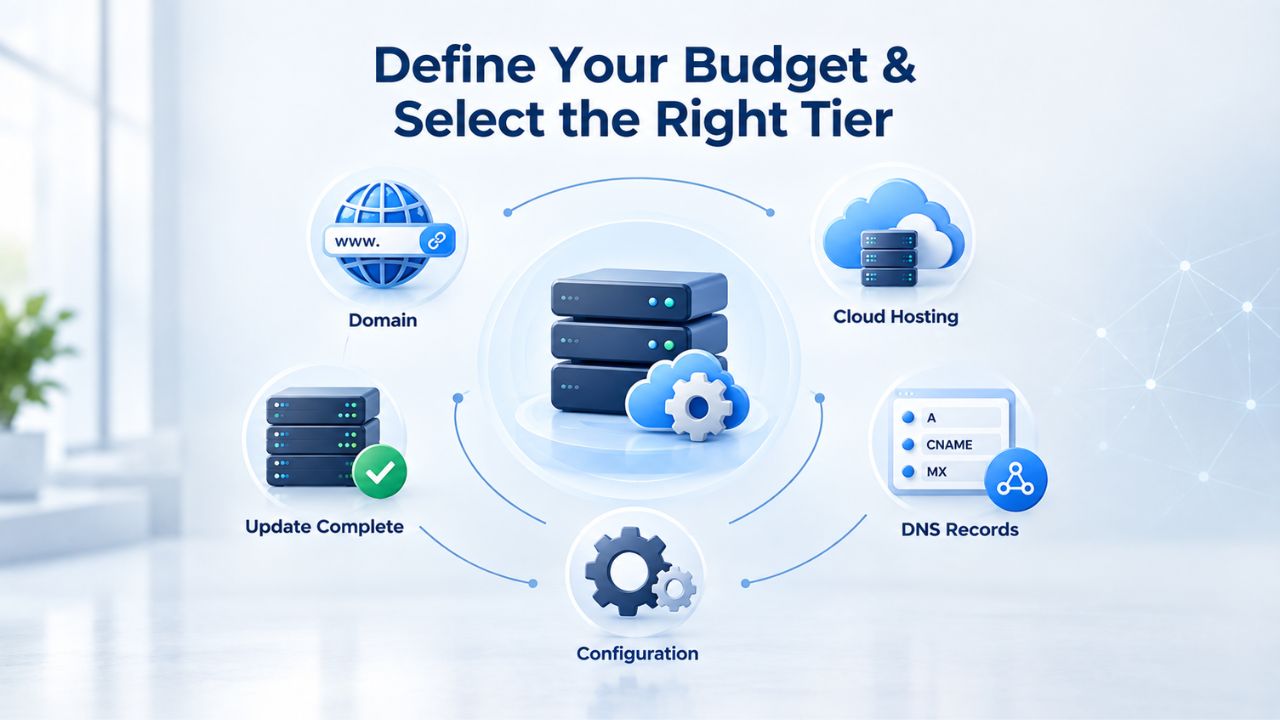
Cost is always a constraint, and SEO tool budgets vary wildly based on business size and ambition. The good news is that you can start free and upgrade only when you’ve validated the approach. The challenge is deciding when to upgrade and where to spend first when your budget is limited.
Start with Google’s Free Tools (Non-Negotiable Foundation)
Google Search Console and Google Analytics 4 are free services that provide direct data from Google’s systems: impressions, clicks, CTR, average position, and traffic behavior. This data is more accurate than any third-party estimate because it comes straight from Google. Google Keyword Planner, included free with Google Ads, shows search volume and related keywords for SEO planning at no cost. Every DIY SEO strategy should begin here. These aren’t optional or “nice to have”; they’re foundational.
Set aside time in your first month to connect these tools to your site and understand the baseline. Google Search Console shows you which keywords drive clicks, what your average ranking position is, and whether Google is crawling your pages correctly. Google Analytics shows you where your traffic comes from, which pages convert visitors into leads or customers, and how users navigate your site. Combined, these two tools tell you whether your SEO work is moving the needle on the metrics that actually matter to your business. No paid tool can replace these insights.
Paid Tiers: All-in-One Platforms & Specialist Tools
Once you’ve established baselines with free tools, you can identify where paid tools will accelerate your progress. All-in-one SEO platforms bundle keyword research, rank tracking, site audits, backlink analysis, and reporting in one interface. Specialist tools excel at one function; for example, a keyword research specialist provides deeper keyword metrics than an all-in-one. Both approaches work; the choice depends on your workflow and budget.
A common mistake is paying for advanced features your team will never use, inflating costs without improving outcomes. Before evaluating platforms, audit your actual workflow. Do you really need white-label client reporting, API access for custom dashboards, or tracking fifty thousand keywords? Or do you need reliable rank tracking, solid keyword research, and a basic site audit? Honesty here saves significant budget annually. Many teams find that a single affordable, focused tool beats a premium platform with fifty unused features.
Tool Selection Decision Matrix
| Decision Factor | Why It Matters | How to Evaluate |
|---|---|---|
| Your Budget | Determines whether you can afford comprehensive all-in-one tools or must build with free and low-cost specialists | Calculate your annual budget ceiling; balance cost against unused features; test tools during trials |
| Team Skill Level | Affects which tools your team will actually use; high learning curve means abandoned platforms | Test free trials; confirm UI matches your team’s technical comfort and available training time |
| Website Age & Authority | New sites need foundation tools; established sites benefit from competitive depth | Check your domain authority; choose tools that prioritize your site’s current stage |
| Geographic Scope | Local businesses need different tools than national; e-commerce differs from SaaS | Define your target markets clearly; confirm tool supports your geographic focus |
| SEO Timeline Expectations | Tools should match your timeline; all-in-one may offer faster insights | Set realistic six to twelve-month goals; choose tools that track your key business KPIs |
| Integration Needs | Tools that connect to existing platforms reduce manual work significantly | List existing platforms (WordPress, Shopify, CRM); verify tool APIs and plugin availability |
All-in-One Platforms vs. Building a Tool Stack
No single SEO tool can fully address all website needs because of niche requirements, local SEO, e-commerce, mobile optimization, and evolving search algorithms. This means you face a strategic choice: subscribe to one platform covering everything, or build a multi-tool stack with specialists in each area.
When All-in-One Makes Sense
All-in-one platforms like Ahrefs, SEMrush, and SE Ranking bundle keyword research, rank tracking, site audits, backlink analysis, and reporting in one interface. The upside is simplicity: one login, one data model, consistent terminology across features, and fewer integration headaches. Your team isn’t switching between five different platforms. The downside is cost and feature bloat; you’re paying for capabilities you don’t need. You’re also locked into one vendor’s data quality and feature roadmap.
Choose all-in-one if your team size justifies the investment, you want simplified training and onboarding, or you’re an agency managing multiple client sites. The unified interface means faster onboarding for new team members and fewer integration points to troubleshoot. You’re also likely getting better discounts at higher tiers if you have multiple users.
When a Multi-Tool Stack Works Better
Most SEO professionals use three to four tools rather than a single platform, selecting based on actual workflow needs, team size, and budget. A lean stack might look like: Google’s free tools (foundation) + an affordable keyword-research specialist + a rank-tracking tool + a backlink-analysis tool (when needed). You spend less overall, pick best-in-class tools for each task, and avoid paying for overlapping features. The tradeoff is that switching between platforms takes more time and requires more configuration.
Build a specialist stack if you have strong preferences for specific tool features, you want to avoid paying for unused capabilities, or you’re just starting and want to keep costs low. Start with Google’s free tools and one paid tool addressing your biggest bottleneck. Once you’ve mastered that tool and validated it’s working, add a second specialist tool. This phased approach lets you learn at your own pace and upgrade only when you’re confident in the ROI.
Start with Google’s Free Official Tools
Before paying for anything, fully leverage what Google provides for free. These tools give you ground truth, the data Google itself uses to rank your site. No third-party estimate can compete with this.
Google Search Console: Your Direct Line to Google
Google Search Console is a free service offering direct insights into how Google views your site. It shows search performance data including impressions (how often your site appears in search results), clicks (how many times users clicked your result), CTR (click-through rate), and average position (where your site ranks on average for your keywords). This isn’t an estimate; it’s real traffic to your real site from Google Search. Use Search Console to identify which keywords drive the most clicks, spot indexing errors preventing Google from crawling your pages, submit new sitemaps, and receive alerts when Google detects problems like security issues or mobile usability failures.
For beginners, Google Search Console can feel overwhelming; it has many sections and technical concepts. Start with the Performance report. This shows your top ten keywords by impressions and clicks. Focus here first. Which keywords drive traffic? Which keywords have high impressions but low clicks (indicating poor click-through rate or ranking below position five)? Which keywords have high clicks but low impressions (indicating you’re ranking well for long-tail keywords)? These questions reveal your biggest opportunity. Everything else in Search Console becomes useful once you understand this foundation.
Google Analytics 4: Understanding Your Audience Behavior
Google Analytics 4 is a free tool that tracks website traffic and user behavior and integrates with Google Search Console for a comprehensive view of traffic sources, bounce rates, and conversions. You’ll see which pages attract the most traffic, where users come from (organic search, paid ads, direct, referral), how they navigate your site, and which pages generate leads or sales. This context is essential before choosing paid tools; you need to know what success looks like for your business.
A common SEO mistake is optimizing for traffic volume without measuring whether that traffic converts. Google Analytics 4 prevents this. You’ll set up “conversions”, key actions like completing a form, purchasing a product, or signing up for a newsletter. Once you’re tracking conversions, you can see which keywords and pages drive the highest-quality traffic. Some keywords might rank well and drive volume, but their traffic never converts. Other keywords might rank lower but drive visitors ready to buy. Analytics helps you distinguish between these, guiding your future SEO investments.
Invest in Your DIY SEO Success
Niya Digital’s DIY SEO tool brings keyword research, technical audits, competitor analysis, rank tracking, and professional reporting into one platform. Whether you’re building your first DIY SEO program or scaling an existing one, our platform is designed for teams like yours. Start a free trial today and see how much faster your SEO moves when you have the right tools.
Evaluate Ease of Use & Learning Curve
Not every tool fits every skill level. A platform with fifty submenus and API-only data export might delight an agency analyst but overwhelm a solo founder. Choosing a tool matched to your team’s skill level and time availability is critical to adoption and ROI.
What “Easy to Use” Actually Means
“Easy to use” doesn’t mean simple; it means aligned with your workflow and intuitive enough that you’re not fighting the interface. A platform with a steep learning curve goes unused, wasting budget and effort. Before selecting a tool, test the free trial with your actual tasks. Can you run a keyword research report in under fifteen minutes? Does the rank-tracking dashboard show your metrics clearly without requiring custom configuration? If you’re copying data into spreadsheets manually after running reports, the tool isn’t easy enough for your team’s skill level.
Set a clear standard for yourself during the trial. Pick five tasks you do weekly. Can you complete all five comfortably in the tool? Is the data format what you expected? Do you understand what each metric means without consulting YouTube tutorials? If you answer “no” to any of these, the tool may be too complex for your current team. This is honest feedback, not a failure; it means the tool is a better fit for a larger or more specialized team.
Match Tool Complexity to Team Skill
Beginners benefit from platforms that guide you through workflows with clear tooltips, video tutorials, and human-staffed support channels. Experienced teams need depth: custom filters, advanced scheduling, API access, and the ability to combine data from multiple sources. Most platforms offer multiple tiers that scale with your skills, so a beginner-friendly interface doesn’t preclude advanced features at higher plan levels.
Choose based on your team’s current state, not where you hope to be in two years. A solo founder shouldn’t buy an enterprise platform expecting to grow into it. You’ll abandon it after three months because the interface is too complex and the training materials assume you have a dedicated analyst. Start with tools sized for your current team, then upgrade when your team grows and your needs change.
Integration: WordPress, Analytics & Your Existing Stack
Your DIY SEO tools don’t exist in isolation. They must work with your website platform, analytics system, and other business tools to avoid manual data entry and workflow friction.
WordPress Integration Simplifies Workflows
If you use WordPress, look for SEO tools that integrate via plugins or native API connections. WordPress plugins can connect to Google Analytics and third-party SEO APIs, enabling direct analysis without leaving your WordPress admin panel. You run a keyword research report, see the data in your WordPress dashboard, and make content decisions without switching platforms. This reduces data-entry friction and keeps your team focused on one workspace.
Not all SEO tools integrate with WordPress equally. Some offer native plugins that automatically sync data. Others require manual API setup or offer only basic integration. Test this during the free trial. If you manage most of your content workflow in WordPress, WordPress integration is a must-have, not a nice-to-have. If you’re comfortable switching between WordPress and a browser tab, this matters less. Be realistic about your team’s workflow preferences and choose accordingly.
Google Analytics Integration Is Non-Negotiable
Tools that seamlessly pull data from Google Analytics reduce manual data export and synthesis. When your SEO tool can access conversion data directly from Google Analytics, you’re seeing a complete picture: which keywords drive traffic and which generate revenue. This integration turns traffic metrics into business impact. You’re no longer guessing whether a keyword ranking increase is good; you know how many leads or sales it actually drove.
Most modern SEO tools offer Google Analytics integration. Confirm during the trial that it works as advertised. Some integrations require authentication and API key setup; others connect with one click. Choose the simpler option if you have limited technical support. The goal is for the two tools to stay connected after setup, with minimal ongoing maintenance.
Essential Features for Beginners & Growing Sites
If you’re new to DIY SEO, certain features are must-haves. Others are nice-to-have. Knowing the difference saves budget and prevents overwhelm.
Keyword Research & Difficulty Assessment
The foundation of all SEO is keyword research, identifying search terms your audience uses and filtering by search volume, keyword difficulty, and relevance. Every DIY tool should include keyword research. Beginners should prioritize tools that clearly explain keyword difficulty. Keyword difficulty (typically scored 0–100) indicates how hard it is to rank for a term. Lower-difficulty keywords are easier wins for new sites; higher-difficulty keywords require more domain authority and backlinks.
Long-tail keywords, longer, specific multi-word phrases, carry lower search volume but come with less competition and higher conversion intent. A new site trying to rank for “running shoes” (great difficulty, millions of results) will struggle for years. That same site targeting “best budget running shoes for flat feet” (long-tail, much lower difficulty) can rank in months. A good keyword research tool surfaces these long-tail opportunities and saves you from wasting months on impossible keywords.
Site Audits, Rank Tracking & Technical Monitoring
A site audit crawls your website, identifies broken links, missing meta tags, mobile usability issues, and indexing errors. Most beginner-friendly tools highlight these in color-coded categories: good (green), warnings (orange), issues (red). You don’t need to understand every technical detail; the tool should tell you which issues affect rankings and how to fix them. Start with the red issues; the tool marks these as high-priority because they actively harm your search visibility.
Rank tracking monitors your target keywords and shows their Google positions over time. This tells you whether your SEO work is moving the needle. Basic rank tracking updates weekly or monthly; premium versions update daily. For most growing sites, weekly updates provide enough insight without the cost of daily tracking. Set up tracking for ten to twenty priority keywords. Review progress monthly. If rankings stay flat after three months of consistent effort, something in your strategy needs adjustment.
Building Your Multi-Tool Stack Without Overwhelm
If you’re not going all-in-one, you need a clear framework for combining tools into a coherent stack that serves your business without creating chaos.
The Minimal Viable Stack for Growth
Start with Google’s free tools (foundation) and one affordable keyword research or all-in-one platform. These two resources, free tools plus one paid layer, cover keyword research, rank tracking, basic audits, and conversion measurement. This stack handles most small-business SEO needs. Add a specialist tool only when you hit a specific bottleneck. For example, if competitor analysis becomes critical, add a backlink tool. If you’re managing local SEO for multiple locations, add a local rank-tracking tool. This phased approach keeps costs low while you learn what you actually need.
Document what each tool does. Create a one-page reference: which tool handles keyword research, which tracks rankings, which monitors technical issues. Share this with your team. This prevents confusion about which tool is the source of truth for each metric and ensures everyone uses the stack consistently.
Avoid Tool Sprawl
It’s tempting to subscribe to five tools because each has one killer feature. Resist this temptation. Too many tools create data silos (conflicting metrics across platforms), confusion about which tool owns which metric, and wasted subscriptions on features you never use. Stick to three to four tools maximum. If a new tool doesn’t clearly improve a specific workflow, don’t add it. If you’re considering a tool because it “might be useful someday,” that’s not a reason to buy it.
Once a quarter, audit your tool usage. Are you using all your paid subscriptions? If not, cancel. If you’re using a tool but it’s creating more work than it saves, replace it. Tool subscriptions grow invisibly; without regular review, you’ll find yourself paying for five platforms and actually using two.
DIY SEO Tool Selection Workflow
| Workflow Stage | Action | Expected Outcome | Timeline |
|---|---|---|---|
| Foundation | Set up Google Search Console and Google Analytics; understand your baseline | Clear picture of current rankings, traffic sources, and performance | Week 1 |
| Goal Definition | Define SEO goals (traffic, leads, rankings); identify your biggest bottleneck | Clarity on which tool should be your priority | Week 1–2 |
| Tool Research | Read reviews; test three to four platforms during free trials | Shortlist of two to three tools that match your needs | Week 2–3 |
| Workflow Trial | Perform your actual weekly tasks in each trial tool | Firsthand experience with ease of use and workflow integration | Week 3 |
| Decision | Compare trial experiences against your decision criteria | Selection of one to three tools for your stack | Week 4 |
| Setup & Training | Configure your chosen tools; train your team on core features | Team familiarity with tools and confidence in using them | Week 4–5 |
| Baseline Measurement | Run initial reports and audits; document starting metrics | Baseline data for measuring progress over time | Week 5–6 |
| Execution | Execute SEO tasks weekly using your tool stack | Consistent effort over six to twelve months | Ongoing |
Avoiding Common DIY Tool Selection Mistakes
Even with the best intentions, DIY teams make predictable mistakes when choosing and using SEO tools. Learning from these mistakes now saves time and frustration.
The “Neglect Keyword Research” Trap
One of the most significant SEO mistakes small businesses make is skipping thorough keyword research, missing potential traffic and customer engagement opportunities. Many teams randomly select keywords based on what they think customers search for. A keyword research tool eliminates this guessing. Spend time identifying the right keywords; everything else follows naturally.
Before you write a single article, identify the keywords you want to rank for. Use your keyword research tool to confirm these terms have actual search volume (people are searching for them), acceptable difficulty (your site can realistically rank), and business relevance (they attract your ideal customer). This twenty-minute investment prevents you from spending weeks writing content that nobody searches for.
Abandoning Too Early
SEO typically shows initial results in three to six months and significant ROI in six to twelve months. A common pitfall is quitting after three months because you’re not on page one yet. Your tool won’t fix this; only patience and consistent effort will. If you choose tools and then abandon them before month six, no tool will help you.
Set realistic expectations in writing before you start. Commit to a six-month trial. During months one through three, focus on foundation-building: set up your tools, run your first audits, identify your target keywords, and publish your first batch of optimized content. Months three through six, measure progress and adjust. By month six, you’ll have clear data about whether your strategy is working. If adoption or impact stalls before month six, the issue is usually consistency, not the tool.
Ready to Choose Your DIY SEO Tools?
Niya Digital’s DIY SEO platform combines keyword research, technical audits, competitor analysis, rank tracking, and reporting in one interface designed for teams managing their own SEO. Start a free trial to test the workflow with your actual keywords and site.
Frequently Asked Questions
What is the best free DIY SEO tool to start with?
Google Search Console is the best place to start. It’s free and offers direct data from Google about your site’s performance in search results. Pair it with Google Analytics 4 for traffic and user behavior insights. Together, these two tools cover keyword tracking, indexing status, and conversion measurement. You can run a meaningful SEO program with only these two, though paid tools accelerate your progress by automating analysis and surfacing insights faster.
Can I do DIY SEO with only free tools?
Yes, though you’ll move slower. Google Search Console, Analytics, and Google Keyword Planner cover keyword research, audit basics, and rank tracking. Free tools have limitations: less detailed competitor analysis, fewer keyword variations, no backlink insights, and manual reporting. Most teams find that investing in one paid tool dramatically increases velocity and confidence in decisions, making the ROI clear within months. Start free and upgrade when you’ve validated the approach.
How do I know if a DIY SEO tool is right for me before paying?
Take advantage of free trials; most platforms offer seven to fourteen days. Set up your site, run keyword research, and perform a site audit during the trial. Can you complete your core tasks? Do you understand the data? Does the interface feel intuitive? Use the trial to answer these questions, not to procrastinate. After five to seven days, you’ll know if the tool fits your workflow.
What’s the difference between all-in-one tools and specialist tools?
All-in-one platforms cover keyword research, rank tracking, audits, and backlink analysis in one interface. Specialist tools excel at one function. Choose all-in-one if you want simplicity and broad coverage; choose specialists if you want depth in specific areas and lower overall cost. Most teams use a mix: Google’s free tools plus one affordable specialist tool.
Do I need a tool that integrates with WordPress?
Not essential, but helpful. Tools that integrate with WordPress via plugins enable direct analysis without leaving your admin panel, reducing manual data export. If you manage your content in WordPress, a connected SEO tool keeps your workflow streamlined. If you’re comfortable switching between platforms, WordPress integration matters less.
How do I avoid overpaying for SEO tools?
Audit your actual workflows before evaluating tools. Which tasks do you do weekly? Which features would save you time? Identify five to seven must-haves, then compare tools only on those criteria. Ignore feature lists; they’re marketing noise. Test tools during free trials with your real work, and choose the simplest platform that covers your must-haves. Avoid the trap of “we might need this feature someday.”
Should I start with a free tool or go straight to paid?
Start free. Use Google Search Console and Analytics to establish baselines and understand your SEO landscape. After four to six weeks, if you spend more than two hours a week on manual tasks, the ROI of a paid tool is clear. Buy then. This phased approach prevents wasted spending on tools you don’t understand yet.
What if I choose the wrong tool?
You’ll find out quickly during the trial. Most SEO professionals test multiple tools before landing on one that fits. It’s not permanent. Switching costs are low; you’ll export your data and move on. Expect to test two to three tools before finding your long-term solution. This is part of the process.
How long before a DIY SEO tool shows results?
Initial measurable results typically appear in three to six months, with significant ROI in six to twelve months. The tool isn’t the bottleneck; consistent execution is. A great tool won’t help if you only run keyword research once and stop. Budget for five to eight hours per week of work for the first six months.
Can I use multiple SEO tools at the same time?
Yes, many teams do. A lean multi-tool stack pairs Google’s free tools with one or two paid specialists. The key is clarity: assign each tool one primary purpose. If every tool does everything, you’ll waste money and confuse your team about which metric is correct.
What features matter most for local SEO?
Local SEO prioritizes Google My Business optimization, local keyword research, local rank tracking, and review management. Confirm that your DIY tool tracks local search positions (not just national rankings) and supports location-based keyword research. Many all-in-one tools offer local reporting.
Is cheaper always worse for DIY SEO tools?
No. A tool that covers your core needs beats an expensive platform with fifty unused features. Many affordable options deliver strong keyword research and audits for small teams. Test across options and choose based on value, not price alone.
How do I measure if my DIY SEO tool investment is working?
Track two metrics:
(1) Tool adoption: is your team using it weekly?
(2) Business impact: are rankings improving, traffic growing, leads increasing?
If yes, the tool ROI is positive. Review quarterly. If adoption or impact stalls, the tool isn’t working for you.
What’s the learning curve for DIY SEO tools?
Most tools have a low learning curve for basic features (keyword research, rank tracking, audits): you’ll be proficient within five to ten hours of use. Advanced features take longer. Choose platforms that offer clear tutorials and responsive support so you’re not stuck learning alone.
How often should I evaluate my tool stack?
Review your tool usage quarterly. Are you using all paid subscriptions? Are your chosen tools still addressing your bottlenecks? As your site grows and your needs change, your tool stack may need adjustment. What worked when you had one site might not work when you’re managing five sites.
Glossary
- Keyword Difficulty: A metric, usually scored 0–100, indicating how hard it is to rank for a specific keyword in Google search results. Greater difficulty means more competition from established sites; lower difficulty means easier wins, typically from newer or less-established sites targeting those terms.
- Long-Tail Keywords: Longer, more specific search phrases (typically three or more words) that have lower search volume but significantly less competition and higher conversion intent. Example: “best budget running shoes for flat feet” versus simply “running shoes.”
- Domain Authority: A metric (0–100) estimating how credible and established a domain is in search engines’ eyes. Higher authority sites rank easier and faster; newer sites must build authority over time through quality content and earned backlinks.
- Technical SEO: The practice of optimizing your website’s infrastructure for search engines, covering site speed, crawlability, indexability, mobile usability, Core Web Vitals, SSL certificates, structured data, and XML sitemaps.
- Backlinks: External links from other websites pointing to your site. Quality backlinks signal authority to search engines and improve rankings; the link source’s own authority and relevance matter significantly.
- SERP: Search Engine Results Page, the list of results Google displays for a given search query. Ranking “on page one” means appearing in the top ten SERP results for a keyword.