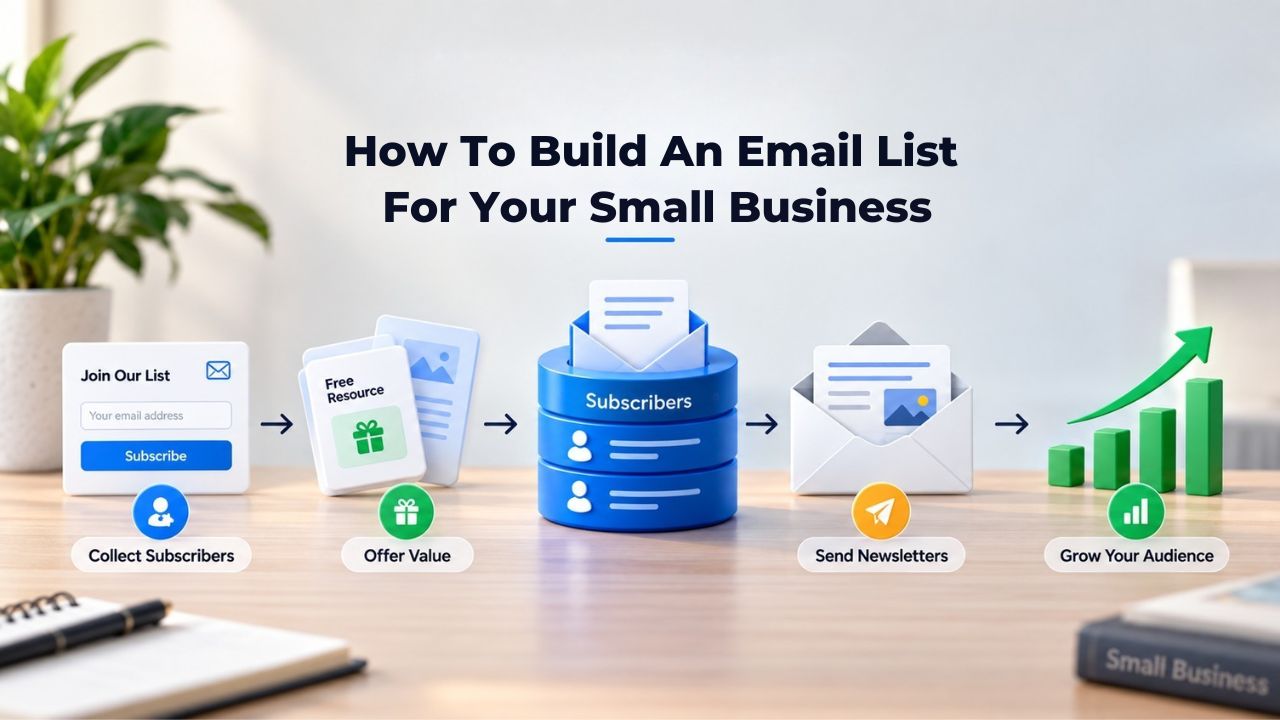
Emails landing in spam folders, shrinking subscriber lists, and one-way conversations on social media are familiar frustrations for small business owners trying to stay connected with customers. Without a direct line to your audience, you’re dependent on algorithmic whims and rising ad costs that eat into your budget. Building a high-quality email list gives you what social platforms won’t: an owned, permission-based channel where your small business controls the relationship, the message, and the timing.
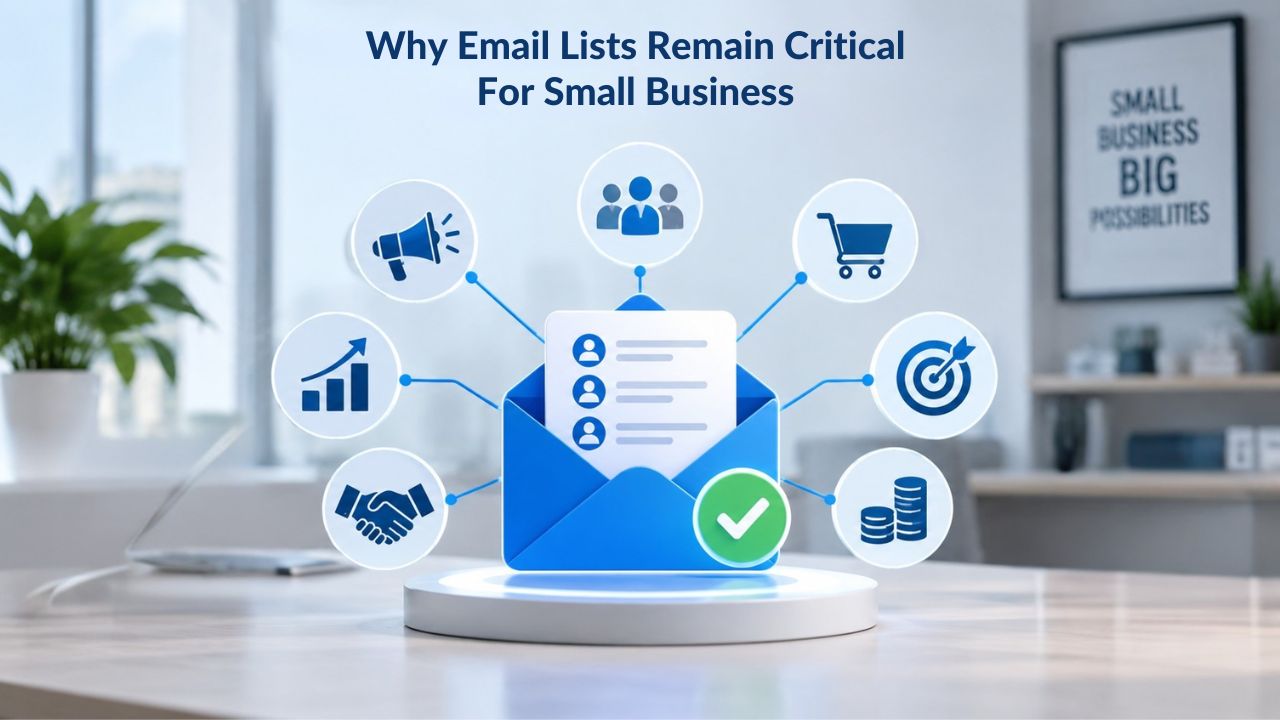
Why Email Lists Remain Critical for Small Business
Email is one of the most reliable marketing channels a small business can build. Unlike social media, where algorithm changes overnight can crater your reach, or paid search, where rising costs consume your budget, an email list is an owned audience you control completely. Email remains the most widely used communication channel globally, with 4.48 billion email users worldwide, and the financial returns justify the effort.
Direct Communication vs. Algorithm Dependency
Social media feeds change at the platform’s whim, and paid search budgets inflate yearly. Email gives your small business a direct conversation channel where your audience receives your message in their inbox, not filtered through a feed algorithm or paywall. While social media algorithms fluctuate and ad costs rise, email remains one of the most reliable and cost-effective ways to connect with an audience consistently. When you own your subscriber list, you own the relationship and the ability to reach your customers whenever you need to.
In an era where digital marketing channels fluctuate with algorithm changes and platform policies, small businesses are rediscovering the enduring power of email lists as a direct line to customers. This shift reflects market reality: a shrinking social media reach forces small businesses to invest in owned channels, and an email list is the most proven. Unlike social platforms that can change policies overnight, your email list stays entirely under your control, giving you stability and predictability in your marketing efforts.
Why Email Outperforms Other Channels
Email drives measurable conversions at a rate other channels cannot match. 4.24% of email traffic converts into sales, compared to 2.49% from search traffic and 0.59% from social media traffic, which demonstrates email’s superior conversion potential. Email is 40 times more effective than social media for customer acquisition, underscoring how powerfully owned channels outperform rented platforms. This isn’t hype or marketing exaggeration; it’s the difference between a channel you control and one you rent from a platform that can change the terms at any time.
One-third of marketers consider email marketing their most impactful channel, and half say it’s their most effective channel overall. For small businesses operating on lean budgets with limited marketing resources, this reliability matters tremendously. You’re not gambling on algorithm changes or hoping your ads stay profitable while platforms adjust their cost-per-click models. You’re building an asset that compounds over time: every subscriber you add grows your owned audience and your ability to generate revenue directly.
Email Marketing Plans
Email Marketing Beginner
For anyone getting started with email marketing.
- Up to 500 Contacts
- Add more anytime
- Send up to 5,000 Emails/Month
- Single Signup Form
- Basic Image Storage
- Unsubscribe Handling
- Works with Facebook, Etsy & More

Email Marketing Up & Running
Already have clients? This plan’s for you.
- Up to 2,500 Contacts
- Add more anytime
- Send up to 25,000 Emails/Month
- Unlimited Signup Forms
- Unlimited Image Storage
- Unsubscribe Handling
- Works with Facebook, Etsy & More
- Automated Welcome Email
- Converts Blog Posts to Email
- Unsubscribe Options
- Hot Leads List
Email Marketing Pro
For savvy marketers with growing mailing lists.
- Up to 5,000 Contacts
- Add more anytime
- Send up to 50,000 Emails/Month
- Unlimited Signup Forms
- Unlimited Image Storage
- Unsubscribe Handling
- Works with Facebook, Etsy & More
- Automated Welcome Email
- Converts Blog Posts to Email
- Unsubscribe Options
- Hot Leads List
- Auto-sends Event Emails
- Automated Email Campaigns
- Record Signup IPs
- Share Statistics w/Others
The Difference Between Built vs. Bought Lists
The fastest way to damage your sender reputation is to buy an email list. Purchased lists are filled with people who never opted in to hear from you, which means spam complaints spike immediately, unsubscribe rates soar, and mailbox providers (Gmail, Outlook, Yahoo) start filtering your emails into junk folders. Even a single large batch of purchased addresses can blacklist your domain for months, making it difficult to reach legitimate subscribers.
Building Organically: Why Consent Matters
Compliance regulations like CAN-SPAM, CASL, and GDPR govern how you can communicate with your audience, and violating these laws can result in penalties ranging from thousands to millions of dollars per incident. Beyond legal risk, consent-based practices build customer trust and create sustainable business relationships. Email marketing is at the forefront of privacy-first marketing, with permission-based marketing and opt-in email lists ensuring compliance with privacy laws like GDPR, CCPA, and other evolving regulations across jurisdictions.
The trade-off for organic list building is time: organic growth takes weeks or months, not days. But each subscriber you gain through genuine signup is legally compliant, genuinely interested in your business, and less likely to mark your email as spam or unsubscribe immediately. 64% of small businesses use email marketing to reach customers, and the ones with the highest engagement rates and strongest ROI all share one defining trait: they built their lists on permission and value exchange, not purchased access to disinterested names.
Sender Reputation and List Quality
Mailbox providers assign a “sending reputation” score to your domain based on several factors: email authentication protocols (SPF, DKIM, DMARC), subscriber engagement metrics (open and click rates), spam complaint rates, and bounce rates. A list of highly engaged, consenting subscribers improves all these metrics, while a purchased list of unengaged addresses destroys them rapidly. Your sending reputation directly affects whether your emails land in the inbox or spam folder.
When you build your list organically, you’re simultaneously building your sender reputation. SMBs with lists under 1,000 contacts report 35 to 50% higher open rates than businesses with lists above 100,000 subscribers, largely because of tighter list hygiene and lower spam-filter exposure. Quality over quantity isn’t merely a catchphrase; it’s a measurable competitive advantage that directly impacts your campaign performance and bottom-line results. A smaller list of engaged subscribers generates more revenue and requires less effort to maintain than a massive list of disengaged names.
Signup Forms That Convert: Core Elements & Best Practices
A signup form is your first impression with a new subscriber and a critical moment in the customer relationship. It’s where you ask for permission, set expectations for future communication, and communicate the value they’ll receive. A well-designed form feels fast and trustworthy; a confusing one loses prospects before they’ve finished typing their email address.
Mobile Optimization and Minimalist Design
Optimize for mobile devices by ensuring your form looks great on small screens. It should function smoothly on any screen size, since many users access signup forms on smartphones while browsing your website or social media. A form that requires horizontal scrolling, shrinks text to illegibility, or doesn’t load reliably on mobile loses half your traffic before a person even sees your value proposition. Mobile optimization is no longer optional; it’s essential for signup success.
Keep required fields to an absolute minimum. Email address is essential and often sufficient on its own. If you need a first name for personalization in future emails, add that field. Everything else- company size, industry, interests, budget- can be collected in a follow-up welcome email or preference center after they’ve already committed to your list. Effective sign-up forms let you capture valuable contact information while making a positive first impression that encourages long-term engagement.
Clear Value Exchange and Compelling CTAs
Don’t ask for an email address without offering something valuable in return. Offer an attractive value exchange that gives subscribers a compelling reason to join your list: a percentage discount on their first purchase, early access to new product drops, insightful tips and tricks they won’t find anywhere else, or exclusive industry insights. This “lead magnet” can take many forms, but it must solve a problem or provide immediate utility.
Your call-to-action button text should be action-oriented and specific about what subscribers will receive: “Get the Free Guide,” “Claim Early Access,” “Download the Checklist,” or “Join the List” work better than generic buttons like “Submit” or “Sign Up.” Clarity and specificity reduce friction in the signup process and boost conversion rates by making the value proposition unmistakable.
Lead Magnets: What Works to Attract Subscribers
A lead magnet is the specific thing you offer in exchange for an email address, the tangible value that makes signup worth the small friction of entering an email. Without a compelling lead magnet, signup forms sit empty and unused. With a strong one, conversion rates climb measurably, and your list grows consistently.
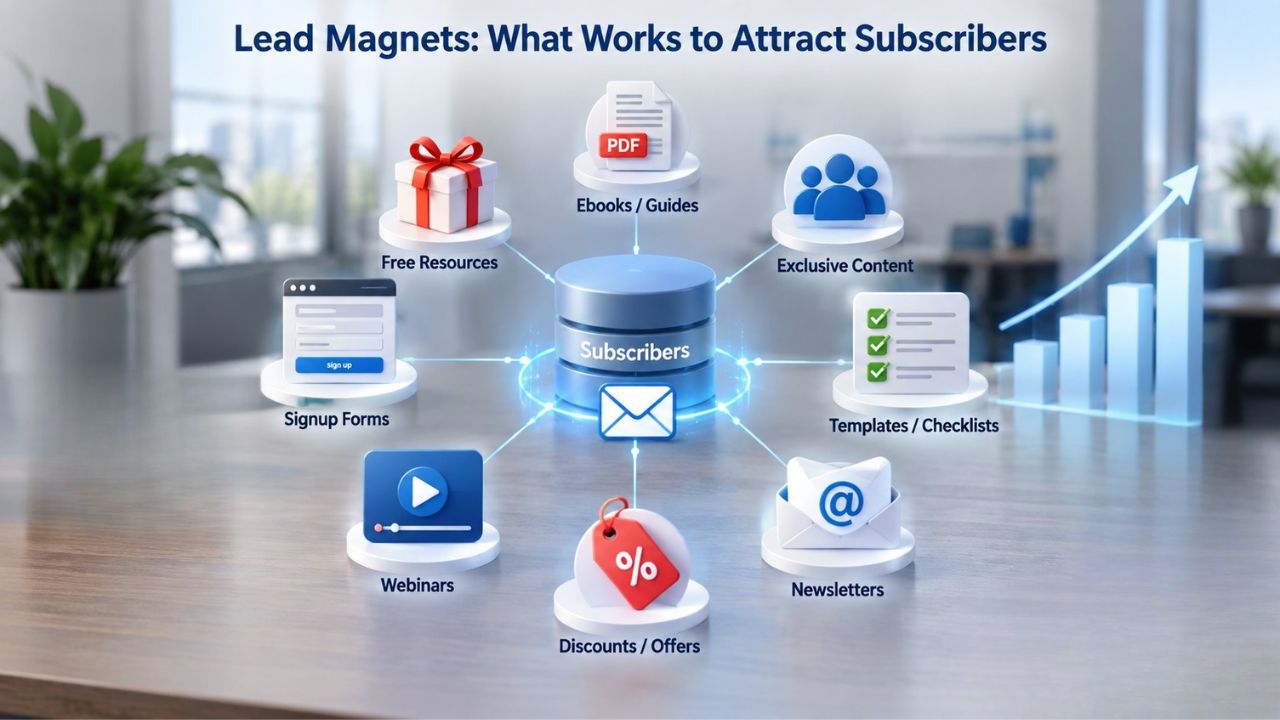
Lead Magnet Examples That Drive Signups
Common high-performing lead magnets include downloadable resources like guides, checklists, templates, and swipe files; interactive tools like calculators, assessments, and quizzes; and events like webinars, online workshops, and challenges. A lead magnet is a free resource you offer potential customers in exchange for their contact information, typically an email address, providing genuine value first and attracting prospects who are genuinely interested in your solution. Your lead magnet doesn’t need to be elaborate or time-consuming to create; a simple checklist or template that addresses a real pain point works as well as a polished ebook.
Content marketing generates three times more leads than traditional outbound marketing approaches like cold calling or purchased lists, and 80% of B2B companies now use content marketing specifically for lead generation. Your lead magnet sits at the heart of this content strategy, providing the mechanism that transforms readers into leads and casual visitors into subscribers. The key is relevance: make sure your lead magnet appeals directly to your target audience and solves a problem they actually have.
Promoting Your Lead Magnet
Creating a lead magnet is only half the work; promoting it strategically is the other half that drives results. Embed signup forms on your website homepage and blog sidebars, promote your lead magnet in your social media profiles and posts, add calls-to-action to blog posts on related topics, and include signup invitations in any outbound communications like newsletters. Mailchimp users saw a 50.8% increase in their list growth rate after adding pop-up forms to their strategy, showing that visibility and strategic placement drive results. The more visible and accessible your lead magnet, the more subscribers you’ll attract.
Lead-Magnet Types & Expected Conversion Outcomes
| Lead Magnet Type | Best For | Expected Conversion Rate | Time to Produce |
|---|---|---|---|
| Free Ebook or Comprehensive Guide | B2B, Service-Based, Educational Businesses | Up to 20% of website visitors | 2–3 weeks |
| Checklist or Action Template | Any industry, provides immediate value | 15–20% of form viewers | 3–5 days |
| Webinar or Live Online Event | B2B, High-Intent Leads, Education | 10–15% attendance rate, high-quality leads | 2–4 weeks to plan |
| Discount Code or Free Trial | E-commerce, SaaS, Retail Businesses | Immediate appeal, 30%+ conversion on engaged traffic | 1–2 days setup |
| Assessment Tool or Interactive Quiz | Consulting, Coaching, B2B SaaS | Engagement plus qualification, 10–25% conversion | 1–2 weeks |
| Free Utility Tool or Calculator | Financial Services, SaaS, E-commerce | Instant value and utility, 20%+ conversion | 2–4 weeks |
| Content Upgrade (PDF version of blog) | Bloggers, Content Publishers, Media | 30–50% of blog readers | 2–3 days if blog exists |
| Exclusive Community or Member Access | Community-Driven, Membership Businesses | Quality leads, variable conversion by niche | Ongoing |
Building Your First Signup Form
If you’ve never built a signup form before, the process is simpler than you might imagine. Most email marketing platforms include a form builder with templates you can customize in minutes, with no coding knowledge required. You select a template that matches your brand, add your lead magnet offer prominently, choose a placement method (embedded form, popup, sticky bar), and publish it live. The entire process, from concept to launch, typically takes less than an hour.
Where to Place Your Signup Form
Placement strategy matters significantly for conversion rates. Place forms prominently on your homepage where new visitors see them immediately, in blog sidebars (visible on all blog posts and driving cumulative impressions), on a dedicated landing page (for paid ads or social referrals), in an exit-intent popup (displays when a visitor is about to leave), and in your footer (passive but always visible). Start with one or two placements and measure results carefully before scaling to additional placement options.
Embedding sign-up forms on websites has proven successful across industries, with Mailchimp users seeing a 50.8% increase in list growth after adding pop-up forms to their strategy. Even one additional form in a strategic location can significantly boost your overall growth rate. Test different placements, form copy, and offers to see what resonates most with your audience and drives the highest conversion rates.
Common Signup Form Mistakes to Avoid
Don’t ask for too much information upfront during signup; you can collect company size, budget, timeline, and product interests later in your welcome sequence or preference center. Don’t hide the form behind multiple clicks or place it where visitors can easily miss it; make it visible and inviting from the moment they land on your page. Don’t promise something (a discount, guide, early access) and then fail to deliver it immediately after signup through automation; deliver the lead magnet within one hour to capitalize on subscriber enthusiasm.
The best email signup form examples across industries share one critical trait: they turn curious visitors into valuable leads within seconds by immediately delivering what they promise, establishing trust from the first interaction. Test your form with real users to spot friction points, then refine it based on performance data and feedback.
Ready to Start Growing Your Email List Today?
Building an email list from scratch feels overwhelming, but it doesn’t have to be. Niya Digital’s Email Marketing Service makes it simple with intuitive form builders, pre-built lead magnet templates, and automation that handles the heavy lifting. Create your first signup form in minutes and start turning website visitors into engaged subscribers.
Email List Segmentation & Personalization
A list of 5,000 unengaged subscribers who rarely open your emails is worse for your business than a list of 500 highly engaged subscribers who regularly open, click, and convert. Segmentation, dividing your list into smaller groups based on behavior, preferences, demographics, or lifecycle stage, transforms your email marketing from generic one-size-fits-all broadcasts to targeted conversations that resonate with each group.
Creating Segments and Using Behavioral Data
Start with basic segments that divide your list into actionable groups: new subscribers (who receive your welcome sequence), engaged subscribers (those who open and click regularly), and inactive subscribers (no opens in 90 days or more). As your list and data grow, add behavioral segments: customers who purchased (ready for upsell), customers who abandoned carts (need recovery messaging), readers who downloaded a specific guide (interested in related topics), and more.
Advanced email segmentation leverages micro-segmentation, breaking audiences into highly specific groups based on demographics, behavior, purchase history, and engagement level. Each segment gets messaging tailored to their specific stage in the customer journey and their demonstrated interests. A new subscriber gets your welcome series and introduction; a past customer gets re-engagement or upsell offers relevant to their purchase history; an inactive subscriber gets a win-back campaign with special value.
Personalization Drives Results
Personalized emails open and convert at higher rates than generic broadcasts sent to your entire list. Personalized email messages improve click-through rates by an average of 14% and conversions by 10%; emails with personalized subject lines are 26% more likely to be opened compared to generic subject lines. Personalization can be as simple as using the subscriber’s first name in the subject line and greeting, which takes minimal effort but delivers strong results.
72% of consumers say they only engage with personalized messaging, making this not a nice-to-have but a table stake for email success. This insight means generic broadcasts are increasingly ineffective, and subscribers actively prefer relevant, targeted content. Segment your list by behavior and interests, personalize your messaging for each segment, and watch engagement and conversion rates climb.
Maintaining List Health: Compliance & Deliverability
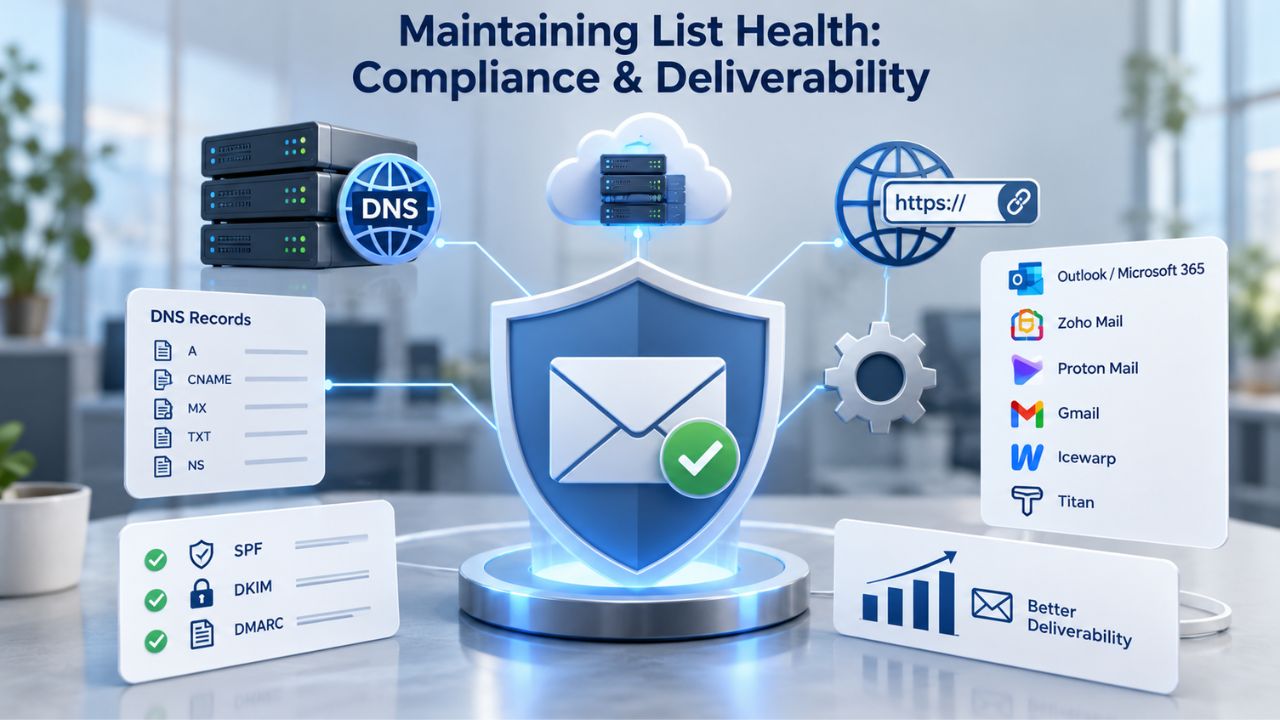
A healthy list is a compliant list that respects subscriber preferences and adheres to legal requirements. Email marketing compliance means following the regulations of the regions where your subscribers live and respecting their preferences and requests. It also means setting up email authentication (SPF, DKIM, DMARC) so mailbox providers trust that your emails are genuinely from you and not forged.
Global Compliance: CAN-SPAM, GDPR, CASL
Compliance requirements vary significantly by jurisdiction and geographic region. Email marketing compliance splits into two main regulatory approaches: opt-in consent (required in EU/GDPR countries, Canada/CASL, Brazil, Australia & New Zealand, most of APAC & LatAm) and opt-out consent (United States/CAN-SPAM, where businesses may email until the recipient opts out). Best practice globally is to use opt-in consent everywhere; it builds stronger trust with subscribers and ensures your list is genuinely interested in your messages.
CAN-SPAM requires a clear opt-out mechanism in every email, prohibits misleading subject lines and sender information, mandates your physical business address in every email, and requires processing unsubscribe requests within 10 business days. GDPR requires explicit opt-in consent before sending marketing emails, gives recipients the right to access, correct, or delete their data, mandates data protection measures to safeguard personal information, and violations can result in severe fines up to 4% of global revenue. CASL (Canada) requires express or implied consent before sending emails and has strict rules around unsubscribe mechanisms.
Email Authentication: SPF, DKIM, DMARC
Email authentication protocols tell mailbox providers that your emails are genuinely from you, not forged or spoofed by bad actors trying to impersonate your business. SPF (Sender Policy Framework) lets you specify which mail servers can send email on behalf of your domain; when a receiving server gets your email, it checks your SPF record against the sending server’s IP address. If the IP is not listed as authorized, the message may be flagged or blocked.
DKIM (DomainKeys Identified Mail) adds a cryptographic signature to your email headers using a private key; the receiving mail server validates this signature using the public key published in your DNS records, confirming that the email truly came from your domain and ensuring that the message wasn’t altered in transit. DMARC (Domain-based Message Authentication, Reporting & Conformance) builds on SPF and DKIM by defining what should happen when authentication fails, such as rejecting or quarantining the email, and includes reporting tools that give domain owners insight into both legitimate email activity and fraudulent attempts.
List Health Checklist
| Factor | Why It Matters | How to Maintain |
|---|---|---|
| Consent & Opt-In | Legal compliance, trust-building, reduces spam complaints | Clear signup forms, double opt-in option, preference centers |
| Unsubscribe Mechanism | CAN-SPAM & GDPR requirement, subscriber preference respect | One-click unsubscribe link in every email, honor requests within 10 days |
| Email Authentication (SPF/DKIM/DMARC) | Proves sender legitimacy, improves inbox placement | Configure via your email platform, monitor DMARC reports |
| List Cleaning (remove bounces, unengaged) | Improves sender reputation, reduces deliverability issues | Remove hard bounces immediately, re-engage or remove inactive (90+ days) quarterly |
| Spam Complaint Monitoring | High complaint rates trigger blacklisting | Keep complaint rate below 0.1%, investigate sudden spikes |
| Sending Frequency & Consistency | Subscriber expectation management, deliverability factor | Set a consistent schedule (e.g., weekly, bi-weekly), honor subscriber preferences |
| Segment & Personalize | Increases engagement, reduces unsubscribes and complaints | Use behavioral data, send relevant content to each segment |
| Privacy Policy & Data Handling | Legal requirement, subscriber trust | Publish a clear privacy policy, explain how data is used |
Automation Workflows That Nurture New Subscribers
Automation lets email marketing scale for small businesses without requiring you to send individual emails or manage complex workflows manually. Set up a workflow once, and it runs automatically for every new subscriber, forever, with no extra effort. Automation dramatically improves consistency and frees you to focus on strategy rather than tactics.
Welcome Series Best Practices
The first email in a welcome series should deliver the lead magnet immediately (within an hour of signup), so subscribers get value right away and know they made the right choice joining your list. The second email, sent the next day, introduces your brand’s story, values, and what you do, helping subscribers understand who you are and why they should care about your messages. The third email asks a qualifying question or invites a reply to deepen the relationship and start learning about subscriber needs.
74% of consumers expect a welcome email as soon as they subscribe, and new leads are most engaged within 48 hours of subscribing, making immediate follow-up critical for conversion. Automated emails generate 320% more revenue than non-automated broadcast emails, not because automation is magic, but because consistency and timing matter tremendously. A welcome series sent automatically to every new subscriber ensures no one falls through the cracks, and delivering it when engagement is highest measurably boosts conversion rates.
Beyond Welcome: Behavioral Triggers
Once subscribers are onboarded through your welcome series, set up behavioral automation based on their actions: abandoned-cart emails for e-commerce (recover lost sales), re-engagement campaigns for inactive subscribers (after 60 days of no opens), post-purchase follow-ups (for customer retention and upsells), and segment-based campaigns (different journeys based on subscriber behavior and lifecycle stage).
Automated sequences include welcome emails, lead nurturing campaigns, post-purchase follow-ups, and re-engagement campaigns that automatically bring back inactive subscribers with tailored messages and offers. Each automation workflow is triggered by subscriber behavior, not manual effort, freeing you to focus on creating better content and strategy. Behavioral automation ensures relevant, timely messaging at scale.
Measuring Success: Key Metrics & Optimization
You can’t improve what you don’t measure. Email marketing provides granular data on subscriber behavior, opens, clicks, and conversions that most other marketing channels can’t match. Use these metrics to refine your strategy continuously and prove ROI to stakeholders.
Email Campaign Performance Benchmarks by Metric
| Metric | SMB Average | High Performance | How to Improve | Red Flag |
|---|---|---|---|---|
| Open Rate | 21.5–34% | 40%+ | Personalize subject lines, test send times, segment list | Below 15% |
| Click-Through Rate | 2–5% | 8%+ | Improve content relevance, clear CTAs, link placement | Below 1% |
| Unsubscribe Rate | 0.5–1% | Below 0.5% | Manage frequency, send relevant content, honor preferences | Above 2% |
| Bounce Rate | 2–3% | Below 1% | Clean list regularly, validate addresses at signup, monitor reputation | Above 5% |
| Conversion Rate | 1–3% | 5%+ | Segment audience, align offer with audience, optimize landing page | Below 0.5% |
| List Growth Rate | 5–15% per month | 20%+ per month | Improve lead magnet, optimize signup forms, promote more | Stagnant or declining |
| Spam Complaint Rate | Below 0.1% | 0% or near-zero | Monitor content quality, honor preferences, authenticate emails | Above 0.5% |
| Forward/Share Rate | 2–5% | 10%+ | Create shareable content, encourage forwarding, add share buttons | Below 1% |
Open Rate, Click-Through Rate, and Engagement
Average email open rates for SMBs range from 34 to 40% for well-segmented lists, compared with an industry average of 21.5% across all senders, showing the power of segmentation. Click-through rates typically range from 2–5% for well-targeted emails, though compelling content and calls to action can drive higher rates. These benchmarks help you set realistic goals and quickly identify underperforming campaigns that need adjustment.
Personalized campaigns boost click-through rates by 14% on average, and segmented lists consistently outperform broadcast lists in every engagement metric. If your open rates are below the industry average, test subject-line variations, send times, and segment-specific messaging to improve. If click rates are low, evaluate your content relevance, call-to-action clarity, and link placement.
List Growth Rate and Engagement Trends
Beyond individual campaign metrics, track your overall list health through several key indicators: list growth rate (new subscribers per week or month), unsubscribe rate (percentage of subscribers opting out), and inactive rate (subscribers not opening in 90+ days or more). A healthy list grows steadily, keeps unsubscribe rates below 1%, and keeps most subscribers actively engaged with your content.
Monitor these trends over time to identify problems early. A spike in unsubscribes after one campaign suggests the content didn’t resonate with that segment; consistently high unsubscribes signal a systemic problem with content relevance or sending frequency. A stagnant growth rate suggests you need to revisit your lead magnet effectiveness or signup form placement strategy. A rising inactive rate suggests your content isn’t resonating or you’re not delivering the value promised at signup.
Common Mistakes to Avoid When Building Your List
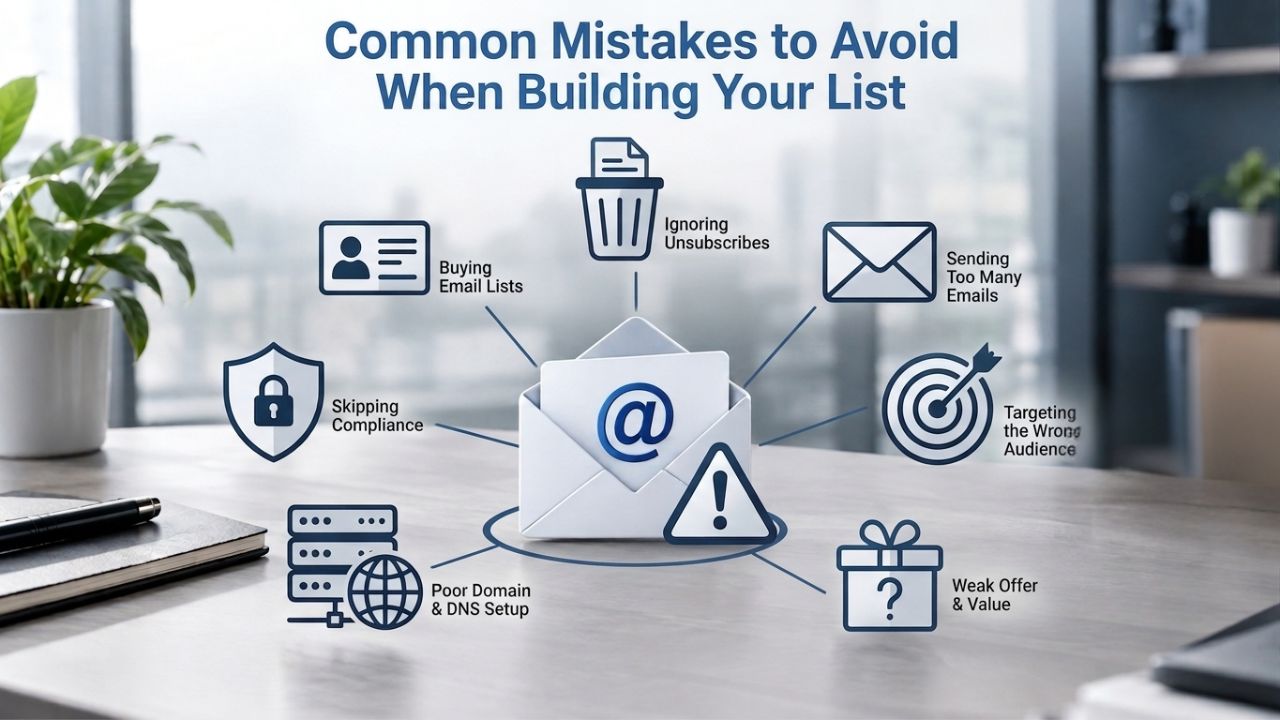
Even experienced marketers make list-building mistakes that damage sender reputation and limit growth. Here are the most costly and common ones to avoid:
Buying lists instead of building organically
Purchased lists contain people who never consented to hear from you, resulting in immediate spikes in spam complaints, sender reputation damage, and email filtering by major providers. Always build consent-first through organic signup methods. No clear value exchange. A signup form without a lead magnet or compelling offer converts poorly because people need a reason to give up their email address. Offer something valuable- a guide, discount, early access, or exclusive content- that solves a real problem.
Ignoring mobile optimization
Half your audience (or more) accesses email on mobile devices, so if your signup form doesn’t work smoothly on mobile, you’re losing half your potential subscribers to poor user experience. Test your forms on actual mobile devices, not just desktop browsers. Not automating the welcome series. A welcome sequence sent manually (or not at all) misses the critical window when new subscribers are most engaged and most likely to convert. Automate it so every new subscriber gets welcomed consistently and receives their lead magnet immediately.
Inconsistent or infrequent messaging
New subscribers who never hear from you again forget why they signed up and may unsubscribe out of confusion. Set a consistent sending schedule (weekly, bi-weekly, monthly) and stick to it, so subscribers know what to expect, while still meeting compliance and authentication requirements. Skipping CAN-SPAM, GDPR, or authentication setup might save time in the short term, but it damages your sender reputation and exposes your business to legal liability long term. Sending generic, untargeted emails to your entire list. One-size-fits-all broadcasts have significantly lower engagement than segmented, targeted campaigns. Use the data you collect to tailor messaging to different subscriber groups.
Ready to Grow Your Email List and Automate Your Subscriber Experience?
Niya Digital’s Email Marketing Service combines a powerful platform for list management, advanced segmentation, automation workflows, and comprehensive deliverability support to help your small business grow a thriving subscriber list. From signup forms and lead magnet delivery to welcome automation and performance analytics, you have everything needed to build lasting customer relationships through email.
Frequently Asked Questions
What’s the best way to grow an email list quickly?
The fastest sustainable growth combines multiple tactics: an optimized signup form on your homepage and blog, a compelling lead magnet that solves a real problem, social media promotion of your lead magnet and signup form, blog content that ranks in search and drives organic traffic, and strategic partnerships or cross-promotions with complementary businesses. Focus on attracting the right subscribers, those genuinely interested in your business, rather than maximizing raw list numbers. Quality engagement and conversion rates matter more than list size, and engaged subscribers convert at higher rates with lower unsubscribe rates.
How often should I email my subscribers?
No universal rule works for every business; consistency and relevance matter more than frequency. Some businesses email weekly, others bi-weekly or monthly depending on their content production capacity and subscriber preferences. Subscribers expect consistency, so set a predictable sending schedule and stick to it so people know when to expect emails from you. Test different frequencies with different segments, then measure open rates, click rates, and unsubscribe rates to find your audience’s preference. Over-emailing increases unsubscribes; under-emailing causes subscribers to forget who you are and why they signed up.
How do I handle unsubscribes and inactive subscribers?
Always honor unsubscribe requests immediately and remove hard bounces (invalid or non-existent email addresses) right away to keep your list clean. For inactive subscribers who haven’t opened an email in 90 days, run a re-engagement campaign, a targeted email offering new value or simply asking if they’d like to continue hearing from you. Automated re-engagement campaigns bring back inactive subscribers with tailored messages and special offers, improving engagement among those still interested. After a re-engagement attempt, remove those who don’t respond to keep your list quality high and your sender reputation strong.
Is it legal to email people without their permission?
Legality depends on where your subscribers live. Most of the world uses opt-in requirements (GDPR in Europe, CASL in Canada), which require explicit consent before you send marketing emails. The United States uses opt-out (CAN-SPAM), where you can email until a recipient opts out. Best practice globally is to use opt-in consent everywhere; ask for clear permission before adding anyone to your list. This builds trust, ensures compliance across all jurisdictions where your subscribers live, and improves long-term engagement rates.
What information should I ask for in a signup form?
Keep it minimal at signup to reduce friction: an email address is essential, and a first name helps personalize subject lines and greetings. Everything else- company size, industry, interests, purchase intent, budget- can be collected later in your welcome sequence or preference center. Long forms significantly reduce conversion rates, so prioritize getting the email address first and building subscriber profiles over time. You can also learn about subscriber interests through their engagement behavior (what links they click, what emails they open).
What makes a good lead magnet?
A good lead magnet solves a specific, immediate problem for your target audience and provides genuine value without requiring days to produce or access. Checklists, templates, quick-start guides, discounts, and access to exclusive content all work well. The best lead magnets promise a specific benefit and provide actionable tips and instructions. Test different lead magnets with your audience to see which resonates most strongly and drives the highest conversion rates.
How do I improve my email open rates?
Test subject lines (personalization, urgency, curiosity-driven elements), sending times (morning vs. afternoon, weekday vs. weekend), and segment-specific messaging tailored to different subscriber groups. Emails with personalized subject lines are 26% more likely to be opened than those with generic subject lines. Keep subject lines under 50 characters to avoid truncation on mobile devices. Remove or re-engage inactive subscribers who haven’t opened in 90+ days, since mailbox providers reward senders with high engagement rates. Segmented lists consistently open at higher rates than broadcast emails sent to your entire list.
What’s the difference between single and double opt-in?
Single opt-in: subscriber enters their email, and they’re added to your list immediately without verification. Double opt-in: subscriber enters their email, receives a confirmation email, and must click a confirmation link to confirm their subscription. Double opt-in ensures the email address is valid, and the person genuinely consented, but it reduces list growth slightly since some people don’t complete the confirmation step. Many businesses use single opt-in for faster growth and re-confirm periodically or rely on engagement metrics to identify invalid addresses.
How do I comply with GDPR when emailing?
GDPR requires explicit opt-in consent before sending marketing emails, gives recipients the right to access, correct, or delete their data, and mandates data protection measures to safeguard personal information. Collect clear consent at signup, explain how you’ll use their data in plain language, honor unsubscribe and deletion requests immediately, and protect subscriber information with secure systems. Consult a legal professional for region-specific compliance guidance, as GDPR rules are detailed and enforcement is active.
What’s a good unsubscribe rate?
An unsubscribe rate below 1% is generally considered healthy across industries. Rates above 1–2% suggest your content isn’t resonating with subscribers, you’re emailing too frequently, or your list quality is poor. Monitor trends: a spike in unsubscribes after one campaign means that specific campaign wasn’t relevant; consistently high unsubscribes signal a systemic content or frequency problem that needs addressing. Use unsubscribe feedback (why they left) to improve your content strategy and messaging.
Should I use a popup form or an embedded form?
Both work well; test both and measure conversion rates to determine which performs better for your specific audience and website. Popup forms (especially exit-intent popups) grab attention and often convert at higher rates, but some users find them annoying or intrusive. Embedded forms feel less intrusive and fit naturally into page layouts, providing steady conversions without negatively impacting the user experience. Many successful businesses use both: a persistent embedded form on the homepage and footer, plus a popup triggered by exit intent or scroll behavior.
How do I measure the ROI of email marketing?
Track revenue attributed to email campaigns using tracking links (UTM parameters) or integration with your CRM system. The average ROI for email marketing is $42 for every $1 spent, though your results depend heavily on list quality, segmentation strategy, and campaign content. Compare email revenue to email costs (platform, template design, staff time) to calculate your ROI. Also track softer metrics like customer lifetime value; email subscribers who shop multiple times are more profitable long-term than one-time purchasers from paid ads.
Can I email people from my Gmail account, or do I need a dedicated email marketing platform?
You can technically email from a Gmail account, but it violates Gmail’s terms of service for bulk mailing and isn’t scalable or professional. A dedicated email marketing platform like Niya Digital’s Email Marketing Service is built specifically for bulk sending, authentication, list management, automation, and compliance. It also provides templates, analytics, segmentation tools, and deliverability optimization that Gmail doesn’t offer. For anything beyond a few dozen occasional emails, use a proper email marketing platform.
How long does it take to see results from building an email list?
Results scale with effort and consistency. A small business can launch a signup form and lead magnet within 2–4 weeks, then grow the list over 4–8 weeks with consistent promotion and optimization. Most businesses see meaningful results (100+ engaged subscribers, detectable revenue contribution) within 2–3 months of consistent effort and good execution. Email marketing compounds over time: an engaged list of 1,000 subscribers generates significantly more revenue than a new list of 100 after a year of nurturing.
Glossary
- Click-Through Rate (CTR): The percentage of email recipients who clicked at least one link within an email. Higher CTR indicates engaged readers and relevant, compelling content that motivated action.
- Deliverability: The ability of a marketing email to reach a recipient’s inbox rather than spam or junk folders. Affected by sender reputation, authentication protocols, subscriber engagement, and list quality.
- Double Opt-In: A two-step verification process in which a person enters their email to subscribe, then must click a confirmation link in a follow-up email to complete their signup. Ensures valid addresses and genuine consent.
- Lead Magnet: A free resource, discount, or incentive offered in exchange for a prospect’s email address. Examples include ebooks, checklists, templates, calculators, or access to exclusive content or events.
- Open Rate: The percentage of email recipients who opened the email, measured by whether the recipient’s email client loaded images or tracked the open. Indicates subscriber interest and subject line effectiveness.
- Segmentation: Dividing an email list into smaller, specific groups based on demographics, behavior, past purchases, or engagement level. Enables targeted, personalized messaging to different subscriber groups.
- Sending Reputation: A score assigned by mailbox providers (Gmail, Outlook, Yahoo) to an email sender’s domain or IP address, based on authentication compliance, subscriber engagement, spam complaint rates, and bounce rates. Higher reputation improves inbox placement rates.