
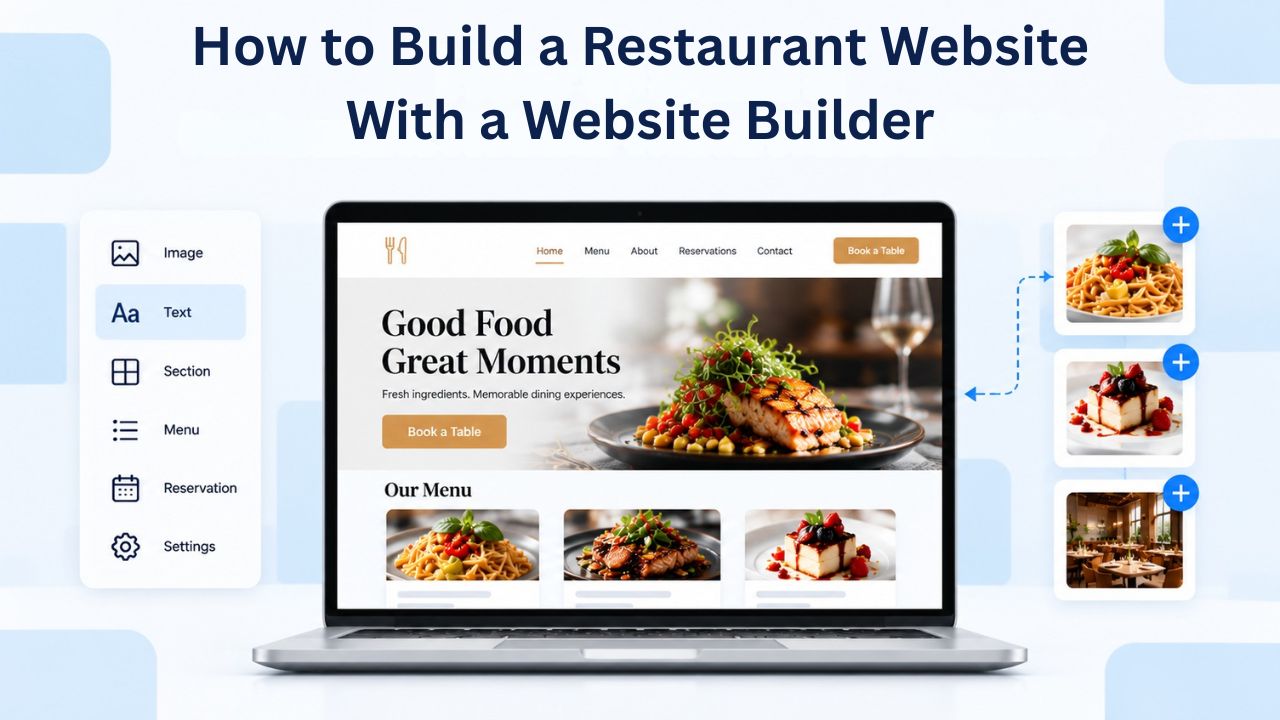
Your restaurant competes not just for diners’ taste buds but for their attention online. Industry research shows 77% of customers check a restaurant’s website before dining or ordering online, so restaurants without a web presence lose customers to competitors that do. A website builder removes the months-long timeline and developer cost, letting you launch a professional, mobile-friendly restaurant site in days, complete with an online menu, reservation system, and ordering capability, without writing a single line of code.
Niya Digital is an authorized reseller of Website Builder-powered website builder services rather than an operator of its own independent builder infrastructure. Overall site performance and customer acquisition depend on many factors outside any single provider’s control, including your content, ongoing SEO effort, local competition, and how you promote your site; no website builder guarantees page-one rankings or sales outcomes.
Why Every Restaurant Needs a Website in Today’s Digital Market
Modern diners don’t just walk past your restaurant; they search for you online first. When potential customers search for “restaurants near me” on their phone, your restaurant either appears or it doesn’t. According to research conducted by Chadwick Martin Bailey and SinglePlatform, 81% of consumers searched for a restaurant via mobile app and 92% through a web browser in the previous six months, with 75% often choosing a restaurant based on search results. Without a website, you’re invisible in these moments, precisely when diners are hungry and ready to decide.
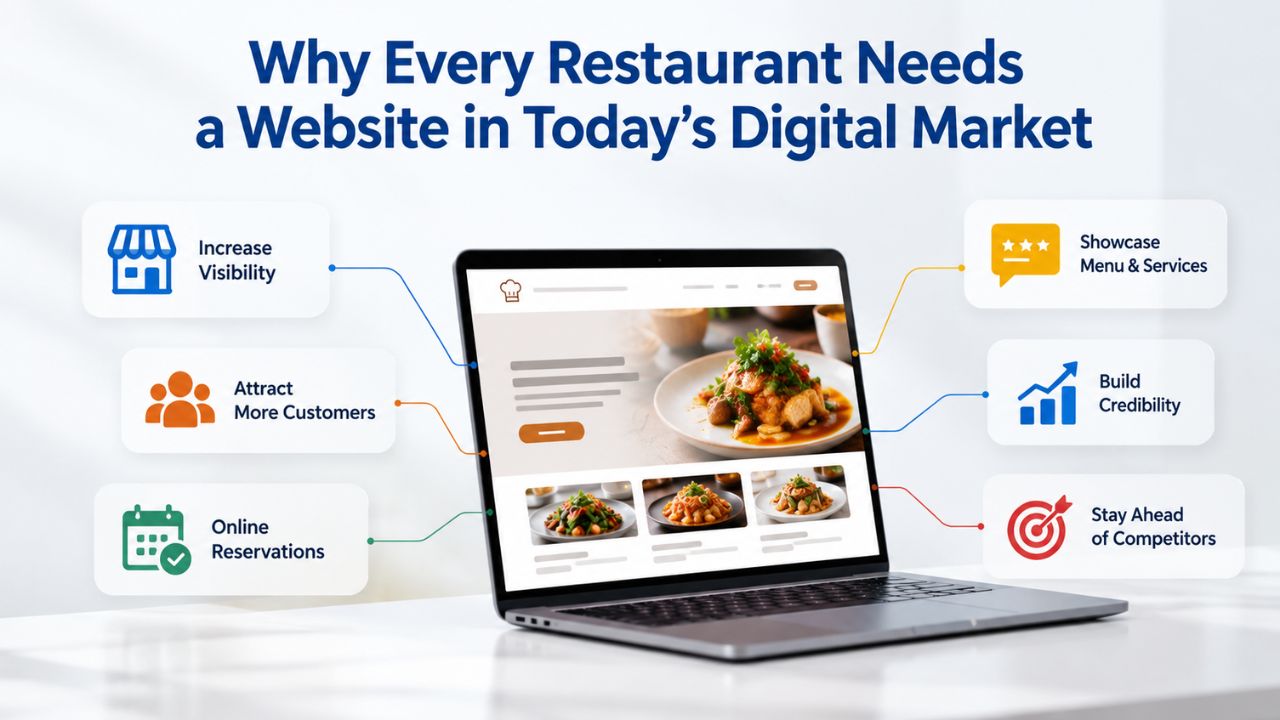
The Cost of Staying Offline
The impact of missing from online searches is immediate and measurable. Research shows that 62% of consumers are less likely to choose a restaurant if they can’t read the menu on their mobile device, meaning that outdated or hard-to-navigate websites actively drive away customers before they even contact you. A confusing site or no site at all isn’t a minor inconvenience; it’s lost revenue. Small restaurants that ignored their online presence a decade ago have watched independent competitors take their share of the market by simply being findable and accessible online.
The challenge extends beyond just search visibility. Many restaurant owners delay building a website because they assume it requires hiring an expensive web developer or learning complex design skills. Traditional custom-built websites can take 8–12 weeks to launch and cost thousands of dollars. This timeline and expense is why so many small restaurants remain offline, telling themselves they’ll build a site “someday”, meanwhile, their competitors are already taking their reservations and orders online.
What a Professional Restaurant Website Delivers
Your website becomes your 24/7 digital storefront. It shows your menu, location, hours, and reservation availability at 2 a.m. on a Sunday when a customer is planning their week. It accepts phone calls routed to your team via click-to-call buttons on mobile devices, reducing friction for diners with questions. It collects customer reviews and displays them where new diners see them, building credibility without requiring you to manage multiple platforms.
Most importantly, your website creates the first impression, often before a diner sets foot in your restaurant. If your website looks professional, mobile-friendly, and up to date with accurate hours and menu information, diners assume your restaurant is professional and well managed. Niya Digital’s team has found that restaurants launching with a website builder often see their first online orders or reservation requests within days of going live, not because website builders are magic, but because they remove the friction between a customer’s intent to dine and their ability to find, contact, and book your restaurant.
Website Builder Plans & Pricing
Create a professional website with flexible website builder plans designed for businesses, portfolios, and growing online brands. Choose a plan that matches your needs and build, customize, and manage your website with easy-to-use tools, responsive designs, and essential features for a strong online presence.
Website Builder Personal
Share your passion online.
- Responsive mobile design
- Website hosting
- Rapid Page-Load performance
- Create a blog
- Security (SSL)
- 24/7 support

Website Builder Business
Create an online presence for your business.
- Responsive mobile design
- Website hosting
- Rapid Page-Load performance
- Create a blog
- Security (SSL)
- 24/7 support
- PayPal Buy Now or Donate button
- Search Engine Optimization (SEO)
Website Builder Business Plus
Attract more customers.
- Responsive mobile design
- Website hosting
- Rapid Page-Load performance
- Create a blog
- Security (SSL)
- 24/7 support
- PayPal Buy Now or Donate button
- Search Engine Optimization (SEO)
- Social Media Integration
- Share content to Facebook
- Online Appointments
Website Builder Online Store
Sell products and services.
- Responsive mobile design
- Website hosting
- Rapid Page-Load performance
- Create a blog
- Security (SSL)
- 24/7 Support
- PayPal Buy Now or Donate Button
- Search Engine Optimization (SEO)
- Social Media Integration
- Share content to Facebook
- Online Appointments
- Built-in shopping cart
- Sell physical and digital products
- Accept credit and debit cards, PayPal and more
- Flexible shipping options
- Discounts and promotions
- Manage inventory
The Five Essential Elements Every Restaurant Website Must Have
Building a restaurant website doesn’t require dozens of pages or complex features. Industry guidance suggests a clear purpose and essential features, including an online menu ordering system, a reservation platform, and key details like your menu, location, and contact information. Most successful restaurant websites focus on five core elements: a mobile-friendly online menu, online reservations linked to a booking system, prominent location and hours with a clickable phone number, high-quality photos of your dishes and dining space, and online ordering or checkout for takeout or delivery.
Building Around Your Core Five Elements
These five elements matter because they align with how diners actually use restaurant websites. A customer searching for you on their phone doesn’t want to navigate a complex site to find your hours or menu. They want immediate answers: Is your restaurant open right now? What do you serve? Can I book a table or order online? Website builder templates are specifically designed with this customer journey in mind. Each section serves a purpose in moving a potential customer from discovery to action.
Website builder templates come pre-designed with sections for all five elements. You’re not building from blank sections or making layout decisions from scratch; you’re customizing a proven framework that already works for thousands of restaurants. Drag-and-drop editing means adding a photo gallery, updating your menu prices, or adding a new dining option takes minutes, not hours of manual coding or hiring a developer.
Avoiding Information Overload in Your Website Design
One common mistake restaurant owners make is including too much information on their website, which can overwhelm potential customers. Your website should answer diners’ immediate questions: Can I eat there now? What do they serve? How do I get in touch or make a reservation? Everything beyond these essentials can wait or be organized into supporting pages. The homepage should highlight your restaurant’s personality and make it easy for a visitor to access your menu, call your number, or book a table within seconds.
Website builders structure this automatically through their restaurant-specific templates. The homepage typically features your hero image, hours, and a prominent reservation or ordering button. Supporting pages include your full menu, about/story section, location/contact page, and sometimes a blog or events section. This proven structure keeps the focus on what matters most while still giving you room to showcase your restaurant’s unique character and offerings.
Drag-and-Drop Restaurant Templates That Launch Your Site in Days
One of the biggest advantages of using a website builder is that you don’t start from zero. GoDaddy offers restaurant-specific templates with great designs, food images, reservation systems, and online ordering, built for how diners actually use restaurant sites. Templates like “Wok” feature full-width images and OpenTable reservations, while “Telamie” is designed for delivery services with subscription sign-up, and “Sophia’s” includes OpenTable reservations and online menus. Without a template, you’d spend hours arranging sections, deciding on colors, sizing text, and ensuring mobile compatibility- dozens of design decisions that add hours or days to your launch.
How Restaurant Templates Accelerate Your Timeline
Each template represents hundreds of hours of professional design work already completed. A designer has tested color combinations, optimized photo placement, ensured readable text, and verified that all interactive elements work smoothly on mobile, tablet, and desktop. When you choose a template that matches your restaurant’s vibe, you instantly inherit all of this work. Your job becomes much simpler: customize the colors and logo, upload your photos and menu, and add your restaurant’s unique story and details.
The template structure guides you through the website creation process naturally. It tells you where to upload your hero image, where to place your menu, where to put testimonials, and where to add contact information. This guidance reduces decision paralysis and helps first-time website builders avoid common mistakes like burying important information or creating pages that don’t convert visitors into reservations or orders.
Choosing the Right Template for Your Restaurant’s Style
Templates vary by restaurant type and business model. Here’s how several popular restaurant templates map to different business needs:
| Template | Restaurant Type | Ideal For | Key Built-In Sections | Primary CTA |
|---|---|---|---|---|
| Wok | Upscale & contemporary | Fine dining, reservations-focused restaurants | Menu showcase, OpenTable booking, testimonials, event announcements | Book a Table |
| Telamie | Delivery & takeout | Pizza, fast casual, delivery-focused concepts | Menu, how-to-order explanation, real-time order tracking, subscription options | Order Now |
| La Navera | Casual contemporary | Neighborhood restaurants with events | Menu, event calendar, online reservations, customer reviews | Reserve or Order |
| Sophia’s | Fine dining & special occasions | Elegant restaurants, high-end concepts | Portfolio-style menu, video testimonials, event booking, refined typography | Book Your Table |
| Lulu | Catering & events | Catering companies, event spaces, restaurants offering catering | Full menu library, project portfolio, event inquiry form, testimonials | Request Catering Quote |
| Dorsica | Upscale multi-location | Established restaurants with strong brand | Menu, location selector, loyalty programs, social media integration | Find Your Location |
Mobile-Responsive Design, Your Non-Negotiable Competitive Advantage
The statistic is stark and unavoidable: over 60% of online traffic to restaurant websites comes from mobile devices, so a mobile-friendly, responsive restaurant website is no longer optional. But the real pressure isn’t just traffic volume; it’s the timing and urgency of mobile restaurant searches. 64% of smartphone restaurant searchers convert within an hour of their mobile search, meaning a diner decided where to eat and acted within that window. If your site doesn’t load fast or isn’t readable on their phone, they’ve already moved to the next result before you even had a chance.
Why Mobile Readability Determines Customer Decisions
When a potential customer is searching for where to eat on their phone, they need immediate, scannable information. Responsive web design lets a website adapt to the device it’s viewed on, meeting usability expectations by rendering features and information in a user-friendly way that supports visitors’ interests. On a mobile phone, your menu can’t be shrunk to unreadable text. Your reservation button can’t be buried below navigation that requires multiple scrolls. Your hours and phone number need to be immediately visible without hunting.
This isn’t just about user experience; it’s about search engine rankings too. Google has endorsed responsive web design by confirming that it ranks mobile-optimized sites higher in mobile search results. This means that a restaurant website built with responsive design from the ground up has a structural advantage in local search. Google’s algorithm sees mobile-optimized sites as more trustworthy and relevant, which directly impacts whether your restaurant appears in “near me” searches.
How Website Builders Provide Mobile Responsiveness Automatically
Every website builder plan includes responsive design built in; your site automatically reformats for desktop, tablet, and mobile without any technical work from you. GoDaddy Website Builder ensures restaurant websites, online ordering pages, and menu pages are mobile-friendly. You don’t choose responsive design as an add-on; it’s a fundamental feature of every template and plan. This removes a major technical barrier that used to require hiring developers or learning complex CSS.
The mobile experience matters differently across devices and contexts. Here’s how restaurant websites typically perform across different platforms:
| Device Type | Traffic Share | Typical User Context | Critical Performance Elements |
|---|---|---|---|
| Mobile (Smartphone) | 60%+ of all traffic | Hungry customer searching actively | Menu instantly readable, one-tap buttons, fast 2-3 second load time |
| Tablet | 20–30% of traffic | Customer browsing at home or work | Full menu visible without excessive scrolling, reservation form responsive |
| Desktop | 10–20% of traffic | Researching restaurants in advance | Multi-column menu layouts, rich imagery, detailed descriptions |
| Mobile (Local Search) | 90%+ of restaurant searches | “Restaurants near me” queries | Click-to-call buttons, address opens in maps, hours visible first |
| Mobile (Takeout/Delivery) | 64% convert within 1 hour | Customer ready to order right now | Prominent order button, payment form works smoothly, menu prices clear |
| Mobile (Photo Browsing) | Critical for food discovery | Visual decision-making (Is this restaurant’s food appealing?) | Images load within 2 seconds, gallery responsive, pinch-to-zoom works |
Online Reservations, Turning Phone Calls Into Self-Service Bookings
Reservation systems have traditionally meant one thing: the phone. A customer calls, potentially waits on hold for a human, asks about availability, and confirms verbally. If you’re busy cooking, that call goes to voicemail. If your team is shorthanded, the phone rings unanswered. Every missed call is a lost reservation, lost revenue, and a frustrated potential customer who will call your competitor instead. For restaurants, every minute a potential customer spends trying to book a table is a risk of losing their business. The OpenTable Widget integrates your existing OpenTable reservation system directly into your website, enabling 24/7 self-service booking and turning website visitors into confirmed reservations instantly.
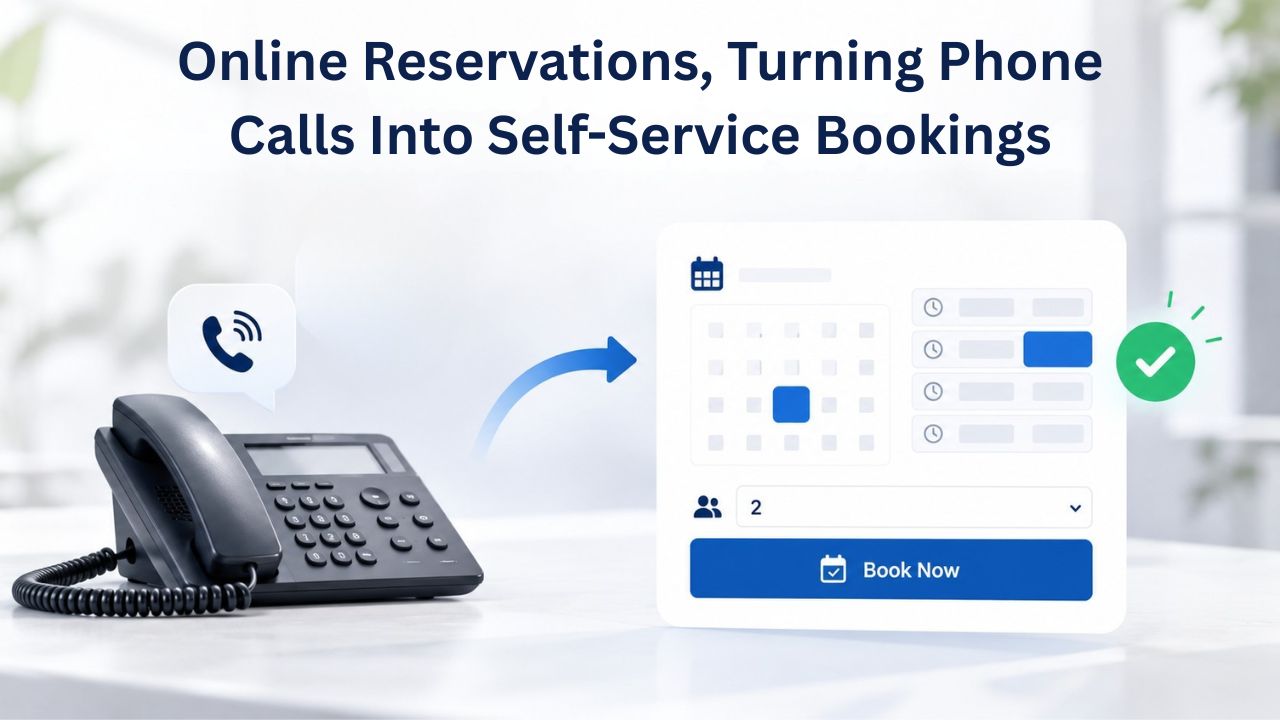
How Online Reservations Change Your Customer Experience
Online reservations eliminate the phone bottleneck. A diner in London at 11 p.m. can browse your restaurant, check available tables, and book a reservation for tomorrow, all without speaking to anyone. This matters because customers now expect digital convenience; if they can’t book online easily, they’ll choose a restaurant that lets them. Online reservations also create a permanent record of bookings without relying on written notes or a potentially overwhelmed host to manage a reservation book.
The technology handles much of the behind-the-scenes work. OpenTable and similar reservation platforms manage table inventory, track cancellations, send automatic confirmation and reminder emails, and handle no-shows. Your team doesn’t have to track reservations or send confirmation emails manually; the system does it automatically. This reduces administrative work while improving the customer experience through professional, consistent communication.
Setting Up OpenTable With Your Website Builder
The technical setup is straightforward. GoDaddy Website Builder includes a built-in Reservations section that integrates OpenTable. Enter your OpenTable Restaurant ID. Customers can choose a time and table size that meet their needs directly from the website. OpenTable may take up to two business days to process your account request. Once your OpenTable account is live and connected, the reservation widget appears on your website and functions seamlessly; customers see real-time availability based on your actual table management and confirm bookings instantly.
For restaurants that don’t use OpenTable, website builders support alternative reservation systems. Website builders support integrations with platforms like ResDiary and Tablein, allowing restaurants to embed widgets that match the site’s aesthetic. The key principle is that booking should not require customers to leave your website, download an app, or navigate to a third-party site. Every step they take outside your website is a point where they might abandon the reservation process.
Your Restaurant Deserves Better Than Manual Phone Reservations
Your restaurant competes online every single day. 77% of customers check your website before dining, but only if you have one. Stop losing orders to restaurants that have an online presence. Niya Digital’s Website Builder makes it fast: choose a restaurant template, upload your menu, connect your reservations system, and go live in days. No coding. No developer costs. Just your restaurant, online and ready to convert hungry diners into customers.
Online Ordering and Payment Processing Without Separate Systems
Traditional takeout ordering required customers to call your restaurant, wait on hold, describe their order, and potentially mishear items or prices. Then they’d wait by the phone to hear when their order was ready. Online ordering inverts this entire process: customer → your website → kitchen → ready for pickup, all without phone tag, miscommunication, or frustration. GoDaddy Website Builder accepts payments directly through your site or ordering app, with no separate payment processor needed. You can connect your preferred payment provider and start selling in minutes, with quick and secure payment processing.
How Online Ordering Expands Your Revenue
Online ordering meets different customer needs than phone ordering. Some customers prefer texting or ordering in writing; some are embarrassed to call; some want to review prices and quantities before committing; some are ordering during your busy periods when your phone is unavailable. Online ordering captures all these customers. Customers see prices in real time, customize their order exactly as they want it, and pay before leaving home, which also reduces payment disputes and no-shows.
The workflow is efficient for your kitchen too. Online orders arrive as tickets printed at the kitchen station (just like orders from delivery platforms), with clear customizations and special requests noted. Your team doesn’t have to interpret a phone call or worry about forgetting add-ons. The order is complete and verified before it reaches the kitchen, reducing mistakes and increasing customer satisfaction.
Integrating Delivery Platforms Into Your Website
If you work with delivery platforms like DoorDash, your website builder can integrate these services too. GoDaddy Website Builder supports DoorDash Online Ordering implementation, allowing merchants to add a highly visible “Order Now” button that links directly to online ordering, with common placements including headers, floating buttons, or homepage banners. This is important because a customer clicking “Order Now” from your website is routed to DoorDash, but they found you through your website, not through a search within the DoorDash app. This subtle distinction means you’re building traffic to your own property rather than giving DoorDash credit for the customer relationship.
Building Visibility in Local Search Results
When someone searches “best Italian restaurant near me” or “pizza delivery [your city],” they’re expressing intent right now, not researching in general, but making a decision about where to eat tonight. These local search moments are where restaurants win or lose customers. Local SEO Optimization is critical for visibility, with features like Google Maps integration, location-based keywords, and schema markup helping restaurants appear in local searches and drive more foot traffic and takeout orders.
Technical Foundations for Local Restaurant Search
Website builders include the technical foundation for local SEO from day one. Many website builders include built-in SEO tools that help you rank for local searches, with the ability to edit meta titles, descriptions, and URLs; these are key for local SEO. Your website builder provides the toolbox; you provide the strategy and content. The builder handles things like automatically generating an XML sitemap (which helps Google discover all your pages), adding SSL certificates (which Google prefers for ranking), and structuring your code in ways search engines understand.
Website builders that offer automatic schema markup for business hours, location, and menus can improve visibility in Google’s local pack, the section of Google Maps and search results that shows nearby restaurants. Schema markup is structured data that tells Google exactly what your restaurant is, where it’s located, what hours you operate, and what types of food you serve. Without schema markup, Google has to guess at this information from your page text. With it, Google understands your restaurant’s details with certainty.
Ongoing SEO Strategy After Your Website Launches
Once your website is live, local SEO success depends on consistent updates and local presence. Even small updates, like adding a new dish or seasonal special, signal to search engines that your site is active, which can help your ranking in local searches. A stale website tells search engines (and customers) your restaurant might not be open or up to date on its offerings. Update your menu when items change, add new specials as you create them, post about seasonal offerings, and keep your hours updated, especially around holidays.
Beyond your website, your Google My Business profile matters as much for local search. This free business listing appears in Google Maps and local search results. However, with an optimized Google My Business profile and fresh website content, some restaurants see traction within weeks. The timeline also depends on local competition and how well you’ve built local citations, your restaurant listed consistently across business directories and review sites.
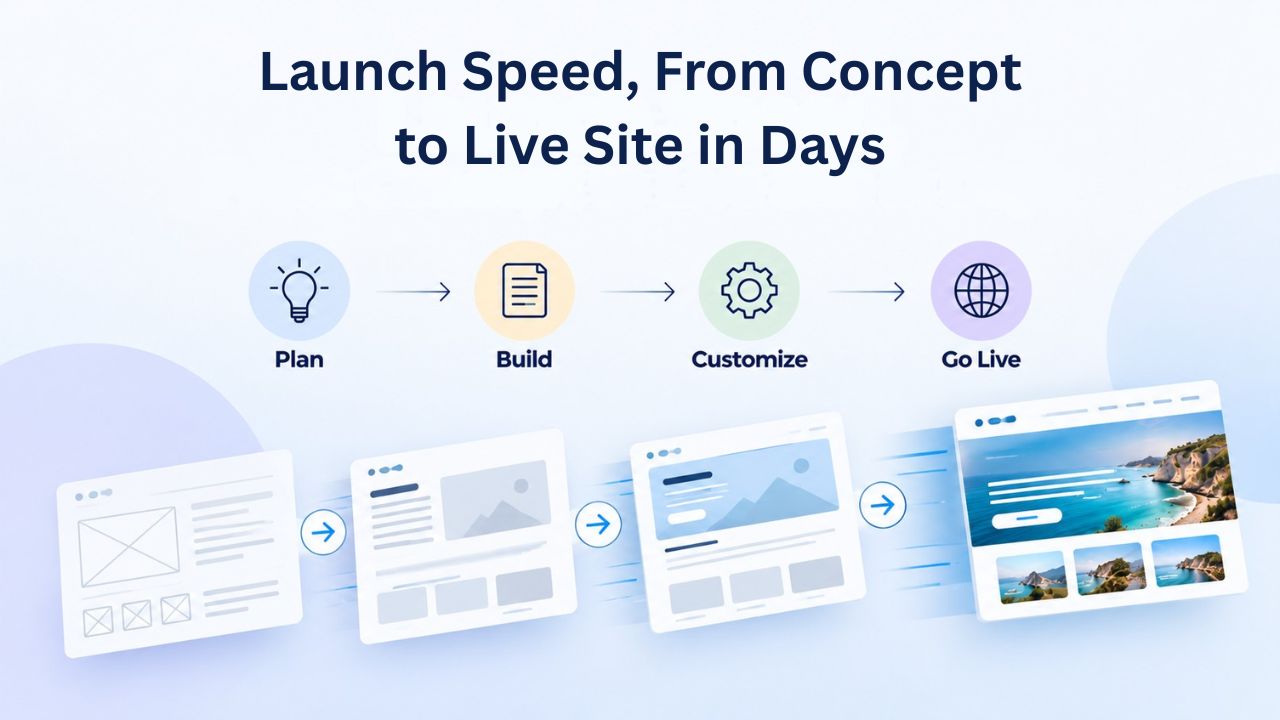
Launch Speed, From Concept to Live Site in Days
One of the biggest advantages of website builders is speed to market. If you use a website builder and have your content ready, you can go live in 1–3 days. This is remarkable compared to custom development: traditional website building with a developer takes at least 8–12 weeks before your website is ready to launch. When you’re running a restaurant, you need your online presence up quickly. Every week your website isn’t live is a week of lost potential customers and missed online reservations.
Preparing Content to Accelerate Your Launch
A fast launch assumes you have key content ready before you start: restaurant name, logo, professional photos (or good-quality photos), menu (digital or scanned), hours, phone number, and address. If you’re starting from scratch on all of these, add a week for content creation. But the website-building itself- choosing a template, customizing colors, uploading photos, adding text- takes just a few hours once content is prepared.
You don’t need weeks to launch a restaurant website; with the right website builder, you can go live in a day. This assumes you have your menu and photos ready and you’re not doing extensive copywriting or redesigning your brand. If you’re working with existing marketing materials and photos, the hands-on website-building time is often measured in hours. Many restaurants can go from zero to a live website in a single afternoon.
Cost Comparison, Builder vs. Custom Development
The timeline advantage of website builders translates directly into cost savings. Restaurant website development costs range from $500 to $25,000 or more, depending on how you build it, with a DIY builder costing $500 to $1,500 per year to run yourself. A website builder subscription is a fixed, predictable annual or monthly cost. Custom development has unpredictable hourly costs that can balloon if design changes or additional features are requested. Builder accounts also include hosting and domain management, while custom development requires separate payments for hosting, domain registration, and ongoing maintenance.
Beyond the upfront cost, builders allow you to update your site yourself without paying developers for every change. Want to update your menu prices? Add a new special? Change your hours? With a builder, you do these things yourself in minutes. With custom development, you’d need to contact your developer, request the change, wait for them to implement it, and pay them for the work.
Scaling Your Website as Your Restaurant Grows
Your first restaurant website might serve a single location perfectly. But what if your restaurant grows, or you open additional locations? A website that worked for one location needs to evolve to support multi-location operations effectively.
Single-Location Restaurant Websites
A single-location website is straightforward and requires minimal complexity. You have one address, one phone number, one menu (or perhaps separate lunch and dinner menus), and one reservation link. A templated builder makes this a day’s work. The entire website might be five pages: a homepage with hours and a call to action, a menu page, an about/story page, a contact page, and a reservations or ordering page. You update it when you add a special, change hours, or have an announcement. Most small restaurants start here and serve their needs perfectly well within a single-location model.
Multi-Location Operations and Brand Consistency
Larger restaurants with multiple locations face a different challenge: maintaining brand consistency while serving location-specific information. One website with a location selector works better than separate websites for each location. Operators benefit from tools such as ordering across multiple locations, loyalty and rewards programs, and robust customer support, making it ideal for managing multiple restaurant locations. A diner in Location B can see all locations, but when they order or book, they’re automatically directed to the correct location based on their selection.
Website builders support this through location-specific sections or subdirectories within a single site. You maintain one website, one brand, one set of core brand guidelines, but each location has its own menu page, hours, address, phone number, and reservation link. Updates to your overall branding or core features roll out across all locations at once, keeping everything consistent while allowing each location autonomy over its specific menu and details.
Analytics, Updates, and Building Momentum After Launch
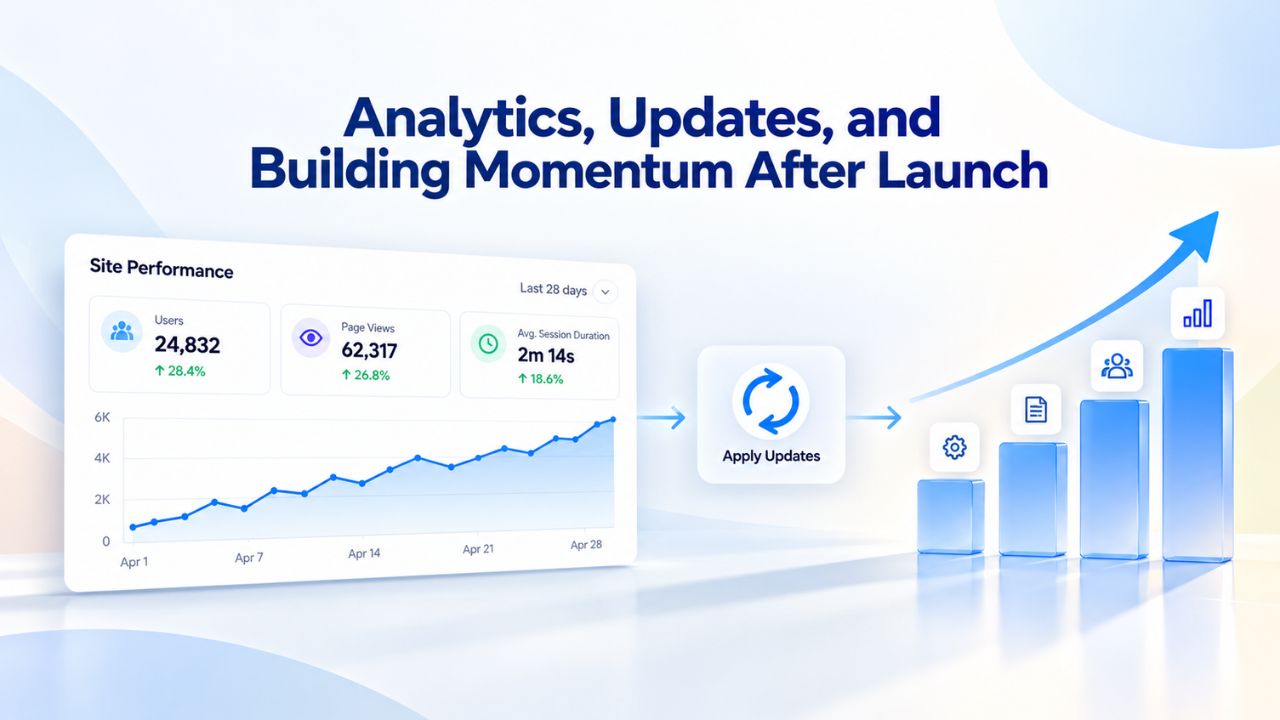
Your website going live is the beginning, not the end. A live site that never updates is worse than no site at all; it signals to search engines and customers that your restaurant might not be open or current. Successful restaurants treat their website as a living, evolving asset that reflects their business.
Using Analytics to Understand Your Customers
Website builders include analytics dashboards that show real traffic data. GoDaddy Website Builder includes advanced website analytics that let restaurants track website traffic, monitor popular menu items, and gain insights into customer behavior. These metrics tell you which pages diners visit most, how long they spend on your site, which menu items get the most clicks, and where visitors drop off (do they start a reservation and never finish?). This data is invaluable for improving your website over time.
Use analytics to identify quick wins: If 80% of your visitors come from mobile, make sure your mobile experience is perfect. If your menu page gets more traffic than your about page, make sure your menu is compelling and easy to navigate. If customers frequently view your menu but rarely move to the next step (reservations or ordering), your call to action might be unclear, or your ordering process might feel too complicated.
Building Social Proof and Keeping Content Fresh
Customer reviews and social media integration are powerful, free trust-building tools that search engines and diners both reward. A website builder that lets customers leave reviews and ratings directly on the site helps restaurants build credibility, and encouraging reviews also boosts your ranking in local search results. Many website builders include widgets that automatically pull reviews from Google, Yelp, or other platforms, so you don’t have to manage reviews across multiple sites manually.
Keeping your content updated matters; outdated hours or menus can frustrate customers and hurt your search rankings. Update your website immediately when details change, hours, menu prices, closed dates, new specials, and catering offerings. A living website that reflects your current business builds customer trust and signals to search engines that your site is active. Even small updates, like adding a new dish or announcing a seasonal special, tell Google that your restaurant is current and worth ranking highly in local search.
Ready to Launch Your Restaurant Website? Start with Niya Digital
Niya Digital’s Website Builder Service, powered by GoDaddy Website Builder’s technology, gives you everything you need to launch a professional restaurant website in days: restaurant-specific templates, integrated reservation and ordering tools, built-in SEO features, mobile-responsive design, and all hosting and domain management included. You don’t need to hire a developer or learn to code. Choose your template, add your content, and go live. Explore your options and start building your restaurant’s online presence today.
Frequently Asked Questions
Do I need to know how to code to build a restaurant website with a website builder?
No. Website builders are designed for non-technical users. You choose a template, drag sections to customize the layout, upload photos, and type your text. No coding, HTML, or design software is needed. If you can use email and upload photos to social media, you can use a website builder. The drag-and-drop interface makes it intuitive, and most builders include customer support if you get stuck.
How much does a restaurant website built with a website builder cost?
Website builder plans vary by provider and the features you need. Plans typically range from basic options suitable for a single-location restaurant to premium tiers with advanced features like loyalty programs or multi-location management. Most website builder plans include domain registration and hosting, so you don’t pay for those services separately. Check your builder’s current pricing page for specific plan details and what’s included at each tier.
Can I add an online menu to my restaurant website?
Yes. Website builders include dedicated menu template sections, so you can create photo-based menu galleries, uploadable PDF menus for customers to download, or interactive menus with prices and item descriptions. You can update your menu instantly if prices or items change, which is critical for online ordering where prices must be accurate. Many builders also let you organize menus by category (appetizers, entrees, desserts) for easy navigation.
How do I set up online reservations on my restaurant website?
Website builders integrate directly with reservation systems like OpenTable. You create or link your OpenTable account, connect it to your website builder’s built-in Reservations section, and customers can see real-time table availability and book tables 24/7. The setup is straightforward and typically takes minutes once you have your reservation system account details. Alternative reservation platforms like ResDiary are also supported by many builders.
Will my restaurant website show up in Google search results?
Website builders include SEO tools to help you rank in Google searches, but ranking depends on multiple factors beyond your website alone. Google considers your content quality, how often you update it, backlinks pointing to your site, your Google My Business profile optimization, customer reviews, and local competition. A good website builder provides the technical foundation for SEO; your ongoing effort to update content and build local presence determines your actual search ranking.
How long does it take to rank in local search results?
Local SEO typically takes 3–6 months to show meaningful results, though with an optimized Google My Business profile and fresh website content, some restaurants see traction within weeks. The timeline depends on local competition intensity and how well you’ve built local citations. Ranking happens faster when your Google My Business profile is complete, you’re getting regular customer reviews, and your website content stays current with menu updates and local keywords.
Can I accept online payments for takeout or delivery orders?
Yes. Website builders integrate with payment processors (Stripe, PayPal, Square, and others) to handle online transactions securely. Customers enter payment details directly on your website, and the processor processes orders and sends them to your kitchen. You never handle raw payment data directly; the payment processor manages security, encryption, and fraud detection, protecting both your customers and your business.
What if I already have a website? Can I migrate to a website builder?
Yes, most website builders support data migration from your current platform. You can typically export your content, photos, and some settings, then import them into your new builder. Some builders offer migration assistance as part of setup, and customer support teams can often guide you through it. Contact your new builder’s support team for migration instructions specific to your situation.
Do website builders provide backup and security for my website?
Yes. Website builders handle all technical infrastructure, automatic daily or weekly backups, SSL certificates for secure payments, platform-level security updates, and protection against common cyber threats. You don’t manage servers, patches, or security yourself. This is a major advantage over self-hosted options, where you’re responsible for all updates and security management.
Can I use a website builder for multi-location restaurants?
Yes. Website builders support multi-location setups through location-selector dropdowns, separate menus and hours for each location, or even multiple independent websites under one account. You maintain consistent branding and core features across locations while allowing each location its own menu, hours, address, phone number, and reservation link. One dashboard lets you manage all locations in one place.
How often should I update my restaurant website?
Update immediately when any details change: hours, menu prices, closed dates, new specials, catering offerings, or team changes. A website that reflects your current business builds customer trust. Even small updates, adding a new dish, announcing a seasonal special, updating your weekend hours, signal to search engines that your site is active and current, which helps your local search ranking.
Can I add customer reviews to my restaurant website?
Yes. Website builders typically include widgets to display reviews from Google, Yelp, Facebook, or other platforms. You can also add customer testimonials directly to your site if you collect them. Displaying reviews builds credibility with new customers and shows that current customers are satisfied. Many builders make it easy for customers to leave reviews directly from your website.
What is schema markup, and why do website builders mention it?
Schema markup is structured data that helps search engines understand your restaurant’s specific information, hours of operation, location, phone number, menu items, and customer reviews. Website builders often include schema markup automatically in restaurant templates, which improves your visibility in Google Search and Google Maps. With proper schema markup, Google understands your restaurant’s details with certainty rather than guessing from page text.
Can I integrate social media feeds into my restaurant website?
Yes. Website builders allow you to embed Instagram feeds, Facebook posts, photos, or other social media content directly on your website. This shows potential customers your latest dishes and keeps your website feeling current without requiring manual updates. A live social media feed is a cost-effective way to keep your website content fresh while leveraging content you’re already creating for social media.
How do I measure whether my restaurant website is working?
Website builders include analytics dashboards showing detailed traffic data and customer behavior metrics. Track which pages get the most visits, how long customers spend on your site, and where they drop off. Monitor your online reservations, takeout orders, and phone calls from your website. Use these metrics to identify what’s working (which menu items get clicked, what time diners visit) and what needs improvement (pages where visitors leave without converting to a customer action).
Glossary
- Website Builder: A no-code platform that lets you create and publish a website by dragging and dropping pre-built sections, customizing templates, and uploading content without writing code or needing a developer.
- Template: A pre-designed website layout you can customize for your restaurant’s branding, colors, fonts, and content. Templates come with built-in sections for menus, photos, contact forms, and reservation widgets, already structured.
- Domain: Your restaurant’s web address (e.g., restaurantname.com). Website builders typically include a free domain registration with your plan, or you can connect a domain you already own through another registrar.
- Hosting: The server infrastructure that stores your website files and makes your site accessible online 24/7 so customers can find and use it. Website builders include hosting in their plans, so you don’t need to purchase or manage it separately.
- Responsive Design: A website that automatically reformats and resizes to display perfectly on any device, including desktop computers, tablets, and mobile phones. Responsive design is standard in all website builder templates, ensuring your site looks great and functions smoothly regardless of screen size.
- SEO (Search Engine Optimization): Techniques and strategies that help your restaurant rank higher in Google search results and appear in “near me” searches. This includes using relevant keywords, optimizing page titles and descriptions, mobile optimization, and building local citations across directories.
- Schema Markup: Structured data code that helps search engines understand specific details about your restaurant, hours, location, phone number, menu items, and reviews. Website builders often add schema markup automatically to restaurant templates for better search visibility.
- E-Commerce: The ability to sell products or services directly from your website, including menu items through online ordering, checkout pages, secure payment processing, and order tracking for takeout or delivery orders.