
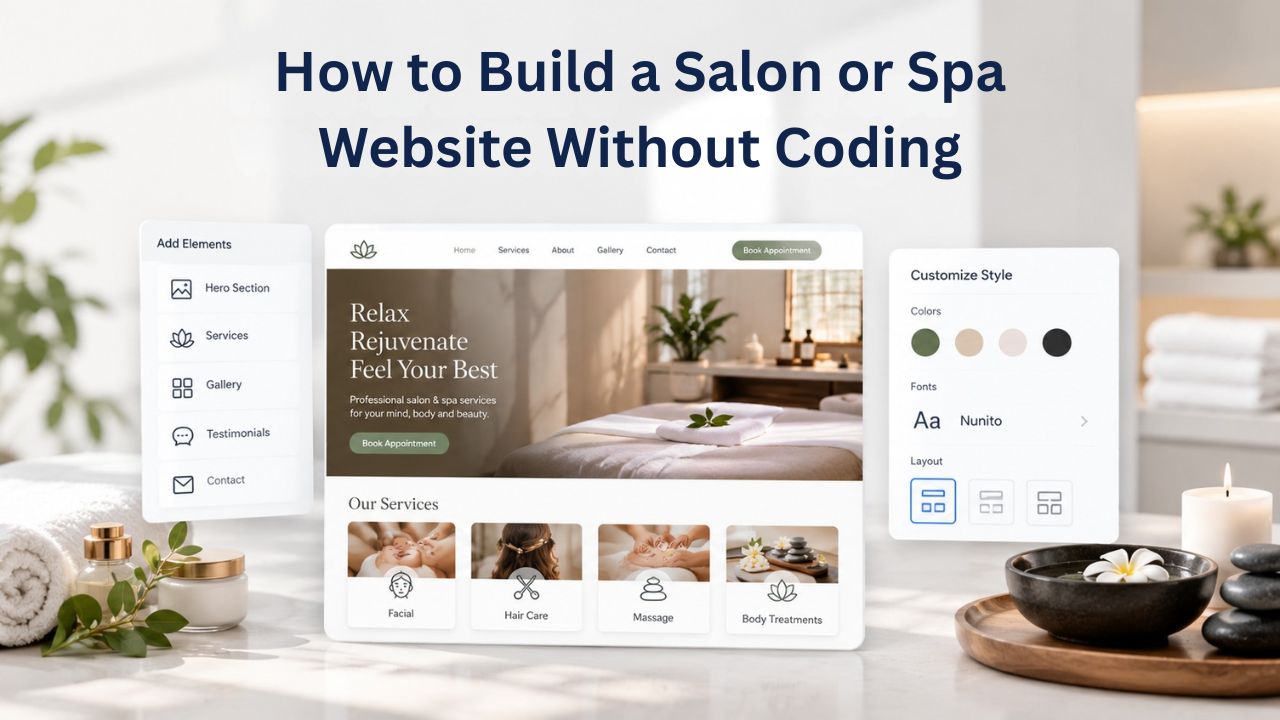
Countless salon and spa owners watch potential clients click away to competitors’ websites every single day. A professional online presence isn’t optional anymore; it’s the first place people look when searching for beauty services. Yet many salon owners believe building a website requires hiring developers or learning technical skills. The reality is different: modern drag-and-drop website builders let you create a fully functional, booking-ready salon website in just a few hours, with zero coding required.
Why Salons & Spas Fall Behind on Digital Presence, And What It Costs Your Business
The statistics paint a sobering picture for salon and spa owners. Hair salons have the lowest website adoption rate among small businesses, at just 62.6%, even though they operate in an industry that depends on local discovery and repeat client relationships. This gap exists not because salon owners don’t understand the value of a website, but because they perceive significant barriers: cost, technical complexity, and time investment that they don’t have.

The Real Cost of Operating Without a Website
When potential clients search “salon near me,” “best haircut in [city],” or “spa treatments near me,” they’re looking for businesses with visible online presence. Salons without a website miss these searches entirely, losing customers to competitors who are online and bookable. Research demonstrates that 94% of first impressions are tied to website design quality, meaning even clients who hear about your salon through word-of-mouth will judge your professionalism before booking based on your digital presence.
The financial impact extends beyond missed search traffic. Potential clients today expect to book appointments online, view service menus, see before-and-after photos, and check hours without calling. When a salon lacks a website, clients abandon their search not out of distrust, but for convenience. A competitor with an online booking system captures that appointment, and the revenue goes elsewhere. For a busy salon, this can quickly add up to thousands of dollars in lost annual revenue.
Mobile-First Reality: Over 60% of Salon Bookings Now Happen on Mobile Devices
The shift to mobile search and booking has fundamentally changed how salon clients behave. Over 60% of salon appointment bookings occur on mobile devices, phones and tablets, not desktops. If your salon lacks a mobile-friendly website, you’re not just missing desktop searches; you’re losing bookings from people ready to schedule, on the exact device they use to decide.
Studies show that 53% of mobile visits are abandoned if pages take longer than 3 seconds to load. For salons, this means a slow or poorly designed mobile site directly loses appointments. Website builders address this automatically by creating mobile-responsive sites that load quickly and work smoothly on every device, ensuring you don’t lose bookings due to technical friction.
Website Builder Plans & Pricing
Create a professional website with flexible website builder plans designed for businesses, portfolios, and growing online brands. Choose a plan that matches your needs and build, customize, and manage your website with easy-to-use tools, responsive designs, and essential features for a strong online presence.
Website Builder Personal
Share your passion online.
- Responsive mobile design
- Website hosting
- Rapid Page-Load performance
- Create a blog
- Security (SSL)
- 24/7 support

Website Builder Business
Create an online presence for your business.
- Responsive mobile design
- Website hosting
- Rapid Page-Load performance
- Create a blog
- Security (SSL)
- 24/7 support
- PayPal Buy Now or Donate button
- Search Engine Optimization (SEO)
Website Builder Business Plus
Attract more customers.
- Responsive mobile design
- Website hosting
- Rapid Page-Load performance
- Create a blog
- Security (SSL)
- 24/7 support
- PayPal Buy Now or Donate button
- Search Engine Optimization (SEO)
- Social Media Integration
- Share content to Facebook
- Online Appointments
Website Builder Online Store
Sell products and services.
- Responsive mobile design
- Website hosting
- Rapid Page-Load performance
- Create a blog
- Security (SSL)
- 24/7 Support
- PayPal Buy Now or Donate Button
- Search Engine Optimization (SEO)
- Social Media Integration
- Share content to Facebook
- Online Appointments
- Built-in shopping cart
- Sell physical and digital products
- Accept credit and debit cards, PayPal and more
- Flexible shipping options
- Discounts and promotions
- Manage inventory
How Drag-and-Drop Website Builders Democratize Web Creation for Salons
A drag-and-drop website builder is a visual tool that removes the technical barrier entirely. Instead of writing code (HTML, CSS, JavaScript), you work in a browser-based editor where you select design elements, text boxes, images, buttons, and contact forms, then drag them into place. The builder handles all the technical work behind the scenes: hosting, mobile responsiveness, domain connection, security, backups, and SEO fundamentals.
Understanding the No-Code Advantage: Why Salons No Longer Need Developers
The traditional path to a salon website required hiring a professional designer or developer, typically costing $2,000–9,000 upfront, with additional costs for hosting, domain registration, and future updates. This pricing structure placed professional websites out of reach for most solo salon owners and small teams. Website builders inverted this model by putting professional-quality website creation in the hands of business owners.
The no-code builder model works because websites follow predictable patterns. A salon website needs a service menu, stylist profiles, a photo gallery, appointment booking, contact information, and local SEO optimization. These elements repeat across thousands of salon websites worldwide. Rather than building each site from scratch, website builders pre-structure these common elements into templates, then let you customize with your own content. This template-based approach delivers 80% of the design and technical work automatically, leaving you to focus on content, the part only you can do well.
What Happens Behind the Scenes: Technology Powering Your Salon Website
Your Website Builder Service, powered by GoDaddy Website Builder’s infrastructure, manages hosting automatically. GoDaddy Website Builder operates data centers, manages server security, handles automatic backups, and keeps your site reliably online. You never think about these details. You log in, edit your content, and publish; the technology handles everything else. Mobile responsiveness is built into every template; your site automatically adapts to phones, tablets, and desktops without any configuration. SSL encryption (the padlock icon in browsers) is included, signaling to visitors that their data is secure. Building a website manually would require extensive technical knowledge and separate subscriptions for these infrastructure layers.
Selecting the Perfect Template: Matching Your Salon Brand With Industry-Specific Design
Templates are pre-designed website structures tailored to specific business types. Instead of starting with a blank page, you browse salon and spa templates, each with pre-structured sections optimized for beauty businesses: service menus, stylist profiles, before-and-after galleries, appointment booking, testimonials, social media links, and contact information. Choosing the right template speeds up your launch because the structural heavy lifting is already done.
How Templates Work: Structure, Customization, and Brand Alignment
Each salon template includes placeholder sections that you customize with your own content. You keep what works- a well-designed service menu section, an attractive testimonial area, a professional footer with location and hours- and replace placeholder text and images with your salon’s specific information. The template’s layout, color scheme, and typography form the foundation, and you customize them to match your brand. You might change the header color to match your salon’s primary brand color, update fonts to feel more modern or elegant, adjust spacing to feel more spacious or intimate, and swap placeholder images for your own before-and-after photos and salon interior images.
This level of customization keeps setup fast; you’re not rebuilding structure from scratch, while giving you enough control to make the site feel authentically yours. Most salon owners find that selecting a template they’re 80% happy with, then customizing the remaining 20%, takes 1–2 hours. Starting from a blank page and building structure manually would take days. GoDaddy Website Builder’s templates specifically include salon and spa layouts, which means they’ve already considered the unique needs of beauty businesses: prominent photo galleries (since clients want to see your work), service pricing displays, stylist bios (clients want to know who’s working on them), and appointment booking integration (essential for converting browsers into booked appointments).
Finding Your Salon’s Visual Identity Within Template Constraints
Templates provide structure and a starting aesthetic, but they don’t limit your brand expression. You can customize colors, fonts, spacing, and imagery to match your salon’s personality. A modern, minimalist salon might choose a clean template with lots of white space and sans-serif fonts. A luxury spa might select a template with elegant serif fonts, rich colors, and sophisticated imagery. The template you select should feel close to your brand’s direction- not perfect, but in the right neighborhood- because you can adjust details, but changing the fundamental structure takes more effort.
When evaluating templates, look for ones that prominently feature photo galleries (essential for showing your work), clear service menus with pricing (critical for transparency), and appointment booking sections (necessary for conversions). Check how the template renders on mobile by viewing it on your phone. Notice whether the navigation menu collapses into a hamburger icon smoothly, whether images display without distortion, and whether the appointment booking form is easy to fill out on a small screen. These practical tests reveal whether the template will actually work for your mobile-first client base.
Building Your Salon Website in Hours, Not Weeks: A Practical Timeline
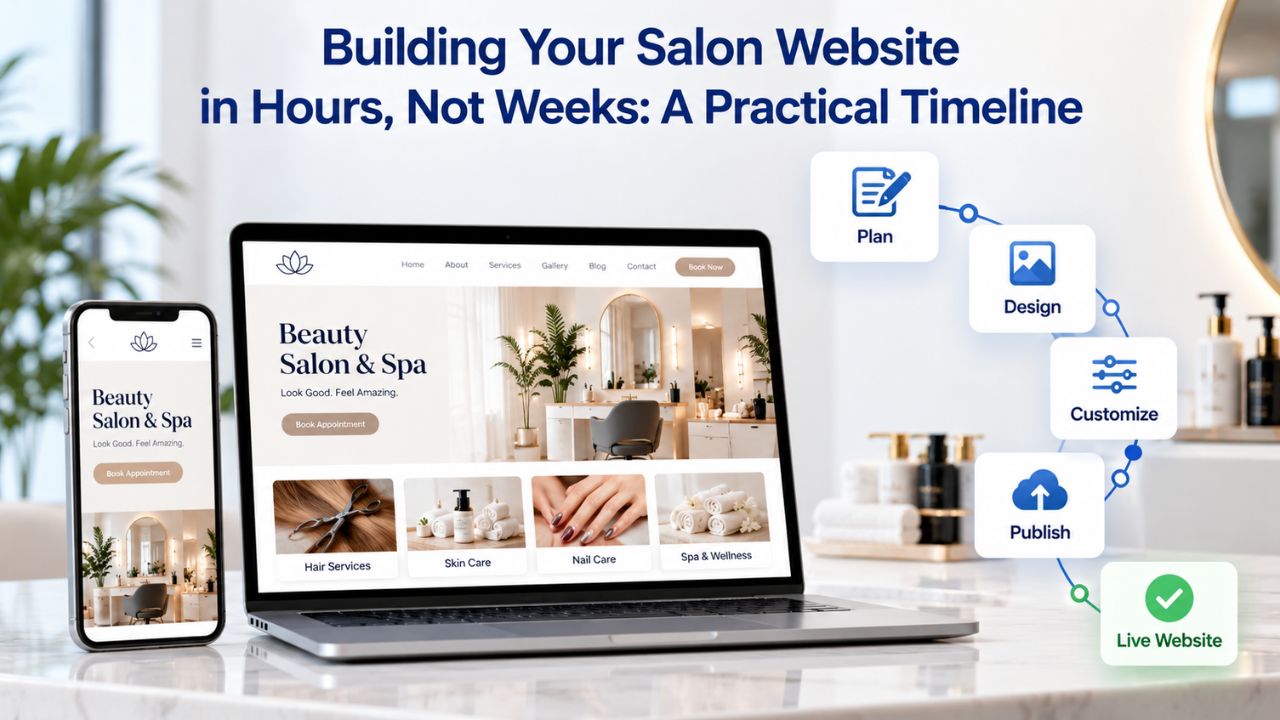
Speed is one of no-code builders’ greatest advantages. A typical salon website setup follows this timeline, assuming you have your content ready (business description, service list, staff photos, location information).
Hour-by-Hour Breakdown: From Login to Live Website
Hour 1: Template Selection and Foundational Customization. You browse available salon templates and choose one that matches your brand direction. You log in to the builder, open the template editor, and complete basic customization: update your salon name in the header, replace the placeholder logo with your actual logo (or skip this step if you’re still developing one), set your business hours in the footer, customize the primary color scheme to match your brand, and write a brief welcome message for your homepage. This foundational work takes about 30–45 minutes and gives your site an immediately recognizable identity.
Hour 2: Service Menu and Stylist Profiles. You add every service your salon offers, with descriptions and typical duration. Rather than a generic “Haircut: $60,” you write “Women’s Haircut with Blow-Dry: Customized cut and professional styling for a polished finish” and note it typically takes 60 minutes. You add special services: color treatments, extensions, treatments, perms, or specialty services. You create a brief bio and upload a photo for each stylist or staff member. Clients want to know who will be working on them, so these profiles build confidence and allow clients to request specific stylists. Most salons complete this section in 30–45 minutes because you’re mainly copy-pasting information you likely already have.
Hour 3: Photo Gallery, Contact Information, and Publishing. You upload before-and-after photos showcasing your best work; these are your portfolio and proof of quality. You organize them into categories (haircuts, color, treatments, salon interior) so clients can quickly find examples of the service they’re considering. You add your contact information: phone number, email, physical address, business hours, and a contact form for inquiries. You link your Google Business Profile if you have one established. You review the entire site on your phone to ensure it looks and functions properly on mobile, then click Publish to make the site live on the internet.
Beyond Launch: The First Week of Refinement
After publishing, most salons spend their first week adding polish and completeness. You upload more photos as you take them, refine service descriptions based on client questions, add a blog post about a seasonal trend or service (excellent for SEO), update special offers or promotions, and ensure all information is current. This ongoing work happens gradually and requires only 30 minutes per week once the site is live. The key milestone is having your site live and bookable by day one; refinement happens alongside daily business operations, not before launch.
Mobile Responsiveness: Why Your Salon Website Must Function Flawlessly on Phones
Mobile dominance isn’t a future trend; it’s today’s reality. Over 52% of all website traffic globally comes from mobile devices, and for local service businesses like salons, the percentage is even higher. When someone searches “salon near me” on their phone at 6 p.m., finds your website, and sees a broken layout or slow-loading images, they click away to a competitor. Mobile responsiveness isn’t nice to have; it’s essential.
How Mobile-Responsive Design Works Automatically in Website Builders
Website builders handle mobile responsiveness automatically through responsive design principles. Templates are built using flexible layouts that automatically adjust element sizes, spacing, and positioning based on screen width. A five-column layout on desktop automatically reflows to a single column on mobile. Images scale down to fit smaller screens. Navigation menus collapse into a hamburger icon (three horizontal lines) to save space. This isn’t manual switching between a “mobile version” and “desktop version”; it’s intelligent, fluid adaptation that works seamlessly across all device sizes.
The builder’s preview tools let you see exactly how your site appears on phones, tablets, and desktops before publishing. You can test the entire user journey: search your salon, click through to your site, view your services, and try booking an appointment, all on your phone. This testing is crucial because issues visible on desktop sometimes become problems on mobile. A form field that’s perfectly clickable with a mouse can be frustratingly small on a touchscreen. A beautiful image that loads instantly on desktop might take 5 seconds on mobile, causing visitors to abandon. Testing on your actual phone, during editing, catches these issues before your site goes live.
Page Speed: The Hidden Factor That Kills Mobile Conversions
Page speed directly impacts whether mobile visitors stay or leave. Research shows that 53% of mobile visits are abandoned if pages take longer than 3 seconds to load. Website builders optimize speed automatically through content delivery networks (CDNs) that serve content from servers close to visitors, image compression that reduces file sizes without quality loss, and caching that stores frequently accessedfrequently accessed data locally. However, you can help by uploading optimized images, compressed to web resolution rather than high-resolution originals. Most builders provide image optimization tools that do this automatically when you upload.
Test your site’s mobile speed using Google’s PageSpeed Insights tool (free, at pagespeed.web.dev). Enter your website URL, and Google analyzes your site’s performance on mobile devices. The report highlights what’s slowing your site and suggests improvements. For salon websites built with website builders, mobile speed typically scores well (75+) because the builder’s infrastructure is already optimized. However, uploading very large, uncompressed image files can slow things down. Compress images to under 500 KB each before uploading to keep mobile performance fast.
Mobile Performance Checklist: What Impacts Salon Website Conversions
| Mobile Element | Benchmark Standard | Impact on Bookings | Action to Take |
|---|---|---|---|
| Page load time on mobile (3G) | Under 3 seconds | 53% of visitors abandon if slower | Compress images, use CDN hosting |
| Image file sizes | Under 500 KB each | Slow loading kills conversions | Use builder’s image optimization tool |
| Navigation menu (mobile) | Collapses to hamburger icon | Must be easy to access and tap | Verify in builder’s mobile preview |
| Form field size (booking) | Minimum 44px height & width | Frustrating to fill on touchscreen | Test appointment form on your phone |
| Text readability (mobile) | Minimum 16px font size | Illegible text causes abandonment | Verify text doesn’t require zooming |
| Call-to-action button size | Minimum 48px × 48px | Clients can’t tap small buttons | Make “Book Appointment” button prominent |
| Mobile layout flexibility | Single column on phones | Dual/triple columns break on small screens | Preview on actual mobile device |
| Google Mobile-Friendly Test | Score 75+ (Green) | Ranks higher in mobile search | Run free test at google.com/mobile-friendly |
Online Appointment Booking: Transforming Casual Visitors Into Confirmed Appointments
Online appointment booking is often the single most impactful feature a salon website can have. Instead of calling during business hours, navigating voicemail, or waiting for a callback, potential clients can view your real-time availability and book an appointment themselves at 11 p.m. on Sunday, when your phone is off but your website is open. This 24/7 accessibility directly converts casual website visitors into confirmed appointments.
How Appointment Booking Systems Reduce No-Shows and Increase Bookings
GoDaddy Website Builder’s appointment booking feature (available on mid-tier and higher plans) creates a calendar integration that syncs with your business hours and staff availability. When a client visits your website, they click “Book an Appointment,” select a service (haircut, color, treatment), choose an available date and time, provide their contact information, and confirm. The appointment immediately appears in your calendar, and a confirmation email is sent to the client. The system prevents double-bookings: once a time slot is taken, it’s no longer available to other clients, and it can route appointments to specific stylists if you’ve set preferences.
The automation delivers measurable business impact. First, clients receive automated reminder emails or SMS messages 24 hours before their appointment, dramatically reducing no-shows. Salons report 20–30% reductions in cancellations and missed appointments after enabling reminders. Second, online booking captures demand outside business hours. Many people book salon appointments after work or late in the evening; if your website isn’t bookable 24/7, they’ll move on to a competitor. Third, the system eliminates back-and-forth scheduling friction: no phone tag, no waiting for callbacks, no miscommunication about times or services. The client books, the appointment is confirmed, and everyone has it on their calendar.
Integrating Multiple Stylists and Managing Complex Schedules
For multi-stylist salons, appointment booking systems handle complexity automatically. You set each stylist’s availability (which days they work, which hours they’re available, how long each service takes with them). Clients can book with a specific stylist or request “any available stylist” for faster booking. The system automatically prevents double-bookings, manages service-specific durations (a color treatment takes longer than a cut), and can enforce minimum booking lead times (e.g., book at least 2 hours in advance). For salons with complex schedules, different stylists with different service expertise, different availability, and different pricing tiers, this automation prevents scheduling chaos and client confusion.
Ready to Stop Losing Bookings to Competitors Without Websites?
Your potential clients are searching for salons right now. Every day without an online presence is revenue left on the table. Niya Digital’s Website Builder Service removes the barriers of cost and complexity, so you can launch a professional, booking-ready salon website today and start capturing appointments tomorrow. Your competition is already online. It’s time to join them.
Showcasing Your Work: Photo Galleries and Service Menus That Sell
Your salon’s visual work is your best marketing asset. Potential clients evaluate salons primarily through photos, before-and-after transformations, styling detail, salon ambiance, and team photos. A strong photo gallery with well-organized content builds trust, sets expectations, and directly influences booking decisions.
Building a Photo Gallery That Tells Your Salon’s Story
Most website builders include dedicated gallery sections where you upload images, organize them into albums, and display them with captions. For salons, this is your opportunity to showcase your best work prominently. Organize your gallery strategically: separate albums for haircuts, color services, treatments, and salon interior. Within each album, arrange photos from best to most-good (lead with your strongest work), and include diverse client types (different hair types, ages, skin tones, style preferences). Hence, potential clients see themselves represented, and include both close-up detail shots and full-head/full-body photos so the transformation is clear.
Write descriptive captions for your gallery photos. “Lived-in balayage with honey highlights” is more helpful than “Color.” “Precision fade with line design” is more specific than “Men’s cut.” These captions serve dual purposes: they help clients understand what they’re looking at, and they provide SEO signals to Google. When someone searches “balayage highlights” or “precision fade” and Google indexes your gallery, your descriptive captions help your salon appear in those searches. This is a small but powerful SEO advantage.
Service Menus: Clear, Detailed, and Bookable
Your service menu should list every service you offer, with descriptions, typical duration, and where applicable, pricing (if your business model includes public pricing). Be specific: “Women’s Haircut” is vague; “Women’s Haircut with Blow-Dry (60 min)” is clear. Include add-on services: “Deep Conditioning Treatment (+15,15min)” or”ScalpMassageAdd-On(+20, 10 min).” Describe what’s included: “Haircut includes wash, style, and product consultation” tells clients what to expect.
Service descriptions should address common questions and objections. For a first-time service, many clients hesitate because they don’t know what to expect. A description like “Brazilian Blowout Keratin Treatment (90 min): Professional keratin application followed by blow-dry styling. Results last 3–6 weeks. Perfect for frizz control and smoothing. Not suitable for very curly hair texture” gives clients specific information to decide if the service is right for them. This clarity reduces client anxiety and filters out clients who aren’t a good fit, resulting in more satisfied bookings and fewer complaints.
Local SEO and Google Maps: Getting Found in “Near Me” Searches
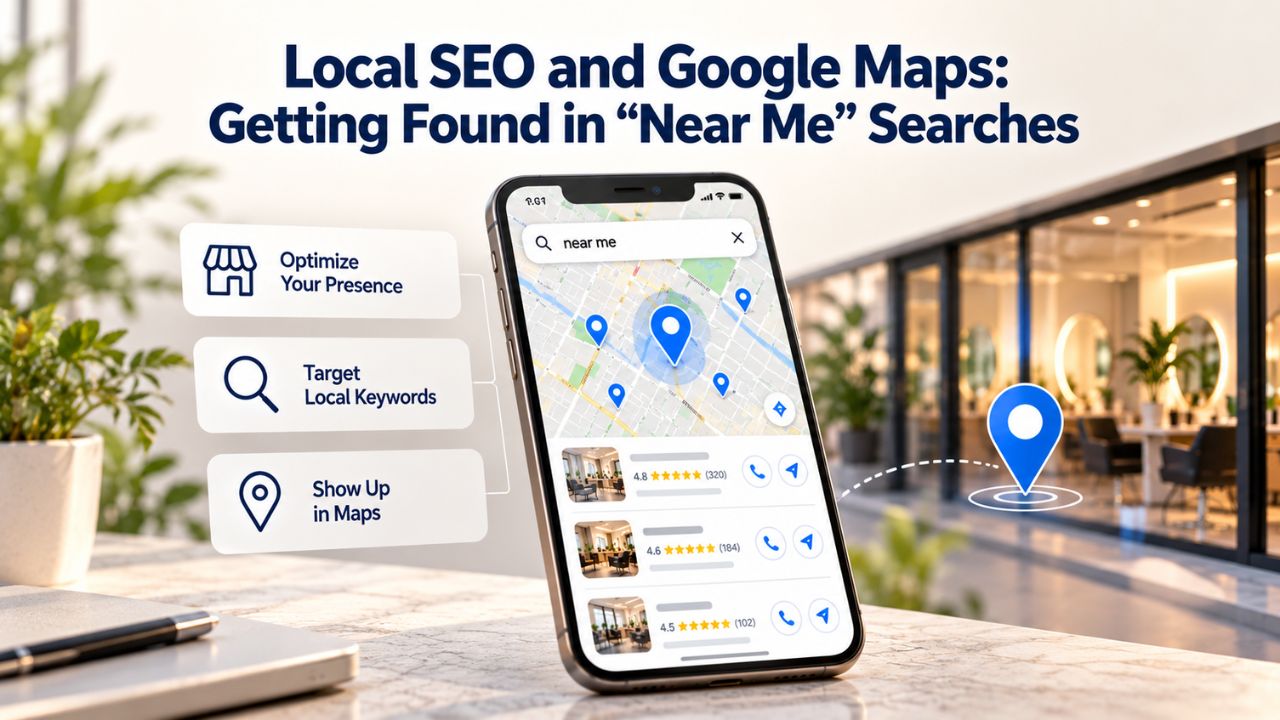
Local search is how salons win. When potential clients search “salon near me” or “best haircut in [city],” Google returns local businesses that claim and optimize a Google Business Profile and maintain consistent location information across the web. If your salon isn’t visible in local search, you’re losing a primary discovery channel.
Claiming and Optimizing Your Google Business Profile
Start by claiming your Google Business Profile (if someone else created it) or creating one if it doesn’t exist. Visit google.com/business and search for your salon. If it exists, claim it by verifying your phone number or address. Add complete information: business name, phone number, physical address, hours, website URL, categories (Beauty Salon, Hair Salon, etc.), a business description, photos, and services offered. This profile appears in Google Maps, Google Search results, and business directories. Keep it current; if your hours change, update them immediately so clients don’t arrive to find you closed.
Consistency across web presence amplifies local SEO signals. Your business name, phone, and address should match across your website, Google Business Profile, social media profiles, and directory listings (Yelp, Healthgrades, etc.). Any variation (e.g., “Sarah’s Hair Salon” vs. “Sarah Hair Salon”) confuses Google’s algorithm and weakens your local ranking. Google’s algorithm learns that a salon called “Sarah’s Hair Salon” is the same business across platforms and rewards that consistency with better local search rankings.
Embedding Location Into Your Website Content Naturally
Mention your specific location and neighborhood throughout your website content in natural language. Your homepage might say “Welcome to [Salon Name], your trusted salon in the [Neighborhood] area of [City]” rather than hiding your location only in the footer. Service descriptions can mention local context: “Serving the [Neighborhood] community since 2015” or “Specialists in [Specific Service] for [City]’s busiest professionals.” These natural mentions signal to Google and to potential clients that your salon serves a specific local area, which helps you rank in local searches.
Embed a Google Map on your website showing your exact location. Website builders make this simple; you add your address, and a map appears showing your salon. This serves multiple purposes: it helps clients find directions, signals to Google that your business location is real and verified, and provides a strong visual cue that you’re established and easy to find.
Managing Your Salon Website Without Technical Support: Independence and Control
One of the biggest fears salon owners have about building their own website is uncertainty about long-term maintenance. What if something breaks? What if you need to update something and don’t know how? What if technology changes? Website builders are designed for ongoing use by non-technical people, so you don’t need a developer to keep your site updated.
Updating Content: A Skill You’ll Master in Minutes
Website builder interfaces are intentionally intuitive. To change a service price, you navigate to the Services section, click the service you want to edit, update the price field, and save. The change goes live immediately. To add a new photo to your gallery, click “Add Photos,” upload the image files, and the gallery updates automatically. To change your hours for a holiday or special event, click Hours, update the times, and save. These tasks follow the same pattern: find the section, click edit, make changes, save. Most salon owners who’ve never built a website before can independently update their site after one or two guided sessions.
The builder handles all the technical maintenance automatically. Security updates, server maintenance, backups, and SSL certificate renewals happen behind the scenes without your involvement. If your website needs hosting infrastructure updates, you don’t see or manage that work. You log in, edit your content, and publish. This differs from WordPress or other DIY options that require ongoing technical maintenance.
When to Call Support: The Realistic Help Scenarios
Most salon owners need support during three phases: initial setup (choosing a template, uploading photos, activating appointment booking), occasional feature questions (how to set specific stylist availability, how to adjust appointment duration), and rare troubleshooting (a client reports something looks broken on their device). Quality website builders provide support through multiple channels: email support (typically a 24-hour response), live chat (real-time answers), and a comprehensive knowledge base with video tutorials for common tasks.
Niya Digital’s team has observed that most salon owners need setup support at launch, including guidance on template selection, best practices for photos and service descriptions, and testing the appointment booking system before going live. After launch, most operate independently, checking in for occasional questions. Technical hand-holding is modest because the builder’s interface is designed to be self-explanatory.
Comparing Your Options: DIY Builder, Freelance Designer, or Managed Service
Before committing to building your website, it’s worth understanding your options and trade-offs. Three approaches exist: DIY website builder, hiring a freelance designer or developer, and using a managed salon platform that bundles website, booking, and client management.
| Option | Launch Timeline | Ongoing Updates | Customization Level | Support Requirement |
|---|---|---|---|---|
| DIY Website Builder | 1–3 hours | You manage independently | Moderate (template-based) | Email/chat support available |
| Freelance Designer | 2–4 weeks | Designer updates for fees | Full custom design | Depends on freelancer |
| Professional Design Agency | 4–8 weeks | Agency manages ongoing | Full custom design | Agency handles everything |
| Managed Salon Platform (Acuity, Mindbody, Fresha) | 2–3 hours | Platform maintains | Limited (platform constraints) | 24/7 platform support |
For most solo and small-team salons, DIY website builders offer the best balance: you can launch quickly, keep full control, update independently, and keep costs reasonable. Designers make sense if you have budget for custom branding and can wait weeks for launch, useful for upscale spas or concept salons where distinctive branding is core to positioning. Managed salon platforms appeal if you want appointment booking plus customer relationship management (client history, preferences, email marketing) bundled together. Still, they trade customization flexibility for convenience, and monthly fees accumulate over time.
Advanced Features: Beyond the Basics
Once your website is live and functioning, several advanced features can amplify its impact on your business. These features aren’t required at launch but become valuable as your online presence matures.
Email Marketing Integration: Keeping Clients Informed
Many website builders integrate email marketing tools that let you send newsletters, promotional offers, or appointment reminders directly from your website platform. You build a simple email list from new clients who book online, then send monthly updates about new services, seasonal specials, or style inspiration. This keeps your salon top of mind between visits and can drive repeat bookings. Email marketing doesn’t require technical skills; most builders provide templates and a simple interface to compose emails and schedule sending.
Social Media Integration and Content Sharing
Link your website to your Instagram, Facebook, and TikTok accounts prominently. Many salons use Instagram to showcase work, transformation photos, team content, and before-and-afters, and your website should direct clients there to see your latest posts. Some builders let you embed an Instagram feed directly on your website, automatically showing your latest posts. This creates two-way traffic: clients discover you on Instagram and visit your website to book, or they visit your website and follow your Instagram for ongoing inspiration. Both channels reinforce each other.
Client Testimonials and Reviews: Building Social Proof
Displaying client testimonials and reviews on your website builds trust with potential clients. After an appointment, ask satisfied clients to leave a Google review or write a testimonial. Add permissions to your website to embed Google reviews directly in a dedicated section. Website builders often include testimonial sections with photos, text, and star ratings. Social proof, evidence that other people had positive experiences, is one of the most powerful conversion factors. When a hesitant potential client sees five-star reviews from real clients, their confidence increases dramatically.
Maintaining Your Website: Seasonal Updates and Growth
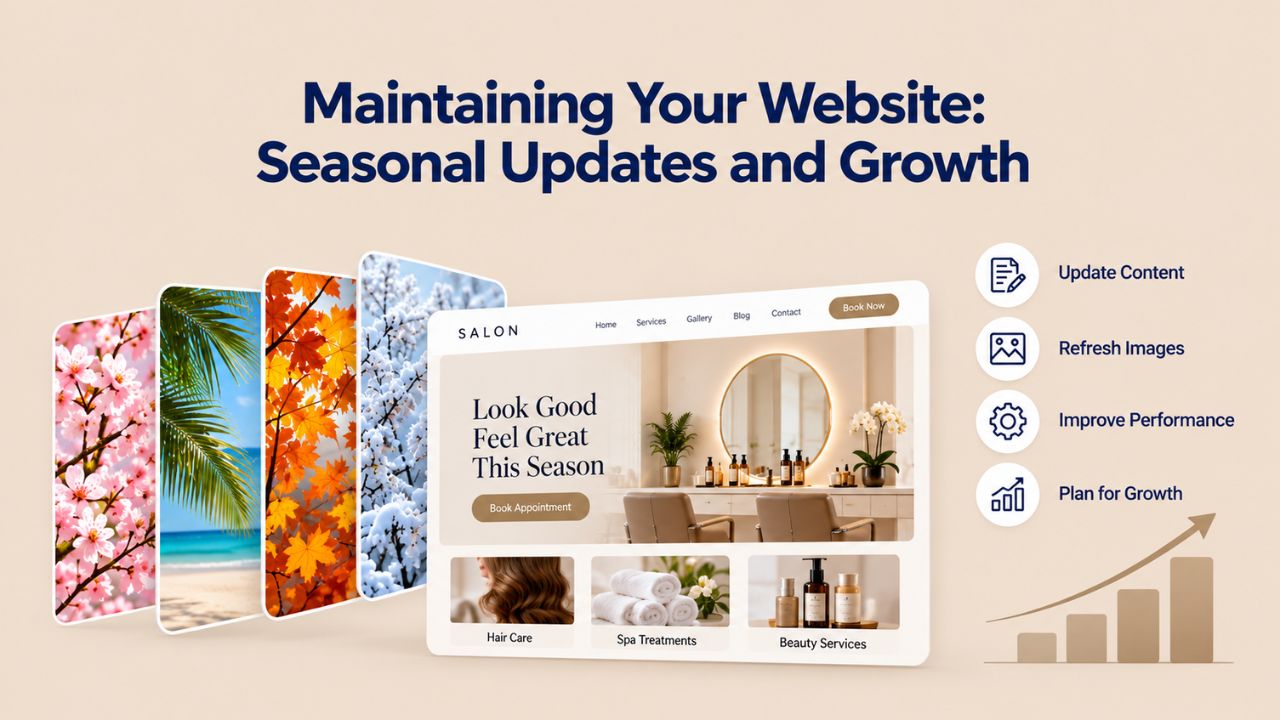
Your website isn’t a “set it and forget it” tool; it’s a living asset that should evolve with your business. Set aside 30 minutes each week to add new photos from recent appointments, update special promotions, adjust holiday hours, or refresh your homepage message for the season.
Seasonal Adjustments That Reflect Your Business Calendar
Spring and summer bring different demands than fall and winter. In spring, many clients seek fresh haircuts and color refreshes. In winter, treatments like keratin or moisture therapies surge. Update your homepage, service descriptions, and photo gallery seasonally to highlight what’s trending. Feature spring color trends in your gallery in March; showcase winter-ready styles in September. This seasonal relevance keeps your website feeling current and gives clients what they’re actively seeking.
Growing Beyond Your Initial Website
As your salon grows, adding staff, expanding services, or opening a second location, your website can grow with it. Website builders let you add new service categories, create team pages for additional staff, and, for multi-location salons, manage multiple sites or location pages within one account. You don’t outgrow website builders quickly; they scale with your business.
Get Your Salon Online and Start Capturing Appointments Today
A professional, booking-ready salon website is no longer a luxury reserved for large establishments with tech budgets; it’s an essential business tool available to every salon owner. Your Website Builder Service, powered by GoDaddy Website Builder’s proven technology, removes barriers of cost and technical complexity. Launch today, start appearing in local searches tomorrow, and begin capturing those missed appointments next week.
Frequently Asked Questions
Do I need any special equipment or software to build a salon website?
No special equipment is needed. You need a web browser (Chrome, Safari, Firefox), an internet connection, and a computer or tablet. You can build your website on a Mac, Windows, or Chromebook. Many salon owners even edit their sites on their phones for quick updates throughout the day.
How do I add all my services and pricing to the website if I offer many treatments?
Website builders include organized service sections where you add services, descriptions, and durations. You can group related services into categories- haircuts, color services, treatments, specialty services- so the menu stays organized and easy to navigate. You can add as many services as you need without hitting any limits.
Can I use my own professional photos, or are templates limited to stock images?
You upload your own photos, which is essential for authenticity. Templates include placeholder images to show how the layout works, but you should replace them with your own before-and-after photos, salon interior images, and team photos. Your own photos build much more trust than generic stock images.
Is appointment booking included with all website builder plans, or is it an add-on?
Appointment booking inclusion depends on the plan level. Basic plans may not include it, but mid-tier and higher plans typically include booking functionality. Check your plan details before purchasing, or contact Niya Digital’s team to confirm which plan includes the booking features you need.
If I want to change my website’s design later, do I lose all my content?
No. Website builders let you switch templates without losing content. Your service descriptions, photos, and other content transfer to the new template automatically. The design changes, but your information remains intact. This gives you flexibility to evolve your website’s aesthetic as your brand evolves.
What specific steps should I take to help my salon website rank on Google?
Rank on Google by establishing local SEO presence: create or claim your Google Business Profile, add your location name and neighborhood naturally throughout your website, upload high-quality photos with descriptive captions, ask satisfied clients to leave Google reviews, optimize your page speed so the site loads quickly on mobile, and link your website to your Google Business Profile. These factors signal to Google that you’re a legitimate local business.
Can I add an online store to sell retail products like shampoos or gift cards?
Yes. Many website builders support e-commerce, letting you add a product section or shop. You can sell salon-branded retail, professional hair care products you recommend, gift cards, or other products. Payment processing through Stripe or PayPal is usually integrated or available as an add-on.
What happens to my website if I want to switch to a different builder or platform later?
Policies vary by builder. Some let you export your site content, while others keep tighter control. GoDaddy Website Builder generally provides data export capabilities, giving you flexibility if your needs change. Check the builder’s data portability policies before committing, so you’re not locked in if you want to migrate later.
What’s the typical monthly cost for maintaining a website builder subscription?
Costs vary by plan and provider, but most salon website builders range from affordable monthly subscriptions depending on features. Basic plans offer essentials like templates and mobile optimization. Mid-tier plans add appointment booking, email marketing, and advanced analytics. Premium plans may include additional features like e-commerce or advanced customization. Compare plans based on your needs rather than picking the cheapest option.
If I have no web design experience, can I really build a professional-looking website?
Absolutely. Website builders are specifically designed for non-technical users. Templates handle the design work; you provide the content and customization. Video tutorials and customer support help guide you through any questions. Most salon owners new to web design can build their website independently in a few hours.
Is a website built with a website builder mobile-friendly automatically?
Yes, modern website builders make mobile responsiveness automatic. Your site will work smoothly on phones, tablets, and desktops without any configuration. The builder’s responsive design adapts your site’s layout to different screen sizes. However, you should test your site on your own phone during editing to ensure everything looks and functions as expected.
How much time per month do I need to spend maintaining and updating my website?
Most salon owners spend 30 minutes per week updating their site: adding new photos from recent appointments, updating special offers, adjusting hours, or posting quick updates. This gradual approach keeps your website current without requiring large blocks of time. You can batch updates on a slow weekday afternoon.
Can multiple team members access the website to edit it?
Many builders allow multiple user accounts with customizable permission levels. You can give your receptionist access to update booking availability or testimonials without letting them change pricing or branding. This allows your team to contribute while you maintain strategic control.
How do I know if my salon website is working well and attracting clients?
Website builders include built-in analytics showing how many people visit your site, which pages they view most, how long they stay, and whether they book appointments. Most builders provide a simple dashboard showing these metrics. Use this data to understand what’s working: if your gallery gets viewed by many people but few book, you may need to simplify your booking process. If certain services get viewed more frequently, consider promoting those more prominently.
If my salon’s name or branding changes, how difficult is it to update my website?
Updating branding is straightforward. Change your salon name in the header, update your logo image, adjust your color scheme, and modify service descriptions if needed. All changes go live immediately. The builder handles everything automatically, with no code or technical changes required.
How do I connect my salon’s social media accounts to my website?
Website builders let you add social media icon links in your footer or header, typically just by entering your social media username or URL, and the builder creates clickable icons. Some builders also let you embed social media feeds directly on your website, so your latest Instagram photos appear automatically, keeping your social channels connected and driving traffic between them.
Glossary
- Appointment Booking System: An online feature that displays your available time slots and lets clients reserve appointments directly through your website. The system syncs with your calendar, prevents double-bookings, and sends automated confirmation and reminder messages.
- Drag-and-Drop Editor: A visual interface in website builders where you click and move design elements (text boxes, images, buttons, forms) to positions on your page without writing any code. What you see in the editor is what your live website looks like.
- Domain: Your website’s web address (e.g., www.yoursalonname.com). Website builders help you register a new domain or connect an existing one you already own.
- Hosting: The server infrastructure that stores your website files and makes your site accessible on the internet 24/7. Website builders include hosting with their subscription, so you don’t manage servers or technical infrastructure.
- Mobile-Responsive Design: A website layout that automatically adjusts its size, spacing, and arrangement to display correctly on phones, tablets, and desktop computers. Text, images, and buttons all resize and reposition based on screen width for optimal viewing and interaction on any device.
- SEO (Search Engine Optimization): Techniques that help your website rank higher in Google search results. For salons, this means appearing in “salon near me,” “haircut near me,” and “best salon in [city]” searches, driving organic traffic without paying for ads.
- Template: A pre-designed website structure with layouts, color schemes, placeholder sections, and sample content tailored to a specific business type, like salons or spas. You customize templates with your own content, photos, and branding rather than building from a blank page.
- Website Builder: A visual platform that lets you create and publish a professional website without coding. You choose a template, customize it with your content, and the builder automatically handles hosting, mobile optimization, security, and backups.