
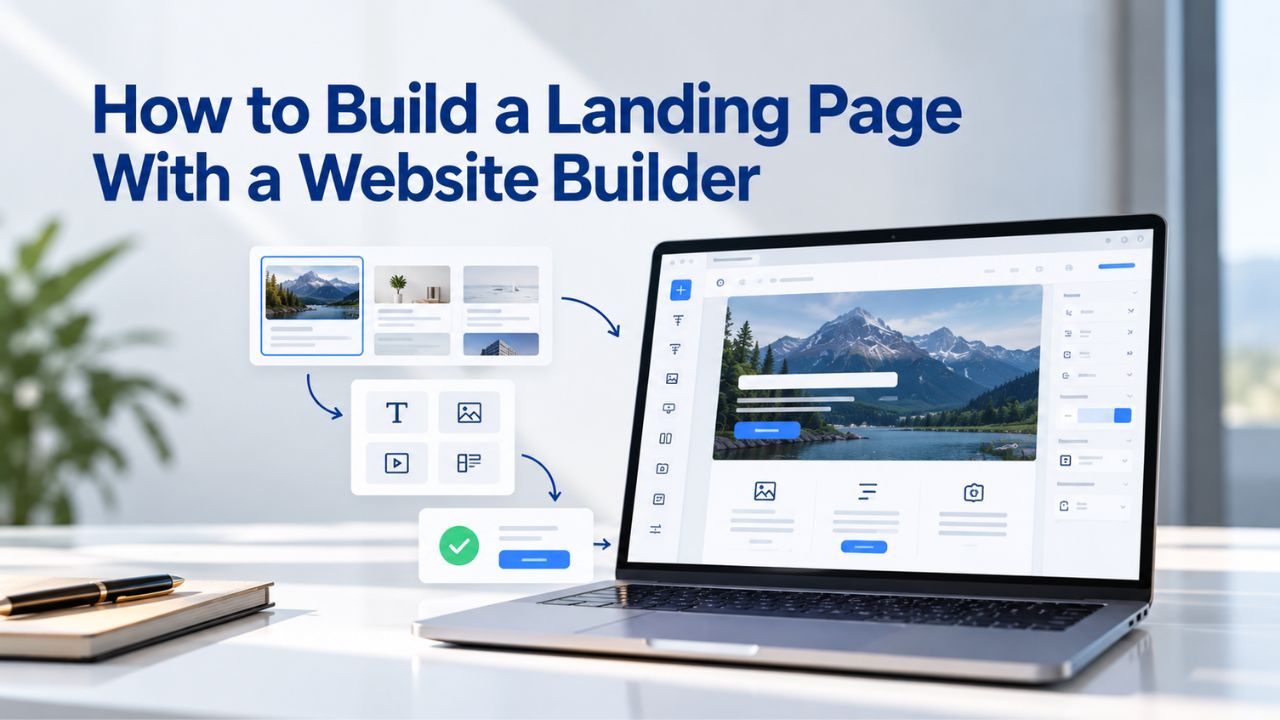
A landing page is your business’s most focused sales tool, a single web page designed to drive one specific action, whether that’s capturing an email, booking an appointment, or completing a sale. Most small-business owners never build one, assuming it requires coding skills or hiring an expensive designer. A website builder eliminates that barrier, letting you launch a professional, high-converting landing page in hours instead of weeks, without touching a line of code. Niya Digital’s Website Builder Service is powered by Website Builder’s site-building engine, hosting infrastructure, and publishing technology.
What a Landing Page Actually Does (And Why You Need One)
A landing page serves a single, laser-focused purpose: it directs visitors toward one action and removes every distraction that might send them elsewhere. Unlike a homepage, which introduces your entire business and encourages exploration, a landing page zeroes in on one goal- sign up for this webinar, book this appointment, buy this product- and guides every element toward that outcome.
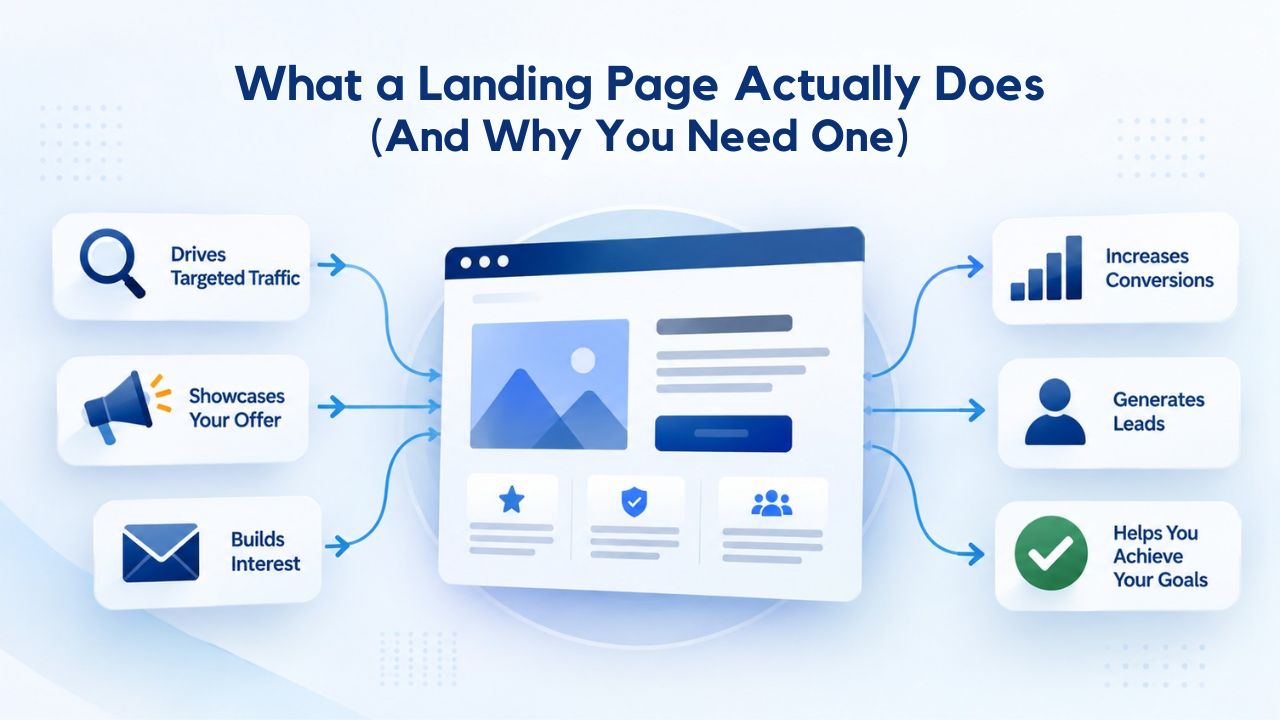
When a Landing Page Beats a Homepage
You need a landing page whenever you’re running a campaign with a specific, time-bound offer or goal. A seasonal promotion, a new product launch, a limited-time discount, a webinar signup, a lead-generation campaign- each of these works better with a dedicated landing page. If you’re paying for advertising (Google Ads, Facebook Ads, LinkedIn Ads, or even email campaigns), a landing page with a message that matches the ad copy converts significantly better than sending that same traffic to your homepage, where visitors are distracted by navigation, multiple offers, and competing calls-to-action.
Niya Digital’s team has found that small businesses often report substantial improvements in form submissions and conversions when they redirect campaign traffic to a focused landing page instead of their homepage. The reason is simple: visitors see the exact message they clicked, find it delivered in full on the page, and take action immediately. No searching, no confusion, no leaving to look elsewhere.
Real-World Landing-Page Use Cases
Service providers, plumbers, accountants, consultants, and personal trainers use landing pages to capture qualified leads for a specific service or a free consultation. E-commerce businesses use them to highlight seasonal collections, flash sales, or new product launches. Content creators, coaches, and authors use landing pages to build email lists before a course launch or book release.
Non-profits use them to drive donations during fundraising campaigns. Startups use them to validate product ideas before building the full product. Real estate agents use them to showcase a single property and capture buyer inquiries. In each case, the landing page’s singular focus drives higher conversion rates than any multipurpose page could achieve.
Website Builder Plans & Pricing
Create a professional website with flexible website builder plans designed for businesses, portfolios, and growing online brands. Choose a plan that matches your needs and build, customize, and manage your website with easy-to-use tools, responsive designs, and essential features for a strong online presence.
Website Builder Personal
Share your passion online.
- Responsive mobile design
- Website hosting
- Rapid Page-Load performance
- Create a blog
- Security (SSL)
- 24/7 support

Website Builder Business
Create an online presence for your business.
- Responsive mobile design
- Website hosting
- Rapid Page-Load performance
- Create a blog
- Security (SSL)
- 24/7 support
- PayPal Buy Now or Donate button
- Search Engine Optimization (SEO)
Website Builder Business Plus
Attract more customers.
- Responsive mobile design
- Website hosting
- Rapid Page-Load performance
- Create a blog
- Security (SSL)
- 24/7 support
- PayPal Buy Now or Donate button
- Search Engine Optimization (SEO)
- Social Media Integration
- Share content to Facebook
- Online Appointments
Website Builder Online Store
Sell products and services.
- Responsive mobile design
- Website hosting
- Rapid Page-Load performance
- Create a blog
- Security (SSL)
- 24/7 Support
- PayPal Buy Now or Donate Button
- Search Engine Optimization (SEO)
- Social Media Integration
- Share content to Facebook
- Online Appointments
- Built-in shopping cart
- Sell physical and digital products
- Accept credit and debit cards, PayPal and more
- Flexible shipping options
- Discounts and promotions
- Manage inventory
The Building Blocks of a High-Converting Landing Page
High-converting landing pages share a consistent structure, built on principles of psychology, clarity, and user experience. Every element on the page, from the headline to the footer, serves a single purpose: to move the visitor closer to the conversion action. Understanding these building blocks helps you recognize what works when you customize a template or design your own.
The Psychology Behind Effective Landing-Page Design
People make snap judgments about credibility within seconds of landing on a page. A professionally designed page, with aligned text, readable fonts, high-quality images, and logical flow, signals trustworthiness and reduces the friction a visitor feels before taking action. A cluttered, poorly designed page sends the opposite signal. Visitors trust professional design and distrust sloppy presentation, whether consciously or not. This is why website builders‘ pre-built templates are so effective: they start you with a professionally designed foundation, so you don’t need design training to look credible.
The second critical layer is clarity. A visitor should understand your core offer and what happens next within ten seconds of landing on your page. That means a benefit-focused headline (not feature-focused), one clear call-to-action button (not five competing options), and no jargon or unclear language. Your subheading should answer the one question the visitor came to solve. Your benefits should be short, scannable, and specific. Your images should show the product or result, not generic stock photos. Every word and every image should reinforce the same message.
Essential Elements Every Landing Page Needs
Start with a headline that states your core benefit in plain language, “Get a Professional Website in 48 Hours Without Hiring a Developer,” not “Premium Web Solutions.” Add a subheading or brief explanation (two to three sentences) that expands on the benefit. Include one or two high-quality images or videos showing your product, service, or result. List three to five key benefits or features in short, scannable bullets.
Add social proof: how many customers you’ve served, a specific result you’ve delivered, a logo from a recognized partner, or a testimonial from a satisfied customer. Include one prominent call-to-action button with action-oriented text (“Book My Consultation,” “Get Started Free,” “Download Now”). If capturing email or contact details, include a short form (email and name at minimum). End with a minimal footer containing only necessary links, privacy policy, contact page, maybe one more essential link, but no main navigation menu that distracts from your goal.
How Website Builders Make Landing-Page Creation Simple
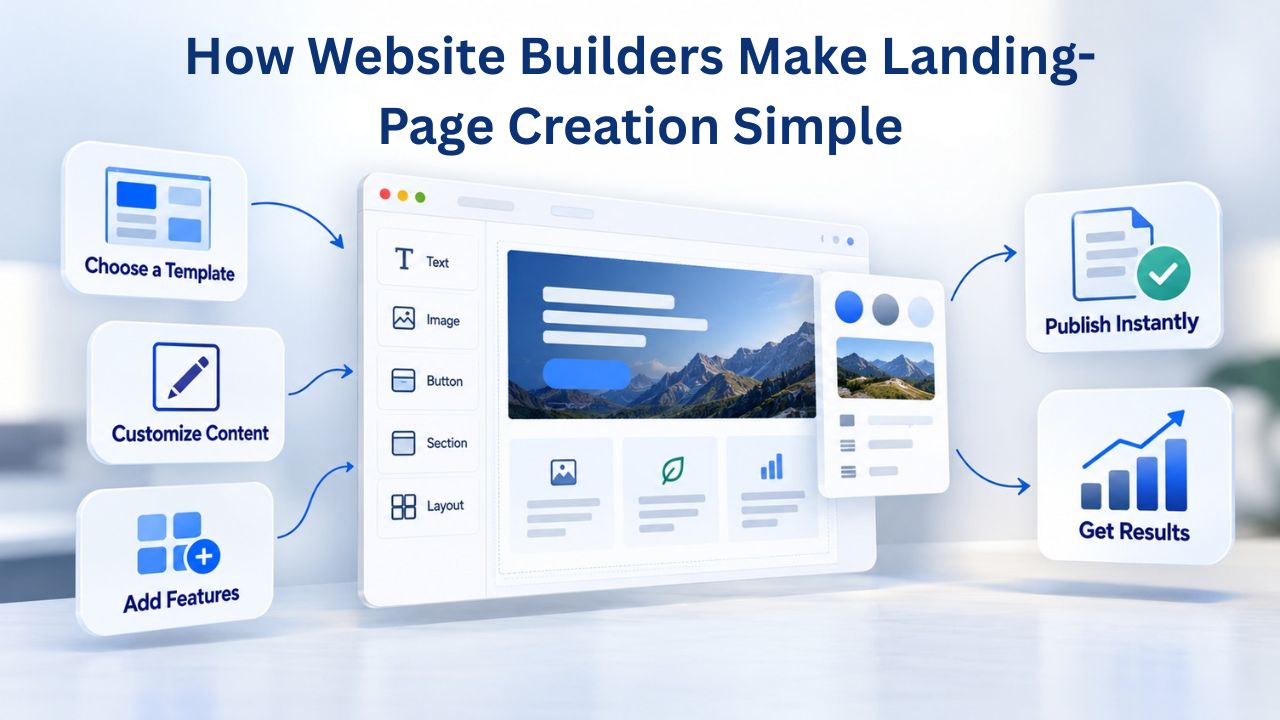
A website builder is a visual tool that lets you design a landing page by clicking, typing, and dragging- no code, no design software, no command line. You start with a pre-built template organized by use case (service booking, product launch, email signup, event registration), customize it with your text and branding, and publish instantly. The builder handles all the technical details- HTML, CSS, mobile responsiveness, hosting, and domain connection- behind the scenes. Your job is to focus on what you want to say, not how to code it.
Drag-and-Drop Editing: No Coding Required
When you open a landing-page template in a website builder, you can click and move every element. Click on the headline to edit it. Click on an image to replace it. Click on a button to change its text or color. Drag a text block down the page to reorder it. Change a color by clicking a color picker. Add a new element (form field, image, button, testimonial box) by dragging it from a sidebar. Everything updates in real time as you work; you see exactly how your page looks on desktop as you design, and the builder automatically shows you how it will appear on mobile and tablet screens.
This real-time visual feedback is transformative for people without design or coding experience. You don’t have to imagine how your changes will look; you see them instantly. If a headline looks too small, you increase the font size and watch it grow. If the color doesn’t match your brand, you adjust it and see the change applied everywhere it appears. If the form looks cluttered on mobile, you adjust the spacing and see it reflow. This iterative, visual approach lets anyone create a professional page, regardless of technical skill.
Templates: Starting With a Professional Design
Starting from a blank page, even with a visual editor, is intimidating and leads to poor results. Website builders solve this by offering hundreds of pre-designed landing-page templates. These templates handle the hard part- layout, typography, spacing, and color coordination- so that you can focus on your content and message. Templates are organized by use case: “Service Booking,” “Email Signup,” “Product Launch,” “Event Registration,” “Lead Capture,” and more. Each template includes a complete page design with placeholder text and images that you replace with your own.
The beauty of templates is that you can start with professional design and customize nearly everything without needing design software or skills. Change the headline, subheading, and body copy. Upload your logo and images. Adjust the color scheme to match your brand (or let the builder suggest a complementary palette). Modify the form fields to ask only what you need. Move sections around if the flow doesn’t match your message. The template gives you a professional starting point, and customization lets you make it your own.
Planning Your Landing Page: Strategy Before Design
The best landing pages start with strategy, not templates. Before you open a website builder, spend ten minutes answering three fundamental questions: What is your single conversion goal? What is your core message? And who is your audience? These answers form the foundation of every element you’ll add to your page.
Defining Your One Conversion Goal
Your landing page should have exactly one primary conversion action. That action might be “Sign up for the webinar,” “Book a consultation,” “Buy the product,” “Download the guide,” or “Start the free trial.” Every element of your page- the headline, the subheading, the images, the form, the button- should guide the visitor toward that one action. Secondary actions (like “Learn more about our company”) can exist, but they should never compete with your primary goal.
This constraint forces you to choose. If you’re torn between multiple goals (“We want them to buy, but also join our list, but also read our blog”), step back and ask: Which action drives the most value for my business right now? Which action am I most confident can convert in the next 30 days? Which action solves the visitor’s most pressing problem? Choose that one, build your page around it, and measure whether it works. Once it’s working, you can run another campaign with a different landing page and a different goal.
Choosing Your Core Message
Your core message is the one-sentence answer to “What’s the benefit to the visitor?” Not “We’re a marketing agency” (feature-focused), but “Get three more qualified leads per week without increasing your ad spend” (benefit-focused). Not “Online course platform,” but “Master copywriting in eight weeks and double your freelance rates.” Your headline and subheading should echo this message. Every supporting sentence should reinforce it. If you catch yourself explaining something that doesn’t directly support your core message, cut it.
A strong core message speaks directly to your visitor’s desire or pain point. It acknowledges the problem (“You want to lose weight but struggle to stick with diets”) and offers the solution (“This meal-planning app makes eating healthy automatic”). It’s specific, not generic. It’s benefit-focused, not feature-focused. It’s short enough to fit in a headline (five to twelve words). Once you’ve defined it, it becomes the north star for every decision about your page: what to say, what to show, what to leave out.
Understanding Your Audience’s One Question
Every visitor arrives at your landing page with an implicit question: “Is this for me? Does it work? Can I trust you? Is it worth my time or money?” Your landing page should answer that question within the first ten seconds. If your visitor is looking to book an appointment, answer “How quickly can I get in?” If they’re looking to buy, answer “What’s the price and what’s the guarantee?” If they’re joining your email list, answer “What will I get, and how often will you email me?” Frame your copy and design around the single objection your audience has, not around a generic pitch that might appeal to everyone.
The best way to identify your audience’s primary question is to think like them. Imagine someone clicking your ad or receiving your email, landing on your page, and thinking aloud: “Okay, what’s this?” Your headline should answer that. Then: “How is this different from what I already tried?” Your benefits section should answer that. Then: “Why should I trust you?” Your social proof should answer that. Then: “What do I do next?” Your call-to-action button should answer that. If your page answers these four questions in order, you’ve done your job.
Selecting and Customizing a Landing-Page Template
Once you’ve clarified your goal, message, and audience, choose a template that supports that message. Website builders organize templates by use case so that you can filter for “service booking,” “product launch,” or “email signup” and instantly see dozens of options. Then choose based on style- modern, minimal, bold, playful- that matches your brand.
Finding the Right Template for Your Offer
Website builders typically organize landing-page templates by category. You’ll see categories like “Service Booking,” “Product Launch,” “Email Signup,” “Webinar Registration,” “Lead Capture,” “Event Promotion,” and more. Each category contains multiple template designs to choose from. Start by filtering for your use case; this instantly narrows thousands of templates to a few dozen. Then choose based on style preference.
When evaluating a template, ask: Does it have the layout I need? If I’m capturing emails, is there a prominent email form? If I’m booking appointments, does it include a calendar or scheduling button? If I’m selling, does it include a product showcase and price display? Does the template feel like my brand or a version of it I can customize? Does the color scheme feel professional? Are the images high-quality, or are they generic stock photos I’ll need to replace? The right template requires minimal restructuring: you’re not moving sections around or hiding elements- you’re just replacing text and images with your own.
Customizing Colors, Fonts, and Branding
Once you’ve selected a template, the next step is to customize it. Upload your logo and replace the placeholder. Change the headline, subheading, and body copy to match your message. Swap out sample images for real photos of your product, service, team, or customers. Adjust the color scheme to match your brand; most builders let you edit colors globally, so changing one headline color updates it everywhere it appears. Change fonts if the template’s defaults don’t match your brand voice.
Most website builders let you customize nearly everything without touching code. Click a text element to edit it. Click an image to replace it. Click a color to change it. Click a button to edit its text or destination. Some builders even let you fine-tune the spacing, shadows, and other design details. The depth of customization available in modern website builders means you can create a page that looks uniquely yours, not like every other site using the same template. The key is to customize thoughtfully, change what serves your brand and message, but respect the template’s underlying design principles, which are usually sound.
| Design Element | Why It Matters | How to Customize |
|---|---|---|
| Headline | First impression; sets expectations and captures attention | Use benefit-focused language, 5–12 words, test variations |
| Subheading | Clarifies the headline and builds the case | Add context or social proof; 1–2 sentences |
| Images/Video | Shows the product, outcome, or benefit; builds trust | Replace stock photos with real product or customer photos |
| Benefits List | Addresses visitor objections and highlights value | Keep 3–5 bullets, specific and scannable; avoid jargon |
| Social Proof | Builds credibility and reduces doubt | Include testimonials, customer logos, stats, or trust badges |
| Call-to-Action Button | Drives the primary conversion | Use action-oriented text; make visually prominent; test color and wording |
| Form Fields | Captures essential information | Minimize to 3–5 fields; only ask what you truly need |
| Footer | Provides trust signals and optional navigation | Include privacy policy, contact link; keep minimal |
Ready to Launch Your First Landing Page?
Your landing page is only effective if it’s live and driving traffic. Stop planning and start building today. Niya Digital’s Website Builder Service gives you everything you need: professionally designed templates, drag-and-drop customization, built-in mobile responsiveness, domain connection, hosting, and expert onboarding support to get you from idea to published page in hours. Join thousands of small businesses already converting visitors into customers.
Building Your Offer and Call-to-Action
The call-to-action (CTA) is the most important element of your landing page; it’s the button or link you want visitors to click. Everything else on your page exists to build the case for this one action. A weak CTA (“Submit”) generates far fewer clicks than a strong one (“Claim Your Free 15-Minute Consultation”). The button should be visually prominent (large, contrasting color) and positioned where the visitor’s eye naturally follows.
Crafting a Compelling CTA Button
The most effective CTA buttons use specific, benefit-oriented language. Instead of “Sign Up,” use “Claim My Free Webinar Spot.” Instead of “Learn More,” use “See How It Works.” Instead of “Contact Us,” use “Schedule Your Consultation.” The specificity sets expectations. A visitor who clicks “Claim My Free Webinar Spot” knows exactly what will happen next; they’re not surprised when a webinar signup form appears.
CTA placement also matters. Ideally, your primary CTA should appear after your core benefit statement, typically one-third of the way down the page, after you’ve hooked the visitor’s interest but before you bore them with too many details. A secondary CTA can appear lower on the page, after all your supporting arguments. And if your page is longer than one screen, repeating the CTA button at the bottom (just above the footer) captures visitors who’ve scrolled all the way through. Website builders make it easy to duplicate buttons or add multiple CTAs; use this to your advantage.
Adding Form Fields Strategically
If your landing page captures emails or contact information through a form, keep it minimal. Ask for only what you truly need. An email address is almost always essential. Name is usually helpful. A phone number depends on your use case; if you’re capturing leads for an enterprise B2B service, you probably need a phone. If you’re building an email list, you might only need email. Every field you add reduces completion rates. The research is consistent: a three-field form outconverts a five-field form every time.
Website builders let you create forms by dragging form fields into your page and configuring them. You choose which fields to include, set which fields are required, and configure where form submissions are sent (to your email, a CRM, an email platform, etc.). Make the form as short as possible. On mobile screens, a long form is especially deadly; people won’t scroll down to complete it. If you need more information from the visitor, you can always ask for it in a follow-up email after they’ve converted.
Making Your Landing Page Mobile-Friendly
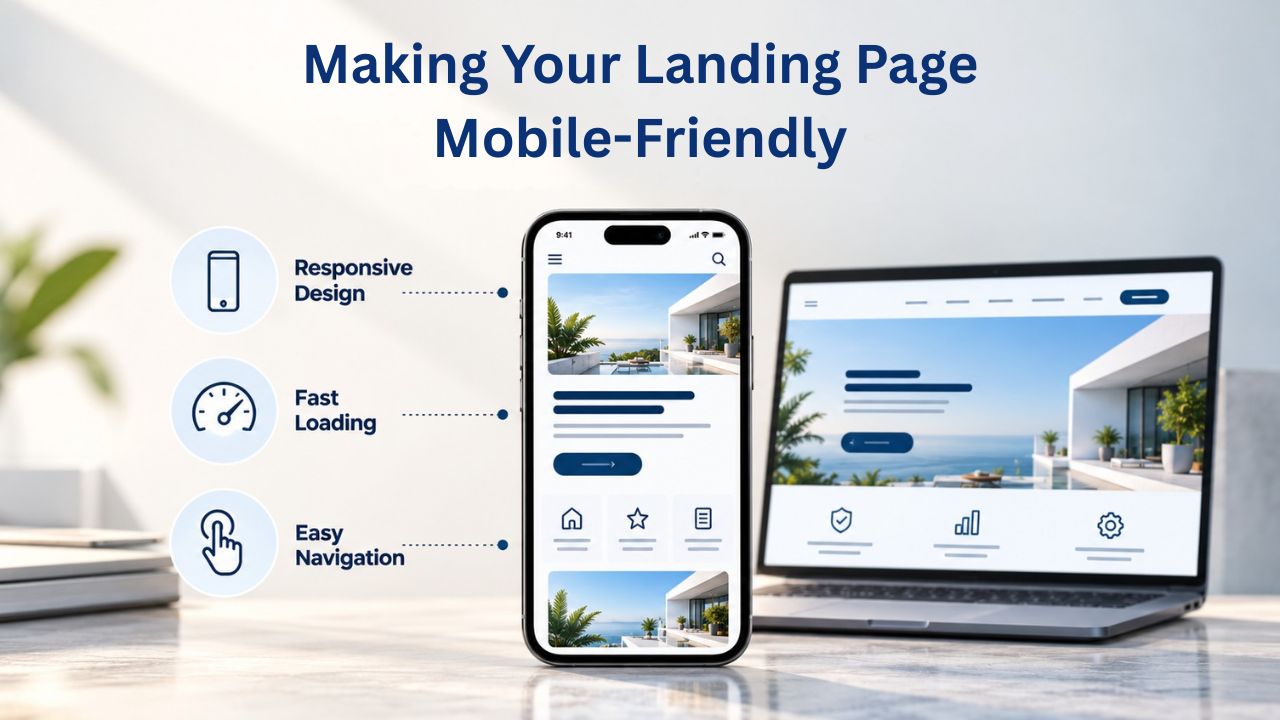
Over fifty percent of web traffic now comes from mobile devices, and that percentage is growing. A landing page that looks great on desktop but is hard to read or navigate on a phone loses visitors and conversions. Fortunately, website builders handle mobile responsiveness automatically: templates are built mobile-first, meaning they automatically adjust layout, font size, image size, and spacing to fit smaller screens.
Why Mobile Responsiveness Matters for Conversion
Mobile responsiveness isn’t just about appearance; it directly impacts conversion rates. A page that’s hard to navigate on mobile will have a lower mobile conversion rate than desktop. If you’re investing in traffic (through ads, email, or social), some of it will be mobile. If your page doesn’t convert mobile visitors well, you’re throwing away half your marketing budget. Conversely, a page that works equally well on mobile and desktop converts that traffic regardless of device.
Website builders built on modern technology (like GoDaddy Website Builder) automatically make templates responsive. You don’t have to code anything. But you should test your page on real mobile devices before publishing. Open your page in a mobile browser on an actual phone and try every interaction: read the headline, scroll through the benefits, tap the form fields, click the CTA button. If the text is too small to read comfortably, if buttons are hard to tap, or if the layout feels cramped, make adjustments in the editor. Most builders let you preview mobile and desktop simultaneously, so you can see how changes affect both.
Testing Your Landing Page on Mobile Devices
Before you publish, test your landing page on at least one real mobile phone, not just the mobile preview in the builder’s editor. Desktop browsers display mobile-sized pages differently than actual mobile phones do. Open your live page on an iPhone, Android phone, or both. Scroll, read, and click. Tap the form to see how it displays. Try submitting the form to make sure it works. Zoom in and out to make sure everything stays readable and usable. If something doesn’t work or looks awkward, go back to the editor and adjust it.
Pay special attention to form fields on mobile. Mobile keyboards take up half the screen, leaving less space to see your form. Make sure form fields are clearly labeled and large enough to tap. Make sure button text is clear and buttons are large enough for fingers, not just mouse pointers. Test the form from beginning to end to make sure it’s easy to complete on a small screen. These small adjustments make the difference between a mobile visitor completing your form and abandoning your page.
Publishing, Testing, and Optimizing Your Landing Page
Once your landing page is designed, customized, and tested on mobile, publish it. A website builder publishes instantly, no waiting for a developer or deployment process. Your page goes live on the web immediately, at a live URL you can share. Traffic can start flowing within minutes. This speed is one of the biggest advantages of using a website builder over hiring a developer or building the page yourself.
Publishing and Connecting Your Domain
Website builders host your page automatically; you get a free subdomain (typically something like yourname.builder.com). But using your own branded domain (like offer.yourname.com or yourname.com) looks more professional and builds trust. Visitors are more likely to complete a form on book.mylaw.com than on mylaw.builder.com. A branded domain also makes it easier to share the link in email, social media, and ads without explaining that it’s hosted on someone else’s platform.
Connecting your own domain to a website builder is straightforward and doesn’t require technical knowledge. If you already own a domain (registered through GoDaddy, Namecheap, Google Domains, or any other registrar), you connect it by copying a few DNS records from your website builder into your domain registrar’s settings. The process takes ten to twenty minutes and is well-documented in the builder’s help center. Niya Digital’s Website Builder Service supports domain connection straightforwardly; you can point your existing domain to your landing page with just a few clicks in the builder’s settings.
Tracking Visitor Behavior and Conversions
After publishing, track how visitors interact with your landing page. Website builders typically include built-in analytics that show you how many people visited, where they came from (search, ads, email, social, direct), and how many completed your goal (signed up, made a purchase, submitted a form). This data is invaluable for understanding what’s working and what needs adjustment.
Pay attention to your conversion rate: the percentage of visitors who complete your goal. If you got 100 visitors and 5 signed up, your conversion rate is 5%. Is that good? It depends on your industry and offer, but typical landing-page conversion rates range from 2% to 10%. Industry benchmarks are available online, but focus first on your own baseline: measure your current conversion rate, then test changes to improve it. Even small improvements compound; moving from 5% to 6% conversion means 20% more conversions with the same traffic.
Common Landing-Page Improvements
If your conversion rate is lower than expected, try these changes one at a time and measure the impact. Start with your headline; make sure it immediately answers “What’s the benefit to me?” in plain language. Simplify your form by removing unnecessary fields. Add social proof if you don’t have it: customer testimonials, trust logos, case results, or customer counts. Improve your images; replace generic stock photos with real photos of your product, team, or customers in action.
Make your CTA button more prominent, or use more specific language. Move your CTA button higher on the page if visitors aren’t scrolling. Test different versions: “Get Started Free” vs. “Start My Free Trial,” or a red button vs. a green button. Run one test per week and measure results. This process, testing one variable, measuring, and implementing winning changes, is called A/B testing, and it’s how high-converting landing pages are built.
Integrating Forms, Email Capture, and Third-Party Tools
Modern landing pages don’t exist in isolation. They connect to external tools and platforms that handle what happens after the conversion: email marketing, appointment scheduling, payment processing, CRM storage, and more. Website builders support these integrations through built-in connectors or through API connections that don’t require coding.
Adding Email Capture and Automation
If you’re building an email list, the most common goal for landing pages, your page needs an email-capture form connected to an email marketing platform. Website builders like those powered by GoDaddy Website Builder support integrations with major email platforms: Mailchimp, ConvertKit, ActiveCampaign, Klaviyo, HubSpot, and others. To set up the integration, you’ll provide your email platform’s API key or authorize the website builder to access your account.
Once the integration is set up, visitors who submit their email through your form are automatically added to a specific list or segment in your email platform. You can then send them a welcome email, a series of educational emails, promotional emails, or whatever sequence makes sense for your offer. This automation is powerful: it lets you scale lead generation without manual work. When 100 people sign up, all 100 are automatically added to your email list and receive your welcome sequence. No one is forgotten.
Booking and Appointment Scheduling Integration
Service-based businesses often use landing pages to drive appointment bookings. A landing page might offer “Book Your Free 30-Minute Discovery Call” or “Schedule Your Consultation.” Website builders support booking integrations with platforms like Calendly, Acuity Scheduling, Square Appointments, and others. You embed a booking calendar on your landing page, visitors select a time that works for them, and the appointment is automatically added to your calendar.
The visitor experience is seamless: they land on your page, read your offer, click the booking button, select a time from your available calendar, and, boom, it’s booked. No back-and-forth emails, no need to manually add it to your calendar, and no confusion about time zones or availability. The automation saves you time and improves the visitor experience. Visitors like booking instantly without back-and-forth emails, and you like not having to manage the scheduling process.
Payment Processing for E-Commerce Landing Pages
If you’re selling a product or service directly from a landing page, the page needs to process payments. Website builders support payment processors like Stripe, PayPal, Square, and others. You connect your payment processor account to your website builder, add a product to your landing page with its price and description, and the builder handles checkout. Visitors complete the purchase without leaving your page, and funds are automatically deposited into your account.
Setting up payment processing is straightforward. You create a product in your website builder, set the price, and customize the purchase button text. You connect your payment processor (Stripe, PayPal, etc.) by authorizing the builder to access your account. From there, when a customer clicks “Buy,” they complete checkout on your page (the payment processor’s secure checkout form), and the transaction is processed. You receive a notification, and the customer receives an order confirmation. Everything is automated and requires no manual work on your part.
Getting Your Landing Page Found: Basic SEO and Visibility
A beautifully designed landing page won’t convert anyone if no one sees it. That means driving traffic through marketing (ads, email, social media) and basic search-engine optimization (SEO). Website builders include built-in SEO tools that make it easier to structure your page the way search engines prefer, and modern website builders like those powered by GoDaddy Website Builder handle technical SEO automatically.
On-Page SEO Basics for Landing Pages
Search engines like Google rank pages based on many factors: content quality, relevance to the search query, mobile-friendliness, page speed, and links from other sites pointing to yours. Website builders handle mobile-friendliness and page speed automatically, so that’s one advantage. To help search engines understand your page and improve your ranking for relevant searches, use clear structure: an H1 headline (which your page title should be), descriptive H2 subheadings that explain the content below them, descriptive alt-text for images, and clear, well-organized content.
Website builders usually handle this automatically. When you add a headline in the editor, the builder assigns it an H1 tag (the most important heading). When you add a section title, it becomes an H2. When you add an image, you can include alt-text (a description of the image that search engines read). These structural elements help Google understand what your page is about and improve your chances of ranking for related search queries. You don’t have to code any of this manually; the builder does it for you.
Meta Titles, Descriptions, and Keywords
Every page should have a meta title (the text that appears in search results, typically 50–60 characters) and a meta description (the preview text under the title in search results, typically 150–160 characters). Website builders let you edit these in an SEO settings panel. Write a title that includes your core offer and a keyword someone might search for: “Book a Free Consultation | [Your Business Name]” or “Free Website Audit | [Your Company].” Write a description that summarizes the benefit and includes a keyword: “Schedule your free 30-minute consultation with our expert team today. No credit card required.”
While you’re setting up your meta title and description, think about the keywords someone would search for to find your offer. If you’re offering a free consultation, people might search “free consultation [your industry]” or “book a consultation [your city].” If you’re selling a product, people might search “buy [product name]” or “[product] online.” Include relevant keywords naturally in your title and description. This helps Google match your page to the right searches, and it helps potential customers recognize that your page answers their question when they see it in search results.
Linking and Domain Connection for Visibility
If you’re running a paid ad campaign, the domain you use matters less; traffic comes from the ad. But if you’re relying on organic search or sharing the page link via email and social media, a branded domain (like offer.yourname.com) looks more professional and trustworthy than a builder subdomain (like yourname.builder.com). A professional domain also helps with email deliverability; emails linking to your branded domain are less likely to be flagged as spam.
Connecting your own domain to a website builder is simple and often free. Niya Digital’s Website Builder Service supports domain connection straightforwardly; you can connect a domain you own or register a new one through Niya’s interface. The setup typically involves copying a few DNS records from the builder to your domain registrar’s settings, a process that takes ten to twenty minutes. Once set up, your landing page is accessible at your branded domain, improving trust and professionalism.
Scaling From Landing Page to Full Website
A landing page is a powerful tool for a single campaign or offer, but most growing businesses eventually need more. A homepage that builds brand trust, service pages that explain your full range of offerings, a blog that drives organic traffic, customer testimonials that build credibility, and an about-us page that tells your story, these elements combine to create a full web presence that supports your business beyond one campaign.
The beauty of using a website builder is that you don’t have to choose between landing pages and a full website. You can start with one landing page, measure whether it works, and then expand into a complete website within the same builder platform. All pages share the same branding, styling, and infrastructure. Your initial investment in templates and design systems pays off as you add pages. Your analytics infrastructure grows to track the entire customer journey, from landing page to conversion to customer. Your email integrations and form systems scale alongside your business.
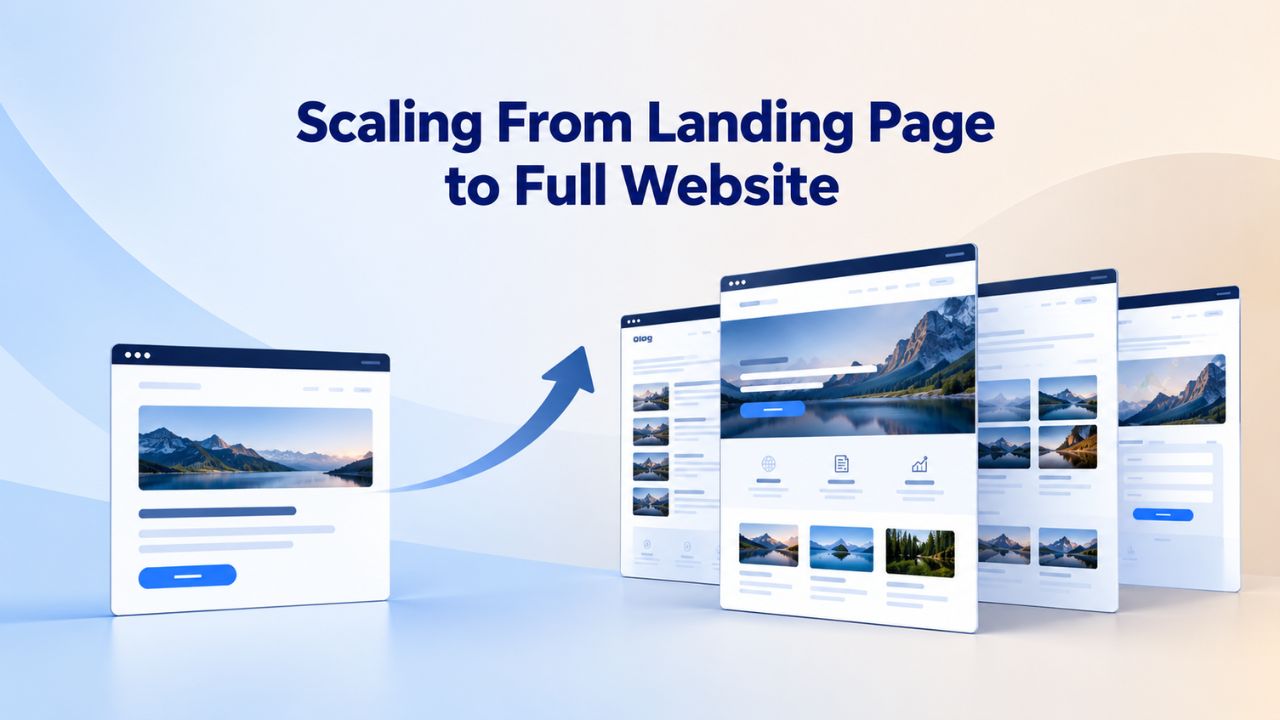
Scaling From Landing Page to Full Website
Starting with a landing page is a smart strategy. You test your offer and message with a focused page before investing in a full website. You generate initial conversions and revenue. You gather customer feedback. Once you have traction, you can expand. Add an “About Us” page to build trust and explain who you are. Add service or product pages that explain your full range of offerings. Add a blog to address common questions and drive organic traffic. Add a testimonials page to showcase customer success. Add a contact page for inquiries that don’t fit neatly into your landing-page offer. Build your presence gradually, measure what works, and double down on it.
Website builders make this expansion frictionless. You don’t have to migrate data, change platforms, or lose accumulated analytics. You stay in the same builder, add new pages using the same templates and design system, and everything works together. Your branding is consistent across all pages. Your traffic and conversion data live in one dashboard. Your integrations (email, forms, payments) work across the entire site, not just the landing page.
Ongoing Maintenance and Content Updates
Once your landing page is live, it’s not set-and-forget. Visitor behavior changes, competitors launch new offers, your business evolves, and your landing page should evolve too. Update your copy based on customer feedback or questions you’re hearing repeatedly. Refresh your images to show more recent customers or products. Test new CTA button text based on what’s working. Adjust your offer based on what resonates and converts. A landing page that converts well initially can be optimized to convert even better.
Website builders make updates fast and easy. Log in, click the page you want to edit, make changes, and republish. No waiting for a developer, no downtime, no technical complexity. You can publish an update in five minutes. This agility is one of the biggest advantages of DIY website builders. You can respond quickly to market feedback, test new messaging, and stay competitive without the overhead of developer dependencies.
| Landing Page Use Case | Best For | Primary Goal | Timeline to Launch |
|---|---|---|---|
| Service Booking | Consultants, coaches, therapists, personal trainers | Capture appointment bookings or consultation requests | 30–60 minutes |
| Product Launch | E-commerce, SaaS, digital products | Drive pre-orders or immediate sales | 1–2 hours |
| Email List Building | Content creators, newsletters, course creators | Grow mailing list for future marketing | 30–45 minutes |
| Lead Generation | B2B services, agencies, B2C services | Capture qualified inquiries for sales follow-up | 45–90 minutes |
| Webinar Registration | Educators, coaches, speakers, B2B companies | Drive attendance for online events | 1–2 hours |
| Event Promotion | Local businesses, conferences, community groups | Sell tickets or drive registrations | 1–2 hours |
| Course Launch | Online educators, coaches, subject-matter experts | Pre-launch signups or early-bird sales | 1–2 hours |
| Donation Campaign | Non-profits, charities, fundraisers | Drive donations during campaigns | 45–90 minutes |
Getting Started With Your Landing Page Today
The best time to build your landing page is today, when you have a clear offer to promote. Whether you’re running a campaign, building an email list, booking appointments, or selling a product, a dedicated landing page will outconvert your homepage every time. Start now, measure your results, and optimize over time. Niya Digital’s team is here to support you through setup, customization, and optimization, from choosing the right template to connecting your domain to integrating with your email or payment platform.
Frequently Asked Questions
How long does it take to build and publish a landing page?
Most small businesses can build and publish a landing page in 30 minutes to 2 hours, depending on complexity. Choosing a template takes five minutes. Customizing the headline, subheading, images, and copy takes fifteen to thirty minutes. Adding forms or integrations takes another fifteen to thirty minutes. Mobile testing takes five to ten minutes. Publishing is instant. If you’re creating forms that integrate with email platforms or booking systems, add another fifteen to thirty minutes for setup. No coding required; the entire process is visual.
Can I A/B test my landing page to improve conversions?
Yes. Website builders typically include basic analytics that show visitor counts and conversion rates. To A/B test, create two versions of your landing page with one key difference (different headline, different button color, different offer, different form length) and send equal traffic to each version. Measure which converts better, then publish the winner. More advanced A/B testing requires dedicated tools like Google Optimize or Optimizely, but website builders support integrations with these platforms. The key is testing one variable at a time; if you change both the headline and the button color, you won’t know which change drove the result.
Do I need to register my own domain, or can I start with the builder’s free domain?
Both work. A free builder domain (like yourname.builder.com) is fast to set up and fine for testing. But a branded domain (like yourname.com or youroffer.yourname.com) looks more professional, builds trust, and typically converts better. Most businesses upgrade to a branded domain once they’re ready to scale. Website builders let you connect your own domain at any time; it’s a simple one-time setup, and Niya Digital’s Website Builder Service supports this straightforwardly.
How do I know if my landing page is actually working? What metrics should I track?
Track these metrics: total visitors (how many people landed on your page), conversion rate (the percentage who completed your goal), and source (where traffic came from: ads, email, social, search). If you’re running ads, also track cost per conversion (how much you spent to get one customer). Website builders include analytics dashboards that show these metrics automatically. Check your analytics at least weekly. If your conversion rate is 5% or higher, you’re doing well for most industries. If it’s lower, start testing improvements, simplify your headline, reduce form fields, improve your images, or move your CTA button higher.
What if my landing page isn’t converting? Where do I start fixing it?
Start with these high-impact changes: clarify your headline (make it benefit-focused, not feature-focused); reduce form fields to the minimum (fewer fields = higher completion rates); improve your images (replace generic stock photos with real product or customer photos); make your CTA button more prominent (larger size, contrasting color, specific text); and move your CTA button higher on the page if visitors aren’t scrolling. Test one change per week and measure the impact. After a few weeks of incremental improvements, even small gains compound into significantly higher conversion rates.
Can I sell products directly from a landing page, or do I need a separate online store?
You can sell directly from a landing page. Website builders support built-in e-commerce features or integrations with payment processors like Stripe, PayPal, and Square. Add a product to your landing page, set the price, and buyers can purchase without leaving the page. The payment processor handles the checkout securely, and funds are automatically deposited into your account. If you’re selling multiple products, you might eventually build a full online store, but a single-product landing page is a great way to start.
How do I add an email signup form to my landing page?
Website builders let you add email forms by dragging a form element onto your page and configuring it. You then connect it to your email marketing platform (Mailchimp, ConvertKit, ActiveCampaign, etc.) using the builder’s integration feature. Provide your email platform’s API key or authorize the builder to access your account. Visitors who submit their email are automatically added to a list in your email platform. No manual work required; the integration handles everything automatically.
What’s the difference between a landing page and a homepage?
A homepage introduces your entire business and encourages visitors to explore multiple sections (about, services, blog, contact, FAQ). A landing page focuses on one specific offer and removes navigation distractions to funnel visitors toward one action. A homepage builds brand and provides general information. A landing page drives a specific conversion. Most businesses use both, the homepage for ongoing brand presence and landing pages for specific campaigns.
How do I make sure my landing page works well on mobile devices?
Website builders automatically make templates mobile-responsive, but you should test on real devices before publishing. Open your page on an actual phone and try every interaction: read the headline, scroll through benefits, tap form fields, click the CTA. If the text is too small, buttons are hard to tap, or the layout feels cramped, adjust it in the editor. Most builders show desktop and mobile side by side so you can preview changes on both. Pay special attention to form fields; make sure they’re large enough to tap and easy to complete on a small screen.
Can I integrate my landing page with my CRM or email marketing platform?
Yes. Website builders support integrations with major platforms: email marketing (Mailchimp, ConvertKit, ActiveCampaign, Klaviyo), CRM systems (HubSpot, Salesforce), and booking platforms (Calendly, Acuity Scheduling). To set up an integration, you provide the website builder with access to your account (using an API key or authorization). From there, when someone converts on your landing page, their information is automatically sent to your CRM or email platform. No manual data entry needed.
How long should my landing page be? Should it be one screen or multiple scrolls?
It depends on your offer complexity. Simple offers (like email signups) work well on short landing pages (500–800 words, one to two screens). Complex offers (like consulting services or high-ticket products) may need longer pages (1,500–2,500 words, three to five screens) to build trust and answer objections. The key is that every element should serve your conversion goal, no filler. Test different page lengths and measure which converts better for your specific offer.
What’s the best way to drive traffic to my landing page once it’s live?
Multiple channels work: paid advertising (Google Ads, Facebook Ads, LinkedIn Ads for quick traffic), email marketing (send your list a link), social media (share in posts and stories), and organic search (if your page ranks for relevant keywords). Start with one channel, measure results, then add others. Most growing businesses use a mix: paid ads for immediate conversions and organic traffic (SEO, social, email) for longer-term results. Measure traffic sources and conversion rates by channel, then double down on what’s working.
Can I use the same landing page template for multiple different offers?
Yes. You can duplicate a landing page template and customize it for different offers. This saves time if you’re running multiple campaigns. Duplicate the page, change the headline and offer details, test it, and publish. This approach keeps your workflow consistent while letting you run multiple campaigns simultaneously. However, each offer should have its own focused landing page; sending different traffic to the same page typically underperforms compared to a customized page for each offer.
How often should I update or refresh my landing page after it’s published?
Review your analytics weekly and update your page as needed. Update your copy based on customer feedback or questions you hear repeatedly. Refresh images every few months if your product or team changes. Test new CTA button text or page layouts monthly. Even small updates, clearer headlines, better images, or a more compelling offer can improve conversion rates by 10–20% over time. The key is continuous iteration, not one-and-done publishing.
What’s the biggest mistake people make when building landing pages?
Trying to do too much. A landing page with multiple offers, a long navigation menu, competing CTAs, and generic messaging converts poorly. The biggest mistake is losing focus. Build one landing page per offer, with one clear goal, one powerful message, and one prominent CTA. Every element should guide the visitor toward that goal. Simplicity and focus are what make landing pages work.
Glossary
- Landing Page: A single, focused web page designed to drive one specific action (sign-up, purchase, booking, or download). Landing pages minimize navigation distractions and funnel visitors toward a single conversion goal, typically for a specific campaign or offer.
- Call-to-Action (CTA): A button, link, or text element that tells visitors what to do next. Effective CTAs use specific, action-oriented language (“Book My Consultation,” “Claim Your Free Trial”) rather than generic terms (“Submit,” “Click Here”).
- Conversion: Completing a desired action on your landing page. Examples include email signup, form submission, product purchase, appointment booking, or download. Conversion rate is the percentage of visitors who complete the desired action.
- Drag-and-Drop Editor: A visual website-building tool that lets you design pages by clicking, typing, and dragging elements (text, images, buttons) without writing code. Everything updates in real time as you work.
- Meta Title: The text that appears as the headline in search engine results, typically 50–60 characters. Include your core offer and relevant keywords so visitors can quickly see your page answers their search query.
- Meta Description: The preview text that appears below the meta title in search results, typically 150–160 characters. A strong meta description summarizes your offer and includes a call-to-action to encourage clicks.
- Mobile-Responsive Design: A design that automatically adapts to fit different screen sizes, desktop, tablet, and mobile, without loss of usability or appearance. Responsive pages rearrange and resize elements as needed, ensuring a good user experience on any device.
- Template: A pre-designed page layout with structure, fonts, colors, and placeholder content. Templates provide a professional starting point that you customize with your own copy, images, and branding. Using a template is faster and results in better design than starting from a blank page.
- Responsive Design: A web design approach that automatically adjusts to fit any screen size. Responsive landing pages look good on desktop computers, tablets, and mobile phones without requiring separate mobile versions.
- A/B Testing: Comparing two versions of a page with one key difference (different headline, button color, or offer) to measure which performs better. Winning changes are then implemented, and new tests are run. A/B testing is how high-converting pages are built incrementally.